9/11/2014 
1 
BYOD Guide for Auditors 
TeamMate 2014 User Conference 
Palm Springs, CA 
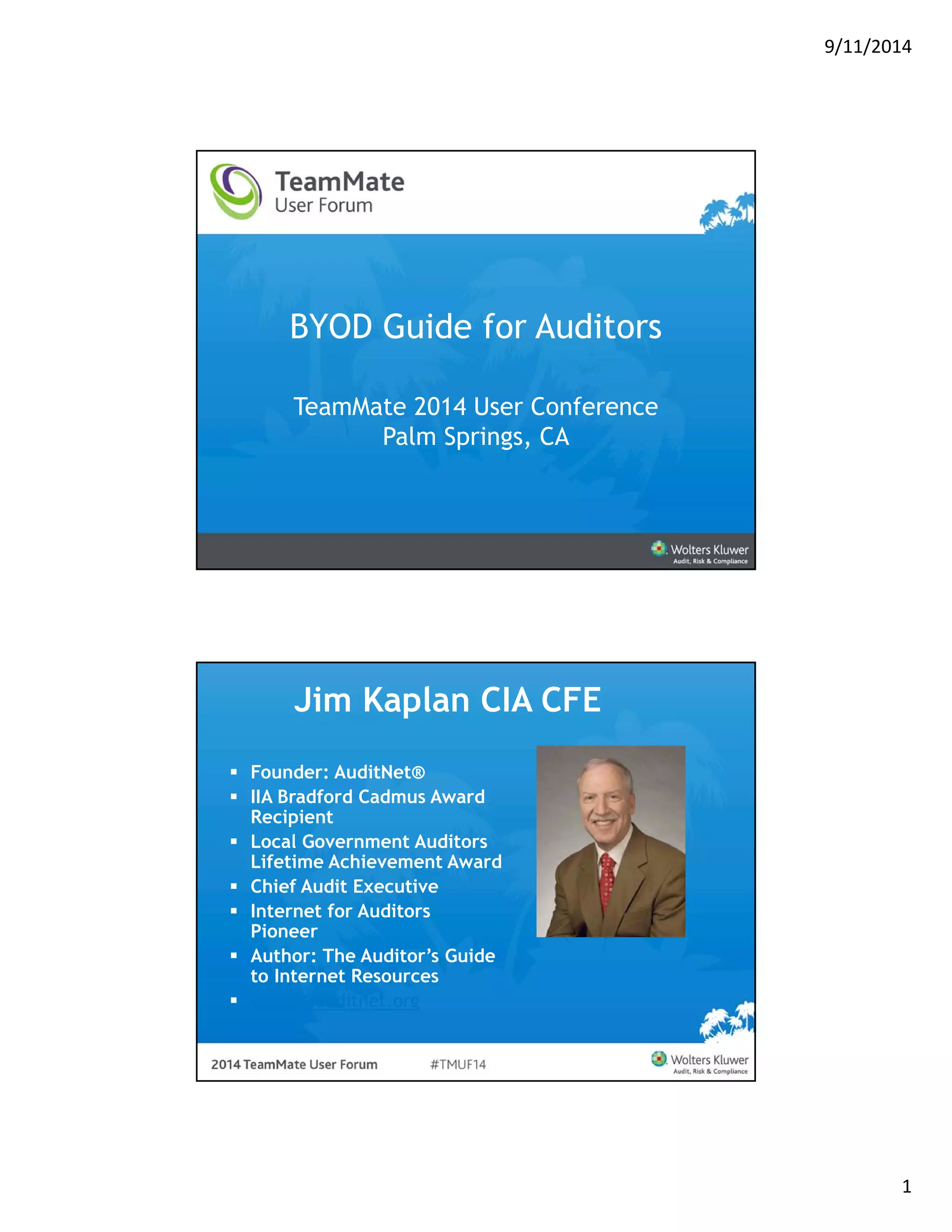
Jim Kaplan CIA CFE 
 Founder: AuditNet® 
 IIA Bradford Cadmus Award 
Recipient 
 Local Government Auditors 
Lifetime Achievement Award 
 Chief Audit Executive 
 Internet for Auditors 
Pioneer 
 Author: The Auditor’s Guide 
to Internet Resources 
 editor@auditnet.org
9/11/2014 
2 
Objectives 
 Define BYOD and MDM 
 Identify Risks and Internal Audit 
Considerations 
 Identify Controls 
 Provide a Framework for Mobile Device 
Auditing 
 Resources 
Mobile Devices and BYOD 
 Many organizations have 
now opted to allow 
employees to procure 
their own devices which 
will ultimately connect 
to enterprise data and 
resources 
 What does your 
organization allow?
9/11/2014 
3 
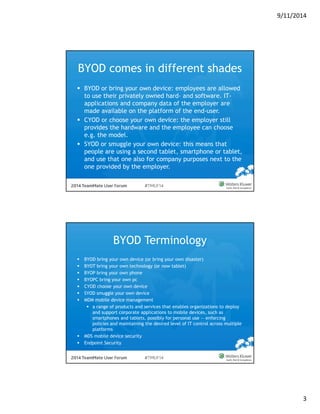
BYOD comes in different shades 
 BYOD or bring your own device: employees are allowed 
to use their privately owned hard- and software. IT-applications 
and company data of the employer are 
made available on the platform of the end-user. 
 CYOD or choose your own device: the employer still 
provides the hardware and the employee can choose 
e.g. the model. 
 SYOD or smuggle your own device: this means that 
people are using a second tablet, smartphone or tablet, 
and use that one also for company purposes next to the 
one provided by the employer. 
BYOD Terminology 
 BYOD bring your own device (or bring your own disaster) 
 BYOT bring your own technology (or now tablet) 
 BYOP bring your own phone 
 BYOPC bring your own pc 
 CYOD choose your own device 
 SYOD smuggle your own device 
 MDM mobile device management 
 a range of products and services that enables organizations to deploy 
and support corporate applications to mobile devices, such as 
smartphones and tablets, possibly for personal use — enforcing 
policies and maintaining the desired level of IT control across multiple 
platforms 
 MDS mobile device security 
 Endpoint Security
9/11/2014 
4 
BYOD Where Do We Start 
BYOD Mobile Device Picture 
 A Cisco study says in 2014 the average 
number of connected devices per knowledge 
worker will reach an average of 3.3 devices, 
up from 2.8 in 2012 
 Gartner predicts by 2017, half of employers 
will require employees to supply their own 
device for work purposes 
 By a show of hands how many of you have at 
least 1 mobile device?
9/11/2014 
5 
BYOD Statistics 
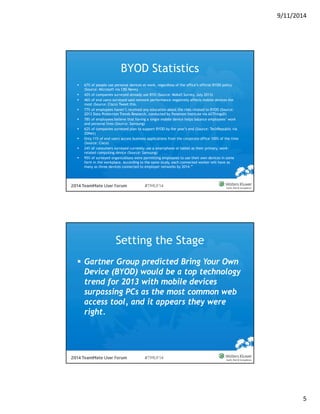
 67% of people use personal devices at work, regardless of the office’s official BYOD policy 
(Source: Microsoft via CBS News) 
 42% of companies surveyed already use BYO (Source: Moka5 Survey, July 2013) 
 46% of end users surveyed said network performance negatively affects mobile devices the 
most (Source: Cisco) Tweet this. 
 77% of employees haven’t received any education about the risks related to BYOD (Source: 
2013 Data Protection Trends Research, conducted by Ponemon Institute via AllThingsD) 
 78% of employees believe that having a single mobile device helps balance employees’ work 
and personal lives (Source: Samsung) 
 62% of companies surveyed plan to support BYOD by the year’s end (Source: TechRepublic via 
ZDNet) 
 Only 11% of end users access business applications from the corporate office 100% of the time 
(Source: Cisco) 
 24% of consumers surveyed currently use a smartphone or tablet as their primary, work-related 
computing device (Source: Samsung) 
 95% of surveyed organizations were permitting employees to use their own devices in some 
form in the workplace. According to the same study, each connected worker will have as 
many as three devices connected to employer networks by 2014.” 
Setting the Stage 
 Gartner Group predicted Bring Your Own 
Device (BYOD) would be a top technology 
trend for 2013 with mobile devices 
surpassing PCs as the most common web 
access tool, and it appears they were 
right.
9/11/2014 
6 
Mobile Device Facts 
 Consumer focused technology is not a fad, the 
benefits outweigh the costs 
 Researchers estimate 159.9 million smartphone 
users in US by the end of 2014 
 Gartner Worldwide sales of tablets to end users 
reached 195.4 million units in 2013 
 Gartner Says Mobile App Stores Will See Annual 
Downloads Reach 102 Billion in 2013 
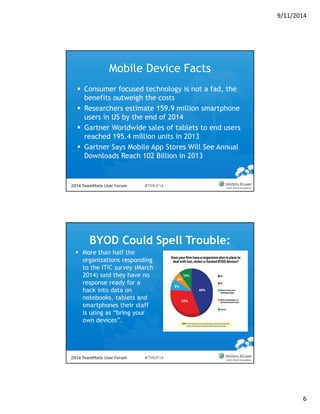
BYOD Could Spell Trouble: 
 More than half the 
organizations responding 
to the ITIC survey (March 
2014) said they have no 
response ready for a 
hack into data on 
notebooks, tablets and 
smartphones their staff 
is using as “bring your 
own devices”. 
http://www.cutimes.com/2014/03/10/byod-could-spell-trouble-survey
9/11/2014 
7 
Why is this important? 
 Growth of mobile device use means 
increased risks for organizations 
 Increased risks for organizations means 
audit must address 
 Audit needs to add BYOD to the audit 
plan to address policy, controls and risks. 
AuditNet® 2014 BYOD Survey 
• April 2014 AuditNet® launched 
a Survey of Bring your own 
Device (BYOD) Control, Risk 
and Audit 
• Responses from 339 auditors 
from eight different 
organization sectors 
• Organizations ranging from less 
than 100 to over 10,000 with 
the median being 1,000-5,000 
• Staff size from 1 to over 50 
with the median being 11-25 
• More than 70% reported that 
their companies/organizations 
permitted the use of mobile 
devices.
9/11/2014 
8 
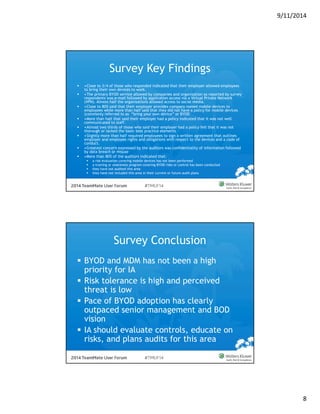
Survey Key Findings 
 •Close to 3/4 of those who responded indicated that their employer allowed employees 
to bring their own devices to work. 
 •The primary BYOD service allowed by companies and organization as reported by survey 
respondents was e-mail followed by application access via a Virtual Private Network 
(VPN). Almost half the organizations allowed access to social media. 
 •Close to 80% said that their employer provides company owned mobile devices to 
employees while more than half said that they did not have a policy for mobile devices 
(commonly referred to as “bring your own device” or BYOD 
 •More than half that said their employer had a policy indicated that it was not well 
communicated to staff. 
 •Almost two thirds of those who said their employer had a policy felt that it was not 
thorough or lacked the basic best practice elements 
 •Slightly more than half required employees to sign a written agreement that outlines 
employer and employee rights and obligations with respect to the devices and a code of 
conduct. 
 •Greatest concern expressed by the auditors was confidentiality of information followed 
by data breach or misuse 
 •More than 80% of the auditors indicated that: 
 a risk evaluation covering mobile devices has not been performed 
 a training or awareness program covering BYOD risks or control has been conducted 
 they have not audited this area 
 they have not included this area in their current or future audit plans 
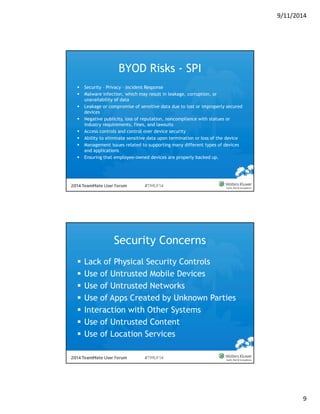
Survey Conclusion 
 BYOD and MDM has not been a high 
priority for IA 
 Risk tolerance is high and perceived 
threat is low 
 Pace of BYOD adoption has clearly 
outpaced senior management and BOD 
vision 
 IA should evaluate controls, educate on 
risks, and plans audits for this area
9/11/2014 
9 
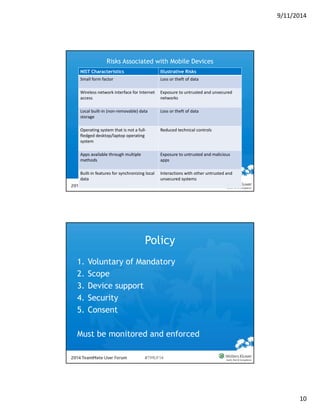
BYOD Risks - SPI 
 Security – Privacy – Incident Response 
 Malware infection, which may result in leakage, corruption, or 
unavailability of data 
 Leakage or compromise of sensitive data due to lost or improperly secured 
devices 
 Negative publicity, loss of reputation, noncompliance with statues or 
industry requirements, fines, and lawsuits 
 Access controls and control over device security 
 Ability to eliminate sensitive data upon termination or loss of the device 
 Management issues related to supporting many different types of devices 
and applications 
 Ensuring that employee-owned devices are properly backed up. 
Security Concerns 
 Lack of Physical Security Controls 
 Use of Untrusted Mobile Devices 
 Use of Untrusted Networks 
 Use of Apps Created by Unknown Parties 
 Interaction with Other Systems 
 Use of Untrusted Content 
 Use of Location Services
9/11/2014 
10 
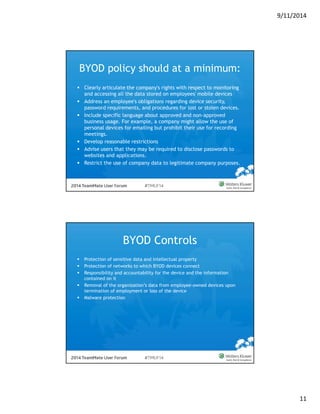
Risks Associated with Mobile Devices 
NIST Characteristics Illustrative Risks 
Small form factor Loss or theft of data 
Wireless network interface for Internet 
access 
Exposure to untrusted and unsecured 
networks 
Local built‐in (non‐removable) data 
storage 
Loss or theft of data 
Operating system that is not a full‐fledged 
desktop/laptop operating 
system 
Reduced technical controls 
Apps available through multiple 
methods 
Exposure to untrusted and malicious 
apps 
Built‐in features for synchronizing local 
data 
Interactions with other untrusted and 
unsecured systems 
Policy 
1. Voluntary of Mandatory 
2. Scope 
3. Device support 
4. Security 
5. Consent 
Must be monitored and enforced
9/11/2014 
11 
BYOD policy should at a minimum: 
 Clearly articulate the company's rights with respect to monitoring 
and accessing all the data stored on employees' mobile devices 
 Address an employee's obligations regarding device security, 
password requirements, and procedures for lost or stolen devices. 
 Include specific language about approved and non-approved 
business usage. For example, a company might allow the use of 
personal devices for emailing but prohibit their use for recording 
meetings. 
 Develop reasonable restrictions 
 Advise users that they may be required to disclose passwords to 
websites and applications. 
 Restrict the use of company data to legitimate company purposes. 
BYOD Controls 
 Protection of sensitive data and intellectual property 
 Protection of networks to which BYOD devices connect 
 Responsibility and accountability for the device and the information 
contained on it 
 Removal of the organization’s data from employee-owned devices upon 
termination of employment or loss of the device 
 Malware protection
9/11/2014 
12 
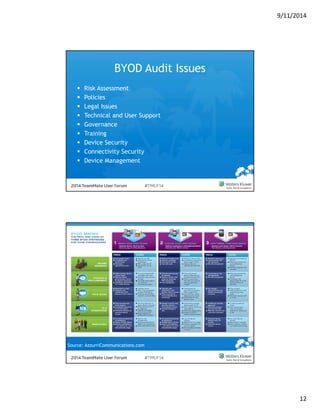
BYOD Audit Issues 
 Risk Assessment 
 Policies 
 Legal Issues 
 Technical and User Support 
 Governance 
 Training 
 Device Security 
 Connectivity Security 
 Device Management 
Source: AzzurriCommunications.com
9/11/2014 
13 
Audit’s Role in BYOD 
 Assessing the organization’s BYOD risks 
 Evaluate MDM and other policy solution 
 determine their adequacy to protect the 
organization’s proprietary and sensitive 
information. 
 Ensure that the organization’s BYOD 
practices comply with privacy and data 
security requirements imposed by applicable 
industry standards, laws, and regulations. 
BYOD Threats – IA Focus 
Threats Internal Audit Focus 
1. Review Anti Malware and firewall 
policy 
2. Review Operating system/ Application 
update policies 
3. Ensure that the contents of the 
device are encrypted and secured. 
4. Ensure that Bluetooth feature is in 
non discoverable mode or disabling it 
altogether if it is not needed in 
organization 
5. Verify awareness on protection 
against unauthorized observation of 
sensitive information in public places 
1. Increased risk of information loss 
A security incident is easier with a smart 
device because of the theft or loss of that 
device. 
2. Monitoring 
An ever-increasing range of malware and 
espionage software is being created for 
mobile devices. 
3. Awareness and communication 
It’s increasingly important to educate staff 
and other users about the use of poor 
security practices 
4. Treatment of devices as any other end-point 
Routes into the corporate network are 
created by mobile device architecture, 
which could result in the leakage of highly 
sensitive information
9/11/2014 
14 
Sample Audit Objectives 
 Provide management with an assessment of 
BYOD policies and procedures and their 
operating effectiveness 
 Identify internal control and regulatory 
deficiencies that could affect the 
organization 
 Identify information security control 
concerns that could affect the reliability, 
accuracy and security of the enterprise data 
due to weaknesses in mobile computing 
controls 
AuditNet® BYOD Resources and 
Tools 
 Mobile Device Checklist 
 www.sans.org/score/checklists/mobile-device-checklist.xls 
 Security Guidance for Critical Areas of Mobile 
Computing 
 https://downloads.cloudsecurityalliance.org/.../Mobile_Guid 
ance_v1.pdf 
 Guidelines for Managing the Security of Mobile Devices 
in the Enterprise 
 http://nvlpubs.nist.gov/nistpubs/SpecialPublications/NIST.SP. 
800-124r1.pdf
9/11/2014 
15 
AuditNet® Templates 
 Bring Your Own Device (BYOD) Audit July 
2014 
 Bring Your Own Device (BYOD) Assurance 
Audit Program July 2014 
 BYOD (Bring Your Own Device) Maturity 
Assessment (June 2014) 
 Security of Mobile Devices 
 BYOD (Bring Your Own Device) Security 
Audit Program (Source FastITTools) 
Contact Information 
Jim Kaplan CIA, CFE jkaplan@auditnet.org 
http://www.auditnet.org
9/11/2014 
16 
BYOD Questions

Bring Your Own Device 2014 TeamMate User Conference Palm Desert California

  • 1.
    9/11/2014 1 BYODGuide for Auditors TeamMate 2014 User Conference Palm Springs, CA Jim Kaplan CIA CFE  Founder: AuditNet®  IIA Bradford Cadmus Award Recipient  Local Government Auditors Lifetime Achievement Award  Chief Audit Executive  Internet for Auditors Pioneer  Author: The Auditor’s Guide to Internet Resources  editor@auditnet.org
  • 2.
    9/11/2014 2 Objectives  Define BYOD and MDM  Identify Risks and Internal Audit Considerations  Identify Controls  Provide a Framework for Mobile Device Auditing  Resources Mobile Devices and BYOD  Many organizations have now opted to allow employees to procure their own devices which will ultimately connect to enterprise data and resources  What does your organization allow?
  • 3.
    9/11/2014 3 BYODcomes in different shades  BYOD or bring your own device: employees are allowed to use their privately owned hard- and software. IT-applications and company data of the employer are made available on the platform of the end-user.  CYOD or choose your own device: the employer still provides the hardware and the employee can choose e.g. the model.  SYOD or smuggle your own device: this means that people are using a second tablet, smartphone or tablet, and use that one also for company purposes next to the one provided by the employer. BYOD Terminology  BYOD bring your own device (or bring your own disaster)  BYOT bring your own technology (or now tablet)  BYOP bring your own phone  BYOPC bring your own pc  CYOD choose your own device  SYOD smuggle your own device  MDM mobile device management  a range of products and services that enables organizations to deploy and support corporate applications to mobile devices, such as smartphones and tablets, possibly for personal use — enforcing policies and maintaining the desired level of IT control across multiple platforms  MDS mobile device security  Endpoint Security
  • 4.
    9/11/2014 4 BYODWhere Do We Start BYOD Mobile Device Picture  A Cisco study says in 2014 the average number of connected devices per knowledge worker will reach an average of 3.3 devices, up from 2.8 in 2012  Gartner predicts by 2017, half of employers will require employees to supply their own device for work purposes  By a show of hands how many of you have at least 1 mobile device?
  • 5.
    9/11/2014 5 BYODStatistics  67% of people use personal devices at work, regardless of the office’s official BYOD policy (Source: Microsoft via CBS News)  42% of companies surveyed already use BYO (Source: Moka5 Survey, July 2013)  46% of end users surveyed said network performance negatively affects mobile devices the most (Source: Cisco) Tweet this.  77% of employees haven’t received any education about the risks related to BYOD (Source: 2013 Data Protection Trends Research, conducted by Ponemon Institute via AllThingsD)  78% of employees believe that having a single mobile device helps balance employees’ work and personal lives (Source: Samsung)  62% of companies surveyed plan to support BYOD by the year’s end (Source: TechRepublic via ZDNet)  Only 11% of end users access business applications from the corporate office 100% of the time (Source: Cisco)  24% of consumers surveyed currently use a smartphone or tablet as their primary, work-related computing device (Source: Samsung)  95% of surveyed organizations were permitting employees to use their own devices in some form in the workplace. According to the same study, each connected worker will have as many as three devices connected to employer networks by 2014.” Setting the Stage  Gartner Group predicted Bring Your Own Device (BYOD) would be a top technology trend for 2013 with mobile devices surpassing PCs as the most common web access tool, and it appears they were right.
  • 6.
    9/11/2014 6 MobileDevice Facts  Consumer focused technology is not a fad, the benefits outweigh the costs  Researchers estimate 159.9 million smartphone users in US by the end of 2014  Gartner Worldwide sales of tablets to end users reached 195.4 million units in 2013  Gartner Says Mobile App Stores Will See Annual Downloads Reach 102 Billion in 2013 BYOD Could Spell Trouble:  More than half the organizations responding to the ITIC survey (March 2014) said they have no response ready for a hack into data on notebooks, tablets and smartphones their staff is using as “bring your own devices”. http://www.cutimes.com/2014/03/10/byod-could-spell-trouble-survey
  • 7.
    9/11/2014 7 Whyis this important?  Growth of mobile device use means increased risks for organizations  Increased risks for organizations means audit must address  Audit needs to add BYOD to the audit plan to address policy, controls and risks. AuditNet® 2014 BYOD Survey • April 2014 AuditNet® launched a Survey of Bring your own Device (BYOD) Control, Risk and Audit • Responses from 339 auditors from eight different organization sectors • Organizations ranging from less than 100 to over 10,000 with the median being 1,000-5,000 • Staff size from 1 to over 50 with the median being 11-25 • More than 70% reported that their companies/organizations permitted the use of mobile devices.
  • 8.
    9/11/2014 8 SurveyKey Findings  •Close to 3/4 of those who responded indicated that their employer allowed employees to bring their own devices to work.  •The primary BYOD service allowed by companies and organization as reported by survey respondents was e-mail followed by application access via a Virtual Private Network (VPN). Almost half the organizations allowed access to social media.  •Close to 80% said that their employer provides company owned mobile devices to employees while more than half said that they did not have a policy for mobile devices (commonly referred to as “bring your own device” or BYOD  •More than half that said their employer had a policy indicated that it was not well communicated to staff.  •Almost two thirds of those who said their employer had a policy felt that it was not thorough or lacked the basic best practice elements  •Slightly more than half required employees to sign a written agreement that outlines employer and employee rights and obligations with respect to the devices and a code of conduct.  •Greatest concern expressed by the auditors was confidentiality of information followed by data breach or misuse  •More than 80% of the auditors indicated that:  a risk evaluation covering mobile devices has not been performed  a training or awareness program covering BYOD risks or control has been conducted  they have not audited this area  they have not included this area in their current or future audit plans Survey Conclusion  BYOD and MDM has not been a high priority for IA  Risk tolerance is high and perceived threat is low  Pace of BYOD adoption has clearly outpaced senior management and BOD vision  IA should evaluate controls, educate on risks, and plans audits for this area
  • 9.
    9/11/2014 9 BYODRisks - SPI  Security – Privacy – Incident Response  Malware infection, which may result in leakage, corruption, or unavailability of data  Leakage or compromise of sensitive data due to lost or improperly secured devices  Negative publicity, loss of reputation, noncompliance with statues or industry requirements, fines, and lawsuits  Access controls and control over device security  Ability to eliminate sensitive data upon termination or loss of the device  Management issues related to supporting many different types of devices and applications  Ensuring that employee-owned devices are properly backed up. Security Concerns  Lack of Physical Security Controls  Use of Untrusted Mobile Devices  Use of Untrusted Networks  Use of Apps Created by Unknown Parties  Interaction with Other Systems  Use of Untrusted Content  Use of Location Services
  • 10.
    9/11/2014 10 RisksAssociated with Mobile Devices NIST Characteristics Illustrative Risks Small form factor Loss or theft of data Wireless network interface for Internet access Exposure to untrusted and unsecured networks Local built‐in (non‐removable) data storage Loss or theft of data Operating system that is not a full‐fledged desktop/laptop operating system Reduced technical controls Apps available through multiple methods Exposure to untrusted and malicious apps Built‐in features for synchronizing local data Interactions with other untrusted and unsecured systems Policy 1. Voluntary of Mandatory 2. Scope 3. Device support 4. Security 5. Consent Must be monitored and enforced
  • 11.
    9/11/2014 11 BYODpolicy should at a minimum:  Clearly articulate the company's rights with respect to monitoring and accessing all the data stored on employees' mobile devices  Address an employee's obligations regarding device security, password requirements, and procedures for lost or stolen devices.  Include specific language about approved and non-approved business usage. For example, a company might allow the use of personal devices for emailing but prohibit their use for recording meetings.  Develop reasonable restrictions  Advise users that they may be required to disclose passwords to websites and applications.  Restrict the use of company data to legitimate company purposes. BYOD Controls  Protection of sensitive data and intellectual property  Protection of networks to which BYOD devices connect  Responsibility and accountability for the device and the information contained on it  Removal of the organization’s data from employee-owned devices upon termination of employment or loss of the device  Malware protection
  • 12.
    9/11/2014 12 BYODAudit Issues  Risk Assessment  Policies  Legal Issues  Technical and User Support  Governance  Training  Device Security  Connectivity Security  Device Management Source: AzzurriCommunications.com
  • 13.
    9/11/2014 13 Audit’sRole in BYOD  Assessing the organization’s BYOD risks  Evaluate MDM and other policy solution  determine their adequacy to protect the organization’s proprietary and sensitive information.  Ensure that the organization’s BYOD practices comply with privacy and data security requirements imposed by applicable industry standards, laws, and regulations. BYOD Threats – IA Focus Threats Internal Audit Focus 1. Review Anti Malware and firewall policy 2. Review Operating system/ Application update policies 3. Ensure that the contents of the device are encrypted and secured. 4. Ensure that Bluetooth feature is in non discoverable mode or disabling it altogether if it is not needed in organization 5. Verify awareness on protection against unauthorized observation of sensitive information in public places 1. Increased risk of information loss A security incident is easier with a smart device because of the theft or loss of that device. 2. Monitoring An ever-increasing range of malware and espionage software is being created for mobile devices. 3. Awareness and communication It’s increasingly important to educate staff and other users about the use of poor security practices 4. Treatment of devices as any other end-point Routes into the corporate network are created by mobile device architecture, which could result in the leakage of highly sensitive information
  • 14.
    9/11/2014 14 SampleAudit Objectives  Provide management with an assessment of BYOD policies and procedures and their operating effectiveness  Identify internal control and regulatory deficiencies that could affect the organization  Identify information security control concerns that could affect the reliability, accuracy and security of the enterprise data due to weaknesses in mobile computing controls AuditNet® BYOD Resources and Tools  Mobile Device Checklist  www.sans.org/score/checklists/mobile-device-checklist.xls  Security Guidance for Critical Areas of Mobile Computing  https://downloads.cloudsecurityalliance.org/.../Mobile_Guid ance_v1.pdf  Guidelines for Managing the Security of Mobile Devices in the Enterprise  http://nvlpubs.nist.gov/nistpubs/SpecialPublications/NIST.SP. 800-124r1.pdf
  • 15.
    9/11/2014 15 AuditNet®Templates  Bring Your Own Device (BYOD) Audit July 2014  Bring Your Own Device (BYOD) Assurance Audit Program July 2014  BYOD (Bring Your Own Device) Maturity Assessment (June 2014)  Security of Mobile Devices  BYOD (Bring Your Own Device) Security Audit Program (Source FastITTools) Contact Information Jim Kaplan CIA, CFE jkaplan@auditnet.org http://www.auditnet.org
  • 16.