Multimedia Applications
•Application thatinvolve multiple media types:
1. Interpersonal Communications: May involve speech, image,
text or video. (speech only, image only, text only, text & image,
speech & video)
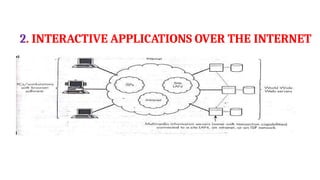
2. Interactive Applications over the Internet: Browsing
through sales, literature, newspapers, etc.
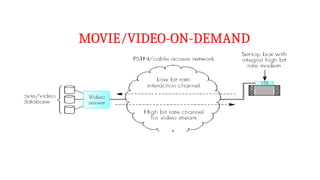
3. Entertainment Applications: Movie/Video on demand,
interactive television
4.
1. Interpersonal Communications
•May involve speech, image, text, or video.
• May involve single type or integrated two or more type of media
involved
– 1. Speech only
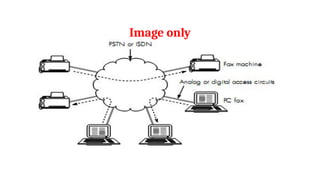
– 2. Image only
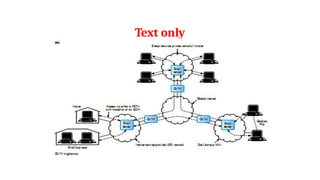
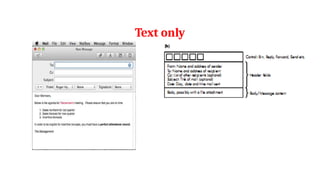
– 3. Text Only
– 4. Text and Images
– 5. Speech and Video
– 6. Multimedia
SPEECH only
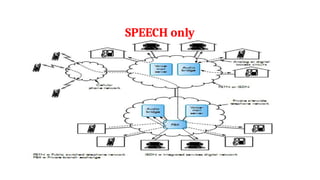
•Traditional interpersonalcommunication - telephones connected to
PSTN/ISDN/PBX.
•Multimedia PC with a microphone and speakers - used to make
telephone calls through PC.
•Requirements – telephone interface card and associated software -
technology is computer telephony integration (CTI).
•Advantages - users can create own private directory of numbers and can
initiate a call by selecting the desired no. on the PC screen.
• Access circuits require more capacity/bandwidth.
7.
SPEECH only
1. Voicemail:
– Used when the called party is unavailable.
– A spoken message - voice mail is saved in the voice mailbox, which is present at a
central voice mail server – this message can be read by the owner next time they
contact the server.
2. Teleconferencing:
– Involves multiple interconnected telephones/PCs. Each person can talk to all
the others involved in the call - conference call / teleconferencing call /
audio-conferencing call. Requires - central unit - audio bridge - provides the
necessary support to set up the call automatically.
• Internet telephony initially supported PC-to-PC communications –
extended to PC-to-telephony.
VoIP -Telephony overthe Internet
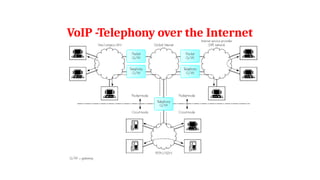
• As internet has packet mode operation
– both PC require software & hardware to convert speech signal from microphone
into packets and vice versa - Voice over IP (VoIP).
• Telephony gateway
– interworking unit used when a PC connected to the Internet makes a call to
telephone connected to PSTN/ISDN.
• PC requests to make a telephone call to a pre-allocated gateway using its internet
address
– If user is registered, the gateway will request the phone no. to establish the call from
the PC.
10.
VoIP -Telephony overthe Internet
• On receipt of this the source gateway will initiate a call with the gateway
nearest to the called party.
• The called gateway then establishes the call to the recipient telephone
using its telephone no.
• If the called party answers then a signal is sent back by the recipient
gateway to the PC via source gateway
Text and Imageonly
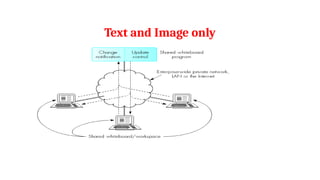
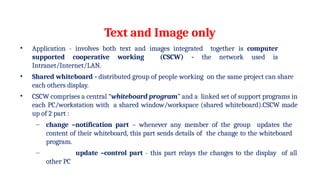
• Application - involves both text and images integrated together is computer
supported cooperative working (CSCW) - the network used is
Intranet/Internet/LAN.
• Shared whiteboard - distributed group of people working on the same project can share
each others display.
• CSCW comprises a central “whiteboard program” and a linked set of support programs in
each PC/workstation with a shared window/workspace (shared whiteboard).CSCW made
up of 2 part :
– change –notification part – whenever any member of the group updates the
content of their whiteboard, this part sends details of the change to the whiteboard
program.
– update –control part - this part relays the changes to the display of all
other PC
16.
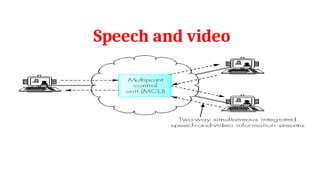
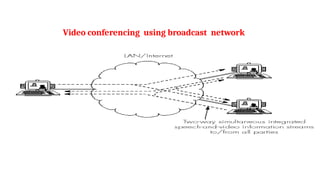
Speech and video
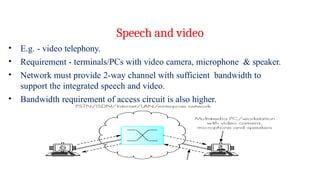
•E.g. - video telephony.
• Requirement - terminals/PCs with video camera, microphone & speaker.
• Network must provide 2-way channel with sufficient bandwidth to
support the integrated speech and video.
• Bandwidth requirement of access circuit is also higher.
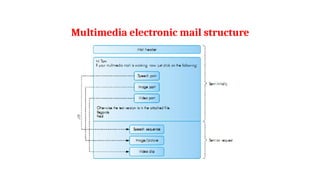
•A multimedia emailwill consist of text, images, audio and video.
– E.g.- email applications consisting media types other than text are Voice-mail,
Video mail and multimedia mail.
•Voice-mail /Video-mail
•Multimedia mail
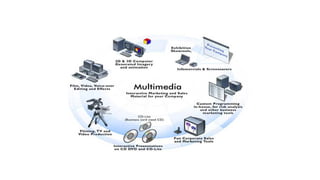
Multimedia



![PPT Multimedia_Communications (1)[1].pdf](https://cdn.slidesharecdn.com/ss_thumbnails/pptmultimediacommunications11-250227022007-06c7636d-thumbnail.jpg?width=640&height=640&fit=bounds)


