Intent
Prepared By: Ms. Soknigm Sa
1.What are intents?
- Intents are asynchronous messages which allow application components to
request functionality from other Android components. Intents allow you to
interact with components from the same applications as well as with
components contributed by other applications.
- Intents are objects of the android.content.Intent type
- An intent can contain data via a Bundle.
- There are 2 kind of intents: explicit and implicit intents.
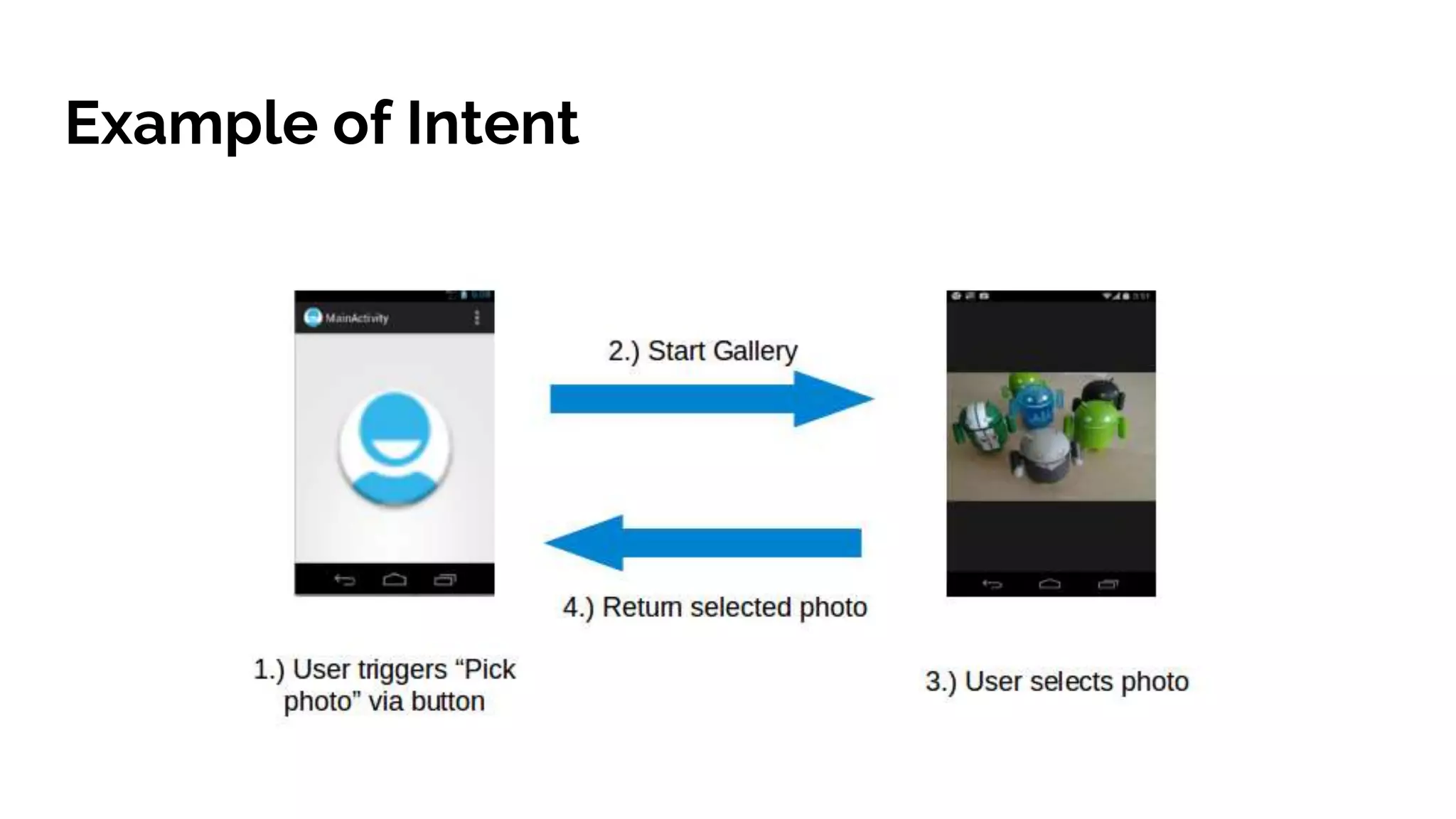
Example of Intent
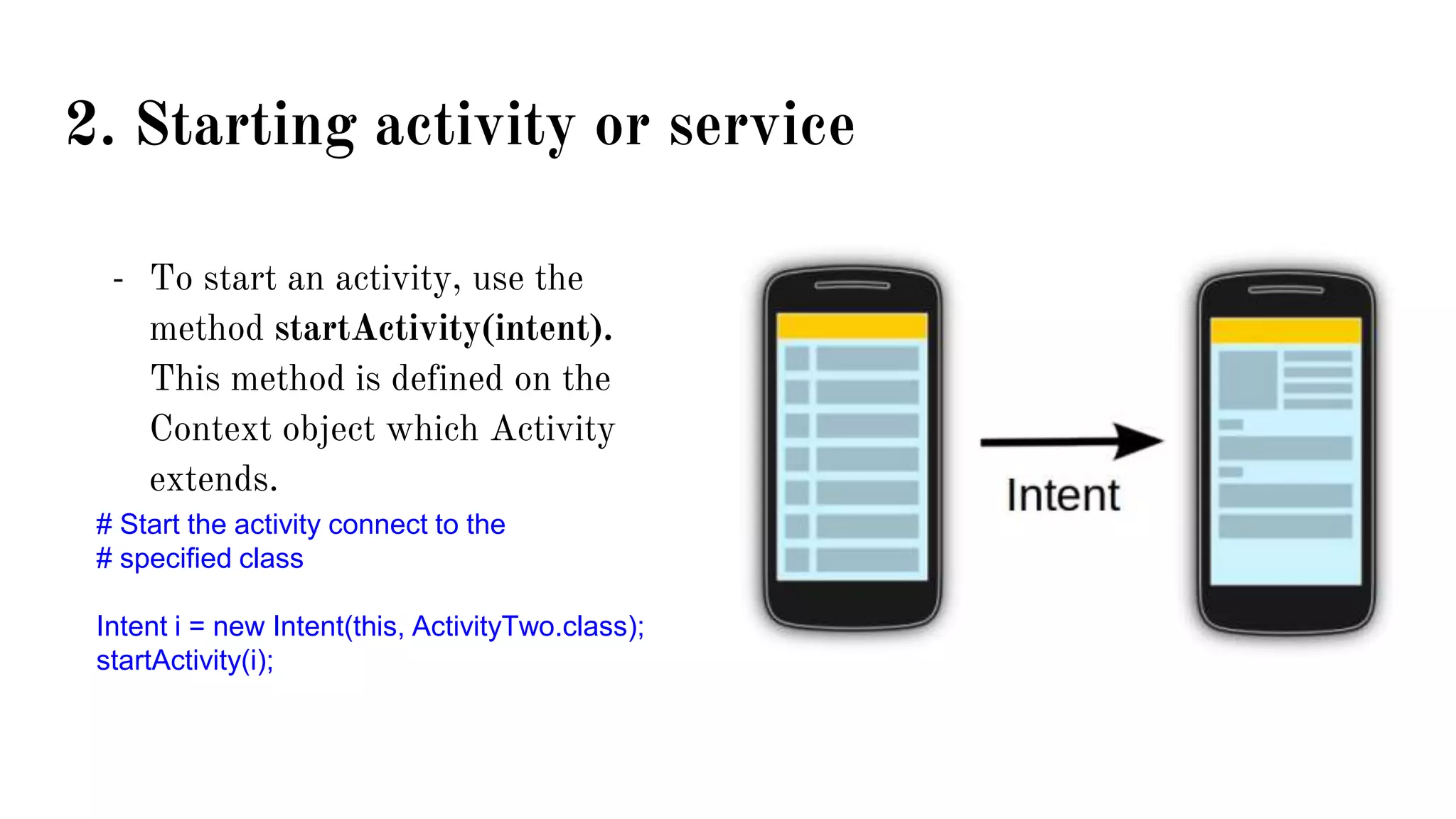
2. Starting activity or service
- To start an activity, use the
method startActivity(intent).
This method is defined on the
Context object which Activity
extends.
# Start the activity connect to the
# specified class
Intent i = new Intent(this, ActivityTwo.class);
startActivity(i);
3.1 Explicit Intent
- Explicit intents are typically used within an application as the classes in an
application are controlled or created by the application developer.
- The following shows how to create an explicit intent and send it to the Android
system to start an activity.
Intent i = new Intent(ActivityOne.this, ActivityTwo.class);
startActivity(intent); //start Activity
3.2 Implicit Intent
- Implicit intents specify the action which should be performed and optionally
data which provides content for the specific action and the fitting data typeof
android application.
- For example, the following tells the Android system to view a webpage. All
installed web browsers should be registered to the corresponding intent data via
an intent filter.
Intent intent = new Intent(Intent.ACTION_VIEW, Uri.parse(โ€œwww.tutorialpoint.comโ€));
startActivity(intent); //start Activity
Intent intent= new Intent();
intent.setAction(Intent.ACTION_VIEW);
intent.setData(Uri.parse(โ€œwww.tutorialpoint.comโ€));
startActivity(intent); //start Activity
To Sum up
4. Data Transfer between Activity
- You can also add data directly to the Bundle or putExtra() methods of the Intent
objects.
- Extras are key/value pairs.
- The key is always of type String.
- As value you can use the primitive data types (int, float, โ€ฆ) , objects of
type String, Bundle, Parcelable and Serializable.
Example of using Bundle and putExtra()
Using Bundle
Bundle mBundle = new Bundle();
mBundle.putString("name", "Sokngim");
mBundle.putInt("age",24);
Intent testingIntent = new Intent(MainActivity.this, TestingActivity.class);
testingIntent.putExtras(mBundle);
startActivity(testingIntent);
Using putExtra()
Intent testingIntent = new Intent(MainActivity.this, TestingActivity.class);
testingIntent.putExtra("name", "Sokngim");
testingIntent.putExtra("age", 24);
startActivity(testingIntent);
4. Data Transfer between Activity
- The receiving component
can access this information
via the getAction() and
getData() methods on the
Intent object. This Intent
object can be retrieved via
the getIntent() method.
Bundle extras = getIntent().getExtras();
if (extras == null) {
return;
}
Log.d("mBundle", mBundle.getString("name"));
Log.d("mBundle", mBundle.getInt("age",0) + "");
// get data via the key
String value1 = extras.getString(Intent.EXTRA_TEXT);
if (value1 != null) {
// do something with the data
}
Intent Filter
An intent filter is an expression in an app's manifest file that specifies the type of intents that the
component would like to receive. <intent-filter> element in the manifest file to list down actions,
categories and data types associated with any activity, service, or broadcast receiver.
<activity android:name=".WebviewActivity"
android:label="@string/app_name">
<intent-filter>
<action android:name="android.intent.action.VIEW" />
<action android:name="com.example.My Application.LAUNCH" />
<category android:name="android.intent.category.DEFAULT" />
<data android:scheme="http" android:host="https://developer.android.com/index.html />
</intent-filter>
</activity>
Intent intent = new Intent (Intent.ACTION_VIEW,
Uri.parse("https://developer.android.com/index.html"));
startActivity(intent);
Example of Using Intent
- Opening new activity
- Passing data between activities
- Launching the built-in web browser and supplying a URL address
- Launching the web browser and supplying a search string
- Launching the built-in Dialer application and supplying a phone number
- Launching Google Street View and supplying a location
- Launching the built-in Camera application in still or video mode
- Launching a ringtone picker

05 intent

  • 1.
  • 2.
    1.What are intents? -Intents are asynchronous messages which allow application components to request functionality from other Android components. Intents allow you to interact with components from the same applications as well as with components contributed by other applications. - Intents are objects of the android.content.Intent type - An intent can contain data via a Bundle. - There are 2 kind of intents: explicit and implicit intents.
  • 3.
  • 4.
    2. Starting activityor service - To start an activity, use the method startActivity(intent). This method is defined on the Context object which Activity extends. # Start the activity connect to the # specified class Intent i = new Intent(this, ActivityTwo.class); startActivity(i);
  • 5.
    3.1 Explicit Intent -Explicit intents are typically used within an application as the classes in an application are controlled or created by the application developer. - The following shows how to create an explicit intent and send it to the Android system to start an activity. Intent i = new Intent(ActivityOne.this, ActivityTwo.class); startActivity(intent); //start Activity
  • 6.
    3.2 Implicit Intent -Implicit intents specify the action which should be performed and optionally data which provides content for the specific action and the fitting data typeof android application. - For example, the following tells the Android system to view a webpage. All installed web browsers should be registered to the corresponding intent data via an intent filter. Intent intent = new Intent(Intent.ACTION_VIEW, Uri.parse(โ€œwww.tutorialpoint.comโ€)); startActivity(intent); //start Activity Intent intent= new Intent(); intent.setAction(Intent.ACTION_VIEW); intent.setData(Uri.parse(โ€œwww.tutorialpoint.comโ€)); startActivity(intent); //start Activity
  • 7.
  • 8.
    4. Data Transferbetween Activity - You can also add data directly to the Bundle or putExtra() methods of the Intent objects. - Extras are key/value pairs. - The key is always of type String. - As value you can use the primitive data types (int, float, โ€ฆ) , objects of type String, Bundle, Parcelable and Serializable.
  • 9.
    Example of usingBundle and putExtra() Using Bundle Bundle mBundle = new Bundle(); mBundle.putString("name", "Sokngim"); mBundle.putInt("age",24); Intent testingIntent = new Intent(MainActivity.this, TestingActivity.class); testingIntent.putExtras(mBundle); startActivity(testingIntent); Using putExtra() Intent testingIntent = new Intent(MainActivity.this, TestingActivity.class); testingIntent.putExtra("name", "Sokngim"); testingIntent.putExtra("age", 24); startActivity(testingIntent);
  • 10.
    4. Data Transferbetween Activity - The receiving component can access this information via the getAction() and getData() methods on the Intent object. This Intent object can be retrieved via the getIntent() method. Bundle extras = getIntent().getExtras(); if (extras == null) { return; } Log.d("mBundle", mBundle.getString("name")); Log.d("mBundle", mBundle.getInt("age",0) + ""); // get data via the key String value1 = extras.getString(Intent.EXTRA_TEXT); if (value1 != null) { // do something with the data }
  • 11.
    Intent Filter An intentfilter is an expression in an app's manifest file that specifies the type of intents that the component would like to receive. <intent-filter> element in the manifest file to list down actions, categories and data types associated with any activity, service, or broadcast receiver. <activity android:name=".WebviewActivity" android:label="@string/app_name"> <intent-filter> <action android:name="android.intent.action.VIEW" /> <action android:name="com.example.My Application.LAUNCH" /> <category android:name="android.intent.category.DEFAULT" /> <data android:scheme="http" android:host="https://developer.android.com/index.html /> </intent-filter> </activity> Intent intent = new Intent (Intent.ACTION_VIEW, Uri.parse("https://developer.android.com/index.html")); startActivity(intent);
  • 12.
    Example of UsingIntent - Opening new activity - Passing data between activities - Launching the built-in web browser and supplying a URL address - Launching the web browser and supplying a search string - Launching the built-in Dialer application and supplying a phone number - Launching Google Street View and supplying a location - Launching the built-in Camera application in still or video mode - Launching a ringtone picker