Universal Design for
Learning
SUCCESS FOR ALL
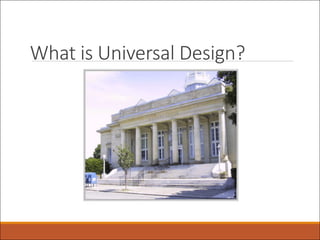
What is Universal Design?
Carousel Debrief…
ØHow many modifications were suggested?
ØWas it easy to generate accessibility ideas?
ØWhat were some of your group’s thought
processes when you were creating solutions?
ØWould it be easier to incorporate the ideas
generated when the building was built or to go
in and make alterations later?
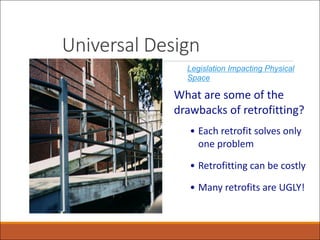
Universal Design
What are some of the
drawbacks of retrofitting?
• Each retrofit solves only
one problem
• Retrofitting can be costly
• Many retrofits are UGLY!
Legislation Impacting Physical
Space
Universal Design Defined…
“Consider the needs of the
broadest possible range of
users from the beginning”
Architect, Ron Mace
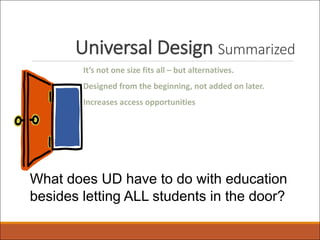
Universal Design Summarized
It’s not one size fits all – but alternatives.
Designed from the beginning, not added on later.
Increases access opportunities
What does UD have to do with education
besides letting ALL students in the door?
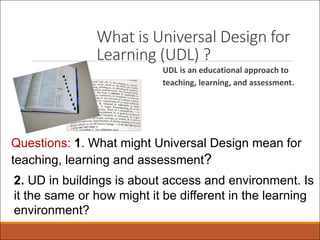
What is Universal Design for
Learning (UDL) ?
UDL is an educational approach to
teaching, learning, and assessment.
Questions: 1. What might Universal Design mean for
teaching, learning and assessment?
2. UD in buildings is about access and environment. Is
it the same or how might it be different in the learning
environment?
UDL Defined
Universal Design for Learning
(UDL) is an approach to
teaching aimed at meeting the
needs of every student in a
classroom. It can be helpful
for all kids, including kids with
learning and attention issues.
But UDL takes careful
planning by teachers.
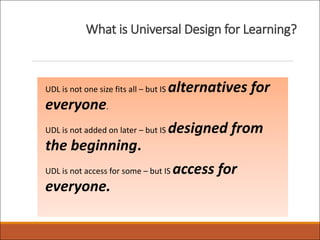
What is Universal Design for Learning?
UDL is not one size fits all – but IS alternatives for
everyone.
UDL is not added on later – but IS designed from
the beginning.
UDL is not access for some – but IS access for
everyone.
Video: ECE and UDL
https://www.youtube.com/watch?v=QYB5XhHBcg0
What does research say about
Universal Design for Learning
(UDL) ?
•UDL is… "scientifically valid framework for guiding educational practice,"
•UDL facilitates the design and implementation of a flexible, responsive
curriculum, UDL offers options for how information is presented, how students
respond or demonstrate their knowledge and skills, and how students are
engaged in learning.
•UDL implementation provides the opportunity for all students to access,
participate in, and progress in the education curriculum by reducing barriers to
instruction.
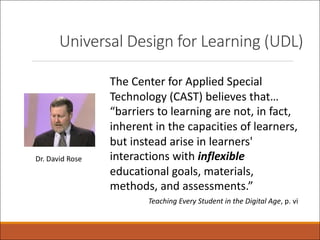
Universal Design for Learning (UDL)
The Center for Applied Special
Technology (CAST) believes that…
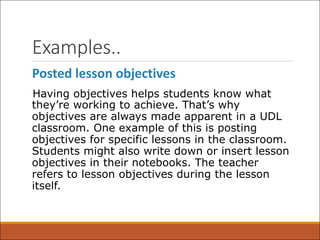
“barriers to learning are not, in fact,
inherent in the capacities of learners,
but instead arise in learners'
interactions with inflexible
educational goals, materials,
methods, and assessments.”
Teaching Every Student in the Digital Age, p. vi
Dr. David Rose
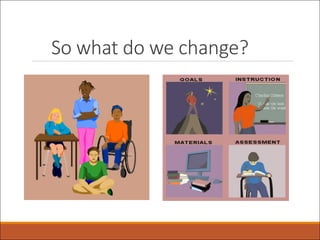
So what do we change?
Examples..
Posted lesson objectives
Having objectives helps students know what
they’re working to achieve. That’s why
objectives are always made apparent in a UDL
classroom. One example of this is posting
objectives for specific lessons in the classroom.
Students might also write down or insert lesson
objectives in their notebooks. The teacher
refers to lesson objectives during the lesson
itself.
Assignment options
In a traditional classroom, there may be only
one way for a student to complete an
assignment. This might be an essay or a
worksheet. With UDL, there are multiple
options. For instance, students may be able to
create a podcast or a video to show what they
know. They may even be allowed to draw a
comic strip. There are tons of possibilities for
completing assignments, as long as students
meet the lesson goals.
Flexible work spaces
UDL promotes flexibility in the learning
environment. That’s why in a UDL classroom,
there are flexible work spaces for students. This
includes spaces for quiet individual work, small
and large group work, and group instruction. If
students need to tune out noise, they can
choose to wear earbuds or headphones during
independent work.
Regular feedback
With UDL, students get feedback — often every
day — on how they’re doing. At the end of a
lesson, teachers may talk with individual
students about lesson objectives. Students are
encouraged to reflect on the choices they made
in class and whether they met the objectives. If
they didn’t meet the objectives, they’re
encouraged to think about what might have
helped them do so.
Digital and audio text
UDL recognizes that if students can’t access
information, they can’t learn it. So in a UDL
classroom, materials are accessible for all types of
learners. Students have many options for reading,
including print, digital, text-to-speech and
audiobooks. For digital text, there are also options
for text enlargement, along with choices for screen
color and contrast. Videos have captions, and there
are transcripts for audio.
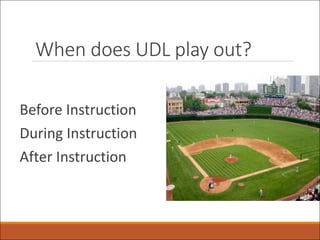
When does UDL play out?
Before Instruction
During Instruction
After Instruction
UDL... When? - SELF-CHECK
ØLarge envelope
ØLay out the 3 headings on your table:
Ø Before Instruction
Ø During Instruction
Ø After Instruction
ØTake the descriptors and put them in the column you think best represents
WHEN they would occur.
Let’s play with UDL…
BEFORE instruction
Get to know your students’
abilities, special needs, and
learning styles
After reviewing standards,
determine learning needs
Devise instructional
approaches to reach greatest
number of students
•Recognize individual needs of
students
•Set curricular goals
•Determine learning supports
•Adapt methods and materials
to individual student needs
•Select appropriate UDL
strategies, tools, and features
to adapt instruction.
Let’s play with UDL…
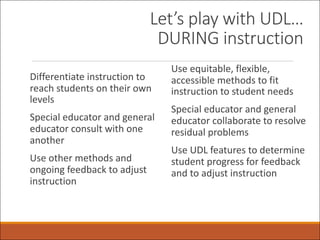
DURING instruction
Differentiate instruction to
reach students on their own
levels
Special educator and general
educator consult with one
another
Use other methods and
ongoing feedback to adjust
instruction
Use equitable, flexible,
accessible methods to fit
instruction to student needs
Special educator and general
educator collaborate to resolve
residual problems
Use UDL features to determine
student progress for feedback
and to adjust instruction
Let’s play with UDL…
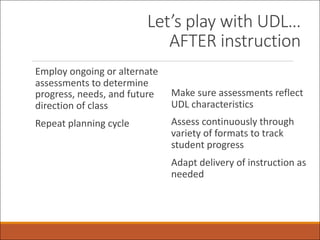
AFTER instruction
Employ ongoing or alternate
assessments to determine
progress, needs, and future
direction of class
Repeat planning cycle
Make sure assessments reflect
UDL characteristics
Assess continuously through
variety of formats to track
student progress
Adapt delivery of instruction as
needed
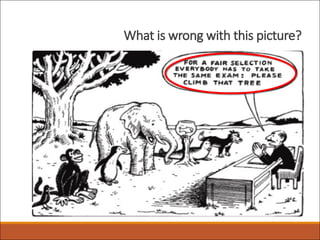
What is wrong with this picture?
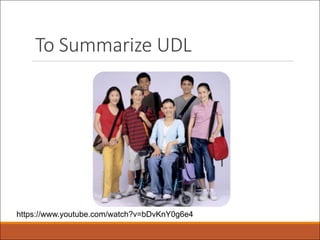
To Summarize UDL
https://www.youtube.com/watch?v=bDvKnY0g6e4
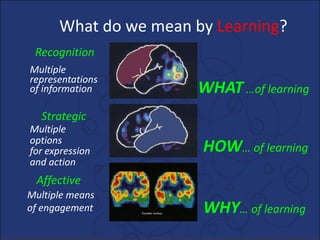
Affective
Strategic
Recognition
Multiple
representations
of information
Multiple
options
for expression
and action
Multiple means
of engagement
What do we mean by Learning?
WHAT …of learning
HOW… of learning
WHY… of learning
Connecting to 3 Principles of UDL…
WHAT? Principle 1
–Multiple Means of Representation – The
educator provides flexibility in the ways
information is presented,
HOW? Principle 2
–Multiple Means of Action & Expression – in the
ways students respond or demonstrate knowledge
and skills, and
WHY? Principle 3
–Multiple Means of Engagement – in the ways
students are engaged.
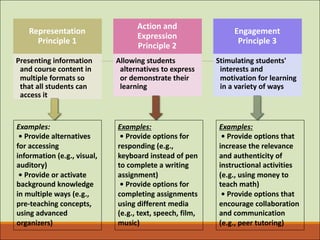
Representation
Principle 1
Presenting information
and course content in
multiple formats so
that all students can
access it
Action and
Expression
Principle 2
Allowing students
alternatives to express
or demonstrate their
learning
Engagement
Principle 3
Stimulating students'
interests and
motivation for learning
in a variety of ways
Examples:
• Provide alternatives
for accessing
information (e.g., visual,
auditory)
• Provide or activate
background knowledge
in multiple ways (e.g.,
pre-teaching concepts,
using advanced
organizers)
Examples:
• Provide options for
responding (e.g.,
keyboard instead of pen
to complete a writing
assignment)
• Provide options for
completing assignments
using different media
(e.g., text, speech, film,
music)
Examples:
• Provide options that
increase the relevance
and authenticity of
instructional activities
(e.g., using money to
teach math)
• Provide options that
encourage collaboration
and communication
(e.g., peer tutoring)
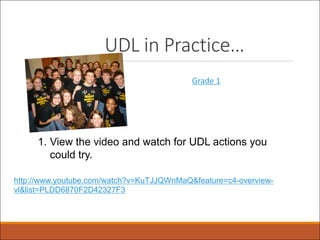
UDL in Practice…
Grade 1
1. View the video and watch for UDL actions you
could try.
http://www.youtube.com/watch?v=KuTJJQWnMaQ&feature=c4-overview-
vl&list=PLDD6870F2D42327F3
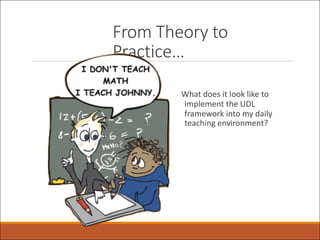
From Theory to
Practice…
What does it look like to
implement the UDL
framework into my daily
teaching environment?
For More information on UDL…….
What online resources are available?
Top 4
UDL Websites
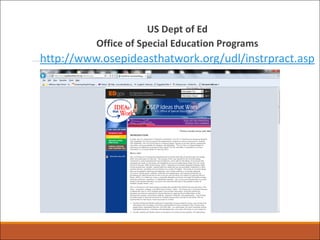
US Dept of Ed
Office of Special Education Programs
http://www.osepideasthatwork.org/udl/instrpract.asp
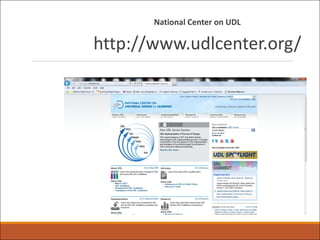
National Center on UDL
http://www.udlcenter.org/
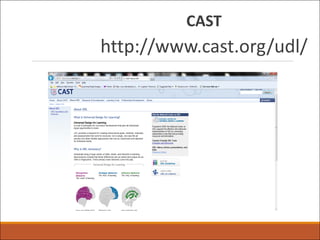
CAST
http://www.cast.org/udl/
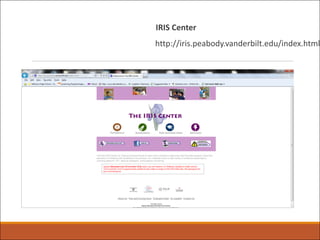
IRIS Center
http://iris.peabody.vanderbilt.edu/index.html

004 Week 5 & 6 UDL (1).pdf

  • 1.
  • 2.
  • 3.
    Carousel Debrief… ØHow manymodifications were suggested? ØWas it easy to generate accessibility ideas? ØWhat were some of your group’s thought processes when you were creating solutions? ØWould it be easier to incorporate the ideas generated when the building was built or to go in and make alterations later?
  • 4.
    Universal Design What aresome of the drawbacks of retrofitting? • Each retrofit solves only one problem • Retrofitting can be costly • Many retrofits are UGLY! Legislation Impacting Physical Space
  • 5.
    Universal Design Defined… “Considerthe needs of the broadest possible range of users from the beginning” Architect, Ron Mace
  • 6.
    Universal Design Summarized It’snot one size fits all – but alternatives. Designed from the beginning, not added on later. Increases access opportunities What does UD have to do with education besides letting ALL students in the door?
  • 7.
    What is UniversalDesign for Learning (UDL) ? UDL is an educational approach to teaching, learning, and assessment. Questions: 1. What might Universal Design mean for teaching, learning and assessment? 2. UD in buildings is about access and environment. Is it the same or how might it be different in the learning environment?
  • 8.
    UDL Defined Universal Designfor Learning (UDL) is an approach to teaching aimed at meeting the needs of every student in a classroom. It can be helpful for all kids, including kids with learning and attention issues. But UDL takes careful planning by teachers.
  • 9.
    What is UniversalDesign for Learning? UDL is not one size fits all – but IS alternatives for everyone. UDL is not added on later – but IS designed from the beginning. UDL is not access for some – but IS access for everyone.
  • 10.
    Video: ECE andUDL https://www.youtube.com/watch?v=QYB5XhHBcg0
  • 11.
    What does researchsay about Universal Design for Learning (UDL) ? •UDL is… "scientifically valid framework for guiding educational practice," •UDL facilitates the design and implementation of a flexible, responsive curriculum, UDL offers options for how information is presented, how students respond or demonstrate their knowledge and skills, and how students are engaged in learning. •UDL implementation provides the opportunity for all students to access, participate in, and progress in the education curriculum by reducing barriers to instruction.
  • 12.
    Universal Design forLearning (UDL) The Center for Applied Special Technology (CAST) believes that… “barriers to learning are not, in fact, inherent in the capacities of learners, but instead arise in learners' interactions with inflexible educational goals, materials, methods, and assessments.” Teaching Every Student in the Digital Age, p. vi Dr. David Rose
  • 13.
    So what dowe change?
  • 14.
    Examples.. Posted lesson objectives Havingobjectives helps students know what they’re working to achieve. That’s why objectives are always made apparent in a UDL classroom. One example of this is posting objectives for specific lessons in the classroom. Students might also write down or insert lesson objectives in their notebooks. The teacher refers to lesson objectives during the lesson itself.
  • 15.
    Assignment options In atraditional classroom, there may be only one way for a student to complete an assignment. This might be an essay or a worksheet. With UDL, there are multiple options. For instance, students may be able to create a podcast or a video to show what they know. They may even be allowed to draw a comic strip. There are tons of possibilities for completing assignments, as long as students meet the lesson goals.
  • 16.
    Flexible work spaces UDLpromotes flexibility in the learning environment. That’s why in a UDL classroom, there are flexible work spaces for students. This includes spaces for quiet individual work, small and large group work, and group instruction. If students need to tune out noise, they can choose to wear earbuds or headphones during independent work.
  • 17.
    Regular feedback With UDL,students get feedback — often every day — on how they’re doing. At the end of a lesson, teachers may talk with individual students about lesson objectives. Students are encouraged to reflect on the choices they made in class and whether they met the objectives. If they didn’t meet the objectives, they’re encouraged to think about what might have helped them do so.
  • 18.
    Digital and audiotext UDL recognizes that if students can’t access information, they can’t learn it. So in a UDL classroom, materials are accessible for all types of learners. Students have many options for reading, including print, digital, text-to-speech and audiobooks. For digital text, there are also options for text enlargement, along with choices for screen color and contrast. Videos have captions, and there are transcripts for audio.
  • 19.
    When does UDLplay out? Before Instruction During Instruction After Instruction
  • 20.
    UDL... When? -SELF-CHECK ØLarge envelope ØLay out the 3 headings on your table: Ø Before Instruction Ø During Instruction Ø After Instruction ØTake the descriptors and put them in the column you think best represents WHEN they would occur.
  • 21.
    Let’s play withUDL… BEFORE instruction Get to know your students’ abilities, special needs, and learning styles After reviewing standards, determine learning needs Devise instructional approaches to reach greatest number of students •Recognize individual needs of students •Set curricular goals •Determine learning supports •Adapt methods and materials to individual student needs •Select appropriate UDL strategies, tools, and features to adapt instruction.
  • 22.
    Let’s play withUDL… DURING instruction Differentiate instruction to reach students on their own levels Special educator and general educator consult with one another Use other methods and ongoing feedback to adjust instruction Use equitable, flexible, accessible methods to fit instruction to student needs Special educator and general educator collaborate to resolve residual problems Use UDL features to determine student progress for feedback and to adjust instruction
  • 23.
    Let’s play withUDL… AFTER instruction Employ ongoing or alternate assessments to determine progress, needs, and future direction of class Repeat planning cycle Make sure assessments reflect UDL characteristics Assess continuously through variety of formats to track student progress Adapt delivery of instruction as needed
  • 24.
    What is wrongwith this picture?
  • 25.
  • 26.
    Affective Strategic Recognition Multiple representations of information Multiple options for expression andaction Multiple means of engagement What do we mean by Learning? WHAT …of learning HOW… of learning WHY… of learning
  • 27.
    Connecting to 3Principles of UDL… WHAT? Principle 1 –Multiple Means of Representation – The educator provides flexibility in the ways information is presented, HOW? Principle 2 –Multiple Means of Action & Expression – in the ways students respond or demonstrate knowledge and skills, and WHY? Principle 3 –Multiple Means of Engagement – in the ways students are engaged.
  • 28.
    Representation Principle 1 Presenting information andcourse content in multiple formats so that all students can access it Action and Expression Principle 2 Allowing students alternatives to express or demonstrate their learning Engagement Principle 3 Stimulating students' interests and motivation for learning in a variety of ways Examples: • Provide alternatives for accessing information (e.g., visual, auditory) • Provide or activate background knowledge in multiple ways (e.g., pre-teaching concepts, using advanced organizers) Examples: • Provide options for responding (e.g., keyboard instead of pen to complete a writing assignment) • Provide options for completing assignments using different media (e.g., text, speech, film, music) Examples: • Provide options that increase the relevance and authenticity of instructional activities (e.g., using money to teach math) • Provide options that encourage collaboration and communication (e.g., peer tutoring)
  • 29.
    UDL in Practice… Grade1 1. View the video and watch for UDL actions you could try. http://www.youtube.com/watch?v=KuTJJQWnMaQ&feature=c4-overview- vl&list=PLDD6870F2D42327F3
  • 30.
    From Theory to Practice… Whatdoes it look like to implement the UDL framework into my daily teaching environment?
  • 31.
    For More informationon UDL……. What online resources are available? Top 4 UDL Websites
  • 32.
    US Dept ofEd Office of Special Education Programs http://www.osepideasthatwork.org/udl/instrpract.asp
  • 33.
    National Center onUDL http://www.udlcenter.org/
  • 34.
  • 35.