SUMO
SUMO
What is SUMO?
SUMO is an open source traffic simulation package
Was created by the German Aerospace Center (DLR)
The development of SUMO started back in 2001
You can use SUMO to :
- Build a Network and assign routes within a network
- Develop traffic light algorithm
- Simulate and analyze trɑfic within a network, given Origin-Destination (OD)
Matrix
- Etc.
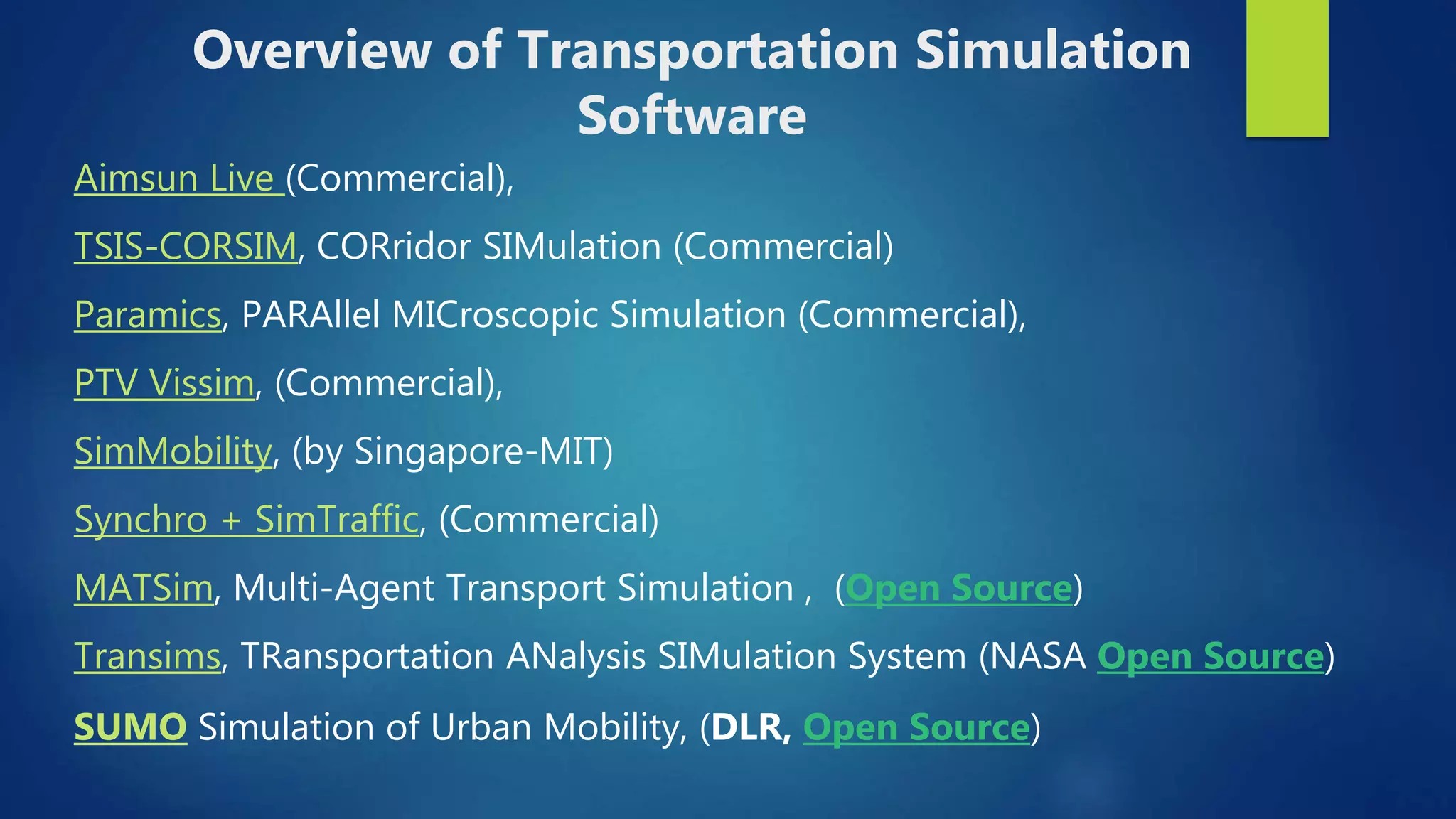
Aimsun Live (Commercial),
TSIS-CORSIM, CORridor SIMulation (Commercial)
Paramics, PARAllel MICroscopic Simulation (Commercial),
PTV Vissim, (Commercial),
SimMobility, (by Singapore-MIT)
Synchro + SimTraffic, (Commercial)
MATSim, Multi-Agent Transport Simulation , (Open Source)
Transims, TRansportation ANalysis SIMulation System (NASA Open Source)
SUMO Simulation of Urban Mobility, (DLR, Open Source)
Overview of Transportation Simulation
Software
Preliminary
 Download and install
 SUMO: http://www.sumo.dlr.de/userdoc/Downloads.html
 Python: https://www.python.org/downloads/
 Python is necessary for some simulations
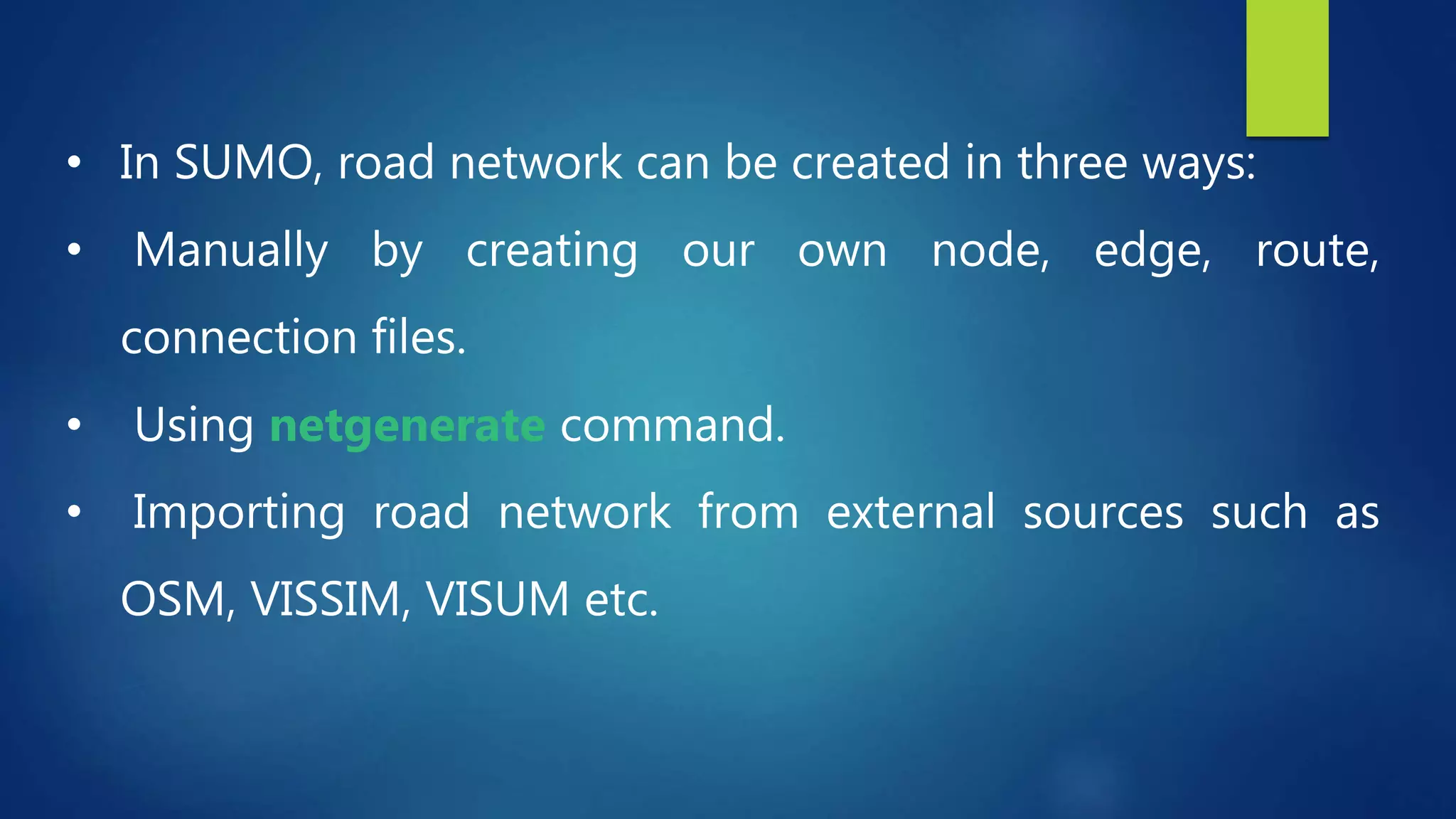
• In SUMO, road network can be created in three ways:
• Manually by creating our own node, edge, route,
connection files.
• Using netgenerate command.
• Importing road network from external sources such as
OSM, VISSIM, VISUM etc.
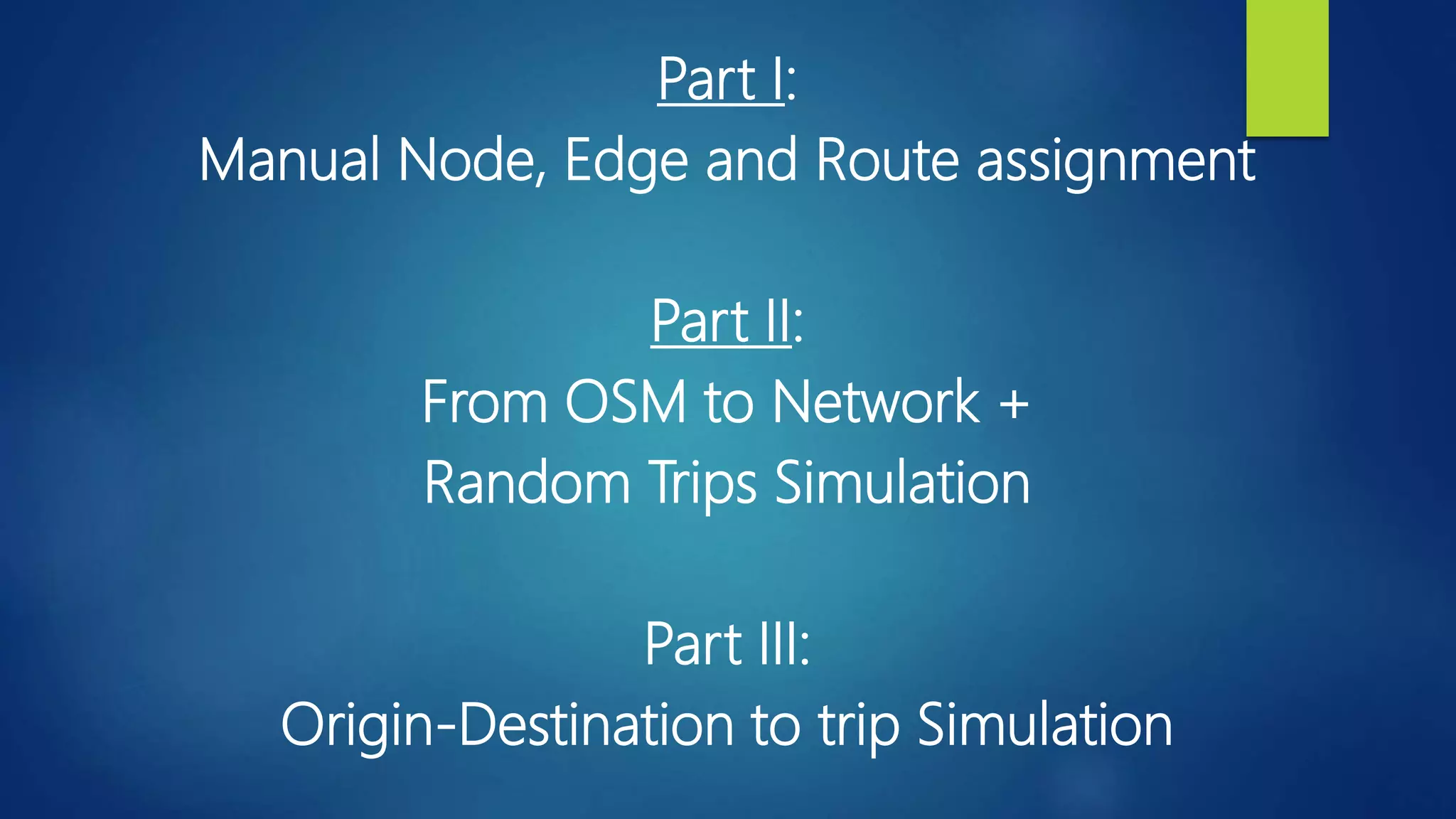
Part I:
Manual Node, Edge and Route assignment
Part II:
From OSM to Network +
Random Trips Simulation
Part III:
Origin-Destination to trip Simulation
Part I:
Manual Node, Edge
and Route assignment
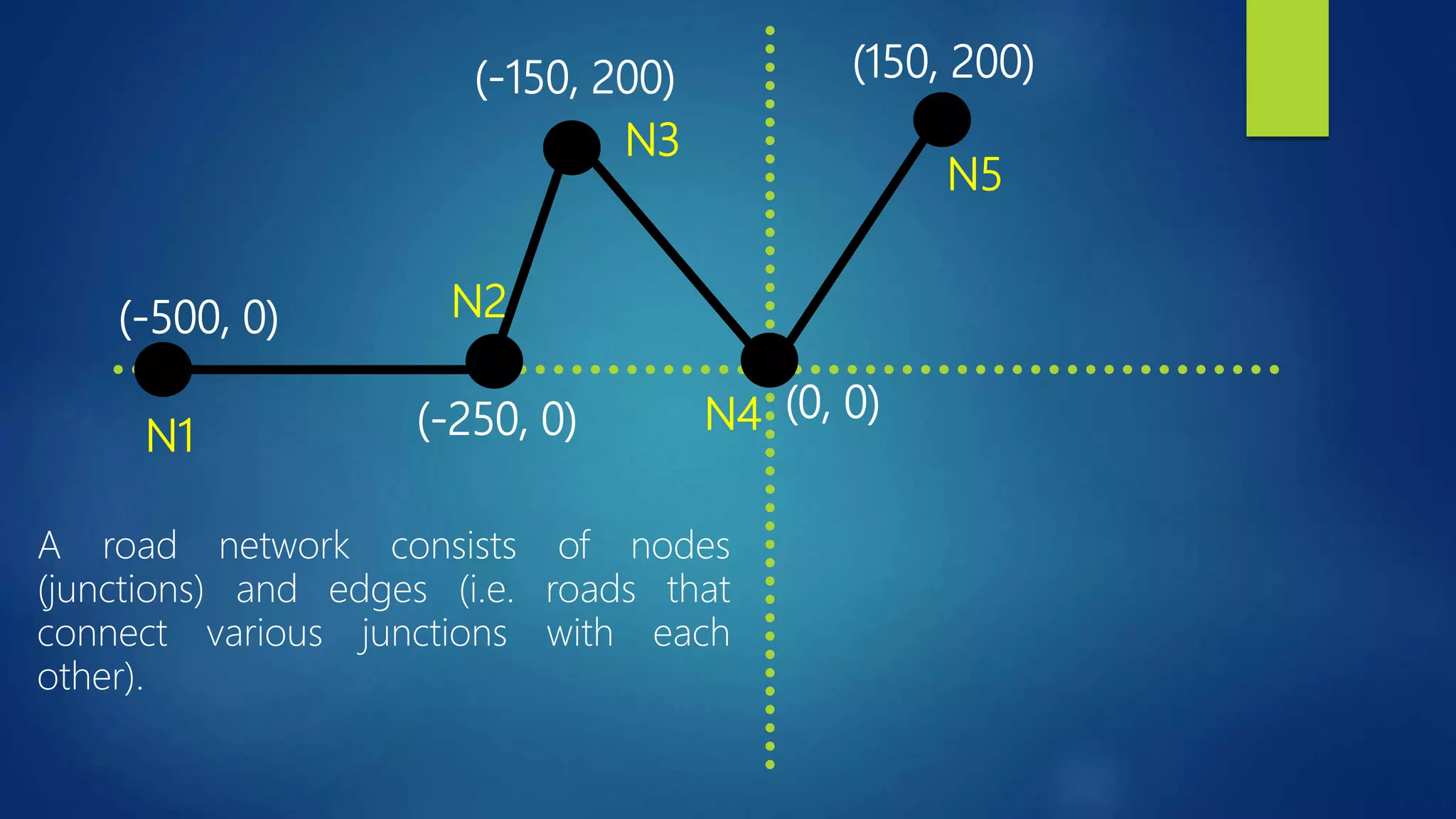
(-250, 0)
(-500, 0)
(0, 0)
(-150, 200) (150, 200)
A road network consists of nodes
(junctions) and edges (i.e. roads that
connect various junctions with each
other).
N1
N2
N3
N4
N5
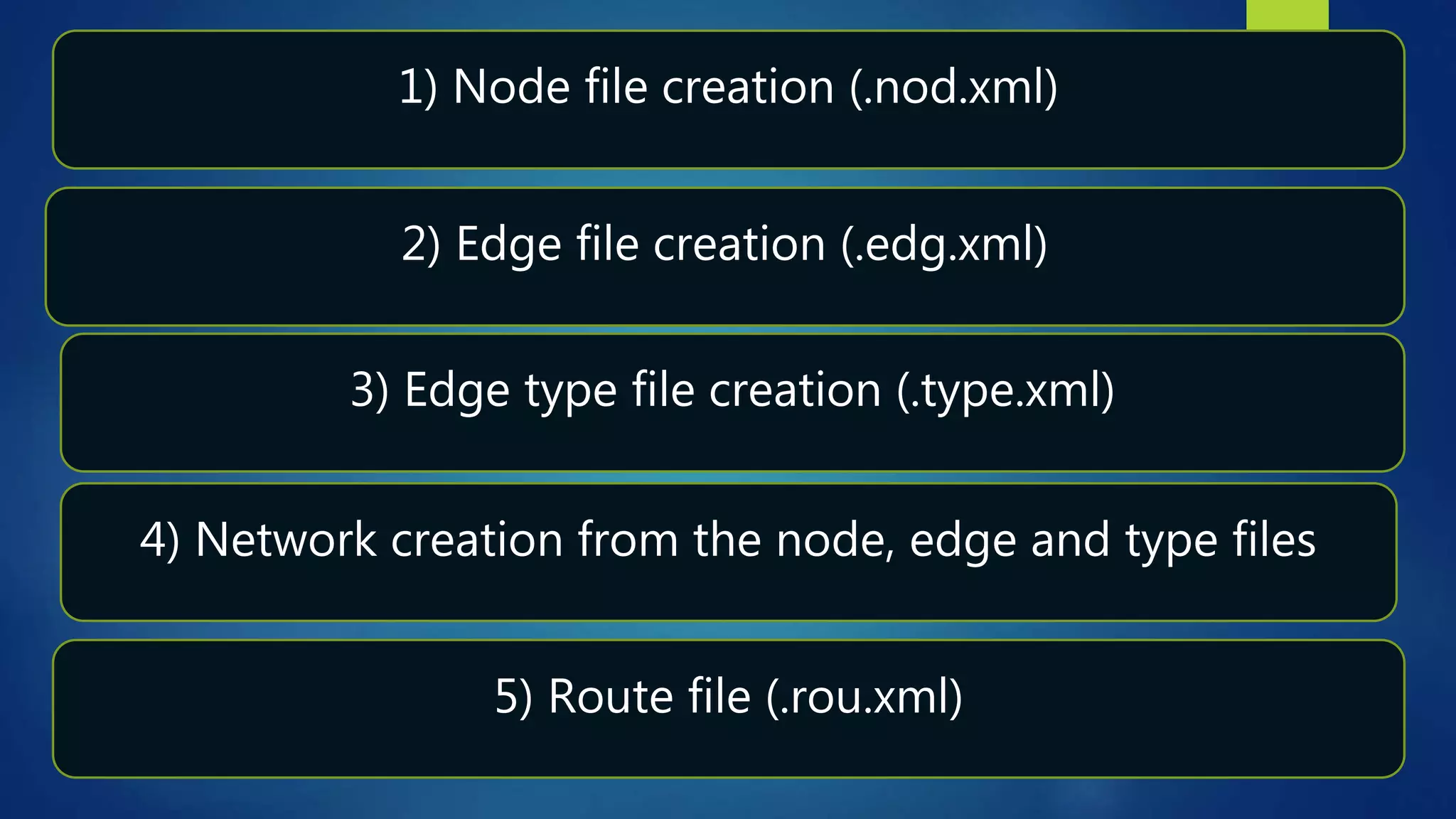
1) Node file creation (.nod.xml)
2) Edge file creation (.edg.xml)
3) Edge type file creation (.type.xml)
4) Network creation from the node, edge and type files
5) Route file (.rou.xml)
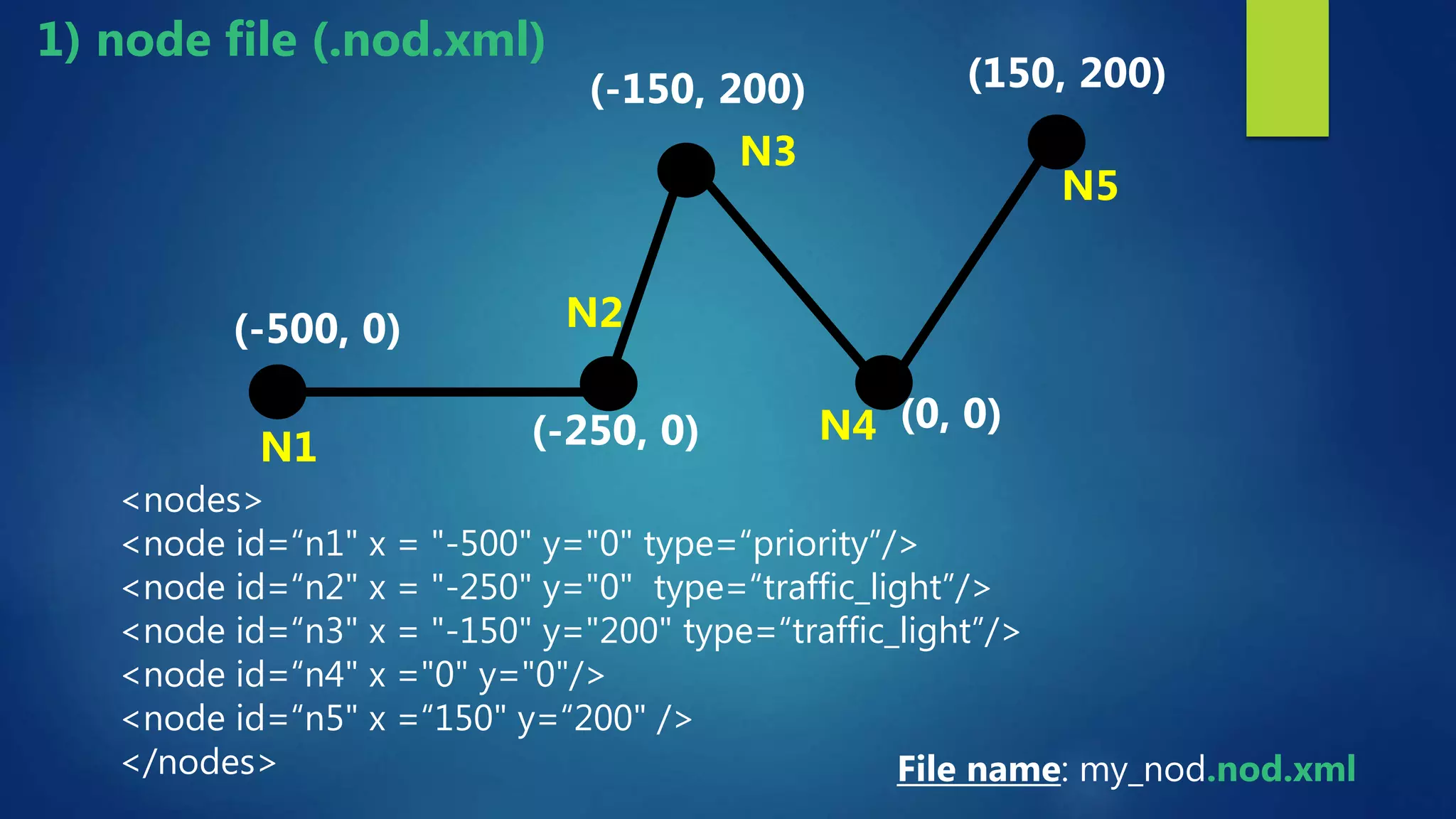
<nodes>
<node id=“n1" x = "-500" y="0" type=“priority”/>
<node id=“n2" x = "-250" y="0" type=“traffic_light”/>
<node id=“n3" x = "-150" y="200" type=“traffic_light”/>
<node id=“n4" x ="0" y="0"/>
<node id=“n5" x =“150" y=“200" />
</nodes>
(-250, 0)
(-500, 0)
(0, 0)
(-150, 200) (150, 200)
N1
N2
N3
N4
N5
File name: my_nod.nod.xml
1) node file (.nod.xml)
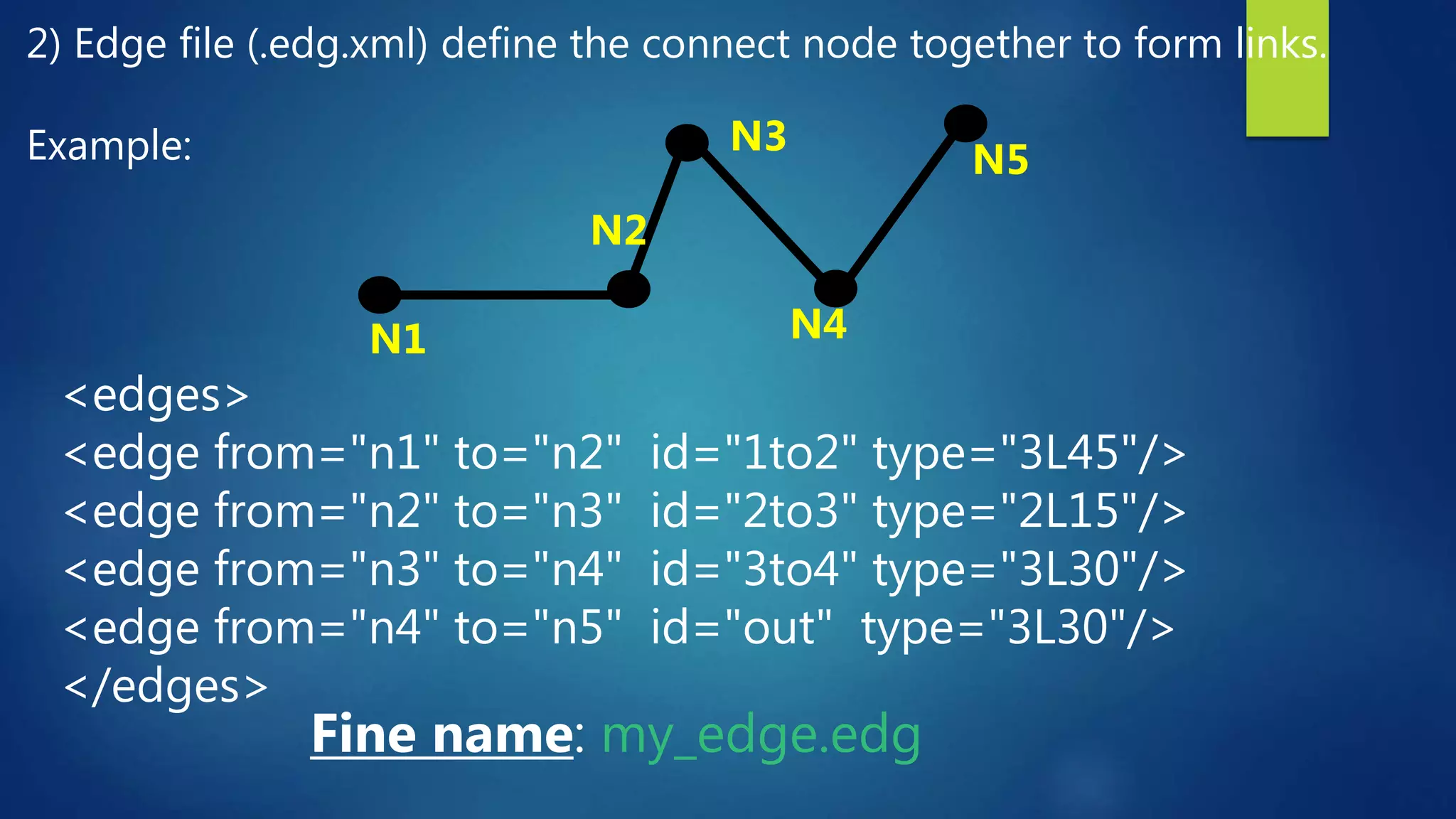
2) Edge file (.edg.xml) define the connect node together to form links.
Example:
<edges>
<edge from="n1" to="n2" id="1to2" type="3L45"/>
<edge from="n2" to="n3" id="2to3" type="2L15"/>
<edge from="n3" to="n4" id="3to4" type="3L30"/>
<edge from="n4" to="n5" id="out" type="3L30"/>
</edges>
Fine name: my_edge.edg
N1
N2
N3
N4
N5
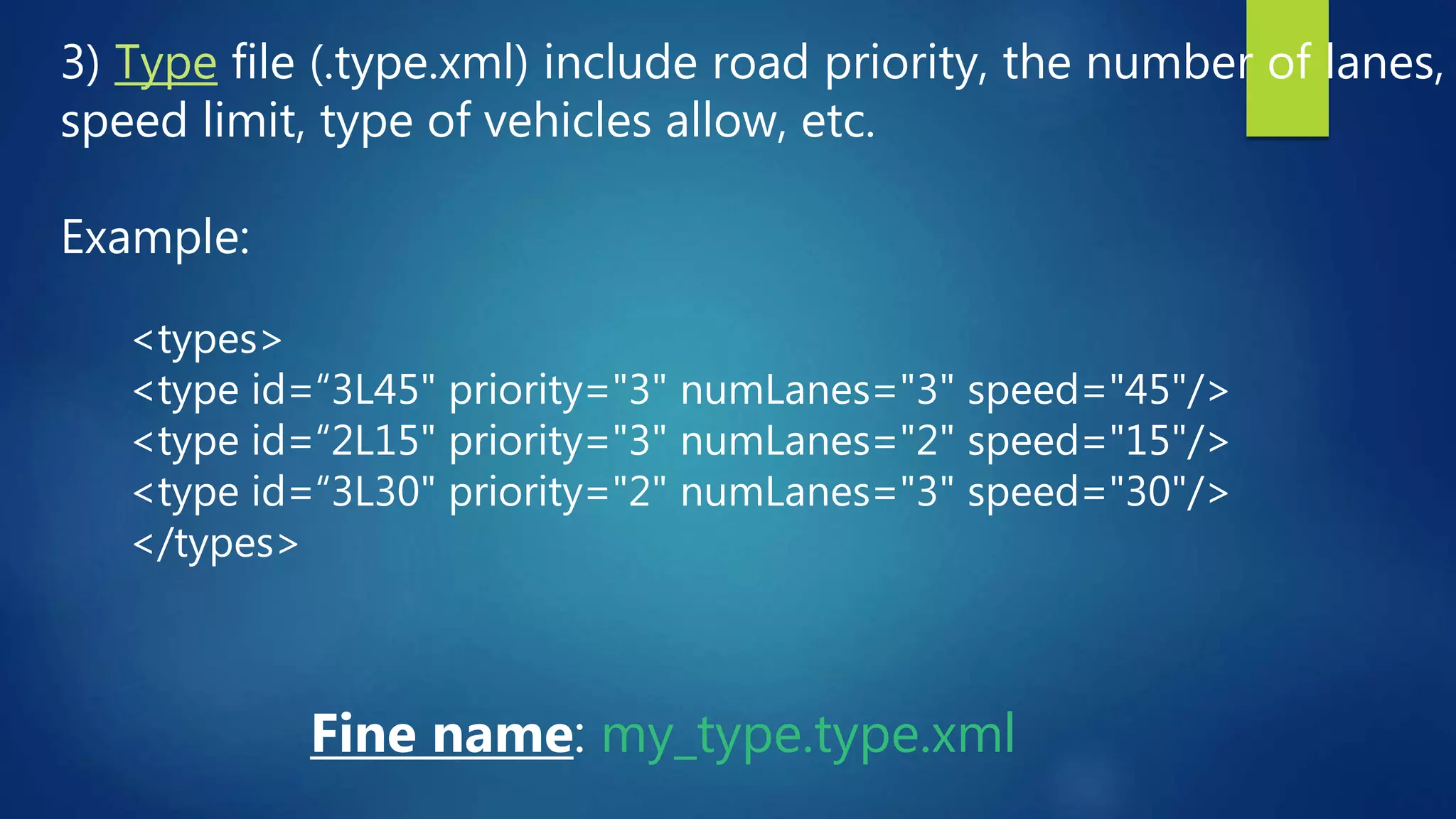
3) Type file (.type.xml) include road priority, the number of lanes,
speed limit, type of vehicles allow, etc.
Example:
Fine name: my_type.type.xml
<types>
<type id=“3L45" priority="3" numLanes="3" speed="45"/>
<type id=“2L15" priority="3" numLanes="2" speed="15"/>
<type id=“3L30" priority="2" numLanes="3" speed="30"/>
</types>
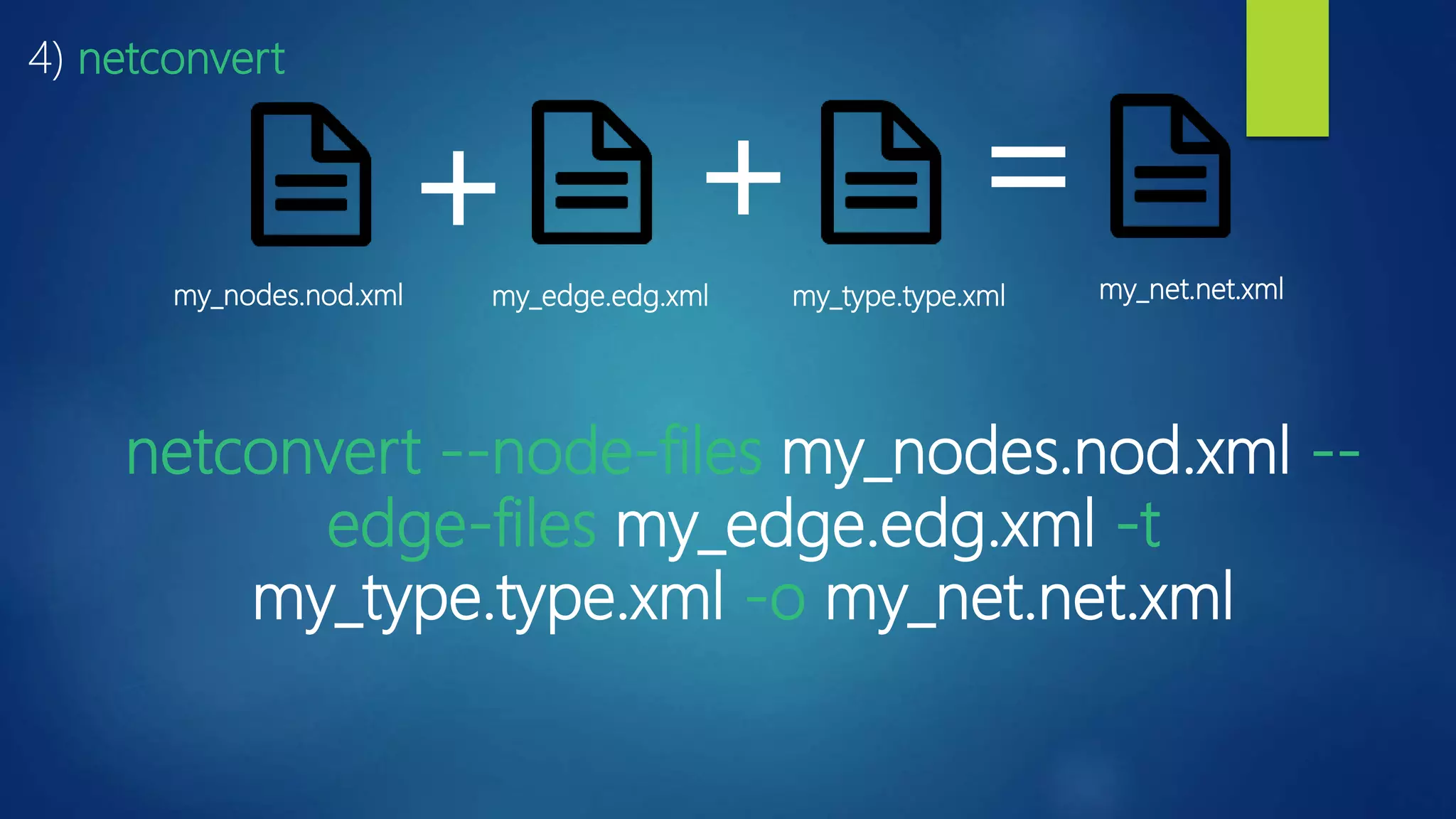
netconvert --node-files my_nodes.nod.xml --
edge-files my_edge.edg.xml -t
my_type.type.xml -o my_net.net.xml
4) netconvert
my_nodes.nod.xml my_edge.edg.xml my_type.type.xml my_net.net.xml
+ + =
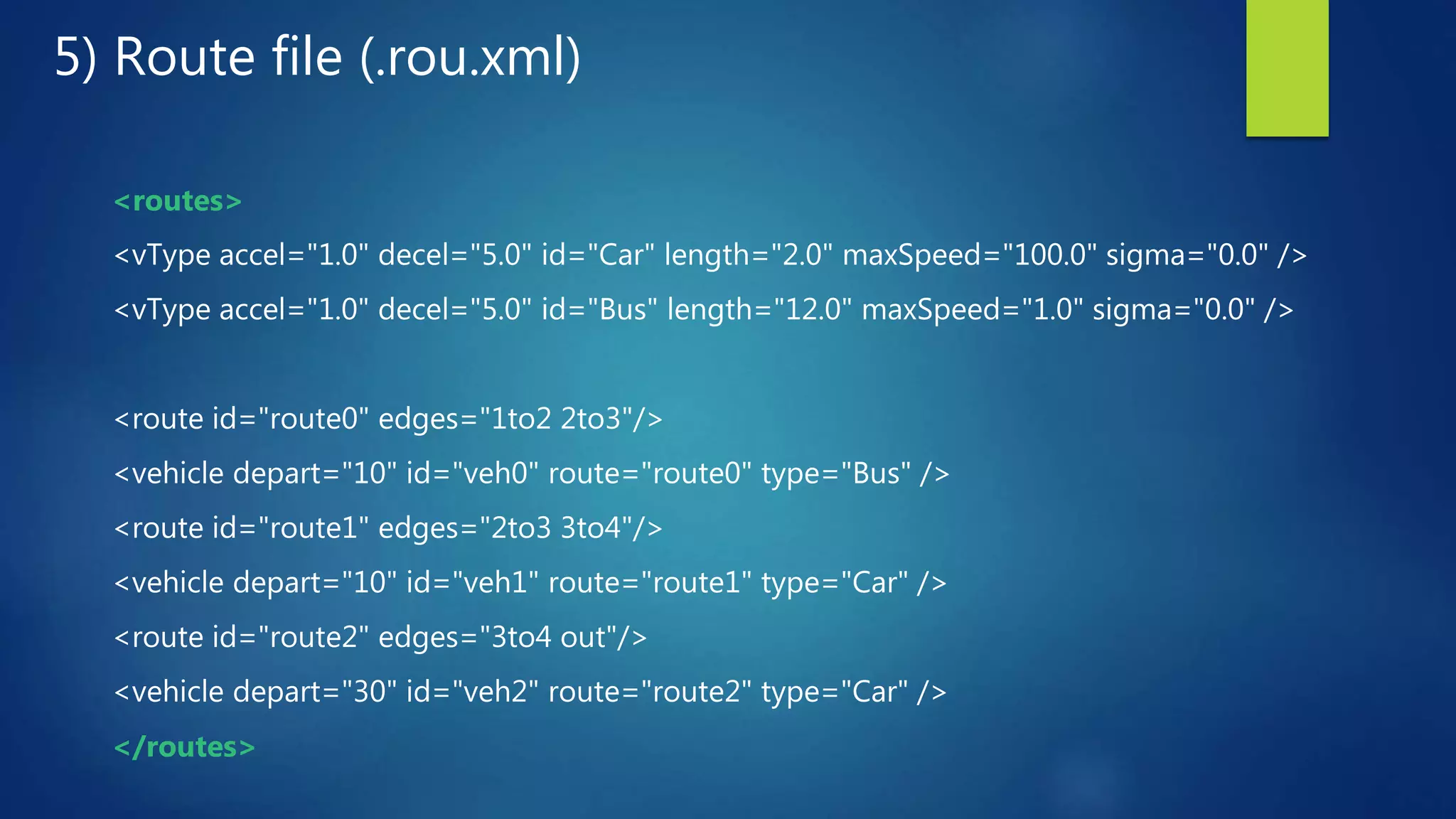
5) Route file (.rou.xml)
<routes>
<vType accel="1.0" decel="5.0" id="Car" length="2.0" maxSpeed="100.0" sigma="0.0" />
<vType accel="1.0" decel="5.0" id="Bus" length="12.0" maxSpeed="1.0" sigma="0.0" />
<route id="route0" edges="1to2 2to3"/>
<vehicle depart="10" id="veh0" route="route0" type="Bus" />
<route id="route1" edges="2to3 3to4"/>
<vehicle depart="10" id="veh1" route="route1" type="Car" />
<route id="route2" edges="3to4 out"/>
<vehicle depart="30" id="veh2" route="route2" type="Car" />
</routes>
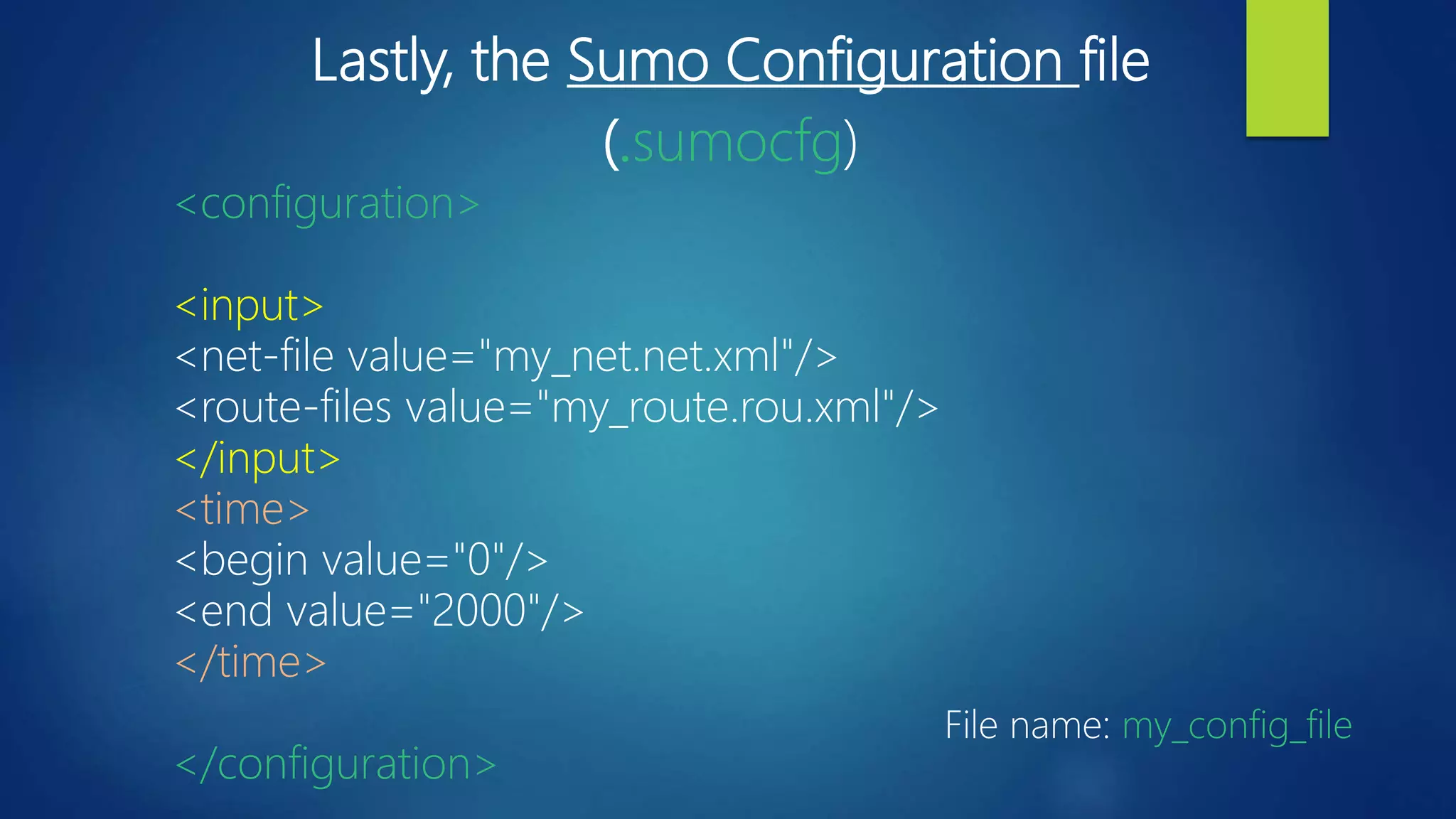
Lastly, the Sumo Configuration file
(.sumocfg)
<configuration>
<input>
<net-file value="my_net.net.xml"/>
<route-files value="my_route.rou.xml"/>
</input>
<time>
<begin value="0"/>
<end value="2000"/>
</time>
</configuration>
File name: my_config_file
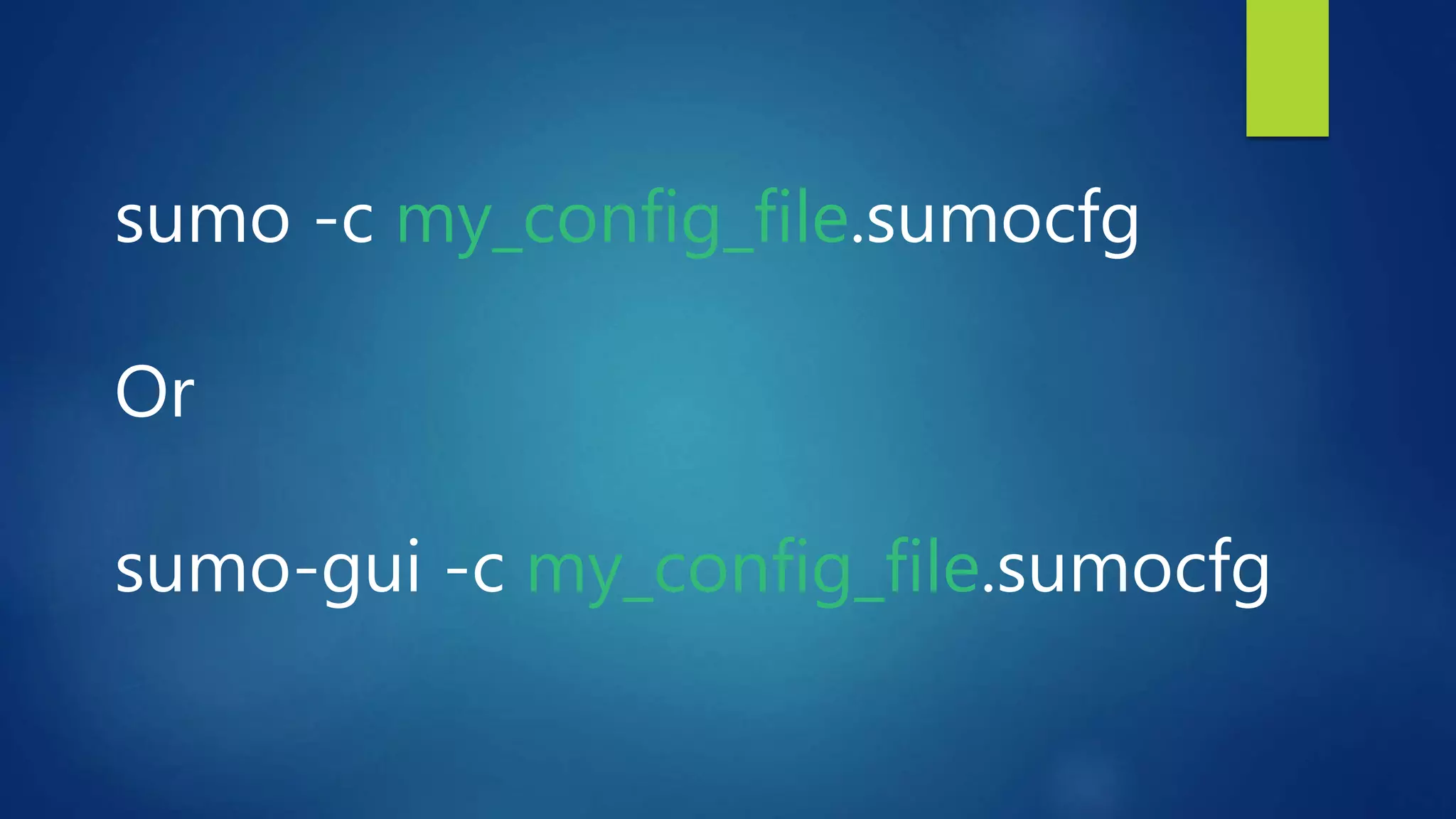
sumo -c my_config_file.sumocfg
Or
sumo-gui -c my_config_file.sumocfg
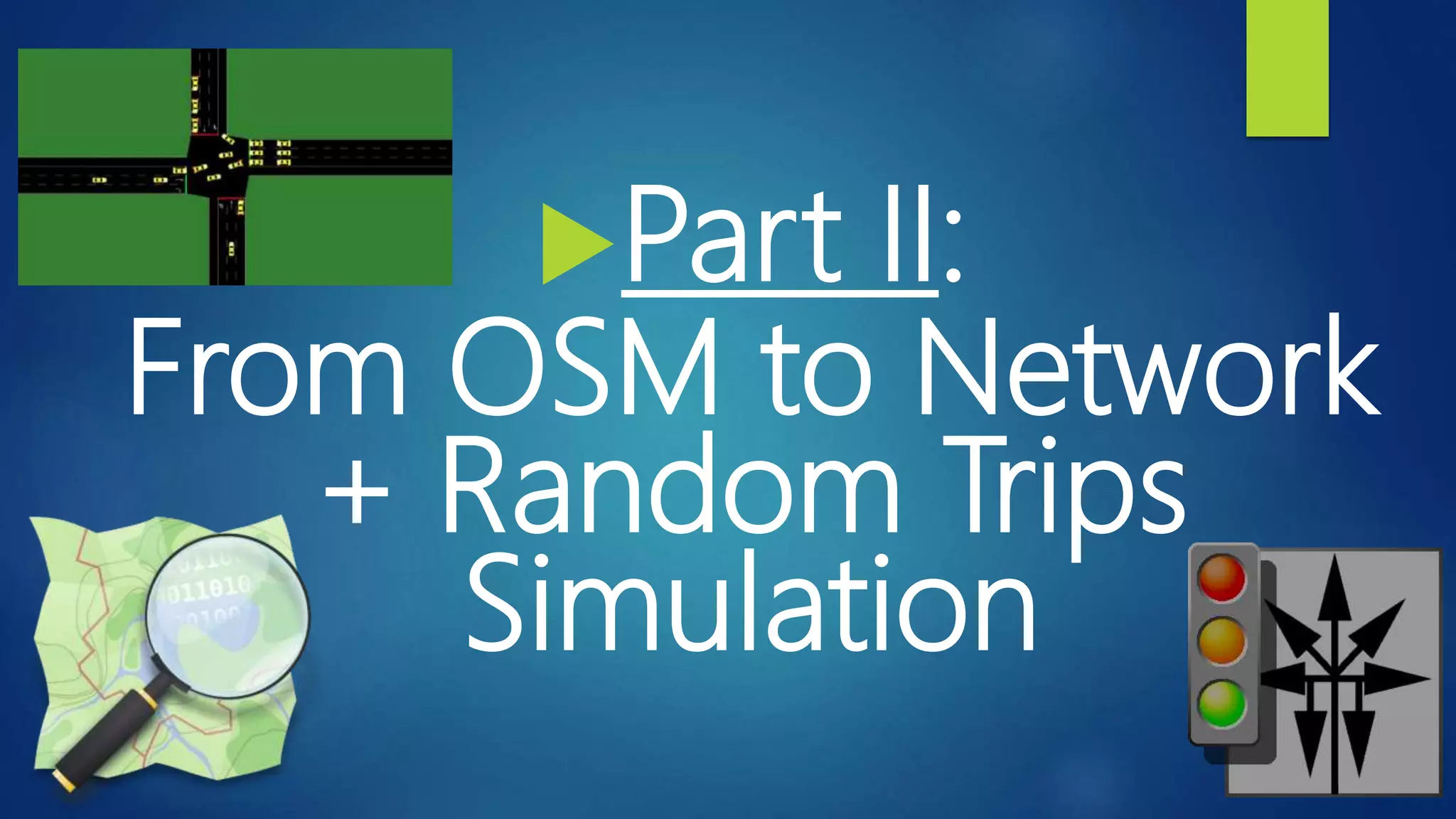
Part II:
From OSM to Network
+ Random Trips
Simulation
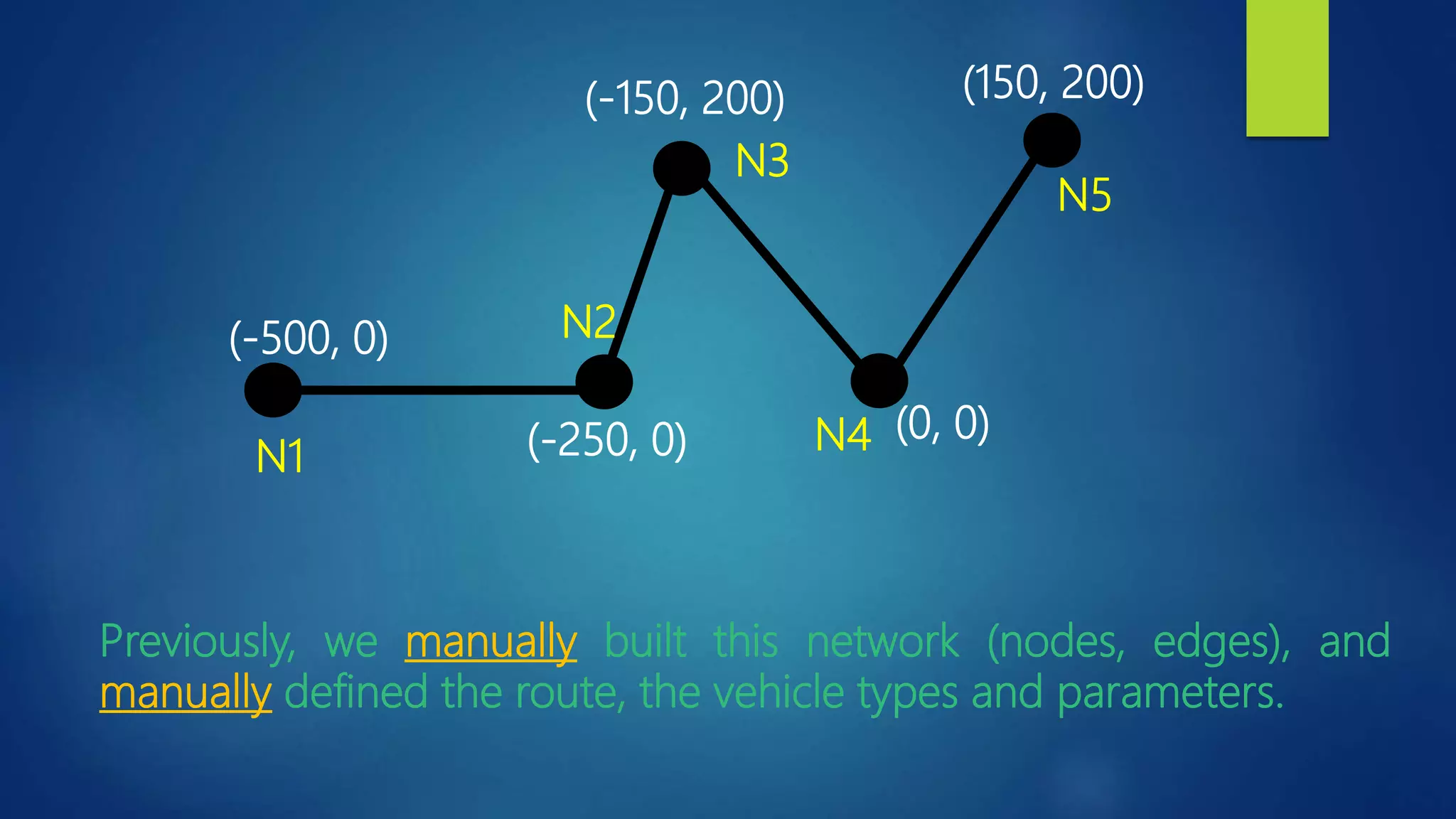
(-250, 0)
(-500, 0)
(0, 0)
(-150, 200) (150, 200)
N1
N2
N3
N4
N5
Previously, we manually built this network (nodes, edges), and
manually defined the route, the vehicle types and parameters.
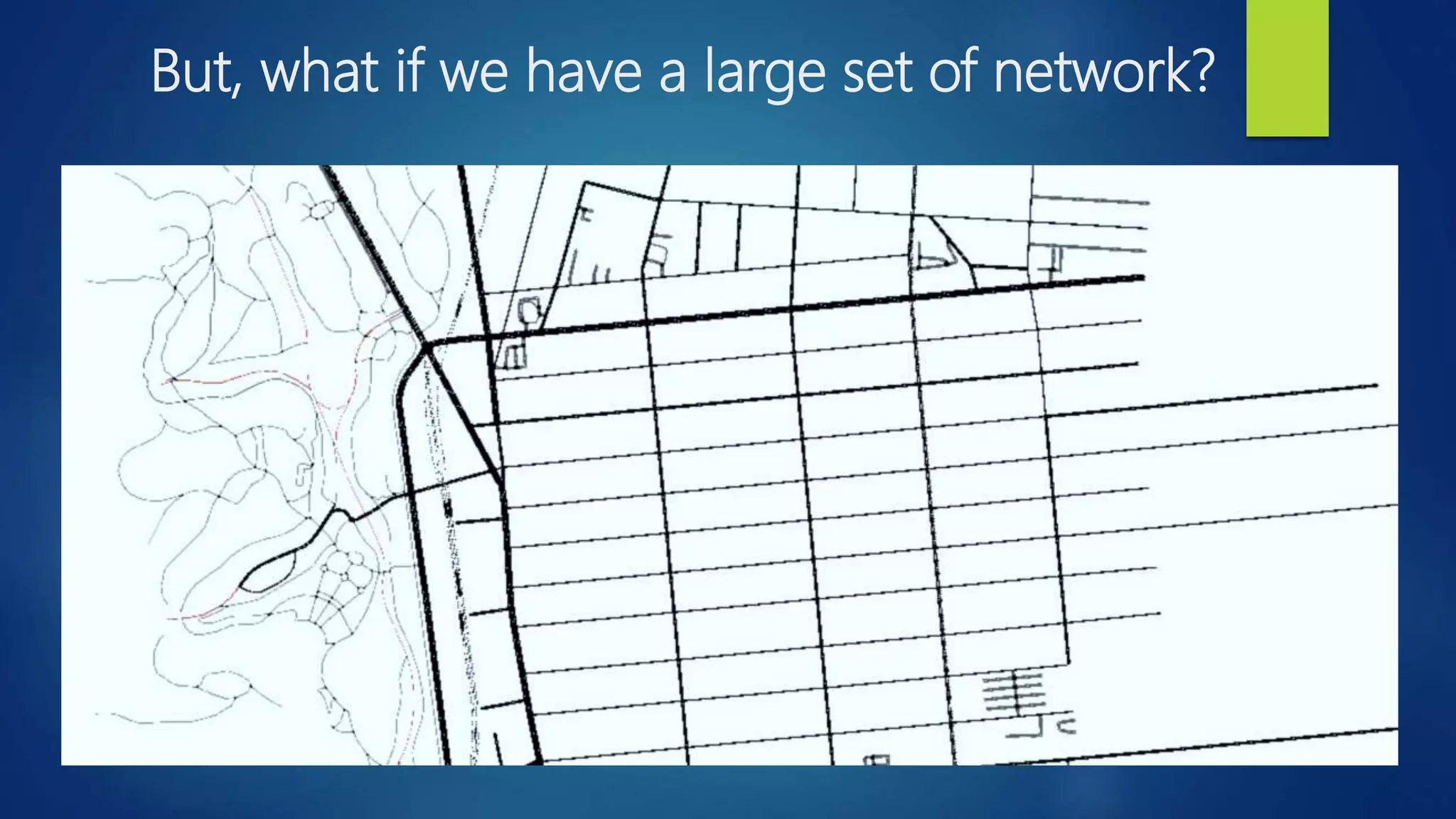
But, what if we have a large set of network?
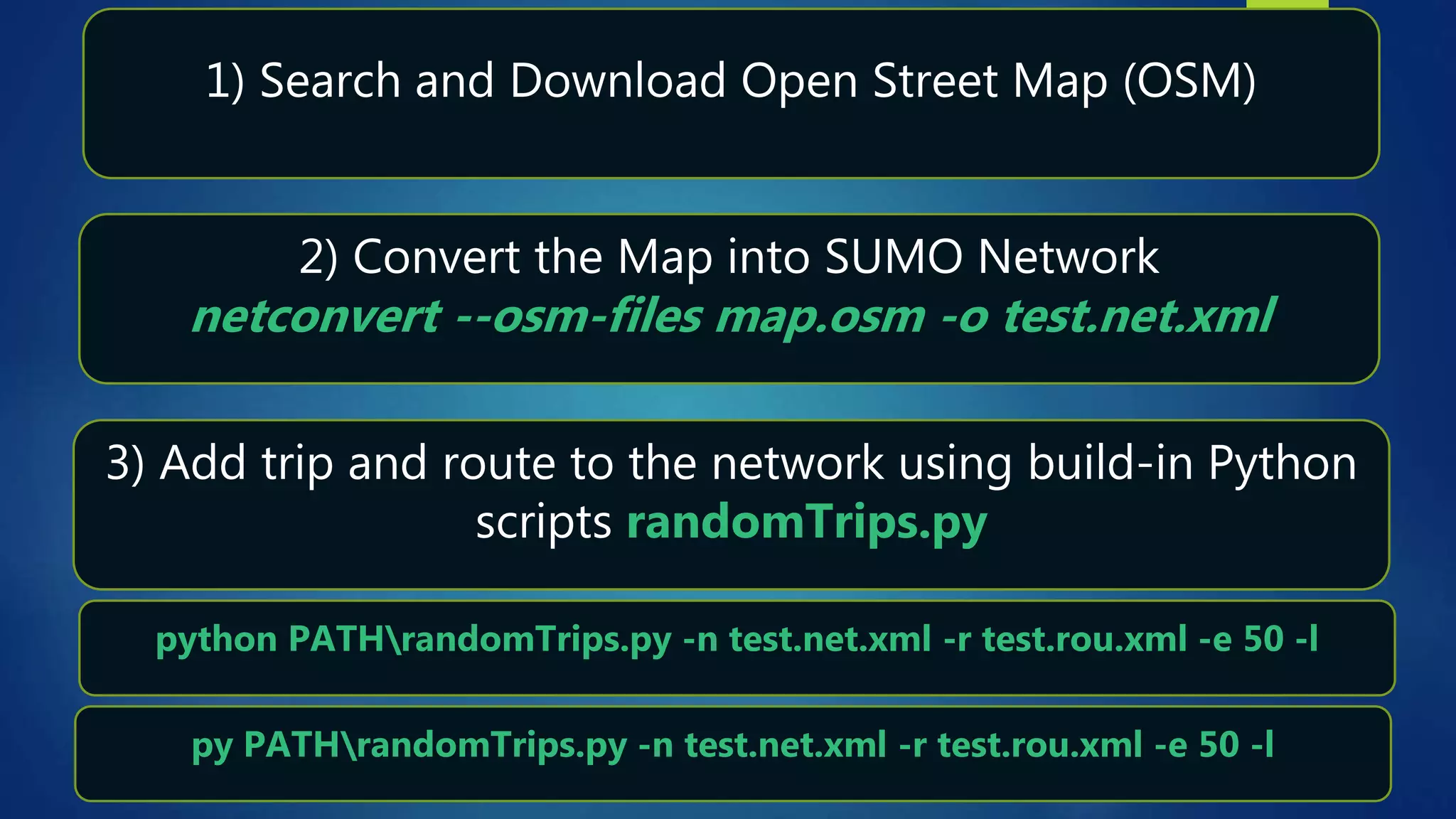
1) Search and Download Open Street Map (OSM)
2) Convert the Map into SUMO Network
netconvert --osm-files map.osm -o test.net.xml
3) Add trip and route to the network using build-in Python
scripts randomTrips.py
python PATHrandomTrips.py -n test.net.xml -r test.rou.xml -e 50 -l
py PATHrandomTrips.py -n test.net.xml -r test.rou.xml -e 50 -l
5) Setup the configuration file and run the Network
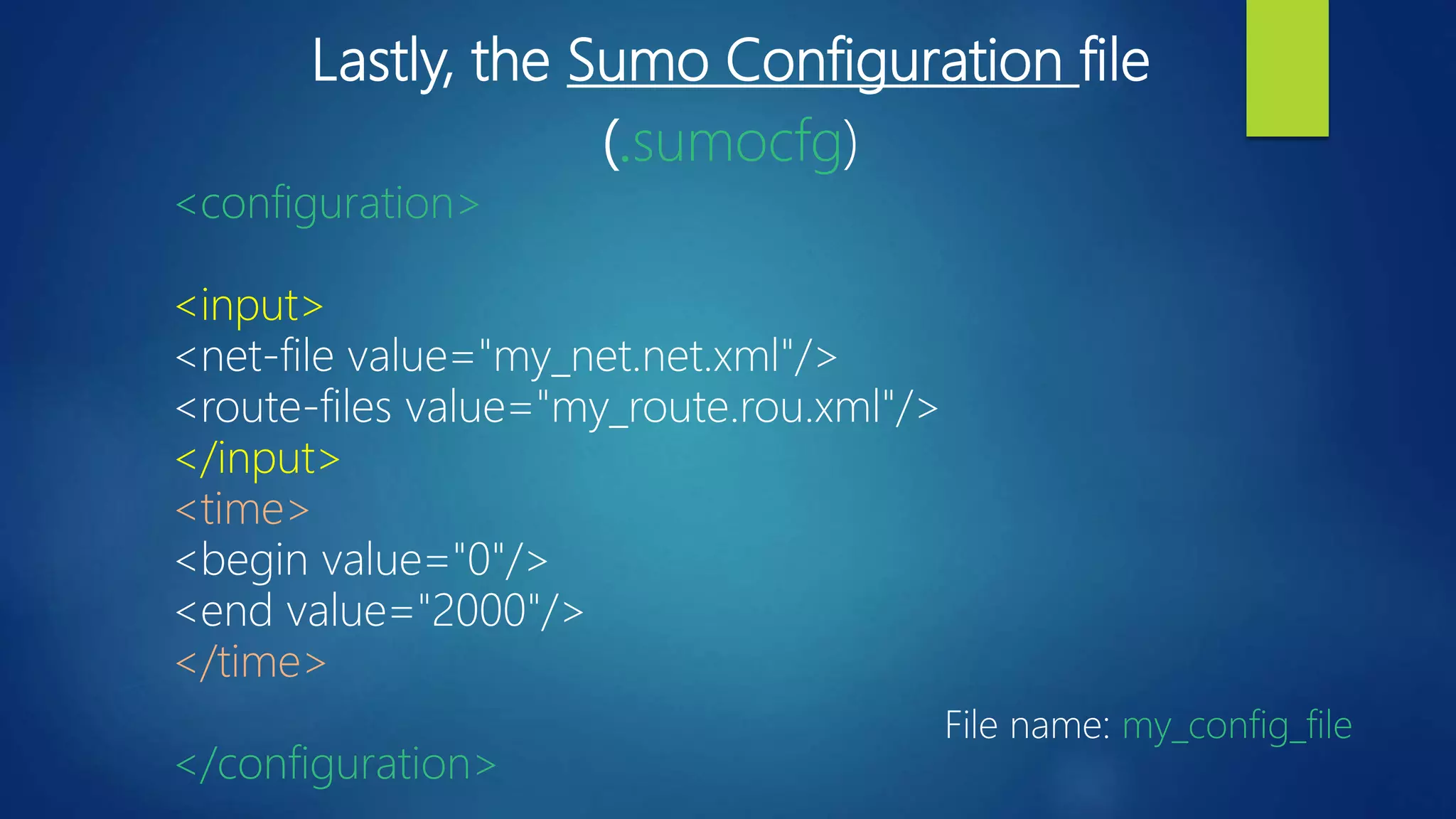
Lastly, the Sumo Configuration file
(.sumocfg)
<configuration>
<input>
<net-file value="my_net.net.xml"/>
<route-files value="my_route.rou.xml"/>
</input>
<time>
<begin value="0"/>
<end value="2000"/>
</time>
</configuration>
File name: my_config_file
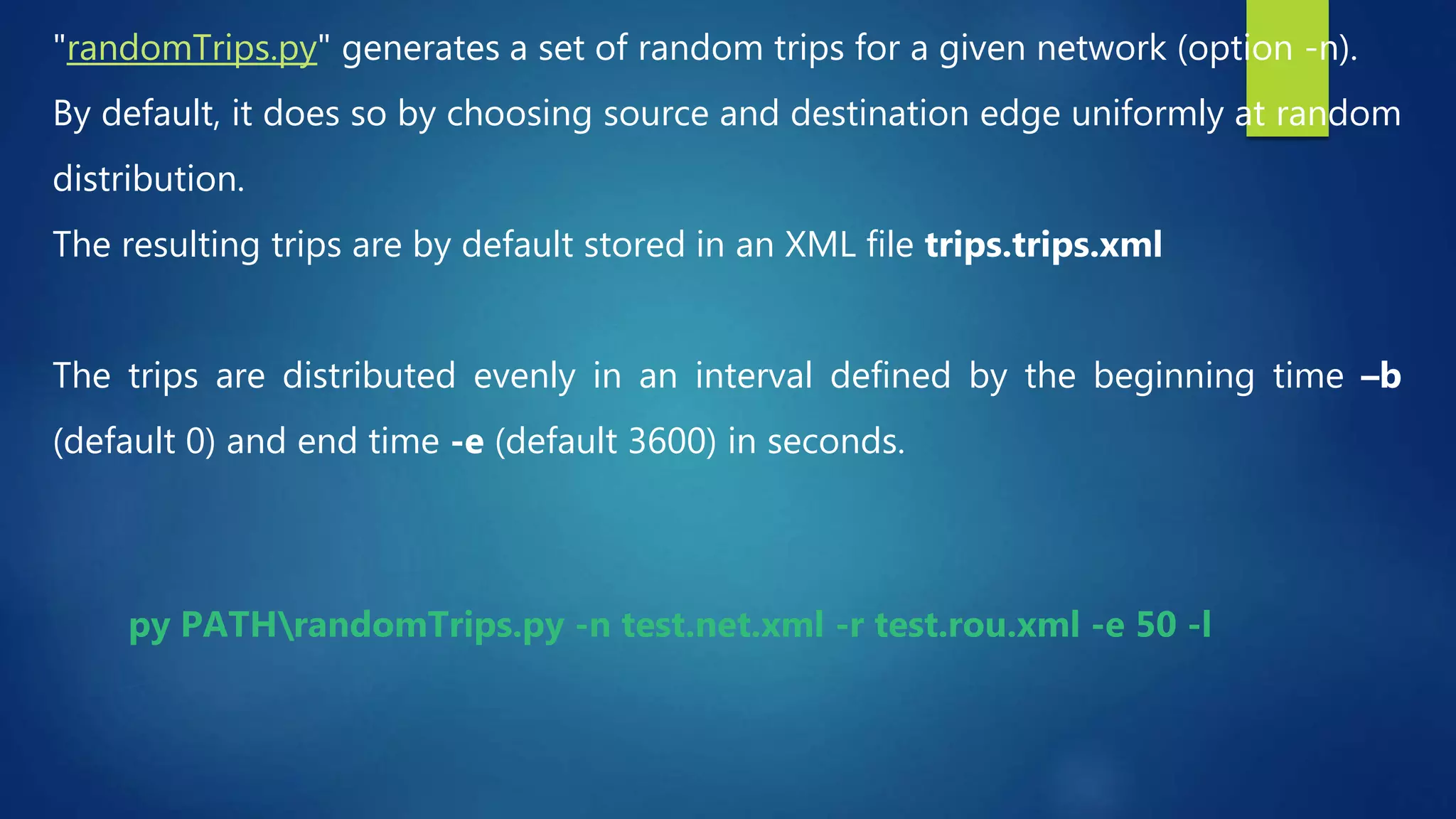
"randomTrips.py" generates a set of random trips for a given network (option -n).
By default, it does so by choosing source and destination edge uniformly at random
distribution.
The resulting trips are by default stored in an XML file trips.trips.xml
The trips are distributed evenly in an interval defined by the beginning time –b
(default 0) and end time -e (default 3600) in seconds.
py PATHrandomTrips.py -n test.net.xml -r test.rou.xml -e 50 -l
Part III:
Origin-Destination to trip
Simulation
Assumption
We assume here we already have our Sumo
network ready to be used.
If you don’t know how to build a network in
Sumo, please watch our two previous tutorials
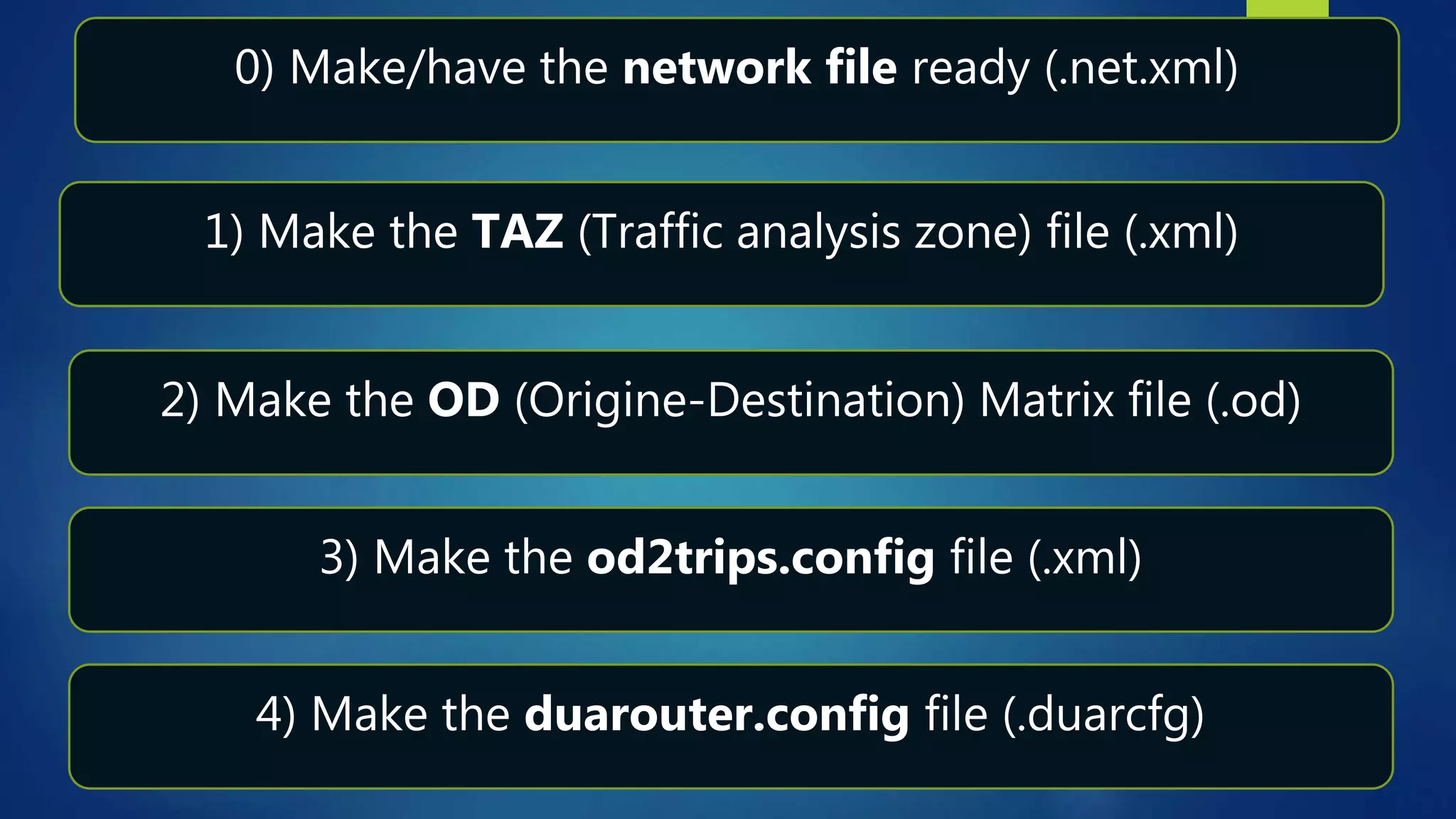
1) Make the TAZ (Traffic analysis zone) file (.xml)
2) Make the OD (Origine-Destination) Matrix file (.od)
3) Make the od2trips.config file (.xml)
4) Make the duarouter.config file (.duarcfg)
0) Make/have the network file ready (.net.xml)
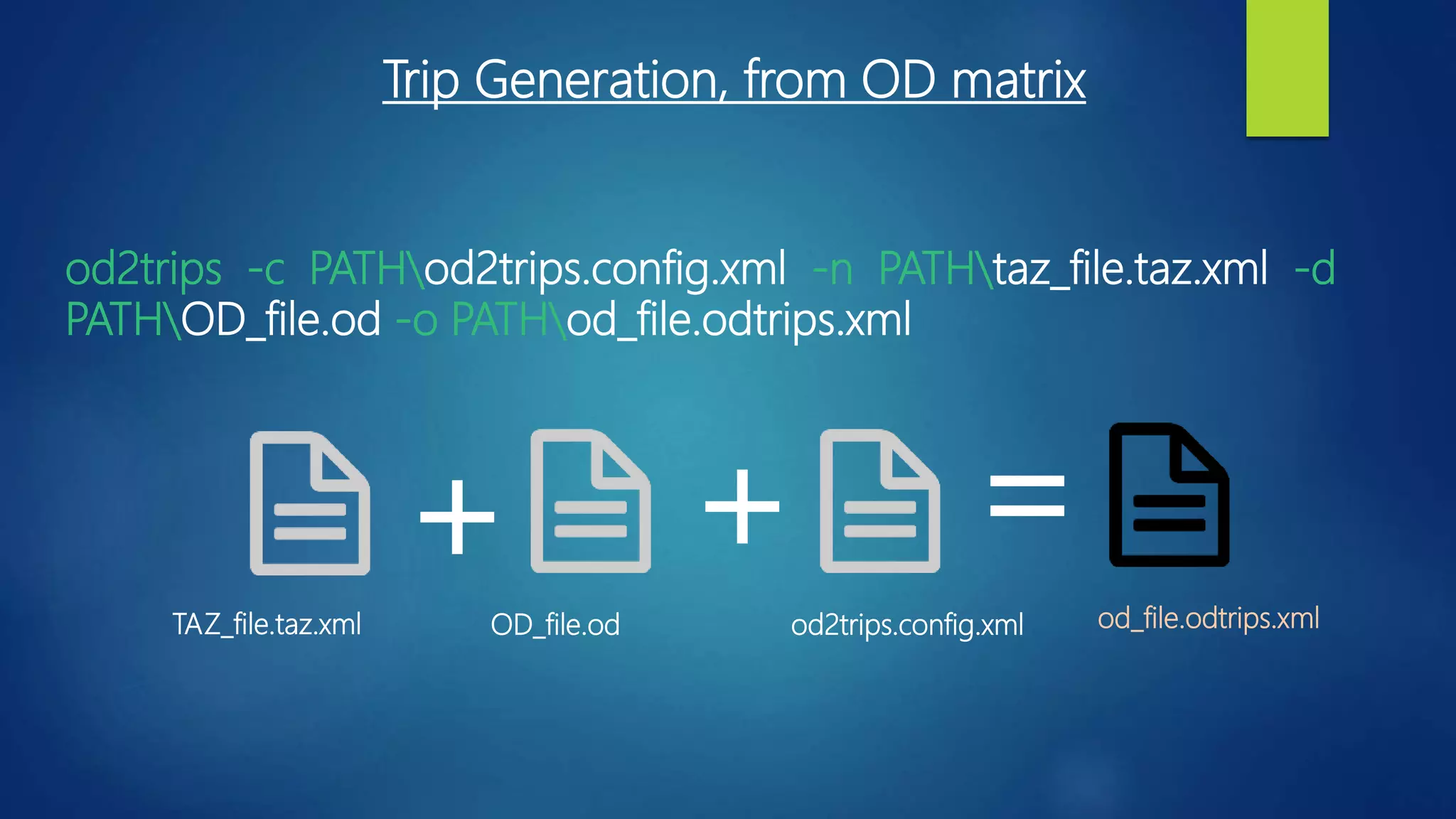
TAZ_file.taz.xml OD_file.od od2trips.config.xml od_file.odtrips.xml
+ + =
od2trips -c PATHod2trips.config.xml -n PATHtaz_file.taz.xml -d
PATHOD_file.od -o PATHod_file.odtrips.xml
Trip Generation, from OD matrix
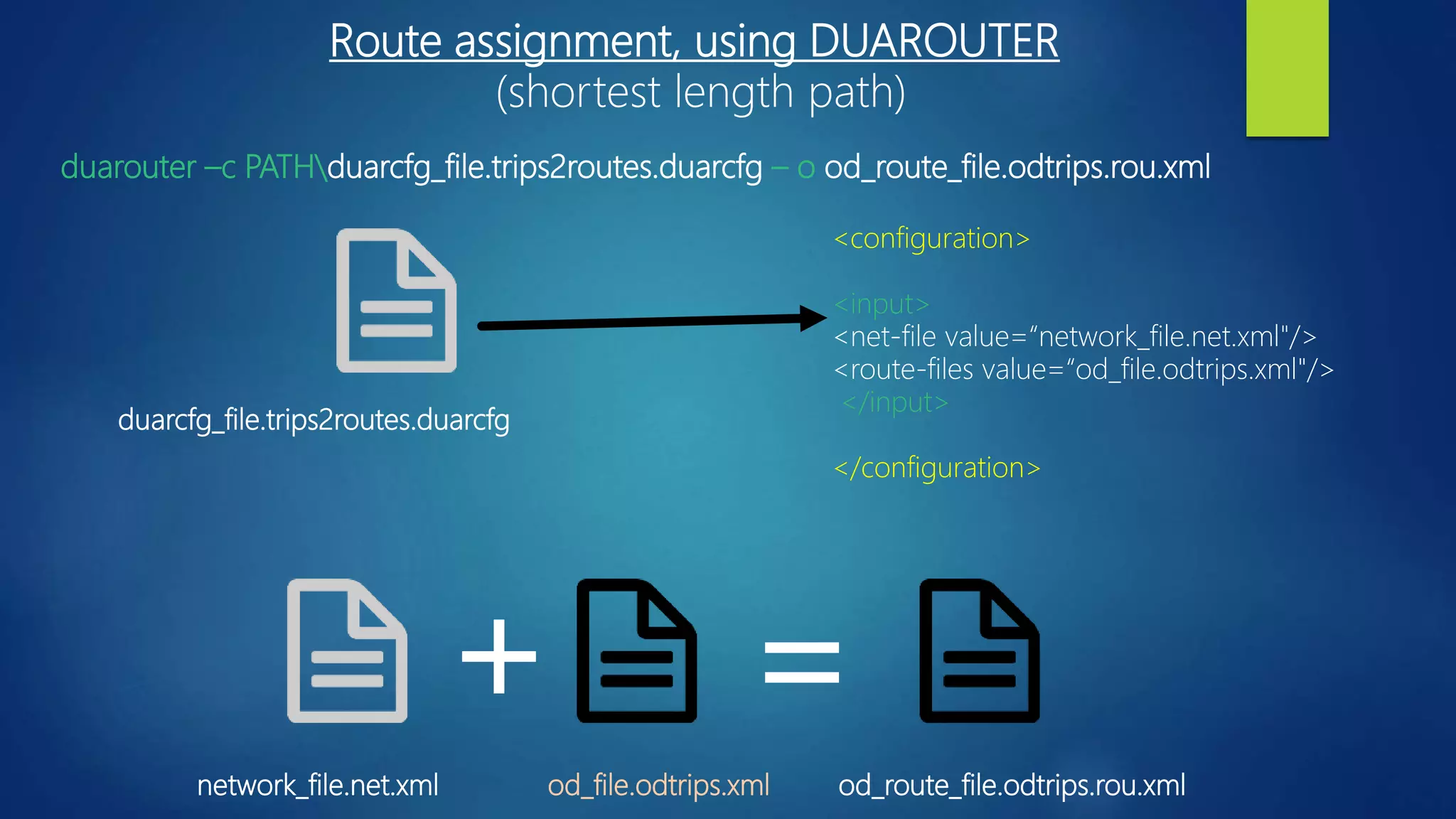
duarcfg_file.trips2routes.duarcfg
network_file.net.xml od_file.odtrips.xml od_route_file.odtrips.rou.xml
+ =
duarouter –c PATHduarcfg_file.trips2routes.duarcfg – o od_route_file.odtrips.rou.xml
<configuration>
<input>
<net-file value=“network_file.net.xml"/>
<route-files value=“od_file.odtrips.xml"/>
</input>
</configuration>
Route assignment, using DUAROUTER
(shortest length path)
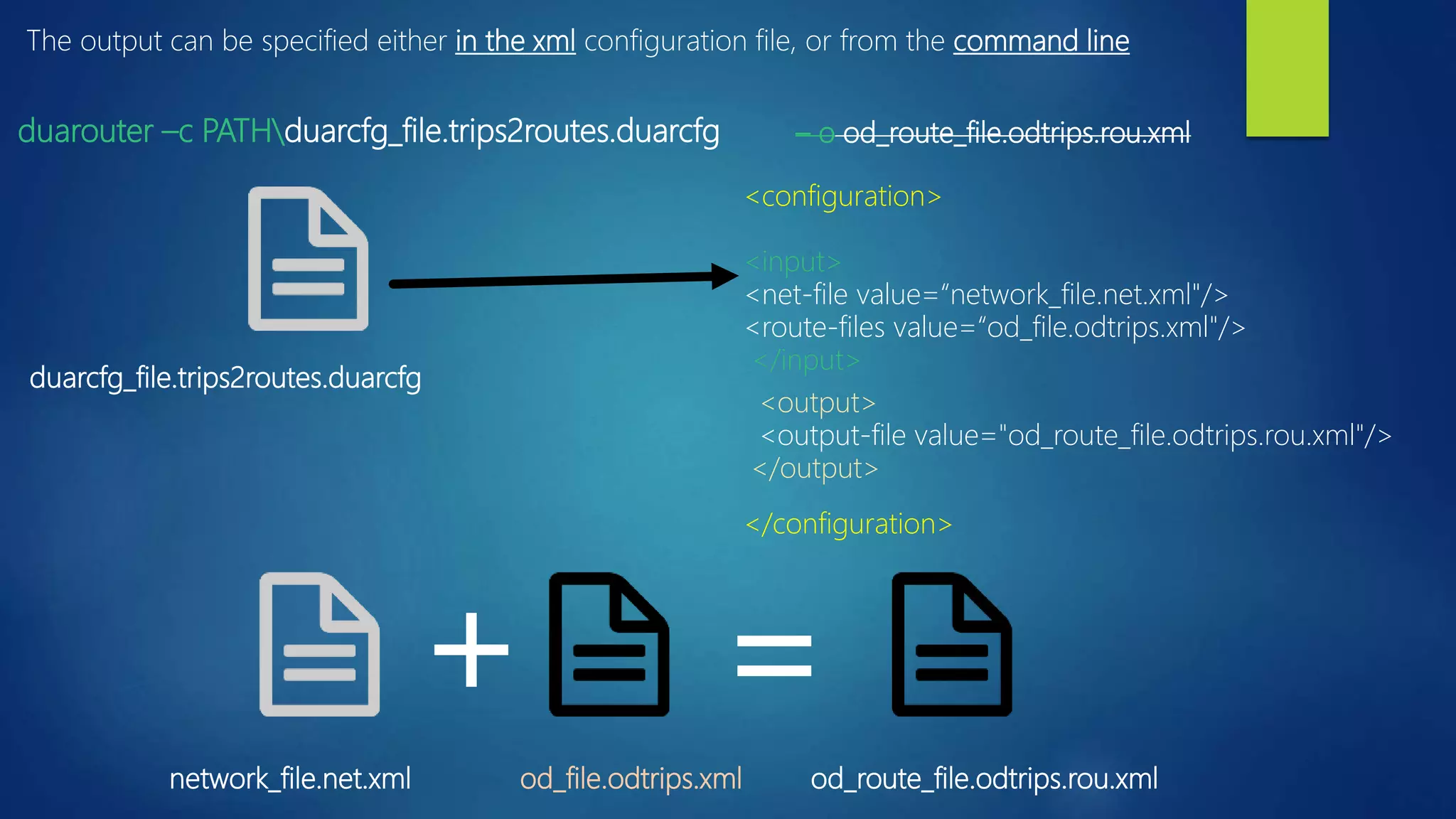
duarcfg_file.trips2routes.duarcfg
network_file.net.xml od_file.odtrips.xml od_route_file.odtrips.rou.xml
+ =
duarouter –c PATHduarcfg_file.trips2routes.duarcfg
<configuration>
<input>
<net-file value=“network_file.net.xml"/>
<route-files value=“od_file.odtrips.xml"/>
</input>
</configuration>
– o od_route_file.odtrips.rou.xml
<output>
<output-file value="od_route_file.odtrips.rou.xml"/>
</output>
The output can be specified either in the xml configuration file, or from the command line
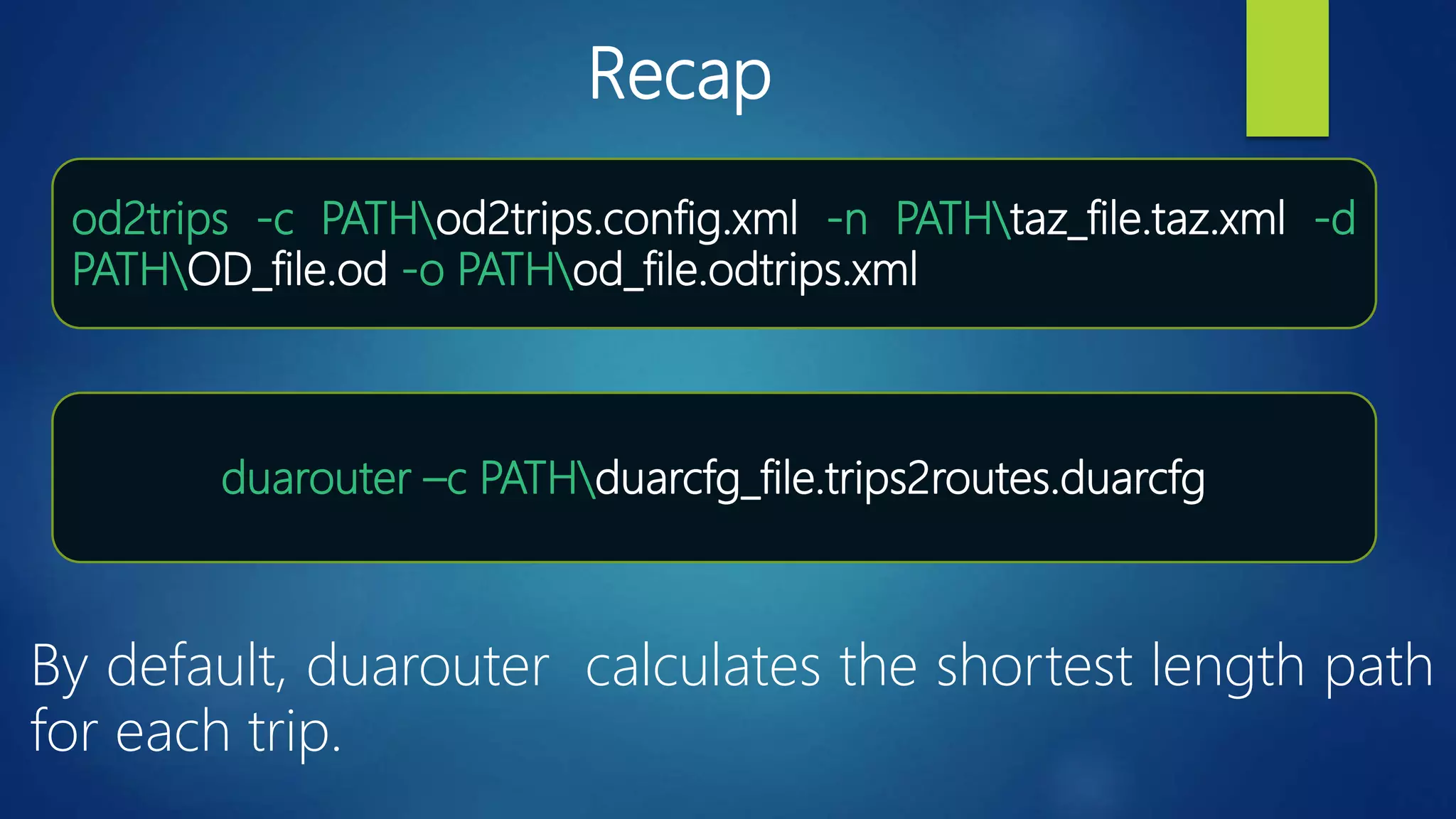
duarouter –c PATHduarcfg_file.trips2routes.duarcfg
Recap
od2trips -c PATHod2trips.config.xml -n PATHtaz_file.taz.xml -d
PATHOD_file.od -o PATHod_file.odtrips.xml
By default, duarouter calculates the shortest length path
for each trip.
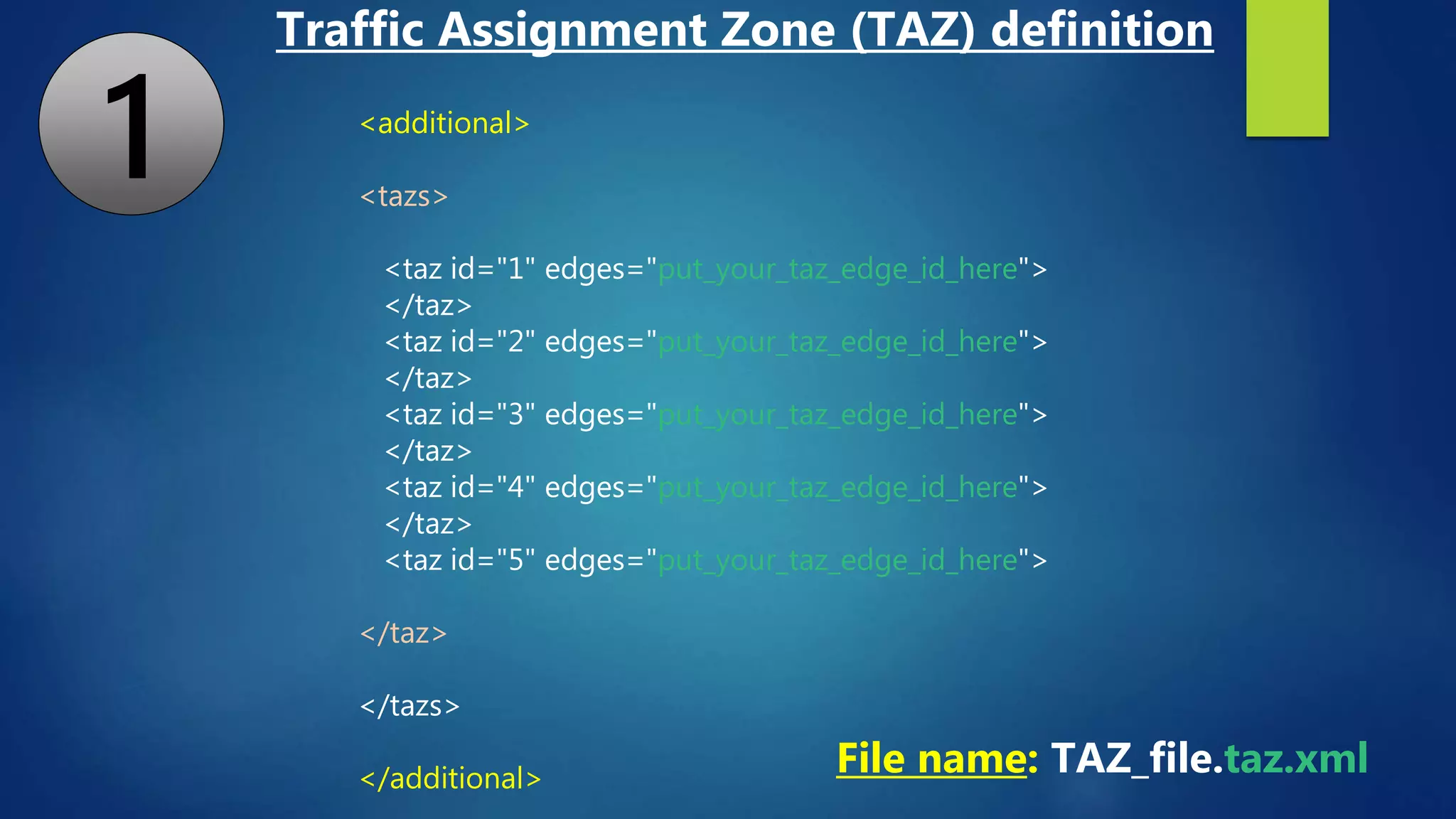
<additional>
<tazs>
<taz id="1" edges="put_your_taz_edge_id_here">
</taz>
<taz id="2" edges="put_your_taz_edge_id_here">
</taz>
<taz id="3" edges="put_your_taz_edge_id_here">
</taz>
<taz id="4" edges="put_your_taz_edge_id_here">
</taz>
<taz id="5" edges="put_your_taz_edge_id_here">
</taz>
</tazs>
</additional>
File name: TAZ_file.taz.xml
Traffic Assignment Zone (TAZ) definition
1
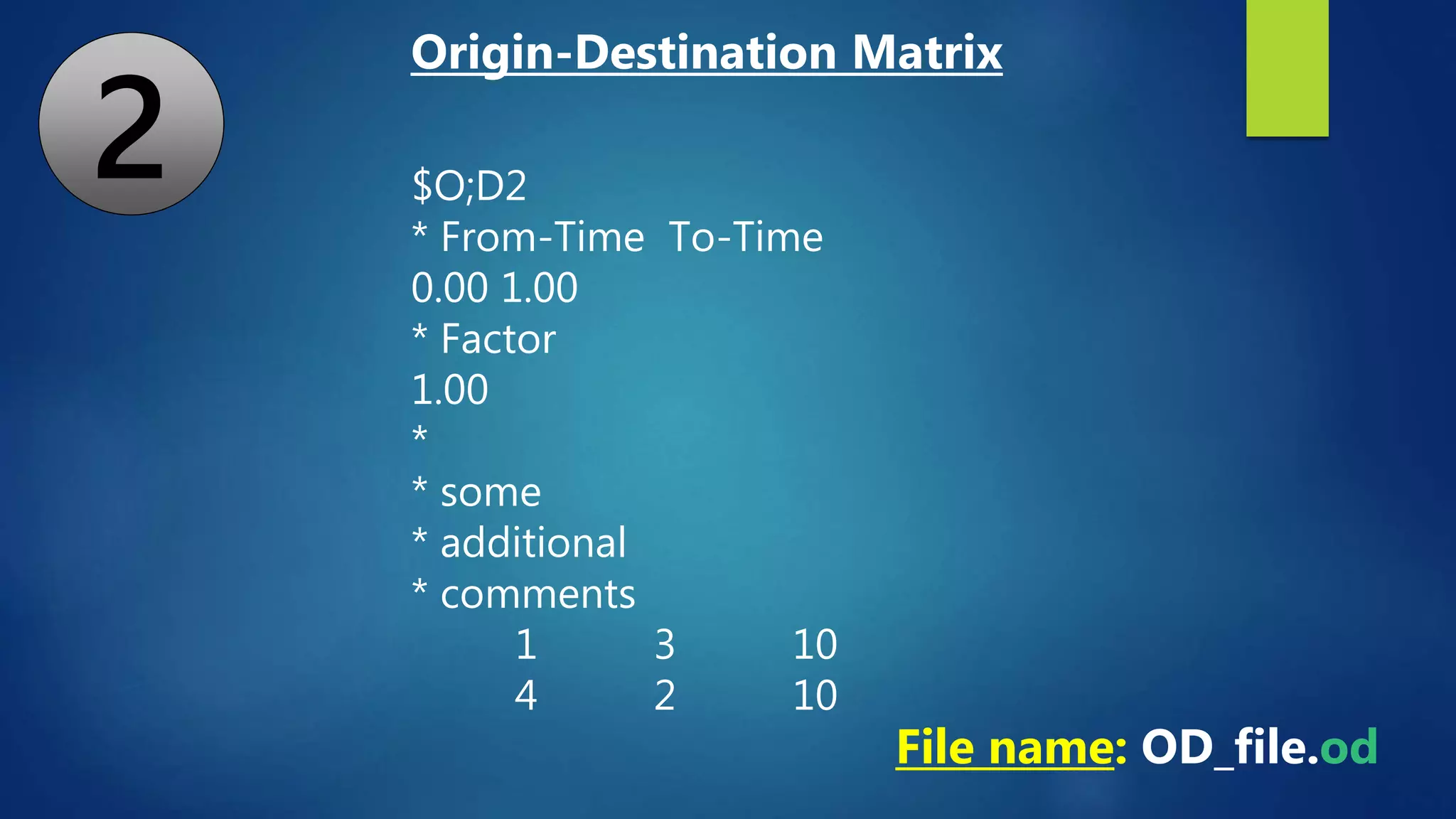
$O;D2
* From-Time To-Time
0.00 1.00
* Factor
1.00
*
* some
* additional
* comments
1 3 10
4 2 10
File name: OD_file.od
Origin-Destination Matrix
2
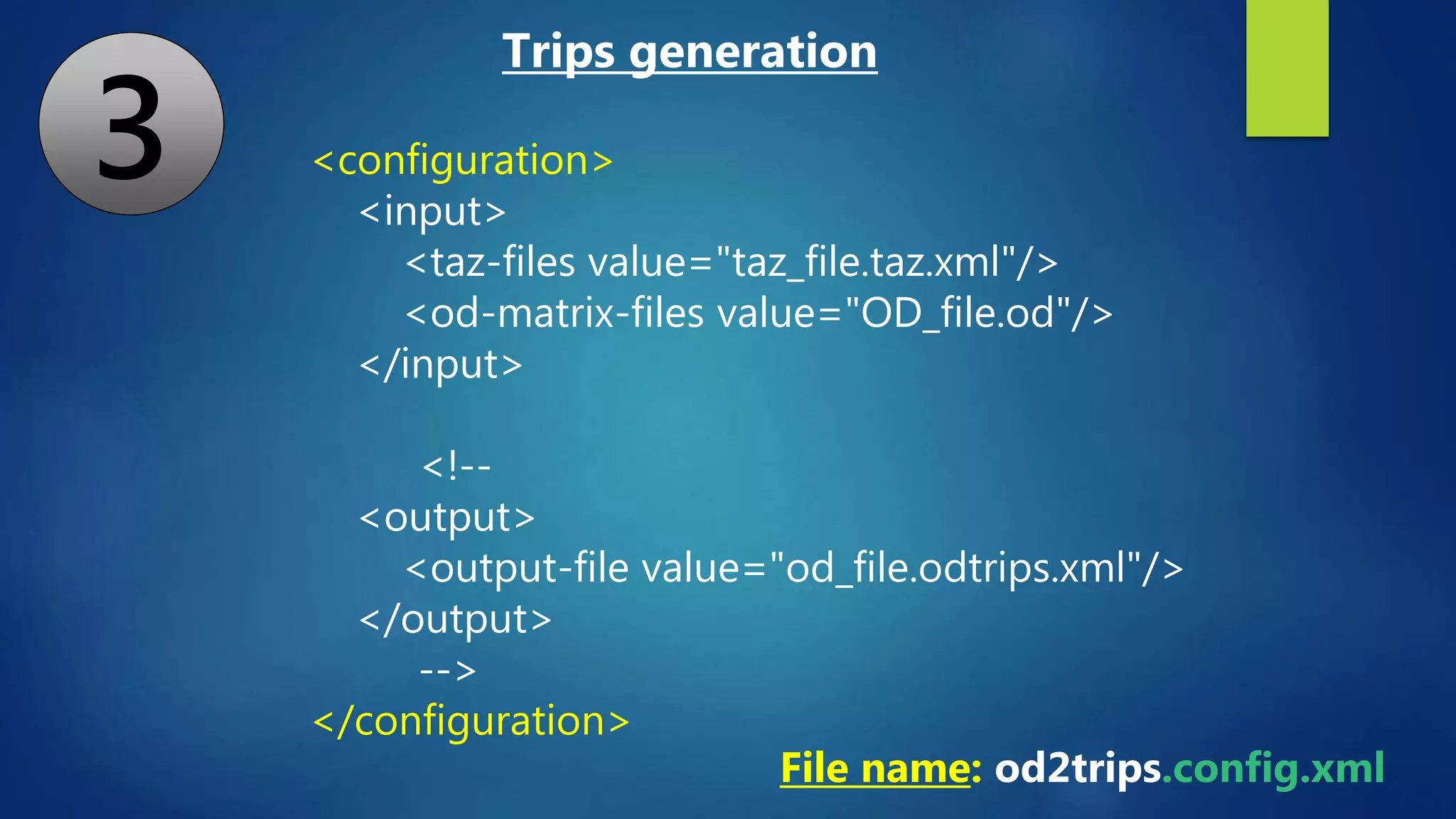
<configuration>
<input>
<taz-files value="taz_file.taz.xml"/>
<od-matrix-files value="OD_file.od"/>
</input>
<!--
<output>
<output-file value="od_file.odtrips.xml"/>
</output>
-->
</configuration>
File name: od2trips.config.xml
Trips generation
3
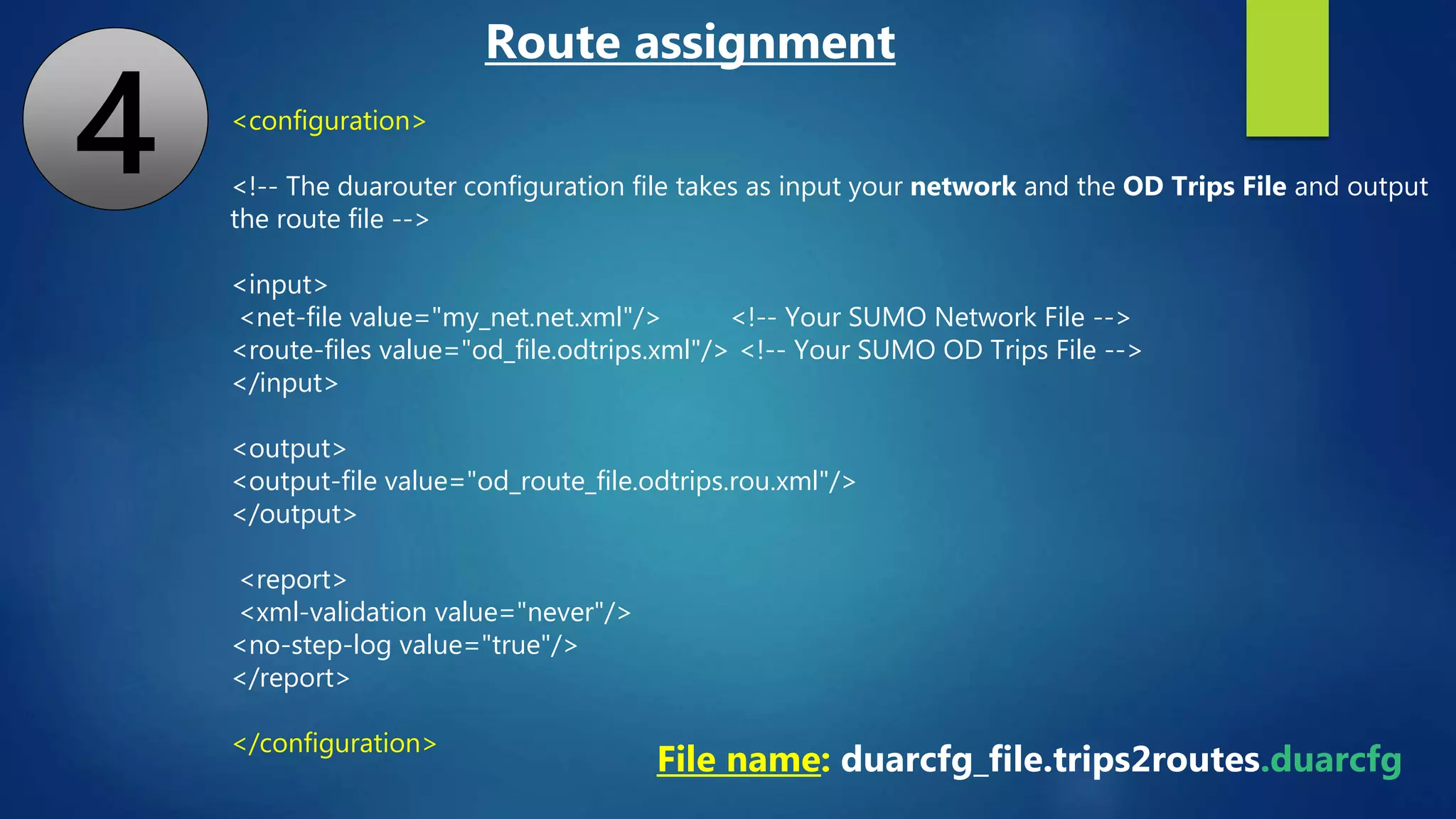
<configuration>
<!-- The duarouter configuration file takes as input your network and the OD Trips File and output
the route file -->
<input>
<net-file value="my_net.net.xml"/> <!-- Your SUMO Network File -->
<route-files value="od_file.odtrips.xml"/> <!-- Your SUMO OD Trips File -->
</input>
<output>
<output-file value="od_route_file.odtrips.rou.xml"/>
</output>
<report>
<xml-validation value="never"/>
<no-step-log value="true"/>
</report>
</configuration>
File name: duarcfg_file.trips2routes.duarcfg
Route assignment
4
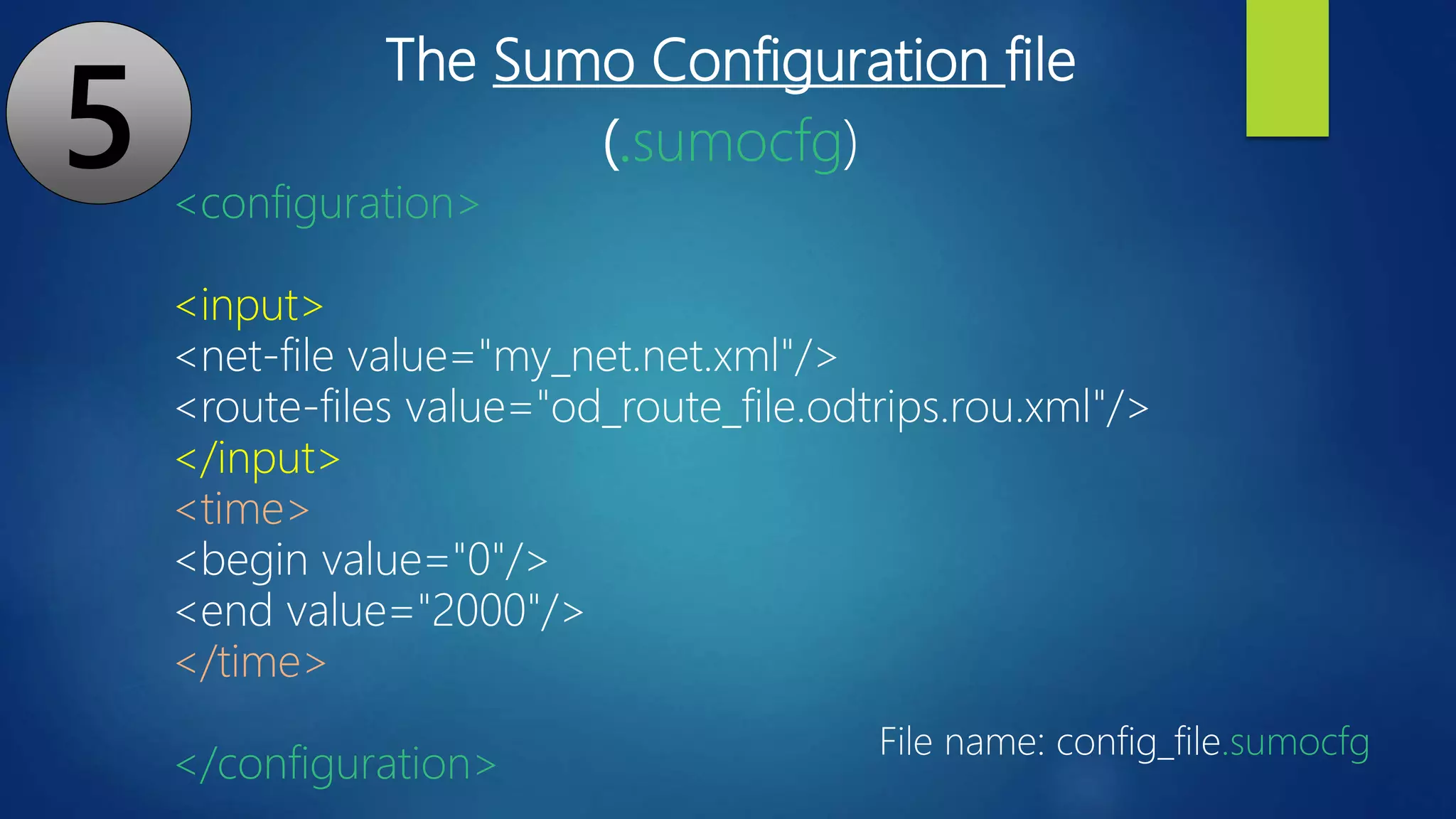
The Sumo Configuration file
(.sumocfg)
<configuration>
<input>
<net-file value="my_net.net.xml"/>
<route-files value="od_route_file.odtrips.rou.xml"/>
</input>
<time>
<begin value="0"/>
<end value="2000"/>
</time>
</configuration>
File name: config_file.sumocfg
5
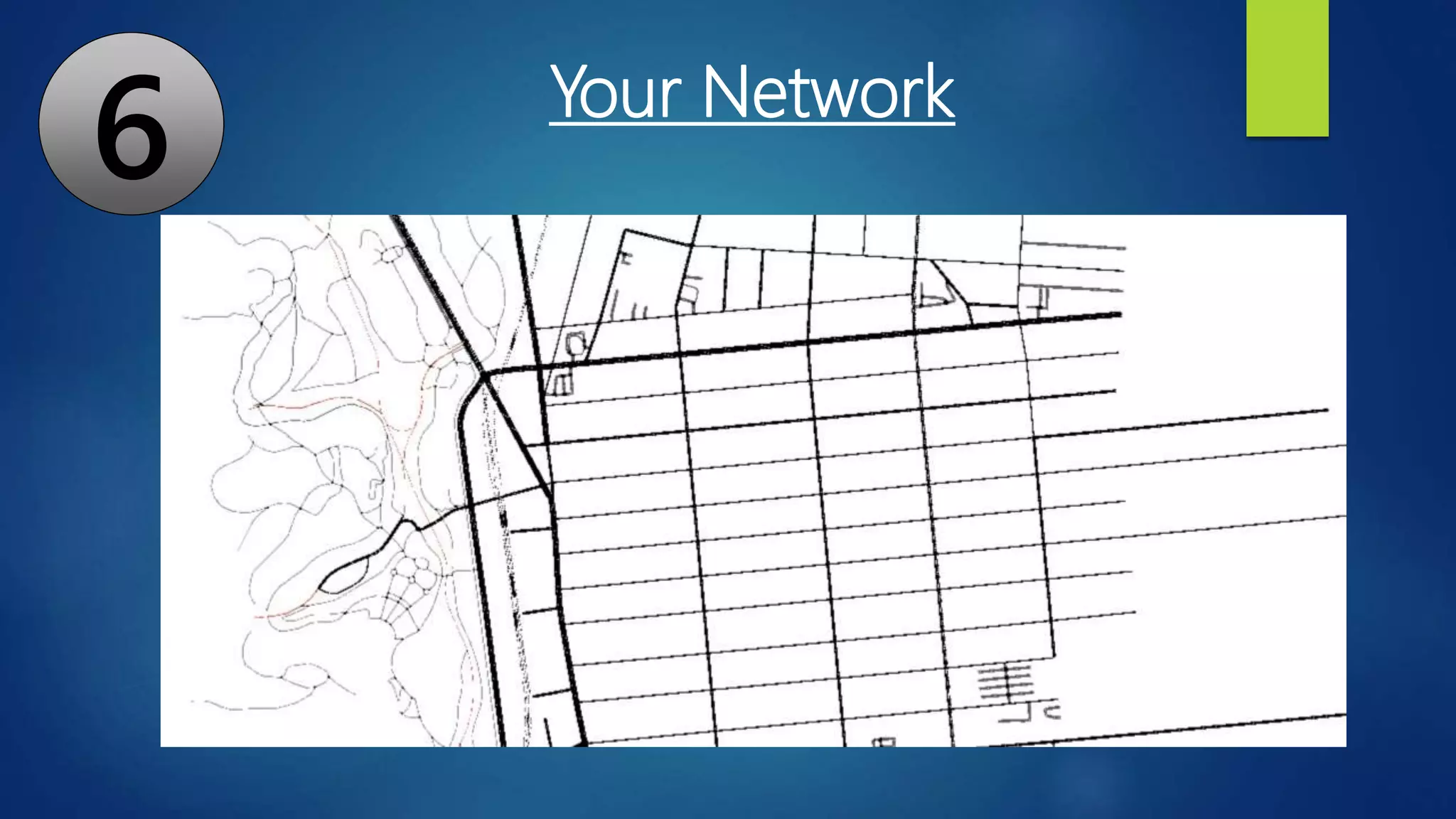
6 Your Network

Sumo tutorial: 1) Manual Network creation, 2) OSM to Netwrok, 3) OD Matrix to trip Generation

  • 1.
  • 2.
  • 3.
    What is SUMO? SUMOis an open source traffic simulation package Was created by the German Aerospace Center (DLR) The development of SUMO started back in 2001 You can use SUMO to : - Build a Network and assign routes within a network - Develop traffic light algorithm - Simulate and analyze trɑfic within a network, given Origin-Destination (OD) Matrix - Etc.
  • 4.
    Aimsun Live (Commercial), TSIS-CORSIM,CORridor SIMulation (Commercial) Paramics, PARAllel MICroscopic Simulation (Commercial), PTV Vissim, (Commercial), SimMobility, (by Singapore-MIT) Synchro + SimTraffic, (Commercial) MATSim, Multi-Agent Transport Simulation , (Open Source) Transims, TRansportation ANalysis SIMulation System (NASA Open Source) SUMO Simulation of Urban Mobility, (DLR, Open Source) Overview of Transportation Simulation Software
  • 5.
    Preliminary  Download andinstall  SUMO: http://www.sumo.dlr.de/userdoc/Downloads.html  Python: https://www.python.org/downloads/  Python is necessary for some simulations
  • 6.
    • In SUMO,road network can be created in three ways: • Manually by creating our own node, edge, route, connection files. • Using netgenerate command. • Importing road network from external sources such as OSM, VISSIM, VISUM etc.
  • 7.
    Part I: Manual Node,Edge and Route assignment Part II: From OSM to Network + Random Trips Simulation Part III: Origin-Destination to trip Simulation
  • 8.
    Part I: Manual Node,Edge and Route assignment
  • 9.
    (-250, 0) (-500, 0) (0,0) (-150, 200) (150, 200) A road network consists of nodes (junctions) and edges (i.e. roads that connect various junctions with each other). N1 N2 N3 N4 N5
  • 10.
    1) Node filecreation (.nod.xml) 2) Edge file creation (.edg.xml) 3) Edge type file creation (.type.xml) 4) Network creation from the node, edge and type files 5) Route file (.rou.xml)
  • 11.
    <nodes> <node id=“n1" x= "-500" y="0" type=“priority”/> <node id=“n2" x = "-250" y="0" type=“traffic_light”/> <node id=“n3" x = "-150" y="200" type=“traffic_light”/> <node id=“n4" x ="0" y="0"/> <node id=“n5" x =“150" y=“200" /> </nodes> (-250, 0) (-500, 0) (0, 0) (-150, 200) (150, 200) N1 N2 N3 N4 N5 File name: my_nod.nod.xml 1) node file (.nod.xml)
  • 12.
    2) Edge file(.edg.xml) define the connect node together to form links. Example: <edges> <edge from="n1" to="n2" id="1to2" type="3L45"/> <edge from="n2" to="n3" id="2to3" type="2L15"/> <edge from="n3" to="n4" id="3to4" type="3L30"/> <edge from="n4" to="n5" id="out" type="3L30"/> </edges> Fine name: my_edge.edg N1 N2 N3 N4 N5
  • 13.
    3) Type file(.type.xml) include road priority, the number of lanes, speed limit, type of vehicles allow, etc. Example: Fine name: my_type.type.xml <types> <type id=“3L45" priority="3" numLanes="3" speed="45"/> <type id=“2L15" priority="3" numLanes="2" speed="15"/> <type id=“3L30" priority="2" numLanes="3" speed="30"/> </types>
  • 14.
    netconvert --node-files my_nodes.nod.xml-- edge-files my_edge.edg.xml -t my_type.type.xml -o my_net.net.xml 4) netconvert my_nodes.nod.xml my_edge.edg.xml my_type.type.xml my_net.net.xml + + =
  • 15.
    5) Route file(.rou.xml) <routes> <vType accel="1.0" decel="5.0" id="Car" length="2.0" maxSpeed="100.0" sigma="0.0" /> <vType accel="1.0" decel="5.0" id="Bus" length="12.0" maxSpeed="1.0" sigma="0.0" /> <route id="route0" edges="1to2 2to3"/> <vehicle depart="10" id="veh0" route="route0" type="Bus" /> <route id="route1" edges="2to3 3to4"/> <vehicle depart="10" id="veh1" route="route1" type="Car" /> <route id="route2" edges="3to4 out"/> <vehicle depart="30" id="veh2" route="route2" type="Car" /> </routes>
  • 16.
    Lastly, the SumoConfiguration file (.sumocfg) <configuration> <input> <net-file value="my_net.net.xml"/> <route-files value="my_route.rou.xml"/> </input> <time> <begin value="0"/> <end value="2000"/> </time> </configuration> File name: my_config_file
  • 17.
  • 18.
    Part II: From OSMto Network + Random Trips Simulation
  • 19.
    (-250, 0) (-500, 0) (0,0) (-150, 200) (150, 200) N1 N2 N3 N4 N5 Previously, we manually built this network (nodes, edges), and manually defined the route, the vehicle types and parameters.
  • 20.
    But, what ifwe have a large set of network?
  • 21.
    1) Search andDownload Open Street Map (OSM) 2) Convert the Map into SUMO Network netconvert --osm-files map.osm -o test.net.xml 3) Add trip and route to the network using build-in Python scripts randomTrips.py python PATHrandomTrips.py -n test.net.xml -r test.rou.xml -e 50 -l py PATHrandomTrips.py -n test.net.xml -r test.rou.xml -e 50 -l
  • 22.
    5) Setup theconfiguration file and run the Network
  • 23.
    Lastly, the SumoConfiguration file (.sumocfg) <configuration> <input> <net-file value="my_net.net.xml"/> <route-files value="my_route.rou.xml"/> </input> <time> <begin value="0"/> <end value="2000"/> </time> </configuration> File name: my_config_file
  • 24.
    "randomTrips.py" generates aset of random trips for a given network (option -n). By default, it does so by choosing source and destination edge uniformly at random distribution. The resulting trips are by default stored in an XML file trips.trips.xml The trips are distributed evenly in an interval defined by the beginning time –b (default 0) and end time -e (default 3600) in seconds. py PATHrandomTrips.py -n test.net.xml -r test.rou.xml -e 50 -l
  • 25.
  • 26.
    Assumption We assume herewe already have our Sumo network ready to be used. If you don’t know how to build a network in Sumo, please watch our two previous tutorials
  • 27.
    1) Make theTAZ (Traffic analysis zone) file (.xml) 2) Make the OD (Origine-Destination) Matrix file (.od) 3) Make the od2trips.config file (.xml) 4) Make the duarouter.config file (.duarcfg) 0) Make/have the network file ready (.net.xml)
  • 28.
    TAZ_file.taz.xml OD_file.od od2trips.config.xmlod_file.odtrips.xml + + = od2trips -c PATHod2trips.config.xml -n PATHtaz_file.taz.xml -d PATHOD_file.od -o PATHod_file.odtrips.xml Trip Generation, from OD matrix
  • 29.
    duarcfg_file.trips2routes.duarcfg network_file.net.xml od_file.odtrips.xml od_route_file.odtrips.rou.xml += duarouter –c PATHduarcfg_file.trips2routes.duarcfg – o od_route_file.odtrips.rou.xml <configuration> <input> <net-file value=“network_file.net.xml"/> <route-files value=“od_file.odtrips.xml"/> </input> </configuration> Route assignment, using DUAROUTER (shortest length path)
  • 30.
    duarcfg_file.trips2routes.duarcfg network_file.net.xml od_file.odtrips.xml od_route_file.odtrips.rou.xml += duarouter –c PATHduarcfg_file.trips2routes.duarcfg <configuration> <input> <net-file value=“network_file.net.xml"/> <route-files value=“od_file.odtrips.xml"/> </input> </configuration> – o od_route_file.odtrips.rou.xml <output> <output-file value="od_route_file.odtrips.rou.xml"/> </output> The output can be specified either in the xml configuration file, or from the command line
  • 31.
    duarouter –c PATHduarcfg_file.trips2routes.duarcfg Recap od2trips-c PATHod2trips.config.xml -n PATHtaz_file.taz.xml -d PATHOD_file.od -o PATHod_file.odtrips.xml By default, duarouter calculates the shortest length path for each trip.
  • 32.
    <additional> <tazs> <taz id="1" edges="put_your_taz_edge_id_here"> </taz> <tazid="2" edges="put_your_taz_edge_id_here"> </taz> <taz id="3" edges="put_your_taz_edge_id_here"> </taz> <taz id="4" edges="put_your_taz_edge_id_here"> </taz> <taz id="5" edges="put_your_taz_edge_id_here"> </taz> </tazs> </additional> File name: TAZ_file.taz.xml Traffic Assignment Zone (TAZ) definition 1
  • 33.
    $O;D2 * From-Time To-Time 0.001.00 * Factor 1.00 * * some * additional * comments 1 3 10 4 2 10 File name: OD_file.od Origin-Destination Matrix 2
  • 34.
    <configuration> <input> <taz-files value="taz_file.taz.xml"/> <od-matrix-files value="OD_file.od"/> </input> <!-- <output> <output-filevalue="od_file.odtrips.xml"/> </output> --> </configuration> File name: od2trips.config.xml Trips generation 3
  • 35.
    <configuration> <!-- The duarouterconfiguration file takes as input your network and the OD Trips File and output the route file --> <input> <net-file value="my_net.net.xml"/> <!-- Your SUMO Network File --> <route-files value="od_file.odtrips.xml"/> <!-- Your SUMO OD Trips File --> </input> <output> <output-file value="od_route_file.odtrips.rou.xml"/> </output> <report> <xml-validation value="never"/> <no-step-log value="true"/> </report> </configuration> File name: duarcfg_file.trips2routes.duarcfg Route assignment 4
  • 36.
    The Sumo Configurationfile (.sumocfg) <configuration> <input> <net-file value="my_net.net.xml"/> <route-files value="od_route_file.odtrips.rou.xml"/> </input> <time> <begin value="0"/> <end value="2000"/> </time> </configuration> File name: config_file.sumocfg 5
  • 37.

Editor's Notes

  • #3 Traffic simulations facilitate the evaluation of infrastructure changes as well as policy changes before implementing them on the road