LAYOUTING
            RCANU | 2012
LAYOUT
 • the make-up or the window dressing of a
   page.
 • consists of
     illustrations
     text/articles
     graphics
 • includes the selection of font styles, sizes and
   colors.
CONVENTIONAL
    - VS -
  MODERN
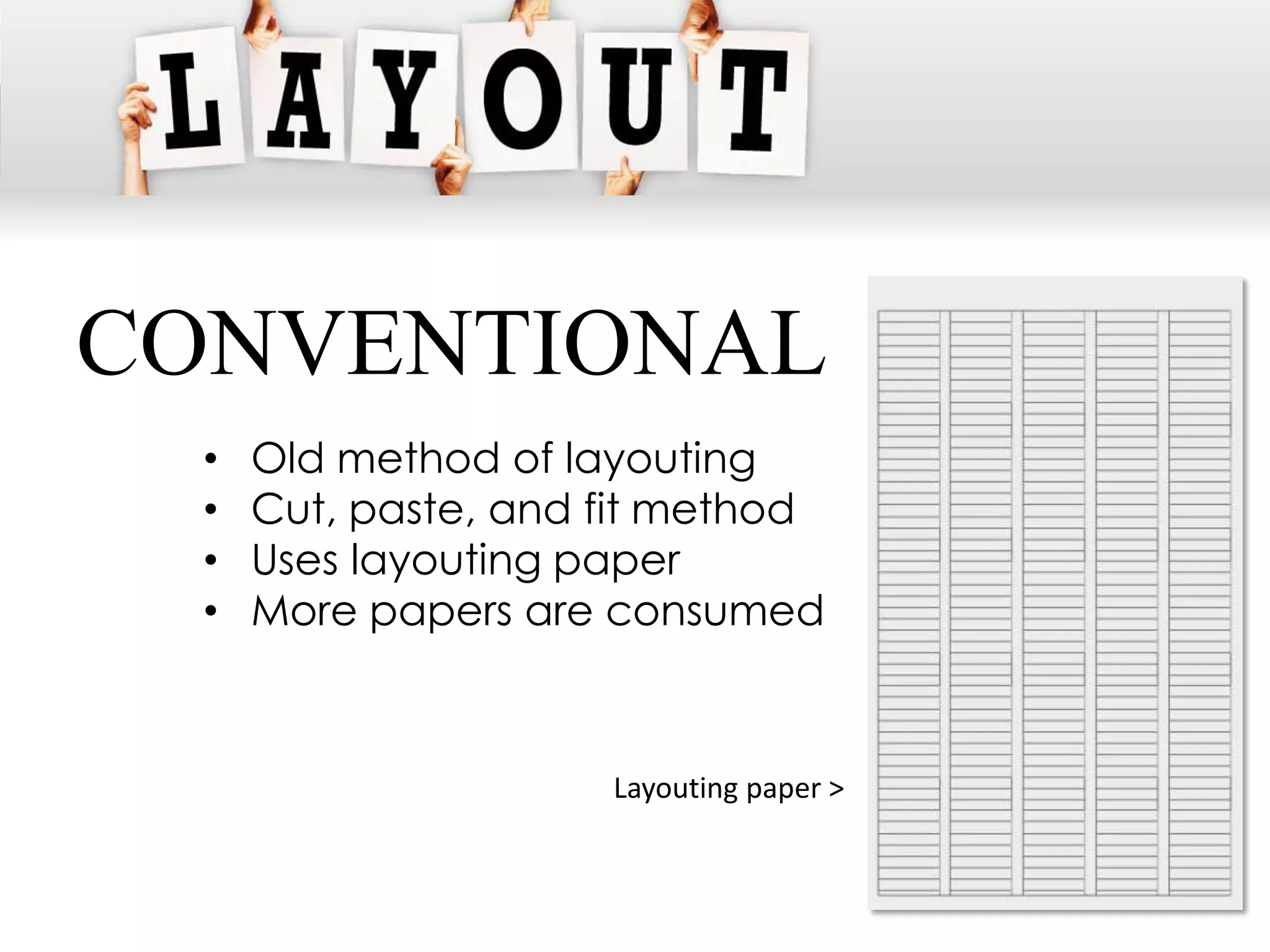
CONVENTIONAL
  •   Old method of layouting
  •   Cut, paste, and fit method
  •   Uses layouting paper
  •   More papers are consumed


                      Layouting paper >
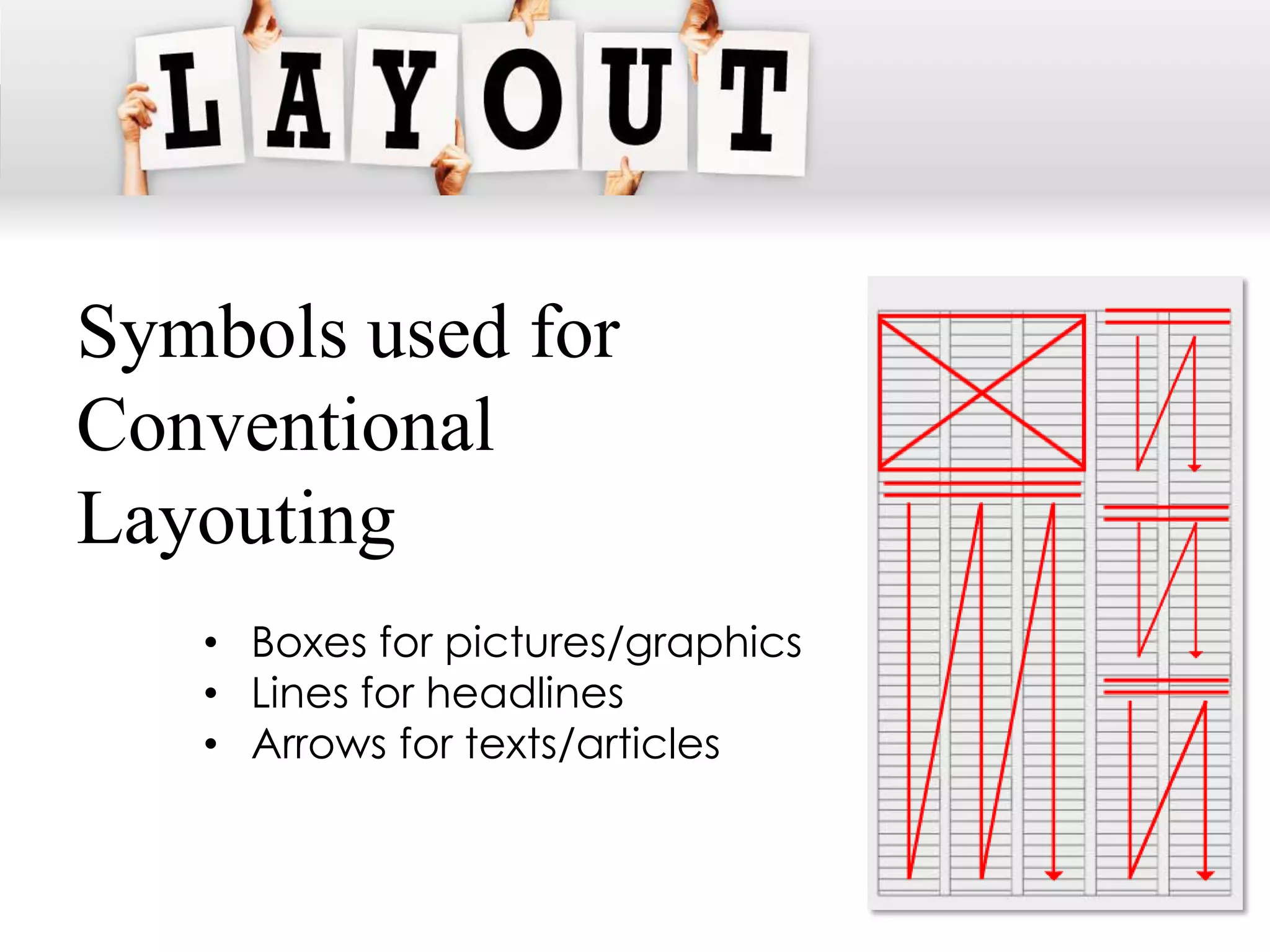
Symbols used for
Conventional
Layouting
   • Boxes for pictures/graphics
   • Lines for headlines
   • Arrows for texts/articles
MODERN
 • softwares and programs are
   readily available for desktop
   publishing (MicrosoftTM Publisher,
   AdobeTM InDesign, Corel Draw)
 • not much laborious for all you
   need is a computer unit, a
   program and a creative
   designing skill
MODERN
 • putting up a campus paper becomes easier
   and more convenient
 • Disadvantage: limited size of the computer
   screen. A dummy is still prepared.
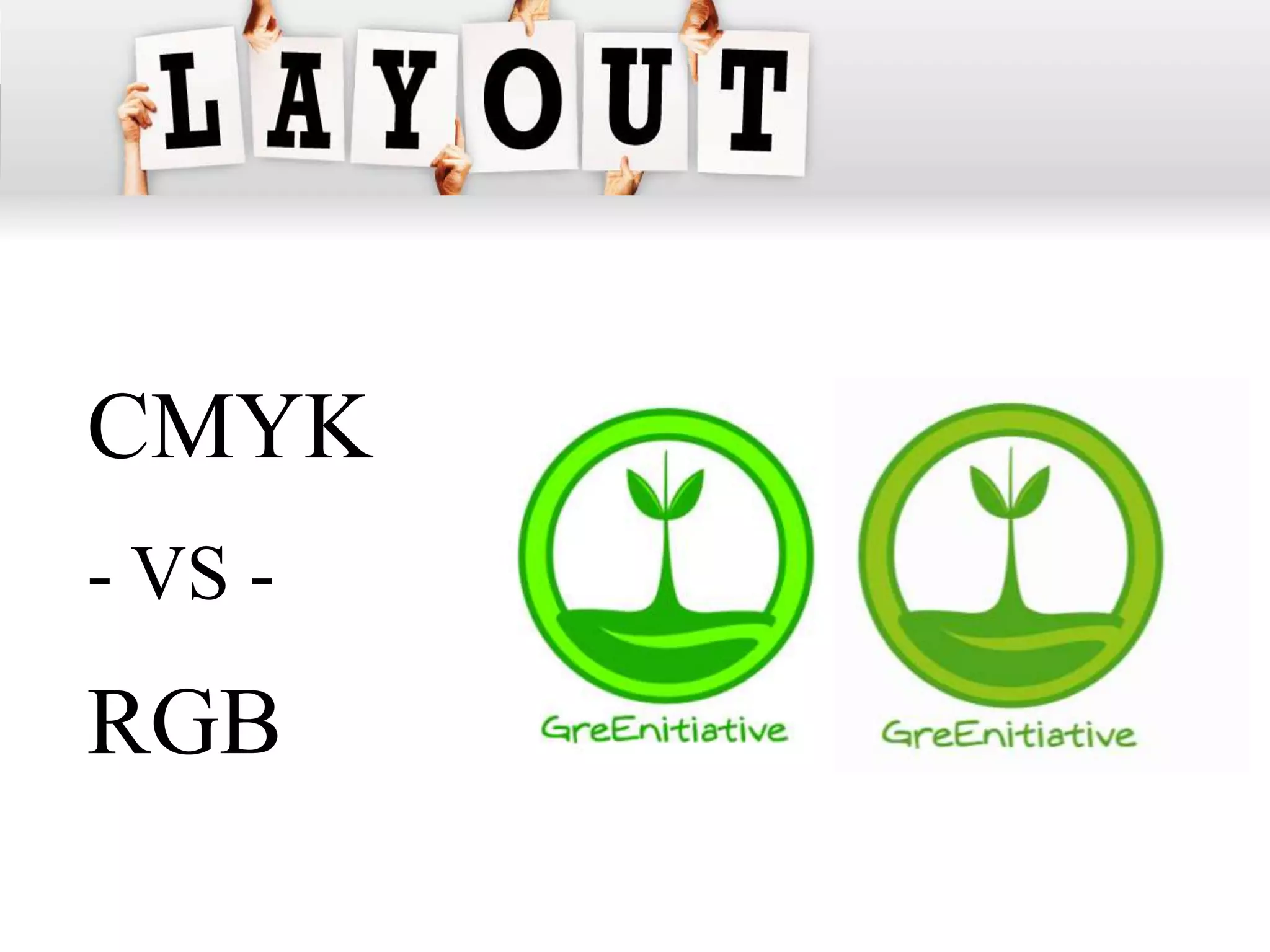
CMYK
- VS -
RGB
RGB
 • Stands for Red, Green, Blue
 • Colors produced by monitors
 • Emits light
CMYK
 • Stands for Cyan,
   Magenta, Yellow, BlacK
 • Colors produced for
   printing
 • Reflects light
 • Composed of the subset
   of RGB Colors
Lorem Ipsum
   • simply dummy text of the printing and typesetting
     industry.
   • normal distribution of letters
The standard lorem ipsum
     "Lorem ipsum dolor sit amet, consectetur adipisicing
    elit, sed do eiusmod tempor incididunt ut labore et
    dolore magna aliqua. Ut enim ad minim veniam, quis
    nostrud exercitation ullamco laboris nisi ut aliquip ex
    ea commodo consequat. Duis aute irure dolor in
    reprehenderit in voluptate velit esse cillum dolore eu
    fugiat nulla pariatur. Excepteur sint occaecat cupidatat
    non proident, sunt in culpa qui officia deserunt mollit
    anim id est laborum.
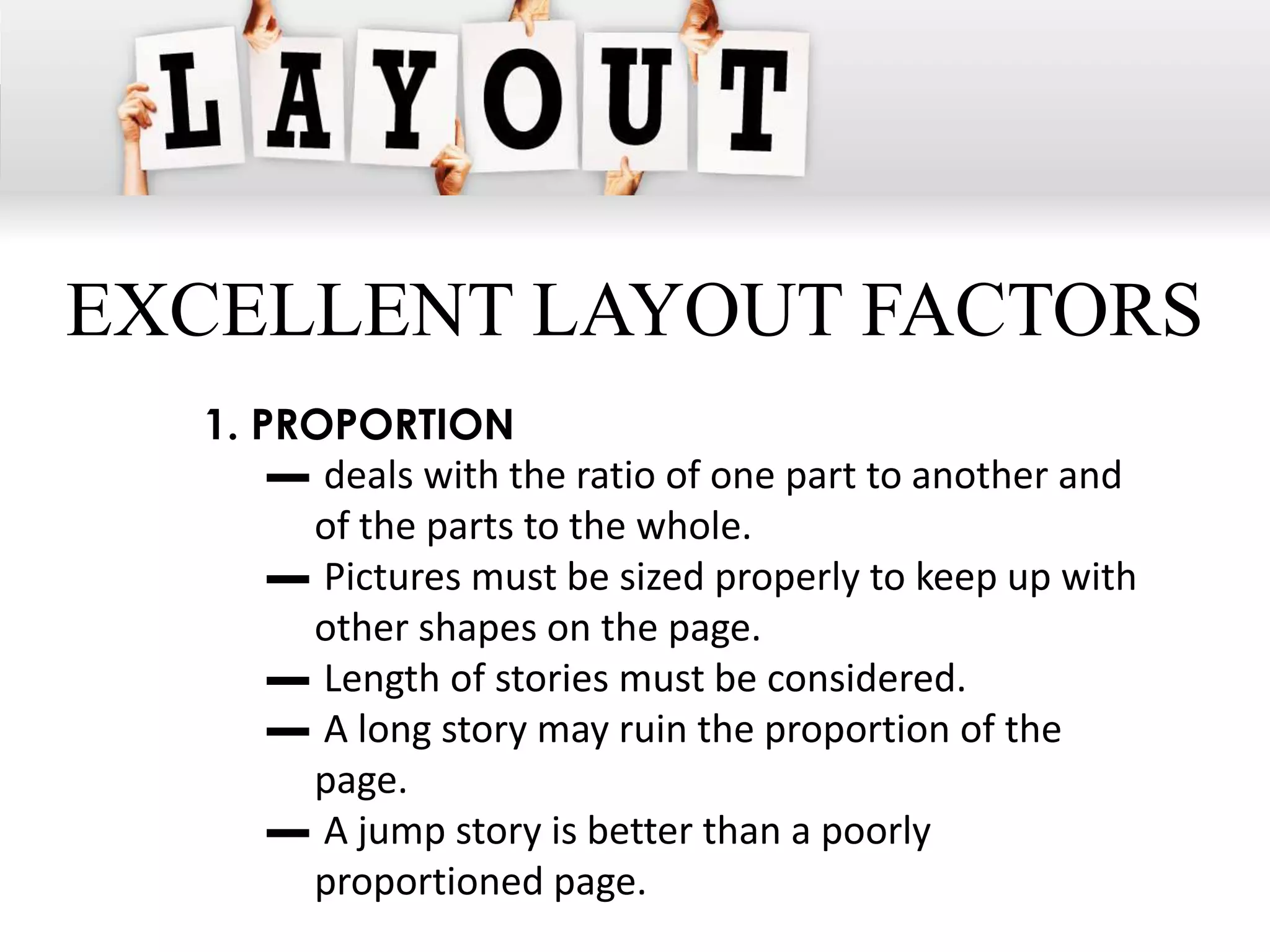
Newspaper sizes
  • BROADSHEET
     - Dimensions: 750 x 600 mm (29.5" x 23.5")

  • BERLINER
     - Dimensions: 470 mm × 315 mm (18.5" × 12.4")

  • TABLOID SIZE
     - Dimensions: 430 x 280 mm (16.9" x 11.0")
EXCELLENT LAYOUT FACTORS
  1. PROPORTION
      ▬ deals with the ratio of one part to another and
       of the parts to the whole.
      ▬ Pictures must be sized properly to keep up with
       other shapes on the page.
      ▬ Length of stories must be considered.
      ▬ A long story may ruin the proportion of the
       page.
      ▬ A jump story is better than a poorly
       proportioned page.
EXCELLENT LAYOUT FACTORS
  2. UNITY (HARMONY)
      ▬ the agreement between parts.
      ▬ Content of every page/double page must blend
       as a harmonious unit.
      ▬ No one part of the page should overshadow
       another.
      ▬ The headlines should complement each other
       and the pictures should not distract the eyes
       too much from the type.
EXCELLENT LAYOUT FACTORS
  3. BALANCE
      ▬ a feeling of equality in weight
      ▬ suggests the gravitational equilibrium of a
       single unit or a space arranged with respect to
       an axis or a fulcrum.
EXCELLENT LAYOUT FACTORS
  4. OCCULT BALANCE/ASSYMETRICAL
  BALANCE
     ▬ “felt” balance.
     ▬ Visual units in the other side of the axis are not
       identical but are placed in positions so equated
       to produce a felt equilibrium.
EXCELLENT LAYOUT FACTORS
  5. EMPHASIS
      ▬ gives proper importance to the parts and to the
       whole.
      ▬ It involves the differentiation between the
       more important and the less important.
EXCELLENT LAYOUT FACTORS
  6. CONTRAST
     ▬ is the blending of units as one.
     ▬ Every head and cut on a page should contrast
       with adjoining materials.
     ▬ Contrasting adjacent headlines will help
       emphasize the importance of each other.
     ▬ Boxes and pictures between heads are
       sometimes good makeup devices.
Don’ts for Layouting
    1. Tomb stoning - placing two or more
       headlines on approximately the same
       leveling adjacent columns specially if they
       are of the same point and types.
    2. Bad breaks - breaking stories to the top of
       columns. The top of every column should
       have a headline or a cut.
    3. Separating related stories and pictures.
Don’ts for Layouting
    4. Gray areas (sea of gray). Use fillers instead.
    5. Screaming headline - is one that is too big
       for a short or unimportant story.
    6. Heavy tops. Don’t make the page top
       heavy.
    7. Fit them all. Avoid many headlines of the
       same size on a page.
    8. Looking-out pictures.
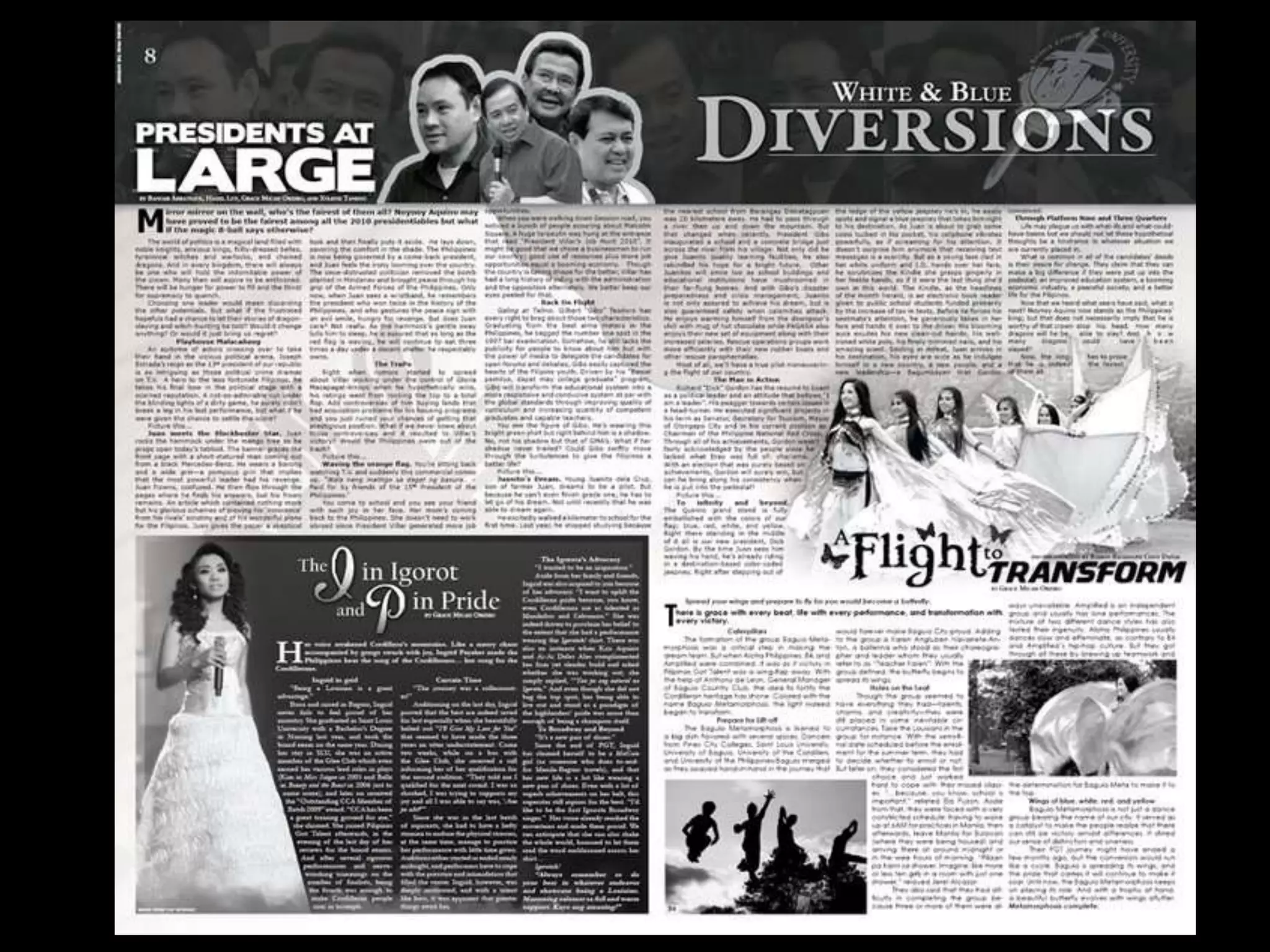
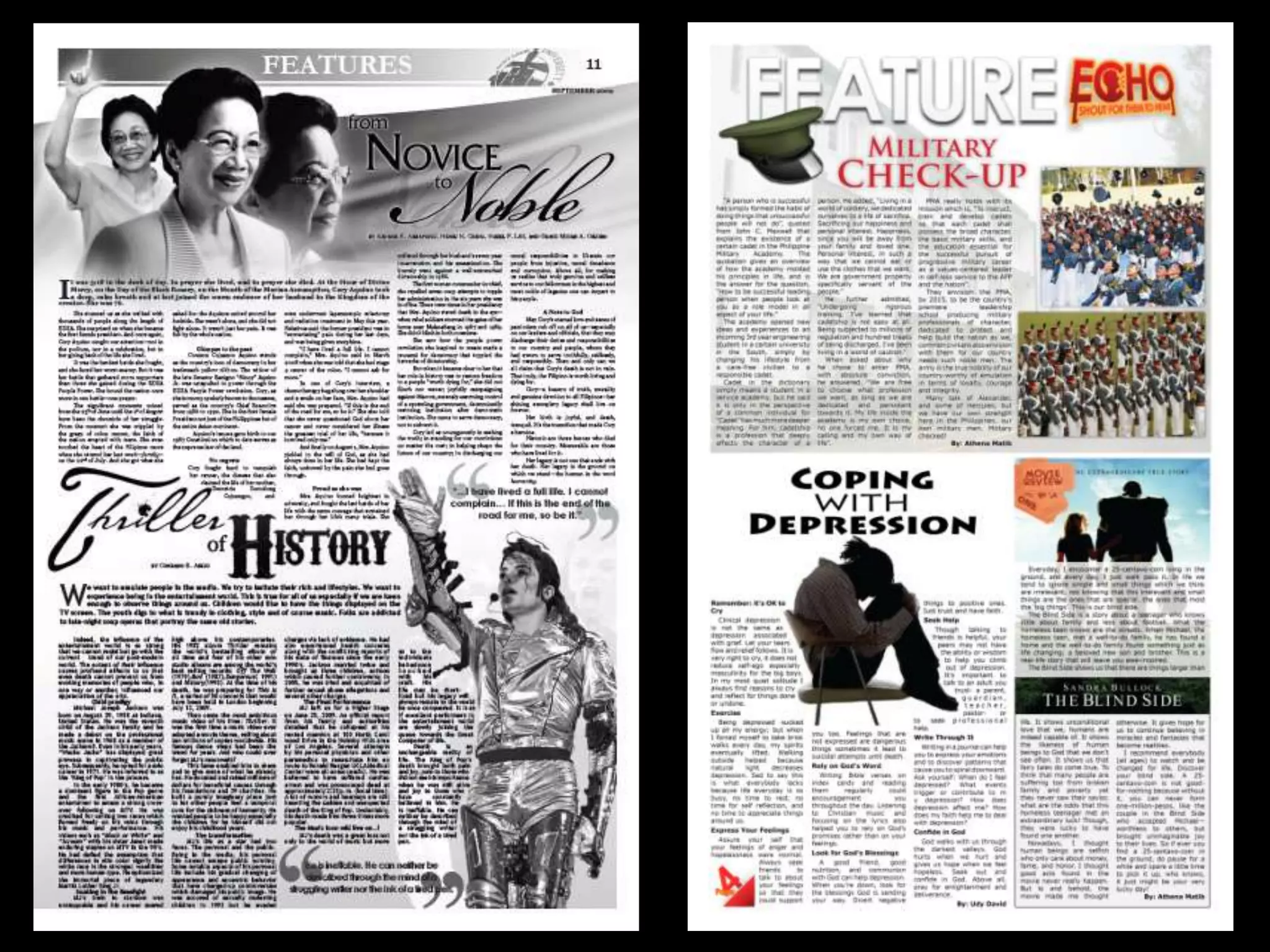
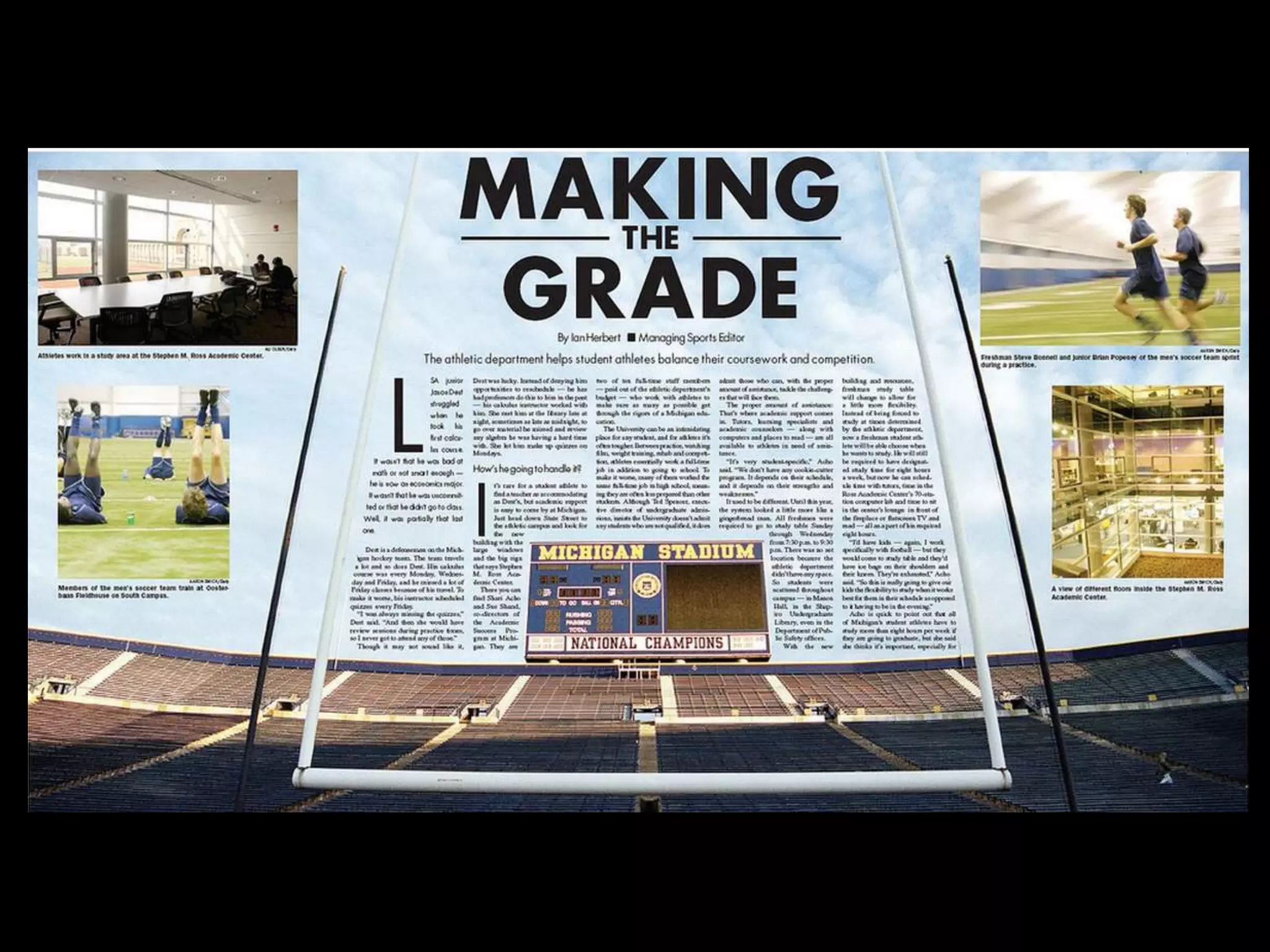
Sample Layouts
“Laying out a page is a matter of
personal taste. There are no criteria
 set for it. Therefore, the staff may
experiment freely on page makeup
      until they get the pattern
       acceptable to them.”
Questions?

Newspaper Layouting

  • 1.
    LAYOUTING RCANU | 2012
  • 2.
    LAYOUT • themake-up or the window dressing of a page. • consists of  illustrations  text/articles  graphics • includes the selection of font styles, sizes and colors.
  • 3.
    CONVENTIONAL - VS - MODERN
  • 4.
    CONVENTIONAL • Old method of layouting • Cut, paste, and fit method • Uses layouting paper • More papers are consumed Layouting paper >
  • 5.
    Symbols used for Conventional Layouting • Boxes for pictures/graphics • Lines for headlines • Arrows for texts/articles
  • 6.
    MODERN • softwaresand programs are readily available for desktop publishing (MicrosoftTM Publisher, AdobeTM InDesign, Corel Draw) • not much laborious for all you need is a computer unit, a program and a creative designing skill
  • 7.
    MODERN • puttingup a campus paper becomes easier and more convenient • Disadvantage: limited size of the computer screen. A dummy is still prepared.
  • 8.
  • 9.
    RGB • Standsfor Red, Green, Blue • Colors produced by monitors • Emits light
  • 10.
    CMYK • Standsfor Cyan, Magenta, Yellow, BlacK • Colors produced for printing • Reflects light • Composed of the subset of RGB Colors
  • 11.
    Lorem Ipsum • simply dummy text of the printing and typesetting industry. • normal distribution of letters
  • 12.
    The standard loremipsum "Lorem ipsum dolor sit amet, consectetur adipisicing elit, sed do eiusmod tempor incididunt ut labore et dolore magna aliqua. Ut enim ad minim veniam, quis nostrud exercitation ullamco laboris nisi ut aliquip ex ea commodo consequat. Duis aute irure dolor in reprehenderit in voluptate velit esse cillum dolore eu fugiat nulla pariatur. Excepteur sint occaecat cupidatat non proident, sunt in culpa qui officia deserunt mollit anim id est laborum.
  • 13.
    Newspaper sizes • BROADSHEET - Dimensions: 750 x 600 mm (29.5" x 23.5") • BERLINER - Dimensions: 470 mm × 315 mm (18.5" × 12.4") • TABLOID SIZE - Dimensions: 430 x 280 mm (16.9" x 11.0")
  • 14.
    EXCELLENT LAYOUT FACTORS 1. PROPORTION ▬ deals with the ratio of one part to another and of the parts to the whole. ▬ Pictures must be sized properly to keep up with other shapes on the page. ▬ Length of stories must be considered. ▬ A long story may ruin the proportion of the page. ▬ A jump story is better than a poorly proportioned page.
  • 15.
    EXCELLENT LAYOUT FACTORS 2. UNITY (HARMONY) ▬ the agreement between parts. ▬ Content of every page/double page must blend as a harmonious unit. ▬ No one part of the page should overshadow another. ▬ The headlines should complement each other and the pictures should not distract the eyes too much from the type.
  • 16.
    EXCELLENT LAYOUT FACTORS 3. BALANCE ▬ a feeling of equality in weight ▬ suggests the gravitational equilibrium of a single unit or a space arranged with respect to an axis or a fulcrum.
  • 17.
    EXCELLENT LAYOUT FACTORS 4. OCCULT BALANCE/ASSYMETRICAL BALANCE ▬ “felt” balance. ▬ Visual units in the other side of the axis are not identical but are placed in positions so equated to produce a felt equilibrium.
  • 18.
    EXCELLENT LAYOUT FACTORS 5. EMPHASIS ▬ gives proper importance to the parts and to the whole. ▬ It involves the differentiation between the more important and the less important.
  • 19.
    EXCELLENT LAYOUT FACTORS 6. CONTRAST ▬ is the blending of units as one. ▬ Every head and cut on a page should contrast with adjoining materials. ▬ Contrasting adjacent headlines will help emphasize the importance of each other. ▬ Boxes and pictures between heads are sometimes good makeup devices.
  • 20.
    Don’ts for Layouting 1. Tomb stoning - placing two or more headlines on approximately the same leveling adjacent columns specially if they are of the same point and types. 2. Bad breaks - breaking stories to the top of columns. The top of every column should have a headline or a cut. 3. Separating related stories and pictures.
  • 21.
    Don’ts for Layouting 4. Gray areas (sea of gray). Use fillers instead. 5. Screaming headline - is one that is too big for a short or unimportant story. 6. Heavy tops. Don’t make the page top heavy. 7. Fit them all. Avoid many headlines of the same size on a page. 8. Looking-out pictures.
  • 22.
  • 26.
    “Laying out apage is a matter of personal taste. There are no criteria set for it. Therefore, the staff may experiment freely on page makeup until they get the pattern acceptable to them.”
  • 27.