Architecture of Learning Environments  E19.2017 Usability Research
Why is Usability Important? Technologies are changing very rapidly and usability assurance needs to keep pace. Productivity- poor usability hinders productivity The user becomes frustrated, will go elsewhere
Definition: Usability as a Dialogue “ (a) system’s usability is the extent to which it supports the potential for people who work with it to understand it, to learn, and to make changes…  The technology itself, even when it is not intended as a communications product, serves as a communication medium between user and user, and between designer and   user …  this communication is embedded in every kind of artifact.” (Adler and Winograd, 1992, pg. 7)
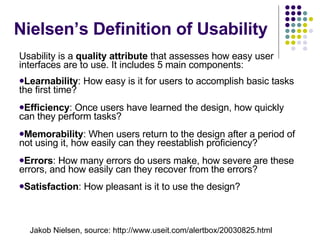
Nielsen’s Definition of Usability Usability is a  quality attribute  that assesses how easy user interfaces are to use. It includes 5 main components:  Learnability : How easy is it for users to accomplish basic tasks the first time?  Efficiency : Once users have learned the design, how quickly can they perform tasks?  Memorability : When users return to the design after a period of not using it, how easily can they reestablish proficiency?  Errors : How many errors do users make, how severe are these errors, and how easily can they recover from the errors?  Satisfaction : How pleasant is it to use the design?   Jakob Nielsen, source: http://www.useit.com/alertbox/20030825.html
Forms of Usability Testing (Nielsen, 1992) 1) Testing a close-to-finished interface to check whether usability goals have been achieved 2) Formative evaluation of a system still being designed to see which aspects of the interface work or not
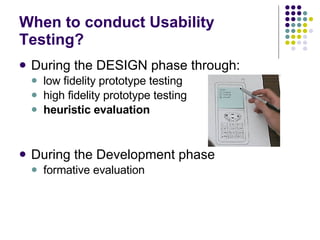
When to conduct Usability Testing? During the DESIGN phase through: low fidelity prototype testing high fidelity prototype testing heuristic evaluation During the Development phase formative evaluation
Heuristic Evaluation According to Nielsen (1992), we can conduct simple evaluations with  9 usability heuristics  (guidelines): Use simple and natural dialogue Speak the user’s language Minimize user memory load Be consistent Provide feedback Provide clearly marked exits Provide shortcuts Provide good error messages Prevent errors
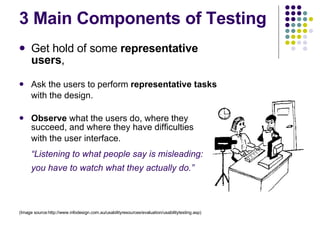
3 Main Components of Testing Get hold of some  representative users ,  Ask the users to perform  representative tasks  with the design.   Observe  what the users do, where they succeed, and where they have difficulties  with the user interface.  “ Listening to what people say is misleading: you have to watch what they actually do.”   (Image source:http://www.infodesign.com.au/usabilityresources/evaluation/usabilitytesting.asp)
Usability Testing Plan: Purpose Why are you conducting the tests? Problem Statement/Test Objectives What usability objectives are you testing? User Profile Who are your users and their defining characteristics?
Usability Testing Plan Methods Details how you will run the test Task List List of the tasks to be completed, projected times for completion, required state of system to test tasks Test Environment/Equipment List what you need to conduct the test
Setting Usability Objectives Created during user/task analysis  Must be measurable Should indicate: Type of user Task to be performed Specific performance criteria
Selecting Test Participants Define the user groups you are interested in (can segment by age, gender, etc.) Target 3-5 test participants from each user group Best if users come from the real user population rather than internally
Methods and Testing Scenarios The “Think Aloud” Card Sorts: Ask for user input on the information architecture or taxonomies Write topics or categories on cards and ask people to sort them into related concepts or groups
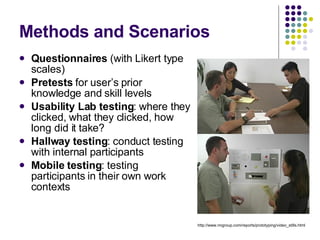
Methods and Scenarios Questionnaires  (with Likert type scales) Pretests  for user’s prior knowledge and skill levels Usability Lab testing : where they clicked, what they clicked, how long did it take? Hallway testing : conduct testing with internal participants Mobile testing : testing participants in their own work contexts http://www.nngroup.com/reports/prototyping/video_stills.html
New Usability Scenarios Emerging technologies present new challenges to usability testing,  Technologies are moving beyond traditional office-based personal computer applications.
Emerging Technologies Characteristics: Rapidly changing Technology is increasingly embedded into environment (ubiquitous computing) Adapted to many more out-of-office contexts There is more integration among devices (e.g. wireless keyboards, wireless headset, etc.) More global “market” for products
New Usability Testing? More emphasis on context of use in testing Focus on new terms such as “consumer experience” rather than merely “ease of use” More mobile, ad-hoc, observation based?

Usability

  • 1.
    Architecture of LearningEnvironments E19.2017 Usability Research
  • 2.
    Why is UsabilityImportant? Technologies are changing very rapidly and usability assurance needs to keep pace. Productivity- poor usability hinders productivity The user becomes frustrated, will go elsewhere
  • 3.
    Definition: Usability asa Dialogue “ (a) system’s usability is the extent to which it supports the potential for people who work with it to understand it, to learn, and to make changes… The technology itself, even when it is not intended as a communications product, serves as a communication medium between user and user, and between designer and user … this communication is embedded in every kind of artifact.” (Adler and Winograd, 1992, pg. 7)
  • 4.
    Nielsen’s Definition ofUsability Usability is a quality attribute that assesses how easy user interfaces are to use. It includes 5 main components: Learnability : How easy is it for users to accomplish basic tasks the first time? Efficiency : Once users have learned the design, how quickly can they perform tasks? Memorability : When users return to the design after a period of not using it, how easily can they reestablish proficiency? Errors : How many errors do users make, how severe are these errors, and how easily can they recover from the errors? Satisfaction : How pleasant is it to use the design? Jakob Nielsen, source: http://www.useit.com/alertbox/20030825.html
  • 5.
    Forms of UsabilityTesting (Nielsen, 1992) 1) Testing a close-to-finished interface to check whether usability goals have been achieved 2) Formative evaluation of a system still being designed to see which aspects of the interface work or not
  • 6.
    When to conductUsability Testing? During the DESIGN phase through: low fidelity prototype testing high fidelity prototype testing heuristic evaluation During the Development phase formative evaluation
  • 7.
    Heuristic Evaluation Accordingto Nielsen (1992), we can conduct simple evaluations with 9 usability heuristics (guidelines): Use simple and natural dialogue Speak the user’s language Minimize user memory load Be consistent Provide feedback Provide clearly marked exits Provide shortcuts Provide good error messages Prevent errors
  • 8.
    3 Main Componentsof Testing Get hold of some representative users , Ask the users to perform representative tasks with the design. Observe what the users do, where they succeed, and where they have difficulties with the user interface. “ Listening to what people say is misleading: you have to watch what they actually do.” (Image source:http://www.infodesign.com.au/usabilityresources/evaluation/usabilitytesting.asp)
  • 9.
    Usability Testing Plan:Purpose Why are you conducting the tests? Problem Statement/Test Objectives What usability objectives are you testing? User Profile Who are your users and their defining characteristics?
  • 10.
    Usability Testing PlanMethods Details how you will run the test Task List List of the tasks to be completed, projected times for completion, required state of system to test tasks Test Environment/Equipment List what you need to conduct the test
  • 11.
    Setting Usability ObjectivesCreated during user/task analysis Must be measurable Should indicate: Type of user Task to be performed Specific performance criteria
  • 12.
    Selecting Test ParticipantsDefine the user groups you are interested in (can segment by age, gender, etc.) Target 3-5 test participants from each user group Best if users come from the real user population rather than internally
  • 13.
    Methods and TestingScenarios The “Think Aloud” Card Sorts: Ask for user input on the information architecture or taxonomies Write topics or categories on cards and ask people to sort them into related concepts or groups
  • 14.
    Methods and ScenariosQuestionnaires (with Likert type scales) Pretests for user’s prior knowledge and skill levels Usability Lab testing : where they clicked, what they clicked, how long did it take? Hallway testing : conduct testing with internal participants Mobile testing : testing participants in their own work contexts http://www.nngroup.com/reports/prototyping/video_stills.html
  • 15.
    New Usability ScenariosEmerging technologies present new challenges to usability testing, Technologies are moving beyond traditional office-based personal computer applications.
  • 16.
    Emerging Technologies Characteristics:Rapidly changing Technology is increasingly embedded into environment (ubiquitous computing) Adapted to many more out-of-office contexts There is more integration among devices (e.g. wireless keyboards, wireless headset, etc.) More global “market” for products
  • 17.
    New Usability Testing?More emphasis on context of use in testing Focus on new terms such as “consumer experience” rather than merely “ease of use” More mobile, ad-hoc, observation based?