The Ultimate Logging Architecture 
You know you WANT it! 
Michele Leroux Bustamante 
michelebusta@solliance.net 
@michelebusta 
http://solliance.net 
http://michelebusta.com
The Hello World 
Of Logging 
1992
Hello 
World!
Hello 
World!
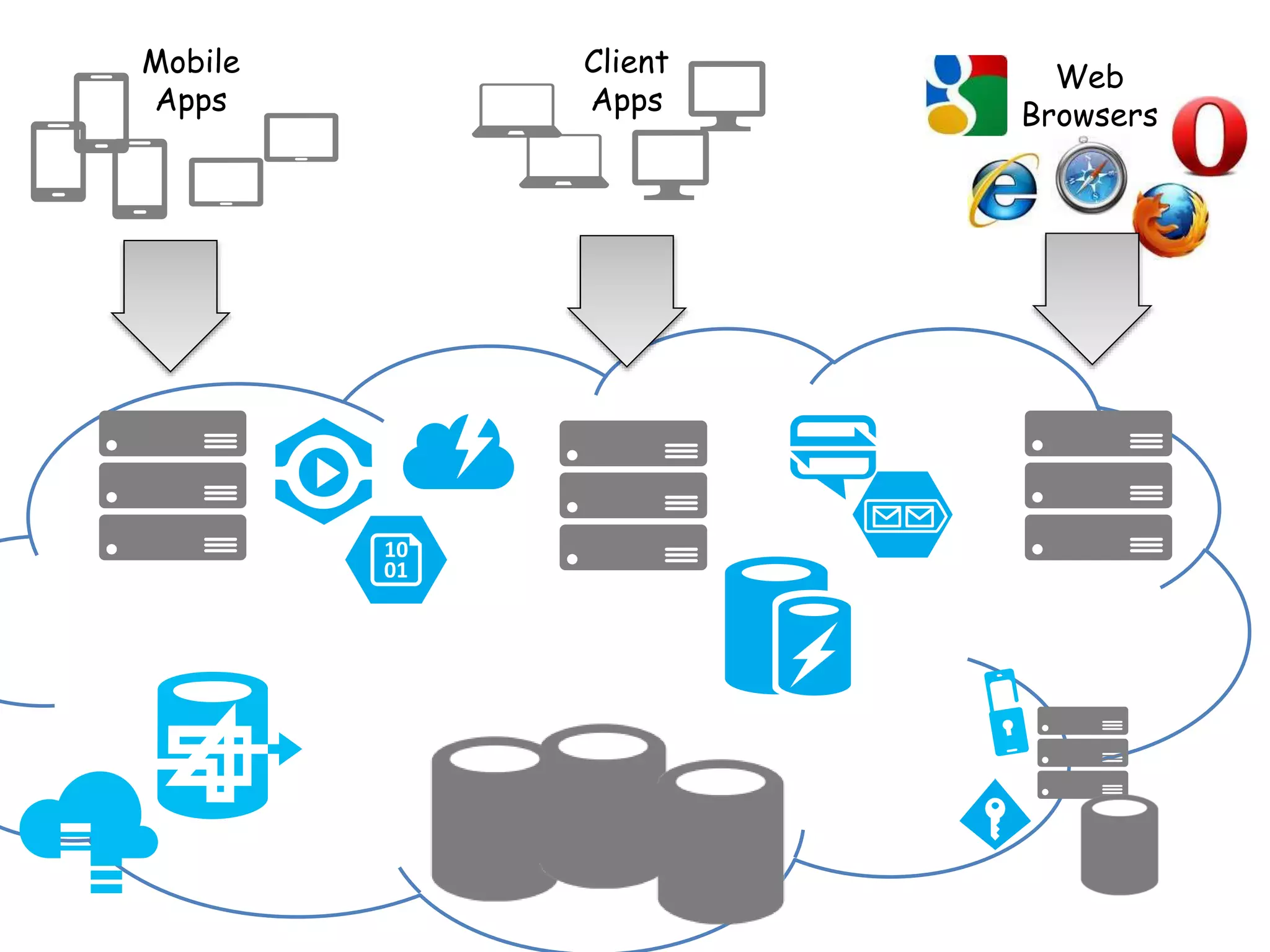
Logging Today 
2014
Web 
Browsers 
Mobile 
Apps 
Client 
Apps
Why do we log? 
• Troubleshooting visibility 
• Security audits, review, early detection 
• Post incident forensics 
• Track change history 
• Insights into user activity 
• Reporting and analysis
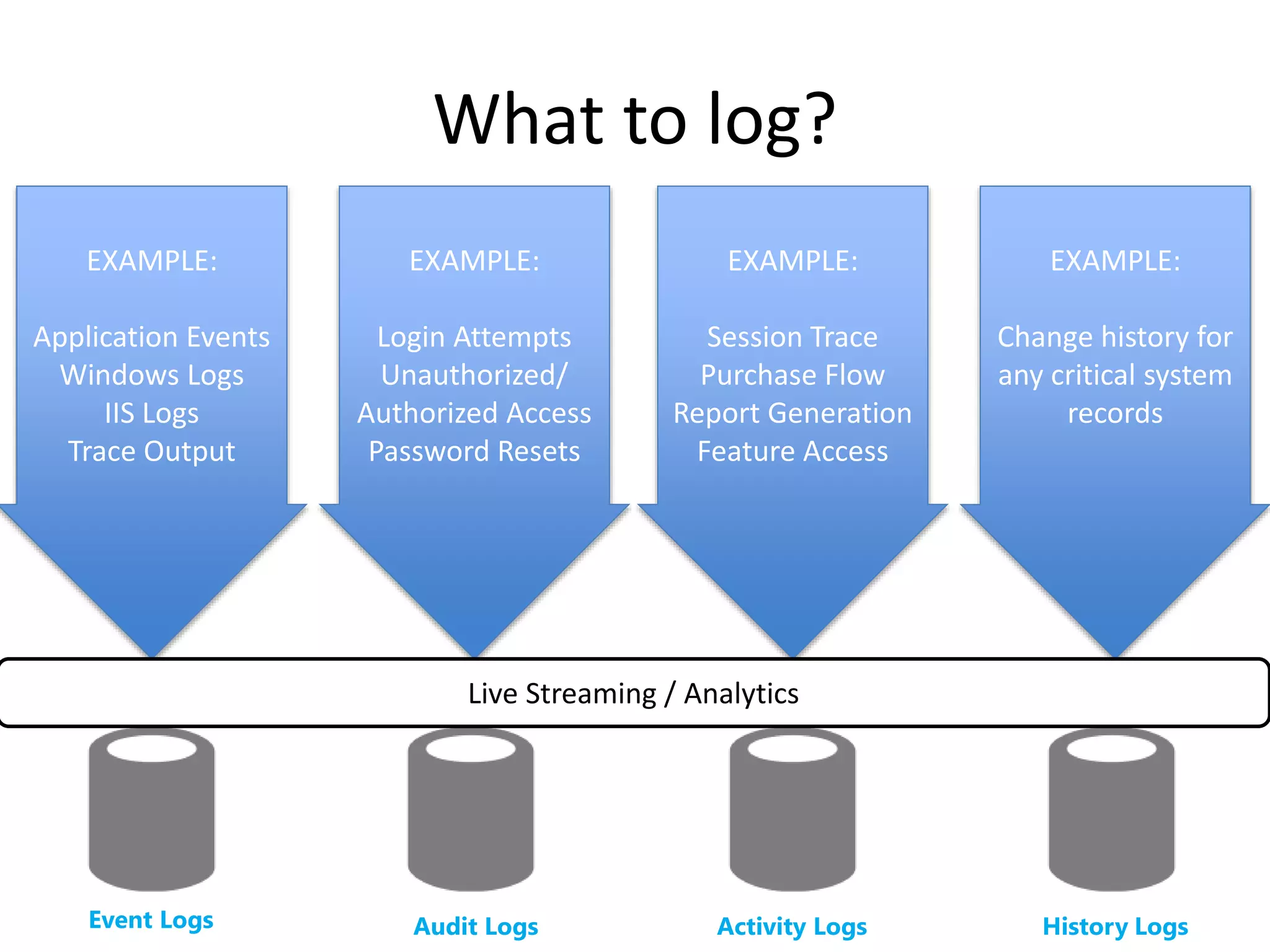
What to log? 
EXAMPLE: 
Application Events 
Windows Logs 
IIS Logs 
Trace Output 
EXAMPLE: 
Login Attempts 
Unauthorized/ 
Authorized Access 
Password Resets 
EXAMPLE: 
Session Trace 
Purchase Flow 
Report Generation 
Feature Access 
EXAMPLE: 
Change history for 
any critical system 
records 
Live Streaming / Analytics 
Event Logs Audit Logs Activity Logs History Logs
Make Logging 
EASY
Implement a Log Helper 
ILogger 
Logger 
Trace 
Debug() 
Trace 
Information() 
Trace 
Warning() 
Trace 
Error() 
Throw() 
Logger.Current.TraceInformation(); 
Logger.Current.Throw(ex);
Failure is NOT an option.
Event Logging
Just Do It 
• Whatever is built in 
• Whatever you know best 
• Just do it
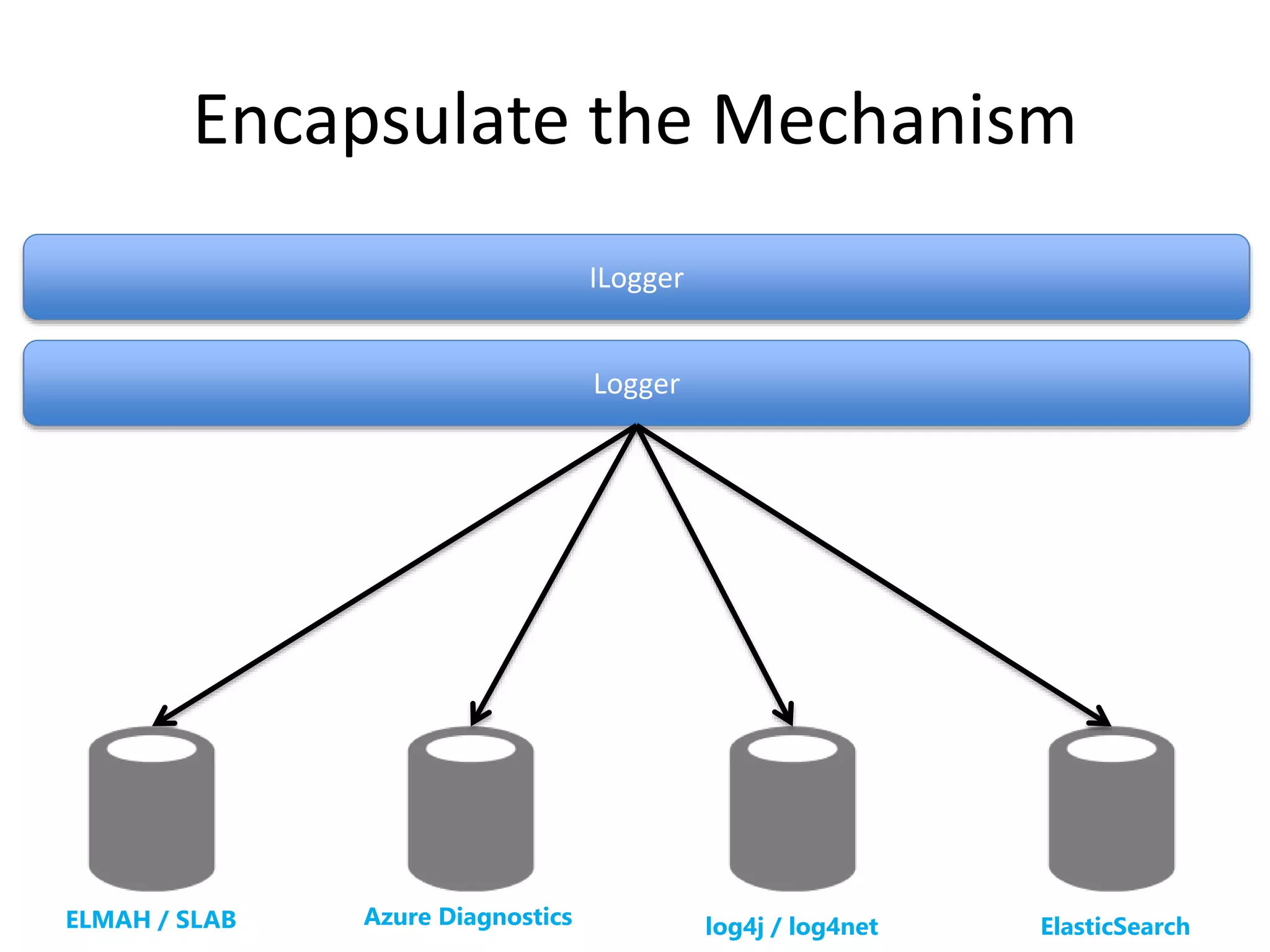
Encapsulate the Mechanism 
ILogger 
Logger 
ELMAH / SLAB Azure Diagnostics log4j / log4net ElasticSearch
Audit Logging
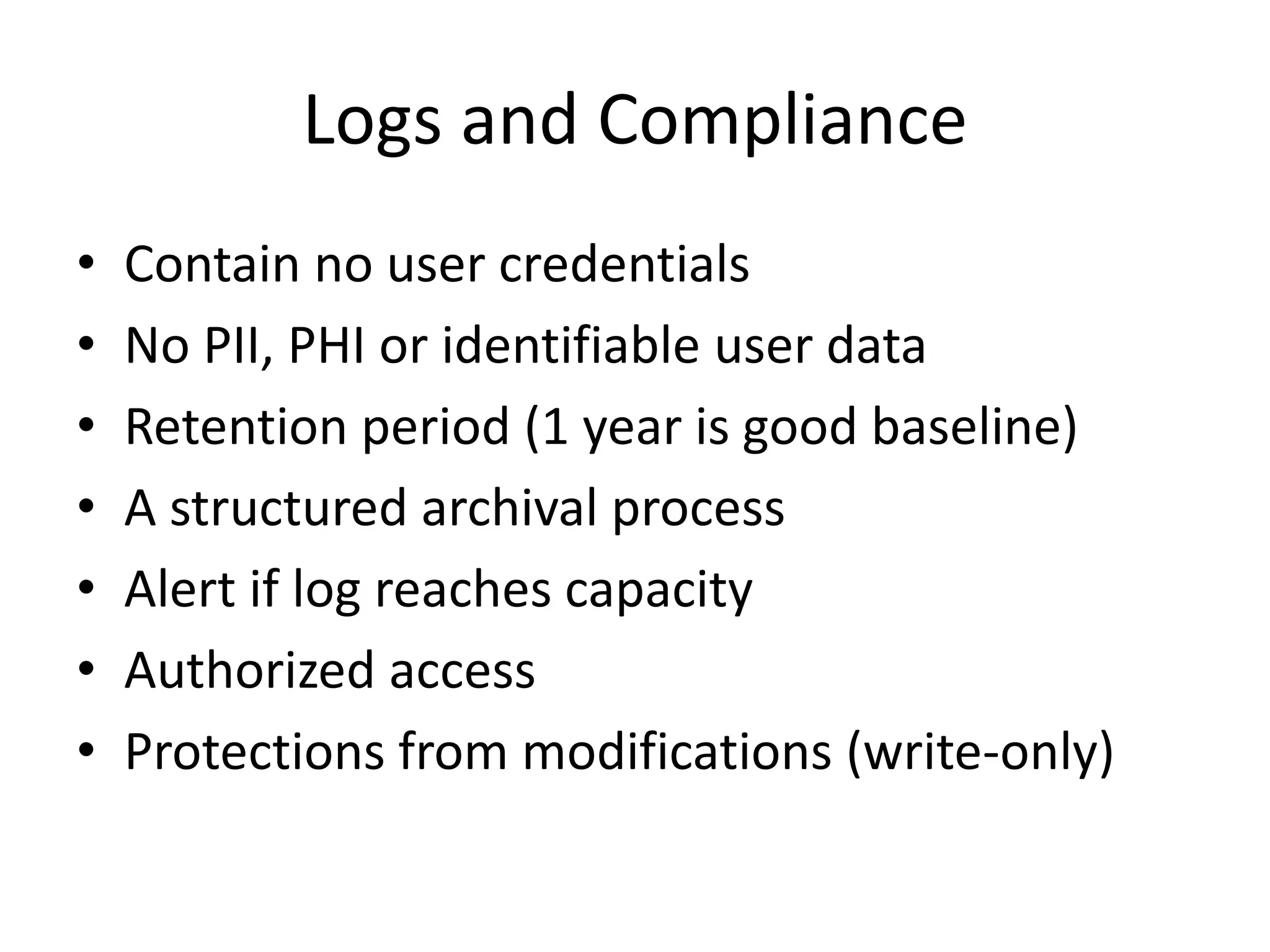
Logs and Compliance 
• Contain no user credentials 
• No PII, PHI or identifiable user data 
• Retention period (1 year is good baseline) 
• A structured archival process 
• Alert if log reaches capacity 
• Authorized access 
• Protections from modifications (write-only)
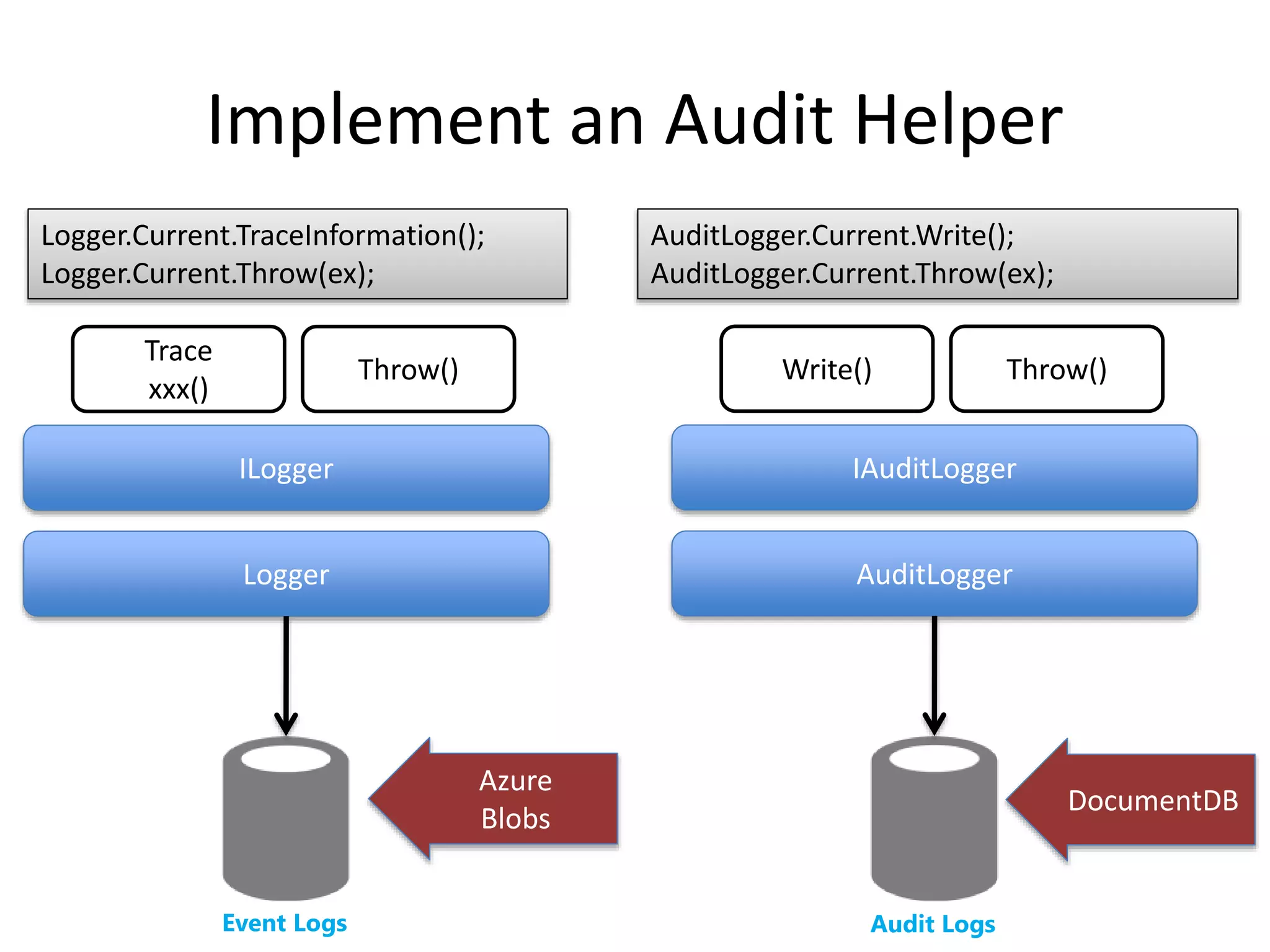
Implement an Audit Helper 
Logger.Current.TraceInformation(); 
Logger.Current.Throw(ex); 
ILogger 
Logger 
Trace 
xxx() 
Throw() 
AuditLogger.Current.Write(); 
AuditLogger.Current.Throw(ex); 
Write() Throw() 
IAuditLogger 
AuditLogger 
Azure 
Blobs 
Event Logs Audit Logs 
DocumentDB
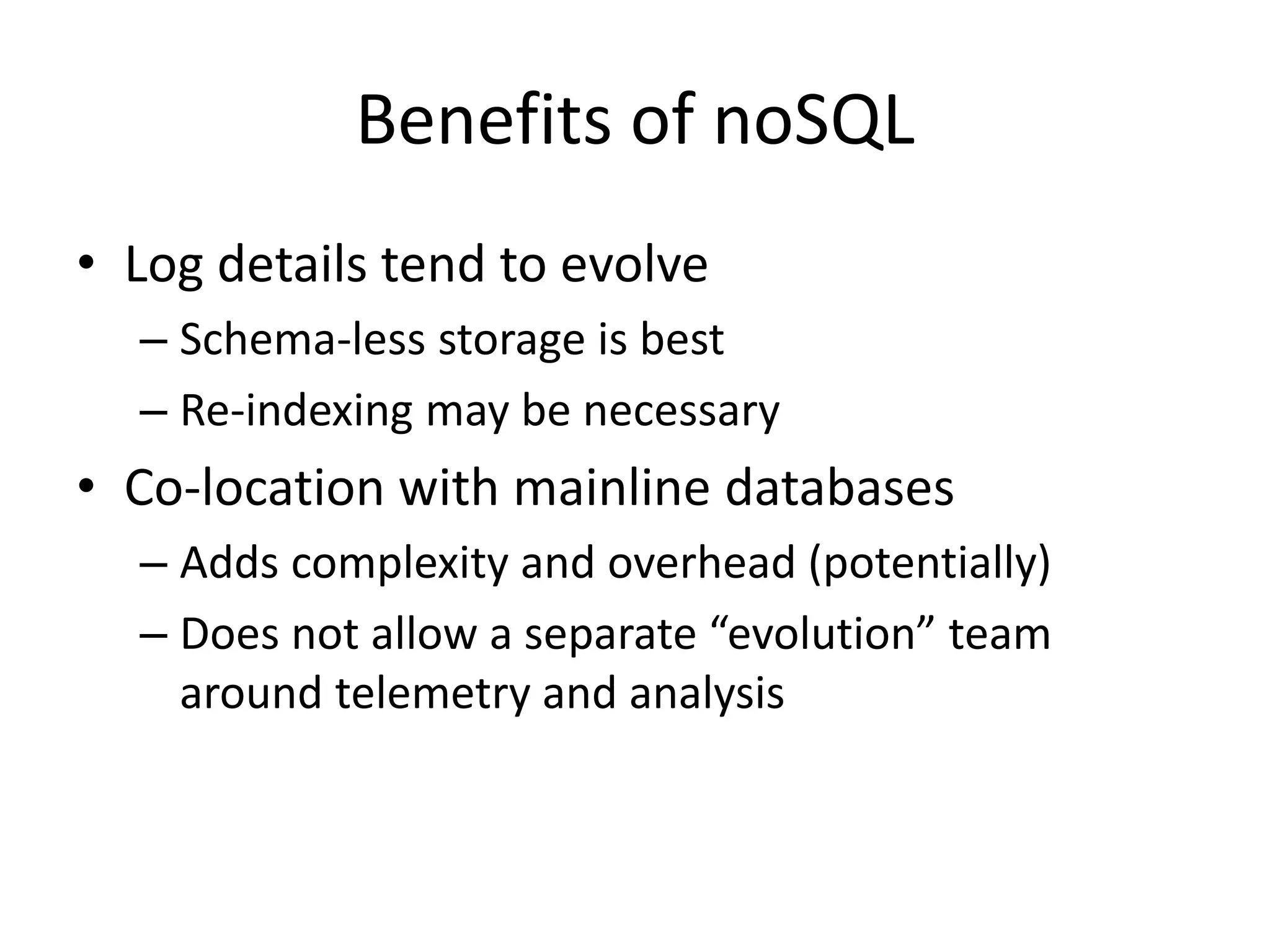
Benefits of noSQL 
• Log details tend to evolve 
– Schema-less storage is best 
– Re-indexing may be necessary 
• Co-location with mainline databases 
– Adds complexity and overhead (potentially) 
– Does not allow a separate “evolution” team 
around telemetry and analysis
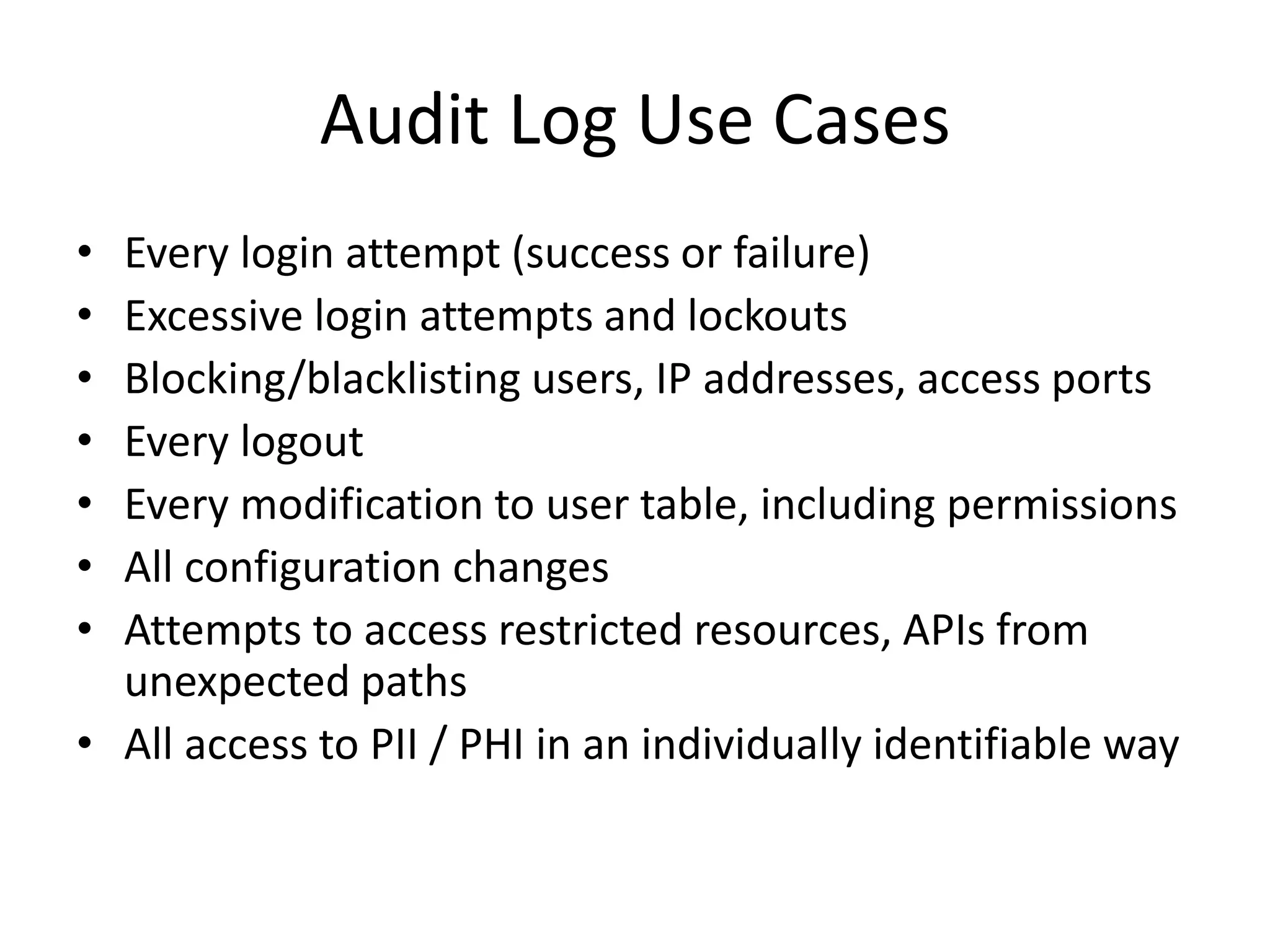
Audit Log Use Cases 
• Every login attempt (success or failure) 
• Excessive login attempts and lockouts 
• Blocking/blacklisting users, IP addresses, access ports 
• Every logout 
• Every modification to user table, including permissions 
• All configuration changes 
• Attempts to access restricted resources, APIs from 
unexpected paths 
• All access to PII / PHI in an individually identifiable way
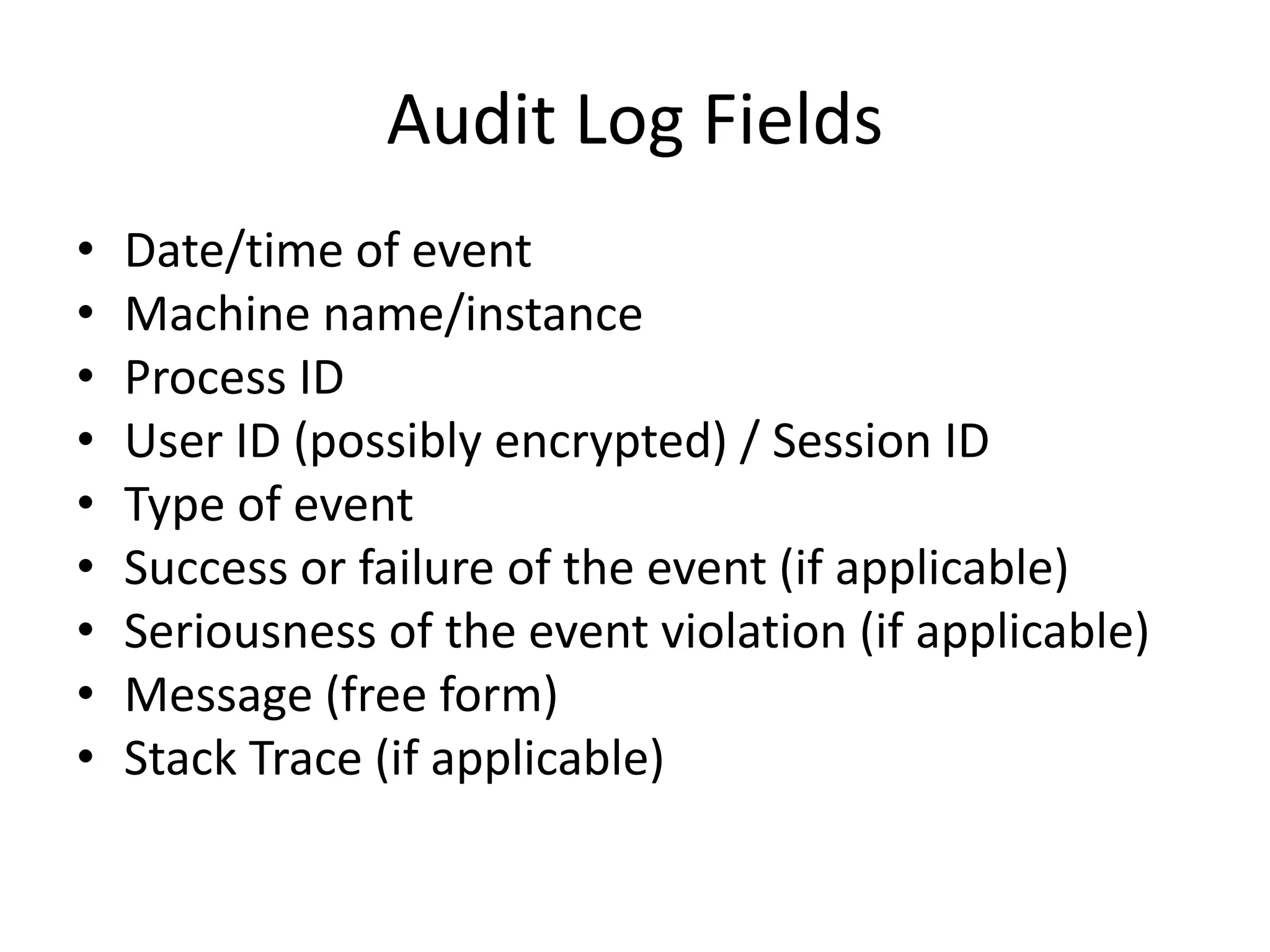
Audit Log Fields 
• Date/time of event 
• Machine name/instance 
• Process ID 
• User ID (possibly encrypted) / Session ID 
• Type of event 
• Success or failure of the event (if applicable) 
• Seriousness of the event violation (if applicable) 
• Message (free form) 
• Stack Trace (if applicable)
History and Activity 
Logging
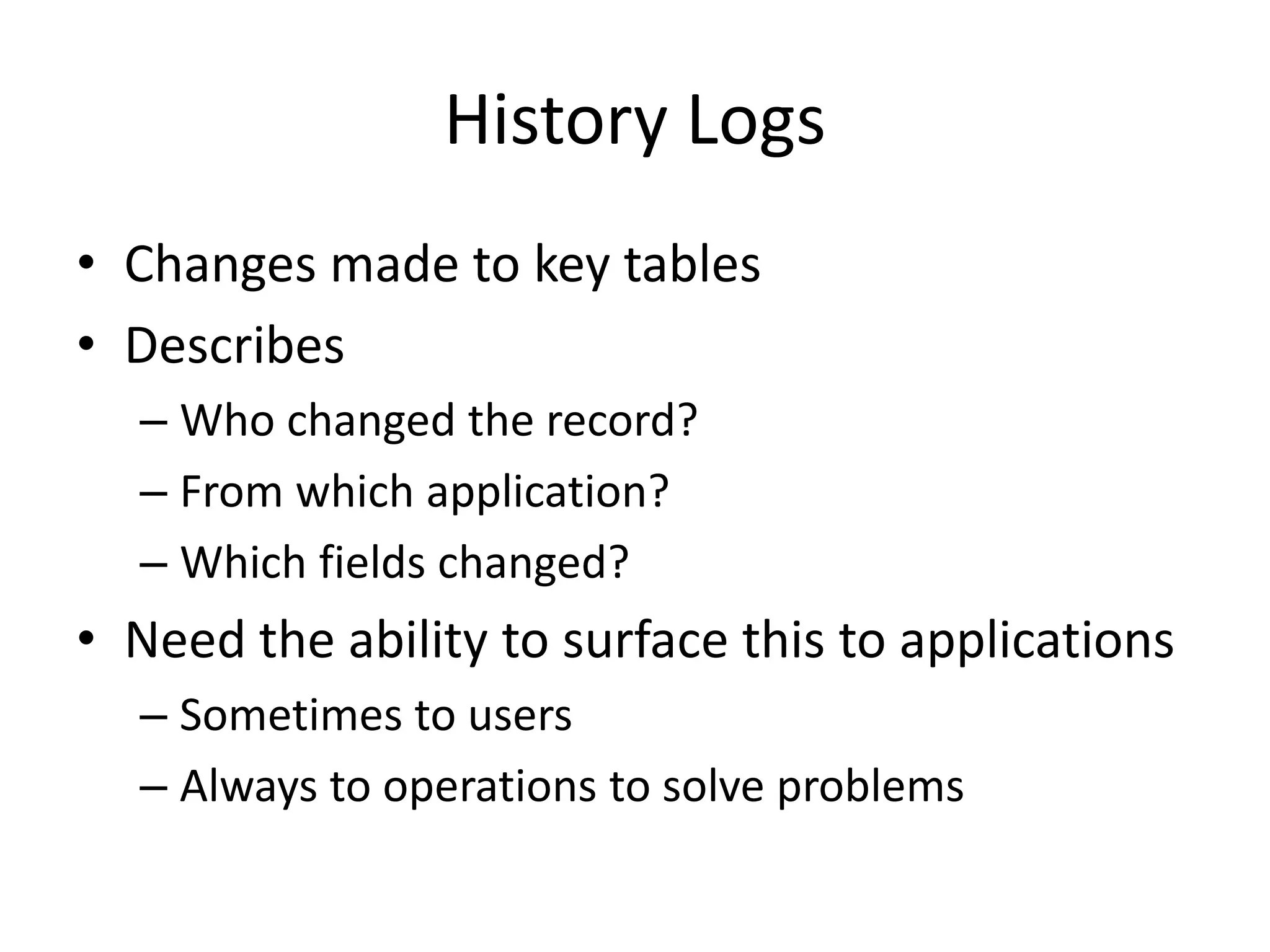
History Logs 
• Changes made to key tables 
• Describes 
– Who changed the record? 
– From which application? 
– Which fields changed? 
• Need the ability to surface this to applications 
– Sometimes to users 
– Always to operations to solve problems
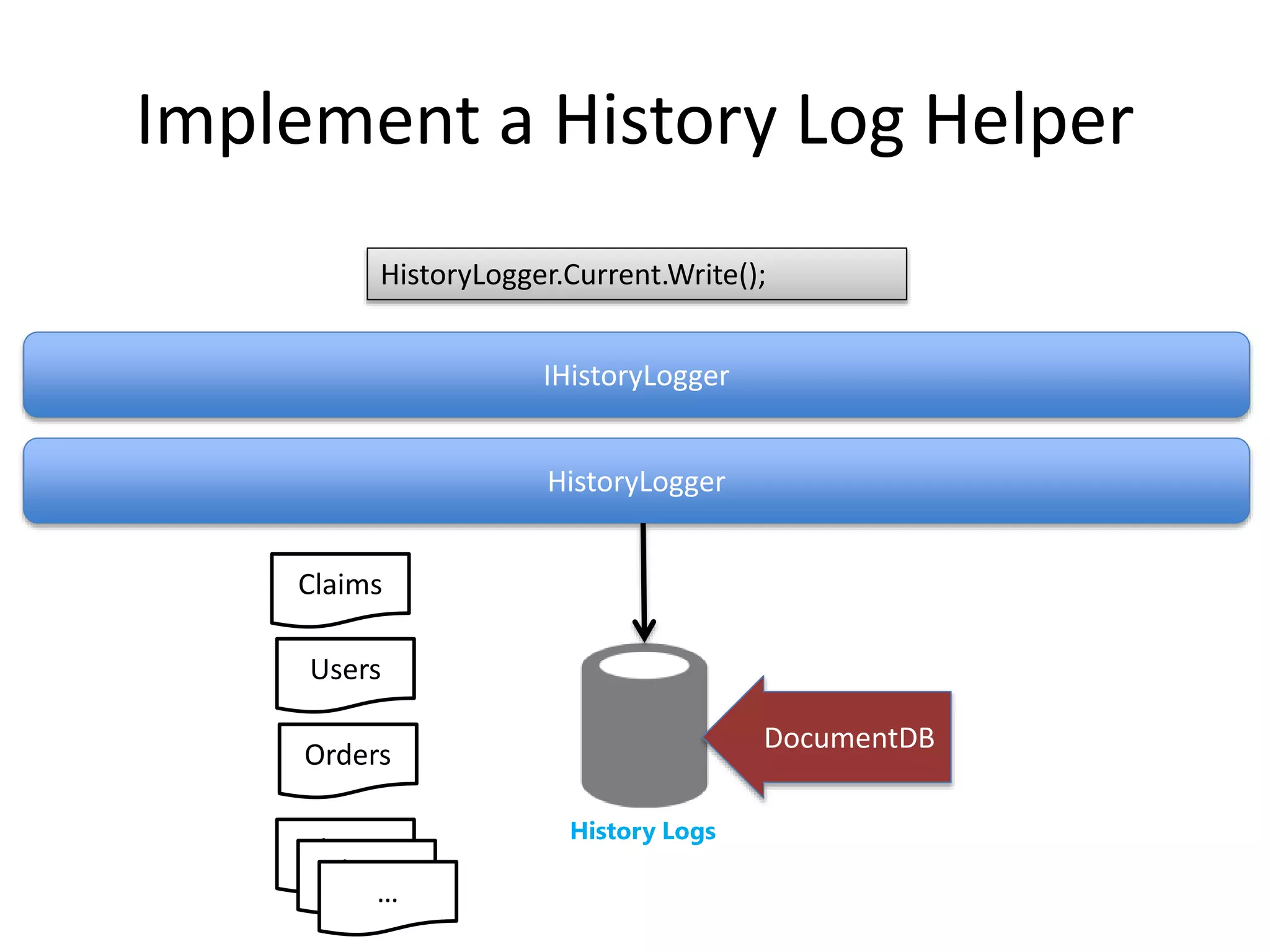
Implement a History Log Helper 
HistoryLogger.Current.Write(); 
IHistoryLogger 
HistoryLogger 
History Logs 
DocumentDB 
Claims 
Users 
Orders 
Claims 
Claims 
…
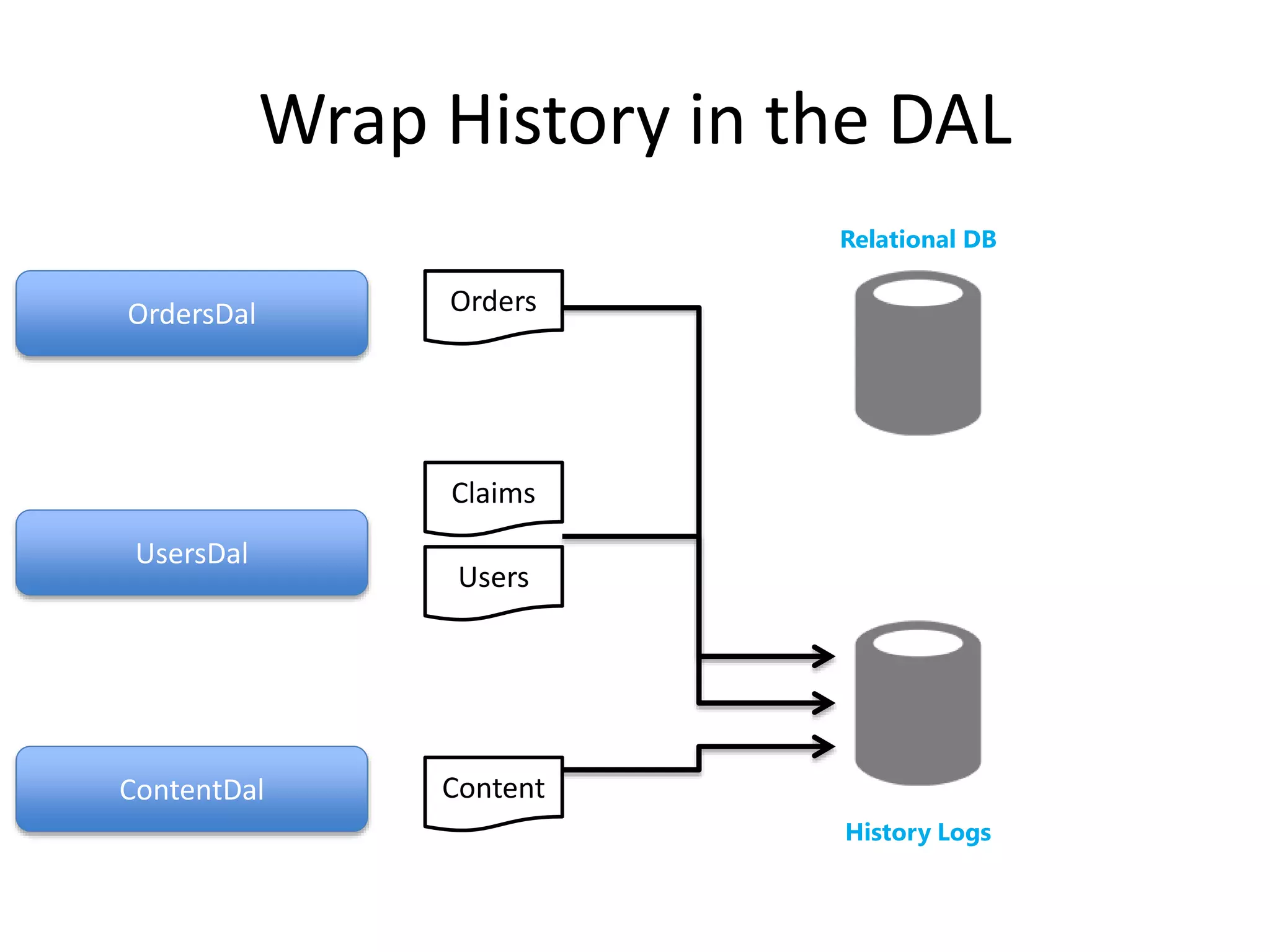
Wrap History in the DAL 
History Logs 
OrdersDal 
UsersDal 
ContentDal 
Relational DB 
Orders 
Claims 
Users 
Content
Wrap History in the DAL 
History Logs 
OrdersDal 
UsersDal 
ContentDal 
Relational DB 
Orders 
Claims 
Users 
Content
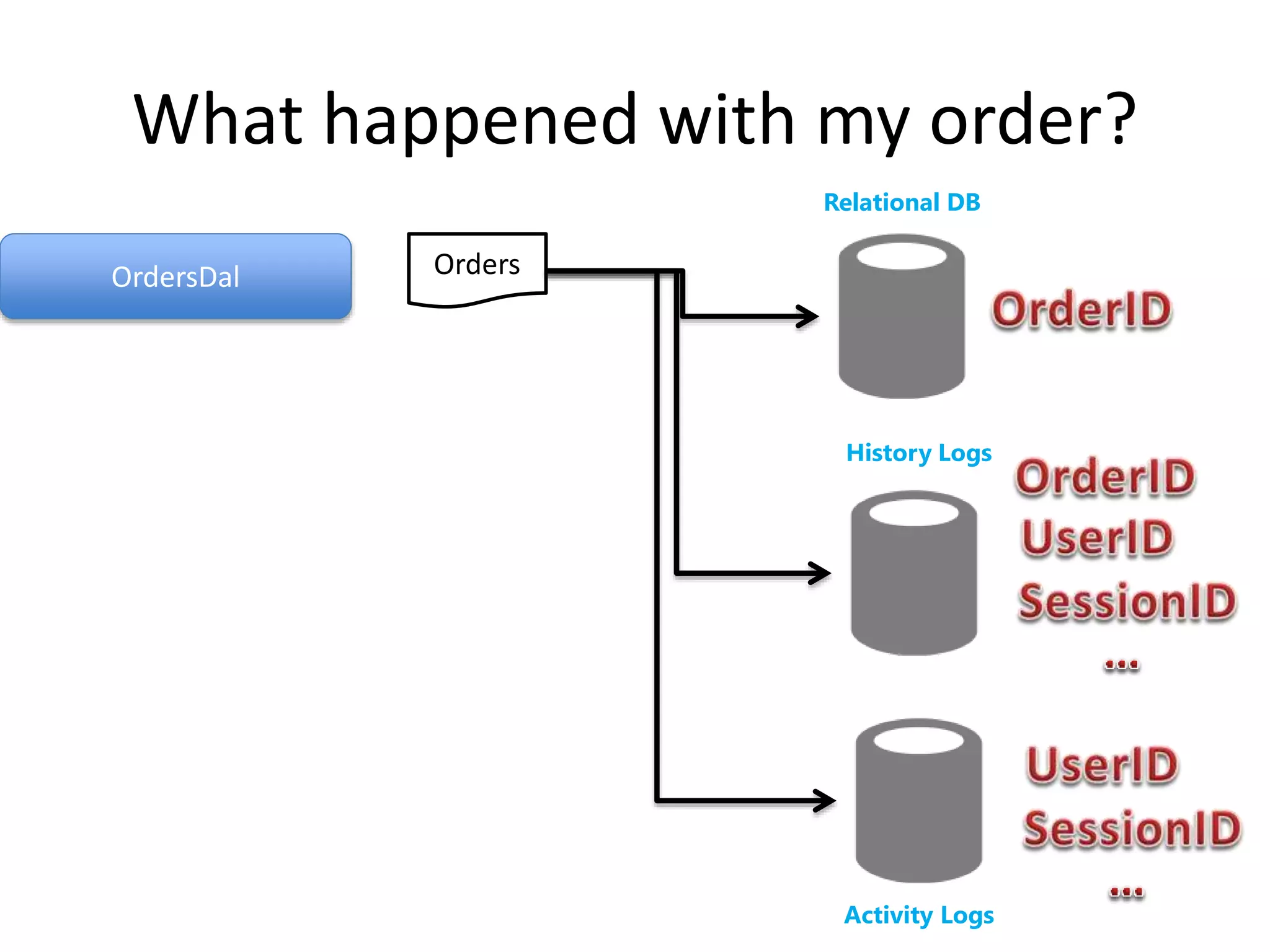
What happened with my order? 
History Logs 
OrdersDal 
UsersDal 
ContentDal 
Relational DB 
Orders 
Claims 
Users 
Content
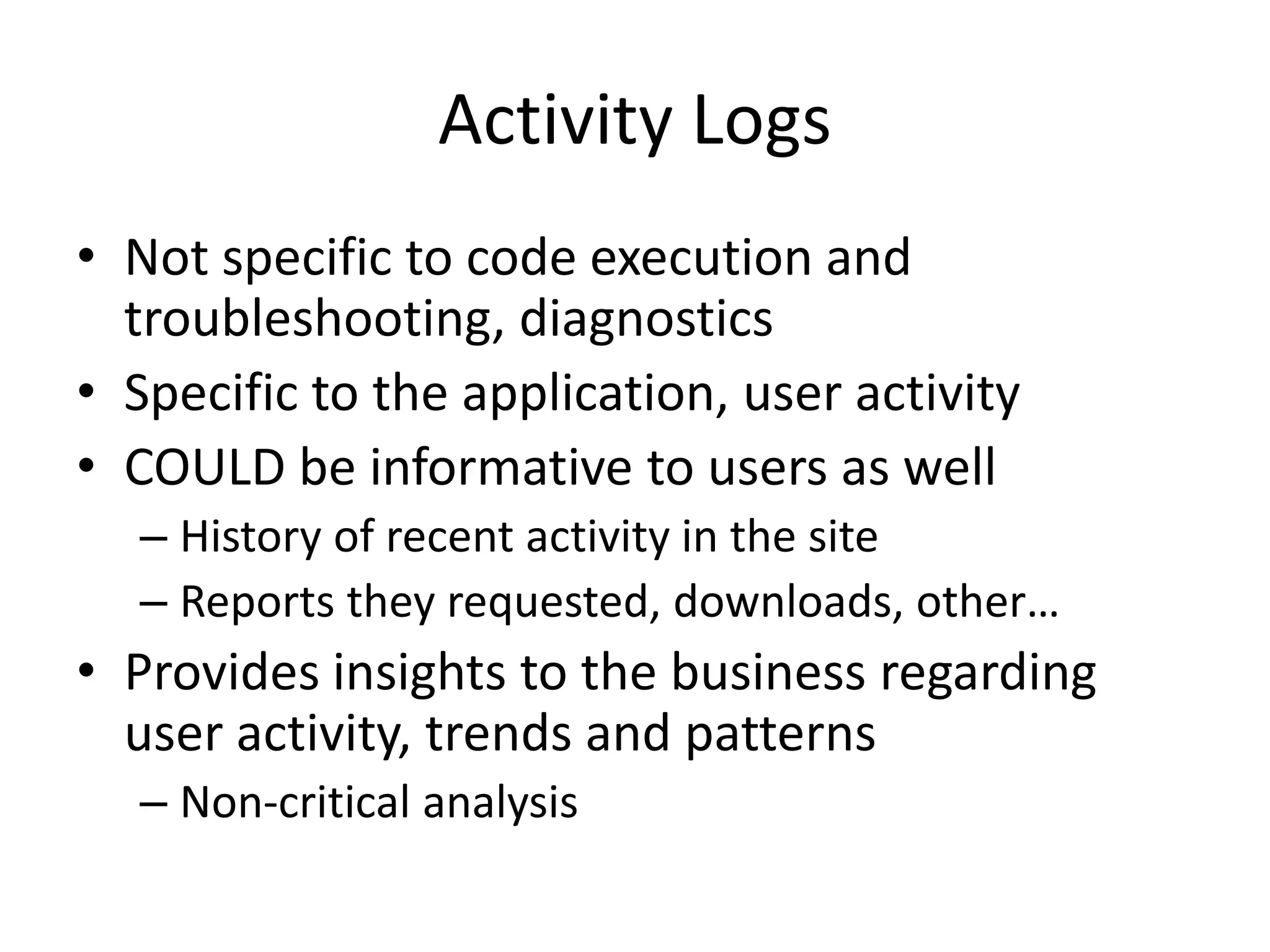
Activity Logs 
• Not specific to code execution and 
troubleshooting, diagnostics 
• Specific to the application, user activity 
• COULD be informative to users as well 
– History of recent activity in the site 
– Reports they requested, downloads, other… 
• Provides insights to the business regarding 
user activity, trends and patterns 
– Non-critical analysis
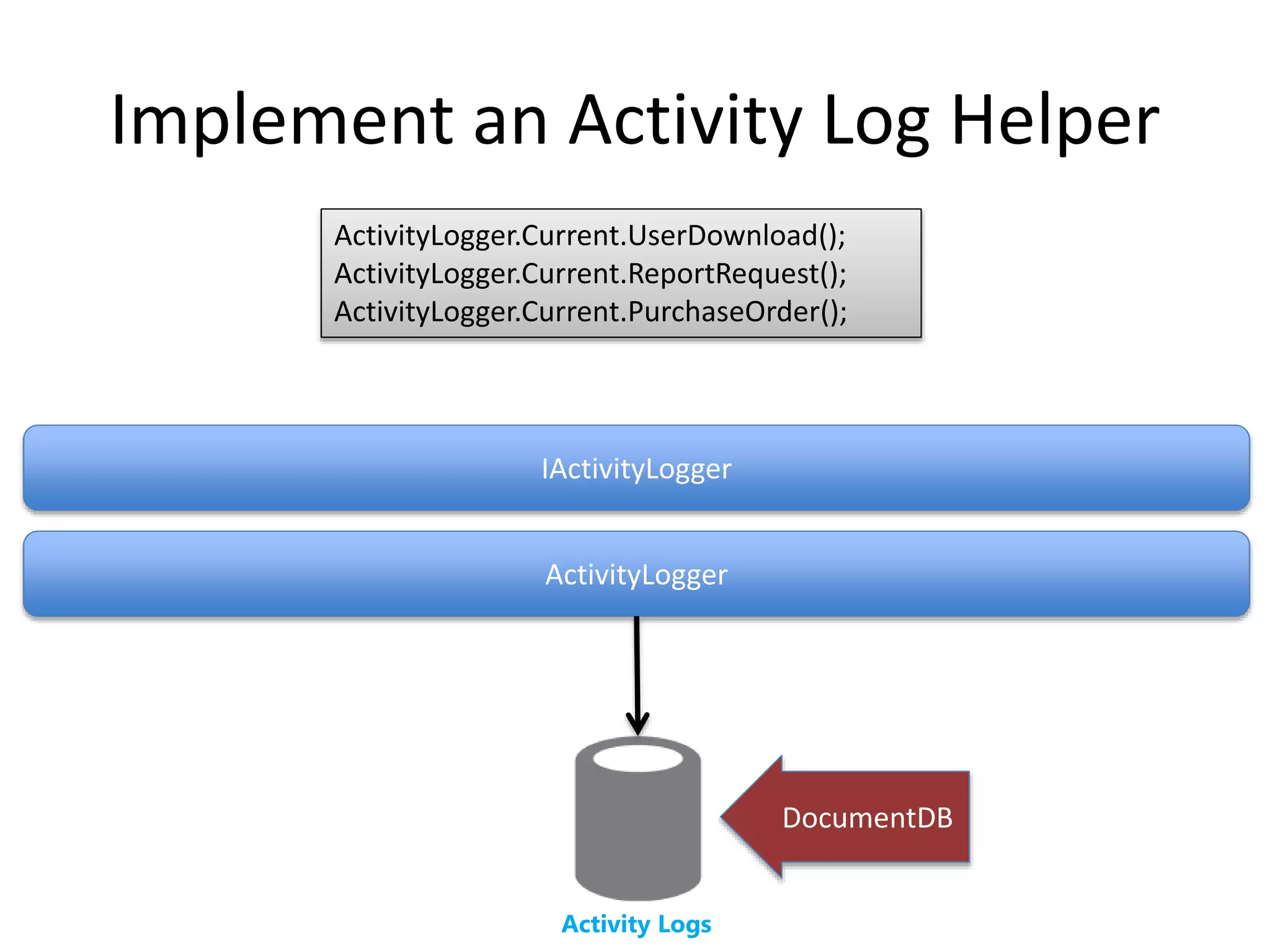
Implement an Activity Log Helper 
ActivityLogger.Current.UserDownload(); 
ActivityLogger.Current.ReportRequest(); 
ActivityLogger.Current.PurchaseOrder(); 
IActivityLogger 
ActivityLogger 
Activity Logs 
DocumentDB
What happened with my order? 
History Logs 
OrdersDal 
Relational DB 
Orders 
Activity Logs
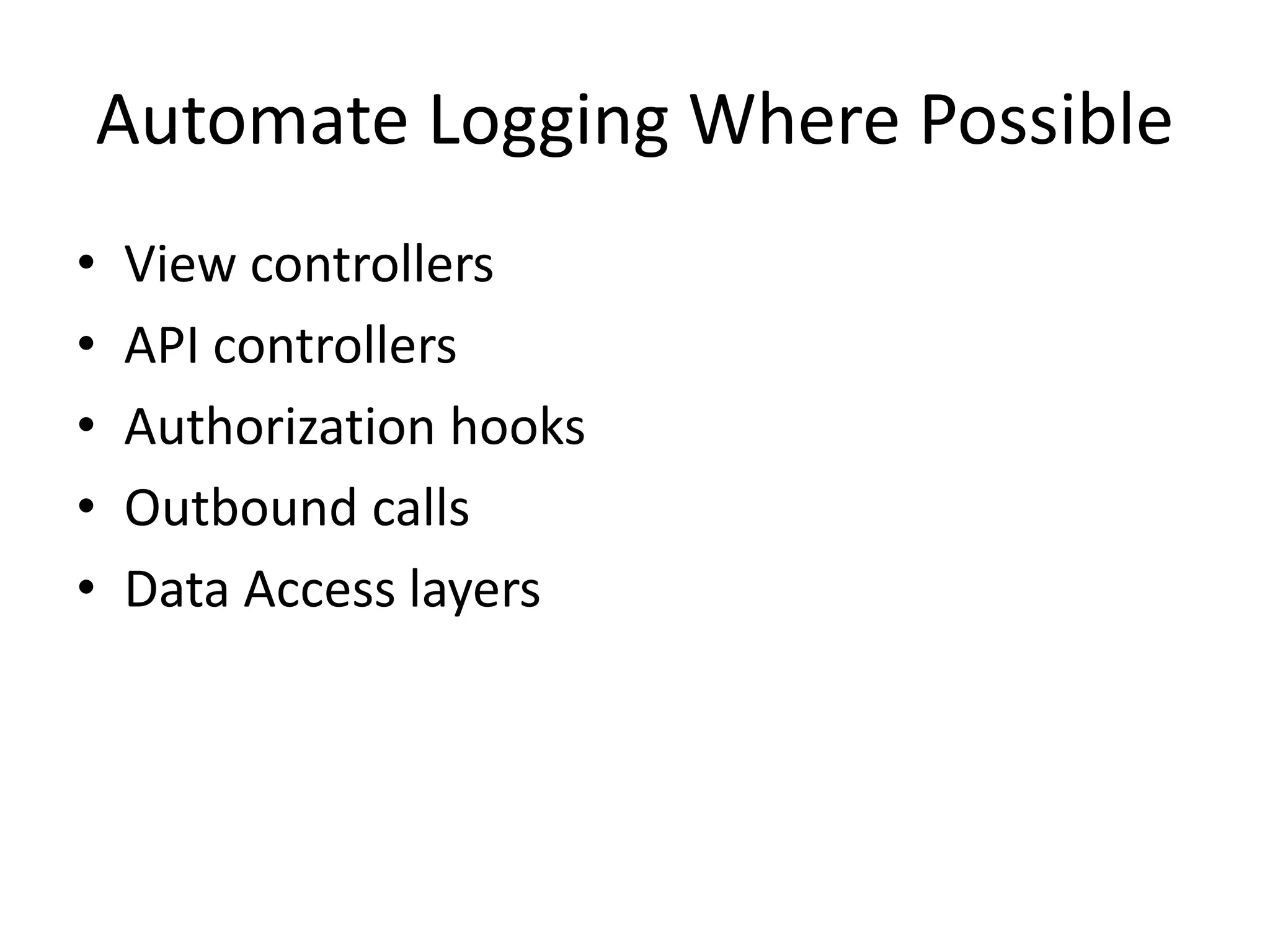
Automate Logging Where Possible 
• View controllers 
• API controllers 
• Authorization hooks 
• Outbound calls 
• Data Access layers
To Queue 
Or NOT To Queue
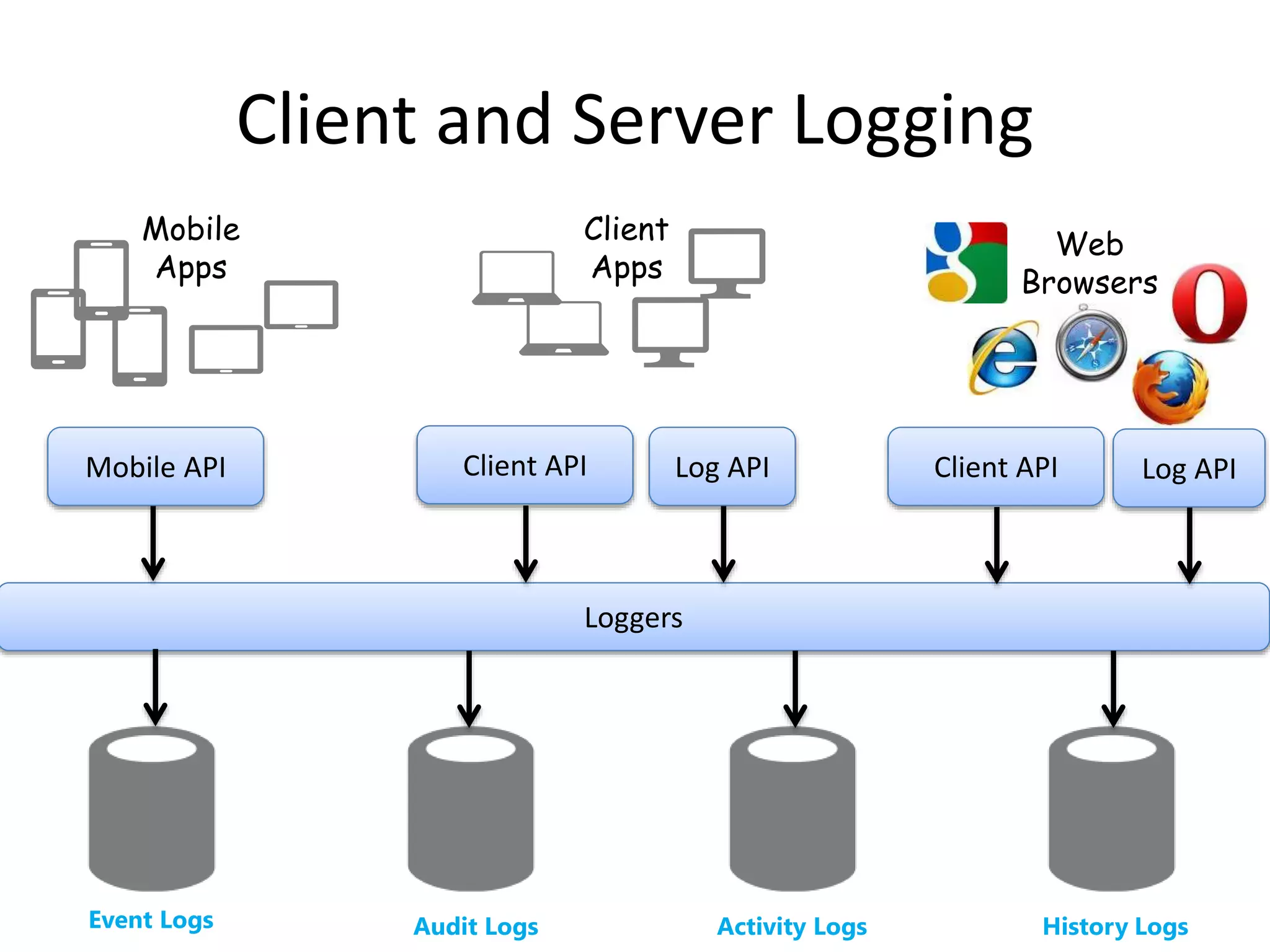
Client and Server Logging 
Client 
Apps 
Mobile API Client API Log API Client API Log API 
Loggers 
Web 
Browsers 
Mobile 
Apps 
Event Logs Audit Logs Activity Logs History Logs
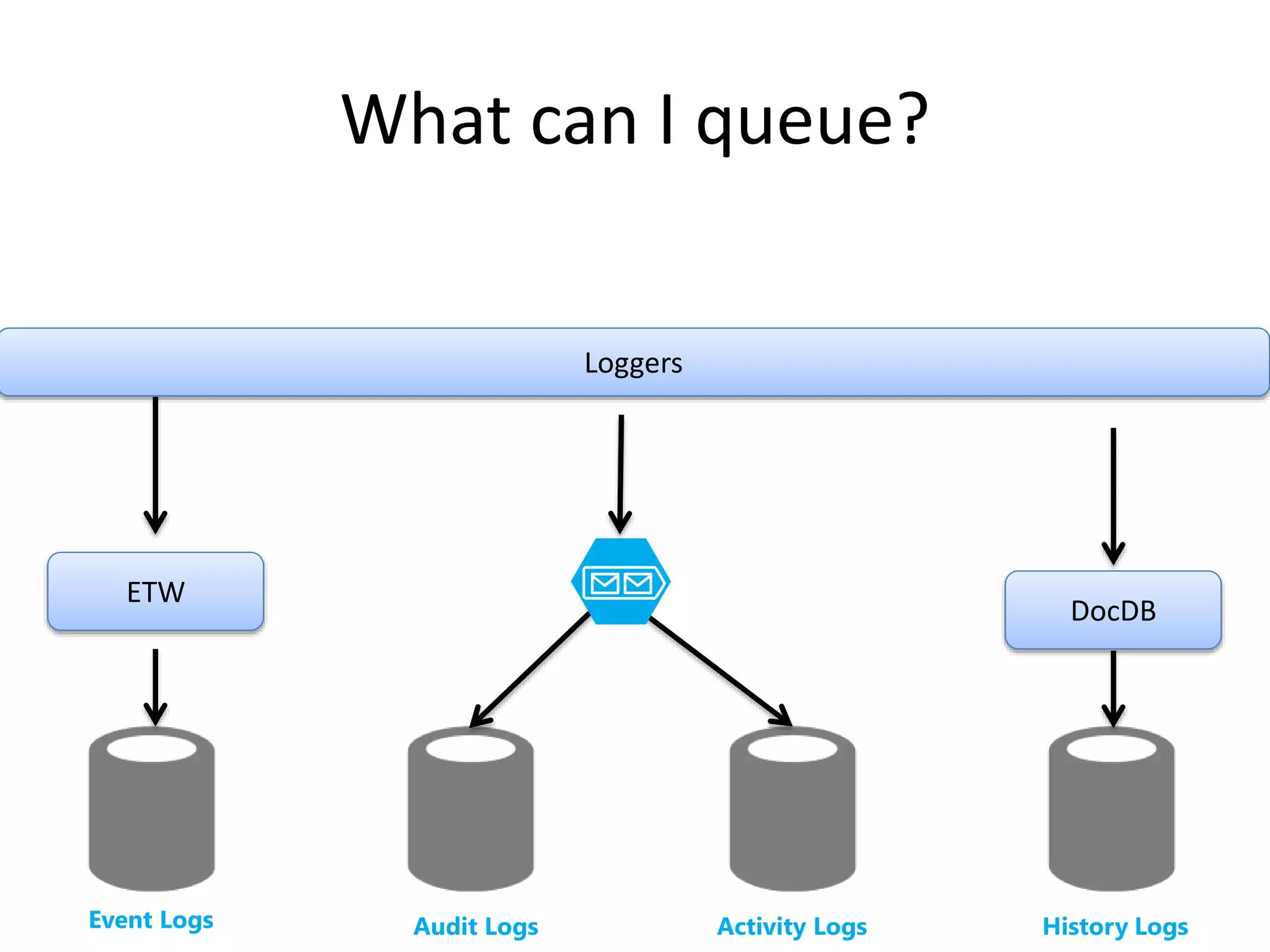
What can I queue? 
Loggers 
ETW 
DocDB 
Event Logs Audit Logs Activity Logs History Logs
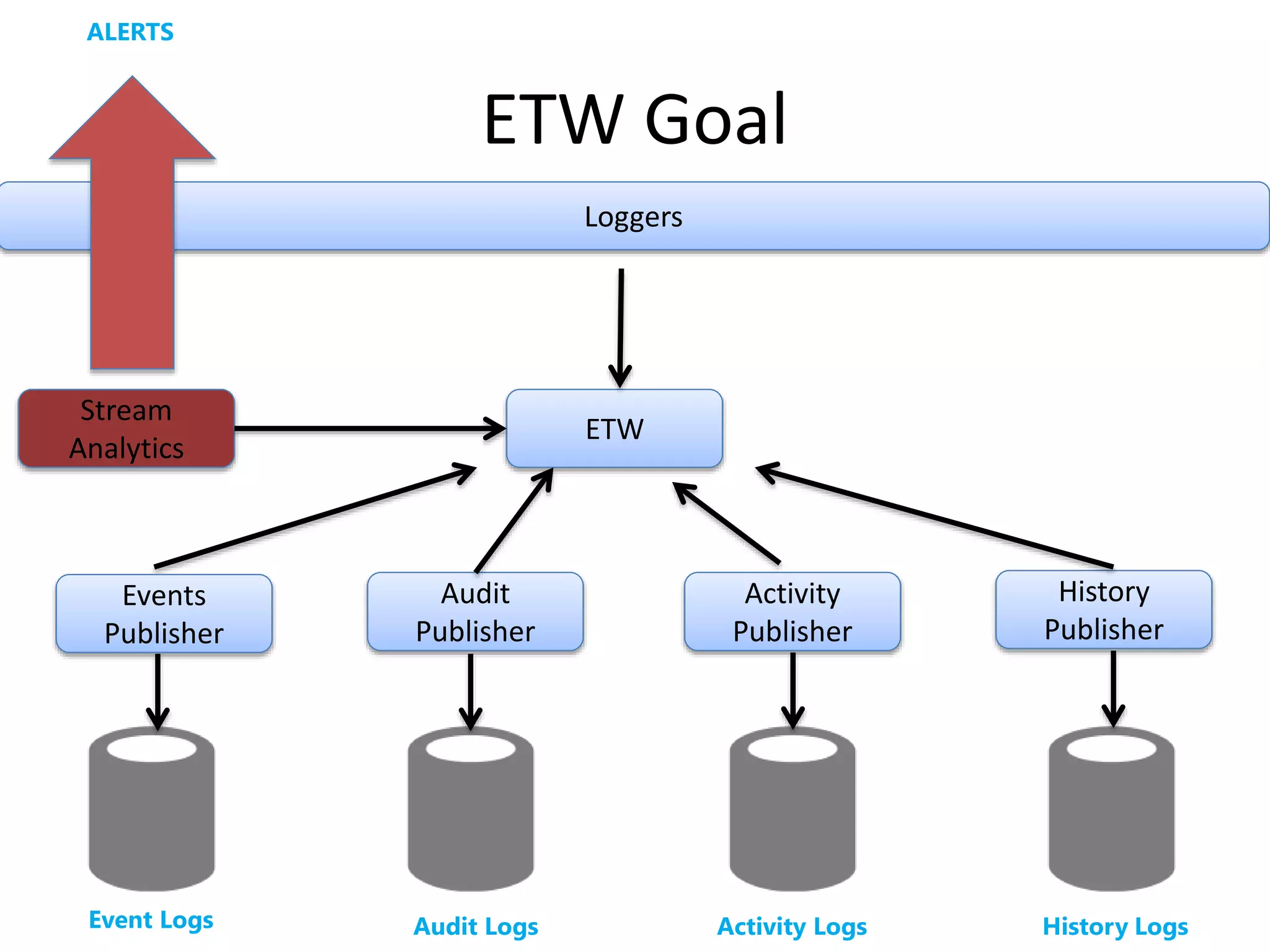
ETW Goal 
Loggers 
ETW 
History 
Publisher 
Activity 
Publisher 
Audit 
Publisher 
ALERTS 
Stream 
Analytics 
Events 
Publisher 
Event Logs Audit Logs Activity Logs History Logs
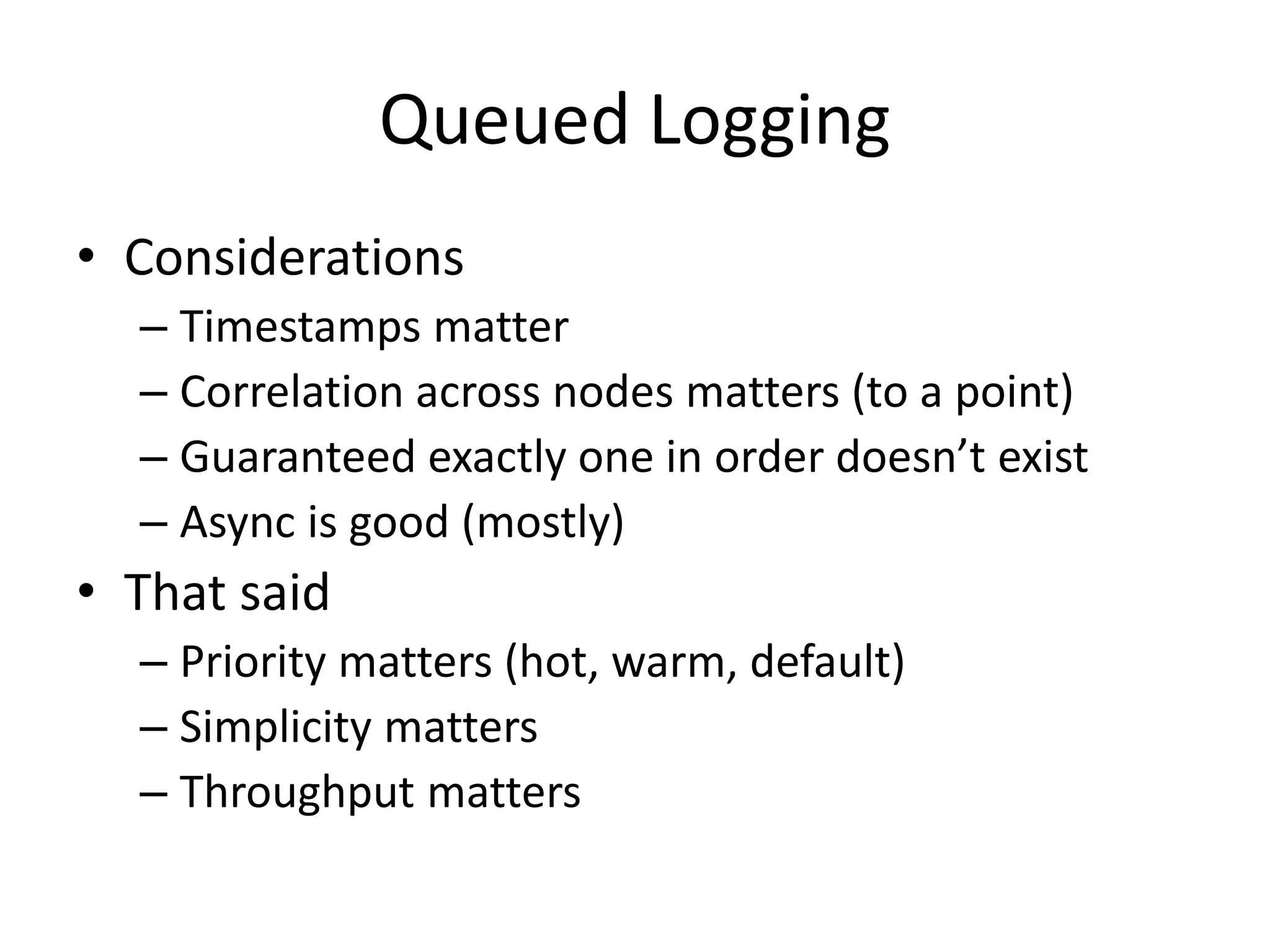
Queued Logging 
• Considerations 
– Timestamps matter 
– Correlation across nodes matters (to a point) 
– Guaranteed exactly one in order doesn’t exist 
– Async is good (mostly) 
• That said 
– Priority matters (hot, warm, default) 
– Simplicity matters 
– Throughput matters
Troubleshooting 
Is Important!
Problem Statement 
• We need immediate access to what the HECK 
is going on when there is a problem 
• Sometimes I use (in order): 
– Google Analytics 
– Event Logs (Azure Website) 
– Table Storage queries (STRIKE THAT, USELESS) 
– Blob storage CSVs (good enough, not realtime)
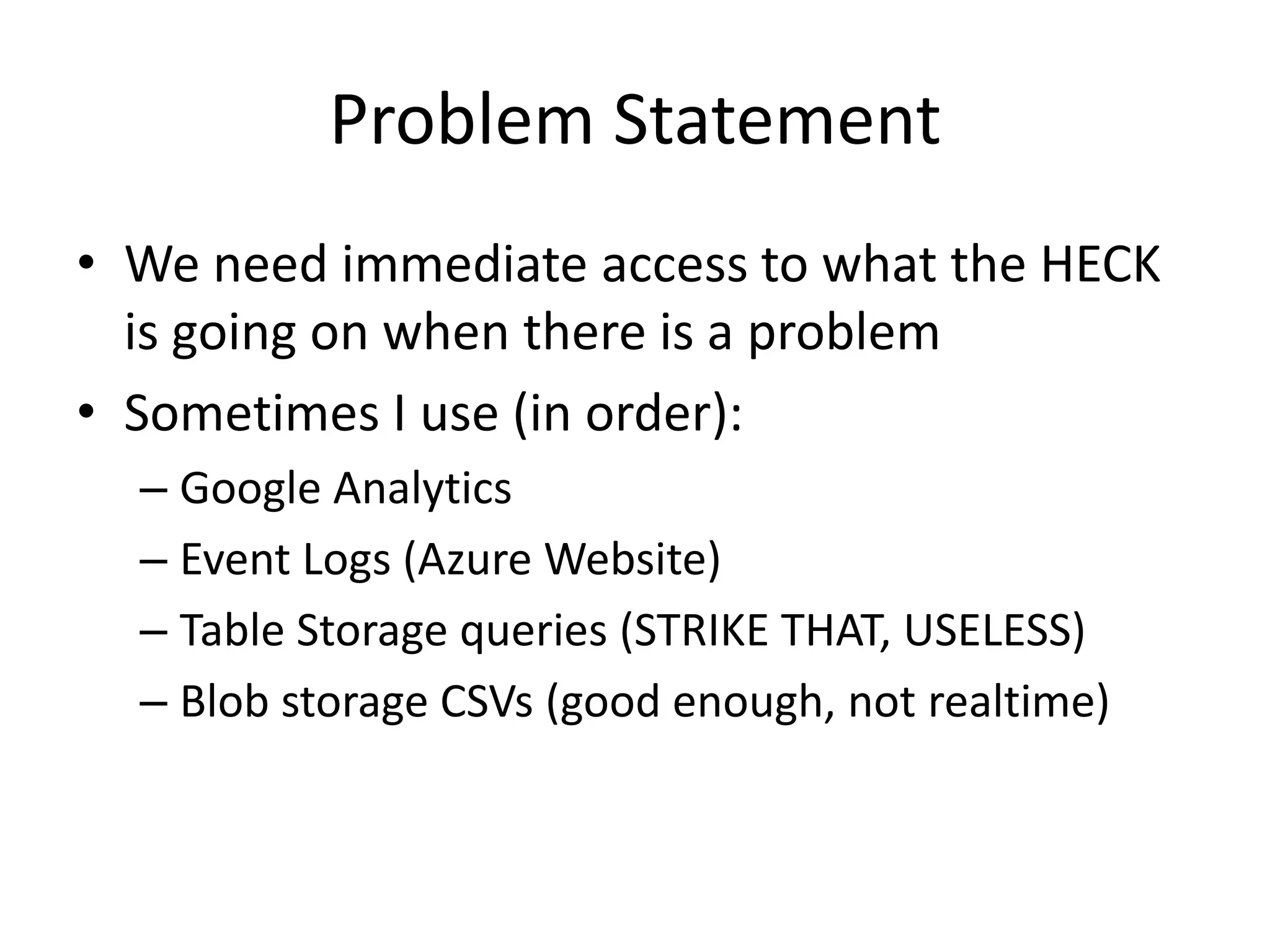
Elasticsearch Architecture 
Logger AuditLogger HistoryLogger ActivityLogger 
Elasticsearch
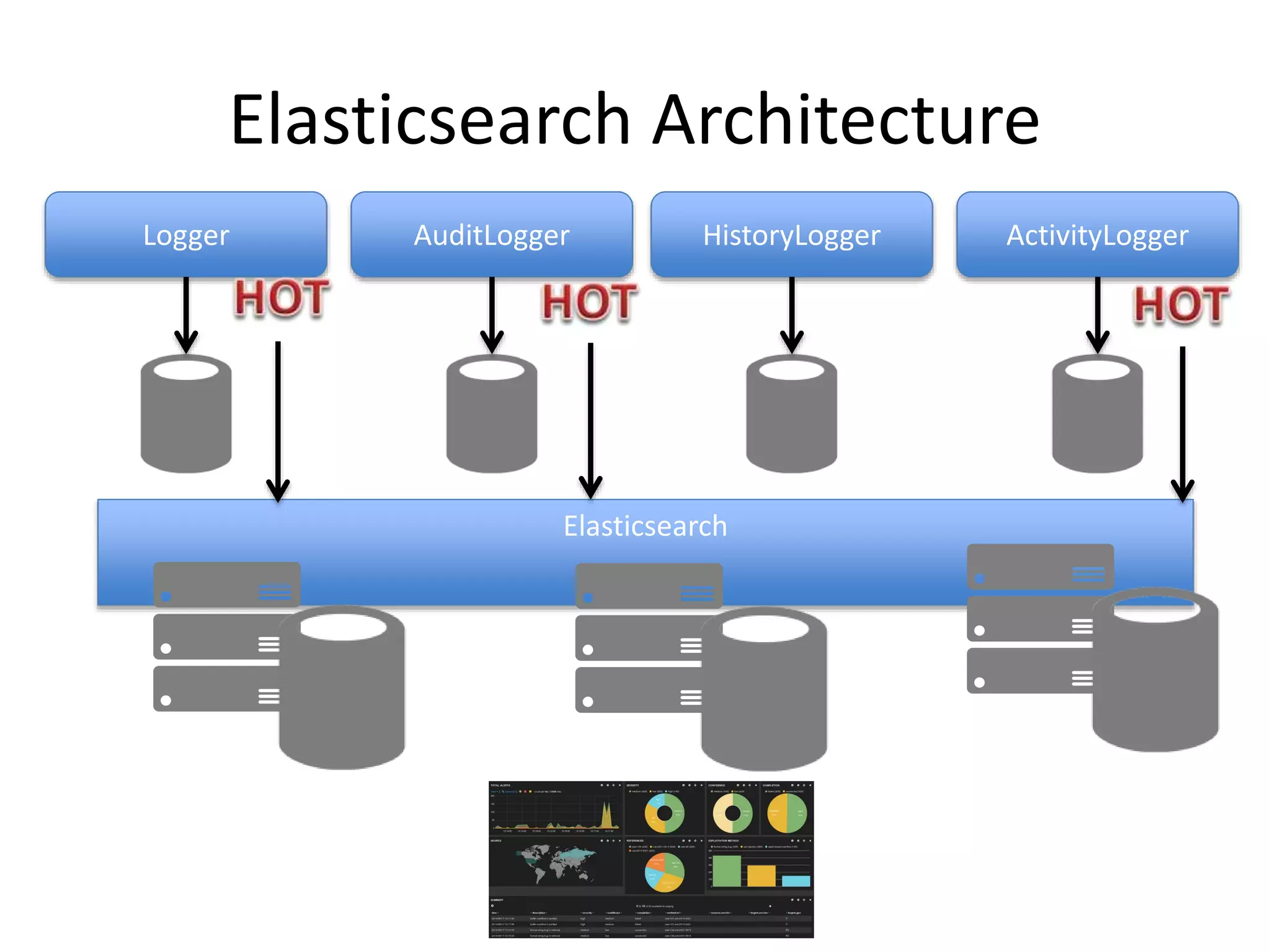
Kibana Visualization
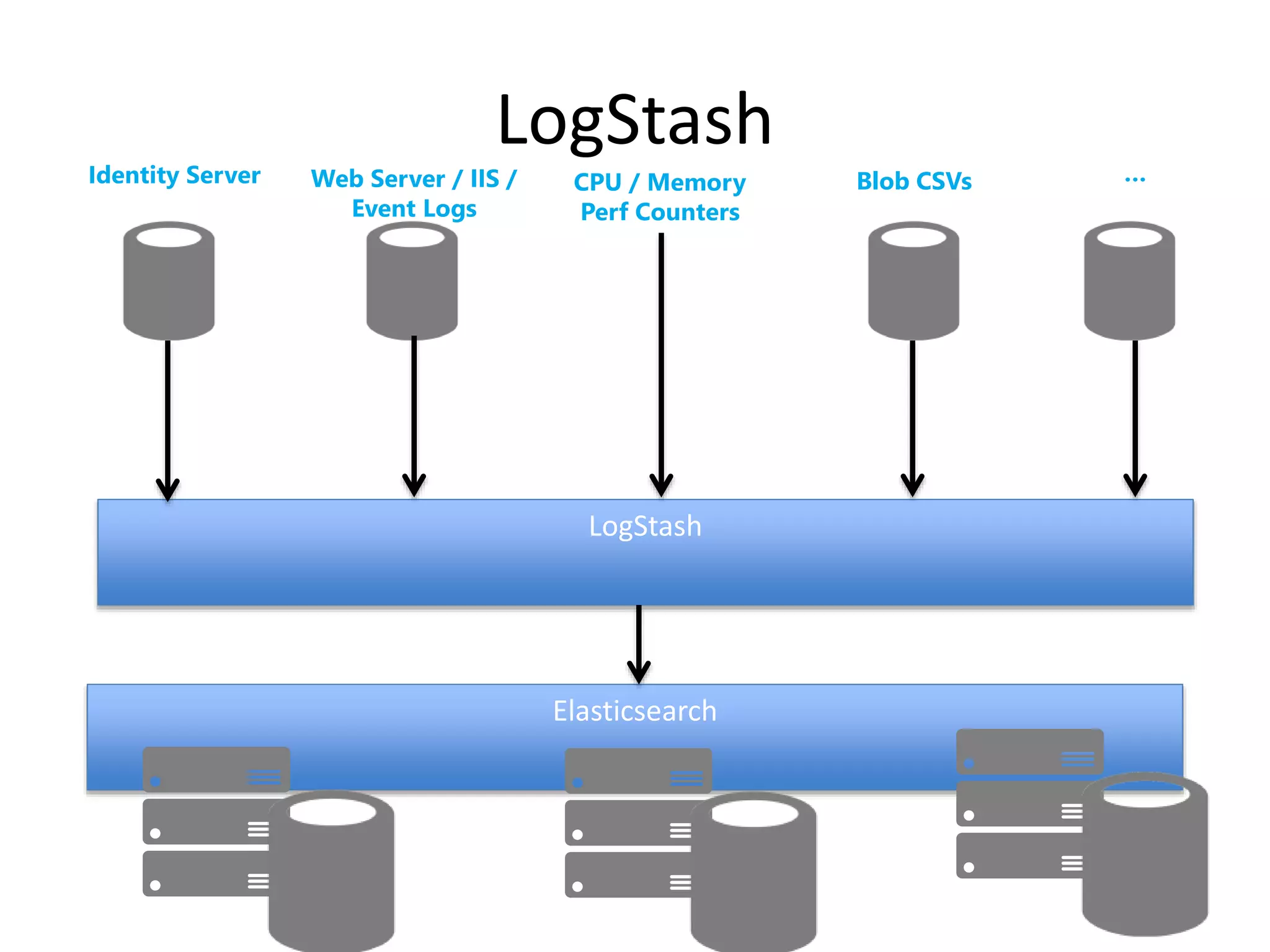
LogStash 
LogStash 
Elasticsearch 
Identity Server Web Server / IIS / 
Event Logs 
CPU / Memory 
Perf Counters 
Blob CSVs …
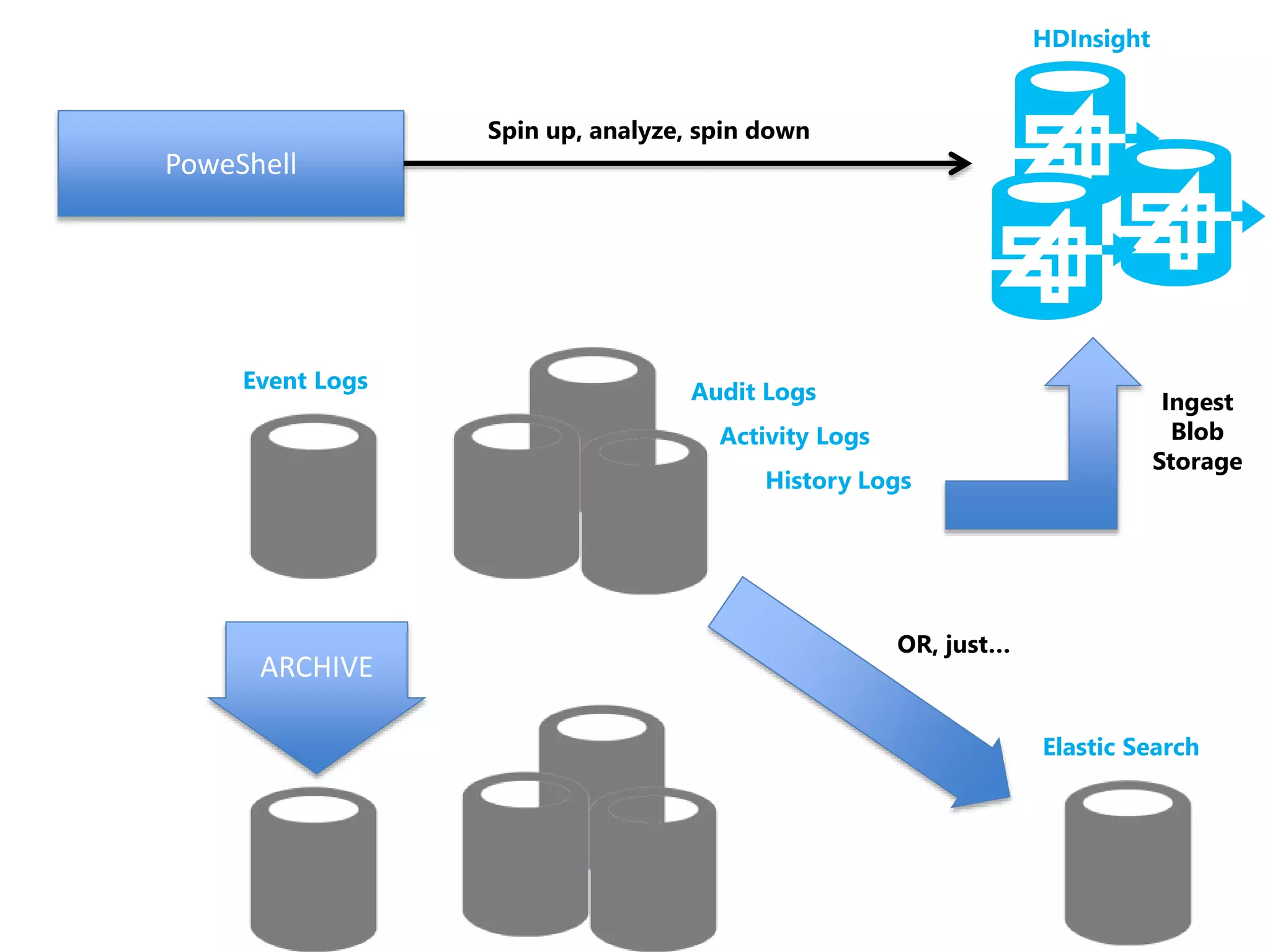
Archives, Aggregation 
and Analytics
ARCHIVE 
Elastic Search 
Audit Logs 
Activity Logs 
History Logs 
HDInsight 
PoweShell 
Spin up, analyze, spin down 
Ingest 
Blob 
Storage 
Event Logs 
OR, just…
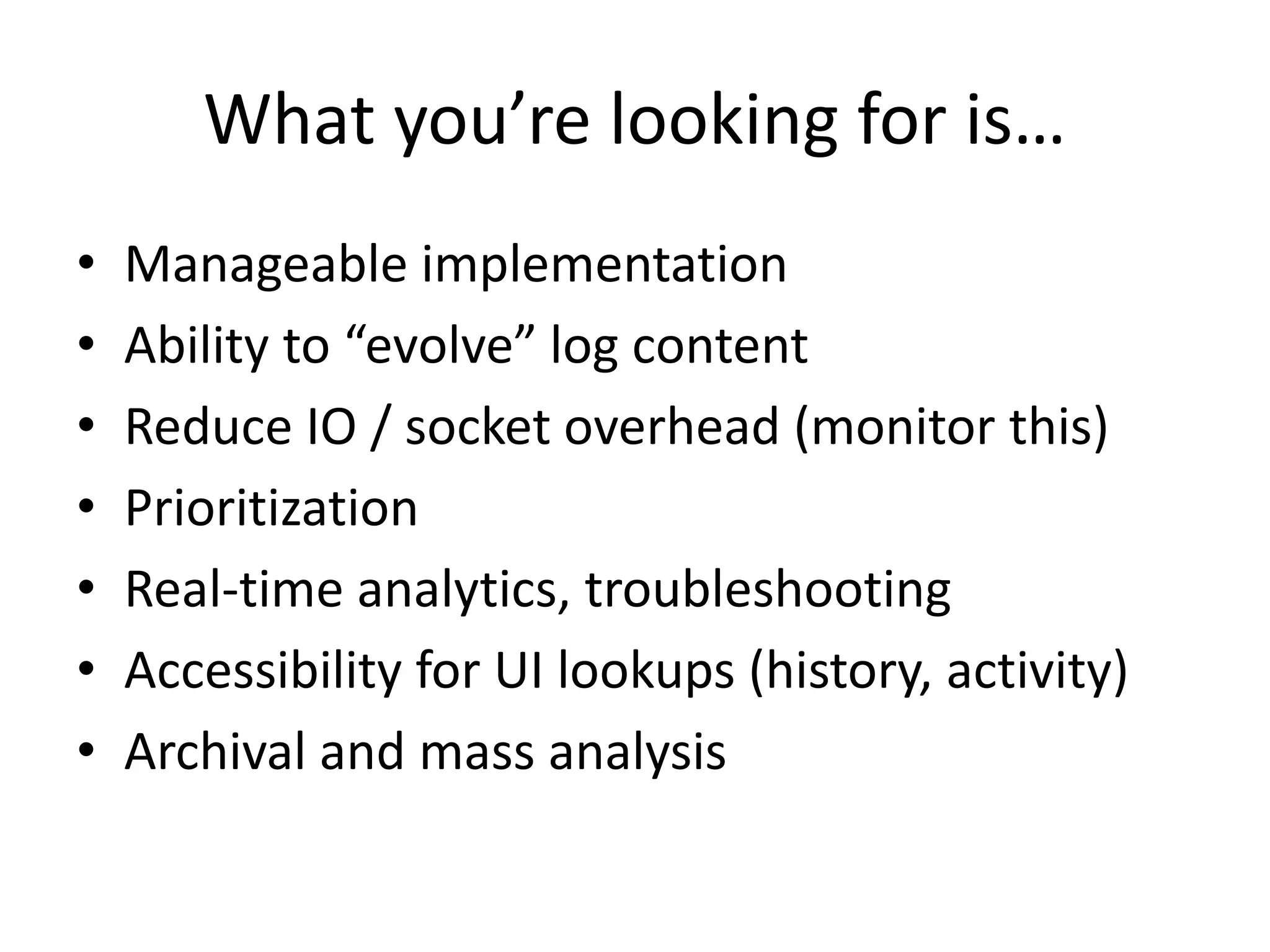
What you’re looking for is… 
• Manageable implementation 
• Ability to “evolve” log content 
• Reduce IO / socket overhead (monitor this) 
• Prioritization 
• Real-time analytics, troubleshooting 
• Accessibility for UI lookups (history, activity) 
• Archival and mass analysis
References 
• Conference resources: 
– http://michelebusta.com 
• Contact me: 
– michelebusta@solliance.net 
– @michelebusta 
• Founder, CIO of Solliance 
– http://solliance.net

The Ultimate Logging Architecture - You KNOW you want it!

  • 1.
    The Ultimate LoggingArchitecture You know you WANT it! Michele Leroux Bustamante michelebusta@solliance.net @michelebusta http://solliance.net http://michelebusta.com
  • 2.
    The Hello World Of Logging 1992
  • 3.
  • 4.
  • 5.
  • 6.
    Web Browsers Mobile Apps Client Apps
  • 7.
    Why do welog? • Troubleshooting visibility • Security audits, review, early detection • Post incident forensics • Track change history • Insights into user activity • Reporting and analysis
  • 8.
    What to log? EXAMPLE: Application Events Windows Logs IIS Logs Trace Output EXAMPLE: Login Attempts Unauthorized/ Authorized Access Password Resets EXAMPLE: Session Trace Purchase Flow Report Generation Feature Access EXAMPLE: Change history for any critical system records Live Streaming / Analytics Event Logs Audit Logs Activity Logs History Logs
  • 9.
  • 10.
    Implement a LogHelper ILogger Logger Trace Debug() Trace Information() Trace Warning() Trace Error() Throw() Logger.Current.TraceInformation(); Logger.Current.Throw(ex);
  • 11.
    Failure is NOTan option.
  • 12.
  • 13.
    Just Do It • Whatever is built in • Whatever you know best • Just do it
  • 14.
    Encapsulate the Mechanism ILogger Logger ELMAH / SLAB Azure Diagnostics log4j / log4net ElasticSearch
  • 15.
  • 16.
    Logs and Compliance • Contain no user credentials • No PII, PHI or identifiable user data • Retention period (1 year is good baseline) • A structured archival process • Alert if log reaches capacity • Authorized access • Protections from modifications (write-only)
  • 17.
    Implement an AuditHelper Logger.Current.TraceInformation(); Logger.Current.Throw(ex); ILogger Logger Trace xxx() Throw() AuditLogger.Current.Write(); AuditLogger.Current.Throw(ex); Write() Throw() IAuditLogger AuditLogger Azure Blobs Event Logs Audit Logs DocumentDB
  • 18.
    Benefits of noSQL • Log details tend to evolve – Schema-less storage is best – Re-indexing may be necessary • Co-location with mainline databases – Adds complexity and overhead (potentially) – Does not allow a separate “evolution” team around telemetry and analysis
  • 19.
    Audit Log UseCases • Every login attempt (success or failure) • Excessive login attempts and lockouts • Blocking/blacklisting users, IP addresses, access ports • Every logout • Every modification to user table, including permissions • All configuration changes • Attempts to access restricted resources, APIs from unexpected paths • All access to PII / PHI in an individually identifiable way
  • 20.
    Audit Log Fields • Date/time of event • Machine name/instance • Process ID • User ID (possibly encrypted) / Session ID • Type of event • Success or failure of the event (if applicable) • Seriousness of the event violation (if applicable) • Message (free form) • Stack Trace (if applicable)
  • 21.
  • 22.
    History Logs •Changes made to key tables • Describes – Who changed the record? – From which application? – Which fields changed? • Need the ability to surface this to applications – Sometimes to users – Always to operations to solve problems
  • 23.
    Implement a HistoryLog Helper HistoryLogger.Current.Write(); IHistoryLogger HistoryLogger History Logs DocumentDB Claims Users Orders Claims Claims …
  • 24.
    Wrap History inthe DAL History Logs OrdersDal UsersDal ContentDal Relational DB Orders Claims Users Content
  • 25.
    Wrap History inthe DAL History Logs OrdersDal UsersDal ContentDal Relational DB Orders Claims Users Content
  • 26.
    What happened withmy order? History Logs OrdersDal UsersDal ContentDal Relational DB Orders Claims Users Content
  • 27.
    Activity Logs •Not specific to code execution and troubleshooting, diagnostics • Specific to the application, user activity • COULD be informative to users as well – History of recent activity in the site – Reports they requested, downloads, other… • Provides insights to the business regarding user activity, trends and patterns – Non-critical analysis
  • 28.
    Implement an ActivityLog Helper ActivityLogger.Current.UserDownload(); ActivityLogger.Current.ReportRequest(); ActivityLogger.Current.PurchaseOrder(); IActivityLogger ActivityLogger Activity Logs DocumentDB
  • 29.
    What happened withmy order? History Logs OrdersDal Relational DB Orders Activity Logs
  • 30.
    Automate Logging WherePossible • View controllers • API controllers • Authorization hooks • Outbound calls • Data Access layers
  • 31.
    To Queue OrNOT To Queue
  • 32.
    Client and ServerLogging Client Apps Mobile API Client API Log API Client API Log API Loggers Web Browsers Mobile Apps Event Logs Audit Logs Activity Logs History Logs
  • 33.
    What can Iqueue? Loggers ETW DocDB Event Logs Audit Logs Activity Logs History Logs
  • 34.
    ETW Goal Loggers ETW History Publisher Activity Publisher Audit Publisher ALERTS Stream Analytics Events Publisher Event Logs Audit Logs Activity Logs History Logs
  • 35.
    Queued Logging •Considerations – Timestamps matter – Correlation across nodes matters (to a point) – Guaranteed exactly one in order doesn’t exist – Async is good (mostly) • That said – Priority matters (hot, warm, default) – Simplicity matters – Throughput matters
  • 36.
  • 37.
    Problem Statement •We need immediate access to what the HECK is going on when there is a problem • Sometimes I use (in order): – Google Analytics – Event Logs (Azure Website) – Table Storage queries (STRIKE THAT, USELESS) – Blob storage CSVs (good enough, not realtime)
  • 38.
    Elasticsearch Architecture LoggerAuditLogger HistoryLogger ActivityLogger Elasticsearch
  • 39.
  • 40.
    LogStash LogStash Elasticsearch Identity Server Web Server / IIS / Event Logs CPU / Memory Perf Counters Blob CSVs …
  • 41.
  • 42.
    ARCHIVE Elastic Search Audit Logs Activity Logs History Logs HDInsight PoweShell Spin up, analyze, spin down Ingest Blob Storage Event Logs OR, just…
  • 43.
    What you’re lookingfor is… • Manageable implementation • Ability to “evolve” log content • Reduce IO / socket overhead (monitor this) • Prioritization • Real-time analytics, troubleshooting • Accessibility for UI lookups (history, activity) • Archival and mass analysis
  • 44.
    References • Conferenceresources: – http://michelebusta.com • Contact me: – michelebusta@solliance.net – @michelebusta • Founder, CIO of Solliance – http://solliance.net

Editor's Notes

  • #2 1
  • #8 Visibility into runtime behavior for troubleshooting or analysis Early detection of security incidents, identification of potential threats Forensic analysis to discover the cause of events, and ways to avoid them in future with software controls or other means General business intelligence and analysis of user and system behavior
  • #9  ----- Meeting Notes (12/3/14 07:53) ----- it starts to look like a lot of work... so, if I could impart one message up front it would be this
  • #10 Add heavy lifting guy ----- Meeting Notes (12/3/14 07:53) ----- assume your devs are stupid and lazy
  • #11  ----- Meeting Notes (12/3/14 05:45) ----- with this we can litter our code with verbose logs
  • #12 Example, migration to cloud, risky to add logs, risky not to have them ----- Meeting Notes (12/3/14 07:53) ----- DEMO 1 - show that logging code
  • #13 Add heavy lifting guy ----- Meeting Notes (12/3/14 05:45) ----- so we have a wrapper class it starts with basic event logging sts, wrote to event log, etw trace, event source today cloud, use what comes naturally
  • #14 Without it, you have no visibility If trying to “get it right” is preventing you from logging, you’re already in trouble Just log, worry about improvements later
  • #15 We don’t know how you do it We don’t care how you do it We do need to know where it goes (devops)
  • #16 Add heavy lifting guy
  • #18 The technical details will be platform dependent Inheritance Dependency injection, these are details The point is, auditing is intentional; you call it out It goes to a different place;
  • #19  ----- Meeting Notes (12/3/14 07:53) ----- DEMO 2 - show doc db classes, show results add a field?
  • #21  ----- Meeting Notes (12/3/14 07:53) ----- these logs are only good if you actually review them
  • #22 Add heavy lifting guy
  • #23  ----- Meeting Notes (12/3/14 07:59) ----- sql logs not helpful to surface to apps helpful for forensics, not accessible to many
  • #24  ----- Meeting Notes (12/3/14 07:59) ----- DEMO 3 - ??? look at history? any object works?
  • #32 Add heavy lifting guy
  • #37 You are collecting logs Now what, site is down, how do you know what’s up? What kinds of exceptions are being thrown? Where in the code are there uncaught exceptions tossing up the chain? Are you catching and logging those?
  • #42 You are collecting logs Now what, site is down, how do you know what’s up? What kinds of exceptions are being thrown? Where in the code are there uncaught exceptions tossing up the chain? Are you catching and logging those?