Secure Audit Logs in MySQL 8.4
Vinoth Kanna RS
Founding Partner, Mydbops LLP
Mydbops MyWebinar 45
About Me
Vinoth Kanna R S
❏ Making Database Management Simple at Scale
❏ Performance Tuning Ninja
❏ AWS RDS Cloud Expert
❏ Tech Speaker on Open Source Events
❏ Databases for living (13 years)
Your Trusted
Open Source Database
Management Partner
With 9+ Years of Expertise
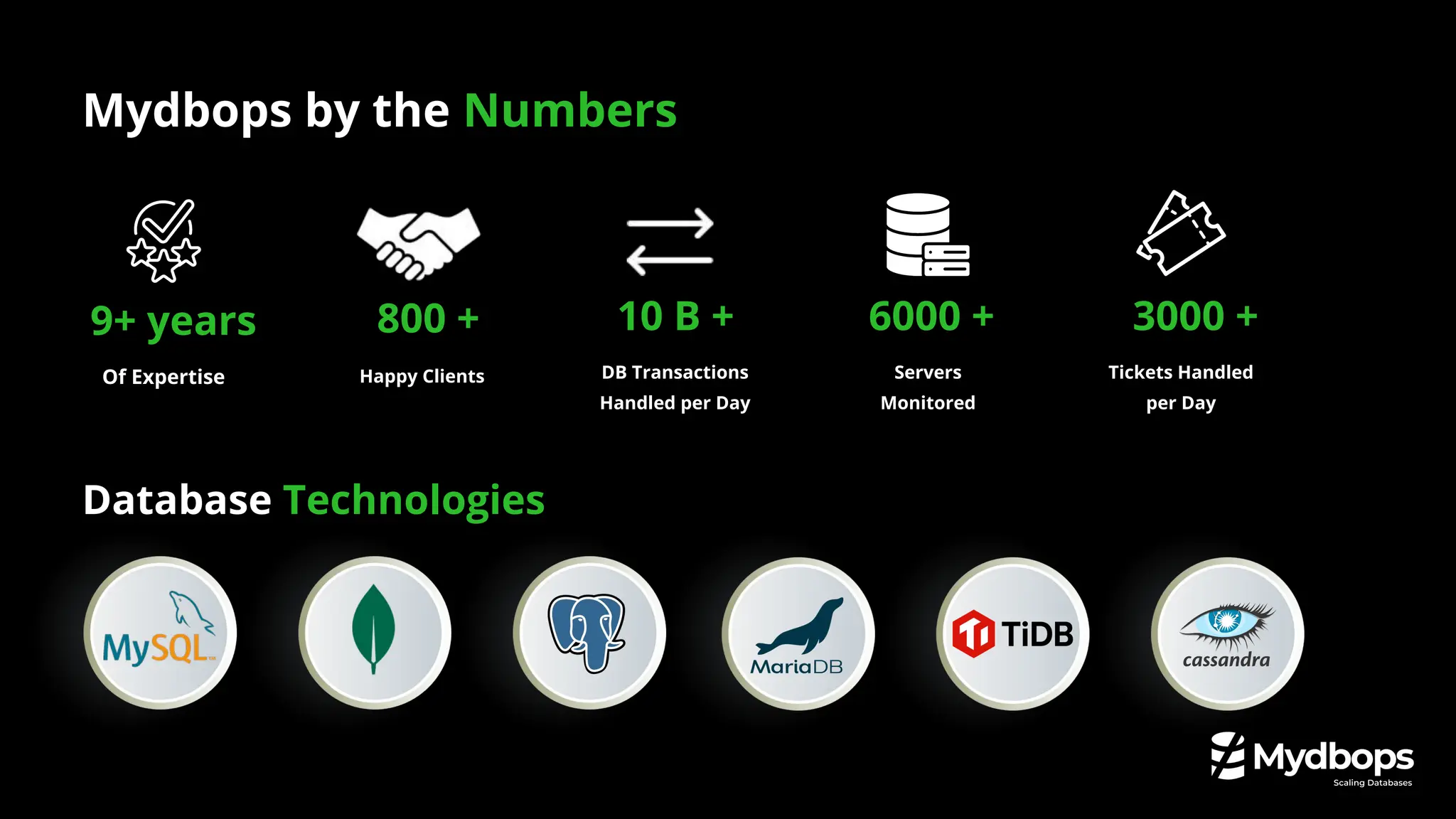
Database Technologies
Mydbops by the Numbers
9+ years
Of Expertise
10 B + 6000 +
Servers
Monitored
DB Transactions
Handled per Day
800 +
Happy Clients
3000 +
Tickets Handled
per Day
❏ The Evolution of Auditing in MySQL
❏ Introducing the Audit Log Filter: What's new in MySQL 8.4.
❏ Legacy Plugin vs. New Audit Log Filter
❏ Architecture & Configuration
❏ Security & Compliance
❏ Practical examples and tips.
❏ Improving Observability & Alerting
❏ Q&A
Agenda
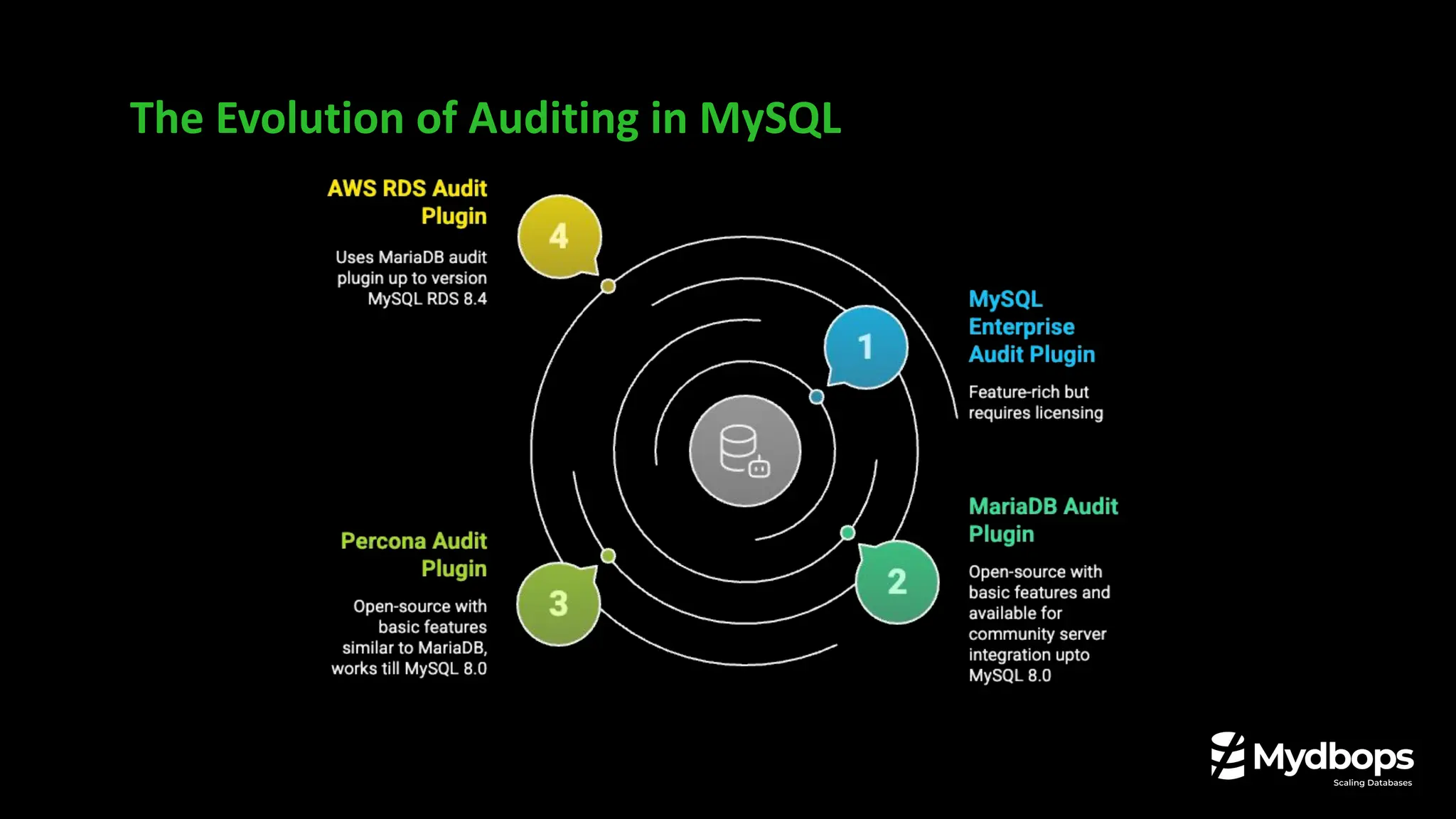
The Evolution of Auditing in MySQL
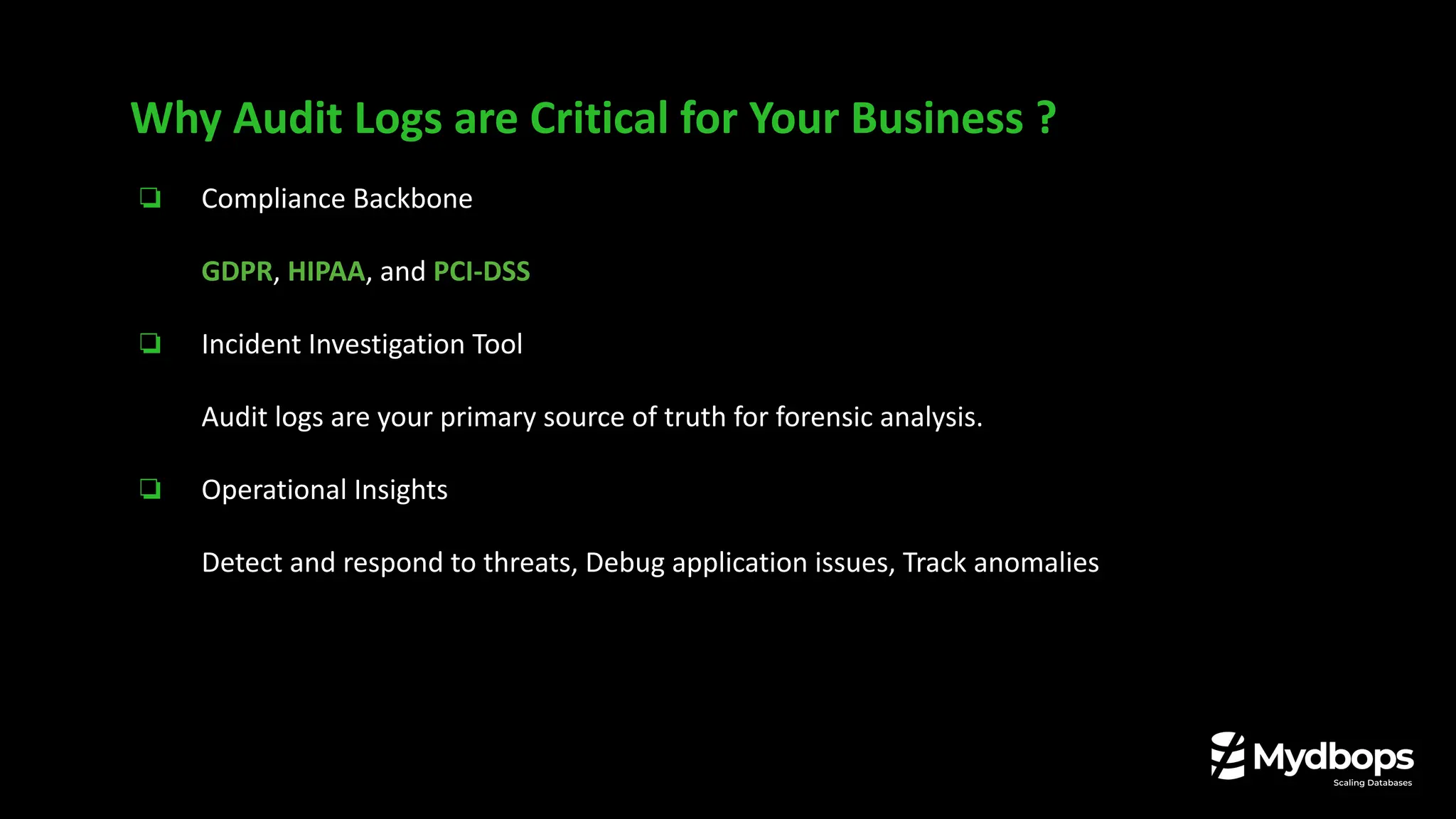
❏ Compliance Backbone
GDPR, HIPAA, and PCI-DSS
❏ Incident Investigation Tool
Audit logs are your primary source of truth for forensic analysis.
❏ Operational Insights
Detect and respond to threats, Debug application issues, Track anomalies
Why Audit Logs are Critical for Your Business ?
❏ Architecture: A loosely-coupled Plugin.
❏ Configuration: Managed by global system variables, often requiring restarts.
❏ Filtering: Basic include/exclude lists for users, commands, and databases.
❏ Performance: Could introduce significant overhead in high-traffic environments.
❏ Flexibility: Limited, making it possible to configure only one rule.
The "one size fits all" approach was difficult to tailor for complex needs.
The Legacy Open Source Audit Log Plugins Till 8.0
The Audit Log Filter in MySQL 8.4
❏ Architecture: A tightly-integrated Component.
❏ The Big Change: Audit Log Plugin is removed and replaced by the Audit Log Filter.
❏ Configuration: Managed dynamically via SQL functions, stored in system tables.
❏ Filtering: Extremely granular, rule-based filtering using JSON definitions.
❏ Performance: Designed for high performance with minimal impact.
❏ Flexibility: Highly extensible with modern features like encryption, compression.
The Audit Log Filter in MySQL 8.4
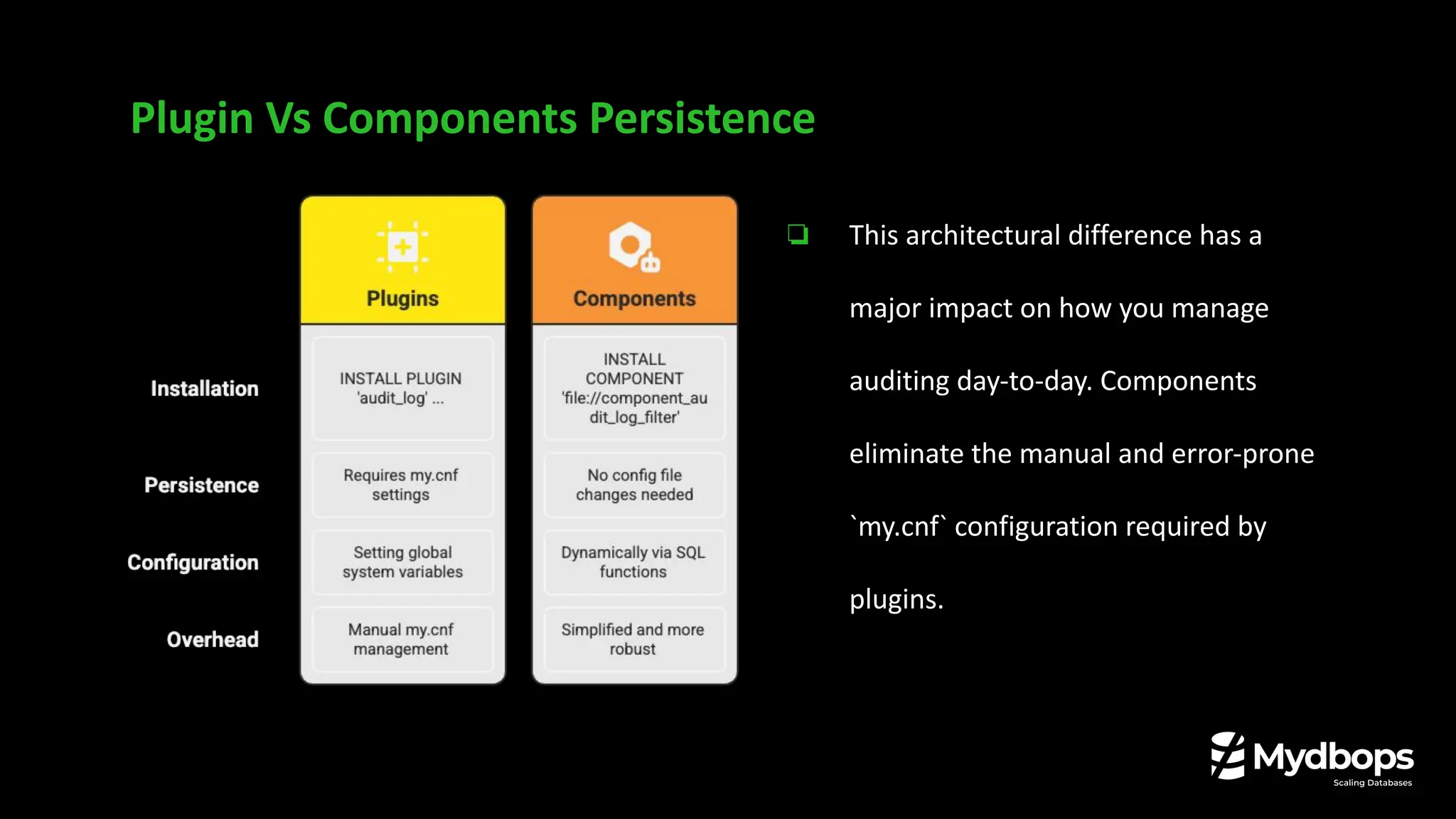
Plugin Vs Components Persistence
❏ This architectural difference has a
major impact on how you manage
auditing day-to-day. Components
eliminate the manual and error-prone
`my.cnf` configuration required by
plugins.
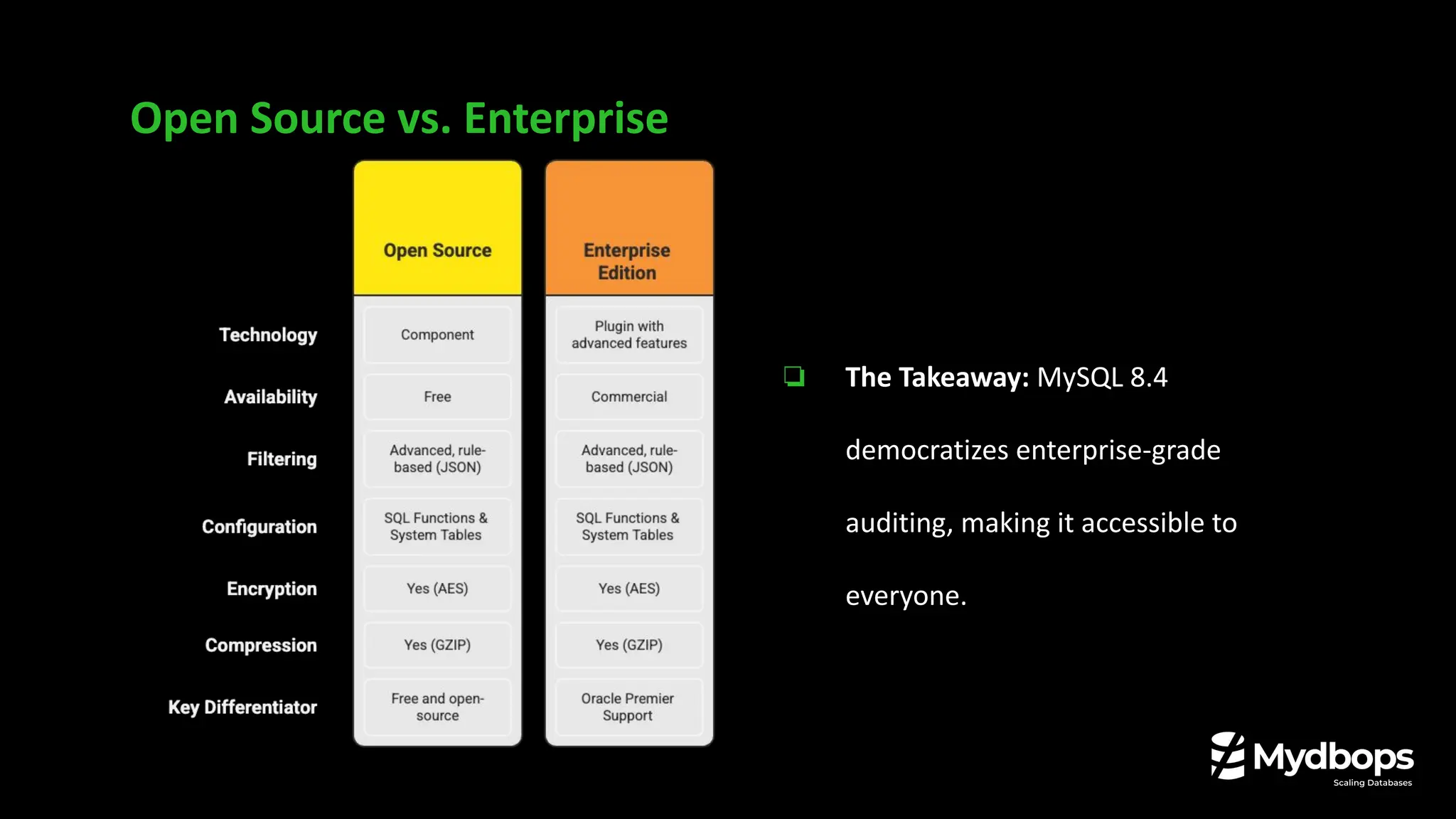
Open Source vs. Enterprise
❏ The Takeaway: MySQL 8.4
democratizes enterprise-grade
auditing, making it accessible to
everyone.
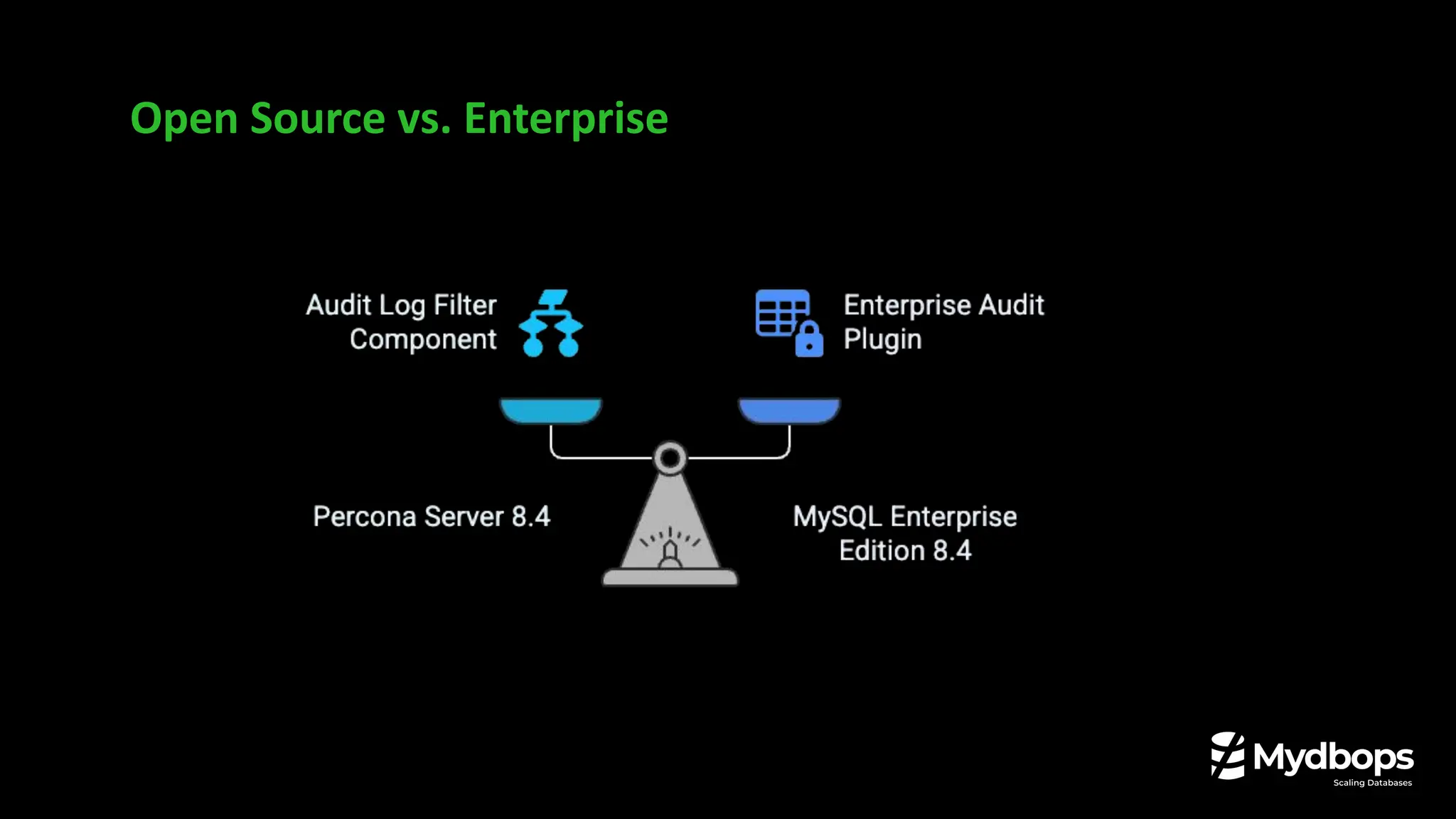
Open Source vs. Enterprise
Architecture and Configuration
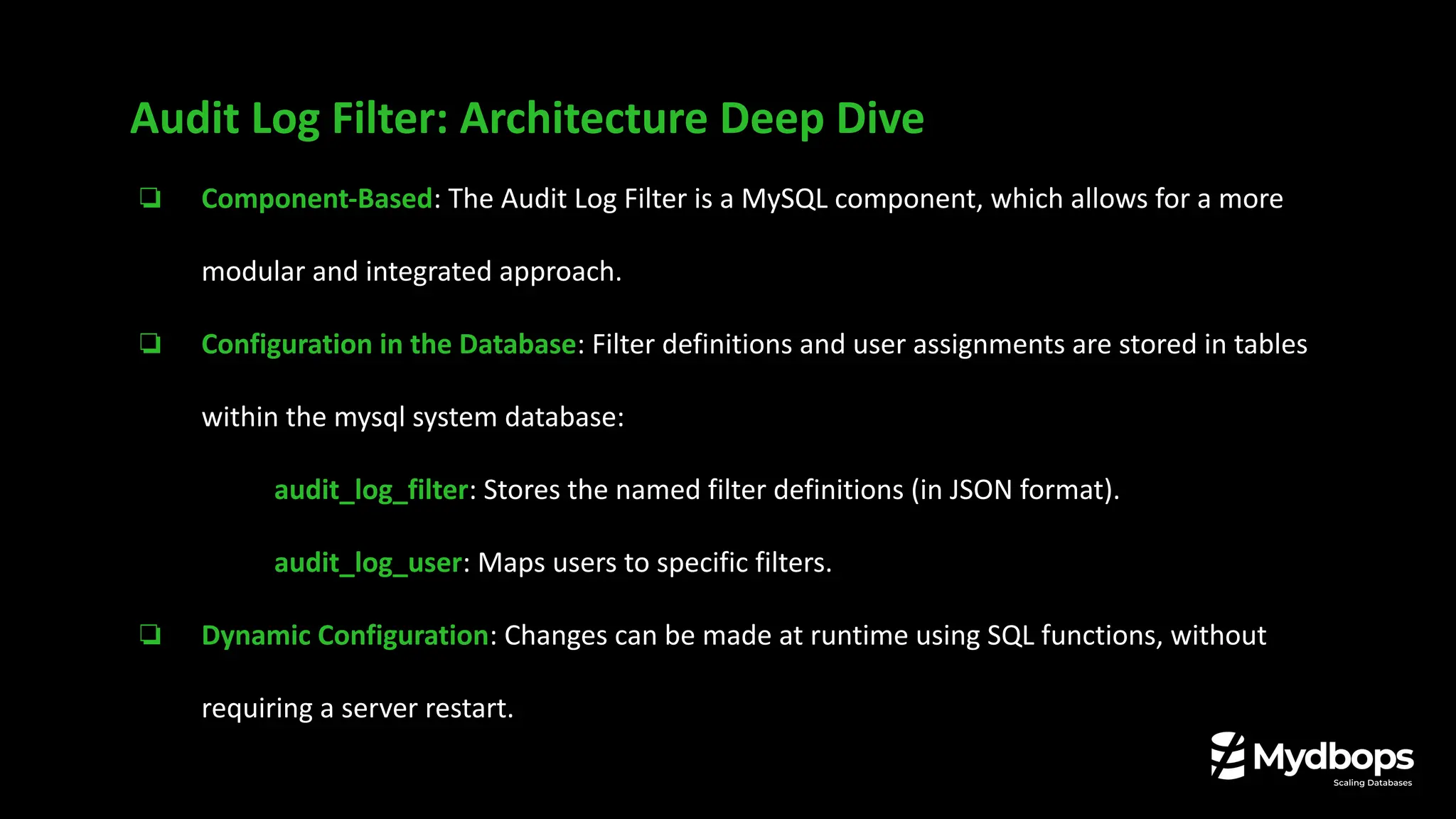
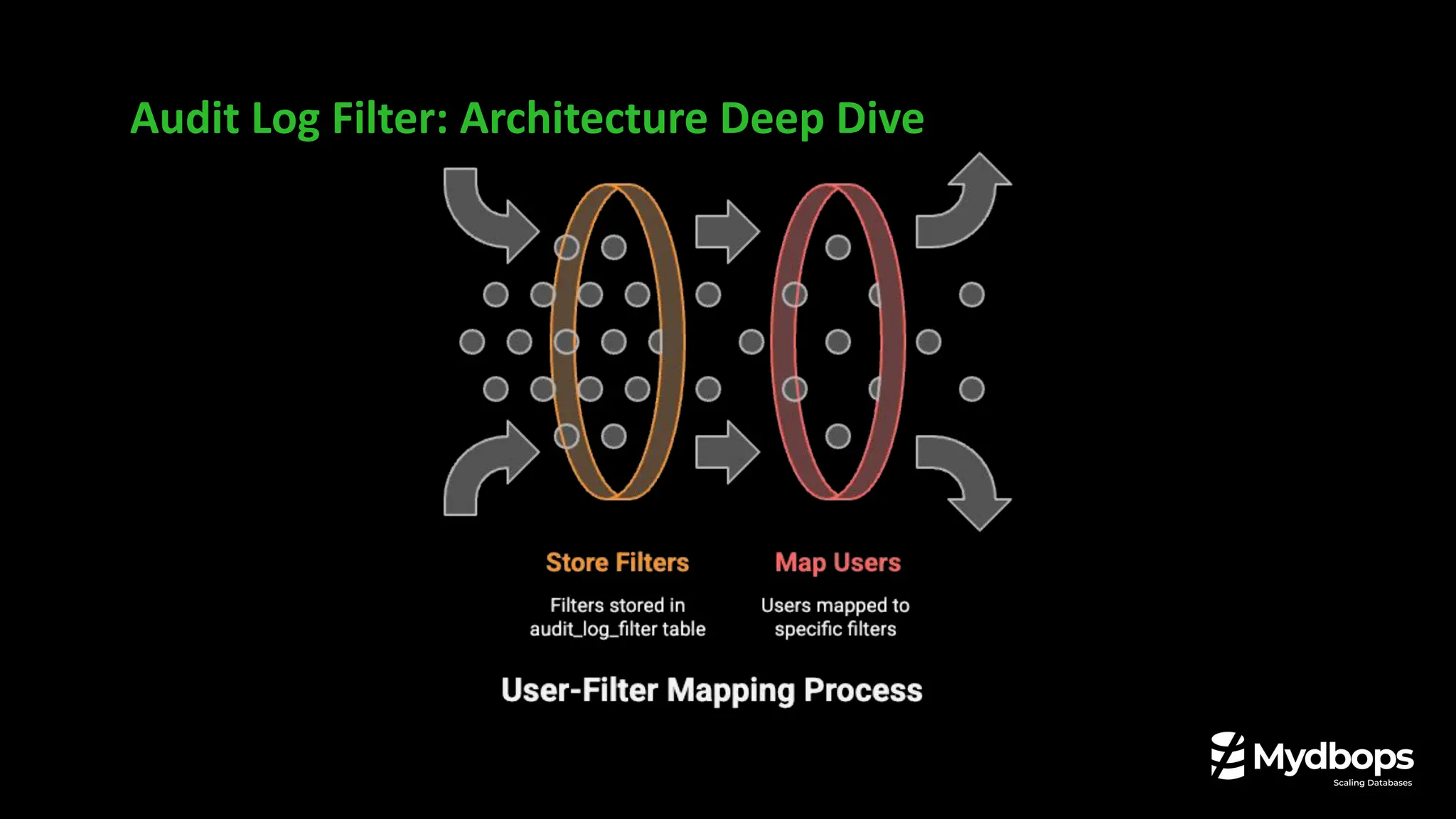
❏ Component-Based: The Audit Log Filter is a MySQL component, which allows for a more
modular and integrated approach.
❏ Configuration in the Database: Filter definitions and user assignments are stored in tables
within the mysql system database:
❏ audit_log_filter: Stores the named filter definitions (in JSON format).
❏ audit_log_user: Maps users to specific filters.
❏ Dynamic Configuration: Changes can be made at runtime using SQL functions, without
requiring a server restart.
Audit Log Filter: Architecture Deep Dive
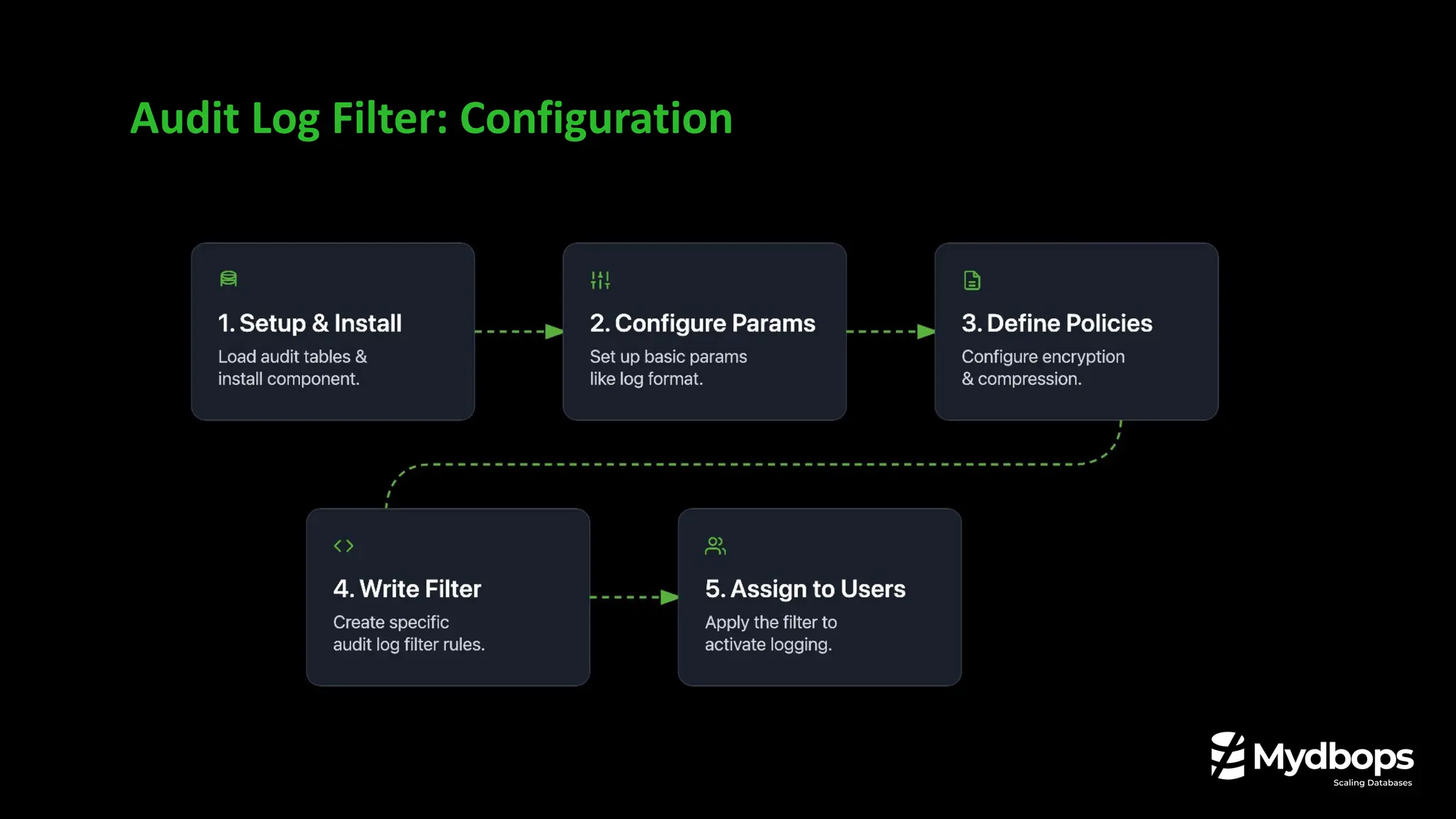
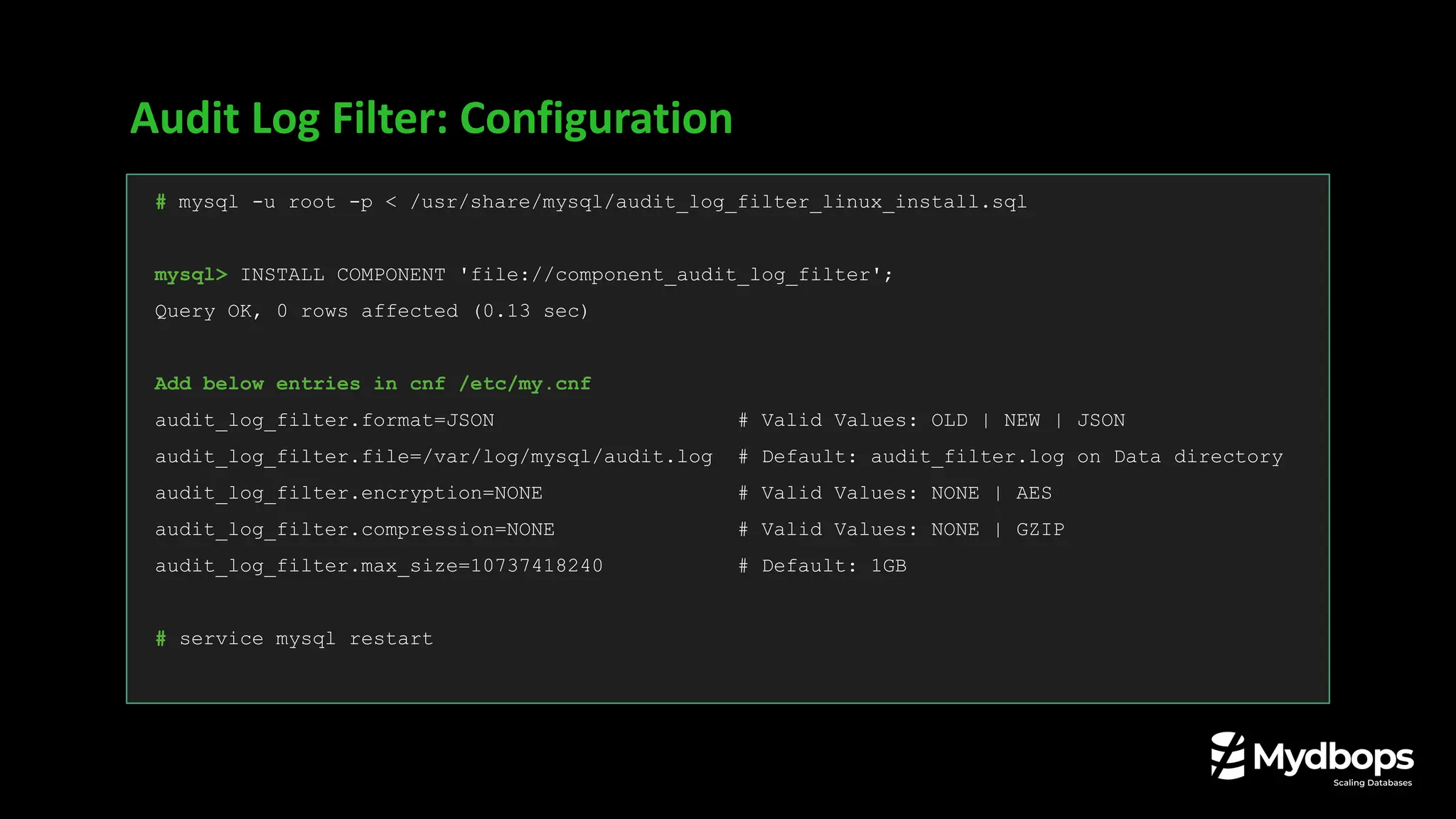
Audit Log Filter: Configuration
# mysql -u root -p < /usr/share/mysql/audit_log_filter_linux_install.sql
mysql> INSTALL COMPONENT 'file://component_audit_log_filter';
Query OK, 0 rows affected (0.13 sec)
Add below entries in cnf /etc/my.cnf
audit_log_filter.format=JSON # Valid Values: OLD | NEW | JSON
audit_log_filter.file=/var/log/mysql/audit.log # Default: audit_filter.log on Data directory
audit_log_filter.encryption=NONE # Valid Values: NONE | AES
audit_log_filter.compression=NONE # Valid Values: NONE | GZIP
audit_log_filter.max_size=10737418240 # Default: 1GB
# service mysql restart
Audit Log Filter: Configuration
# SELECT audit_log_filter_remove_filter( 'log_queries');
mysql> SELECT audit_log_filter_remove_filter('log_queries');
+-----------------------------------------------+
| OK |
+-----------------------------------------------+
mysql> SET @fj = '{ "filter": { "class": [ { "name": "connection", "event": [{"name":
"connect"}, {"name": "disconnect"}] }, { "name": "table_access", "operation": [{"name":
"read"}, {"name": "write"}, {"name": "dcl"}, {"name": "ddl"}] }, { "name": "query" } ] }}';
Query OK, 0 rows affected (0.00 sec)
mysql> SELECT audit_log_filter_set_filter('log_queries',@fj);
+------------------------------------------------------+
| OK |
+------------------------------------------------------+
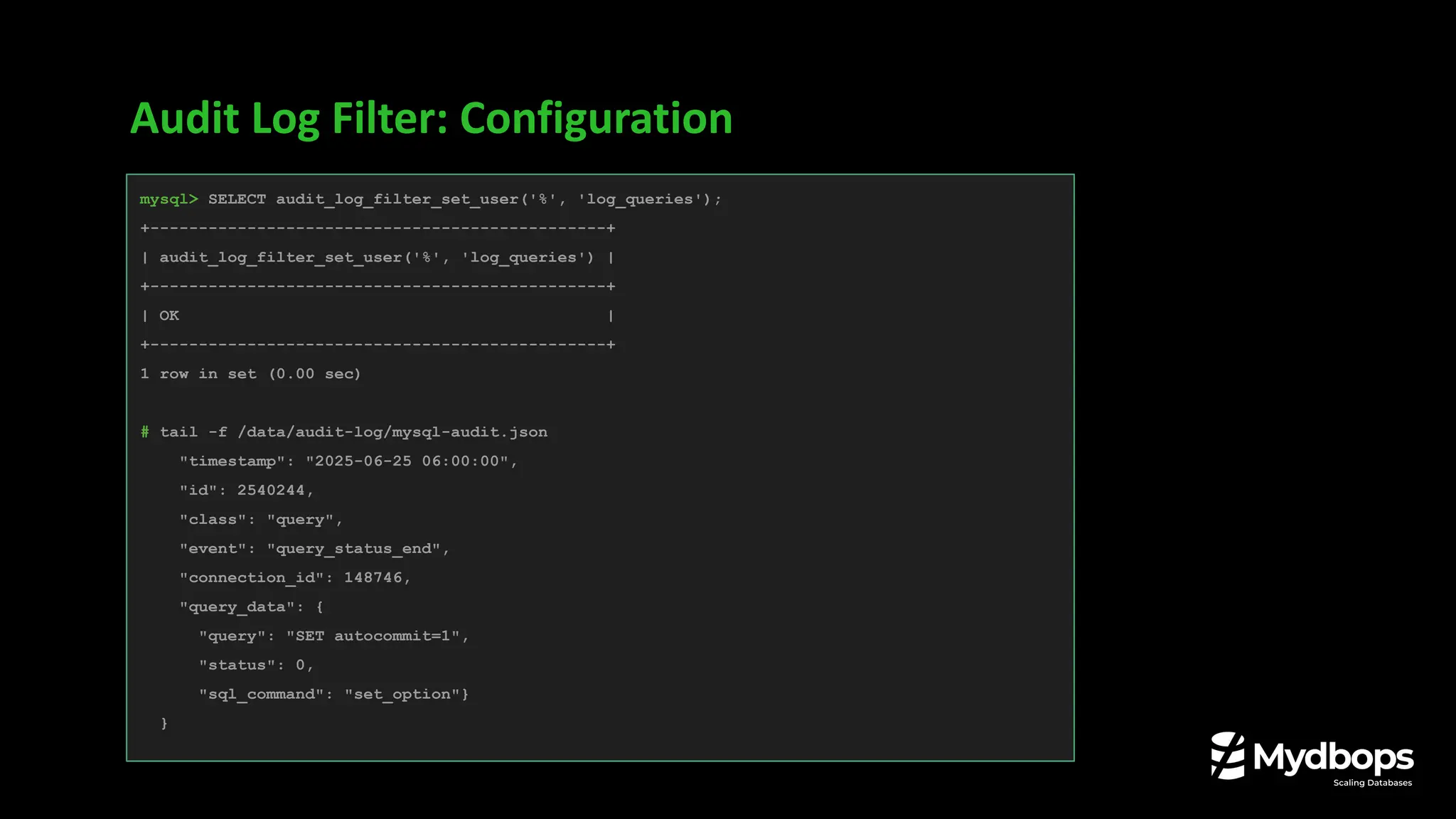
Audit Log Filter: Configuration
mysql> SELECT audit_log_filter_set_user('%', 'log_queries');
+-----------------------------------------------+
| audit_log_filter_set_user('%', 'log_queries') |
+-----------------------------------------------+
| OK |
+-----------------------------------------------+
1 row in set (0.00 sec)
# tail -f /data/audit-log/mysql-audit.json
"timestamp": "2025-06-25 06:00:00",
"id": 2540244,
"class": "query",
"event": "query_status_end",
"connection_id": 148746,
"query_data": {
"query": "SET autocommit=1",
"status": 0,
"sql_command": "set_option"}
}
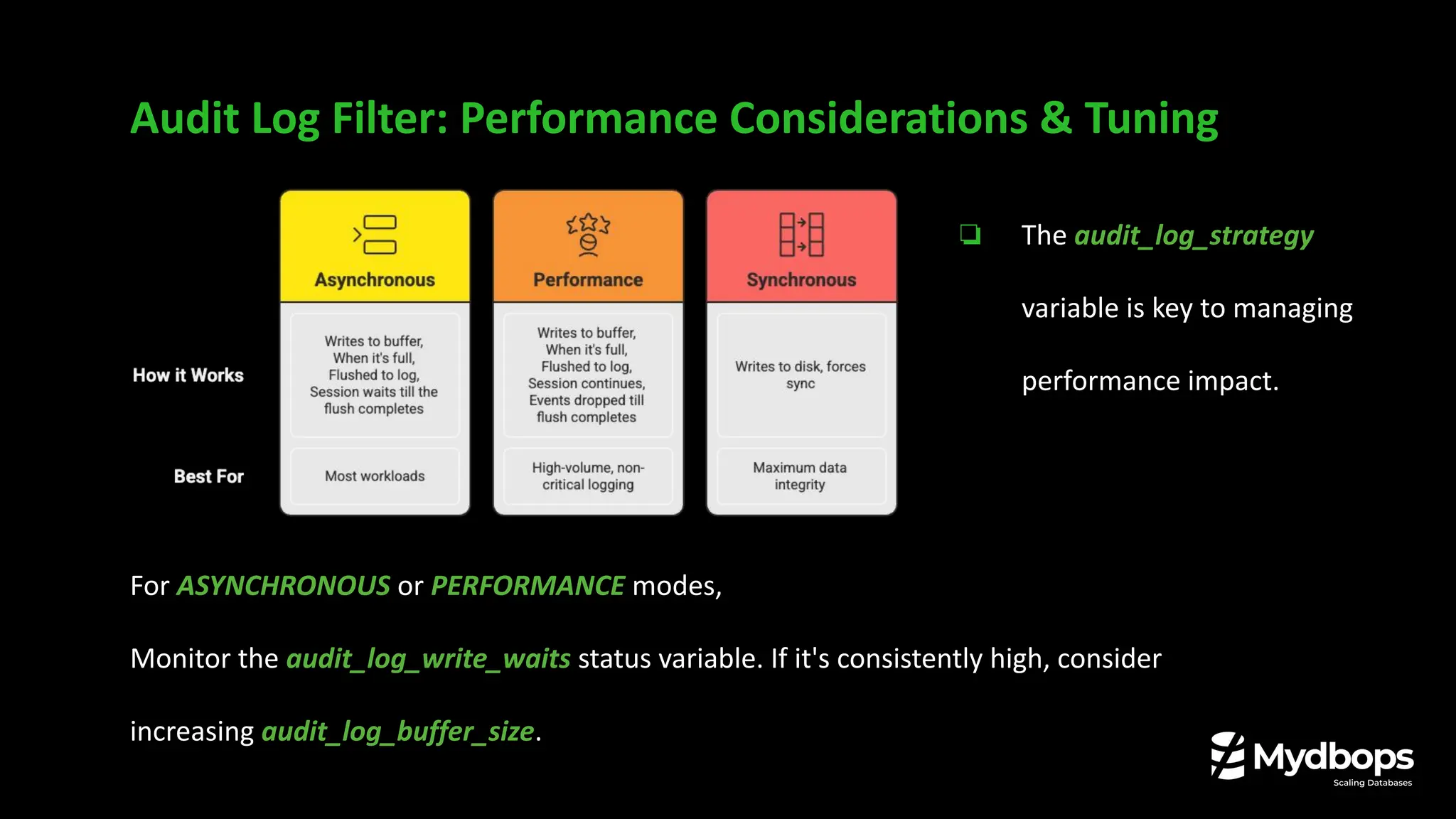
Audit Log Filter: Performance Considerations & Tuning
❏ The audit_log_strategy
variable is key to managing
performance impact.
For ASYNCHRONOUS or PERFORMANCE modes,
Monitor the audit_log_write_waits status variable. If it's consistently high, consider
increasing audit_log_buffer_size.
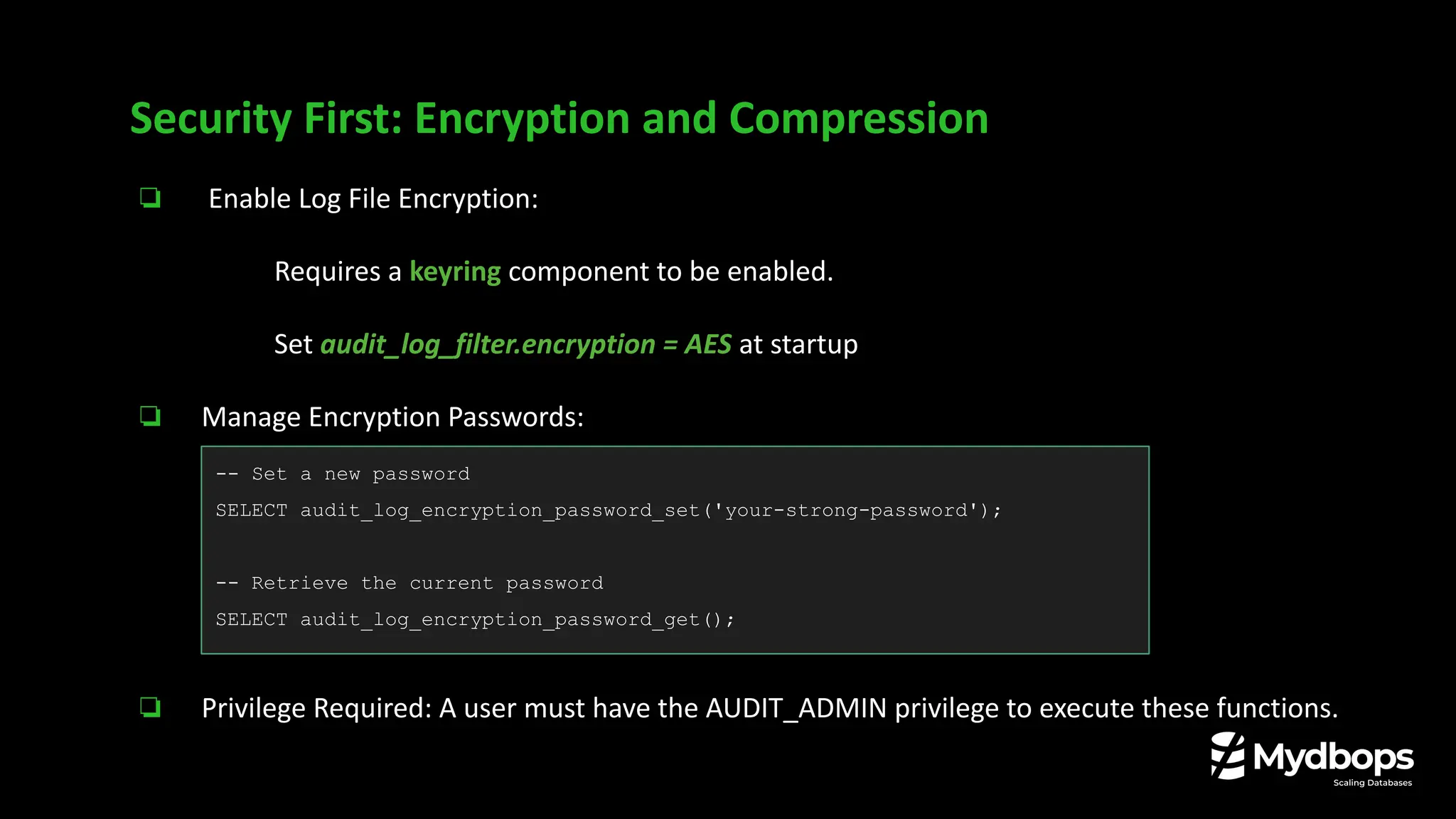
❏ Enable Log File Encryption:
❏ Requires a keyring component to be enabled.
❏ Set audit_log_filter.encryption = AES at startup
❏ Manage Encryption Passwords:
❏ Privilege Required: A user must have the AUDIT_ADMIN privilege to execute these functions.
Security First: Encryption and Compression
-- Set a new password
SELECT audit_log_encryption_password_set('your-strong-password');
-- Retrieve the current password
SELECT audit_log_encryption_password_get();
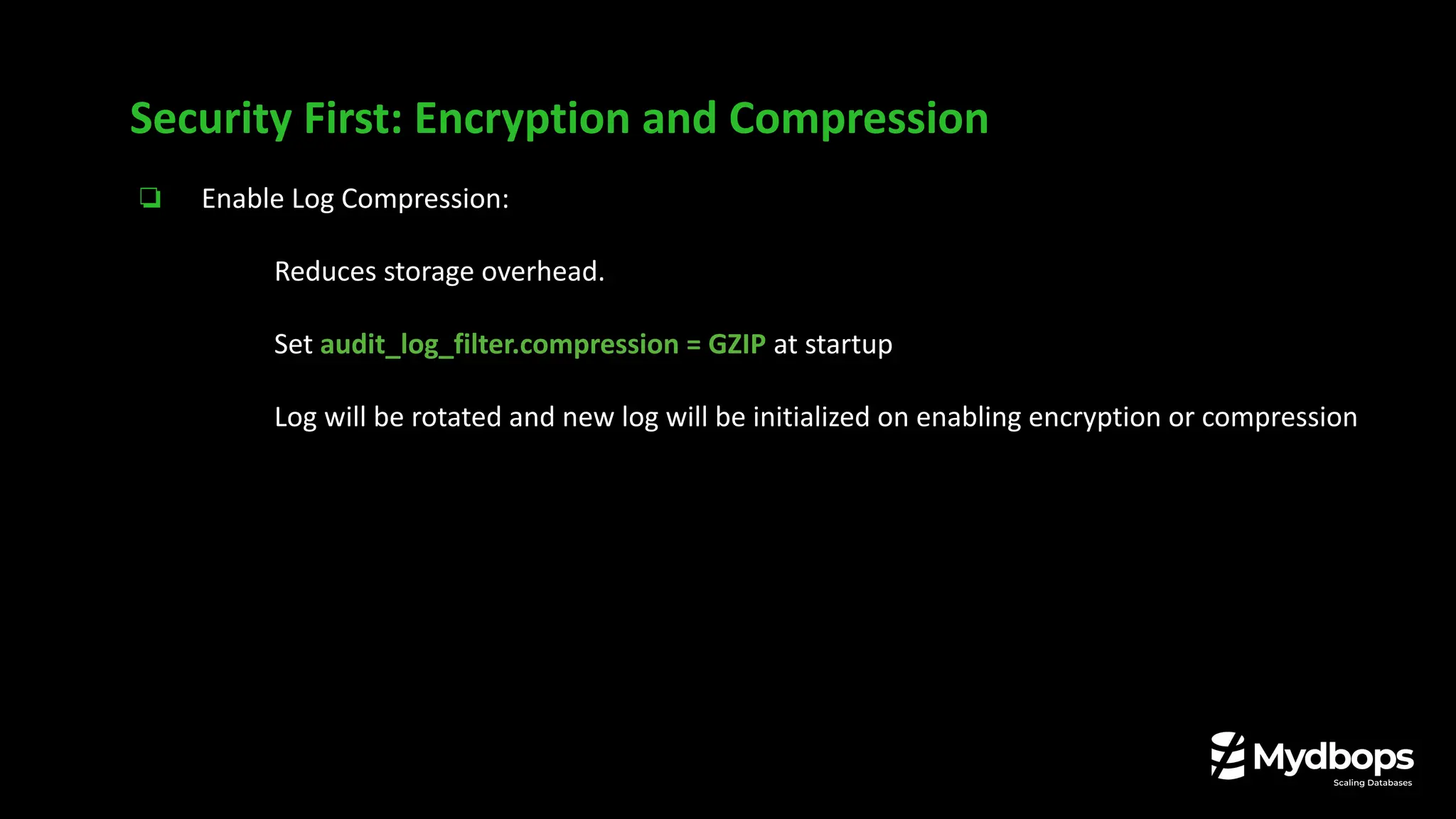
❏ Enable Log Compression:
❏ Reduces storage overhead.
❏ Set audit_log_filter.compression = GZIP at startup
Log will be rotated and new log will be initialized on enabling encryption or compression
Security First: Encryption and Compression
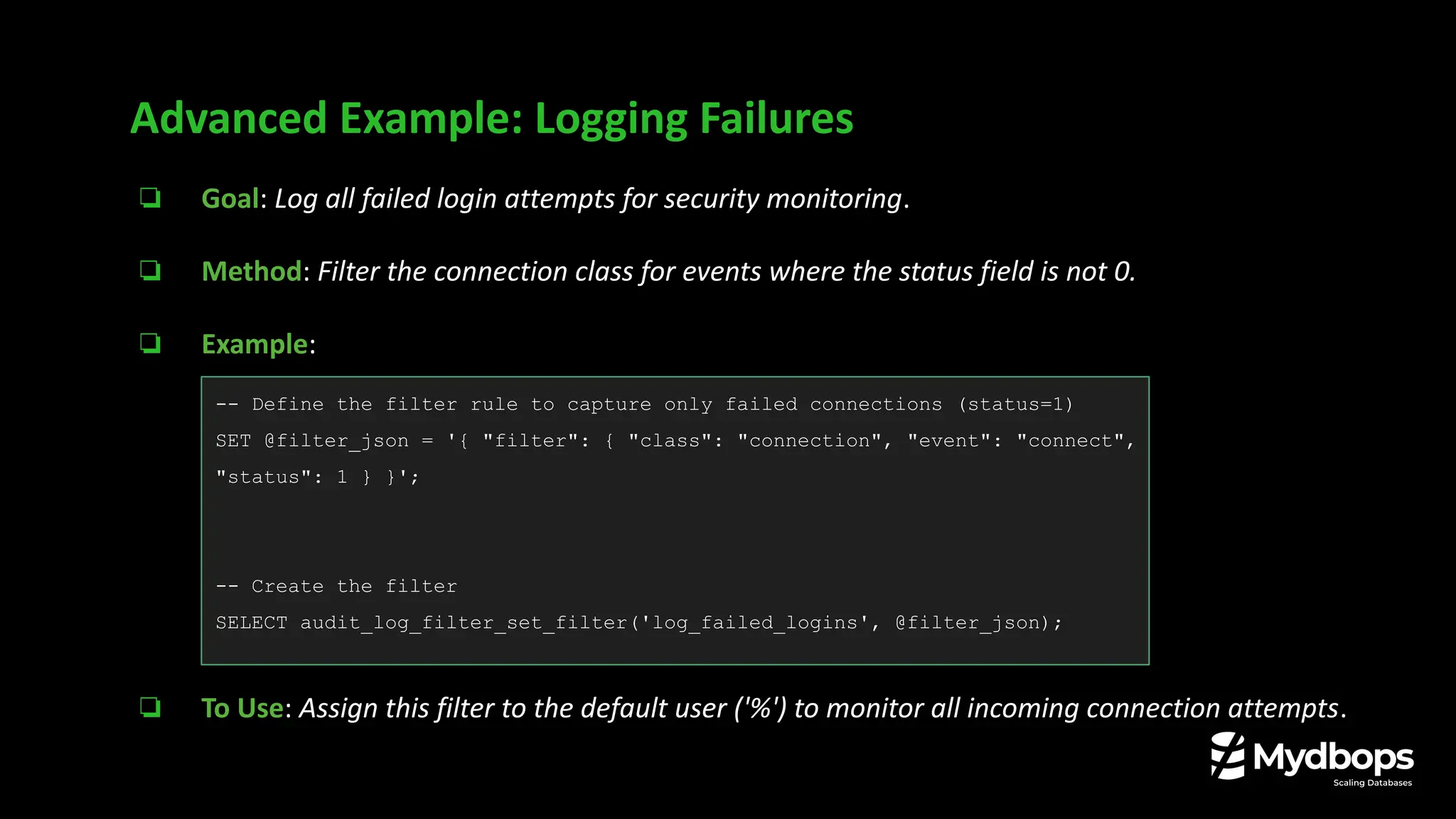
❏ Goal: Log all failed login attempts for security monitoring.
❏ Method: Filter the connection class for events where the status field is not 0.
❏ Example:
❏ To Use: Assign this filter to the default user ('%') to monitor all incoming connection attempts.
Advanced Example: Logging Failures
-- Define the filter rule to capture only failed connections (status=1)
SET @filter_json = '{ "filter": { "class": "connection", "event": "connect",
"status": 1 } }';
-- Create the filter
SELECT audit_log_filter_set_filter('log_failed_logins', @filter_json);
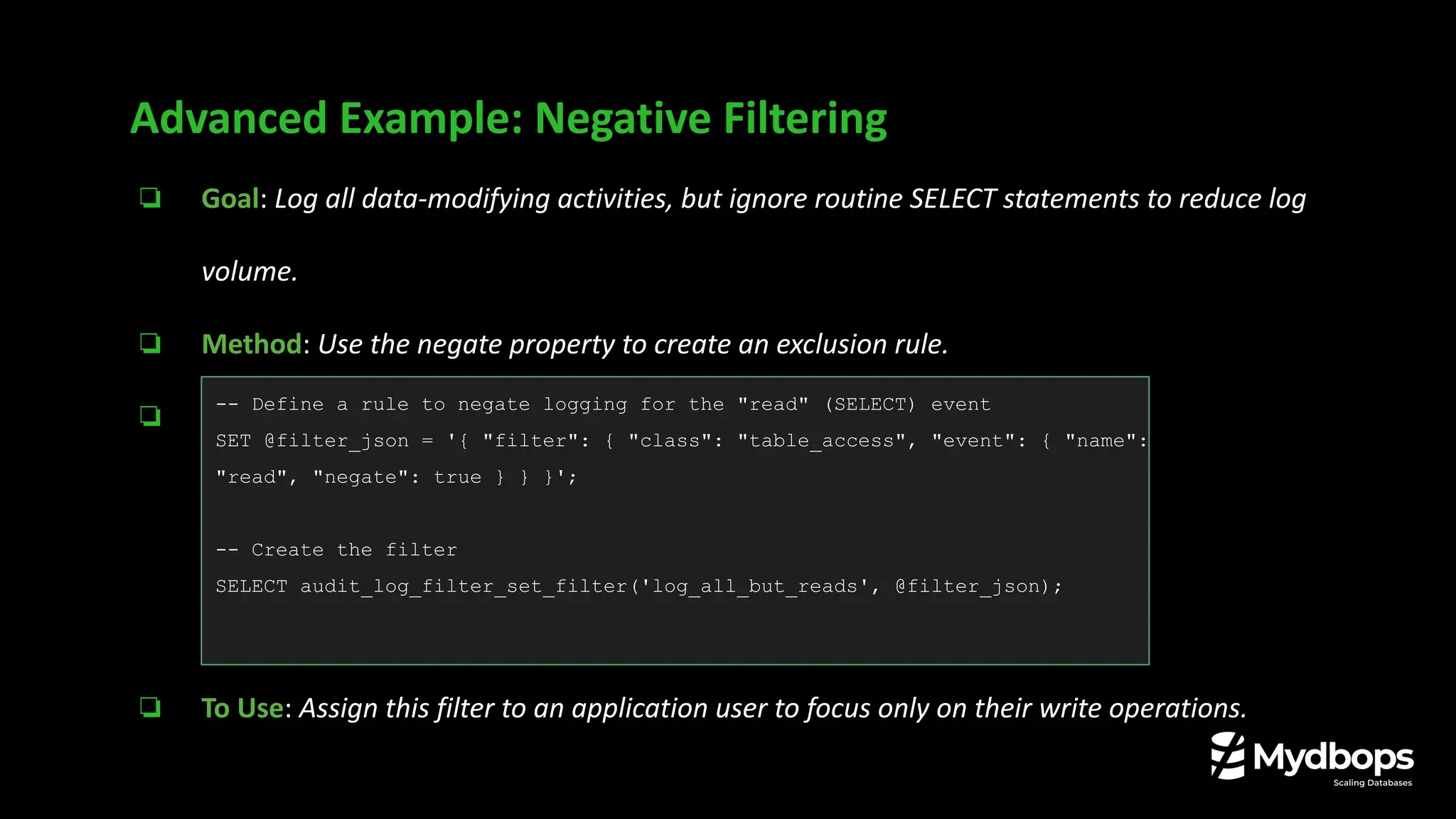
❏ Goal: Log all data-modifying activities, but ignore routine SELECT statements to reduce log
volume.
❏ Method: Use the negate property to create an exclusion rule.
❏ Example:
❏ To Use: Assign this filter to an application user to focus only on their write operations.
Advanced Example: Negative Filtering
-- Define a rule to negate logging for the "read" (SELECT) event
SET @filter_json = '{ "filter": { "class": "table_access", "event": { "name":
"read", "negate": true } } }';
-- Create the filter
SELECT audit_log_filter_set_filter('log_all_but_reads', @filter_json);
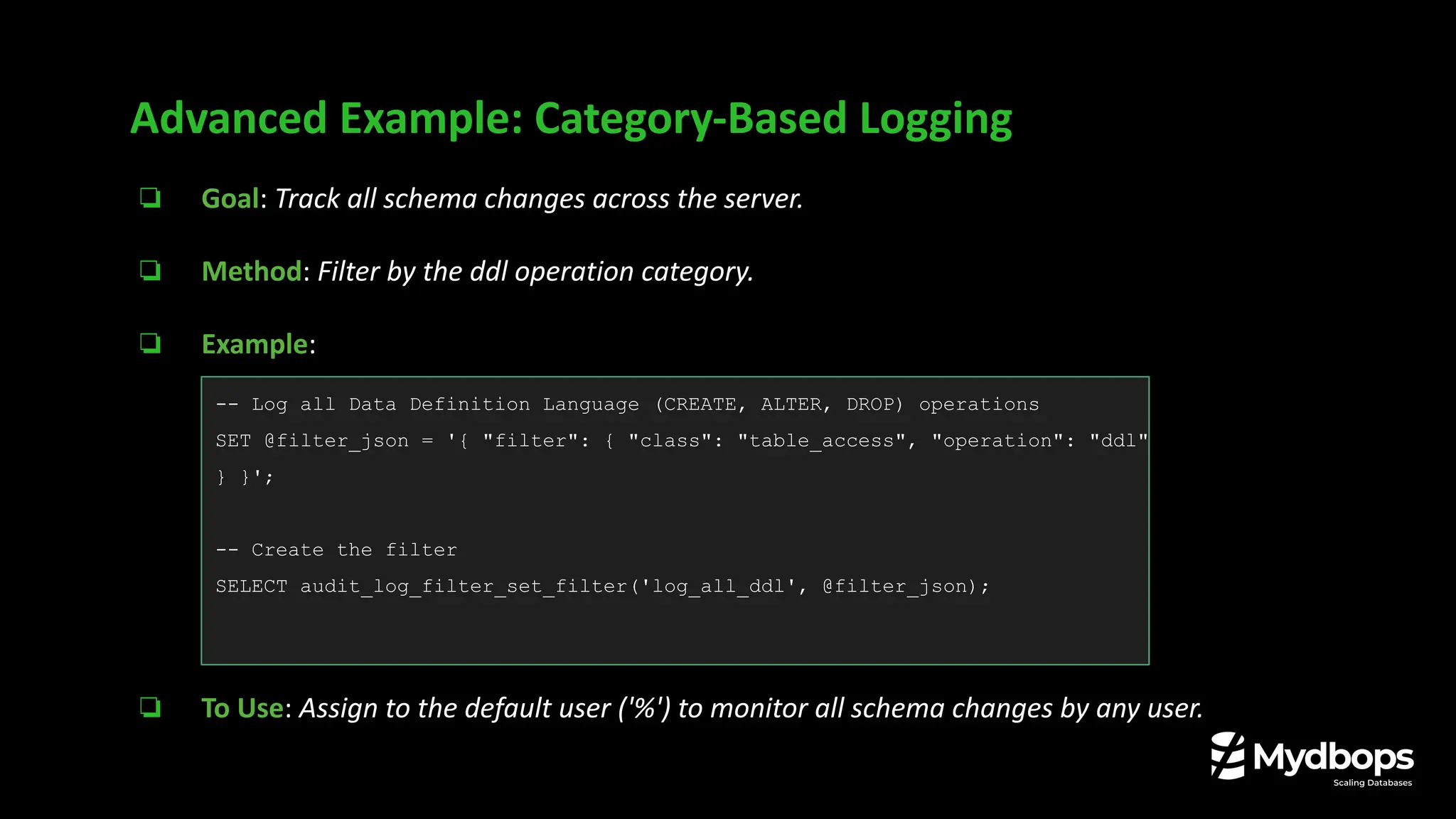
❏ Goal: Track all schema changes across the server.
❏ Method: Filter by the ddl operation category.
❏ Example:
❏ To Use: Assign to the default user ('%') to monitor all schema changes by any user.
Advanced Example: Category-Based Logging
-- Log all Data Definition Language (CREATE, ALTER, DROP) operations
SET @filter_json = '{ "filter": { "class": "table_access", "operation": "ddl"
} }';
-- Create the filter
SELECT audit_log_filter_set_filter('log_all_ddl', @filter_json);
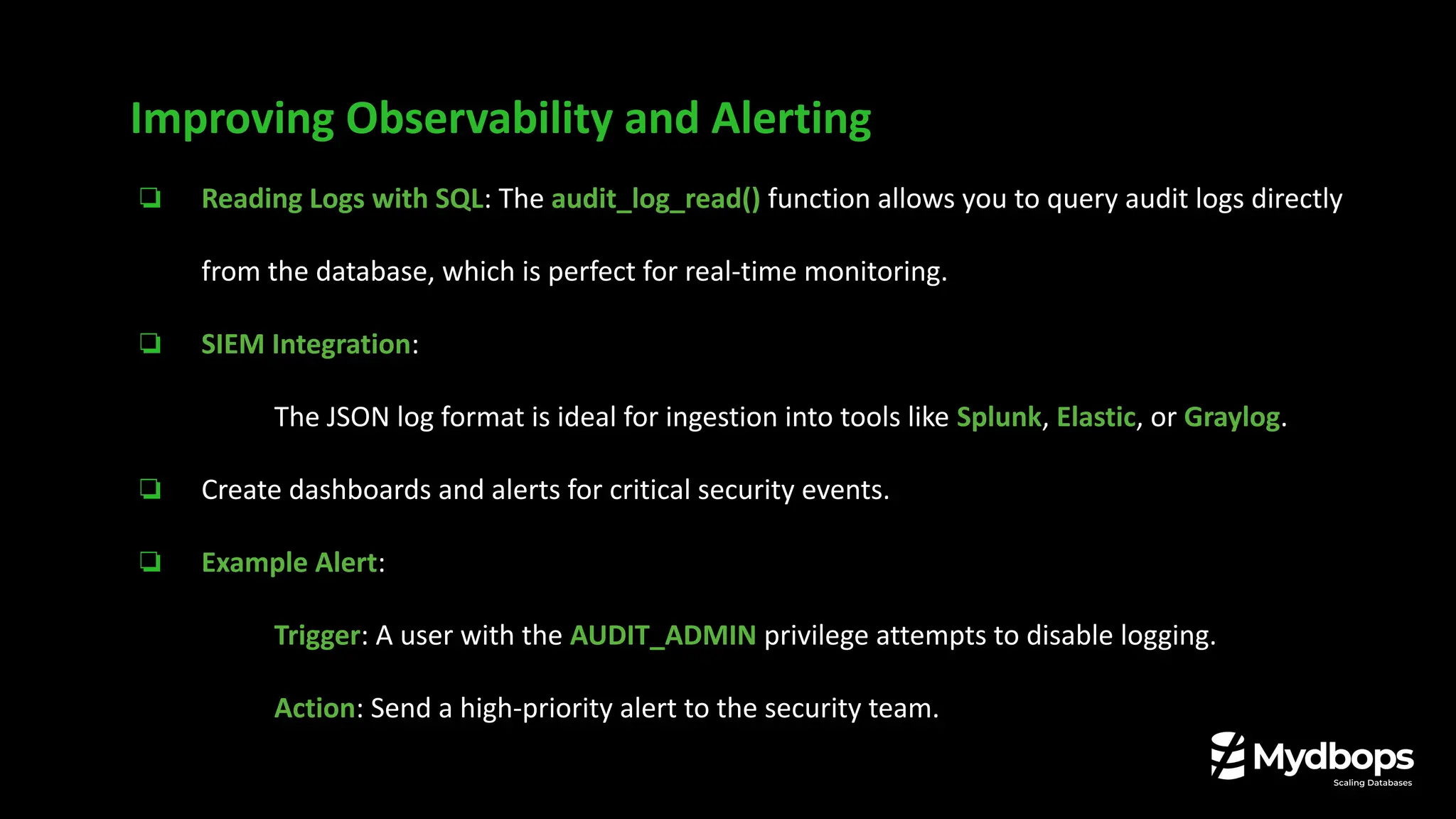
❏ Reading Logs with SQL: The audit_log_read() function allows you to query audit logs directly
from the database, which is perfect for real-time monitoring.
❏ SIEM Integration:
❏ The JSON log format is ideal for ingestion into tools like Splunk, Elastic, or Graylog.
❏ Create dashboards and alerts for critical security events.
❏ Example Alert:
❏ Trigger: A user with the AUDIT_ADMIN privilege attempts to disable logging.
❏ Action: Send a high-priority alert to the security team.
Improving Observability and Alerting
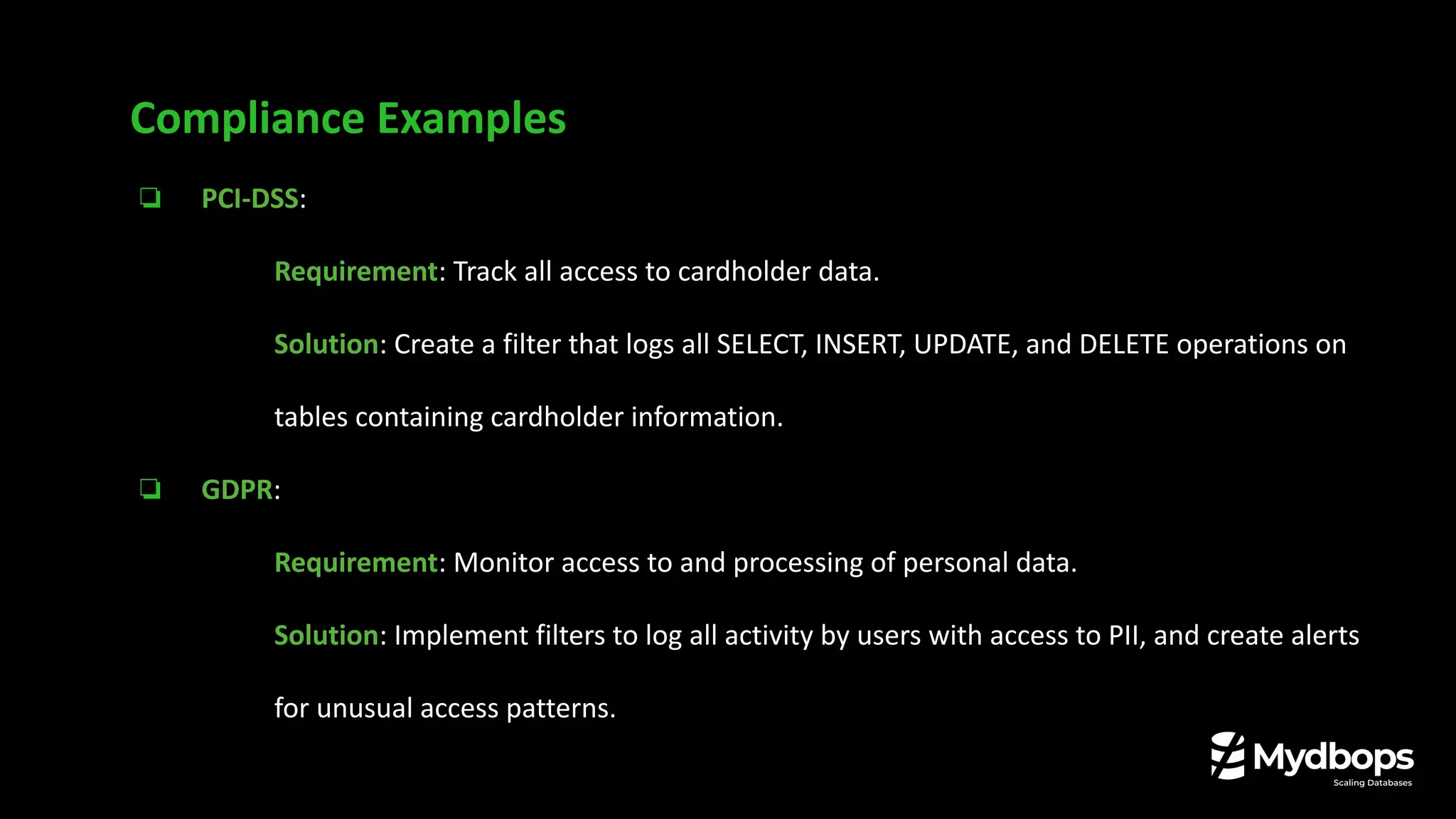
❏ PCI-DSS:
❏ Requirement: Track all access to cardholder data.
❏ Solution: Create a filter that logs all SELECT, INSERT, UPDATE, and DELETE operations on
tables containing cardholder information.
❏ GDPR:
❏ Requirement: Monitor access to and processing of personal data.
❏ Solution: Implement filters to log all activity by users with access to PII, and create alerts
for unusual access patterns.
Compliance Examples
❏ SOX:
❏ Requirement: Audit all changes to financial records.
❏ Solution: Configure a filter to log all DML and DDL changes to financial tables and track
privilege modifications.
Compliance Examples
❏ Start Small: Begin with a focused set of rules for your most critical data and users.
❏ Be Specific: Avoid overly broad rules that generate excessive noise.
❏ Secure Your Logs: Ensure your audit logs have strict file permissions.
❏ Monitor Performance: Measure performance impact of your audit rules and optimize.
❏ Plan for Rotation and Retention:
❏ audit_log_filter.rotate_on_size: Automatically rotate logs based on size.
❏ audit_log_filter.max_size and audit_log_filter.prune_seconds: Prune old logs to
manage disk space based on total size or by time duration.
Best Practices for Secure, Scalable Auditing
Key Takeaways
❏ The legacy Audit Log Plugin is gone in MySQL 8.4, replaced by the powerful Audit Log Filter
component.
❏ Configuration is now more flexible and dynamic through SQL functions and JSON-based rules.
❏ Enhanced security features like built-in encryption and compression are now available.
❏ This new auditing framework is a critical tool for any organization that is serious about
database security and compliance.
Key Takeaways
Consulting
Services
Connect with us !
Reach us at: info@mydbops.com
Thank You

Secure Audit Logs in MySQL 8.4 | Vinoth Kanna | Mydbops Webinar 45

  • 1.
    Secure Audit Logsin MySQL 8.4 Vinoth Kanna RS Founding Partner, Mydbops LLP Mydbops MyWebinar 45
  • 2.
    About Me Vinoth KannaR S ❏ Making Database Management Simple at Scale ❏ Performance Tuning Ninja ❏ AWS RDS Cloud Expert ❏ Tech Speaker on Open Source Events ❏ Databases for living (13 years)
  • 3.
    Your Trusted Open SourceDatabase Management Partner With 9+ Years of Expertise
  • 4.
    Database Technologies Mydbops bythe Numbers 9+ years Of Expertise 10 B + 6000 + Servers Monitored DB Transactions Handled per Day 800 + Happy Clients 3000 + Tickets Handled per Day
  • 5.
    ❏ The Evolutionof Auditing in MySQL ❏ Introducing the Audit Log Filter: What's new in MySQL 8.4. ❏ Legacy Plugin vs. New Audit Log Filter ❏ Architecture & Configuration ❏ Security & Compliance ❏ Practical examples and tips. ❏ Improving Observability & Alerting ❏ Q&A Agenda
  • 6.
    The Evolution ofAuditing in MySQL
  • 7.
    The Evolution ofAuditing in MySQL
  • 8.
    ❏ Compliance Backbone GDPR,HIPAA, and PCI-DSS ❏ Incident Investigation Tool Audit logs are your primary source of truth for forensic analysis. ❏ Operational Insights Detect and respond to threats, Debug application issues, Track anomalies Why Audit Logs are Critical for Your Business ?
  • 9.
    ❏ Architecture: Aloosely-coupled Plugin. ❏ Configuration: Managed by global system variables, often requiring restarts. ❏ Filtering: Basic include/exclude lists for users, commands, and databases. ❏ Performance: Could introduce significant overhead in high-traffic environments. ❏ Flexibility: Limited, making it possible to configure only one rule. The "one size fits all" approach was difficult to tailor for complex needs. The Legacy Open Source Audit Log Plugins Till 8.0
  • 10.
    The Audit LogFilter in MySQL 8.4
  • 11.
    ❏ Architecture: Atightly-integrated Component. ❏ The Big Change: Audit Log Plugin is removed and replaced by the Audit Log Filter. ❏ Configuration: Managed dynamically via SQL functions, stored in system tables. ❏ Filtering: Extremely granular, rule-based filtering using JSON definitions. ❏ Performance: Designed for high performance with minimal impact. ❏ Flexibility: Highly extensible with modern features like encryption, compression. The Audit Log Filter in MySQL 8.4
  • 12.
    Plugin Vs ComponentsPersistence ❏ This architectural difference has a major impact on how you manage auditing day-to-day. Components eliminate the manual and error-prone `my.cnf` configuration required by plugins.
  • 13.
    Open Source vs.Enterprise ❏ The Takeaway: MySQL 8.4 democratizes enterprise-grade auditing, making it accessible to everyone.
  • 14.
    Open Source vs.Enterprise
  • 15.
  • 16.
    ❏ Component-Based: TheAudit Log Filter is a MySQL component, which allows for a more modular and integrated approach. ❏ Configuration in the Database: Filter definitions and user assignments are stored in tables within the mysql system database: ❏ audit_log_filter: Stores the named filter definitions (in JSON format). ❏ audit_log_user: Maps users to specific filters. ❏ Dynamic Configuration: Changes can be made at runtime using SQL functions, without requiring a server restart. Audit Log Filter: Architecture Deep Dive
  • 17.
    Audit Log Filter:Architecture Deep Dive
  • 18.
    Audit Log Filter:Configuration
  • 19.
    Audit Log Filter:Configuration # mysql -u root -p < /usr/share/mysql/audit_log_filter_linux_install.sql mysql> INSTALL COMPONENT 'file://component_audit_log_filter'; Query OK, 0 rows affected (0.13 sec) Add below entries in cnf /etc/my.cnf audit_log_filter.format=JSON # Valid Values: OLD | NEW | JSON audit_log_filter.file=/var/log/mysql/audit.log # Default: audit_filter.log on Data directory audit_log_filter.encryption=NONE # Valid Values: NONE | AES audit_log_filter.compression=NONE # Valid Values: NONE | GZIP audit_log_filter.max_size=10737418240 # Default: 1GB # service mysql restart
  • 20.
    Audit Log Filter:Configuration # SELECT audit_log_filter_remove_filter( 'log_queries'); mysql> SELECT audit_log_filter_remove_filter('log_queries'); +-----------------------------------------------+ | OK | +-----------------------------------------------+ mysql> SET @fj = '{ "filter": { "class": [ { "name": "connection", "event": [{"name": "connect"}, {"name": "disconnect"}] }, { "name": "table_access", "operation": [{"name": "read"}, {"name": "write"}, {"name": "dcl"}, {"name": "ddl"}] }, { "name": "query" } ] }}'; Query OK, 0 rows affected (0.00 sec) mysql> SELECT audit_log_filter_set_filter('log_queries',@fj); +------------------------------------------------------+ | OK | +------------------------------------------------------+
  • 21.
    Audit Log Filter:Configuration mysql> SELECT audit_log_filter_set_user('%', 'log_queries'); +-----------------------------------------------+ | audit_log_filter_set_user('%', 'log_queries') | +-----------------------------------------------+ | OK | +-----------------------------------------------+ 1 row in set (0.00 sec) # tail -f /data/audit-log/mysql-audit.json "timestamp": "2025-06-25 06:00:00", "id": 2540244, "class": "query", "event": "query_status_end", "connection_id": 148746, "query_data": { "query": "SET autocommit=1", "status": 0, "sql_command": "set_option"} }
  • 22.
    Audit Log Filter:Performance Considerations & Tuning ❏ The audit_log_strategy variable is key to managing performance impact. For ASYNCHRONOUS or PERFORMANCE modes, Monitor the audit_log_write_waits status variable. If it's consistently high, consider increasing audit_log_buffer_size.
  • 23.
    ❏ Enable LogFile Encryption: ❏ Requires a keyring component to be enabled. ❏ Set audit_log_filter.encryption = AES at startup ❏ Manage Encryption Passwords: ❏ Privilege Required: A user must have the AUDIT_ADMIN privilege to execute these functions. Security First: Encryption and Compression -- Set a new password SELECT audit_log_encryption_password_set('your-strong-password'); -- Retrieve the current password SELECT audit_log_encryption_password_get();
  • 24.
    ❏ Enable LogCompression: ❏ Reduces storage overhead. ❏ Set audit_log_filter.compression = GZIP at startup Log will be rotated and new log will be initialized on enabling encryption or compression Security First: Encryption and Compression
  • 25.
    ❏ Goal: Logall failed login attempts for security monitoring. ❏ Method: Filter the connection class for events where the status field is not 0. ❏ Example: ❏ To Use: Assign this filter to the default user ('%') to monitor all incoming connection attempts. Advanced Example: Logging Failures -- Define the filter rule to capture only failed connections (status=1) SET @filter_json = '{ "filter": { "class": "connection", "event": "connect", "status": 1 } }'; -- Create the filter SELECT audit_log_filter_set_filter('log_failed_logins', @filter_json);
  • 26.
    ❏ Goal: Logall data-modifying activities, but ignore routine SELECT statements to reduce log volume. ❏ Method: Use the negate property to create an exclusion rule. ❏ Example: ❏ To Use: Assign this filter to an application user to focus only on their write operations. Advanced Example: Negative Filtering -- Define a rule to negate logging for the "read" (SELECT) event SET @filter_json = '{ "filter": { "class": "table_access", "event": { "name": "read", "negate": true } } }'; -- Create the filter SELECT audit_log_filter_set_filter('log_all_but_reads', @filter_json);
  • 27.
    ❏ Goal: Trackall schema changes across the server. ❏ Method: Filter by the ddl operation category. ❏ Example: ❏ To Use: Assign to the default user ('%') to monitor all schema changes by any user. Advanced Example: Category-Based Logging -- Log all Data Definition Language (CREATE, ALTER, DROP) operations SET @filter_json = '{ "filter": { "class": "table_access", "operation": "ddl" } }'; -- Create the filter SELECT audit_log_filter_set_filter('log_all_ddl', @filter_json);
  • 28.
    ❏ Reading Logswith SQL: The audit_log_read() function allows you to query audit logs directly from the database, which is perfect for real-time monitoring. ❏ SIEM Integration: ❏ The JSON log format is ideal for ingestion into tools like Splunk, Elastic, or Graylog. ❏ Create dashboards and alerts for critical security events. ❏ Example Alert: ❏ Trigger: A user with the AUDIT_ADMIN privilege attempts to disable logging. ❏ Action: Send a high-priority alert to the security team. Improving Observability and Alerting
  • 29.
    ❏ PCI-DSS: ❏ Requirement:Track all access to cardholder data. ❏ Solution: Create a filter that logs all SELECT, INSERT, UPDATE, and DELETE operations on tables containing cardholder information. ❏ GDPR: ❏ Requirement: Monitor access to and processing of personal data. ❏ Solution: Implement filters to log all activity by users with access to PII, and create alerts for unusual access patterns. Compliance Examples
  • 30.
    ❏ SOX: ❏ Requirement:Audit all changes to financial records. ❏ Solution: Configure a filter to log all DML and DDL changes to financial tables and track privilege modifications. Compliance Examples
  • 31.
    ❏ Start Small:Begin with a focused set of rules for your most critical data and users. ❏ Be Specific: Avoid overly broad rules that generate excessive noise. ❏ Secure Your Logs: Ensure your audit logs have strict file permissions. ❏ Monitor Performance: Measure performance impact of your audit rules and optimize. ❏ Plan for Rotation and Retention: ❏ audit_log_filter.rotate_on_size: Automatically rotate logs based on size. ❏ audit_log_filter.max_size and audit_log_filter.prune_seconds: Prune old logs to manage disk space based on total size or by time duration. Best Practices for Secure, Scalable Auditing
  • 32.
  • 33.
    ❏ The legacyAudit Log Plugin is gone in MySQL 8.4, replaced by the powerful Audit Log Filter component. ❏ Configuration is now more flexible and dynamic through SQL functions and JSON-based rules. ❏ Enhanced security features like built-in encryption and compression are now available. ❏ This new auditing framework is a critical tool for any organization that is serious about database security and compliance. Key Takeaways
  • 34.
    Consulting Services Connect with us! Reach us at: info@mydbops.com
  • 35.