Search and Replacement Techniques
avy, swiper, multiple-cursor, ag, and wgrep
Kazuki Yoshida
September 18, 2017
Boston Emacs Meetup
1 / 31
Who Am I?
▶ Doctoral student at Harvard T.H. Chan School of Public
Health (Epidemiology & Biostatistics).
▶ emacs user since 2012.
▶ Main use of emacs: R programming and LATEX.
▶ Maintainer of eval-in-repl and
reveal-in-osx-finder on MELPA.
▶ Co-organizer of Boston Emacs Meetup since 2017.
2 / 31
Packages Mentioned
▶ avy: https://github.com/abo-abo/avy
▶ swiper/counsel/ivy:
https://github.com/abo-abo/swiper
▶ multiple-cursor: https://github.com/magnars/
multiple-cursors.el
▶ ag: https://github.com/Wilfred/ag.el
▶ rg: https://github.com/dajva/rg.el
▶ wgrep: https:
//github.com/mhayashi1120/Emacs-wgrep
▶ command-log-mode: https:
//github.com/lewang/command-log-mode
3 / 31
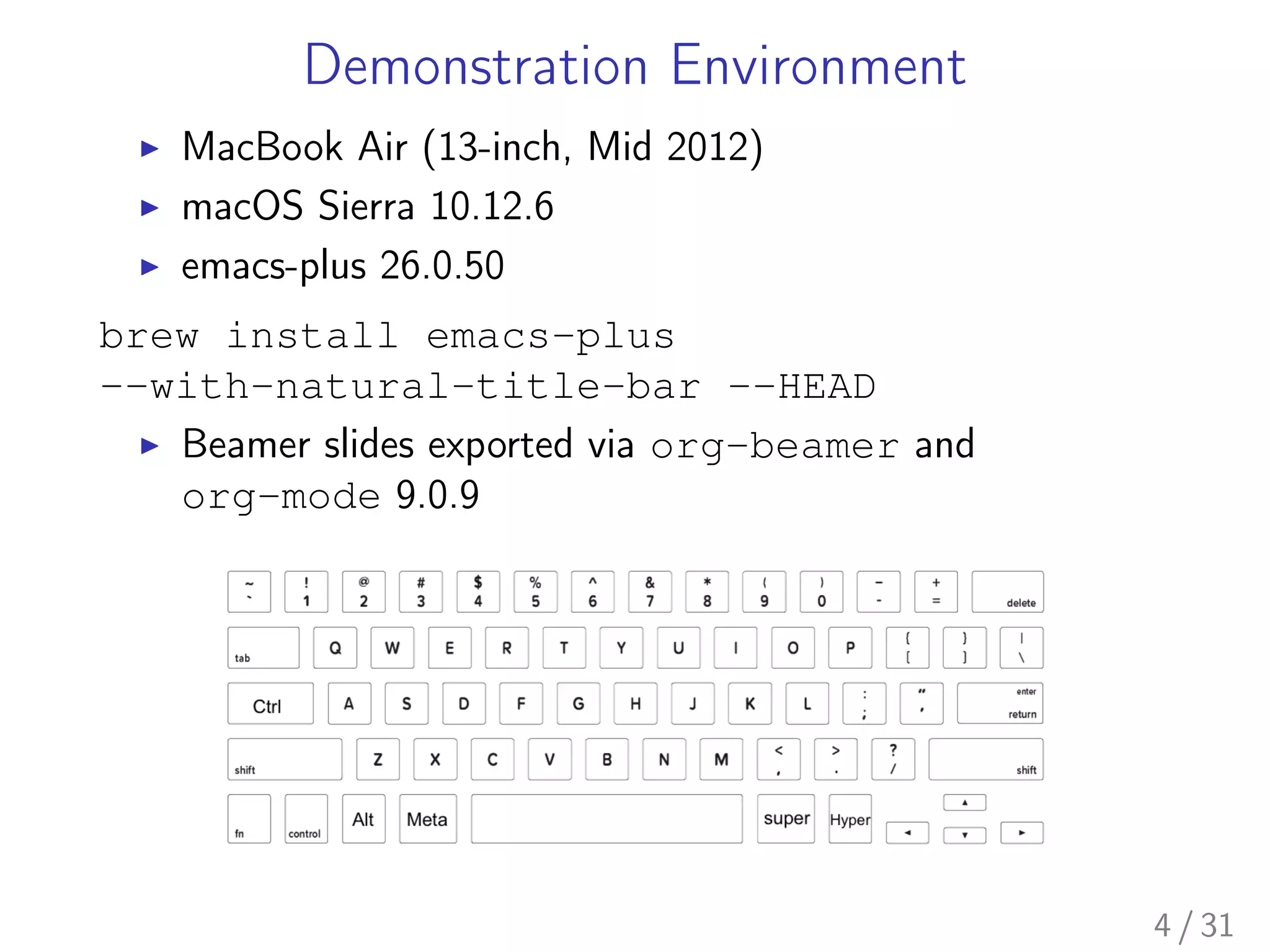
Demonstration Environment
▶ MacBook Air (13-inch, Mid 2012)
▶ macOS Sierra 10.12.6
▶ emacs-plus 26.0.50
brew install emacs-plus
--with-natural-title-bar --HEAD
▶ Beamer slides exported via org-beamer and
org-mode 9.0.9
4 / 31
5 / 31
6 / 31
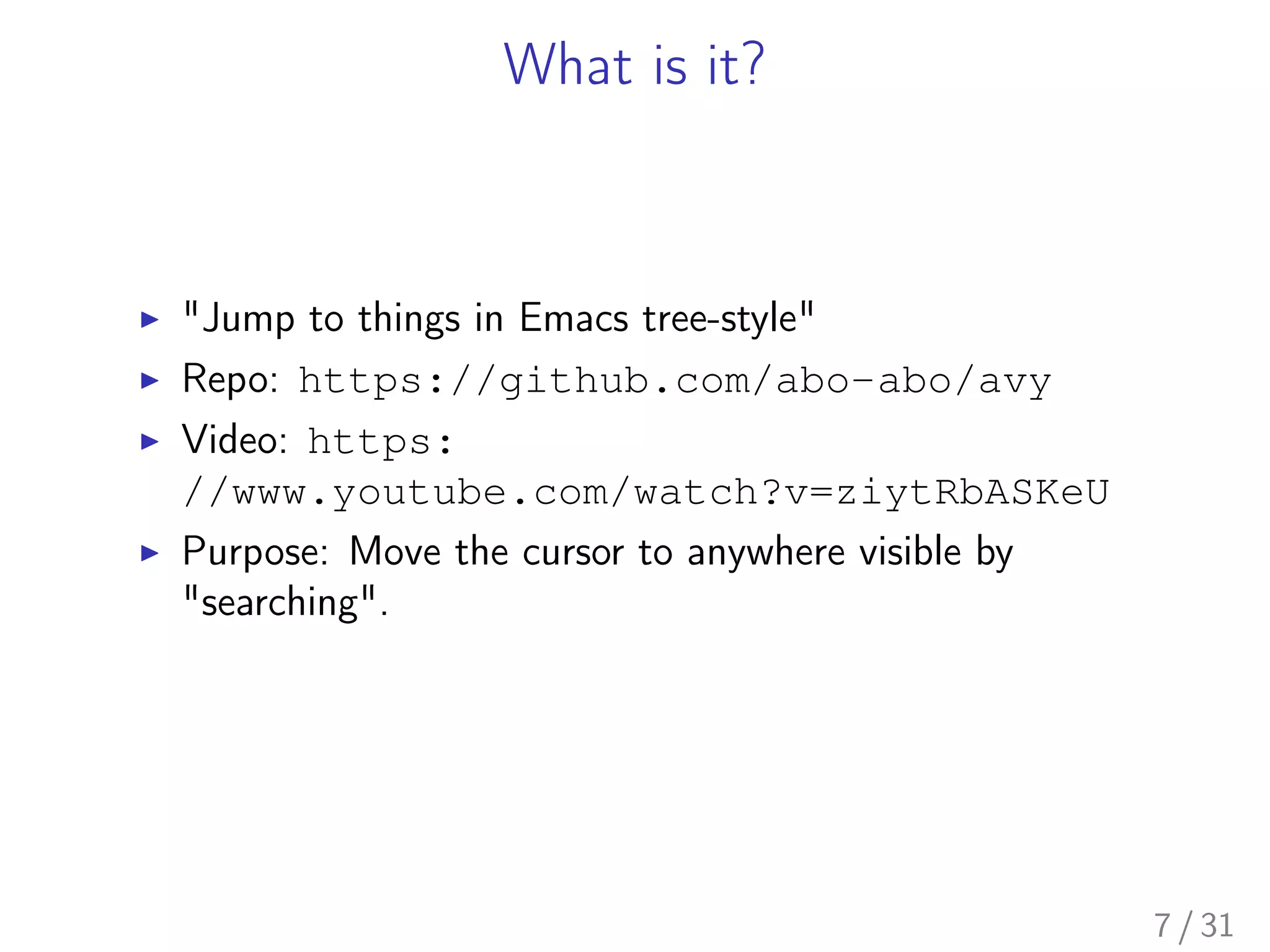
What is it?
▶ "Jump to things in Emacs tree-style"
▶ Repo: https://github.com/abo-abo/avy
▶ Video: https:
//www.youtube.com/watch?v=ziytRbASKeU
▶ Purpose: Move the cursor to anywhere visible by
"searching".
7 / 31
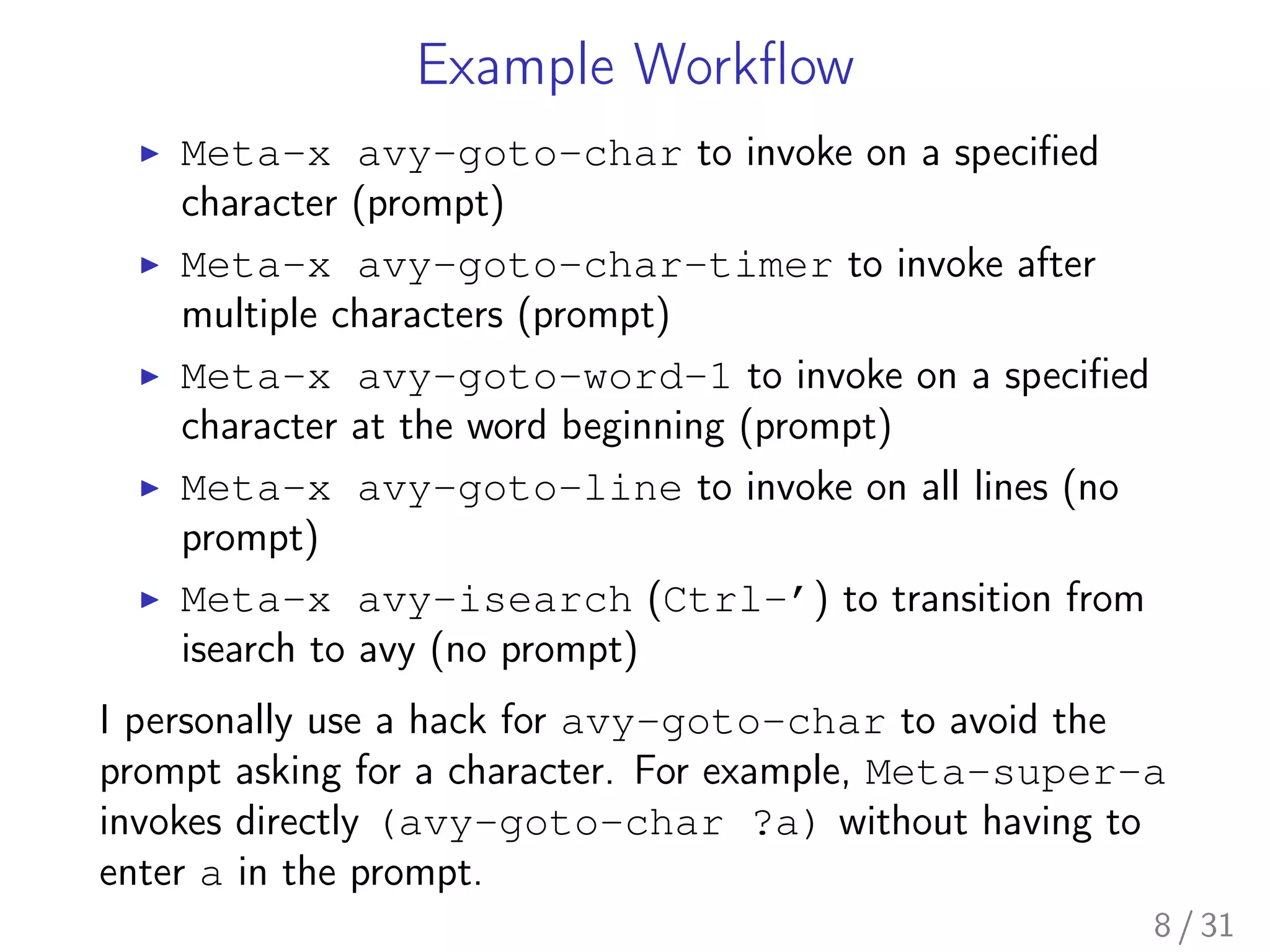
Example Workflow
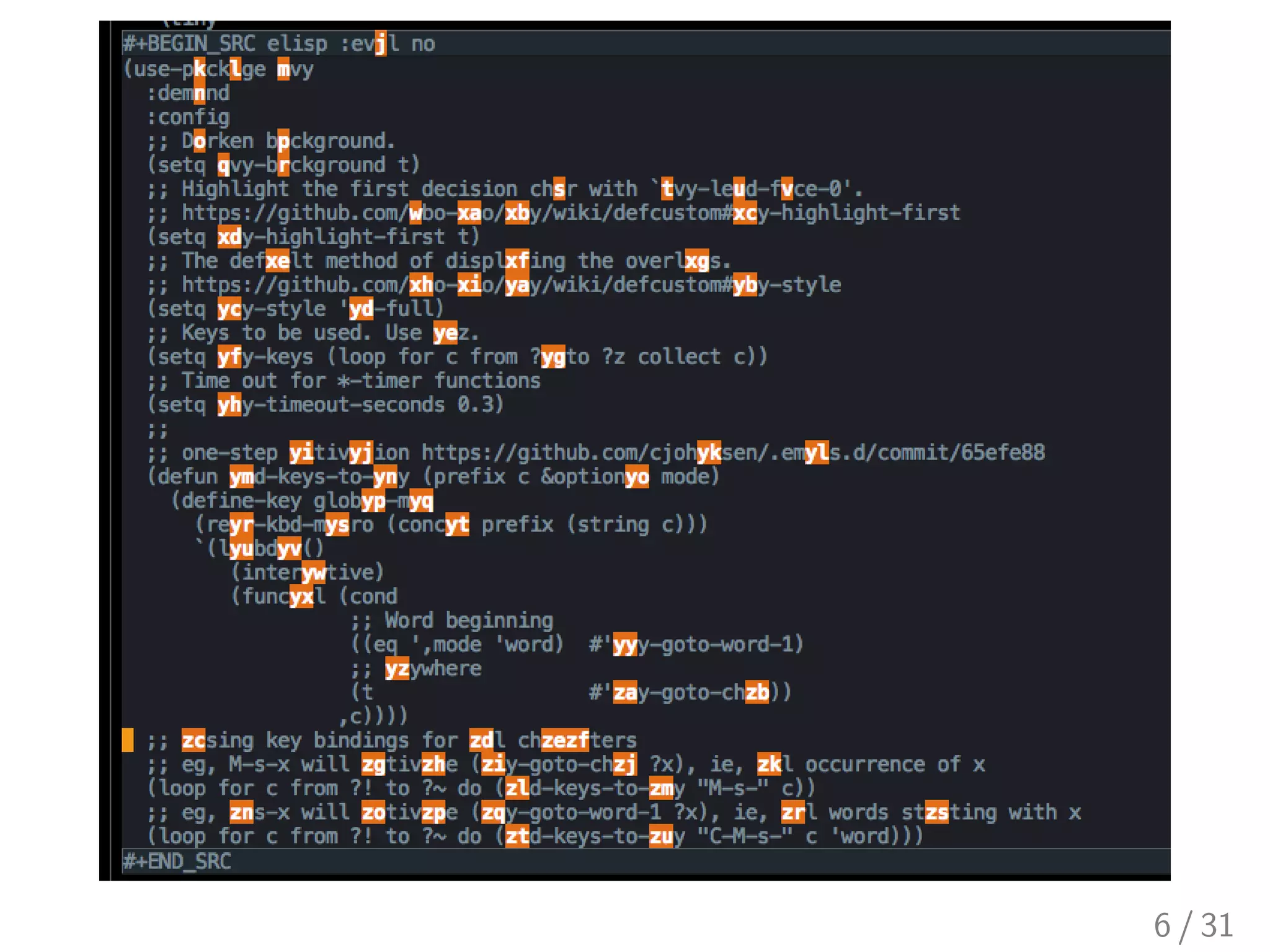
▶ Meta-x avy-goto-char to invoke on a specified
character (prompt)
▶ Meta-x avy-goto-char-timer to invoke after
multiple characters (prompt)
▶ Meta-x avy-goto-word-1 to invoke on a specified
character at the word beginning (prompt)
▶ Meta-x avy-goto-line to invoke on all lines (no
prompt)
▶ Meta-x avy-isearch (Ctrl-’) to transition from
isearch to avy (no prompt)
I personally use a hack for avy-goto-char to avoid the
prompt asking for a character. For example, Meta-super-a
invokes directly (avy-goto-char ?a) without having to
enter a in the prompt.
8 / 31
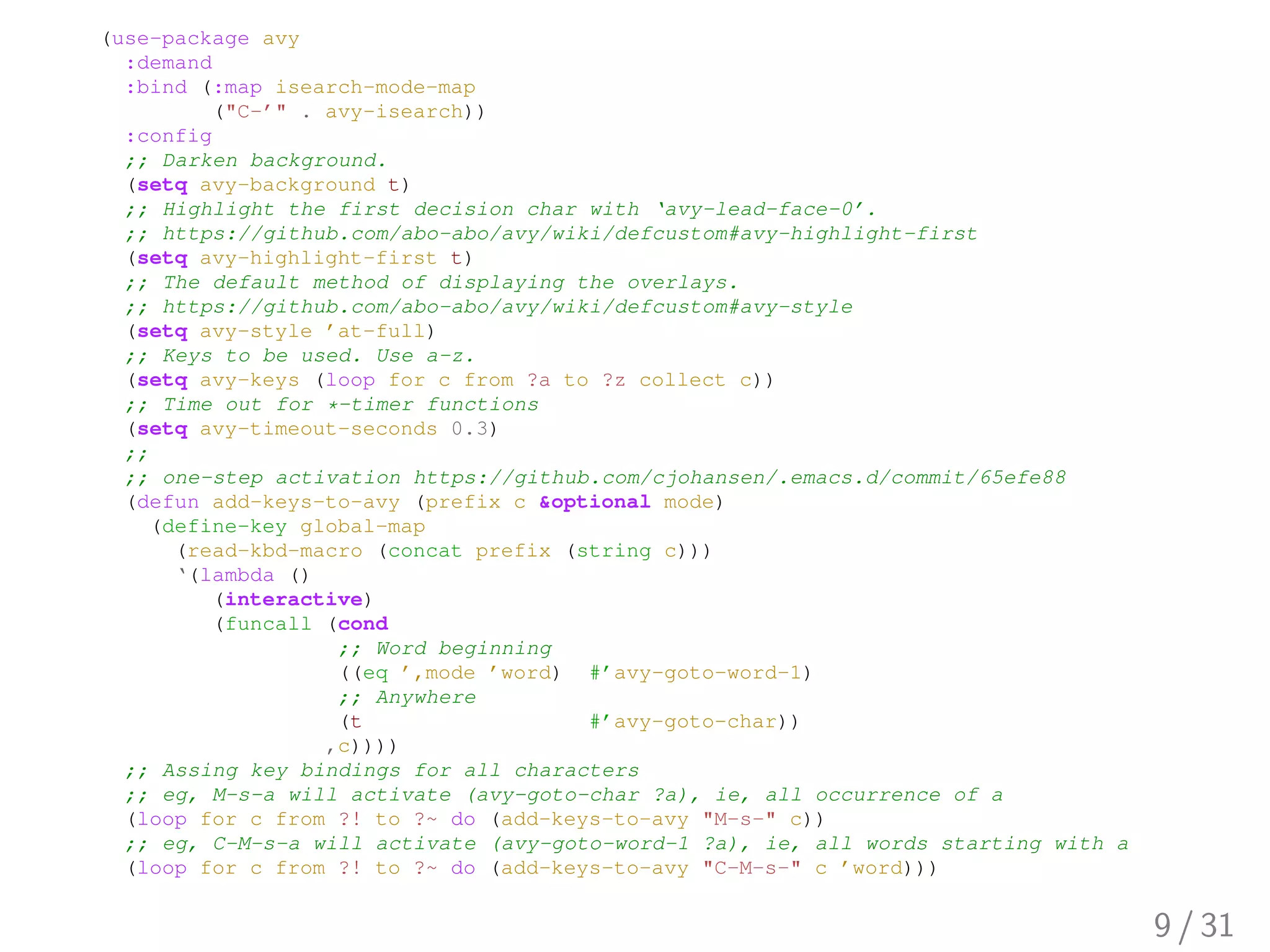
(use-package avy
:demand
:bind (:map isearch-mode-map
("C-’" . avy-isearch))
:config
;; Darken background.
(setq avy-background t)
;; Highlight the first decision char with ‘avy-lead-face-0’.
;; https://github.com/abo-abo/avy/wiki/defcustom#avy-highlight-first
(setq avy-highlight-first t)
;; The default method of displaying the overlays.
;; https://github.com/abo-abo/avy/wiki/defcustom#avy-style
(setq avy-style ’at-full)
;; Keys to be used. Use a-z.
(setq avy-keys (loop for c from ?a to ?z collect c))
;; Time out for *-timer functions
(setq avy-timeout-seconds 0.3)
;;
;; one-step activation https://github.com/cjohansen/.emacs.d/commit/65efe88
(defun add-keys-to-avy (prefix c &optional mode)
(define-key global-map
(read-kbd-macro (concat prefix (string c)))
‘(lambda ()
(interactive)
(funcall (cond
;; Word beginning
((eq ’,mode ’word) #’avy-goto-word-1)
;; Anywhere
(t #’avy-goto-char))
,c))))
;; Assing key bindings for all characters
;; eg, M-s-a will activate (avy-goto-char ?a), ie, all occurrence of a
(loop for c from ?! to ?~ do (add-keys-to-avy "M-s-" c))
;; eg, C-M-s-a will activate (avy-goto-word-1 ?a), ie, all words starting with a
(loop for c from ?! to ?~ do (add-keys-to-avy "C-M-s-" c ’word)))
9 / 31
10 / 31
11 / 31
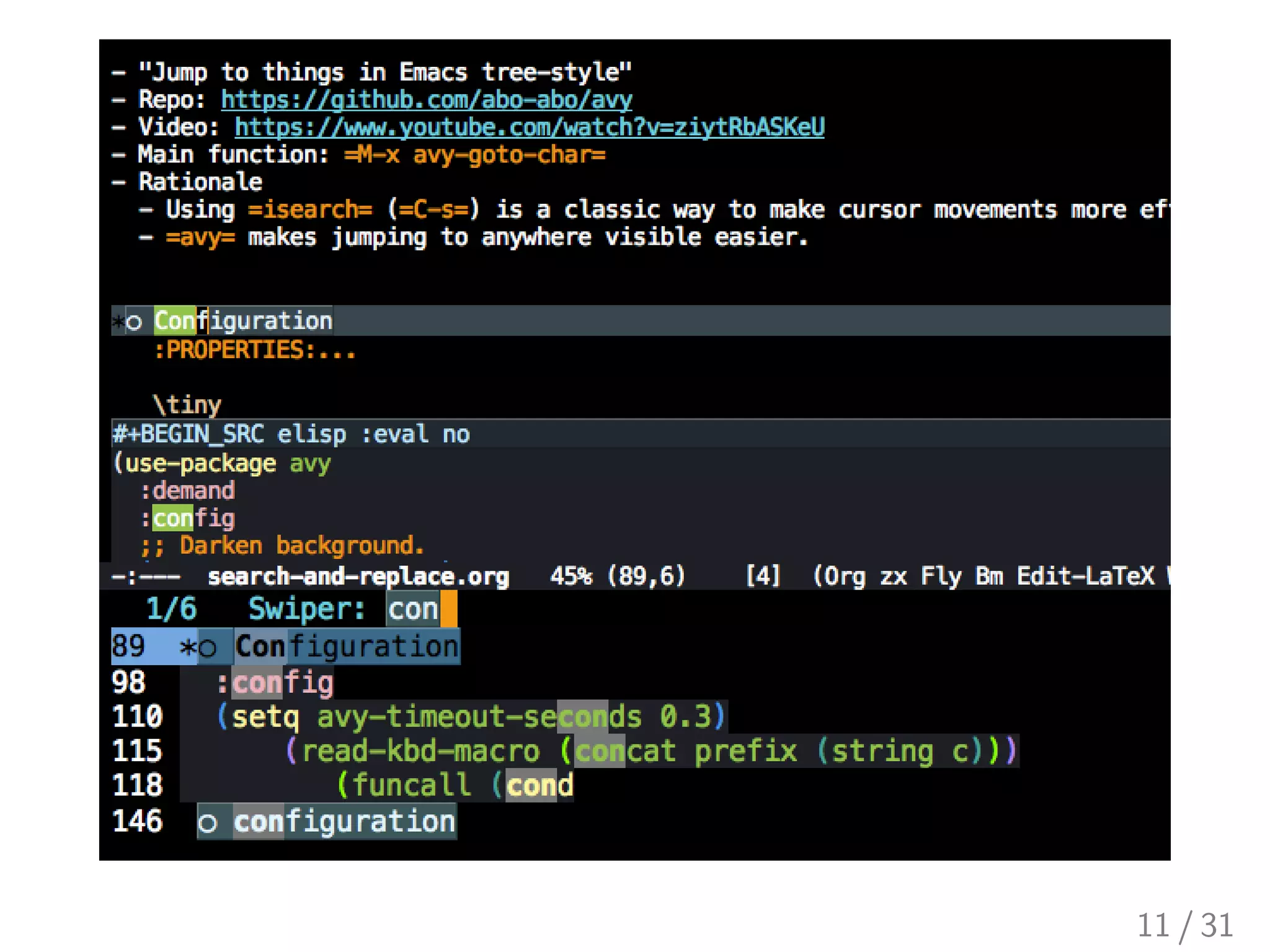
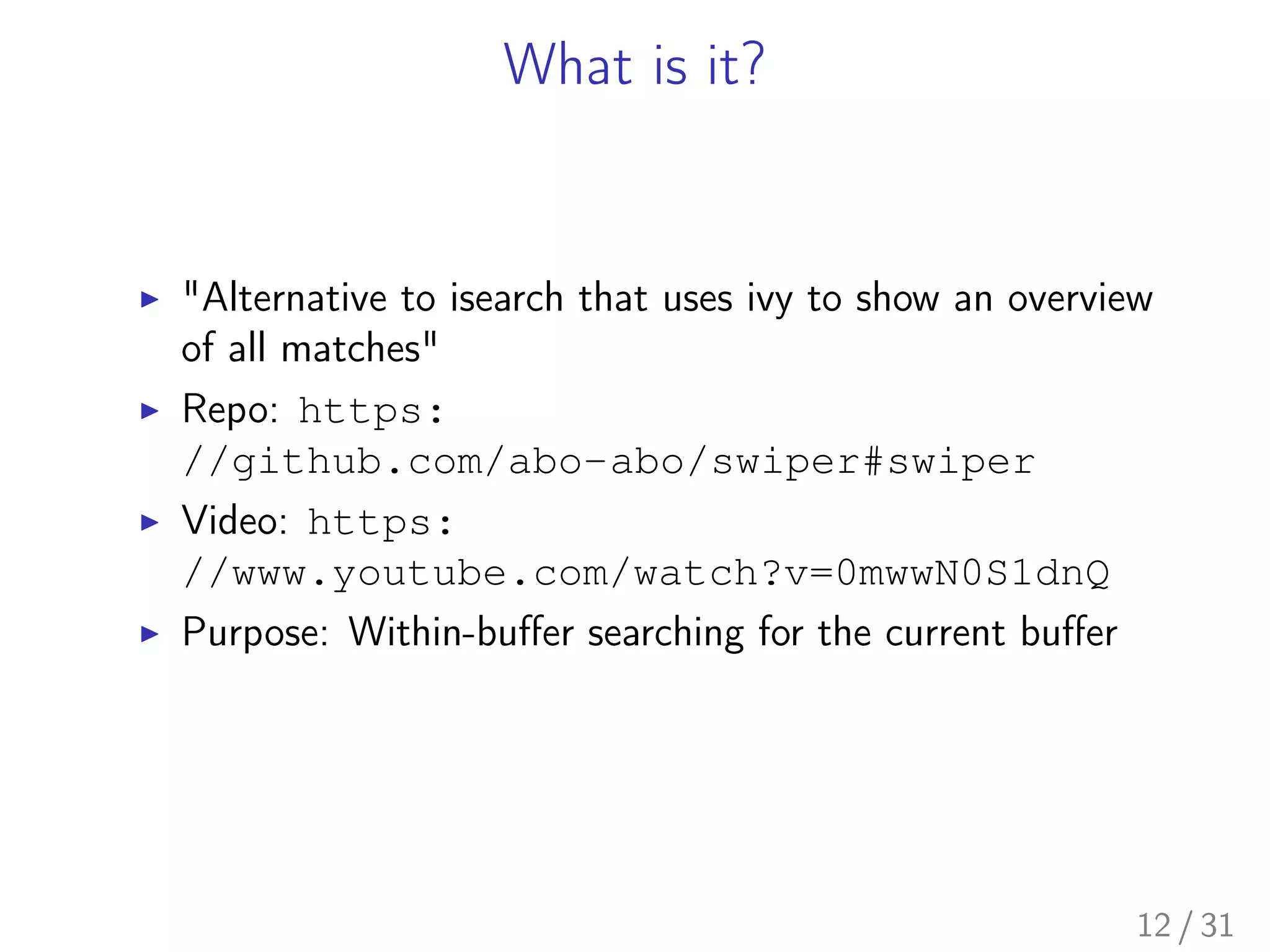
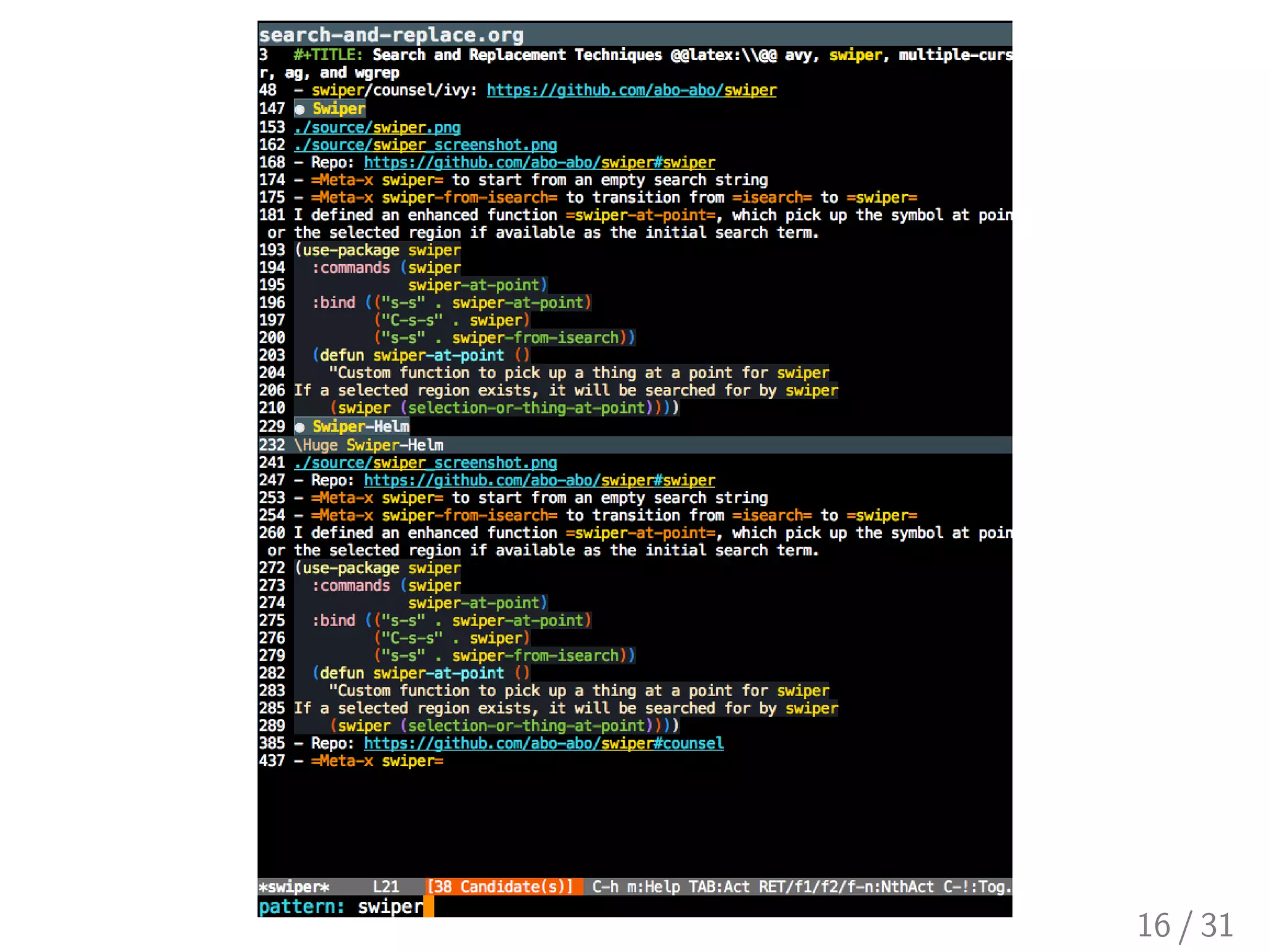
What is it?
▶ "Alternative to isearch that uses ivy to show an overview
of all matches"
▶ Repo: https:
//github.com/abo-abo/swiper#swiper
▶ Video: https:
//www.youtube.com/watch?v=0mwwN0S1dnQ
▶ Purpose: Within-buffer searching for the current buffer
12 / 31
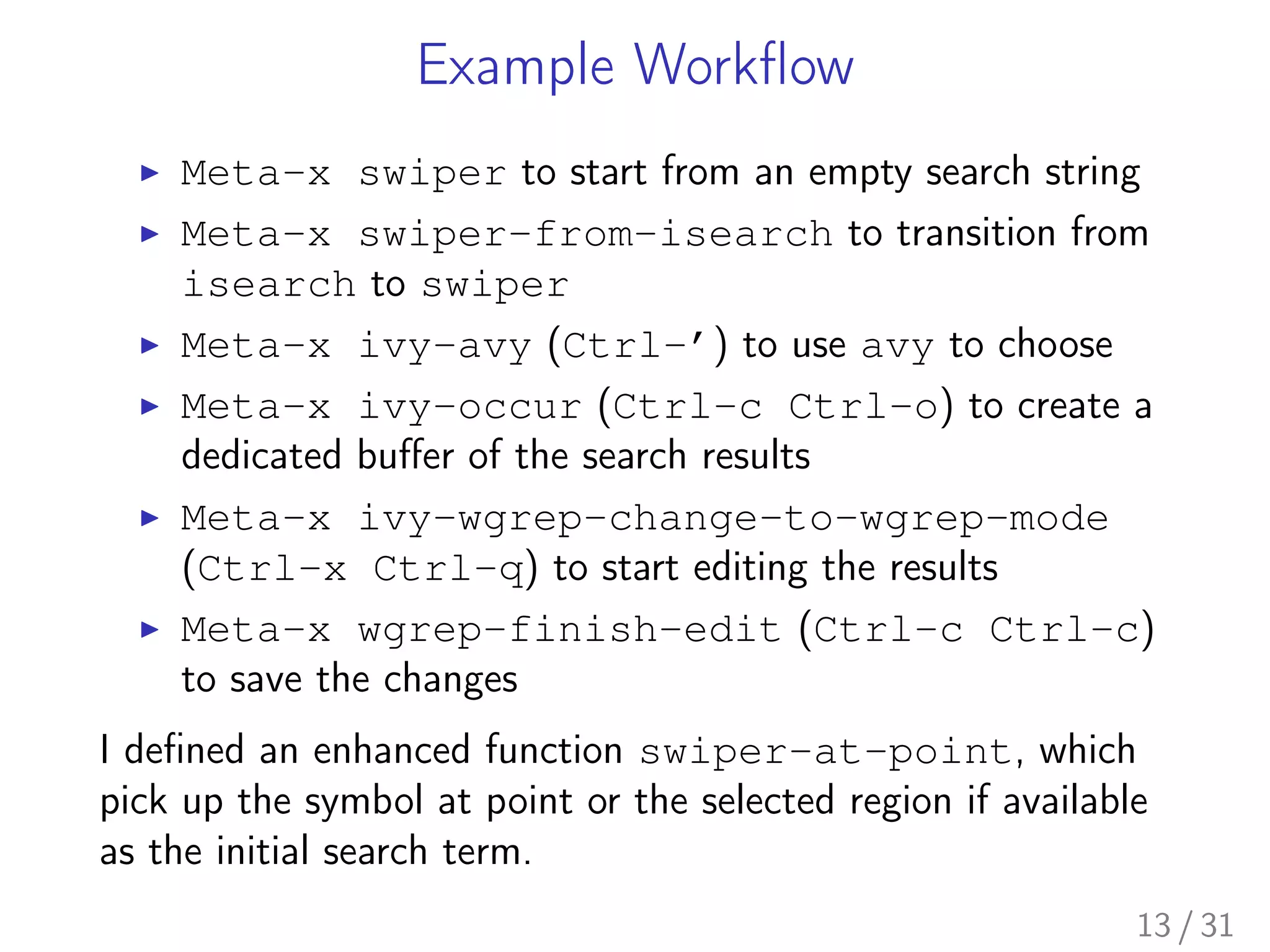
Example Workflow
▶ Meta-x swiper to start from an empty search string
▶ Meta-x swiper-from-isearch to transition from
isearch to swiper
▶ Meta-x ivy-avy (Ctrl-’) to use avy to choose
▶ Meta-x ivy-occur (Ctrl-c Ctrl-o) to create a
dedicated buffer of the search results
▶ Meta-x ivy-wgrep-change-to-wgrep-mode
(Ctrl-x Ctrl-q) to start editing the results
▶ Meta-x wgrep-finish-edit (Ctrl-c Ctrl-c)
to save the changes
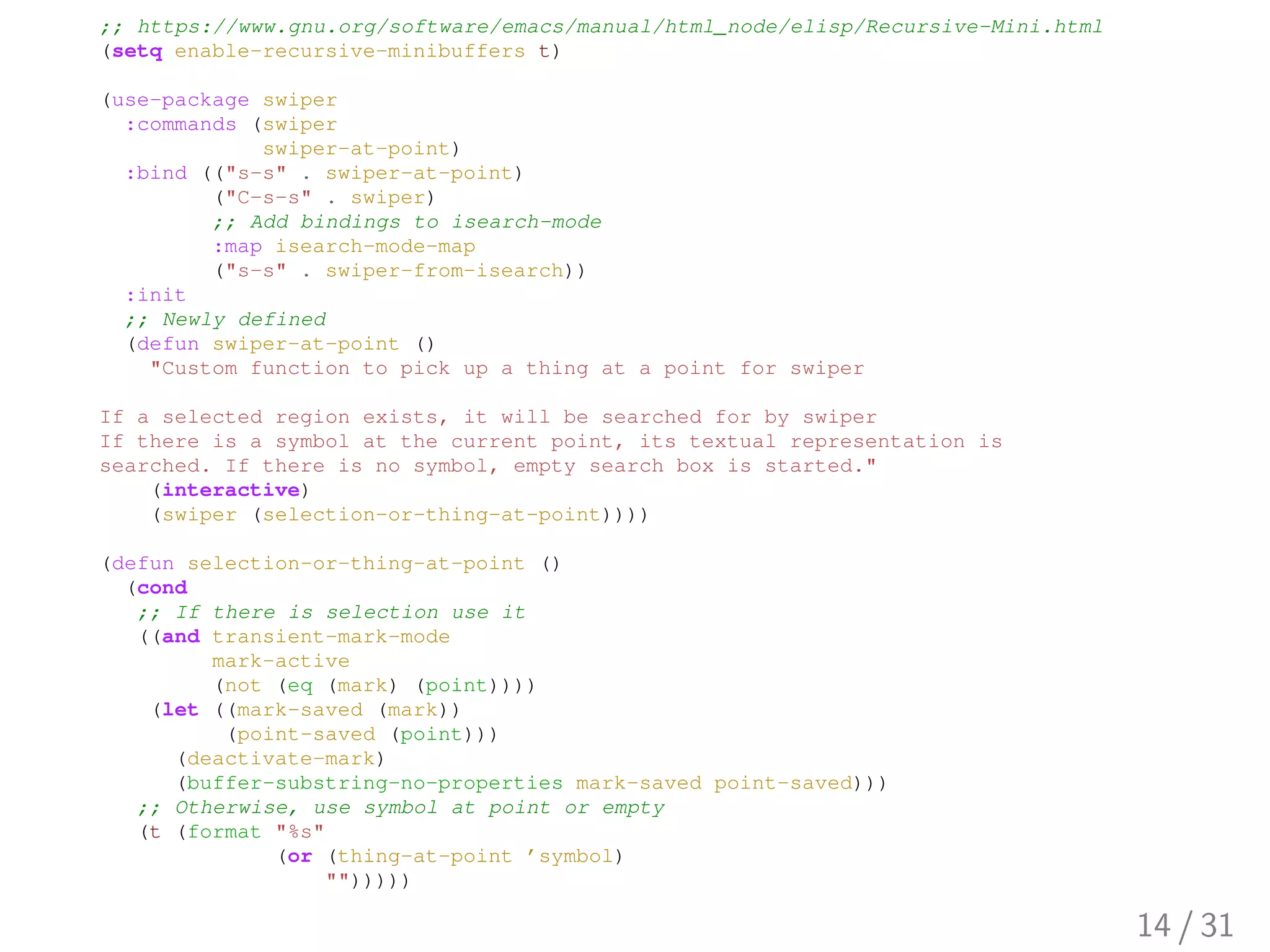
I defined an enhanced function swiper-at-point, which
pick up the symbol at point or the selected region if available
as the initial search term.
13 / 31
;; https://www.gnu.org/software/emacs/manual/html_node/elisp/Recursive-Mini.html
(setq enable-recursive-minibuffers t)
(use-package swiper
:commands (swiper
swiper-at-point)
:bind (("s-s" . swiper-at-point)
("C-s-s" . swiper)
;; Add bindings to isearch-mode
:map isearch-mode-map
("s-s" . swiper-from-isearch))
:init
;; Newly defined
(defun swiper-at-point ()
"Custom function to pick up a thing at a point for swiper
If a selected region exists, it will be searched for by swiper
If there is a symbol at the current point, its textual representation is
searched. If there is no symbol, empty search box is started."
(interactive)
(swiper (selection-or-thing-at-point))))
(defun selection-or-thing-at-point ()
(cond
;; If there is selection use it
((and transient-mark-mode
mark-active
(not (eq (mark) (point))))
(let ((mark-saved (mark))
(point-saved (point)))
(deactivate-mark)
(buffer-substring-no-properties mark-saved point-saved)))
;; Otherwise, use symbol at point or empty
(t (format "%s"
(or (thing-at-point ’symbol)
"")))))
14 / 31
Swiper-Helm
15 / 31
16 / 31
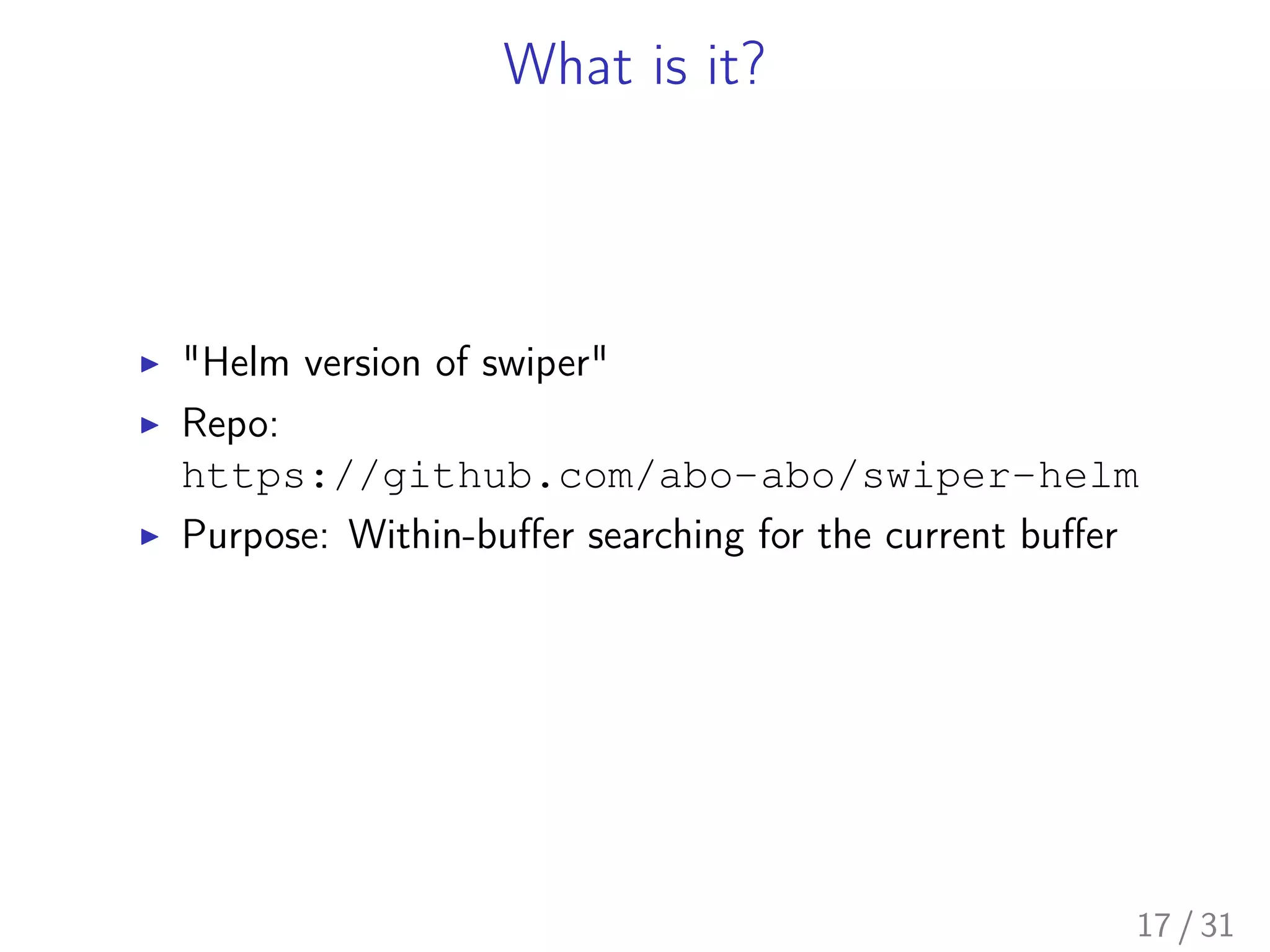
What is it?
▶ "Helm version of swiper"
▶ Repo:
https://github.com/abo-abo/swiper-helm
▶ Purpose: Within-buffer searching for the current buffer
17 / 31
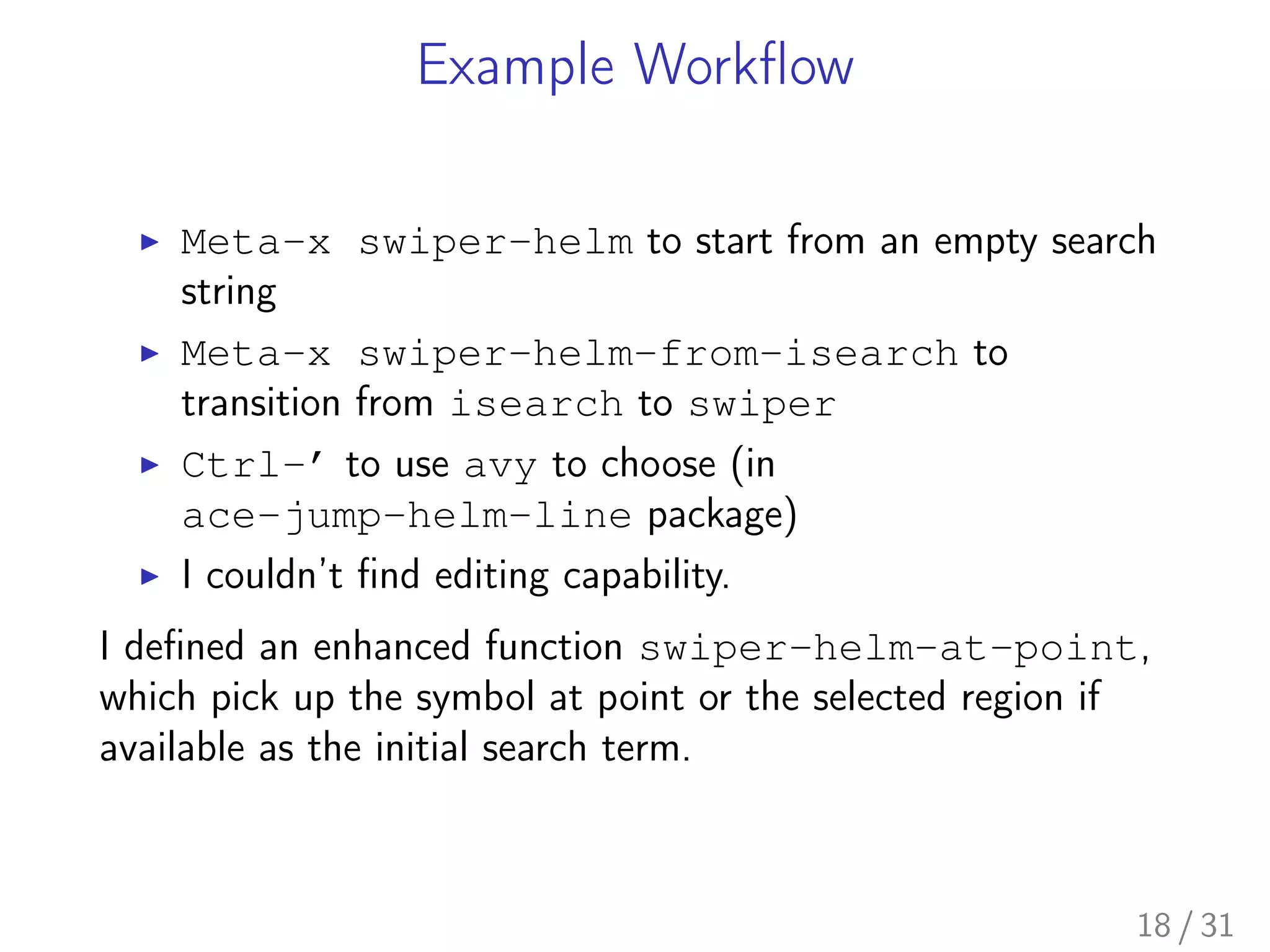
Example Workflow
▶ Meta-x swiper-helm to start from an empty search
string
▶ Meta-x swiper-helm-from-isearch to
transition from isearch to swiper
▶ Ctrl-’ to use avy to choose (in
ace-jump-helm-line package)
▶ I couldn’t find editing capability.
I defined an enhanced function swiper-helm-at-point,
which pick up the symbol at point or the selected region if
available as the initial search term.
18 / 31
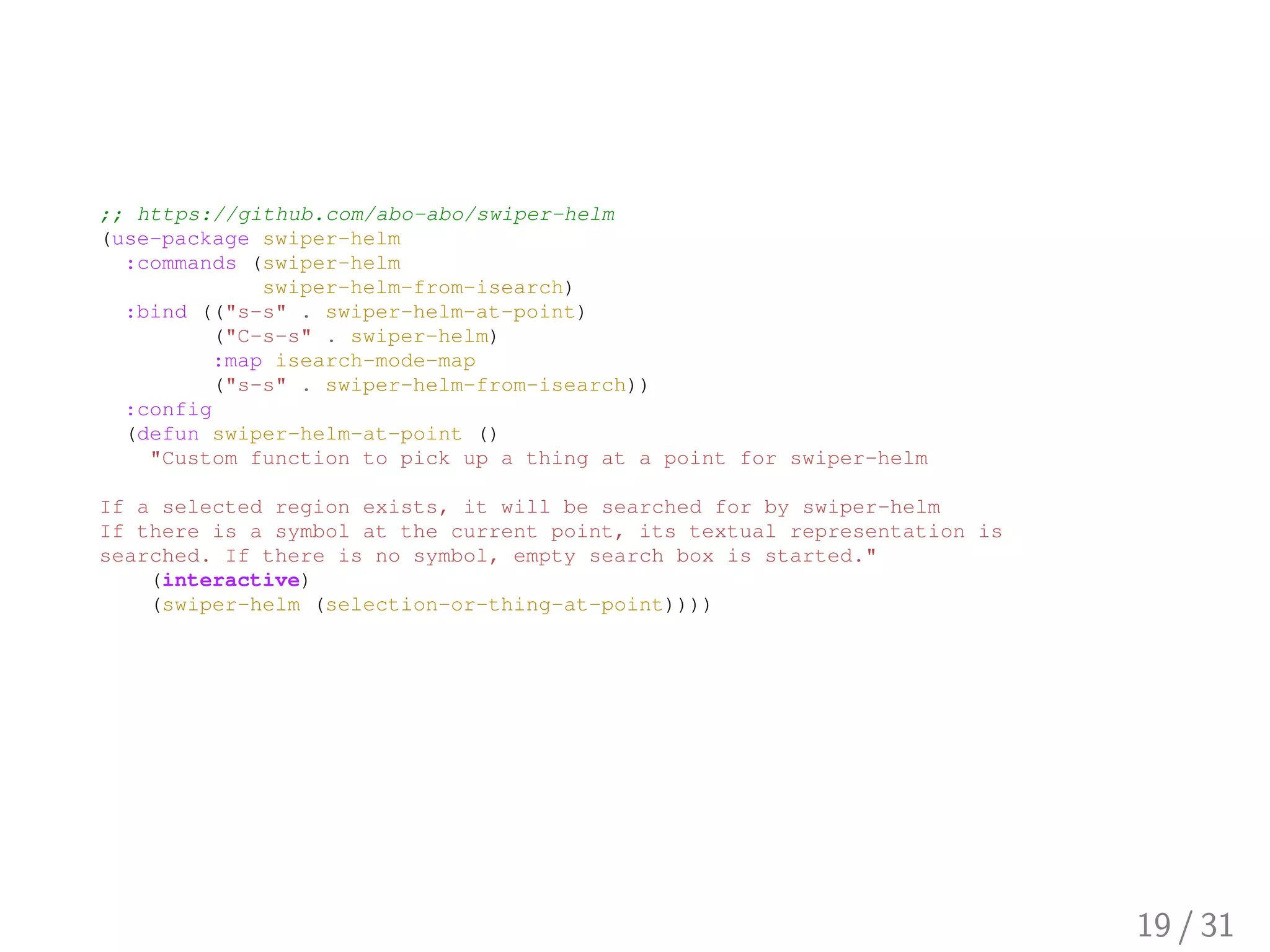
;; https://github.com/abo-abo/swiper-helm
(use-package swiper-helm
:commands (swiper-helm
swiper-helm-from-isearch)
:bind (("s-s" . swiper-helm-at-point)
("C-s-s" . swiper-helm)
:map isearch-mode-map
("s-s" . swiper-helm-from-isearch))
:config
(defun swiper-helm-at-point ()
"Custom function to pick up a thing at a point for swiper-helm
If a selected region exists, it will be searched for by swiper-helm
If there is a symbol at the current point, its textual representation is
searched. If there is no symbol, empty search box is started."
(interactive)
(swiper-helm (selection-or-thing-at-point))))
19 / 31
Multiple-Cursor
20 / 31
21 / 31
What is it?
▶ "Multiple cursors for emacs"
▶ Repo: https://github.com/magnars/
multiple-cursors.el
▶ Video: http://emacsrocks.com/e13.html
▶ Purpose: Live editing multiple places simultaneously
22 / 31
Example Workflow
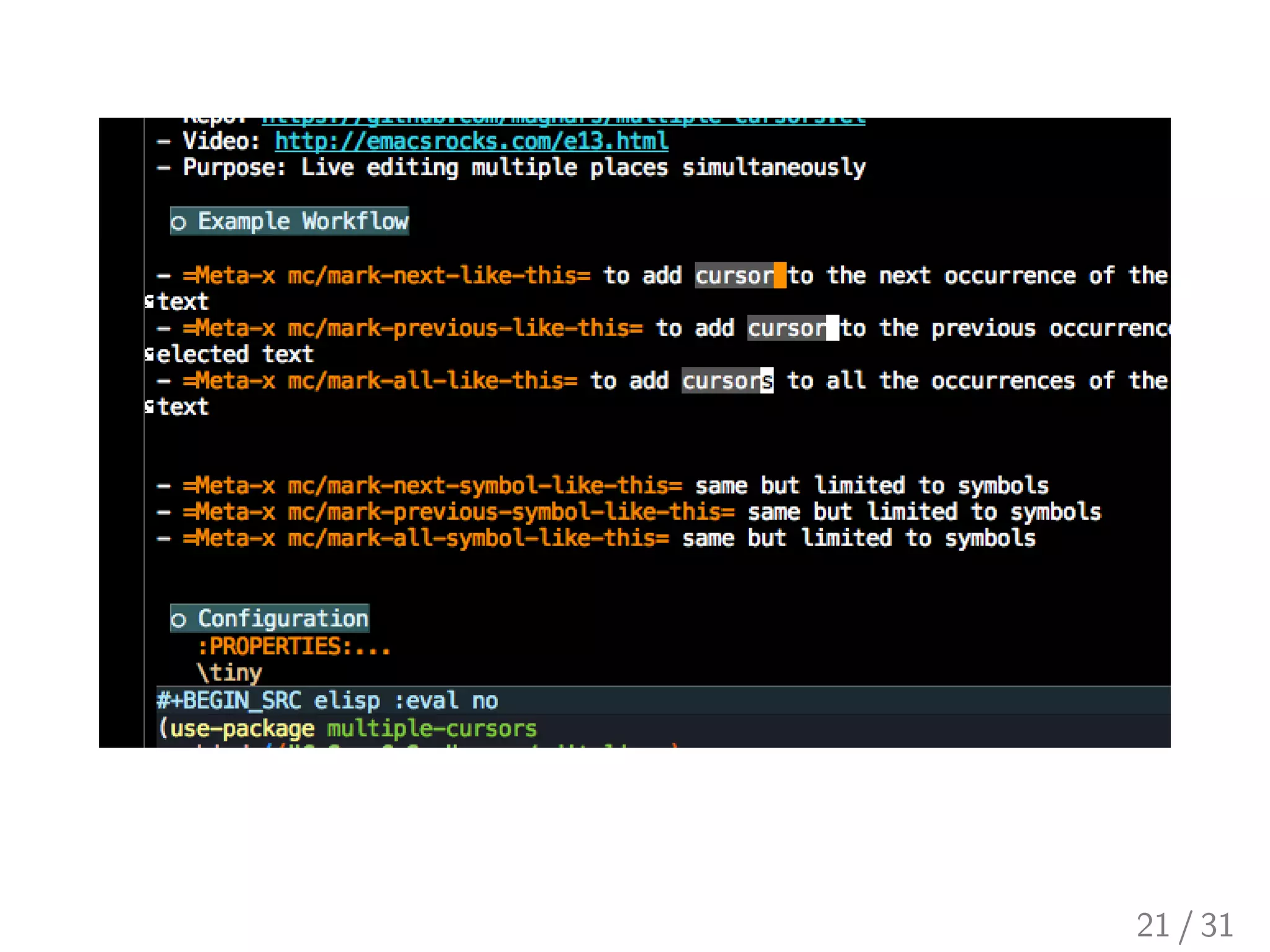
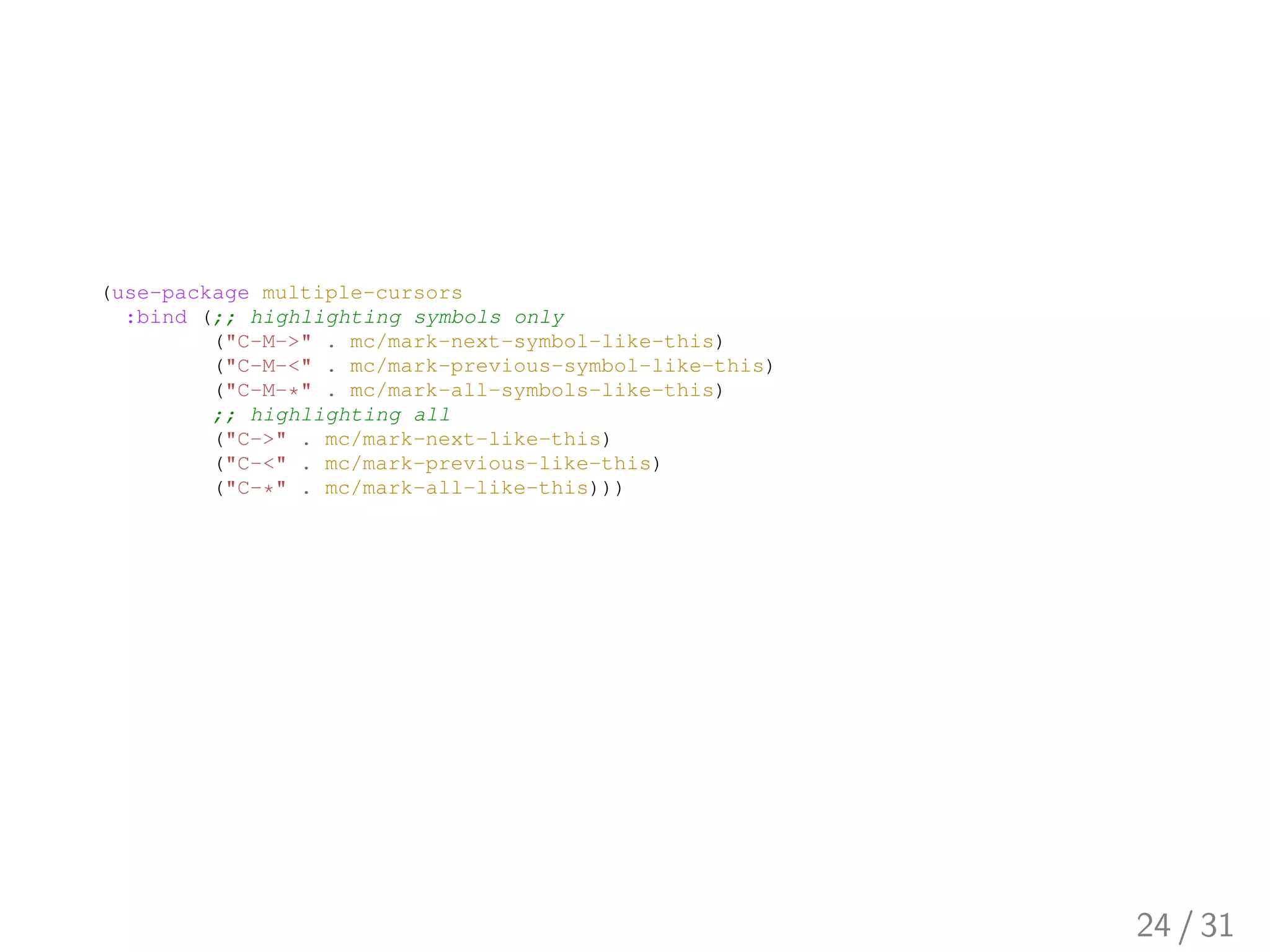
▶ Meta-x mc/mark-next-like-this to add cursor
to the next occurrence of the selected text
▶ Meta-x mc/mark-all-like-this to add cursors
to all the occurrences of the selected text
▶ Meta-x mc/mark-next-symbol-like-this
same but limited to symbols
▶ Meta-x mc/mark-all-symbol-like-this same
but limited to symbols
▶ Meta-x mc/insert-numbers to insert consecutive
numbers at cursors
▶ Meta-x mc/insert-letters to insert consecutive
alphabet characters at cursors
23 / 31
(use-package multiple-cursors
:bind (;; highlighting symbols only
("C-M->" . mc/mark-next-symbol-like-this)
("C-M-<" . mc/mark-previous-symbol-like-this)
("C-M-*" . mc/mark-all-symbols-like-this)
;; highlighting all
("C->" . mc/mark-next-like-this)
("C-<" . mc/mark-previous-like-this)
("C-*" . mc/mark-all-like-this)))
24 / 31
Counsel-Ag
25 / 31
26 / 31
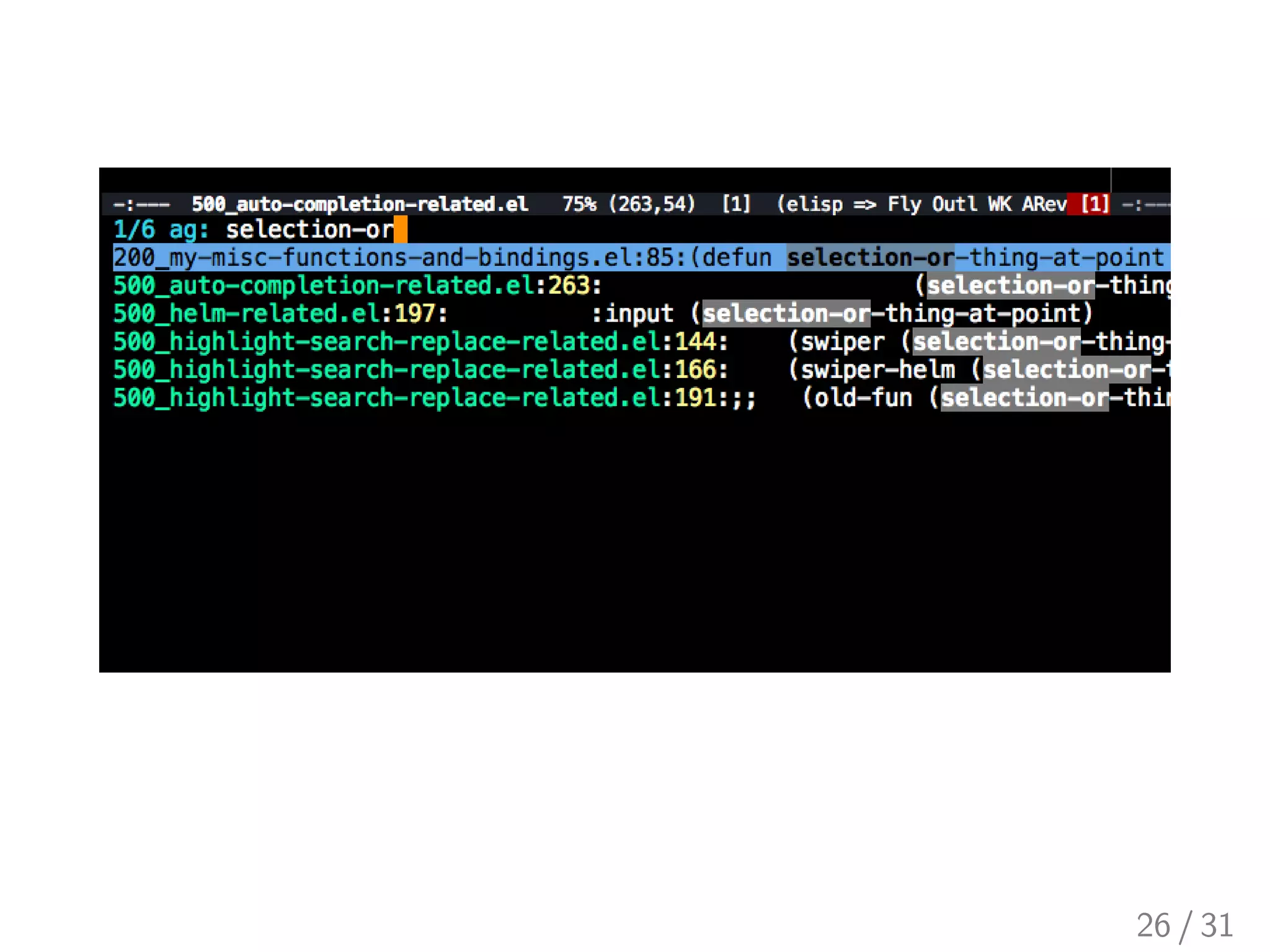
What is it?
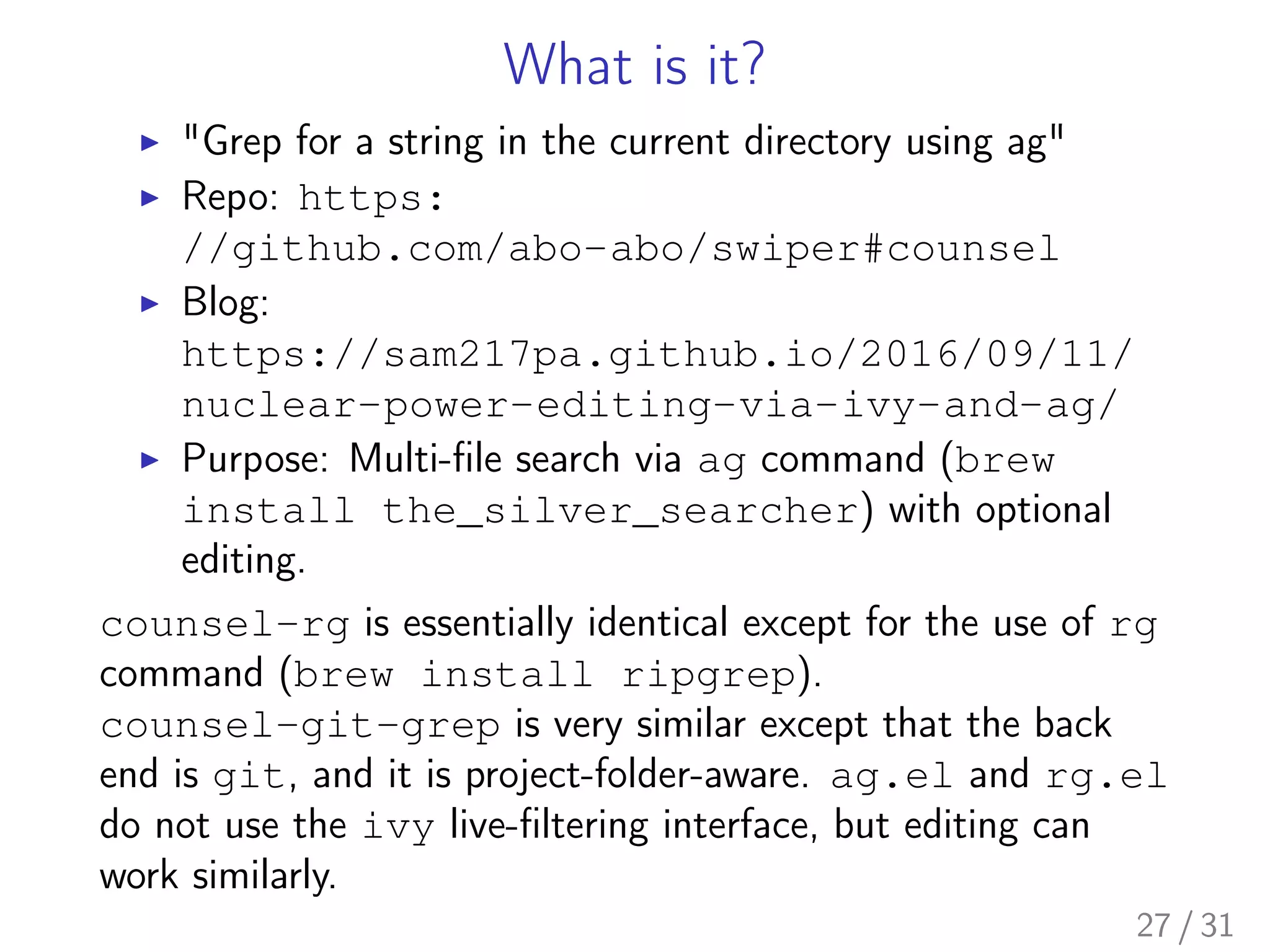
▶ "Grep for a string in the current directory using ag"
▶ Repo: https:
//github.com/abo-abo/swiper#counsel
▶ Blog:
https://sam217pa.github.io/2016/09/11/
nuclear-power-editing-via-ivy-and-ag/
▶ Purpose: Multi-file search via ag command (brew
install the_silver_searcher) with optional
editing.
counsel-rg is essentially identical except for the use of rg
command (brew install ripgrep).
counsel-git-grep is very similar except that the back
end is git, and it is project-folder-aware. ag.el and rg.el
do not use the ivy live-filtering interface, but editing can
work similarly.
27 / 31
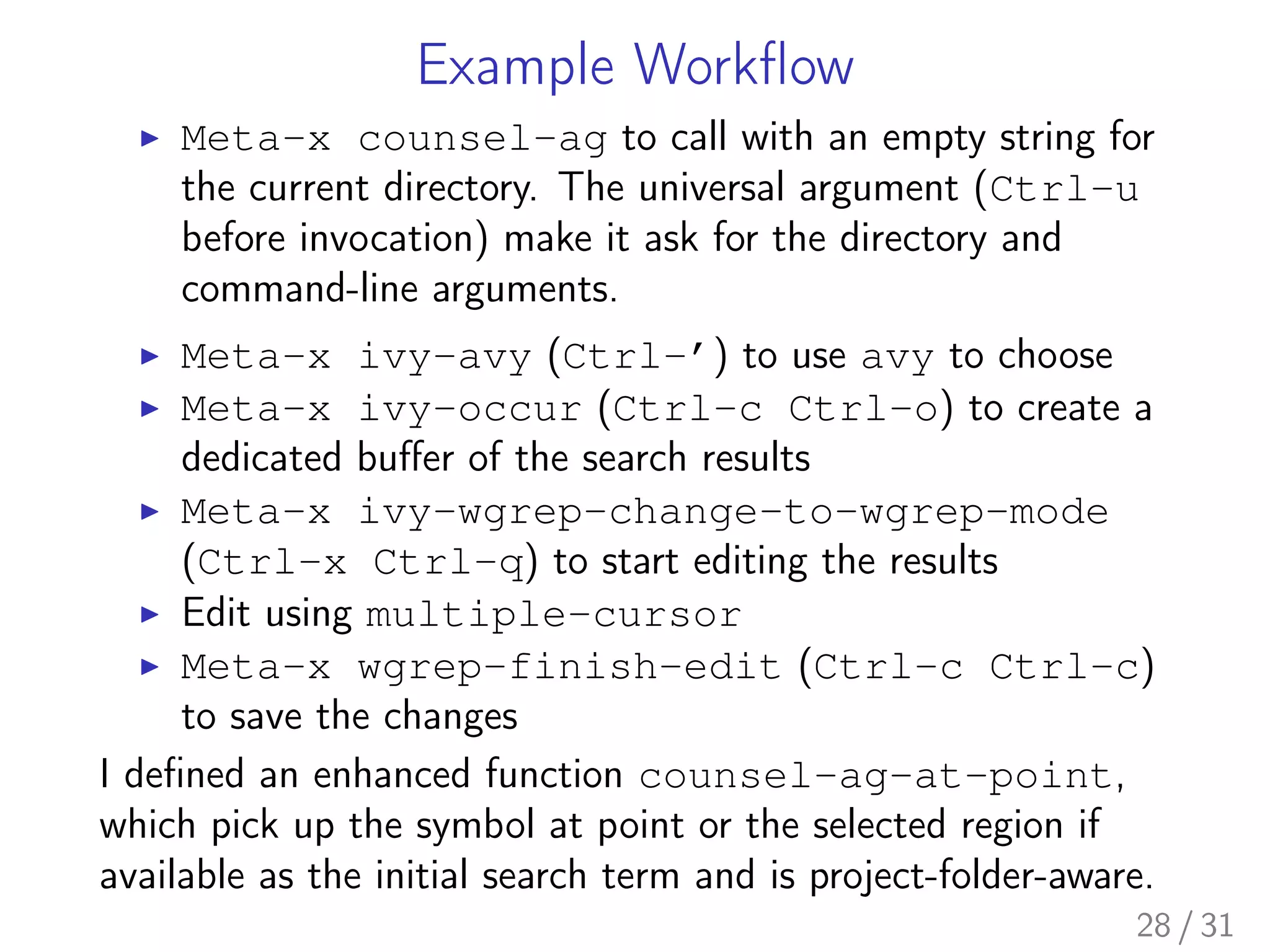
Example Workflow
▶ Meta-x counsel-ag to call with an empty string for
the current directory. The universal argument (Ctrl-u
before invocation) make it ask for the directory and
command-line arguments.
▶ Meta-x ivy-avy (Ctrl-’) to use avy to choose
▶ Meta-x ivy-occur (Ctrl-c Ctrl-o) to create a
dedicated buffer of the search results
▶ Meta-x ivy-wgrep-change-to-wgrep-mode
(Ctrl-x Ctrl-q) to start editing the results
▶ Edit using multiple-cursor
▶ Meta-x wgrep-finish-edit (Ctrl-c Ctrl-c)
to save the changes
I defined an enhanced function counsel-ag-at-point,
which pick up the symbol at point or the selected region if
available as the initial search term and is project-folder-aware.
28 / 31
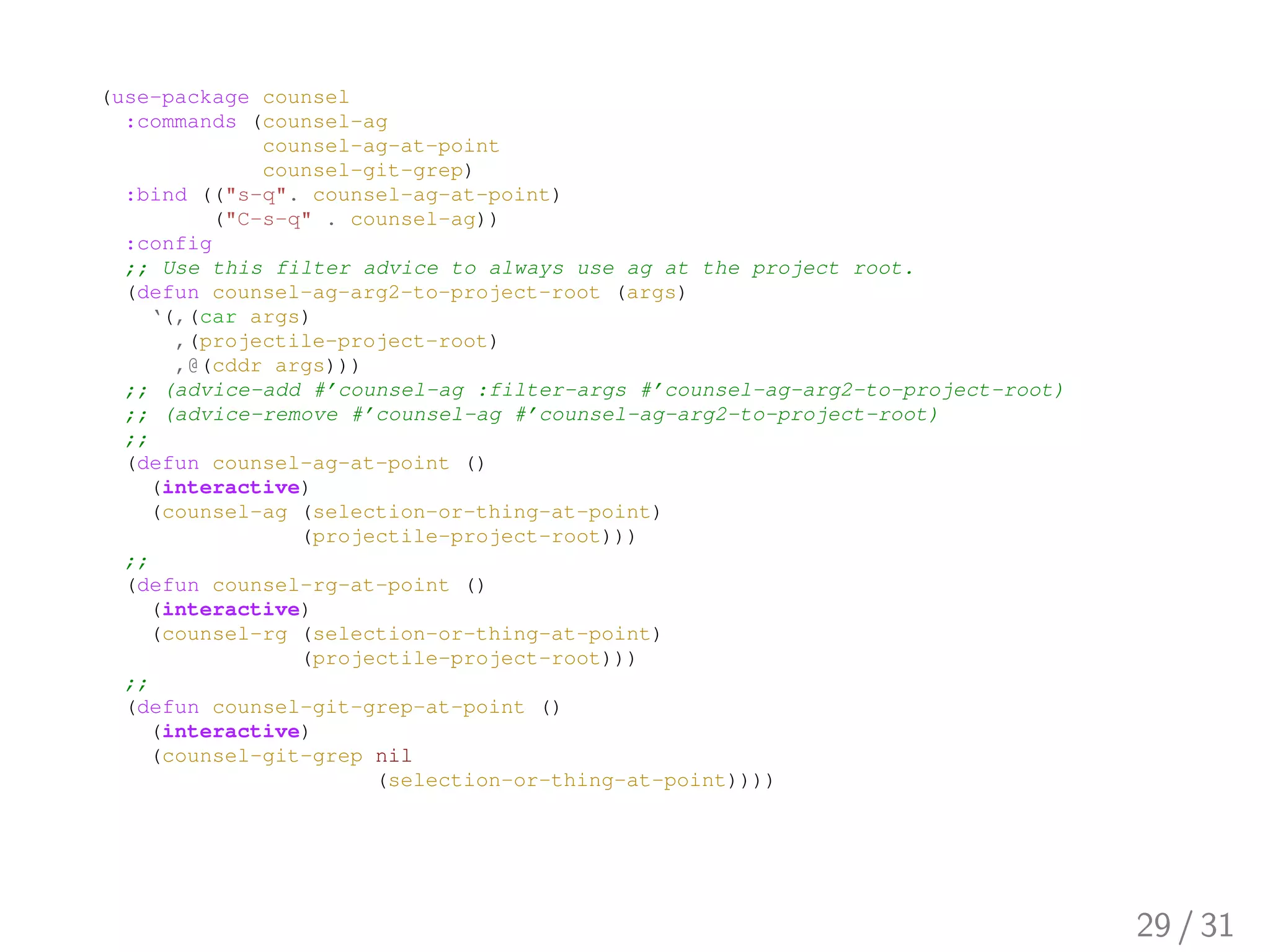
(use-package counsel
:commands (counsel-ag
counsel-ag-at-point
counsel-git-grep)
:bind (("s-q". counsel-ag-at-point)
("C-s-q" . counsel-ag))
:config
;; Use this filter advice to always use ag at the project root.
(defun counsel-ag-arg2-to-project-root (args)
‘(,(car args)
,(projectile-project-root)
,@(cddr args)))
;; (advice-add #’counsel-ag :filter-args #’counsel-ag-arg2-to-project-root)
;; (advice-remove #’counsel-ag #’counsel-ag-arg2-to-project-root)
;;
(defun counsel-ag-at-point ()
(interactive)
(counsel-ag (selection-or-thing-at-point)
(projectile-project-root)))
;;
(defun counsel-rg-at-point ()
(interactive)
(counsel-rg (selection-or-thing-at-point)
(projectile-project-root)))
;;
(defun counsel-git-grep-at-point ()
(interactive)
(counsel-git-grep nil
(selection-or-thing-at-point))))
29 / 31
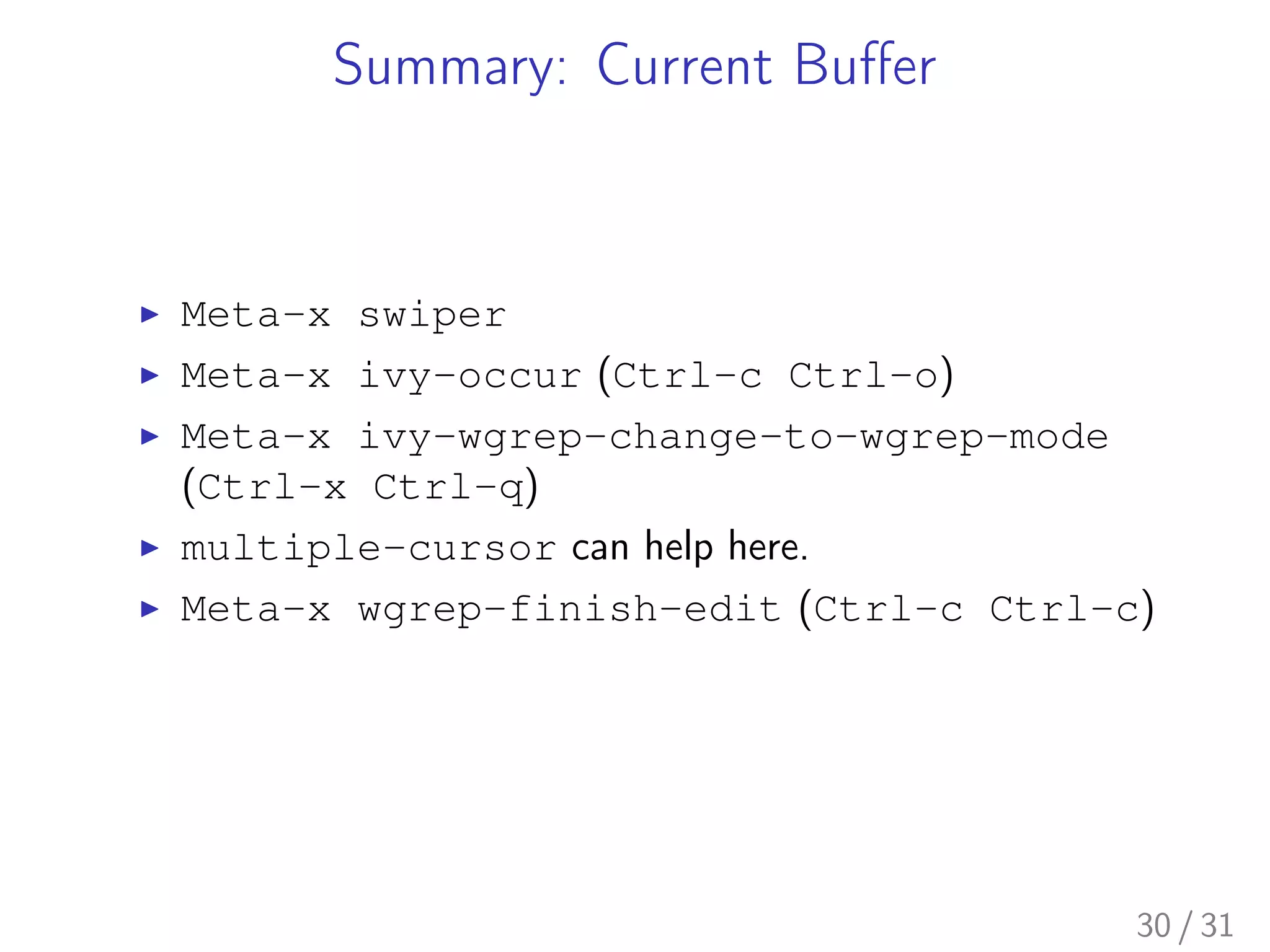
Summary: Current Buffer
▶ Meta-x swiper
▶ Meta-x ivy-occur (Ctrl-c Ctrl-o)
▶ Meta-x ivy-wgrep-change-to-wgrep-mode
(Ctrl-x Ctrl-q)
▶ multiple-cursor can help here.
▶ Meta-x wgrep-finish-edit (Ctrl-c Ctrl-c)
30 / 31
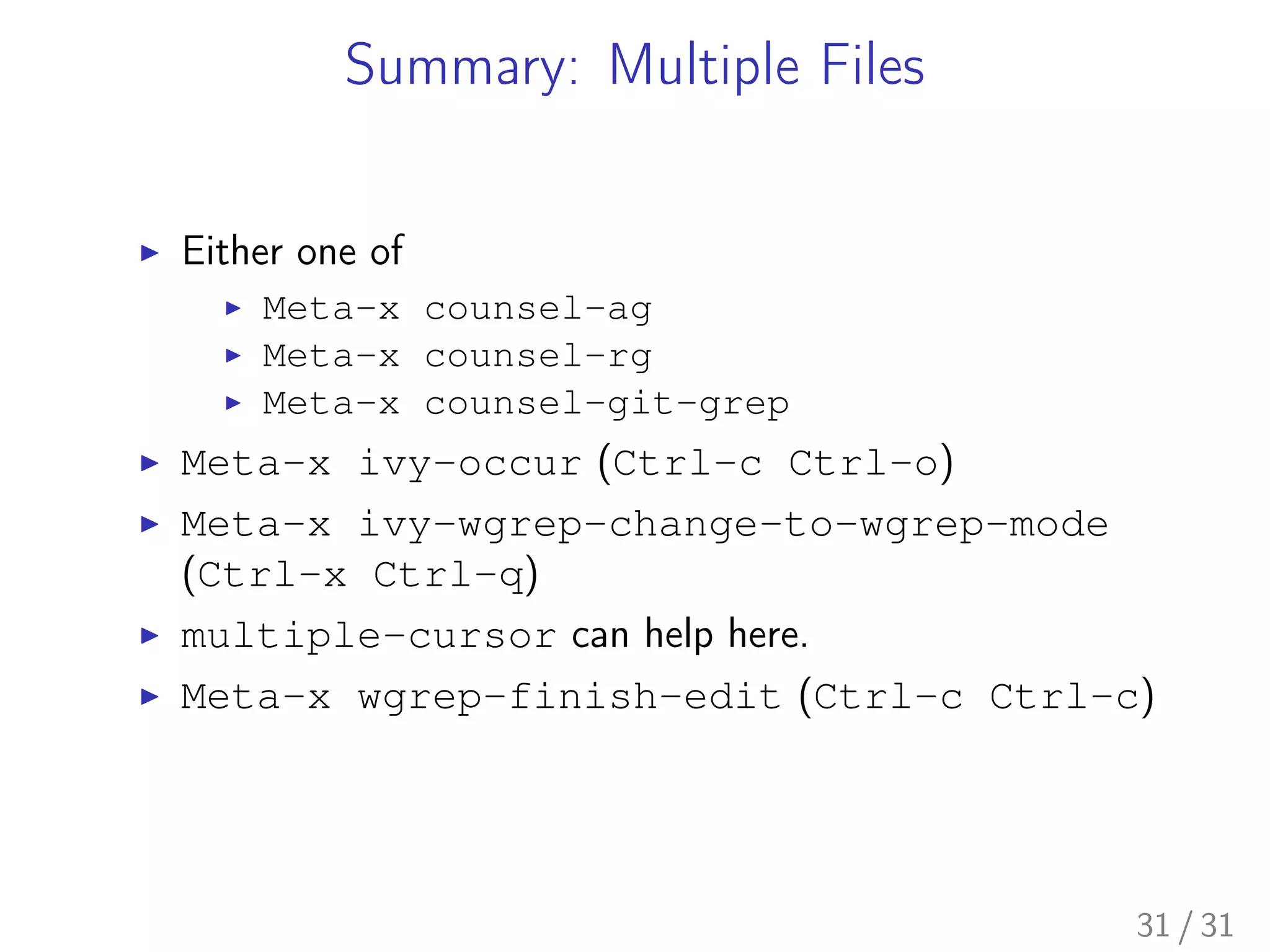
Summary: Multiple Files
▶ Either one of
▶ Meta-x counsel-ag
▶ Meta-x counsel-rg
▶ Meta-x counsel-git-grep
▶ Meta-x ivy-occur (Ctrl-c Ctrl-o)
▶ Meta-x ivy-wgrep-change-to-wgrep-mode
(Ctrl-x Ctrl-q)
▶ multiple-cursor can help here.
▶ Meta-x wgrep-finish-edit (Ctrl-c Ctrl-c)
31 / 31

Search and Replacement Techniques in Emacs: avy, swiper, multiple-cursor, ag, and wgrep.

  • 1.
    Search and ReplacementTechniques avy, swiper, multiple-cursor, ag, and wgrep Kazuki Yoshida September 18, 2017 Boston Emacs Meetup 1 / 31
  • 2.
    Who Am I? ▶Doctoral student at Harvard T.H. Chan School of Public Health (Epidemiology & Biostatistics). ▶ emacs user since 2012. ▶ Main use of emacs: R programming and LATEX. ▶ Maintainer of eval-in-repl and reveal-in-osx-finder on MELPA. ▶ Co-organizer of Boston Emacs Meetup since 2017. 2 / 31
  • 3.
    Packages Mentioned ▶ avy:https://github.com/abo-abo/avy ▶ swiper/counsel/ivy: https://github.com/abo-abo/swiper ▶ multiple-cursor: https://github.com/magnars/ multiple-cursors.el ▶ ag: https://github.com/Wilfred/ag.el ▶ rg: https://github.com/dajva/rg.el ▶ wgrep: https: //github.com/mhayashi1120/Emacs-wgrep ▶ command-log-mode: https: //github.com/lewang/command-log-mode 3 / 31
  • 4.
    Demonstration Environment ▶ MacBookAir (13-inch, Mid 2012) ▶ macOS Sierra 10.12.6 ▶ emacs-plus 26.0.50 brew install emacs-plus --with-natural-title-bar --HEAD ▶ Beamer slides exported via org-beamer and org-mode 9.0.9 4 / 31
  • 5.
  • 6.
  • 7.
    What is it? ▶"Jump to things in Emacs tree-style" ▶ Repo: https://github.com/abo-abo/avy ▶ Video: https: //www.youtube.com/watch?v=ziytRbASKeU ▶ Purpose: Move the cursor to anywhere visible by "searching". 7 / 31
  • 8.
    Example Workflow ▶ Meta-xavy-goto-char to invoke on a specified character (prompt) ▶ Meta-x avy-goto-char-timer to invoke after multiple characters (prompt) ▶ Meta-x avy-goto-word-1 to invoke on a specified character at the word beginning (prompt) ▶ Meta-x avy-goto-line to invoke on all lines (no prompt) ▶ Meta-x avy-isearch (Ctrl-’) to transition from isearch to avy (no prompt) I personally use a hack for avy-goto-char to avoid the prompt asking for a character. For example, Meta-super-a invokes directly (avy-goto-char ?a) without having to enter a in the prompt. 8 / 31
  • 9.
    (use-package avy :demand :bind (:mapisearch-mode-map ("C-’" . avy-isearch)) :config ;; Darken background. (setq avy-background t) ;; Highlight the first decision char with ‘avy-lead-face-0’. ;; https://github.com/abo-abo/avy/wiki/defcustom#avy-highlight-first (setq avy-highlight-first t) ;; The default method of displaying the overlays. ;; https://github.com/abo-abo/avy/wiki/defcustom#avy-style (setq avy-style ’at-full) ;; Keys to be used. Use a-z. (setq avy-keys (loop for c from ?a to ?z collect c)) ;; Time out for *-timer functions (setq avy-timeout-seconds 0.3) ;; ;; one-step activation https://github.com/cjohansen/.emacs.d/commit/65efe88 (defun add-keys-to-avy (prefix c &optional mode) (define-key global-map (read-kbd-macro (concat prefix (string c))) ‘(lambda () (interactive) (funcall (cond ;; Word beginning ((eq ’,mode ’word) #’avy-goto-word-1) ;; Anywhere (t #’avy-goto-char)) ,c)))) ;; Assing key bindings for all characters ;; eg, M-s-a will activate (avy-goto-char ?a), ie, all occurrence of a (loop for c from ?! to ?~ do (add-keys-to-avy "M-s-" c)) ;; eg, C-M-s-a will activate (avy-goto-word-1 ?a), ie, all words starting with a (loop for c from ?! to ?~ do (add-keys-to-avy "C-M-s-" c ’word))) 9 / 31
  • 10.
  • 11.
  • 12.
    What is it? ▶"Alternative to isearch that uses ivy to show an overview of all matches" ▶ Repo: https: //github.com/abo-abo/swiper#swiper ▶ Video: https: //www.youtube.com/watch?v=0mwwN0S1dnQ ▶ Purpose: Within-buffer searching for the current buffer 12 / 31
  • 13.
    Example Workflow ▶ Meta-xswiper to start from an empty search string ▶ Meta-x swiper-from-isearch to transition from isearch to swiper ▶ Meta-x ivy-avy (Ctrl-’) to use avy to choose ▶ Meta-x ivy-occur (Ctrl-c Ctrl-o) to create a dedicated buffer of the search results ▶ Meta-x ivy-wgrep-change-to-wgrep-mode (Ctrl-x Ctrl-q) to start editing the results ▶ Meta-x wgrep-finish-edit (Ctrl-c Ctrl-c) to save the changes I defined an enhanced function swiper-at-point, which pick up the symbol at point or the selected region if available as the initial search term. 13 / 31
  • 14.
    ;; https://www.gnu.org/software/emacs/manual/html_node/elisp/Recursive-Mini.html (setq enable-recursive-minibufferst) (use-package swiper :commands (swiper swiper-at-point) :bind (("s-s" . swiper-at-point) ("C-s-s" . swiper) ;; Add bindings to isearch-mode :map isearch-mode-map ("s-s" . swiper-from-isearch)) :init ;; Newly defined (defun swiper-at-point () "Custom function to pick up a thing at a point for swiper If a selected region exists, it will be searched for by swiper If there is a symbol at the current point, its textual representation is searched. If there is no symbol, empty search box is started." (interactive) (swiper (selection-or-thing-at-point)))) (defun selection-or-thing-at-point () (cond ;; If there is selection use it ((and transient-mark-mode mark-active (not (eq (mark) (point)))) (let ((mark-saved (mark)) (point-saved (point))) (deactivate-mark) (buffer-substring-no-properties mark-saved point-saved))) ;; Otherwise, use symbol at point or empty (t (format "%s" (or (thing-at-point ’symbol) ""))))) 14 / 31
  • 15.
  • 16.
  • 17.
    What is it? ▶"Helm version of swiper" ▶ Repo: https://github.com/abo-abo/swiper-helm ▶ Purpose: Within-buffer searching for the current buffer 17 / 31
  • 18.
    Example Workflow ▶ Meta-xswiper-helm to start from an empty search string ▶ Meta-x swiper-helm-from-isearch to transition from isearch to swiper ▶ Ctrl-’ to use avy to choose (in ace-jump-helm-line package) ▶ I couldn’t find editing capability. I defined an enhanced function swiper-helm-at-point, which pick up the symbol at point or the selected region if available as the initial search term. 18 / 31
  • 19.
    ;; https://github.com/abo-abo/swiper-helm (use-package swiper-helm :commands(swiper-helm swiper-helm-from-isearch) :bind (("s-s" . swiper-helm-at-point) ("C-s-s" . swiper-helm) :map isearch-mode-map ("s-s" . swiper-helm-from-isearch)) :config (defun swiper-helm-at-point () "Custom function to pick up a thing at a point for swiper-helm If a selected region exists, it will be searched for by swiper-helm If there is a symbol at the current point, its textual representation is searched. If there is no symbol, empty search box is started." (interactive) (swiper-helm (selection-or-thing-at-point)))) 19 / 31
  • 20.
  • 21.
  • 22.
    What is it? ▶"Multiple cursors for emacs" ▶ Repo: https://github.com/magnars/ multiple-cursors.el ▶ Video: http://emacsrocks.com/e13.html ▶ Purpose: Live editing multiple places simultaneously 22 / 31
  • 23.
    Example Workflow ▶ Meta-xmc/mark-next-like-this to add cursor to the next occurrence of the selected text ▶ Meta-x mc/mark-all-like-this to add cursors to all the occurrences of the selected text ▶ Meta-x mc/mark-next-symbol-like-this same but limited to symbols ▶ Meta-x mc/mark-all-symbol-like-this same but limited to symbols ▶ Meta-x mc/insert-numbers to insert consecutive numbers at cursors ▶ Meta-x mc/insert-letters to insert consecutive alphabet characters at cursors 23 / 31
  • 24.
    (use-package multiple-cursors :bind (;;highlighting symbols only ("C-M->" . mc/mark-next-symbol-like-this) ("C-M-<" . mc/mark-previous-symbol-like-this) ("C-M-*" . mc/mark-all-symbols-like-this) ;; highlighting all ("C->" . mc/mark-next-like-this) ("C-<" . mc/mark-previous-like-this) ("C-*" . mc/mark-all-like-this))) 24 / 31
  • 25.
  • 26.
  • 27.
    What is it? ▶"Grep for a string in the current directory using ag" ▶ Repo: https: //github.com/abo-abo/swiper#counsel ▶ Blog: https://sam217pa.github.io/2016/09/11/ nuclear-power-editing-via-ivy-and-ag/ ▶ Purpose: Multi-file search via ag command (brew install the_silver_searcher) with optional editing. counsel-rg is essentially identical except for the use of rg command (brew install ripgrep). counsel-git-grep is very similar except that the back end is git, and it is project-folder-aware. ag.el and rg.el do not use the ivy live-filtering interface, but editing can work similarly. 27 / 31
  • 28.
    Example Workflow ▶ Meta-xcounsel-ag to call with an empty string for the current directory. The universal argument (Ctrl-u before invocation) make it ask for the directory and command-line arguments. ▶ Meta-x ivy-avy (Ctrl-’) to use avy to choose ▶ Meta-x ivy-occur (Ctrl-c Ctrl-o) to create a dedicated buffer of the search results ▶ Meta-x ivy-wgrep-change-to-wgrep-mode (Ctrl-x Ctrl-q) to start editing the results ▶ Edit using multiple-cursor ▶ Meta-x wgrep-finish-edit (Ctrl-c Ctrl-c) to save the changes I defined an enhanced function counsel-ag-at-point, which pick up the symbol at point or the selected region if available as the initial search term and is project-folder-aware. 28 / 31
  • 29.
    (use-package counsel :commands (counsel-ag counsel-ag-at-point counsel-git-grep) :bind(("s-q". counsel-ag-at-point) ("C-s-q" . counsel-ag)) :config ;; Use this filter advice to always use ag at the project root. (defun counsel-ag-arg2-to-project-root (args) ‘(,(car args) ,(projectile-project-root) ,@(cddr args))) ;; (advice-add #’counsel-ag :filter-args #’counsel-ag-arg2-to-project-root) ;; (advice-remove #’counsel-ag #’counsel-ag-arg2-to-project-root) ;; (defun counsel-ag-at-point () (interactive) (counsel-ag (selection-or-thing-at-point) (projectile-project-root))) ;; (defun counsel-rg-at-point () (interactive) (counsel-rg (selection-or-thing-at-point) (projectile-project-root))) ;; (defun counsel-git-grep-at-point () (interactive) (counsel-git-grep nil (selection-or-thing-at-point)))) 29 / 31
  • 30.
    Summary: Current Buffer ▶Meta-x swiper ▶ Meta-x ivy-occur (Ctrl-c Ctrl-o) ▶ Meta-x ivy-wgrep-change-to-wgrep-mode (Ctrl-x Ctrl-q) ▶ multiple-cursor can help here. ▶ Meta-x wgrep-finish-edit (Ctrl-c Ctrl-c) 30 / 31
  • 31.
    Summary: Multiple Files ▶Either one of ▶ Meta-x counsel-ag ▶ Meta-x counsel-rg ▶ Meta-x counsel-git-grep ▶ Meta-x ivy-occur (Ctrl-c Ctrl-o) ▶ Meta-x ivy-wgrep-change-to-wgrep-mode (Ctrl-x Ctrl-q) ▶ multiple-cursor can help here. ▶ Meta-x wgrep-finish-edit (Ctrl-c Ctrl-c) 31 / 31