SIGGRAPH 2010
Filmic Tonemapping
for Real-time Rendering
Haarm-Pieter Duiker
Duiker Research
hpd@duikerresearch.com
Filmic Tonemapping Overview
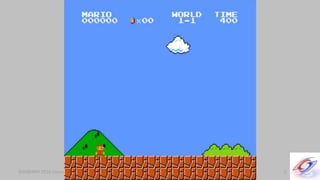
• History of Color in Games
• Scene-referred and Output-referred data
• Cineon Log
• What a filmic curve looks like
• Authoring a filmic curve
• Further work
SIGGRAPH 2010 Course: Color Enhancement and Rendering in Film and Game ProductionSIGGRAPH 2010 Course: Color Enhancement and Rendering in Film and Game Production 4
SIGGRAPH 2010 Course: Color Enhancement and Rendering in Film and Game ProductionSIGGRAPH 2010 Course: Color Enhancement and Rendering in Film and Game Production 5
SIGGRAPH 2010 Course: Color Enhancement and Rendering in Film and Game ProductionSIGGRAPH 2010 Course: Color Enhancement and Rendering in Film and Game Production 6
SIGGRAPH 2010 Course: Color Enhancement and Rendering in Film and Game ProductionSIGGRAPH 2010 Course: Color Enhancement and Rendering in Film and Game Production 7
SIGGRAPH 2010 Course: Color Enhancement and Rendering in Film and Game ProductionSIGGRAPH 2010 Course: Color Enhancement and Rendering in Film and Game Production 8
SIGGRAPH 2010 Course: Color Enhancement and Rendering in Film and Game ProductionSIGGRAPH 2010 Course: Color Enhancement and Rendering in Film and Game Production 9
SIGGRAPH 2010 Course: Color Enhancement and Rendering in Film and Game ProductionSIGGRAPH 2010 Course: Color Enhancement and Rendering in Film and Game Production 10
SIGGRAPH 2010 Course: Color Enhancement and Rendering in Film and Game ProductionSIGGRAPH 2010 Course: Color Enhancement and Rendering in Film and Game Production 11
SIGGRAPH 2010 Course: Color Enhancement and Rendering in Film and Game ProductionSIGGRAPH 2010 Course: Color Enhancement and Rendering in Film and Game Production
HDR data in modern hardware
• What problems do modern hardware capabilities bring
with them?
– Working with HDR data implies Linear color math
– Linear data is displayed on non-linear devices
• monitors
• TV screens
12
SIGGRAPH 2010 Course: Color Enhancement and Rendering in Film and Game ProductionSIGGRAPH 2010 Course: Color Enhancement and Rendering in Film and Game Production
Review of different color spaces
• Some (relatively) new terms
– Scene-referred
– Output-referred
– What? Why does this matter now?
• Two main color spaces
– Scene-referred Linear
– Output-referred sRGB
13
SIGGRAPH 2010 Course: Color Enhancement and Rendering in Film and Game ProductionSIGGRAPH 2010 Course: Color Enhancement and Rendering in Film and Game Production 14
SIGGRAPH 2010 Course: Color Enhancement and Rendering in Film and Game ProductionSIGGRAPH 2010 Course: Color Enhancement and Rendering in Film and Game Production 15
SIGGRAPH 2010 Course: Color Enhancement and Rendering in Film and Game ProductionSIGGRAPH 2010 Course: Color Enhancement and Rendering in Film and Game Production
Two phase model of color rendering
• Render / Capture linear data
• Correct for the display’s characteristics
– Get the display to render the intensities of the ‘scene-
referred’ data as closely as possible to the original scene
16
SIGGRAPH 2010 Course: Color Enhancement and Rendering in Film and Game ProductionSIGGRAPH 2010 Course: Color Enhancement and Rendering in Film and Game Production
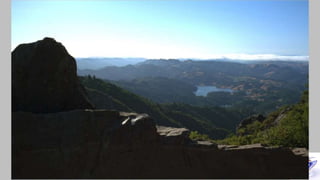
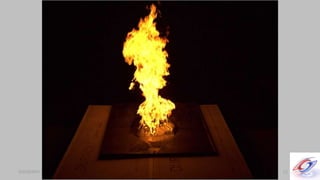
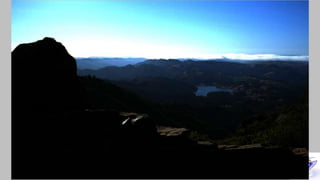
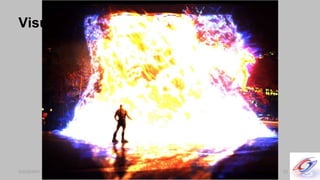
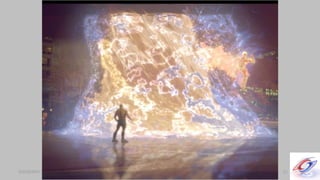
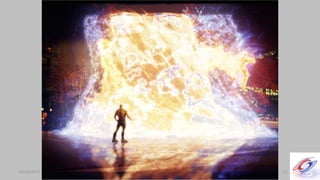
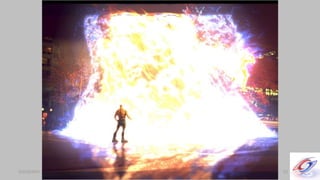
What does Linear data “look” like?
17
SIGGRAPH 2010 Course: Color Enhancement and Rendering in Film and Game ProductionSIGGRAPH 2010 Course: Color Enhancement and Rendering in Film and Game Production 18
SIGGRAPH 2010 Course: Color Enhancement and Rendering in Film and Game ProductionSIGGRAPH 2010 Course: Color Enhancement and Rendering in Film and Game Production 19
SIGGRAPH 2010 Course: Color Enhancement and Rendering in Film and Game ProductionSIGGRAPH 2010 Course: Color Enhancement and Rendering in Film and Game Production 20
SIGGRAPH 2010 Course: Color Enhancement and Rendering in Film and Game ProductionSIGGRAPH 2010 Course: Color Enhancement and Rendering in Film and Game Production 21
SIGGRAPH 2010 Course: Color Enhancement and Rendering in Film and Game ProductionSIGGRAPH 2010 Course: Color Enhancement and Rendering in Film and Game Production 22
SIGGRAPH 2010 Course: Color Enhancement and Rendering in Film and Game Production
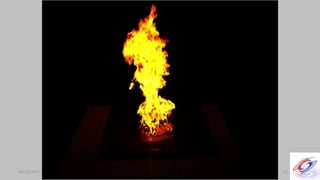
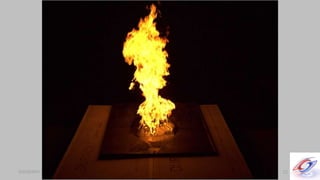
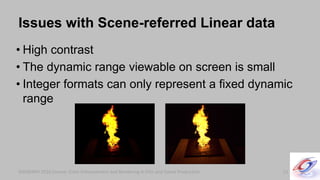
• High contrast
• The dynamic range viewable on screen is small
• Integer formats can only represent a fixed dynamic
range
SIGGRAPH 2010 Course: Color Enhancement and Rendering in Film and Game Production
Issues with Scene-referred Linear data
23
SIGGRAPH 2010 Course: Color Enhancement and Rendering in Film and Game ProductionSIGGRAPH 2010 Course: Color Enhancement and Rendering in Film and Game Production
Can we do better than sRGB?
• How do we make a scene-referred linear render
look like film?
• Can we add some artistic control to the proces?
– What if we want to make our render look like a film stock
that doesn’t exist?
25
SIGGRAPH 2010 Course: Color Enhancement and Rendering in Film and Game ProductionSIGGRAPH 2010 Course: Color Enhancement and Rendering in Film and Game Production 26
SIGGRAPH 2010 Course: Color Enhancement and Rendering in Film and Game ProductionSIGGRAPH 2010 Course: Color Enhancement and Rendering in Film and Game Production 27
SIGGRAPH 2010 Course: Color Enhancement and Rendering in Film and Game ProductionSIGGRAPH 2010 Course: Color Enhancement and Rendering in Film and Game Production 28
SIGGRAPH 2010 Course: Color Enhancement and Rendering in Film and Game ProductionSIGGRAPH 2010 Course: Color Enhancement and Rendering in Film and Game Production
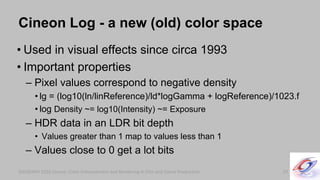
Cineon Log - a new (old) color space
• Used in visual effects since circa 1993
• Important properties
– Pixel values correspond to negative density
• lg = (log10(ln/linReference)/ld*logGamma + logReference)/1023.f
• log Density ~= log10(Intensity) ~= Exposure
– HDR data in an LDR bit depth
• Values greater than 1 map to values less than 1
– Values close to 0 get a lot bits
29
SIGGRAPH 2010 Course: Color Enhancement and Rendering in Film and Game ProductionSIGGRAPH 2010 Course: Color Enhancement and Rendering in Film and Game Production
Visualizing color spaces
30
SIGGRAPH 2010 Course: Color Enhancement and Rendering in Film and Game ProductionSIGGRAPH 2010 Course: Color Enhancement and Rendering in Film and Game Production 31
SIGGRAPH 2010 Course: Color Enhancement and Rendering in Film and Game ProductionSIGGRAPH 2010 Course: Color Enhancement and Rendering in Film and Game Production 32
SIGGRAPH 2010 Course: Color Enhancement and Rendering in Film and Game ProductionSIGGRAPH 2010 Course: Color Enhancement and Rendering in Film and Game Production 33
SIGGRAPH 2010 Course: Color Enhancement and Rendering in Film and Game ProductionSIGGRAPH 2010 Course: Color Enhancement and Rendering in Film and Game Production 34
SIGGRAPH 2010 Course: Color Enhancement and Rendering in Film and Game ProductionSIGGRAPH 2010 Course: Color Enhancement and Rendering in Film and Game Production
Filmic Tonemapping - Four stages
• Render / Capture linear data
• Convert from Scene-referred Linear to Log
– Match the look of a negative film stock here
• Apply a “filmic” tonemap to match a print film stock
• Correct for the display’s characteristics
35
SIGGRAPH 2010 Course: Color Enhancement and Rendering in Film and Game ProductionSIGGRAPH 2010 Course: Color Enhancement and Rendering in Film and Game Production
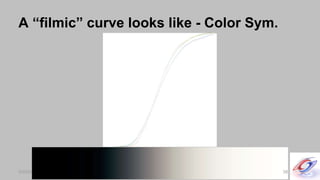
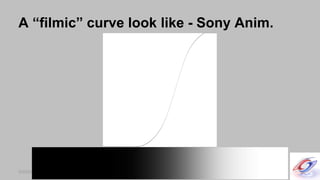
What does a “filmic” curve look like?
• Let’s look at some curves. Notice
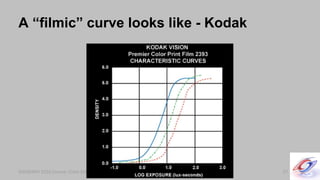
– Toe
– Shoulder
– Channel separation
– “Linear” range
36
SIGGRAPH 2010 Course: Color Enhancement and Rendering in Film and Game ProductionSIGGRAPH 2010 Course: Color Enhancement and Rendering in Film and Game Production
A “filmic” curve looks like - Kodak
37
SIGGRAPH 2010 Course: Color Enhancement and Rendering in Film and Game ProductionSIGGRAPH 2010 Course: Color Enhancement and Rendering in Film and Game Production
A “filmic” curve looks like - Color Sym.
38
SIGGRAPH 2010 Course: Color Enhancement and Rendering in Film and Game ProductionSIGGRAPH 2010 Course: Color Enhancement and Rendering in Film and Game Production
A “filmic” curve look like - Sony Anim.
39
SIGGRAPH 2010 Course: Color Enhancement and Rendering in Film and Game ProductionSIGGRAPH 2010 Course: Color Enhancement and Rendering in Film and Game Production
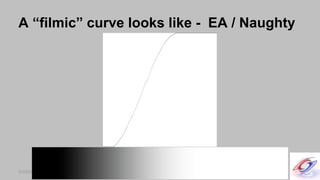
A “filmic” curve looks like - EA / Naughty
40
SIGGRAPH 2010 Course: Color Enhancement and Rendering in Film and Game ProductionSIGGRAPH 2010 Course: Color Enhancement and Rendering in Film and Game Production
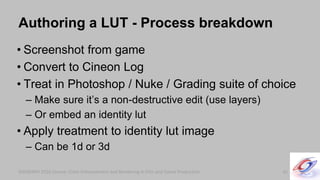
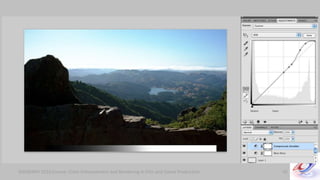
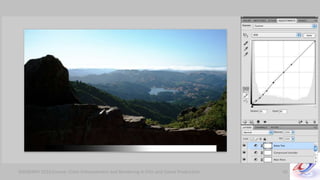
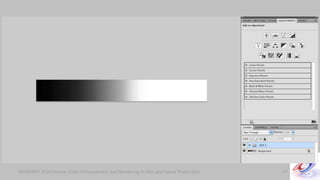
Authoring a LUT - Process breakdown
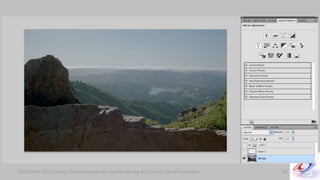
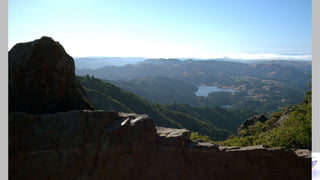
• Screenshot from game
• Convert to Cineon Log
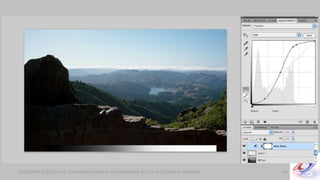
• Treat in Photoshop / Nuke / Grading suite of choice
– Make sure it’s a non-destructive edit (use layers)
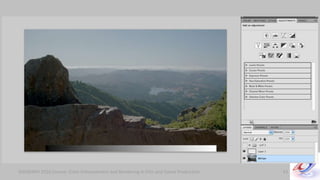
– Or embed an identity lut
• Apply treatment to identity lut image
– Can be 1d or 3d
41
SIGGRAPH 2010 Course: Color Enhancement and Rendering in Film and Game ProductionSIGGRAPH 2010 Course: Color Enhancement and Rendering in Film and Game Production 42
SIGGRAPH 2010 Course: Color Enhancement and Rendering in Film and Game ProductionSIGGRAPH 2010 Course: Color Enhancement and Rendering in Film and Game Production 43
SIGGRAPH 2010 Course: Color Enhancement and Rendering in Film and Game ProductionSIGGRAPH 2010 Course: Color Enhancement and Rendering in Film and Game Production 44
SIGGRAPH 2010 Course: Color Enhancement and Rendering in Film and Game ProductionSIGGRAPH 2010 Course: Color Enhancement and Rendering in Film and Game Production 45
SIGGRAPH 2010 Course: Color Enhancement and Rendering in Film and Game ProductionSIGGRAPH 2010 Course: Color Enhancement and Rendering in Film and Game Production 46
SIGGRAPH 2010 Course: Color Enhancement and Rendering in Film and Game ProductionSIGGRAPH 2010 Course: Color Enhancement and Rendering in Film and Game Production 47
SIGGRAPH 2010 Course: Color Enhancement and Rendering in Film and Game ProductionSIGGRAPH 2010 Course: Color Enhancement and Rendering in Film and Game Production 48
SIGGRAPH 2010 Course: Color Enhancement and Rendering in Film and Game ProductionSIGGRAPH 2010 Course: Color Enhancement and Rendering in Film and Game Production 49
SIGGRAPH 2010 Course: Color Enhancement and Rendering in Film and Game ProductionSIGGRAPH 2010 Course: Color Enhancement and Rendering in Film and Game Production 50
SIGGRAPH 2010 Course: Color Enhancement and Rendering in Film and Game ProductionSIGGRAPH 2010 Course: Color Enhancement and Rendering in Film and Game Production 51
SIGGRAPH 2010 Course: Color Enhancement and Rendering in Film and Game ProductionSIGGRAPH 2010 Course: Color Enhancement and Rendering in Film and Game Production
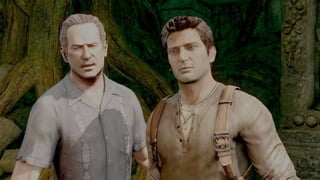
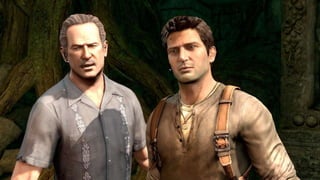
Screenshot from game
• Can we use Uncharted here?
52
SIGGRAPH 2010 Course: Color Enhancement and Rendering in Film and Game ProductionSIGGRAPH 2010 Course: Color Enhancement and Rendering in Film and Game Production 53
SIGGRAPH 2010 Course: Color Enhancement and Rendering in Film and Game ProductionSIGGRAPH 2010 Course: Color Enhancement and Rendering in Film and Game Production
Optimized implementation
• Three steps of color processing is too expensive
• Analytical approximations
– Jim Hejl and Richard Burgess-Dawson at EA
– John Hable at Naughty Dog
54
SIGGRAPH 2010 Course: Color Enhancement and Rendering in Film and Game ProductionSIGGRAPH 2010 Course: Color Enhancement and Rendering in Film and Game Production
Analytical Approximations
• Linear all the way to sRGB-corrected
– Requires fitting parameters to authored lut
• Different approximations
55
SIGGRAPH 2010 Course: Color Enhancement and Rendering in Film and Game ProductionSIGGRAPH 2010 Course: Color Enhancement and Rendering in Film and Game Production
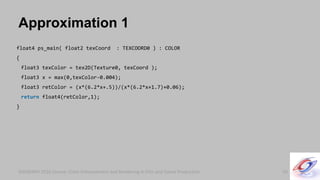
Approximation 1
56
float4 ps_main( float2 texCoord : TEXCOORD0 ) : COLOR
{
float3 texColor = tex2D(Texture0, texCoord );
float3 x = max(0,texColor-0.004);
float3 retColor = (x*(6.2*x+.5))/(x*(6.2*x+1.7)+0.06);
return float4(retColor,1);
}
SIGGRAPH 2010 Course: Color Enhancement and Rendering in Film and Game ProductionSIGGRAPH 2010 Course: Color Enhancement and Rendering in Film and Game Production
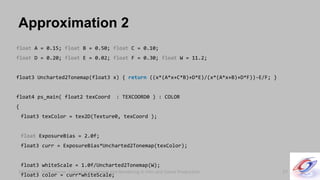
Approximation 2
57
float A = 0.15; float B = 0.50; float C = 0.10;
float D = 0.20; float E = 0.02; float F = 0.30; float W = 11.2;
float3 Uncharted2Tonemap(float3 x) { return ((x*(A*x+C*B)+D*E)/(x*(A*x+B)+D*F))-E/F; }
float4 ps_main( float2 texCoord : TEXCOORD0 ) : COLOR
{
float3 texColor = tex2D(Texture0, texCoord );
float ExposureBias = 2.0f;
float3 curr = ExposureBias*Uncharted2Tonemap(texColor);
float3 whiteScale = 1.0f/Uncharted2Tonemap(W);
float3 color = curr*whiteScale;
SIGGRAPH 2010 Course: Color Enhancement and Rendering in Film and Game ProductionSIGGRAPH 2010 Course: Color Enhancement and Rendering in Film and Game Production
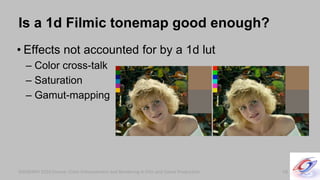
Is a 1d Filmic tonemap good enough?
• Effects not accounted for by a 1d lut
– Color cross-talk
– Saturation
– Gamut-mapping
58
SIGGRAPH 2010 Course: Color Enhancement and Rendering in Film and Game ProductionSIGGRAPH 2010 Course: Color Enhancement and Rendering in Film and Game Production
Emulating an actual film stock
• Authoring a lut can be artistic or emulation driven
– Is emulation what your game needs?
– You can combine the two
59
SIGGRAPH 2010 Course: Color Enhancement and Rendering in Film and Game ProductionSIGGRAPH 2010 Course: Color Enhancement and Rendering in Film and Game Production
Thanks
• Naty Hoffman
• John Hable
• Jim Hejl
• Kim Libreri
• George Borshukov
• Course contributors
60

Filmic Tonemapping for Real-time Rendering - Siggraph 2010 Color Course

  • 2.
    SIGGRAPH 2010 Filmic Tonemapping forReal-time Rendering Haarm-Pieter Duiker Duiker Research hpd@duikerresearch.com
  • 3.
    Filmic Tonemapping Overview •History of Color in Games • Scene-referred and Output-referred data • Cineon Log • What a filmic curve looks like • Authoring a filmic curve • Further work
  • 4.
    SIGGRAPH 2010 Course:Color Enhancement and Rendering in Film and Game ProductionSIGGRAPH 2010 Course: Color Enhancement and Rendering in Film and Game Production 4
  • 5.
    SIGGRAPH 2010 Course:Color Enhancement and Rendering in Film and Game ProductionSIGGRAPH 2010 Course: Color Enhancement and Rendering in Film and Game Production 5
  • 6.
    SIGGRAPH 2010 Course:Color Enhancement and Rendering in Film and Game ProductionSIGGRAPH 2010 Course: Color Enhancement and Rendering in Film and Game Production 6
  • 7.
    SIGGRAPH 2010 Course:Color Enhancement and Rendering in Film and Game ProductionSIGGRAPH 2010 Course: Color Enhancement and Rendering in Film and Game Production 7
  • 8.
    SIGGRAPH 2010 Course:Color Enhancement and Rendering in Film and Game ProductionSIGGRAPH 2010 Course: Color Enhancement and Rendering in Film and Game Production 8
  • 9.
    SIGGRAPH 2010 Course:Color Enhancement and Rendering in Film and Game ProductionSIGGRAPH 2010 Course: Color Enhancement and Rendering in Film and Game Production 9
  • 10.
    SIGGRAPH 2010 Course:Color Enhancement and Rendering in Film and Game ProductionSIGGRAPH 2010 Course: Color Enhancement and Rendering in Film and Game Production 10
  • 11.
    SIGGRAPH 2010 Course:Color Enhancement and Rendering in Film and Game ProductionSIGGRAPH 2010 Course: Color Enhancement and Rendering in Film and Game Production 11
  • 12.
    SIGGRAPH 2010 Course:Color Enhancement and Rendering in Film and Game ProductionSIGGRAPH 2010 Course: Color Enhancement and Rendering in Film and Game Production HDR data in modern hardware • What problems do modern hardware capabilities bring with them? – Working with HDR data implies Linear color math – Linear data is displayed on non-linear devices • monitors • TV screens 12
  • 13.
    SIGGRAPH 2010 Course:Color Enhancement and Rendering in Film and Game ProductionSIGGRAPH 2010 Course: Color Enhancement and Rendering in Film and Game Production Review of different color spaces • Some (relatively) new terms – Scene-referred – Output-referred – What? Why does this matter now? • Two main color spaces – Scene-referred Linear – Output-referred sRGB 13
  • 14.
    SIGGRAPH 2010 Course:Color Enhancement and Rendering in Film and Game ProductionSIGGRAPH 2010 Course: Color Enhancement and Rendering in Film and Game Production 14
  • 15.
    SIGGRAPH 2010 Course:Color Enhancement and Rendering in Film and Game ProductionSIGGRAPH 2010 Course: Color Enhancement and Rendering in Film and Game Production 15
  • 16.
    SIGGRAPH 2010 Course:Color Enhancement and Rendering in Film and Game ProductionSIGGRAPH 2010 Course: Color Enhancement and Rendering in Film and Game Production Two phase model of color rendering • Render / Capture linear data • Correct for the display’s characteristics – Get the display to render the intensities of the ‘scene- referred’ data as closely as possible to the original scene 16
  • 17.
    SIGGRAPH 2010 Course:Color Enhancement and Rendering in Film and Game ProductionSIGGRAPH 2010 Course: Color Enhancement and Rendering in Film and Game Production What does Linear data “look” like? 17
  • 18.
    SIGGRAPH 2010 Course:Color Enhancement and Rendering in Film and Game ProductionSIGGRAPH 2010 Course: Color Enhancement and Rendering in Film and Game Production 18
  • 19.
    SIGGRAPH 2010 Course:Color Enhancement and Rendering in Film and Game ProductionSIGGRAPH 2010 Course: Color Enhancement and Rendering in Film and Game Production 19
  • 20.
    SIGGRAPH 2010 Course:Color Enhancement and Rendering in Film and Game ProductionSIGGRAPH 2010 Course: Color Enhancement and Rendering in Film and Game Production 20
  • 21.
    SIGGRAPH 2010 Course:Color Enhancement and Rendering in Film and Game ProductionSIGGRAPH 2010 Course: Color Enhancement and Rendering in Film and Game Production 21
  • 22.
    SIGGRAPH 2010 Course:Color Enhancement and Rendering in Film and Game ProductionSIGGRAPH 2010 Course: Color Enhancement and Rendering in Film and Game Production 22
  • 23.
    SIGGRAPH 2010 Course:Color Enhancement and Rendering in Film and Game Production • High contrast • The dynamic range viewable on screen is small • Integer formats can only represent a fixed dynamic range SIGGRAPH 2010 Course: Color Enhancement and Rendering in Film and Game Production Issues with Scene-referred Linear data 23
  • 24.
    SIGGRAPH 2010 Course:Color Enhancement and Rendering in Film and Game ProductionSIGGRAPH 2010 Course: Color Enhancement and Rendering in Film and Game Production Can we do better than sRGB? • How do we make a scene-referred linear render look like film? • Can we add some artistic control to the proces? – What if we want to make our render look like a film stock that doesn’t exist? 25
  • 25.
    SIGGRAPH 2010 Course:Color Enhancement and Rendering in Film and Game ProductionSIGGRAPH 2010 Course: Color Enhancement and Rendering in Film and Game Production 26
  • 26.
    SIGGRAPH 2010 Course:Color Enhancement and Rendering in Film and Game ProductionSIGGRAPH 2010 Course: Color Enhancement and Rendering in Film and Game Production 27
  • 27.
    SIGGRAPH 2010 Course:Color Enhancement and Rendering in Film and Game ProductionSIGGRAPH 2010 Course: Color Enhancement and Rendering in Film and Game Production 28
  • 28.
    SIGGRAPH 2010 Course:Color Enhancement and Rendering in Film and Game ProductionSIGGRAPH 2010 Course: Color Enhancement and Rendering in Film and Game Production Cineon Log - a new (old) color space • Used in visual effects since circa 1993 • Important properties – Pixel values correspond to negative density • lg = (log10(ln/linReference)/ld*logGamma + logReference)/1023.f • log Density ~= log10(Intensity) ~= Exposure – HDR data in an LDR bit depth • Values greater than 1 map to values less than 1 – Values close to 0 get a lot bits 29
  • 29.
    SIGGRAPH 2010 Course:Color Enhancement and Rendering in Film and Game ProductionSIGGRAPH 2010 Course: Color Enhancement and Rendering in Film and Game Production Visualizing color spaces 30
  • 30.
    SIGGRAPH 2010 Course:Color Enhancement and Rendering in Film and Game ProductionSIGGRAPH 2010 Course: Color Enhancement and Rendering in Film and Game Production 31
  • 31.
    SIGGRAPH 2010 Course:Color Enhancement and Rendering in Film and Game ProductionSIGGRAPH 2010 Course: Color Enhancement and Rendering in Film and Game Production 32
  • 32.
    SIGGRAPH 2010 Course:Color Enhancement and Rendering in Film and Game ProductionSIGGRAPH 2010 Course: Color Enhancement and Rendering in Film and Game Production 33
  • 33.
    SIGGRAPH 2010 Course:Color Enhancement and Rendering in Film and Game ProductionSIGGRAPH 2010 Course: Color Enhancement and Rendering in Film and Game Production 34
  • 34.
    SIGGRAPH 2010 Course:Color Enhancement and Rendering in Film and Game ProductionSIGGRAPH 2010 Course: Color Enhancement and Rendering in Film and Game Production Filmic Tonemapping - Four stages • Render / Capture linear data • Convert from Scene-referred Linear to Log – Match the look of a negative film stock here • Apply a “filmic” tonemap to match a print film stock • Correct for the display’s characteristics 35
  • 35.
    SIGGRAPH 2010 Course:Color Enhancement and Rendering in Film and Game ProductionSIGGRAPH 2010 Course: Color Enhancement and Rendering in Film and Game Production What does a “filmic” curve look like? • Let’s look at some curves. Notice – Toe – Shoulder – Channel separation – “Linear” range 36
  • 36.
    SIGGRAPH 2010 Course:Color Enhancement and Rendering in Film and Game ProductionSIGGRAPH 2010 Course: Color Enhancement and Rendering in Film and Game Production A “filmic” curve looks like - Kodak 37
  • 37.
    SIGGRAPH 2010 Course:Color Enhancement and Rendering in Film and Game ProductionSIGGRAPH 2010 Course: Color Enhancement and Rendering in Film and Game Production A “filmic” curve looks like - Color Sym. 38
  • 38.
    SIGGRAPH 2010 Course:Color Enhancement and Rendering in Film and Game ProductionSIGGRAPH 2010 Course: Color Enhancement and Rendering in Film and Game Production A “filmic” curve look like - Sony Anim. 39
  • 39.
    SIGGRAPH 2010 Course:Color Enhancement and Rendering in Film and Game ProductionSIGGRAPH 2010 Course: Color Enhancement and Rendering in Film and Game Production A “filmic” curve looks like - EA / Naughty 40
  • 40.
    SIGGRAPH 2010 Course:Color Enhancement and Rendering in Film and Game ProductionSIGGRAPH 2010 Course: Color Enhancement and Rendering in Film and Game Production Authoring a LUT - Process breakdown • Screenshot from game • Convert to Cineon Log • Treat in Photoshop / Nuke / Grading suite of choice – Make sure it’s a non-destructive edit (use layers) – Or embed an identity lut • Apply treatment to identity lut image – Can be 1d or 3d 41
  • 41.
    SIGGRAPH 2010 Course:Color Enhancement and Rendering in Film and Game ProductionSIGGRAPH 2010 Course: Color Enhancement and Rendering in Film and Game Production 42
  • 42.
    SIGGRAPH 2010 Course:Color Enhancement and Rendering in Film and Game ProductionSIGGRAPH 2010 Course: Color Enhancement and Rendering in Film and Game Production 43
  • 43.
    SIGGRAPH 2010 Course:Color Enhancement and Rendering in Film and Game ProductionSIGGRAPH 2010 Course: Color Enhancement and Rendering in Film and Game Production 44
  • 44.
    SIGGRAPH 2010 Course:Color Enhancement and Rendering in Film and Game ProductionSIGGRAPH 2010 Course: Color Enhancement and Rendering in Film and Game Production 45
  • 45.
    SIGGRAPH 2010 Course:Color Enhancement and Rendering in Film and Game ProductionSIGGRAPH 2010 Course: Color Enhancement and Rendering in Film and Game Production 46
  • 46.
    SIGGRAPH 2010 Course:Color Enhancement and Rendering in Film and Game ProductionSIGGRAPH 2010 Course: Color Enhancement and Rendering in Film and Game Production 47
  • 47.
    SIGGRAPH 2010 Course:Color Enhancement and Rendering in Film and Game ProductionSIGGRAPH 2010 Course: Color Enhancement and Rendering in Film and Game Production 48
  • 48.
    SIGGRAPH 2010 Course:Color Enhancement and Rendering in Film and Game ProductionSIGGRAPH 2010 Course: Color Enhancement and Rendering in Film and Game Production 49
  • 49.
    SIGGRAPH 2010 Course:Color Enhancement and Rendering in Film and Game ProductionSIGGRAPH 2010 Course: Color Enhancement and Rendering in Film and Game Production 50
  • 50.
    SIGGRAPH 2010 Course:Color Enhancement and Rendering in Film and Game ProductionSIGGRAPH 2010 Course: Color Enhancement and Rendering in Film and Game Production 51
  • 51.
    SIGGRAPH 2010 Course:Color Enhancement and Rendering in Film and Game ProductionSIGGRAPH 2010 Course: Color Enhancement and Rendering in Film and Game Production Screenshot from game • Can we use Uncharted here? 52
  • 52.
    SIGGRAPH 2010 Course:Color Enhancement and Rendering in Film and Game ProductionSIGGRAPH 2010 Course: Color Enhancement and Rendering in Film and Game Production 53
  • 53.
    SIGGRAPH 2010 Course:Color Enhancement and Rendering in Film and Game ProductionSIGGRAPH 2010 Course: Color Enhancement and Rendering in Film and Game Production Optimized implementation • Three steps of color processing is too expensive • Analytical approximations – Jim Hejl and Richard Burgess-Dawson at EA – John Hable at Naughty Dog 54
  • 54.
    SIGGRAPH 2010 Course:Color Enhancement and Rendering in Film and Game ProductionSIGGRAPH 2010 Course: Color Enhancement and Rendering in Film and Game Production Analytical Approximations • Linear all the way to sRGB-corrected – Requires fitting parameters to authored lut • Different approximations 55
  • 55.
    SIGGRAPH 2010 Course:Color Enhancement and Rendering in Film and Game ProductionSIGGRAPH 2010 Course: Color Enhancement and Rendering in Film and Game Production Approximation 1 56 float4 ps_main( float2 texCoord : TEXCOORD0 ) : COLOR { float3 texColor = tex2D(Texture0, texCoord ); float3 x = max(0,texColor-0.004); float3 retColor = (x*(6.2*x+.5))/(x*(6.2*x+1.7)+0.06); return float4(retColor,1); }
  • 56.
    SIGGRAPH 2010 Course:Color Enhancement and Rendering in Film and Game ProductionSIGGRAPH 2010 Course: Color Enhancement and Rendering in Film and Game Production Approximation 2 57 float A = 0.15; float B = 0.50; float C = 0.10; float D = 0.20; float E = 0.02; float F = 0.30; float W = 11.2; float3 Uncharted2Tonemap(float3 x) { return ((x*(A*x+C*B)+D*E)/(x*(A*x+B)+D*F))-E/F; } float4 ps_main( float2 texCoord : TEXCOORD0 ) : COLOR { float3 texColor = tex2D(Texture0, texCoord ); float ExposureBias = 2.0f; float3 curr = ExposureBias*Uncharted2Tonemap(texColor); float3 whiteScale = 1.0f/Uncharted2Tonemap(W); float3 color = curr*whiteScale;
  • 57.
    SIGGRAPH 2010 Course:Color Enhancement and Rendering in Film and Game ProductionSIGGRAPH 2010 Course: Color Enhancement and Rendering in Film and Game Production Is a 1d Filmic tonemap good enough? • Effects not accounted for by a 1d lut – Color cross-talk – Saturation – Gamut-mapping 58
  • 58.
    SIGGRAPH 2010 Course:Color Enhancement and Rendering in Film and Game ProductionSIGGRAPH 2010 Course: Color Enhancement and Rendering in Film and Game Production Emulating an actual film stock • Authoring a lut can be artistic or emulation driven – Is emulation what your game needs? – You can combine the two 59
  • 59.
    SIGGRAPH 2010 Course:Color Enhancement and Rendering in Film and Game ProductionSIGGRAPH 2010 Course: Color Enhancement and Rendering in Film and Game Production Thanks • Naty Hoffman • John Hable • Jim Hejl • Kim Libreri • George Borshukov • Course contributors 60

Editor's Notes

  • #4 Further work Going beyond a 1d lut Approximations the artistic results Where does this fit in the games rendering pipeline?
  • #13 Arguably one of the most important changes in gpu graphics in the last couple of years Linear means that an equal perceptual change in exposure is an exponential shift in linear intensity Linearize your textures on read Compensate for the characteristics of display devices through Tone Mapping Choose a Tone Mapping algorithm
  • #14 What is scene referred data? : Data that represents lighting values from a scene What is output referred data? : Data that represents value for some output medium What’s new here : They are different concepts and need to connected. How dynamic range maps to bits Tone-mapping algorithms can be used to transform Scene-referred data to Output-referred Why the choice of color space is important when you generate luts. Revisit later.
  • #15 - Start to have a means to describe the data out there in the world, i.e. photons hitting a lens, separately from the data being displayed on a monitor - What you see on your screen isn’t actually the ‘data’ - There is a mapping from Scene-referred to Output-referred
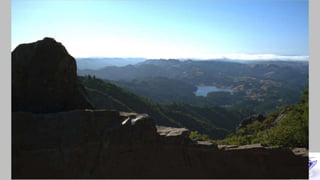
  • #17 Linear to sRGB is the most common generic transform Since most displays / TVs behave something like sRGB devices
  • #18 Common assumption in real-time rendering: HDR data just means that you can have values above 1 Picture of a light bulb with values in linear and video?
  • #19 Correcting for the characteristics of the display gets you - Detail in the darks - Better mid-tones - Less quantization overall
  • #24 To review - points above - Linear data doesn’t “look” right without some sort of tonemapping -
  • #25 A graph of an sRGB curve has to go in here somewhere
  • #26 - This will be a qualitative talk - For a very thorough quantitative simulation of film, see the next talk
  • #27 - Review the problem - linear element
  • #28 - Review the problem - sRGB element
  • #29 - Review the problem - filmic element
  • #30 - This is a very hand-wavy slide, just going to throw that out there now - From here on our I’ll just refer to Cineon Log as “Log”. There are now a number of new Cineon Log-like color spaces used by different digital video cameras. - “There are many Log spaces like it, but this one is mine” - The distinct mapping between scene-referred linear intensity values and Log Density values makes Cineon Log a bit nicer than some of the other log formats out there right now.
  • #31 - Review the problem - linear element Dark blacks Clipped whites
  • #32 - Review the problem - log element Non-clipped whites Range in the blacks Mid-tones aren’t compromised
  • #33 - Review the problem - filmic element
  • #34 - Review the problem - sRGB element
  • #35 - Review the problem - filmic element
  • #36 A technique that mimics the display of digital film data See earlier talks in this course - 4 steps doesn’t sound very real time. Can we get this down to 2 or even 1 step? Yes.
  • #37 - Things to notice, Toe, Shoulder, Linear portion and that each channel can and does behave differently
  • #38 aka Kodak Sensitometry Curves, Characteristic curves, Hurter-Driffield curves (from 1876, wow) - Things to notice, Toe, Shoulder, Linear portion and that each channel can and does behave differently
  • #39 Example curve from Color Symmetry
  • #40 Example curves from Sony
  • #41 Example curves from EA / Uncharted (Naughty Dog)
  • #42 - How do I make my own?
  • #45 Grey point and base curve - It’s easy to come up with a nice image that looks really different than the normal game engine output - In order to avoid real culture shock for the artists and engineers, keeping the grey levels consistent between the filmic tonemap and the normal sRGB is a good thing grey in sRGB ~= 118, 0.48 in log = 444, 110 white in sRGB ~= 255, 1 in log = 685, 171 black in sRGB ~= 0, 0 in log = 95, 24
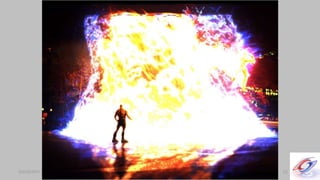
  • #51 scene-referred linear
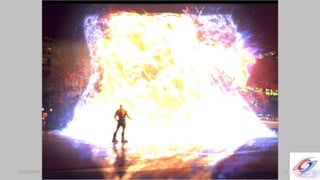
  • #52 cineon log
  • #53 sRGB
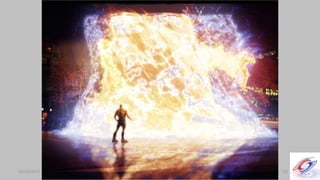
  • #54 filmic
  • #55 We like the results, but the process seems too expensive for a shipping game. Where should the tonemap be applied?
  • #56 - Matlab example of fitting parameters to curve in course notes?
  • #59 - The choice is definitely yours - Add image of Marcie with 1d and 3d representations of Kodak Premiere - Look at different film stocks, as presented by Adobe
  • #60 - Autodesk supplied .3dl files with Maya and Toxik - Adobe supplied .icc profiles with After Photoshop and After Effects - Copyright issues?