Dr. Mohieddin Moradi
mohieddinmoradi@gmail.com
Dream
Idea
Plan
Implementation
1
https://www.slideshare.net/mohieddin.moradi/presentations
2
− Elements of High-Quality Image Production
− CRT Gamma Characteristic
− Light Level Definitions & HVS Light Perception
− Dynamic Range Management in Camera
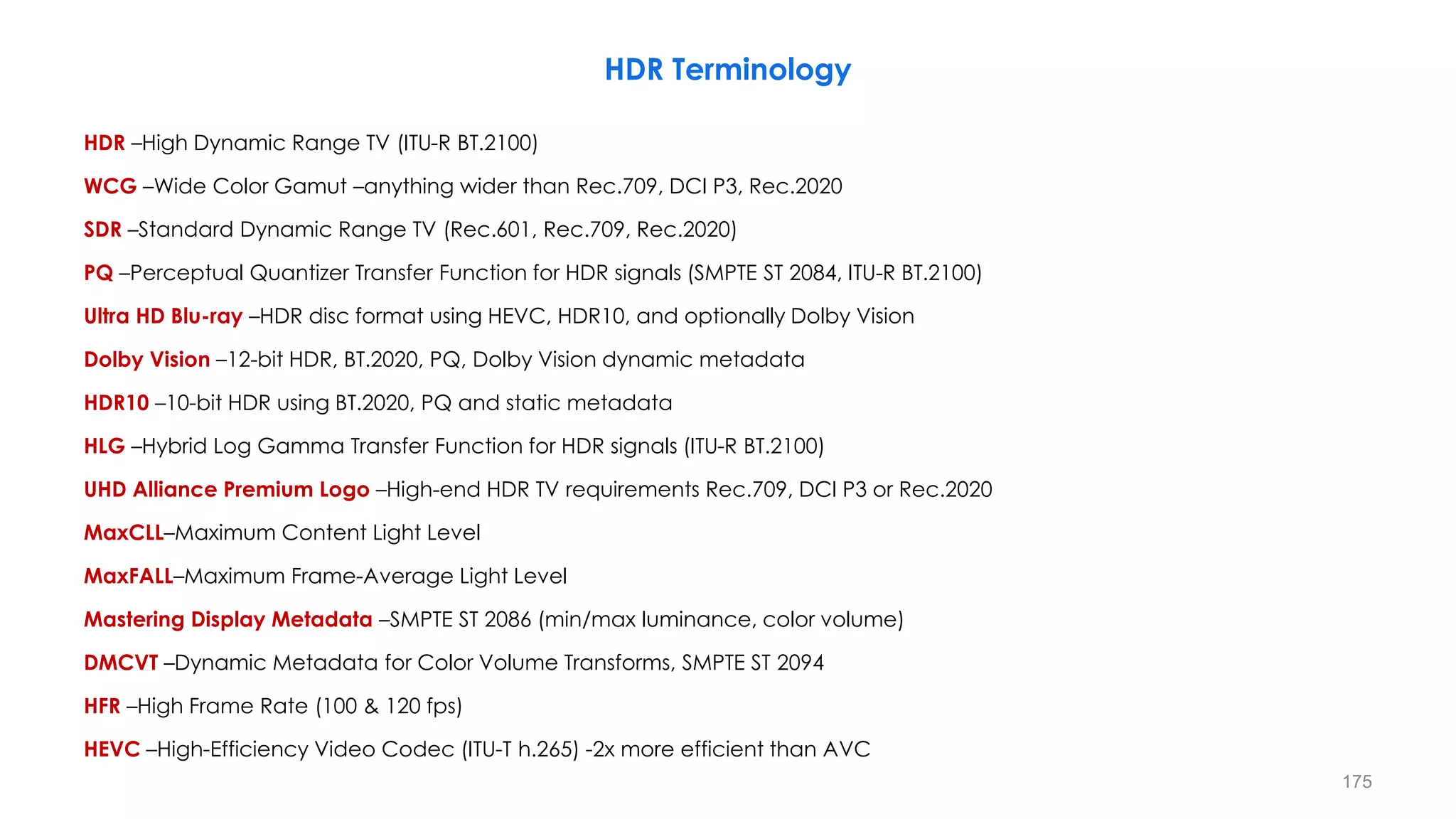
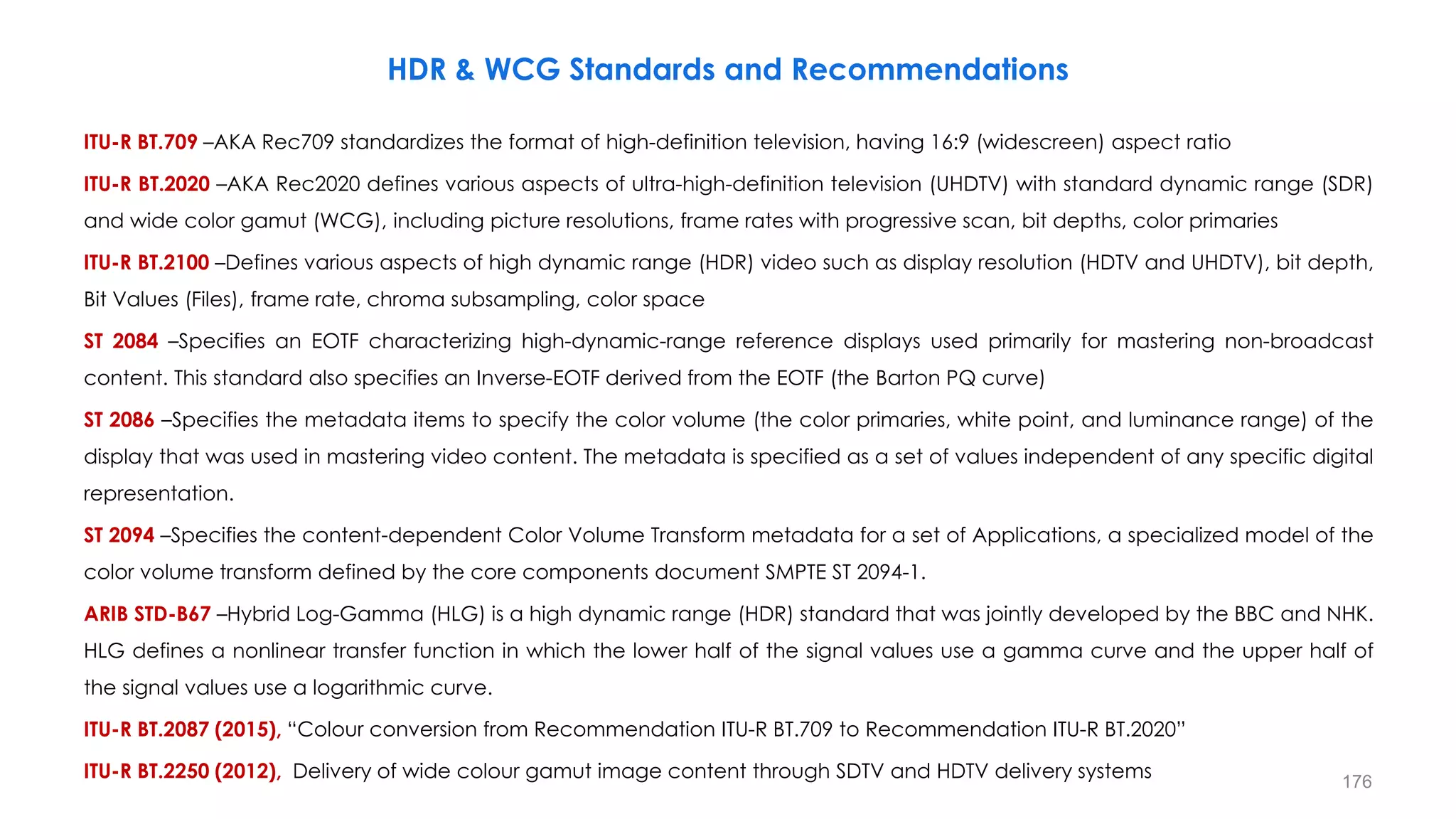
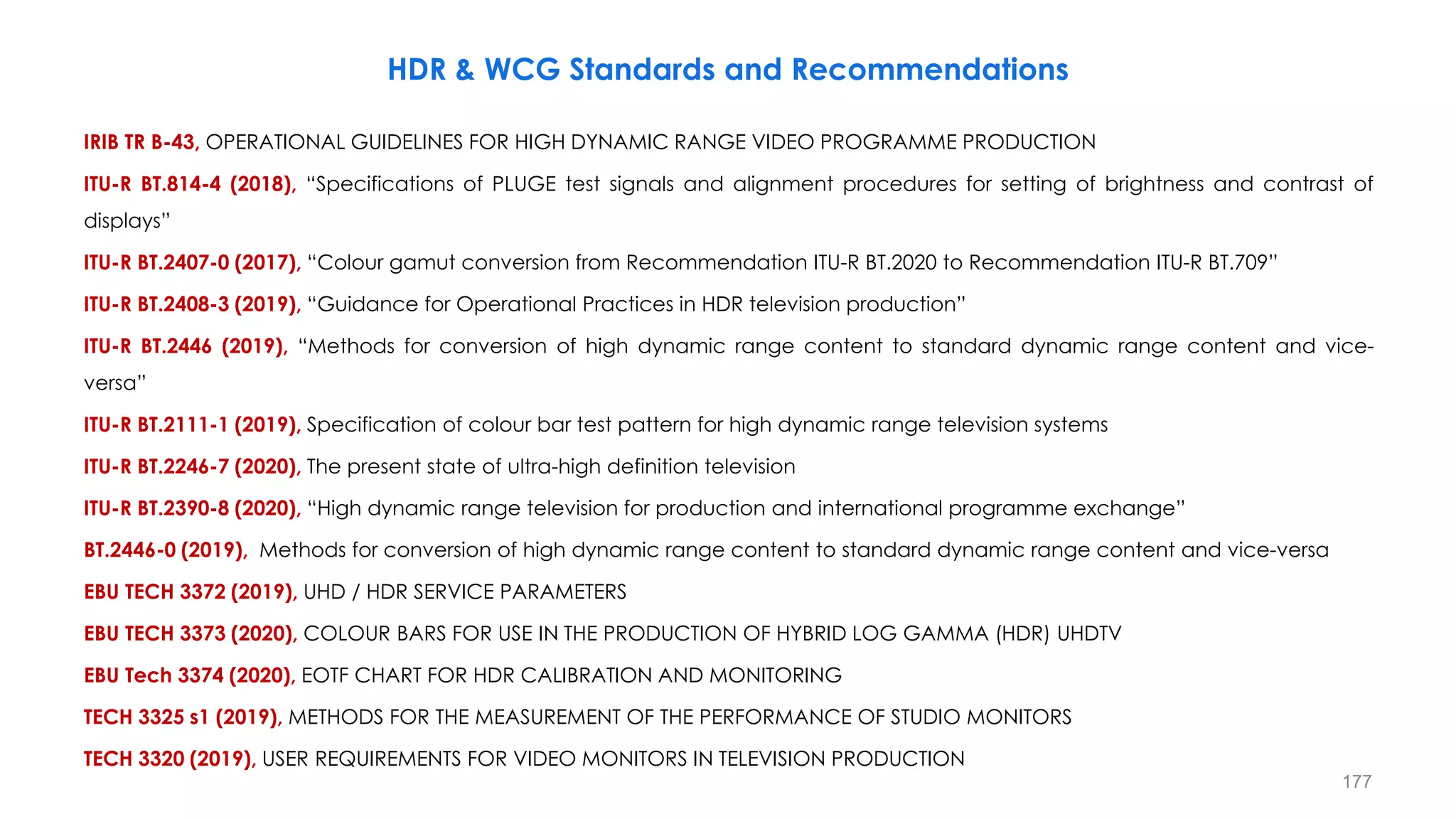
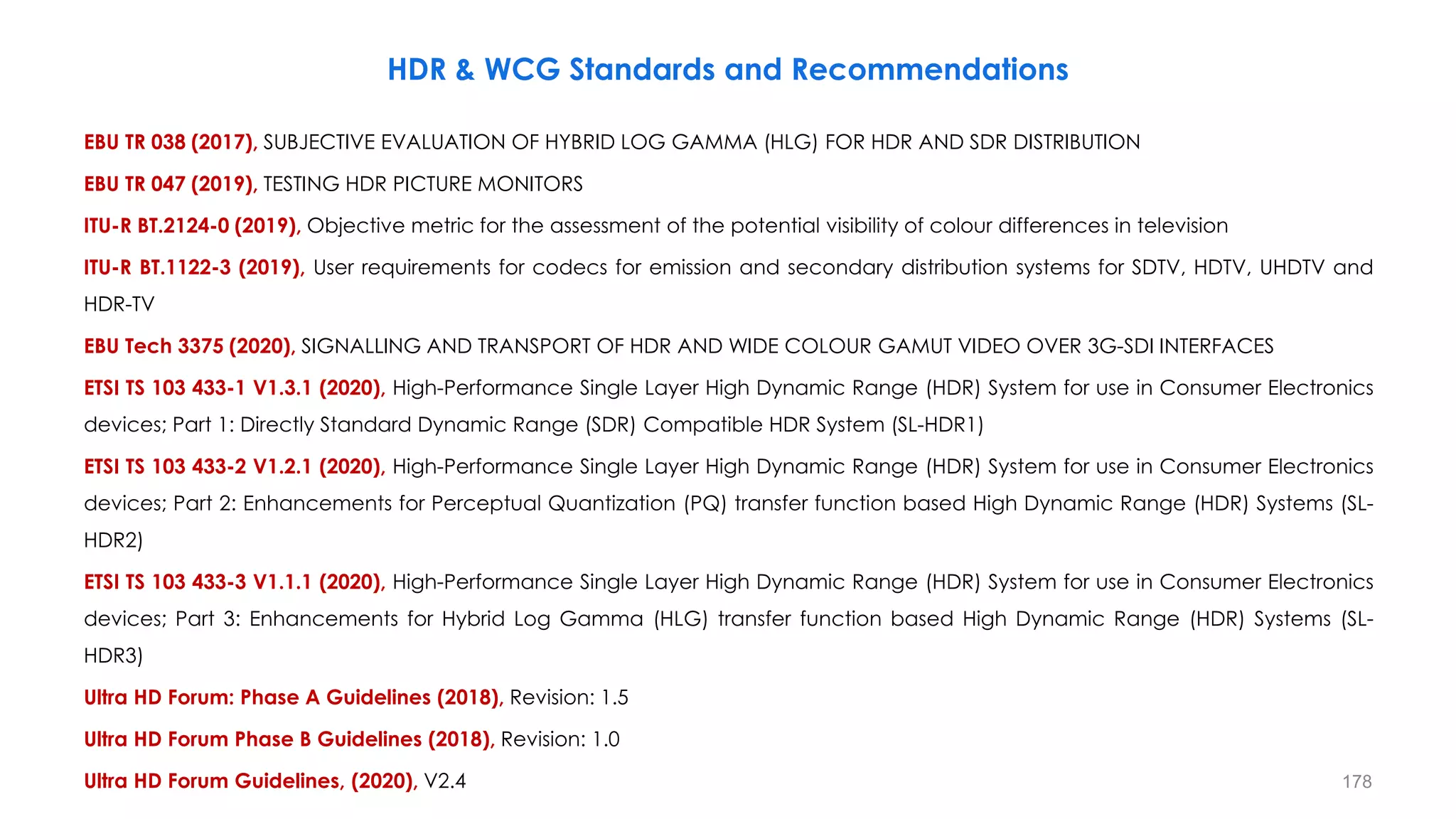
− An Introduction to HDR Technology
− Luminance and Contrast Masking and HVS Frequency Response
− SMPTE ST-2084: “Perceptual Quantizer”(PQ), PQ HDR-TV
− ARIB STB-B67 and ITU-R BT.2100, HLG HDR-TV
− Scene-Referred vs. Display-Referred and OOTF (Opto-Optical Transfer Function)
− Signal Range Selection for HLG and PQ (Narrow and Full Ranges)
− Conversion Between PQ and HLG
− HDR Static and Dynamic Metadata
− ST 2094, Dynamic Metadata for Color Volume Transforms (DMCVT)
Outline
3
− Different HDR Technologies
− Nominal Signal Levels for PQ and HLG Production
− Exposure and False Color Management in HDR
− Colour Bars For Use in the Production of HLG and PQ HDR Systems
− Wide Color Gamut (WCG) and Color Space Conversion
− Scene Light vs Display Light Conversions
− Direct Mapping in HDR/SDR Conversions
− Tone Mapping, Inverse Tone Mapping, Clipping and Color Volume Mapping
− HDR & SDR Mastering Approaches
− Color Representation for Chroma Sub-sampling
− UHD Phases and HDR Broadcasting, Encoding and Transmission HDR
− Different Log HDR-TV Standards
− Sony S-Log3 HDR Standard
− SR: Scene-referred and Super Reality (Scene Referred Live HDR Production) (SR Live Workflow )
Outline
4
5
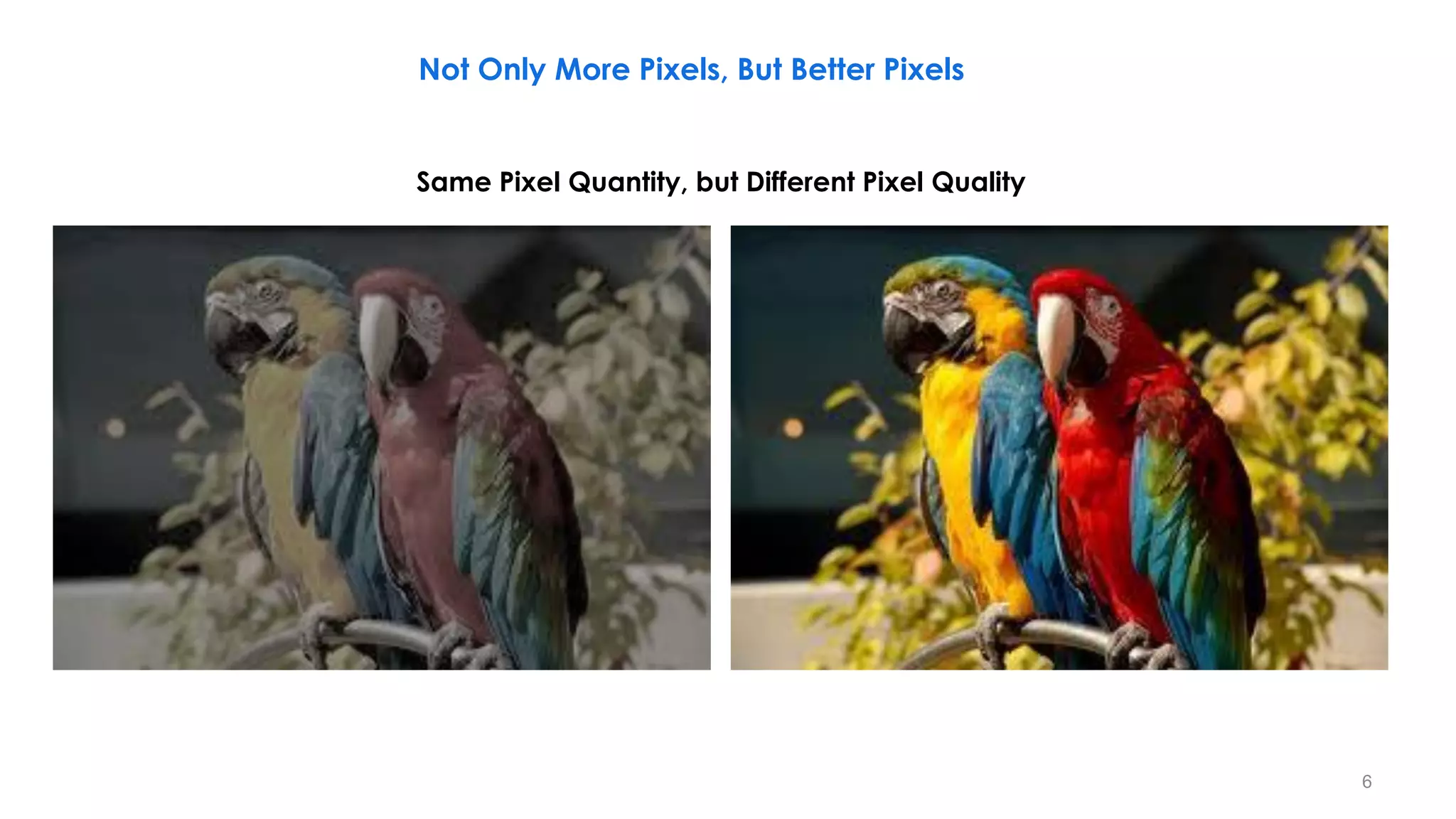
Not Only More Pixels, But Better Pixels
Same Pixel Quantity, but Different Pixel Quality
6
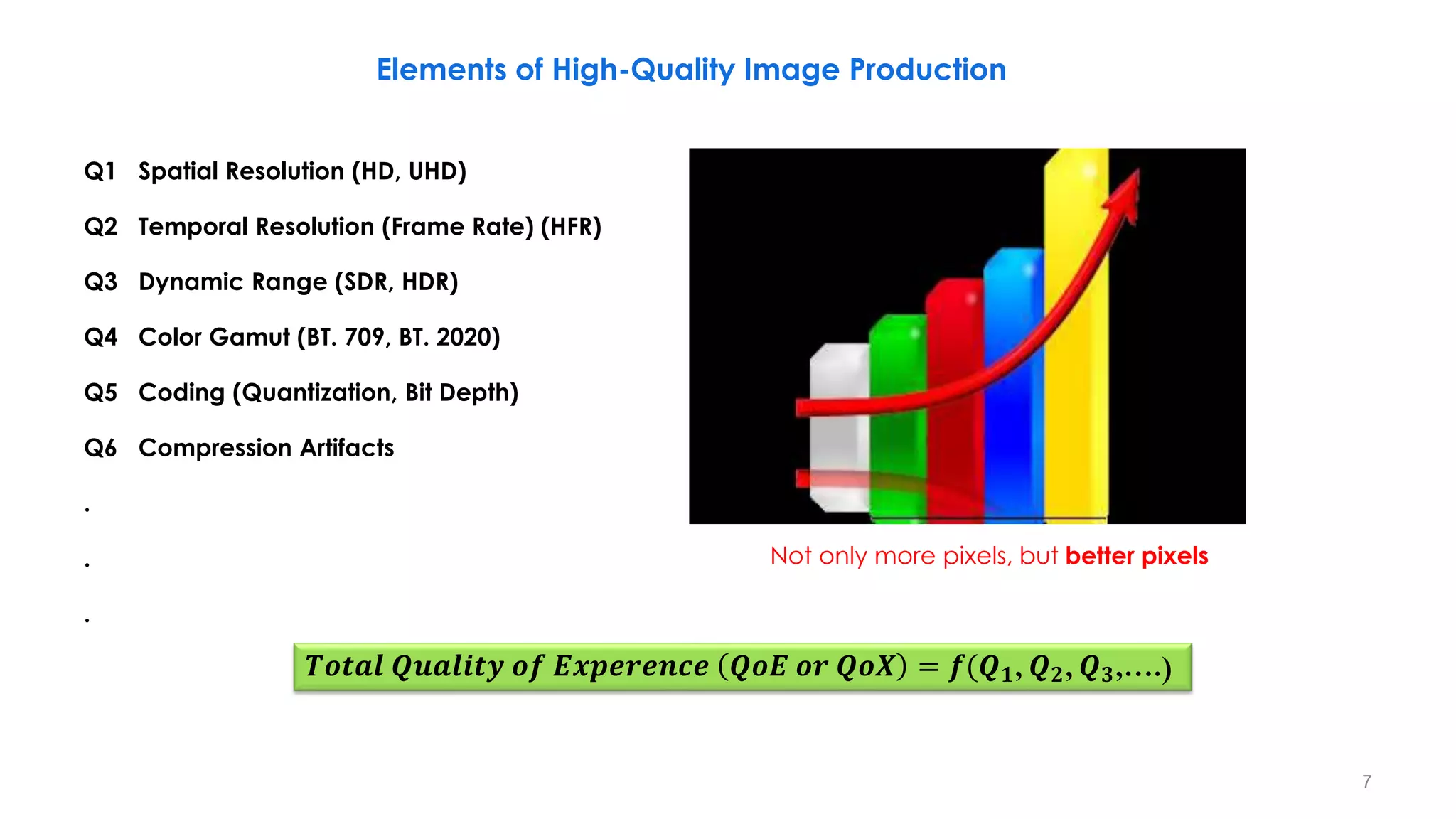
Not only more pixels, but better pixels
Elements of High-Quality Image Production
𝑻𝒐𝒕𝒂𝒍 𝑸𝒖𝒂𝒍𝒊𝒕𝒚 𝒐𝒇 𝑬𝒙𝒑𝒆𝒓𝒆𝒏𝒄𝒆 𝑸𝒐𝑬 𝒐𝒓 𝑸𝒐𝑿 = 𝒇(𝑸𝟏, 𝑸𝟐, 𝑸𝟑,….)
Q1 Spatial Resolution (HD, UHD)
Q2 Temporal Resolution (Frame Rate) (HFR)
Q3 Dynamic Range (SDR, HDR)
Q4 Color Gamut (BT. 709, BT. 2020)
Q5 Coding (Quantization, Bit Depth)
Q6 Compression Artifacts
.
.
.
7
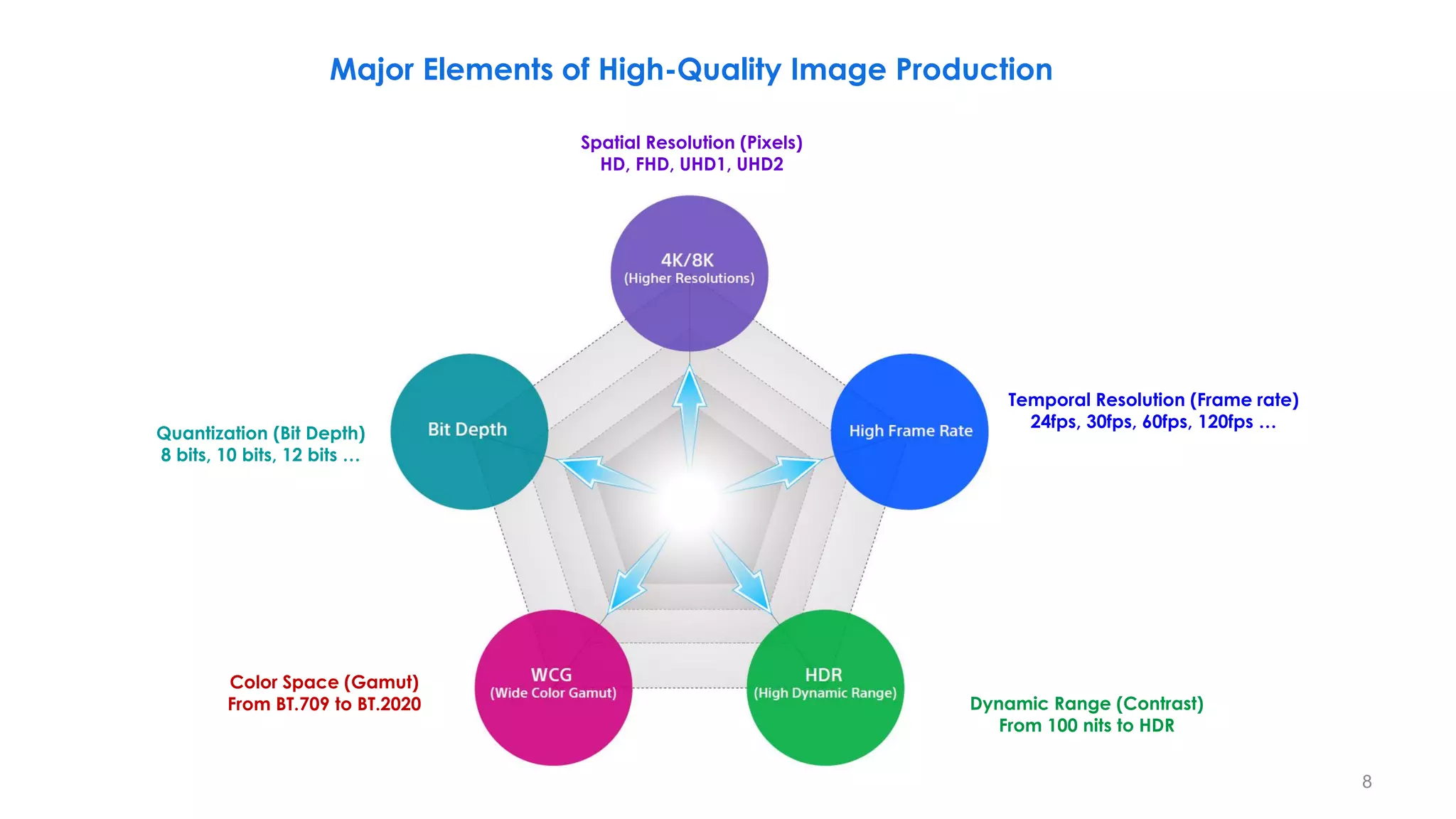
Spatial Resolution (Pixels)
HD, FHD, UHD1, UHD2
Temporal Resolution (Frame rate)
24fps, 30fps, 60fps, 120fps …
Dynamic Range (Contrast)
From 100 nits to HDR
Color Space (Gamut)
From BT.709 to BT.2020
Quantization (Bit Depth)
8 bits, 10 bits, 12 bits …
Major Elements of High-Quality Image Production
8
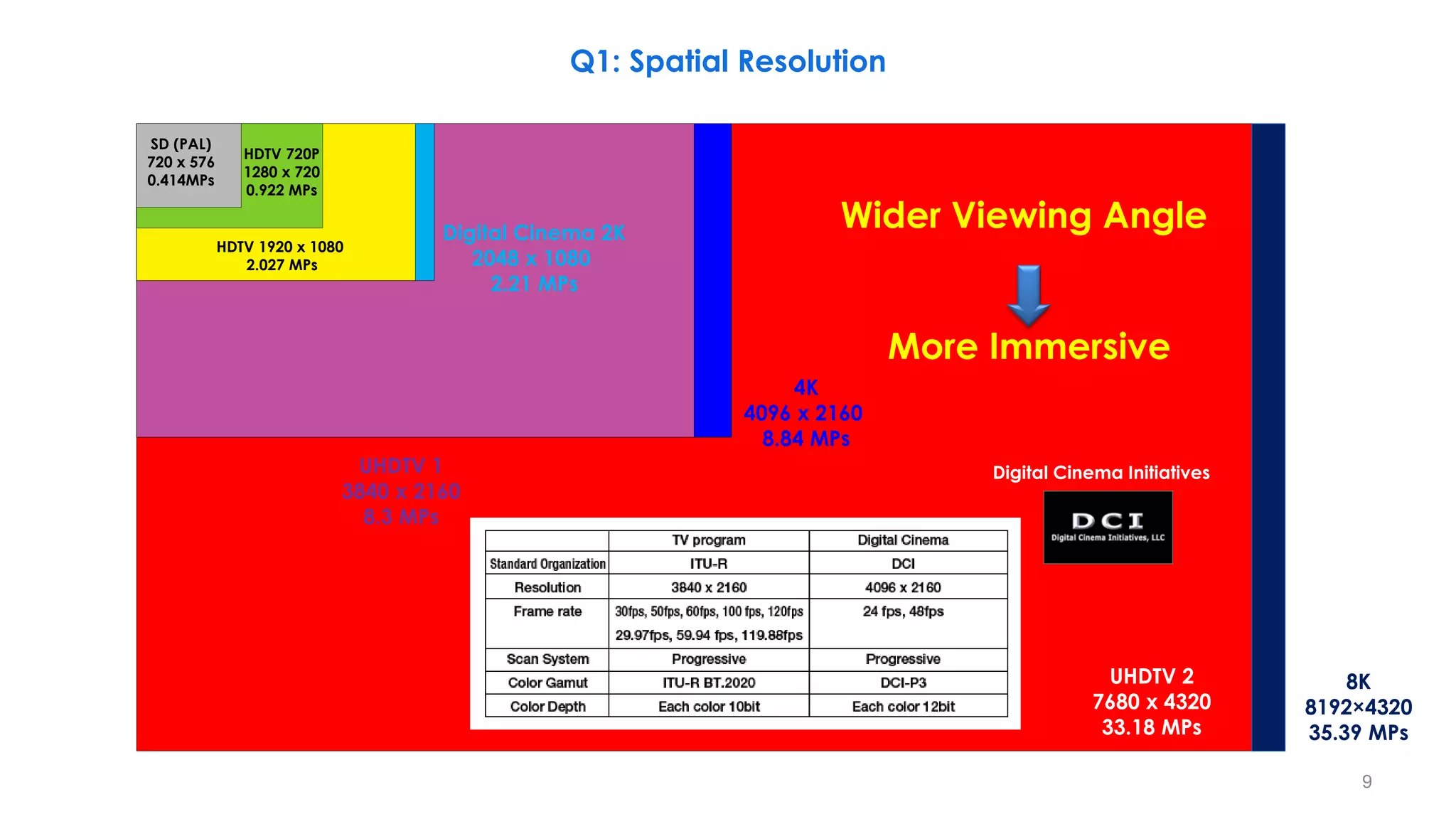
UHDTV 1
3840 x 2160
8.3 MPs
Digital Cinema 2K
2048 x 1080
2.21 MPs
4K
4096 x 2160
8.84 MPs
SD (PAL)
720 x 576
0.414MPs
HDTV 720P
1280 x 720
0.922 MPs
HDTV 1920 x 1080
2.027 MPs
UHDTV 2
7680 x 4320
33.18 MPs
8K
8192×4320
35.39 MPs
Wider Viewing Angle
More Immersive
Digital Cinema Initiatives
Q1: Spatial Resolution
9
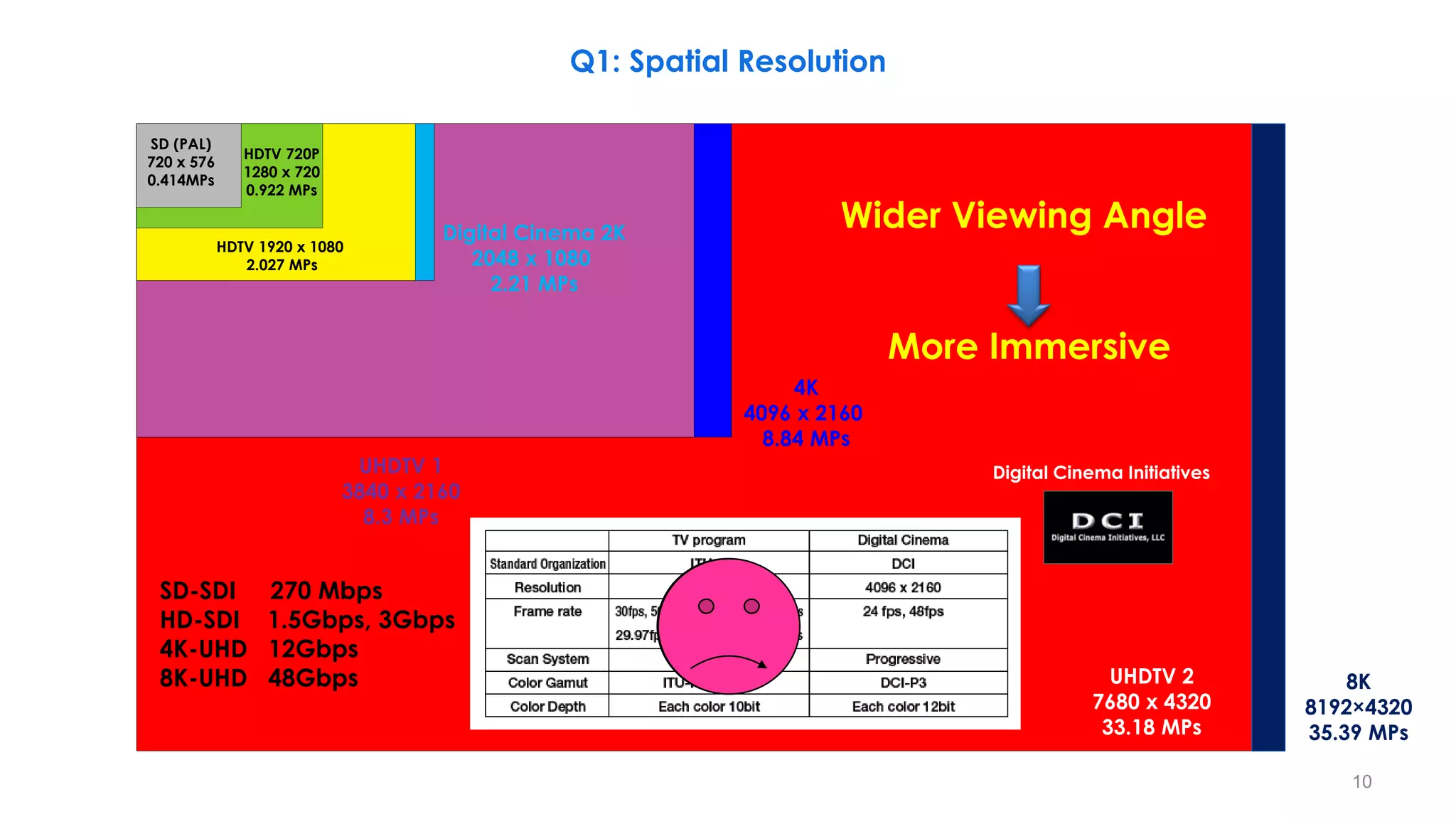
UHDTV 1
3840 x 2160
8.3 MPs
Digital Cinema 2K
2048 x 1080
2.21 MPs
4K
4096 x 2160
8.84 MPs
SD (PAL)
720 x 576
0.414MPs
HDTV 720P
1280 x 720
0.922 MPs
HDTV 1920 x 1080
2.027 MPs
UHDTV 2
7680 x 4320
33.18 MPs
8K
8192×4320
35.39 MPs
Wider Viewing Angle
More Immersive
Digital Cinema Initiatives
SD-SDI 270 Mbps
HD-SDI 1.5Gbps, 3Gbps
4K-UHD 12Gbps
8K-UHD 48Gbps
Q1: Spatial Resolution
10
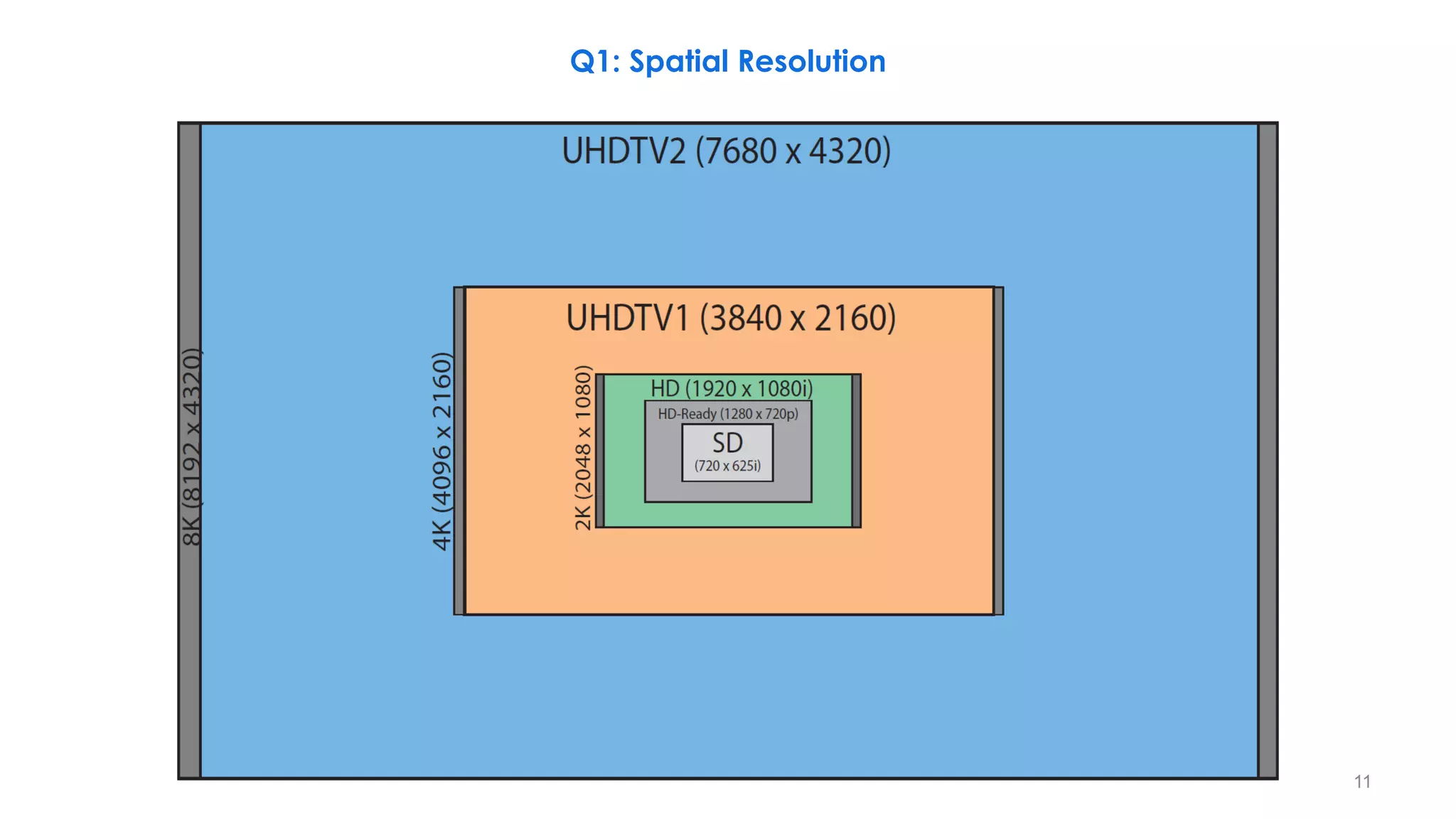
Q1: Spatial Resolution
11
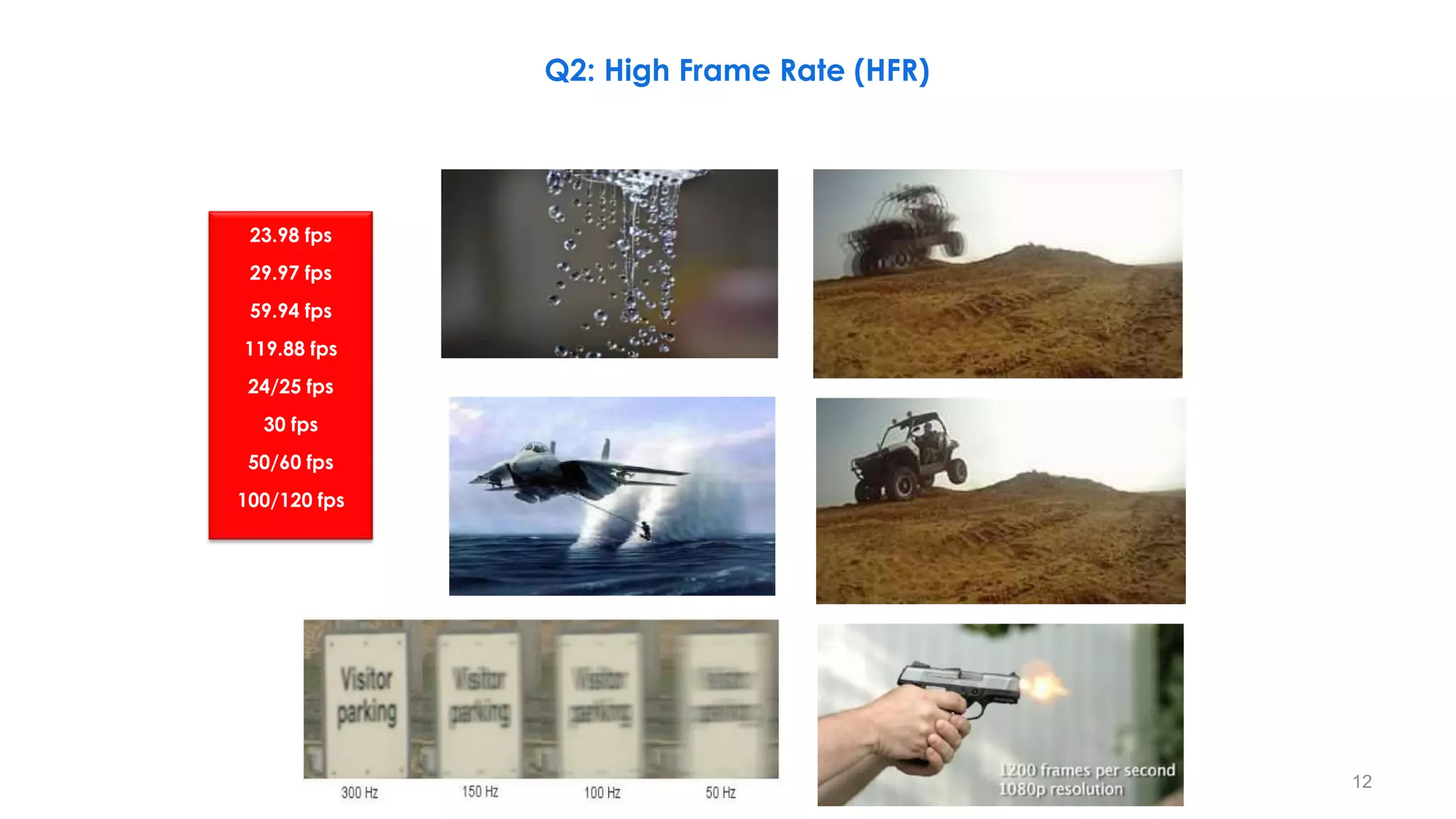
23.98 fps
29.97 fps
59.94 fps
119.88 fps
24/25 fps
30 fps
50/60 fps
100/120 fps
Q2: High Frame Rate (HFR)
12
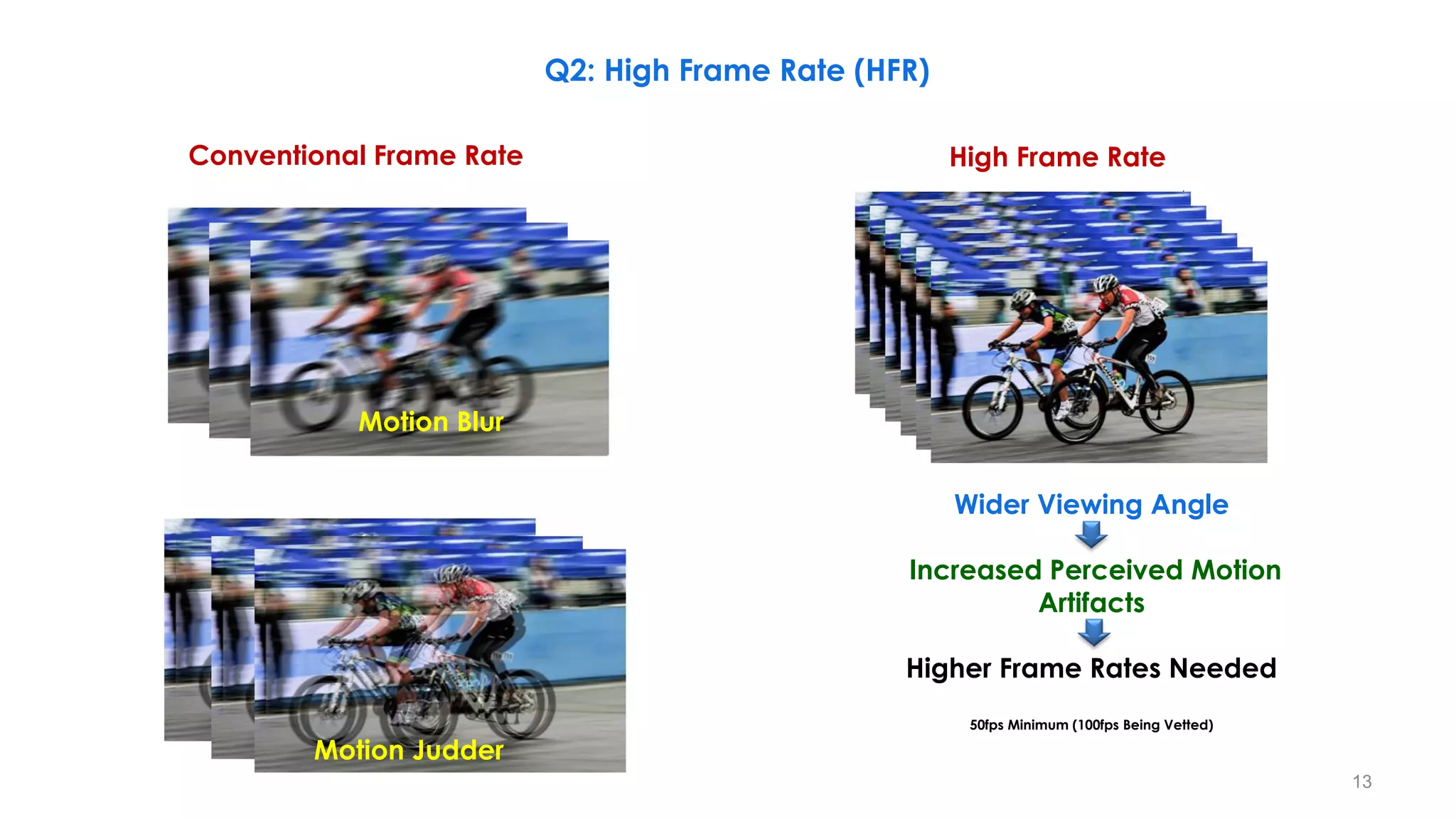
Motion Blur
Motion Judder
Conventional Frame Rate High Frame Rate
Wider Viewing Angle
Increased Perceived Motion
Artifacts
Higher Frame Rates Needed
50fps Minimum (100fps Being Vetted)
Q2: High Frame Rate (HFR)
13
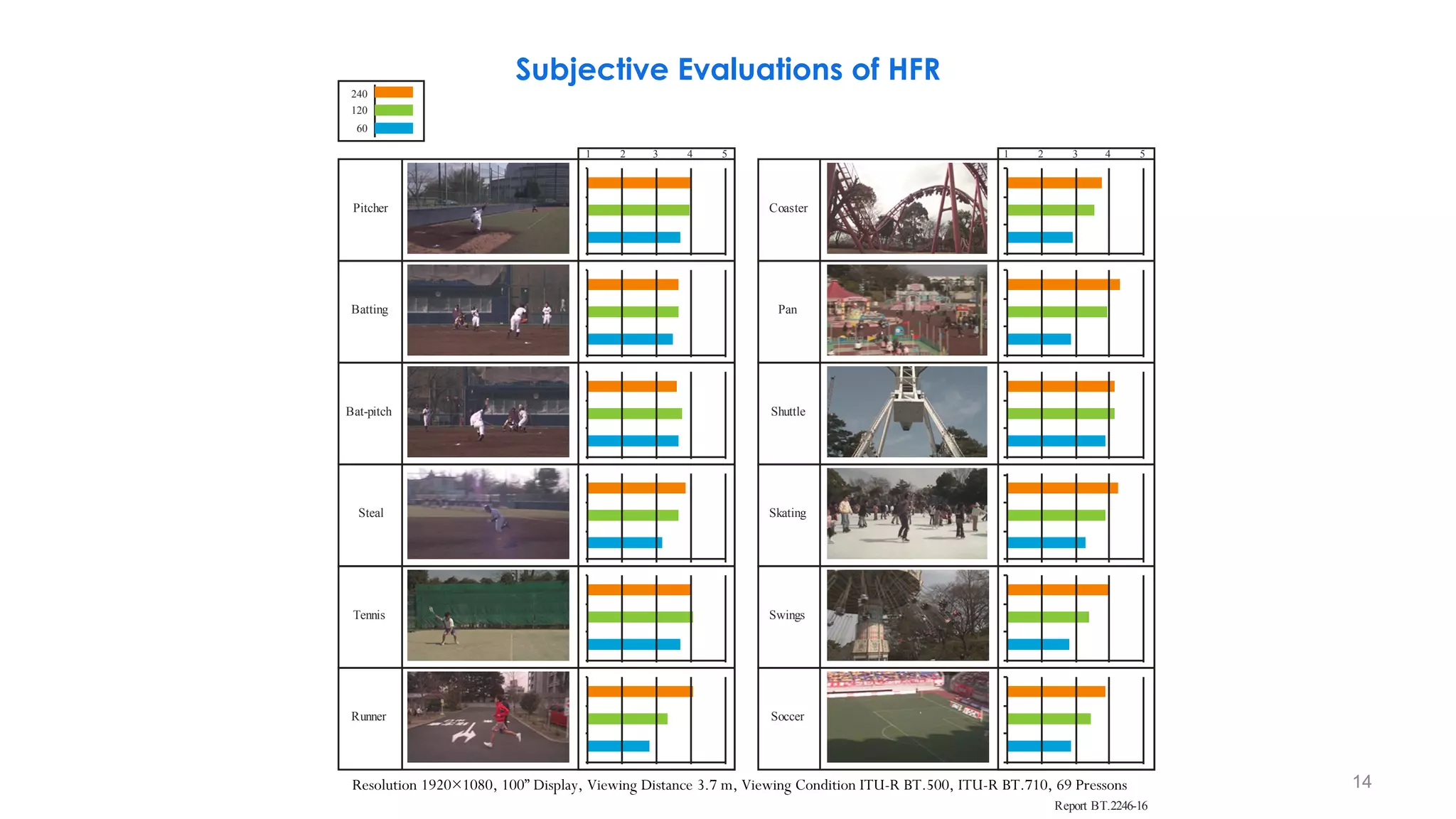
Subjective Evaluations of HFR
Report BT.2246-16
Pitcher
1 2 3 4 5
Batting
Bat-pitch
Steal
Tennis
Runner
Coaster
Pan
Shuttle
Skating
Swings
Soccer
1 2 3 4 5
240
120
60
Resolution 1920×1080, 100” Display, Viewing Distance 3.7 m, Viewing Condition ITU-R BT.500, ITU-R BT.710, 69 Pressons 14
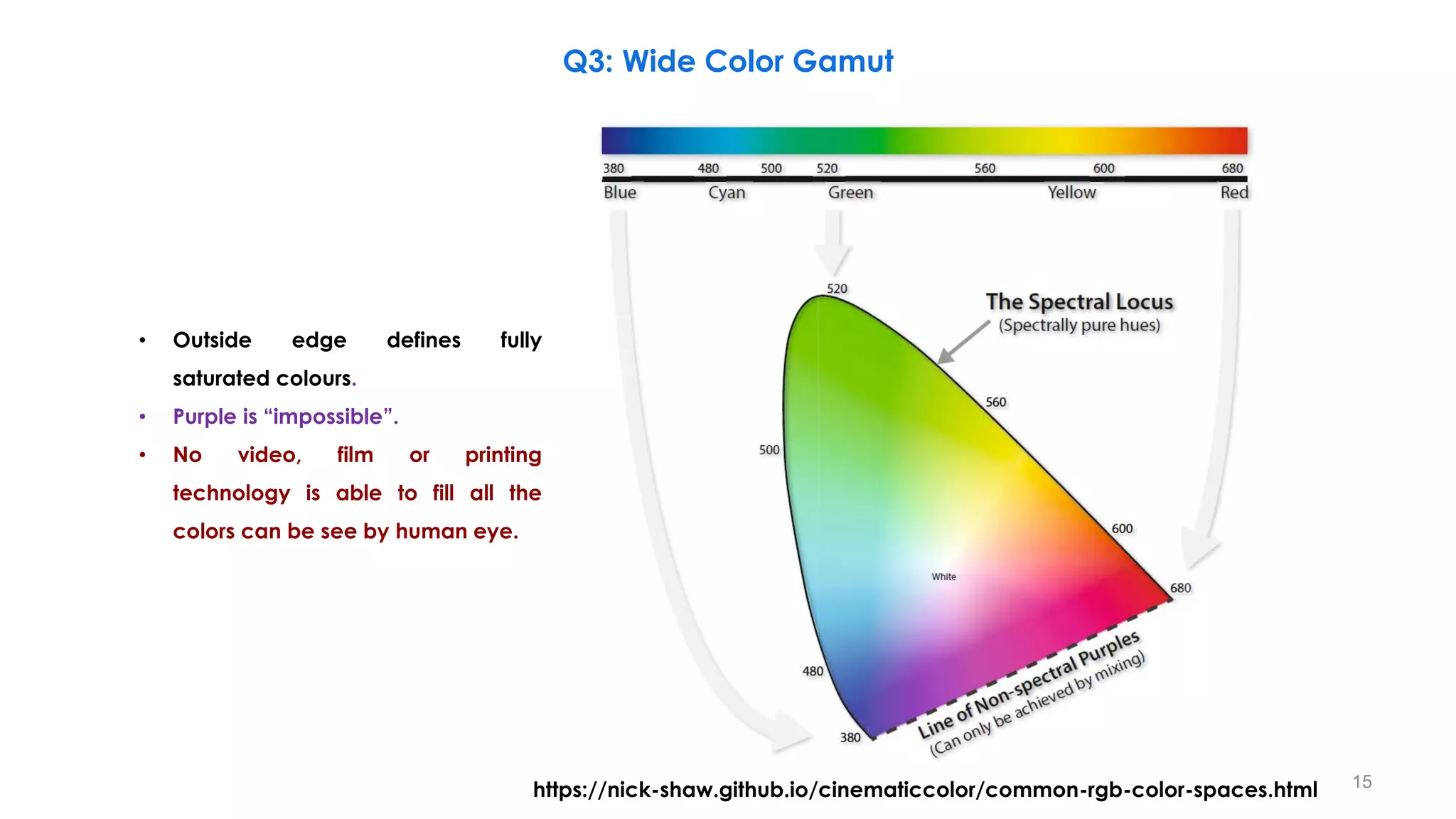
https://nick-shaw.github.io/cinematiccolor/common-rgb-color-spaces.html 15
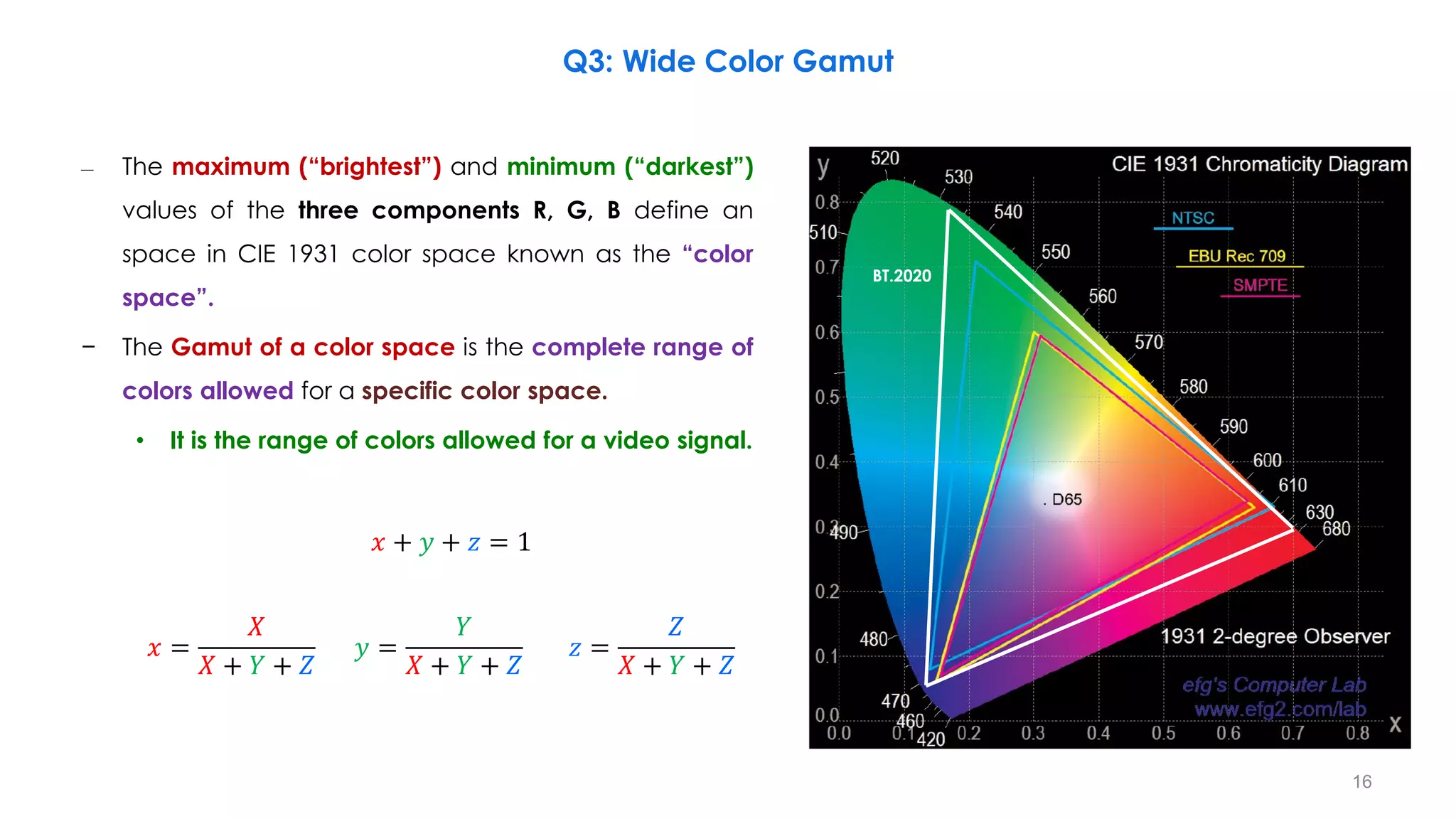
• Outside edge defines fully
saturated colours.
• Purple is “impossible”.
• No video, film or printing
technology is able to fill all the
colors can be see by human eye.
Q3: Wide Color Gamut
– The maximum (“brightest”) and minimum (“darkest”)
values of the three components R, G, B define an
space in CIE 1931 color space known as the “color
space”.
− The Gamut of a color space is the complete range of
colors allowed for a specific color space.
• It is the range of colors allowed for a video signal.
𝑥 + 𝑦 + 𝑧 = 1
𝑥 =
𝑋
𝑋 + 𝑌 + 𝑍
𝑦 =
𝑌
𝑋 + 𝑌 + 𝑍
𝑧 =
𝑍
𝑋 + 𝑌 + 𝑍
BT.2020
16
Q3: Wide Color Gamut
BT.2020
17
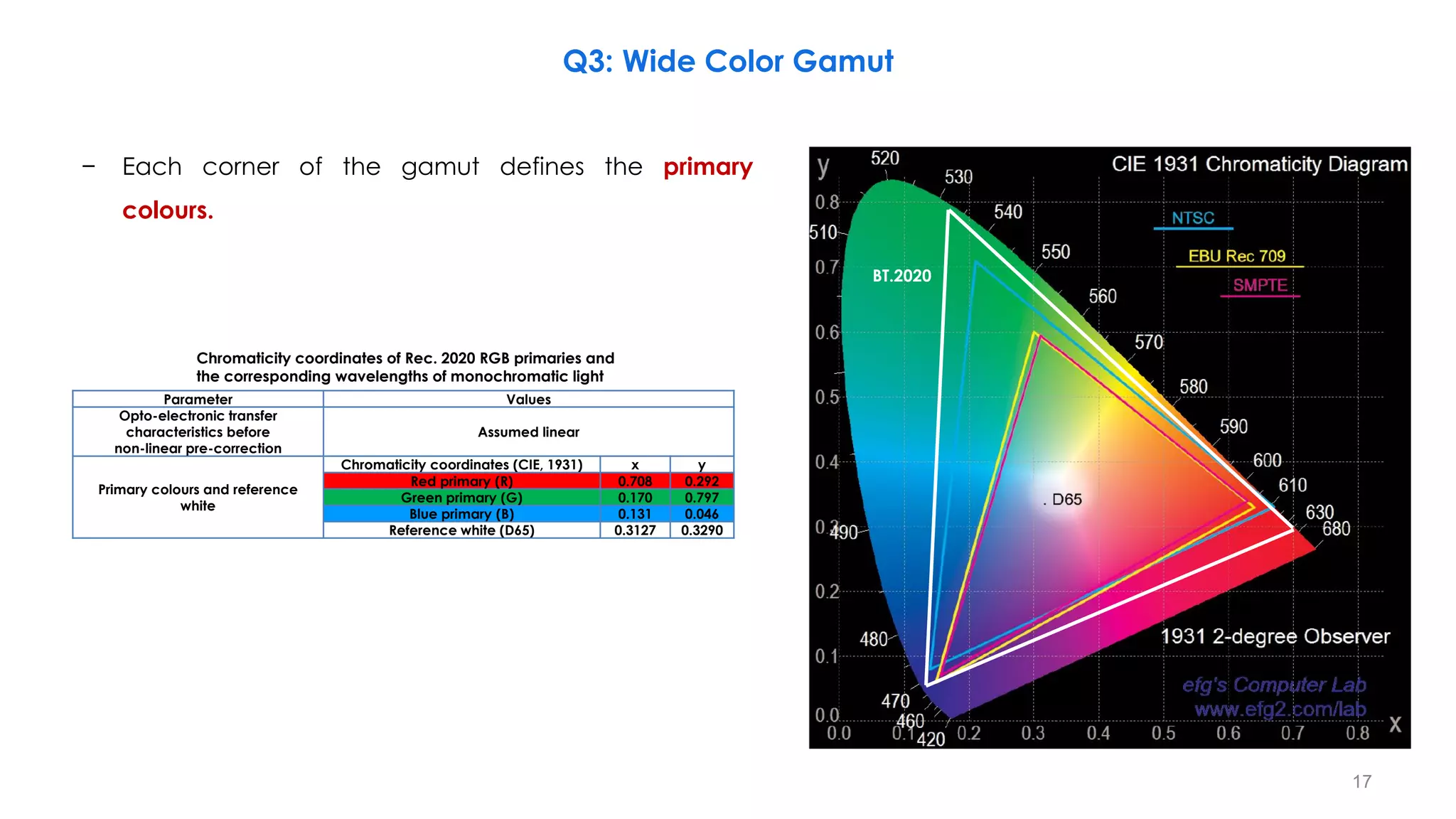
Chromaticity coordinates of Rec. 2020 RGB primaries and
the corresponding wavelengths of monochromatic light
Parameter Values
Opto-electronic transfer
characteristics before
non-linear pre-correction
Assumed linear
Primary colours and reference
white
Chromaticity coordinates (CIE, 1931) x y
Red primary (R) 0.708 0.292
Green primary (G) 0.170 0.797
Blue primary (B) 0.131 0.046
Reference white (D65) 0.3127 0.3290
Q3: Wide Color Gamut
− Each corner of the gamut defines the primary
colours.
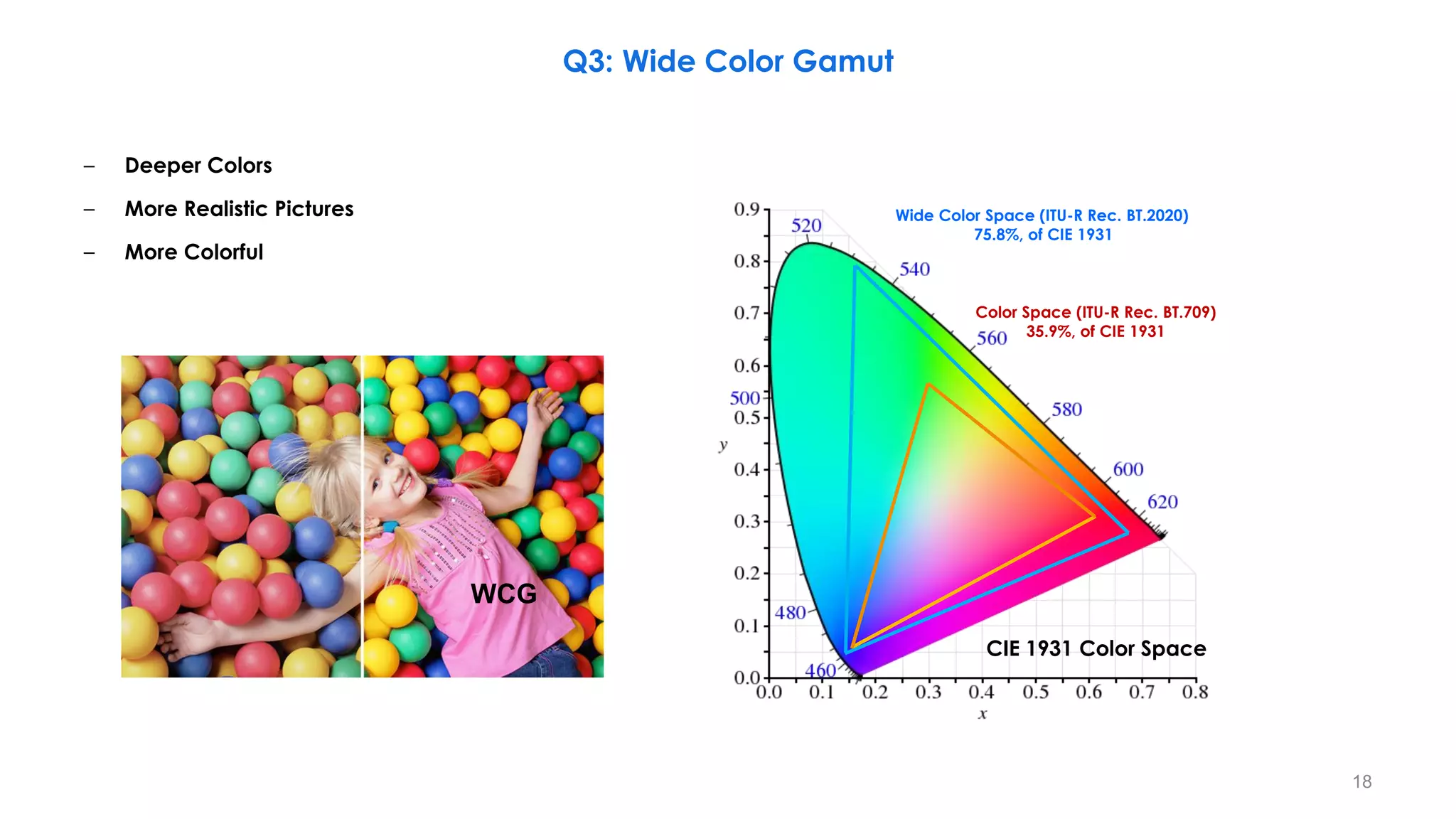
– Deeper Colors
– More Realistic Pictures
– More Colorful
WCG
Wide Color Space (ITU-R Rec. BT.2020)
75.8%, of CIE 1931
Color Space (ITU-R Rec. BT.709)
35.9%, of CIE 1931
CIE 1931 Color Space
Q3: Wide Color Gamut
18
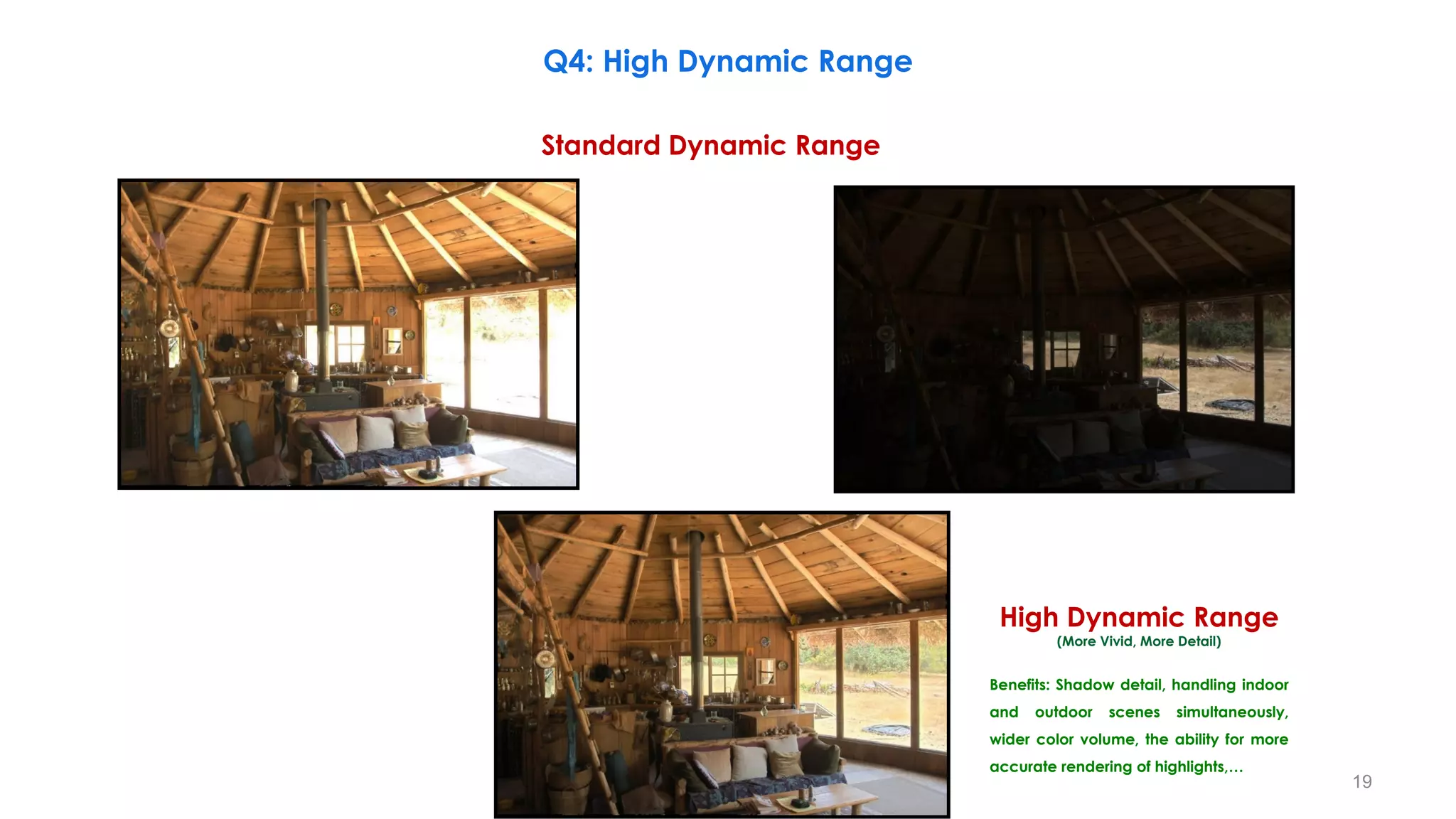
Standard Dynamic Range
High Dynamic Range
(More Vivid, More Detail)
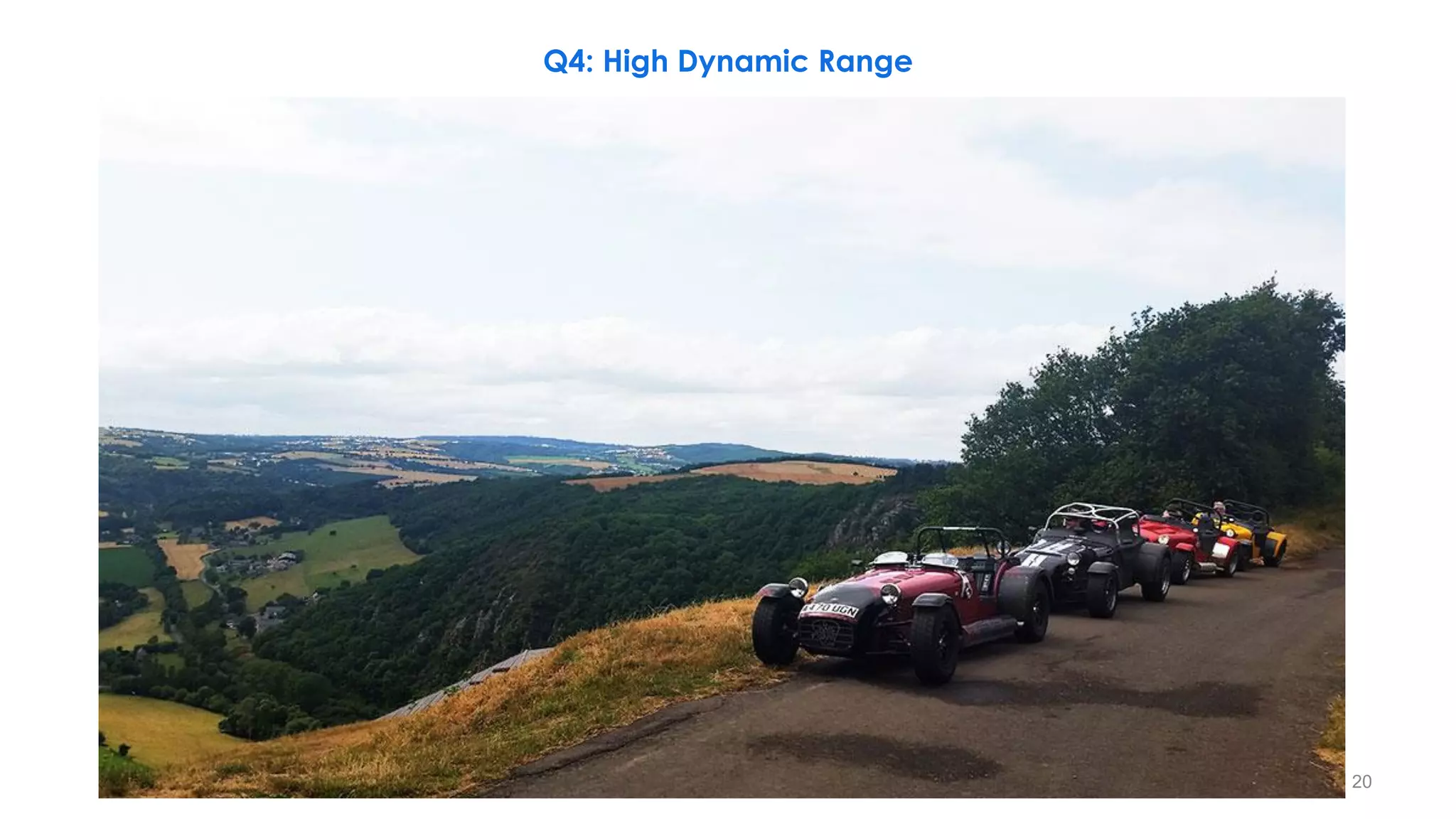
Q4: High Dynamic Range
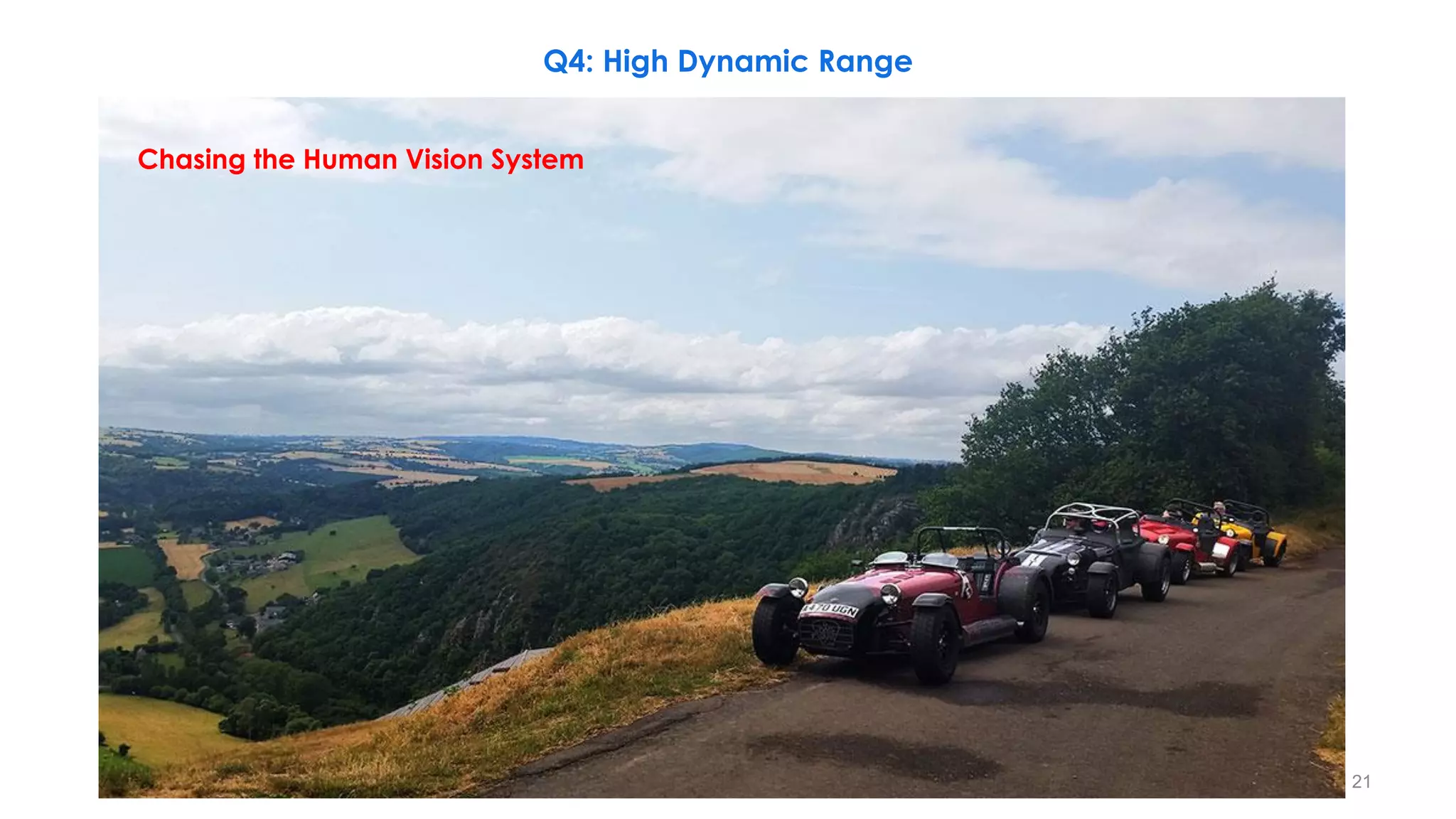
Benefits: Shadow detail, handling indoor
and outdoor scenes simultaneously,
wider color volume, the ability for more
accurate rendering of highlights,…
19
Q4: High Dynamic Range
20
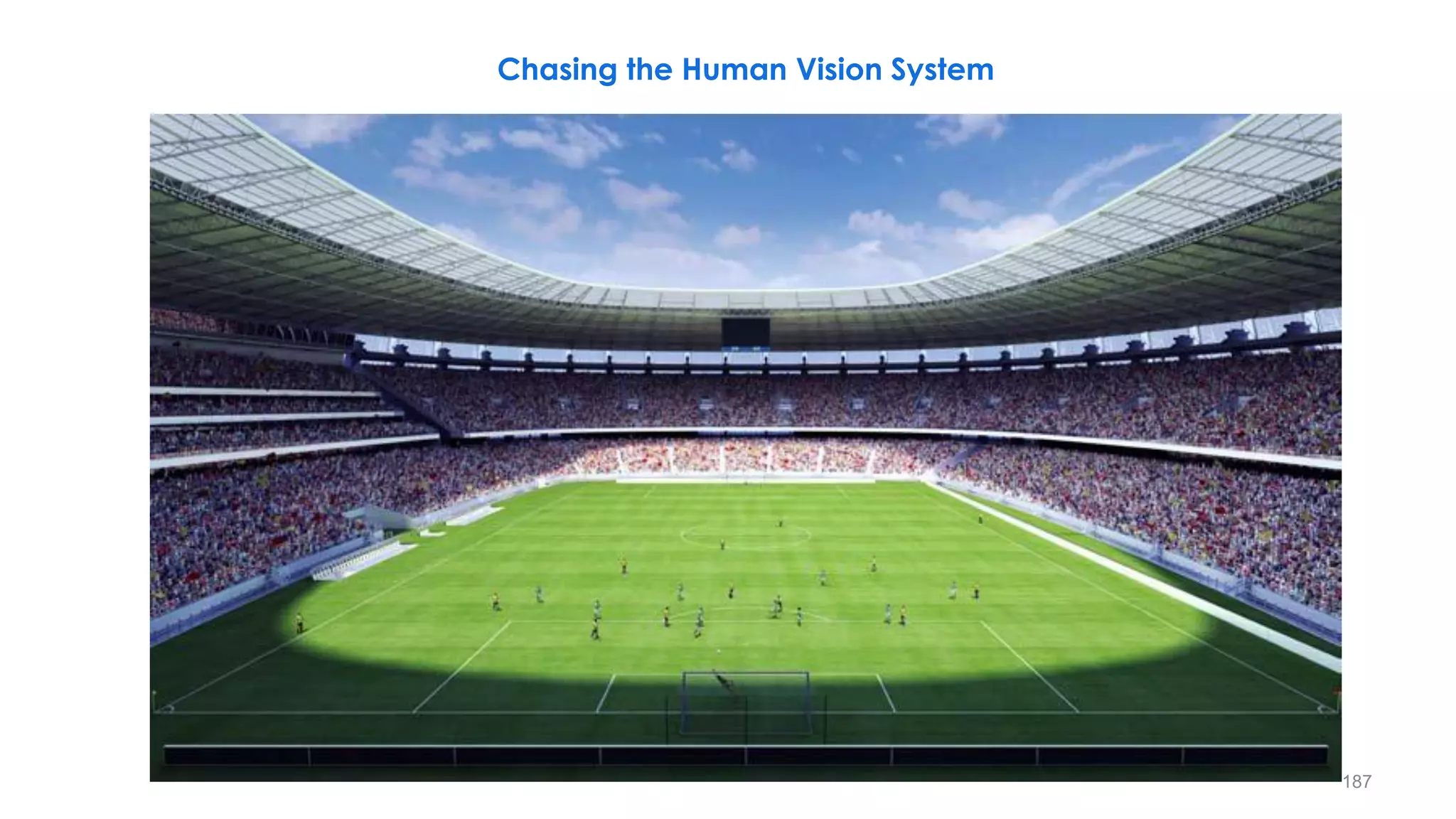
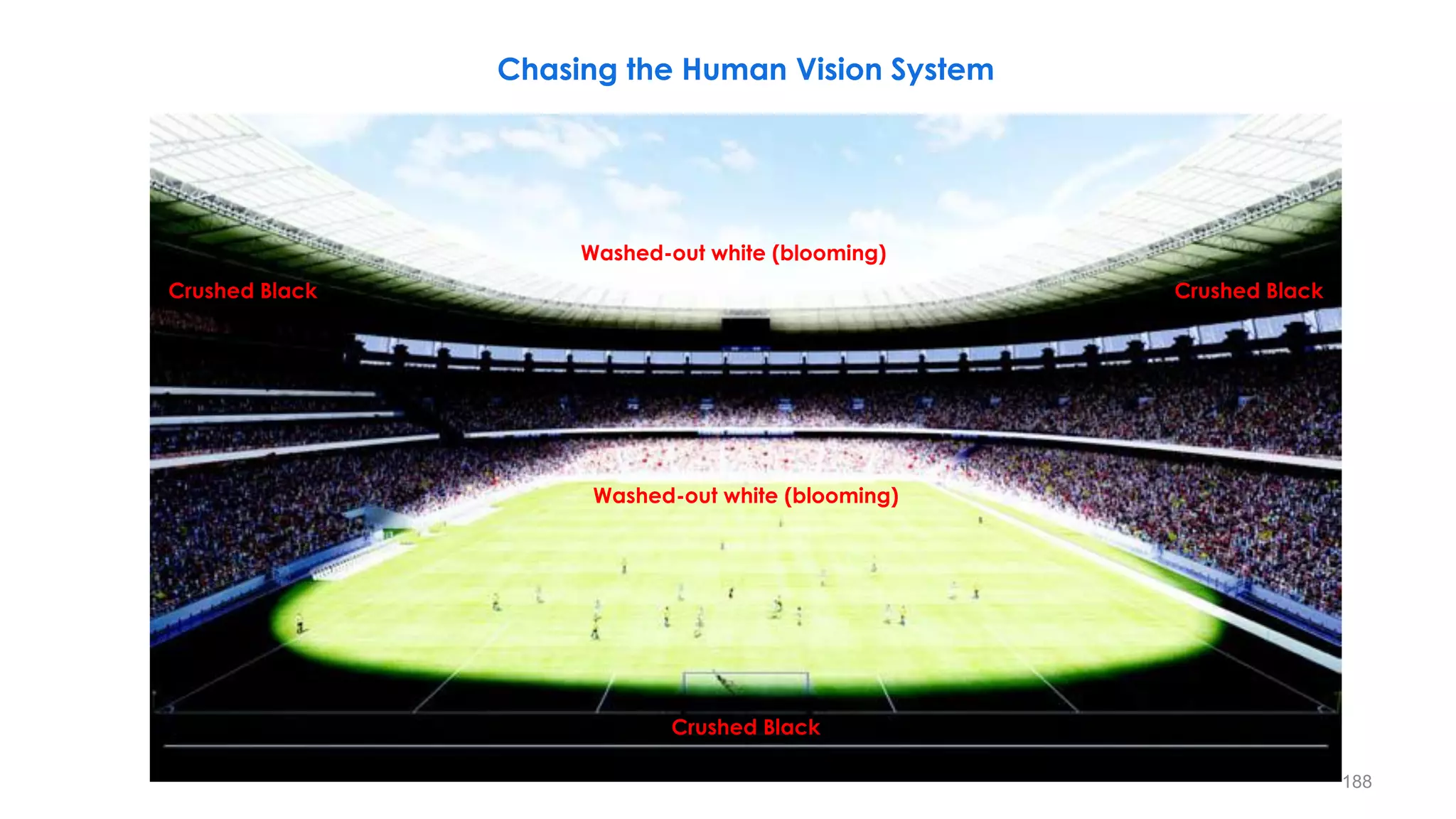
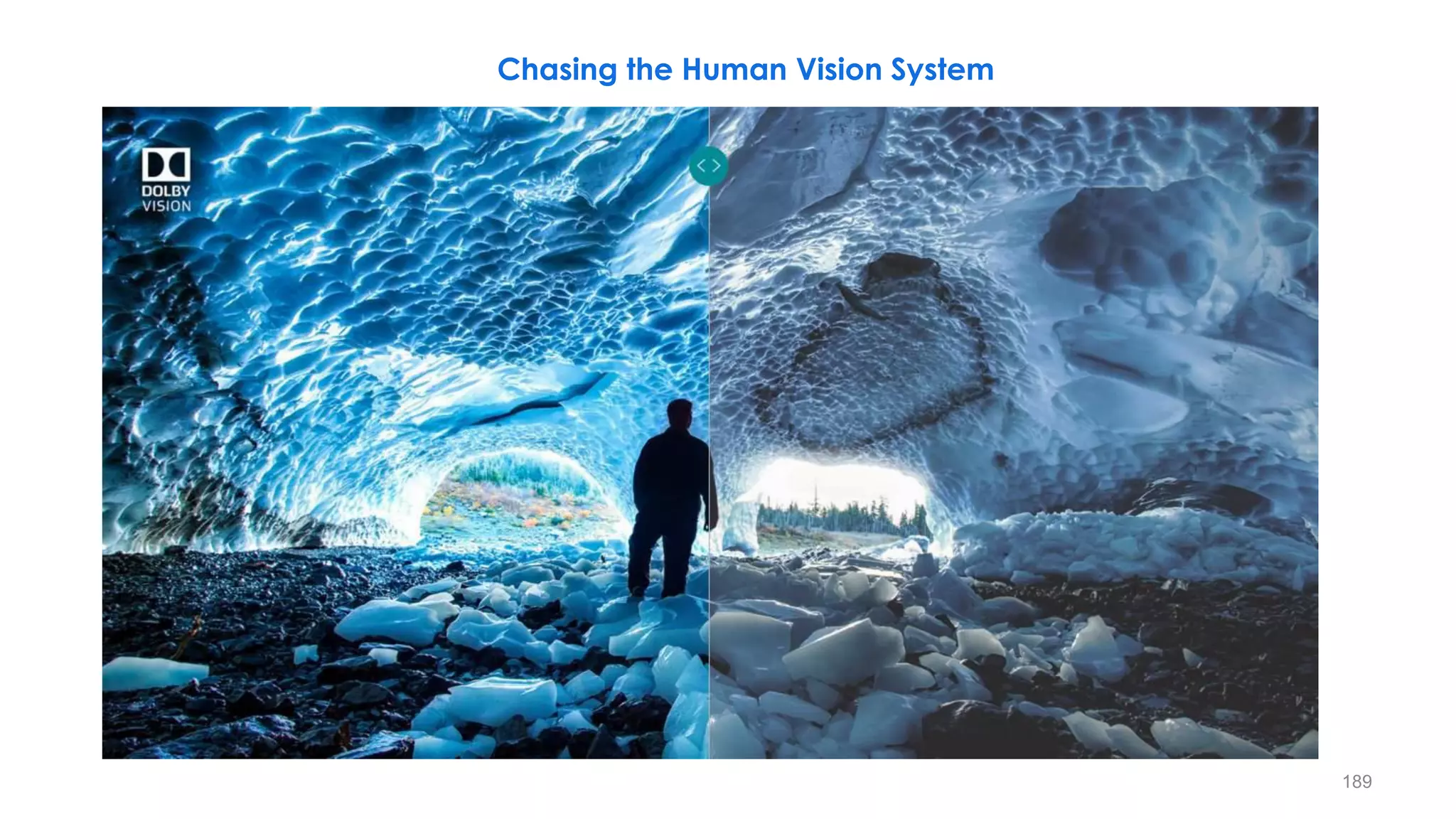
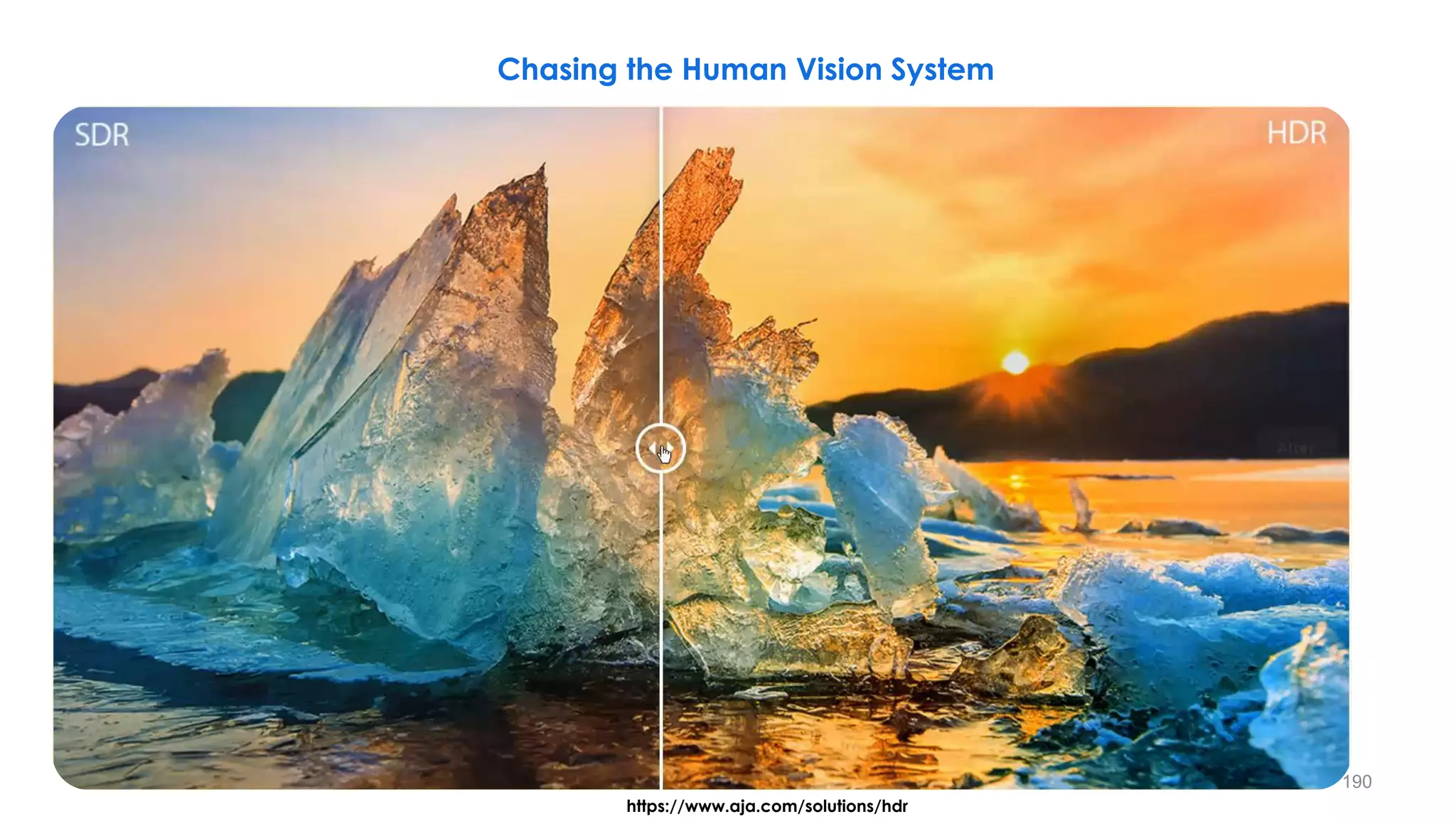
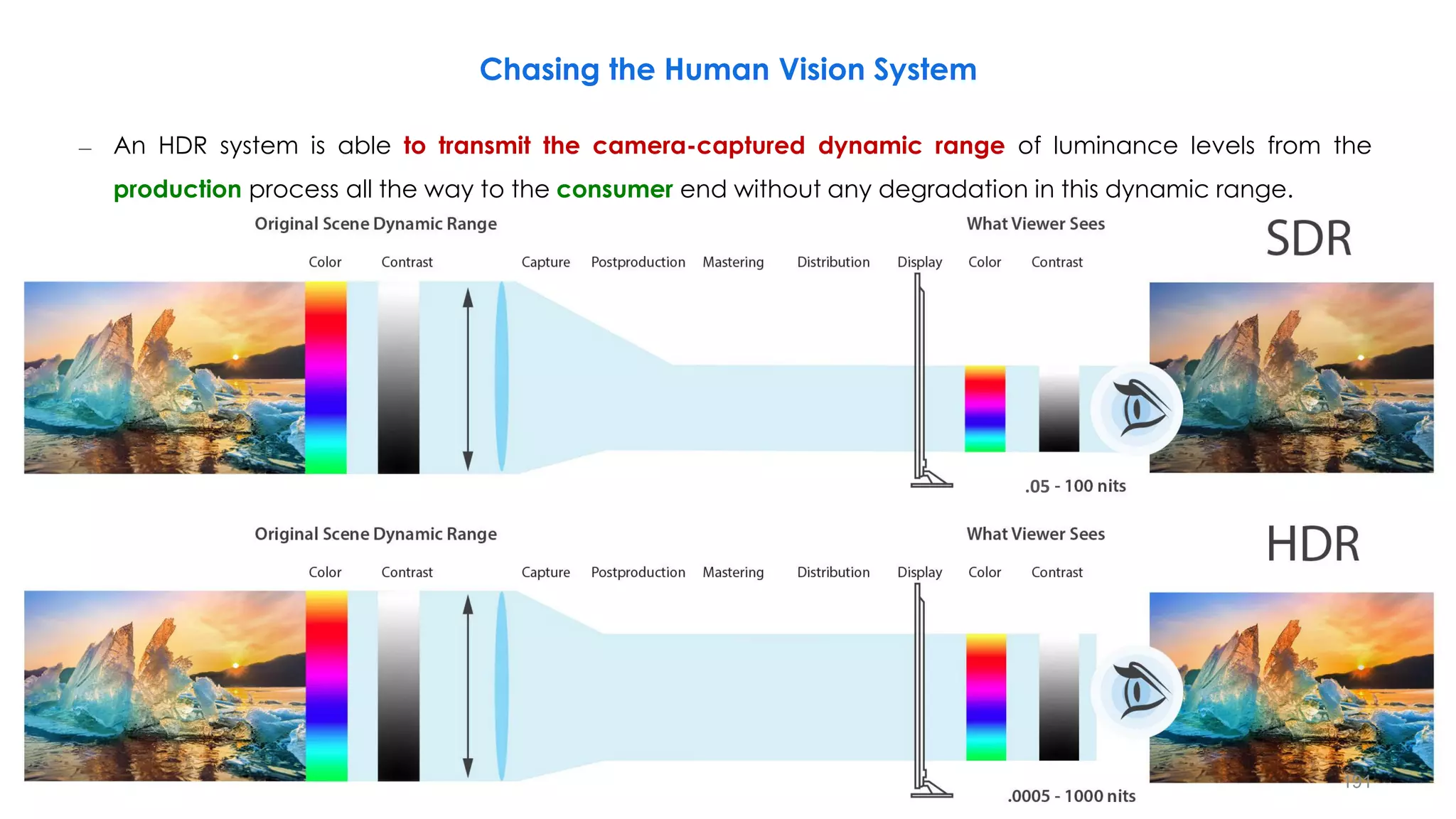
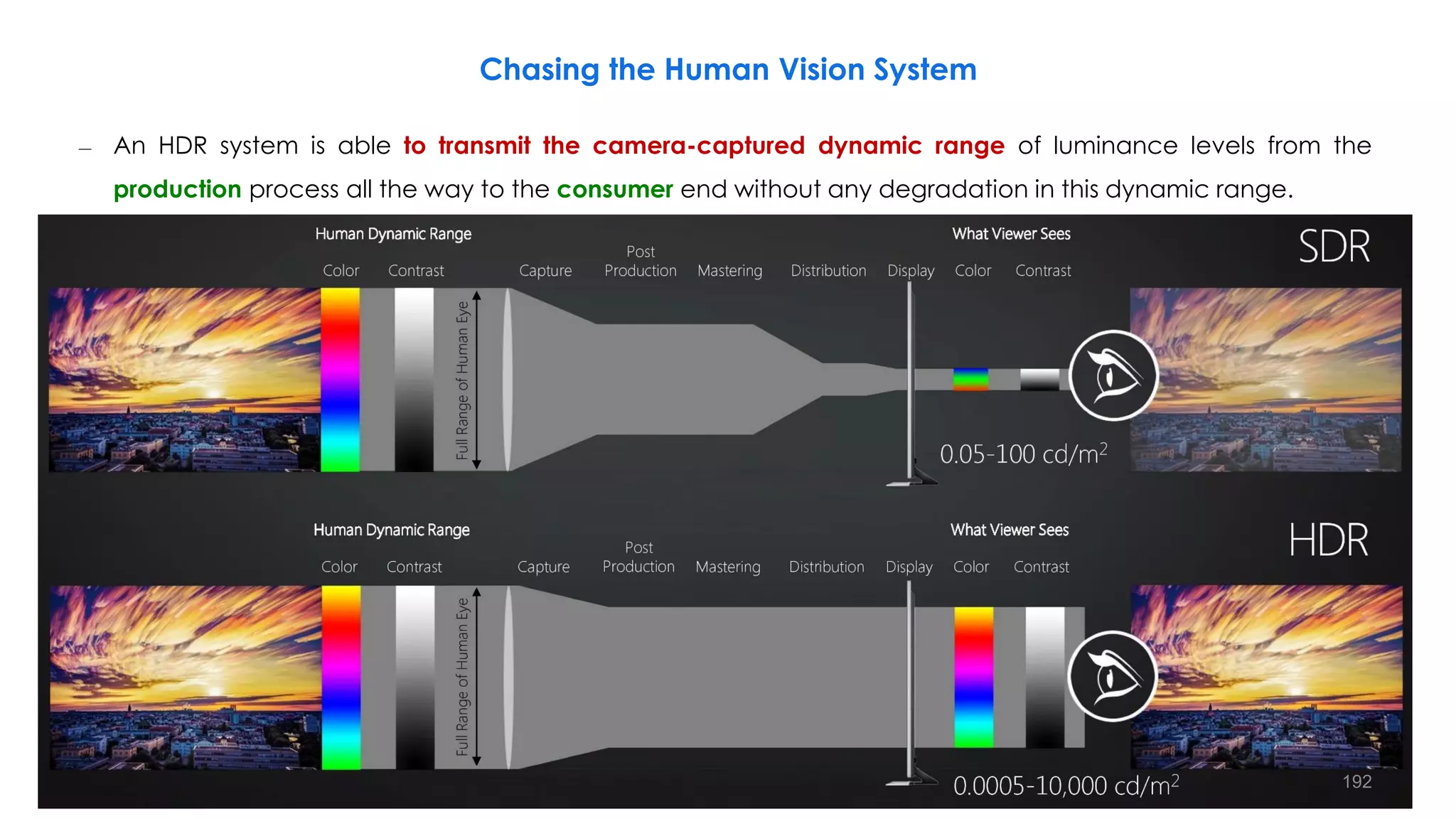
Chasing the Human Vision System
Q4: High Dynamic Range
21
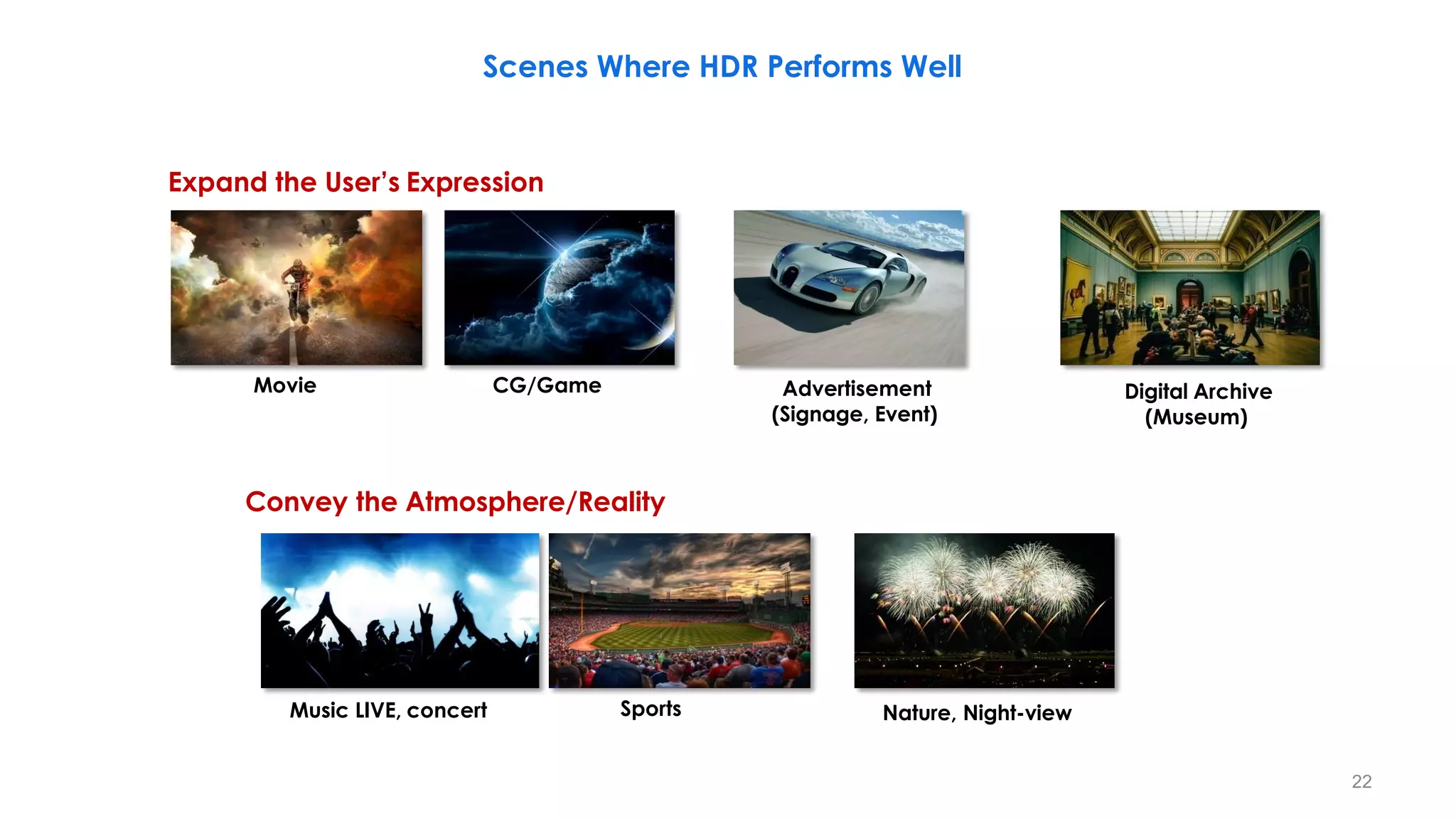
Scenes Where HDR Performs Well
Expand the User’s Expression
Movie CG/Game Advertisement
(Signage, Event)
Digital Archive
(Museum)
Convey the Atmosphere/Reality
Music LIVE, concert Sports Nature, Night-view
22
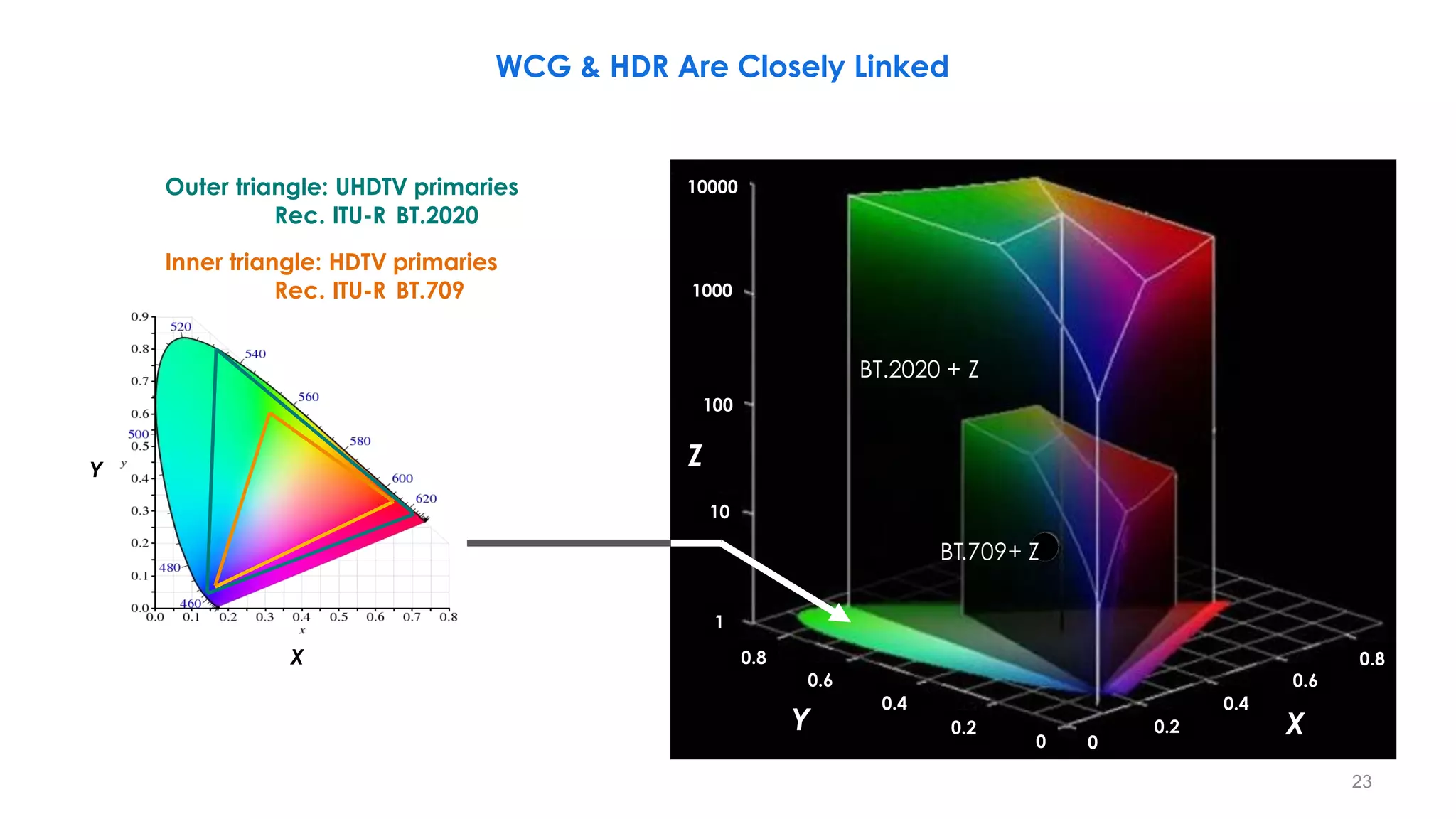
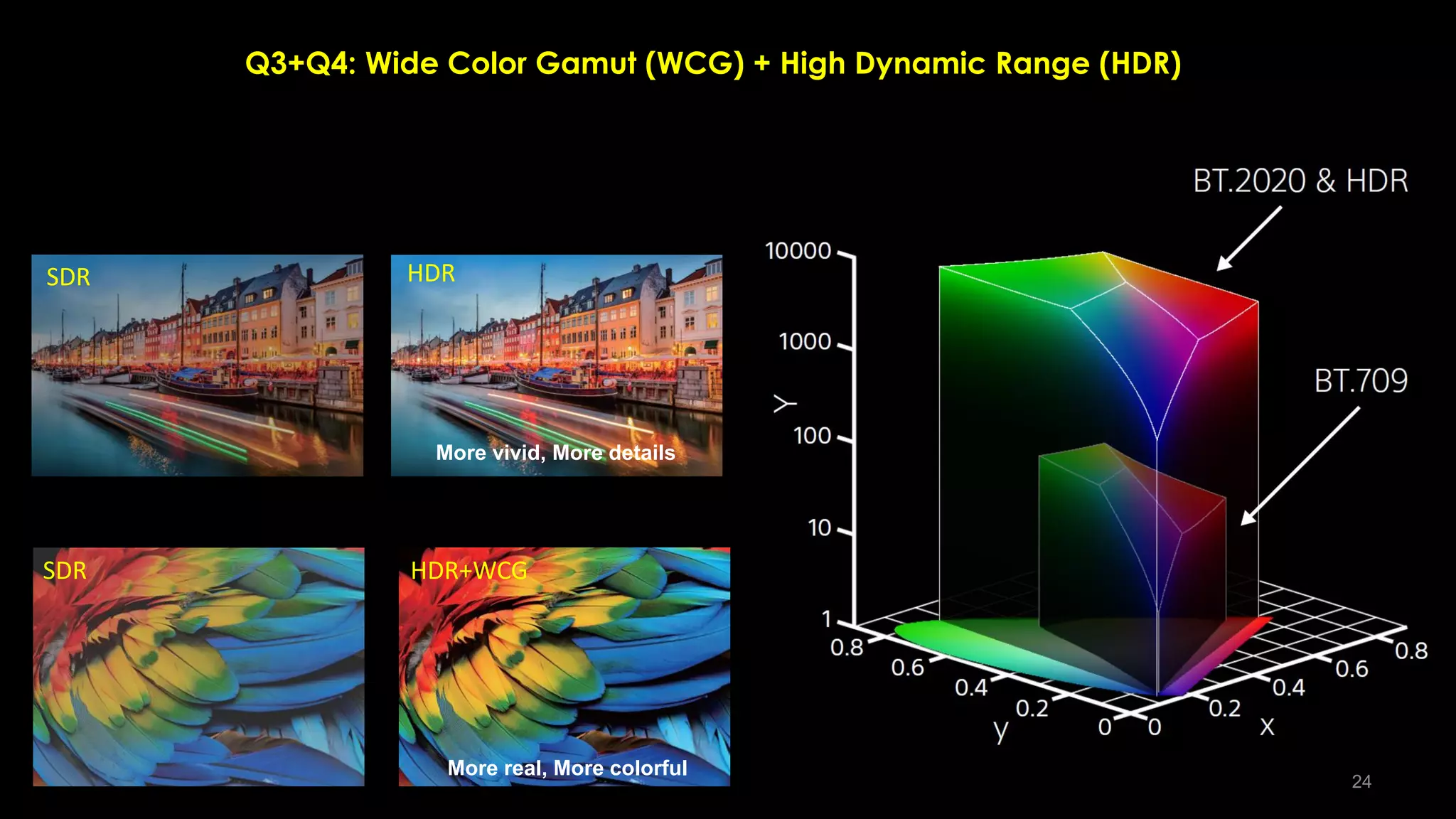
WCG & HDR Are Closely Linked
X
Y
Y X
Z
Outer triangle: UHDTV primaries
Rec. ITU-R BT.2020
Inner triangle: HDTV primaries
Rec. ITU-R BT.709
BT.709+ Z
BT.2020 + Z
10000
1000
100
10
1
0.8
0.6
0.4
0.2
0 0
0.2
0.8
0.6
0.4
23
Q3+Q4: Wide Color Gamut (WCG) + High Dynamic Range (HDR)
SDR
SDR
HDR
HDR+WCG
More vivid, More details
More real, More colorful
24
Q3+Q4: Wide Color Gamut (WCG) + High Dynamic Range (HDR)
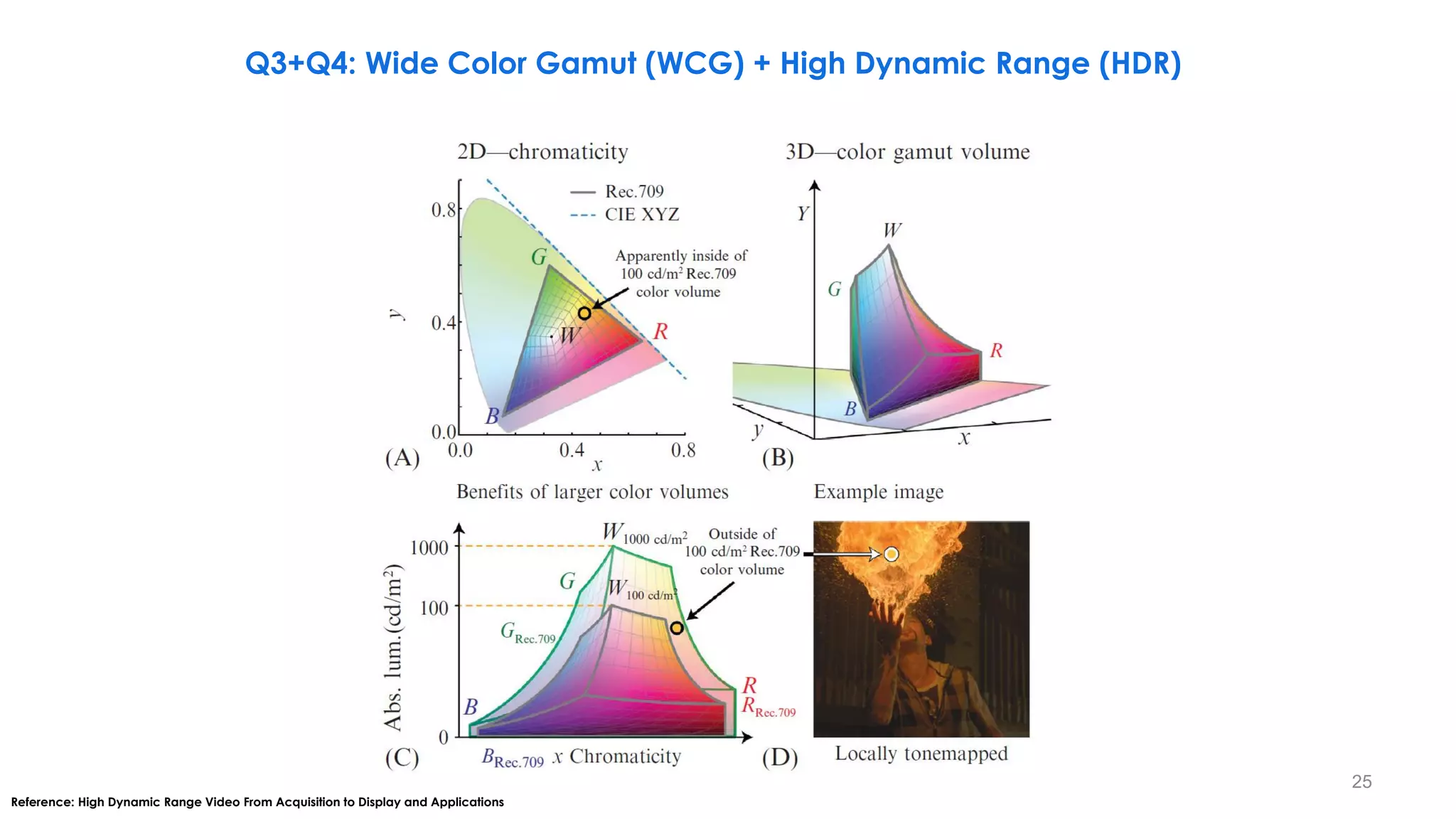
Reference: High Dynamic Range Video From Acquisition to Display and Applications
25
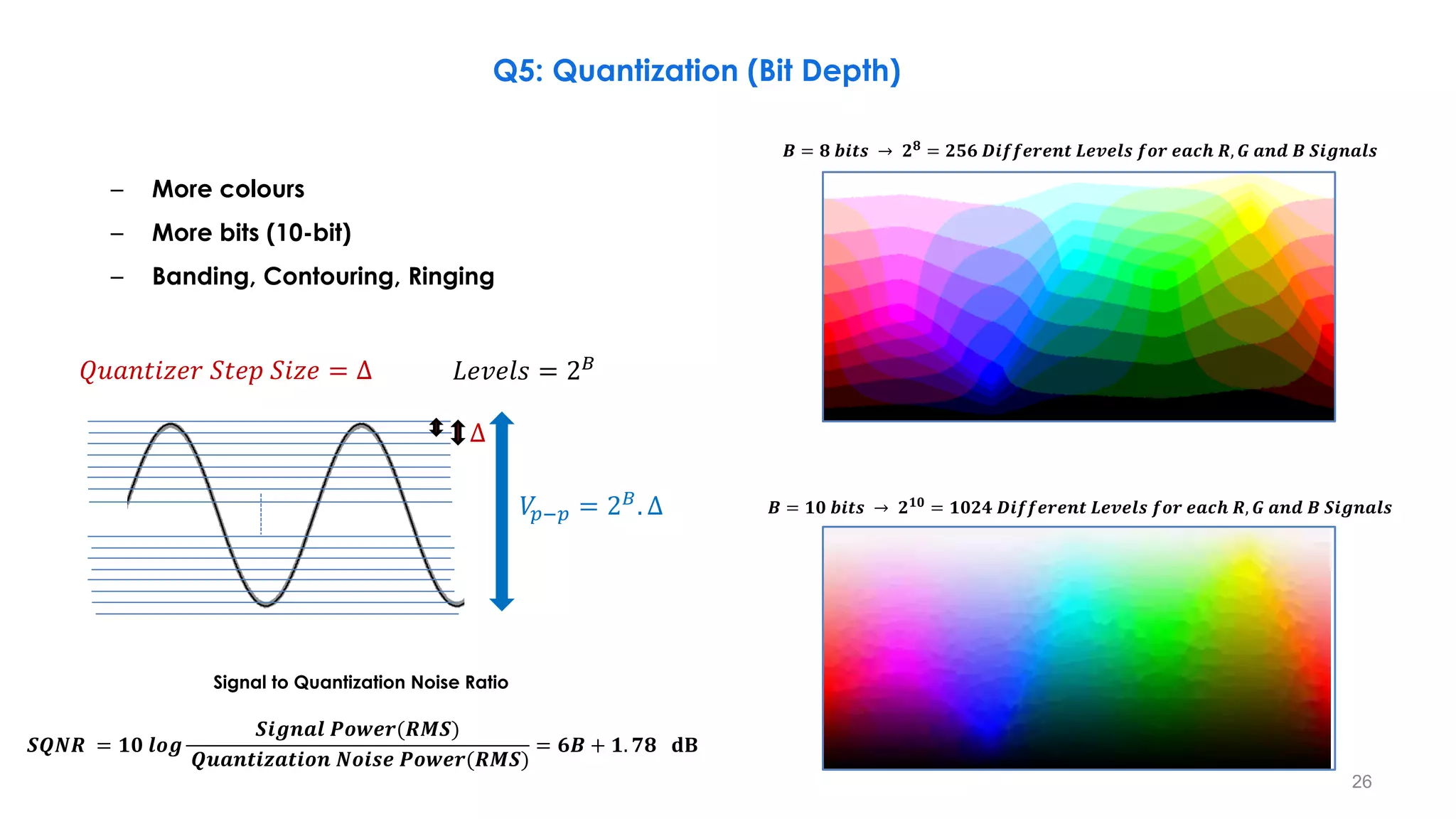
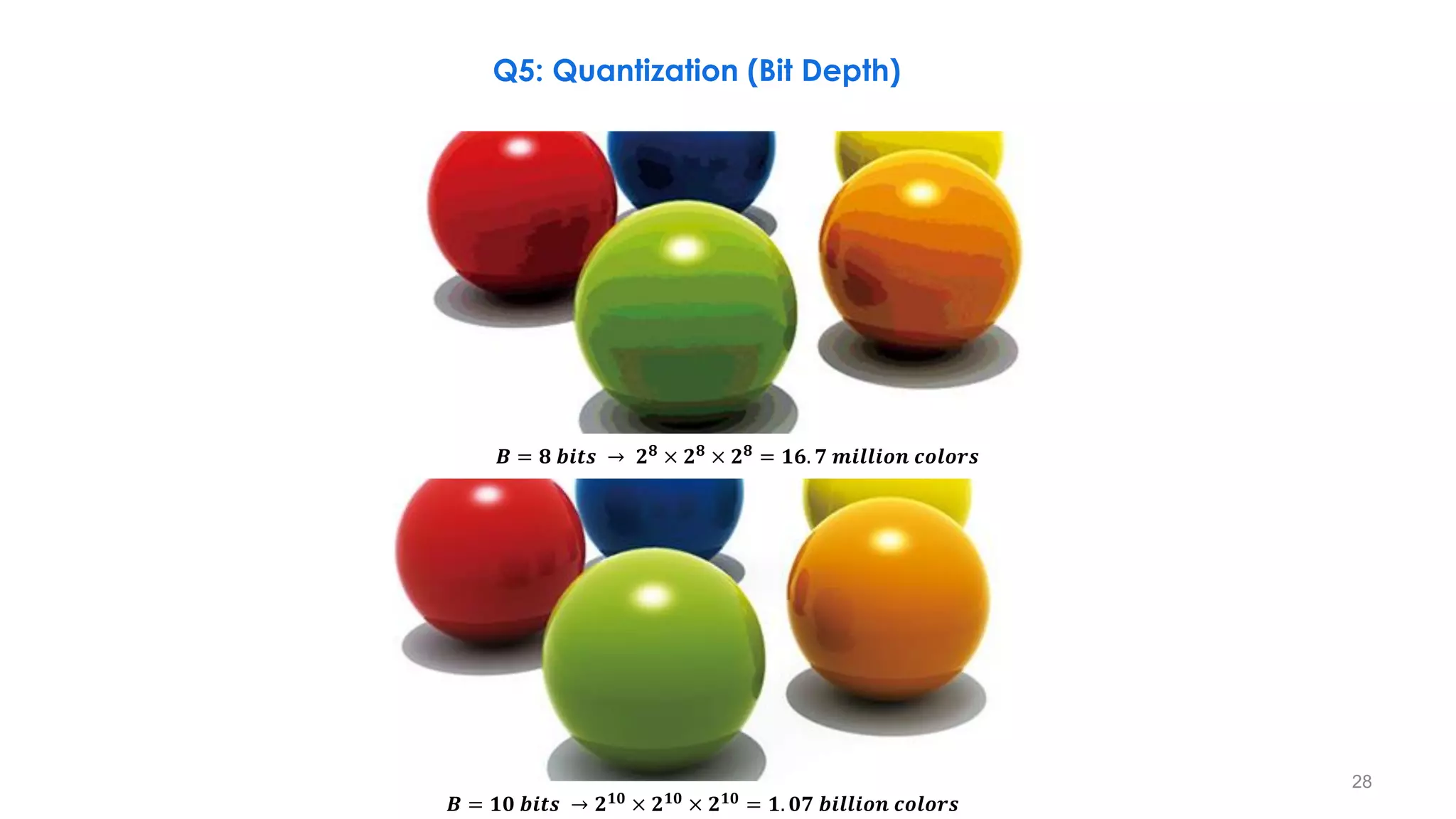
𝑩 = 𝟖 𝒃𝒊𝒕𝒔 → 𝟐𝟖
= 𝟐𝟓𝟔 𝑫𝒊𝒇𝒇𝒆𝒓𝒆𝒏𝒕 𝑳𝒆𝒗𝒆𝒍𝒔 𝒇𝒐𝒓 𝒆𝒂𝒄𝒉 𝑹, 𝑮 𝒂𝒏𝒅 𝑩 𝑺𝒊𝒈𝒏𝒂𝒍𝒔
– More colours
– More bits (10-bit)
– Banding, Contouring, Ringing
Q5: Quantization (Bit Depth)
𝑉
𝑝−𝑝 = 2𝐵
. ∆
𝐿𝑒𝑣𝑒𝑙𝑠 = 2𝐵
𝑄𝑢𝑎𝑛𝑡𝑖𝑧𝑒𝑟 𝑆𝑡𝑒𝑝 𝑆𝑖𝑧𝑒 = ∆
𝑩 = 𝟏𝟎 𝒃𝒊𝒕𝒔 → 𝟐𝟏𝟎 = 𝟏𝟎𝟐𝟒 𝑫𝒊𝒇𝒇𝒆𝒓𝒆𝒏𝒕 𝑳𝒆𝒗𝒆𝒍𝒔 𝒇𝒐𝒓 𝒆𝒂𝒄𝒉 𝑹, 𝑮 𝒂𝒏𝒅 𝑩 𝑺𝒊𝒈𝒏𝒂𝒍𝒔
Signal to Quantization Noise Ratio
𝑺𝑸𝑵𝑹 = 𝟏𝟎 𝒍𝒐𝒈
𝑺𝒊𝒈𝒏𝒂𝒍 𝑷𝒐𝒘𝒆𝒓(𝑹𝑴𝑺)
𝑸𝒖𝒂𝒏𝒕𝒊𝒛𝒂𝒕𝒊𝒐𝒏 𝑵𝒐𝒊𝒔𝒆 𝑷𝒐𝒘𝒆𝒓(𝑹𝑴𝑺)
= 𝟔𝑩 + 𝟏. 𝟕𝟖 𝐝𝐁
∆
26
Q5: Quantization (Bit Depth)
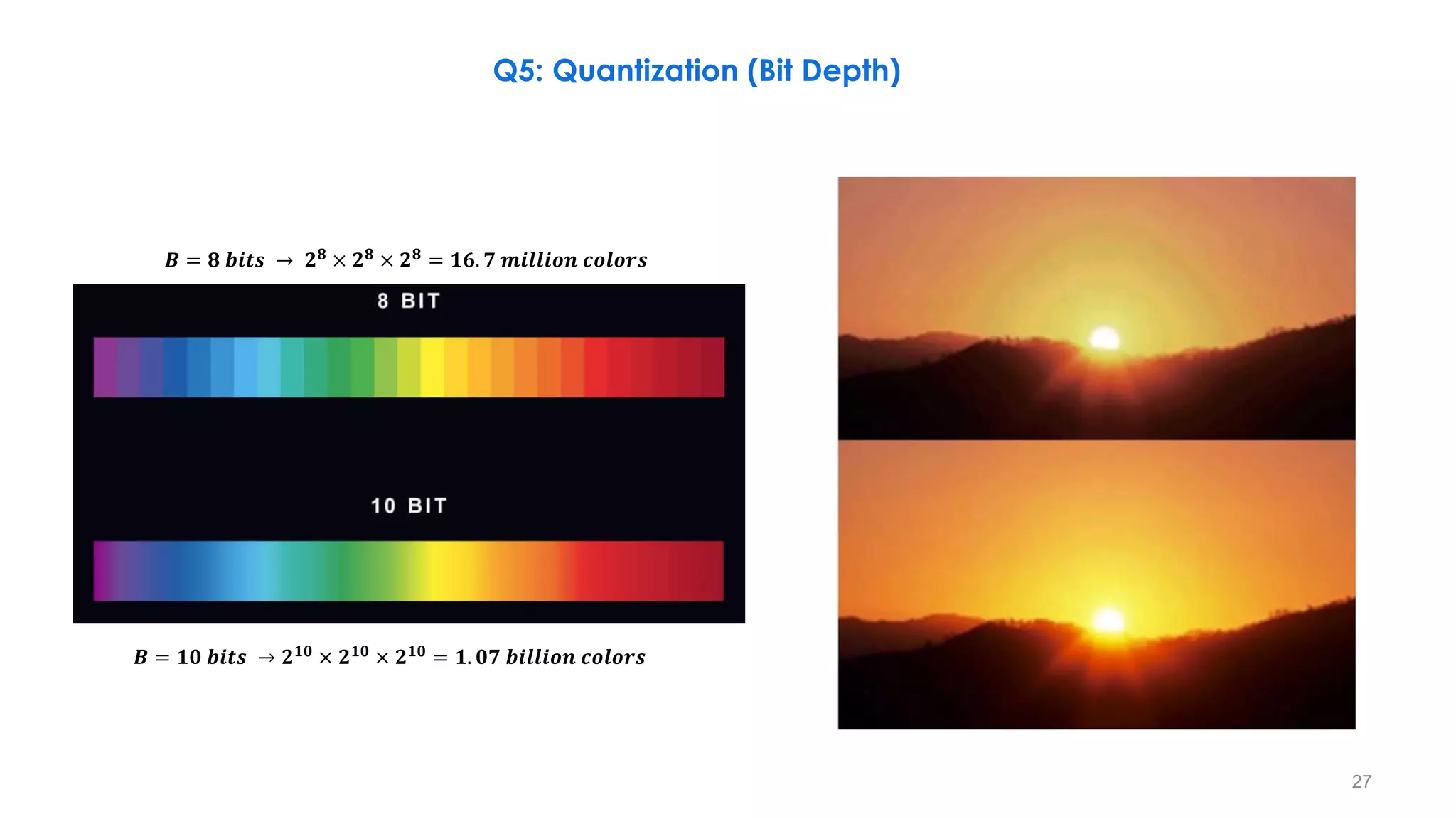
𝑩 = 𝟖 𝒃𝒊𝒕𝒔 → 𝟐𝟖
× 𝟐𝟖
× 𝟐𝟖
= 𝟏𝟔. 𝟕 𝒎𝒊𝒍𝒍𝒊𝒐𝒏 𝒄𝒐𝒍𝒐𝒓𝒔
𝑩 = 𝟏𝟎 𝒃𝒊𝒕𝒔 → 𝟐𝟏𝟎
× 𝟐𝟏𝟎
× 𝟐𝟏𝟎
= 𝟏. 𝟎𝟕 𝒃𝒊𝒍𝒍𝒊𝒐𝒏 𝒄𝒐𝒍𝒐𝒓𝒔
27
Q5: Quantization (Bit Depth)
𝑩 = 𝟖 𝒃𝒊𝒕𝒔 → 𝟐𝟖
× 𝟐𝟖
× 𝟐𝟖
= 𝟏𝟔. 𝟕 𝒎𝒊𝒍𝒍𝒊𝒐𝒏 𝒄𝒐𝒍𝒐𝒓𝒔
𝑩 = 𝟏𝟎 𝒃𝒊𝒕𝒔 → 𝟐𝟏𝟎
× 𝟐𝟏𝟎
× 𝟐𝟏𝟎
= 𝟏. 𝟎𝟕 𝒃𝒊𝒍𝒍𝒊𝒐𝒏 𝒄𝒐𝒍𝒐𝒓𝒔
28
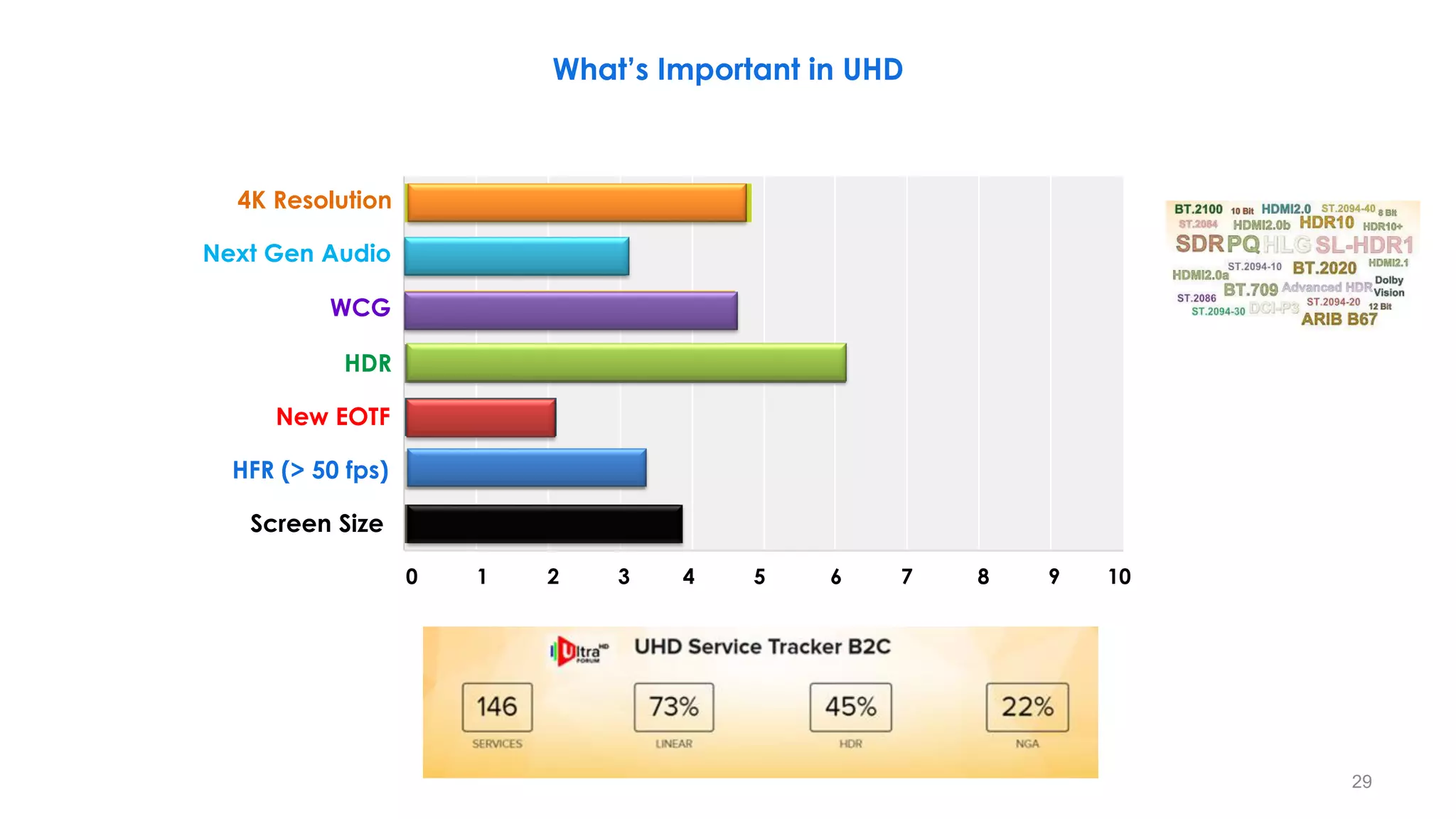
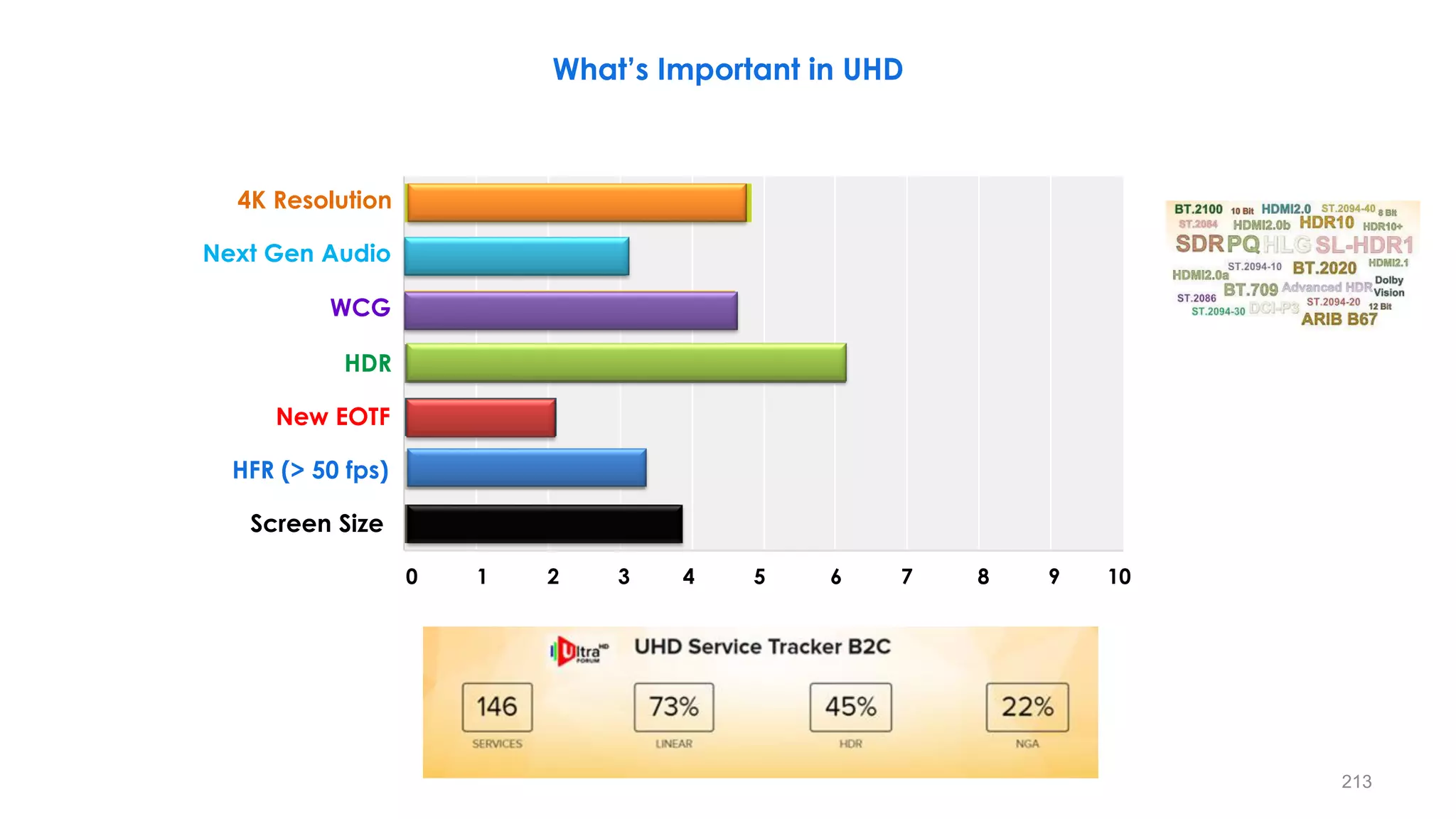
What’s Important in UHD
Next Gen Audio
WCG
HDR
New EOTF
HFR (> 50 fps)
Screen Size
4K Resolution
0 1 2 3 4 5 6 7 8 9 10
29
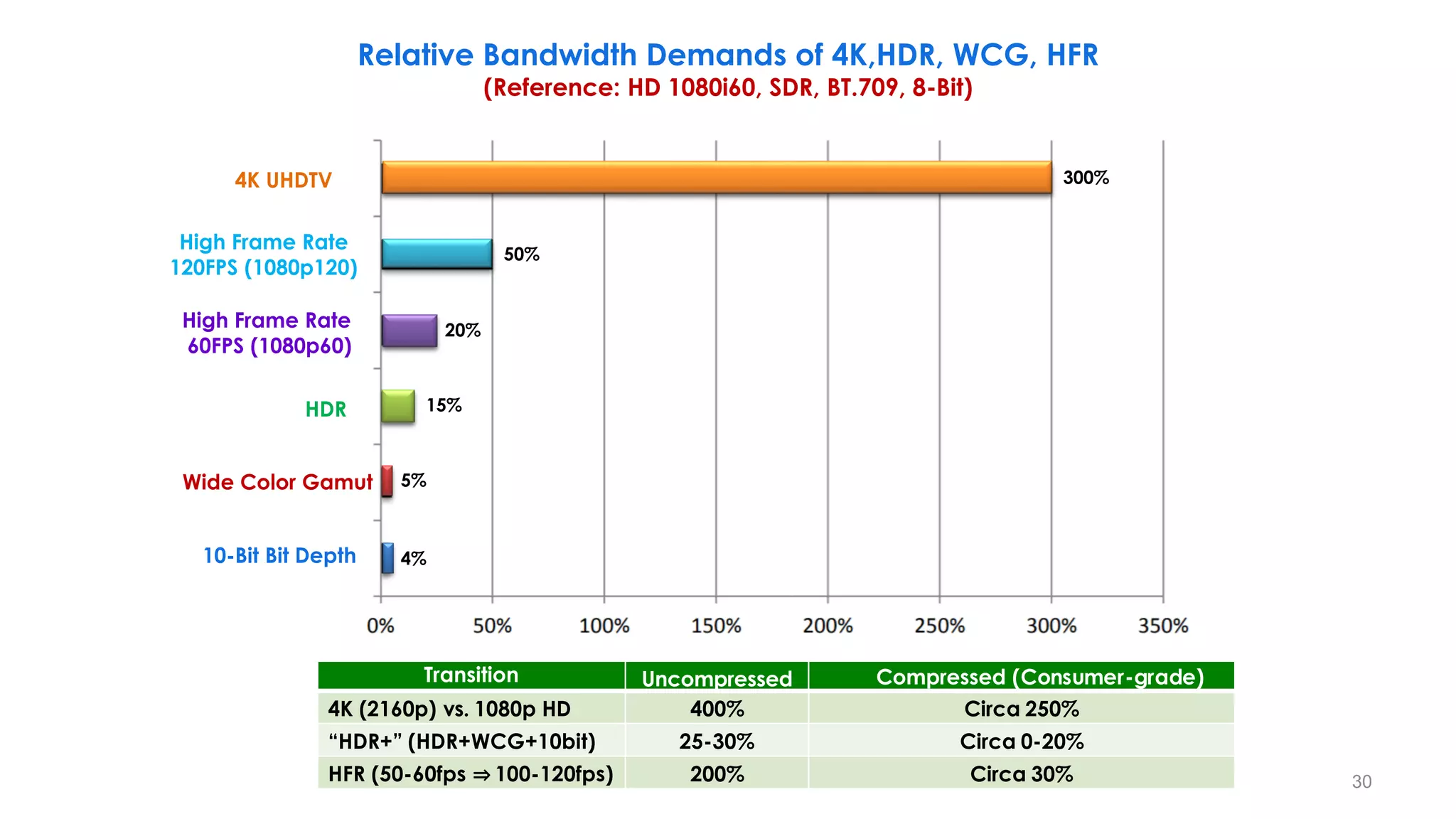
Relative Bandwidth Demands of 4K,HDR, WCG, HFR
(Reference: HD 1080i60, SDR, BT.709, 8-Bit)
4K UHDTV
High Frame Rate
120FPS (1080p120)
High Frame Rate
60FPS (1080p60)
HDR
Wide Color Gamut
10-Bit Bit Depth
300%
50%
20%
15%
5%
4%
Transition Uncompressed Compressed (Consumer-grade)
4K (2160p) vs. 1080p HD 400% Circa 250%
“HDR+” (HDR+WCG+10bit) 25-30% Circa 0-20%
HFR (50-60fps ⇒ 100-120fps) 200% Circa 30% 30
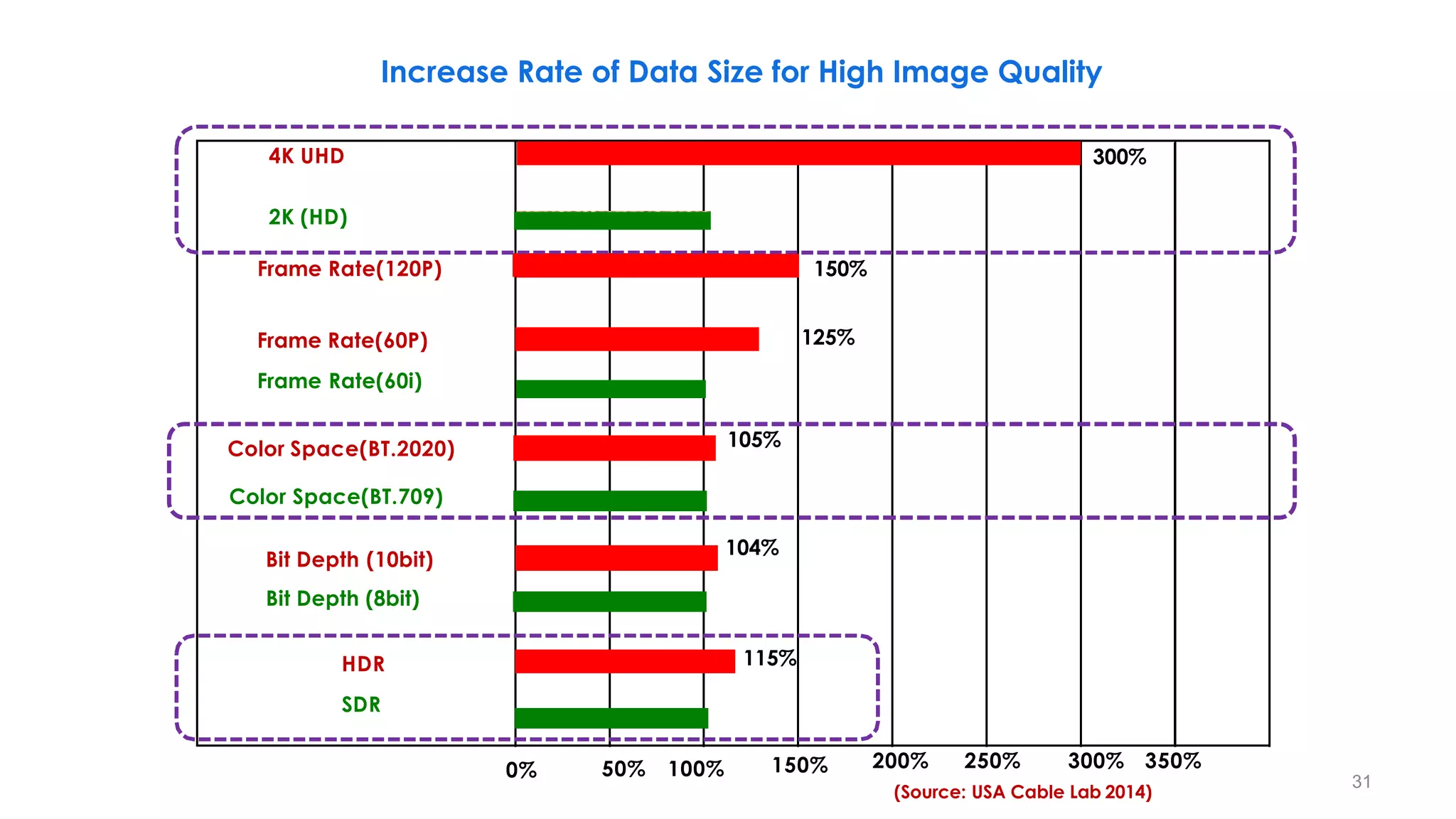
4K UHD
Frame Rate(120P)
Frame Rate(60P)
Frame Rate(60i)
Color Space(BT.2020)
Color Space(BT.709)
Bit Depth (8bit)
HDR
SDR
0% 50% 100% 150%
300%
150%
125%
105%
104%
115%
200% 250% 300% 350%
(Source: USA Cable Lab 2014)
Increase Rate of Data Size for High Image Quality
Bit Depth (10bit)
2K (HD)
31
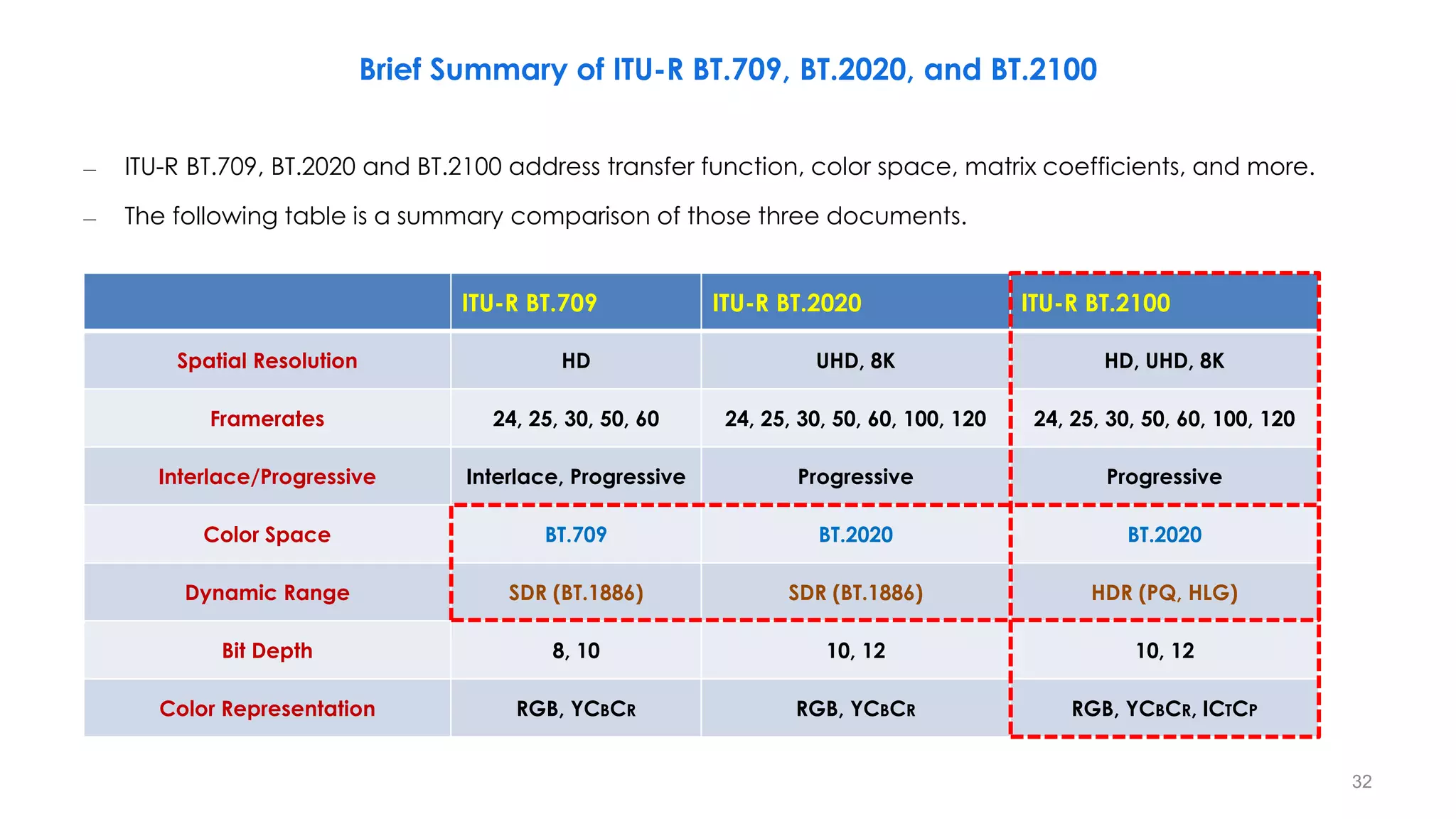
Brief Summary of ITU-R BT.709, BT.2020, and BT.2100
– ITU-R BT.709, BT.2020 and BT.2100 address transfer function, color space, matrix coefficients, and more.
– The following table is a summary comparison of those three documents.
ITU-R BT.709 ITU-R BT.2020 ITU-R BT.2100
Spatial Resolution HD UHD, 8K HD, UHD, 8K
Framerates 24, 25, 30, 50, 60 24, 25, 30, 50, 60, 100, 120 24, 25, 30, 50, 60, 100, 120
Interlace/Progressive Interlace, Progressive Progressive Progressive
Color Space BT.709 BT.2020 BT.2020
Dynamic Range SDR (BT.1886) SDR (BT.1886) HDR (PQ, HLG)
Bit Depth 8, 10 10, 12 10, 12
Color Representation RGB, YCBCR RGB, YCBCR RGB, YCBCR, ICTCP
32
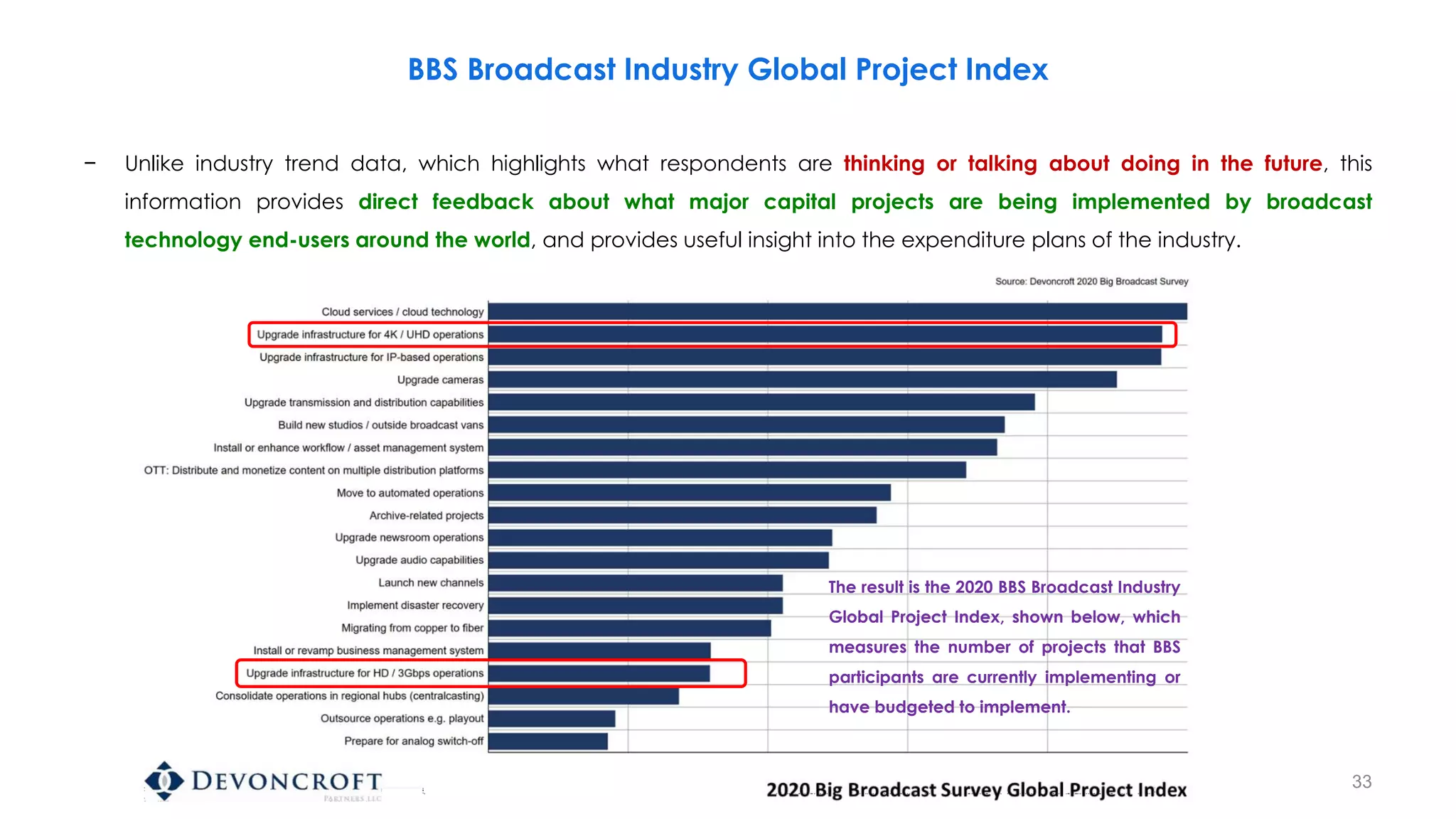
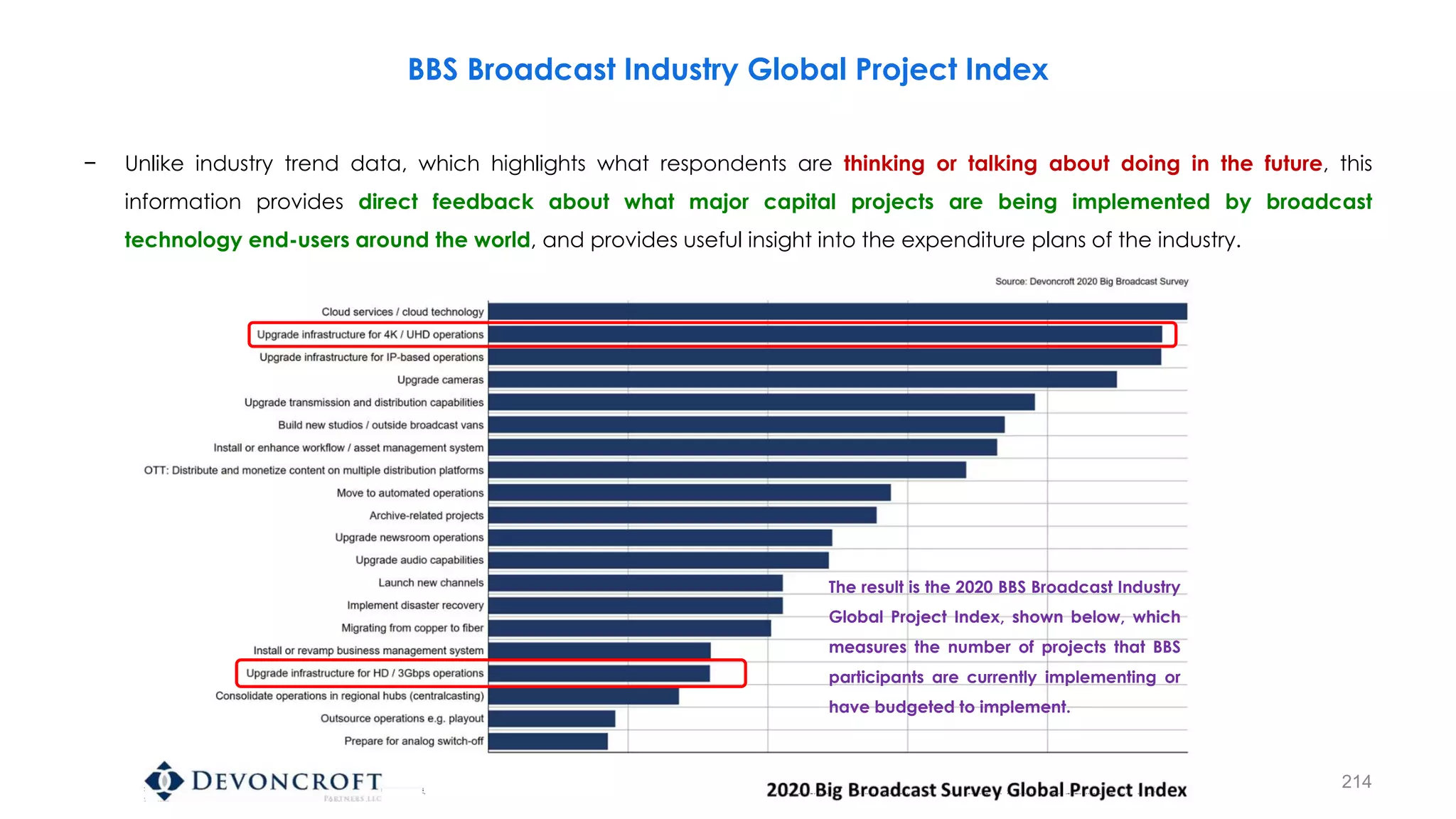
BBS Broadcast Industry Global Project Index
− Unlike industry trend data, which highlights what respondents are thinking or talking about doing in the future, this
information provides direct feedback about what major capital projects are being implemented by broadcast
technology end-users around the world, and provides useful insight into the expenditure plans of the industry.
The result is the 2020 BBS Broadcast Industry
Global Project Index, shown below, which
measures the number of projects that BBS
participants are currently implementing or
have budgeted to implement.
33
34
Terminology
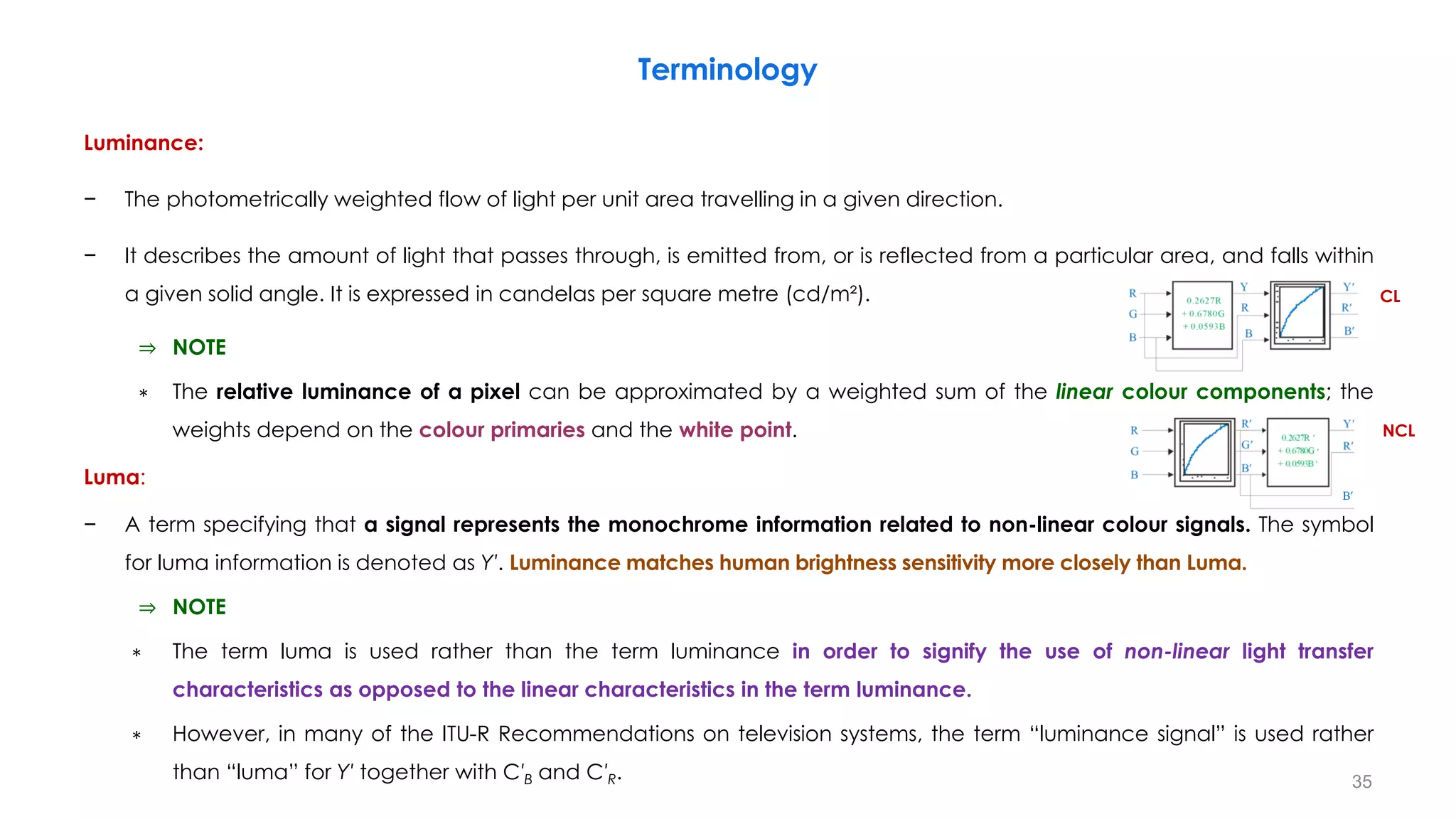
Luminance:
− The photometrically weighted flow of light per unit area travelling in a given direction.
− It describes the amount of light that passes through, is emitted from, or is reflected from a particular area, and falls within
a given solid angle. It is expressed in candelas per square metre (cd/m²).
⇒ NOTE
∗ The relative luminance of a pixel can be approximated by a weighted sum of the linear colour components; the
weights depend on the colour primaries and the white point.
Luma:
− A term specifying that a signal represents the monochrome information related to non-linear colour signals. The symbol
for luma information is denoted as Y′. Luminance matches human brightness sensitivity more closely than Luma.
⇒ NOTE
∗ The term luma is used rather than the term luminance in order to signify the use of non-linear light transfer
characteristics as opposed to the linear characteristics in the term luminance.
∗ However, in many of the ITU-R Recommendations on television systems, the term “luminance signal” is used rather
than “luma” for Y′ together with C′B and C′R. 35
NCL
CL
Terminology
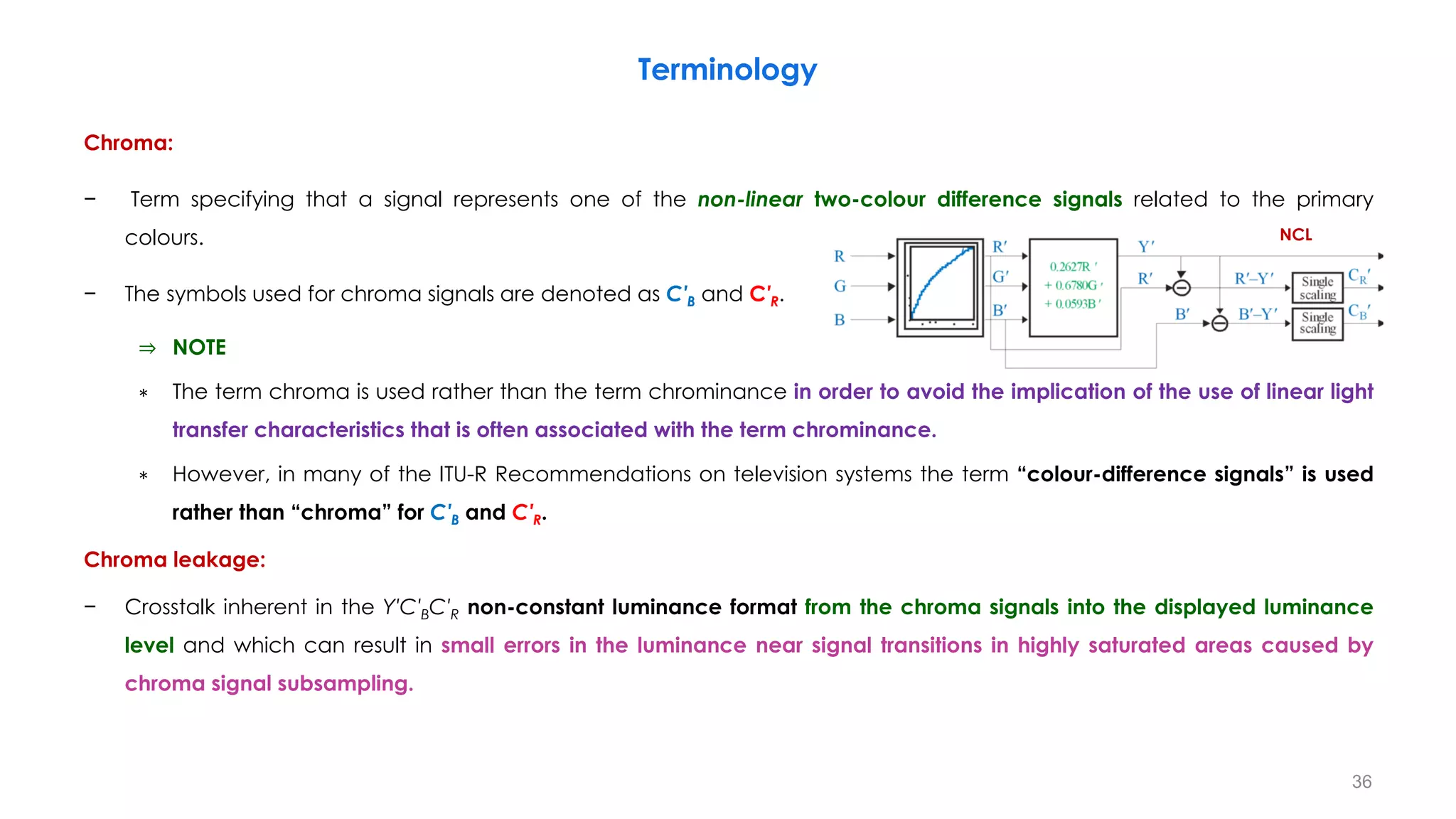
Chroma:
− Term specifying that a signal represents one of the non-linear two-colour difference signals related to the primary
colours.
− The symbols used for chroma signals are denoted as C′B and C′R.
⇒ NOTE
∗ The term chroma is used rather than the term chrominance in order to avoid the implication of the use of linear light
transfer characteristics that is often associated with the term chrominance.
∗ However, in many of the ITU-R Recommendations on television systems the term “colour-difference signals” is used
rather than “chroma” for C′B and C′R.
Chroma leakage:
− Crosstalk inherent in the Y′C′BC′R non-constant luminance format from the chroma signals into the displayed luminance
level and which can result in small errors in the luminance near signal transitions in highly saturated areas caused by
chroma signal subsampling.
36
NCL
Terminology
Camera RAW output:
− Image data produced by, or internal to, a digital camera that has not been processed, except for A/D conversion and
the following optional steps:
• Linearization
• dark current/frame subtraction
• shading and sensitivity (flat field) correction
• flare removal
• white balancing (e.g. so the adopted white produces equal RGB values or no chrominance)
• missing colour pixel reconstruction (without colour transformations)
Colour emissive highlights:
− Typically small areas of bright coloured light.
HDR floating point format:
− Linear R, G, B signals each encoded in 16-bit floating point per IEEE standard 754-2008, as defined in Recommendation
ITU-R BT.2020.
37
Terminology
Rendering intent:
• Defined by the opto-optical transfer function (OOTF), a mapping of the relative scene light as imaged by the camera to
the intended light from a display.
Specular reflection(s):
• Typically small areas of bright light reflected in a particular direction from smooth surfaces within a scene.
Super-white:
• In a narrow range signal, a video signal of greater than 100% nominal peak level extending up to 109% of nominal peak
level. In the case of 10-bit digital coding this range lies above value 940 (nominal peak) extending to value 1 019, while in
12-bit digital coding this range lies above value 3 760 extending to value 4 079.
Shaders/Painters: The camera operators
Look:
• “Look” is a term that describes the appearance of an image. In the television industry it is mostly considered as a
combination of the color saturation and image tone of the picture.
∗ It is technically defined by the combination of the video signal’s OETF and the display EOTF, including as well, any
creative intent imparted to the video signal by colorists/technical operators.
38
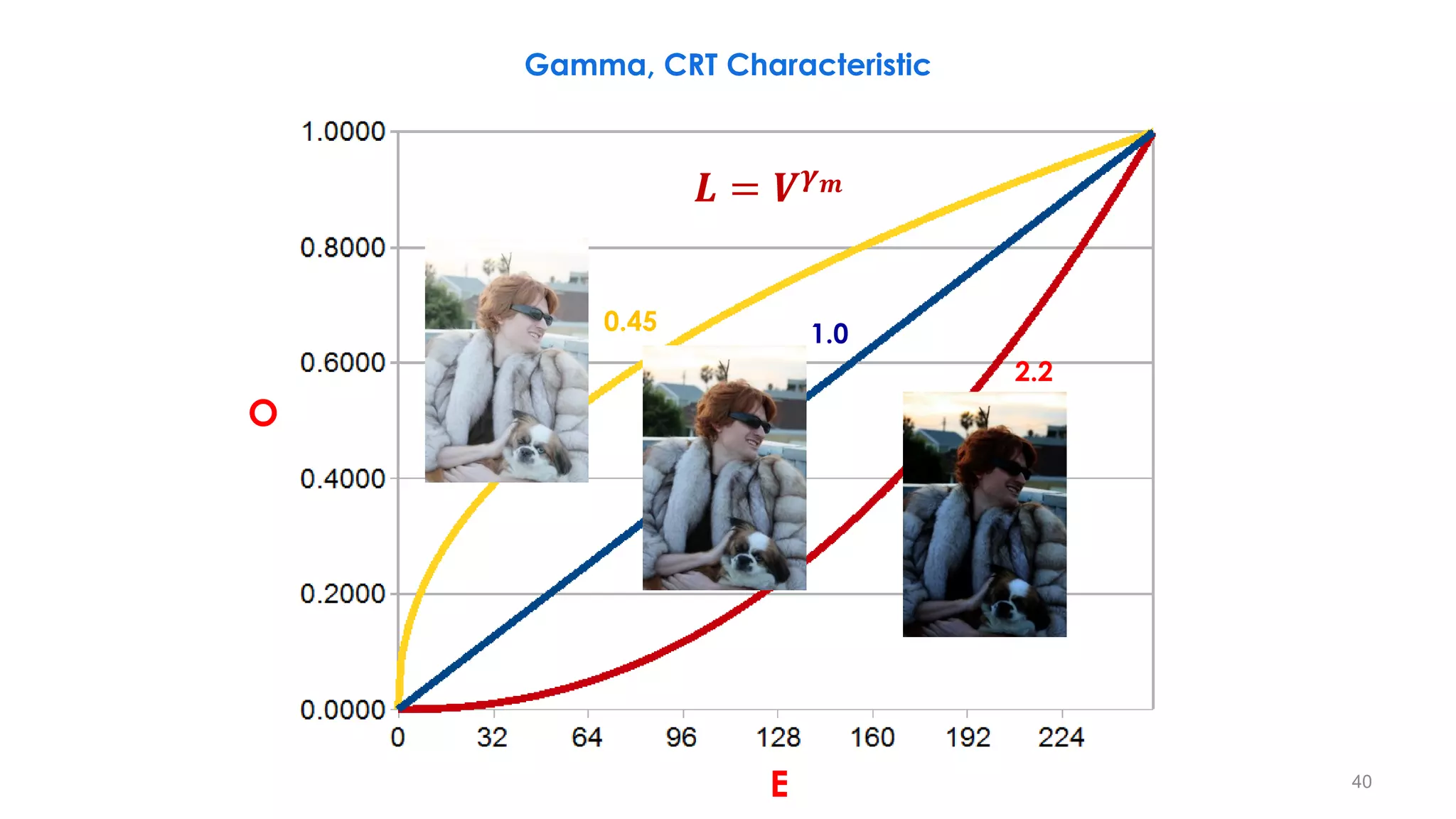
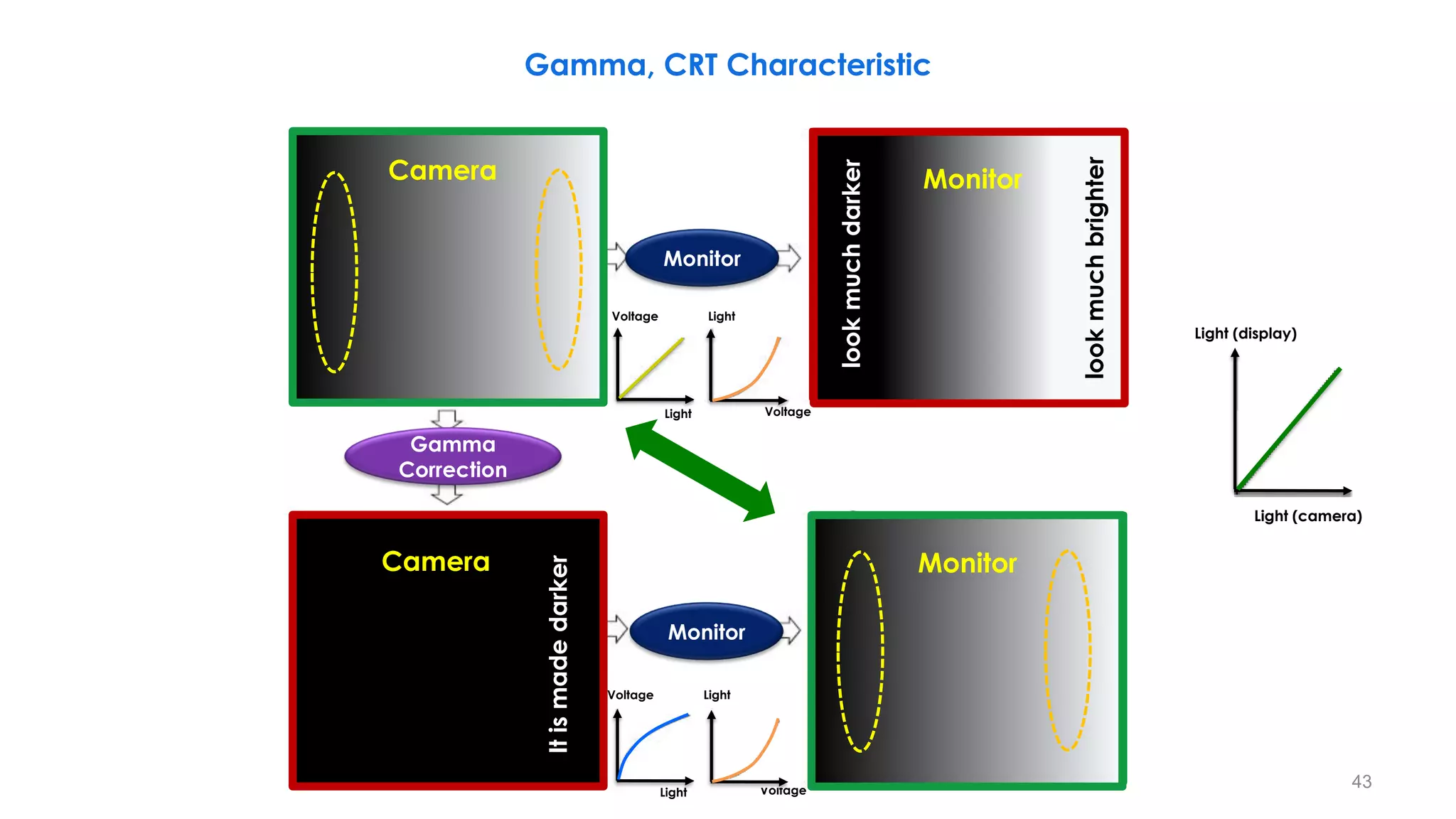
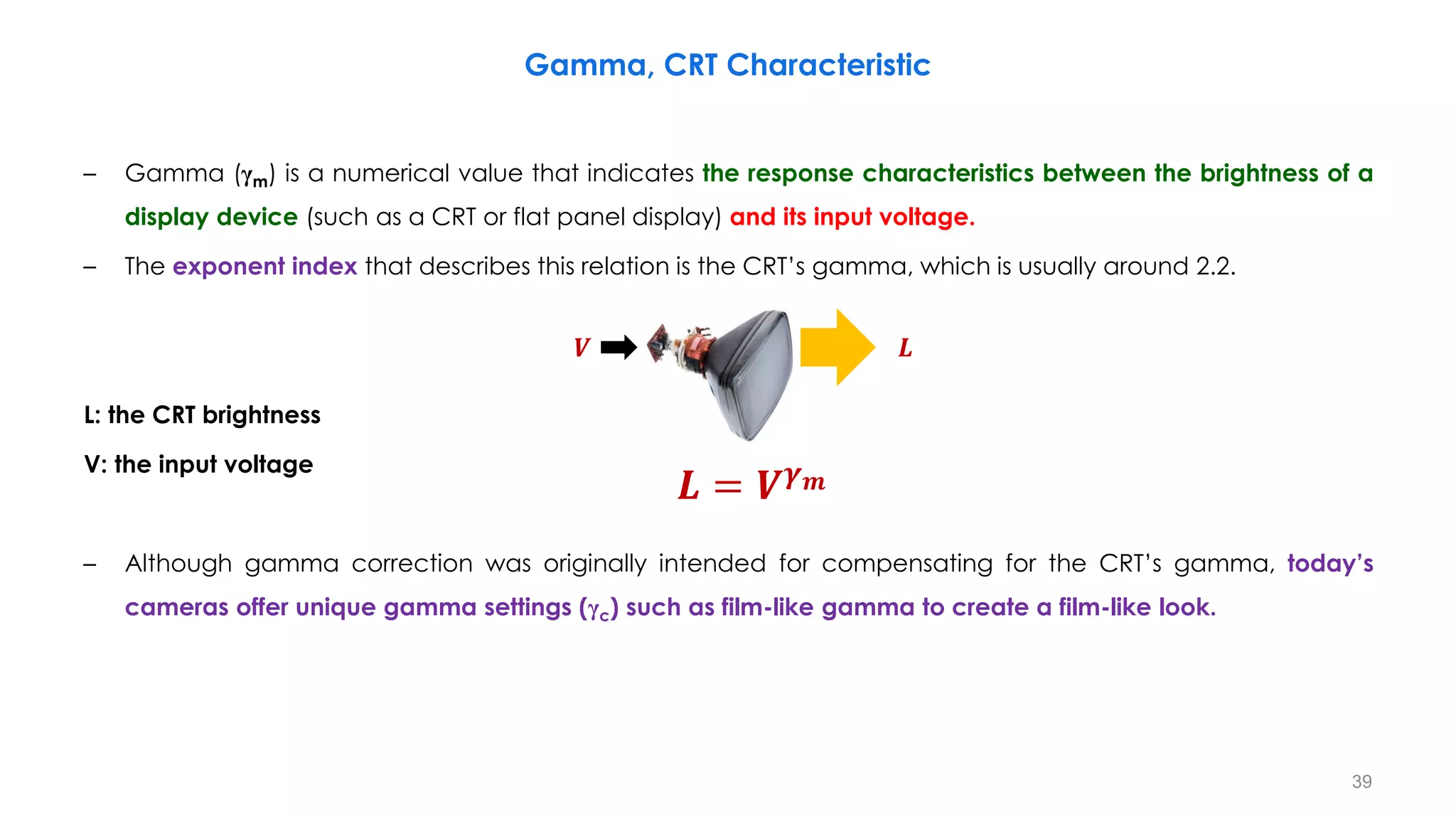
– Gamma (γm) is a numerical value that indicates the response characteristics between the brightness of a
display device (such as a CRT or flat panel display) and its input voltage.
– The exponent index that describes this relation is the CRT’s gamma, which is usually around 2.2.
L: the CRT brightness
V: the input voltage
– Although gamma correction was originally intended for compensating for the CRT’s gamma, today’s
cameras offer unique gamma settings (γc) such as film-like gamma to create a film-like look.
Gamma, CRT Characteristic
39
𝑳 = 𝑽𝜸𝒎
𝑽 𝑳
2.2
0.45
Gamma, CRT Characteristic
1.0
E
O
40
𝑳 = 𝑽𝜸𝒎
𝑠 = 𝑐. 𝑟𝛾
𝜸 < 𝟏
It maps a narrow range of
dark input values into a wide
range of output values and
vice versa.
Brighter Image
𝜸 > 𝟏
It maps a narrow range of
bright input values into a wide
range of output values and
vice versa.
Darker Image
r = [1 10 20 30 40 210 220 230 240 250 255]
s( =0.4) = [28 70 92 108 122 236 240 245 249 253 255]
s( = 2.5) = [0 0 0 1 2 157 176 197 219 243 255]
Gamma, CRT Characteristic
− Plots of the gamma
equation 𝑠 = 𝑐. 𝑟𝛾
for
various values of g (c =
1 in all cases).
− Each curve was scaled
independently so that
all curves would fit in
the same graph.
− Our interest here is on
the shapes of the
curves, not on their
relative values. 0 1
1
41
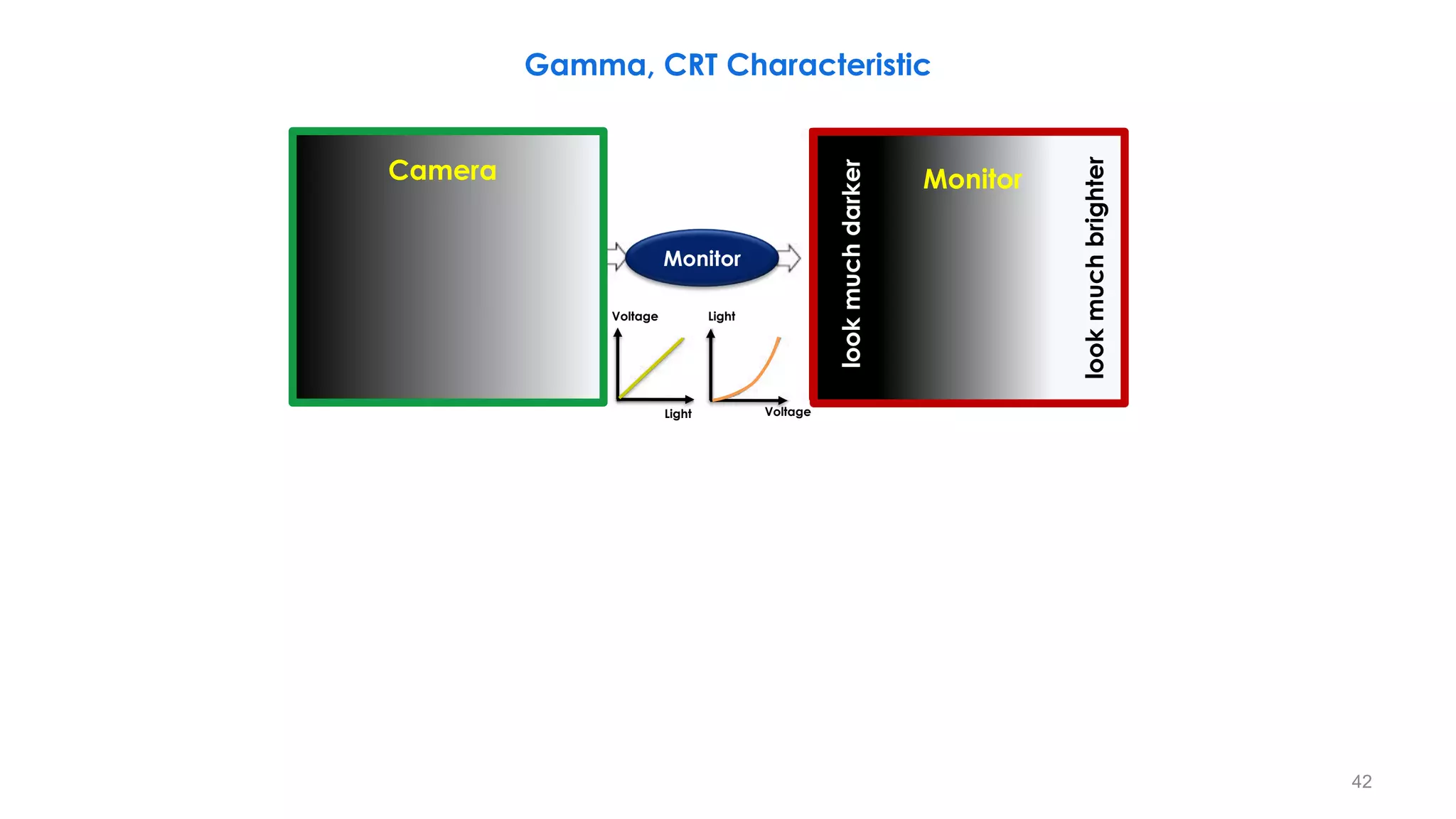
Gamma, CRT Characteristic
It
is
made
darker
It
is
made
brighter
Camera
Light
Light
Voltage
Voltage
Monitor
Monitor
look
much
brighter
look
much
darker
42
Gamma, CRT Characteristic
look
much
brighter
look
much
darker
It
is
made
darker
It
is
made
brighter
Camera Monitor
Camera Monitor
Light
Light
Voltage
Voltage
Light
Light
Voltage
Voltage
Monitor
Monitor
Gamma
Correction
Light (camera)
Light (display)
43
CRT
Control
Grid
Output
Light
Input voltage
Output light
Ideal
Real
Dark areas of a signal Bright areas of a signal
Gamma, CRT Characteristic
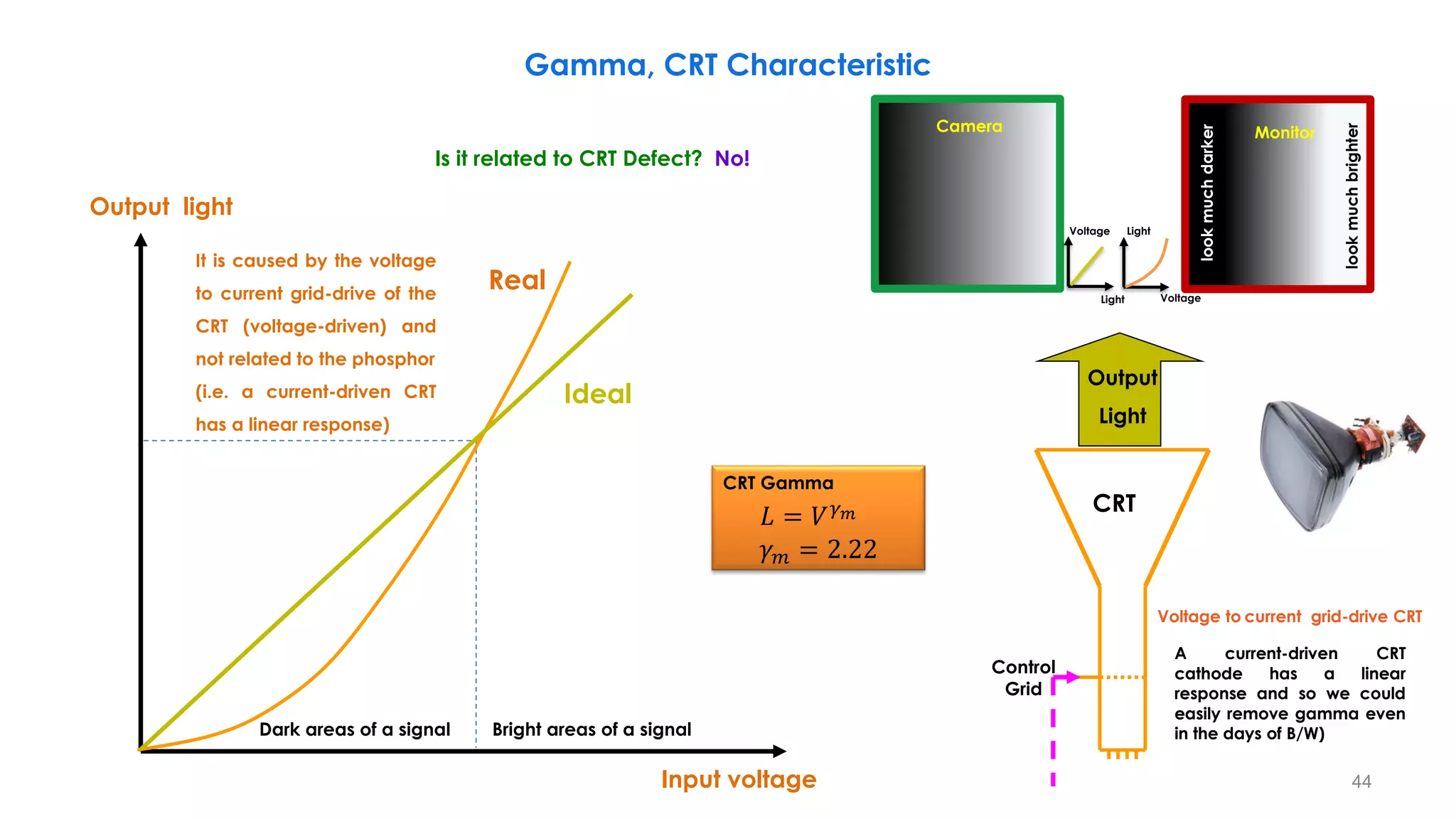
It is caused by the voltage
to current grid-drive of the
CRT (voltage-driven) and
not related to the phosphor
(i.e. a current-driven CRT
has a linear response)
CRT Gamma
𝐿 = 𝑉𝛾𝑚
𝛾𝑚 = 2.22
Voltage to current grid-drive CRT
Camera
Light
Light
Voltage
Voltage
Monitor
look
much
brighter
look
much
darker
A current-driven CRT
cathode has a linear
response and so we could
easily remove gamma even
in the days of B/W)
Is it related to CRT Defect? No!
44
CRT
Control
Grid
Light Input
Input voltage
Output light
Camera
Output
Light
Output voltage
Input light
Input light
Output light
Legacy system-gamma (cascaded system) is about 1.2 to
compensate for dark surround viewing conditions (e.x. 𝜸𝒎 ≈ 𝟐. 𝟒).
ITU-R BT.709 OETF
CRT Gamma
𝐿 = 𝑉𝛾𝑚
𝛾𝑚 = 2.22
Camera Gamma
𝑉 = 𝐿𝛾𝑐
𝛾𝑐 = 0.45
𝜸𝒄𝜸𝒎 = 𝟏
Gamma, CRT Characteristic
[0:1]
[0:1]
45
Transmission Medium
Scene
Capture
Scene
Display
Gamma and Inverse Gamma
Inverse Gamma Gamma
46
Transmission Medium
Scene
Capture
Scene
Display
EOTF and OETF
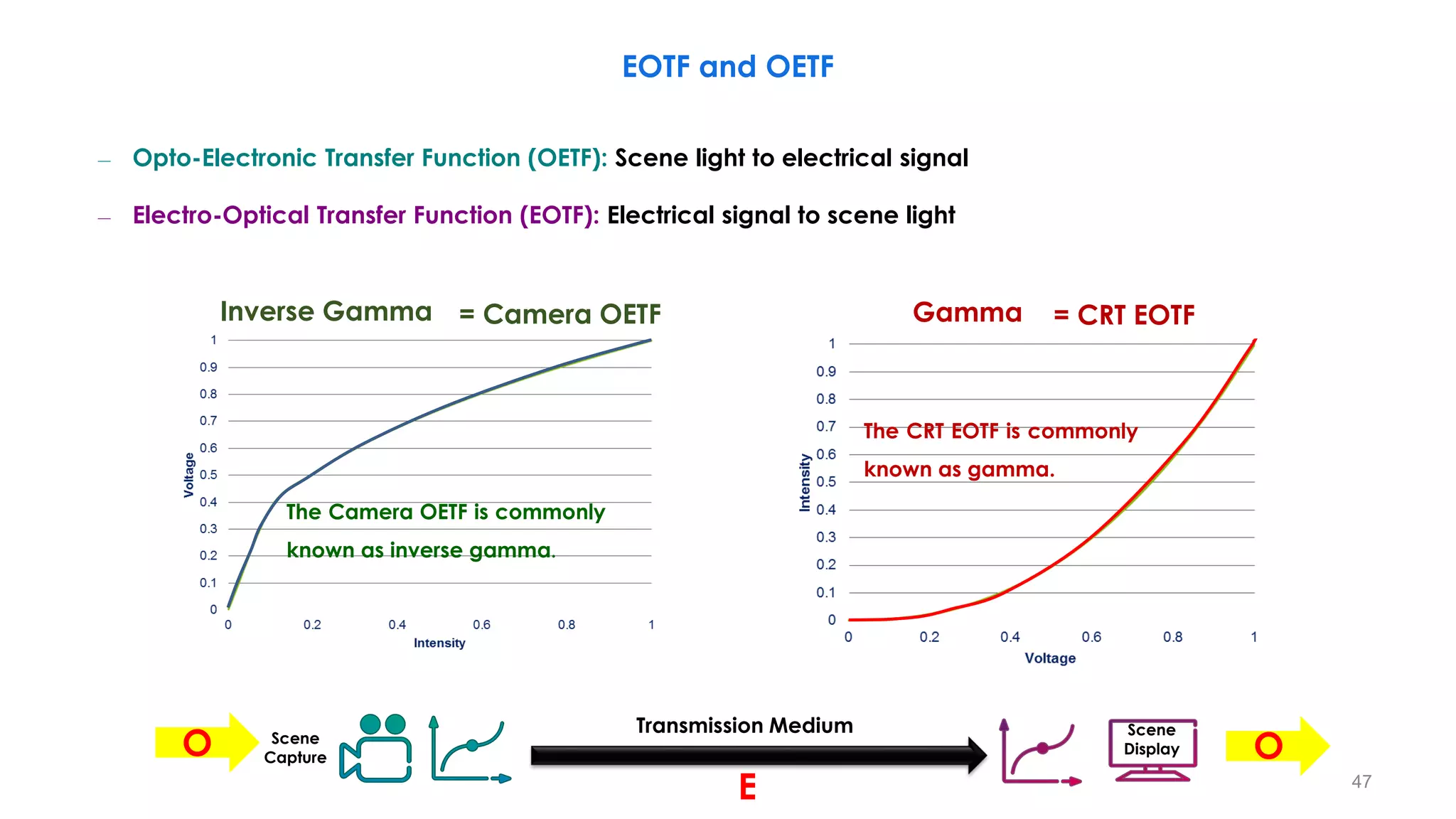
The Camera OETF is commonly
known as inverse gamma.
Inverse Gamma
The CRT EOTF is commonly
known as gamma.
Gamma
E
O O
= Camera OETF = CRT EOTF
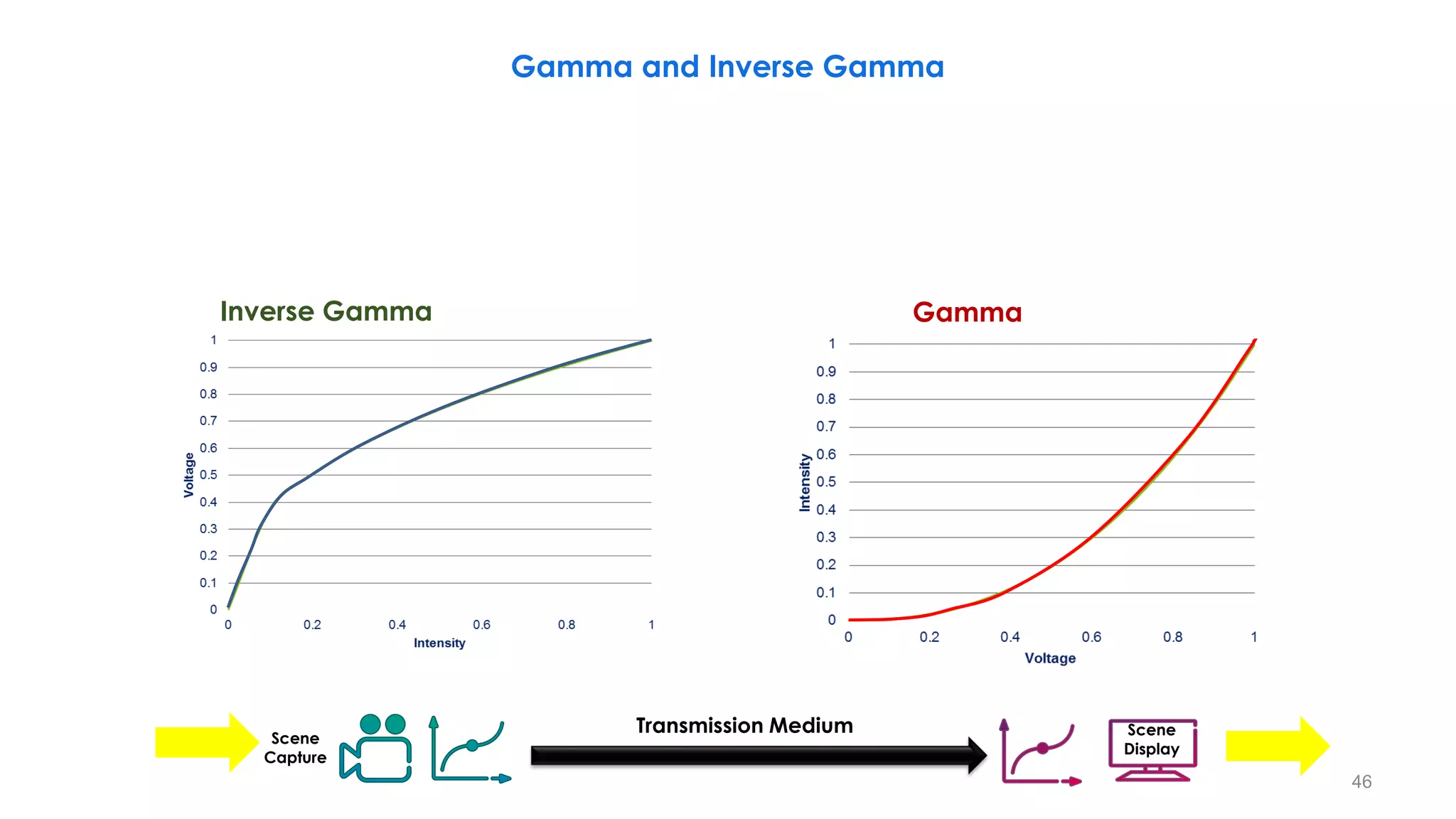
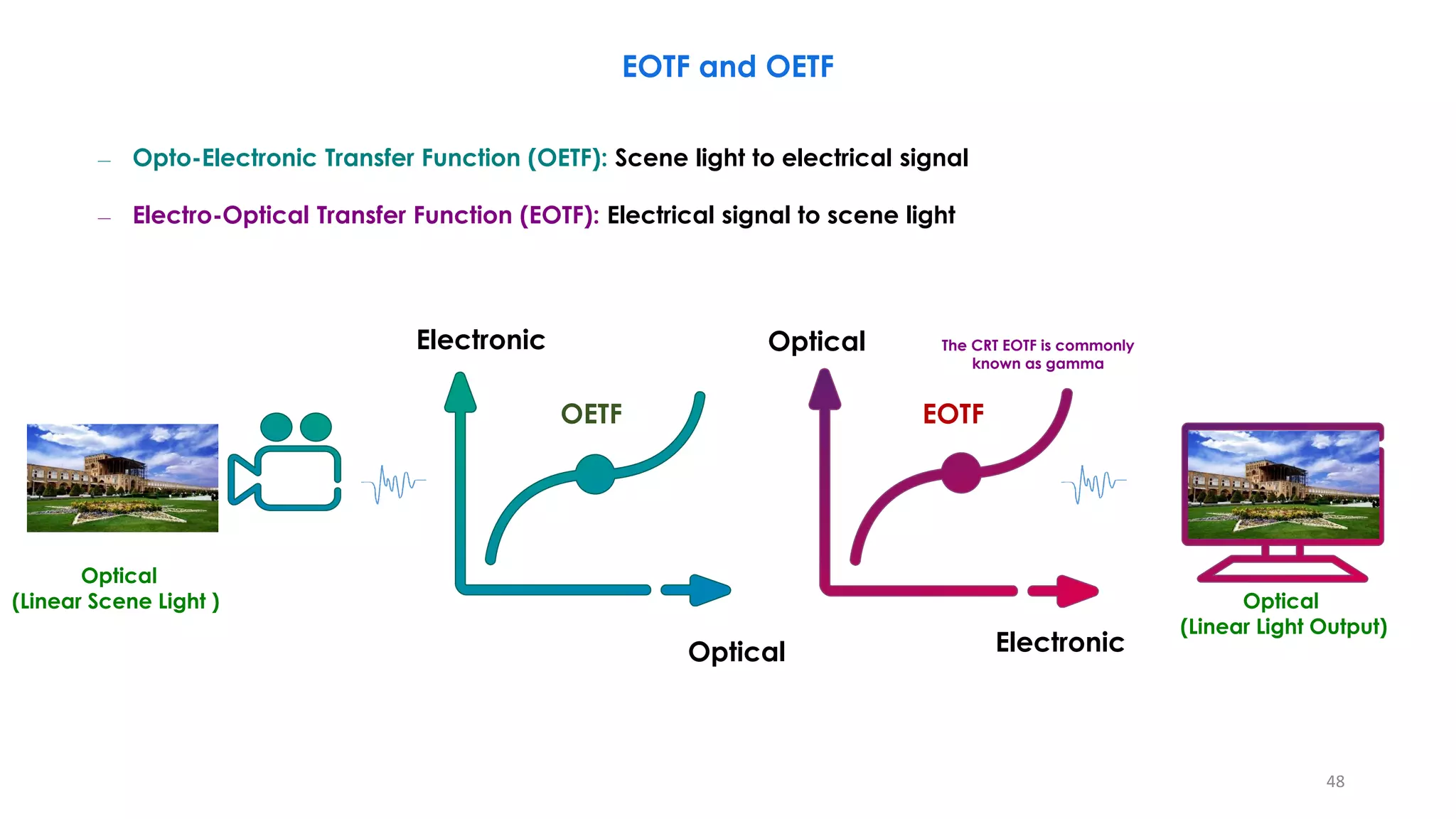
– Opto-Electronic Transfer Function (OETF): Scene light to electrical signal
– Electro-Optical Transfer Function (EOTF): Electrical signal to scene light
47
Optical
Electronic
OETF
The CRT EOTF is commonly
known as gamma
Optical
Electronic
EOTF
– Opto-Electronic Transfer Function (OETF): Scene light to electrical signal
– Electro-Optical Transfer Function (EOTF): Electrical signal to scene light
EOTF and OETF
Optical
(Linear Scene Light ) Optical
(Linear Light Output)
48
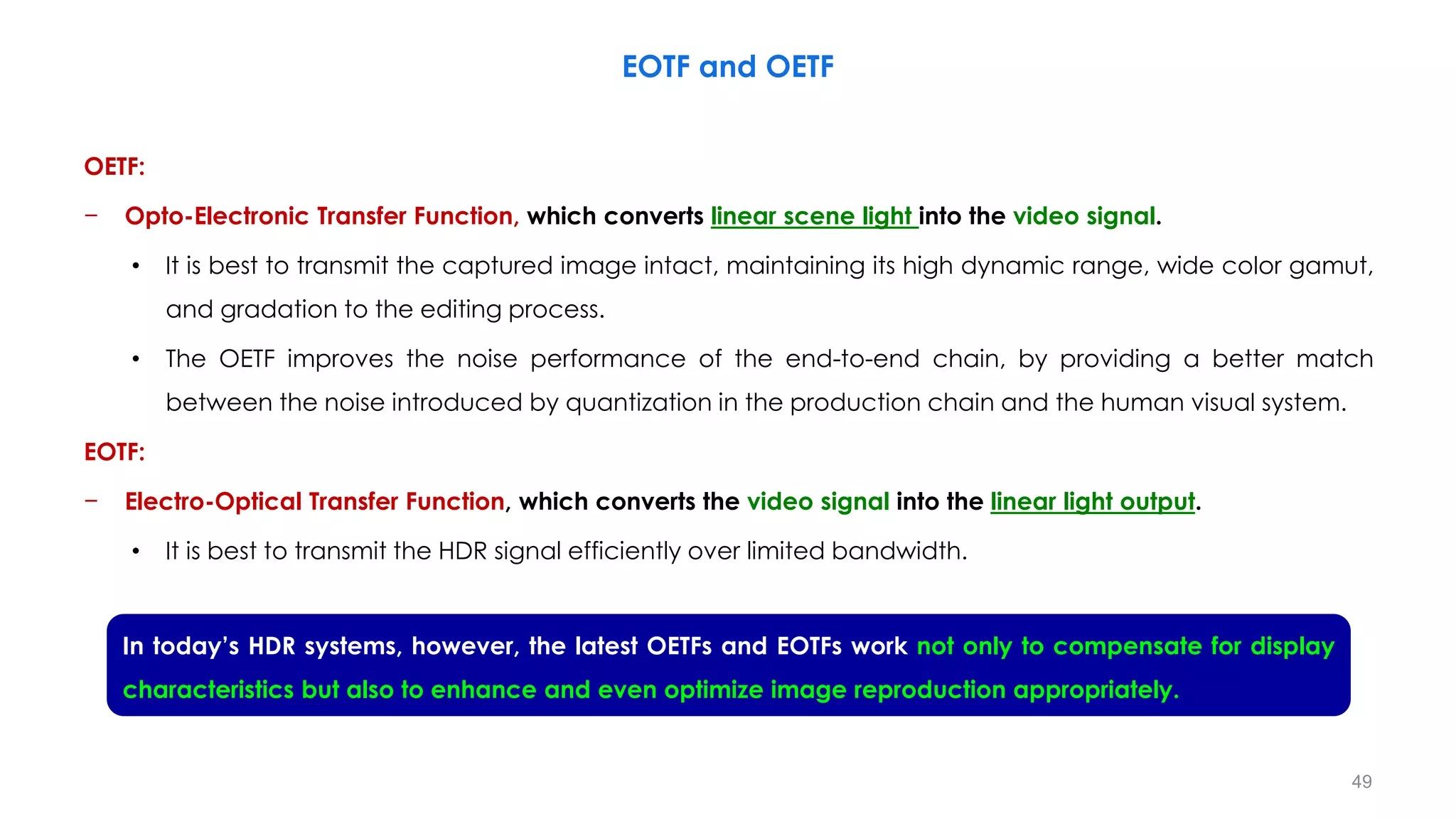
OETF:
− Opto-Electronic Transfer Function, which converts linear scene light into the video signal.
• It is best to transmit the captured image intact, maintaining its high dynamic range, wide color gamut,
and gradation to the editing process.
• The OETF improves the noise performance of the end-to-end chain, by providing a better match
between the noise introduced by quantization in the production chain and the human visual system.
EOTF:
− Electro-Optical Transfer Function, which converts the video signal into the linear light output.
• It is best to transmit the HDR signal efficiently over limited bandwidth.
EOTF and OETF
In today’s HDR systems, however, the latest OETFs and EOTFs work not only to compensate for display
characteristics but also to enhance and even optimize image reproduction appropriately.
49
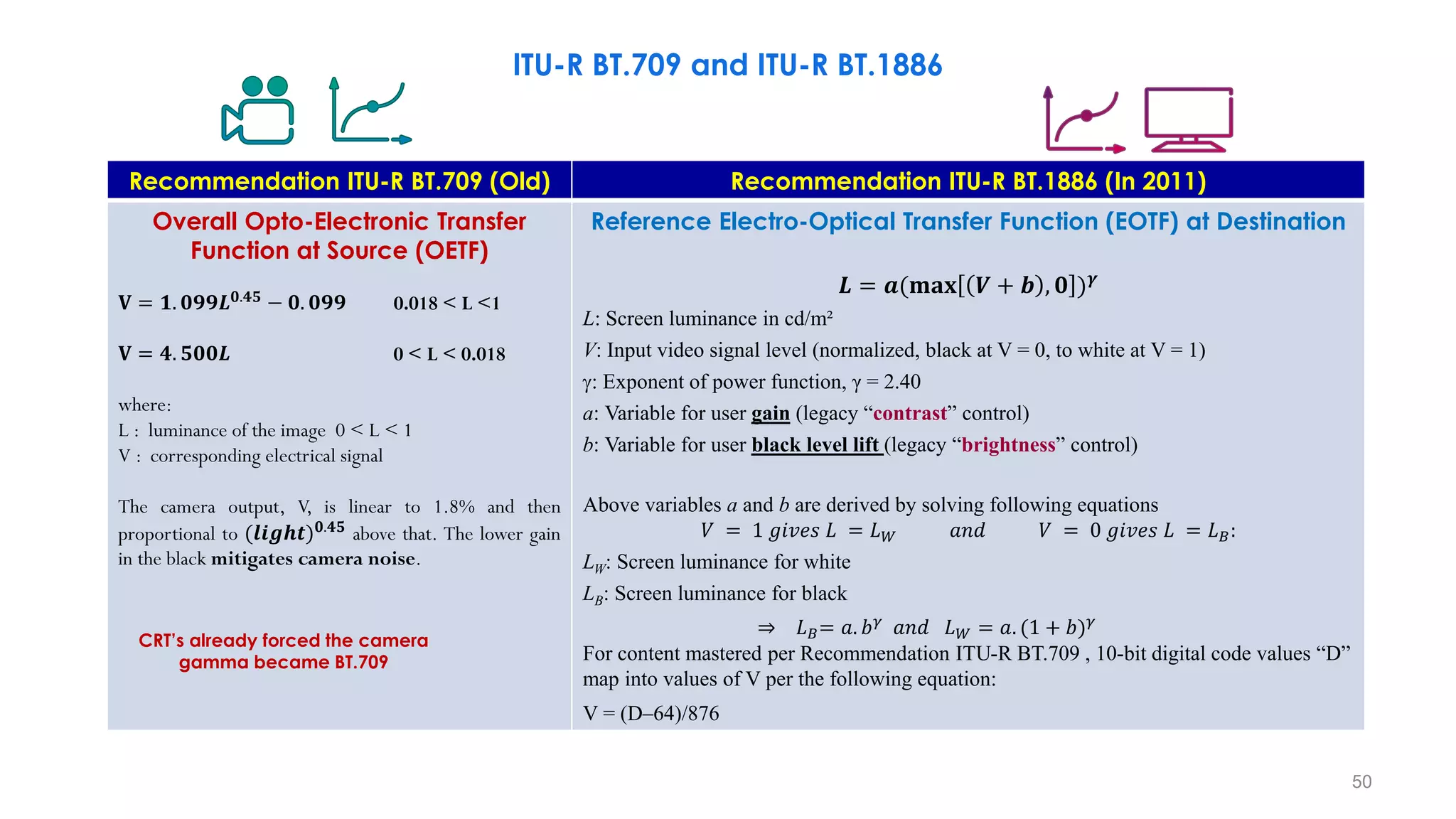
Recommendation ITU-R BT.709 (Old) Recommendation ITU-R BT.1886 (In 2011)
Overall Opto-Electronic Transfer
Function at Source (OETF)
𝐕 = 𝟏. 𝟎𝟗𝟗𝑳𝟎.𝟒𝟓
− 𝟎. 𝟎𝟗𝟗 0.018 < L <1
𝐕 = 𝟒. 𝟓𝟎𝟎𝑳 0 < L < 0.018
where:
L : luminance of the image 0 < L < 1
V : corresponding electrical signal
The camera output, V, is linear to 1.8% and then
proportional to (𝒍𝒊𝒈𝒉𝒕)𝟎.𝟒𝟓
above that. The lower gain
in the black mitigates camera noise.
Reference Electro-Optical Transfer Function (EOTF) at Destination
𝑳 = 𝒂(𝐦𝐚𝐱 𝑽 + 𝒃 , 𝟎 )𝜸
L: Screen luminance in cd/m²
V: Input video signal level (normalized, black at V = 0, to white at V = 1)
: Exponent of power function, γ = 2.40
a: Variable for user gain (legacy “contrast” control)
b: Variable for user black level lift (legacy “brightness” control)
Above variables a and b are derived by solving following equations
𝑉 = 1 𝑔𝑖𝑣𝑒𝑠 𝐿 = 𝐿𝑊 𝑎𝑛𝑑 𝑉 = 0 𝑔𝑖𝑣𝑒𝑠 𝐿 = 𝐿𝐵:
LW: Screen luminance for white
LB: Screen luminance for black
⇒ 𝐿𝐵= 𝑎. 𝑏𝛾 𝑎𝑛𝑑 𝐿𝑊 = 𝑎. (1 + 𝑏)𝛾
For content mastered per Recommendation ITU-R BT.709 , 10-bit digital code values “D”
map into values of V per the following equation:
V = (D–64)/876
CRT’s already forced the camera
gamma became BT.709
ITU-R BT.709 and ITU-R BT.1886
50
ITU-R BT.709 and ITU-R BT.1886
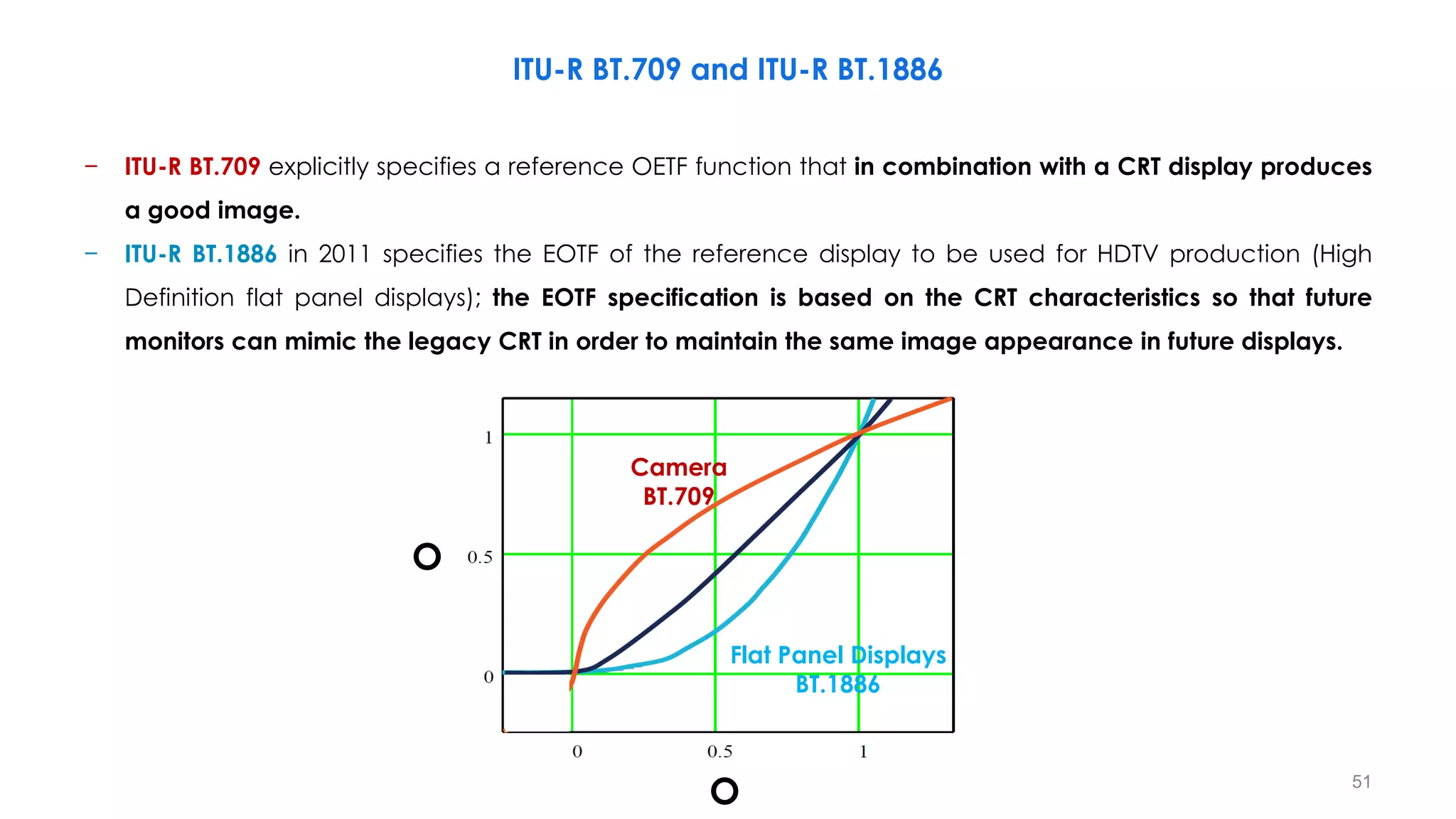
− ITU-R BT.709 explicitly specifies a reference OETF function that in combination with a CRT display produces
a good image.
− ITU-R BT.1886 in 2011 specifies the EOTF of the reference display to be used for HDTV production (High
Definition flat panel displays); the EOTF specification is based on the CRT characteristics so that future
monitors can mimic the legacy CRT in order to maintain the same image appearance in future displays.
Camera
BT.709
Flat Panel Displays
BT.1886
O
O 51
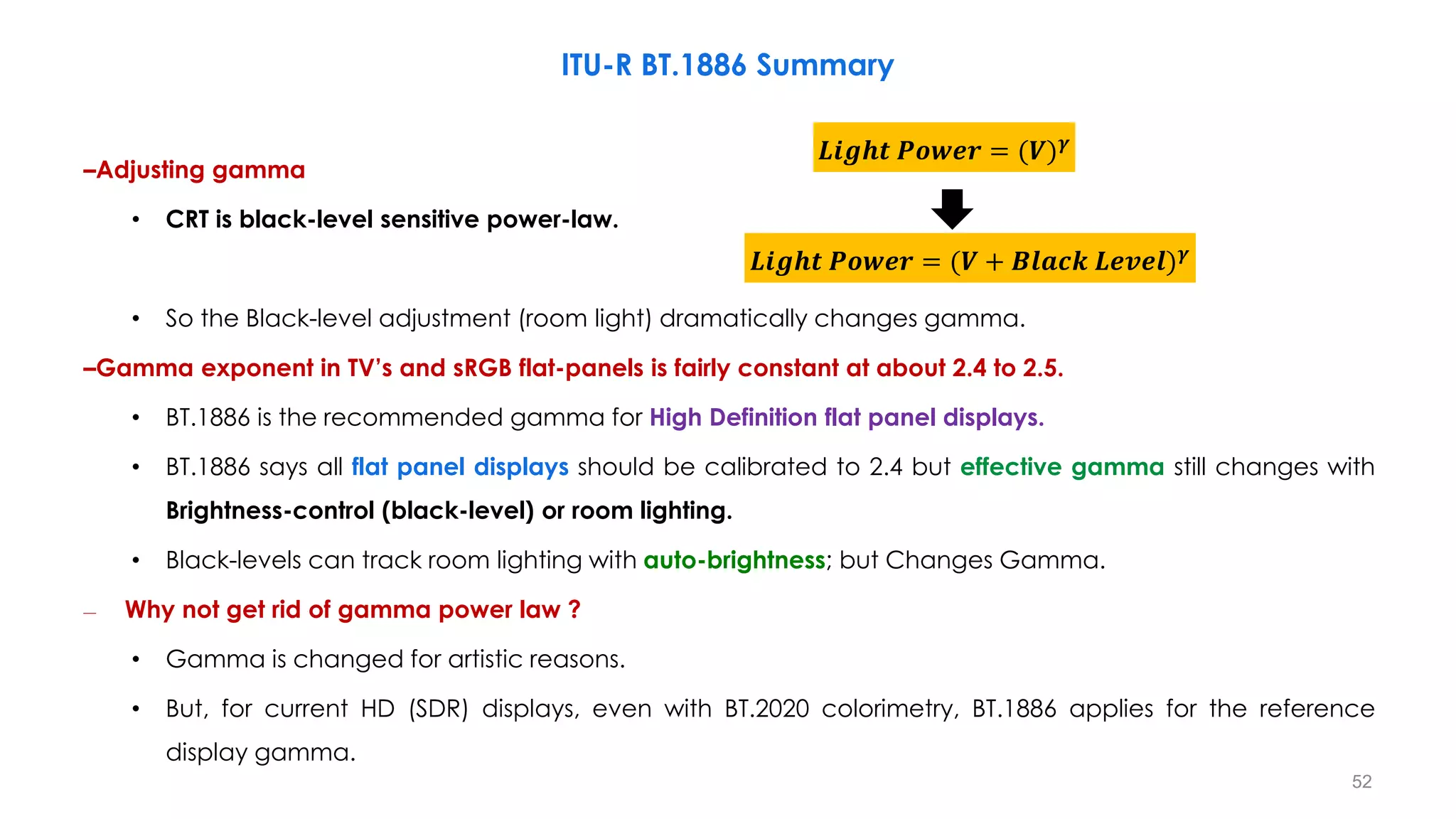
–Adjusting gamma
• CRT is black-level sensitive power-law.
• So the Black-level adjustment (room light) dramatically changes gamma.
–Gamma exponent in TV’s and sRGB flat-panels is fairly constant at about 2.4 to 2.5.
• BT.1886 is the recommended gamma for High Definition flat panel displays.
• BT.1886 says all flat panel displays should be calibrated to 2.4 but effective gamma still changes with
Brightness-control (black-level) or room lighting.
• Black-levels can track room lighting with auto-brightness; but Changes Gamma.
– Why not get rid of gamma power law ?
• Gamma is changed for artistic reasons.
• But, for current HD (SDR) displays, even with BT.2020 colorimetry, BT.1886 applies for the reference
display gamma.
𝑳𝒊𝒈𝒉𝒕 𝑷𝒐𝒘𝒆𝒓 = (𝑽 + 𝑩𝒍𝒂𝒄𝒌 𝑳𝒆𝒗𝒆𝒍)𝜸
𝑳𝒊𝒈𝒉𝒕 𝑷𝒐𝒘𝒆𝒓 = (𝑽)𝜸
ITU-R BT.1886 Summary
52
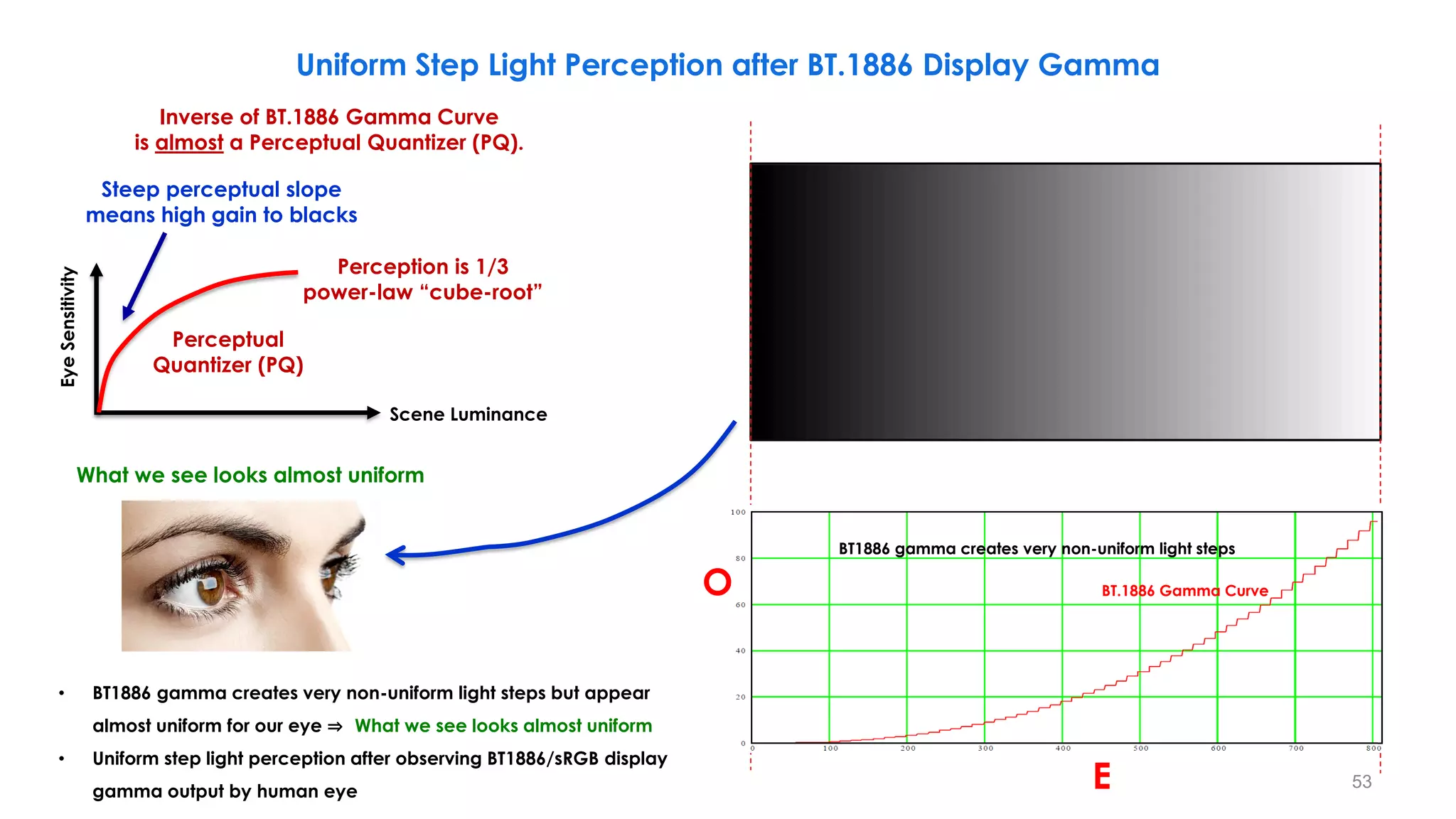
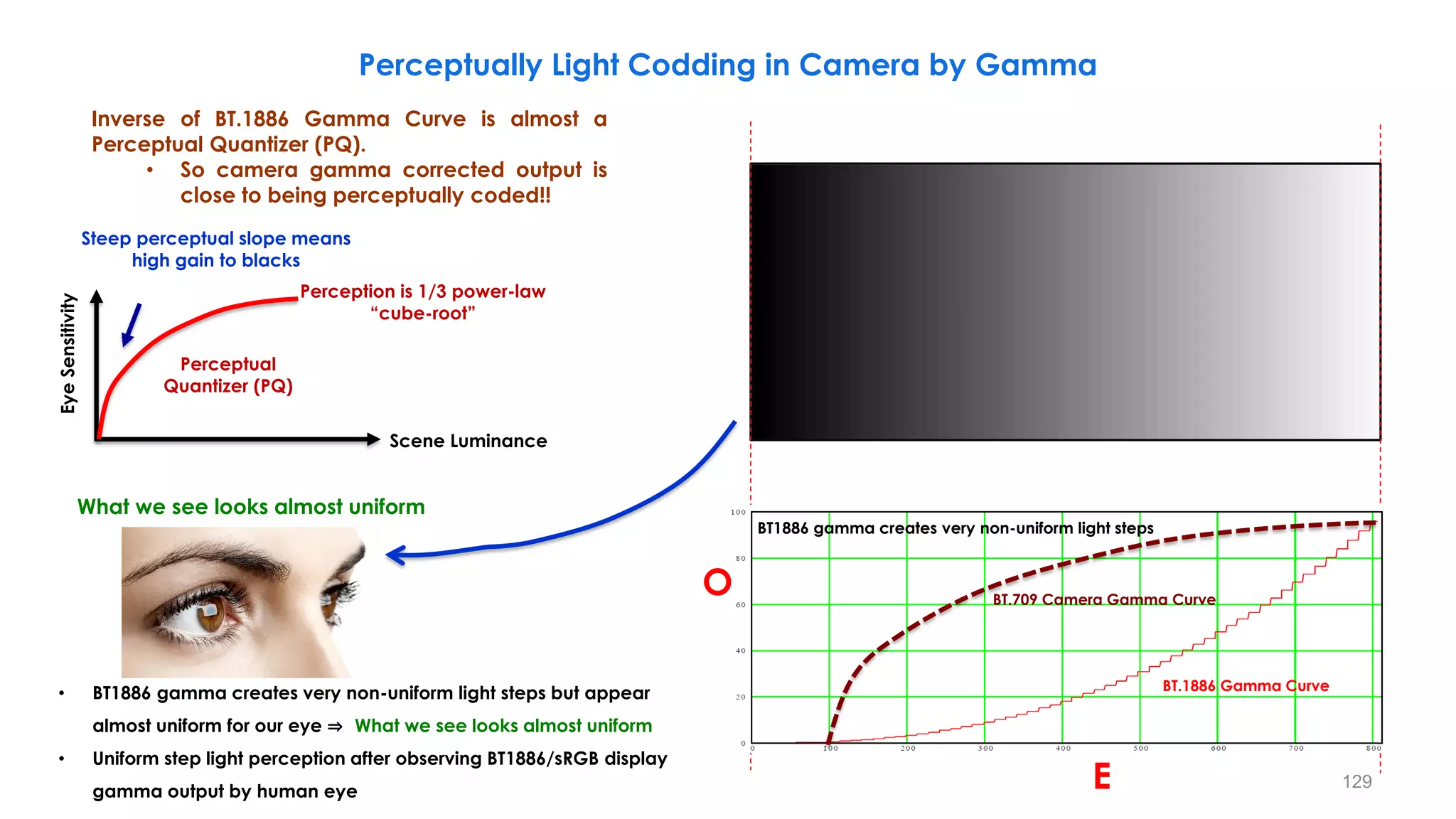
• BT1886 gamma creates very non-uniform light steps but appear
almost uniform for our eye ⇒ What we see looks almost uniform
• Uniform step light perception after observing BT1886/sRGB display
gamma output by human eye
What we see looks almost uniform
Uniform Step Light Perception after BT.1886 Display Gamma
BT.1886 gamma creates very non-uniform light steps
BT.1886 Gamma Curve
Steep perceptual slope
means high gain to blacks
Eye
Sensitivity
Scene Luminance
Inverse of BT.1886 Gamma Curve
is almost a Perceptual Quantizer (PQ).
Perceptual
Quantizer (PQ)
Perception is 1/3
power-law “cube-root”
O
E
BT1886 gamma creates very non-uniform light steps
53
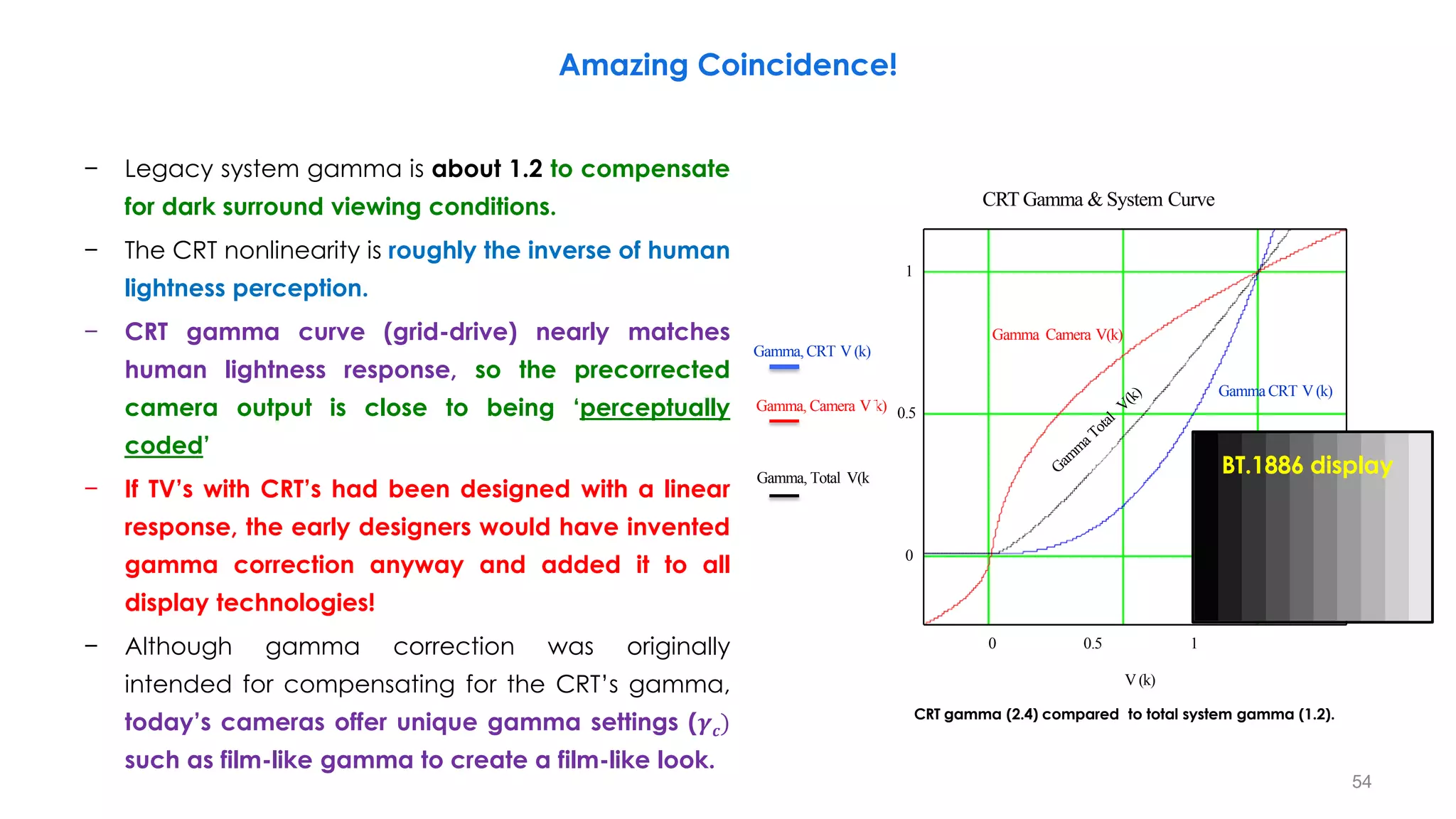
− Legacy system gamma is about 1.2 to compensate
for dark surround viewing conditions.
− The CRT nonlinearity is roughly the inverse of human
lightness perception.
− CRT gamma curve (grid-drive) nearly matches
human lightness response, so the precorrected
camera output is close to being ‘perceptually
coded’
− If TV’s with CRT’s had been designed with a linear
response, the early designers would have invented
gamma correction anyway and added it to all
display technologies!
− Although gamma correction was originally
intended for compensating for the CRT’s gamma,
today’s cameras offer unique gamma settings (𝜸𝒄)
such as film-like gamma to create a film-like look.
0 0.5 1
0
1
CRT Gamma & System Curve
Gamma,CRT V (k)
Gamma, Camera V(k) 0.5
Gamma, Total V(k)
V (k)
CRT gamma (2.4) compared to total system gamma (1.2).
BT.1886 display
Amazing Coincidence!
Gamma Camera V(k)
Gamma CRT V (k)
54
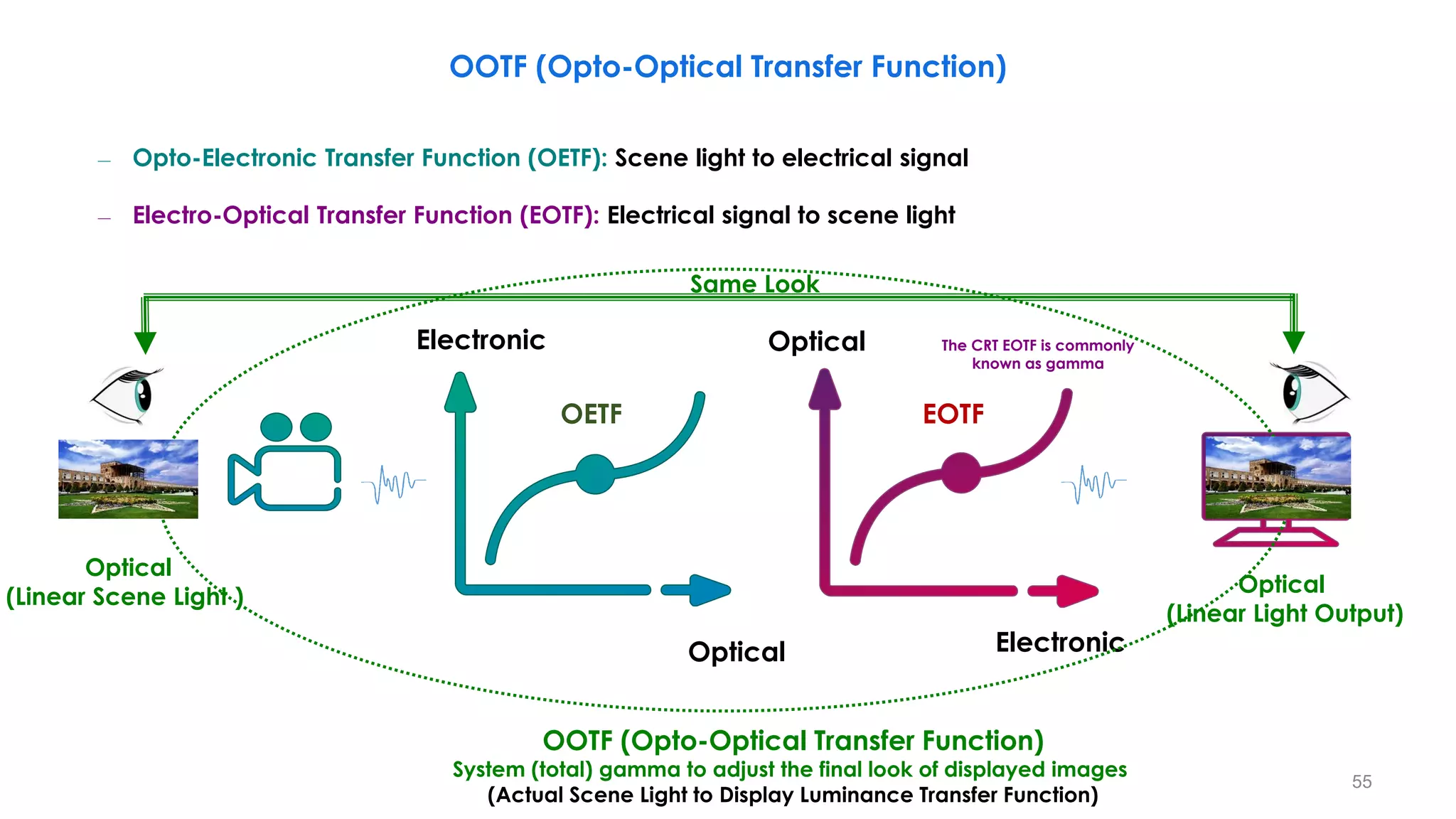
OOTF (Opto-Optical Transfer Function)
Optical
Electronic
OETF
The CRT EOTF is commonly
known as gamma
Optical
Electronic
EOTF
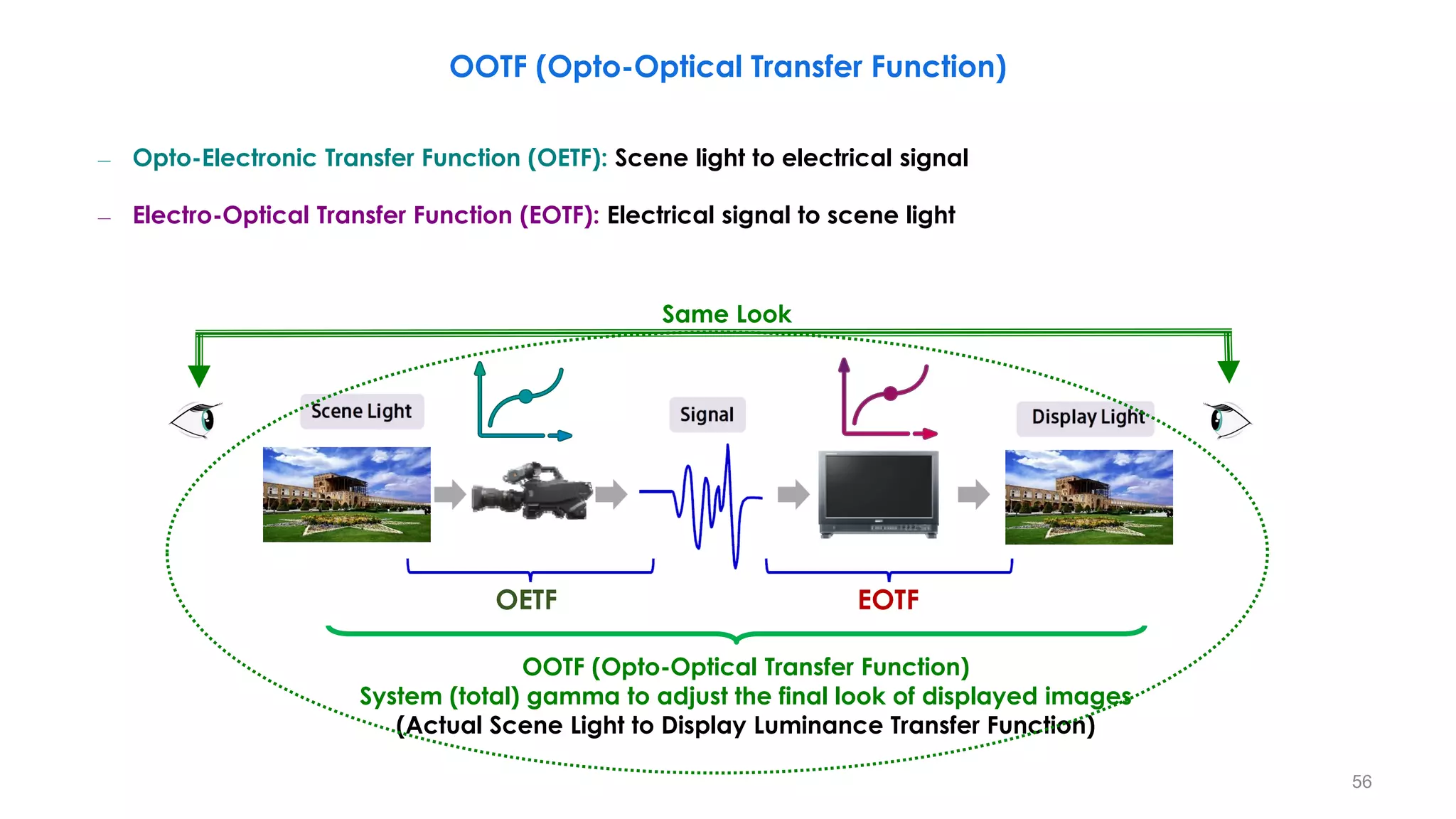
OOTF (Opto-Optical Transfer Function)
System (total) gamma to adjust the final look of displayed images
(Actual Scene Light to Display Luminance Transfer Function)
Optical
(Linear Scene Light )
Optical
(Linear Light Output)
Same Look
– Opto-Electronic Transfer Function (OETF): Scene light to electrical signal
– Electro-Optical Transfer Function (EOTF): Electrical signal to scene light
55
Same Look
OOTF (Opto-Optical Transfer Function)
System (total) gamma to adjust the final look of displayed images
(Actual Scene Light to Display Luminance Transfer Function)
– Opto-Electronic Transfer Function (OETF): Scene light to electrical signal
– Electro-Optical Transfer Function (EOTF): Electrical signal to scene light
OETF EOTF
OOTF (Opto-Optical Transfer Function)
56
Reference OOTF = OETF (BT.709) + EOTF (BT.1886)
– Opto-Electronic Transfer Function (OETF): Scene light to electrical signal
– Electro-Optical Transfer Function (EOTF): Electrical signal to scene light
OOTF (Opto-Optical Transfer Function)
BT. 709
OETF
BT. 1886
EOTF
𝑬: [𝟎, 𝟏] 𝑬′
: [𝟎, 𝟏]
𝑭𝑫
Linear Scene-light
Signals 𝑹𝒔, 𝑮𝒔, 𝑩𝒔
Non-linear
Signals 𝑹𝒔, 𝑮𝒔, 𝑩𝒔
Linear Display-light
Signals 𝑹𝑫, 𝑮𝑫, 𝑩𝑫
57
𝑭𝑺
OOTF (Opto-Optical Transfer Function)
Linear Scene Light
Cancel
OOTF=Artistic Intent
(seasoning)
OETF-1 OOTF
Output [%]
Input [cd/㎡ ] Input [%]
Output
[cd/㎡ ]
Camera Monitor
Display Light
Gamma 2.4
Optical Signal
Scene Light
Electronic Signal
Gamma Table:Standard 5
Step Gamma :0.45
System Gamma
(Total Gamma)
1.2
SDR (BT.1886)
Display Linear Light
58
OETF
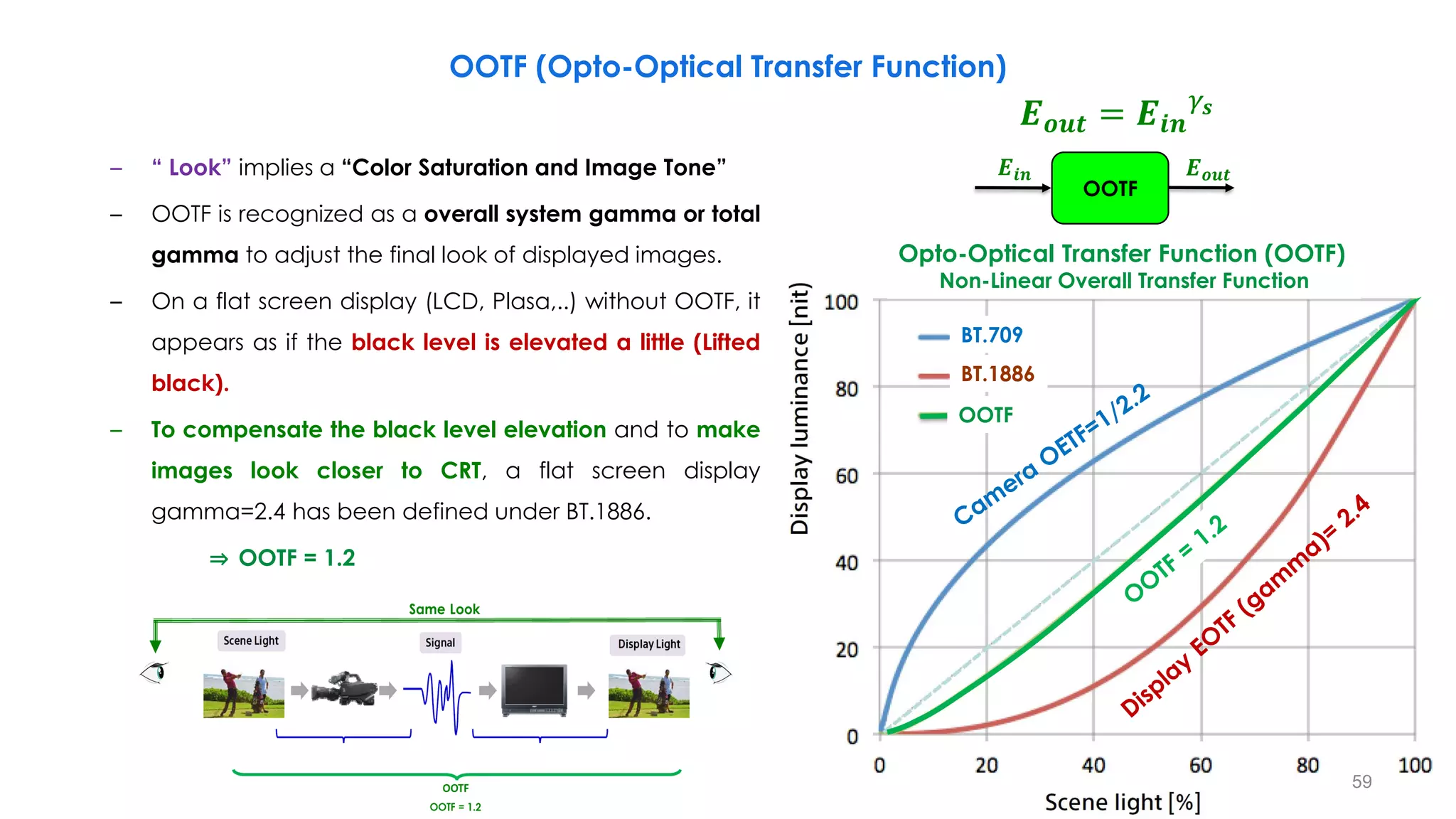
– “ Look” implies a “Color Saturation and Image Tone”
– OOTF is recognized as a overall system gamma or total
gamma to adjust the final look of displayed images.
– On a flat screen display (LCD, Plasa,..) without OOTF, it
appears as if the black level is elevated a little (Lifted
black).
– To compensate the black level elevation and to make
images look closer to CRT, a flat screen display
gamma=2.4 has been defined under BT.1886.
⇒ OOTF = 1.2
OOTF (Opto-Optical Transfer Function)
BT.709
BT.1886
OOTF
Opto-Optical Transfer Function (OOTF)
Non-Linear Overall Transfer Function
𝑬𝒊𝒏
OOTF
𝑬𝒐𝒖𝒕
𝑬𝒐𝒖𝒕 = 𝑬𝒊𝒏
𝛾𝒔
59
Display Gamma too low Display Gamma correct Display Gamma too high
− Critical with variations in Display Brightness and Viewing Conditions
• Brighter viewing environments require lower gamma values
 Lower display gamma lifts details out of the shadows
OOTF (Opto-Optical Transfer Function)
Total Gamma 1.4
Total Gamma 1.3
Total Gamma 1.2
(OOTF) Opto-Optical Transfer Function
Relative Scene Light [0.0001:1]
0.0001
Lower display gamma lifts
details out of the shadows
60
𝑬𝒊𝒏
OOTF
𝑬𝒐𝒖𝒕
𝑬𝒐𝒖𝒕 = 𝑬𝒊𝒏
𝛾𝒔
Artistic OOTF
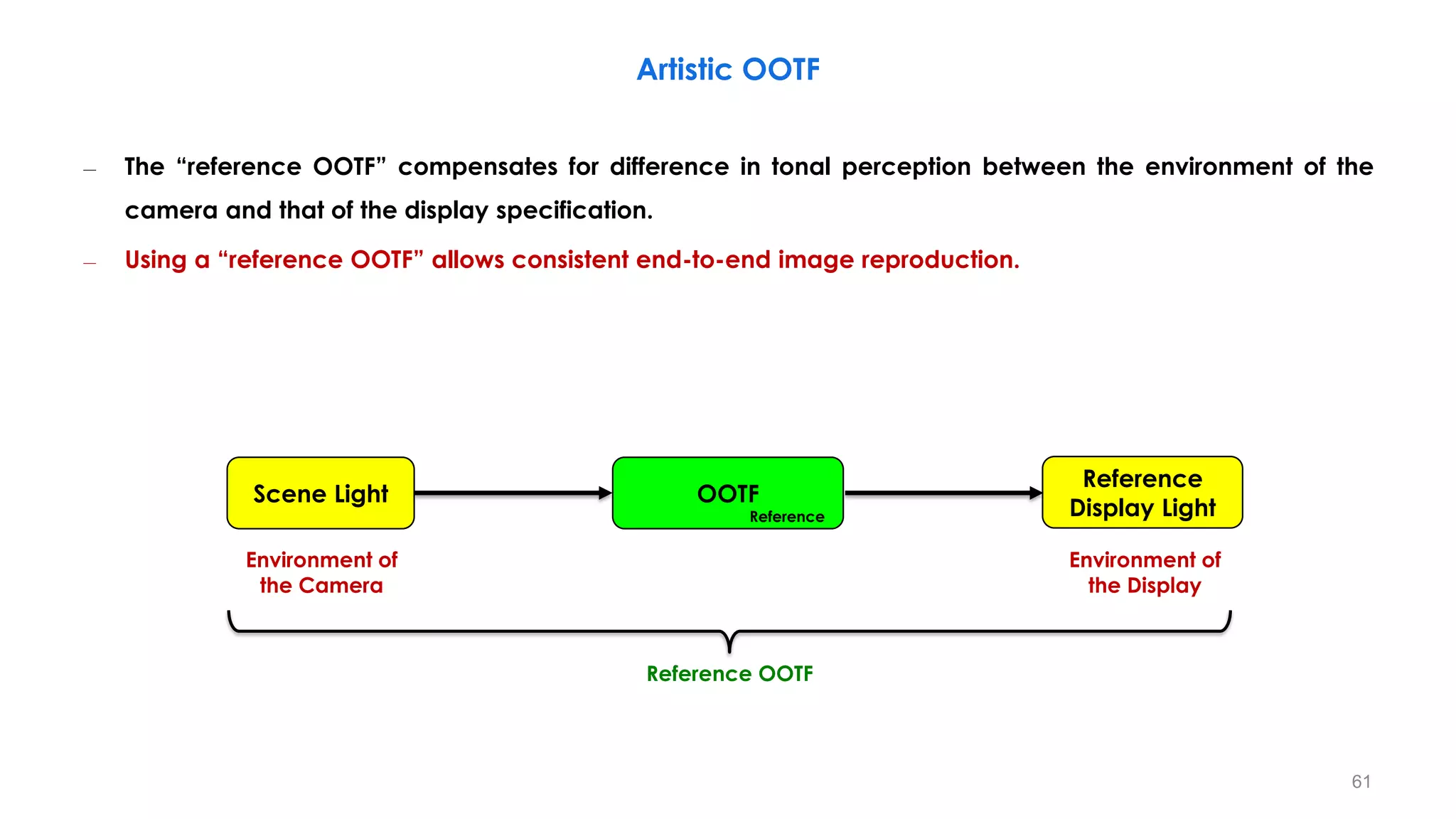
– The “reference OOTF” compensates for difference in tonal perception between the environment of the
camera and that of the display specification.
– Using a “reference OOTF” allows consistent end-to-end image reproduction.
OOTF
Reference
Reference OOTF
Environment of
the Camera
Environment of
the Display
Scene Light
Reference
Display Light
61
Artistic OOTF
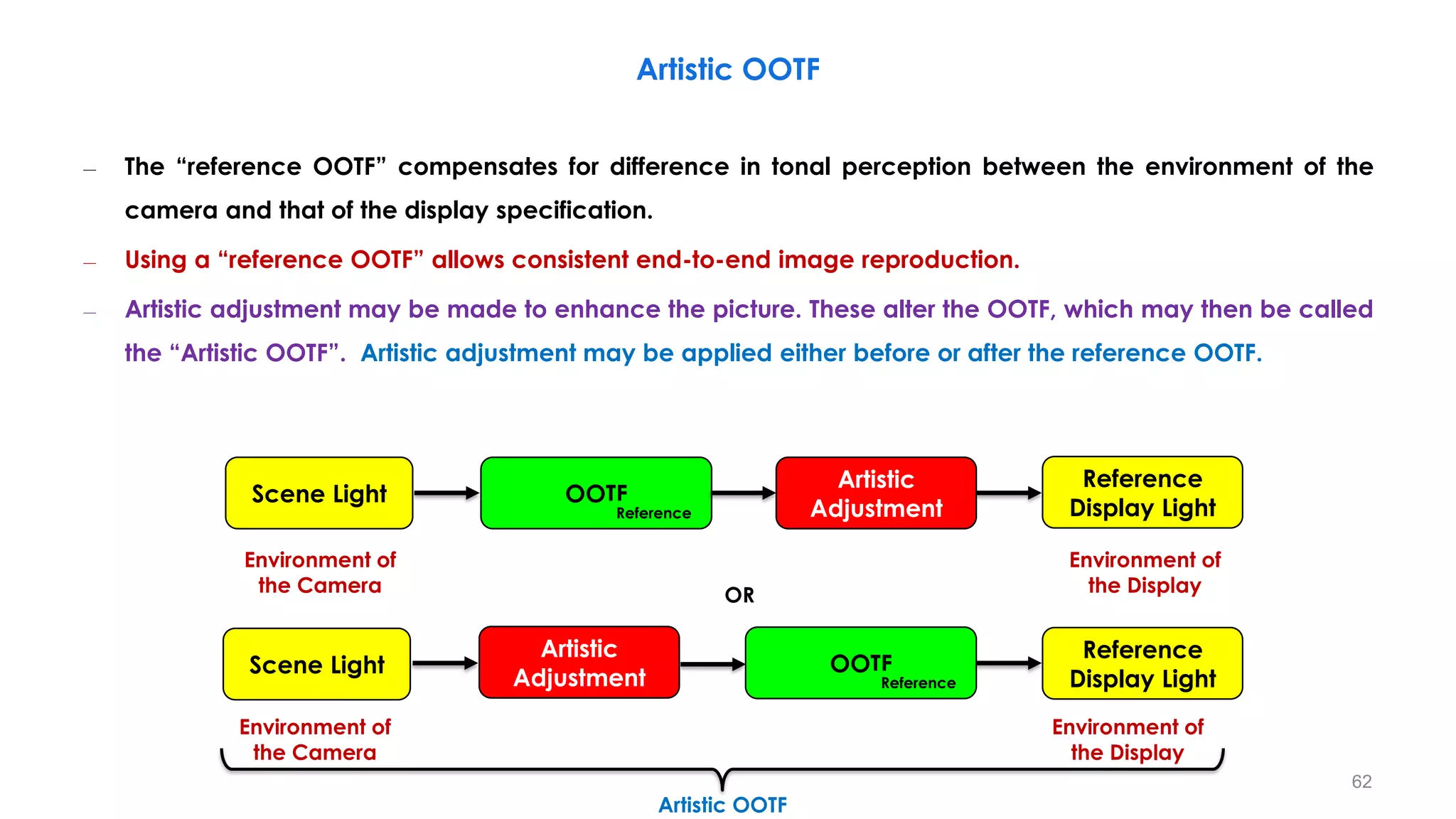
– The “reference OOTF” compensates for difference in tonal perception between the environment of the
camera and that of the display specification.
– Using a “reference OOTF” allows consistent end-to-end image reproduction.
– Artistic adjustment may be made to enhance the picture. These alter the OOTF, which may then be called
the “Artistic OOTF”. Artistic adjustment may be applied either before or after the reference OOTF.
Environment of
the Camera
Environment of
the Display
Scene Light
Reference
Display Light
OOTF
Reference
Artistic OOTF
Artistic
Adjustment
Scene Light
Reference
Display Light
OOTF
Reference
Artistic
Adjustment
Environment of
the Camera
Environment of
the Display
OR
62
Artistic OOTF
– The “reference OOTF” compensates for difference in tonal perception between the environment of the
camera and that of the display specification.
– Using a “reference OOTF” allows consistent end-to-end image reproduction.
– Artistic adjustment may be made to enhance the picture. These alter the OOTF, which may then be called
the “Artistic OOTF”. Artistic adjustment may be applied either before or after the reference OOTF.
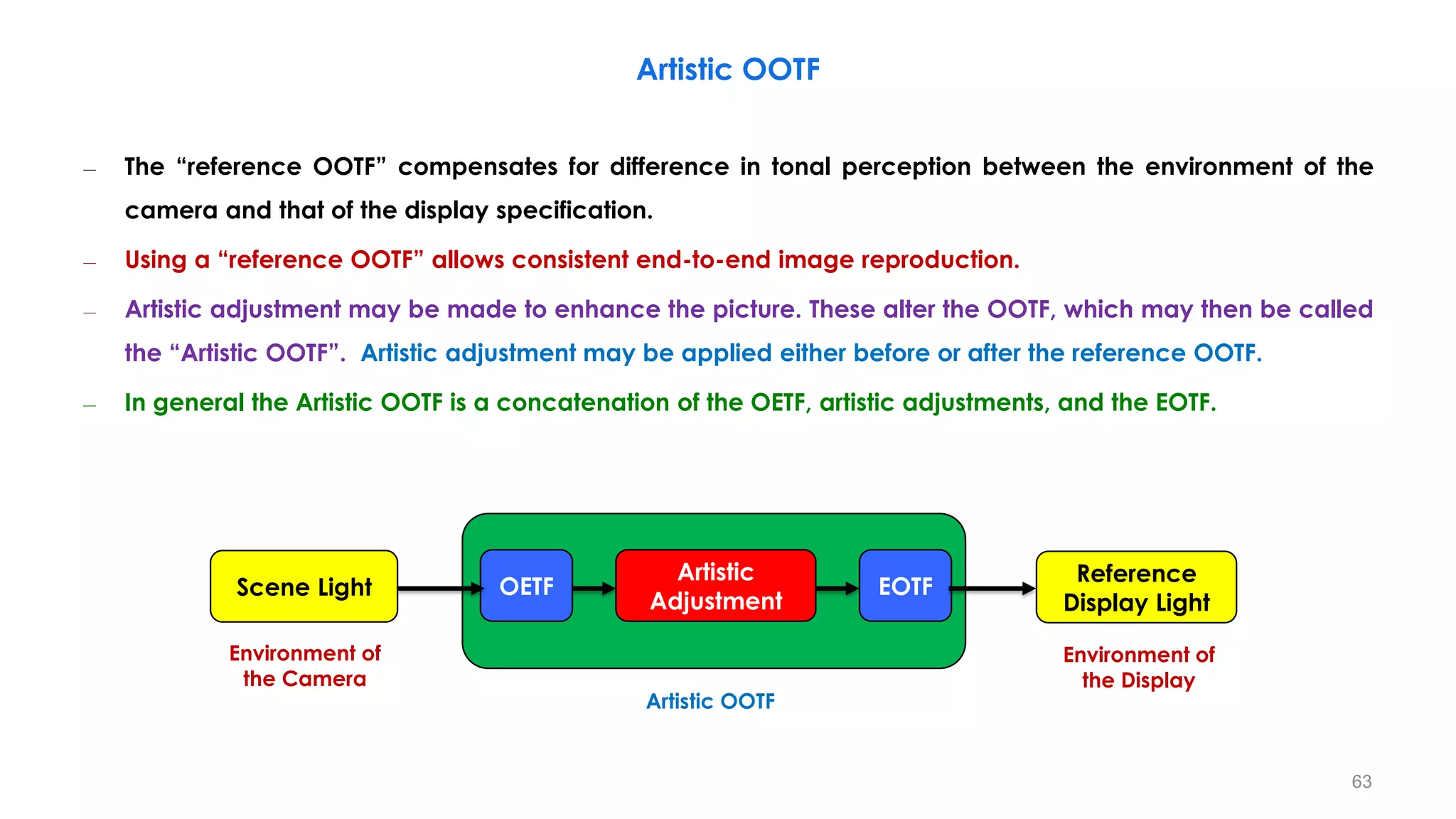
– In general the Artistic OOTF is a concatenation of the OETF, artistic adjustments, and the EOTF.
Environment of
the Camera
Environment of
the Display
Scene Light
Reference
Display Light
Artistic
Adjustment
OETF EOTF
Artistic OOTF
63
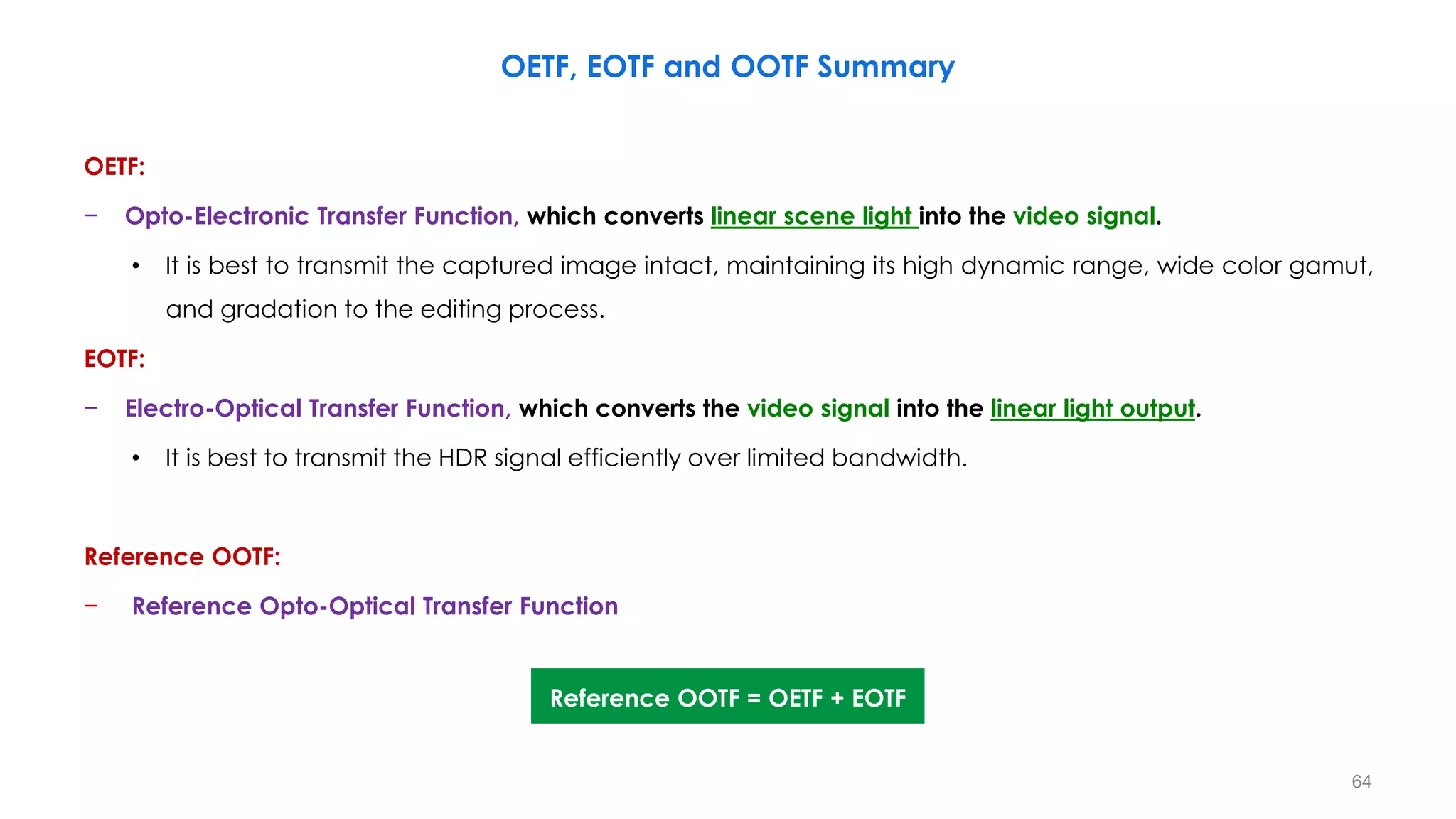
OETF:
− Opto-Electronic Transfer Function, which converts linear scene light into the video signal.
• It is best to transmit the captured image intact, maintaining its high dynamic range, wide color gamut,
and gradation to the editing process.
EOTF:
− Electro-Optical Transfer Function, which converts the video signal into the linear light output.
• It is best to transmit the HDR signal efficiently over limited bandwidth.
Reference OOTF:
− Reference Opto-Optical Transfer Function
OETF, EOTF and OOTF Summary
Reference OOTF = OETF + EOTF
64
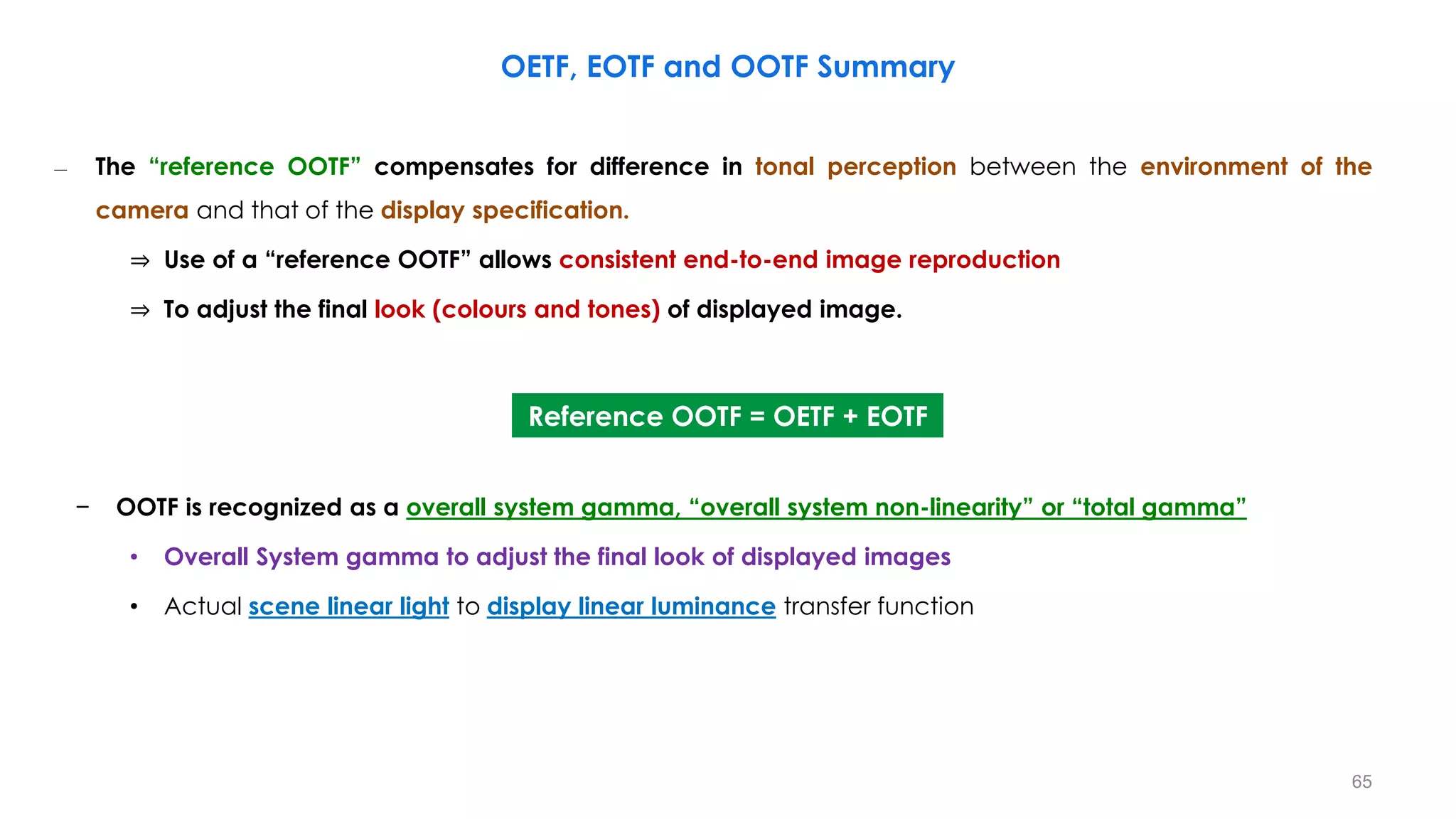
– The “reference OOTF” compensates for difference in tonal perception between the environment of the
camera and that of the display specification.
⇒ Use of a “reference OOTF” allows consistent end-to-end image reproduction
⇒ To adjust the final look (colours and tones) of displayed image.
− OOTF is recognized as a overall system gamma, “overall system non-linearity” or “total gamma”
• Overall System gamma to adjust the final look of displayed images
• Actual scene linear light to display linear luminance transfer function
OETF, EOTF and OOTF Summary
Reference OOTF = OETF + EOTF
65
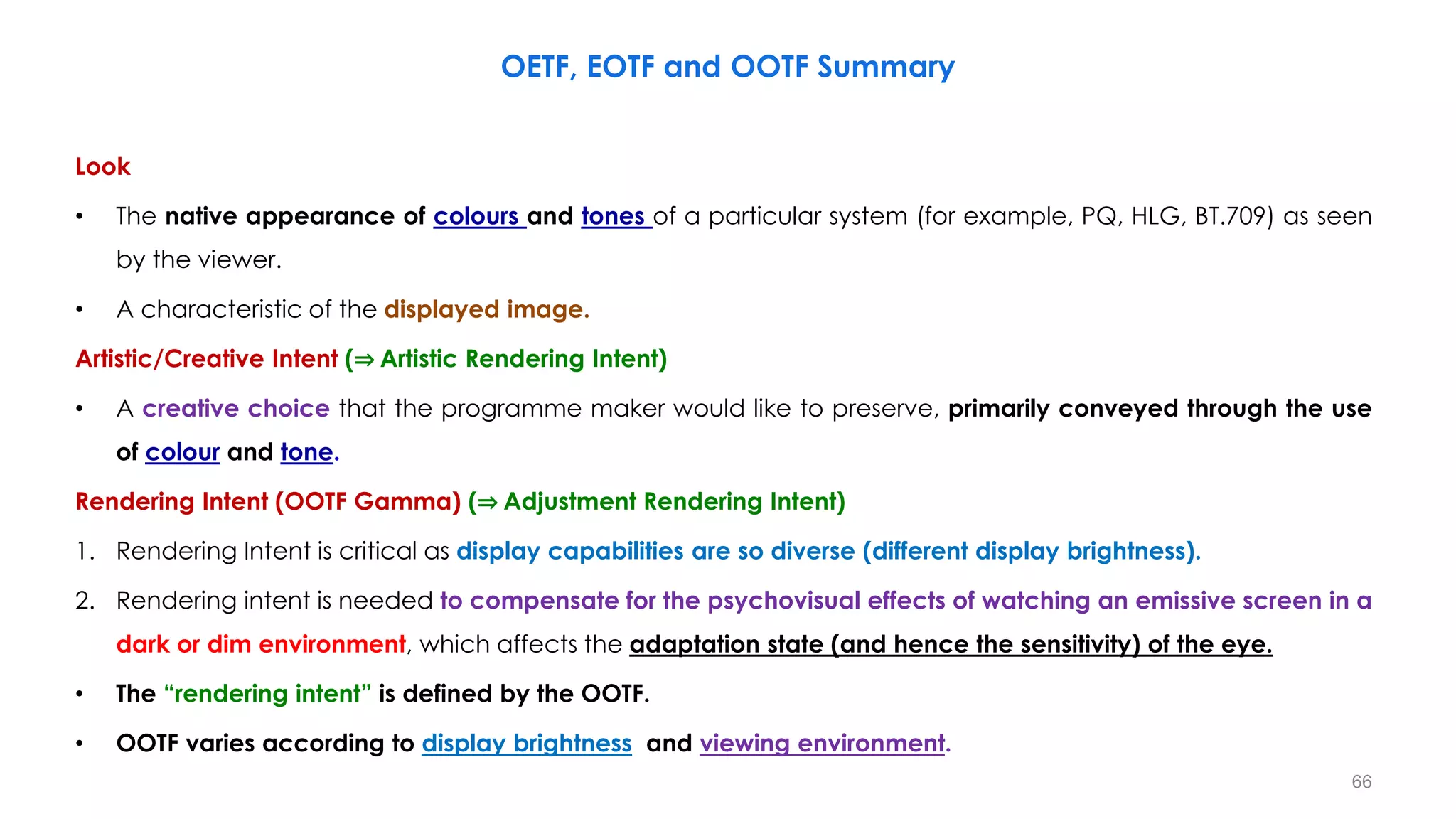
Look
• The native appearance of colours and tones of a particular system (for example, PQ, HLG, BT.709) as seen
by the viewer.
• A characteristic of the displayed image.
Artistic/Creative Intent (⇒ Artistic Rendering Intent)
• A creative choice that the programme maker would like to preserve, primarily conveyed through the use
of colour and tone.
Rendering Intent (OOTF Gamma) (⇒ Adjustment Rendering Intent)
1. Rendering Intent is critical as display capabilities are so diverse (different display brightness).
2. Rendering intent is needed to compensate for the psychovisual effects of watching an emissive screen in a
dark or dim environment, which affects the adaptation state (and hence the sensitivity) of the eye.
• The “rendering intent” is defined by the OOTF.
• OOTF varies according to display brightness and viewing environment.
OETF, EOTF and OOTF Summary
66
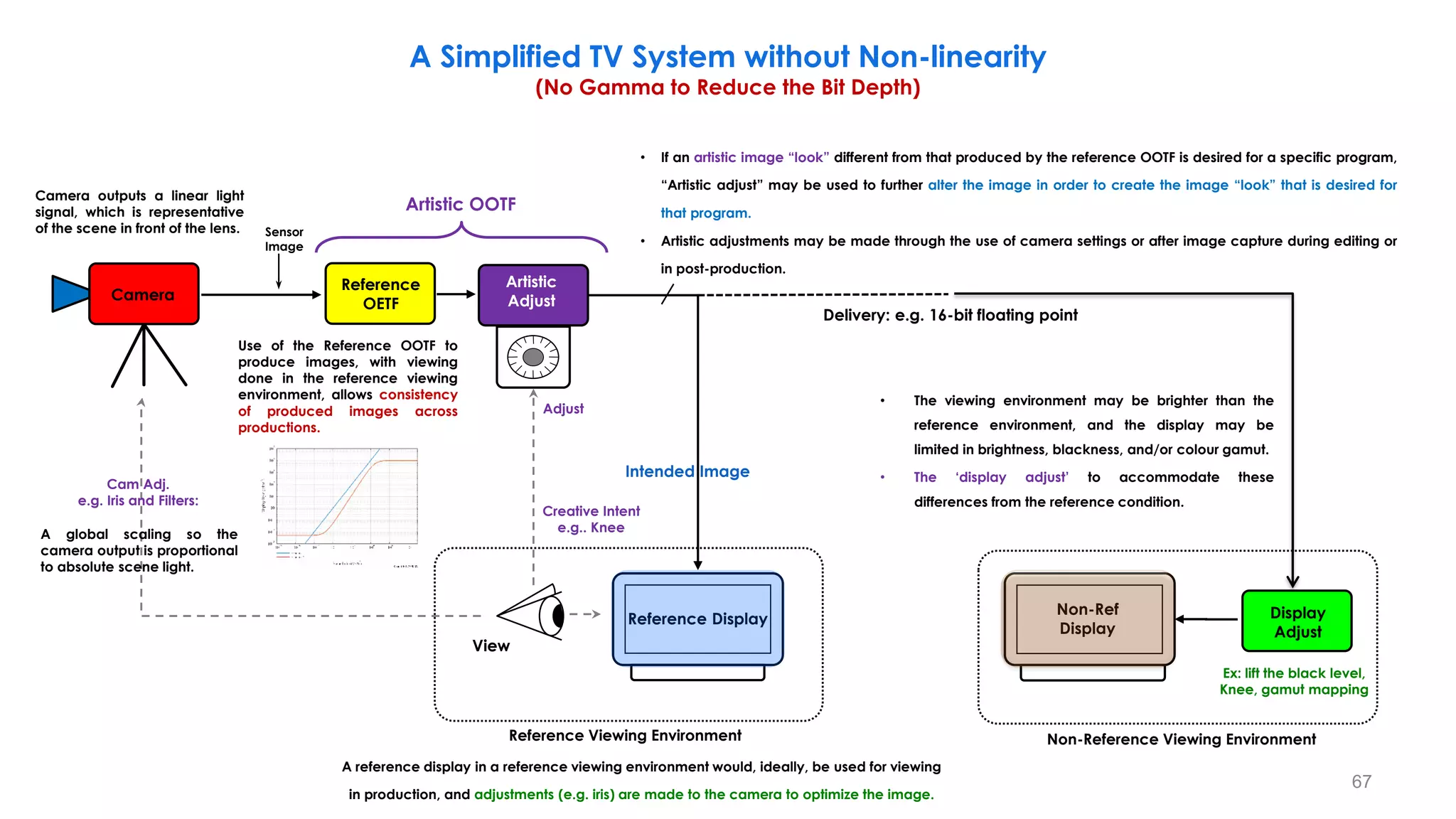
A Simplified TV System without Non-linearity
(No Gamma to Reduce the Bit Depth)
Reference Display
Reference
OETF
Camera
Creative Intent
e.g.. Knee
View
Reference Viewing Environment
Delivery: e.g. 16-bit floating point
Cam Adj.
e.g. Iris and Filters:
Sensor
Image
Non-Ref
Display
Non-Reference Viewing Environment
Ex: lift the black level,
Knee, gamut mapping
Intended Image
Artistic OOTF
Display
Adjust
Artistic
Adjust
Adjust
Camera outputs a linear light
signal, which is representative
of the scene in front of the lens.
A global scaling so the
camera output is proportional
to absolute scene light.
A reference display in a reference viewing environment would, ideally, be used for viewing
in production, and adjustments (e.g. iris) are made to the camera to optimize the image.
• If an artistic image “look” different from that produced by the reference OOTF is desired for a specific program,
“Artistic adjust” may be used to further alter the image in order to create the image “look” that is desired for
that program.
• Artistic adjustments may be made through the use of camera settings or after image capture during editing or
in post-production.
• The viewing environment may be brighter than the
reference environment, and the display may be
limited in brightness, blackness, and/or colour gamut.
• The ‘display adjust’ to accommodate these
differences from the reference condition.
Use of the Reference OOTF to
produce images, with viewing
done in the reference viewing
environment, allows consistency
of produced images across
productions.
67
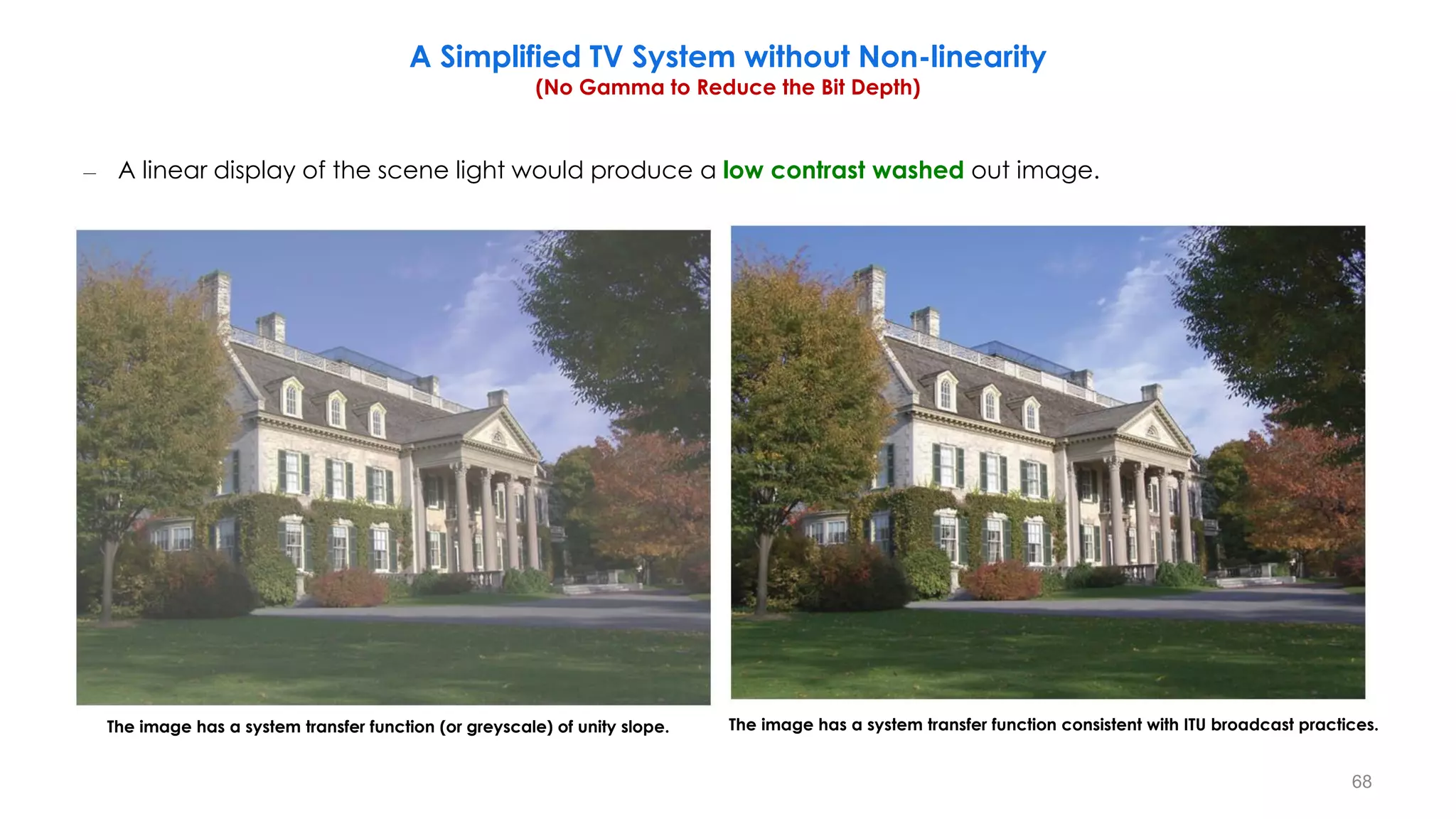
– A linear display of the scene light would produce a low contrast washed out image.
The image has a system transfer function (or greyscale) of unity slope. The image has a system transfer function consistent with ITU broadcast practices.
A Simplified TV System without Non-linearity
(No Gamma to Reduce the Bit Depth)
68
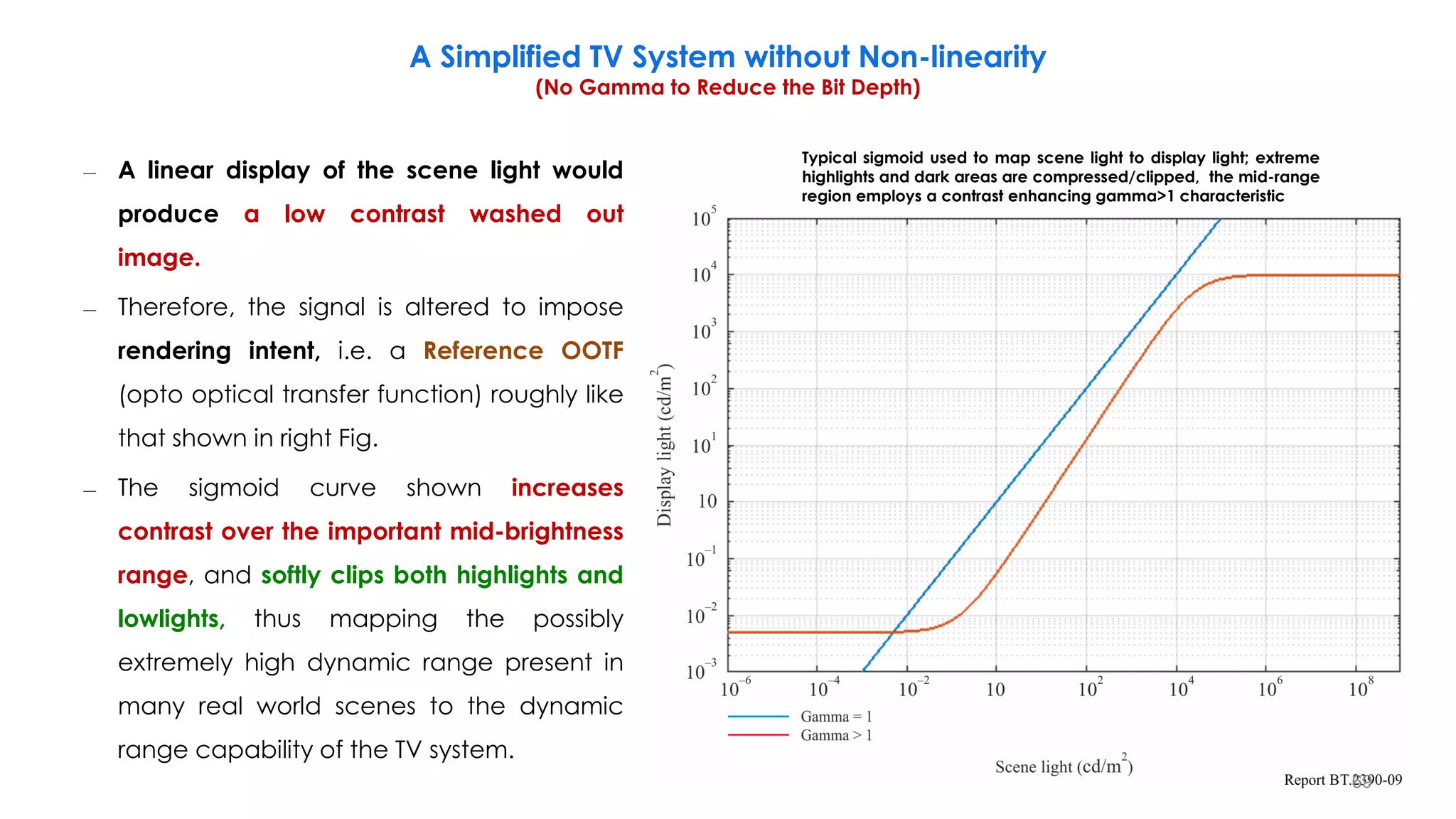
– A linear display of the scene light would
produce a low contrast washed out
image.
– Therefore, the signal is altered to impose
rendering intent, i.e. a Reference OOTF
(opto optical transfer function) roughly like
that shown in right Fig.
– The sigmoid curve shown increases
contrast over the important mid-brightness
range, and softly clips both highlights and
lowlights, thus mapping the possibly
extremely high dynamic range present in
many real world scenes to the dynamic
range capability of the TV system.
Typical sigmoid used to map scene light to display light; extreme
highlights and dark areas are compressed/clipped, the mid-range
region employs a contrast enhancing gamma>1 characteristic
A Simplified TV System without Non-linearity
(No Gamma to Reduce the Bit Depth)
69
– A reference display in a reference viewing environment would, ideally, be used for viewing in production,
and adjustments (e.g. iris) are made to the camera to optimize the image.
– Use of the Reference OOTF to produce images, with viewing done in the reference viewing environment,
allows consistency of produced images across productions.
– If an artistic image “look” different from that produced by the reference OOTF is desired for a specific
program, “Artistic adjust” may be used to further alter the image in order to create the image “look” that is
desired for that program.
– Artistic adjustments may be made through the use of camera settings or after image capture during
editing or in post-production.
– The combination of the reference OOTF plus artistic adjustments may be referred to as the “Artistic OOTF”.
A Simplified TV System without Non-linearity
(No Gamma to Reduce the Bit Depth)
70
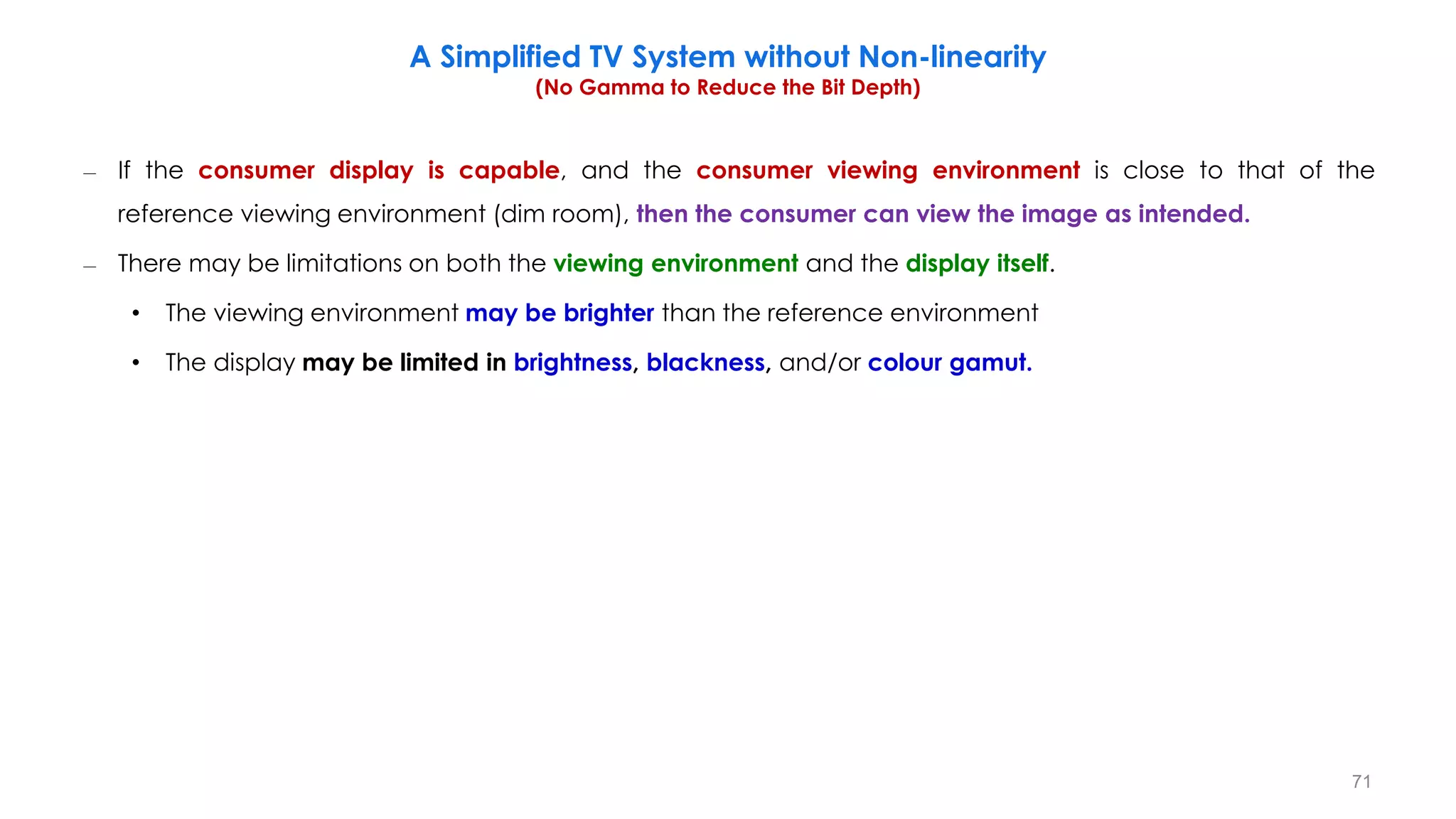
– If the consumer display is capable, and the consumer viewing environment is close to that of the
reference viewing environment (dim room), then the consumer can view the image as intended.
– There may be limitations on both the viewing environment and the display itself.
• The viewing environment may be brighter than the reference environment
• The display may be limited in brightness, blackness, and/or colour gamut.
A Simplified TV System without Non-linearity
(No Gamma to Reduce the Bit Depth)
71
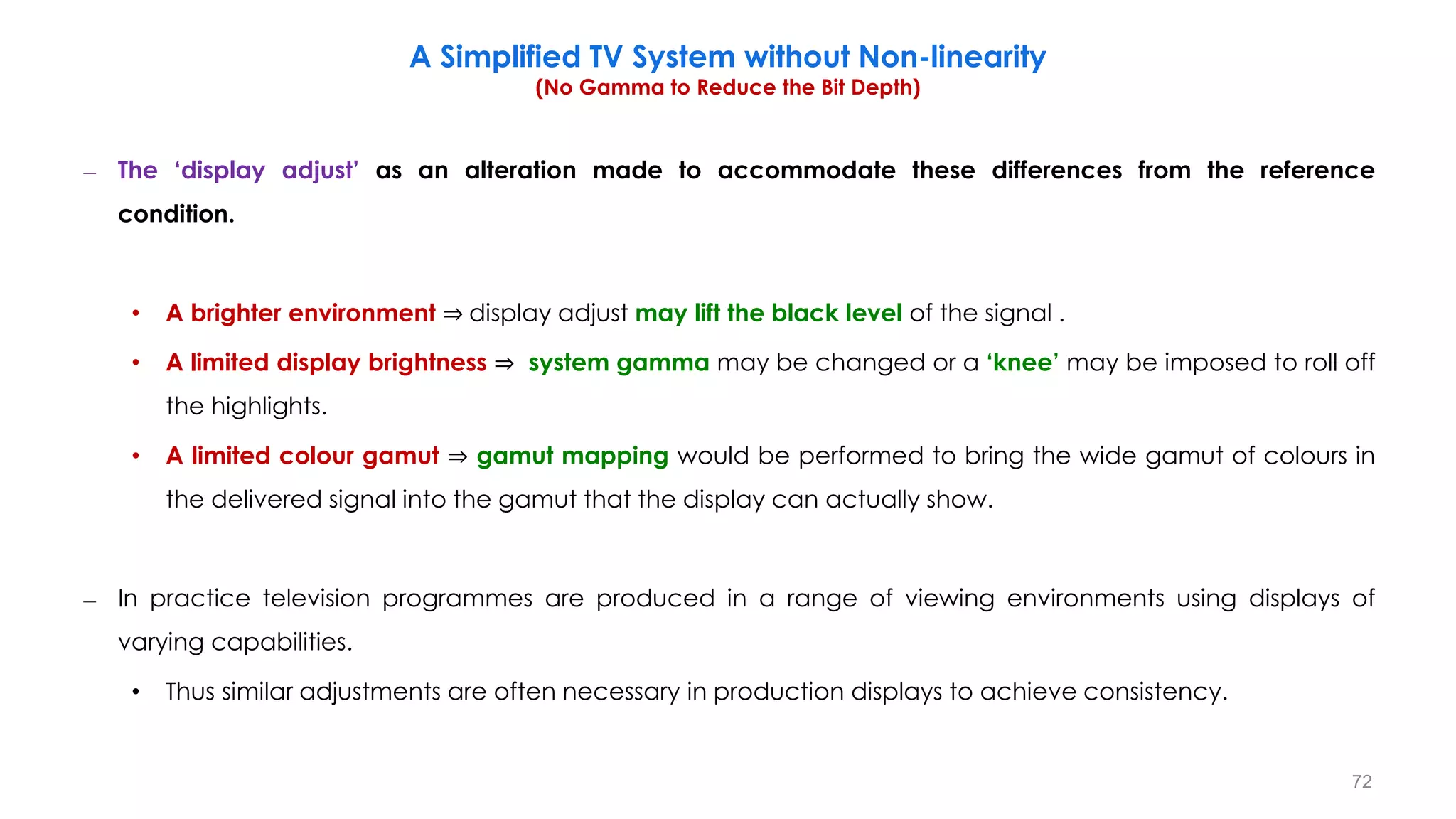
– The ‘display adjust’ as an alteration made to accommodate these differences from the reference
condition.
• A brighter environment ⇒ display adjust may lift the black level of the signal .
• A limited display brightness ⇒ system gamma may be changed or a ‘knee’ may be imposed to roll off
the highlights.
• A limited colour gamut ⇒ gamut mapping would be performed to bring the wide gamut of colours in
the delivered signal into the gamut that the display can actually show.
– In practice television programmes are produced in a range of viewing environments using displays of
varying capabilities.
• Thus similar adjustments are often necessary in production displays to achieve consistency.
A Simplified TV System without Non-linearity
(No Gamma to Reduce the Bit Depth)
72
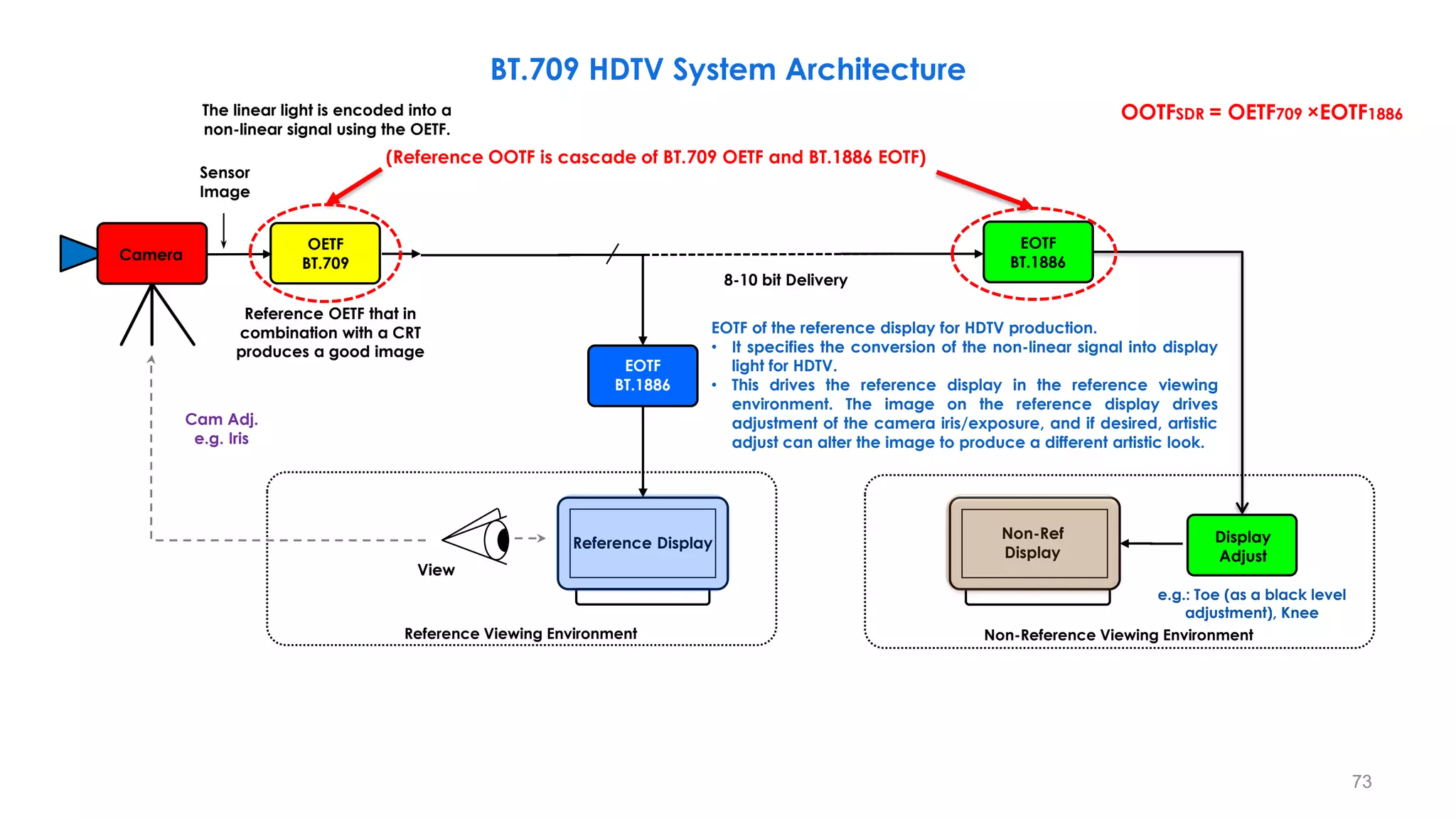
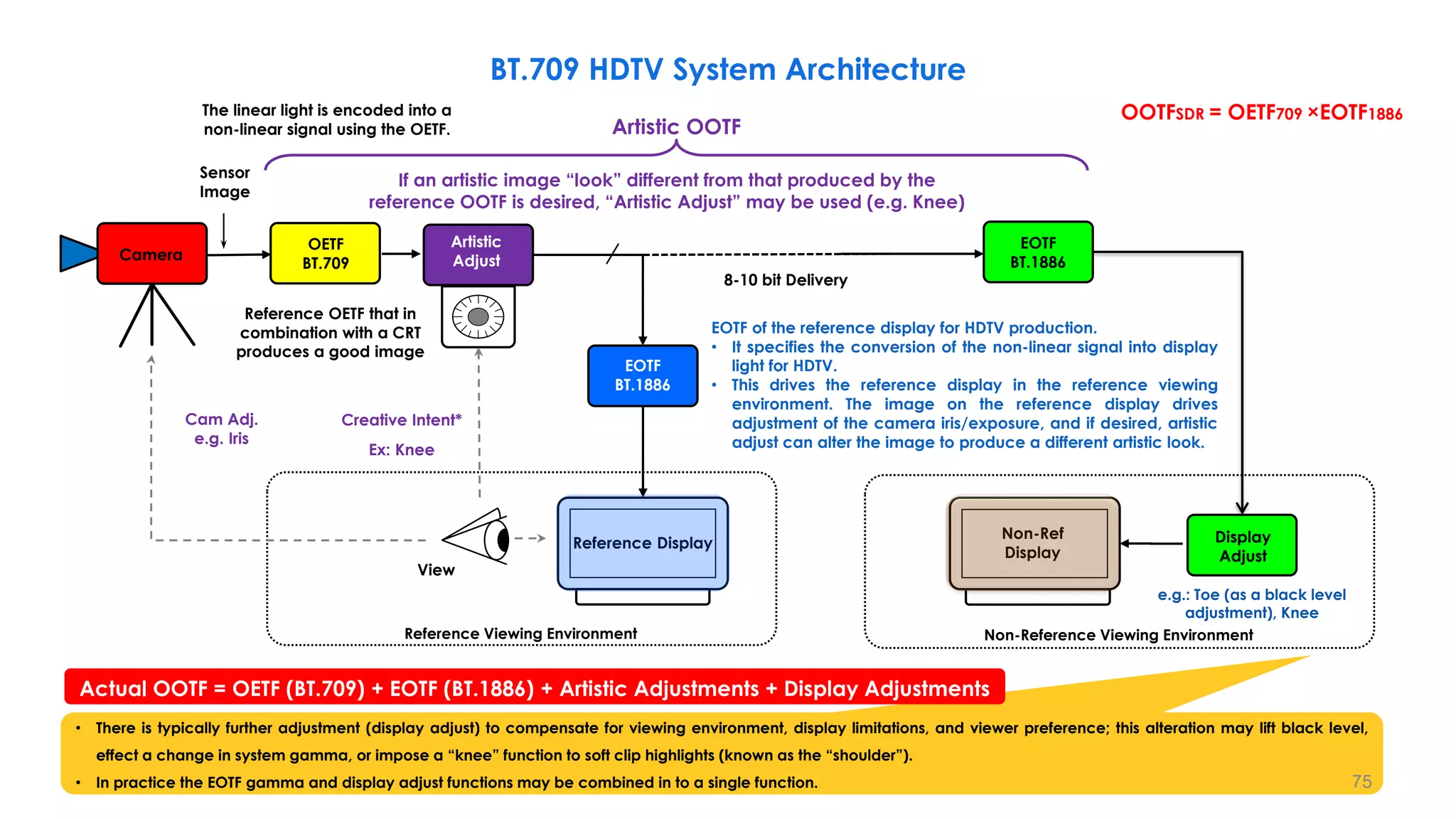
BT.709 HDTV System Architecture
Reference Display
OETF
BT.709 Artistic Adjust
View
Reference Viewing Environment
8-10 bit Delivery
Cam Adj.
e.g. Iris
Sensor
Image
Non-Ref
Display
EOTF of the reference display for HDTV production.
• It specifies the conversion of the non-linear signal into display
light for HDTV.
• This drives the reference display in the reference viewing
environment. The image on the reference display drives
adjustment of the camera iris/exposure, and if desired, artistic
adjust can alter the image to produce a different artistic look.
Reference OETF that in
combination with a CRT
produces a good image
Camera
(Reference OOTF is cascade of BT.709 OETF and BT.1886 EOTF)
OOTFSDR = OETF709 ×EOTF1886
EOTF
BT.1886
EOTF
BT.1886
Display
Adjust
The linear light is encoded into a
non-linear signal using the OETF.
Non-Reference Viewing Environment
e.g.: Toe (as a black level
adjustment), Knee
73
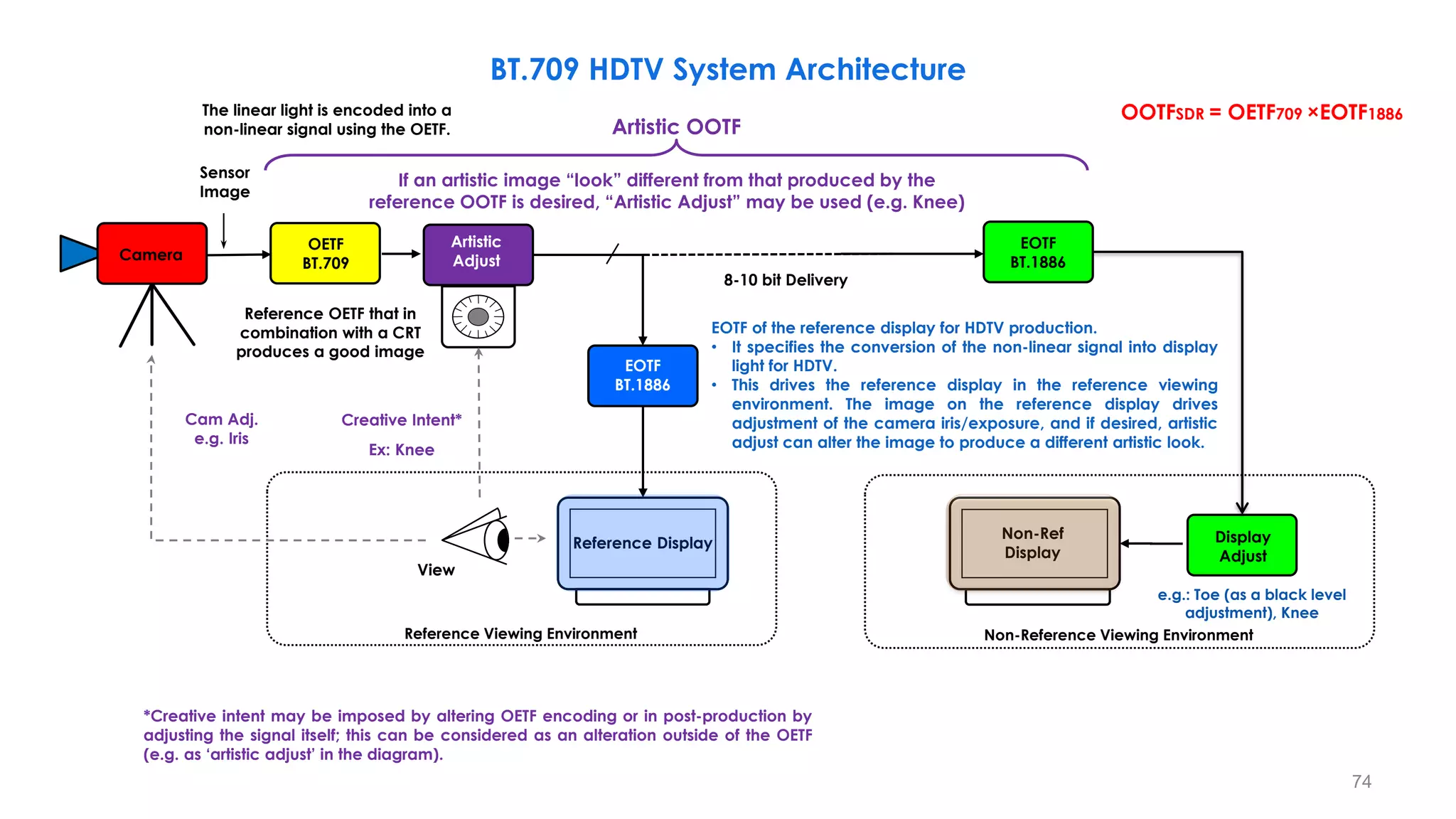
BT.709 HDTV System Architecture
Reference Display
OETF
BT.709
Camera
Creative Intent*
View
Reference Viewing Environment
8-10 bit Delivery
Cam Adj.
e.g. Iris
Sensor
Image
Non-Ref
Display
Non-Reference Viewing Environment
e.g.: Toe (as a black level
adjustment), Knee
Ex: Knee
OOTFSDR = OETF709 ×EOTF1886
Reference OETF that in
combination with a CRT
produces a good image
Artistic OOTF
If an artistic image “look” different from that produced by the
reference OOTF is desired, “Artistic Adjust” may be used (e.g. Knee)
EOTF
BT.1886
Display
Adjust
EOTF
BT.1886
Artistic
Adjust
EOTF of the reference display for HDTV production.
• It specifies the conversion of the non-linear signal into display
light for HDTV.
• This drives the reference display in the reference viewing
environment. The image on the reference display drives
adjustment of the camera iris/exposure, and if desired, artistic
adjust can alter the image to produce a different artistic look.
The linear light is encoded into a
non-linear signal using the OETF.
*Creative intent may be imposed by altering OETF encoding or in post-production by
adjusting the signal itself; this can be considered as an alteration outside of the OETF
(e.g. as ‘artistic adjust’ in the diagram).
74
BT.709 HDTV System Architecture
Reference Display
OETF
BT.709
Camera
Creative Intent*
View
Reference Viewing Environment
8-10 bit Delivery
Cam Adj.
e.g. Iris
Sensor
Image
Non-Ref
Display
Non-Reference Viewing Environment
e.g.: Toe (as a black level
adjustment), Knee
Ex: Knee
OOTFSDR = OETF709 ×EOTF1886
• There is typically further adjustment (display adjust) to compensate for viewing environment, display limitations, and viewer preference; this alteration may lift black level,
effect a change in system gamma, or impose a “knee” function to soft clip highlights (known as the “shoulder”).
• In practice the EOTF gamma and display adjust functions may be combined in to a single function.
Reference OETF that in
combination with a CRT
produces a good image
Actual OOTF = OETF (BT.709) + EOTF (BT.1886) + Artistic Adjustments + Display Adjustments
EOTF
BT.1886
Display
Adjust
EOTF
BT.1886
Artistic
Adjust
EOTF of the reference display for HDTV production.
• It specifies the conversion of the non-linear signal into display
light for HDTV.
• This drives the reference display in the reference viewing
environment. The image on the reference display drives
adjustment of the camera iris/exposure, and if desired, artistic
adjust can alter the image to produce a different artistic look.
The linear light is encoded into a
non-linear signal using the OETF. Artistic OOTF
If an artistic image “look” different from that produced by the
reference OOTF is desired, “Artistic Adjust” may be used (e.g. Knee)
75
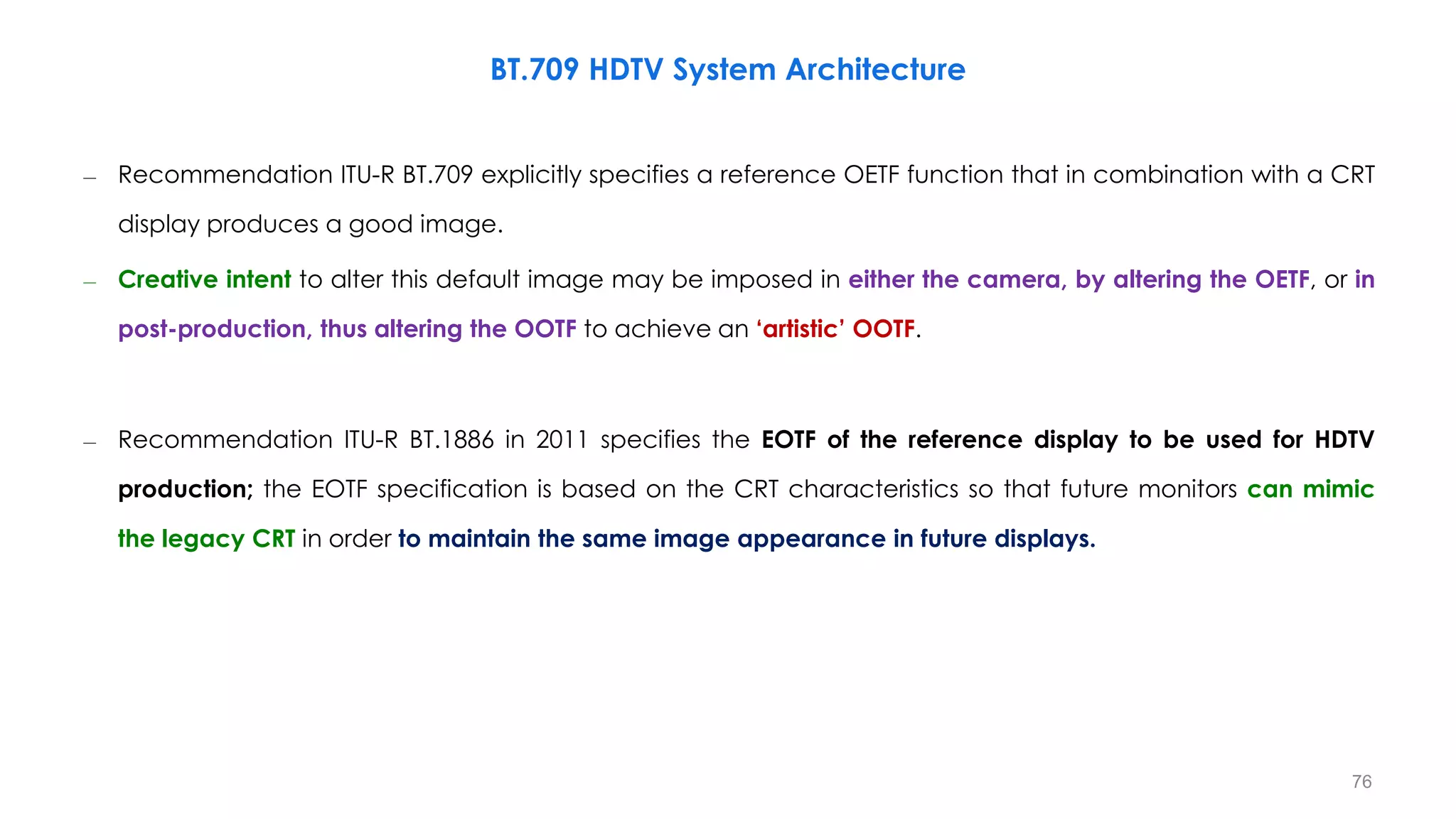
– Recommendation ITU-R BT.709 explicitly specifies a reference OETF function that in combination with a CRT
display produces a good image.
– Creative intent to alter this default image may be imposed in either the camera, by altering the OETF, or in
post-production, thus altering the OOTF to achieve an ‘artistic’ OOTF.
– Recommendation ITU-R BT.1886 in 2011 specifies the EOTF of the reference display to be used for HDTV
production; the EOTF specification is based on the CRT characteristics so that future monitors can mimic
the legacy CRT in order to maintain the same image appearance in future displays.
BT.709 HDTV System Architecture
76
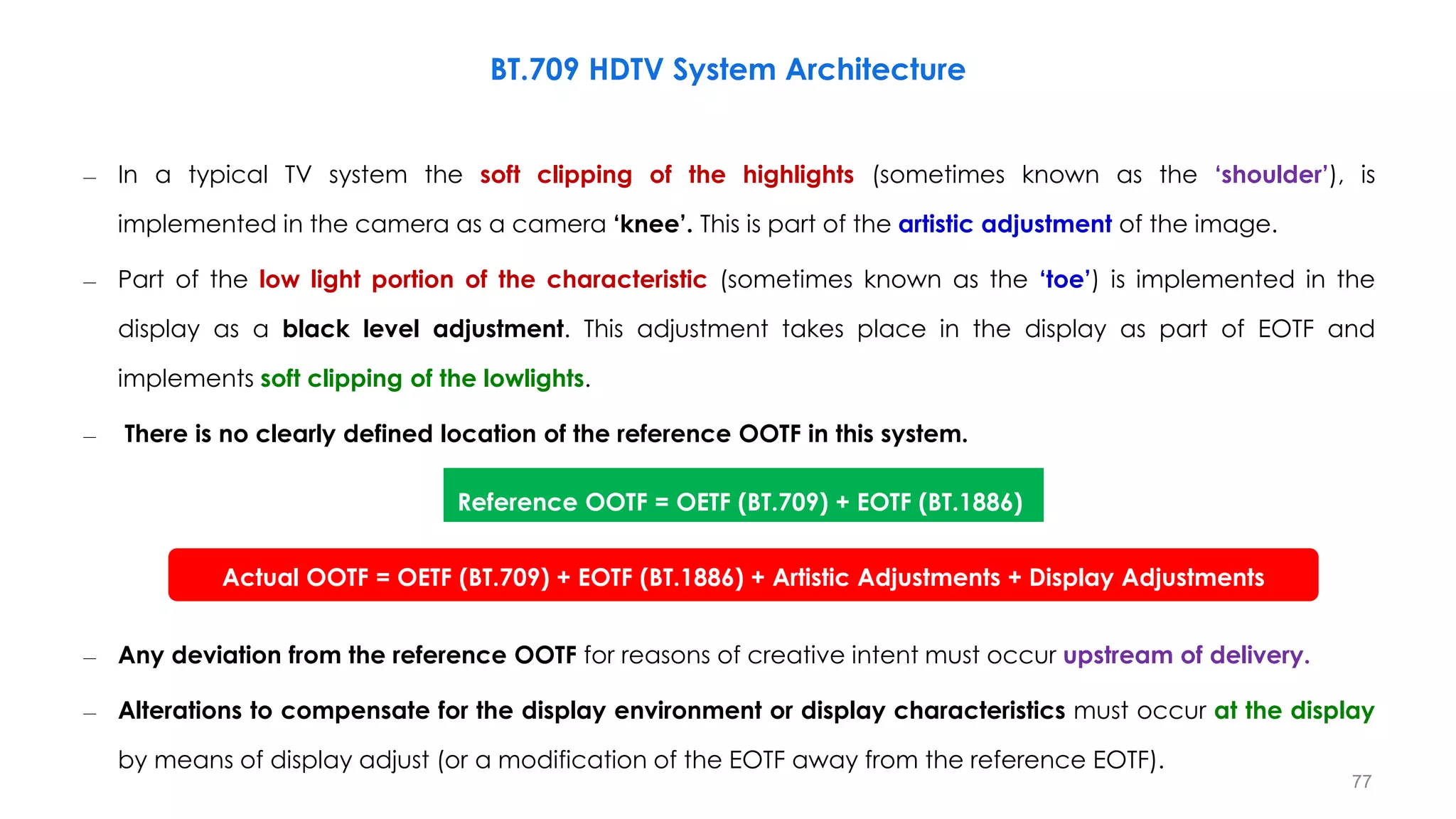
– In a typical TV system the soft clipping of the highlights (sometimes known as the ‘shoulder’), is
implemented in the camera as a camera ‘knee’. This is part of the artistic adjustment of the image.
– Part of the low light portion of the characteristic (sometimes known as the ‘toe’) is implemented in the
display as a black level adjustment. This adjustment takes place in the display as part of EOTF and
implements soft clipping of the lowlights.
– There is no clearly defined location of the reference OOTF in this system.
– Any deviation from the reference OOTF for reasons of creative intent must occur upstream of delivery.
– Alterations to compensate for the display environment or display characteristics must occur at the display
by means of display adjust (or a modification of the EOTF away from the reference EOTF).
BT.709 HDTV System Architecture
Reference OOTF = OETF (BT.709) + EOTF (BT.1886)
Actual OOTF = OETF (BT.709) + EOTF (BT.1886) + Artistic Adjustments + Display Adjustments
77
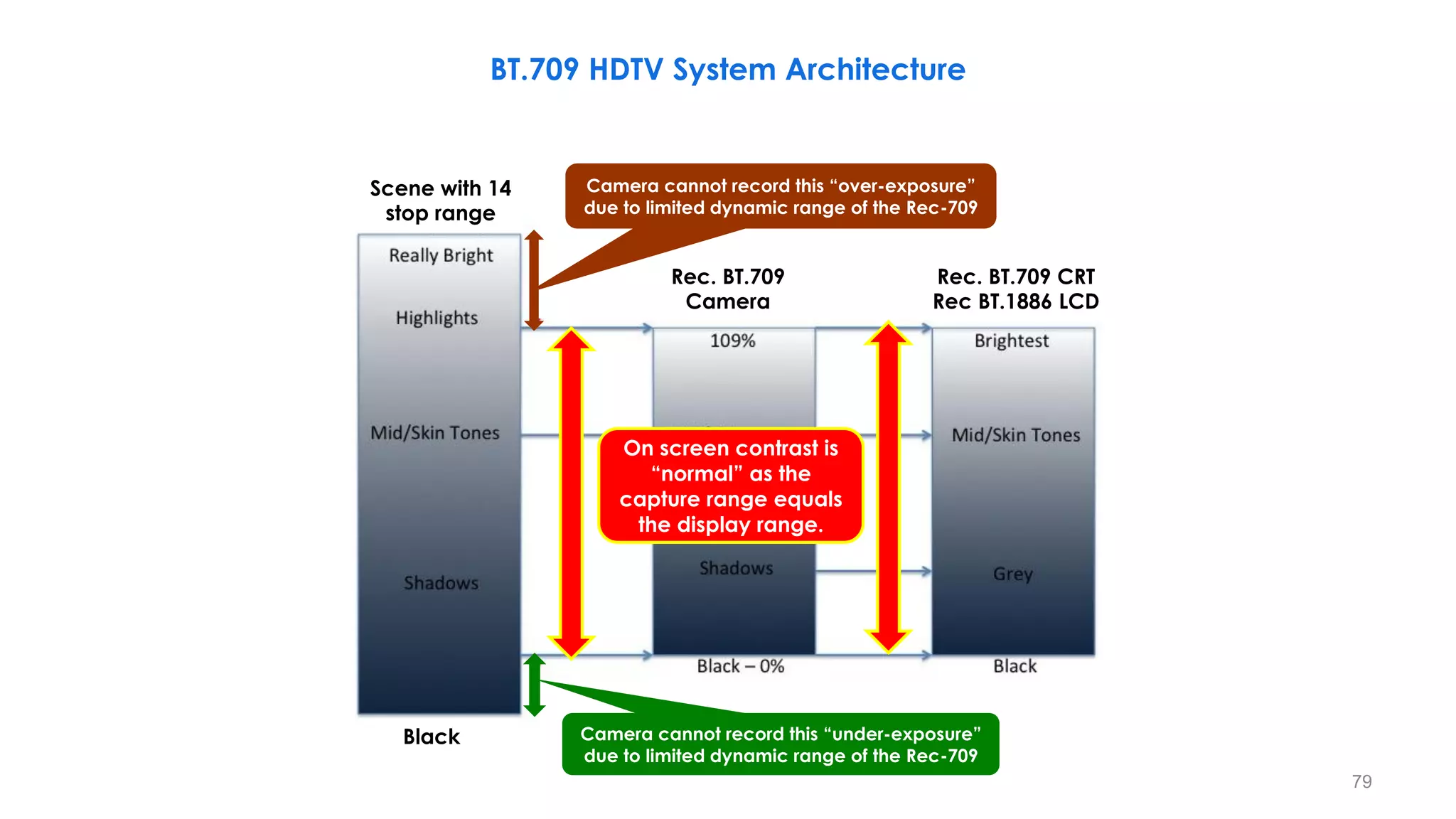
BT.709 HDTV System Architecture
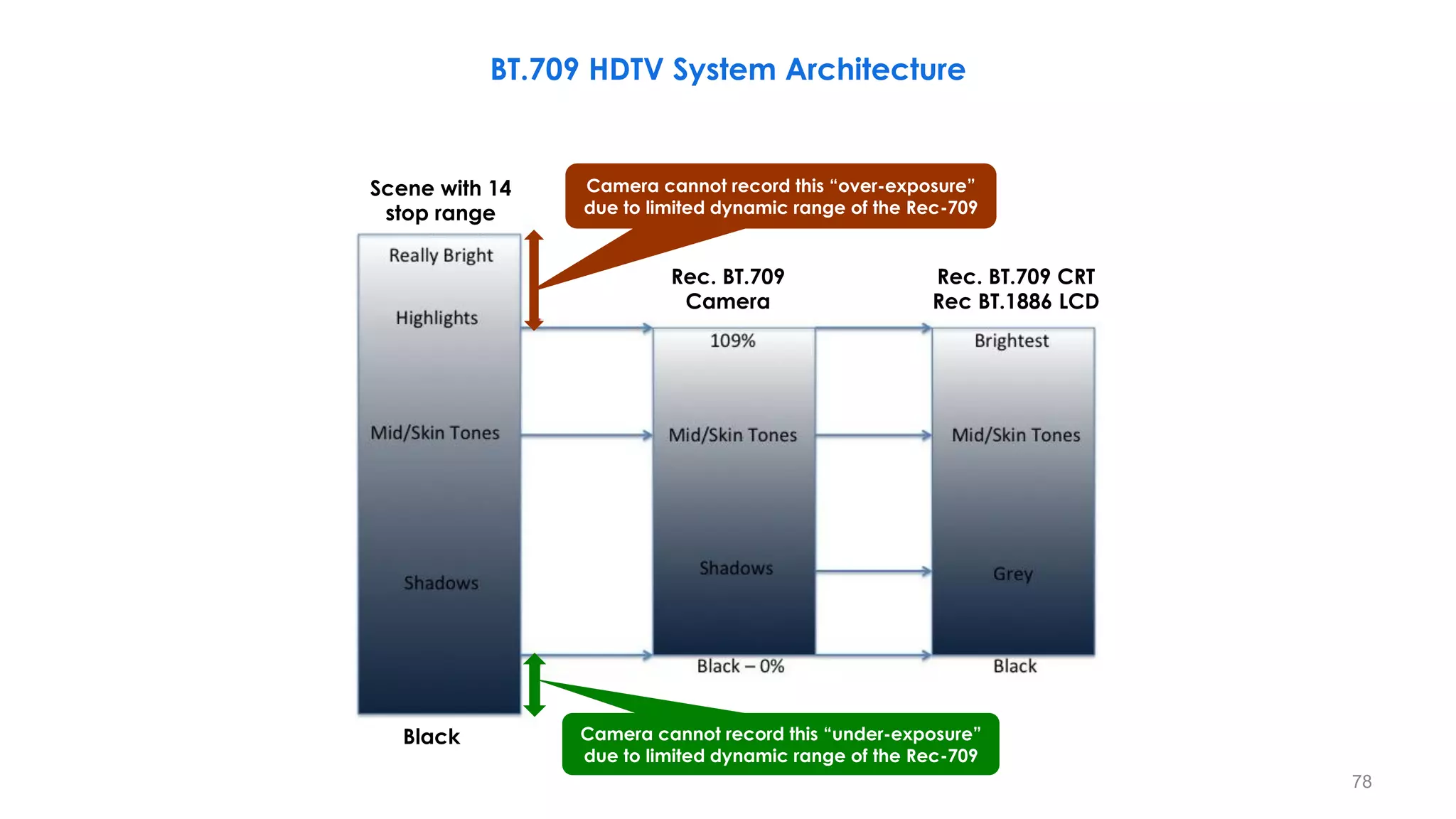
Scene with 14
stop range
Black
Rec. BT.709
Camera
Rec. BT.709 CRT
Rec BT.1886 LCD
Camera cannot record this “over-exposure”
due to limited dynamic range of the Rec-709
Camera cannot record this “under-exposure”
due to limited dynamic range of the Rec-709
78
BT.709 HDTV System Architecture
On screen contrast is
“normal” as the
capture range equals
the display range.
Scene with 14
stop range
Black
Rec. BT.709
Camera
Rec. BT.709 CRT
Rec BT.1886 LCD
Camera cannot record this “over-exposure”
due to limited dynamic range of the Rec-709
Camera cannot record this “under-exposure”
due to limited dynamic range of the Rec-709
79
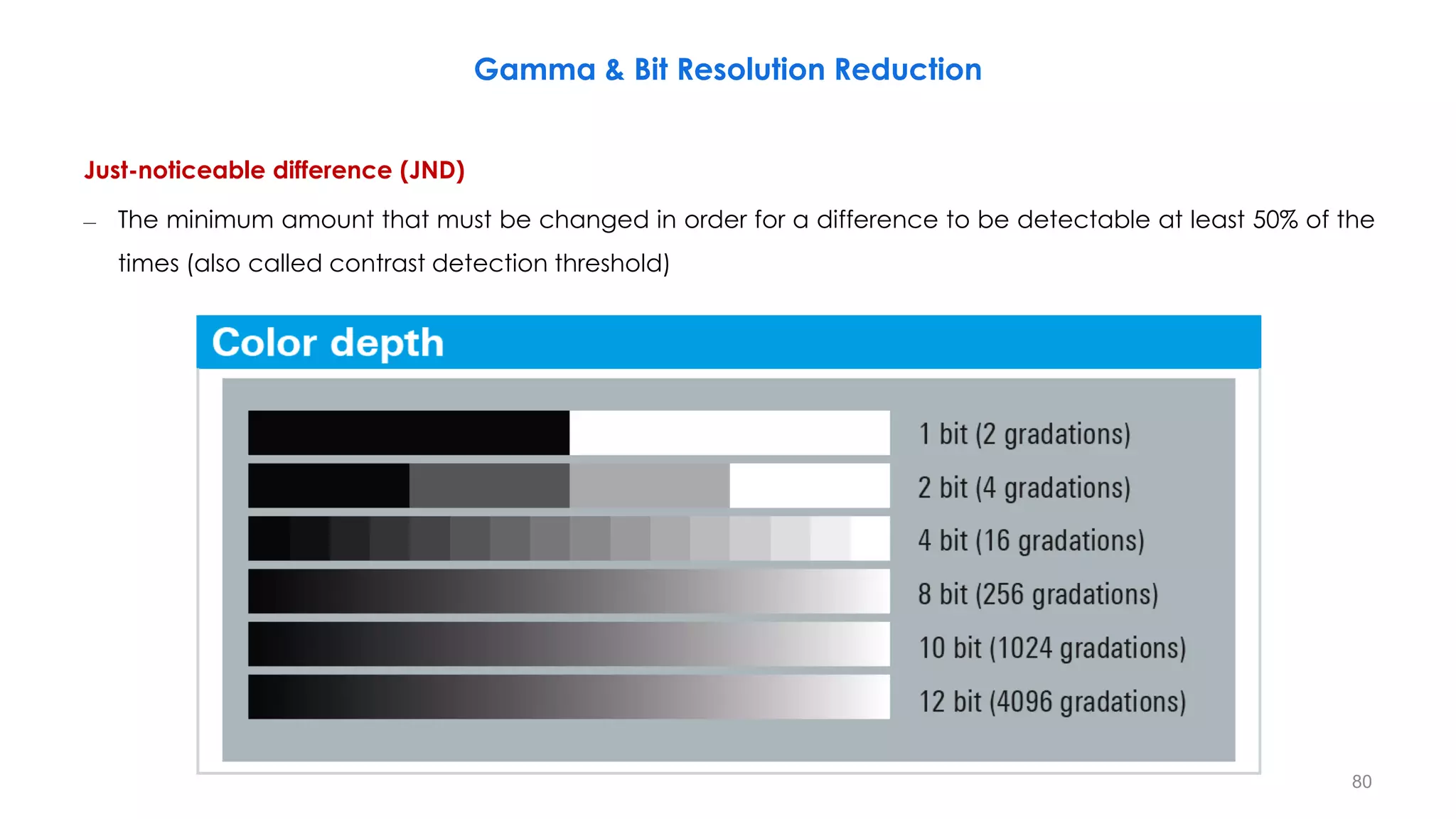
Gamma & Bit Resolution Reduction
Just-noticeable difference (JND)
– The minimum amount that must be changed in order for a difference to be detectable at least 50% of the
times (also called contrast detection threshold)
80
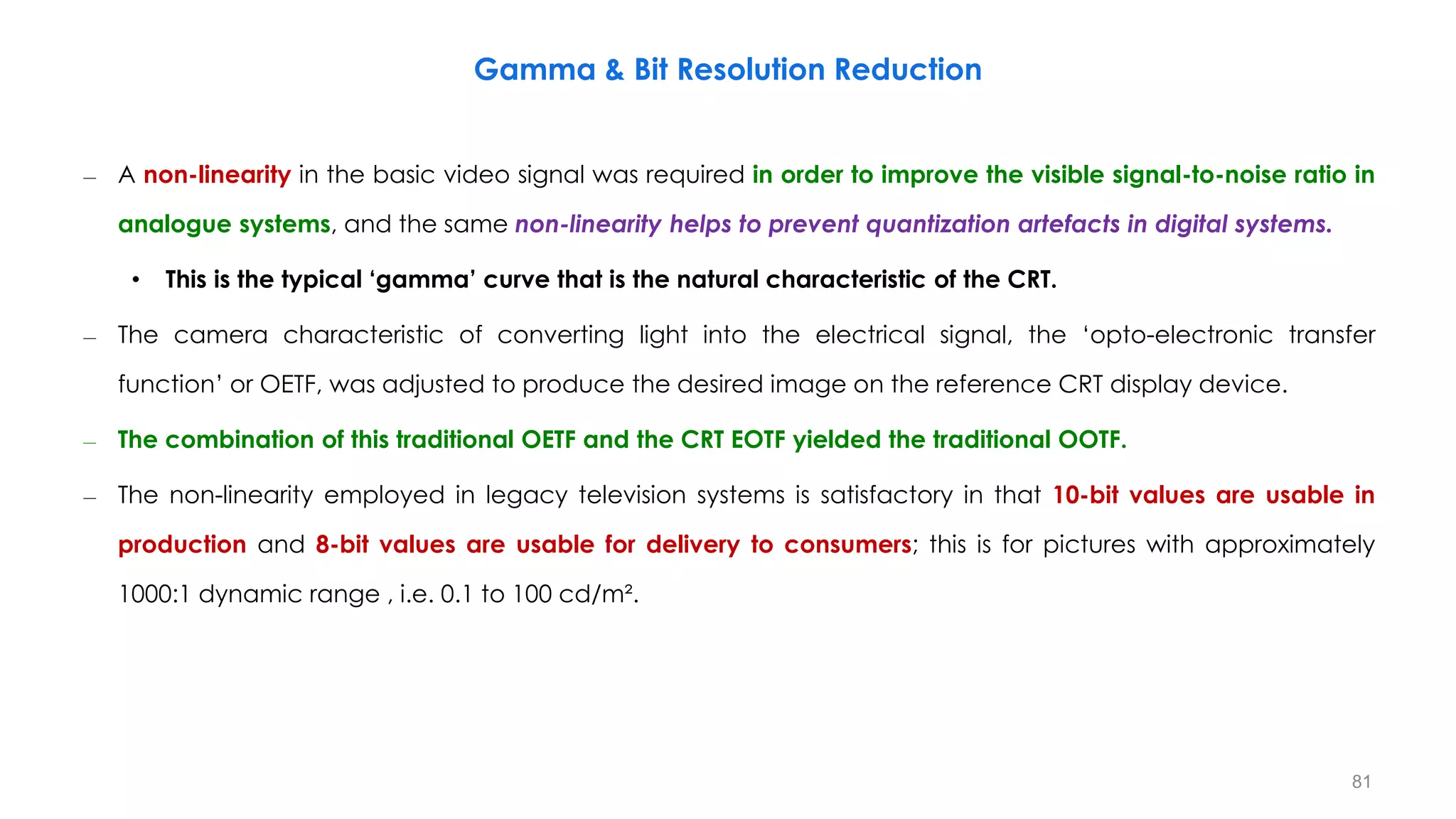
– A non-linearity in the basic video signal was required in order to improve the visible signal-to-noise ratio in
analogue systems, and the same non-linearity helps to prevent quantization artefacts in digital systems.
• This is the typical ‘gamma’ curve that is the natural characteristic of the CRT.
– The camera characteristic of converting light into the electrical signal, the ‘opto-electronic transfer
function’ or OETF, was adjusted to produce the desired image on the reference CRT display device.
– The combination of this traditional OETF and the CRT EOTF yielded the traditional OOTF.
– The non-linearity employed in legacy television systems is satisfactory in that 10-bit values are usable in
production and 8-bit values are usable for delivery to consumers; this is for pictures with approximately
1000:1 dynamic range , i.e. 0.1 to 100 cd/m².
Gamma & Bit Resolution Reduction
81
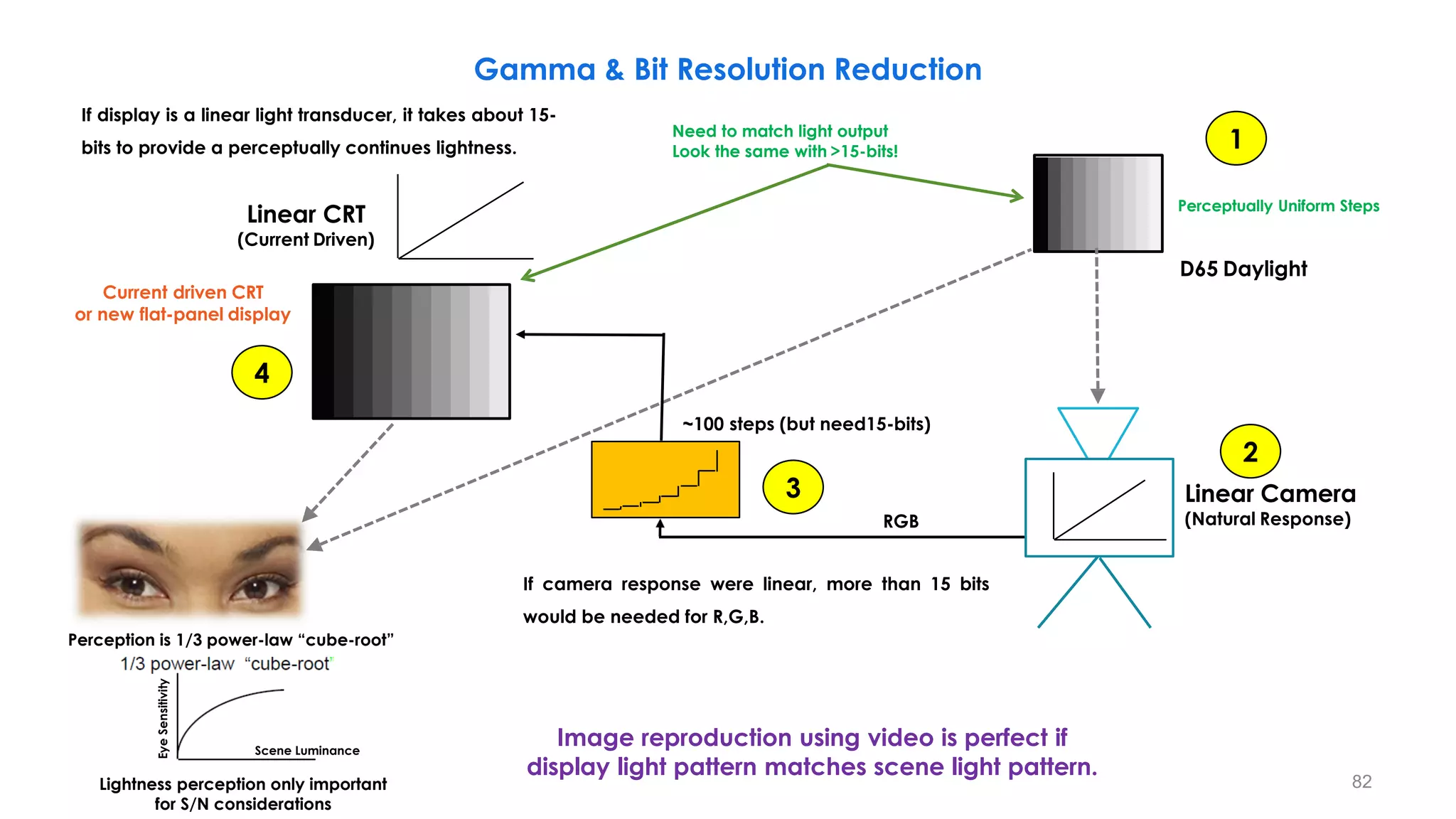
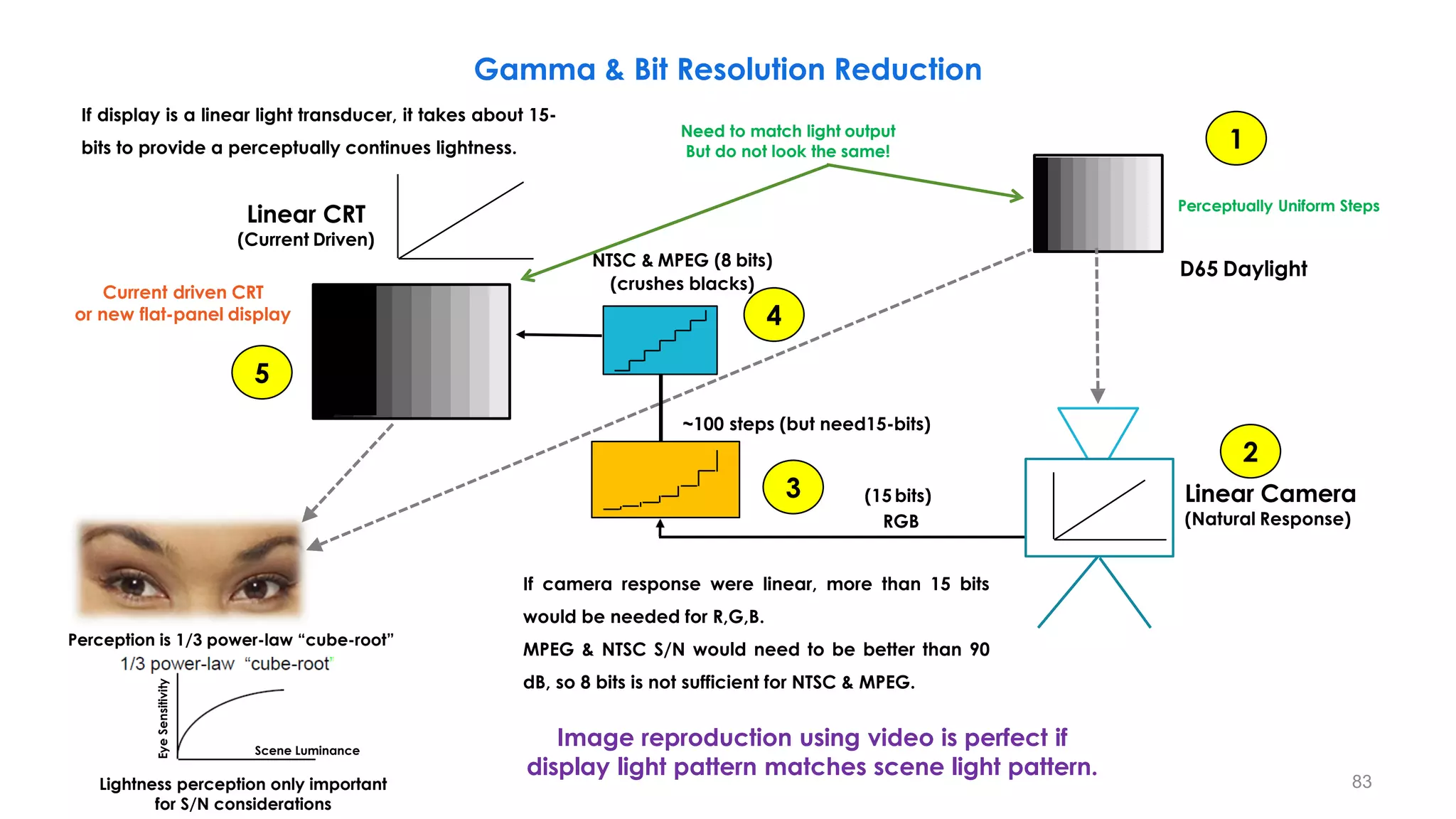
Linear Camera
(Natural Response)
Linear CRT
(Current Driven)
Current driven CRT
or new flat-panel display
D65 Daylight
Need to match light output
Look the same with >15-bits!
Perceptually Uniform Steps
Gamma & Bit Resolution Reduction
Image reproduction using video is perfect if
display light pattern matches scene light pattern.
If camera response were linear, more than 15 bits
would be needed for R,G,B.
1
2
3
4
RGB
Perception is 1/3 power-law “cube-root”
Lightness perception only important
for S/N considerations
Eye
Sensitivity
Scene Luminance
If display is a linear light transducer, it takes about 15-
bits to provide a perceptually continues lightness.
~100 steps (but need15-bits)
82
Linear Camera
(Natural Response)
Linear CRT
(Current Driven)
Current driven CRT
or new flat-panel display
NTSC & MPEG (8 bits)
(crushes blacks)
Need to match light output
But do not look the same!
Perceptually Uniform Steps
Gamma & Bit Resolution Reduction
D65 Daylight
If camera response were linear, more than 15 bits
would be needed for R,G,B.
MPEG & NTSC S/N would need to be better than 90
dB, so 8 bits is not sufficient for NTSC & MPEG.
RGB
1
2
3
4
5
Perception is 1/3 power-law “cube-root”
Image reproduction using video is perfect if
display light pattern matches scene light pattern.
Lightness perception only important
for S/N considerations
~100 steps (but need15-bits)
(15 bits)
Eye
Sensitivity
Scene Luminance
If display is a linear light transducer, it takes about 15-
bits to provide a perceptually continues lightness.
83
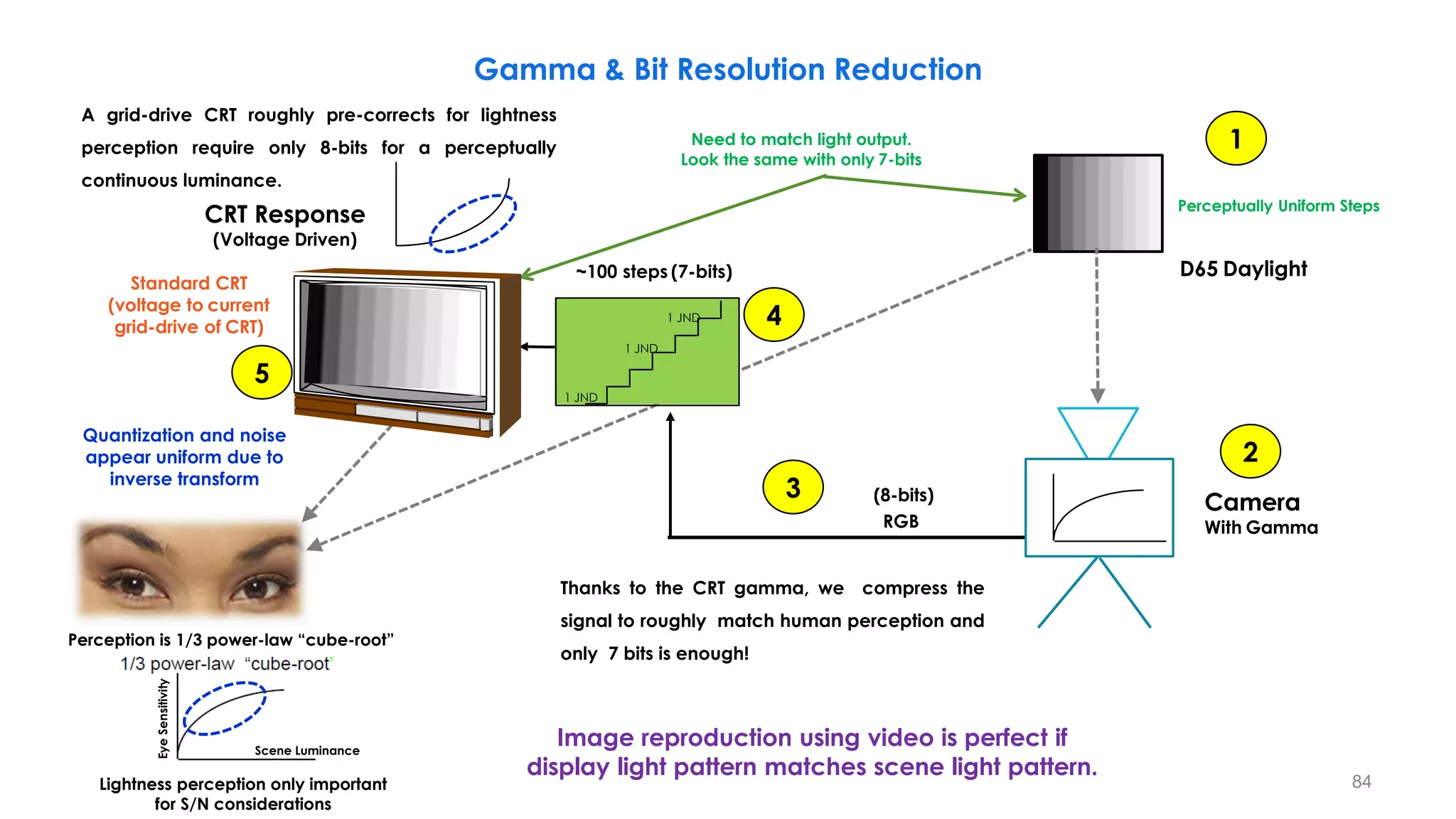
CRT Response
(Voltage Driven)
Need to match light output.
Look the same with only 7-bits
(8-bits)
~100 steps (7-bits)
1 JND
1 JND
1 JND
Camera
With Gamma
Standard CRT
(voltage to current
grid-drive of CRT)
Gamma & Bit Resolution Reduction
Thanks to the CRT gamma, we compress the
signal to roughly match human perception and
only 7 bits is enough!
1
2
3
4
RGB
Perception is 1/3 power-law “cube-root”
Image reproduction using video is perfect if
display light pattern matches scene light pattern.
5
Quantization and noise
appear uniform due to
inverse transform
Lightness perception only important
for S/N considerations
Eye
Sensitivity
Scene Luminance
Perceptually Uniform Steps
D65 Daylight
A grid-drive CRT roughly pre-corrects for lightness
perception require only 8-bits for a perceptually
continuous luminance.
84
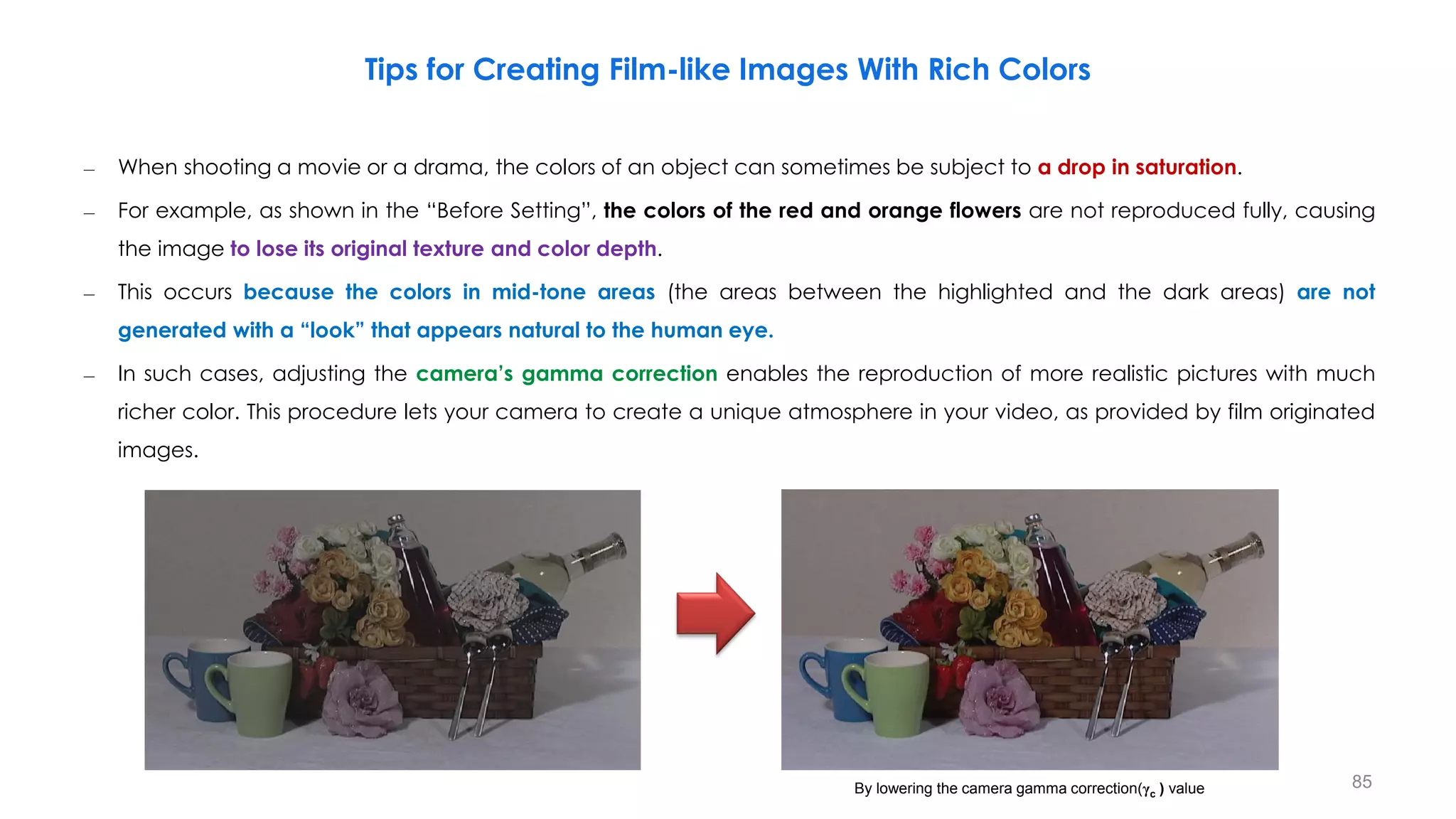
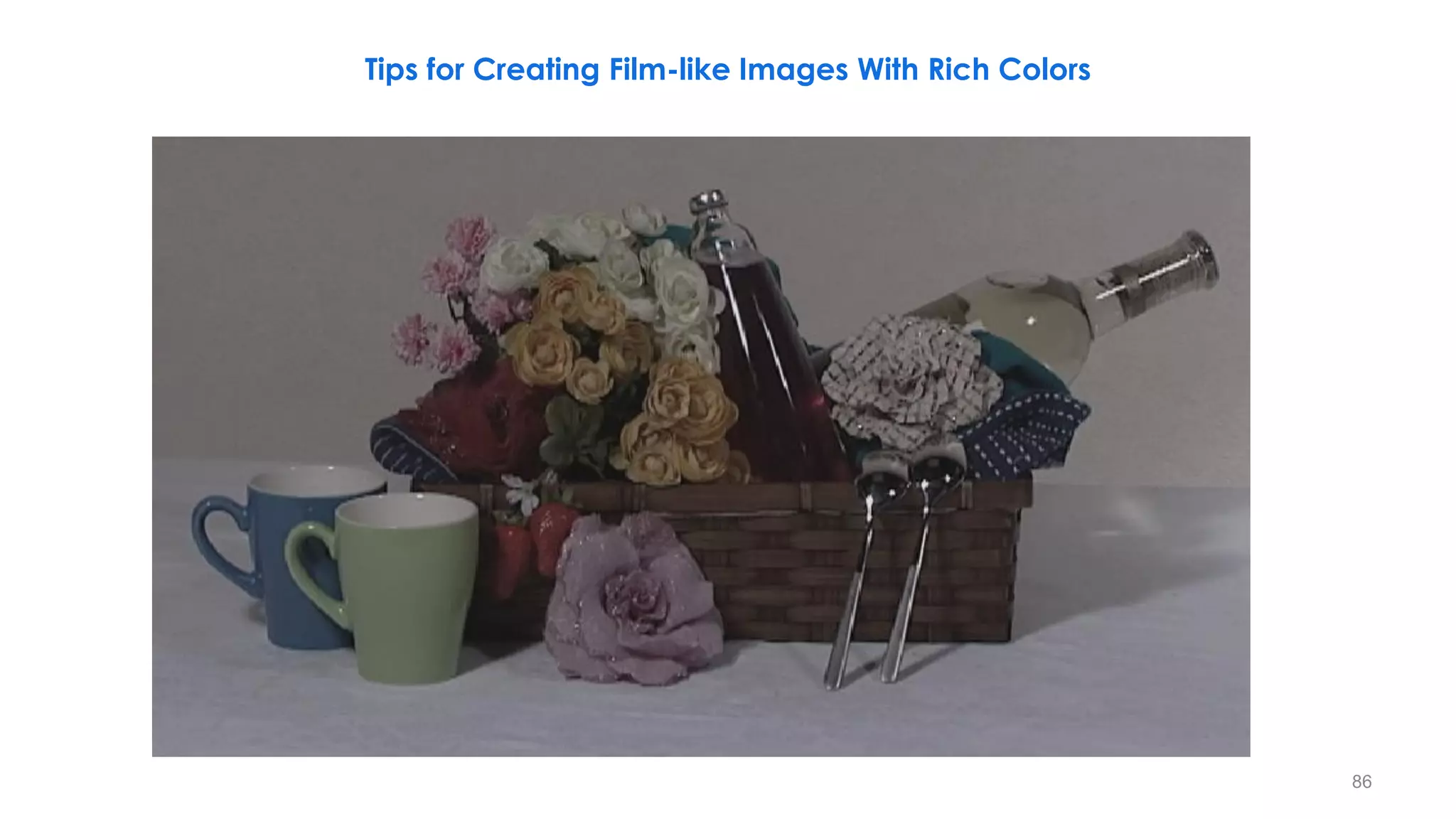
– When shooting a movie or a drama, the colors of an object can sometimes be subject to a drop in saturation.
– For example, as shown in the “Before Setting”, the colors of the red and orange flowers are not reproduced fully, causing
the image to lose its original texture and color depth.
– This occurs because the colors in mid-tone areas (the areas between the highlighted and the dark areas) are not
generated with a “look” that appears natural to the human eye.
– In such cases, adjusting the camera’s gamma correction enables the reproduction of more realistic pictures with much
richer color. This procedure lets your camera to create a unique atmosphere in your video, as provided by film originated
images.
Tips for Creating Film-like Images With Rich Colors
By lowering the camera gamma correction(γc ) value 85
Tips for Creating Film-like Images With Rich Colors
86
Tips for Creating Film-like Images With Rich Colors
87
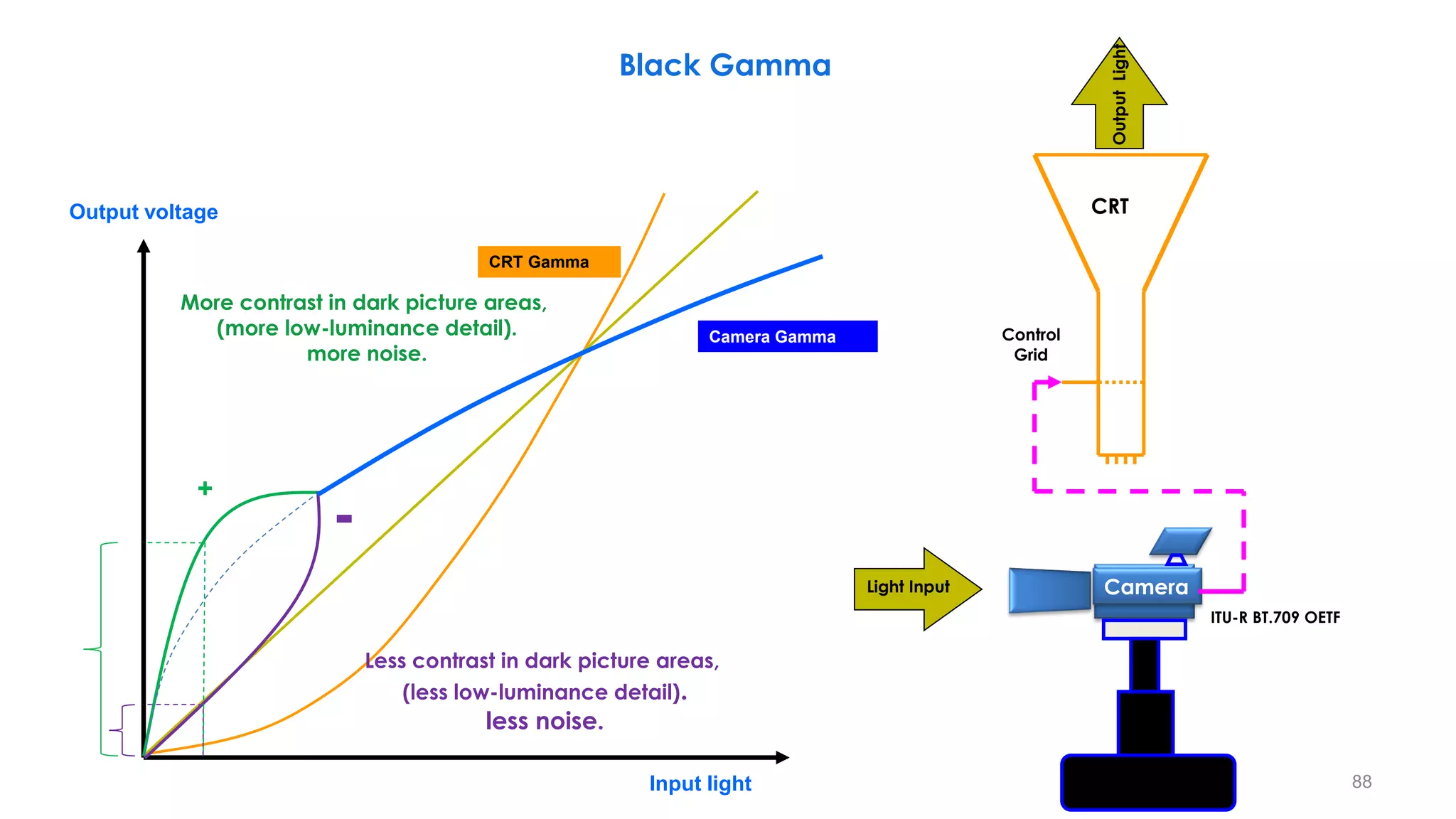
CRT Gamma
Camera Gamma
Output voltage
Input light
More contrast in dark picture areas,
(more low-luminance detail).
more noise.
Less contrast in dark picture areas,
(less low-luminance detail).
less noise.
-
+
Black Gamma
CRT
Control
Grid
Light Input Camera
Output
Light
ITU-R BT.709 OETF
88
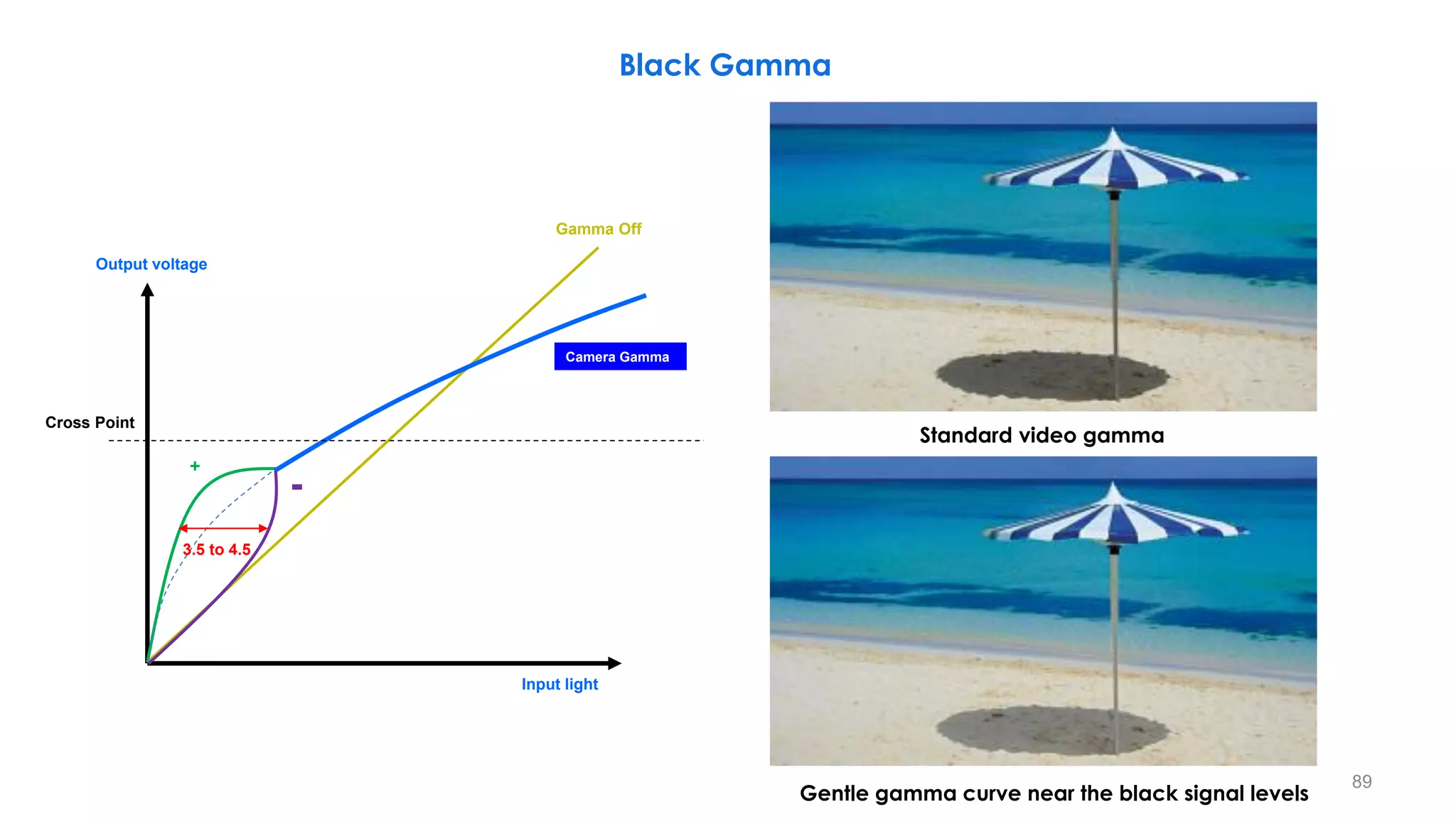
Black Gamma
Standard video gamma
Gentle gamma curve near the black signal levels
89
Camera Gamma
Output voltage
Input light
-
+
Cross Point
Gamma Off
3.5 to 4.5
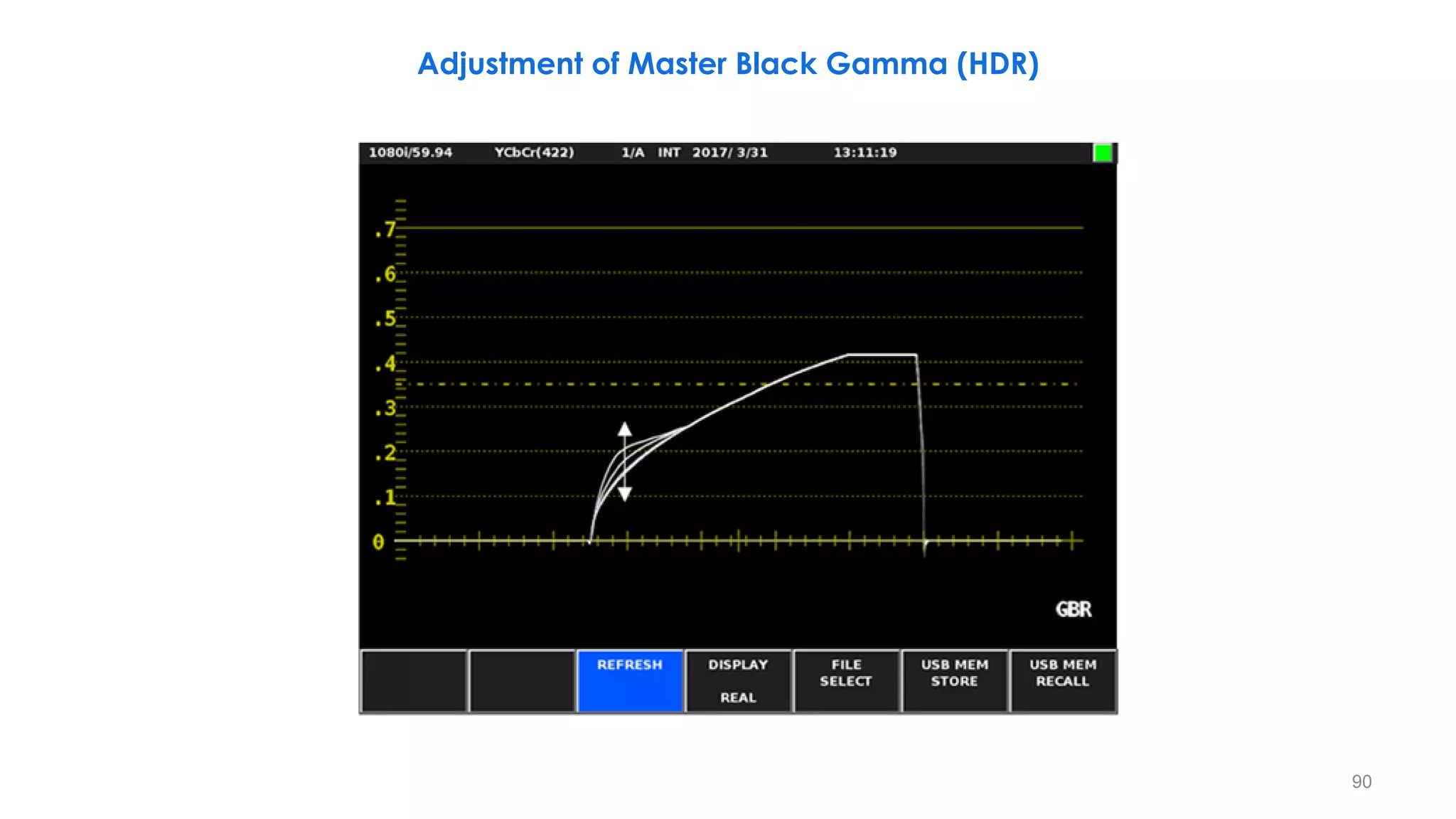
Adjustment of Master Black Gamma (HDR)
90
OOTF “Gamma” Independently on R, G and B Color Components
91
– The OOTFs of each production format (BT.709, BT.2020, BT.2100 HLG, BT.2100 PQ,...)are all different. Even the
color primaries may be different.
– So, the displayed colors and tones for objects within a scene will look different for each production format.
– Most formats apply the end-to-end OOTF “gamma” independently on red, green and blue color
components because, in the early days of color television, that was all that was technically possible.
– By doing so, the displayed colors tend to be more saturated than those in the natural scene.
– The increase in color saturation was also useful when viewing images on dim CRT displays, as the eye is less
sensitive to color at low luminance levels.
– The amount of color boost that is introduced depends on the camera exposure and the relative level of
the color components, which in turn depends on the color primaries.
92
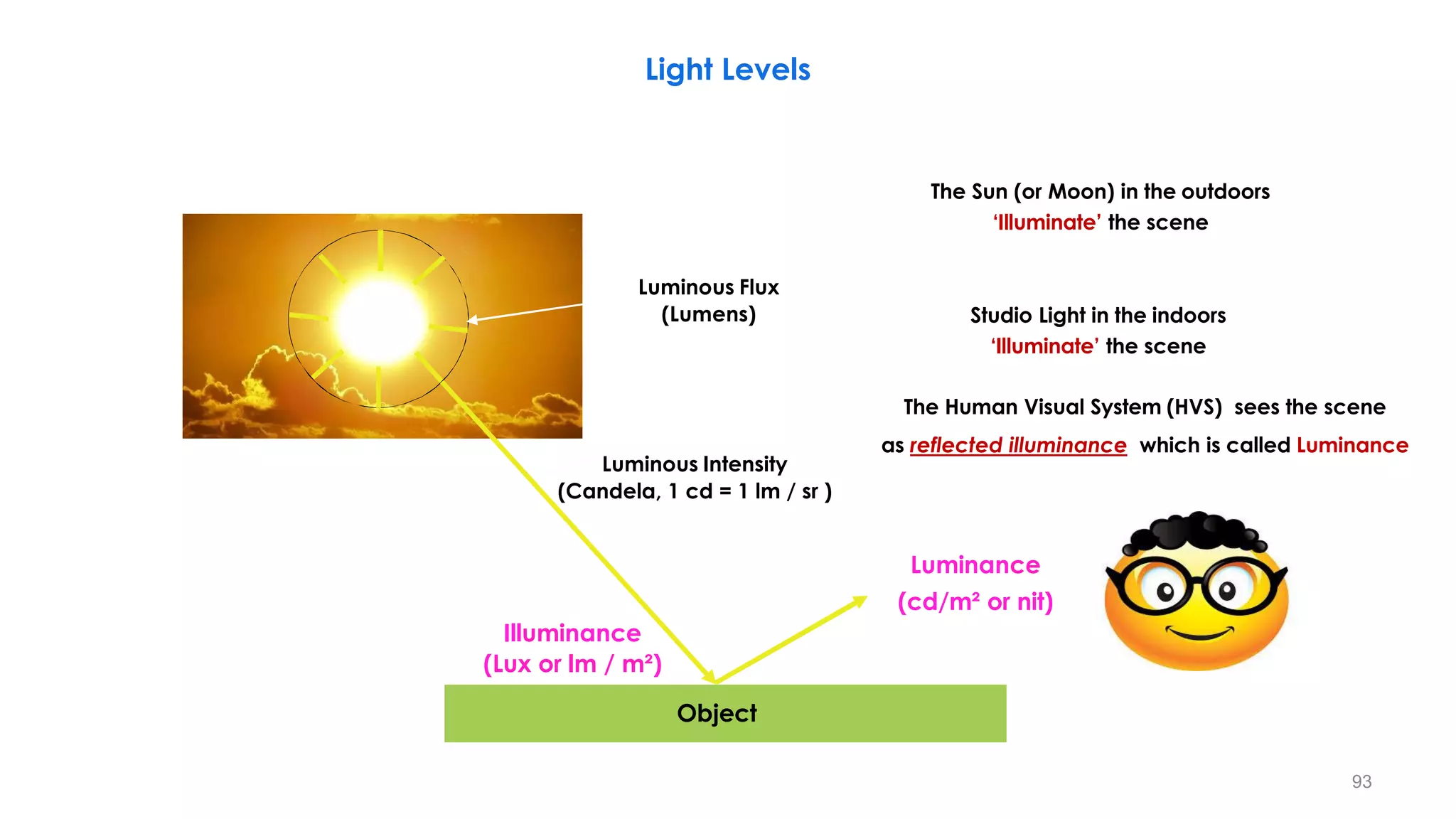
Object
Light Levels
The Human Visual System (HVS) sees the scene
as reflected illuminance which is called Luminance
Illuminance
(Lux or lm / m²)
Luminance
(cd/m² or nit)
Luminous Flux
(Lumens)
Luminous Intensity
(Candela, 1 cd = 1 lm / sr )
The Sun (or Moon) in the outdoors
‘Illuminate’ the scene
Studio Light in the indoors
‘Illuminate’ the scene
93
Light Levels
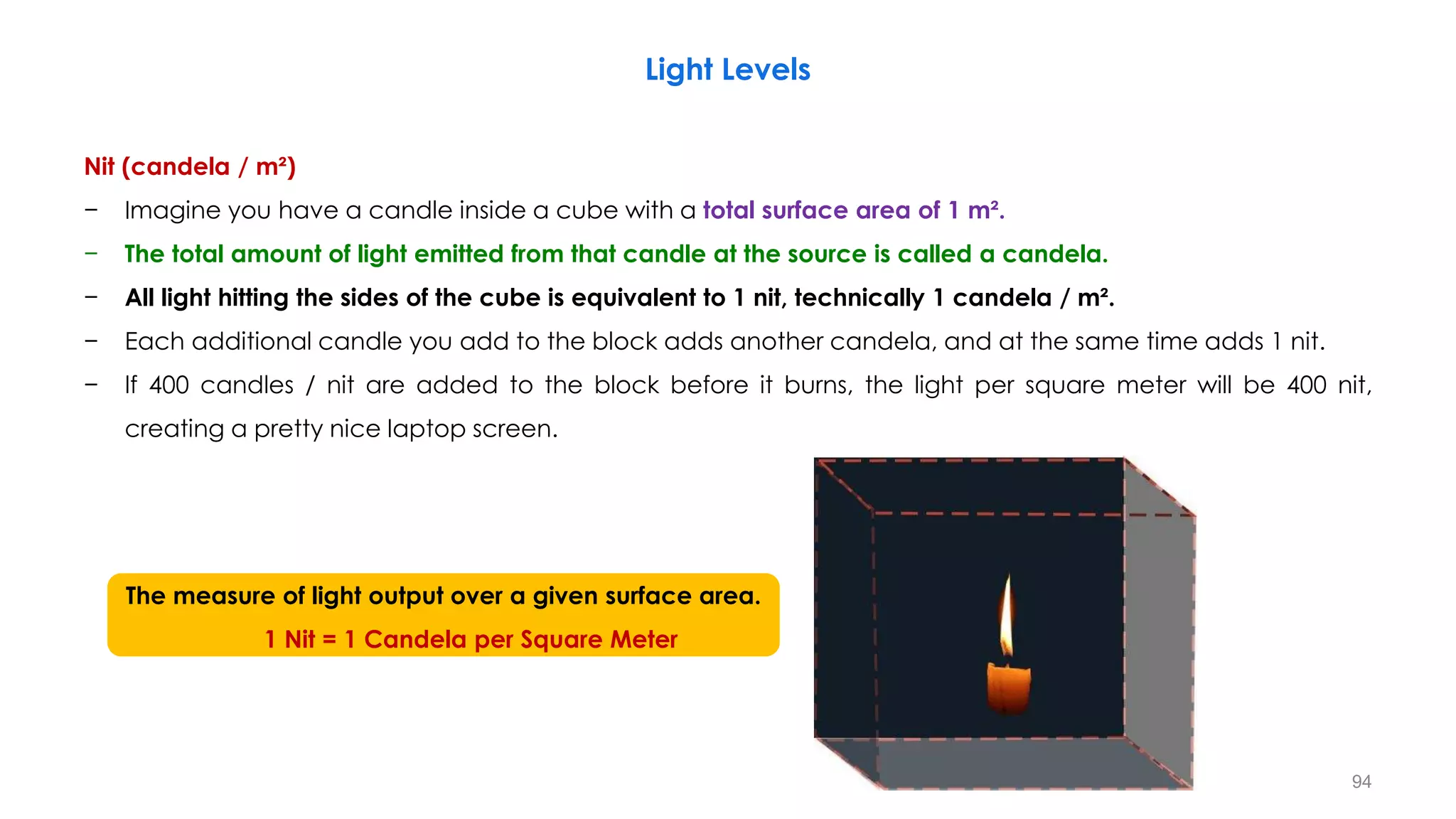
Nit (candela / m²)
− Imagine you have a candle inside a cube with a total surface area of 1 m².
− The total amount of light emitted from that candle at the source is called a candela.
− All light hitting the sides of the cube is equivalent to 1 nit, technically 1 candela / m².
− Each additional candle you add to the block adds another candela, and at the same time adds 1 nit.
− If 400 candles / nit are added to the block before it burns, the light per square meter will be 400 nit,
creating a pretty nice laptop screen.
The measure of light output over a given surface area.
1 Nit = 1 Candela per Square Meter
94
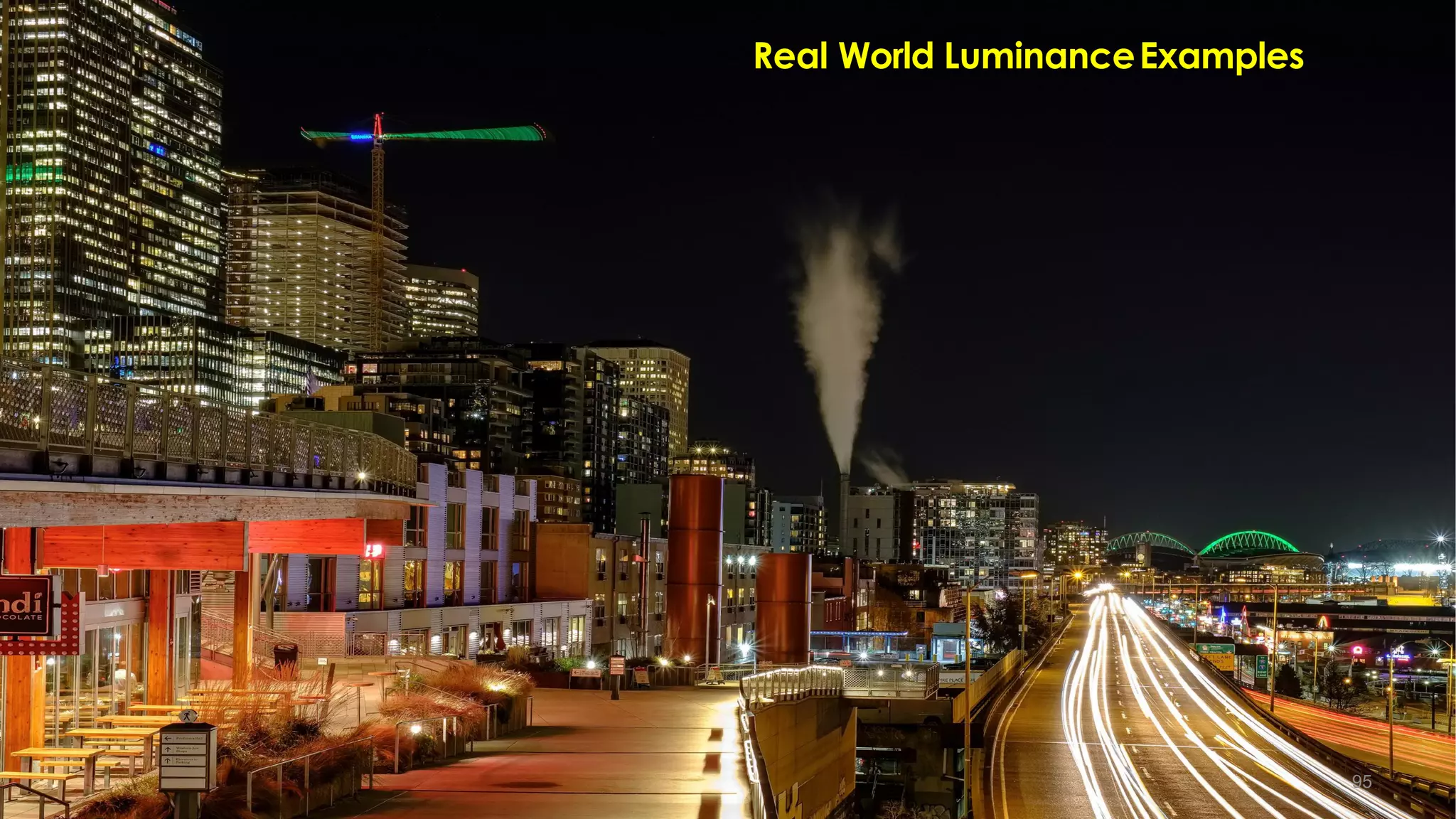
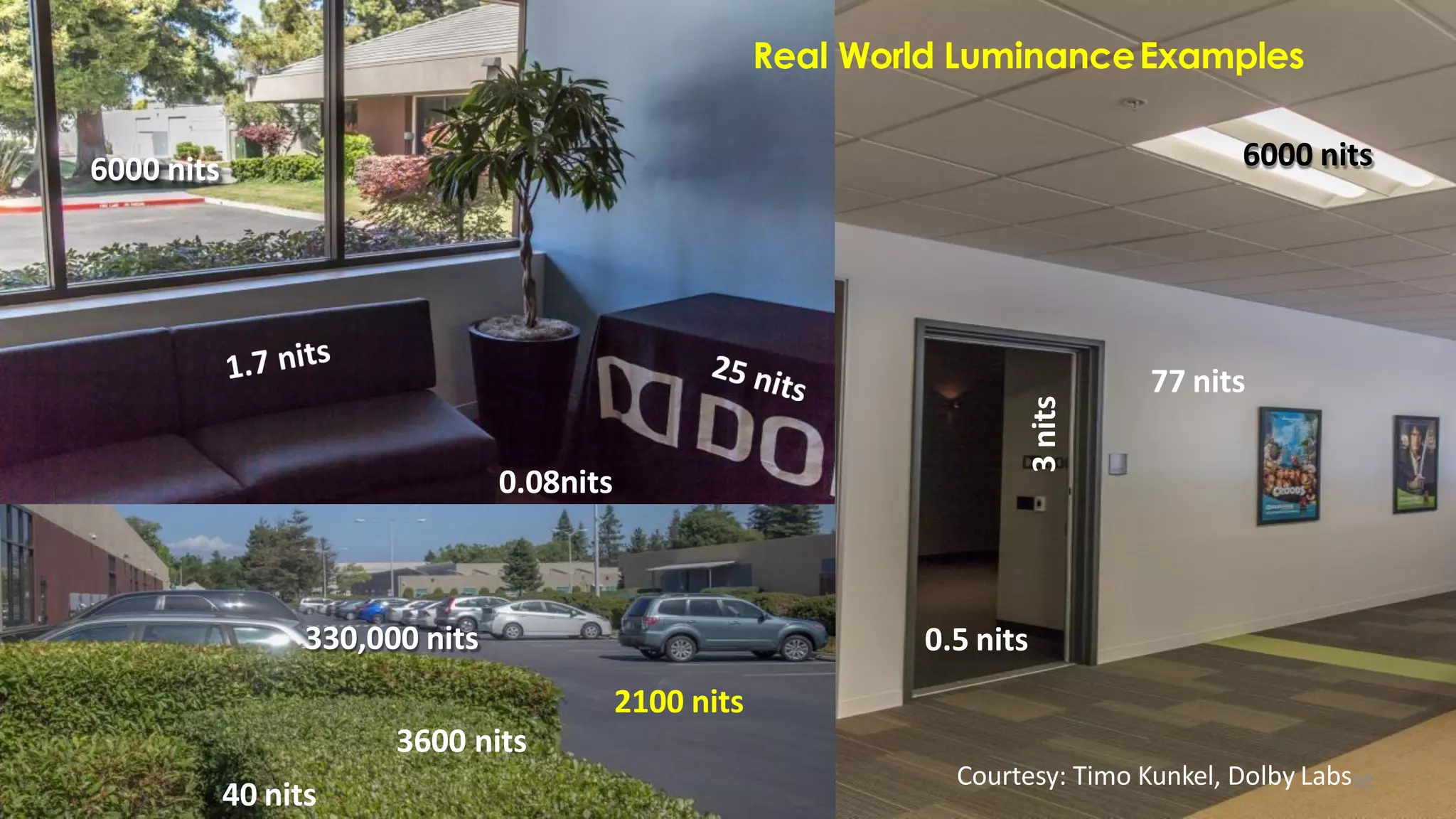
Real World LuminanceExamples
95
6000 nits
77 nits
3
nits
0.5 nits
40 nits
330,000 nits
2100 nits
3600 nits
0.08nits
6000 nits
Real World LuminanceExamples
Courtesy: Timo Kunkel, Dolby Labs96
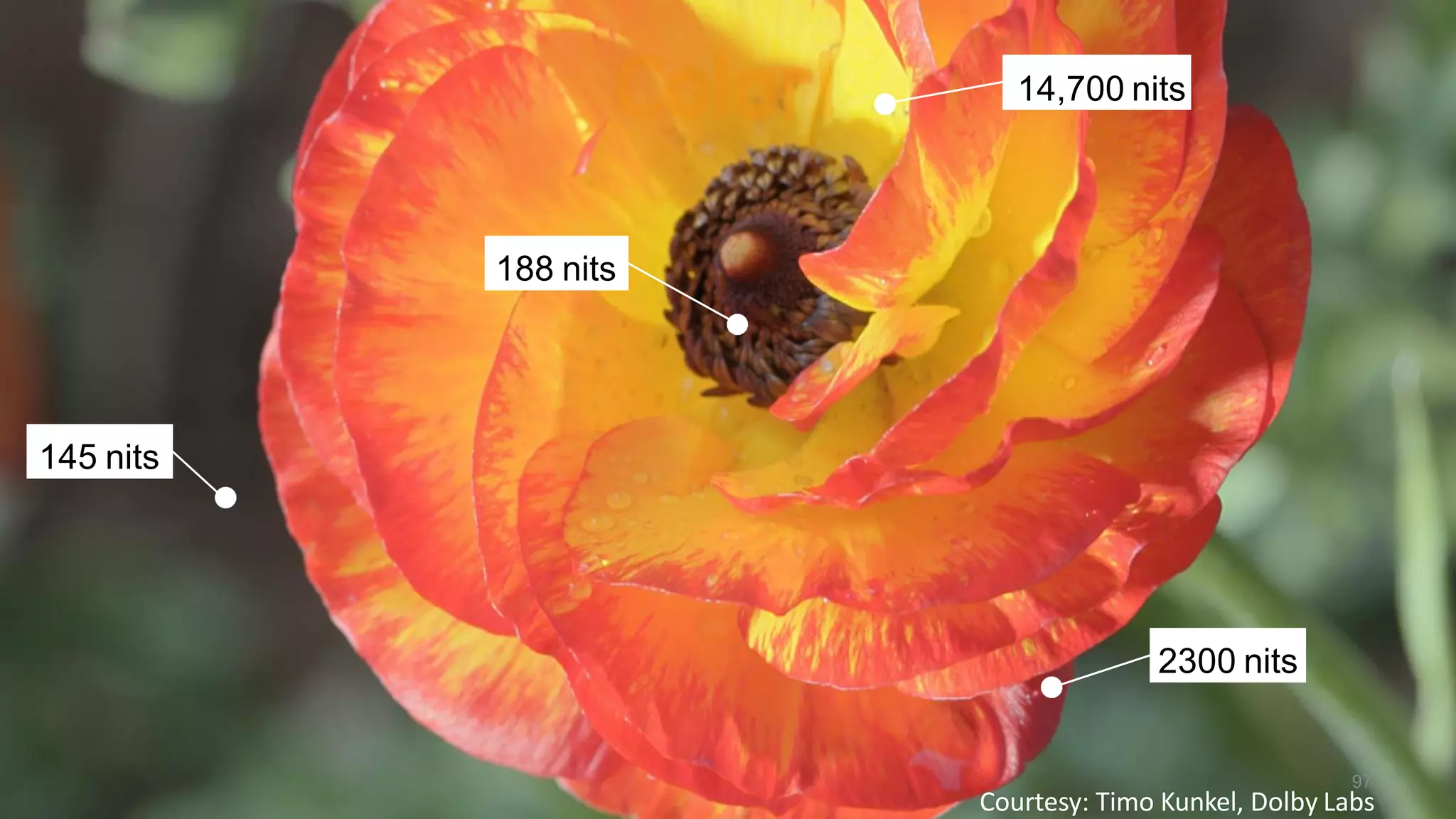
145 nits
188 nits
14,700 nits
2300 nits
Courtesy: Timo Kunkel, Dolby Labs
97
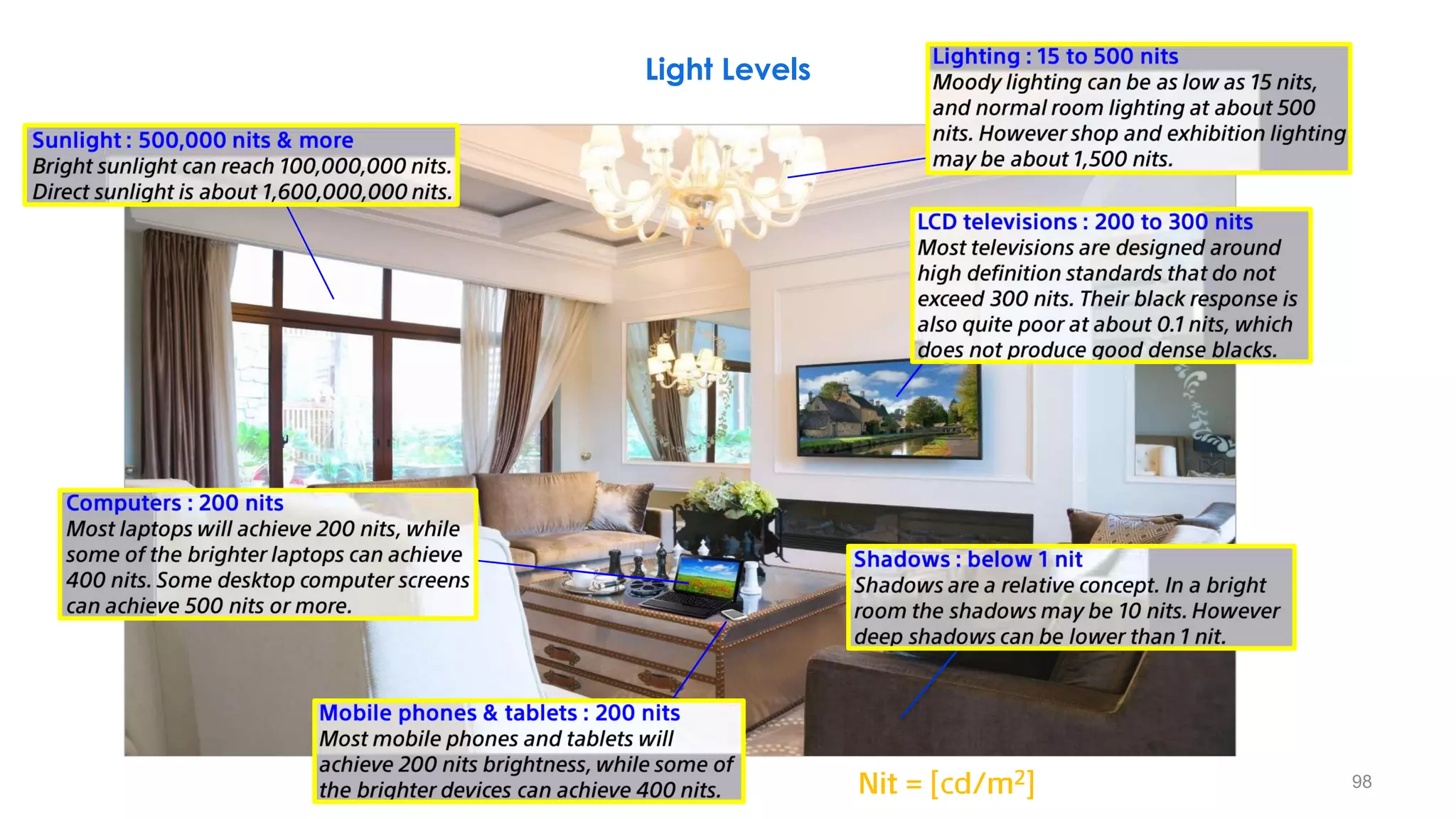
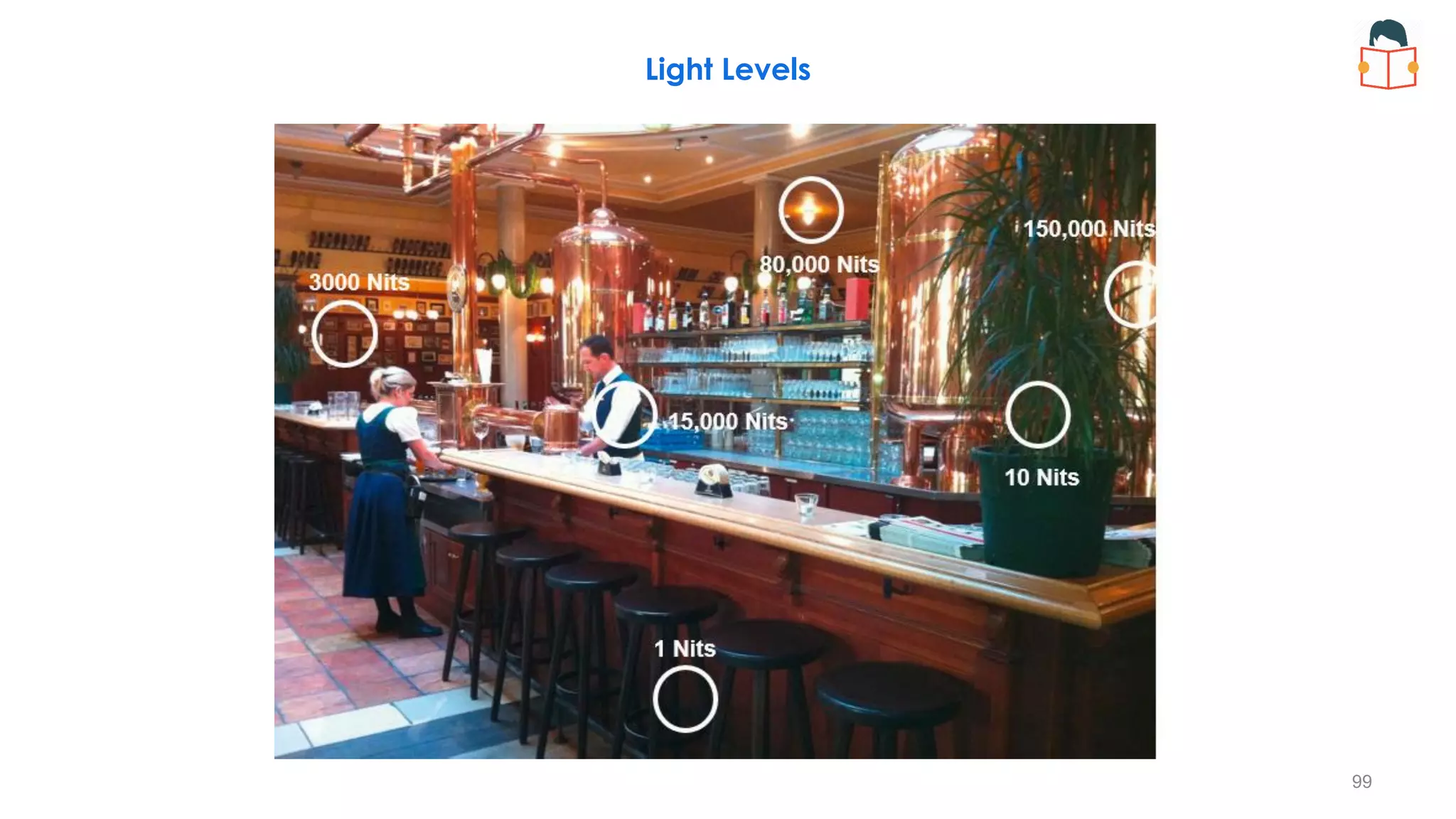
Light Levels
98
Light Levels
99
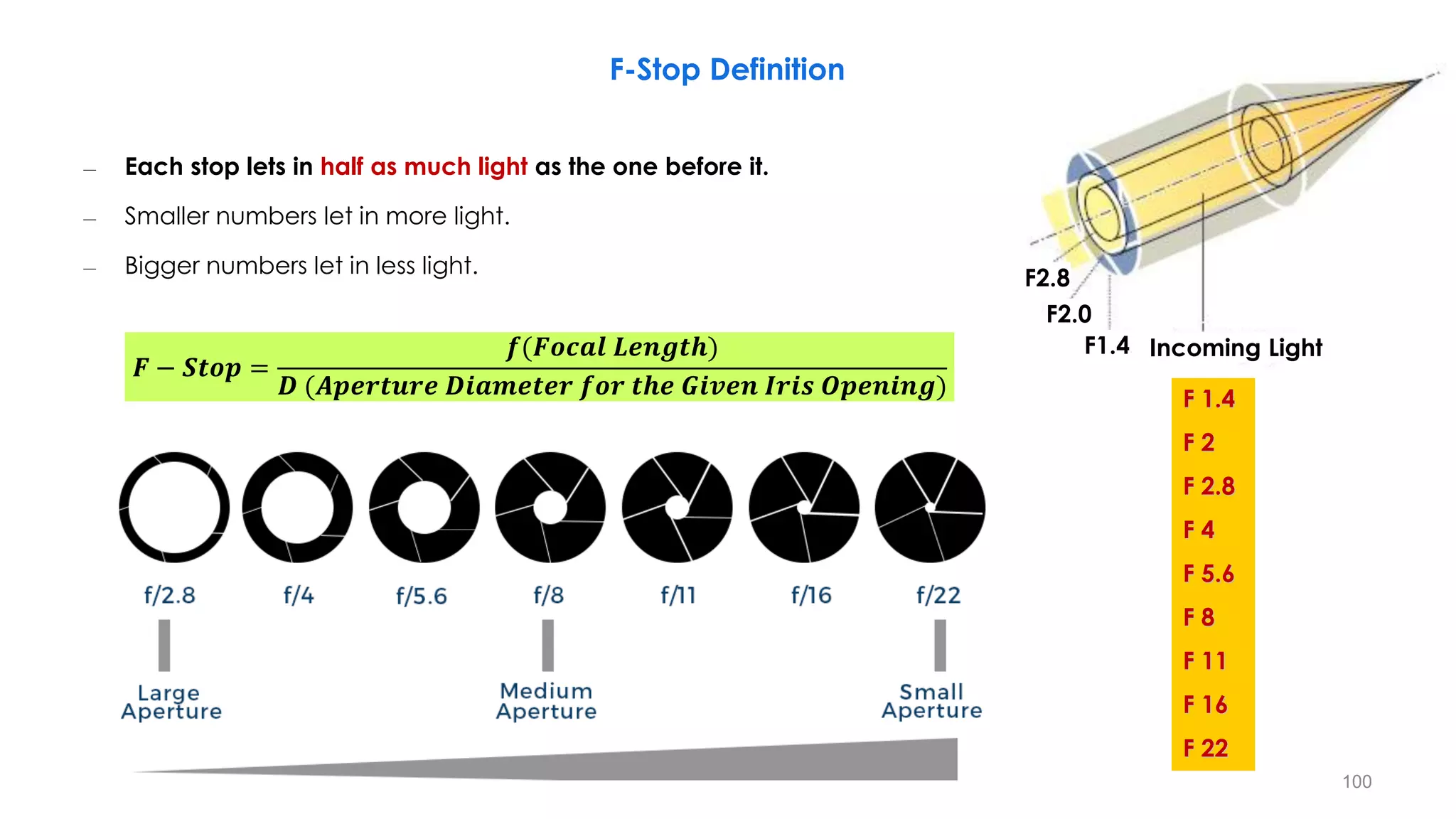
F 1.4
F 2
F 2.8
F 4
F 5.6
F 8
F 11
F 16
F 22
F-Stop Definition
– Each stop lets in half as much light as the one before it.
– Smaller numbers let in more light.
– Bigger numbers let in less light.
F2.8
F2.0
F1.4 Incoming Light
𝑭 − 𝑺𝒕𝒐𝒑 =
𝒇(𝑭𝒐𝒄𝒂𝒍 𝑳𝒆𝒏𝒈𝒕𝒉)
𝑫 (𝑨𝒑𝒆𝒓𝒕𝒖𝒓𝒆 𝑫𝒊𝒂𝒎𝒆𝒕𝒆𝒓 𝒇𝒐𝒓 𝒕𝒉𝒆 𝑮𝒊𝒗𝒆𝒏 𝑰𝒓𝒊𝒔 𝑶𝒑𝒆𝒏𝒊𝒏𝒈)
100
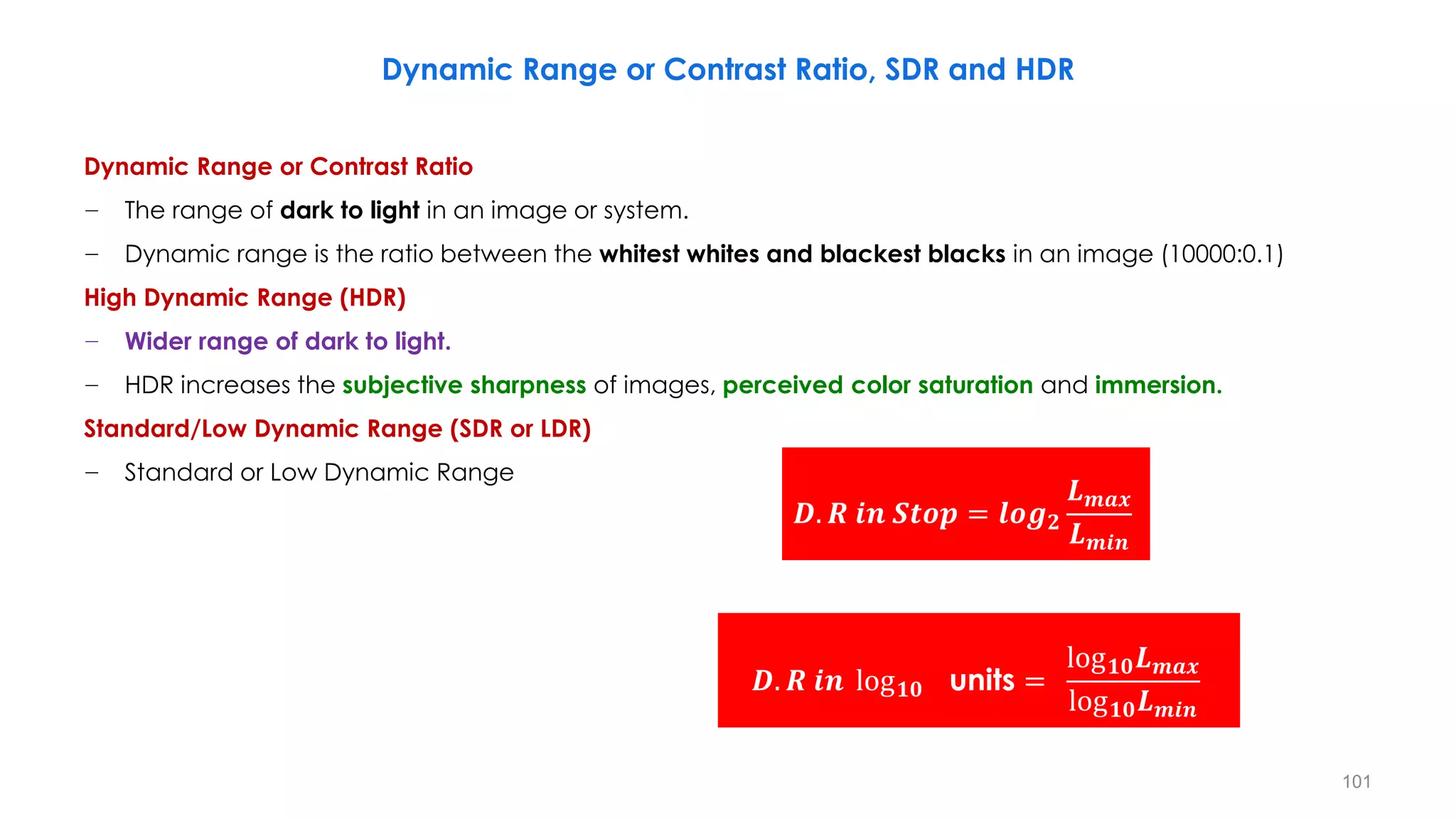
Dynamic Range or Contrast Ratio, SDR and HDR
Dynamic Range or Contrast Ratio
− The range of dark to light in an image or system.
− Dynamic range is the ratio between the whitest whites and blackest blacks in an image (10000:0.1)
High Dynamic Range (HDR)
− Wider range of dark to light.
− HDR increases the subjective sharpness of images, perceived color saturation and immersion.
Standard/Low Dynamic Range (SDR or LDR)
− Standard or Low Dynamic Range
𝑫. 𝑹 𝒊𝒏 𝑺𝒕𝒐𝒑 = 𝒍𝒐𝒈𝟐
𝑳𝒎𝒂𝒙
𝑳𝒎𝒊𝒏
𝑫. 𝑹 𝒊𝒏 log𝟏𝟎 units =
log𝟏𝟎𝑳𝒎𝒂𝒙
log𝟏𝟎𝑳𝒎𝒊𝒏
101
LDR/SDR and HDR
Low (Standard) Dynamic Range
− ≤ 10 f-stops
− Three channels, 8 bit/channel, integer
− Gamma correction
Enhanced (Extended, Wide) Dynamic Range
− 10 to 16 f-stops
− More than 8 bit/channel, integer
High Dynamic Range
− ≥ 16 f-stops
− Floating points
− Linear encoding
TUTORIAL ONHIGH DYNAMIC RANGE VIDEO
Erik Reinhard: Distinguished Scientist at Technicolor R&I
𝑺𝑫𝑹 𝑻𝑽 𝑫. 𝑹 𝒊𝒏 𝑺𝒕𝒐𝒑 = 𝒍𝒐𝒈𝟐
𝟏𝟎𝟎 𝒏𝒊𝒕
𝟎. 𝟏 𝒏𝒊𝒕
= 𝟏𝟎
𝑯𝑫𝑹 𝑻𝑽 𝑫. 𝑹 𝒊𝒏 𝑺𝒕𝒐𝒑 = 𝒍𝒐𝒈𝟐
𝟏𝟎𝟎𝟎 𝒏𝒊𝒕
𝟎. 𝟎𝟏 𝒏𝒊𝒕
= 𝟏𝟔. 𝟔
102
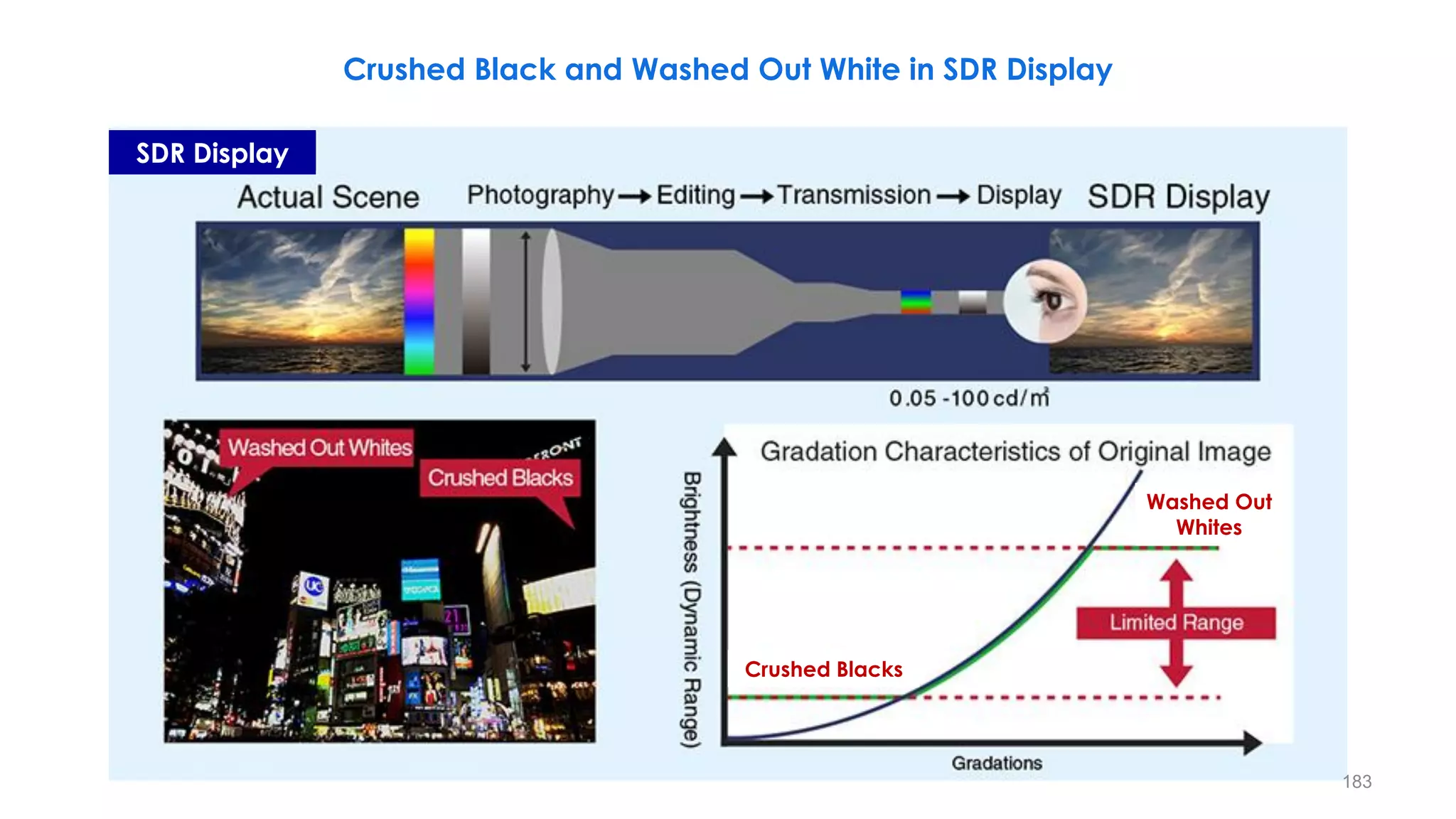
The Problem with SDR
103
The Problem with SDR
104
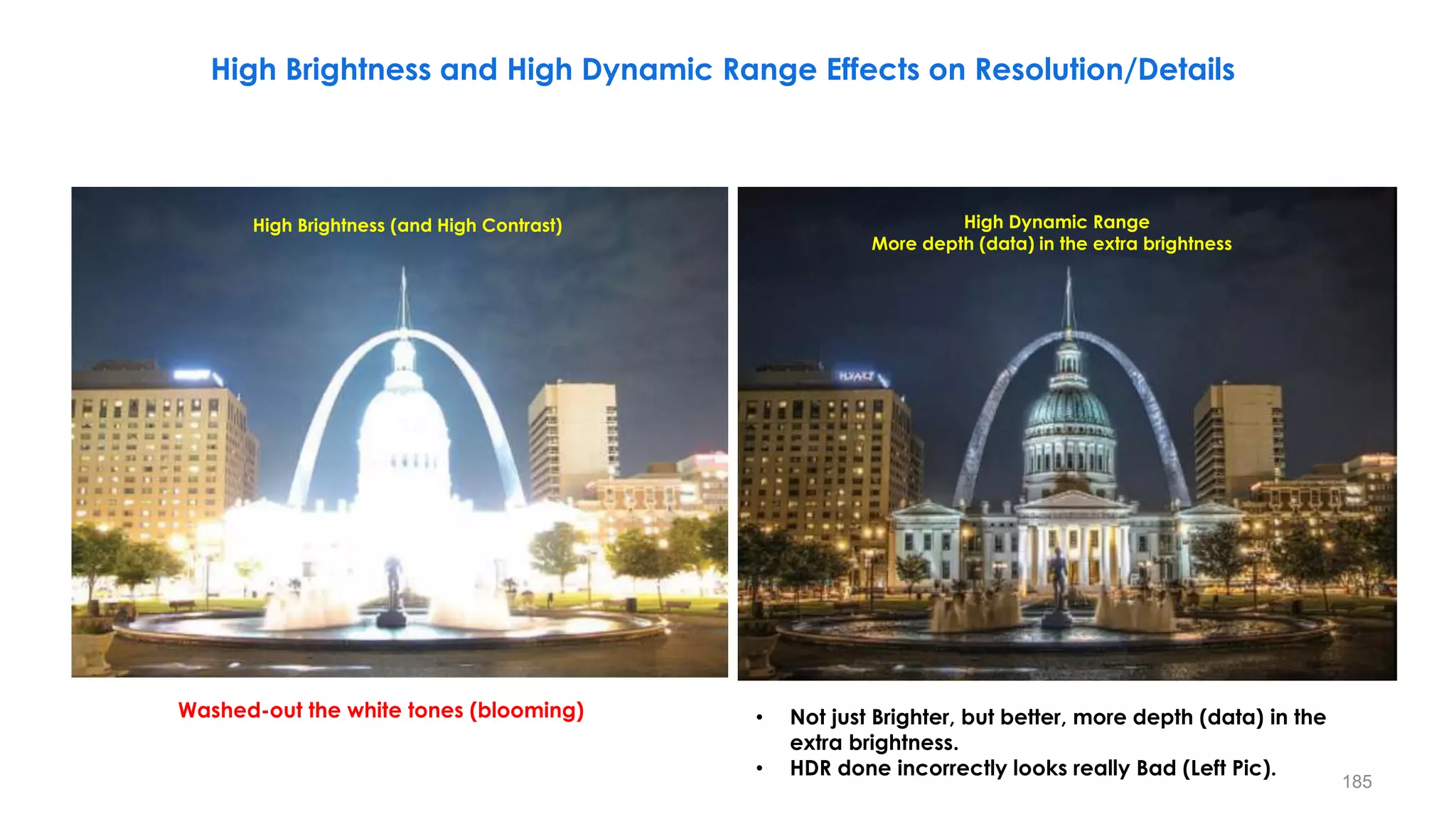
HDR Images
Remember, you are looking
at this on an SDR monitor
105
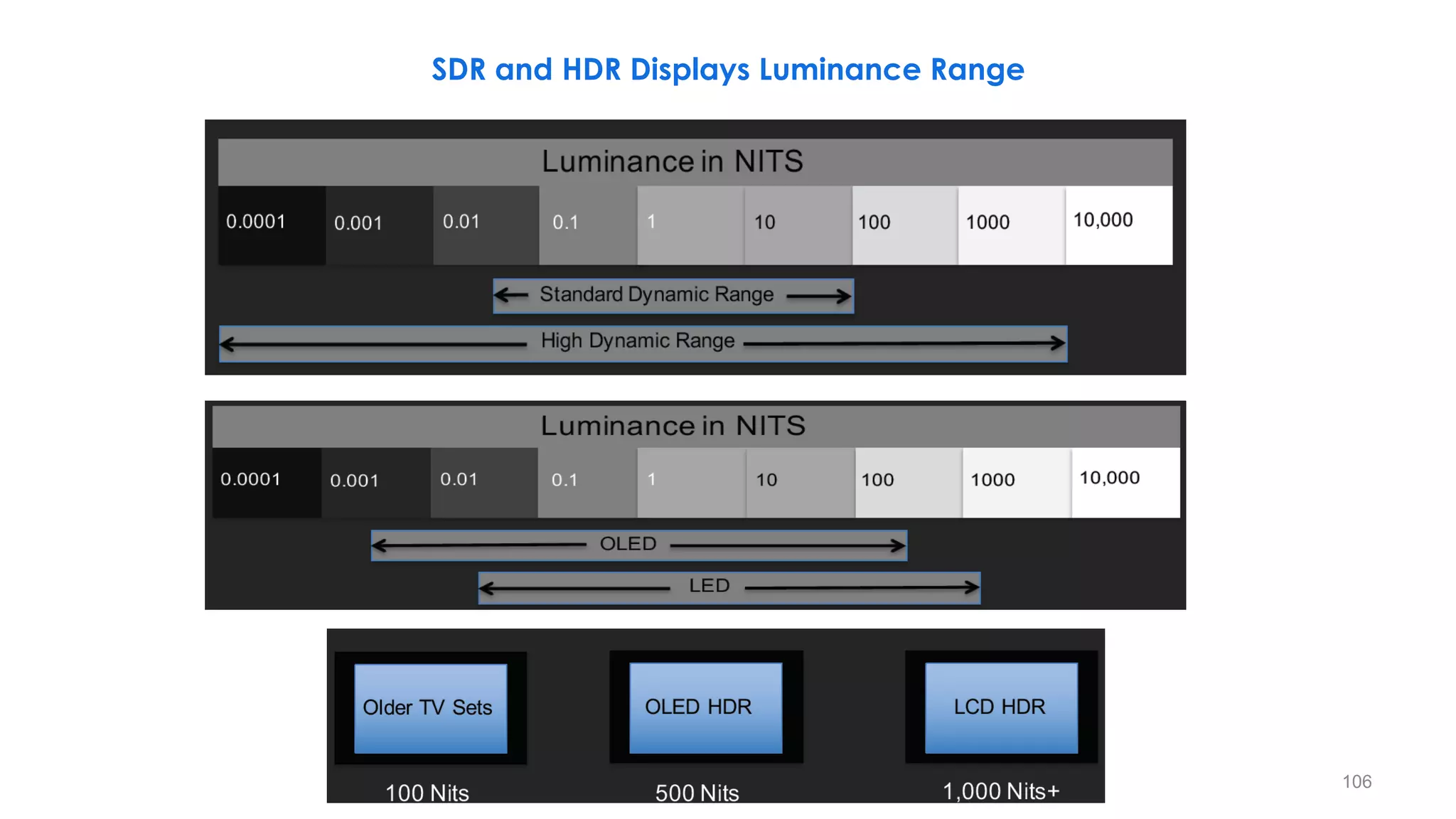
SDR and HDR Displays Luminance Range
106
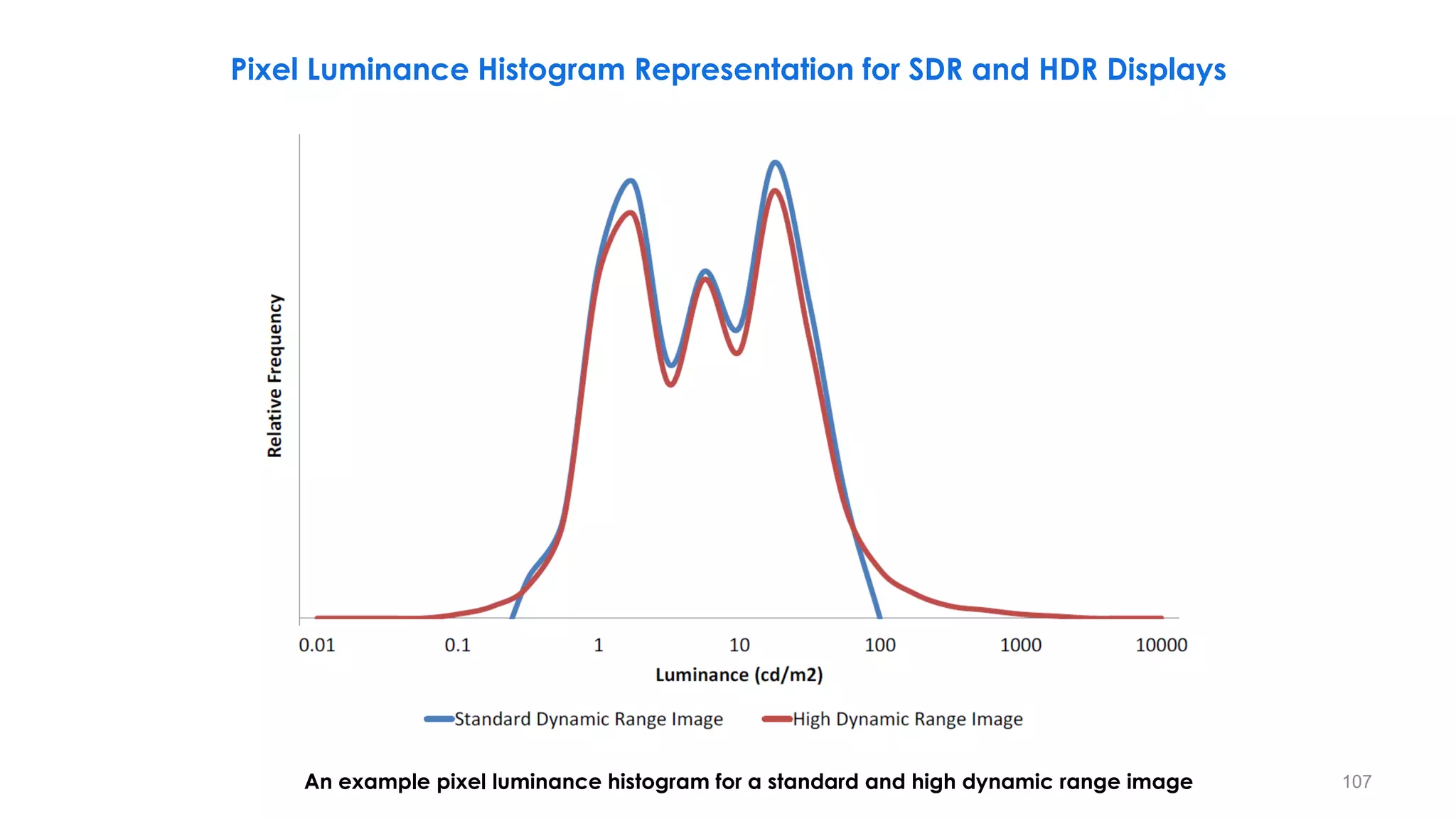
Pixel Luminance Histogram Representation for SDR and HDR Displays
An example pixel luminance histogram for a standard and high dynamic range image 107
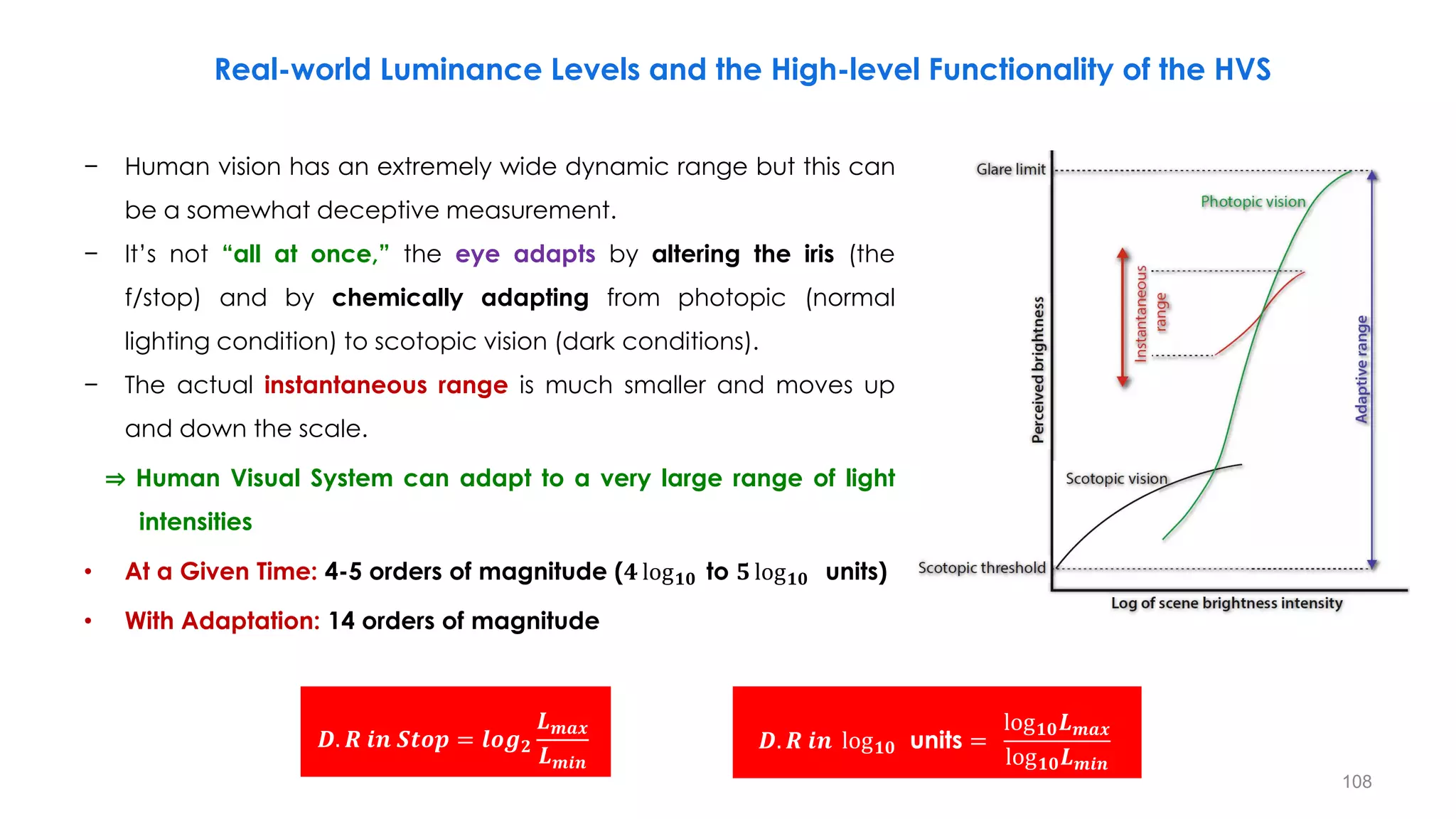
− Human vision has an extremely wide dynamic range but this can
be a somewhat deceptive measurement.
− It’s not “all at once,” the eye adapts by altering the iris (the
f/stop) and by chemically adapting from photopic (normal
lighting condition) to scotopic vision (dark conditions).
− The actual instantaneous range is much smaller and moves up
and down the scale.
⇒ Human Visual System can adapt to a very large range of light
…… intensities
• At a Given Time: 4-5 orders of magnitude (𝟒 log𝟏𝟎 to 𝟓 log𝟏𝟎 units)
• With Adaptation: 14 orders of magnitude
Real-world Luminance Levels and the High-level Functionality of the HVS
𝑫. 𝑹 𝒊𝒏 𝑺𝒕𝒐𝒑 = 𝒍𝒐𝒈𝟐
𝑳𝒎𝒂𝒙
𝑳𝒎𝒊𝒏
𝑫. 𝑹 𝒊𝒏 log𝟏𝟎 units =
log𝟏𝟎𝑳𝒎𝒂𝒙
log𝟏𝟎𝑳𝒎𝒊𝒏
108
Reference: High Dynamic Range Video From Acquisition to Display and Applications
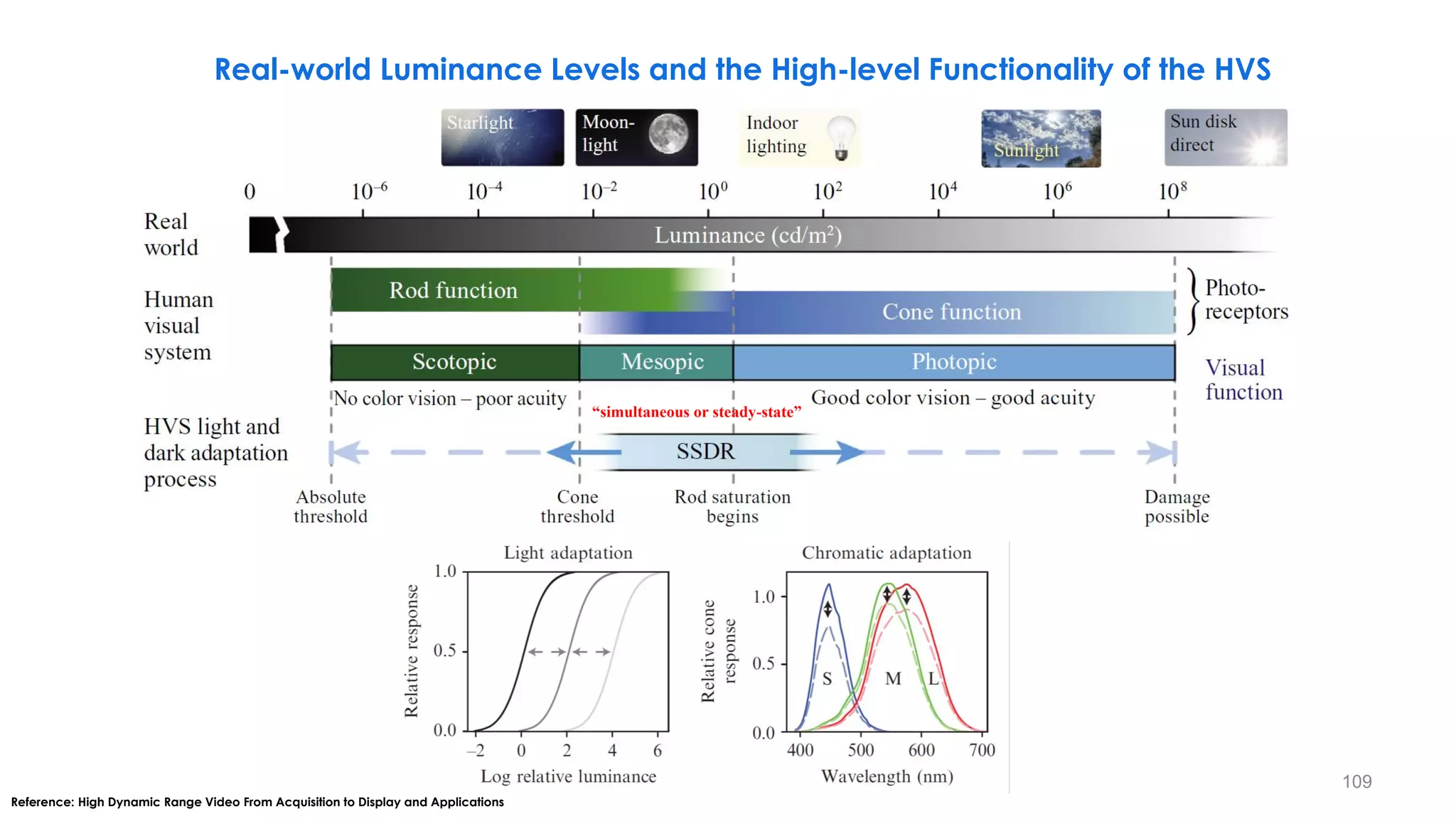
Real-world Luminance Levels and the High-level Functionality of the HVS
“simultaneous or steady-state”
109
− Three sensitivity-regulating mechanisms are thought to be present in cones that facilitate this process,
namely
• Response Compression
• Cellular Adaptation
• Pigment Bleaching
− The response compression mechanism accounts for nonlinear range compression, therefore leading to
the instantaneous nonlinearity, which is called the “Simultaneous Dynamic Range” or “Steady-state
Dynamic Range” (SSDR).
− The cellular adaptation and pigment bleaching mechanisms are considered true adaptation
mechanisms.
• These true adaptation mechanisms can be classified into light adaptation and chromatic adaptation,
which enable the HVS to adjust to a wide range of illumination conditions.
Real-world Luminance Levels and the High-level Functionality of the HVS
110
Real-world Luminance Levels and the High-level Functionality of the HVS
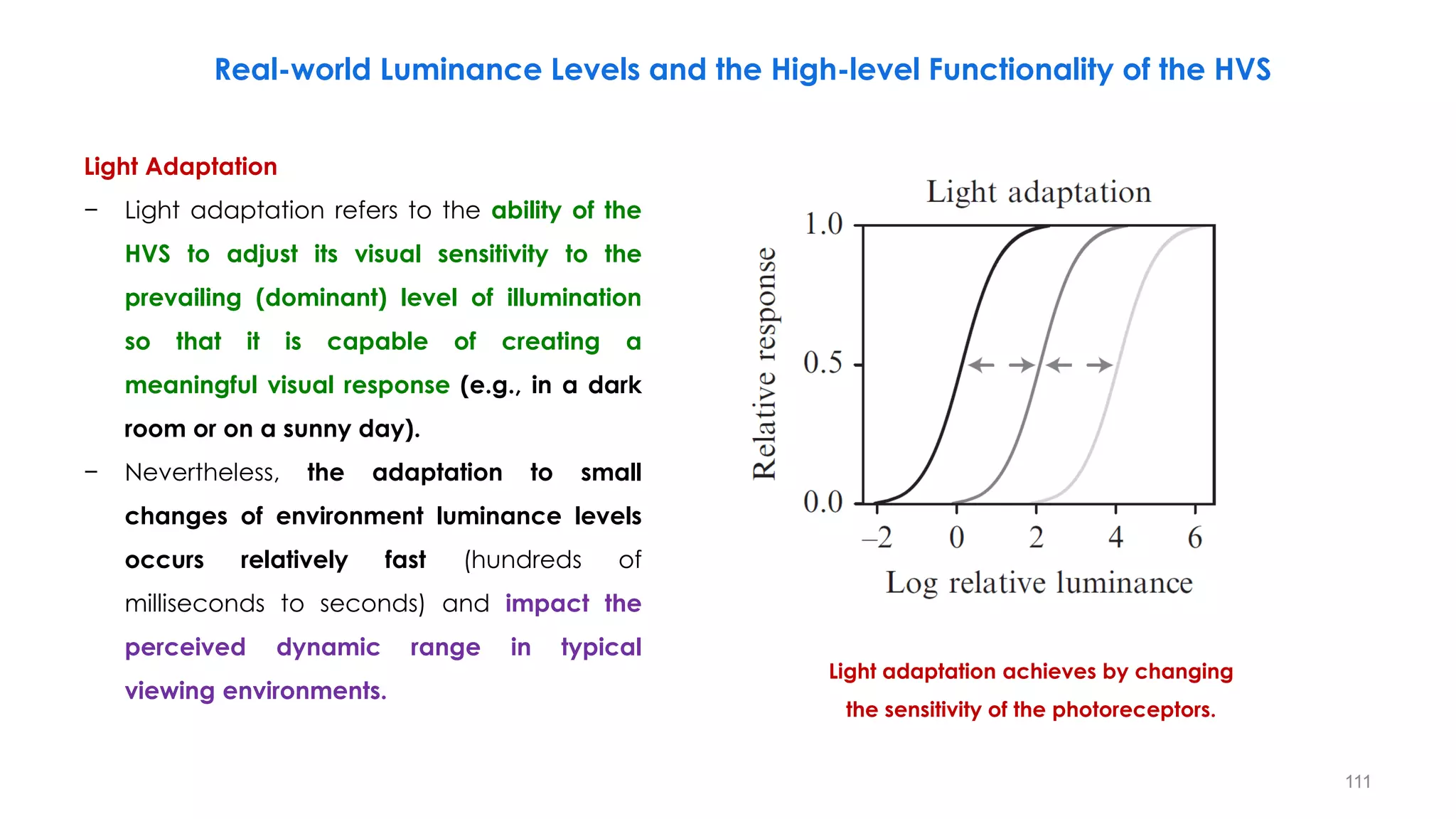
Light Adaptation
− Light adaptation refers to the ability of the
HVS to adjust its visual sensitivity to the
prevailing (dominant) level of illumination
so that it is capable of creating a
meaningful visual response (e.g., in a dark
room or on a sunny day).
− Nevertheless, the adaptation to small
changes of environment luminance levels
occurs relatively fast (hundreds of
milliseconds to seconds) and impact the
perceived dynamic range in typical
viewing environments.
Light adaptation achieves by changing
the sensitivity of the photoreceptors.
111
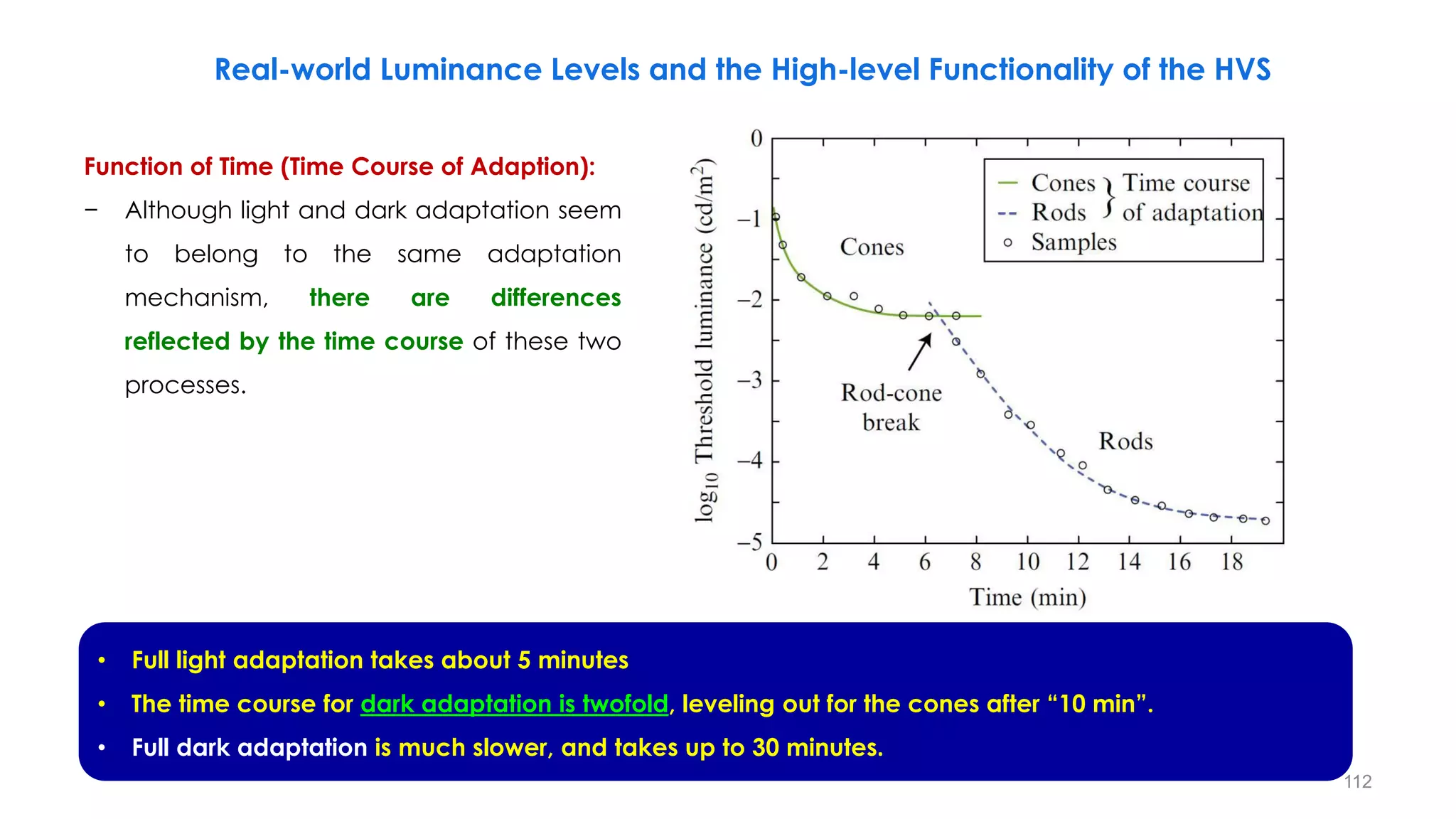
Function of Time (Time Course of Adaption):
− Although light and dark adaptation seem
to belong to the same adaptation
mechanism, there are differences
reflected by the time course of these two
processes.
Real-world Luminance Levels and the High-level Functionality of the HVS
• Full light adaptation takes about 5 minutes
• The time course for dark adaptation is twofold, leveling out for the cones after “10 min”.
• Full dark adaptation is much slower, and takes up to 30 minutes.
112
Real-world Luminance Levels and the High-level Functionality of the HVS
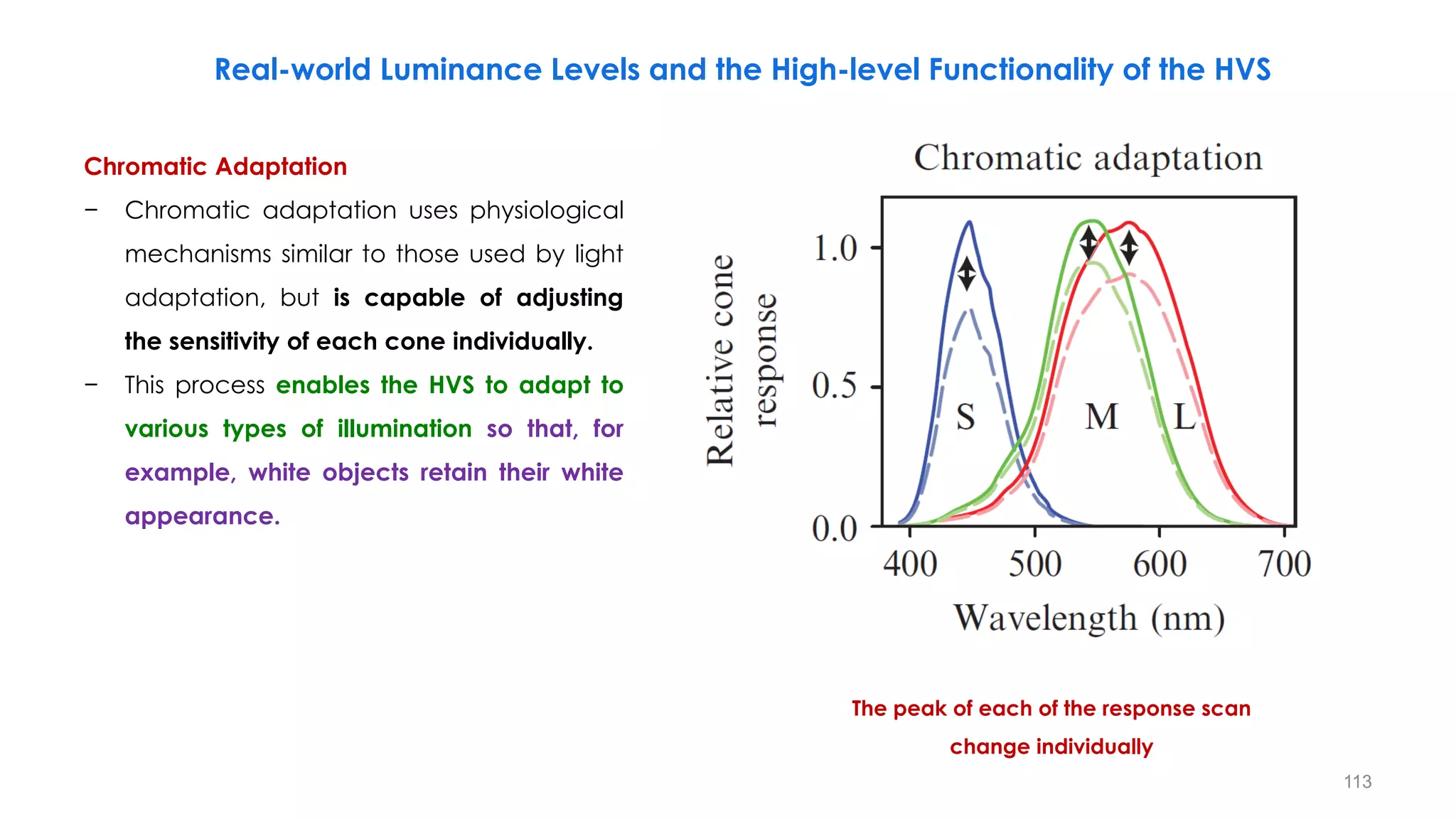
Chromatic Adaptation
− Chromatic adaptation uses physiological
mechanisms similar to those used by light
adaptation, but is capable of adjusting
the sensitivity of each cone individually.
− This process enables the HVS to adapt to
various types of illumination so that, for
example, white objects retain their white
appearance.
The peak of each of the response scan
change individually
113
Real-world Luminance Levels and the High-level Functionality of the HVS
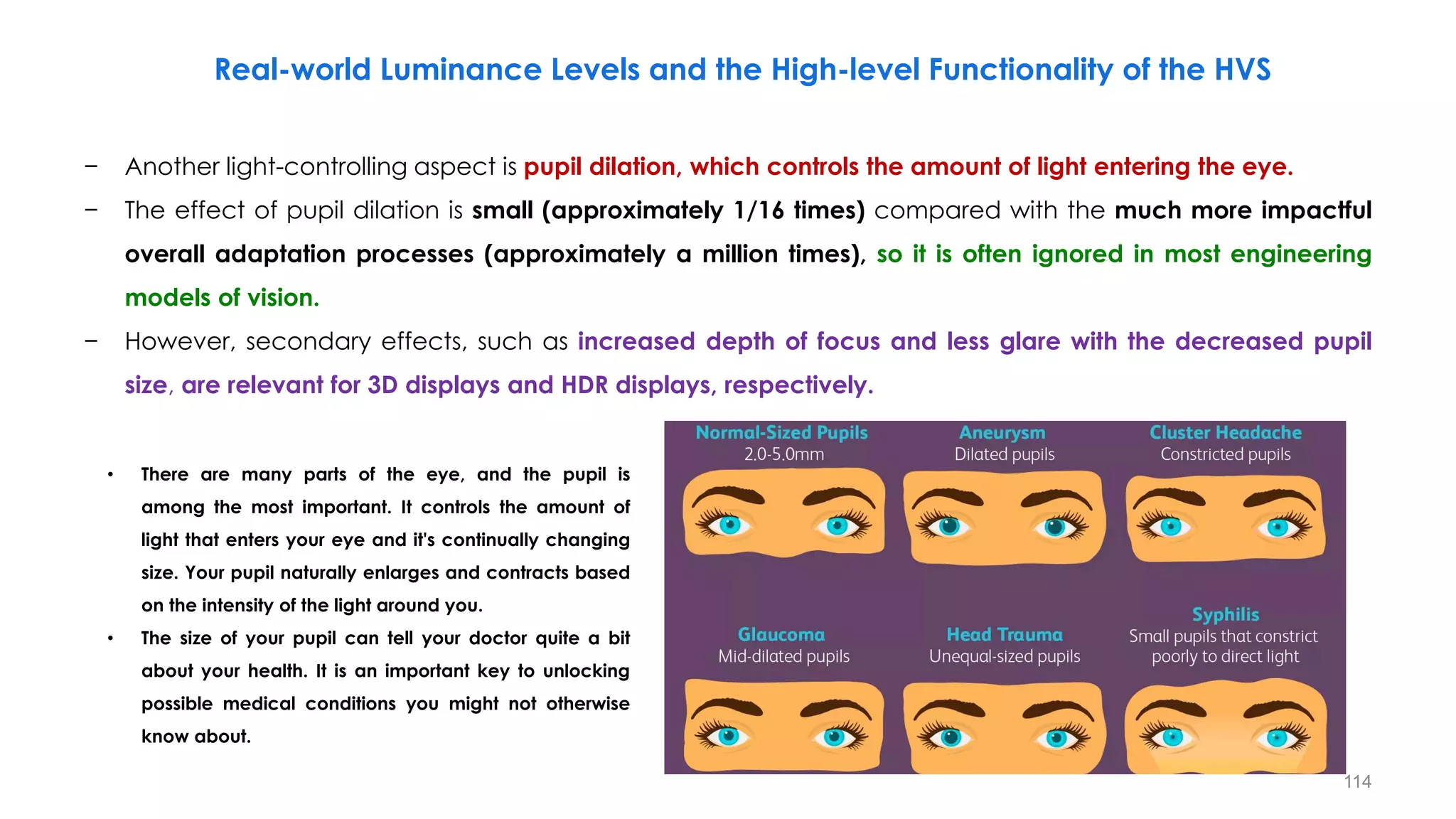
− Another light-controlling aspect is pupil dilation, which controls the amount of light entering the eye.
− The effect of pupil dilation is small (approximately 1/16 times) compared with the much more impactful
overall adaptation processes (approximately a million times), so it is often ignored in most engineering
models of vision.
− However, secondary effects, such as increased depth of focus and less glare with the decreased pupil
size, are relevant for 3D displays and HDR displays, respectively.
• There are many parts of the eye, and the pupil is
among the most important. It controls the amount of
light that enters your eye and it's continually changing
size. Your pupil naturally enlarges and contracts based
on the intensity of the light around you.
• The size of your pupil can tell your doctor quite a bit
about your health. It is an important key to unlocking
possible medical conditions you might not otherwise
know about.
114
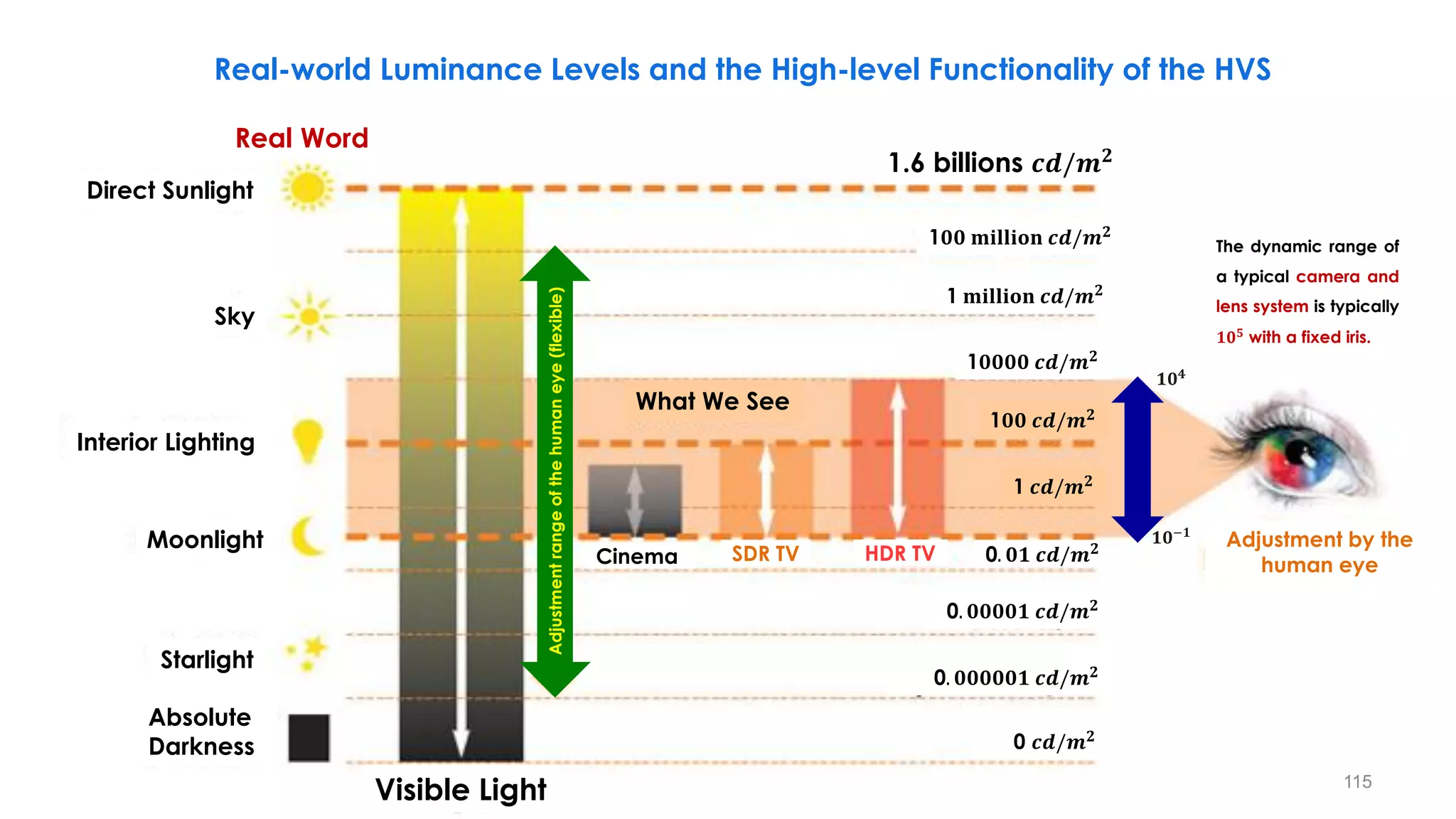
𝟏𝟎𝟒
Real Word
1.6 billions 𝒄𝒅/𝒎𝟐
1𝟎𝟎 𝐦𝐢𝐥𝐥𝐢𝐨𝐧 𝒄𝒅/𝒎𝟐
1 𝐦𝐢𝐥𝐥𝐢𝐨𝐧 𝒄𝒅/𝒎𝟐
1𝟎𝟎𝟎𝟎 𝒄𝒅/𝒎𝟐
1𝟎𝟎 𝒄𝒅/𝒎𝟐
1 𝒄𝒅/𝒎𝟐
0. 𝟎𝟏 𝒄𝒅/𝒎𝟐
0. 𝟎𝟎𝟎𝟎𝟏 𝒄𝒅/𝒎𝟐
0. 𝟎𝟎𝟎𝟎𝟎𝟏 𝒄𝒅/𝒎𝟐
0 𝒄𝒅/𝒎𝟐
Direct Sunlight
Sky
Interior Lighting
Moonlight
Starlight
Absolute
Darkness
Cinema SDR TV HDR TV
Adjustment by the
human eye
Adjustment
range
of
the
human
eye
(flexible)
What We See
Visible Light
𝟏𝟎−𝟏
The dynamic range of
a typical camera and
lens system is typically
𝟏𝟎𝟓
with a fixed iris.
Real-world Luminance Levels and the High-level Functionality of the HVS
115
Luminance
Levels
[cd/m²]
108
106
104
102
100
10-2
10-6
Sun Direct 109
Sun light
Indoor light
Moon light
10-4
Star light
Day
Vision
Night
Vision
Typical
Human
Vision
Range
w/o
Adjustment
~
10
5
Dynamic Range of the "Eyes” and HVS Light Levels
𝟎. 𝟏 𝒏𝒊𝒕
𝟏𝟎, 𝟎𝟎𝟎 𝒏𝒊𝒕
Real Word Human Vision
When the pupil opens and closes, the
human eye can perceive a full range
of luminance levels in the natural world.
116
Dynamic Range of the “Cameras”
Luminance
Levels
[cd/m²]
Image covering 105 range
||
Image maximizing the
visibility
||
Enablethe real expression!
108
106
104
102
100
10-2
10-4
10-6
Sun Direct 109
Sun light
Indoor light
Moon light
Star light
~
10
5
𝟎. 𝟏 𝒏𝒊𝒕
𝟏𝟎, 𝟎𝟎𝟎 𝒏𝒊𝒕
Typical
Human
Vision
Range
w/o
Adjustment
Real Word Human Vision
Camera Iris
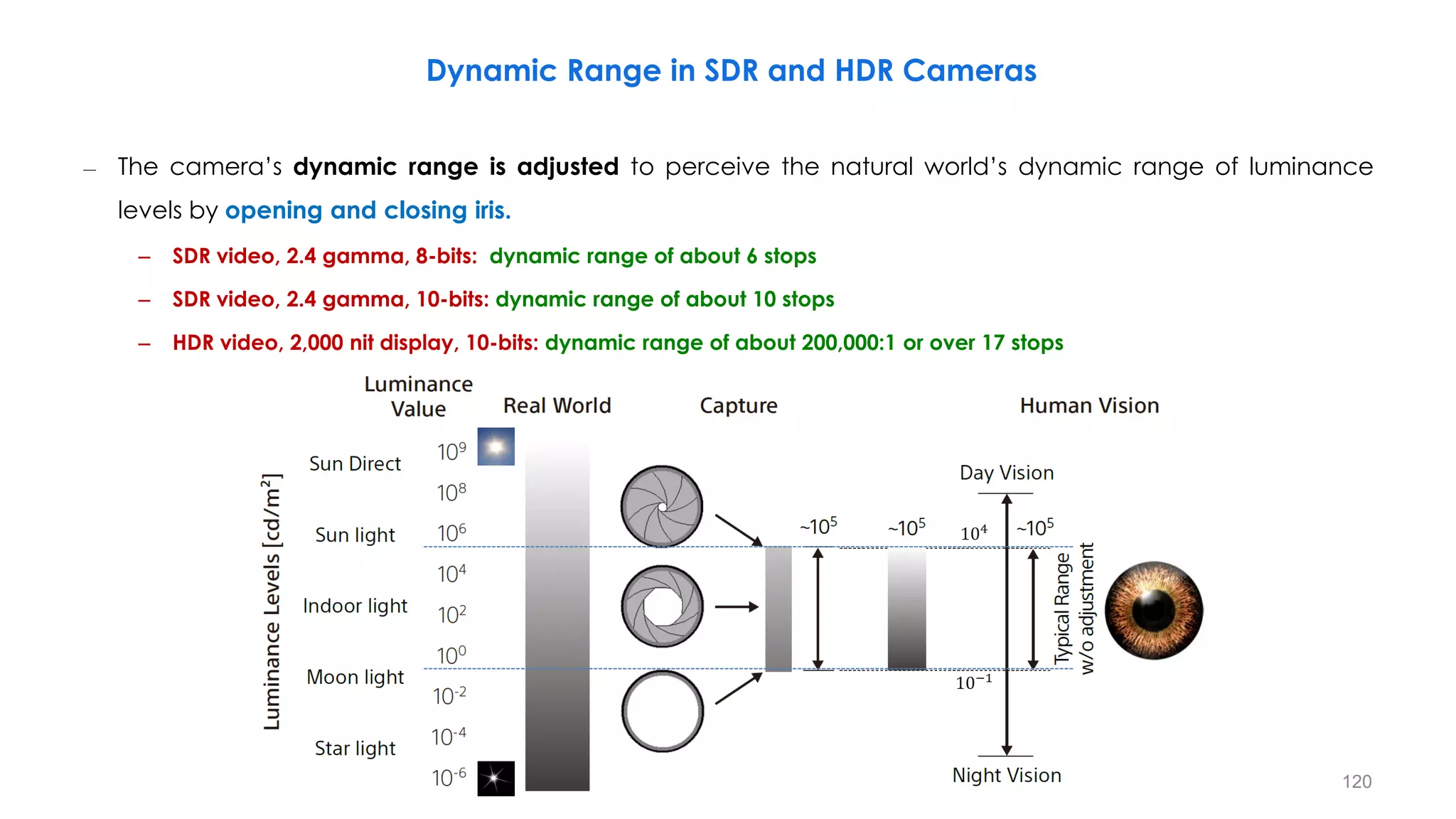
The camera’s dynamic range is
adjusted to perceive the natural
world’s dynamic range of luminance
levels by opening and closing iris.
117
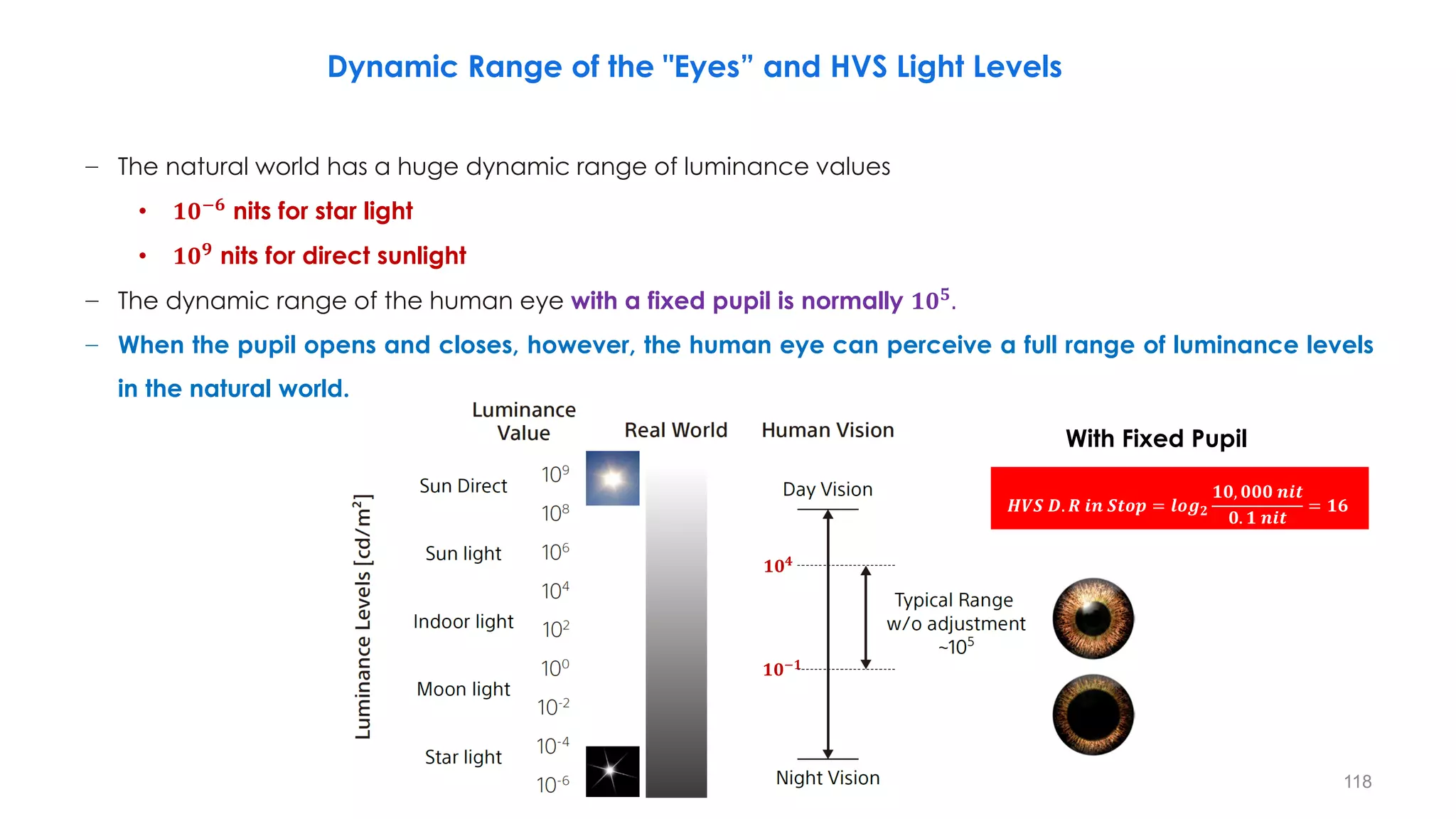
− The natural world has a huge dynamic range of luminance values
• 𝟏𝟎−𝟔
nits for star light
• 𝟏𝟎𝟗
nits for direct sunlight
− The dynamic range of the human eye with a fixed pupil is normally 𝟏𝟎𝟓
.
− When the pupil opens and closes, however, the human eye can perceive a full range of luminance levels
in the natural world.
𝟏𝟎𝟒
𝟏𝟎−𝟏
𝑯𝑽𝑺 𝑫. 𝑹 𝒊𝒏 𝑺𝒕𝒐𝒑 = 𝒍𝒐𝒈𝟐
𝟏𝟎, 𝟎𝟎𝟎 𝒏𝒊𝒕
𝟎. 𝟏 𝒏𝒊𝒕
= 𝟏𝟔
With Fixed Pupil
Dynamic Range of the "Eyes” and HVS Light Levels
118
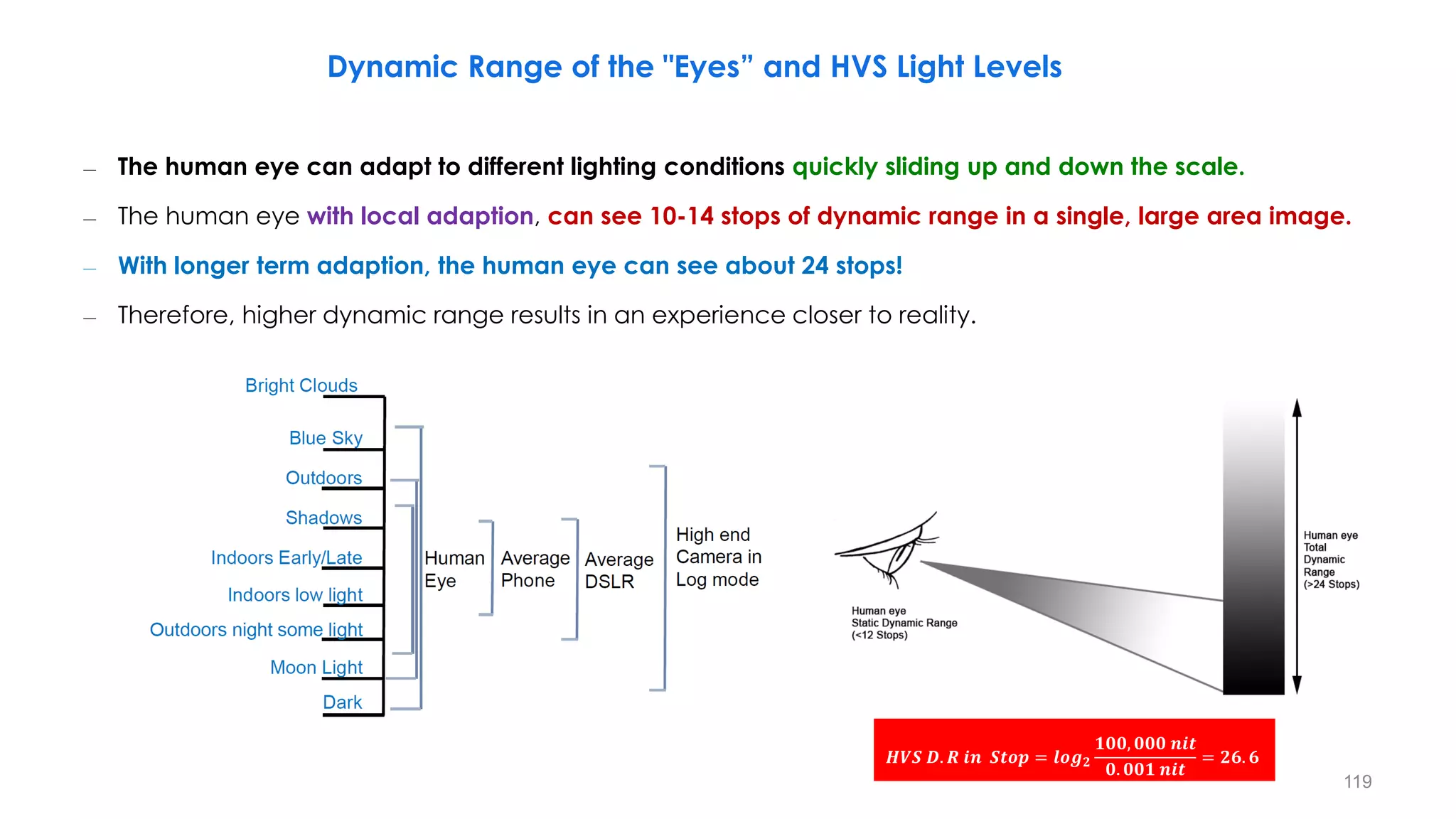
– The human eye can adapt to different lighting conditions quickly sliding up and down the scale.
– The human eye with local adaption, can see 10-14 stops of dynamic range in a single, large area image.
– With longer term adaption, the human eye can see about 24 stops!
– Therefore, higher dynamic range results in an experience closer to reality.
𝑯𝑽𝑺 𝑫. 𝑹 𝒊𝒏 𝑺𝒕𝒐𝒑 = 𝒍𝒐𝒈𝟐
𝟏𝟎𝟎, 𝟎𝟎𝟎 𝒏𝒊𝒕
𝟎. 𝟎𝟎𝟏 𝒏𝒊𝒕
= 𝟐𝟔. 𝟔
Dynamic Range of the "Eyes” and HVS Light Levels
119
Dynamic Range in SDR and HDR Cameras
– The camera’s dynamic range is adjusted to perceive the natural world’s dynamic range of luminance
levels by opening and closing iris.
– SDR video, 2.4 gamma, 8-bits: dynamic range of about 6 stops
– SDR video, 2.4 gamma, 10-bits: dynamic range of about 10 stops
– HDR video, 2,000 nit display, 10-bits: dynamic range of about 200,000:1 or over 17 stops
104
10−1
120
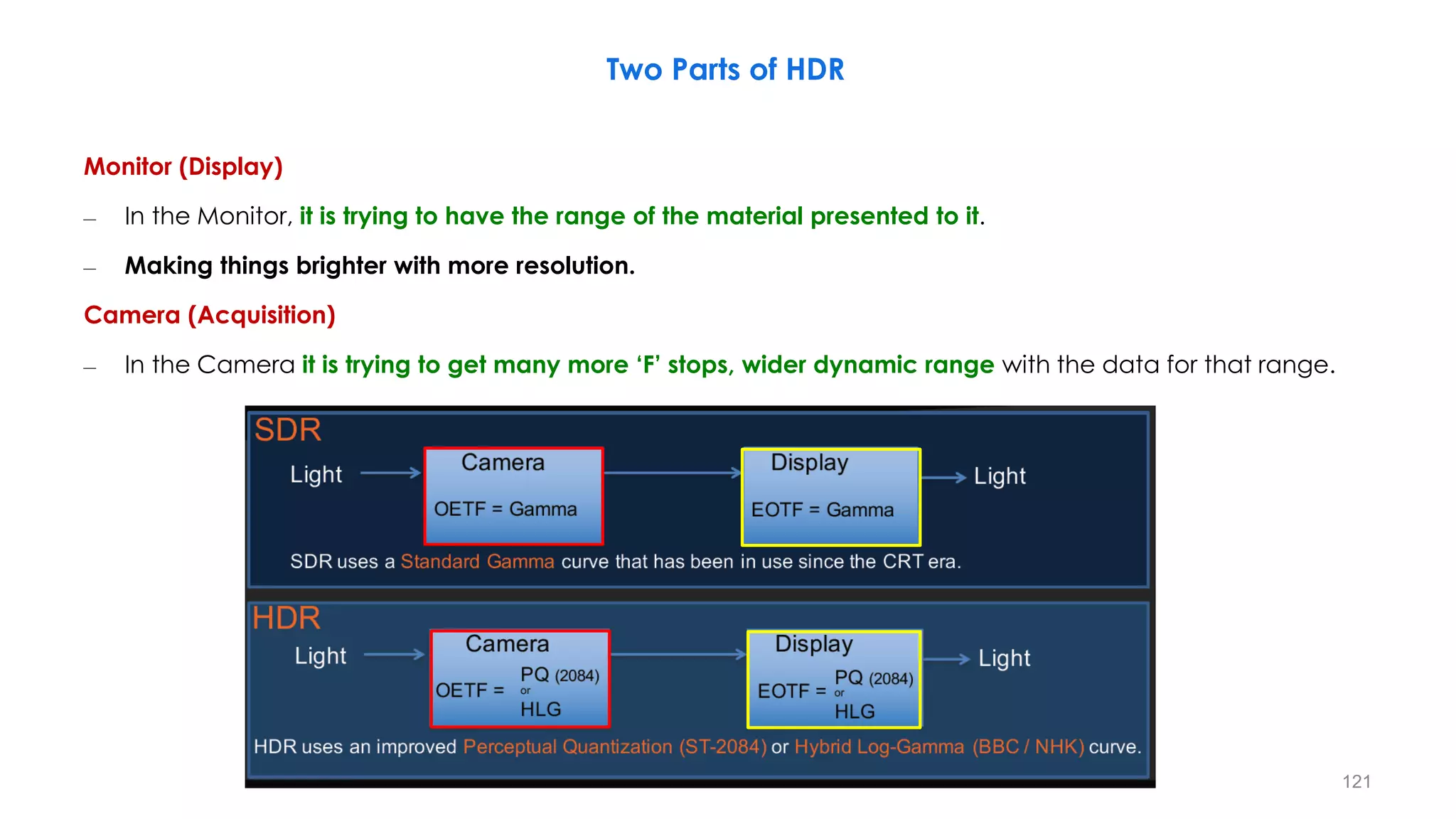
Two Parts of HDR
Monitor (Display)
– In the Monitor, it is trying to have the range of the material presented to it.
– Making things brighter with more resolution.
Camera (Acquisition)
– In the Camera it is trying to get many more ‘F’ stops, wider dynamic range with the data for that range.
121
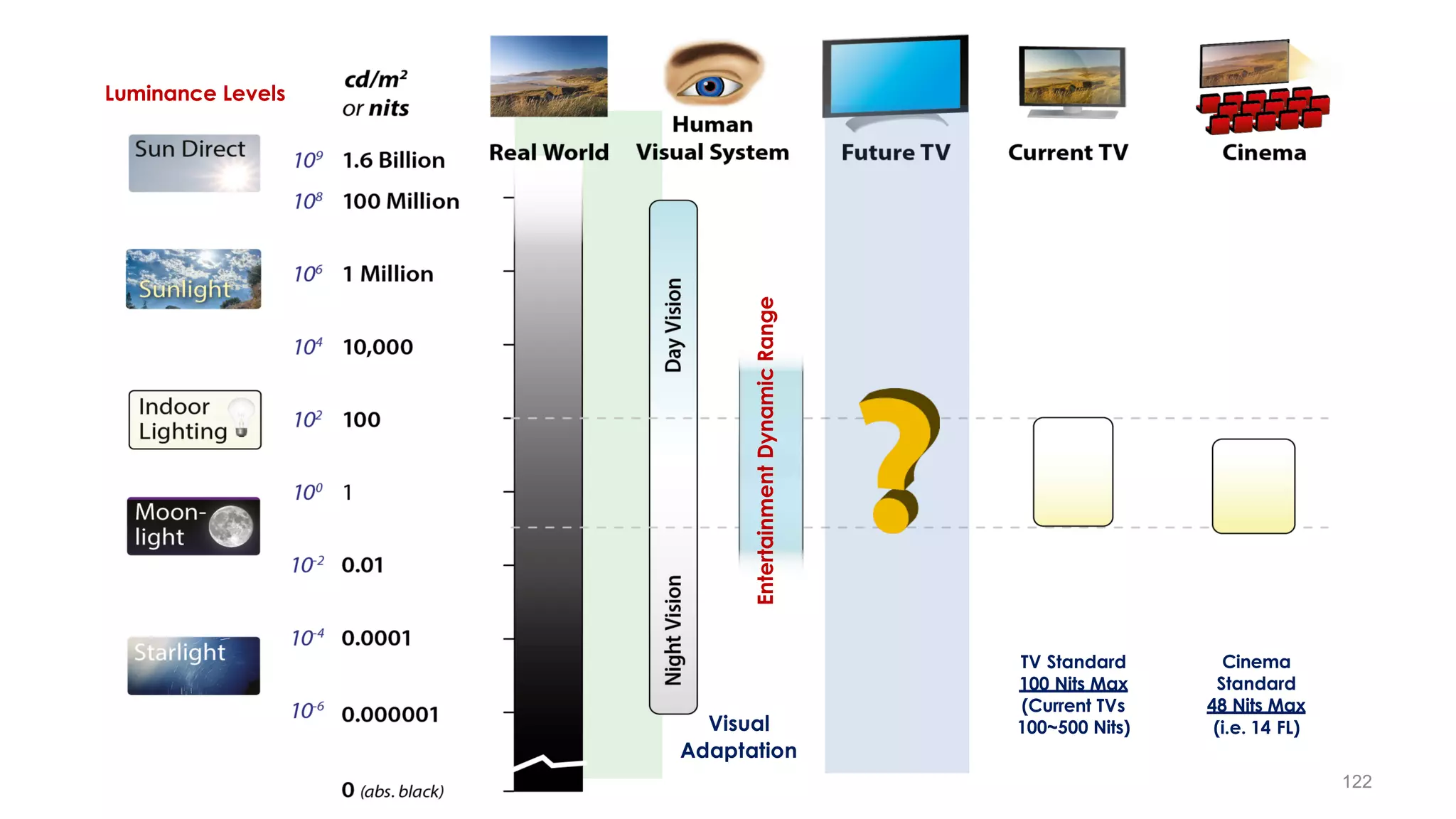
Luminance Levels
Visual
Adaptation
TV Standard
100 Nits Max
(Current TVs
100~500 Nits)
Cinema
Standard
48 Nits Max
(i.e. 14 FL)
Entertainment
Dynamic
Range
122
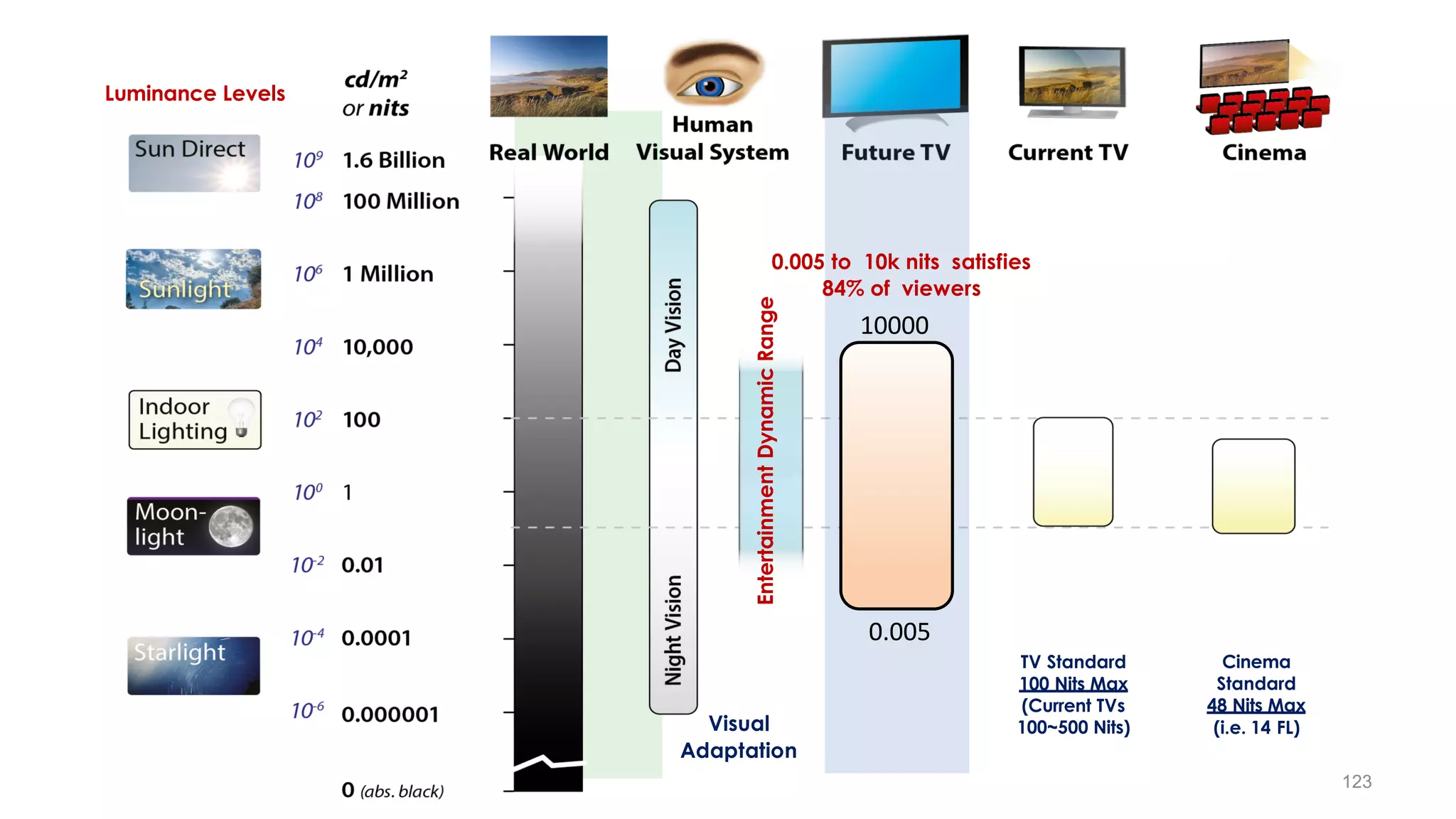
Visual
Adaptation
TV Standard
100 Nits Max
(Current TVs
100~500 Nits)
Cinema
Standard
48 Nits Max
(i.e. 14 FL)
0.005 to 10k nits satisfies
84% of viewers
Luminance Levels
0.005
10000
Entertainment
Dynamic
Range
123
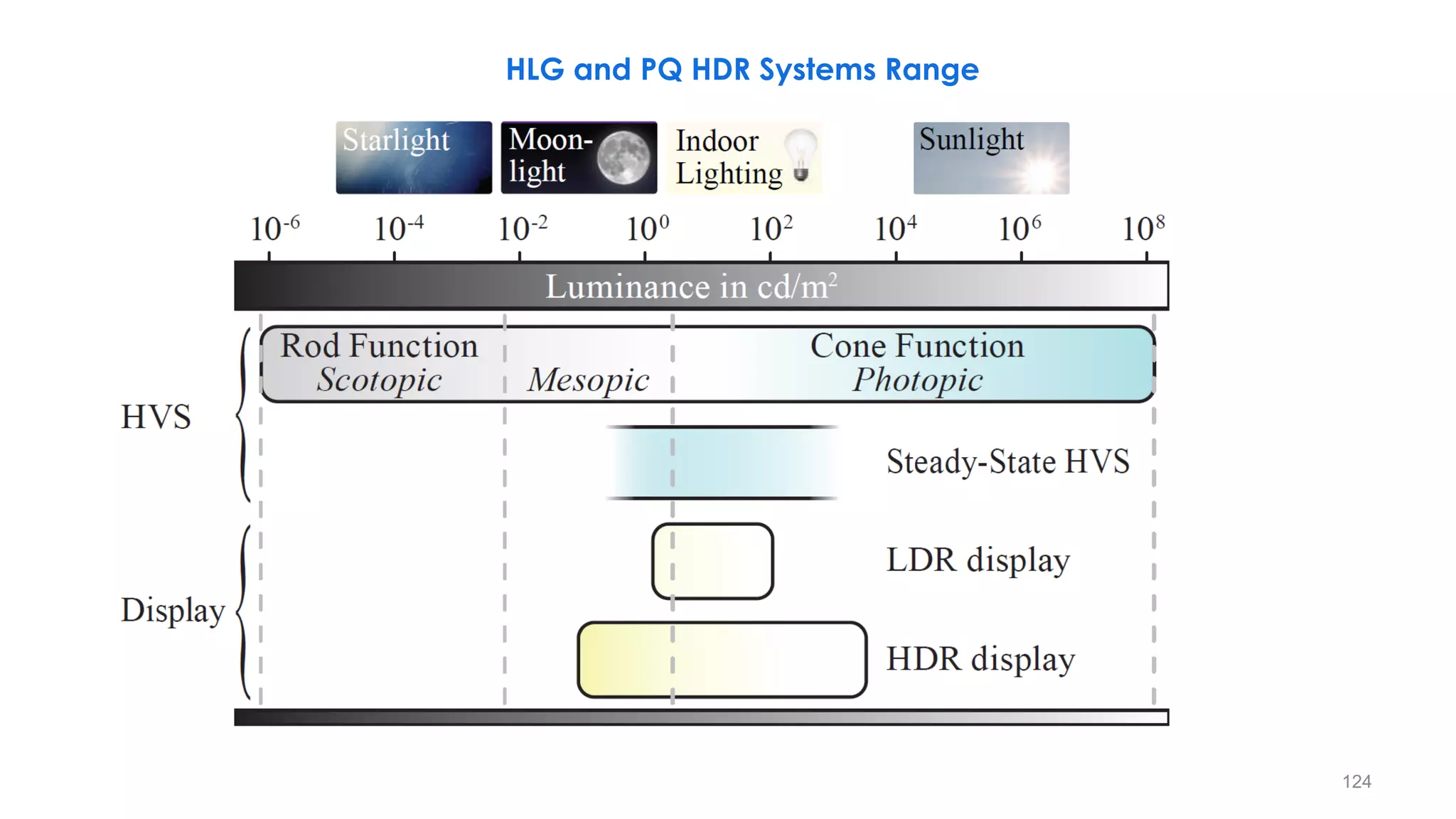
HLG and PQ HDR Systems Range
124
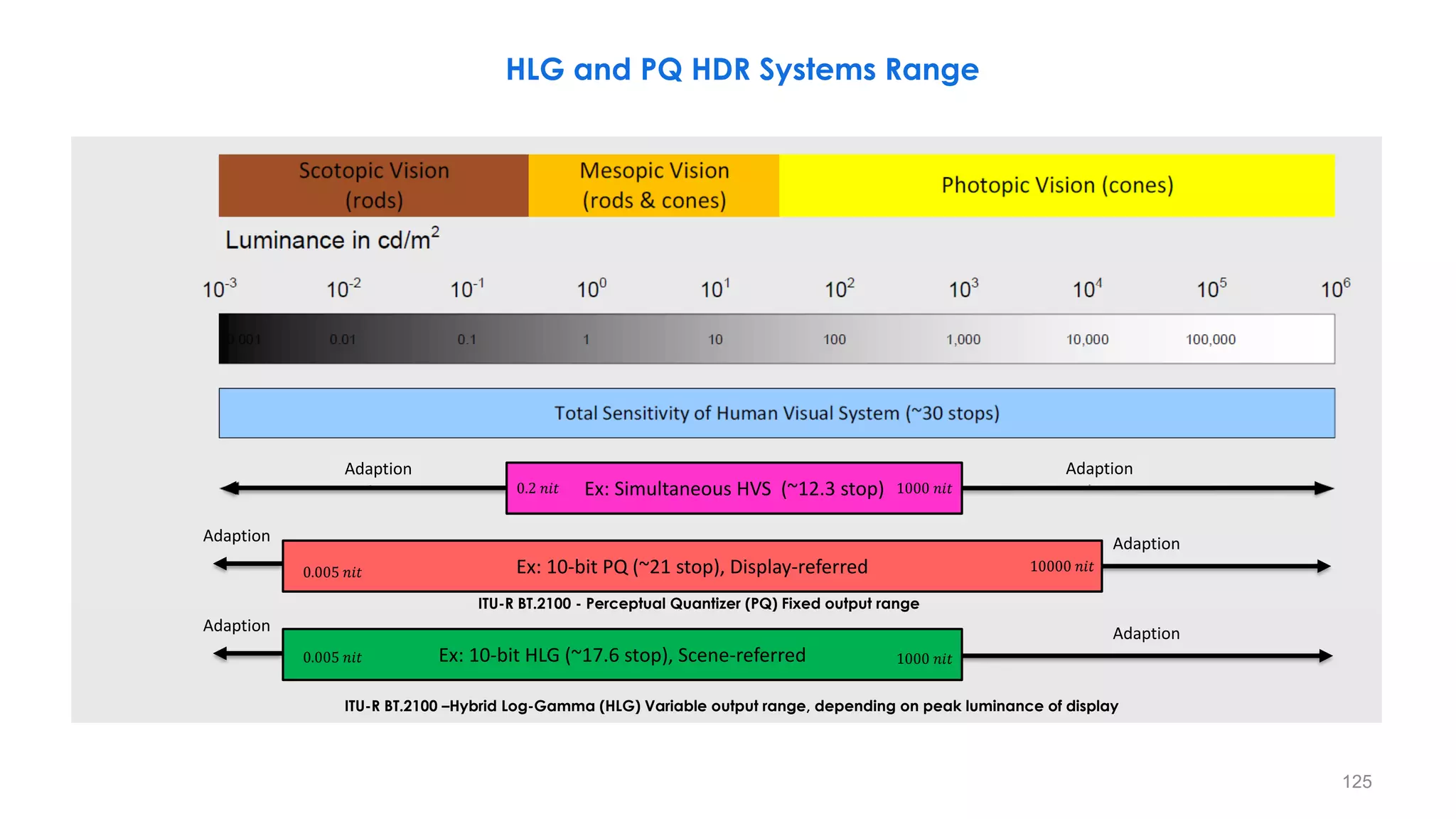
HLG and PQ HDR Systems Range
Ex: 10-bit HLG (~17.6 stop), Scene-referred
Adaption Adaption
ITU-R BT.2100 - Perceptual Quantizer (PQ) Fixed output range
ITU-R BT.2100 –Hybrid Log-Gamma (HLG) Variable output range, depending on peak luminance of display
0.005 𝑛𝑖𝑡 1000 𝑛𝑖𝑡
Ex: Simultaneous HVS (~12.3 stop) 1000 𝑛𝑖𝑡
0.2 𝑛𝑖𝑡
Ex: 10-bit PQ (~21 stop), Display-referred
0.005 𝑛𝑖𝑡 10000 𝑛𝑖𝑡
Adaption Adaption
Adaption Adaption
125
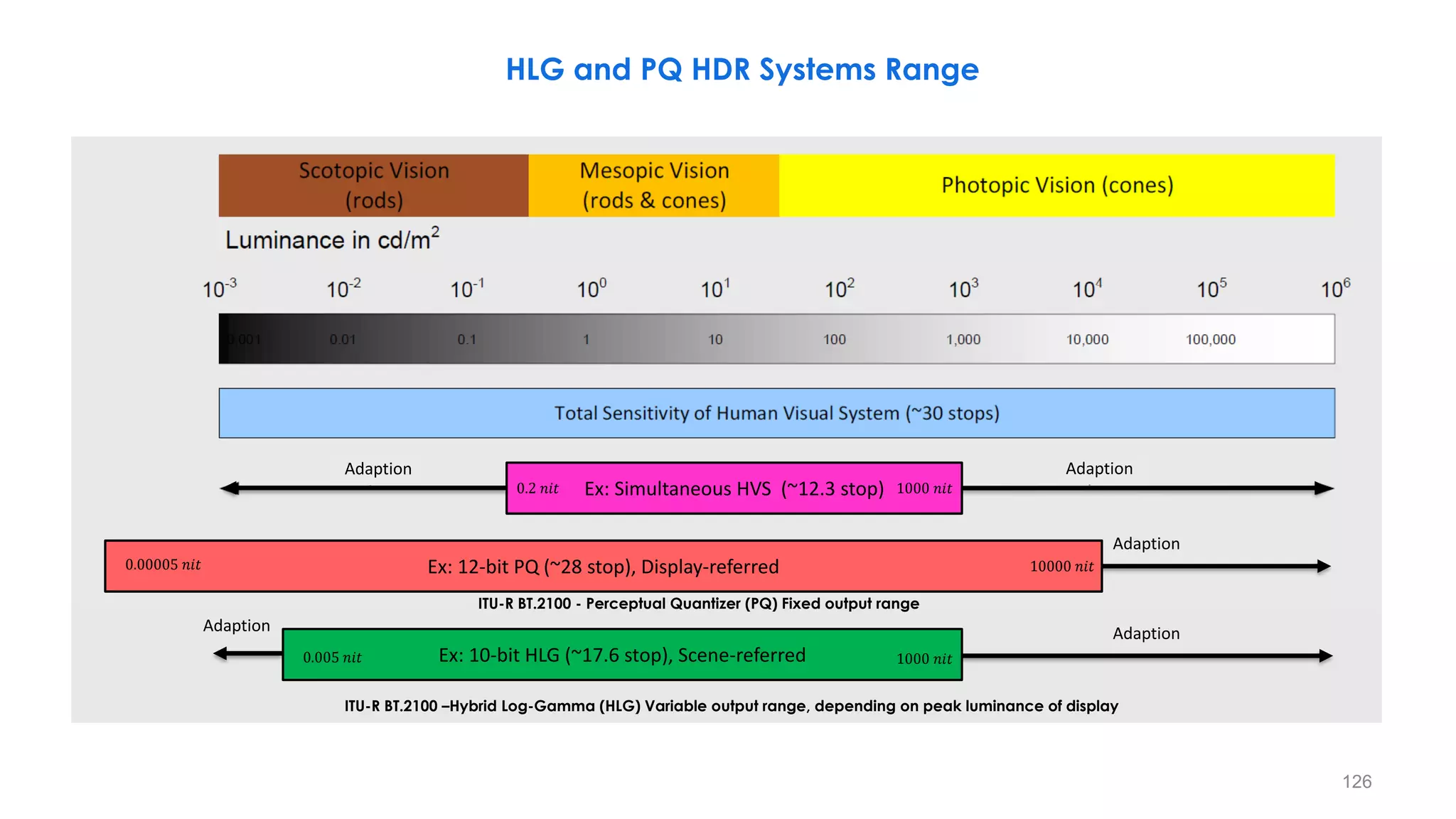
HLG and PQ HDR Systems Range
Ex: 10-bit HLG (~17.6 stop), Scene-referred
Adaption Adaption
ITU-R BT.2100 - Perceptual Quantizer (PQ) Fixed output range
ITU-R BT.2100 –Hybrid Log-Gamma (HLG) Variable output range, depending on peak luminance of display
0.005 𝑛𝑖𝑡 1000 𝑛𝑖𝑡
Ex: Simultaneous HVS (~12.3 stop) 1000 𝑛𝑖𝑡
0.2 𝑛𝑖𝑡
Ex: 12-bit PQ (~28 stop), Display-referred
0.00005 𝑛𝑖𝑡 10000 𝑛𝑖𝑡
Adaption
Adaption Adaption
126
127
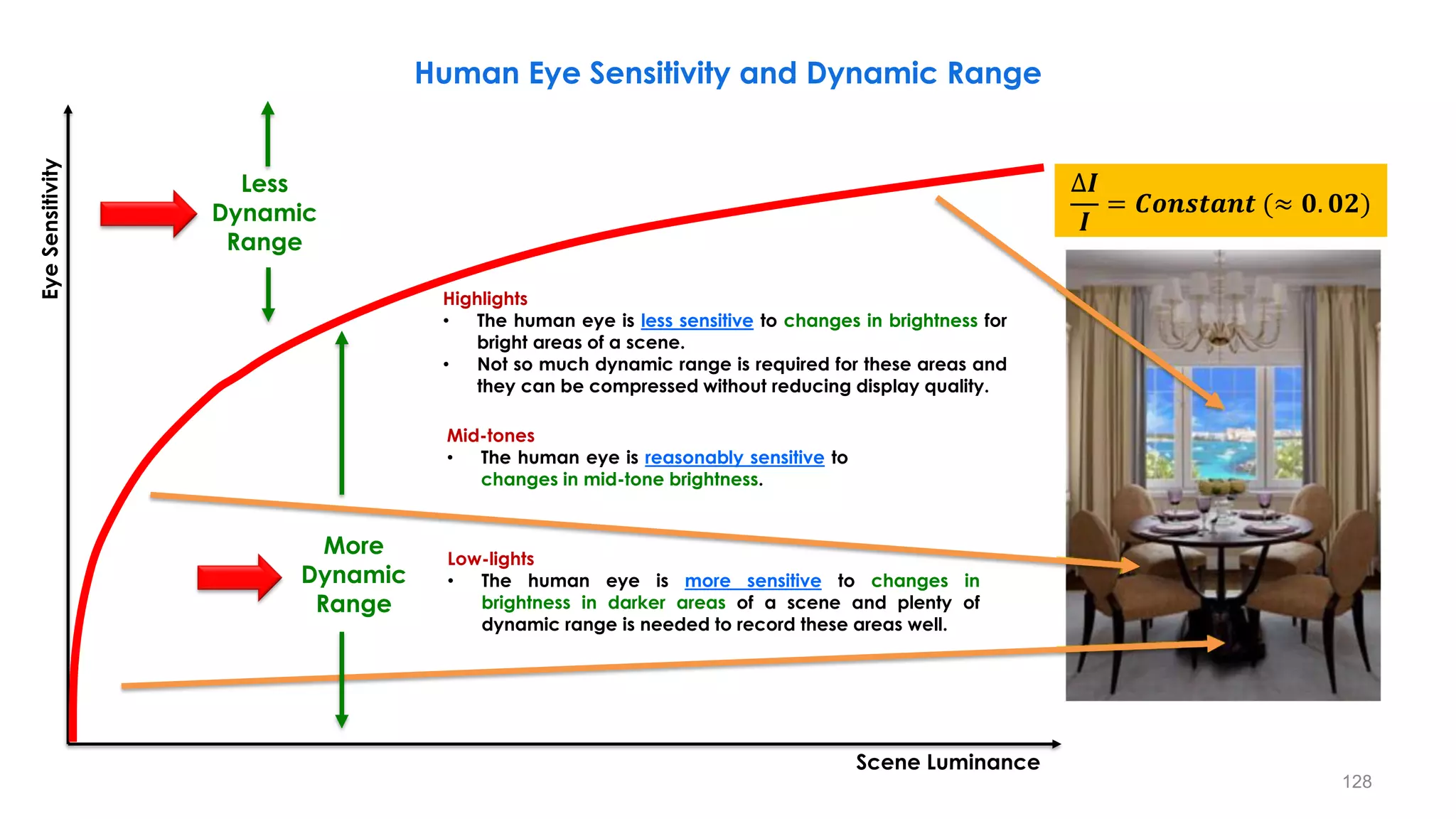
Human Eye Sensitivity and Dynamic Range
Highlights
• The human eye is less sensitive to changes in brightness for
bright areas of a scene.
• Not so much dynamic range is required for these areas and
they can be compressed without reducing display quality.
Mid-tones
• The human eye is reasonably sensitive to
changes in mid-tone brightness.
Low-lights
• The human eye is more sensitive to changes in
brightness in darker areas of a scene and plenty of
dynamic range is needed to record these areas well.
Eye
Sensitivity
Scene Luminance
Less
Dynamic
Range
More
Dynamic
Range
∆𝑰
𝑰
= 𝑪𝒐𝒏𝒔𝒕𝒂𝒏𝒕 (≈ 𝟎. 𝟎𝟐)
128
• BT1886 gamma creates very non-uniform light steps but appear
almost uniform for our eye ⇒ What we see looks almost uniform
• Uniform step light perception after observing BT1886/sRGB display
gamma output by human eye
What we see looks almost uniform
Perceptually Light Codding in Camera by Gamma
BT.1886 gamma creates very non-uniform light steps
BT.1886 Gamma Curve
Steep perceptual slope means
high gain to blacks
Eye
Sensitivity
Scene Luminance
Perceptual
Quantizer (PQ)
Perception is 1/3 power-law
“cube-root”
O
E
BT1886 gamma creates very non-uniform light steps
BT.709 Camera Gamma Curve
Inverse of BT.1886 Gamma Curve is almost a
Perceptual Quantizer (PQ).
• So camera gamma corrected output is
close to being perceptually coded!!
129
Human Eye Sensitivity and Dynamic Range
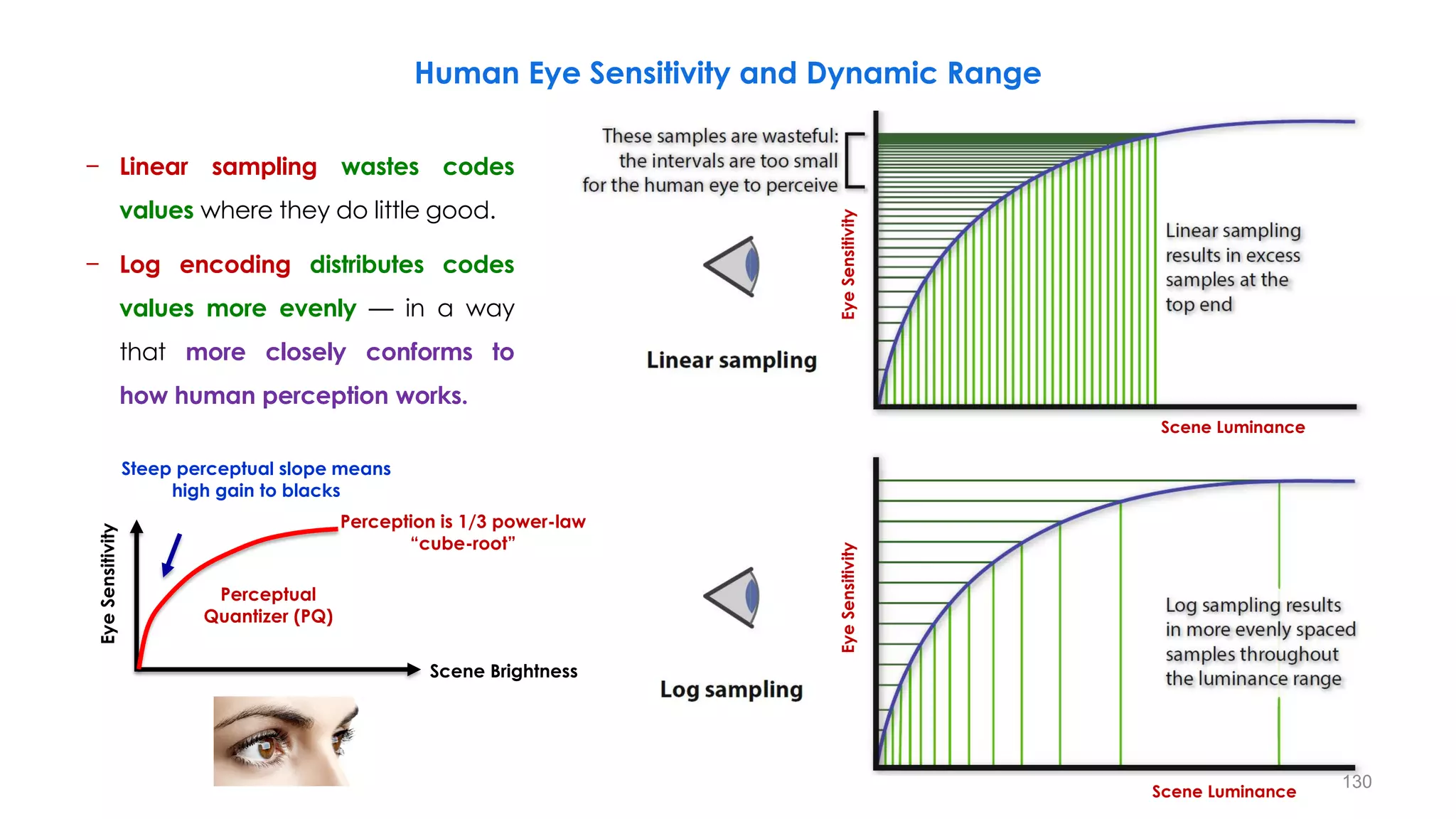
− Linear sampling wastes codes
values where they do little good.
− Log encoding distributes codes
values more evenly — in a way
that more closely conforms to
how human perception works.
Eye
Sensitivity
Scene Luminance
Eye
Sensitivity
Scene Luminance
Steep perceptual slope means
high gain to blacks
Eye
Sensitivity
Scene Brightness
Perceptual
Quantizer (PQ)
Perception is 1/3 power-law
“cube-root”
130
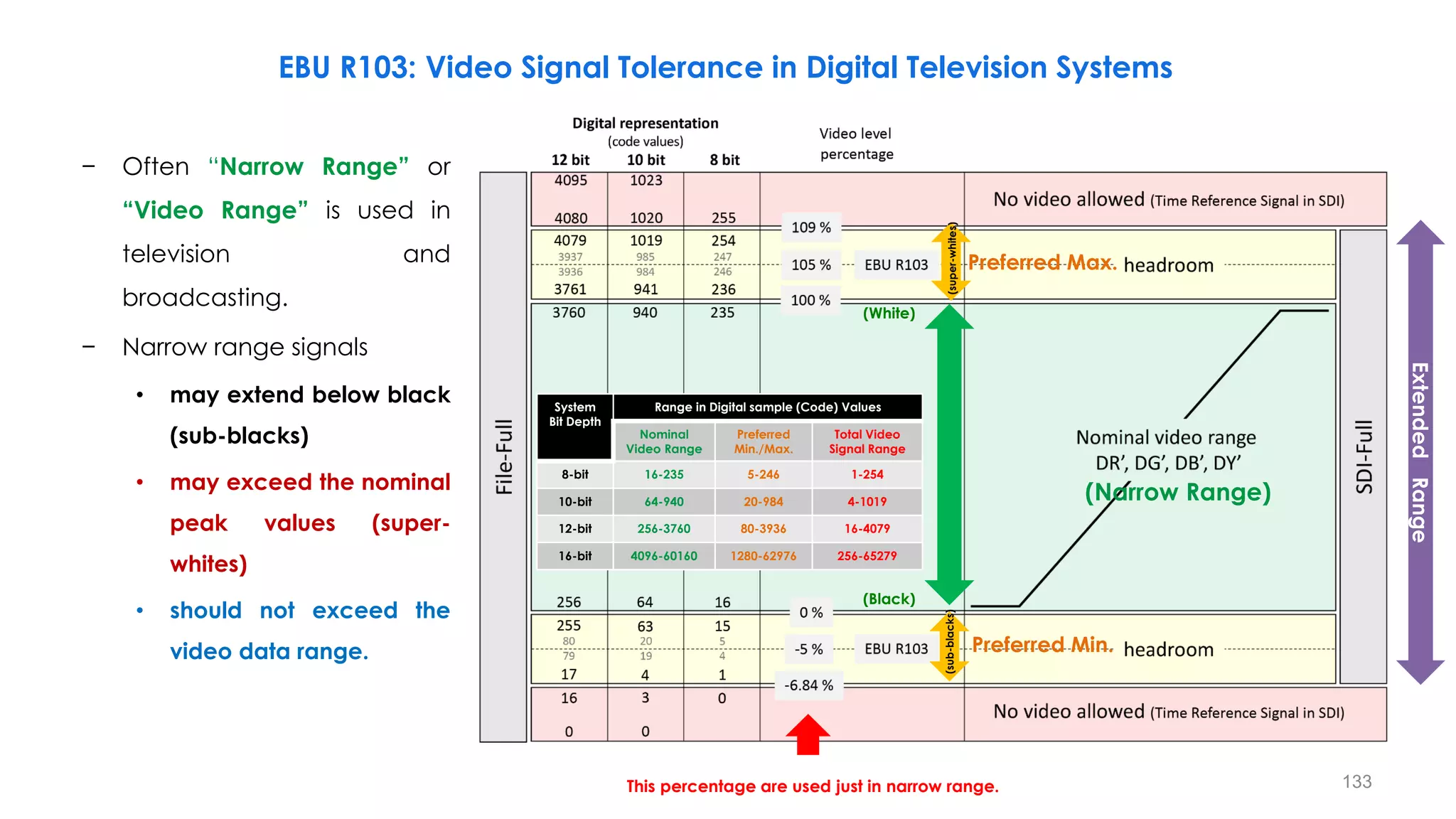
Preferred Min.
Preferred Max.
(Narrow Range)
(White)
(Black)
(super-whites)
(sub-blacks)
System
Bit Depth
Range in Digital sample (Code) Values
Nominal
Video Range
Preferred
Min./Max.
Total Video
Signal Range
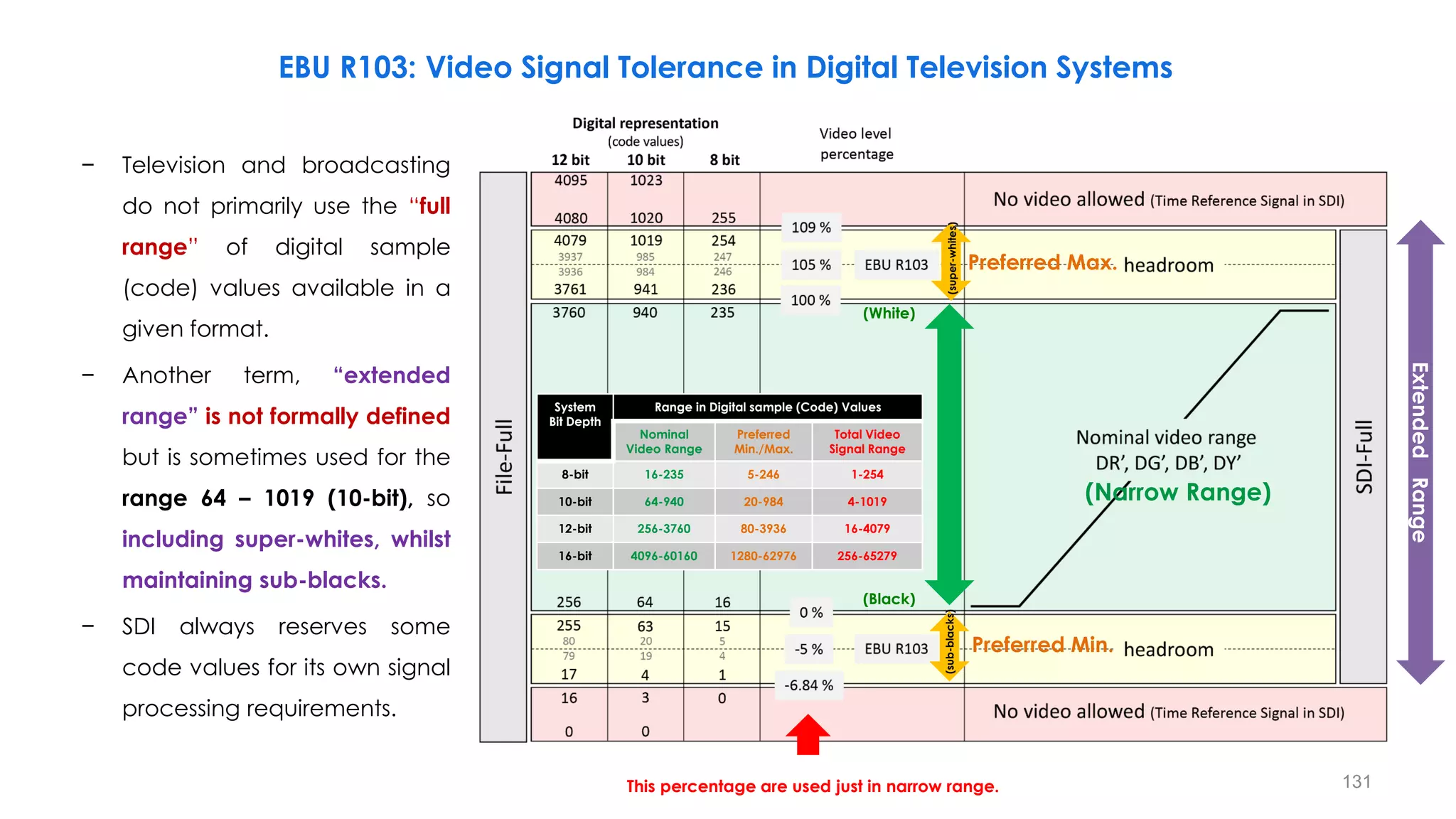
8-bit 16-235 5-246 1-254
10-bit 64-940 20-984 4-1019
12-bit 256-3760 80-3936 16-4079
16-bit 4096-60160 1280-62976 256-65279
Extended
Range
EBU R103: Video Signal Tolerance in Digital Television Systems
− Television and broadcasting
do not primarily use the “full
range” of digital sample
(code) values available in a
given format.
− Another term, “extended
range” is not formally defined
but is sometimes used for the
range 64 – 1019 (10-bit), so
including super-whites, whilst
maintaining sub-blacks.
− SDI always reserves some
code values for its own signal
processing requirements.
131
This percentage are used just in narrow range.
Preferred Min.
Preferred Max.
(Narrow Range)
(White)
(Black)
(super-whites)
(sub-blacks)
System
Bit Depth
Range in Digital sample (Code) Values
Nominal
Video Range
Preferred
Min./Max.
Total Video
Signal Range
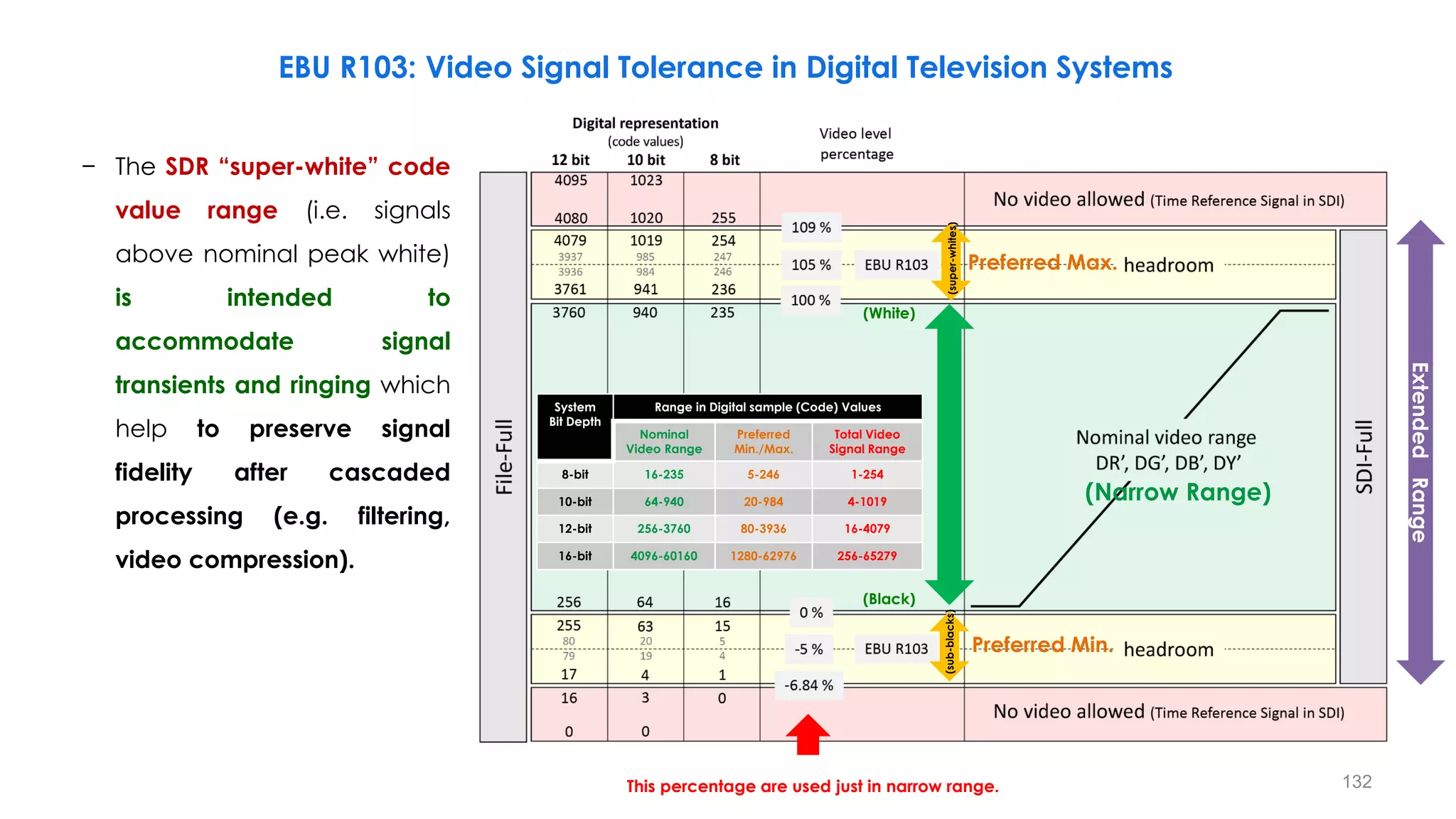
8-bit 16-235 5-246 1-254
10-bit 64-940 20-984 4-1019
12-bit 256-3760 80-3936 16-4079
16-bit 4096-60160 1280-62976 256-65279
Extended
Range
EBU R103: Video Signal Tolerance in Digital Television Systems
− The SDR “super-white” code
value range (i.e. signals
above nominal peak white)
is intended to
accommodate signal
transients and ringing which
help to preserve signal
fidelity after cascaded
processing (e.g. filtering,
video compression).
132
This percentage are used just in narrow range.
Preferred Min.
Preferred Max.
(Narrow Range)
(White)
(Black)
(super-whites)
(sub-blacks)
System
Bit Depth
Range in Digital sample (Code) Values
Nominal
Video Range
Preferred
Min./Max.
Total Video
Signal Range
8-bit 16-235 5-246 1-254
10-bit 64-940 20-984 4-1019
12-bit 256-3760 80-3936 16-4079
16-bit 4096-60160 1280-62976 256-65279
Extended
Range
EBU R103: Video Signal Tolerance in Digital Television Systems
− Often “Narrow Range” or
“Video Range” is used in
television and
broadcasting.
− Narrow range signals
• may extend below black
(sub-blacks)
• may exceed the nominal
peak values (super-
whites)
• should not exceed the
video data range.
133
This percentage are used just in narrow range.
Video Signal
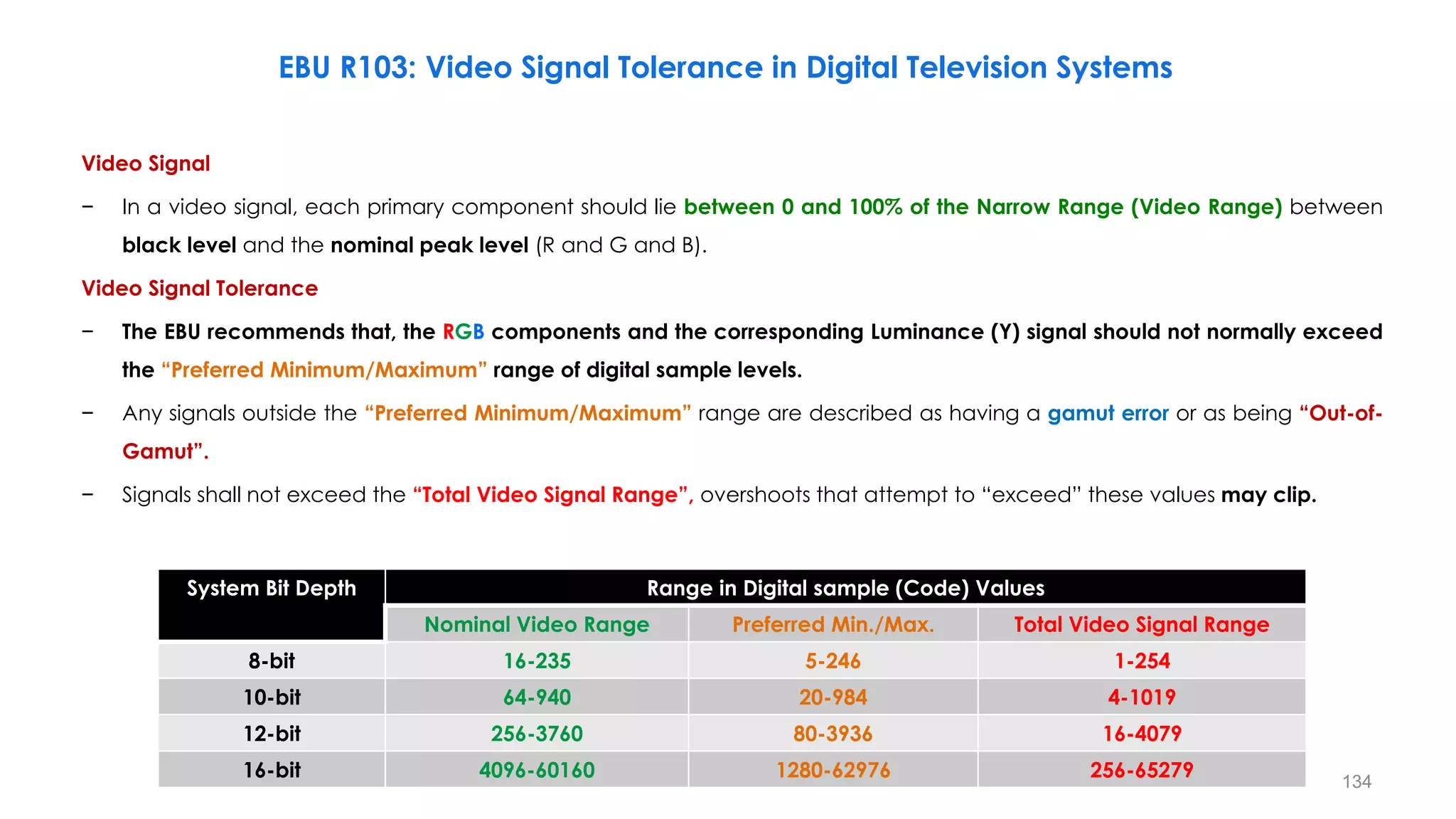
− In a video signal, each primary component should lie between 0 and 100% of the Narrow Range (Video Range) between
black level and the nominal peak level (R and G and B).
Video Signal Tolerance
− The EBU recommends that, the RGB components and the corresponding Luminance (Y) signal should not normally exceed
the “Preferred Minimum/Maximum” range of digital sample levels.
− Any signals outside the “Preferred Minimum/Maximum” range are described as having a gamut error or as being “Out-of-
Gamut”.
− Signals shall not exceed the “Total Video Signal Range”, overshoots that attempt to “exceed” these values may clip.
System Bit Depth Range in Digital sample (Code) Values
Nominal Video Range Preferred Min./Max. Total Video Signal Range
8-bit 16-235 5-246 1-254
10-bit 64-940 20-984 4-1019
12-bit 256-3760 80-3936 16-4079
16-bit 4096-60160 1280-62976 256-65279
EBU R103: Video Signal Tolerance in Digital Television Systems
134
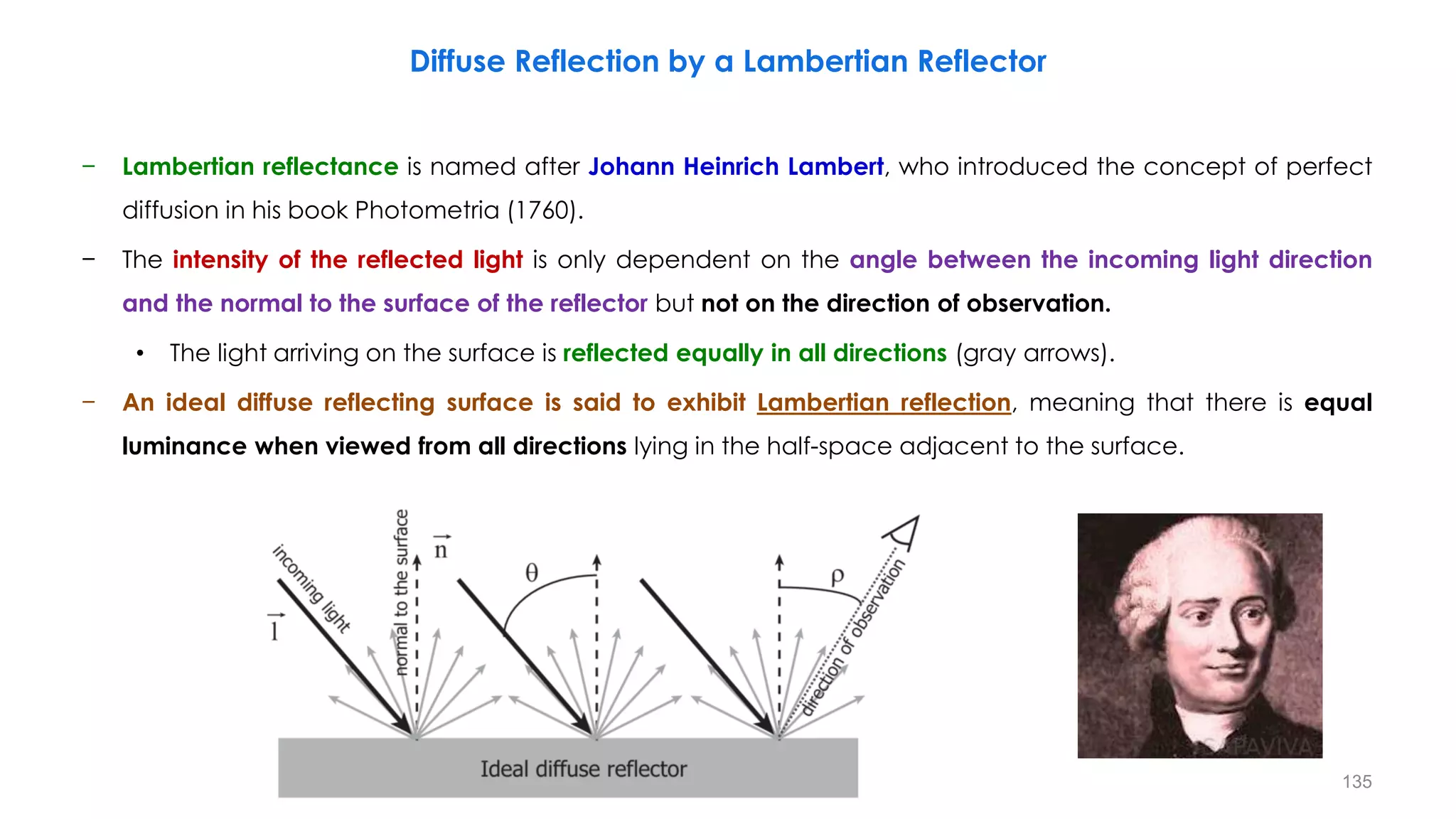
− Lambertian reflectance is named after Johann Heinrich Lambert, who introduced the concept of perfect
diffusion in his book Photometria (1760).
− The intensity of the reflected light is only dependent on the angle between the incoming light direction
and the normal to the surface of the reflector but not on the direction of observation.
• The light arriving on the surface is reflected equally in all directions (gray arrows).
− An ideal diffuse reflecting surface is said to exhibit Lambertian reflection, meaning that there is equal
luminance when viewed from all directions lying in the half-space adjacent to the surface.
Diffuse Reflection by a Lambertian Reflector
135
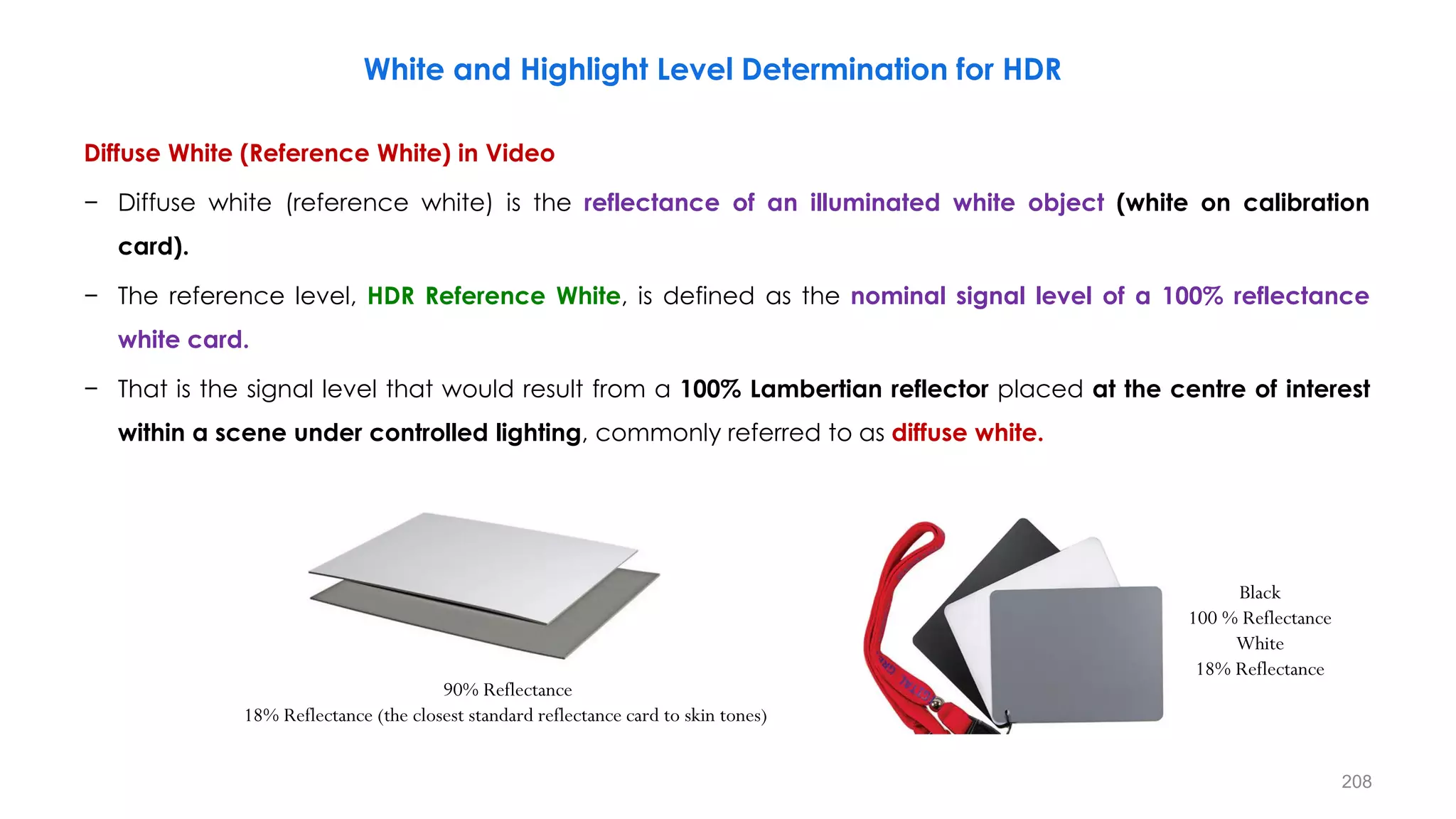
− In video, the system white is often referred to as reference white, and is neither the maximum white level of
the signal nor that of the display.
• Diffuse white is the reflectance of an illuminated white object.
− It is called diffuse white because it is not the same as maximum white.
• Diffuse means it is a dull (not bright or shiny) surface (and in this context, paper is a dull surface) that
reflects all wavelengths in all directions, unlike a mirror which reflects a beam of light at the same
angle it hits the surface.
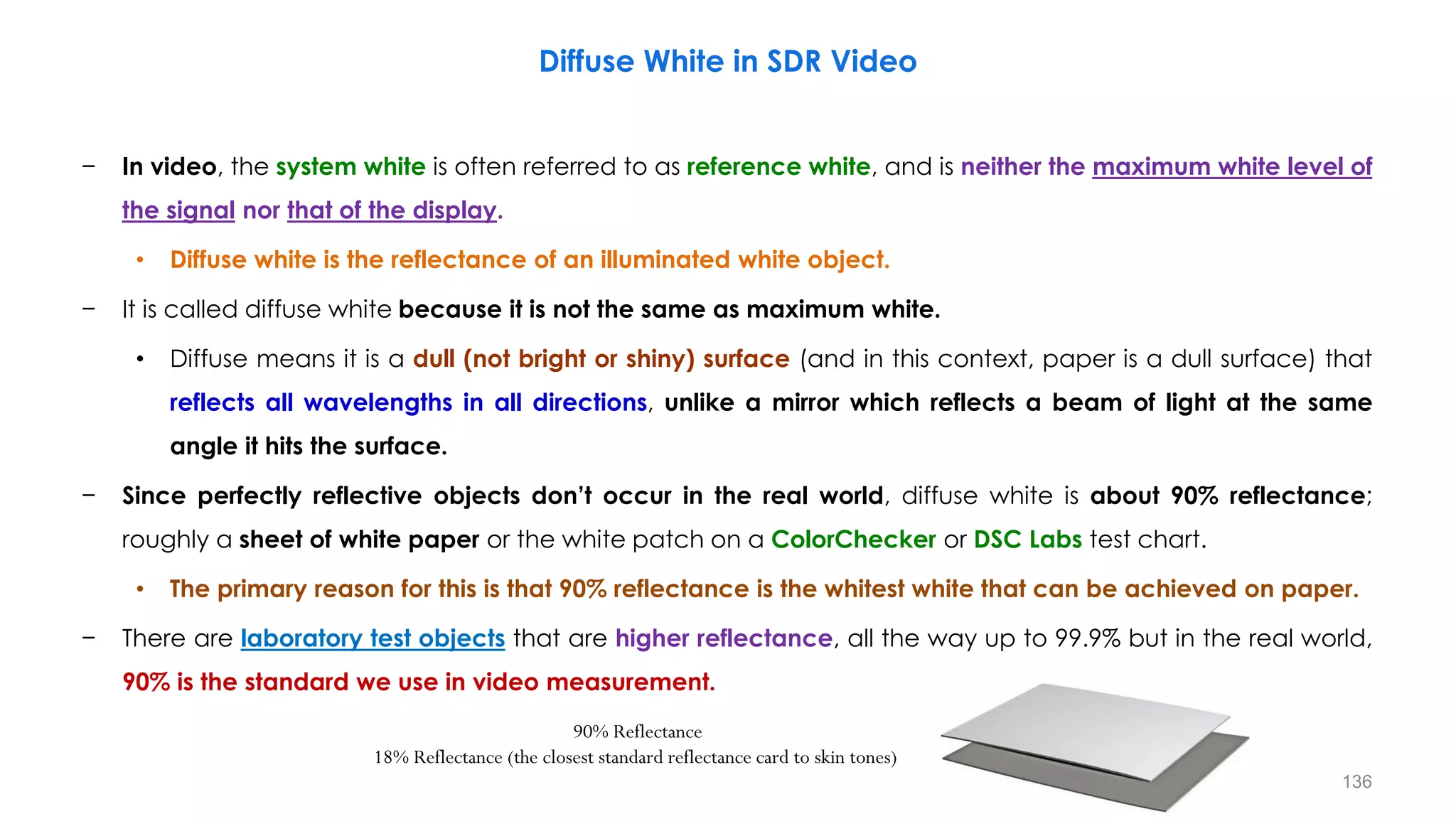
− Since perfectly reflective objects don’t occur in the real world, diffuse white is about 90% reflectance;
roughly a sheet of white paper or the white patch on a ColorChecker or DSC Labs test chart.
• The primary reason for this is that 90% reflectance is the whitest white that can be achieved on paper.
− There are laboratory test objects that are higher reflectance, all the way up to 99.9% but in the real world,
90% is the standard we use in video measurement.
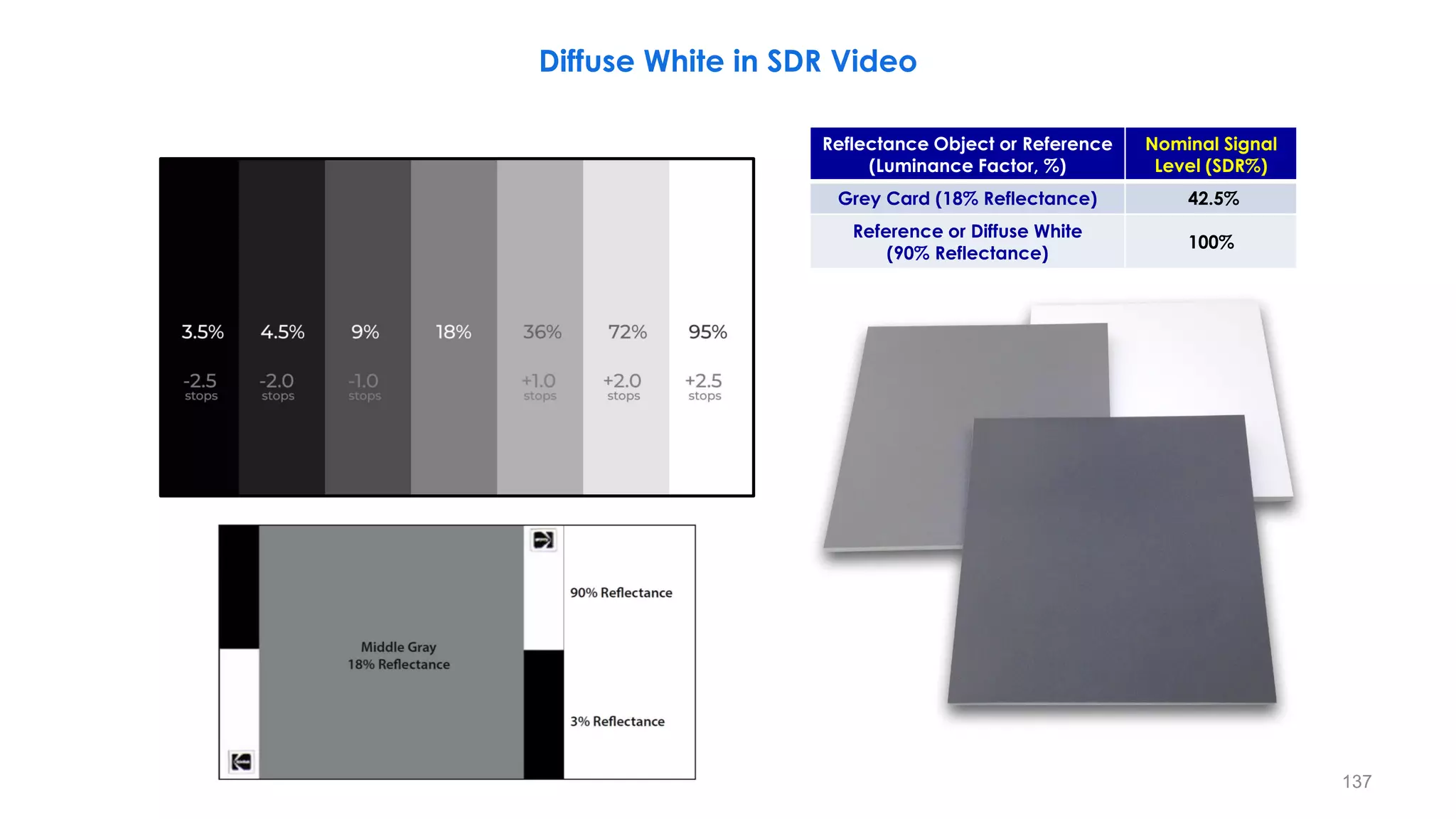
Diffuse White in SDR Video
90% Reflectance
18% Reflectance (the closest standard reflectance card to skin tones)
136
Diffuse White in SDR Video
137
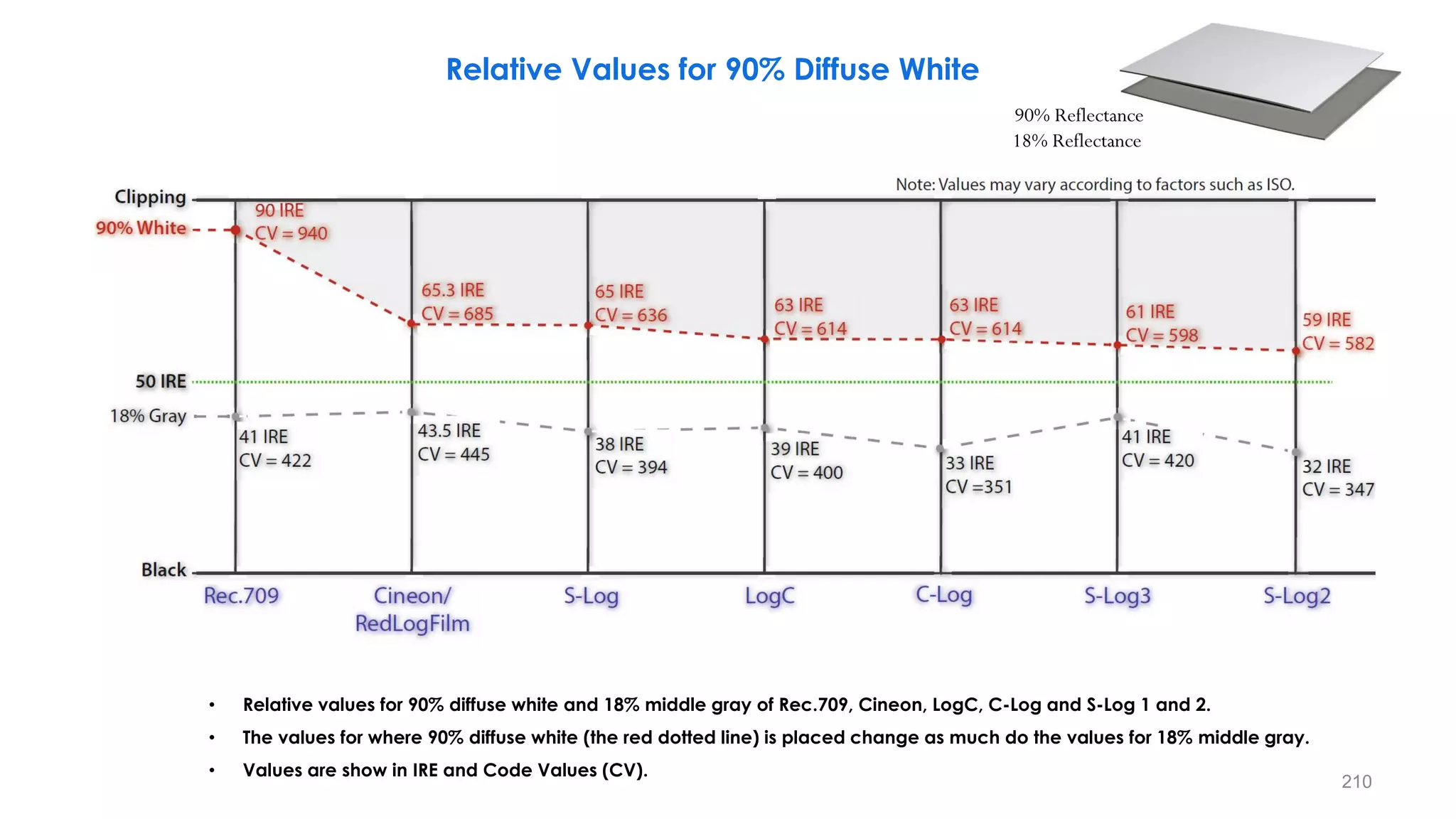
Reflectance Object or Reference
(Luminance Factor, %)
Nominal Signal
Level (SDR%)
Grey Card (18% Reflectance) 42.5%
Reference or Diffuse White
(90% Reflectance)
100%
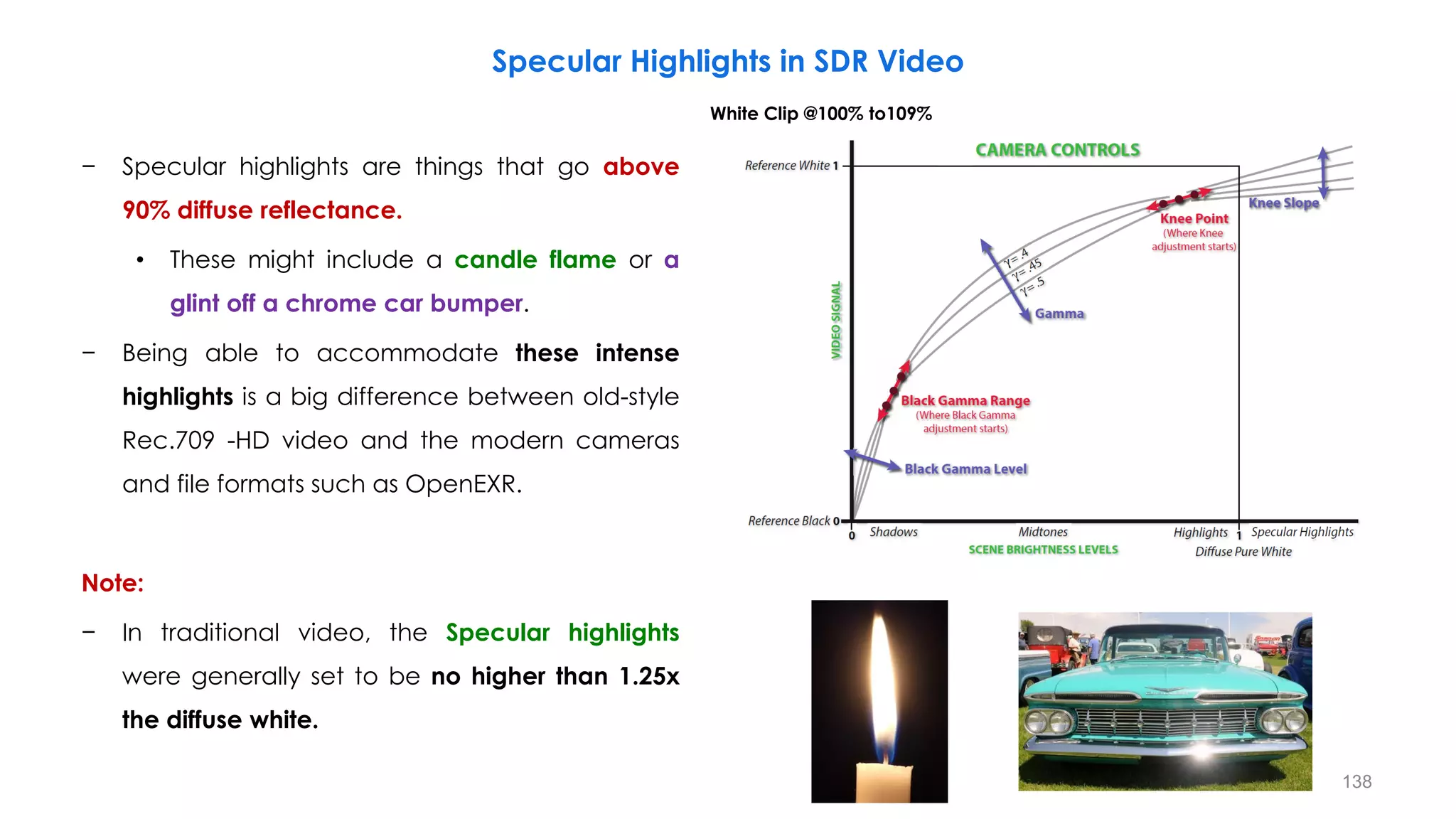
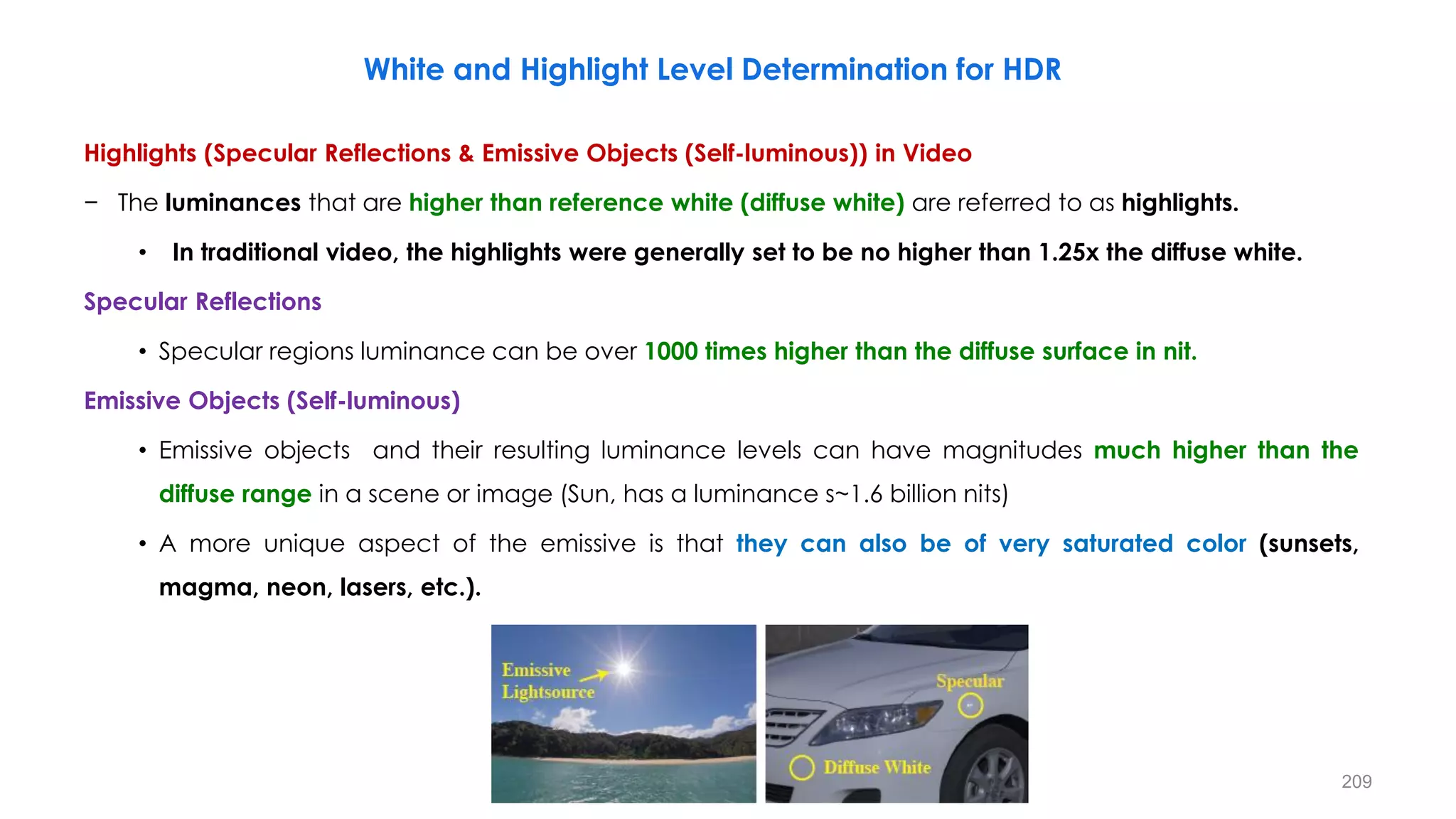
− Specular highlights are things that go above
90% diffuse reflectance.
• These might include a candle flame or a
glint off a chrome car bumper.
− Being able to accommodate these intense
highlights is a big difference between old-style
Rec.709 -HD video and the modern cameras
and file formats such as OpenEXR.
Note:
− In traditional video, the Specular highlights
were generally set to be no higher than 1.25x
the diffuse white.
Specular Highlights in SDR Video
White Clip @100% to109%
138
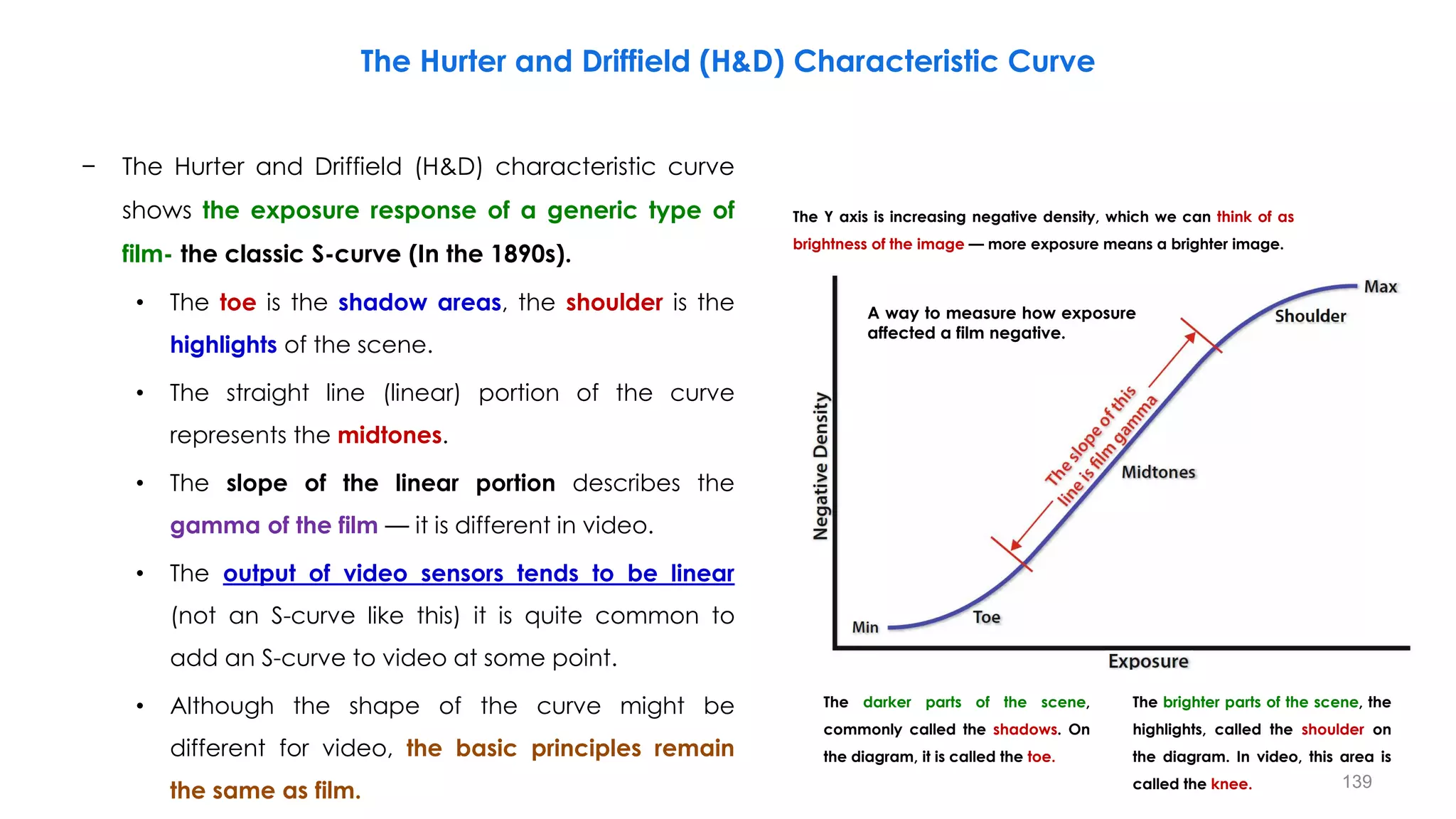
− The Hurter and Driffield (H&D) characteristic curve
shows the exposure response of a generic type of
film- the classic S-curve (In the 1890s).
• The toe is the shadow areas, the shoulder is the
highlights of the scene.
• The straight line (linear) portion of the curve
represents the midtones.
• The slope of the linear portion describes the
gamma of the film — it is different in video.
• The output of video sensors tends to be linear
(not an S-curve like this) it is quite common to
add an S-curve to video at some point.
• Although the shape of the curve might be
different for video, the basic principles remain
the same as film.
The Hurter and Driffield (H&D) Characteristic Curve
The Y axis is increasing negative density, which we can think of as
brightness of the image — more exposure means a brighter image.
The darker parts of the scene,
commonly called the shadows. On
the diagram, it is called the toe.
The brighter parts of the scene, the
highlights, called the shoulder on
the diagram. In video, this area is
called the knee.
A way to measure how exposure
affected a film negative.
139
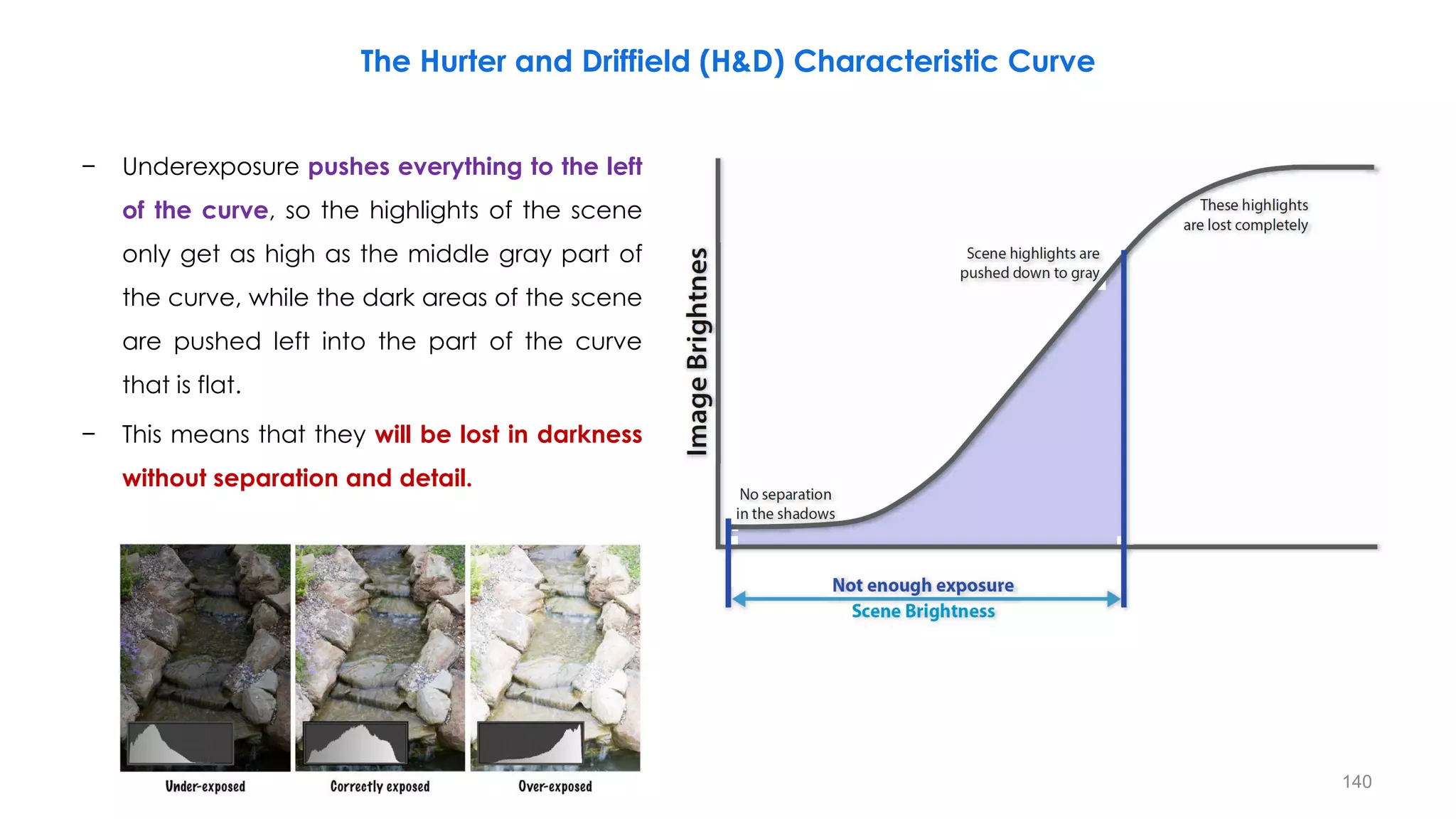
− Underexposure pushes everything to the left
of the curve, so the highlights of the scene
only get as high as the middle gray part of
the curve, while the dark areas of the scene
are pushed left into the part of the curve
that is flat.
− This means that they will be lost in darkness
without separation and detail.
The Hurter and Driffield (H&D) Characteristic Curve
140
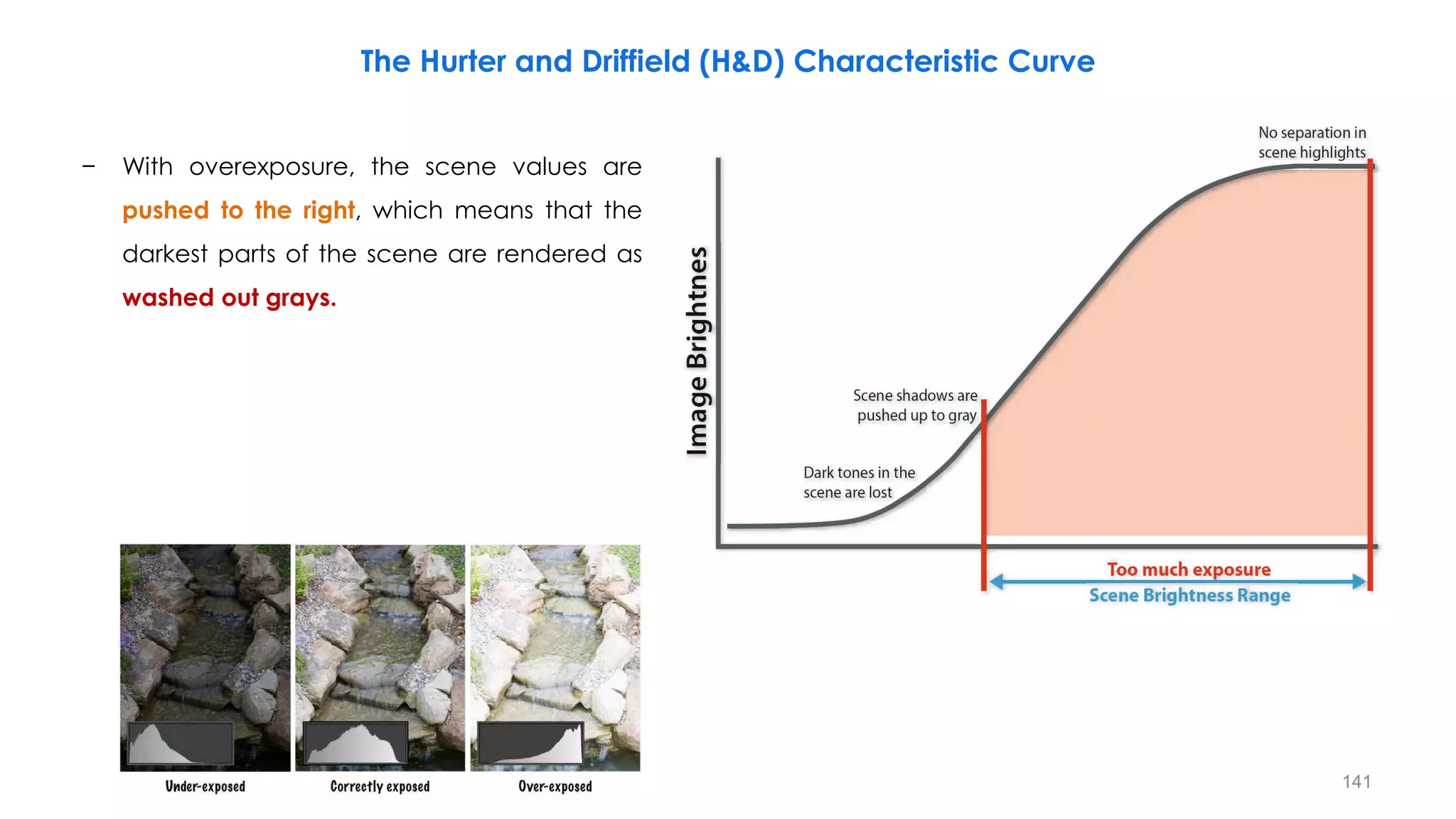
− With overexposure, the scene values are
pushed to the right, which means that the
darkest parts of the scene are rendered as
washed out grays.
The Hurter and Driffield (H&D) Characteristic Curve
141
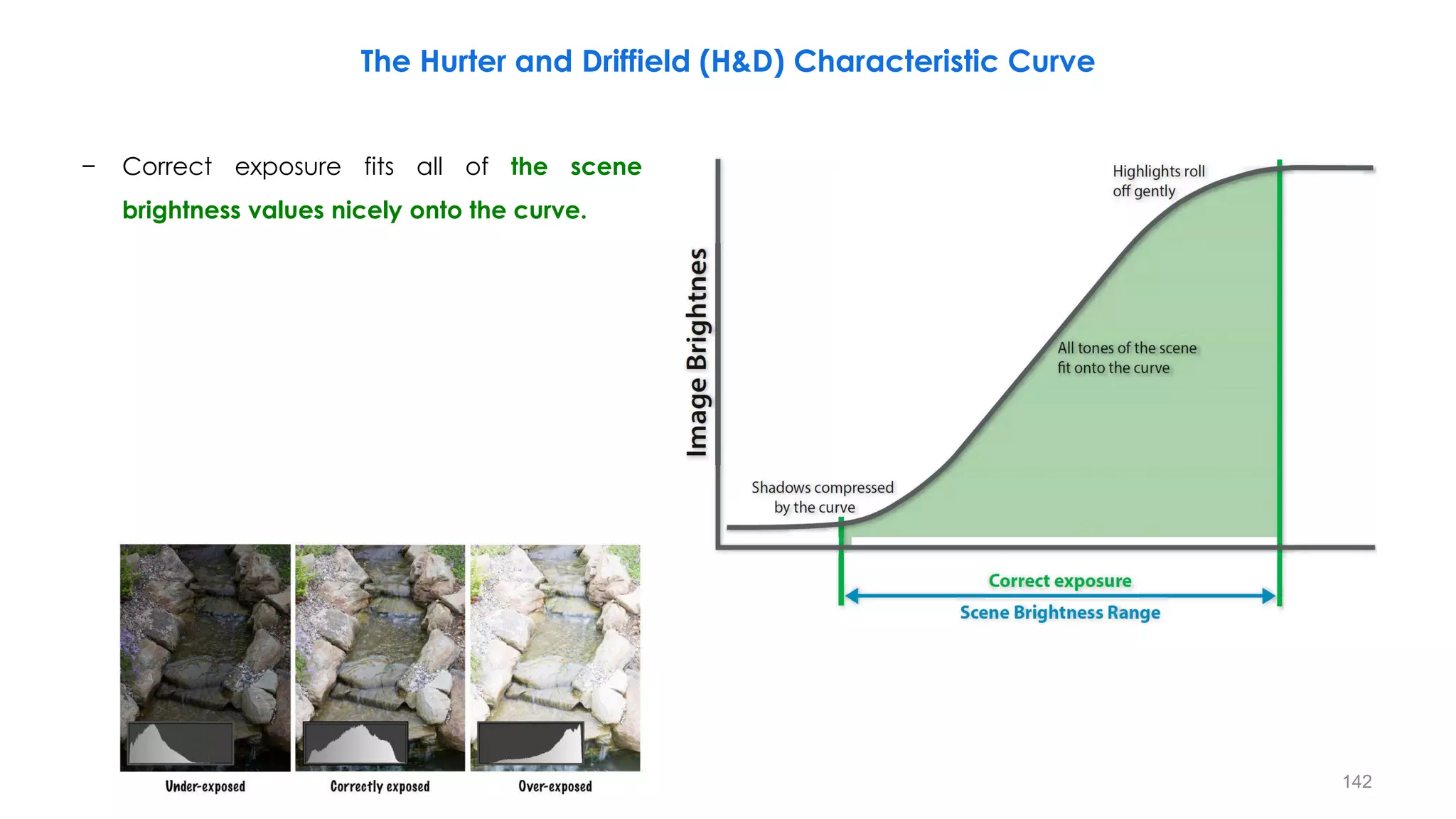
− Correct exposure fits all of the scene
brightness values nicely onto the curve.
The Hurter and Driffield (H&D) Characteristic Curve
142
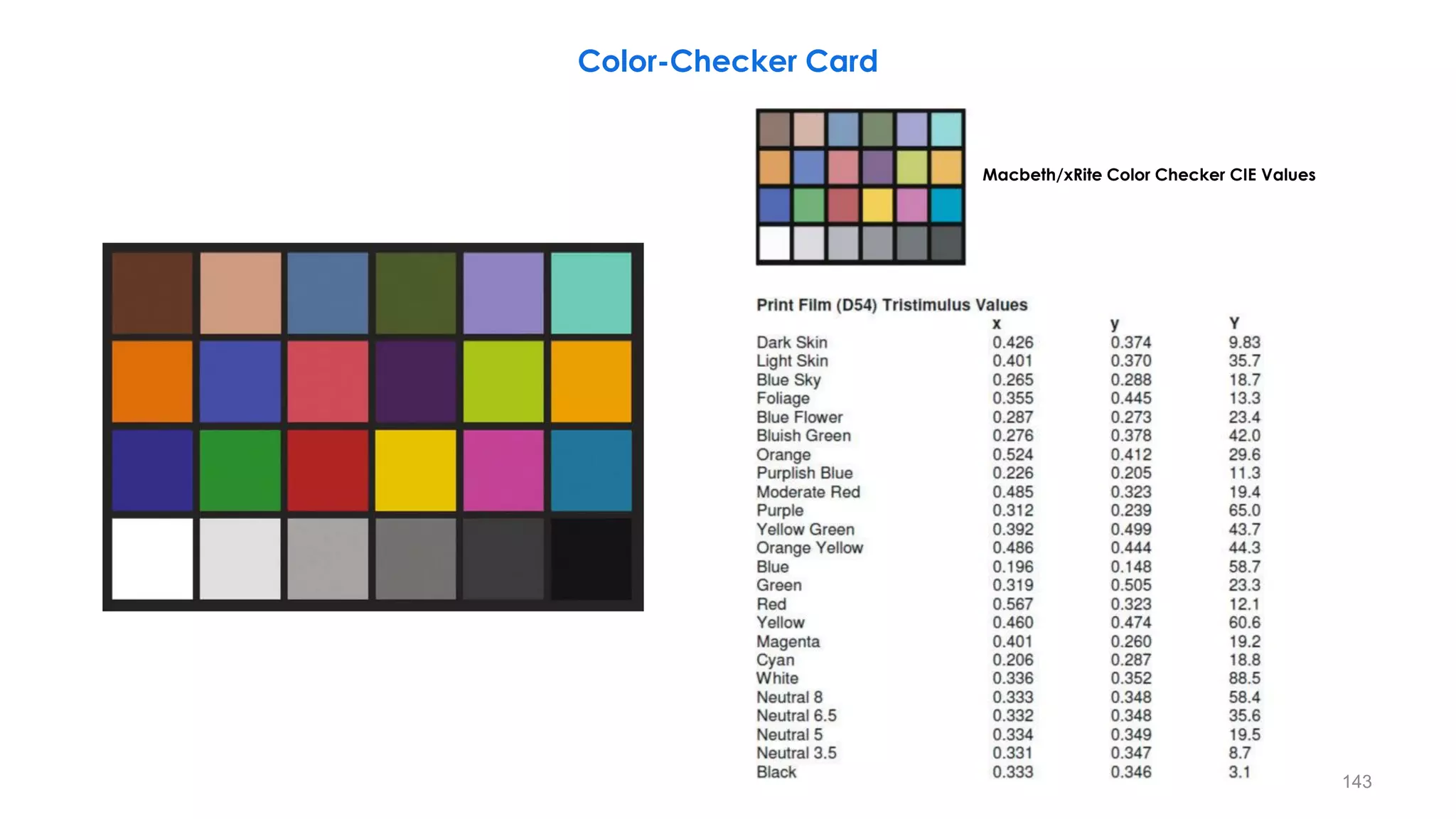
Color-Checker Card
Macbeth/xRite Color Checker CIE Values
143
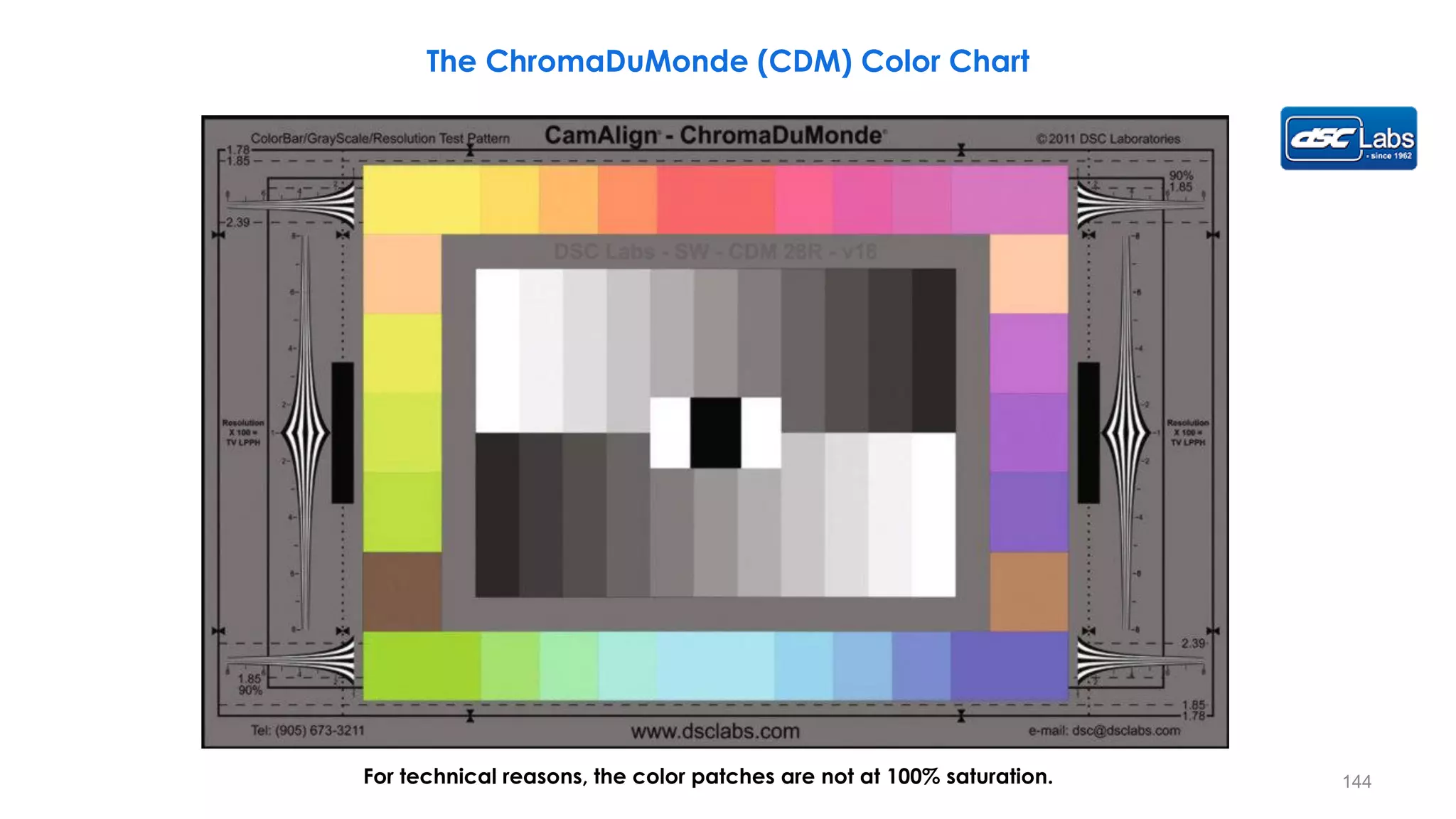
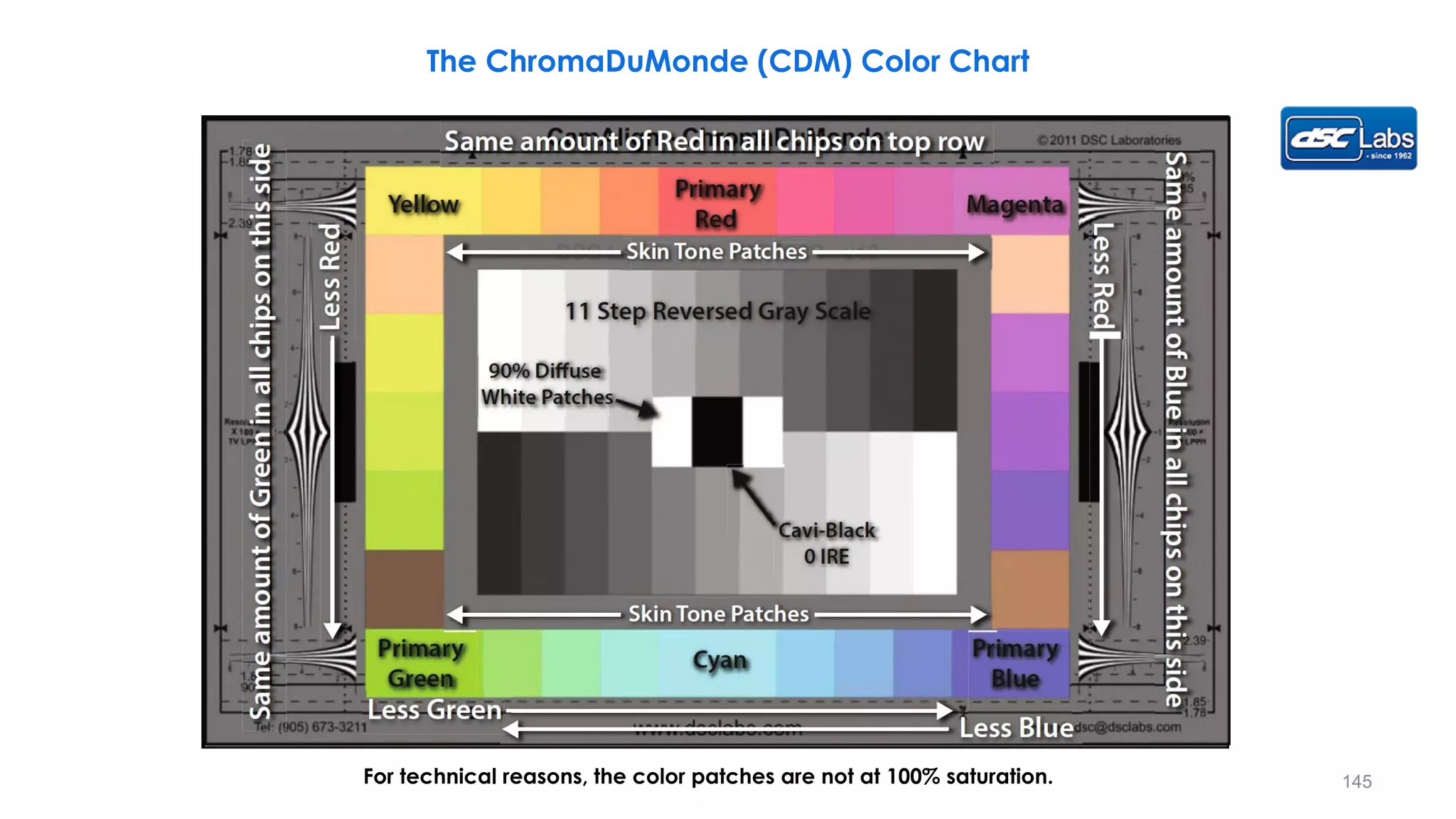
The ChromaDuMonde (CDM) Color Chart
For technical reasons, the color patches are not at 100% saturation. 144
For technical reasons, the color patches are not at 100% saturation.
The ChromaDuMonde (CDM) Color Chart
145
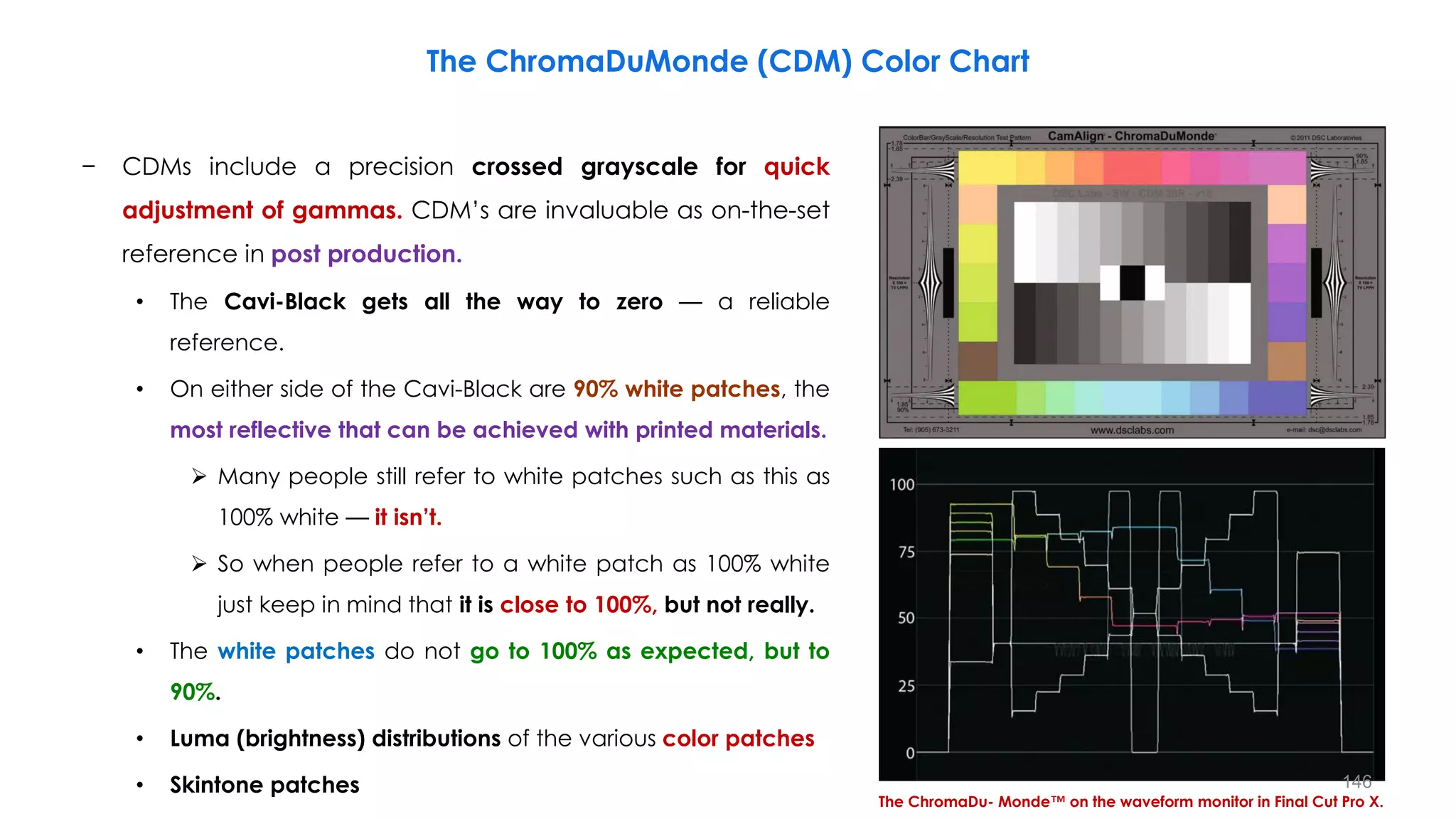
− CDMs include a precision crossed grayscale for quick
adjustment of gammas. CDM’s are invaluable as on-the-set
reference in post production.
• The Cavi-Black gets all the way to zero — a reliable
reference.
• On either side of the Cavi-Black are 90% white patches, the
most reflective that can be achieved with printed materials.
 Many people still refer to white patches such as this as
100% white — it isn’t.
 So when people refer to a white patch as 100% white
just keep in mind that it is close to 100%, but not really.
• The white patches do not go to 100% as expected, but to
90%.
• Luma (brightness) distributions of the various color patches
• Skintone patches
The ChromaDu- Monde™ on the waveform monitor in Final Cut Pro X.
The ChromaDuMonde (CDM) Color Chart
146
The ChromaDuMonde (CDM) Color Chart
− ChromaDuMonde (CDM) Color Charts Generate DSC’s
unique hexagonal Rec. 709 vectorscope display.
− The color patches are distributed evenly as you would
expect, however notice that they do not reach “the boxes”
on the graticule.
• This is because the DSC charts are designed to show full
saturation when the vectorscope is set at 2x gain and
Final Cut Pro (unlike professional vectorscopes) does not
have a setting for “times two.”
− Also note how the skin tone patches fall very close to each
other despite the fact that they are skin tones for widely
varying coloration.
• In fact, human skin tone varies mostly by luminance and
not by color.
The ChromaDuMonde™ on the vectorscope.
147
𝒍𝒐𝒈𝟐
𝟏𝟎𝟎𝟎 𝒏𝒊𝒕
𝟎. 𝟎𝟓 𝒏𝒊𝒕
= 𝟏𝟒
𝑫. 𝑹 𝒊𝒏 𝑺𝒕𝒐𝒑 = 𝒍𝒐𝒈𝟐
𝑳𝒎𝒂𝒙
𝑳𝒎𝒊𝒏
The Camera Sensor and Dynamic Range Management
148
The Camera Sensor and Dynamic Range Management
1. Modern camera sensors can capture more than 14 stops
• These sensors have a linear response, and capture scenes with 16 bit samples.
• This provides more than 14 stops of dynamic range.
2. The native output data rate is massive
• The RAW output bitrate of the F65’s 8K sensor is 17Gbps.
3. This amount of data is required in very high‐end productions
• RAW workflows will use all this data to provide supreme quality in post‐production.
• However most productions do not require this level of quality.
4. High‐end production infrastructures are based on 10 bit paths
• Most post production can easily handle 10 bit workflows.
5. The High Dynamic Range of the sensor needs to be carried on 10 bits
• This can be achieved through an Acquisition Transfer Function.
• The transfer function takes account of the human eye.
• This also emulates the action of film stock.
• More dynamic range is preserved for low‐lights and mid‐tones.
𝒍𝒐𝒈𝟐
𝟏𝟎𝟎𝟎 𝒏𝒊𝒕
𝟎. 𝟎𝟓 𝒏𝒊𝒕
= 𝟏𝟒
149
Introducing Acquisition Transfer Functions
The sensor
• Each pixel senses light as a charge which is
converted into a digital number.
• The higher the number the brighter the pixel.
• A modern sensor is able to sense the smallest
change in brightness from complete
darkness to very bright.
RAW output
• The sensor’s native output is RAW data with
16 bits of linear data.
• This can be used in a RAW workflow in post
for supreme quality, but uses massive
amounts of data and may not be suitable for
more conventional TV‐based productions.
Converted output
• The converted output provides a more
practical recording.
• It takes advantage of the human eye
response, and film sensitivity.
• It fits the sensor’s output into more workable
10 bit data, while still maintaining a high
dynamic range.
Output
data
10 bits
Brightness
Output
data
1000 %
𝒍𝒐𝒈𝟐
𝟏𝟎𝟎𝟎 𝒏𝒊𝒕
𝟎. 𝟎𝟓 𝒏𝒊𝒕
= 𝟏𝟒
10 bits
1000 %
150
Image Sensor Sensitivity
– Image sensor sensitivity is mostly linear
• Sensors have a noise floor due to background noise in the sensor.
 It is difficult to separate dark detail from background noise.
• Modern sensors have a very low noise floor and high saturation.
 This gives them their characteristic High Dynamic Range.
• Most Sensors saturate suddenly, a few with a shoulder (a “knee” function to soft clip highlights), as
brightness increases.
Sensor
Sensitivity
Noise floor
Scene Brightness
Saturation
151
Making High Dynamic Range Fit
– Many cameras and camcorders output to a specific video standard
• The sensor output needs to be “squashed” to fit into the video standard.
• Some broadcast camcorders use a knee response.
 This retains dynamic range for shadows and mid‐tones and compresses highlights.
• Some cine cameras use gamma and log responses.
 Shadow and mid‐tone dynamic range is retained with gentle highlight compression
Sensor output
Knee response
Gamma response
Log response
Video standard 100%
Sensor
Output
Scene Brightness
152
Without knee
Highlights clip with bright areas burnt
out white, and lost detail in the clouds.
With knee
White is still white but brighter areas are
compressed to retain as much detail as possible
The Knee Process
153
The Knee Process
An explanation of how the knee process
is used to provide an extended dynamic
range for broadcast camcorder.
154
The Knee Process
− Broadcast camcorders have a knee control.
• This is a control for maintaining a good dynamic range for
the image.
• It also allows highlight to be recorded without clipping.
− The knee function is a crude method of extending dynamic
range.
• It provides plenty of dynamic range for low lights and mid
tones.
• It also provides compressed dynamic range for highlights.
− The knee function crudely copies the human eye.
• More dynamic range is given to low lights and mid tones.
• Less dynamic range is given to highlights.
− The knee function has a hard roll-off point
• The knee is a sudden switch from normal to compressed.
155
Knee Circuit
Knee Circuit
Knee Circuit
Matrix
Circuit
R
G
B
Y
R-Y
B-Y
The Knee Process
Knee Adjustments
− Knee On/Off
• Turns the knee function on and off.
• Turned on for high contrast scenes.
− Knee Point
• Adjusts where the knee point is.
− Knee Slope
• Angle of the slope above the knee.
− Knee Saturation (not shown)
• A colour boost control above the knee.
• This compensates for colour loss above the knee.
156
The image with the highlights clipping.
With knee control turned on to preserve
the highlights without clipping.
Image controls on traditional
cameras (otherwise known
as “the knobs”) allow the
operator to control different
parts of the image
separately.
The Knee Process
White Clip @100% to109%
157
The signal with Black Gamma off.
With Black Gamma at 15%, the dark areas of
the scene have been made darker; what a
DP might call “crunchier shadows.”
The Knee Process
Image controls on traditional
cameras (otherwise known
as “the knobs”) allow the
operator to control different
parts of the image
separately.
White Clip @100% to109%
158
Adjustment of Knee Point and Slope (HDR)
159
The Knee Process Example
– When bouquet is shot with a video camera, the bright areas of the image can be overexposed and
“washed out” on the screen.
– For example, as shown in the “Before Setting” image, the white petals and down are overexposed. This is
because the luminance signal of the petals and down exceeds the camera’s dynamic range.
– In such situations, the picture can be reproduced without overexposure by compressing the signals of the
image’s highlight areas so they fall within the camera’s dynamic range.
160
The Knee Process Example
Tips for Avoiding “Overexposure” of an Image’s Highlights
161
The Knee Process Example
Tips for Avoiding “Overexposure” of an Image’s Highlights
162
Knee Saturation
− When a camera’s KNEE function is set to ON, the bright areas of the image are compressed in the KNEE circuit.
− In this process, both the luminance (Y) signals and color-difference (R-Y, B-Y) signals are compressed together, which can
sometimes cause the color saturation of the image to drop.
− KNEE SATURATION is a function that eliminates this saturation drop while maintaining the original function of the KNEE
circuit.
− When KNEE SATURATION is set to ON, the color-difference (R-Y, B-Y) signals are sent to the KNEE SATURATION circuit which
applies a knee function optimized for these color signals.
− These signals are then added back to the mainstream signals, obtaining the final output signal.
163
Knee Circuit
Knee Circuit
Knee Circuit
Matrix
Circuit
R
G
B
Y
R-Y
B-Y
Knee Saturation Circuit
(Adjustable range -99 to +99)
⊗
⊗
⨁
⨁
B-Y
Compensation
R-Y
Compensation
– When shooting a bouquet using a spotlight, the bright areas of the image can be overexposed and “washed out”
on the screen.
– This phenomenon can be eliminated using the camera’s KNEE function, keeping the image’s brightness
(luminance) of objects within the video signal’s dynamic range (the range of the luminance that can be
processed). However, in some cases the KNEE process can cause the image color to look pale.
– This is because the KNEE function is also applied to the chroma signals, resulting in a drop in color saturation.
– For example, as shown in the “Before setting” image below, the colored areas look paler than they actually are.
– In such situations, the bouquet can be reproduced more naturally by using a separate KNEE process for the
chroma signals (R-Y, B-Y).
Knee Saturation Process Example
164
Tips for Reproducing Vivid Colors Under a Bright Environment
Knee Saturation Process Example
165
Tips for Reproducing Vivid Colors Under a Bright Environment
Knee Saturation Process Example
166
Auto-knee or Dynamic Contrast Control (DCC)
− DCC is a function that allows cameras to reproduce details of a picture, even when extremely high
contrast must be handled (to reproduce details of a picture, even in extremely high contrast).
− DSP circuit analyses content of high level Video signals and makes real time adjustments to Knee point &
Slope based on a preset algorithm. Some parameters of the algorithm may be fine tuned by the user.
− When the incoming light far exceeds the
white clip level, the DCC circuitry lowers the
knee point in accordance with the light
intensity.
− DCC is intended for high contrast scenes
• Shooting against a bright window
• Shooting in shade on a sunny day.
For high-contrast images
There are no extreme highlights
167
– A typical example is when shooting a person standing in front of a window from inside the room. With DCC
activated, details of both the person inside and the scenery outside are clearly reproduced, despite the
large difference in luminance level (brightness) between them.
– The DCC allows high contrast scenes to be clearly reproduced within the standard video level.
– This approach allows the camera to achieve a wider dynamic range since the knee point and slope are
optimized for each scene.
Auto-knee or Dynamic Contrast Control (DCC)
168
Cine Gamma & Hypergamma (Sony)
1024 (109%)
The conventional ‘narrow range’ digital signal can actually support signal
levels of up to 109% of nominal full scale.
This is to accommodate overshoots and highlights.
If this additional signal range is used (though not all equipment supports it)
then even higher light levels may be captured without clipping.
169
What Is Cine Gamma?
− Cine gamma curves were introduced to some smaller camcorders
• Camcorders like the PMW-EX1 and PMW-F3.
• These camcorders have a menu selection for Standard (Rec 709 with extended DR) or Cine.
Cine1 offers extended dynamic range with a calm and quiet effect
• It smooths contrast in dark areas, accentuates (emphasize) changes in brighter
areas and clips at 109%.
Cine2 offers the same look as Cine1 at 100% clipping
Cine3 offers increased contrast compared to Cine1 and Cine2
• It accentuates graduation changed in darker areas.
Cine4 offers increased contrast compared to Cine3
• It reduces contrast in darker areas and increases it in brighter areas.
1024 (109%)
170
What is Hypergamma?
− Hypergamma curves were introduced to some professional camcorders
• Camcorders like the F35 and PMW-400.
• These camcorders have a menu selection for Standard or Cine.
Hypergamma1 offers good low light and mid-tone representation
• It clips in highlights at 100%, so is better for darker scenes.
• Otherwise called 3250G36.
Hypergamma2 offers better dynamic range compared to Hypergamma1
• It trades off low-light and mid-tone range for extended highlights, clipping at 100%
• Otherwise called 4600G30.
Hypergamma3 and Hypergamm4 offers 109% versions
• Otherwise called 3259G40 and 4609G33 respectively
1024 (109%)
171
Cine and Hypergamma Similarities
− Cine1 is similar to Hypergamma4
− Cine2 is similar to Hypergamma2
− Hypergamma labelling identifies the gamma parameters (example: 3250G36)
• The first three numbers identify the dynamic range in percentage.
• The forth number identifies the clipping point, 0=100% and 9=109%.
• The “G” number specifies the waveform monitor measurement on an 20% grey card.
− Thus 4609G33
• It has a 460% dynamic range
• It has a 109% clipping point
• It also measures 33% on a waveform monitor with 20% grey card
172
XDCAM EX Gamma Curves and Knee
173
174
HDR Terminology
HDR –High Dynamic Range TV (ITU-R BT.2100)
WCG –Wide Color Gamut –anything wider than Rec.709, DCI P3, Rec.2020
SDR –Standard Dynamic Range TV (Rec.601, Rec.709, Rec.2020)
PQ –Perceptual Quantizer Transfer Function for HDR signals (SMPTE ST 2084, ITU-R BT.2100)
Ultra HD Blu-ray –HDR disc format using HEVC, HDR10, and optionally Dolby Vision
Dolby Vision –12-bit HDR, BT.2020, PQ, Dolby Vision dynamic metadata
HDR10 –10-bit HDR using BT.2020, PQ and static metadata
HLG –Hybrid Log Gamma Transfer Function for HDR signals (ITU-R BT.2100)
UHD Alliance Premium Logo –High-end HDR TV requirements Rec.709, DCI P3 or Rec.2020
MaxCLL–Maximum Content Light Level
MaxFALL–Maximum Frame-Average Light Level
Mastering Display Metadata –SMPTE ST 2086 (min/max luminance, color volume)
DMCVT –Dynamic Metadata for Color Volume Transforms, SMPTE ST 2094
HFR –High Frame Rate (100 & 120 fps)
HEVC –High-Efficiency Video Codec (ITU-T h.265) -2x more efficient than AVC
175
ITU-R BT.709 –AKA Rec709 standardizes the format of high-definition television, having 16:9 (widescreen) aspect ratio
ITU-R BT.2020 –AKA Rec2020 defines various aspects of ultra-high-definition television (UHDTV) with standard dynamic range (SDR)
and wide color gamut (WCG), including picture resolutions, frame rates with progressive scan, bit depths, color primaries
ITU-R BT.2100 –Defines various aspects of high dynamic range (HDR) video such as display resolution (HDTV and UHDTV), bit depth,
Bit Values (Files), frame rate, chroma subsampling, color space
ST 2084 –Specifies an EOTF characterizing high-dynamic-range reference displays used primarily for mastering non-broadcast
content. This standard also specifies an Inverse-EOTF derived from the EOTF (the Barton PQ curve)
ST 2086 –Specifies the metadata items to specify the color volume (the color primaries, white point, and luminance range) of the
display that was used in mastering video content. The metadata is specified as a set of values independent of any specific digital
representation.
ST 2094 –Specifies the content-dependent Color Volume Transform metadata for a set of Applications, a specialized model of the
color volume transform defined by the core components document SMPTE ST 2094-1.
ARIB STD-B67 –Hybrid Log-Gamma (HLG) is a high dynamic range (HDR) standard that was jointly developed by the BBC and NHK.
HLG defines a nonlinear transfer function in which the lower half of the signal values use a gamma curve and the upper half of
the signal values use a logarithmic curve.
ITU-R BT.2087 (2015), “Colour conversion from Recommendation ITU-R BT.709 to Recommendation ITU-R BT.2020”
ITU-R BT.2250 (2012), Delivery of wide colour gamut image content through SDTV and HDTV delivery systems
HDR & WCG Standards and Recommendations
176
HDR & WCG Standards and Recommendations
IRIB TR B-43, OPERATIONAL GUIDELINES FOR HIGH DYNAMIC RANGE VIDEO PROGRAMME PRODUCTION
ITU-R BT.814-4 (2018), “Specifications of PLUGE test signals and alignment procedures for setting of brightness and contrast of
displays”
ITU-R BT.2407-0 (2017), “Colour gamut conversion from Recommendation ITU-R BT.2020 to Recommendation ITU-R BT.709”
ITU-R BT.2408-3 (2019), “Guidance for Operational Practices in HDR television production”
ITU-R BT.2446 (2019), “Methods for conversion of high dynamic range content to standard dynamic range content and vice-
versa”
ITU-R BT.2111-1 (2019), Specification of colour bar test pattern for high dynamic range television systems
ITU-R BT.2246-7 (2020), The present state of ultra-high definition television
ITU-R BT.2390-8 (2020), “High dynamic range television for production and international programme exchange”
BT.2446-0 (2019), Methods for conversion of high dynamic range content to standard dynamic range content and vice-versa
EBU TECH 3372 (2019), UHD / HDR SERVICE PARAMETERS
EBU TECH 3373 (2020), COLOUR BARS FOR USE IN THE PRODUCTION OF HYBRID LOG GAMMA (HDR) UHDTV
EBU Tech 3374 (2020), EOTF CHART FOR HDR CALIBRATION AND MONITORING
TECH 3325 s1 (2019), METHODS FOR THE MEASUREMENT OF THE PERFORMANCE OF STUDIO MONITORS
TECH 3320 (2019), USER REQUIREMENTS FOR VIDEO MONITORS IN TELEVISION PRODUCTION
177
EBU TR 038 (2017), SUBJECTIVE EVALUATION OF HYBRID LOG GAMMA (HLG) FOR HDR AND SDR DISTRIBUTION
EBU TR 047 (2019), TESTING HDR PICTURE MONITORS
ITU-R BT.2124-0 (2019), Objective metric for the assessment of the potential visibility of colour differences in television
ITU-R BT.1122-3 (2019), User requirements for codecs for emission and secondary distribution systems for SDTV, HDTV, UHDTV and
HDR-TV
EBU Tech 3375 (2020), SIGNALLING AND TRANSPORT OF HDR AND WIDE COLOUR GAMUT VIDEO OVER 3G-SDI INTERFACES
ETSI TS 103 433-1 V1.3.1 (2020), High-Performance Single Layer High Dynamic Range (HDR) System for use in Consumer Electronics
devices; Part 1: Directly Standard Dynamic Range (SDR) Compatible HDR System (SL-HDR1)
ETSI TS 103 433-2 V1.2.1 (2020), High-Performance Single Layer High Dynamic Range (HDR) System for use in Consumer Electronics
devices; Part 2: Enhancements for Perceptual Quantization (PQ) transfer function based High Dynamic Range (HDR) Systems (SL-
HDR2)
ETSI TS 103 433-3 V1.1.1 (2020), High-Performance Single Layer High Dynamic Range (HDR) System for use in Consumer Electronics
devices; Part 3: Enhancements for Hybrid Log Gamma (HLG) transfer function based High Dynamic Range (HDR) Systems (SL-
HDR3)
Ultra HD Forum: Phase A Guidelines (2018), Revision: 1.5
Ultra HD Forum Phase B Guidelines (2018), Revision: 1.0
Ultra HD Forum Guidelines, (2020), V2.4
HDR & WCG Standards and Recommendations
178
Formats & Capabilities
179
Textured Black and Textured White
Zones as shown by photographing a towel in sunlight.
What’s important here is the concept of texture and detail.
Textured Black
– Textured black is the darkest tone
where there is still some separation
and detail.
• Viewed on the waveform, it is the
step just above where the darkest
blacks merge indistinguishably into
the noise.
Textured White
– Textured white is defined as the
lightest tone in the image where
you can still see some texture,
some details, some separation of
subtle (non obvious) tones.
180
Crushed Black
Crushed Black (Crushing Black)
– A common term in film referring to depth of detail in shadow
and the exact point at which detail falls off into an inky (dark),
detail-less void (completely empty).
– Collapsing picture information into the signal clipping that
occurs a small distance below the black level.
The Zone Scale
Everything below Zone 3 is crushed into Zone 0,
while still maintaining separation through the middle
zones and a very high key outside the window. 181
Washed-out Black Tones and Washed-out White Tones (Blooming)
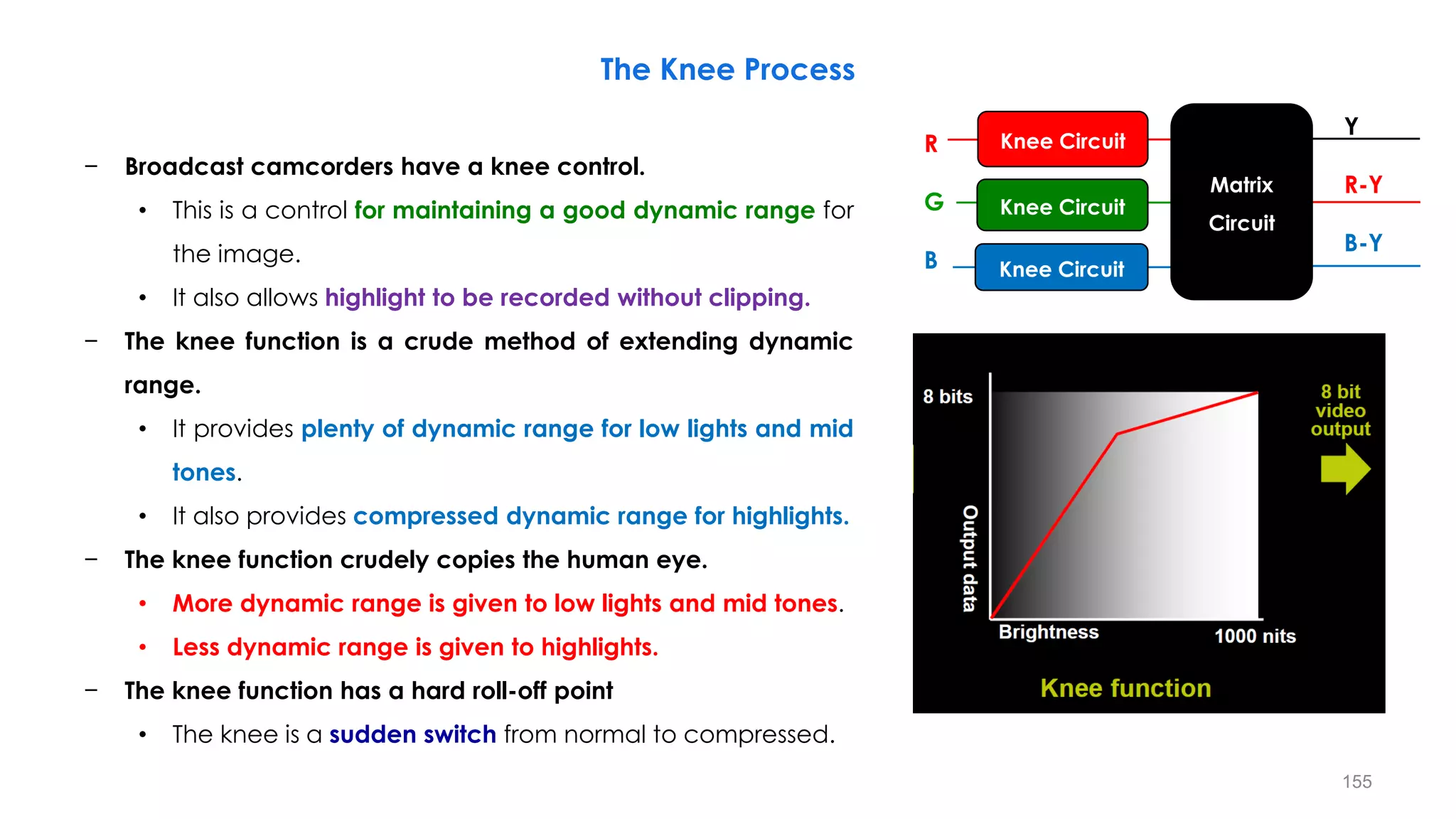
Crushing the black
Washing out the black
Washed-out or blooming
Washed-out Black Tones
• Washing out the black tones into grays
Washed-out White Tones (Blooming)
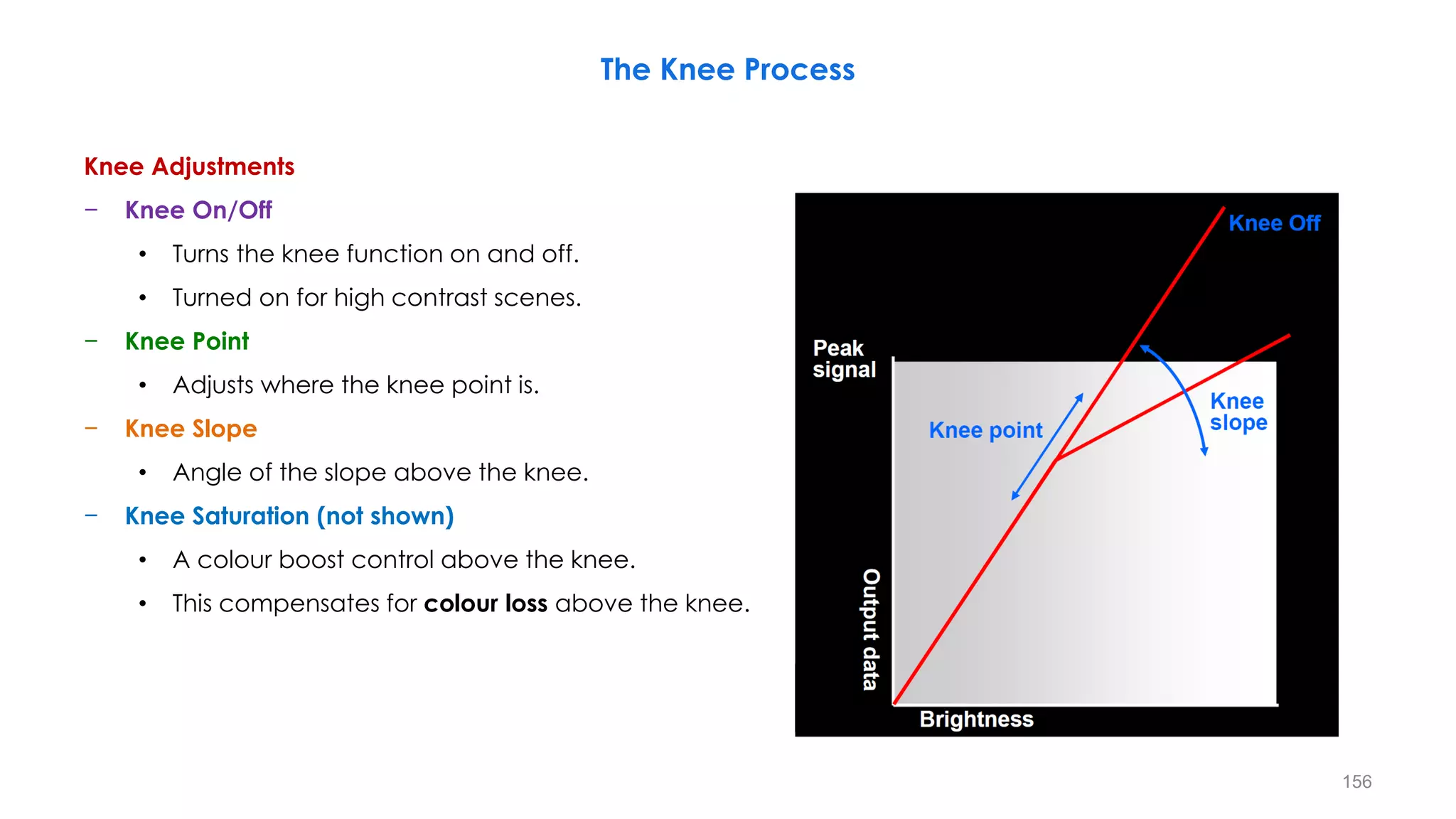
– It is due to white compression, that is gray scale in the white portion is lost on an LCD monitor (If the
contrast is too high, washed-out pictures occur and degrade the resolution (details))
182
Crushed Black and Washed Out White in SDR Display
Washed Out
Whites
Crushed Blacks
SDR Display
183
Contrast and Size/Distance Effects on Resolution
Pelli-Robson chart:
Impact of Contrast onResolution
Snellen chart:
Impact of Size/Distance on Resolution
184
High Brightness and High Dynamic Range Effects on Resolution/Details
High Brightness (and High Contrast) High Dynamic Range
More depth (data) in the extra brightness
Washed-out the white tones (blooming)

185
• Not just Brighter, but better, more depth (data) in the
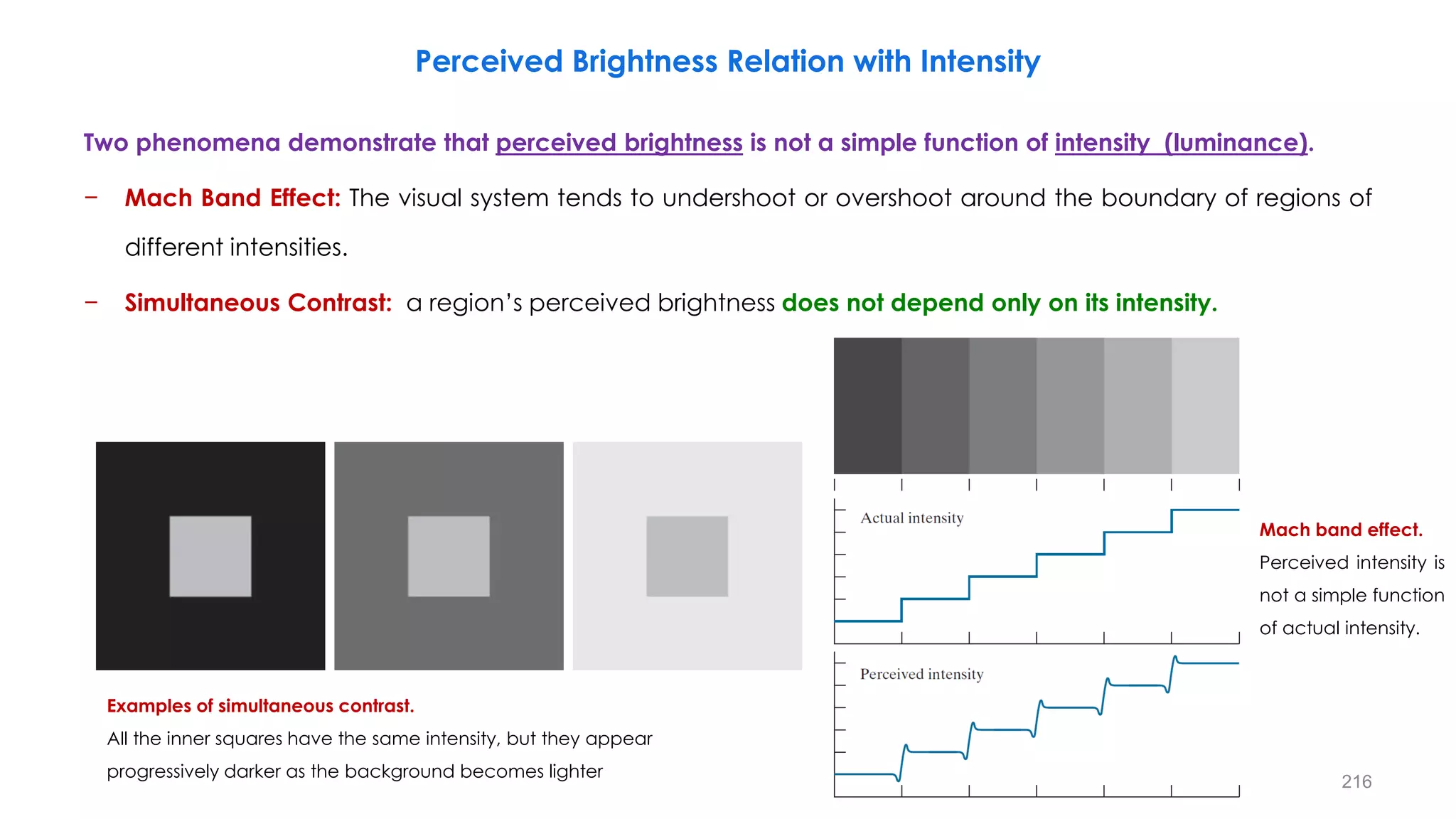
extra brightness.
• HDR done incorrectly looks really Bad (Left Pic).
DSLR HDR
186
Over exposed
Under exposed
Combined
Chasing the Human Vision System
187
Chasing the Human Vision System
Washed-out white (blooming)
Crushed Black
Washed-out white (blooming)
Crushed Black
Crushed Black
188
Chasing the Human Vision System
189
Chasing the Human Vision System
https://www.aja.com/solutions/hdr
190
Chasing the Human Vision System
– An HDR system is able to transmit the camera-captured dynamic range of luminance levels from the
production process all the way to the consumer end without any degradation in this dynamic range.
.05
191
Chasing the Human Vision System
– An HDR system is able to transmit the camera-captured dynamic range of luminance levels from the
production process all the way to the consumer end without any degradation in this dynamic range.
192
Tone Mapping for HDR Images to Show on SDR Display Devices
SDR Monitor (HD PQ)
HDR Monitor (4K HLG) SDR Monitor (HD HLG)
Slim
Wide & Tall
HDR Monitor (4K PQ)
193
SDR System
194
SDR System with a High Luminance Display
• The high-light portion of the
window is clipped out while some
details in gradation are lost.
• In addition, the luminance level of
the dark portion is increased.
195
HDR System
• The scene image on the window is
reproduced correctly without
white-clipping.
• The dark room portion of the
image is also reproduced
correctly.
196
Effects of HDR
End-to-End
HDR Reproduction
SDR Reproduction
SDR Reproduction with
High Luminance Display
197
Effects of HDR
End-to-End
HDR Reproduction
SDR Reproduction
SDR Reproduction with
High Luminance Display
198
HDR Demo for 4K UHD Sets
199
Postproduction Workflow with Over and Under Exposure
Reference: High Dynamic Range Video From Acquisition to Display and Applications
200
Reference: High Dynamic Range Video From Acquisition to Display and Applications
(A) Linear underexposed image, (B) linear overexposed image, (C) linear HDR fusion, and (D) color-graded HDR image
Postproduction Workflow with Over and Under Exposure
201
Reference: High Dynamic Range Video From Acquisition to Display and Applications
(A) Linear underexposed image, (B) linear overexposed image, (C) linear HDR fusion, and (D) color-graded HDR image
Postproduction Workflow with Over and Under Exposure
202
− Combination of “Large CMOS sensor” and “Embedded Lens” enable compact 4K camera with affordable pixel
size.
− Capable to expand Dynamic range, HFR and High resolution with advanced DSC / Cinema Camera technology.
− Capable to build high performance 1080p camera system with low budget.
New Concept of 2/3” 4K Camera
Panasonic Technical Approach for UHD/Network
B4mount Expansion lens
Sensor 1” or 4/3”
Signal
process
Almost same size
as 2/3” 3 sensor prism
2/3” lens
Image circle
Total optics=16
Proto Type
Expansion Lens
Expansion lens
◆ Large single sensor with expansion lens
2/3” lens
In case
Total optics=16
Large 1CMOS
203
Advantage of Large Single Sensor
MTF=50%
HD :5 Stop (F2~F11)
4K :2.5 Stop (F2~F4.8)
2/3-4K
2/3-HD
S35-4K
HD:800TVLine
4K:1600TVLine
MTF specification
Spatial frequency(lp/mm)
• Large sensor has a high saturation
2/3”Lens
Optical size
⇒ Sensitivity
2/3” 3CMOS
Specification:
Large 1CMOS
Sensitivity becomes equal
(independent of sensorsize)
⇒ Saturation (Dynamic Range)
2/3” 3CMOS Large 1CMOS
− Large single sensor system capable of achieving high saturation (Dynamic range) under equal sensitivity condition
compared to 3CMOS system, VERY important factor for HDR system in UHD.
− Need to open IRIS in 2/3” 3CMOS system to avoid blur due to diffraction, since VERY high saturation characteristics is
required.
Expansion lens
Panasonic Technical Approach for UHD/Network
204
− Color Spectra Characteristics is drastically improved.
Improvement of Color Reproduction with Single Sensor
Conventional Single Sensor
3 Image Sensor New Developed SingleSensor
Color Filter
New Pigment Material
Optimize Thickness
Spectra Characteristics Spectra Characteristics Spectra Characteristics
Panasonic Technical Approach for UHD/Network
Color Reproduction is deteriorated
because of the energy leaking to the
other channel on conventionalsystem.
205
− 3MOS system capable of achieving high resolution, however lower saturation cause of small pixel size.
− 3MOS system difficult to realize affordable system cause of cost and power consumption.
− 4 MOS with pixel shift incapable of achieving high resolution since RGGB pixel isolation is NOT enough, and
system cost is high.
2/3” 4K Camera Comparison
Panasonic Technical Approach for UHD/Network
Technology
Pix Number Comparison
Camera
Pix Number Pix Size Resolution Sensitivity Saturation Power Cost/Size
3CMOS 3840×2160 2.5μm
Y 2000TVL
Excellent Good Fair Poor Poor SONY
C 2000TVL
Single CMOS
(w/Ex lens)
3840×2160
~4608×2592
3.4
~4.4μm
Y
1800TVL
~2000TVL
Good Good Excellent Excellent Excellent Panasonic
C 1000TVL
Single CMOS with
Adapter
4096×2160
~4608×2592
6μm
Y
1800TVL
~2000TVL
Good Good Excellent Fair Poor SONY F55 RED EPIC,etc
C 1000TVL
4 CMOS
with Pixel Shift 1920×1080 5μm
Y
1300TVL
~1400TVL
Poor Excellent Excellent Fair Fair
Hitachi System
camera
C 1000TVL
206
What level is White?
− In video, the system white is often
referred to as reference white, and is
neither the maximum white level of
the signal nor that of the display.
− In Rec709 100% white (700mV) is
reference to 100 Nits.
White and Highlight Level Determination for HDR
207
White and Highlight Level Determination for HDR
Diffuse White (Reference White) in Video
− Diffuse white (reference white) is the reflectance of an illuminated white object (white on calibration
card).
− The reference level, HDR Reference White, is defined as the nominal signal level of a 100% reflectance
white card.
− That is the signal level that would result from a 100% Lambertian reflector placed at the centre of interest
within a scene under controlled lighting, commonly referred to as diffuse white.
90% Reflectance
18% Reflectance (the closest standard reflectance card to skin tones)
Black
100 % Reflectance
White
18% Reflectance
208
White and Highlight Level Determination for HDR
Highlights (Specular Reflections & Emissive Objects (Self-luminous)) in Video
− The luminances that are higher than reference white (diffuse white) are referred to as highlights.
• In traditional video, the highlights were generally set to be no higher than 1.25x the diffuse white.
Specular Reflections
• Specular regions luminance can be over 1000 times higher than the diffuse surface in nit.
Emissive Objects (Self-luminous)
• Emissive objects and their resulting luminance levels can have magnitudes much higher than the
diffuse range in a scene or image (Sun, has a luminance s~1.6 billion nits)
• A more unique aspect of the emissive is that they can also be of very saturated color (sunsets,
magma, neon, lasers, etc.).
209
Relative Values for 90% Diffuse White
• Relative values for 90% diffuse white and 18% middle gray of Rec.709, Cineon, LogC, C-Log and S-Log 1 and 2.
• The values for where 90% diffuse white (the red dotted line) is placed change as much do the values for 18% middle gray.
• Values are show in IRE and Code Values (CV).
90% Reflectance
18% Reflectance
210
• Rec.709 doesn’t have the dynamic range to represent all eleven
steps of this grayscale.
• These computer generated grayscales have a range from five
stops above to five stops below 18% middle gray (11 stops total),
so the right hand white patch is brighter than 90% diffuse white as
it would be on a physical test chart.
• RedLogFilm/Cineon keeps the black level well above 0% and the
brightest white well below 100% with steps that are fairly evenly
distributed.
• RedGamma3 shows all the steps but they are not evenly
distributed, by design.
• The middle tones get the most separation as they are where
human vision perceives the most detail.
• In Arri 709 the middle tones get the most emphasis while the
extremes of the dark and light tones get much less separation
between the steps.
• Black comes very close to 0% on the waveform.
18%
Middle
Gray
Five Stops Five Stops
211
• Arri’s LogC is a much flatter curve, with the brightest patch (five
stops above 18%) down at 75% and 18% gray well below 50% (as
is true of all of these curves).
• S-Log from Sony, shows a distribution similar in some ways to
RedLogFilm/Cineon but keeps more separation in the highlights
while crushing the dark tones very slightly more. The brightest
white patch gets very near 100%.
• S-Log2 crushes the black a bit more but still doesn’t let pure black
reach 0% and keeps the brightest white patch well below 100%.
• Sony Rec.709 at 800% actually places the brightest white patch
above 100% on the waveform but with little separation.
• The mid tones get the most separation and the darkest tones are
somewhat crushed.
• Unlike “regular” 709, there is still separation at the high end but
like Rec.709, pure black goes very close to 0% 212
What’s Important in UHD
Next Gen Audio
WCG
HDR
New EOTF
HFR (> 50 fps)
Screen Size
4K Resolution
0 1 2 3 4 5 6 7 8 9 10
213
BBS Broadcast Industry Global Project Index
− Unlike industry trend data, which highlights what respondents are thinking or talking about doing in the future, this
information provides direct feedback about what major capital projects are being implemented by broadcast
technology end-users around the world, and provides useful insight into the expenditure plans of the industry.
The result is the 2020 BBS Broadcast Industry
Global Project Index, shown below, which
measures the number of projects that BBS
participants are currently implementing or
have budgeted to implement.
214
215
Two phenomena demonstrate that perceived brightness is not a simple function of intensity (luminance).
− Mach Band Effect: The visual system tends to undershoot or overshoot around the boundary of regions of
different intensities.
− Simultaneous Contrast: a region’s perceived brightness does not depend only on its intensity.
Perceived Brightness Relation with Intensity
Mach band effect.
Perceived intensity is
not a simple function
of actual intensity.
Examples of simultaneous contrast.
All the inner squares have the same intensity, but they appear
progressively darker as the background becomes lighter
216
− The term masking usually refers to a destructive interaction or
interference among stimuli that are closely coupled in time or
space.
− This may result in a failure in detection or errors in recognition.
− Here, we are mainly concerned with the detectability of one
stimulus when another stimulus is present simultaneously.
− The effect of one stimulus on the detectability of another,
however, does not have to decrease detectability.
I: Gray level (intensity value)
Masker: Background 𝐼 (one stimulus)
Disk: Another stimulus 𝑰 + ∆𝑰
In ∆𝑰,the object can be noticed by the HVS
with a 50% chance.
Masker: Background 𝑰 (one stimulus)
Disk: Another stimulus 𝑰 + ∆𝑰
Masking Phenomena
217
− Under what circumstances can the disk-shaped object be
discriminated from the background (as a masker stimulus)?
− Weber’s law states that for a relatively very wide range of I (Masker),
the threshold for disc discrimination, ∆𝑰, is directly proportional to the
intensity I.
• Bright Background: a larger difference in gray levels is needed for the
HVS to discriminate the object from the background.
• Dark Background: the intensity difference required could be smaller.
Weber’s Law
I: Gray level (intensity value)
Masker: Background 𝐼 (one stimulus)
Disk: Another stimulus 𝑰 + ∆𝑰
In ∆𝑰,the object can be noticed by the HVS
with a 50% chance.
∆𝑰
𝑰
= 𝑪𝒐𝒏𝒔𝒕𝒂𝒏𝒕 (≈ 𝟎. 𝟎𝟐)
Masker: Background 𝑰 (one stimulus)
Disk: Another stimulus 𝑰 + ∆𝑰
Contrast Sensitivity Function (CSF)
218
Human Eye’s Sensitivity to Contrast in Different Luminance Levels
− The image gets darker (Low L): minimum detectable contrast becomes smaller.
− The image gets brighter (High L): minimum detectable contrast becomes bigger.
• It is approximately constant in the highlights of an image.
𝑳𝒎𝒊𝒏
𝑳𝒎𝒂𝒙
𝟐∆𝑳
𝑳
Z
𝑳
𝑳 − ∆𝑳 𝑳 + ∆𝑳
𝑴𝒊𝒏𝒊𝒎𝒖𝒎 𝑫𝒆𝒕𝒆𝒄𝒕𝒂𝒃𝒍𝒆 𝑪𝒐𝒏𝒕𝒓𝒂𝒔𝒕 (%) =
∆𝑳
𝑳
× 𝟏𝟎𝟎
Z
𝑳
𝑳 − ∆𝑳 𝑳 + ∆𝑳
∆𝑳: 𝑴𝒊𝒏𝒊𝒎𝒖𝒎 𝑫𝒆𝒕𝒆𝒄𝒕𝒂𝒃𝒍𝒆 𝑫𝒆𝒇𝒇𝒆𝒓𝒆𝒏𝒄𝒆 𝒊𝒏 𝑳𝒖𝒎𝒊𝒏𝒂𝒏𝒄𝒆
𝑳: 𝑩𝒂𝒄𝒌𝒈𝒓𝒐𝒖𝒏𝒅 𝑳𝒖𝒎𝒊𝒏𝒂𝒏𝒄𝒆
𝑳
219
− Luminance masking relates to the lower sensitivity of the HVS to the distortion introduced in brighter image
areas.
− It can be observed that the noise is more visible in the dark area than in the bright area if comparing, for
instance, the dark portion and the bright portion of the cloud above the bridge.
The bridge in Vancouver: (a) Original and (b) Uniformly corrupted by AWGN.
Luminance Masking
220
− The threshold of visibility of a brightness pattern is a linear function of the background luminance.
− The changes in Luminance are less noticeable when the base luminance is higher.
− The HVS demonstrates light adaptation characteristics and as a consequence of that it is sensitive to
relative changes in brightness. This effect is referred to as “Luminance masking”.
− In other words, brighter regions in an image can tolerate more noise due to distortions before it becomes
visually annoying.
• The direct impact that luminance masking has on image and video compression is related to
quantization.
• Luminance masking suggests a nonuniform quantization scheme that takes the contrast sensitivity
function into consideration.
Luminance Masking
∆𝑰
𝑰
= 𝑪𝒐𝒏𝒔𝒕𝒂𝒏𝒕 (≈ 𝟎. 𝟎𝟐)
221
Luminance Masking
− The perception of brightness is not a linear function of the luminance.
− The HVS demonstrates light adaptation characteristics and as a consequence of that it is sensitive to
relative changes in brightness.
− The changes in Luminance are less noticeable when the base luminance is higher.
Contrast Masking
− The changes in contrast are less noticeable when the base contrast is higher than when it is low.
− The visibility of certain image components is reduced due to the presence of other strong image
components with similar spatial frequencies and orientations at neighboring spatial locations.
Contrast Masking
∆𝑰
𝑰
= 𝑪𝒐𝒏𝒔𝒕𝒂𝒏𝒕 (≈ 𝟎. 𝟎𝟐)
222
With same MSE:
• The distortions are clearly visible in the ‘‘Caps’’ image.
• The distortions are hardly noticeable in the ‘‘Buildings’’ image.
• The strong edges and structure in the ‘‘Buildings’’ image
effectively mask the distortion, while it is clearly visible in the
smooth ‘‘Caps’’ image.
− This is a consequence of the contrast masking property of the HVS
i.e.
• The visibility of certain image components is reduced due to
the presence of other strong image components with similar
spatial frequencies and orientations at neighboring spatial
locations.
Contrast Masking
(a) Original ‘‘Caps’’ image (b) Original ‘‘Buildings’’ image
(c) JPEG compressed image, MSE = 160 (d) JPEG compressed image, MSE = 165
(e) JPEG 2000 compressed image, MSE =155 (f) AWGN corrupted image, MSE = 160.
223
− In developing a quality metric, a signal is first decomposed into several frequency bands and the HVS
model specifies the maximum possible distortion that can be introduced in each frequency component
before the distortion becomes visible.
− This is known as the Just Noticeable Difference (JND).
− The final stage in the quality evaluation involves combining the errors in the different frequency
components, after normalizing them with the corresponding sensitivity thresholds, using some metric such
as the Minkowski error.
− The final output of the algorithm is either
• a spatial map showing the image quality at different spatial locations
• a single number describing the overall quality of the image.
Developing a Quality Metric Using Just Noticeable Difference (JND)
224
Frequency Response of the HVS
− Spatial Frequency Response
− Temporal Frequency Response and Flicker
− Spatio-temporal Frequency Response
− Smooth Pursuit Eye Movement
𝒀 𝒙, 𝒚, 𝒕 = 𝒀𝟎 + 𝒎 × 𝒔𝒊𝒏 [𝟐𝝅 𝒇𝒙𝒙 + 𝒇𝒚𝒚 + 𝝋𝟎] × 𝒔𝒊𝒏 (𝟐𝝅𝒇𝒕𝒕 + ƴ
𝝋𝟎)
𝒀 𝒙, 𝒚, 𝒕 = 𝒀𝟎 + 𝒎 × 𝒔𝒊𝒏 (𝟐𝝅𝒇𝒕𝒕 + 𝝋𝟎)
𝒀 𝒙, 𝒚, 𝒕 = 𝒀𝟎 + 𝒎 × 𝒔𝒊𝒏 [𝟐𝝅 𝒇𝒙𝒙 + 𝒇𝒚𝒚 + 𝝋𝟎]
225
Spatial Frequency
Spatial frequency measures how fast the image intensity changes in the image plane
− Spatial frequency can be completely characterized by the variation frequencies in two orthogonal
directions (horizontal and vertical)
− 𝒇𝒙: cycles/horizontal unit distance
− 𝒇𝒚: cycles/vertical unit distance
− It can also be specified by magnitude and angle of change
𝒇𝒔 = 𝒇𝒙
𝟐
+ 𝒇𝒚
𝟐
𝝋 = 𝐭𝐚𝐧−𝟏
𝒇𝒚
𝒇𝒙
𝒇𝒙 = 𝒇𝒔 cos 𝝋
𝒇𝒚 = 𝒇𝒔 sin 𝝋
Spatial
Frequency
Orientation
𝟎𝟎
𝟒𝟓𝟎 𝟗𝟎𝟎
𝒇𝒙 = 𝒇𝒔 cos 𝝋
𝒇
𝒚
=
𝒇
𝒔
sin
𝝋
𝒇𝒔
𝝋
𝒇𝒔
𝝋
226
Spatial Frequency
𝑓𝑠 = 25
φ = tan−1
0
5
= 0°
𝑓𝑠 = 125
φ = tan−1
10
5
= 63.4°
− Two-dimensional signals:
(a) 𝒇𝒙, 𝒇𝒚 = (𝟓, 𝟎)
(b) 𝒇𝒙, 𝒇𝒚 = (𝟓, 𝟏𝟎)
− The horizontal and vertical units are
the width and height of the image,
respectively.
− Therefore, for example 𝑓𝑥 = 5 means
that there are five cycles along
each row. (𝒂) (𝒃)
227
− Previously defined spatial frequency depends on viewing distance.
− Angular frequency is what matters to the eye! (viewing distance is included in it)
𝜽 = 𝟐 𝐭𝐚𝐧−𝟏
𝒉
𝟐𝒅
𝑹𝒂𝒅 ≈
𝟐𝒉
𝟐𝒅
𝑹𝒂𝒅 =
𝟏𝟖𝟎
𝝅
.
𝒉
𝒅
(𝑫𝒆𝒈𝒓𝒆𝒆)
𝒇𝒔[𝒄𝒑𝒅] =
𝒇𝒔[𝑪𝒚𝒄𝒍𝒆𝒔/𝑼𝒏𝒊𝒕 𝑫𝒊𝒔𝒕𝒂𝒏𝒄𝒆]
𝜽
=
𝝅
𝟏𝟖𝟎
.
𝒅
𝒉
𝒇𝒔[𝑪𝒚𝒄𝒍𝒆𝒔/𝑼𝒏𝒊𝒕 𝑫𝒊𝒔𝒕𝒂𝒏𝒄𝒆]
Spatial Frequency (cycles per degree, cpd)
𝒉
𝒅
𝜽
228
− If the stimulus is a spatially periodical pattern (or grating), it is defined
by its spatial frequency, which is the number of cycles per unit of
subtended angle.
− The luminance profile of a sinusoidal grating of frequency 𝒇 oriented
along a spatial direction defined by the angle 𝝋 can be written as:
− Where 𝒀𝟎 is the mean luminance of the grating, 𝒎 is its amplitude
and 𝒇𝒙 and 𝒇𝒚 are its spatial frequencies along the 𝒙 and 𝒚
directions, respectively (measured in cycles per degree, cpd) ; that
is:
𝒀 𝒙, 𝒚 = 𝒀𝟎 + 𝒎 × 𝒔𝒊𝒏 [𝟐𝝅 𝒇𝒙𝒙 + 𝒇𝒚𝒚 ]
𝒇𝒔 = 𝒇𝒙
𝟐
+ 𝒇𝒚
𝟐
𝝋 = 𝐭𝐚𝐧−𝟏
𝒇𝒚
𝒇𝒙
𝒇𝒙 = 𝒇𝒔 cos 𝝋
𝒇𝒚 = 𝒇𝒔 sin 𝝋
𝒇𝒙 = 𝒇𝒔 cos 𝝋
𝒇
𝒚
=
𝒇
𝒔
sin
𝝋
𝒇𝒔
𝝋
Spatial Frequency (cycles per degree, cpd)
229
− Ex: The value of the phase, 𝝋, determines the luminance at the
origin of coordinates (𝒙 = 𝟎, 𝒚 = 𝟎).
• If 𝝋 is zero or a multiple of 𝝅 rad, luminance is zero at the origin
and the pattern has odd symmetry
• If 𝝋 is 𝝅/𝟐 rad or an odd multiple of 𝝅/𝟐 rad, luminance is
maximum at the origin and the pattern has even symmetry.
𝒇𝒔 = 𝒇𝒙
𝟐
+ 𝒇𝒚
𝟐
𝝋 = 𝐭𝐚𝐧−𝟏
𝒇𝒚
𝒇𝒙
𝒇𝒙 = 𝒇𝒔 cos 𝝋
𝒇𝒚 = 𝒇𝒔 sin 𝝋
Spatial Frequency (cycles per degree, cpd)
𝒇𝒙 = 𝒇𝒔 cos 𝝋
𝒇
𝒚
=
𝒇
𝒔
sin
𝝋
𝒇𝒔
𝝋
230
Contrast Measurement
− Contrast is the physical parameter describing the magnitude of the luminance variations around the
mean in a scene.
− Types of stimulus to measure contrast sensitivity
• Aperiodic stimulus
• Periodic stimulus (Sinusoidal grating, Square grating)
231
Contrast Measurement
Aperiodic Stimulus and Weber’s Contrast
− If the stimulus is aperiodic, contrast is simply defined as
− where △ 𝑌 is the luminance amplitude of the stimulus placed
against the luminance 𝑌0 (i.e., the background), provided that
𝑌0 ≠ 0
𝑪 =
△ 𝒀
𝒀𝟎
△ 𝒀
𝒀𝟎
𝒀𝟎 +△ 𝒀
232
Contrast Measurement
Michaelson’s Contrast
− Note that the grating shown in the figure ure 𝒇𝒚 = 𝟎 and 𝝋=𝝅/𝟐
rad.
− Contrast is defined in this case as follows:
− This definition can be applied to any periodical pattern, no
matter if sinusoidal, square or any other type.
𝑪 =
𝒎
𝒀𝟎
=
𝒀𝒎𝒂𝒙 − 𝒀𝒎𝒊𝒏
𝒀𝒎𝒂𝒙 + 𝒀𝒎𝒊𝒏
𝒀 𝒙, 𝒚 = 𝒀𝟎 + 𝒎 × 𝒔𝒊𝒏 (𝟐𝝅𝒇𝒙𝒙)
𝒀𝒎𝒊𝒏
𝒀𝒎𝒂𝒙
𝒎
233
Contrast Sensitivity Function (CSF)
Contrast Sensitivity
− Contrast sensitivity is the inverse of the minimum contrast necessary to
detect an object against a background or to distinguish a spatially
modulated pattern from a uniform stimulus (threshold contrast).
Contrast Sensitivity Function (CSF)
− Contrast sensitivity is a function of the spatial frequency (𝒇) and the
orientation (𝜽 or 𝝋) of the stimulus; that is why we talk of the Contrast
Sensitivity Function or CSF.
𝑪𝒎𝒊𝒏 =
𝒎𝒎𝒊𝒏
𝒀𝟎
=
𝒀𝒎𝒂𝒙 − 𝒀𝒎𝒊𝒏
𝒀𝒎𝒂𝒙 + 𝒀𝒎𝒊𝒏
𝑺 =
𝟏
𝑪𝒎𝒊𝒏
=
𝒀𝒎𝒂𝒙 + 𝒀𝒎𝒊𝒏
𝒀𝒎𝒂𝒙 − 𝒀𝒎𝒊𝒏
𝒀 𝒙, 𝒚 = 𝒀𝟎 + 𝒎 × 𝒔𝒊𝒏 (𝟐𝝅𝒇𝒙𝒙)
𝒀𝒎𝒊𝒏
𝒀𝒎𝒂𝒙
𝒎𝒎𝒊𝒏
234
Low Frequency Medium Frequency High Frequency
High Contrast Low Contrast
Different Spatial Frequency in x Direction and Different Contrast
235
Different Spatial Frequency in x Direction
Increasing Frequency 236
Spatial Contrast Sensitivity Function
Invisible
Visible
Decreasing
Contrast
Low Contrast
High Contrast
𝑺 =
𝟏
𝑪𝒎𝒊𝒏
𝑪𝒎𝒊𝒏 =
𝒎𝒎𝒊𝒏
𝒀𝟎
Low Contrast Sensitivity
High Contrast Sensitivity
Increasing Frequency
Low Contrast Sensitivity
237
− Similar to a band-pass filter
• Most sensitive to mid frequencies
• Least sensitive to high frequencies
− Also depends on the orientation of grating
• Most sensitive to horizontal and vertical ones
Spatial Contrast Sensitivity Function
Invisible
Visible
Decreasing
Contrast
Low Contrast
High Contrast
𝑺 =
𝟏
𝑪𝒎𝒊𝒏
𝑪𝒎𝒊𝒏 =
𝒎𝒎𝒊𝒏
𝒀𝟎
Low Contrast Sensitivity
High Contrast Sensitivity
Increasing Frequency
Low Contrast Sensitivity
238
Changes in CSF Due to Changes in Light Levels
Changes in CSF due to changes in light levels
The red line represents a typical contrast
sensitivity function in a normal adult.
239
Chrominance Spatial Contrast Sensitivity Function
− The CIELAB color space also referred to as L*a*b* is a color space defined by the International
Commission on Illumination (CIE) in 1976. CIELAB was intended as a perceptually uniform space, where a
given numerical change corresponds to similar perceived change in color.
− It expresses color as three values: L* for perceptual lightness, and a* and b* for the four unique colors of
human vision: red, green, blue, and yellow.
240
− Essentially, the HVS is more sensitive to lower spatial frequencies and less sensitive to high spatial
frequencies.
Chrominance Spatial Contrast Sensitivity Function
• The sensitivity to luminance information peaks at around 5–8
cycles/deg.
• This corresponds to a contrast grid with a stripe width of 1.8
mm at a distance of 1 m.
• Luminance sensitivity falls off either side of this peak and has
little sensitivity above 50 cycles/deg.
• The peak of the chrominance sensitivity curves occurs at a
lower spatial frequency than that for luminance and the
response falls off rapidly beyond about 2 cycles/deg.
• It should also be noted that our sensitivity to luminance
information is about three times that for Red-Green and that
the Red-Green sensitivity is about twice that of Blue-Yellow.
Red-Green
Blue-Yellow
241
The rapid eye movements that allow us to quickly scan a visual
scene.
− The different stabilization settings used to remove the effect of
saccadic eye movements.
− The stabilization allowed us to control retinal image motion
independent of eye movements.
− Specifically, the image of the stimulus display was slaved to the
subject's eye movements. The image of the display screen moved
in synchrony with the eye movement so that its image remained
stable on the retina, irrespective of eye velocity.
− With this technique, we could control the retinal velocity by
manipulating the movement of the stimulus on the display.
Saccades Eye Movements and Stabilization
242
Saccadic eye movement enhances (increases)
the sensitivity but reduces the frequency that
peak occurs (peak shifts to left side)
• Filled circles were obtained under normal,
unstablized conditions
• Open squares, with optimal gain setting for
stabilization (to control retinal image motion
independent of eye movements)
• Open circles, with the gain changed about 5
percent.
100
50
20
10
Spatial
Contrast
sensitivity
(Log
Scale)
5
2
0.2
1
0.5 1 2 5 10
Spatial frequency (cpd)
Spatial Contrast Sensitivity Function
Low Contrast
High Contrast
The optimal gain
setting for stabilization
Under normal, unstablized conditions
With the gain changed
about 5 percent
243
Modulation Transfer Function (MTF)
244
Modulation Transfer Function (MTF)
− In optics, a well-known function of spatial frequency used to characterize the quality of an imaging
system is the Modulation Transfer Function (MTF)
− It can be measured by obtaining the image (output) produced by the system of a sinusoidal pattern of
frequency f, orientation θ and contrast 𝐶𝑖𝑛(𝑓, 𝜃) (input)
− Where 𝐶𝑜𝑢𝑡(𝑓, 𝜃) is the contrast of the image, which is also a sinusoid, provided the system is linear and
spatially invariant.
− This formula may be read as the contrast transmittance of a filter.
𝑴𝑻𝑭 𝒇, 𝜽 =
𝑪𝒐𝒖𝒕(𝒇, 𝜽)
𝑪𝒊𝒏(𝒇, 𝜽)
245
Modulation Transfer Function (MTF)
− If the visual system is treated globally as a linear, spatially invariant, imaging system and if it is assumed
that, at threshold, the output contrast must be constant, i.e. independent of spatial frequency, it is easy to
demonstrate that the MTF and the CSF of the visual system must be proportional.
− In fact, if the input is a threshold contrast grating, the MTF can be written as:
− We are assuming that 𝐶𝑡ℎ𝑟𝑒𝑠,𝑜𝑢𝑡(𝑓, 𝜃) is an unknown constant, let us say 𝑅0
− Thus, both functions have the same shape and differ only in an unknown global factor.
𝑴𝑻𝑭 𝒇, 𝜽 =
𝑪𝒕𝒉𝒓𝒆𝒔,𝒐𝒖𝒕(𝒇, 𝜽)
𝑪𝒕𝒉𝒓𝒆𝒔,𝒊𝒏(𝒇, 𝜽)
𝑴𝑻𝑭 𝒇, 𝜽 =
𝑹𝟎
𝑪𝒕𝒉𝒓𝒆𝒔,𝒊𝒏(𝒇,𝜽)
= 𝑹𝟎𝑪𝑺𝑭(𝒇, 𝜽)
246
Temporal Frequency
Temporal frequency measures temporal variation (cycles/s)
− In a video, the temporal frequency is actually 2-dimensional; each point in space has its own
temporal frequency.
− Non-zero temporal frequency can be caused by camera or object motion.
247
Temporal Contrast Sensitivity Function: TCSF
− A spatially uniform pattern whose luminance is time modulated by a sinusoidal function is
mathematically described as follows:
− Where 𝒇𝒕 is the temporal frequency
− Again we have
𝒀(𝒕) = 𝒀𝟎 + 𝒎 × 𝒔𝒊𝒏 (𝟐𝝅𝒇𝒕𝒕) TCSF: The function relating
contrast sensitivity to
temporal frequency
𝒇𝒕
𝑪𝒎𝒊𝒏 =
𝒎𝒎𝒊𝒏
𝒀𝟎
𝑺 =
𝟏
𝑪𝒎𝒊𝒏
=
𝒀𝒎𝒂𝒙 + 𝒀𝒎𝒊𝒏
𝒀𝒎𝒂𝒙 − 𝒀𝒎𝒊𝒏
248
The responses obtained with different mean brightness
(luminance) levels, B, measured in trolands.
Critical flicker frequency
• The lowest frame rate at which the eye
does not perceive flicker.
− Provides guideline for determining the frame
rate when designing a video system (Brightness
level↑ ⇒ Shift to right)
− Critical flicker frequency depends on the
mean brightness of the display:
• 60 Hz is typically sufficient for watching TV.
• Watching a movie needs lower frame rate
than TV (because of less luminance on screen)
Temporal Contrast Sensitivity Function: TCSF
200
100
50
Temporal
Contrast
sensitivity
(Log
Scale)
20
10
5
2
1
9300 trolands
850 trolands
77 trolands
7.1 trolands
0.65 trolands
0.06 trolands
(Flicker) Frequency (Hz)
2 5 10 20 50
𝑺 =
𝟏
𝑪𝒎𝒊𝒏
=
𝒀𝒎𝒂𝒙 + 𝒀𝒎𝒊𝒏
𝒀𝒎𝒂𝒙 − 𝒀𝒎𝒊𝒏
249
𝒀 𝒙, 𝒚, 𝒕 = 𝒀𝟎 + 𝒎 × 𝒔𝒊𝒏 [𝟐𝝅 𝒇𝒙𝒙 + 𝒇𝒚𝒚 ] × 𝒔𝒊𝒏 (𝟐𝝅𝒇𝒕𝒕)
Contrast Sensitivity in the Spatio-Temporal Domain
A luminance pattern that changes as a function of position (𝒙, 𝒚) and time, 𝒕, is a spatio-temporal pattern.
− Spatio-temporal patterns usually employed as stimuli are counterphase gratings and travelling gratings.
− In counterphase sine gratings, luminance is sinusoidally modulated both in space (with frequencies 𝒇𝒙, 𝒇𝒚)
and in time (with frequency 𝒇𝒕).
250
Contrast Sensitivity in the Spatio-Temporal Domain
− In counterphase sine gratings, if 𝒇𝒚 = 0 , the corresponding luminance profile would be:
𝒀 𝒙, 𝒚, 𝒕 = 𝒀𝟎 + 𝒎 × 𝒔𝒊𝒏 (𝟐𝝅𝒇𝒙𝒙) 𝒔𝒊𝒏 (𝟐𝝅𝒇𝒕𝒕) 𝒀 𝒙, 𝒚, 𝒕 = 𝒀𝟎 + 𝒎 × 𝒔𝒊𝒏 [𝟐𝝅 𝒇𝒙𝒙 + 𝒇𝒕𝒕 )]
Stationary Sinusoid Counterphase Flickering Sinusoid
251
Contrast Sensitivity in the Spatio-Temporal Domain
A travelling grating is a spatial pattern that moves with a given velocity, 𝒗.
− If we assume 𝒇𝒚 = 0 , the luminance profile would be:
− where 𝒇𝒕 = 𝒗 × 𝒇𝒙 is the temporal frequency of the luminance modulation caused by the motion at each
point (𝑥, 𝑦) of the pattern
− The sign (±) accompanying the variable 𝑣 indicates whether the grating is moving towards the left or the
right, respectively.
𝒀 𝒙, 𝒚, 𝒕 = 𝒀𝟎 + 𝒎 × 𝒔𝒊𝒏 [𝟐𝝅 𝒇𝒙𝒙 + 𝒇𝒕𝒕 ]
𝒀 𝒙, 𝒚, 𝒕 = 𝒀𝟎 + 𝒎 × 𝒔𝒊𝒏 [𝟐𝝅𝒇𝒙 𝒙 ± 𝒗𝒕 ]
𝒇𝒕 = 𝒗 × 𝒇𝒙
252
Contrast Sensitivity in the Spatio-Temporal Domain
(Spatiotemporal CSF)
− The contrast sensitivity becomes here a 3D function, or 2D if the spatial pattern is 1D, that is, if the
modulation occurs only along the x or the y directions.
The spatio-temporal CSF surface
Cross-sections of the 2D spatio-temporal CSF surface at different
values of the temporal (left) or the spatial temporal frequency
(right), to obtain, respectively, the spatial and the temporal CSFs.
253
Spatiotemporal Response
300
100
10
30
Spatial
Contrast
sensitivity
0.3
3
1 3 10
Spatial frequency (cpd)
30
300
100
10
30
Temporal
Contrast
sensitivity
0.3
3
1 3 10
Temporal frequency (Hz)
30
Spatiotemporal frequency response of the HVS.
− The reciprocal relation between spatial and temporal sensitivity was used in TV system design.
Spatial Frequency ↑ ⇒ Temporal Frequency↓ Temporal Frequency ↑ ⇒ Spatial Frequency↓
− Interlaced scan provides tradeoff between spatial and temporal resolution.
Spatial frequency responses for different temporal frequencies Temporal frequency responses for different spatial frequencies
1Hz 6Hz
16Hz
22Hz
0.5 cpd
4 cpd
16 cpd
22 cpd
254
(𝒙, 𝒚)
(𝒙, 𝒚)
𝒗𝒙, 𝒗𝒚
𝒙 + 𝒗𝒙𝒕, 𝒚 + 𝒗𝒚𝒕
𝒙 + 𝒗𝒙𝒕, 𝒚 + 𝒗𝒚𝒕
− Suppose single object with constant velocity (Temporal Frequency caused by Linear Motion)
− Illustration of the constant intensity assumption under motion.
− Every point (𝑥, 𝑦) at t=0 is shifted by 𝑣𝑥𝑡, 𝑣𝑦𝑡 to 𝑥 + 𝑣𝑥𝑡, 𝑦 + 𝑣𝑦𝑡 at time t, without change in color or
intensity.
− Alternatively, a point (𝑥, 𝑦) at time t corresponds to a point 𝑥 − 𝑣𝑥𝑡, 𝑦 − 𝑣𝑦𝑡 at time zero.
Relation between Motion, Spatial and Temporal Frequency
255
Relation between Motion, Spatial and Temporal Frequency
Consider an object moving with speed (𝒗𝒙, 𝒗𝒚)
Assume the image pattern at t=0 is 𝝍𝟎(𝒙, 𝒚)
The image pattern at time t is
Relation between motion, spatial, and temporal frequency:
It means that the temporal frequency of the image (𝒇𝒕) of a moving object depends on
motion as well as the spatial frequency of the object.
Example: A plane with vertical bar pattern, moving vertically, causes no temporal change;
But moving horizontally, it causes fastest temporal change
𝝍 𝒙, 𝒚, 𝒕 = 𝝍𝟎(𝒙 − 𝒗𝒙𝒕, 𝒚 − 𝒗𝒚𝒕)
𝜳 𝒇𝒙, 𝒇𝒚, 𝒇𝒕 = 𝜳𝟎(𝒇𝒙, 𝒇𝒚)𝜹(𝒇𝒕 + 𝒗𝒙𝒇𝒙 + 𝒗𝒚𝒇𝒚)
𝒇𝒕 = −(𝒗𝒙𝒇𝒙 + 𝒗𝒚𝒇𝒚)
Continuous Space Fourier Transform (CSFT)
256
Smooth Pursuit Eye Movement
− Smooth Pursuit: the eye tracks moving objects
− Net effect: reduce the velocity of moving objects on the retinal plane, so that the eye can perceive much
higher raw temporal frequencies than indicated by the temporal frequency response.
Temporal frequency caused by object motion when the object is moving at (𝑣𝑥, 𝑣𝑦):
Observed temporal frequency at the retina when the eyeis moving at (෤
𝑣𝑥, ෤
𝑣𝑦)
෨
𝒇𝒕 = 𝒇𝒕 + (෥
𝒗𝒙𝒇𝒙 + ෥
𝒗𝒚𝒇𝒚)
෨
𝒇𝒕 = 𝟎 𝐢𝐟 ෥
𝒗𝒙=𝒗𝒙, ෥
𝒗𝒚=𝒗𝒚
257

HDR and WCG Principles-Part 1

  • 1.
  • 2.
  • 3.
    − Elements ofHigh-Quality Image Production − CRT Gamma Characteristic − Light Level Definitions & HVS Light Perception − Dynamic Range Management in Camera − An Introduction to HDR Technology − Luminance and Contrast Masking and HVS Frequency Response − SMPTE ST-2084: “Perceptual Quantizer”(PQ), PQ HDR-TV − ARIB STB-B67 and ITU-R BT.2100, HLG HDR-TV − Scene-Referred vs. Display-Referred and OOTF (Opto-Optical Transfer Function) − Signal Range Selection for HLG and PQ (Narrow and Full Ranges) − Conversion Between PQ and HLG − HDR Static and Dynamic Metadata − ST 2094, Dynamic Metadata for Color Volume Transforms (DMCVT) Outline 3
  • 4.
    − Different HDRTechnologies − Nominal Signal Levels for PQ and HLG Production − Exposure and False Color Management in HDR − Colour Bars For Use in the Production of HLG and PQ HDR Systems − Wide Color Gamut (WCG) and Color Space Conversion − Scene Light vs Display Light Conversions − Direct Mapping in HDR/SDR Conversions − Tone Mapping, Inverse Tone Mapping, Clipping and Color Volume Mapping − HDR & SDR Mastering Approaches − Color Representation for Chroma Sub-sampling − UHD Phases and HDR Broadcasting, Encoding and Transmission HDR − Different Log HDR-TV Standards − Sony S-Log3 HDR Standard − SR: Scene-referred and Super Reality (Scene Referred Live HDR Production) (SR Live Workflow ) Outline 4
  • 5.
  • 6.
    Not Only MorePixels, But Better Pixels Same Pixel Quantity, but Different Pixel Quality 6
  • 7.
    Not only morepixels, but better pixels Elements of High-Quality Image Production 𝑻𝒐𝒕𝒂𝒍 𝑸𝒖𝒂𝒍𝒊𝒕𝒚 𝒐𝒇 𝑬𝒙𝒑𝒆𝒓𝒆𝒏𝒄𝒆 𝑸𝒐𝑬 𝒐𝒓 𝑸𝒐𝑿 = 𝒇(𝑸𝟏, 𝑸𝟐, 𝑸𝟑,….) Q1 Spatial Resolution (HD, UHD) Q2 Temporal Resolution (Frame Rate) (HFR) Q3 Dynamic Range (SDR, HDR) Q4 Color Gamut (BT. 709, BT. 2020) Q5 Coding (Quantization, Bit Depth) Q6 Compression Artifacts . . . 7
  • 8.
    Spatial Resolution (Pixels) HD,FHD, UHD1, UHD2 Temporal Resolution (Frame rate) 24fps, 30fps, 60fps, 120fps … Dynamic Range (Contrast) From 100 nits to HDR Color Space (Gamut) From BT.709 to BT.2020 Quantization (Bit Depth) 8 bits, 10 bits, 12 bits … Major Elements of High-Quality Image Production 8
  • 9.
    UHDTV 1 3840 x2160 8.3 MPs Digital Cinema 2K 2048 x 1080 2.21 MPs 4K 4096 x 2160 8.84 MPs SD (PAL) 720 x 576 0.414MPs HDTV 720P 1280 x 720 0.922 MPs HDTV 1920 x 1080 2.027 MPs UHDTV 2 7680 x 4320 33.18 MPs 8K 8192×4320 35.39 MPs Wider Viewing Angle More Immersive Digital Cinema Initiatives Q1: Spatial Resolution 9
  • 10.
    UHDTV 1 3840 x2160 8.3 MPs Digital Cinema 2K 2048 x 1080 2.21 MPs 4K 4096 x 2160 8.84 MPs SD (PAL) 720 x 576 0.414MPs HDTV 720P 1280 x 720 0.922 MPs HDTV 1920 x 1080 2.027 MPs UHDTV 2 7680 x 4320 33.18 MPs 8K 8192×4320 35.39 MPs Wider Viewing Angle More Immersive Digital Cinema Initiatives SD-SDI 270 Mbps HD-SDI 1.5Gbps, 3Gbps 4K-UHD 12Gbps 8K-UHD 48Gbps Q1: Spatial Resolution 10
  • 11.
  • 12.
    23.98 fps 29.97 fps 59.94fps 119.88 fps 24/25 fps 30 fps 50/60 fps 100/120 fps Q2: High Frame Rate (HFR) 12
  • 13.
    Motion Blur Motion Judder ConventionalFrame Rate High Frame Rate Wider Viewing Angle Increased Perceived Motion Artifacts Higher Frame Rates Needed 50fps Minimum (100fps Being Vetted) Q2: High Frame Rate (HFR) 13
  • 14.
    Subjective Evaluations ofHFR Report BT.2246-16 Pitcher 1 2 3 4 5 Batting Bat-pitch Steal Tennis Runner Coaster Pan Shuttle Skating Swings Soccer 1 2 3 4 5 240 120 60 Resolution 1920×1080, 100” Display, Viewing Distance 3.7 m, Viewing Condition ITU-R BT.500, ITU-R BT.710, 69 Pressons 14
  • 15.
    https://nick-shaw.github.io/cinematiccolor/common-rgb-color-spaces.html 15 • Outsideedge defines fully saturated colours. • Purple is “impossible”. • No video, film or printing technology is able to fill all the colors can be see by human eye. Q3: Wide Color Gamut
  • 16.
    – The maximum(“brightest”) and minimum (“darkest”) values of the three components R, G, B define an space in CIE 1931 color space known as the “color space”. − The Gamut of a color space is the complete range of colors allowed for a specific color space. • It is the range of colors allowed for a video signal. 𝑥 + 𝑦 + 𝑧 = 1 𝑥 = 𝑋 𝑋 + 𝑌 + 𝑍 𝑦 = 𝑌 𝑋 + 𝑌 + 𝑍 𝑧 = 𝑍 𝑋 + 𝑌 + 𝑍 BT.2020 16 Q3: Wide Color Gamut
  • 17.
    BT.2020 17 Chromaticity coordinates ofRec. 2020 RGB primaries and the corresponding wavelengths of monochromatic light Parameter Values Opto-electronic transfer characteristics before non-linear pre-correction Assumed linear Primary colours and reference white Chromaticity coordinates (CIE, 1931) x y Red primary (R) 0.708 0.292 Green primary (G) 0.170 0.797 Blue primary (B) 0.131 0.046 Reference white (D65) 0.3127 0.3290 Q3: Wide Color Gamut − Each corner of the gamut defines the primary colours.
  • 18.
    – Deeper Colors –More Realistic Pictures – More Colorful WCG Wide Color Space (ITU-R Rec. BT.2020) 75.8%, of CIE 1931 Color Space (ITU-R Rec. BT.709) 35.9%, of CIE 1931 CIE 1931 Color Space Q3: Wide Color Gamut 18
  • 19.
    Standard Dynamic Range HighDynamic Range (More Vivid, More Detail) Q4: High Dynamic Range Benefits: Shadow detail, handling indoor and outdoor scenes simultaneously, wider color volume, the ability for more accurate rendering of highlights,… 19
  • 20.
  • 21.
    Chasing the HumanVision System Q4: High Dynamic Range 21
  • 22.
    Scenes Where HDRPerforms Well Expand the User’s Expression Movie CG/Game Advertisement (Signage, Event) Digital Archive (Museum) Convey the Atmosphere/Reality Music LIVE, concert Sports Nature, Night-view 22
  • 23.
    WCG & HDRAre Closely Linked X Y Y X Z Outer triangle: UHDTV primaries Rec. ITU-R BT.2020 Inner triangle: HDTV primaries Rec. ITU-R BT.709 BT.709+ Z BT.2020 + Z 10000 1000 100 10 1 0.8 0.6 0.4 0.2 0 0 0.2 0.8 0.6 0.4 23
  • 24.
    Q3+Q4: Wide ColorGamut (WCG) + High Dynamic Range (HDR) SDR SDR HDR HDR+WCG More vivid, More details More real, More colorful 24
  • 25.
    Q3+Q4: Wide ColorGamut (WCG) + High Dynamic Range (HDR) Reference: High Dynamic Range Video From Acquisition to Display and Applications 25
  • 26.
    𝑩 = 𝟖𝒃𝒊𝒕𝒔 → 𝟐𝟖 = 𝟐𝟓𝟔 𝑫𝒊𝒇𝒇𝒆𝒓𝒆𝒏𝒕 𝑳𝒆𝒗𝒆𝒍𝒔 𝒇𝒐𝒓 𝒆𝒂𝒄𝒉 𝑹, 𝑮 𝒂𝒏𝒅 𝑩 𝑺𝒊𝒈𝒏𝒂𝒍𝒔 – More colours – More bits (10-bit) – Banding, Contouring, Ringing Q5: Quantization (Bit Depth) 𝑉 𝑝−𝑝 = 2𝐵 . ∆ 𝐿𝑒𝑣𝑒𝑙𝑠 = 2𝐵 𝑄𝑢𝑎𝑛𝑡𝑖𝑧𝑒𝑟 𝑆𝑡𝑒𝑝 𝑆𝑖𝑧𝑒 = ∆ 𝑩 = 𝟏𝟎 𝒃𝒊𝒕𝒔 → 𝟐𝟏𝟎 = 𝟏𝟎𝟐𝟒 𝑫𝒊𝒇𝒇𝒆𝒓𝒆𝒏𝒕 𝑳𝒆𝒗𝒆𝒍𝒔 𝒇𝒐𝒓 𝒆𝒂𝒄𝒉 𝑹, 𝑮 𝒂𝒏𝒅 𝑩 𝑺𝒊𝒈𝒏𝒂𝒍𝒔 Signal to Quantization Noise Ratio 𝑺𝑸𝑵𝑹 = 𝟏𝟎 𝒍𝒐𝒈 𝑺𝒊𝒈𝒏𝒂𝒍 𝑷𝒐𝒘𝒆𝒓(𝑹𝑴𝑺) 𝑸𝒖𝒂𝒏𝒕𝒊𝒛𝒂𝒕𝒊𝒐𝒏 𝑵𝒐𝒊𝒔𝒆 𝑷𝒐𝒘𝒆𝒓(𝑹𝑴𝑺) = 𝟔𝑩 + 𝟏. 𝟕𝟖 𝐝𝐁 ∆ 26
  • 27.
    Q5: Quantization (BitDepth) 𝑩 = 𝟖 𝒃𝒊𝒕𝒔 → 𝟐𝟖 × 𝟐𝟖 × 𝟐𝟖 = 𝟏𝟔. 𝟕 𝒎𝒊𝒍𝒍𝒊𝒐𝒏 𝒄𝒐𝒍𝒐𝒓𝒔 𝑩 = 𝟏𝟎 𝒃𝒊𝒕𝒔 → 𝟐𝟏𝟎 × 𝟐𝟏𝟎 × 𝟐𝟏𝟎 = 𝟏. 𝟎𝟕 𝒃𝒊𝒍𝒍𝒊𝒐𝒏 𝒄𝒐𝒍𝒐𝒓𝒔 27
  • 28.
    Q5: Quantization (BitDepth) 𝑩 = 𝟖 𝒃𝒊𝒕𝒔 → 𝟐𝟖 × 𝟐𝟖 × 𝟐𝟖 = 𝟏𝟔. 𝟕 𝒎𝒊𝒍𝒍𝒊𝒐𝒏 𝒄𝒐𝒍𝒐𝒓𝒔 𝑩 = 𝟏𝟎 𝒃𝒊𝒕𝒔 → 𝟐𝟏𝟎 × 𝟐𝟏𝟎 × 𝟐𝟏𝟎 = 𝟏. 𝟎𝟕 𝒃𝒊𝒍𝒍𝒊𝒐𝒏 𝒄𝒐𝒍𝒐𝒓𝒔 28
  • 29.
    What’s Important inUHD Next Gen Audio WCG HDR New EOTF HFR (> 50 fps) Screen Size 4K Resolution 0 1 2 3 4 5 6 7 8 9 10 29
  • 30.
    Relative Bandwidth Demandsof 4K,HDR, WCG, HFR (Reference: HD 1080i60, SDR, BT.709, 8-Bit) 4K UHDTV High Frame Rate 120FPS (1080p120) High Frame Rate 60FPS (1080p60) HDR Wide Color Gamut 10-Bit Bit Depth 300% 50% 20% 15% 5% 4% Transition Uncompressed Compressed (Consumer-grade) 4K (2160p) vs. 1080p HD 400% Circa 250% “HDR+” (HDR+WCG+10bit) 25-30% Circa 0-20% HFR (50-60fps ⇒ 100-120fps) 200% Circa 30% 30
  • 31.
    4K UHD Frame Rate(120P) FrameRate(60P) Frame Rate(60i) Color Space(BT.2020) Color Space(BT.709) Bit Depth (8bit) HDR SDR 0% 50% 100% 150% 300% 150% 125% 105% 104% 115% 200% 250% 300% 350% (Source: USA Cable Lab 2014) Increase Rate of Data Size for High Image Quality Bit Depth (10bit) 2K (HD) 31
  • 32.
    Brief Summary ofITU-R BT.709, BT.2020, and BT.2100 – ITU-R BT.709, BT.2020 and BT.2100 address transfer function, color space, matrix coefficients, and more. – The following table is a summary comparison of those three documents. ITU-R BT.709 ITU-R BT.2020 ITU-R BT.2100 Spatial Resolution HD UHD, 8K HD, UHD, 8K Framerates 24, 25, 30, 50, 60 24, 25, 30, 50, 60, 100, 120 24, 25, 30, 50, 60, 100, 120 Interlace/Progressive Interlace, Progressive Progressive Progressive Color Space BT.709 BT.2020 BT.2020 Dynamic Range SDR (BT.1886) SDR (BT.1886) HDR (PQ, HLG) Bit Depth 8, 10 10, 12 10, 12 Color Representation RGB, YCBCR RGB, YCBCR RGB, YCBCR, ICTCP 32
  • 33.
    BBS Broadcast IndustryGlobal Project Index − Unlike industry trend data, which highlights what respondents are thinking or talking about doing in the future, this information provides direct feedback about what major capital projects are being implemented by broadcast technology end-users around the world, and provides useful insight into the expenditure plans of the industry. The result is the 2020 BBS Broadcast Industry Global Project Index, shown below, which measures the number of projects that BBS participants are currently implementing or have budgeted to implement. 33
  • 34.
  • 35.
    Terminology Luminance: − The photometricallyweighted flow of light per unit area travelling in a given direction. − It describes the amount of light that passes through, is emitted from, or is reflected from a particular area, and falls within a given solid angle. It is expressed in candelas per square metre (cd/m²). ⇒ NOTE ∗ The relative luminance of a pixel can be approximated by a weighted sum of the linear colour components; the weights depend on the colour primaries and the white point. Luma: − A term specifying that a signal represents the monochrome information related to non-linear colour signals. The symbol for luma information is denoted as Y′. Luminance matches human brightness sensitivity more closely than Luma. ⇒ NOTE ∗ The term luma is used rather than the term luminance in order to signify the use of non-linear light transfer characteristics as opposed to the linear characteristics in the term luminance. ∗ However, in many of the ITU-R Recommendations on television systems, the term “luminance signal” is used rather than “luma” for Y′ together with C′B and C′R. 35 NCL CL
  • 36.
    Terminology Chroma: − Term specifyingthat a signal represents one of the non-linear two-colour difference signals related to the primary colours. − The symbols used for chroma signals are denoted as C′B and C′R. ⇒ NOTE ∗ The term chroma is used rather than the term chrominance in order to avoid the implication of the use of linear light transfer characteristics that is often associated with the term chrominance. ∗ However, in many of the ITU-R Recommendations on television systems the term “colour-difference signals” is used rather than “chroma” for C′B and C′R. Chroma leakage: − Crosstalk inherent in the Y′C′BC′R non-constant luminance format from the chroma signals into the displayed luminance level and which can result in small errors in the luminance near signal transitions in highly saturated areas caused by chroma signal subsampling. 36 NCL
  • 37.
    Terminology Camera RAW output: −Image data produced by, or internal to, a digital camera that has not been processed, except for A/D conversion and the following optional steps: • Linearization • dark current/frame subtraction • shading and sensitivity (flat field) correction • flare removal • white balancing (e.g. so the adopted white produces equal RGB values or no chrominance) • missing colour pixel reconstruction (without colour transformations) Colour emissive highlights: − Typically small areas of bright coloured light. HDR floating point format: − Linear R, G, B signals each encoded in 16-bit floating point per IEEE standard 754-2008, as defined in Recommendation ITU-R BT.2020. 37
  • 38.
    Terminology Rendering intent: • Definedby the opto-optical transfer function (OOTF), a mapping of the relative scene light as imaged by the camera to the intended light from a display. Specular reflection(s): • Typically small areas of bright light reflected in a particular direction from smooth surfaces within a scene. Super-white: • In a narrow range signal, a video signal of greater than 100% nominal peak level extending up to 109% of nominal peak level. In the case of 10-bit digital coding this range lies above value 940 (nominal peak) extending to value 1 019, while in 12-bit digital coding this range lies above value 3 760 extending to value 4 079. Shaders/Painters: The camera operators Look: • “Look” is a term that describes the appearance of an image. In the television industry it is mostly considered as a combination of the color saturation and image tone of the picture. ∗ It is technically defined by the combination of the video signal’s OETF and the display EOTF, including as well, any creative intent imparted to the video signal by colorists/technical operators. 38
  • 39.
    – Gamma (γm)is a numerical value that indicates the response characteristics between the brightness of a display device (such as a CRT or flat panel display) and its input voltage. – The exponent index that describes this relation is the CRT’s gamma, which is usually around 2.2. L: the CRT brightness V: the input voltage – Although gamma correction was originally intended for compensating for the CRT’s gamma, today’s cameras offer unique gamma settings (γc) such as film-like gamma to create a film-like look. Gamma, CRT Characteristic 39 𝑳 = 𝑽𝜸𝒎 𝑽 𝑳
  • 40.
  • 41.
    𝑠 = 𝑐.𝑟𝛾 𝜸 < 𝟏 It maps a narrow range of dark input values into a wide range of output values and vice versa. Brighter Image 𝜸 > 𝟏 It maps a narrow range of bright input values into a wide range of output values and vice versa. Darker Image r = [1 10 20 30 40 210 220 230 240 250 255] s( =0.4) = [28 70 92 108 122 236 240 245 249 253 255] s( = 2.5) = [0 0 0 1 2 157 176 197 219 243 255] Gamma, CRT Characteristic − Plots of the gamma equation 𝑠 = 𝑐. 𝑟𝛾 for various values of g (c = 1 in all cases). − Each curve was scaled independently so that all curves would fit in the same graph. − Our interest here is on the shapes of the curves, not on their relative values. 0 1 1 41
  • 42.
  • 43.
    Gamma, CRT Characteristic look much brighter look much darker It is made darker It is made brighter CameraMonitor Camera Monitor Light Light Voltage Voltage Light Light Voltage Voltage Monitor Monitor Gamma Correction Light (camera) Light (display) 43
  • 44.
    CRT Control Grid Output Light Input voltage Output light Ideal Real Darkareas of a signal Bright areas of a signal Gamma, CRT Characteristic It is caused by the voltage to current grid-drive of the CRT (voltage-driven) and not related to the phosphor (i.e. a current-driven CRT has a linear response) CRT Gamma 𝐿 = 𝑉𝛾𝑚 𝛾𝑚 = 2.22 Voltage to current grid-drive CRT Camera Light Light Voltage Voltage Monitor look much brighter look much darker A current-driven CRT cathode has a linear response and so we could easily remove gamma even in the days of B/W) Is it related to CRT Defect? No! 44
  • 45.
    CRT Control Grid Light Input Input voltage Outputlight Camera Output Light Output voltage Input light Input light Output light Legacy system-gamma (cascaded system) is about 1.2 to compensate for dark surround viewing conditions (e.x. 𝜸𝒎 ≈ 𝟐. 𝟒). ITU-R BT.709 OETF CRT Gamma 𝐿 = 𝑉𝛾𝑚 𝛾𝑚 = 2.22 Camera Gamma 𝑉 = 𝐿𝛾𝑐 𝛾𝑐 = 0.45 𝜸𝒄𝜸𝒎 = 𝟏 Gamma, CRT Characteristic [0:1] [0:1] 45
  • 46.
  • 47.
    Transmission Medium Scene Capture Scene Display EOTF andOETF The Camera OETF is commonly known as inverse gamma. Inverse Gamma The CRT EOTF is commonly known as gamma. Gamma E O O = Camera OETF = CRT EOTF – Opto-Electronic Transfer Function (OETF): Scene light to electrical signal – Electro-Optical Transfer Function (EOTF): Electrical signal to scene light 47
  • 48.
    Optical Electronic OETF The CRT EOTFis commonly known as gamma Optical Electronic EOTF – Opto-Electronic Transfer Function (OETF): Scene light to electrical signal – Electro-Optical Transfer Function (EOTF): Electrical signal to scene light EOTF and OETF Optical (Linear Scene Light ) Optical (Linear Light Output) 48
  • 49.
    OETF: − Opto-Electronic TransferFunction, which converts linear scene light into the video signal. • It is best to transmit the captured image intact, maintaining its high dynamic range, wide color gamut, and gradation to the editing process. • The OETF improves the noise performance of the end-to-end chain, by providing a better match between the noise introduced by quantization in the production chain and the human visual system. EOTF: − Electro-Optical Transfer Function, which converts the video signal into the linear light output. • It is best to transmit the HDR signal efficiently over limited bandwidth. EOTF and OETF In today’s HDR systems, however, the latest OETFs and EOTFs work not only to compensate for display characteristics but also to enhance and even optimize image reproduction appropriately. 49
  • 50.
    Recommendation ITU-R BT.709(Old) Recommendation ITU-R BT.1886 (In 2011) Overall Opto-Electronic Transfer Function at Source (OETF) 𝐕 = 𝟏. 𝟎𝟗𝟗𝑳𝟎.𝟒𝟓 − 𝟎. 𝟎𝟗𝟗 0.018 < L <1 𝐕 = 𝟒. 𝟓𝟎𝟎𝑳 0 < L < 0.018 where: L : luminance of the image 0 < L < 1 V : corresponding electrical signal The camera output, V, is linear to 1.8% and then proportional to (𝒍𝒊𝒈𝒉𝒕)𝟎.𝟒𝟓 above that. The lower gain in the black mitigates camera noise. Reference Electro-Optical Transfer Function (EOTF) at Destination 𝑳 = 𝒂(𝐦𝐚𝐱 𝑽 + 𝒃 , 𝟎 )𝜸 L: Screen luminance in cd/m² V: Input video signal level (normalized, black at V = 0, to white at V = 1) : Exponent of power function, γ = 2.40 a: Variable for user gain (legacy “contrast” control) b: Variable for user black level lift (legacy “brightness” control) Above variables a and b are derived by solving following equations 𝑉 = 1 𝑔𝑖𝑣𝑒𝑠 𝐿 = 𝐿𝑊 𝑎𝑛𝑑 𝑉 = 0 𝑔𝑖𝑣𝑒𝑠 𝐿 = 𝐿𝐵: LW: Screen luminance for white LB: Screen luminance for black ⇒ 𝐿𝐵= 𝑎. 𝑏𝛾 𝑎𝑛𝑑 𝐿𝑊 = 𝑎. (1 + 𝑏)𝛾 For content mastered per Recommendation ITU-R BT.709 , 10-bit digital code values “D” map into values of V per the following equation: V = (D–64)/876 CRT’s already forced the camera gamma became BT.709 ITU-R BT.709 and ITU-R BT.1886 50
  • 51.
    ITU-R BT.709 andITU-R BT.1886 − ITU-R BT.709 explicitly specifies a reference OETF function that in combination with a CRT display produces a good image. − ITU-R BT.1886 in 2011 specifies the EOTF of the reference display to be used for HDTV production (High Definition flat panel displays); the EOTF specification is based on the CRT characteristics so that future monitors can mimic the legacy CRT in order to maintain the same image appearance in future displays. Camera BT.709 Flat Panel Displays BT.1886 O O 51
  • 52.
    –Adjusting gamma • CRTis black-level sensitive power-law. • So the Black-level adjustment (room light) dramatically changes gamma. –Gamma exponent in TV’s and sRGB flat-panels is fairly constant at about 2.4 to 2.5. • BT.1886 is the recommended gamma for High Definition flat panel displays. • BT.1886 says all flat panel displays should be calibrated to 2.4 but effective gamma still changes with Brightness-control (black-level) or room lighting. • Black-levels can track room lighting with auto-brightness; but Changes Gamma. – Why not get rid of gamma power law ? • Gamma is changed for artistic reasons. • But, for current HD (SDR) displays, even with BT.2020 colorimetry, BT.1886 applies for the reference display gamma. 𝑳𝒊𝒈𝒉𝒕 𝑷𝒐𝒘𝒆𝒓 = (𝑽 + 𝑩𝒍𝒂𝒄𝒌 𝑳𝒆𝒗𝒆𝒍)𝜸 𝑳𝒊𝒈𝒉𝒕 𝑷𝒐𝒘𝒆𝒓 = (𝑽)𝜸 ITU-R BT.1886 Summary 52
  • 53.
    • BT1886 gammacreates very non-uniform light steps but appear almost uniform for our eye ⇒ What we see looks almost uniform • Uniform step light perception after observing BT1886/sRGB display gamma output by human eye What we see looks almost uniform Uniform Step Light Perception after BT.1886 Display Gamma BT.1886 gamma creates very non-uniform light steps BT.1886 Gamma Curve Steep perceptual slope means high gain to blacks Eye Sensitivity Scene Luminance Inverse of BT.1886 Gamma Curve is almost a Perceptual Quantizer (PQ). Perceptual Quantizer (PQ) Perception is 1/3 power-law “cube-root” O E BT1886 gamma creates very non-uniform light steps 53
  • 54.
    − Legacy systemgamma is about 1.2 to compensate for dark surround viewing conditions. − The CRT nonlinearity is roughly the inverse of human lightness perception. − CRT gamma curve (grid-drive) nearly matches human lightness response, so the precorrected camera output is close to being ‘perceptually coded’ − If TV’s with CRT’s had been designed with a linear response, the early designers would have invented gamma correction anyway and added it to all display technologies! − Although gamma correction was originally intended for compensating for the CRT’s gamma, today’s cameras offer unique gamma settings (𝜸𝒄) such as film-like gamma to create a film-like look. 0 0.5 1 0 1 CRT Gamma & System Curve Gamma,CRT V (k) Gamma, Camera V(k) 0.5 Gamma, Total V(k) V (k) CRT gamma (2.4) compared to total system gamma (1.2). BT.1886 display Amazing Coincidence! Gamma Camera V(k) Gamma CRT V (k) 54
  • 55.
    OOTF (Opto-Optical TransferFunction) Optical Electronic OETF The CRT EOTF is commonly known as gamma Optical Electronic EOTF OOTF (Opto-Optical Transfer Function) System (total) gamma to adjust the final look of displayed images (Actual Scene Light to Display Luminance Transfer Function) Optical (Linear Scene Light ) Optical (Linear Light Output) Same Look – Opto-Electronic Transfer Function (OETF): Scene light to electrical signal – Electro-Optical Transfer Function (EOTF): Electrical signal to scene light 55
  • 56.
    Same Look OOTF (Opto-OpticalTransfer Function) System (total) gamma to adjust the final look of displayed images (Actual Scene Light to Display Luminance Transfer Function) – Opto-Electronic Transfer Function (OETF): Scene light to electrical signal – Electro-Optical Transfer Function (EOTF): Electrical signal to scene light OETF EOTF OOTF (Opto-Optical Transfer Function) 56
  • 57.
    Reference OOTF =OETF (BT.709) + EOTF (BT.1886) – Opto-Electronic Transfer Function (OETF): Scene light to electrical signal – Electro-Optical Transfer Function (EOTF): Electrical signal to scene light OOTF (Opto-Optical Transfer Function) BT. 709 OETF BT. 1886 EOTF 𝑬: [𝟎, 𝟏] 𝑬′ : [𝟎, 𝟏] 𝑭𝑫 Linear Scene-light Signals 𝑹𝒔, 𝑮𝒔, 𝑩𝒔 Non-linear Signals 𝑹𝒔, 𝑮𝒔, 𝑩𝒔 Linear Display-light Signals 𝑹𝑫, 𝑮𝑫, 𝑩𝑫 57 𝑭𝑺
  • 58.
    OOTF (Opto-Optical TransferFunction) Linear Scene Light Cancel OOTF=Artistic Intent (seasoning) OETF-1 OOTF Output [%] Input [cd/㎡ ] Input [%] Output [cd/㎡ ] Camera Monitor Display Light Gamma 2.4 Optical Signal Scene Light Electronic Signal Gamma Table:Standard 5 Step Gamma :0.45 System Gamma (Total Gamma) 1.2 SDR (BT.1886) Display Linear Light 58 OETF
  • 59.
    – “ Look”implies a “Color Saturation and Image Tone” – OOTF is recognized as a overall system gamma or total gamma to adjust the final look of displayed images. – On a flat screen display (LCD, Plasa,..) without OOTF, it appears as if the black level is elevated a little (Lifted black). – To compensate the black level elevation and to make images look closer to CRT, a flat screen display gamma=2.4 has been defined under BT.1886. ⇒ OOTF = 1.2 OOTF (Opto-Optical Transfer Function) BT.709 BT.1886 OOTF Opto-Optical Transfer Function (OOTF) Non-Linear Overall Transfer Function 𝑬𝒊𝒏 OOTF 𝑬𝒐𝒖𝒕 𝑬𝒐𝒖𝒕 = 𝑬𝒊𝒏 𝛾𝒔 59
  • 60.
    Display Gamma toolow Display Gamma correct Display Gamma too high − Critical with variations in Display Brightness and Viewing Conditions • Brighter viewing environments require lower gamma values  Lower display gamma lifts details out of the shadows OOTF (Opto-Optical Transfer Function) Total Gamma 1.4 Total Gamma 1.3 Total Gamma 1.2 (OOTF) Opto-Optical Transfer Function Relative Scene Light [0.0001:1] 0.0001 Lower display gamma lifts details out of the shadows 60 𝑬𝒊𝒏 OOTF 𝑬𝒐𝒖𝒕 𝑬𝒐𝒖𝒕 = 𝑬𝒊𝒏 𝛾𝒔
  • 61.
    Artistic OOTF – The“reference OOTF” compensates for difference in tonal perception between the environment of the camera and that of the display specification. – Using a “reference OOTF” allows consistent end-to-end image reproduction. OOTF Reference Reference OOTF Environment of the Camera Environment of the Display Scene Light Reference Display Light 61
  • 62.
    Artistic OOTF – The“reference OOTF” compensates for difference in tonal perception between the environment of the camera and that of the display specification. – Using a “reference OOTF” allows consistent end-to-end image reproduction. – Artistic adjustment may be made to enhance the picture. These alter the OOTF, which may then be called the “Artistic OOTF”. Artistic adjustment may be applied either before or after the reference OOTF. Environment of the Camera Environment of the Display Scene Light Reference Display Light OOTF Reference Artistic OOTF Artistic Adjustment Scene Light Reference Display Light OOTF Reference Artistic Adjustment Environment of the Camera Environment of the Display OR 62
  • 63.
    Artistic OOTF – The“reference OOTF” compensates for difference in tonal perception between the environment of the camera and that of the display specification. – Using a “reference OOTF” allows consistent end-to-end image reproduction. – Artistic adjustment may be made to enhance the picture. These alter the OOTF, which may then be called the “Artistic OOTF”. Artistic adjustment may be applied either before or after the reference OOTF. – In general the Artistic OOTF is a concatenation of the OETF, artistic adjustments, and the EOTF. Environment of the Camera Environment of the Display Scene Light Reference Display Light Artistic Adjustment OETF EOTF Artistic OOTF 63
  • 64.
    OETF: − Opto-Electronic TransferFunction, which converts linear scene light into the video signal. • It is best to transmit the captured image intact, maintaining its high dynamic range, wide color gamut, and gradation to the editing process. EOTF: − Electro-Optical Transfer Function, which converts the video signal into the linear light output. • It is best to transmit the HDR signal efficiently over limited bandwidth. Reference OOTF: − Reference Opto-Optical Transfer Function OETF, EOTF and OOTF Summary Reference OOTF = OETF + EOTF 64
  • 65.
    – The “referenceOOTF” compensates for difference in tonal perception between the environment of the camera and that of the display specification. ⇒ Use of a “reference OOTF” allows consistent end-to-end image reproduction ⇒ To adjust the final look (colours and tones) of displayed image. − OOTF is recognized as a overall system gamma, “overall system non-linearity” or “total gamma” • Overall System gamma to adjust the final look of displayed images • Actual scene linear light to display linear luminance transfer function OETF, EOTF and OOTF Summary Reference OOTF = OETF + EOTF 65
  • 66.
    Look • The nativeappearance of colours and tones of a particular system (for example, PQ, HLG, BT.709) as seen by the viewer. • A characteristic of the displayed image. Artistic/Creative Intent (⇒ Artistic Rendering Intent) • A creative choice that the programme maker would like to preserve, primarily conveyed through the use of colour and tone. Rendering Intent (OOTF Gamma) (⇒ Adjustment Rendering Intent) 1. Rendering Intent is critical as display capabilities are so diverse (different display brightness). 2. Rendering intent is needed to compensate for the psychovisual effects of watching an emissive screen in a dark or dim environment, which affects the adaptation state (and hence the sensitivity) of the eye. • The “rendering intent” is defined by the OOTF. • OOTF varies according to display brightness and viewing environment. OETF, EOTF and OOTF Summary 66
  • 67.
    A Simplified TVSystem without Non-linearity (No Gamma to Reduce the Bit Depth) Reference Display Reference OETF Camera Creative Intent e.g.. Knee View Reference Viewing Environment Delivery: e.g. 16-bit floating point Cam Adj. e.g. Iris and Filters: Sensor Image Non-Ref Display Non-Reference Viewing Environment Ex: lift the black level, Knee, gamut mapping Intended Image Artistic OOTF Display Adjust Artistic Adjust Adjust Camera outputs a linear light signal, which is representative of the scene in front of the lens. A global scaling so the camera output is proportional to absolute scene light. A reference display in a reference viewing environment would, ideally, be used for viewing in production, and adjustments (e.g. iris) are made to the camera to optimize the image. • If an artistic image “look” different from that produced by the reference OOTF is desired for a specific program, “Artistic adjust” may be used to further alter the image in order to create the image “look” that is desired for that program. • Artistic adjustments may be made through the use of camera settings or after image capture during editing or in post-production. • The viewing environment may be brighter than the reference environment, and the display may be limited in brightness, blackness, and/or colour gamut. • The ‘display adjust’ to accommodate these differences from the reference condition. Use of the Reference OOTF to produce images, with viewing done in the reference viewing environment, allows consistency of produced images across productions. 67
  • 68.
    – A lineardisplay of the scene light would produce a low contrast washed out image. The image has a system transfer function (or greyscale) of unity slope. The image has a system transfer function consistent with ITU broadcast practices. A Simplified TV System without Non-linearity (No Gamma to Reduce the Bit Depth) 68
  • 69.
    – A lineardisplay of the scene light would produce a low contrast washed out image. – Therefore, the signal is altered to impose rendering intent, i.e. a Reference OOTF (opto optical transfer function) roughly like that shown in right Fig. – The sigmoid curve shown increases contrast over the important mid-brightness range, and softly clips both highlights and lowlights, thus mapping the possibly extremely high dynamic range present in many real world scenes to the dynamic range capability of the TV system. Typical sigmoid used to map scene light to display light; extreme highlights and dark areas are compressed/clipped, the mid-range region employs a contrast enhancing gamma>1 characteristic A Simplified TV System without Non-linearity (No Gamma to Reduce the Bit Depth) 69
  • 70.
    – A referencedisplay in a reference viewing environment would, ideally, be used for viewing in production, and adjustments (e.g. iris) are made to the camera to optimize the image. – Use of the Reference OOTF to produce images, with viewing done in the reference viewing environment, allows consistency of produced images across productions. – If an artistic image “look” different from that produced by the reference OOTF is desired for a specific program, “Artistic adjust” may be used to further alter the image in order to create the image “look” that is desired for that program. – Artistic adjustments may be made through the use of camera settings or after image capture during editing or in post-production. – The combination of the reference OOTF plus artistic adjustments may be referred to as the “Artistic OOTF”. A Simplified TV System without Non-linearity (No Gamma to Reduce the Bit Depth) 70
  • 71.
    – If theconsumer display is capable, and the consumer viewing environment is close to that of the reference viewing environment (dim room), then the consumer can view the image as intended. – There may be limitations on both the viewing environment and the display itself. • The viewing environment may be brighter than the reference environment • The display may be limited in brightness, blackness, and/or colour gamut. A Simplified TV System without Non-linearity (No Gamma to Reduce the Bit Depth) 71
  • 72.
    – The ‘displayadjust’ as an alteration made to accommodate these differences from the reference condition. • A brighter environment ⇒ display adjust may lift the black level of the signal . • A limited display brightness ⇒ system gamma may be changed or a ‘knee’ may be imposed to roll off the highlights. • A limited colour gamut ⇒ gamut mapping would be performed to bring the wide gamut of colours in the delivered signal into the gamut that the display can actually show. – In practice television programmes are produced in a range of viewing environments using displays of varying capabilities. • Thus similar adjustments are often necessary in production displays to achieve consistency. A Simplified TV System without Non-linearity (No Gamma to Reduce the Bit Depth) 72
  • 73.
    BT.709 HDTV SystemArchitecture Reference Display OETF BT.709 Artistic Adjust View Reference Viewing Environment 8-10 bit Delivery Cam Adj. e.g. Iris Sensor Image Non-Ref Display EOTF of the reference display for HDTV production. • It specifies the conversion of the non-linear signal into display light for HDTV. • This drives the reference display in the reference viewing environment. The image on the reference display drives adjustment of the camera iris/exposure, and if desired, artistic adjust can alter the image to produce a different artistic look. Reference OETF that in combination with a CRT produces a good image Camera (Reference OOTF is cascade of BT.709 OETF and BT.1886 EOTF) OOTFSDR = OETF709 ×EOTF1886 EOTF BT.1886 EOTF BT.1886 Display Adjust The linear light is encoded into a non-linear signal using the OETF. Non-Reference Viewing Environment e.g.: Toe (as a black level adjustment), Knee 73
  • 74.
    BT.709 HDTV SystemArchitecture Reference Display OETF BT.709 Camera Creative Intent* View Reference Viewing Environment 8-10 bit Delivery Cam Adj. e.g. Iris Sensor Image Non-Ref Display Non-Reference Viewing Environment e.g.: Toe (as a black level adjustment), Knee Ex: Knee OOTFSDR = OETF709 ×EOTF1886 Reference OETF that in combination with a CRT produces a good image Artistic OOTF If an artistic image “look” different from that produced by the reference OOTF is desired, “Artistic Adjust” may be used (e.g. Knee) EOTF BT.1886 Display Adjust EOTF BT.1886 Artistic Adjust EOTF of the reference display for HDTV production. • It specifies the conversion of the non-linear signal into display light for HDTV. • This drives the reference display in the reference viewing environment. The image on the reference display drives adjustment of the camera iris/exposure, and if desired, artistic adjust can alter the image to produce a different artistic look. The linear light is encoded into a non-linear signal using the OETF. *Creative intent may be imposed by altering OETF encoding or in post-production by adjusting the signal itself; this can be considered as an alteration outside of the OETF (e.g. as ‘artistic adjust’ in the diagram). 74
  • 75.
    BT.709 HDTV SystemArchitecture Reference Display OETF BT.709 Camera Creative Intent* View Reference Viewing Environment 8-10 bit Delivery Cam Adj. e.g. Iris Sensor Image Non-Ref Display Non-Reference Viewing Environment e.g.: Toe (as a black level adjustment), Knee Ex: Knee OOTFSDR = OETF709 ×EOTF1886 • There is typically further adjustment (display adjust) to compensate for viewing environment, display limitations, and viewer preference; this alteration may lift black level, effect a change in system gamma, or impose a “knee” function to soft clip highlights (known as the “shoulder”). • In practice the EOTF gamma and display adjust functions may be combined in to a single function. Reference OETF that in combination with a CRT produces a good image Actual OOTF = OETF (BT.709) + EOTF (BT.1886) + Artistic Adjustments + Display Adjustments EOTF BT.1886 Display Adjust EOTF BT.1886 Artistic Adjust EOTF of the reference display for HDTV production. • It specifies the conversion of the non-linear signal into display light for HDTV. • This drives the reference display in the reference viewing environment. The image on the reference display drives adjustment of the camera iris/exposure, and if desired, artistic adjust can alter the image to produce a different artistic look. The linear light is encoded into a non-linear signal using the OETF. Artistic OOTF If an artistic image “look” different from that produced by the reference OOTF is desired, “Artistic Adjust” may be used (e.g. Knee) 75
  • 76.
    – Recommendation ITU-RBT.709 explicitly specifies a reference OETF function that in combination with a CRT display produces a good image. – Creative intent to alter this default image may be imposed in either the camera, by altering the OETF, or in post-production, thus altering the OOTF to achieve an ‘artistic’ OOTF. – Recommendation ITU-R BT.1886 in 2011 specifies the EOTF of the reference display to be used for HDTV production; the EOTF specification is based on the CRT characteristics so that future monitors can mimic the legacy CRT in order to maintain the same image appearance in future displays. BT.709 HDTV System Architecture 76
  • 77.
    – In atypical TV system the soft clipping of the highlights (sometimes known as the ‘shoulder’), is implemented in the camera as a camera ‘knee’. This is part of the artistic adjustment of the image. – Part of the low light portion of the characteristic (sometimes known as the ‘toe’) is implemented in the display as a black level adjustment. This adjustment takes place in the display as part of EOTF and implements soft clipping of the lowlights. – There is no clearly defined location of the reference OOTF in this system. – Any deviation from the reference OOTF for reasons of creative intent must occur upstream of delivery. – Alterations to compensate for the display environment or display characteristics must occur at the display by means of display adjust (or a modification of the EOTF away from the reference EOTF). BT.709 HDTV System Architecture Reference OOTF = OETF (BT.709) + EOTF (BT.1886) Actual OOTF = OETF (BT.709) + EOTF (BT.1886) + Artistic Adjustments + Display Adjustments 77
  • 78.
    BT.709 HDTV SystemArchitecture Scene with 14 stop range Black Rec. BT.709 Camera Rec. BT.709 CRT Rec BT.1886 LCD Camera cannot record this “over-exposure” due to limited dynamic range of the Rec-709 Camera cannot record this “under-exposure” due to limited dynamic range of the Rec-709 78
  • 79.
    BT.709 HDTV SystemArchitecture On screen contrast is “normal” as the capture range equals the display range. Scene with 14 stop range Black Rec. BT.709 Camera Rec. BT.709 CRT Rec BT.1886 LCD Camera cannot record this “over-exposure” due to limited dynamic range of the Rec-709 Camera cannot record this “under-exposure” due to limited dynamic range of the Rec-709 79
  • 80.
    Gamma & BitResolution Reduction Just-noticeable difference (JND) – The minimum amount that must be changed in order for a difference to be detectable at least 50% of the times (also called contrast detection threshold) 80
  • 81.
    – A non-linearityin the basic video signal was required in order to improve the visible signal-to-noise ratio in analogue systems, and the same non-linearity helps to prevent quantization artefacts in digital systems. • This is the typical ‘gamma’ curve that is the natural characteristic of the CRT. – The camera characteristic of converting light into the electrical signal, the ‘opto-electronic transfer function’ or OETF, was adjusted to produce the desired image on the reference CRT display device. – The combination of this traditional OETF and the CRT EOTF yielded the traditional OOTF. – The non-linearity employed in legacy television systems is satisfactory in that 10-bit values are usable in production and 8-bit values are usable for delivery to consumers; this is for pictures with approximately 1000:1 dynamic range , i.e. 0.1 to 100 cd/m². Gamma & Bit Resolution Reduction 81
  • 82.
    Linear Camera (Natural Response) LinearCRT (Current Driven) Current driven CRT or new flat-panel display D65 Daylight Need to match light output Look the same with >15-bits! Perceptually Uniform Steps Gamma & Bit Resolution Reduction Image reproduction using video is perfect if display light pattern matches scene light pattern. If camera response were linear, more than 15 bits would be needed for R,G,B. 1 2 3 4 RGB Perception is 1/3 power-law “cube-root” Lightness perception only important for S/N considerations Eye Sensitivity Scene Luminance If display is a linear light transducer, it takes about 15- bits to provide a perceptually continues lightness. ~100 steps (but need15-bits) 82
  • 83.
    Linear Camera (Natural Response) LinearCRT (Current Driven) Current driven CRT or new flat-panel display NTSC & MPEG (8 bits) (crushes blacks) Need to match light output But do not look the same! Perceptually Uniform Steps Gamma & Bit Resolution Reduction D65 Daylight If camera response were linear, more than 15 bits would be needed for R,G,B. MPEG & NTSC S/N would need to be better than 90 dB, so 8 bits is not sufficient for NTSC & MPEG. RGB 1 2 3 4 5 Perception is 1/3 power-law “cube-root” Image reproduction using video is perfect if display light pattern matches scene light pattern. Lightness perception only important for S/N considerations ~100 steps (but need15-bits) (15 bits) Eye Sensitivity Scene Luminance If display is a linear light transducer, it takes about 15- bits to provide a perceptually continues lightness. 83
  • 84.
    CRT Response (Voltage Driven) Needto match light output. Look the same with only 7-bits (8-bits) ~100 steps (7-bits) 1 JND 1 JND 1 JND Camera With Gamma Standard CRT (voltage to current grid-drive of CRT) Gamma & Bit Resolution Reduction Thanks to the CRT gamma, we compress the signal to roughly match human perception and only 7 bits is enough! 1 2 3 4 RGB Perception is 1/3 power-law “cube-root” Image reproduction using video is perfect if display light pattern matches scene light pattern. 5 Quantization and noise appear uniform due to inverse transform Lightness perception only important for S/N considerations Eye Sensitivity Scene Luminance Perceptually Uniform Steps D65 Daylight A grid-drive CRT roughly pre-corrects for lightness perception require only 8-bits for a perceptually continuous luminance. 84
  • 85.
    – When shootinga movie or a drama, the colors of an object can sometimes be subject to a drop in saturation. – For example, as shown in the “Before Setting”, the colors of the red and orange flowers are not reproduced fully, causing the image to lose its original texture and color depth. – This occurs because the colors in mid-tone areas (the areas between the highlighted and the dark areas) are not generated with a “look” that appears natural to the human eye. – In such cases, adjusting the camera’s gamma correction enables the reproduction of more realistic pictures with much richer color. This procedure lets your camera to create a unique atmosphere in your video, as provided by film originated images. Tips for Creating Film-like Images With Rich Colors By lowering the camera gamma correction(γc ) value 85
  • 86.
    Tips for CreatingFilm-like Images With Rich Colors 86
  • 87.
    Tips for CreatingFilm-like Images With Rich Colors 87
  • 88.
    CRT Gamma Camera Gamma Outputvoltage Input light More contrast in dark picture areas, (more low-luminance detail). more noise. Less contrast in dark picture areas, (less low-luminance detail). less noise. - + Black Gamma CRT Control Grid Light Input Camera Output Light ITU-R BT.709 OETF 88
  • 89.
    Black Gamma Standard videogamma Gentle gamma curve near the black signal levels 89 Camera Gamma Output voltage Input light - + Cross Point Gamma Off 3.5 to 4.5
  • 90.
    Adjustment of MasterBlack Gamma (HDR) 90
  • 91.
    OOTF “Gamma” Independentlyon R, G and B Color Components 91 – The OOTFs of each production format (BT.709, BT.2020, BT.2100 HLG, BT.2100 PQ,...)are all different. Even the color primaries may be different. – So, the displayed colors and tones for objects within a scene will look different for each production format. – Most formats apply the end-to-end OOTF “gamma” independently on red, green and blue color components because, in the early days of color television, that was all that was technically possible. – By doing so, the displayed colors tend to be more saturated than those in the natural scene. – The increase in color saturation was also useful when viewing images on dim CRT displays, as the eye is less sensitive to color at low luminance levels. – The amount of color boost that is introduced depends on the camera exposure and the relative level of the color components, which in turn depends on the color primaries.
  • 92.
  • 93.
    Object Light Levels The HumanVisual System (HVS) sees the scene as reflected illuminance which is called Luminance Illuminance (Lux or lm / m²) Luminance (cd/m² or nit) Luminous Flux (Lumens) Luminous Intensity (Candela, 1 cd = 1 lm / sr ) The Sun (or Moon) in the outdoors ‘Illuminate’ the scene Studio Light in the indoors ‘Illuminate’ the scene 93
  • 94.
    Light Levels Nit (candela/ m²) − Imagine you have a candle inside a cube with a total surface area of 1 m². − The total amount of light emitted from that candle at the source is called a candela. − All light hitting the sides of the cube is equivalent to 1 nit, technically 1 candela / m². − Each additional candle you add to the block adds another candela, and at the same time adds 1 nit. − If 400 candles / nit are added to the block before it burns, the light per square meter will be 400 nit, creating a pretty nice laptop screen. The measure of light output over a given surface area. 1 Nit = 1 Candela per Square Meter 94
  • 95.
  • 96.
    6000 nits 77 nits 3 nits 0.5nits 40 nits 330,000 nits 2100 nits 3600 nits 0.08nits 6000 nits Real World LuminanceExamples Courtesy: Timo Kunkel, Dolby Labs96
  • 97.
    145 nits 188 nits 14,700nits 2300 nits Courtesy: Timo Kunkel, Dolby Labs 97
  • 98.
  • 99.
  • 100.
    F 1.4 F 2 F2.8 F 4 F 5.6 F 8 F 11 F 16 F 22 F-Stop Definition – Each stop lets in half as much light as the one before it. – Smaller numbers let in more light. – Bigger numbers let in less light. F2.8 F2.0 F1.4 Incoming Light 𝑭 − 𝑺𝒕𝒐𝒑 = 𝒇(𝑭𝒐𝒄𝒂𝒍 𝑳𝒆𝒏𝒈𝒕𝒉) 𝑫 (𝑨𝒑𝒆𝒓𝒕𝒖𝒓𝒆 𝑫𝒊𝒂𝒎𝒆𝒕𝒆𝒓 𝒇𝒐𝒓 𝒕𝒉𝒆 𝑮𝒊𝒗𝒆𝒏 𝑰𝒓𝒊𝒔 𝑶𝒑𝒆𝒏𝒊𝒏𝒈) 100
  • 101.
    Dynamic Range orContrast Ratio, SDR and HDR Dynamic Range or Contrast Ratio − The range of dark to light in an image or system. − Dynamic range is the ratio between the whitest whites and blackest blacks in an image (10000:0.1) High Dynamic Range (HDR) − Wider range of dark to light. − HDR increases the subjective sharpness of images, perceived color saturation and immersion. Standard/Low Dynamic Range (SDR or LDR) − Standard or Low Dynamic Range 𝑫. 𝑹 𝒊𝒏 𝑺𝒕𝒐𝒑 = 𝒍𝒐𝒈𝟐 𝑳𝒎𝒂𝒙 𝑳𝒎𝒊𝒏 𝑫. 𝑹 𝒊𝒏 log𝟏𝟎 units = log𝟏𝟎𝑳𝒎𝒂𝒙 log𝟏𝟎𝑳𝒎𝒊𝒏 101
  • 102.
    LDR/SDR and HDR Low(Standard) Dynamic Range − ≤ 10 f-stops − Three channels, 8 bit/channel, integer − Gamma correction Enhanced (Extended, Wide) Dynamic Range − 10 to 16 f-stops − More than 8 bit/channel, integer High Dynamic Range − ≥ 16 f-stops − Floating points − Linear encoding TUTORIAL ONHIGH DYNAMIC RANGE VIDEO Erik Reinhard: Distinguished Scientist at Technicolor R&I 𝑺𝑫𝑹 𝑻𝑽 𝑫. 𝑹 𝒊𝒏 𝑺𝒕𝒐𝒑 = 𝒍𝒐𝒈𝟐 𝟏𝟎𝟎 𝒏𝒊𝒕 𝟎. 𝟏 𝒏𝒊𝒕 = 𝟏𝟎 𝑯𝑫𝑹 𝑻𝑽 𝑫. 𝑹 𝒊𝒏 𝑺𝒕𝒐𝒑 = 𝒍𝒐𝒈𝟐 𝟏𝟎𝟎𝟎 𝒏𝒊𝒕 𝟎. 𝟎𝟏 𝒏𝒊𝒕 = 𝟏𝟔. 𝟔 102
  • 103.
  • 104.
  • 105.
    HDR Images Remember, youare looking at this on an SDR monitor 105
  • 106.
    SDR and HDRDisplays Luminance Range 106
  • 107.
    Pixel Luminance HistogramRepresentation for SDR and HDR Displays An example pixel luminance histogram for a standard and high dynamic range image 107
  • 108.
    − Human visionhas an extremely wide dynamic range but this can be a somewhat deceptive measurement. − It’s not “all at once,” the eye adapts by altering the iris (the f/stop) and by chemically adapting from photopic (normal lighting condition) to scotopic vision (dark conditions). − The actual instantaneous range is much smaller and moves up and down the scale. ⇒ Human Visual System can adapt to a very large range of light …… intensities • At a Given Time: 4-5 orders of magnitude (𝟒 log𝟏𝟎 to 𝟓 log𝟏𝟎 units) • With Adaptation: 14 orders of magnitude Real-world Luminance Levels and the High-level Functionality of the HVS 𝑫. 𝑹 𝒊𝒏 𝑺𝒕𝒐𝒑 = 𝒍𝒐𝒈𝟐 𝑳𝒎𝒂𝒙 𝑳𝒎𝒊𝒏 𝑫. 𝑹 𝒊𝒏 log𝟏𝟎 units = log𝟏𝟎𝑳𝒎𝒂𝒙 log𝟏𝟎𝑳𝒎𝒊𝒏 108
  • 109.
    Reference: High DynamicRange Video From Acquisition to Display and Applications Real-world Luminance Levels and the High-level Functionality of the HVS “simultaneous or steady-state” 109
  • 110.
    − Three sensitivity-regulatingmechanisms are thought to be present in cones that facilitate this process, namely • Response Compression • Cellular Adaptation • Pigment Bleaching − The response compression mechanism accounts for nonlinear range compression, therefore leading to the instantaneous nonlinearity, which is called the “Simultaneous Dynamic Range” or “Steady-state Dynamic Range” (SSDR). − The cellular adaptation and pigment bleaching mechanisms are considered true adaptation mechanisms. • These true adaptation mechanisms can be classified into light adaptation and chromatic adaptation, which enable the HVS to adjust to a wide range of illumination conditions. Real-world Luminance Levels and the High-level Functionality of the HVS 110
  • 111.
    Real-world Luminance Levelsand the High-level Functionality of the HVS Light Adaptation − Light adaptation refers to the ability of the HVS to adjust its visual sensitivity to the prevailing (dominant) level of illumination so that it is capable of creating a meaningful visual response (e.g., in a dark room or on a sunny day). − Nevertheless, the adaptation to small changes of environment luminance levels occurs relatively fast (hundreds of milliseconds to seconds) and impact the perceived dynamic range in typical viewing environments. Light adaptation achieves by changing the sensitivity of the photoreceptors. 111
  • 112.
    Function of Time(Time Course of Adaption): − Although light and dark adaptation seem to belong to the same adaptation mechanism, there are differences reflected by the time course of these two processes. Real-world Luminance Levels and the High-level Functionality of the HVS • Full light adaptation takes about 5 minutes • The time course for dark adaptation is twofold, leveling out for the cones after “10 min”. • Full dark adaptation is much slower, and takes up to 30 minutes. 112
  • 113.
    Real-world Luminance Levelsand the High-level Functionality of the HVS Chromatic Adaptation − Chromatic adaptation uses physiological mechanisms similar to those used by light adaptation, but is capable of adjusting the sensitivity of each cone individually. − This process enables the HVS to adapt to various types of illumination so that, for example, white objects retain their white appearance. The peak of each of the response scan change individually 113
  • 114.
    Real-world Luminance Levelsand the High-level Functionality of the HVS − Another light-controlling aspect is pupil dilation, which controls the amount of light entering the eye. − The effect of pupil dilation is small (approximately 1/16 times) compared with the much more impactful overall adaptation processes (approximately a million times), so it is often ignored in most engineering models of vision. − However, secondary effects, such as increased depth of focus and less glare with the decreased pupil size, are relevant for 3D displays and HDR displays, respectively. • There are many parts of the eye, and the pupil is among the most important. It controls the amount of light that enters your eye and it's continually changing size. Your pupil naturally enlarges and contracts based on the intensity of the light around you. • The size of your pupil can tell your doctor quite a bit about your health. It is an important key to unlocking possible medical conditions you might not otherwise know about. 114
  • 115.
    𝟏𝟎𝟒 Real Word 1.6 billions𝒄𝒅/𝒎𝟐 1𝟎𝟎 𝐦𝐢𝐥𝐥𝐢𝐨𝐧 𝒄𝒅/𝒎𝟐 1 𝐦𝐢𝐥𝐥𝐢𝐨𝐧 𝒄𝒅/𝒎𝟐 1𝟎𝟎𝟎𝟎 𝒄𝒅/𝒎𝟐 1𝟎𝟎 𝒄𝒅/𝒎𝟐 1 𝒄𝒅/𝒎𝟐 0. 𝟎𝟏 𝒄𝒅/𝒎𝟐 0. 𝟎𝟎𝟎𝟎𝟏 𝒄𝒅/𝒎𝟐 0. 𝟎𝟎𝟎𝟎𝟎𝟏 𝒄𝒅/𝒎𝟐 0 𝒄𝒅/𝒎𝟐 Direct Sunlight Sky Interior Lighting Moonlight Starlight Absolute Darkness Cinema SDR TV HDR TV Adjustment by the human eye Adjustment range of the human eye (flexible) What We See Visible Light 𝟏𝟎−𝟏 The dynamic range of a typical camera and lens system is typically 𝟏𝟎𝟓 with a fixed iris. Real-world Luminance Levels and the High-level Functionality of the HVS 115
  • 116.
    Luminance Levels [cd/m²] 108 106 104 102 100 10-2 10-6 Sun Direct 109 Sunlight Indoor light Moon light 10-4 Star light Day Vision Night Vision Typical Human Vision Range w/o Adjustment ~ 10 5 Dynamic Range of the "Eyes” and HVS Light Levels 𝟎. 𝟏 𝒏𝒊𝒕 𝟏𝟎, 𝟎𝟎𝟎 𝒏𝒊𝒕 Real Word Human Vision When the pupil opens and closes, the human eye can perceive a full range of luminance levels in the natural world. 116
  • 117.
    Dynamic Range ofthe “Cameras” Luminance Levels [cd/m²] Image covering 105 range || Image maximizing the visibility || Enablethe real expression! 108 106 104 102 100 10-2 10-4 10-6 Sun Direct 109 Sun light Indoor light Moon light Star light ~ 10 5 𝟎. 𝟏 𝒏𝒊𝒕 𝟏𝟎, 𝟎𝟎𝟎 𝒏𝒊𝒕 Typical Human Vision Range w/o Adjustment Real Word Human Vision Camera Iris The camera’s dynamic range is adjusted to perceive the natural world’s dynamic range of luminance levels by opening and closing iris. 117
  • 118.
    − The naturalworld has a huge dynamic range of luminance values • 𝟏𝟎−𝟔 nits for star light • 𝟏𝟎𝟗 nits for direct sunlight − The dynamic range of the human eye with a fixed pupil is normally 𝟏𝟎𝟓 . − When the pupil opens and closes, however, the human eye can perceive a full range of luminance levels in the natural world. 𝟏𝟎𝟒 𝟏𝟎−𝟏 𝑯𝑽𝑺 𝑫. 𝑹 𝒊𝒏 𝑺𝒕𝒐𝒑 = 𝒍𝒐𝒈𝟐 𝟏𝟎, 𝟎𝟎𝟎 𝒏𝒊𝒕 𝟎. 𝟏 𝒏𝒊𝒕 = 𝟏𝟔 With Fixed Pupil Dynamic Range of the "Eyes” and HVS Light Levels 118
  • 119.
    – The humaneye can adapt to different lighting conditions quickly sliding up and down the scale. – The human eye with local adaption, can see 10-14 stops of dynamic range in a single, large area image. – With longer term adaption, the human eye can see about 24 stops! – Therefore, higher dynamic range results in an experience closer to reality. 𝑯𝑽𝑺 𝑫. 𝑹 𝒊𝒏 𝑺𝒕𝒐𝒑 = 𝒍𝒐𝒈𝟐 𝟏𝟎𝟎, 𝟎𝟎𝟎 𝒏𝒊𝒕 𝟎. 𝟎𝟎𝟏 𝒏𝒊𝒕 = 𝟐𝟔. 𝟔 Dynamic Range of the "Eyes” and HVS Light Levels 119
  • 120.
    Dynamic Range inSDR and HDR Cameras – The camera’s dynamic range is adjusted to perceive the natural world’s dynamic range of luminance levels by opening and closing iris. – SDR video, 2.4 gamma, 8-bits: dynamic range of about 6 stops – SDR video, 2.4 gamma, 10-bits: dynamic range of about 10 stops – HDR video, 2,000 nit display, 10-bits: dynamic range of about 200,000:1 or over 17 stops 104 10−1 120
  • 121.
    Two Parts ofHDR Monitor (Display) – In the Monitor, it is trying to have the range of the material presented to it. – Making things brighter with more resolution. Camera (Acquisition) – In the Camera it is trying to get many more ‘F’ stops, wider dynamic range with the data for that range. 121
  • 122.
    Luminance Levels Visual Adaptation TV Standard 100Nits Max (Current TVs 100~500 Nits) Cinema Standard 48 Nits Max (i.e. 14 FL) Entertainment Dynamic Range 122
  • 123.
    Visual Adaptation TV Standard 100 NitsMax (Current TVs 100~500 Nits) Cinema Standard 48 Nits Max (i.e. 14 FL) 0.005 to 10k nits satisfies 84% of viewers Luminance Levels 0.005 10000 Entertainment Dynamic Range 123
  • 124.
    HLG and PQHDR Systems Range 124
  • 125.
    HLG and PQHDR Systems Range Ex: 10-bit HLG (~17.6 stop), Scene-referred Adaption Adaption ITU-R BT.2100 - Perceptual Quantizer (PQ) Fixed output range ITU-R BT.2100 –Hybrid Log-Gamma (HLG) Variable output range, depending on peak luminance of display 0.005 𝑛𝑖𝑡 1000 𝑛𝑖𝑡 Ex: Simultaneous HVS (~12.3 stop) 1000 𝑛𝑖𝑡 0.2 𝑛𝑖𝑡 Ex: 10-bit PQ (~21 stop), Display-referred 0.005 𝑛𝑖𝑡 10000 𝑛𝑖𝑡 Adaption Adaption Adaption Adaption 125
  • 126.
    HLG and PQHDR Systems Range Ex: 10-bit HLG (~17.6 stop), Scene-referred Adaption Adaption ITU-R BT.2100 - Perceptual Quantizer (PQ) Fixed output range ITU-R BT.2100 –Hybrid Log-Gamma (HLG) Variable output range, depending on peak luminance of display 0.005 𝑛𝑖𝑡 1000 𝑛𝑖𝑡 Ex: Simultaneous HVS (~12.3 stop) 1000 𝑛𝑖𝑡 0.2 𝑛𝑖𝑡 Ex: 12-bit PQ (~28 stop), Display-referred 0.00005 𝑛𝑖𝑡 10000 𝑛𝑖𝑡 Adaption Adaption Adaption 126
  • 127.
  • 128.
    Human Eye Sensitivityand Dynamic Range Highlights • The human eye is less sensitive to changes in brightness for bright areas of a scene. • Not so much dynamic range is required for these areas and they can be compressed without reducing display quality. Mid-tones • The human eye is reasonably sensitive to changes in mid-tone brightness. Low-lights • The human eye is more sensitive to changes in brightness in darker areas of a scene and plenty of dynamic range is needed to record these areas well. Eye Sensitivity Scene Luminance Less Dynamic Range More Dynamic Range ∆𝑰 𝑰 = 𝑪𝒐𝒏𝒔𝒕𝒂𝒏𝒕 (≈ 𝟎. 𝟎𝟐) 128
  • 129.
    • BT1886 gammacreates very non-uniform light steps but appear almost uniform for our eye ⇒ What we see looks almost uniform • Uniform step light perception after observing BT1886/sRGB display gamma output by human eye What we see looks almost uniform Perceptually Light Codding in Camera by Gamma BT.1886 gamma creates very non-uniform light steps BT.1886 Gamma Curve Steep perceptual slope means high gain to blacks Eye Sensitivity Scene Luminance Perceptual Quantizer (PQ) Perception is 1/3 power-law “cube-root” O E BT1886 gamma creates very non-uniform light steps BT.709 Camera Gamma Curve Inverse of BT.1886 Gamma Curve is almost a Perceptual Quantizer (PQ). • So camera gamma corrected output is close to being perceptually coded!! 129
  • 130.
    Human Eye Sensitivityand Dynamic Range − Linear sampling wastes codes values where they do little good. − Log encoding distributes codes values more evenly — in a way that more closely conforms to how human perception works. Eye Sensitivity Scene Luminance Eye Sensitivity Scene Luminance Steep perceptual slope means high gain to blacks Eye Sensitivity Scene Brightness Perceptual Quantizer (PQ) Perception is 1/3 power-law “cube-root” 130
  • 131.
    Preferred Min. Preferred Max. (NarrowRange) (White) (Black) (super-whites) (sub-blacks) System Bit Depth Range in Digital sample (Code) Values Nominal Video Range Preferred Min./Max. Total Video Signal Range 8-bit 16-235 5-246 1-254 10-bit 64-940 20-984 4-1019 12-bit 256-3760 80-3936 16-4079 16-bit 4096-60160 1280-62976 256-65279 Extended Range EBU R103: Video Signal Tolerance in Digital Television Systems − Television and broadcasting do not primarily use the “full range” of digital sample (code) values available in a given format. − Another term, “extended range” is not formally defined but is sometimes used for the range 64 – 1019 (10-bit), so including super-whites, whilst maintaining sub-blacks. − SDI always reserves some code values for its own signal processing requirements. 131 This percentage are used just in narrow range.
  • 132.
    Preferred Min. Preferred Max. (NarrowRange) (White) (Black) (super-whites) (sub-blacks) System Bit Depth Range in Digital sample (Code) Values Nominal Video Range Preferred Min./Max. Total Video Signal Range 8-bit 16-235 5-246 1-254 10-bit 64-940 20-984 4-1019 12-bit 256-3760 80-3936 16-4079 16-bit 4096-60160 1280-62976 256-65279 Extended Range EBU R103: Video Signal Tolerance in Digital Television Systems − The SDR “super-white” code value range (i.e. signals above nominal peak white) is intended to accommodate signal transients and ringing which help to preserve signal fidelity after cascaded processing (e.g. filtering, video compression). 132 This percentage are used just in narrow range.
  • 133.
    Preferred Min. Preferred Max. (NarrowRange) (White) (Black) (super-whites) (sub-blacks) System Bit Depth Range in Digital sample (Code) Values Nominal Video Range Preferred Min./Max. Total Video Signal Range 8-bit 16-235 5-246 1-254 10-bit 64-940 20-984 4-1019 12-bit 256-3760 80-3936 16-4079 16-bit 4096-60160 1280-62976 256-65279 Extended Range EBU R103: Video Signal Tolerance in Digital Television Systems − Often “Narrow Range” or “Video Range” is used in television and broadcasting. − Narrow range signals • may extend below black (sub-blacks) • may exceed the nominal peak values (super- whites) • should not exceed the video data range. 133 This percentage are used just in narrow range.
  • 134.
    Video Signal − Ina video signal, each primary component should lie between 0 and 100% of the Narrow Range (Video Range) between black level and the nominal peak level (R and G and B). Video Signal Tolerance − The EBU recommends that, the RGB components and the corresponding Luminance (Y) signal should not normally exceed the “Preferred Minimum/Maximum” range of digital sample levels. − Any signals outside the “Preferred Minimum/Maximum” range are described as having a gamut error or as being “Out-of- Gamut”. − Signals shall not exceed the “Total Video Signal Range”, overshoots that attempt to “exceed” these values may clip. System Bit Depth Range in Digital sample (Code) Values Nominal Video Range Preferred Min./Max. Total Video Signal Range 8-bit 16-235 5-246 1-254 10-bit 64-940 20-984 4-1019 12-bit 256-3760 80-3936 16-4079 16-bit 4096-60160 1280-62976 256-65279 EBU R103: Video Signal Tolerance in Digital Television Systems 134
  • 135.
    − Lambertian reflectanceis named after Johann Heinrich Lambert, who introduced the concept of perfect diffusion in his book Photometria (1760). − The intensity of the reflected light is only dependent on the angle between the incoming light direction and the normal to the surface of the reflector but not on the direction of observation. • The light arriving on the surface is reflected equally in all directions (gray arrows). − An ideal diffuse reflecting surface is said to exhibit Lambertian reflection, meaning that there is equal luminance when viewed from all directions lying in the half-space adjacent to the surface. Diffuse Reflection by a Lambertian Reflector 135
  • 136.
    − In video,the system white is often referred to as reference white, and is neither the maximum white level of the signal nor that of the display. • Diffuse white is the reflectance of an illuminated white object. − It is called diffuse white because it is not the same as maximum white. • Diffuse means it is a dull (not bright or shiny) surface (and in this context, paper is a dull surface) that reflects all wavelengths in all directions, unlike a mirror which reflects a beam of light at the same angle it hits the surface. − Since perfectly reflective objects don’t occur in the real world, diffuse white is about 90% reflectance; roughly a sheet of white paper or the white patch on a ColorChecker or DSC Labs test chart. • The primary reason for this is that 90% reflectance is the whitest white that can be achieved on paper. − There are laboratory test objects that are higher reflectance, all the way up to 99.9% but in the real world, 90% is the standard we use in video measurement. Diffuse White in SDR Video 90% Reflectance 18% Reflectance (the closest standard reflectance card to skin tones) 136
  • 137.
    Diffuse White inSDR Video 137 Reflectance Object or Reference (Luminance Factor, %) Nominal Signal Level (SDR%) Grey Card (18% Reflectance) 42.5% Reference or Diffuse White (90% Reflectance) 100%
  • 138.
    − Specular highlightsare things that go above 90% diffuse reflectance. • These might include a candle flame or a glint off a chrome car bumper. − Being able to accommodate these intense highlights is a big difference between old-style Rec.709 -HD video and the modern cameras and file formats such as OpenEXR. Note: − In traditional video, the Specular highlights were generally set to be no higher than 1.25x the diffuse white. Specular Highlights in SDR Video White Clip @100% to109% 138
  • 139.
    − The Hurterand Driffield (H&D) characteristic curve shows the exposure response of a generic type of film- the classic S-curve (In the 1890s). • The toe is the shadow areas, the shoulder is the highlights of the scene. • The straight line (linear) portion of the curve represents the midtones. • The slope of the linear portion describes the gamma of the film — it is different in video. • The output of video sensors tends to be linear (not an S-curve like this) it is quite common to add an S-curve to video at some point. • Although the shape of the curve might be different for video, the basic principles remain the same as film. The Hurter and Driffield (H&D) Characteristic Curve The Y axis is increasing negative density, which we can think of as brightness of the image — more exposure means a brighter image. The darker parts of the scene, commonly called the shadows. On the diagram, it is called the toe. The brighter parts of the scene, the highlights, called the shoulder on the diagram. In video, this area is called the knee. A way to measure how exposure affected a film negative. 139
  • 140.
    − Underexposure pusheseverything to the left of the curve, so the highlights of the scene only get as high as the middle gray part of the curve, while the dark areas of the scene are pushed left into the part of the curve that is flat. − This means that they will be lost in darkness without separation and detail. The Hurter and Driffield (H&D) Characteristic Curve 140
  • 141.
    − With overexposure,the scene values are pushed to the right, which means that the darkest parts of the scene are rendered as washed out grays. The Hurter and Driffield (H&D) Characteristic Curve 141
  • 142.
    − Correct exposurefits all of the scene brightness values nicely onto the curve. The Hurter and Driffield (H&D) Characteristic Curve 142
  • 143.
  • 144.
    The ChromaDuMonde (CDM)Color Chart For technical reasons, the color patches are not at 100% saturation. 144
  • 145.
    For technical reasons,the color patches are not at 100% saturation. The ChromaDuMonde (CDM) Color Chart 145
  • 146.
    − CDMs includea precision crossed grayscale for quick adjustment of gammas. CDM’s are invaluable as on-the-set reference in post production. • The Cavi-Black gets all the way to zero — a reliable reference. • On either side of the Cavi-Black are 90% white patches, the most reflective that can be achieved with printed materials.  Many people still refer to white patches such as this as 100% white — it isn’t.  So when people refer to a white patch as 100% white just keep in mind that it is close to 100%, but not really. • The white patches do not go to 100% as expected, but to 90%. • Luma (brightness) distributions of the various color patches • Skintone patches The ChromaDu- Monde™ on the waveform monitor in Final Cut Pro X. The ChromaDuMonde (CDM) Color Chart 146
  • 147.
    The ChromaDuMonde (CDM)Color Chart − ChromaDuMonde (CDM) Color Charts Generate DSC’s unique hexagonal Rec. 709 vectorscope display. − The color patches are distributed evenly as you would expect, however notice that they do not reach “the boxes” on the graticule. • This is because the DSC charts are designed to show full saturation when the vectorscope is set at 2x gain and Final Cut Pro (unlike professional vectorscopes) does not have a setting for “times two.” − Also note how the skin tone patches fall very close to each other despite the fact that they are skin tones for widely varying coloration. • In fact, human skin tone varies mostly by luminance and not by color. The ChromaDuMonde™ on the vectorscope. 147
  • 148.
    𝒍𝒐𝒈𝟐 𝟏𝟎𝟎𝟎 𝒏𝒊𝒕 𝟎. 𝟎𝟓𝒏𝒊𝒕 = 𝟏𝟒 𝑫. 𝑹 𝒊𝒏 𝑺𝒕𝒐𝒑 = 𝒍𝒐𝒈𝟐 𝑳𝒎𝒂𝒙 𝑳𝒎𝒊𝒏 The Camera Sensor and Dynamic Range Management 148
  • 149.
    The Camera Sensorand Dynamic Range Management 1. Modern camera sensors can capture more than 14 stops • These sensors have a linear response, and capture scenes with 16 bit samples. • This provides more than 14 stops of dynamic range. 2. The native output data rate is massive • The RAW output bitrate of the F65’s 8K sensor is 17Gbps. 3. This amount of data is required in very high‐end productions • RAW workflows will use all this data to provide supreme quality in post‐production. • However most productions do not require this level of quality. 4. High‐end production infrastructures are based on 10 bit paths • Most post production can easily handle 10 bit workflows. 5. The High Dynamic Range of the sensor needs to be carried on 10 bits • This can be achieved through an Acquisition Transfer Function. • The transfer function takes account of the human eye. • This also emulates the action of film stock. • More dynamic range is preserved for low‐lights and mid‐tones. 𝒍𝒐𝒈𝟐 𝟏𝟎𝟎𝟎 𝒏𝒊𝒕 𝟎. 𝟎𝟓 𝒏𝒊𝒕 = 𝟏𝟒 149
  • 150.
    Introducing Acquisition TransferFunctions The sensor • Each pixel senses light as a charge which is converted into a digital number. • The higher the number the brighter the pixel. • A modern sensor is able to sense the smallest change in brightness from complete darkness to very bright. RAW output • The sensor’s native output is RAW data with 16 bits of linear data. • This can be used in a RAW workflow in post for supreme quality, but uses massive amounts of data and may not be suitable for more conventional TV‐based productions. Converted output • The converted output provides a more practical recording. • It takes advantage of the human eye response, and film sensitivity. • It fits the sensor’s output into more workable 10 bit data, while still maintaining a high dynamic range. Output data 10 bits Brightness Output data 1000 % 𝒍𝒐𝒈𝟐 𝟏𝟎𝟎𝟎 𝒏𝒊𝒕 𝟎. 𝟎𝟓 𝒏𝒊𝒕 = 𝟏𝟒 10 bits 1000 % 150
  • 151.
    Image Sensor Sensitivity –Image sensor sensitivity is mostly linear • Sensors have a noise floor due to background noise in the sensor.  It is difficult to separate dark detail from background noise. • Modern sensors have a very low noise floor and high saturation.  This gives them their characteristic High Dynamic Range. • Most Sensors saturate suddenly, a few with a shoulder (a “knee” function to soft clip highlights), as brightness increases. Sensor Sensitivity Noise floor Scene Brightness Saturation 151
  • 152.
    Making High DynamicRange Fit – Many cameras and camcorders output to a specific video standard • The sensor output needs to be “squashed” to fit into the video standard. • Some broadcast camcorders use a knee response.  This retains dynamic range for shadows and mid‐tones and compresses highlights. • Some cine cameras use gamma and log responses.  Shadow and mid‐tone dynamic range is retained with gentle highlight compression Sensor output Knee response Gamma response Log response Video standard 100% Sensor Output Scene Brightness 152
  • 153.
    Without knee Highlights clipwith bright areas burnt out white, and lost detail in the clouds. With knee White is still white but brighter areas are compressed to retain as much detail as possible The Knee Process 153
  • 154.
    The Knee Process Anexplanation of how the knee process is used to provide an extended dynamic range for broadcast camcorder. 154
  • 155.
    The Knee Process −Broadcast camcorders have a knee control. • This is a control for maintaining a good dynamic range for the image. • It also allows highlight to be recorded without clipping. − The knee function is a crude method of extending dynamic range. • It provides plenty of dynamic range for low lights and mid tones. • It also provides compressed dynamic range for highlights. − The knee function crudely copies the human eye. • More dynamic range is given to low lights and mid tones. • Less dynamic range is given to highlights. − The knee function has a hard roll-off point • The knee is a sudden switch from normal to compressed. 155 Knee Circuit Knee Circuit Knee Circuit Matrix Circuit R G B Y R-Y B-Y
  • 156.
    The Knee Process KneeAdjustments − Knee On/Off • Turns the knee function on and off. • Turned on for high contrast scenes. − Knee Point • Adjusts where the knee point is. − Knee Slope • Angle of the slope above the knee. − Knee Saturation (not shown) • A colour boost control above the knee. • This compensates for colour loss above the knee. 156
  • 157.
    The image withthe highlights clipping. With knee control turned on to preserve the highlights without clipping. Image controls on traditional cameras (otherwise known as “the knobs”) allow the operator to control different parts of the image separately. The Knee Process White Clip @100% to109% 157
  • 158.
    The signal withBlack Gamma off. With Black Gamma at 15%, the dark areas of the scene have been made darker; what a DP might call “crunchier shadows.” The Knee Process Image controls on traditional cameras (otherwise known as “the knobs”) allow the operator to control different parts of the image separately. White Clip @100% to109% 158
  • 159.
    Adjustment of KneePoint and Slope (HDR) 159
  • 160.
    The Knee ProcessExample – When bouquet is shot with a video camera, the bright areas of the image can be overexposed and “washed out” on the screen. – For example, as shown in the “Before Setting” image, the white petals and down are overexposed. This is because the luminance signal of the petals and down exceeds the camera’s dynamic range. – In such situations, the picture can be reproduced without overexposure by compressing the signals of the image’s highlight areas so they fall within the camera’s dynamic range. 160
  • 161.
    The Knee ProcessExample Tips for Avoiding “Overexposure” of an Image’s Highlights 161
  • 162.
    The Knee ProcessExample Tips for Avoiding “Overexposure” of an Image’s Highlights 162
  • 163.
    Knee Saturation − Whena camera’s KNEE function is set to ON, the bright areas of the image are compressed in the KNEE circuit. − In this process, both the luminance (Y) signals and color-difference (R-Y, B-Y) signals are compressed together, which can sometimes cause the color saturation of the image to drop. − KNEE SATURATION is a function that eliminates this saturation drop while maintaining the original function of the KNEE circuit. − When KNEE SATURATION is set to ON, the color-difference (R-Y, B-Y) signals are sent to the KNEE SATURATION circuit which applies a knee function optimized for these color signals. − These signals are then added back to the mainstream signals, obtaining the final output signal. 163 Knee Circuit Knee Circuit Knee Circuit Matrix Circuit R G B Y R-Y B-Y Knee Saturation Circuit (Adjustable range -99 to +99) ⊗ ⊗ ⨁ ⨁ B-Y Compensation R-Y Compensation
  • 164.
    – When shootinga bouquet using a spotlight, the bright areas of the image can be overexposed and “washed out” on the screen. – This phenomenon can be eliminated using the camera’s KNEE function, keeping the image’s brightness (luminance) of objects within the video signal’s dynamic range (the range of the luminance that can be processed). However, in some cases the KNEE process can cause the image color to look pale. – This is because the KNEE function is also applied to the chroma signals, resulting in a drop in color saturation. – For example, as shown in the “Before setting” image below, the colored areas look paler than they actually are. – In such situations, the bouquet can be reproduced more naturally by using a separate KNEE process for the chroma signals (R-Y, B-Y). Knee Saturation Process Example 164
  • 165.
    Tips for ReproducingVivid Colors Under a Bright Environment Knee Saturation Process Example 165
  • 166.
    Tips for ReproducingVivid Colors Under a Bright Environment Knee Saturation Process Example 166
  • 167.
    Auto-knee or DynamicContrast Control (DCC) − DCC is a function that allows cameras to reproduce details of a picture, even when extremely high contrast must be handled (to reproduce details of a picture, even in extremely high contrast). − DSP circuit analyses content of high level Video signals and makes real time adjustments to Knee point & Slope based on a preset algorithm. Some parameters of the algorithm may be fine tuned by the user. − When the incoming light far exceeds the white clip level, the DCC circuitry lowers the knee point in accordance with the light intensity. − DCC is intended for high contrast scenes • Shooting against a bright window • Shooting in shade on a sunny day. For high-contrast images There are no extreme highlights 167
  • 168.
    – A typicalexample is when shooting a person standing in front of a window from inside the room. With DCC activated, details of both the person inside and the scenery outside are clearly reproduced, despite the large difference in luminance level (brightness) between them. – The DCC allows high contrast scenes to be clearly reproduced within the standard video level. – This approach allows the camera to achieve a wider dynamic range since the knee point and slope are optimized for each scene. Auto-knee or Dynamic Contrast Control (DCC) 168
  • 169.
    Cine Gamma &Hypergamma (Sony) 1024 (109%) The conventional ‘narrow range’ digital signal can actually support signal levels of up to 109% of nominal full scale. This is to accommodate overshoots and highlights. If this additional signal range is used (though not all equipment supports it) then even higher light levels may be captured without clipping. 169
  • 170.
    What Is CineGamma? − Cine gamma curves were introduced to some smaller camcorders • Camcorders like the PMW-EX1 and PMW-F3. • These camcorders have a menu selection for Standard (Rec 709 with extended DR) or Cine. Cine1 offers extended dynamic range with a calm and quiet effect • It smooths contrast in dark areas, accentuates (emphasize) changes in brighter areas and clips at 109%. Cine2 offers the same look as Cine1 at 100% clipping Cine3 offers increased contrast compared to Cine1 and Cine2 • It accentuates graduation changed in darker areas. Cine4 offers increased contrast compared to Cine3 • It reduces contrast in darker areas and increases it in brighter areas. 1024 (109%) 170
  • 171.
    What is Hypergamma? −Hypergamma curves were introduced to some professional camcorders • Camcorders like the F35 and PMW-400. • These camcorders have a menu selection for Standard or Cine. Hypergamma1 offers good low light and mid-tone representation • It clips in highlights at 100%, so is better for darker scenes. • Otherwise called 3250G36. Hypergamma2 offers better dynamic range compared to Hypergamma1 • It trades off low-light and mid-tone range for extended highlights, clipping at 100% • Otherwise called 4600G30. Hypergamma3 and Hypergamm4 offers 109% versions • Otherwise called 3259G40 and 4609G33 respectively 1024 (109%) 171
  • 172.
    Cine and HypergammaSimilarities − Cine1 is similar to Hypergamma4 − Cine2 is similar to Hypergamma2 − Hypergamma labelling identifies the gamma parameters (example: 3250G36) • The first three numbers identify the dynamic range in percentage. • The forth number identifies the clipping point, 0=100% and 9=109%. • The “G” number specifies the waveform monitor measurement on an 20% grey card. − Thus 4609G33 • It has a 460% dynamic range • It has a 109% clipping point • It also measures 33% on a waveform monitor with 20% grey card 172
  • 173.
    XDCAM EX GammaCurves and Knee 173
  • 174.
  • 175.
    HDR Terminology HDR –HighDynamic Range TV (ITU-R BT.2100) WCG –Wide Color Gamut –anything wider than Rec.709, DCI P3, Rec.2020 SDR –Standard Dynamic Range TV (Rec.601, Rec.709, Rec.2020) PQ –Perceptual Quantizer Transfer Function for HDR signals (SMPTE ST 2084, ITU-R BT.2100) Ultra HD Blu-ray –HDR disc format using HEVC, HDR10, and optionally Dolby Vision Dolby Vision –12-bit HDR, BT.2020, PQ, Dolby Vision dynamic metadata HDR10 –10-bit HDR using BT.2020, PQ and static metadata HLG –Hybrid Log Gamma Transfer Function for HDR signals (ITU-R BT.2100) UHD Alliance Premium Logo –High-end HDR TV requirements Rec.709, DCI P3 or Rec.2020 MaxCLL–Maximum Content Light Level MaxFALL–Maximum Frame-Average Light Level Mastering Display Metadata –SMPTE ST 2086 (min/max luminance, color volume) DMCVT –Dynamic Metadata for Color Volume Transforms, SMPTE ST 2094 HFR –High Frame Rate (100 & 120 fps) HEVC –High-Efficiency Video Codec (ITU-T h.265) -2x more efficient than AVC 175
  • 176.
    ITU-R BT.709 –AKARec709 standardizes the format of high-definition television, having 16:9 (widescreen) aspect ratio ITU-R BT.2020 –AKA Rec2020 defines various aspects of ultra-high-definition television (UHDTV) with standard dynamic range (SDR) and wide color gamut (WCG), including picture resolutions, frame rates with progressive scan, bit depths, color primaries ITU-R BT.2100 –Defines various aspects of high dynamic range (HDR) video such as display resolution (HDTV and UHDTV), bit depth, Bit Values (Files), frame rate, chroma subsampling, color space ST 2084 –Specifies an EOTF characterizing high-dynamic-range reference displays used primarily for mastering non-broadcast content. This standard also specifies an Inverse-EOTF derived from the EOTF (the Barton PQ curve) ST 2086 –Specifies the metadata items to specify the color volume (the color primaries, white point, and luminance range) of the display that was used in mastering video content. The metadata is specified as a set of values independent of any specific digital representation. ST 2094 –Specifies the content-dependent Color Volume Transform metadata for a set of Applications, a specialized model of the color volume transform defined by the core components document SMPTE ST 2094-1. ARIB STD-B67 –Hybrid Log-Gamma (HLG) is a high dynamic range (HDR) standard that was jointly developed by the BBC and NHK. HLG defines a nonlinear transfer function in which the lower half of the signal values use a gamma curve and the upper half of the signal values use a logarithmic curve. ITU-R BT.2087 (2015), “Colour conversion from Recommendation ITU-R BT.709 to Recommendation ITU-R BT.2020” ITU-R BT.2250 (2012), Delivery of wide colour gamut image content through SDTV and HDTV delivery systems HDR & WCG Standards and Recommendations 176
  • 177.
    HDR & WCGStandards and Recommendations IRIB TR B-43, OPERATIONAL GUIDELINES FOR HIGH DYNAMIC RANGE VIDEO PROGRAMME PRODUCTION ITU-R BT.814-4 (2018), “Specifications of PLUGE test signals and alignment procedures for setting of brightness and contrast of displays” ITU-R BT.2407-0 (2017), “Colour gamut conversion from Recommendation ITU-R BT.2020 to Recommendation ITU-R BT.709” ITU-R BT.2408-3 (2019), “Guidance for Operational Practices in HDR television production” ITU-R BT.2446 (2019), “Methods for conversion of high dynamic range content to standard dynamic range content and vice- versa” ITU-R BT.2111-1 (2019), Specification of colour bar test pattern for high dynamic range television systems ITU-R BT.2246-7 (2020), The present state of ultra-high definition television ITU-R BT.2390-8 (2020), “High dynamic range television for production and international programme exchange” BT.2446-0 (2019), Methods for conversion of high dynamic range content to standard dynamic range content and vice-versa EBU TECH 3372 (2019), UHD / HDR SERVICE PARAMETERS EBU TECH 3373 (2020), COLOUR BARS FOR USE IN THE PRODUCTION OF HYBRID LOG GAMMA (HDR) UHDTV EBU Tech 3374 (2020), EOTF CHART FOR HDR CALIBRATION AND MONITORING TECH 3325 s1 (2019), METHODS FOR THE MEASUREMENT OF THE PERFORMANCE OF STUDIO MONITORS TECH 3320 (2019), USER REQUIREMENTS FOR VIDEO MONITORS IN TELEVISION PRODUCTION 177
  • 178.
    EBU TR 038(2017), SUBJECTIVE EVALUATION OF HYBRID LOG GAMMA (HLG) FOR HDR AND SDR DISTRIBUTION EBU TR 047 (2019), TESTING HDR PICTURE MONITORS ITU-R BT.2124-0 (2019), Objective metric for the assessment of the potential visibility of colour differences in television ITU-R BT.1122-3 (2019), User requirements for codecs for emission and secondary distribution systems for SDTV, HDTV, UHDTV and HDR-TV EBU Tech 3375 (2020), SIGNALLING AND TRANSPORT OF HDR AND WIDE COLOUR GAMUT VIDEO OVER 3G-SDI INTERFACES ETSI TS 103 433-1 V1.3.1 (2020), High-Performance Single Layer High Dynamic Range (HDR) System for use in Consumer Electronics devices; Part 1: Directly Standard Dynamic Range (SDR) Compatible HDR System (SL-HDR1) ETSI TS 103 433-2 V1.2.1 (2020), High-Performance Single Layer High Dynamic Range (HDR) System for use in Consumer Electronics devices; Part 2: Enhancements for Perceptual Quantization (PQ) transfer function based High Dynamic Range (HDR) Systems (SL- HDR2) ETSI TS 103 433-3 V1.1.1 (2020), High-Performance Single Layer High Dynamic Range (HDR) System for use in Consumer Electronics devices; Part 3: Enhancements for Hybrid Log Gamma (HLG) transfer function based High Dynamic Range (HDR) Systems (SL- HDR3) Ultra HD Forum: Phase A Guidelines (2018), Revision: 1.5 Ultra HD Forum Phase B Guidelines (2018), Revision: 1.0 Ultra HD Forum Guidelines, (2020), V2.4 HDR & WCG Standards and Recommendations 178
  • 179.
  • 180.
    Textured Black andTextured White Zones as shown by photographing a towel in sunlight. What’s important here is the concept of texture and detail. Textured Black – Textured black is the darkest tone where there is still some separation and detail. • Viewed on the waveform, it is the step just above where the darkest blacks merge indistinguishably into the noise. Textured White – Textured white is defined as the lightest tone in the image where you can still see some texture, some details, some separation of subtle (non obvious) tones. 180
  • 181.
    Crushed Black Crushed Black(Crushing Black) – A common term in film referring to depth of detail in shadow and the exact point at which detail falls off into an inky (dark), detail-less void (completely empty). – Collapsing picture information into the signal clipping that occurs a small distance below the black level. The Zone Scale Everything below Zone 3 is crushed into Zone 0, while still maintaining separation through the middle zones and a very high key outside the window. 181
  • 182.
    Washed-out Black Tonesand Washed-out White Tones (Blooming) Crushing the black Washing out the black Washed-out or blooming Washed-out Black Tones • Washing out the black tones into grays Washed-out White Tones (Blooming) – It is due to white compression, that is gray scale in the white portion is lost on an LCD monitor (If the contrast is too high, washed-out pictures occur and degrade the resolution (details)) 182
  • 183.
    Crushed Black andWashed Out White in SDR Display Washed Out Whites Crushed Blacks SDR Display 183
  • 184.
    Contrast and Size/DistanceEffects on Resolution Pelli-Robson chart: Impact of Contrast onResolution Snellen chart: Impact of Size/Distance on Resolution 184
  • 185.
    High Brightness andHigh Dynamic Range Effects on Resolution/Details High Brightness (and High Contrast) High Dynamic Range More depth (data) in the extra brightness Washed-out the white tones (blooming) 185 • Not just Brighter, but better, more depth (data) in the extra brightness. • HDR done incorrectly looks really Bad (Left Pic).
  • 186.
  • 187.
    Chasing the HumanVision System 187
  • 188.
    Chasing the HumanVision System Washed-out white (blooming) Crushed Black Washed-out white (blooming) Crushed Black Crushed Black 188
  • 189.
    Chasing the HumanVision System 189
  • 190.
    Chasing the HumanVision System https://www.aja.com/solutions/hdr 190
  • 191.
    Chasing the HumanVision System – An HDR system is able to transmit the camera-captured dynamic range of luminance levels from the production process all the way to the consumer end without any degradation in this dynamic range. .05 191
  • 192.
    Chasing the HumanVision System – An HDR system is able to transmit the camera-captured dynamic range of luminance levels from the production process all the way to the consumer end without any degradation in this dynamic range. 192
  • 193.
    Tone Mapping forHDR Images to Show on SDR Display Devices SDR Monitor (HD PQ) HDR Monitor (4K HLG) SDR Monitor (HD HLG) Slim Wide & Tall HDR Monitor (4K PQ) 193
  • 194.
  • 195.
    SDR System witha High Luminance Display • The high-light portion of the window is clipped out while some details in gradation are lost. • In addition, the luminance level of the dark portion is increased. 195
  • 196.
    HDR System • Thescene image on the window is reproduced correctly without white-clipping. • The dark room portion of the image is also reproduced correctly. 196
  • 197.
    Effects of HDR End-to-End HDRReproduction SDR Reproduction SDR Reproduction with High Luminance Display 197
  • 198.
    Effects of HDR End-to-End HDRReproduction SDR Reproduction SDR Reproduction with High Luminance Display 198
  • 199.
    HDR Demo for4K UHD Sets 199
  • 200.
    Postproduction Workflow withOver and Under Exposure Reference: High Dynamic Range Video From Acquisition to Display and Applications 200
  • 201.
    Reference: High DynamicRange Video From Acquisition to Display and Applications (A) Linear underexposed image, (B) linear overexposed image, (C) linear HDR fusion, and (D) color-graded HDR image Postproduction Workflow with Over and Under Exposure 201
  • 202.
    Reference: High DynamicRange Video From Acquisition to Display and Applications (A) Linear underexposed image, (B) linear overexposed image, (C) linear HDR fusion, and (D) color-graded HDR image Postproduction Workflow with Over and Under Exposure 202
  • 203.
    − Combination of“Large CMOS sensor” and “Embedded Lens” enable compact 4K camera with affordable pixel size. − Capable to expand Dynamic range, HFR and High resolution with advanced DSC / Cinema Camera technology. − Capable to build high performance 1080p camera system with low budget. New Concept of 2/3” 4K Camera Panasonic Technical Approach for UHD/Network B4mount Expansion lens Sensor 1” or 4/3” Signal process Almost same size as 2/3” 3 sensor prism 2/3” lens Image circle Total optics=16 Proto Type Expansion Lens Expansion lens ◆ Large single sensor with expansion lens 2/3” lens In case Total optics=16 Large 1CMOS 203
  • 204.
    Advantage of LargeSingle Sensor MTF=50% HD :5 Stop (F2~F11) 4K :2.5 Stop (F2~F4.8) 2/3-4K 2/3-HD S35-4K HD:800TVLine 4K:1600TVLine MTF specification Spatial frequency(lp/mm) • Large sensor has a high saturation 2/3”Lens Optical size ⇒ Sensitivity 2/3” 3CMOS Specification: Large 1CMOS Sensitivity becomes equal (independent of sensorsize) ⇒ Saturation (Dynamic Range) 2/3” 3CMOS Large 1CMOS − Large single sensor system capable of achieving high saturation (Dynamic range) under equal sensitivity condition compared to 3CMOS system, VERY important factor for HDR system in UHD. − Need to open IRIS in 2/3” 3CMOS system to avoid blur due to diffraction, since VERY high saturation characteristics is required. Expansion lens Panasonic Technical Approach for UHD/Network 204
  • 205.
    − Color SpectraCharacteristics is drastically improved. Improvement of Color Reproduction with Single Sensor Conventional Single Sensor 3 Image Sensor New Developed SingleSensor Color Filter New Pigment Material Optimize Thickness Spectra Characteristics Spectra Characteristics Spectra Characteristics Panasonic Technical Approach for UHD/Network Color Reproduction is deteriorated because of the energy leaking to the other channel on conventionalsystem. 205
  • 206.
    − 3MOS systemcapable of achieving high resolution, however lower saturation cause of small pixel size. − 3MOS system difficult to realize affordable system cause of cost and power consumption. − 4 MOS with pixel shift incapable of achieving high resolution since RGGB pixel isolation is NOT enough, and system cost is high. 2/3” 4K Camera Comparison Panasonic Technical Approach for UHD/Network Technology Pix Number Comparison Camera Pix Number Pix Size Resolution Sensitivity Saturation Power Cost/Size 3CMOS 3840×2160 2.5μm Y 2000TVL Excellent Good Fair Poor Poor SONY C 2000TVL Single CMOS (w/Ex lens) 3840×2160 ~4608×2592 3.4 ~4.4μm Y 1800TVL ~2000TVL Good Good Excellent Excellent Excellent Panasonic C 1000TVL Single CMOS with Adapter 4096×2160 ~4608×2592 6μm Y 1800TVL ~2000TVL Good Good Excellent Fair Poor SONY F55 RED EPIC,etc C 1000TVL 4 CMOS with Pixel Shift 1920×1080 5μm Y 1300TVL ~1400TVL Poor Excellent Excellent Fair Fair Hitachi System camera C 1000TVL 206
  • 207.
    What level isWhite? − In video, the system white is often referred to as reference white, and is neither the maximum white level of the signal nor that of the display. − In Rec709 100% white (700mV) is reference to 100 Nits. White and Highlight Level Determination for HDR 207
  • 208.
    White and HighlightLevel Determination for HDR Diffuse White (Reference White) in Video − Diffuse white (reference white) is the reflectance of an illuminated white object (white on calibration card). − The reference level, HDR Reference White, is defined as the nominal signal level of a 100% reflectance white card. − That is the signal level that would result from a 100% Lambertian reflector placed at the centre of interest within a scene under controlled lighting, commonly referred to as diffuse white. 90% Reflectance 18% Reflectance (the closest standard reflectance card to skin tones) Black 100 % Reflectance White 18% Reflectance 208
  • 209.
    White and HighlightLevel Determination for HDR Highlights (Specular Reflections & Emissive Objects (Self-luminous)) in Video − The luminances that are higher than reference white (diffuse white) are referred to as highlights. • In traditional video, the highlights were generally set to be no higher than 1.25x the diffuse white. Specular Reflections • Specular regions luminance can be over 1000 times higher than the diffuse surface in nit. Emissive Objects (Self-luminous) • Emissive objects and their resulting luminance levels can have magnitudes much higher than the diffuse range in a scene or image (Sun, has a luminance s~1.6 billion nits) • A more unique aspect of the emissive is that they can also be of very saturated color (sunsets, magma, neon, lasers, etc.). 209
  • 210.
    Relative Values for90% Diffuse White • Relative values for 90% diffuse white and 18% middle gray of Rec.709, Cineon, LogC, C-Log and S-Log 1 and 2. • The values for where 90% diffuse white (the red dotted line) is placed change as much do the values for 18% middle gray. • Values are show in IRE and Code Values (CV). 90% Reflectance 18% Reflectance 210
  • 211.
    • Rec.709 doesn’thave the dynamic range to represent all eleven steps of this grayscale. • These computer generated grayscales have a range from five stops above to five stops below 18% middle gray (11 stops total), so the right hand white patch is brighter than 90% diffuse white as it would be on a physical test chart. • RedLogFilm/Cineon keeps the black level well above 0% and the brightest white well below 100% with steps that are fairly evenly distributed. • RedGamma3 shows all the steps but they are not evenly distributed, by design. • The middle tones get the most separation as they are where human vision perceives the most detail. • In Arri 709 the middle tones get the most emphasis while the extremes of the dark and light tones get much less separation between the steps. • Black comes very close to 0% on the waveform. 18% Middle Gray Five Stops Five Stops 211
  • 212.
    • Arri’s LogCis a much flatter curve, with the brightest patch (five stops above 18%) down at 75% and 18% gray well below 50% (as is true of all of these curves). • S-Log from Sony, shows a distribution similar in some ways to RedLogFilm/Cineon but keeps more separation in the highlights while crushing the dark tones very slightly more. The brightest white patch gets very near 100%. • S-Log2 crushes the black a bit more but still doesn’t let pure black reach 0% and keeps the brightest white patch well below 100%. • Sony Rec.709 at 800% actually places the brightest white patch above 100% on the waveform but with little separation. • The mid tones get the most separation and the darkest tones are somewhat crushed. • Unlike “regular” 709, there is still separation at the high end but like Rec.709, pure black goes very close to 0% 212
  • 213.
    What’s Important inUHD Next Gen Audio WCG HDR New EOTF HFR (> 50 fps) Screen Size 4K Resolution 0 1 2 3 4 5 6 7 8 9 10 213
  • 214.
    BBS Broadcast IndustryGlobal Project Index − Unlike industry trend data, which highlights what respondents are thinking or talking about doing in the future, this information provides direct feedback about what major capital projects are being implemented by broadcast technology end-users around the world, and provides useful insight into the expenditure plans of the industry. The result is the 2020 BBS Broadcast Industry Global Project Index, shown below, which measures the number of projects that BBS participants are currently implementing or have budgeted to implement. 214
  • 215.
  • 216.
    Two phenomena demonstratethat perceived brightness is not a simple function of intensity (luminance). − Mach Band Effect: The visual system tends to undershoot or overshoot around the boundary of regions of different intensities. − Simultaneous Contrast: a region’s perceived brightness does not depend only on its intensity. Perceived Brightness Relation with Intensity Mach band effect. Perceived intensity is not a simple function of actual intensity. Examples of simultaneous contrast. All the inner squares have the same intensity, but they appear progressively darker as the background becomes lighter 216
  • 217.
    − The termmasking usually refers to a destructive interaction or interference among stimuli that are closely coupled in time or space. − This may result in a failure in detection or errors in recognition. − Here, we are mainly concerned with the detectability of one stimulus when another stimulus is present simultaneously. − The effect of one stimulus on the detectability of another, however, does not have to decrease detectability. I: Gray level (intensity value) Masker: Background 𝐼 (one stimulus) Disk: Another stimulus 𝑰 + ∆𝑰 In ∆𝑰,the object can be noticed by the HVS with a 50% chance. Masker: Background 𝑰 (one stimulus) Disk: Another stimulus 𝑰 + ∆𝑰 Masking Phenomena 217
  • 218.
    − Under whatcircumstances can the disk-shaped object be discriminated from the background (as a masker stimulus)? − Weber’s law states that for a relatively very wide range of I (Masker), the threshold for disc discrimination, ∆𝑰, is directly proportional to the intensity I. • Bright Background: a larger difference in gray levels is needed for the HVS to discriminate the object from the background. • Dark Background: the intensity difference required could be smaller. Weber’s Law I: Gray level (intensity value) Masker: Background 𝐼 (one stimulus) Disk: Another stimulus 𝑰 + ∆𝑰 In ∆𝑰,the object can be noticed by the HVS with a 50% chance. ∆𝑰 𝑰 = 𝑪𝒐𝒏𝒔𝒕𝒂𝒏𝒕 (≈ 𝟎. 𝟎𝟐) Masker: Background 𝑰 (one stimulus) Disk: Another stimulus 𝑰 + ∆𝑰 Contrast Sensitivity Function (CSF) 218
  • 219.
    Human Eye’s Sensitivityto Contrast in Different Luminance Levels − The image gets darker (Low L): minimum detectable contrast becomes smaller. − The image gets brighter (High L): minimum detectable contrast becomes bigger. • It is approximately constant in the highlights of an image. 𝑳𝒎𝒊𝒏 𝑳𝒎𝒂𝒙 𝟐∆𝑳 𝑳 Z 𝑳 𝑳 − ∆𝑳 𝑳 + ∆𝑳 𝑴𝒊𝒏𝒊𝒎𝒖𝒎 𝑫𝒆𝒕𝒆𝒄𝒕𝒂𝒃𝒍𝒆 𝑪𝒐𝒏𝒕𝒓𝒂𝒔𝒕 (%) = ∆𝑳 𝑳 × 𝟏𝟎𝟎 Z 𝑳 𝑳 − ∆𝑳 𝑳 + ∆𝑳 ∆𝑳: 𝑴𝒊𝒏𝒊𝒎𝒖𝒎 𝑫𝒆𝒕𝒆𝒄𝒕𝒂𝒃𝒍𝒆 𝑫𝒆𝒇𝒇𝒆𝒓𝒆𝒏𝒄𝒆 𝒊𝒏 𝑳𝒖𝒎𝒊𝒏𝒂𝒏𝒄𝒆 𝑳: 𝑩𝒂𝒄𝒌𝒈𝒓𝒐𝒖𝒏𝒅 𝑳𝒖𝒎𝒊𝒏𝒂𝒏𝒄𝒆 𝑳 219
  • 220.
    − Luminance maskingrelates to the lower sensitivity of the HVS to the distortion introduced in brighter image areas. − It can be observed that the noise is more visible in the dark area than in the bright area if comparing, for instance, the dark portion and the bright portion of the cloud above the bridge. The bridge in Vancouver: (a) Original and (b) Uniformly corrupted by AWGN. Luminance Masking 220
  • 221.
    − The thresholdof visibility of a brightness pattern is a linear function of the background luminance. − The changes in Luminance are less noticeable when the base luminance is higher. − The HVS demonstrates light adaptation characteristics and as a consequence of that it is sensitive to relative changes in brightness. This effect is referred to as “Luminance masking”. − In other words, brighter regions in an image can tolerate more noise due to distortions before it becomes visually annoying. • The direct impact that luminance masking has on image and video compression is related to quantization. • Luminance masking suggests a nonuniform quantization scheme that takes the contrast sensitivity function into consideration. Luminance Masking ∆𝑰 𝑰 = 𝑪𝒐𝒏𝒔𝒕𝒂𝒏𝒕 (≈ 𝟎. 𝟎𝟐) 221
  • 222.
    Luminance Masking − Theperception of brightness is not a linear function of the luminance. − The HVS demonstrates light adaptation characteristics and as a consequence of that it is sensitive to relative changes in brightness. − The changes in Luminance are less noticeable when the base luminance is higher. Contrast Masking − The changes in contrast are less noticeable when the base contrast is higher than when it is low. − The visibility of certain image components is reduced due to the presence of other strong image components with similar spatial frequencies and orientations at neighboring spatial locations. Contrast Masking ∆𝑰 𝑰 = 𝑪𝒐𝒏𝒔𝒕𝒂𝒏𝒕 (≈ 𝟎. 𝟎𝟐) 222
  • 223.
    With same MSE: •The distortions are clearly visible in the ‘‘Caps’’ image. • The distortions are hardly noticeable in the ‘‘Buildings’’ image. • The strong edges and structure in the ‘‘Buildings’’ image effectively mask the distortion, while it is clearly visible in the smooth ‘‘Caps’’ image. − This is a consequence of the contrast masking property of the HVS i.e. • The visibility of certain image components is reduced due to the presence of other strong image components with similar spatial frequencies and orientations at neighboring spatial locations. Contrast Masking (a) Original ‘‘Caps’’ image (b) Original ‘‘Buildings’’ image (c) JPEG compressed image, MSE = 160 (d) JPEG compressed image, MSE = 165 (e) JPEG 2000 compressed image, MSE =155 (f) AWGN corrupted image, MSE = 160. 223
  • 224.
    − In developinga quality metric, a signal is first decomposed into several frequency bands and the HVS model specifies the maximum possible distortion that can be introduced in each frequency component before the distortion becomes visible. − This is known as the Just Noticeable Difference (JND). − The final stage in the quality evaluation involves combining the errors in the different frequency components, after normalizing them with the corresponding sensitivity thresholds, using some metric such as the Minkowski error. − The final output of the algorithm is either • a spatial map showing the image quality at different spatial locations • a single number describing the overall quality of the image. Developing a Quality Metric Using Just Noticeable Difference (JND) 224
  • 225.
    Frequency Response ofthe HVS − Spatial Frequency Response − Temporal Frequency Response and Flicker − Spatio-temporal Frequency Response − Smooth Pursuit Eye Movement 𝒀 𝒙, 𝒚, 𝒕 = 𝒀𝟎 + 𝒎 × 𝒔𝒊𝒏 [𝟐𝝅 𝒇𝒙𝒙 + 𝒇𝒚𝒚 + 𝝋𝟎] × 𝒔𝒊𝒏 (𝟐𝝅𝒇𝒕𝒕 + ƴ 𝝋𝟎) 𝒀 𝒙, 𝒚, 𝒕 = 𝒀𝟎 + 𝒎 × 𝒔𝒊𝒏 (𝟐𝝅𝒇𝒕𝒕 + 𝝋𝟎) 𝒀 𝒙, 𝒚, 𝒕 = 𝒀𝟎 + 𝒎 × 𝒔𝒊𝒏 [𝟐𝝅 𝒇𝒙𝒙 + 𝒇𝒚𝒚 + 𝝋𝟎] 225
  • 226.
    Spatial Frequency Spatial frequencymeasures how fast the image intensity changes in the image plane − Spatial frequency can be completely characterized by the variation frequencies in two orthogonal directions (horizontal and vertical) − 𝒇𝒙: cycles/horizontal unit distance − 𝒇𝒚: cycles/vertical unit distance − It can also be specified by magnitude and angle of change 𝒇𝒔 = 𝒇𝒙 𝟐 + 𝒇𝒚 𝟐 𝝋 = 𝐭𝐚𝐧−𝟏 𝒇𝒚 𝒇𝒙 𝒇𝒙 = 𝒇𝒔 cos 𝝋 𝒇𝒚 = 𝒇𝒔 sin 𝝋 Spatial Frequency Orientation 𝟎𝟎 𝟒𝟓𝟎 𝟗𝟎𝟎 𝒇𝒙 = 𝒇𝒔 cos 𝝋 𝒇 𝒚 = 𝒇 𝒔 sin 𝝋 𝒇𝒔 𝝋 𝒇𝒔 𝝋 226
  • 227.
    Spatial Frequency 𝑓𝑠 =25 φ = tan−1 0 5 = 0° 𝑓𝑠 = 125 φ = tan−1 10 5 = 63.4° − Two-dimensional signals: (a) 𝒇𝒙, 𝒇𝒚 = (𝟓, 𝟎) (b) 𝒇𝒙, 𝒇𝒚 = (𝟓, 𝟏𝟎) − The horizontal and vertical units are the width and height of the image, respectively. − Therefore, for example 𝑓𝑥 = 5 means that there are five cycles along each row. (𝒂) (𝒃) 227
  • 228.
    − Previously definedspatial frequency depends on viewing distance. − Angular frequency is what matters to the eye! (viewing distance is included in it) 𝜽 = 𝟐 𝐭𝐚𝐧−𝟏 𝒉 𝟐𝒅 𝑹𝒂𝒅 ≈ 𝟐𝒉 𝟐𝒅 𝑹𝒂𝒅 = 𝟏𝟖𝟎 𝝅 . 𝒉 𝒅 (𝑫𝒆𝒈𝒓𝒆𝒆) 𝒇𝒔[𝒄𝒑𝒅] = 𝒇𝒔[𝑪𝒚𝒄𝒍𝒆𝒔/𝑼𝒏𝒊𝒕 𝑫𝒊𝒔𝒕𝒂𝒏𝒄𝒆] 𝜽 = 𝝅 𝟏𝟖𝟎 . 𝒅 𝒉 𝒇𝒔[𝑪𝒚𝒄𝒍𝒆𝒔/𝑼𝒏𝒊𝒕 𝑫𝒊𝒔𝒕𝒂𝒏𝒄𝒆] Spatial Frequency (cycles per degree, cpd) 𝒉 𝒅 𝜽 228
  • 229.
    − If thestimulus is a spatially periodical pattern (or grating), it is defined by its spatial frequency, which is the number of cycles per unit of subtended angle. − The luminance profile of a sinusoidal grating of frequency 𝒇 oriented along a spatial direction defined by the angle 𝝋 can be written as: − Where 𝒀𝟎 is the mean luminance of the grating, 𝒎 is its amplitude and 𝒇𝒙 and 𝒇𝒚 are its spatial frequencies along the 𝒙 and 𝒚 directions, respectively (measured in cycles per degree, cpd) ; that is: 𝒀 𝒙, 𝒚 = 𝒀𝟎 + 𝒎 × 𝒔𝒊𝒏 [𝟐𝝅 𝒇𝒙𝒙 + 𝒇𝒚𝒚 ] 𝒇𝒔 = 𝒇𝒙 𝟐 + 𝒇𝒚 𝟐 𝝋 = 𝐭𝐚𝐧−𝟏 𝒇𝒚 𝒇𝒙 𝒇𝒙 = 𝒇𝒔 cos 𝝋 𝒇𝒚 = 𝒇𝒔 sin 𝝋 𝒇𝒙 = 𝒇𝒔 cos 𝝋 𝒇 𝒚 = 𝒇 𝒔 sin 𝝋 𝒇𝒔 𝝋 Spatial Frequency (cycles per degree, cpd) 229
  • 230.
    − Ex: Thevalue of the phase, 𝝋, determines the luminance at the origin of coordinates (𝒙 = 𝟎, 𝒚 = 𝟎). • If 𝝋 is zero or a multiple of 𝝅 rad, luminance is zero at the origin and the pattern has odd symmetry • If 𝝋 is 𝝅/𝟐 rad or an odd multiple of 𝝅/𝟐 rad, luminance is maximum at the origin and the pattern has even symmetry. 𝒇𝒔 = 𝒇𝒙 𝟐 + 𝒇𝒚 𝟐 𝝋 = 𝐭𝐚𝐧−𝟏 𝒇𝒚 𝒇𝒙 𝒇𝒙 = 𝒇𝒔 cos 𝝋 𝒇𝒚 = 𝒇𝒔 sin 𝝋 Spatial Frequency (cycles per degree, cpd) 𝒇𝒙 = 𝒇𝒔 cos 𝝋 𝒇 𝒚 = 𝒇 𝒔 sin 𝝋 𝒇𝒔 𝝋 230
  • 231.
    Contrast Measurement − Contrastis the physical parameter describing the magnitude of the luminance variations around the mean in a scene. − Types of stimulus to measure contrast sensitivity • Aperiodic stimulus • Periodic stimulus (Sinusoidal grating, Square grating) 231
  • 232.
    Contrast Measurement Aperiodic Stimulusand Weber’s Contrast − If the stimulus is aperiodic, contrast is simply defined as − where △ 𝑌 is the luminance amplitude of the stimulus placed against the luminance 𝑌0 (i.e., the background), provided that 𝑌0 ≠ 0 𝑪 = △ 𝒀 𝒀𝟎 △ 𝒀 𝒀𝟎 𝒀𝟎 +△ 𝒀 232
  • 233.
    Contrast Measurement Michaelson’s Contrast −Note that the grating shown in the figure ure 𝒇𝒚 = 𝟎 and 𝝋=𝝅/𝟐 rad. − Contrast is defined in this case as follows: − This definition can be applied to any periodical pattern, no matter if sinusoidal, square or any other type. 𝑪 = 𝒎 𝒀𝟎 = 𝒀𝒎𝒂𝒙 − 𝒀𝒎𝒊𝒏 𝒀𝒎𝒂𝒙 + 𝒀𝒎𝒊𝒏 𝒀 𝒙, 𝒚 = 𝒀𝟎 + 𝒎 × 𝒔𝒊𝒏 (𝟐𝝅𝒇𝒙𝒙) 𝒀𝒎𝒊𝒏 𝒀𝒎𝒂𝒙 𝒎 233
  • 234.
    Contrast Sensitivity Function(CSF) Contrast Sensitivity − Contrast sensitivity is the inverse of the minimum contrast necessary to detect an object against a background or to distinguish a spatially modulated pattern from a uniform stimulus (threshold contrast). Contrast Sensitivity Function (CSF) − Contrast sensitivity is a function of the spatial frequency (𝒇) and the orientation (𝜽 or 𝝋) of the stimulus; that is why we talk of the Contrast Sensitivity Function or CSF. 𝑪𝒎𝒊𝒏 = 𝒎𝒎𝒊𝒏 𝒀𝟎 = 𝒀𝒎𝒂𝒙 − 𝒀𝒎𝒊𝒏 𝒀𝒎𝒂𝒙 + 𝒀𝒎𝒊𝒏 𝑺 = 𝟏 𝑪𝒎𝒊𝒏 = 𝒀𝒎𝒂𝒙 + 𝒀𝒎𝒊𝒏 𝒀𝒎𝒂𝒙 − 𝒀𝒎𝒊𝒏 𝒀 𝒙, 𝒚 = 𝒀𝟎 + 𝒎 × 𝒔𝒊𝒏 (𝟐𝝅𝒇𝒙𝒙) 𝒀𝒎𝒊𝒏 𝒀𝒎𝒂𝒙 𝒎𝒎𝒊𝒏 234
  • 235.
    Low Frequency MediumFrequency High Frequency High Contrast Low Contrast Different Spatial Frequency in x Direction and Different Contrast 235
  • 236.
    Different Spatial Frequencyin x Direction Increasing Frequency 236
  • 237.
    Spatial Contrast SensitivityFunction Invisible Visible Decreasing Contrast Low Contrast High Contrast 𝑺 = 𝟏 𝑪𝒎𝒊𝒏 𝑪𝒎𝒊𝒏 = 𝒎𝒎𝒊𝒏 𝒀𝟎 Low Contrast Sensitivity High Contrast Sensitivity Increasing Frequency Low Contrast Sensitivity 237
  • 238.
    − Similar toa band-pass filter • Most sensitive to mid frequencies • Least sensitive to high frequencies − Also depends on the orientation of grating • Most sensitive to horizontal and vertical ones Spatial Contrast Sensitivity Function Invisible Visible Decreasing Contrast Low Contrast High Contrast 𝑺 = 𝟏 𝑪𝒎𝒊𝒏 𝑪𝒎𝒊𝒏 = 𝒎𝒎𝒊𝒏 𝒀𝟎 Low Contrast Sensitivity High Contrast Sensitivity Increasing Frequency Low Contrast Sensitivity 238
  • 239.
    Changes in CSFDue to Changes in Light Levels Changes in CSF due to changes in light levels The red line represents a typical contrast sensitivity function in a normal adult. 239
  • 240.
    Chrominance Spatial ContrastSensitivity Function − The CIELAB color space also referred to as L*a*b* is a color space defined by the International Commission on Illumination (CIE) in 1976. CIELAB was intended as a perceptually uniform space, where a given numerical change corresponds to similar perceived change in color. − It expresses color as three values: L* for perceptual lightness, and a* and b* for the four unique colors of human vision: red, green, blue, and yellow. 240
  • 241.
    − Essentially, theHVS is more sensitive to lower spatial frequencies and less sensitive to high spatial frequencies. Chrominance Spatial Contrast Sensitivity Function • The sensitivity to luminance information peaks at around 5–8 cycles/deg. • This corresponds to a contrast grid with a stripe width of 1.8 mm at a distance of 1 m. • Luminance sensitivity falls off either side of this peak and has little sensitivity above 50 cycles/deg. • The peak of the chrominance sensitivity curves occurs at a lower spatial frequency than that for luminance and the response falls off rapidly beyond about 2 cycles/deg. • It should also be noted that our sensitivity to luminance information is about three times that for Red-Green and that the Red-Green sensitivity is about twice that of Blue-Yellow. Red-Green Blue-Yellow 241
  • 242.
    The rapid eyemovements that allow us to quickly scan a visual scene. − The different stabilization settings used to remove the effect of saccadic eye movements. − The stabilization allowed us to control retinal image motion independent of eye movements. − Specifically, the image of the stimulus display was slaved to the subject's eye movements. The image of the display screen moved in synchrony with the eye movement so that its image remained stable on the retina, irrespective of eye velocity. − With this technique, we could control the retinal velocity by manipulating the movement of the stimulus on the display. Saccades Eye Movements and Stabilization 242
  • 243.
    Saccadic eye movementenhances (increases) the sensitivity but reduces the frequency that peak occurs (peak shifts to left side) • Filled circles were obtained under normal, unstablized conditions • Open squares, with optimal gain setting for stabilization (to control retinal image motion independent of eye movements) • Open circles, with the gain changed about 5 percent. 100 50 20 10 Spatial Contrast sensitivity (Log Scale) 5 2 0.2 1 0.5 1 2 5 10 Spatial frequency (cpd) Spatial Contrast Sensitivity Function Low Contrast High Contrast The optimal gain setting for stabilization Under normal, unstablized conditions With the gain changed about 5 percent 243
  • 244.
  • 245.
    Modulation Transfer Function(MTF) − In optics, a well-known function of spatial frequency used to characterize the quality of an imaging system is the Modulation Transfer Function (MTF) − It can be measured by obtaining the image (output) produced by the system of a sinusoidal pattern of frequency f, orientation θ and contrast 𝐶𝑖𝑛(𝑓, 𝜃) (input) − Where 𝐶𝑜𝑢𝑡(𝑓, 𝜃) is the contrast of the image, which is also a sinusoid, provided the system is linear and spatially invariant. − This formula may be read as the contrast transmittance of a filter. 𝑴𝑻𝑭 𝒇, 𝜽 = 𝑪𝒐𝒖𝒕(𝒇, 𝜽) 𝑪𝒊𝒏(𝒇, 𝜽) 245
  • 246.
    Modulation Transfer Function(MTF) − If the visual system is treated globally as a linear, spatially invariant, imaging system and if it is assumed that, at threshold, the output contrast must be constant, i.e. independent of spatial frequency, it is easy to demonstrate that the MTF and the CSF of the visual system must be proportional. − In fact, if the input is a threshold contrast grating, the MTF can be written as: − We are assuming that 𝐶𝑡ℎ𝑟𝑒𝑠,𝑜𝑢𝑡(𝑓, 𝜃) is an unknown constant, let us say 𝑅0 − Thus, both functions have the same shape and differ only in an unknown global factor. 𝑴𝑻𝑭 𝒇, 𝜽 = 𝑪𝒕𝒉𝒓𝒆𝒔,𝒐𝒖𝒕(𝒇, 𝜽) 𝑪𝒕𝒉𝒓𝒆𝒔,𝒊𝒏(𝒇, 𝜽) 𝑴𝑻𝑭 𝒇, 𝜽 = 𝑹𝟎 𝑪𝒕𝒉𝒓𝒆𝒔,𝒊𝒏(𝒇,𝜽) = 𝑹𝟎𝑪𝑺𝑭(𝒇, 𝜽) 246
  • 247.
    Temporal Frequency Temporal frequencymeasures temporal variation (cycles/s) − In a video, the temporal frequency is actually 2-dimensional; each point in space has its own temporal frequency. − Non-zero temporal frequency can be caused by camera or object motion. 247
  • 248.
    Temporal Contrast SensitivityFunction: TCSF − A spatially uniform pattern whose luminance is time modulated by a sinusoidal function is mathematically described as follows: − Where 𝒇𝒕 is the temporal frequency − Again we have 𝒀(𝒕) = 𝒀𝟎 + 𝒎 × 𝒔𝒊𝒏 (𝟐𝝅𝒇𝒕𝒕) TCSF: The function relating contrast sensitivity to temporal frequency 𝒇𝒕 𝑪𝒎𝒊𝒏 = 𝒎𝒎𝒊𝒏 𝒀𝟎 𝑺 = 𝟏 𝑪𝒎𝒊𝒏 = 𝒀𝒎𝒂𝒙 + 𝒀𝒎𝒊𝒏 𝒀𝒎𝒂𝒙 − 𝒀𝒎𝒊𝒏 248
  • 249.
    The responses obtainedwith different mean brightness (luminance) levels, B, measured in trolands. Critical flicker frequency • The lowest frame rate at which the eye does not perceive flicker. − Provides guideline for determining the frame rate when designing a video system (Brightness level↑ ⇒ Shift to right) − Critical flicker frequency depends on the mean brightness of the display: • 60 Hz is typically sufficient for watching TV. • Watching a movie needs lower frame rate than TV (because of less luminance on screen) Temporal Contrast Sensitivity Function: TCSF 200 100 50 Temporal Contrast sensitivity (Log Scale) 20 10 5 2 1 9300 trolands 850 trolands 77 trolands 7.1 trolands 0.65 trolands 0.06 trolands (Flicker) Frequency (Hz) 2 5 10 20 50 𝑺 = 𝟏 𝑪𝒎𝒊𝒏 = 𝒀𝒎𝒂𝒙 + 𝒀𝒎𝒊𝒏 𝒀𝒎𝒂𝒙 − 𝒀𝒎𝒊𝒏 249
  • 250.
    𝒀 𝒙, 𝒚,𝒕 = 𝒀𝟎 + 𝒎 × 𝒔𝒊𝒏 [𝟐𝝅 𝒇𝒙𝒙 + 𝒇𝒚𝒚 ] × 𝒔𝒊𝒏 (𝟐𝝅𝒇𝒕𝒕) Contrast Sensitivity in the Spatio-Temporal Domain A luminance pattern that changes as a function of position (𝒙, 𝒚) and time, 𝒕, is a spatio-temporal pattern. − Spatio-temporal patterns usually employed as stimuli are counterphase gratings and travelling gratings. − In counterphase sine gratings, luminance is sinusoidally modulated both in space (with frequencies 𝒇𝒙, 𝒇𝒚) and in time (with frequency 𝒇𝒕). 250
  • 251.
    Contrast Sensitivity inthe Spatio-Temporal Domain − In counterphase sine gratings, if 𝒇𝒚 = 0 , the corresponding luminance profile would be: 𝒀 𝒙, 𝒚, 𝒕 = 𝒀𝟎 + 𝒎 × 𝒔𝒊𝒏 (𝟐𝝅𝒇𝒙𝒙) 𝒔𝒊𝒏 (𝟐𝝅𝒇𝒕𝒕) 𝒀 𝒙, 𝒚, 𝒕 = 𝒀𝟎 + 𝒎 × 𝒔𝒊𝒏 [𝟐𝝅 𝒇𝒙𝒙 + 𝒇𝒕𝒕 )] Stationary Sinusoid Counterphase Flickering Sinusoid 251
  • 252.
    Contrast Sensitivity inthe Spatio-Temporal Domain A travelling grating is a spatial pattern that moves with a given velocity, 𝒗. − If we assume 𝒇𝒚 = 0 , the luminance profile would be: − where 𝒇𝒕 = 𝒗 × 𝒇𝒙 is the temporal frequency of the luminance modulation caused by the motion at each point (𝑥, 𝑦) of the pattern − The sign (±) accompanying the variable 𝑣 indicates whether the grating is moving towards the left or the right, respectively. 𝒀 𝒙, 𝒚, 𝒕 = 𝒀𝟎 + 𝒎 × 𝒔𝒊𝒏 [𝟐𝝅 𝒇𝒙𝒙 + 𝒇𝒕𝒕 ] 𝒀 𝒙, 𝒚, 𝒕 = 𝒀𝟎 + 𝒎 × 𝒔𝒊𝒏 [𝟐𝝅𝒇𝒙 𝒙 ± 𝒗𝒕 ] 𝒇𝒕 = 𝒗 × 𝒇𝒙 252
  • 253.
    Contrast Sensitivity inthe Spatio-Temporal Domain (Spatiotemporal CSF) − The contrast sensitivity becomes here a 3D function, or 2D if the spatial pattern is 1D, that is, if the modulation occurs only along the x or the y directions. The spatio-temporal CSF surface Cross-sections of the 2D spatio-temporal CSF surface at different values of the temporal (left) or the spatial temporal frequency (right), to obtain, respectively, the spatial and the temporal CSFs. 253
  • 254.
    Spatiotemporal Response 300 100 10 30 Spatial Contrast sensitivity 0.3 3 1 310 Spatial frequency (cpd) 30 300 100 10 30 Temporal Contrast sensitivity 0.3 3 1 3 10 Temporal frequency (Hz) 30 Spatiotemporal frequency response of the HVS. − The reciprocal relation between spatial and temporal sensitivity was used in TV system design. Spatial Frequency ↑ ⇒ Temporal Frequency↓ Temporal Frequency ↑ ⇒ Spatial Frequency↓ − Interlaced scan provides tradeoff between spatial and temporal resolution. Spatial frequency responses for different temporal frequencies Temporal frequency responses for different spatial frequencies 1Hz 6Hz 16Hz 22Hz 0.5 cpd 4 cpd 16 cpd 22 cpd 254
  • 255.
    (𝒙, 𝒚) (𝒙, 𝒚) 𝒗𝒙,𝒗𝒚 𝒙 + 𝒗𝒙𝒕, 𝒚 + 𝒗𝒚𝒕 𝒙 + 𝒗𝒙𝒕, 𝒚 + 𝒗𝒚𝒕 − Suppose single object with constant velocity (Temporal Frequency caused by Linear Motion) − Illustration of the constant intensity assumption under motion. − Every point (𝑥, 𝑦) at t=0 is shifted by 𝑣𝑥𝑡, 𝑣𝑦𝑡 to 𝑥 + 𝑣𝑥𝑡, 𝑦 + 𝑣𝑦𝑡 at time t, without change in color or intensity. − Alternatively, a point (𝑥, 𝑦) at time t corresponds to a point 𝑥 − 𝑣𝑥𝑡, 𝑦 − 𝑣𝑦𝑡 at time zero. Relation between Motion, Spatial and Temporal Frequency 255
  • 256.
    Relation between Motion,Spatial and Temporal Frequency Consider an object moving with speed (𝒗𝒙, 𝒗𝒚) Assume the image pattern at t=0 is 𝝍𝟎(𝒙, 𝒚) The image pattern at time t is Relation between motion, spatial, and temporal frequency: It means that the temporal frequency of the image (𝒇𝒕) of a moving object depends on motion as well as the spatial frequency of the object. Example: A plane with vertical bar pattern, moving vertically, causes no temporal change; But moving horizontally, it causes fastest temporal change 𝝍 𝒙, 𝒚, 𝒕 = 𝝍𝟎(𝒙 − 𝒗𝒙𝒕, 𝒚 − 𝒗𝒚𝒕) 𝜳 𝒇𝒙, 𝒇𝒚, 𝒇𝒕 = 𝜳𝟎(𝒇𝒙, 𝒇𝒚)𝜹(𝒇𝒕 + 𝒗𝒙𝒇𝒙 + 𝒗𝒚𝒇𝒚) 𝒇𝒕 = −(𝒗𝒙𝒇𝒙 + 𝒗𝒚𝒇𝒚) Continuous Space Fourier Transform (CSFT) 256
  • 257.
    Smooth Pursuit EyeMovement − Smooth Pursuit: the eye tracks moving objects − Net effect: reduce the velocity of moving objects on the retinal plane, so that the eye can perceive much higher raw temporal frequencies than indicated by the temporal frequency response. Temporal frequency caused by object motion when the object is moving at (𝑣𝑥, 𝑣𝑦): Observed temporal frequency at the retina when the eyeis moving at (෤ 𝑣𝑥, ෤ 𝑣𝑦) ෨ 𝒇𝒕 = 𝒇𝒕 + (෥ 𝒗𝒙𝒇𝒙 + ෥ 𝒗𝒚𝒇𝒚) ෨ 𝒇𝒕 = 𝟎 𝐢𝐟 ෥ 𝒗𝒙=𝒗𝒙, ෥ 𝒗𝒚=𝒗𝒚 257