

Giving Effective
Presentations
Professor Gary C Wood
Academic Director, NMITE
gary.wood@nmite.ac.uk | @GC_Wood
www.garycwood.uk
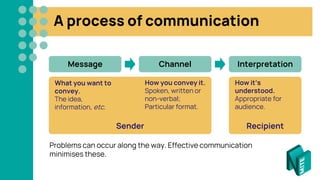
A process of communication
Recipient
Sender
Problems can occur along the way. Effective communication
minimises these.
Message Channel Interpretation
What you want to
convey.
The idea,
information, etc.
How you convey it.
Spoken, written or
non-verbal;
Particular format.
How it’s
understood.
Appropriate for
audience.
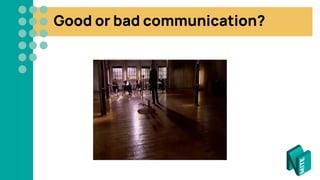
Good or bad communication?
4
Good or bad communication?
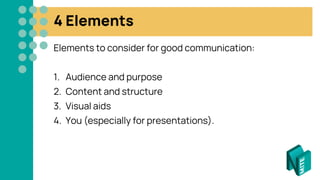
4 Elements
Elements to consider for good communication:
1. Audience and purpose
2. Content and structure
3. Visual aids
4. You (especially for presentations).
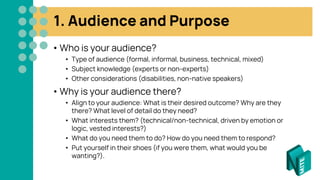
1. Audience and Purpose
• Who is your audience?
• Type of audience (formal, informal, business, technical, mixed)
• Subject knowledge (experts or non-experts)
• Other considerations (disabilities, non-native speakers)
• Why is your audience there?
• Align to your audience: What is their desired outcome? Why are they
there? What level of detail do they need?
• What interests them? (technical/non-technical, driven by emotion or
logic, vested interests?)
• What do you need them to do? How do you need them to respond?
• Put yourself in their shoes (if you were them, what would you be
wanting?).
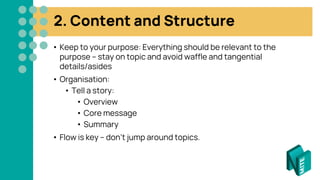
2. Content and Structure
• Keep to your purpose: Everything should be relevant to the
purpose – stay on topic and avoid waffle and tangential
details/asides
• Organisation:
• Tell a story:
• Overview
• Core message
• Summary
• Flow is key – don’t jump around topics.
3. Visual Aids
• Charts, graphs, tables, pictures, diagrams, etc.
• Visual aids help with communicating your message –
what’s the most appropriate way to communicate your
point?
• Reference them appropriately in your text/
presentation.
• Show, don’t tell!
3. Visual Aids – using slides
• Should support you, not be the main focus
• Remember there’s a trade-off: reading vs. listening
• More words, fewer sentences
• Don’t underestimate images – a picture is worth a
thousand words
• Question: is it needed? What is it adding to the
message/understanding?
• Flipchart test: if you were using a flipchart instead, what
would you draw/write on it? That’s all that should be on
your slides.
4. You
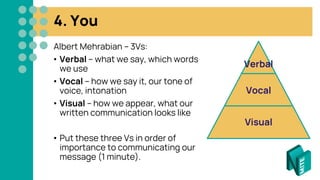
Albert Mehrabian – 3Vs:
• Verbal – what we say, which words
we use
• Vocal – how we say it, our tone of
voice, intonation
• Visual – how we appear, what our
written communication looks like
• Put these three Vs in order of
importance to communicating our
message (1 minute).
Verbal
Vocal
Visual
4. You – visual confidence
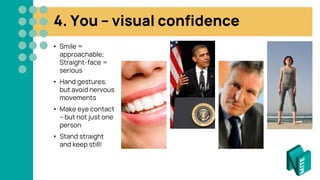
• Smile =
approachable;
Straight-face =
serious
• Hand gestures,
but avoid nervous
movements
• Make eye contact
– but not just one
person
• Stand straight
and keep still!
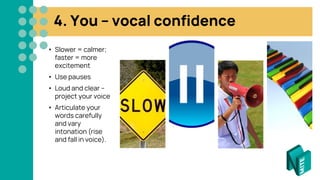
4. You – vocal confidence
• Slower = calmer;
faster = more
excitement
• Use pauses
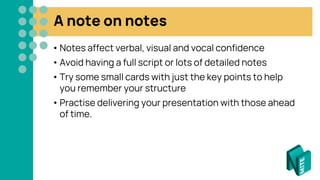
• Loud and clear –
project your voice
• Articulate your
words carefully
and vary
intonation (rise
and fall in voice).
4. You – verbal confidence
• Understand what you are communicating!
• Give the audience verbal cues – e.g. “I will now
talk about…”. “This is important because…”, “On the
other hand, …”, “Now that I have explained this, I want
to talk about…”
• Be clear and concise – think about
words/jargon
• Be complete – don’t miss out important
points
• Back up points with evidence and be
unambiguous
• Clarity – make fewer points well, not lots of
points badly.
A note on notes
• Notes affect verbal, visual and vocal confidence
• Avoid having a full script or lots of detailed notes
• Try some small cards with just the key points to help
you remember your structure
• Practise delivering your presentation with those ahead
of time.
Good or bad communication?
17
Good or bad communication?
Presenting online
Most of the advice in this guidance still applies, but also
think about
• Your environment – is your background appropriate?
• Lighting – make sure that you are well-lit and that the light isn’t
creating strong shadows: high the brightest light source in front
of you
• The positioning of your camera
• Ideally, it should be pointing straight at you, not up or down
• You probably want to make eye contact with it, so your audience will feel
that you’re connecting with them
• The balance between slides/visuals and the video of you talking –
your audience will need to see you (remember visual confidence)
• Your audio: use a good quality microphone and work in a quiet
space without background noise.
Have a go!
• Developing good presentation skills takes practice
• Start by preparing and delivering a 2.5 minute
presentation about a random topic
• You will deliver your presentation and your partner will
record it
• Look at your recording and reflect on how it went
• Use the checklist to help you – download from
www.garycwood.uk > Presentations, if you are online.
Giving Effective
Presentations
Professor Gary C Wood
Academic Director, NMITE
gary.wood@nmite.ac.uk | @GC_Wood
www.garycwood.uk

Effective Presentation Skills

  • 1.
    Giving Effective Presentations Professor GaryC Wood Academic Director, NMITE gary.wood@nmite.ac.uk | @GC_Wood www.garycwood.uk
  • 2.
    A process ofcommunication Recipient Sender Problems can occur along the way. Effective communication minimises these. Message Channel Interpretation What you want to convey. The idea, information, etc. How you convey it. Spoken, written or non-verbal; Particular format. How it’s understood. Appropriate for audience.
  • 3.
    Good or badcommunication?
  • 4.
  • 5.
    Good or badcommunication?
  • 6.
    4 Elements Elements toconsider for good communication: 1. Audience and purpose 2. Content and structure 3. Visual aids 4. You (especially for presentations).
  • 7.
    1. Audience andPurpose • Who is your audience? • Type of audience (formal, informal, business, technical, mixed) • Subject knowledge (experts or non-experts) • Other considerations (disabilities, non-native speakers) • Why is your audience there? • Align to your audience: What is their desired outcome? Why are they there? What level of detail do they need? • What interests them? (technical/non-technical, driven by emotion or logic, vested interests?) • What do you need them to do? How do you need them to respond? • Put yourself in their shoes (if you were them, what would you be wanting?).
  • 8.
    2. Content andStructure • Keep to your purpose: Everything should be relevant to the purpose – stay on topic and avoid waffle and tangential details/asides • Organisation: • Tell a story: • Overview • Core message • Summary • Flow is key – don’t jump around topics.
  • 9.
    3. Visual Aids •Charts, graphs, tables, pictures, diagrams, etc. • Visual aids help with communicating your message – what’s the most appropriate way to communicate your point? • Reference them appropriately in your text/ presentation. • Show, don’t tell!
  • 10.
    3. Visual Aids– using slides • Should support you, not be the main focus • Remember there’s a trade-off: reading vs. listening • More words, fewer sentences • Don’t underestimate images – a picture is worth a thousand words • Question: is it needed? What is it adding to the message/understanding? • Flipchart test: if you were using a flipchart instead, what would you draw/write on it? That’s all that should be on your slides.
  • 11.
    4. You Albert Mehrabian– 3Vs: • Verbal – what we say, which words we use • Vocal – how we say it, our tone of voice, intonation • Visual – how we appear, what our written communication looks like • Put these three Vs in order of importance to communicating our message (1 minute). Verbal Vocal Visual
  • 12.
    4. You –visual confidence • Smile = approachable; Straight-face = serious • Hand gestures, but avoid nervous movements • Make eye contact – but not just one person • Stand straight and keep still!
  • 13.
    4. You –vocal confidence • Slower = calmer; faster = more excitement • Use pauses • Loud and clear – project your voice • Articulate your words carefully and vary intonation (rise and fall in voice).
  • 14.
    4. You –verbal confidence • Understand what you are communicating! • Give the audience verbal cues – e.g. “I will now talk about…”. “This is important because…”, “On the other hand, …”, “Now that I have explained this, I want to talk about…” • Be clear and concise – think about words/jargon • Be complete – don’t miss out important points • Back up points with evidence and be unambiguous • Clarity – make fewer points well, not lots of points badly.
  • 15.
    A note onnotes • Notes affect verbal, visual and vocal confidence • Avoid having a full script or lots of detailed notes • Try some small cards with just the key points to help you remember your structure • Practise delivering your presentation with those ahead of time.
  • 16.
    Good or badcommunication?
  • 17.
  • 18.
    Good or badcommunication?
  • 19.
    Presenting online Most ofthe advice in this guidance still applies, but also think about • Your environment – is your background appropriate? • Lighting – make sure that you are well-lit and that the light isn’t creating strong shadows: high the brightest light source in front of you • The positioning of your camera • Ideally, it should be pointing straight at you, not up or down • You probably want to make eye contact with it, so your audience will feel that you’re connecting with them • The balance between slides/visuals and the video of you talking – your audience will need to see you (remember visual confidence) • Your audio: use a good quality microphone and work in a quiet space without background noise.
  • 20.
    Have a go! •Developing good presentation skills takes practice • Start by preparing and delivering a 2.5 minute presentation about a random topic • You will deliver your presentation and your partner will record it • Look at your recording and reflect on how it went • Use the checklist to help you – download from www.garycwood.uk > Presentations, if you are online.
  • 21.
    Giving Effective Presentations Professor GaryC Wood Academic Director, NMITE gary.wood@nmite.ac.uk | @GC_Wood www.garycwood.uk