SCA Computer Lab Expectations

     Spurling Christian Academy
Be a Responsible User
•   Clean your hands before entering the lab
•   No food or drinks in the lab
•   Do not touch the screens
•   Be gentle with the equipment
•   Leave your area neat, clean, and
    organized
…Continued
• Only type appropriate things that you
  would want your parents and teachers to
  see
• Ask an adult for permission to print
• Do not personalize the computers, for
  example: installing screen savers,
  changing the desktop background, or
  changing the video and audio settings
Respect Others
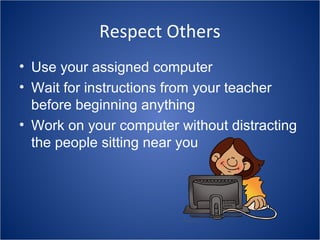
• Use your assigned computer
• Wait for instructions from your teacher
  before beginning anything
• Work on your computer without distracting
  the people sitting near you
Follow Internet Rules
• Stay on appropriate websites allowed by
  your teacher
• Never give out personal information
• Click the back button or close out of a
  window if you see something inappropriate
  and tell the teacher
• If a problem is encountered always ask
  the teacher for help
Quick Review…


1. Treat the lab space and
equipment with respect.
2. Stay on appropriate
websites.
3. Follow the teacher’s
directions.
4. Do not distract those
sitting near you.
5. Follow internet safety
rules.
Computer lab rules

Computer lab rules

  • 1.
    SCA Computer LabExpectations Spurling Christian Academy
  • 2.
    Be a ResponsibleUser • Clean your hands before entering the lab • No food or drinks in the lab • Do not touch the screens • Be gentle with the equipment • Leave your area neat, clean, and organized
  • 3.
    …Continued • Only typeappropriate things that you would want your parents and teachers to see • Ask an adult for permission to print • Do not personalize the computers, for example: installing screen savers, changing the desktop background, or changing the video and audio settings
  • 4.
    Respect Others • Useyour assigned computer • Wait for instructions from your teacher before beginning anything • Work on your computer without distracting the people sitting near you
  • 5.
    Follow Internet Rules •Stay on appropriate websites allowed by your teacher • Never give out personal information • Click the back button or close out of a window if you see something inappropriate and tell the teacher • If a problem is encountered always ask the teacher for help
  • 6.
    Quick Review… 1. Treatthe lab space and equipment with respect. 2. Stay on appropriate websites. 3. Follow the teacher’s directions. 4. Do not distract those sitting near you. 5. Follow internet safety rules.