The Normal Stuff
General Use                 Personal Security

Personal Responsibility     Copyright

Lab Use                      Repairs
      A Couple Frequently asked Questions
                 Consequences

Please click on each title to learn more.
General Use

The network exists primarily for email and
  internet research.
General Use


It is not intended to be used for non academic
   purposes.
General Use


Network bandwidth is limited so teachers
 should not waste or allow students to waste
 this resource.
General Use
The network exists primarily for email and
   internet research.
It is not intended to be used for non academic
   purposes.
Network bandwidth is limited so teachers
   should not waste or allow students to waste
   this resource.


                                     Return to contents
Personal Responsibility
1. Use of network supports student learning (not a toy).
2.
3.
4.
5.
6.
7.


                                                 Return to contents
Personal Responsibility
1.
2. Do not break any laws or use network to make money.
3.
4.
5.
6.
7.


                                              Return to contents
Personal Responsibility
1.
2.
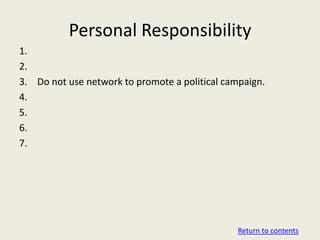
3. Do not use network to promote a political campaign.
4.
5.
6.
7.


                                                Return to contents
Personal Responsibility
1.
2.
3.
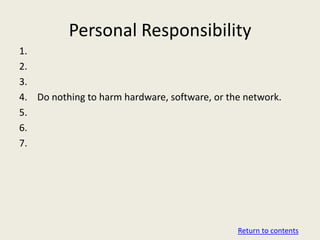
4. Do nothing to harm hardware, software, or the network.
5.
6.
7.


                                               Return to contents
Personal Responsibility
1.
2.
3.
4.
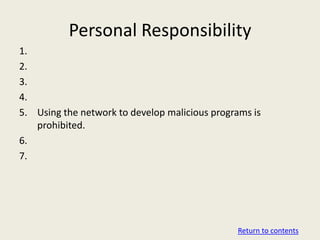
5. Using the network to develop malicious programs is
   prohibited.
6.
7.


                                               Return to contents
Personal Responsibility
1.
2.
3.
4.
5.
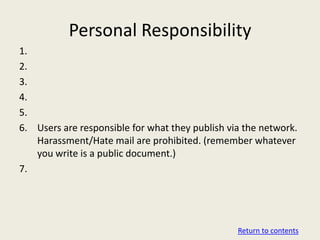
6. Users are responsible for what they publish via the network.
   Harassment/Hate mail are prohibited. (remember whatever
   you write is a public document.)
7.


                                                 Return to contents
Personal Responsibility
1.
2.
3.
4.
5.
6.
7. The use of the network to access, store, or distribute
   unauthorized material (i.e. pornography) is strictly
   prohibited.


                                                  Return to contents
Personal Responsibility
1. Use of network supports student learning (not a toy).
2. Do not break any laws or use network to make money.
3. Do not use network to promote a political campaign.
4. Do nothing to harm hardware, software, or the network.
5. Using the network to develop malicious programs is
   prohibited.
6. Users are responsible for what they publish via the network.
   Harassment/Hate mail are prohibited. (remember whatever
   you write is a public document.)
7. The use of the network to access, store, or distribute
   unauthorized material (i.e. pornography) is strictly
   prohibited.

                                                 Return to contents
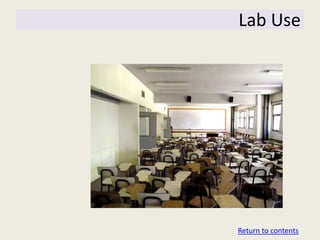
Lab Use


Return to contents
Lab Use
Please follow through on the following elements of lab use:

1)   Sit in your assigned seat.
2)   No food or drink near computers.
3)   Report any computer problems as soon as you notice them.
4)   Do not use a Proxy Server or bring in unauthorized programs.
5)   Do not store or stream music /video on the district computers.
6)   Make certain that the lab is cleaned up prior to the end of each
     period. (Leave at least 5 minutes for clean up).
7)   Make certain that you know what you are going to be doing so
     that you make the best use of your time.
8)   Provide positive peer pressure… Help classmates make wise
     choices about how they are using the computers

                                                         Return to contents
Lab Use
Please follow through on the following elements of lab use:

1)   Sit in your assigned seat.
2)
3)
4)
5)
6)
7)
8)


                                               Return to contents
Lab Use
Please follow through on the following elements of lab use:

1)
2)   No food or drink near computers.
3)
4)
5)
6)
7)
8)


                                               Return to contents
Lab Use
Please follow through on the following elements of lab use:

1)
2)
3)   Report any computer problems as soon as you notice them.
4)
5)
6)
7)
8)


                                                     Return to contents
Lab Use
Please follow through on the following elements of lab use:

1)
2)
3)
4)   Do not use a Proxy Server or bring in unauthorized programs.
5)
6)
7)
8)


                                                        Return to contents
Lab Use
Please follow through on the following elements of lab use:

1)
2)
3)
4)
5)   Do not store or stream music /video on the district computers.
6)
7)
8)


                                                        Return to contents
Lab Use
Please follow through on the following elements of lab use:

1)
2)
3)
4)
5)
6)   Make certain that the lab is cleaned up prior to the end of each
     period. (Leave at least 5 minutes for clean up).
7)
8)


                                                         Return to contents
Lab Use
Please follow through on the following elements of lab use:

1)
2)
3)
4)
5)
6)
7)   Make certain that you know what you are going to be doing so
     that you make the best use of your time.
8)


                                                      Return to contents
Lab Use
Please follow through on the following elements of lab use:

1)
2)
3)
4)
5)
6)
7)
8)   Provide positive peer pressure… Help classmates make wise
     choices about how they are using the computers


                                                      Return to contents
Lab Use
Please follow through on the following elements of lab use:

1)   Sit in your assigned seat.
2)   No food or drink near computers.
3)   Report any computer problems as soon as you notice them.
4)   Do not use a Proxy Server or bring in unauthorized programs.
5)   Do not store or stream music /video on the district computers.
6)   Make certain that the lab is cleaned up prior to the end of each
     period. (Leave at least 5 minutes for clean up).
7)   Make certain that you know what you are going to be doing so
     that you make the best use of your time.
8)   Provide positive peer pressure… Help classmates make wise
     choices about how they are using the computers

                                                         Return to contents
Personal Security


                    Return to contents
Personal Security

 Do not share your passwords or account
   privileges with anyone else.


                                          Return to contents
Personal Security


 You are responsible for any use of your
   account…


                                           Return to contents
Personal Security


 Do not give out personal information or
   agree to meet strangers via the district
   network.


                                              Return to contents
Personal Security


 Have back ups of your school files… Just in
   case your account ever gets damaged


                                               Return to contents
Personal Security

 Do not share your passwords or account
   privileges with anyone else.
 You are responsible for any use of your
   account…
 Do not give out personal information or
   agree to meet strangers via the district
   network.
 Have back ups of your school files… Just in
   case your account ever gets damaged


                                               Return to contents
Copyright


   Return to contents
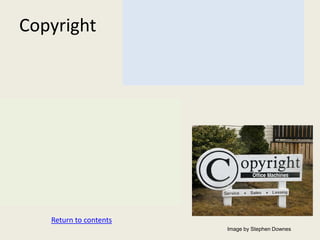
                        Image by Stephen Downes
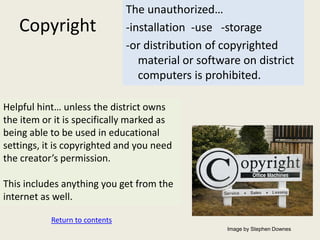
The unauthorized…
Copyright               -installation -use -storage
                        -or distribution of copyrighted
                           material or software on district
                           computers is prohibited.


   Return to contents
                                             Image by Stephen Downes
Copyright


Helpful hint… unless the district owns
the item or it is specifically marked as
being able to be used in educational
settings, it is copyrighted and you need
the creator’s permission.


           Return to contents
                                           Image by Stephen Downes
Copyright


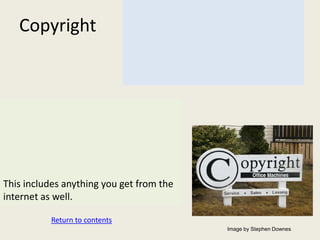
This includes anything you get from the
internet as well.

           Return to contents
                                          Image by Stephen Downes
The unauthorized…
   Copyright                    -installation -use -storage
                                -or distribution of copyrighted
                                   material or software on district
                                   computers is prohibited.

Helpful hint… unless the district owns
the item or it is specifically marked as
being able to be used in educational
settings, it is copyrighted and you need
the creator’s permission.

This includes anything you get from the
internet as well.

           Return to contents
                                                     Image by Stephen Downes
Repairs


Return to contents
Repairs
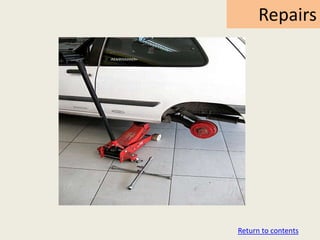
Turn everything off and back on (90% of problems may be
   solved by a simple reboot.)


                                          Return to contents
Repairs


If it is a gray tower, we need to take extra care because IT
     will no longer work on them… BE EXTRA NICE to these
     ones.


                                              Return to contents
Repairs


Do not attempt any repairs. Tell your teacher and they
   will get it taken care of.


                                            Return to contents
Repairs


REMEMBER… Computer use is a privilege… Please do
  your best to keep this resource available for everyone.

                                            Return to contents
Repairs
Turn everything off and back on (90% of problems may be
   solved by a simple reboot.)

If it is a gray tower, we need to take extra care because IT
     will no longer work on them… BE EXTRA NICE to these
     ones.

Do not attempt any repairs. Tell your teacher and they
   will get it taken care of.

REMEMBER… Computer use is a privilege… Please do
  your best to keep this resource available for everyone.

                                              Return to contents
FAQs
Please click on questions to see the response:

Why can’t I stream video/music or play online games?
What’s wrong with using a proxy? I’m just trying to get to my
 stuff…

Why are some good sites blocked? What can I do?

Why won’t my thumbdrive load onto the computer?


                                                  Return to contents
Why can’t I stream video/music or play
               online games?
• There is a limit to how much information
  move through the network… If everyone was
  streaming content, the network would no
  longer work.
•


                                 Return to the list
Why can’t I stream video/music or play
               online games?
•
• The network is a resource that you have the
  privilege to use for school related work. Tax
  payers are not investing their money for you
  to play.


                                     Return to the list
Why can’t I stream video/music or play
               online games?
• There is a limit to how much information
  move through the network… If everyone was
  streaming content, the network would no
  longer work.
• The network is a resource that you have the
  privilege to use for school related work. Tax
  payers are not investing their money for you
  to play.

                                    Return to the list
What’s wrong with using a proxy? I’m
   just trying to get to my stuff…
To be clear… a proxy is a site that allows a user to
   bypass the district firewall to access blocked content.
There are two problems with using a proxy server:
1.
2.


                                            Return to the list
What’s wrong with using a proxy? I’m
   just trying to get to my stuff…
To be clear… a proxy is a site that allows a user to
   bypass the district firewall to access blocked content.
There are two problems with using a proxy server:
1. Bypassing the district firewall is willfully breaking
    the rules.
2.


                                            Return to the list
What’s wrong with using a proxy? I’m
   just trying to get to my stuff…
To be clear… a proxy is a site that allows a user to
   bypass the district firewall to access blocked content.
There are two problems with using a proxy server:
1.
2. Just as students look for proxies to get out of school
    firewalls, some people use proxies to break in.
    Using a proxy is like opening a door to them.


                                            Return to the list
Why are some good sites blocked?
         What can I do?
The district uses an automated filter to block unwanted content.
Unfortunately, sometimes school relevant material gets blocked
  as well.


                                                 Return to the list
Why are some good sites blocked?
         What can I do?


Please bear in mind that there is only one filter so some things
   may be appropriate for high school but they are blocked
   because they are not okay for younger students.


                                                  Return to the list
Why are some good sites blocked?
         What can I do?


If you feel that a site should be unblocked, write a letter
    explaining what the site is and why you need it for school.
Then, send it in an email to your teacher to submit for you.


                                                   Return to the list
Why are some good sites blocked?
         What can I do?
The district uses an automated filter to block unwanted content.
Unfortunately, sometimes school relevant material gets blocked
    as well.
Please bear in mind that there is only one filter so some things
    may be appropriate for high school but they are blocked
    because they are not okay for younger students.
If you feel that a site should be unblocked, write a letter
    explaining what the site is and why you need it for school.
Then, send it in an email to your teacher to submit for you.


                                                 Return to the list
Why won’t my thumbdrive load
       onto the computer?
Your thumbdrive may have an operating system that is set to
  automatically load when plugged in.


                                                Return to the list
Why won’t my thumbdrive load
       onto the computer?
Your thumbdrive may have an operating system that is set to
  automatically load when plugged in.
Unfortunately, this looks like a virus attack and the system is set
  to protect itself from viruses.


                                                    Return to the list
Why won’t my thumbdrive load
       onto the computer?


You will still be able to access your documents by choosing to
  open your “my documents” folder and then going up to the
  thumbdrive.


                                                 Return to the list
Why won’t my thumbdrive load
       onto the computer?


A better option is to disable your thumbdrive’s operating system
   at home prior to bringing it to school. This will greatly speed
   up access.

                                                  Return to the list
Why won’t my thumbdrive load
       onto the computer?
Your thumbdrive may have an operating system that is set to
   automatically load when plugged in.
Unfortunately, this looks like a virus attack and the system is set
   to protect itself from viruses.
You will still be able to access your documents by choosing to
   open your “my documents” folder and then going up to the
   thumbdrive.
A better option is to disable your thumbdrive’s operating system
   at home prior to bringing it to school. This will greatly speed
   up access.


                                                   Return to the list
Consequences


               Return to contents
Consequences
• For security and administrative purposes the district retains
  the right for authorized personnel to review network system
  use and file content.

•

•

•


                                                  Return to contents
Consequences
•

• The district reserves the right to remove a user account to
  prevent further unauthorized activity.

•

•


                                                  Return to contents
Consequences
•

•

• The District’s service provider reserves the right to disconnect
  the district to prevent further unauthorized activity.

•


                                                   Return to contents
Consequences
•

•

•

• Violation of any of the conditions of use may be cause for loss
  of network privileges and/or disciplinary action up to and
  including expulsion from the Marysville school district.


                                                   Return to contents
Consequences
• For security and administrative purposes the district retains
  the right for authorized personnel to review network system
  use and file content.

• The district reserves the right to remove a user account to
  prevent further unauthorized activity.

• The District’s service provider reserves the right to disconnect
  the district to prevent further unauthorized activity.

• Violation of any of the conditions of use may be cause for loss
  of network privileges and/or disciplinary action up to and
  including expulsion from the Marysville school district.

                                                   Return to contents

Student Aup

  • 2.
    The Normal Stuff GeneralUse Personal Security Personal Responsibility Copyright Lab Use Repairs A Couple Frequently asked Questions Consequences Please click on each title to learn more.
  • 3.
    General Use The networkexists primarily for email and internet research.
  • 4.
    General Use It isnot intended to be used for non academic purposes.
  • 5.
    General Use Network bandwidthis limited so teachers should not waste or allow students to waste this resource.
  • 6.
    General Use The networkexists primarily for email and internet research. It is not intended to be used for non academic purposes. Network bandwidth is limited so teachers should not waste or allow students to waste this resource. Return to contents
  • 7.
    Personal Responsibility 1. Useof network supports student learning (not a toy). 2. 3. 4. 5. 6. 7. Return to contents
  • 8.
    Personal Responsibility 1. 2. Donot break any laws or use network to make money. 3. 4. 5. 6. 7. Return to contents
  • 9.
    Personal Responsibility 1. 2. 3. Donot use network to promote a political campaign. 4. 5. 6. 7. Return to contents
  • 10.
    Personal Responsibility 1. 2. 3. 4. Donothing to harm hardware, software, or the network. 5. 6. 7. Return to contents
  • 11.
    Personal Responsibility 1. 2. 3. 4. 5. Usingthe network to develop malicious programs is prohibited. 6. 7. Return to contents
  • 12.
    Personal Responsibility 1. 2. 3. 4. 5. 6. Usersare responsible for what they publish via the network. Harassment/Hate mail are prohibited. (remember whatever you write is a public document.) 7. Return to contents
  • 13.
    Personal Responsibility 1. 2. 3. 4. 5. 6. 7. Theuse of the network to access, store, or distribute unauthorized material (i.e. pornography) is strictly prohibited. Return to contents
  • 14.
    Personal Responsibility 1. Useof network supports student learning (not a toy). 2. Do not break any laws or use network to make money. 3. Do not use network to promote a political campaign. 4. Do nothing to harm hardware, software, or the network. 5. Using the network to develop malicious programs is prohibited. 6. Users are responsible for what they publish via the network. Harassment/Hate mail are prohibited. (remember whatever you write is a public document.) 7. The use of the network to access, store, or distribute unauthorized material (i.e. pornography) is strictly prohibited. Return to contents
  • 15.
  • 16.
    Lab Use Please followthrough on the following elements of lab use: 1) Sit in your assigned seat. 2) No food or drink near computers. 3) Report any computer problems as soon as you notice them. 4) Do not use a Proxy Server or bring in unauthorized programs. 5) Do not store or stream music /video on the district computers. 6) Make certain that the lab is cleaned up prior to the end of each period. (Leave at least 5 minutes for clean up). 7) Make certain that you know what you are going to be doing so that you make the best use of your time. 8) Provide positive peer pressure… Help classmates make wise choices about how they are using the computers Return to contents
  • 17.
    Lab Use Please followthrough on the following elements of lab use: 1) Sit in your assigned seat. 2) 3) 4) 5) 6) 7) 8) Return to contents
  • 18.
    Lab Use Please followthrough on the following elements of lab use: 1) 2) No food or drink near computers. 3) 4) 5) 6) 7) 8) Return to contents
  • 19.
    Lab Use Please followthrough on the following elements of lab use: 1) 2) 3) Report any computer problems as soon as you notice them. 4) 5) 6) 7) 8) Return to contents
  • 20.
    Lab Use Please followthrough on the following elements of lab use: 1) 2) 3) 4) Do not use a Proxy Server or bring in unauthorized programs. 5) 6) 7) 8) Return to contents
  • 21.
    Lab Use Please followthrough on the following elements of lab use: 1) 2) 3) 4) 5) Do not store or stream music /video on the district computers. 6) 7) 8) Return to contents
  • 22.
    Lab Use Please followthrough on the following elements of lab use: 1) 2) 3) 4) 5) 6) Make certain that the lab is cleaned up prior to the end of each period. (Leave at least 5 minutes for clean up). 7) 8) Return to contents
  • 23.
    Lab Use Please followthrough on the following elements of lab use: 1) 2) 3) 4) 5) 6) 7) Make certain that you know what you are going to be doing so that you make the best use of your time. 8) Return to contents
  • 24.
    Lab Use Please followthrough on the following elements of lab use: 1) 2) 3) 4) 5) 6) 7) 8) Provide positive peer pressure… Help classmates make wise choices about how they are using the computers Return to contents
  • 25.
    Lab Use Please followthrough on the following elements of lab use: 1) Sit in your assigned seat. 2) No food or drink near computers. 3) Report any computer problems as soon as you notice them. 4) Do not use a Proxy Server or bring in unauthorized programs. 5) Do not store or stream music /video on the district computers. 6) Make certain that the lab is cleaned up prior to the end of each period. (Leave at least 5 minutes for clean up). 7) Make certain that you know what you are going to be doing so that you make the best use of your time. 8) Provide positive peer pressure… Help classmates make wise choices about how they are using the computers Return to contents
  • 26.
    Personal Security Return to contents
  • 27.
    Personal Security Donot share your passwords or account privileges with anyone else. Return to contents
  • 28.
    Personal Security Youare responsible for any use of your account… Return to contents
  • 29.
    Personal Security Donot give out personal information or agree to meet strangers via the district network. Return to contents
  • 30.
    Personal Security Haveback ups of your school files… Just in case your account ever gets damaged Return to contents
  • 31.
    Personal Security Donot share your passwords or account privileges with anyone else. You are responsible for any use of your account… Do not give out personal information or agree to meet strangers via the district network. Have back ups of your school files… Just in case your account ever gets damaged Return to contents
  • 32.
    Copyright Return to contents Image by Stephen Downes
  • 33.
    The unauthorized… Copyright -installation -use -storage -or distribution of copyrighted material or software on district computers is prohibited. Return to contents Image by Stephen Downes
  • 34.
    Copyright Helpful hint… unlessthe district owns the item or it is specifically marked as being able to be used in educational settings, it is copyrighted and you need the creator’s permission. Return to contents Image by Stephen Downes
  • 35.
    Copyright This includes anythingyou get from the internet as well. Return to contents Image by Stephen Downes
  • 36.
    The unauthorized… Copyright -installation -use -storage -or distribution of copyrighted material or software on district computers is prohibited. Helpful hint… unless the district owns the item or it is specifically marked as being able to be used in educational settings, it is copyrighted and you need the creator’s permission. This includes anything you get from the internet as well. Return to contents Image by Stephen Downes
  • 37.
  • 38.
    Repairs Turn everything offand back on (90% of problems may be solved by a simple reboot.) Return to contents
  • 39.
    Repairs If it isa gray tower, we need to take extra care because IT will no longer work on them… BE EXTRA NICE to these ones. Return to contents
  • 40.
    Repairs Do not attemptany repairs. Tell your teacher and they will get it taken care of. Return to contents
  • 41.
    Repairs REMEMBER… Computer useis a privilege… Please do your best to keep this resource available for everyone. Return to contents
  • 42.
    Repairs Turn everything offand back on (90% of problems may be solved by a simple reboot.) If it is a gray tower, we need to take extra care because IT will no longer work on them… BE EXTRA NICE to these ones. Do not attempt any repairs. Tell your teacher and they will get it taken care of. REMEMBER… Computer use is a privilege… Please do your best to keep this resource available for everyone. Return to contents
  • 43.
    FAQs Please click onquestions to see the response: Why can’t I stream video/music or play online games? What’s wrong with using a proxy? I’m just trying to get to my stuff… Why are some good sites blocked? What can I do? Why won’t my thumbdrive load onto the computer? Return to contents
  • 44.
    Why can’t Istream video/music or play online games? • There is a limit to how much information move through the network… If everyone was streaming content, the network would no longer work. • Return to the list
  • 45.
    Why can’t Istream video/music or play online games? • • The network is a resource that you have the privilege to use for school related work. Tax payers are not investing their money for you to play. Return to the list
  • 46.
    Why can’t Istream video/music or play online games? • There is a limit to how much information move through the network… If everyone was streaming content, the network would no longer work. • The network is a resource that you have the privilege to use for school related work. Tax payers are not investing their money for you to play. Return to the list
  • 47.
    What’s wrong withusing a proxy? I’m just trying to get to my stuff… To be clear… a proxy is a site that allows a user to bypass the district firewall to access blocked content. There are two problems with using a proxy server: 1. 2. Return to the list
  • 48.
    What’s wrong withusing a proxy? I’m just trying to get to my stuff… To be clear… a proxy is a site that allows a user to bypass the district firewall to access blocked content. There are two problems with using a proxy server: 1. Bypassing the district firewall is willfully breaking the rules. 2. Return to the list
  • 49.
    What’s wrong withusing a proxy? I’m just trying to get to my stuff… To be clear… a proxy is a site that allows a user to bypass the district firewall to access blocked content. There are two problems with using a proxy server: 1. 2. Just as students look for proxies to get out of school firewalls, some people use proxies to break in. Using a proxy is like opening a door to them. Return to the list
  • 50.
    Why are somegood sites blocked? What can I do? The district uses an automated filter to block unwanted content. Unfortunately, sometimes school relevant material gets blocked as well. Return to the list
  • 51.
    Why are somegood sites blocked? What can I do? Please bear in mind that there is only one filter so some things may be appropriate for high school but they are blocked because they are not okay for younger students. Return to the list
  • 52.
    Why are somegood sites blocked? What can I do? If you feel that a site should be unblocked, write a letter explaining what the site is and why you need it for school. Then, send it in an email to your teacher to submit for you. Return to the list
  • 53.
    Why are somegood sites blocked? What can I do? The district uses an automated filter to block unwanted content. Unfortunately, sometimes school relevant material gets blocked as well. Please bear in mind that there is only one filter so some things may be appropriate for high school but they are blocked because they are not okay for younger students. If you feel that a site should be unblocked, write a letter explaining what the site is and why you need it for school. Then, send it in an email to your teacher to submit for you. Return to the list
  • 54.
    Why won’t mythumbdrive load onto the computer? Your thumbdrive may have an operating system that is set to automatically load when plugged in. Return to the list
  • 55.
    Why won’t mythumbdrive load onto the computer? Your thumbdrive may have an operating system that is set to automatically load when plugged in. Unfortunately, this looks like a virus attack and the system is set to protect itself from viruses. Return to the list
  • 56.
    Why won’t mythumbdrive load onto the computer? You will still be able to access your documents by choosing to open your “my documents” folder and then going up to the thumbdrive. Return to the list
  • 57.
    Why won’t mythumbdrive load onto the computer? A better option is to disable your thumbdrive’s operating system at home prior to bringing it to school. This will greatly speed up access. Return to the list
  • 58.
    Why won’t mythumbdrive load onto the computer? Your thumbdrive may have an operating system that is set to automatically load when plugged in. Unfortunately, this looks like a virus attack and the system is set to protect itself from viruses. You will still be able to access your documents by choosing to open your “my documents” folder and then going up to the thumbdrive. A better option is to disable your thumbdrive’s operating system at home prior to bringing it to school. This will greatly speed up access. Return to the list
  • 59.
    Consequences Return to contents
  • 60.
    Consequences • For securityand administrative purposes the district retains the right for authorized personnel to review network system use and file content. • • • Return to contents
  • 61.
    Consequences • • The districtreserves the right to remove a user account to prevent further unauthorized activity. • • Return to contents
  • 62.
    Consequences • • • The District’sservice provider reserves the right to disconnect the district to prevent further unauthorized activity. • Return to contents
  • 63.
    Consequences • • • • Violation ofany of the conditions of use may be cause for loss of network privileges and/or disciplinary action up to and including expulsion from the Marysville school district. Return to contents
  • 64.
    Consequences • For securityand administrative purposes the district retains the right for authorized personnel to review network system use and file content. • The district reserves the right to remove a user account to prevent further unauthorized activity. • The District’s service provider reserves the right to disconnect the district to prevent further unauthorized activity. • Violation of any of the conditions of use may be cause for loss of network privileges and/or disciplinary action up to and including expulsion from the Marysville school district. Return to contents