Computer Lab RULES Why do we need rules? POP Elementary Mrs. Argo
Come to class prepared to WORK!
Please wash your hands prior to entering the lab.
No food or drink in the lab .
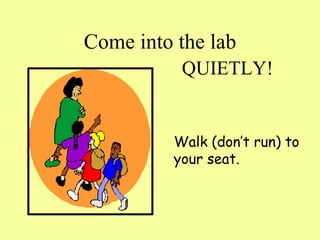
Come into the lab Walk (don’t run) to your seat. QUIETLY!
Do not bang on keyboards. Ouch…That hurts!
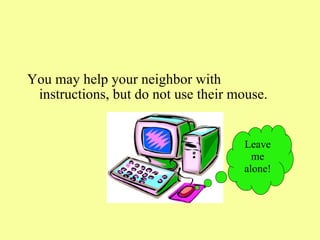
You may help your neighbor with instructions, but do not use their mouse. Leave me alone!
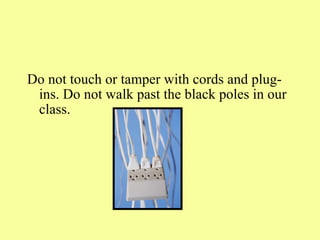
Do not touch or tamper with cords and plug-ins. Do not walk past the black poles in our class.
Be seated and put your hands in your lap. Don’t touch the computer until you have instructions.
Listen to instructions.
Keep hands, feet, objects, and unnecessary comments to yourself.
Your computer belongs to the school. Do not personalize the computers in the following manner : Install screen savers from the Internet  Change the desktop background  Change the video and audio settings  Add change, or move icons on the desktop
If you need help, please slide the orange strip to the upward position…someone will come to assist you as soon as possible.
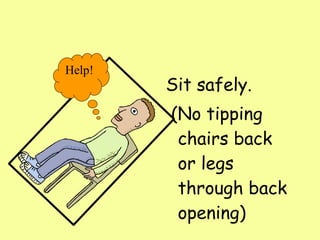
Sit safely.  (No tipping chairs back or legs through back opening) Help!
Follow all rules set in the Acceptable Use Policy (AUP) for Internet and network.
If you don’t follow rules: Consequences    Warning        5 minute time out       10 minute time out  Fill out time out record   
REWARDS Extra game time during class      Work as teacher’s helper
Have FUN! LEARN!
At the END  of Lab Time Exit programs. Place headphone at left of computer. As a courtesy to the next class, please leave your lab as you found it. Stand up and push in chair. Wait until your row is called.

Lab Procedures

  • 1.
    Computer Lab RULESWhy do we need rules? POP Elementary Mrs. Argo
  • 2.
    Come to classprepared to WORK!
  • 3.
    Please wash yourhands prior to entering the lab.
  • 4.
    No food ordrink in the lab .
  • 5.
    Come into thelab Walk (don’t run) to your seat. QUIETLY!
  • 6.
    Do not bangon keyboards. Ouch…That hurts!
  • 7.
    You may helpyour neighbor with instructions, but do not use their mouse. Leave me alone!
  • 8.
    Do not touchor tamper with cords and plug-ins. Do not walk past the black poles in our class.
  • 9.
    Be seated andput your hands in your lap. Don’t touch the computer until you have instructions.
  • 10.
  • 11.
    Keep hands, feet,objects, and unnecessary comments to yourself.
  • 12.
    Your computer belongsto the school. Do not personalize the computers in the following manner : Install screen savers from the Internet Change the desktop background Change the video and audio settings Add change, or move icons on the desktop
  • 13.
    If you needhelp, please slide the orange strip to the upward position…someone will come to assist you as soon as possible.
  • 14.
    Sit safely.  (Notipping chairs back or legs through back opening) Help!
  • 15.
    Follow all rulesset in the Acceptable Use Policy (AUP) for Internet and network.
  • 16.
    If you don’tfollow rules: Consequences   Warning       5 minute time out      10 minute time out  Fill out time out record   
  • 17.
    REWARDS Extra gametime during class     Work as teacher’s helper
  • 18.
  • 19.
    At the END of Lab Time Exit programs. Place headphone at left of computer. As a courtesy to the next class, please leave your lab as you found it. Stand up and push in chair. Wait until your row is called.