Containerized End­2­End Testing
 + 
, 
 Tobias Schneck ConSol Software GmbH
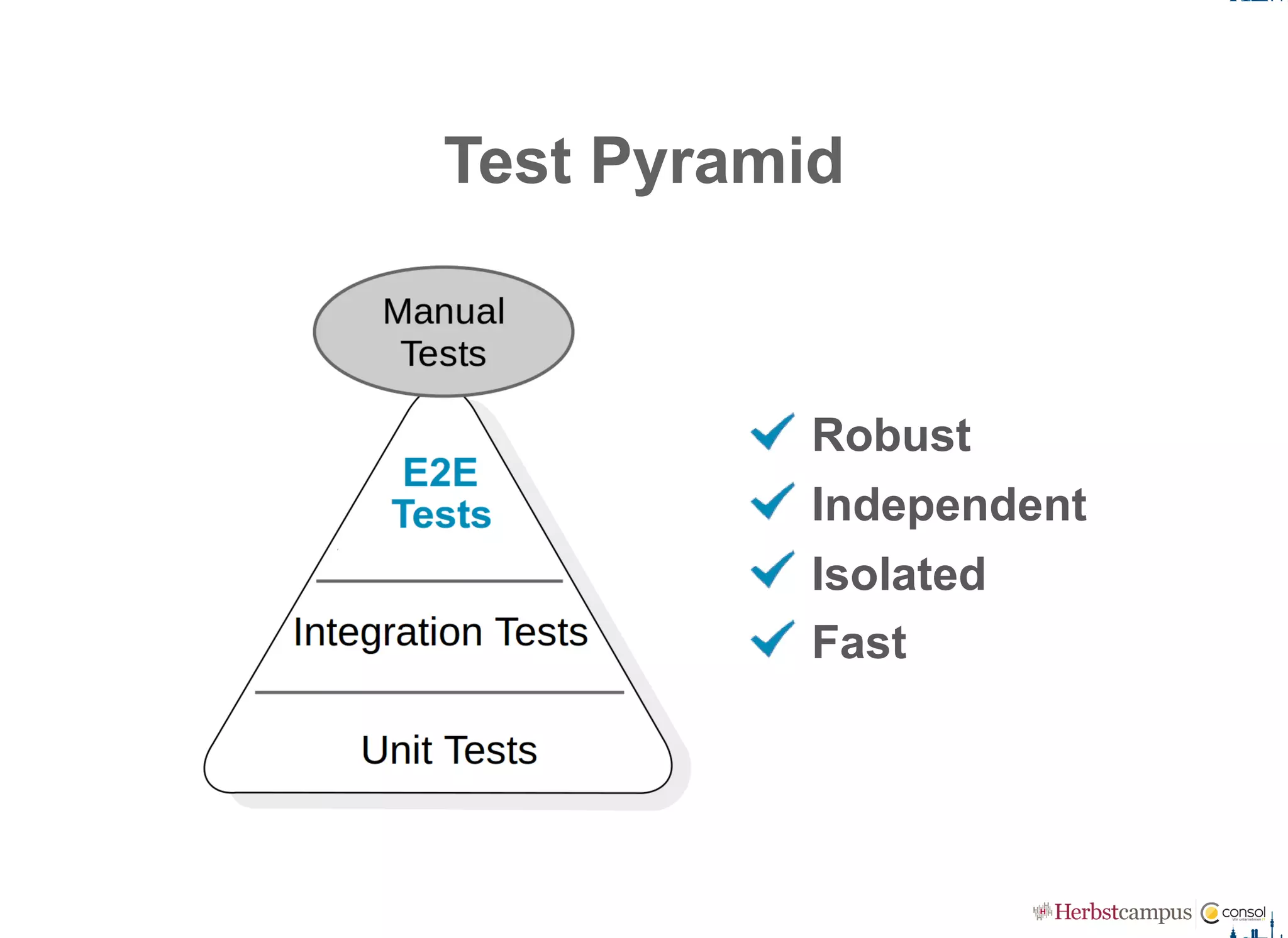
Test Pyramid
Robust
Independent
Isolated
Fast
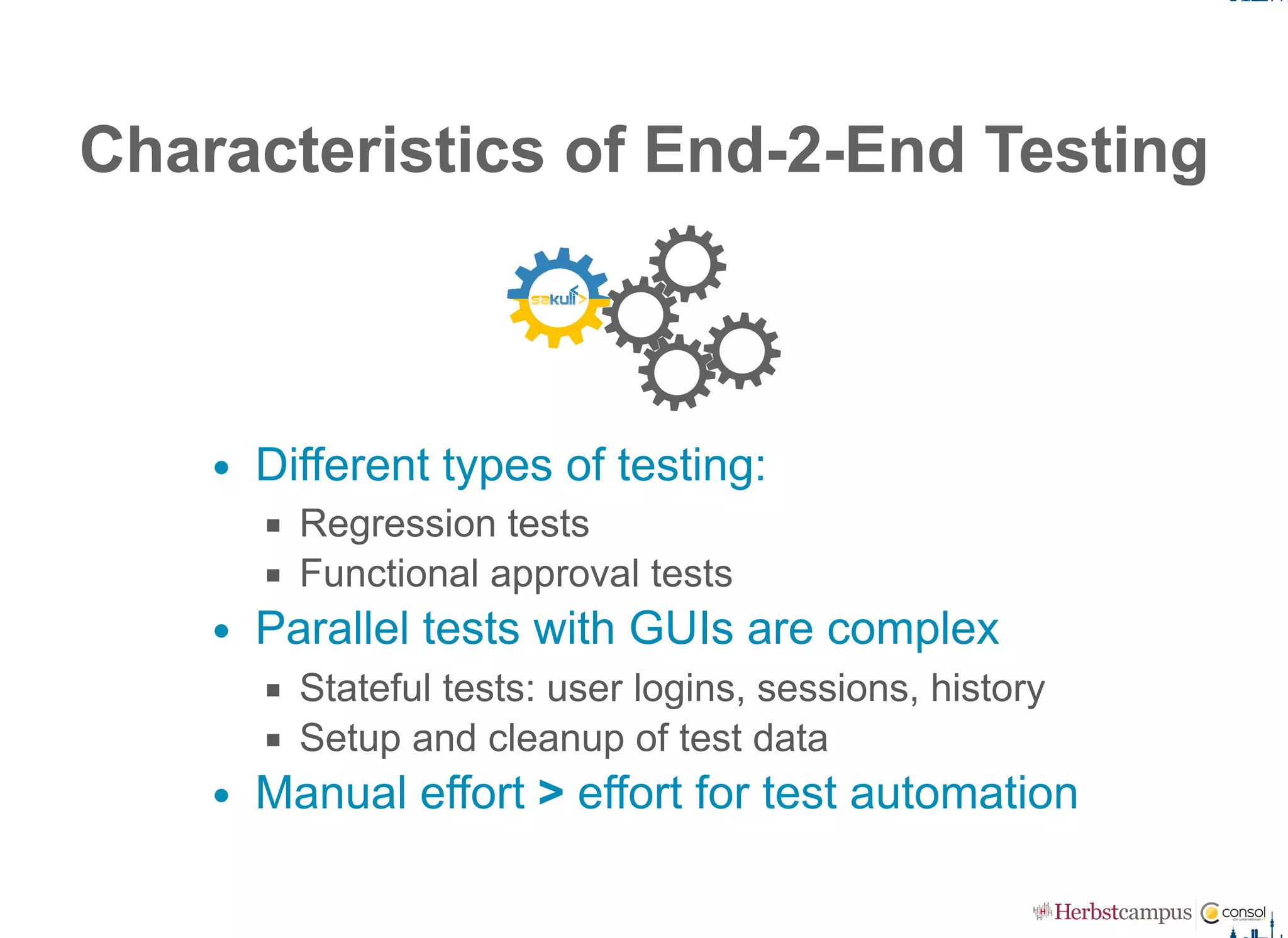
Characteristics of End­2­End Testing
Different types of testing:
Regression tests
Functional approval tests
Parallel tests with GUIs are complex
Stateful tests: user logins, sessions, history
Setup and cleanup of test data
Manual effort > effort for test automation
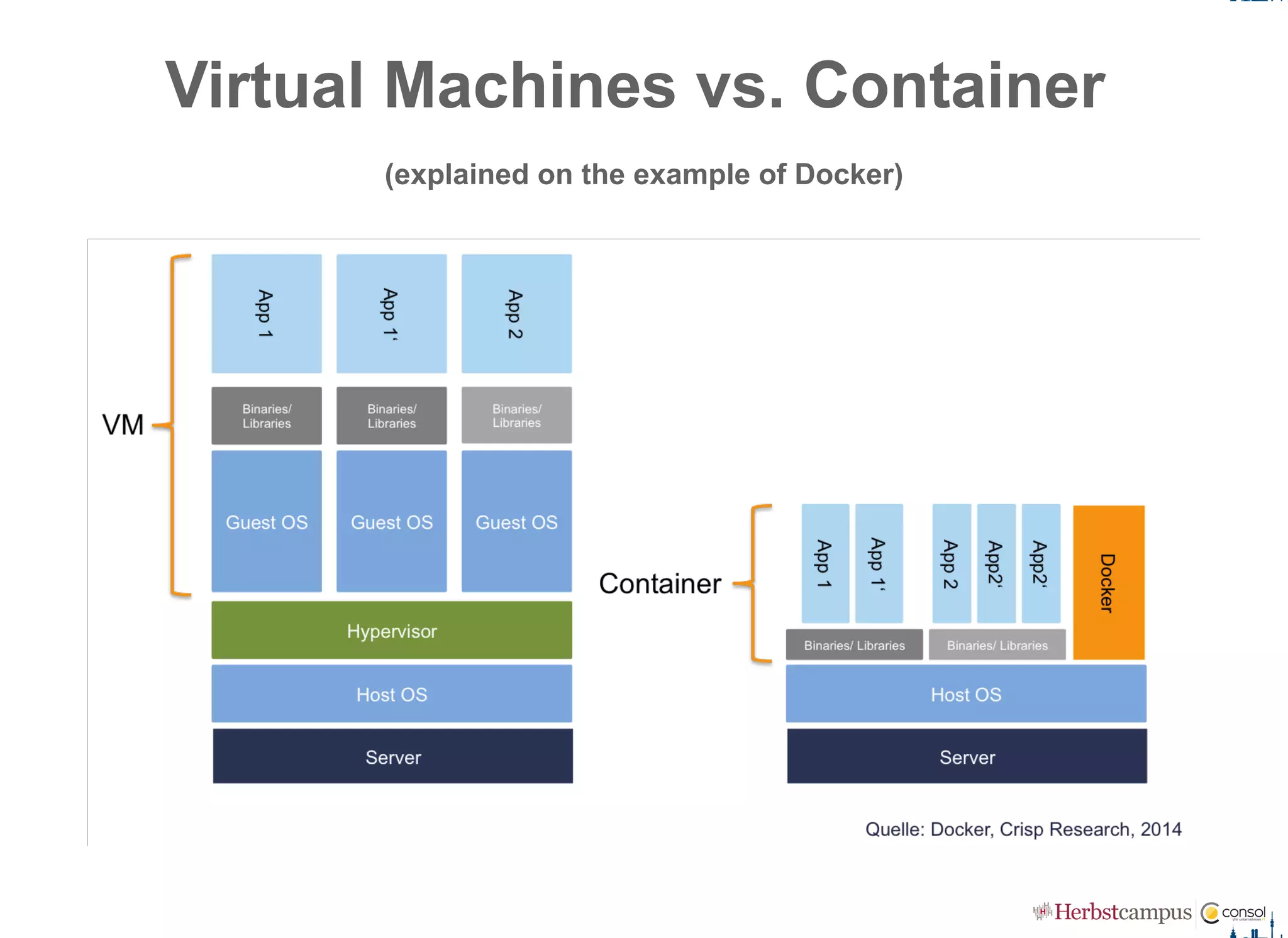
Virtual Machines vs. Container 
(explained on the example of Docker)
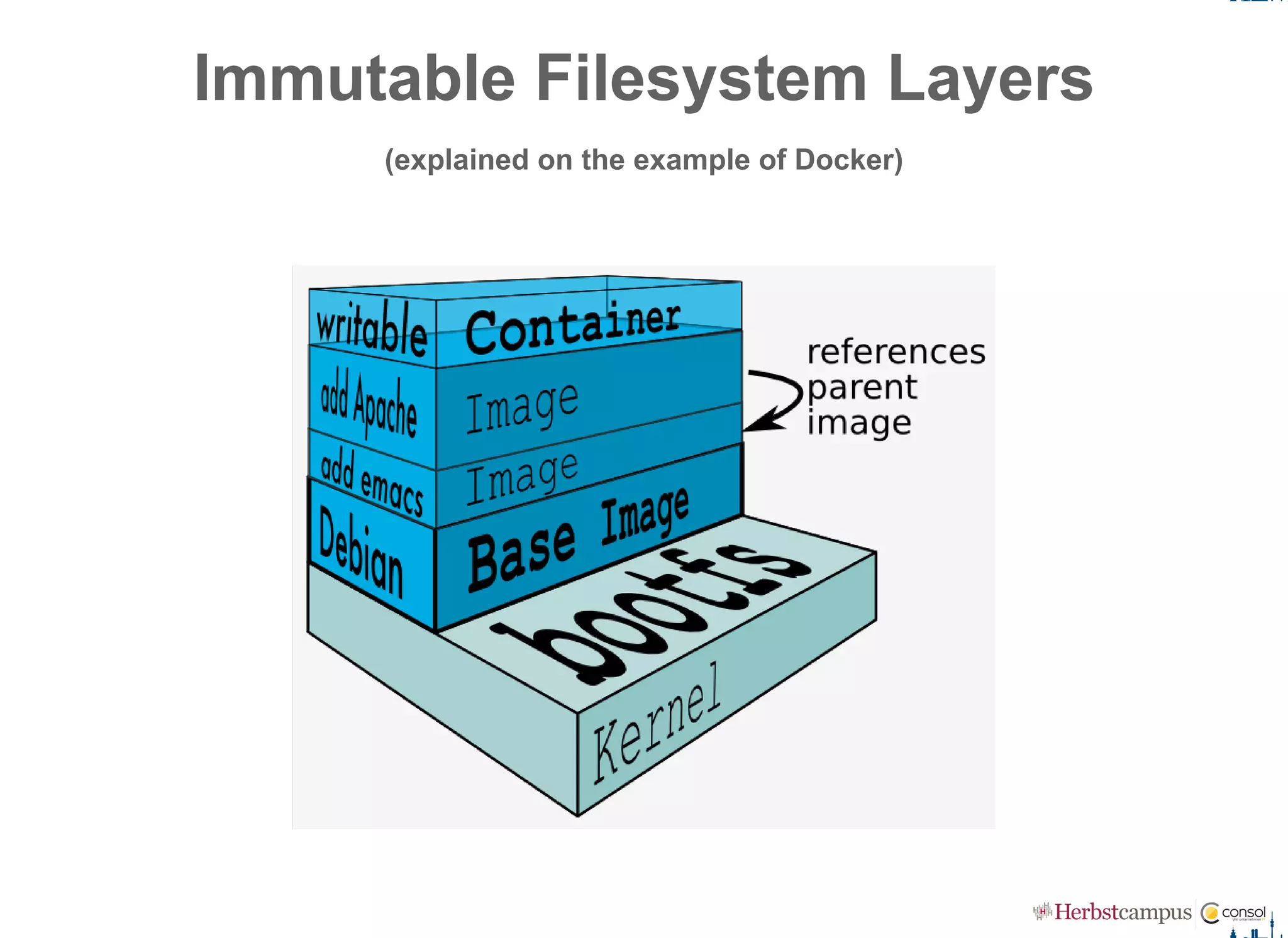
Immutable Filesystem Layers
(explained on the example of Docker)
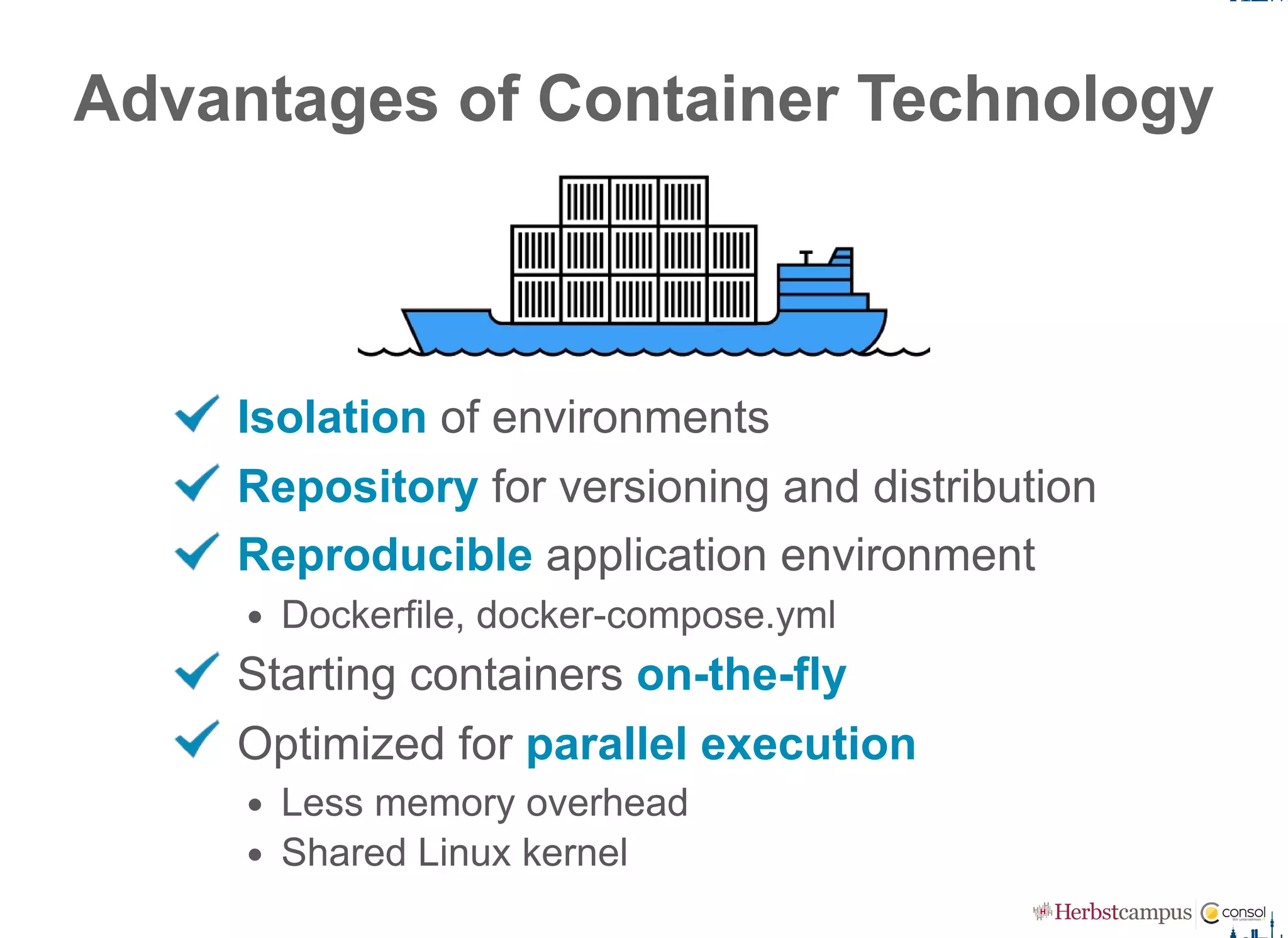
Advantages of Container Technology
Isolation of environments
Repository for versioning and distribution
Reproducible application environment
Dockerfile, docker­compose.yml
Starting containers on­the­fly
Optimized for parallel execution
Less memory overhead
Shared Linux kernel
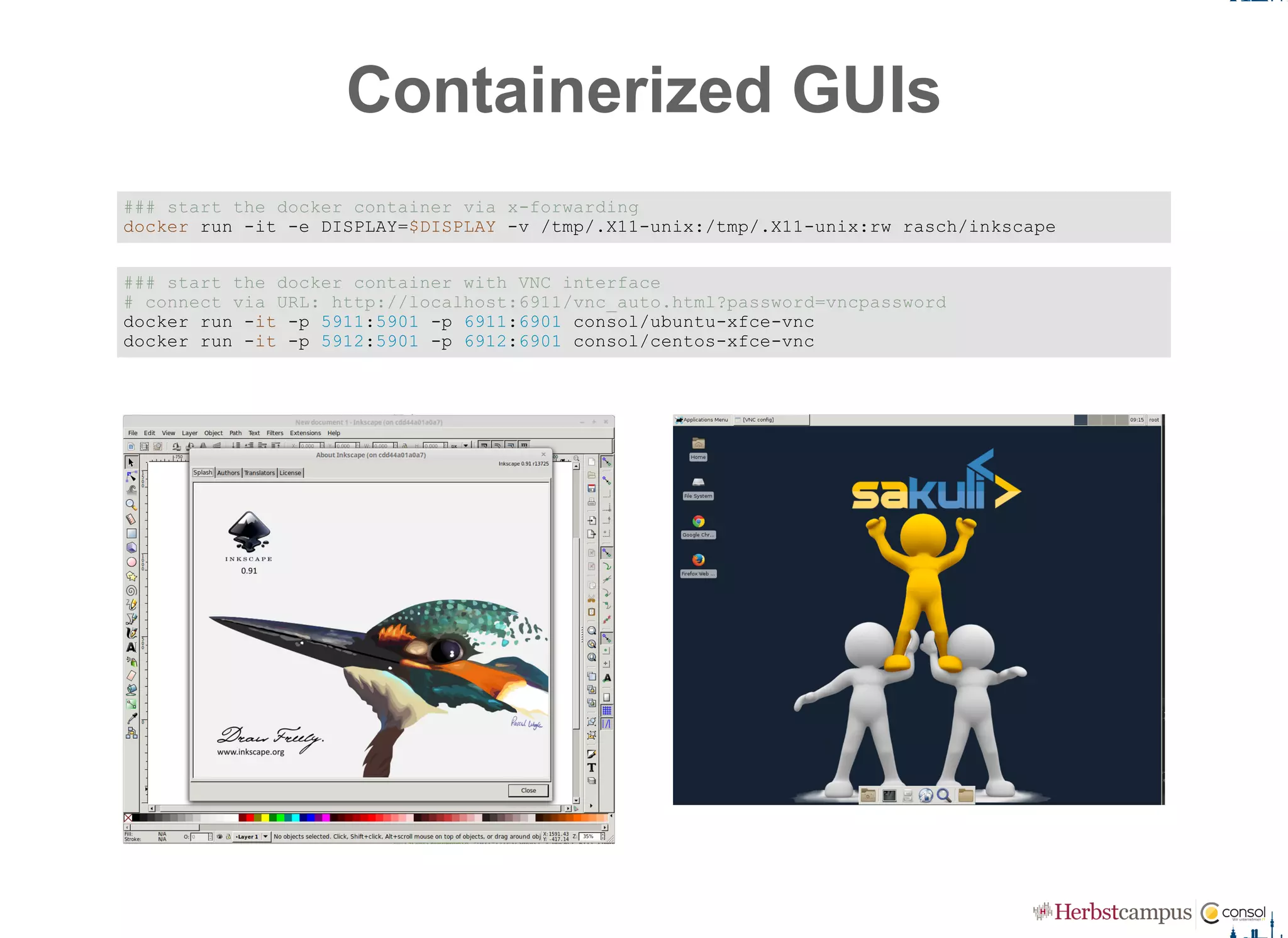
Containerized GUIs
### start the docker container via x­forwarding 
docker run ­it ­e DISPLAY=$DISPLAY ­v /tmp/.X11­unix:/tmp/.X11­unix:rw rasch/inkscape
### start the docker container with VNC interface 
# connect via URL: http://localhost:6911/vnc_auto.html?password=vncpassword 
docker run ­it ­p 5911:5901 ­p 6911:6901 consol/ubuntu­xfce­vnc 
docker run ­it ­p 5912:5901 ­p 6912:6901 consol/centos­xfce­vnc
 
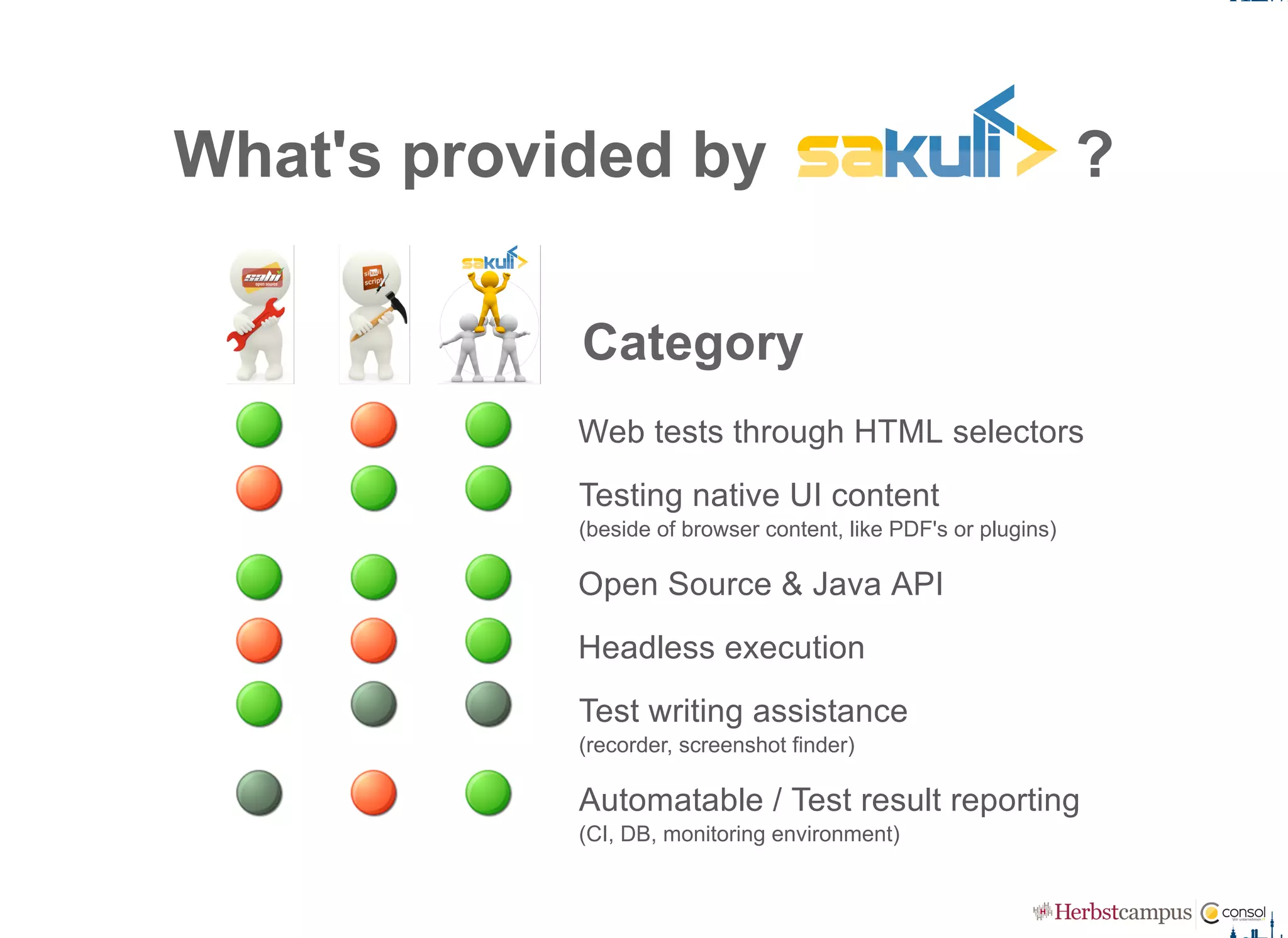
What's provided by   ?
Category
Web tests through HTML selectors
Testing native UI content
(beside of browser content, like PDF's or plugins)
Open Source & Java API
Headless execution
Test writing assistance
(recorder, screenshot finder)
Automatable / Test result reporting
(CI, DB, monitoring environment)
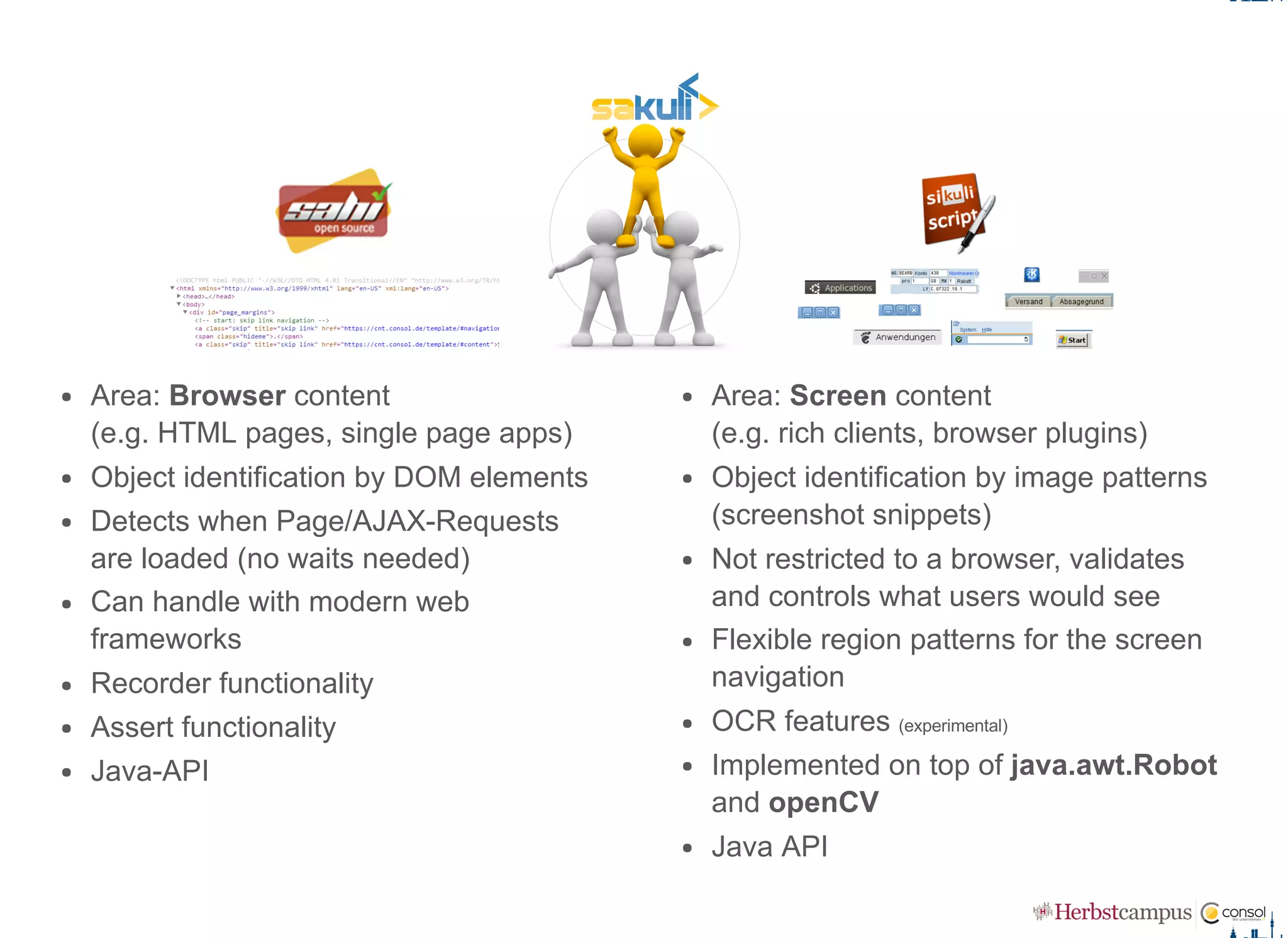
Area: Browser content  
(e.g. HTML pages, single page apps)
Object identification by DOM elements
Detects when Page/AJAX­Requests
are loaded (no waits needed)
Can handle with modern web
frameworks
Recorder functionality
Assert functionality
Java­API
Area: Screen content  
(e.g. rich clients, browser plugins)
Object identification by image patterns
(screenshot snippets)
Not restricted to a browser, validates
and controls what users would see
Flexible region patterns for the screen
navigation
OCR features (experimental)
Implemented on top of java.awt.Robot
and openCV
Java API
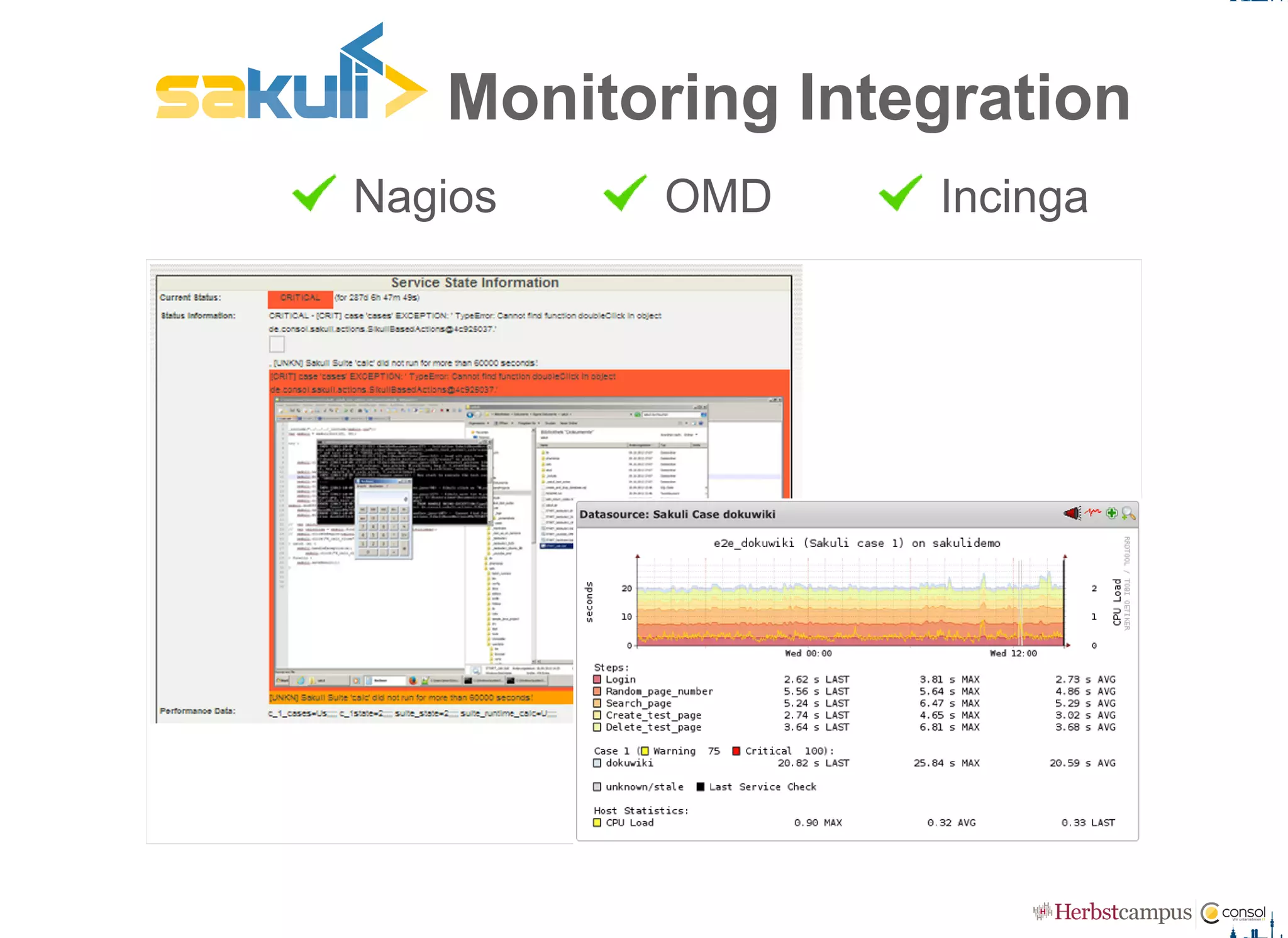
 Nagios   OMD   Incinga
 Monitoring Integration
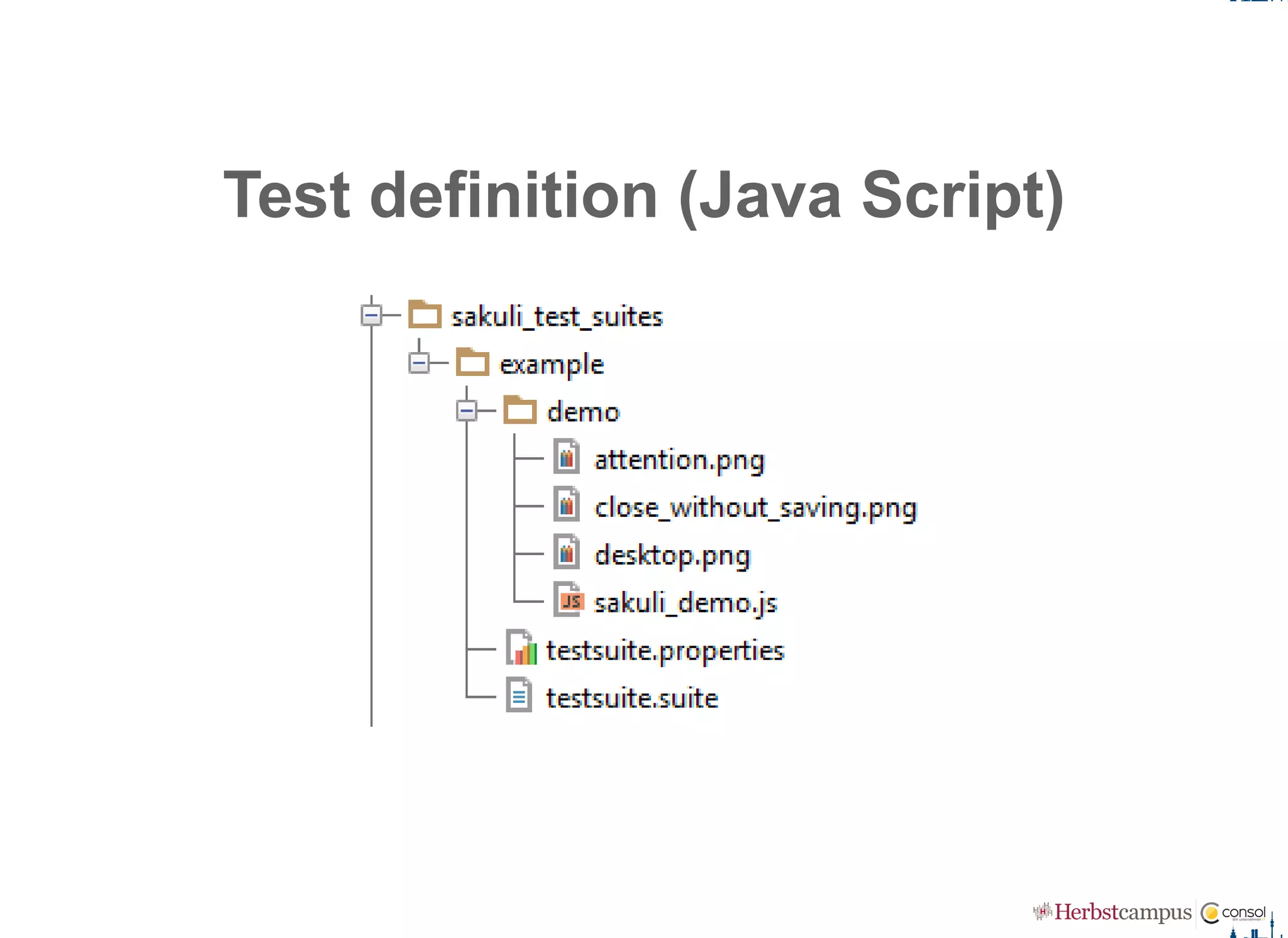
Test definition (Java Script)
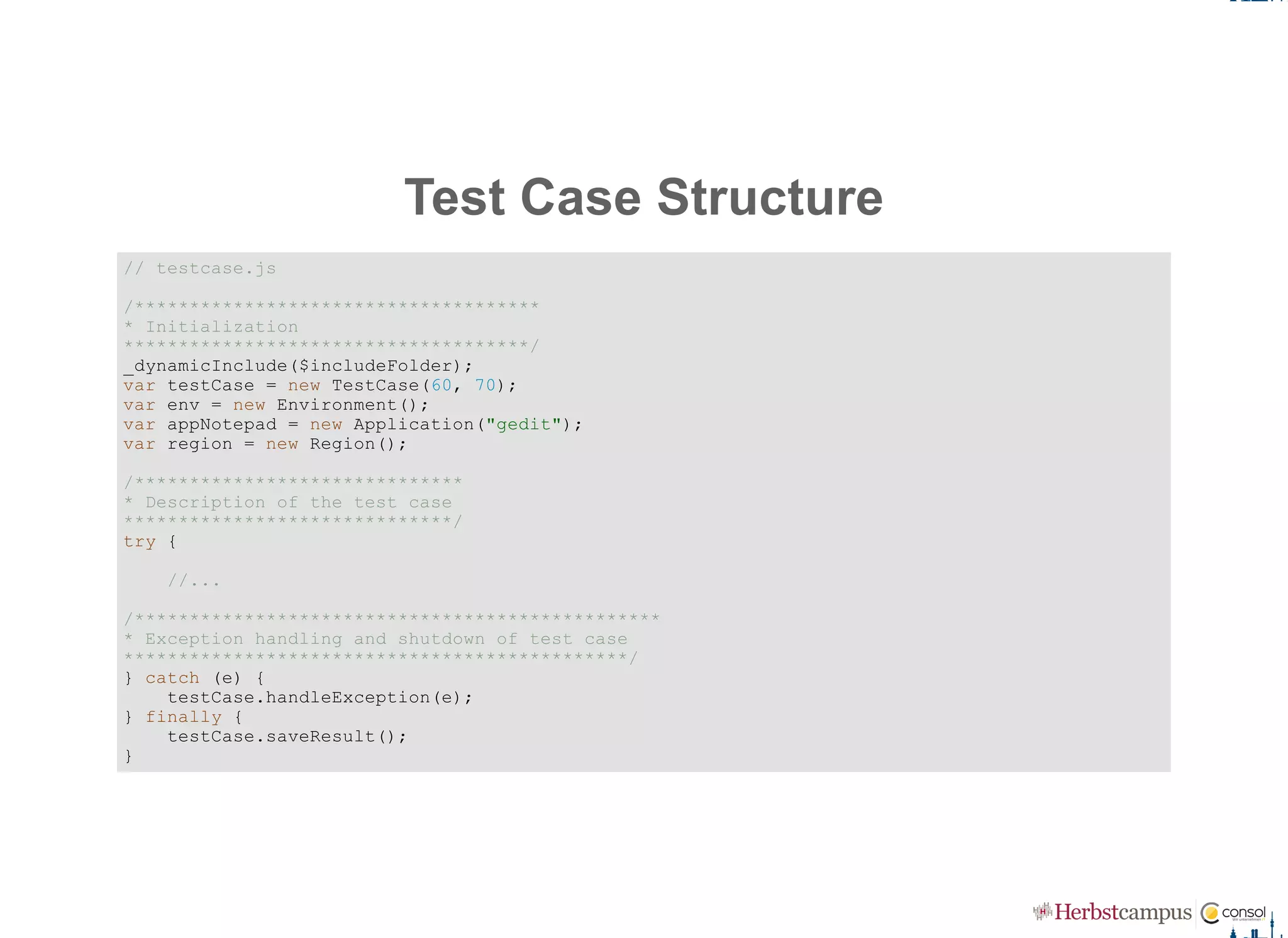
Test Case Structure
// testcase.js 
/************************************* 
* Initialization 
*************************************/ 
_dynamicInclude($includeFolder); 
var testCase = new TestCase(60, 70); 
var env = new Environment(); 
var appNotepad = new Application("gedit"); 
var region = new Region();
/****************************** 
* Description of the test case 
******************************/ 
try {
    //...
/************************************************ 
* Exception handling and shutdown of test case 
**********************************************/ 
} catch (e) {
    testCase.handleException(e); 
} finally {
    testCase.saveResult(); 
}
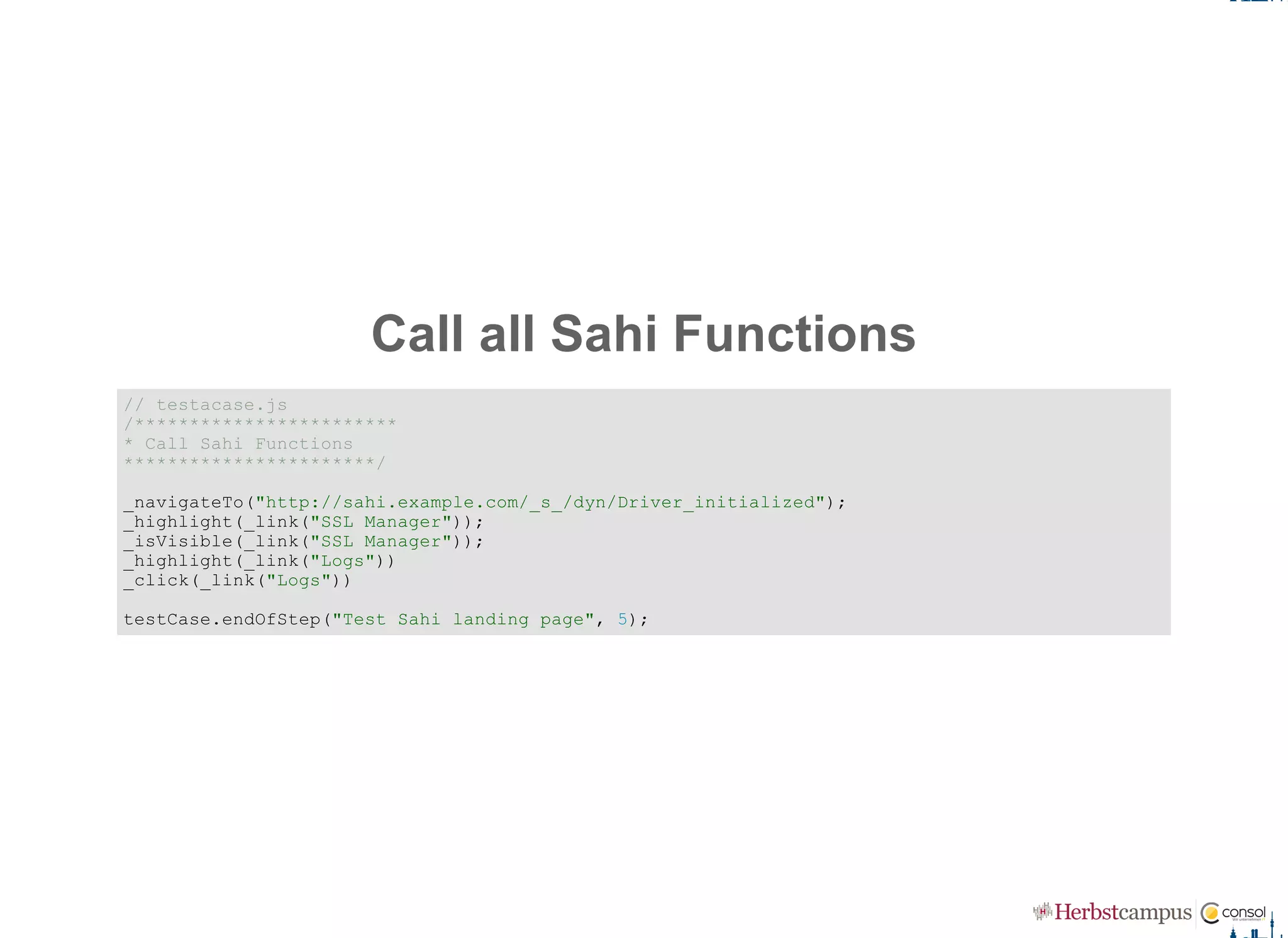
Call all Sahi Functions
// testacase.js 
/************************ 
* Call Sahi Functions 
***********************/ 
_navigateTo("http://sahi.example.com/_s_/dyn/Driver_initialized"); 
_highlight(_link("SSL Manager")); 
_isVisible(_link("SSL Manager")); 
_highlight(_link("Logs")) 
_click(_link("Logs")) 
testCase.endOfStep("Test Sahi landing page", 5);
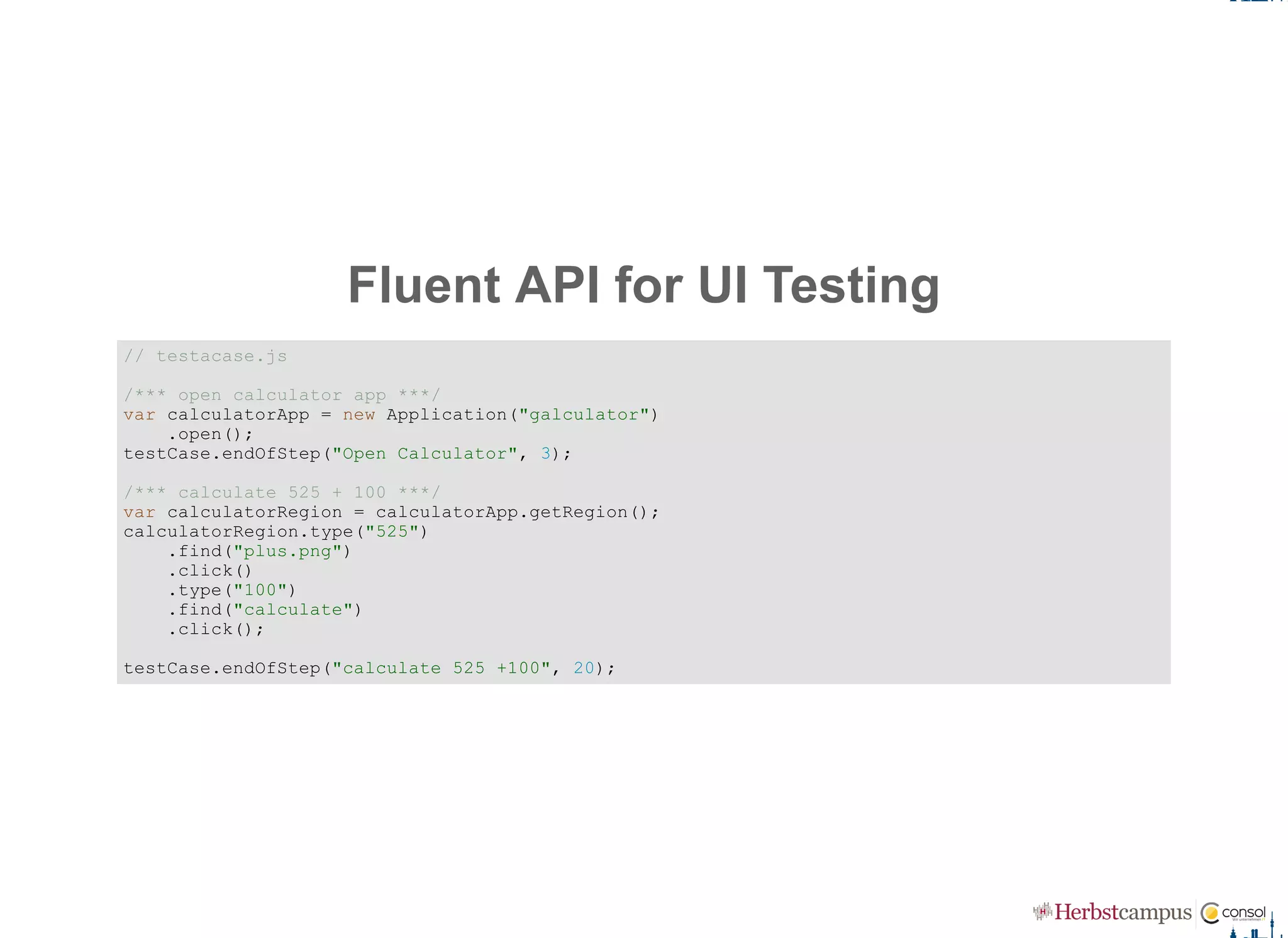
Fluent API for UI Testing
// testacase.js 
/*** open calculator app ***/ 
var calculatorApp = new Application("galculator") 
    .open(); 
testCase.endOfStep("Open Calculator", 3); 
/*** calculate 525 + 100 ***/ 
var calculatorRegion = calculatorApp.getRegion(); 
calculatorRegion.type("525") 
    .find("plus.png")
    .click() 
    .type("100")
    .find("calculate") 
    .click(); 
testCase.endOfStep("calculate 525 +100", 20);
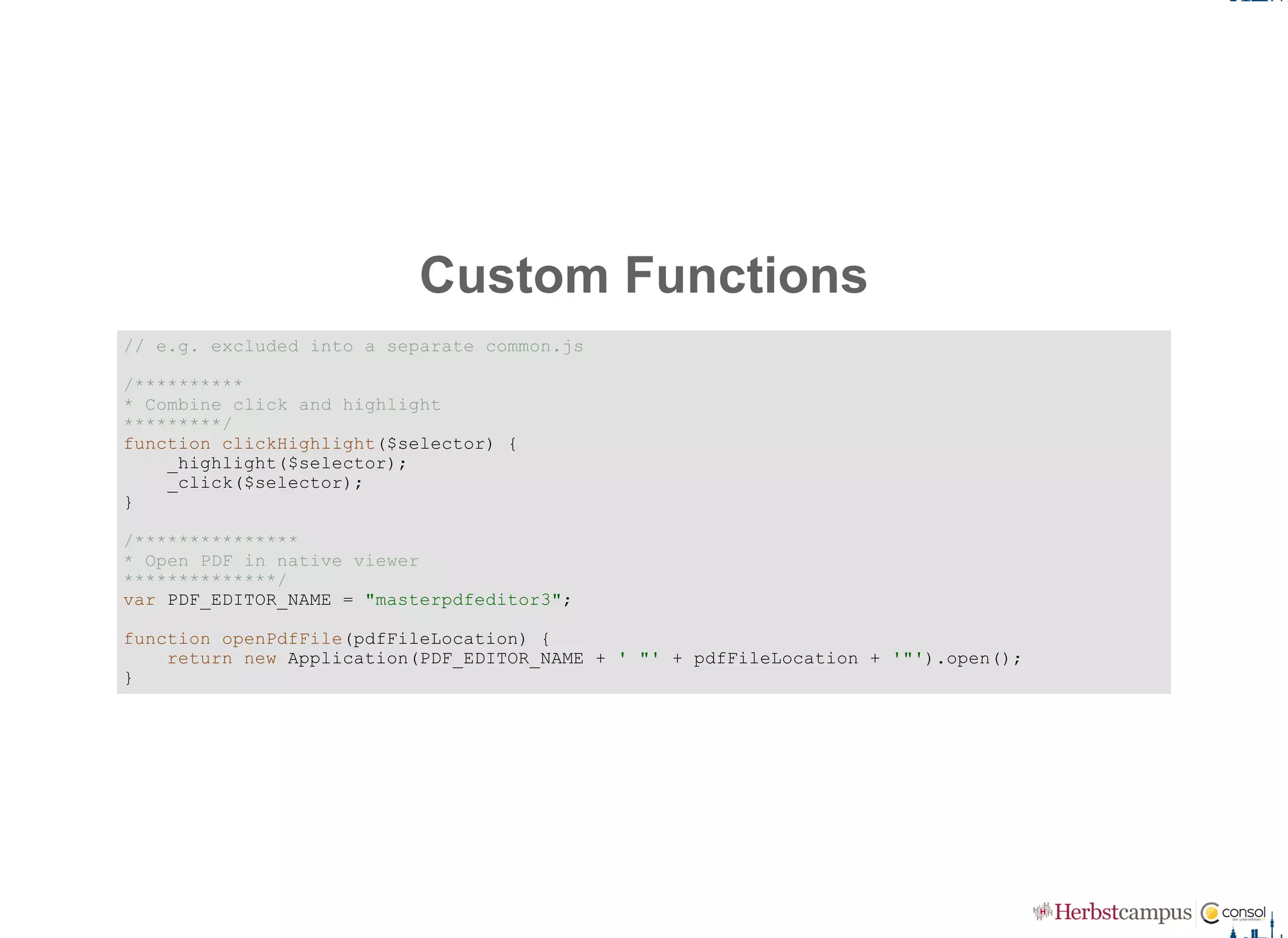
Custom Functions
// e.g. excluded into a separate common.js 
/********** 
* Combine click and highlight 
*********/
function clickHighlight($selector) { 
    _highlight($selector); 
    _click($selector); 
}
/*************** 
* Open PDF in native viewer 
**************/ 
var PDF_EDITOR_NAME = "masterpdfeditor3"; 
function openPdfFile(pdfFileLocation) { 
    return new Application(PDF_EDITOR_NAME + ' "' + pdfFileLocation + '"').open(); 
}
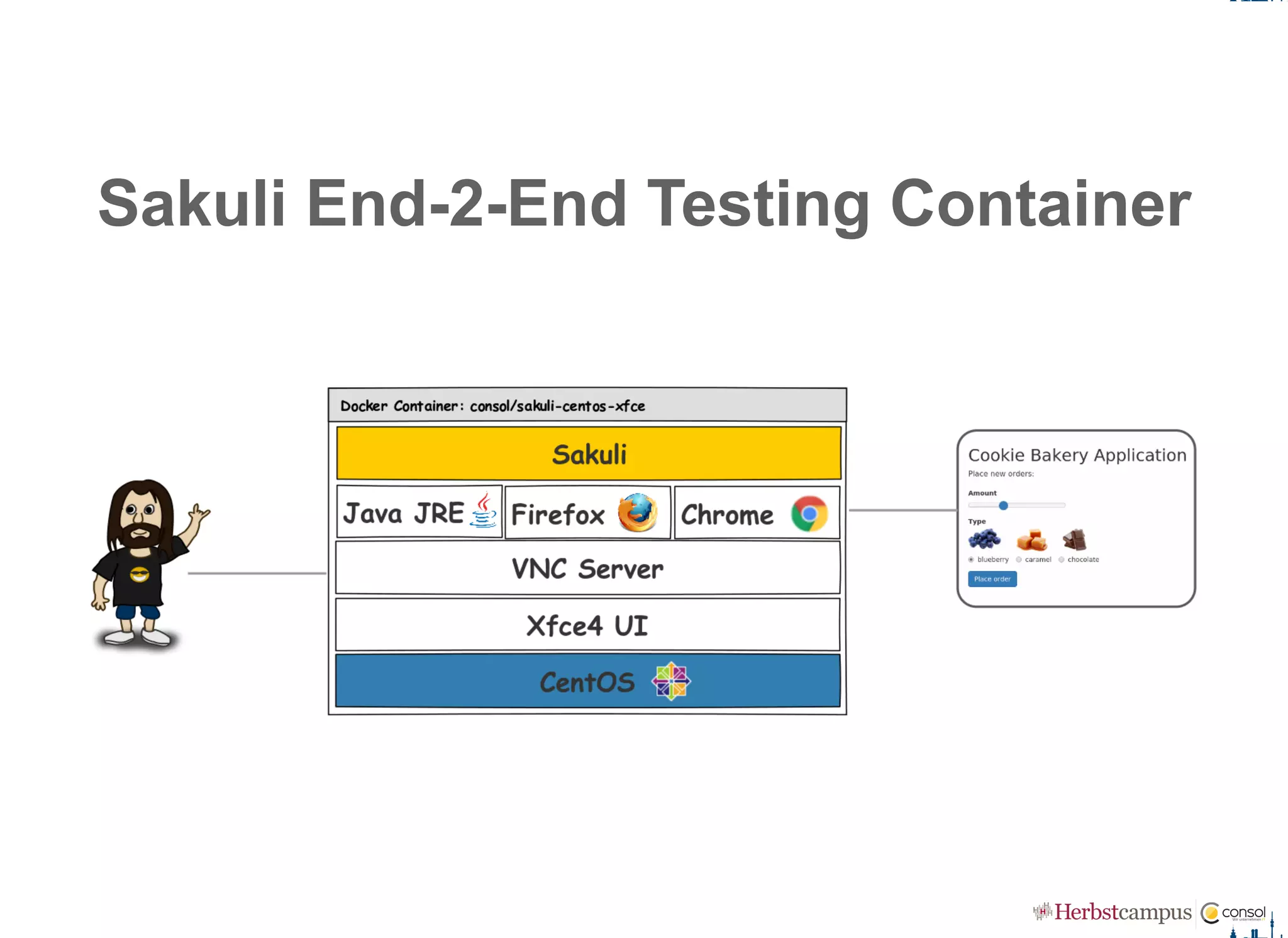
Sakuli End­2­End Testing Container
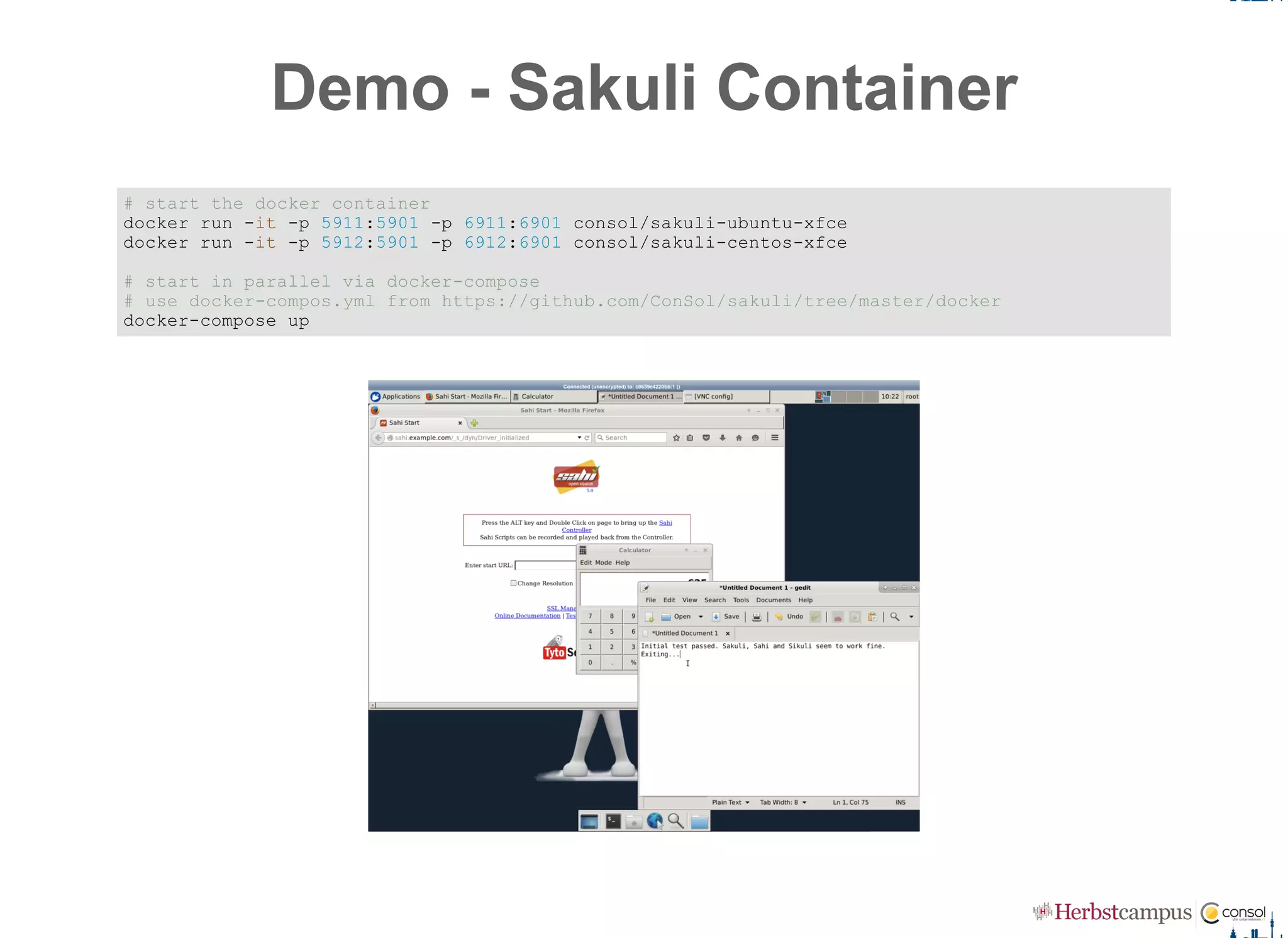
Demo ­ Sakuli Container
# start the docker container 
docker run ­it ­p 5911:5901 ­p 6911:6901 consol/sakuli­ubuntu­xfce 
docker run ­it ­p 5912:5901 ­p 6912:6901 consol/sakuli­centos­xfce 
# start in parallel via docker­compose 
# use docker­compos.yml from https://github.com/ConSol/sakuli/tree/master/docker 
docker­compose up
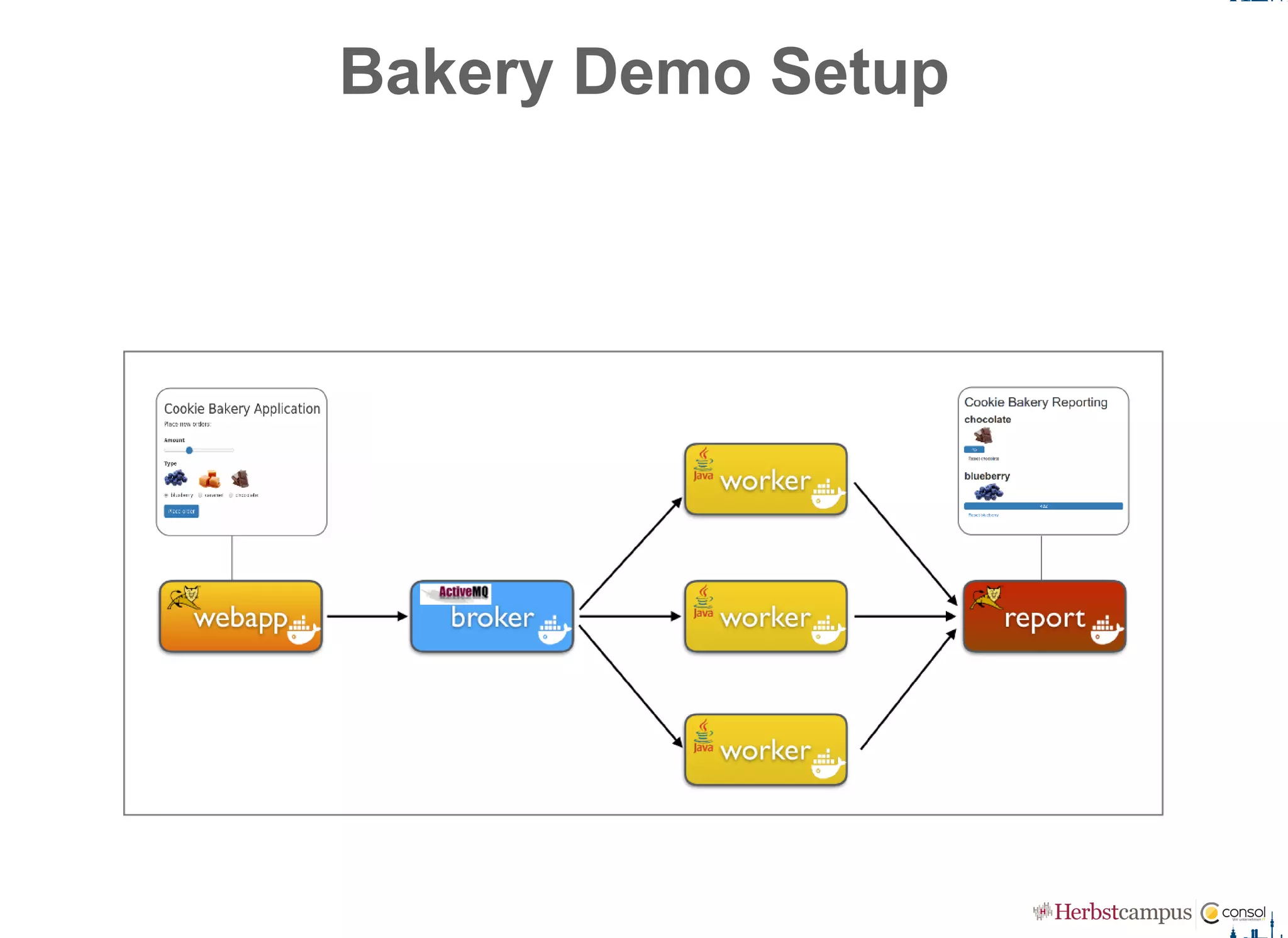
Bakery Demo Setup
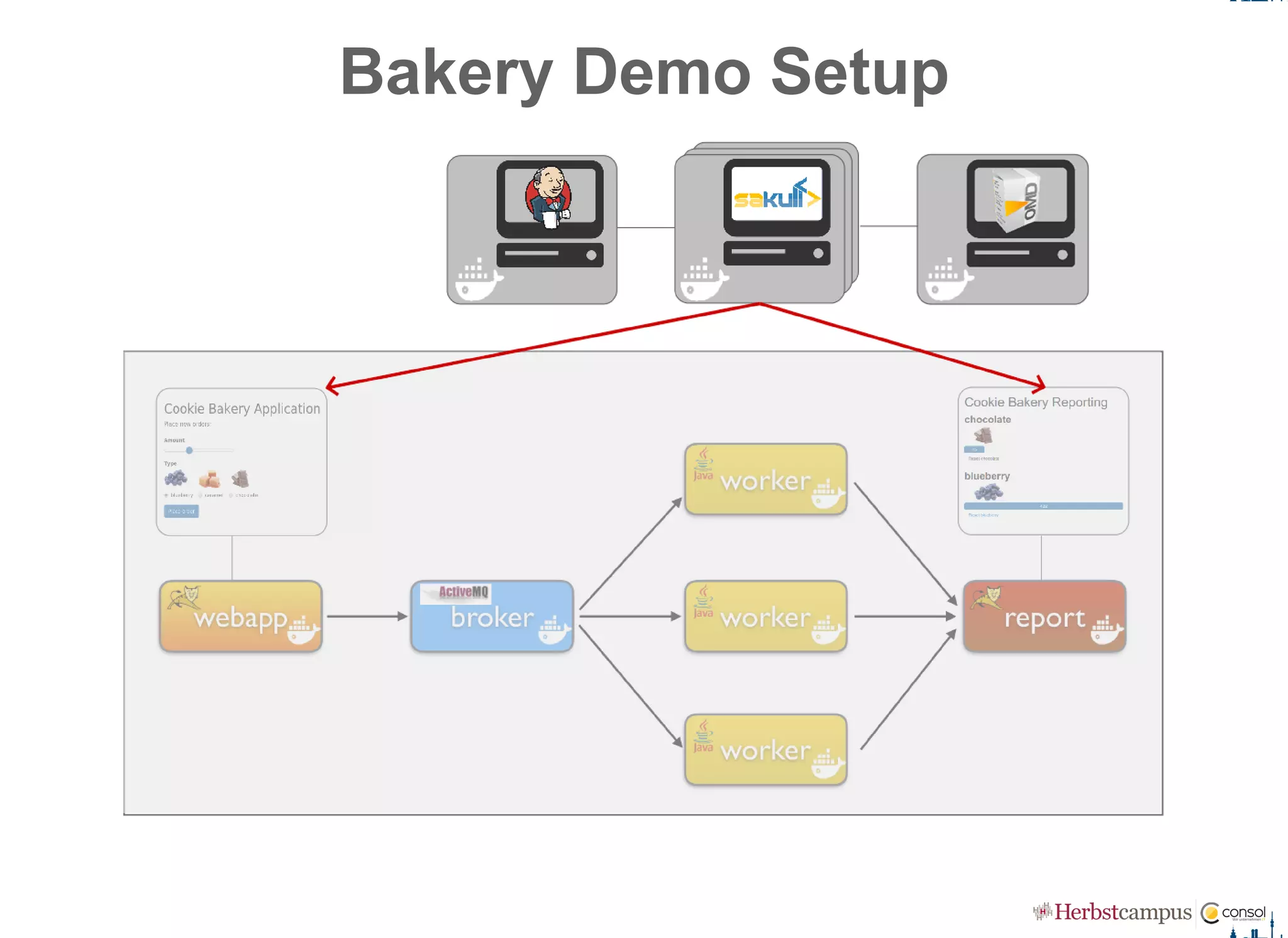
Bakery Demo Setup
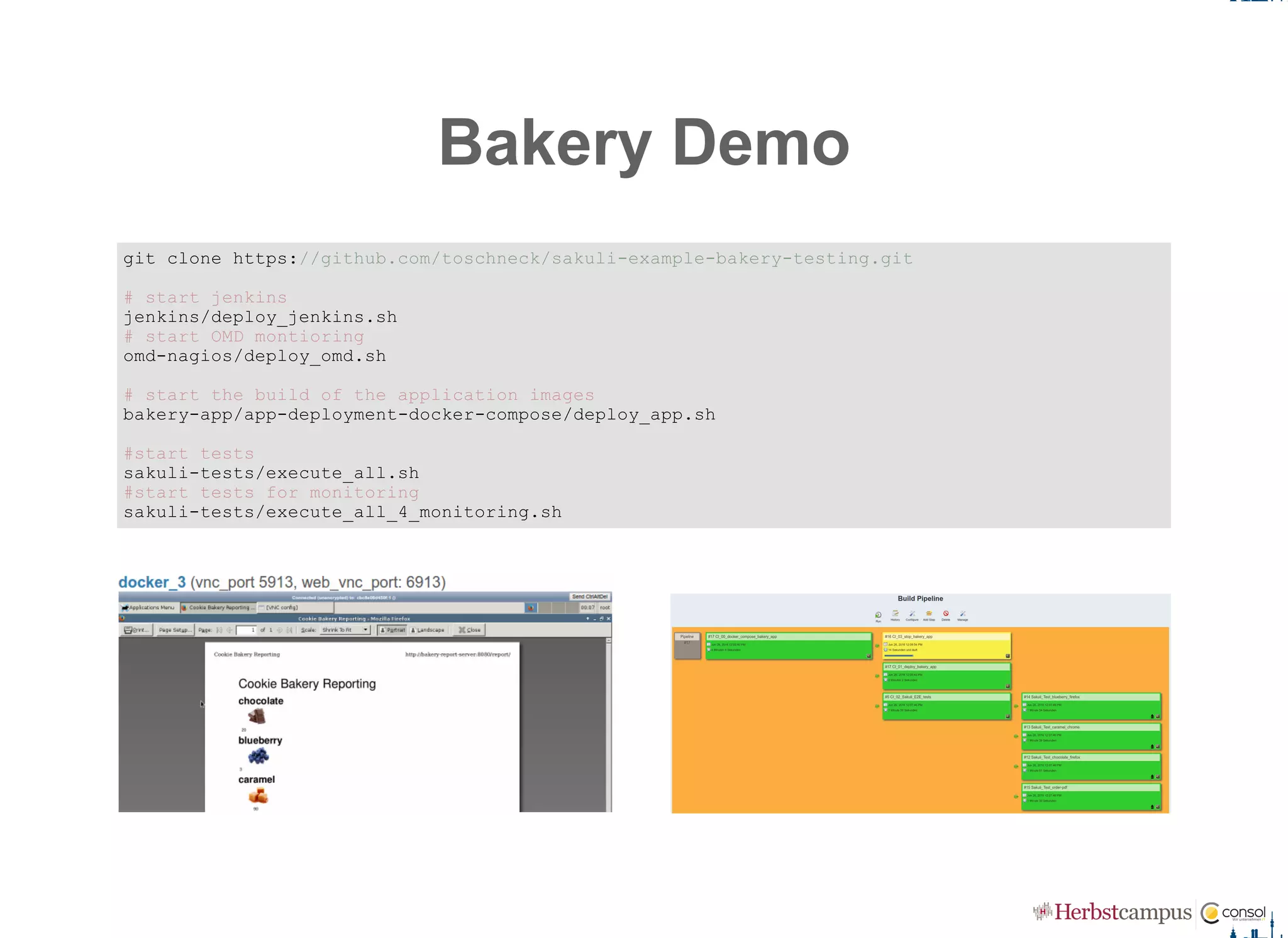
Bakery Demo
git clone https://github.com/toschneck/sakuli­example­bakery­testing.git 
# start jenkins 
jenkins/deploy_jenkins.sh 
# start OMD montioring 
omd­nagios/deploy_omd.sh 
# start the build of the application images 
bakery­app/app­deployment­docker­compose/deploy_app.sh 
#start tests 
sakuli­tests/execute_all.sh 
#start tests for monitoring 
sakuli­tests/execute_all_4_monitoring.sh
What's next?
Headless execution ­ Linux: VNC & Docker   Windows: ?
Make container OpenShift ready (security, source­2­image)
Video recording of the test execution (error documentation)
Web UI to handle Sakuli test suites
Connect 3rd­party test management tools (HP QC, TestRail, ...)
Improve test result presentation in CI tools
Selenium as an alternative to Sahi
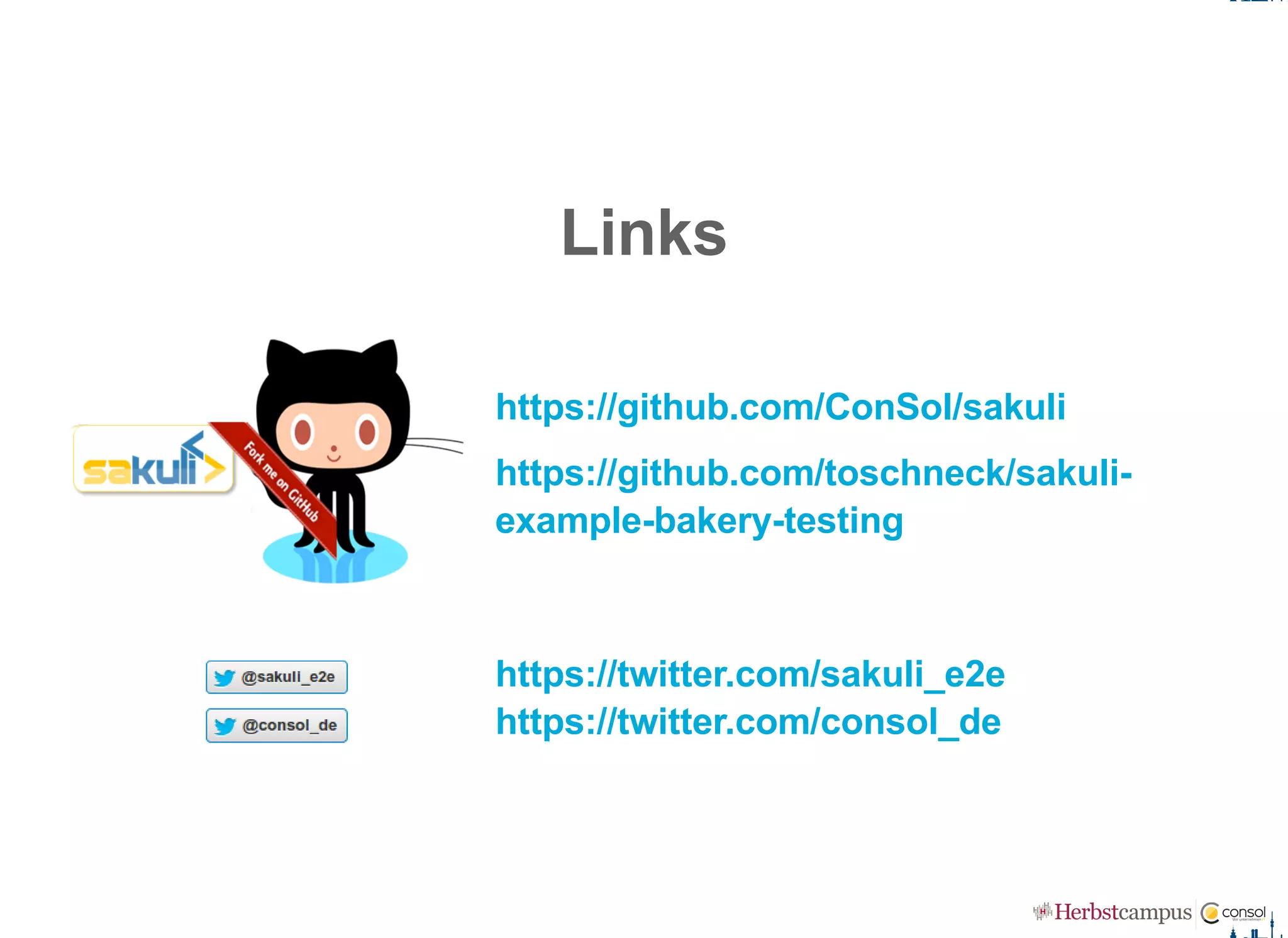
Links
https://github.com/ConSol/sakuli 
https://github.com/toschneck/sakuli­
example­bakery­testing
https://twitter.com/sakuli_e2e
https://twitter.com/consol_de
Thank's Herbstcampus!
Tobias Schneck 
ConSol Software GmbH
Franziskanerstraße 38
D­81669 München
Tel: +49­89­45841­100
Fax: +49­89­45841­111
tobias.schneck@consol.de
info@consol.de
www.consol.de

Skale your test environment! Containerized End-2-End-Testing @Herbstcampus Nürnberg