Timings of Init 
Android Ramdisks 
for the practical hacker 
Big Android BBQ - October 2014 
Oceus Networks Inc. Internal
Who Am I? 
Stacy Wylie (Devino) 
Username: childofthehorn 
(Rootzwiki / XDA-developers / IRC / Github) 
27 years old, soon to be 28 Yay! 
Principal Software Engineer at Oceus Networks 
Partner of OpenBrite LLC, an OSHW / OSS 
company, creators of the LEDgoes / BriteBlox 
product line 
Oceus Networks Inc. 
2
What is it and where? 
Boot Image or Recovery Image 
(boot.img / recovery.img) contains 
two pieces: 
 
Kernel (zImage) 
Ramdisk / Bootdisk / Rootdisk 
Without it, the kernel doesn't know 
what to do or how to start the OS. 
Oceus Networks Inc. 
3
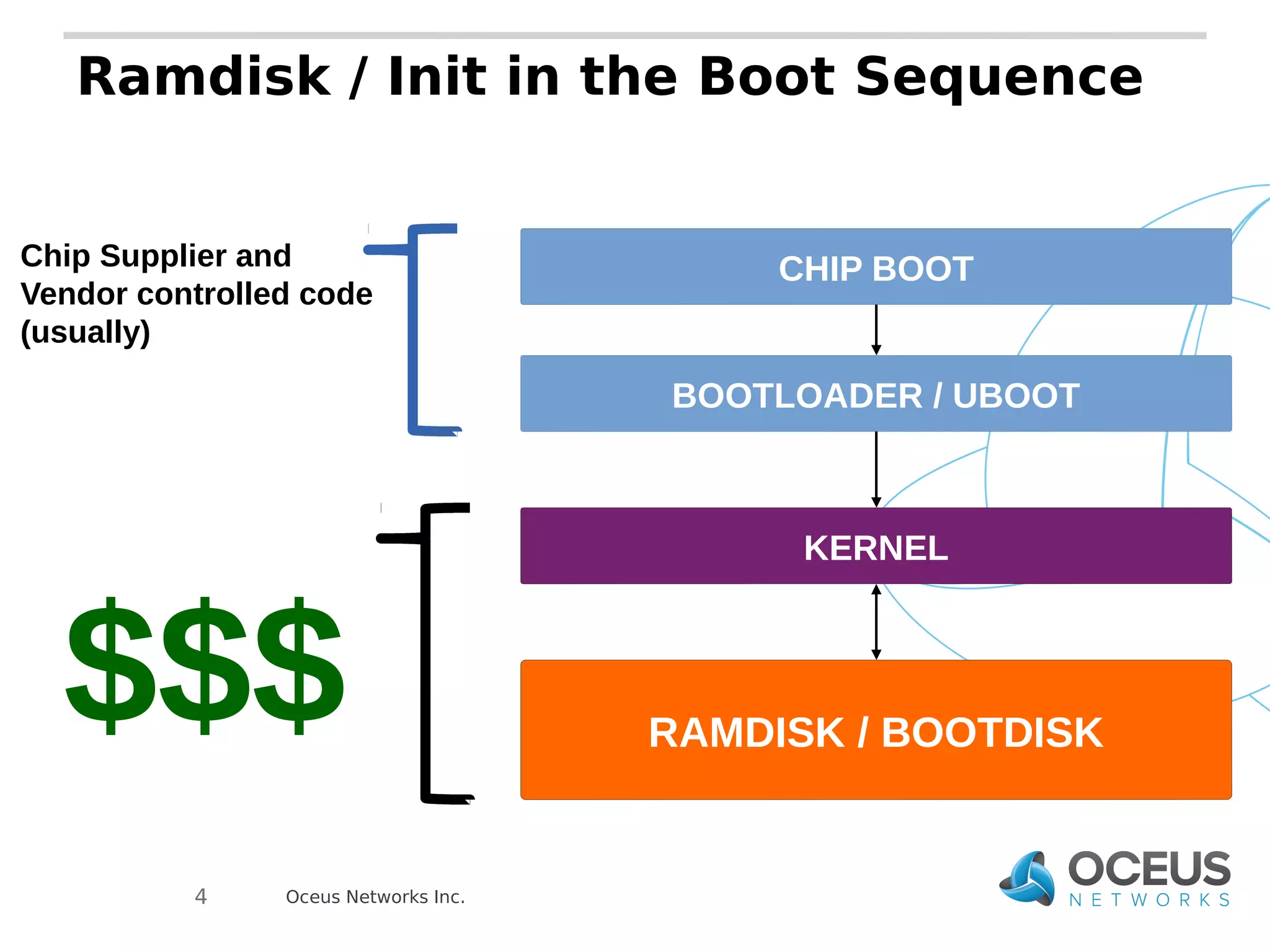
Ramdisk / Init in the Boot Sequence 
Oceus Networks Inc. 
4 
CHIP BOOT 
BOOTLOADER / UBOOT 
KERNEL 
RAMDISK / BOOTDISK 
Chip Supplier and 
Vendor controlled code 
(usually) 
$$$
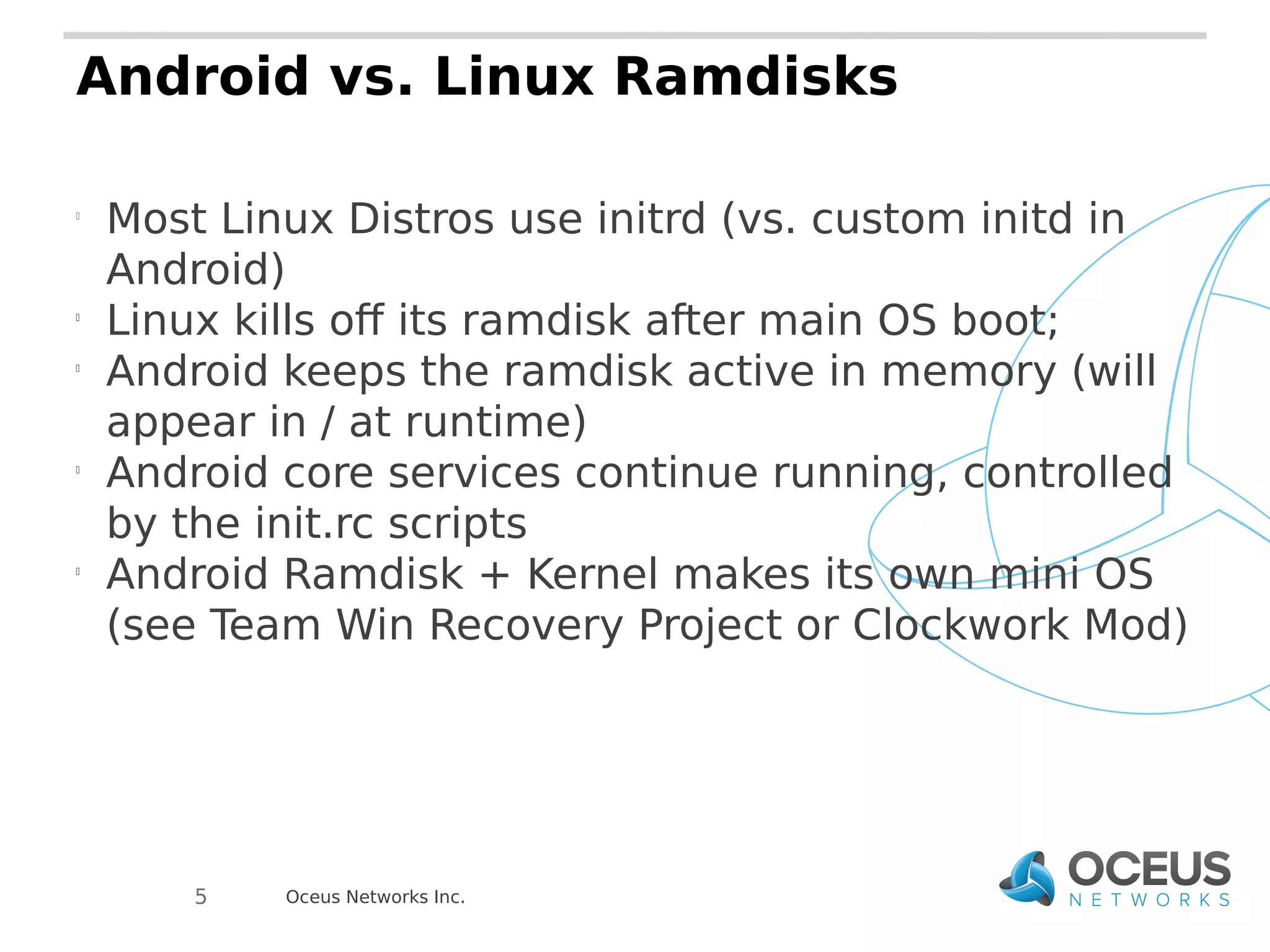
Android vs. Linux Ramdisks 
 Most Linux Distros use initrd (vs. custom initd in 
Android) 
 Linux kills off its ramdisk after main OS boot; 
 Android keeps the ramdisk active in memory (will 
appear in / at runtime) 
 Android core services continue running, controlled 
by the init.rc scripts 
 Android Ramdisk + Kernel makes its own mini OS 
(see Team Win Recovery Project or Clockwork Mod) 
Oceus Networks Inc. 
5
FROM 
HELL ! 
Oceus Networks Inc. 
*devil wears no pants
What was the Problem? 
The current state of init.rc scripts did not account 
for larger encryption keys or decryption that would 
take longer. 
This was a problem because the current state of 
initialization had the system and radios initializing 
separately with no checks. THIS IS NORMAL! 
Fixing required lots of time and careful monitoring 
of kernel messages and such from the serial 
terminal 
Oceus Networks Inc. 
7
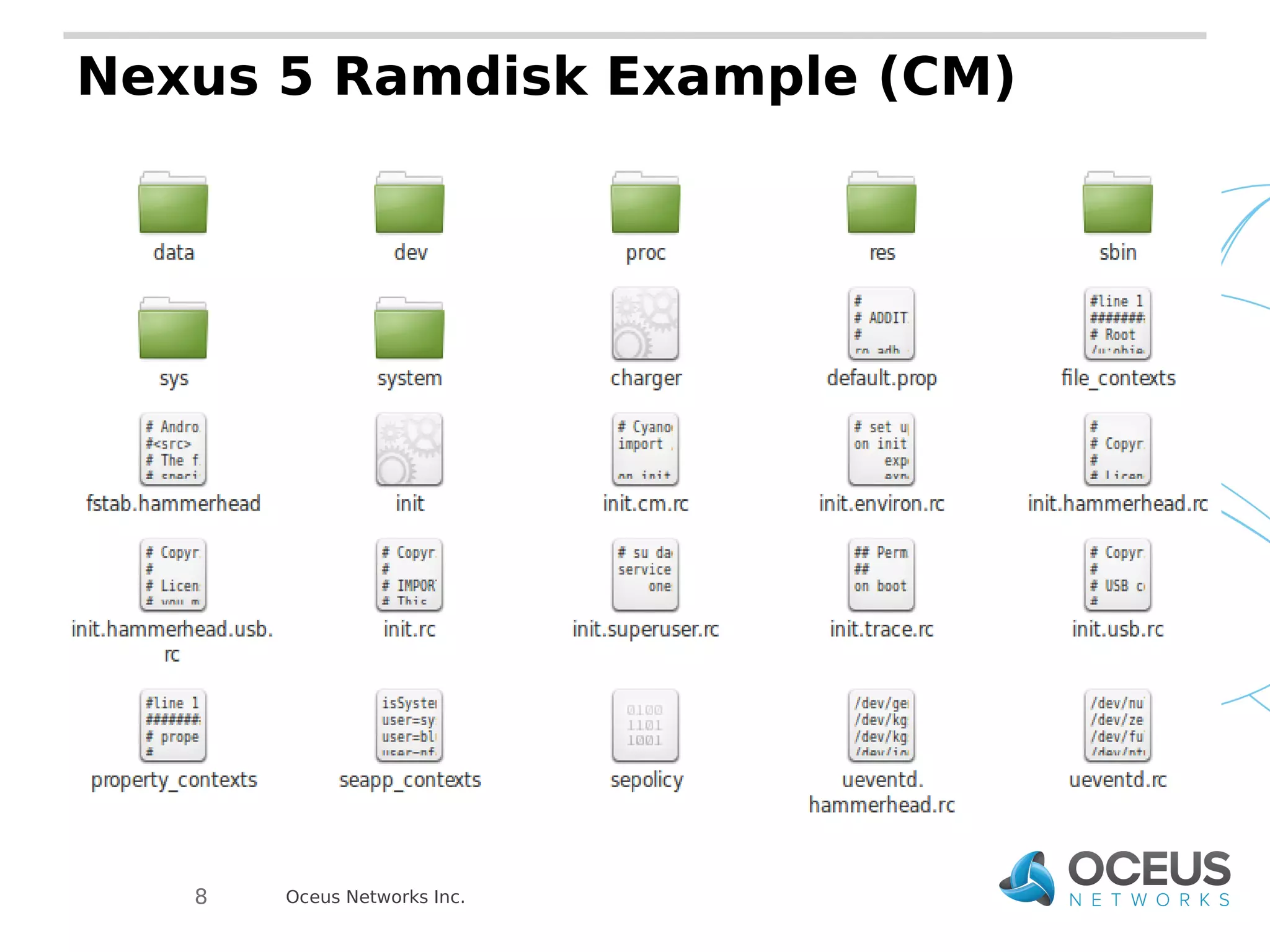
Nexus 5 Ramdisk Example (CM) 
Body text here 
Oceus Networks Inc. 
8
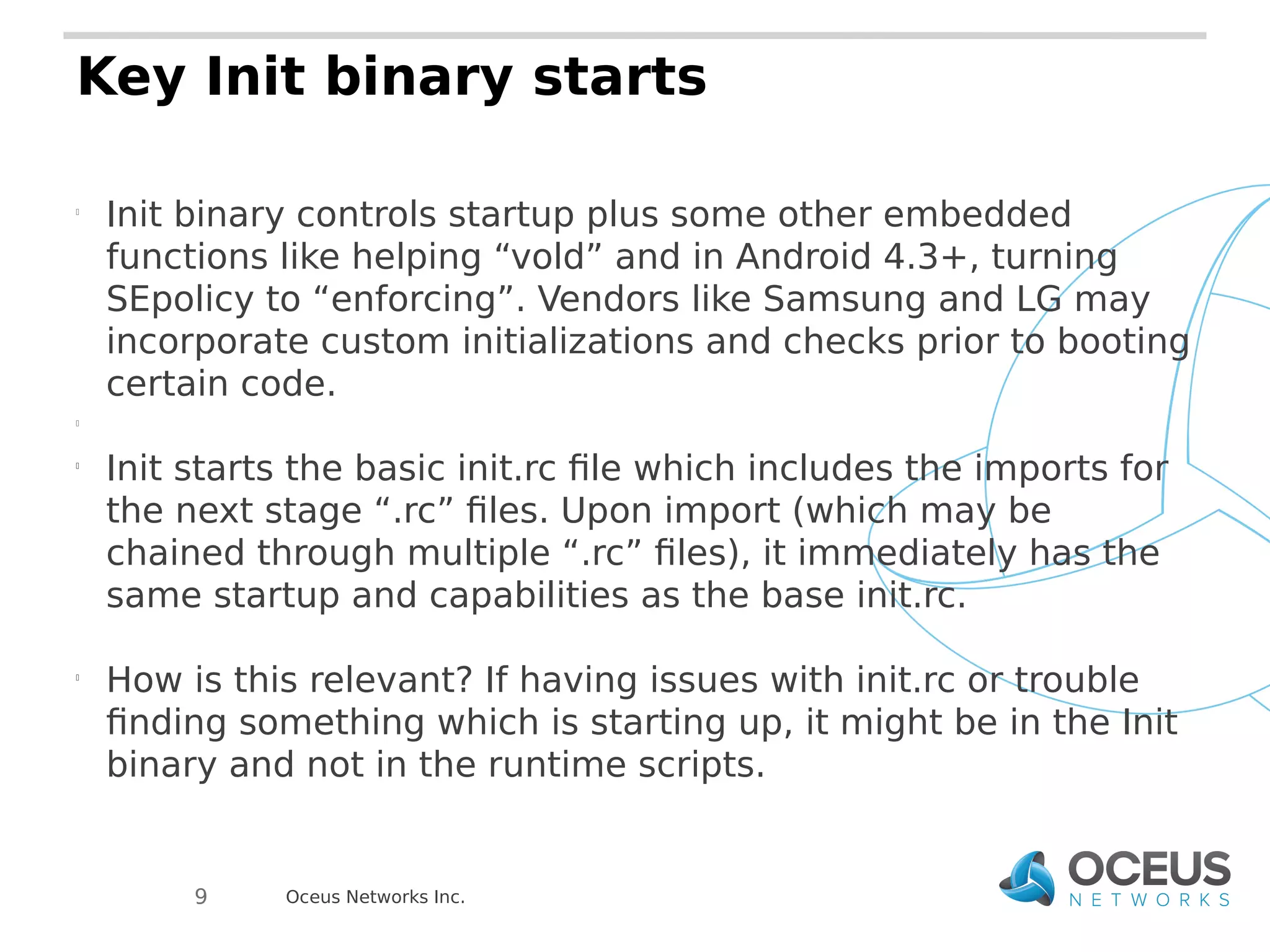
Key Init binary starts 
 Init binary controls startup plus some other embedded 
functions like helping “vold” and in Android 4.3+, turning 
SEpolicy to “enforcing”. Vendors like Samsung and LG may 
incorporate custom initializations and checks prior to booting 
certain code. 
 
 Init starts the basic init.rc file which includes the imports for 
the next stage “.rc” files. Upon import (which may be 
chained through multiple “.rc” files), it immediately has the 
same startup and capabilities as the base init.rc. 
 How is this relevant? If having issues with init.rc or trouble 
finding something which is starting up, it might be in the Init 
binary and not in the runtime scripts. 
Oceus Networks Inc. 
9
Directories 
 SBIN – Dedicated SBIN for binaries that may need to exist 
early in boot sequence or outside of the OS reach (usually 
executables) 
 
 BIN – Maps and links to “/system/bin”. Good place to put .ko 
files for insmod and .sh files that shouldn't go in “/” of the 
ramdisk. 
 
 “/” - Maps to “/” and contains init.rc files plus .sh files 
critical to bring-up (usually proprietary bits and radios). Most 
modern versions put this now in “/system/etc” in the normal 
system.img of the OS. In Android 4.3+, Sepolicy files used 
at startup are here (usually OK for most security as /system, 
boot-up, /proc, /dev, etc. files are what you care about at this 
point). 
Oceus Networks Inc. 
10
Key Init binary starts 
 Init binary controls startup plus some other embedded 
functions like helping “vold” and in Android 4.3+, turning 
SEpolicy to “enforcing”. Vendors like Samsung and LG may 
incorporate custom initializations and checks prior to booting 
certain code. 
 
 Init starts the basic init.rc file which includes the imports for 
the next stage “.rc” files. Upon import (which may be 
chained through multiple “.rc” files), it immediately has the 
same startup and capabilities as the base init.rc. 
 How is this relevant? If having issues with init.rc or trouble 
finding something which is starting up, it might be in the Init 
binary and not in the runtime scripts. 
Oceus Networks Inc. 
11
Basic Timing functions in init.rc 
import – pulls in the other init.xxx.rc files that will be run/running to control 
startup 
on early-init - start ueventd and any forks 
on init - startup actions like /sys properties, partition mounts, and symlinks 
on fs - partition mounts, chmod operations, yaffs handling in older devices 
on post-fs - chmod and chown of proc and cache 
on post-fs-data - permissions for sensors, radios, GPS, NFC, etc. 
on boot - first actions (permissions for /sys and /dev files, setprops) 
on post-boot - not normally used, but items that happen 
on nonencrypted - data is mountable and things relying on /data can now 
begin startup once it is mounted. 
on charger - starts the service for the charging binary 
 
*encryption timings – next slide* 
on property: - normal system properties as triggers. They can be used to 
start scripts, continue running scripts, binaries, or change port functions 
(init.usb.rc files and adbd related services are good examples of this) 
Oceus Networks Inc. 
12
Service classes of Init 
 class core – Always started first and cannot be shut down 
without serious consequences in most cases 
 class main – Responsible for services like telephony, radios, 
critical sensors. Many can be restarted or paused at certain 
times, but only if absolutely required 
 class late-start – Happens right before the full system 
boots and starts becoming available to the user. Stuff that 
relies on /data will usually have to start here to avoid issues 
on encryption 
Oceus Networks Inc. 
13
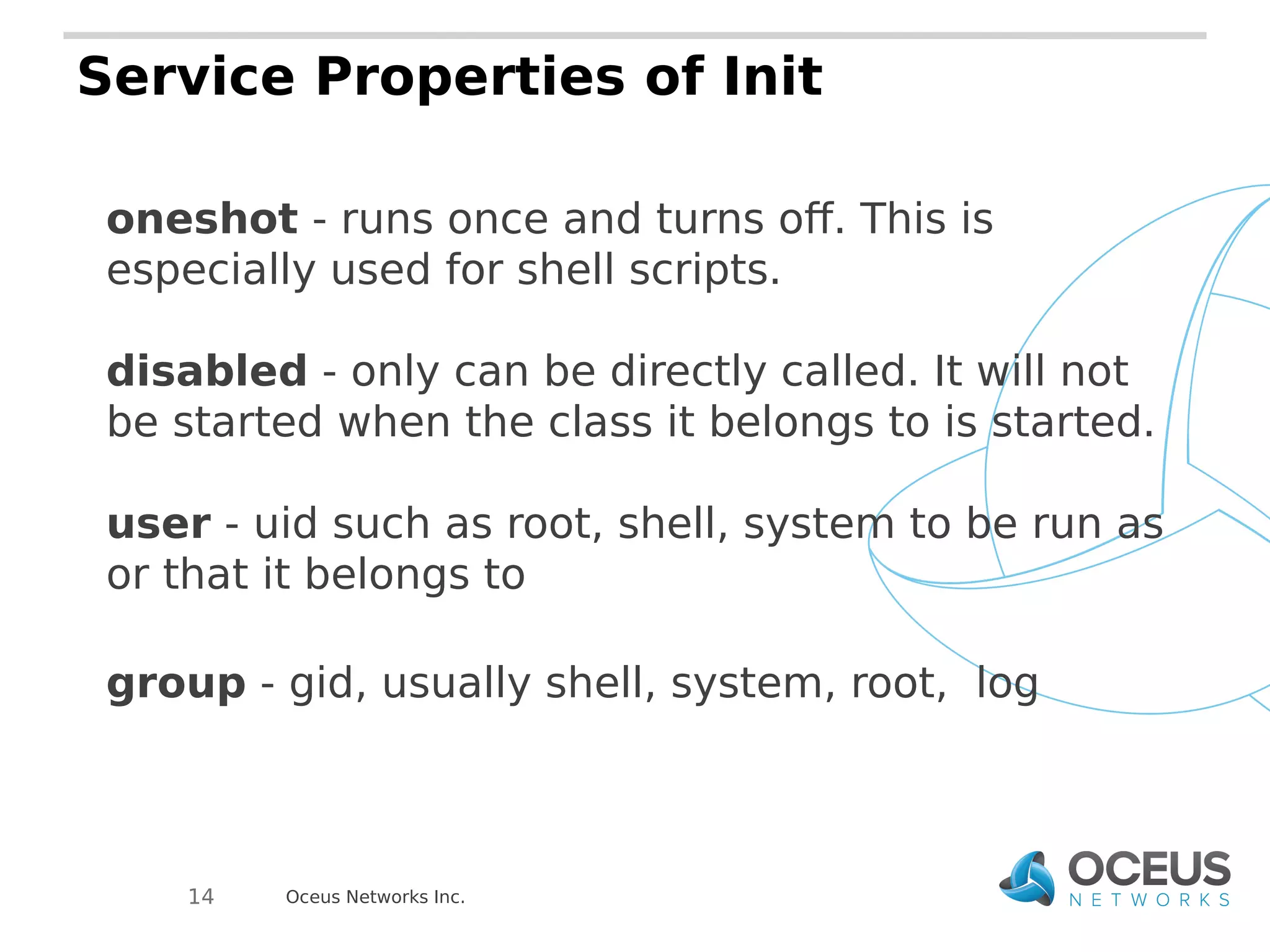
Service Properties of Init 
oneshot - runs once and turns off. This is 
especially used for shell scripts. 
disabled - only can be directly called. It will not 
be started when the class it belongs to is started. 
user - uid such as root, shell, system to be run as 
or that it belongs to 
group - gid, usually shell, system, root, log 
Oceus Networks Inc. 
14
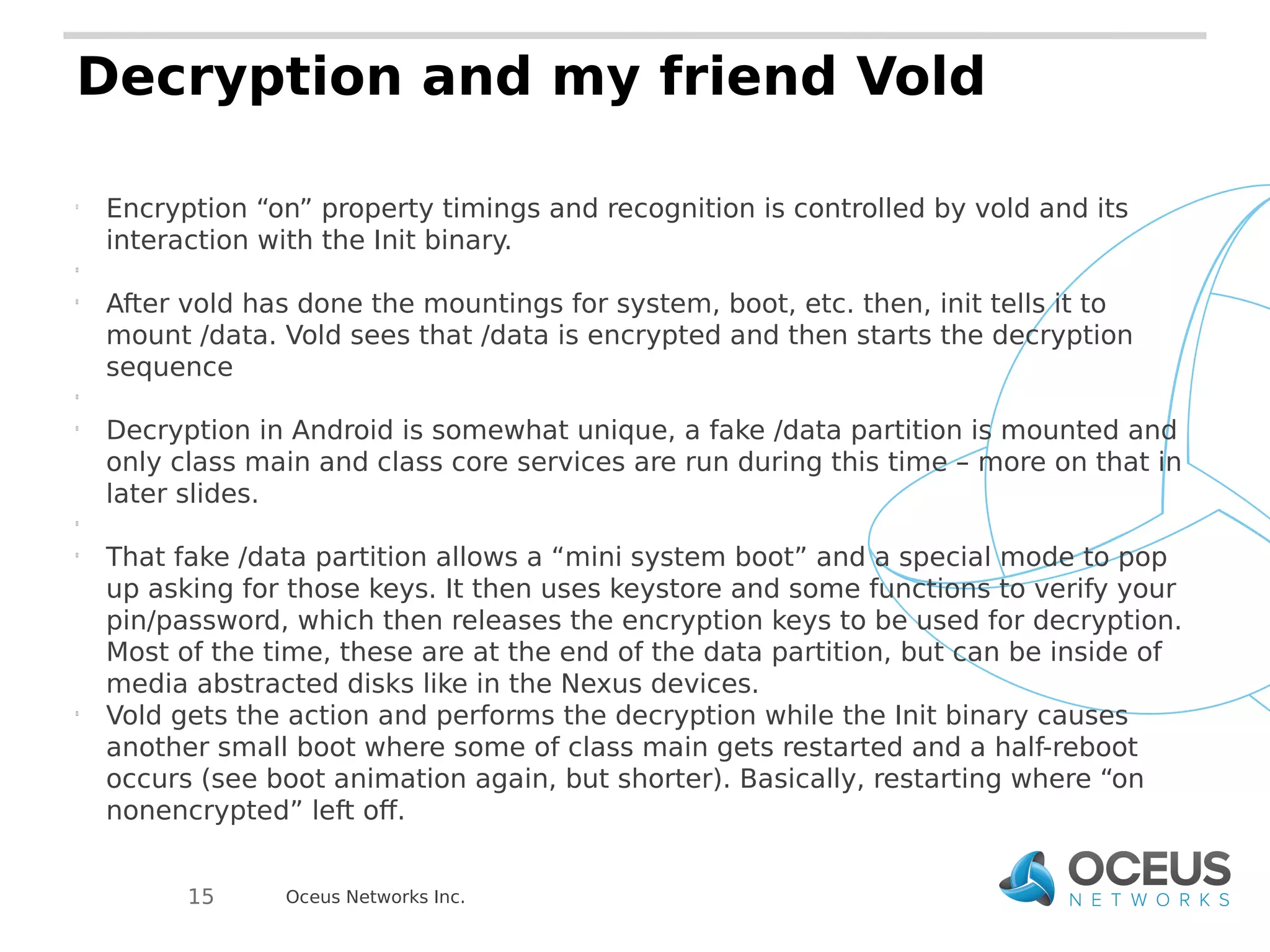
Decryption and my friend Vold 
 Encryption “on” property timings and recognition is controlled by vold and its 
interaction with the Init binary. 
 
 After vold has done the mountings for system, boot, etc. then, init tells it to 
mount /data. Vold sees that /data is encrypted and then starts the decryption 
sequence 
 
 Decryption in Android is somewhat unique, a fake /data partition is mounted and 
only class main and class core services are run during this time – more on that in 
later slides. 
 
 That fake /data partition allows a “mini system boot” and a special mode to pop 
up asking for those keys. It then uses keystore and some functions to verify your 
pin/password, which then releases the encryption keys to be used for decryption. 
Most of the time, these are at the end of the data partition, but can be inside of 
media abstracted disks like in the Nexus devices. 
 Vold gets the action and performs the decryption while the Init binary causes 
another small boot where some of class main gets restarted and a half-reboot 
occurs (see boot animation again, but shorter). Basically, restarting where “on 
nonencrypted” left off. 
Oceus Networks Inc. 
15
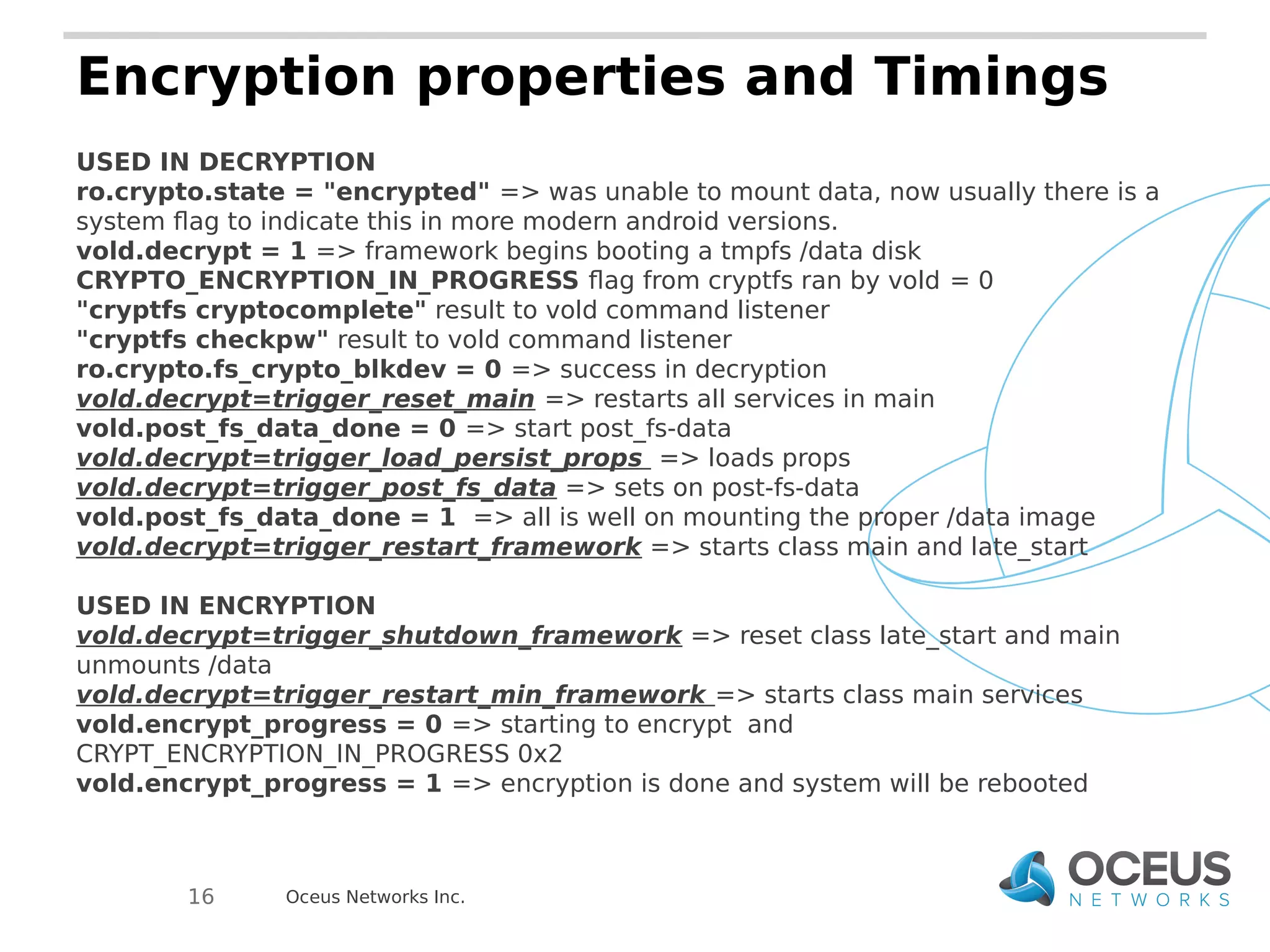
Encryption properties and Timings 
USED IN DECRYPTION 
ro.crypto.state = "encrypted" => was unable to mount data, now usually there is a 
system flag to indicate this in more modern android versions. 
vold.decrypt = 1 => framework begins booting a tmpfs /data disk 
CRYPTO_ENCRYPTION_IN_PROGRESS flag from cryptfs ran by vold = 0 
"cryptfs cryptocomplete" result to vold command listener 
"cryptfs checkpw" result to vold command listener 
ro.crypto.fs_crypto_blkdev = 0 => success in decryption 
vold.decrypt=trigger_reset_main => restarts all services in main 
vold.post_fs_data_done = 0 => start post_fs-data 
vold.decrypt=trigger_load_persist_props => loads props 
vold.decrypt=trigger_post_fs_data => sets on post-fs-data 
vold.post_fs_data_done = 1 => all is well on mounting the proper /data image 
vold.decrypt=trigger_restart_framework => starts class main and late_start 
USED IN ENCRYPTION 
vold.decrypt=trigger_shutdown_framework => reset class late_start and main 
unmounts /data 
vold.decrypt=trigger_restart_min_framework => starts class main services 
vold.encrypt_progress = 0 => starting to encrypt and 
CRYPT_ENCRYPTION_IN_PROGRESS 0x2 
vold.encrypt_progress = 1 => encryption is done and system will be rebooted 
Oceus Networks Inc. 
16
17 Oceus Networks Inc.
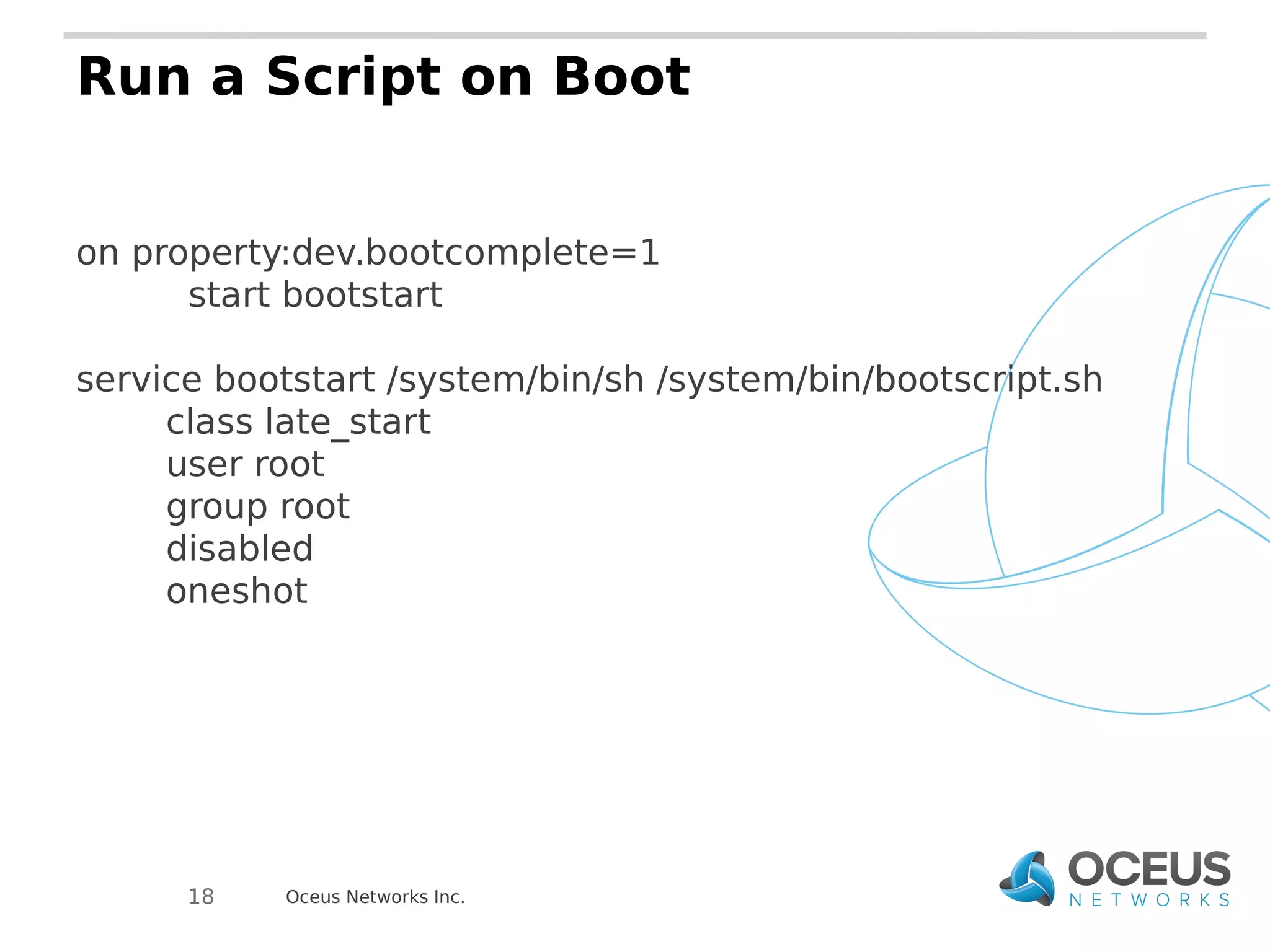
Run a Script on Boot 
on property:dev.bootcomplete=1 
start bootstart 
service bootstart /system/bin/sh /system/bin/bootscript.sh 
class late_start 
user root 
group root 
disabled 
oneshot 
Oceus Networks Inc. 
18
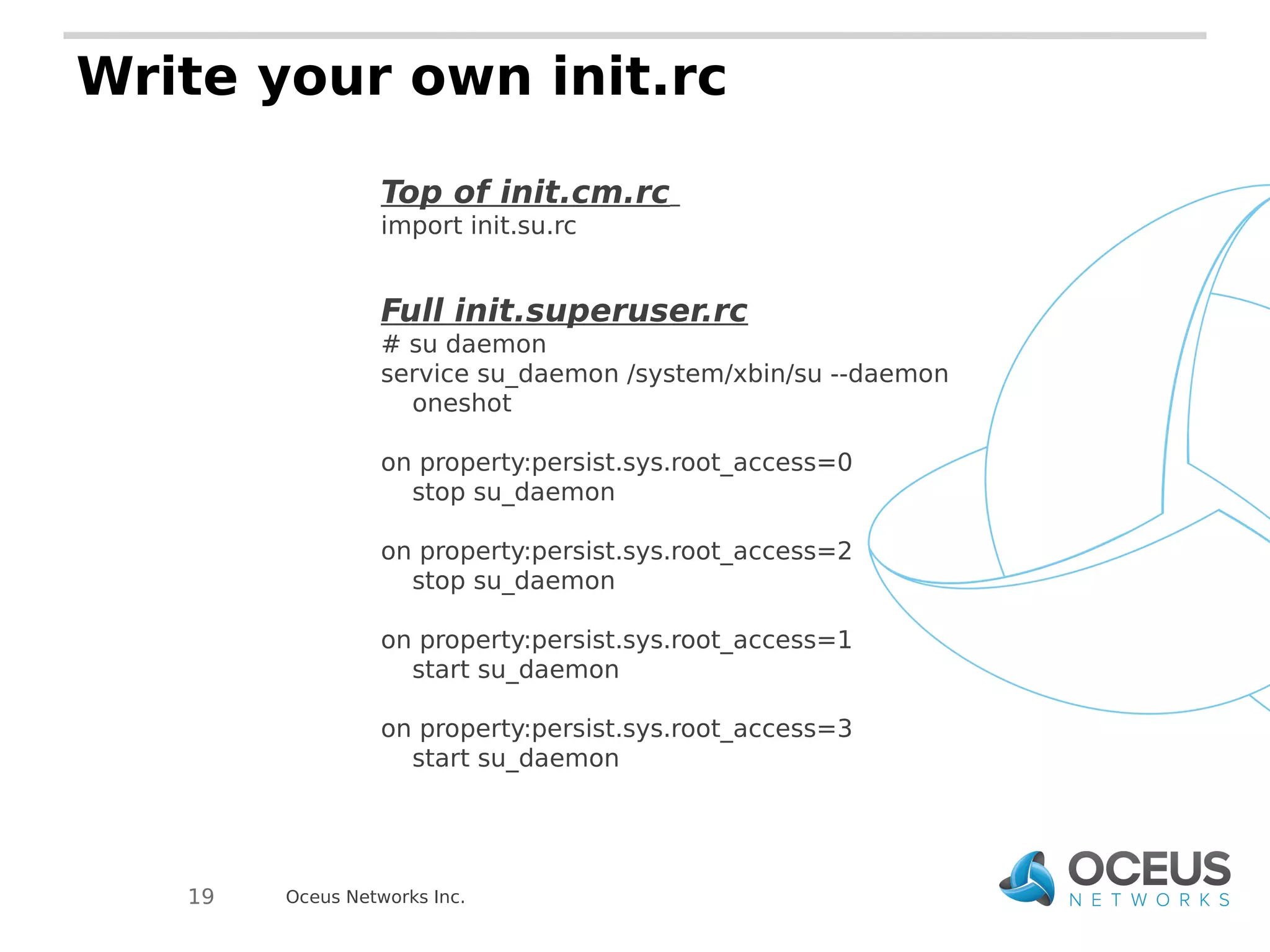
Write your own init.rc 
Top of init.cm.rc 
import init.su.rc 
Full init.superuser.rc 
# su daemon 
service su_daemon /system/xbin/su --daemon 
oneshot 
on property:persist.sys.root_access=0 
stop su_daemon 
on property:persist.sys.root_access=2 
stop su_daemon 
on property:persist.sys.root_access=1 
start su_daemon 
on property:persist.sys.root_access=3 
start su_daemon 
Oceus Networks Inc. 
19
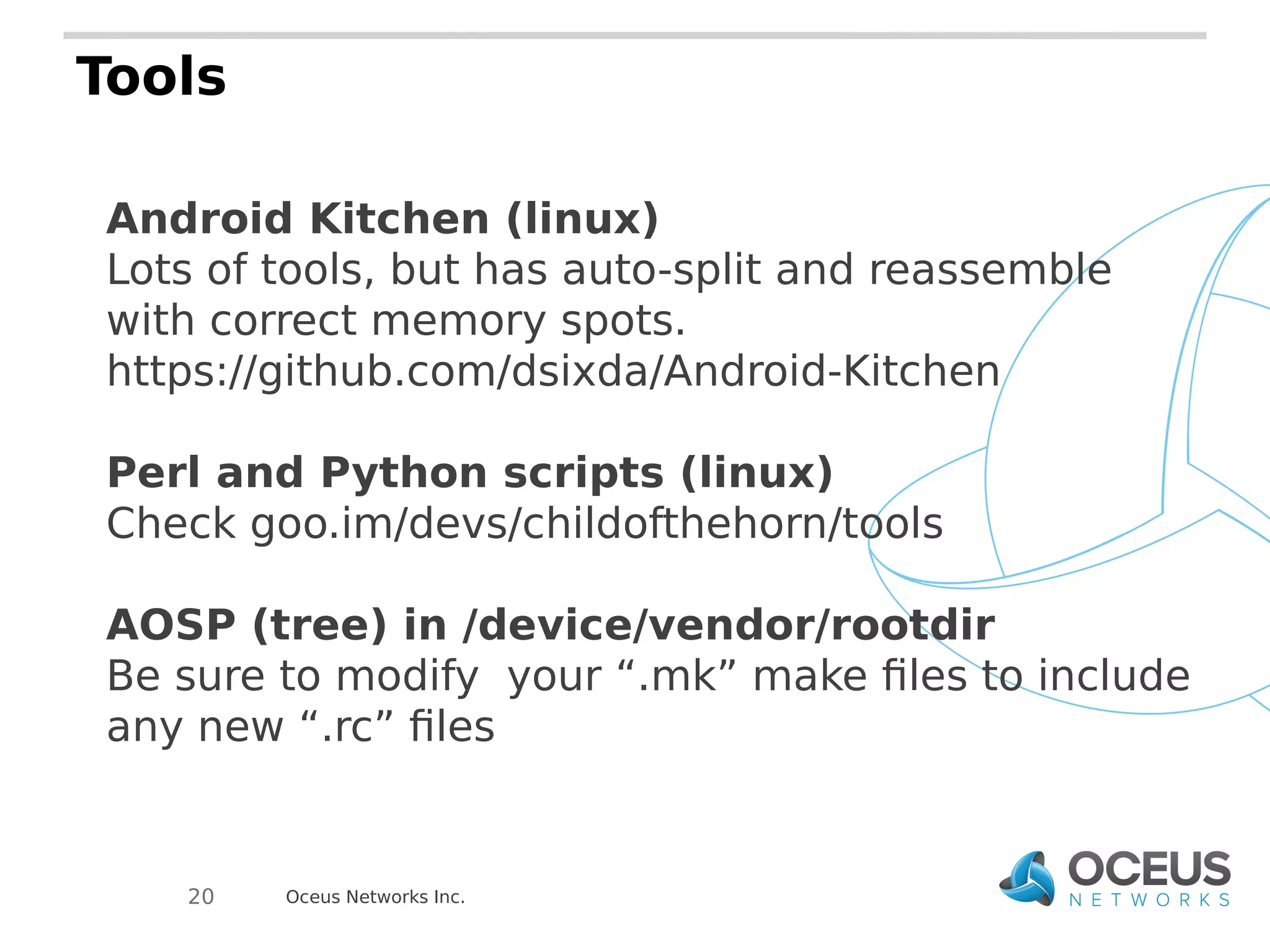
Tools 
Android Kitchen (linux) 
Lots of tools, but has auto-split and reassemble 
with correct memory spots. 
https://github.com/dsixda/Android-Kitchen 
Perl and Python scripts (linux) 
Check goo.im/devs/childofthehorn/tools 
AOSP (tree) in /device/vendor/rootdir 
Be sure to modify your “.mk” make files to include 
any new “.rc” files 
Oceus Networks Inc. 
20
Special Thanks!!! 
Dees Troy – Ethan 
CyanogenMod 
source.android.com 
Oceus Networks Inc. Internal

Timings of Init : Android Ramdisks for the Practical Hacker

  • 1.
    Timings of Init Android Ramdisks for the practical hacker Big Android BBQ - October 2014 Oceus Networks Inc. Internal
  • 2.
    Who Am I? Stacy Wylie (Devino) Username: childofthehorn (Rootzwiki / XDA-developers / IRC / Github) 27 years old, soon to be 28 Yay! Principal Software Engineer at Oceus Networks Partner of OpenBrite LLC, an OSHW / OSS company, creators of the LEDgoes / BriteBlox product line Oceus Networks Inc. 2
  • 3.
    What is itand where? Boot Image or Recovery Image (boot.img / recovery.img) contains two pieces:  Kernel (zImage) Ramdisk / Bootdisk / Rootdisk Without it, the kernel doesn't know what to do or how to start the OS. Oceus Networks Inc. 3
  • 4.
    Ramdisk / Initin the Boot Sequence Oceus Networks Inc. 4 CHIP BOOT BOOTLOADER / UBOOT KERNEL RAMDISK / BOOTDISK Chip Supplier and Vendor controlled code (usually) $$$
  • 5.
    Android vs. LinuxRamdisks  Most Linux Distros use initrd (vs. custom initd in Android)  Linux kills off its ramdisk after main OS boot;  Android keeps the ramdisk active in memory (will appear in / at runtime)  Android core services continue running, controlled by the init.rc scripts  Android Ramdisk + Kernel makes its own mini OS (see Team Win Recovery Project or Clockwork Mod) Oceus Networks Inc. 5
  • 6.
    FROM HELL ! Oceus Networks Inc. *devil wears no pants
  • 7.
    What was theProblem? The current state of init.rc scripts did not account for larger encryption keys or decryption that would take longer. This was a problem because the current state of initialization had the system and radios initializing separately with no checks. THIS IS NORMAL! Fixing required lots of time and careful monitoring of kernel messages and such from the serial terminal Oceus Networks Inc. 7
  • 8.
    Nexus 5 RamdiskExample (CM) Body text here Oceus Networks Inc. 8
  • 9.
    Key Init binarystarts  Init binary controls startup plus some other embedded functions like helping “vold” and in Android 4.3+, turning SEpolicy to “enforcing”. Vendors like Samsung and LG may incorporate custom initializations and checks prior to booting certain code.   Init starts the basic init.rc file which includes the imports for the next stage “.rc” files. Upon import (which may be chained through multiple “.rc” files), it immediately has the same startup and capabilities as the base init.rc.  How is this relevant? If having issues with init.rc or trouble finding something which is starting up, it might be in the Init binary and not in the runtime scripts. Oceus Networks Inc. 9
  • 10.
    Directories  SBIN– Dedicated SBIN for binaries that may need to exist early in boot sequence or outside of the OS reach (usually executables)   BIN – Maps and links to “/system/bin”. Good place to put .ko files for insmod and .sh files that shouldn't go in “/” of the ramdisk.   “/” - Maps to “/” and contains init.rc files plus .sh files critical to bring-up (usually proprietary bits and radios). Most modern versions put this now in “/system/etc” in the normal system.img of the OS. In Android 4.3+, Sepolicy files used at startup are here (usually OK for most security as /system, boot-up, /proc, /dev, etc. files are what you care about at this point). Oceus Networks Inc. 10
  • 11.
    Key Init binarystarts  Init binary controls startup plus some other embedded functions like helping “vold” and in Android 4.3+, turning SEpolicy to “enforcing”. Vendors like Samsung and LG may incorporate custom initializations and checks prior to booting certain code.   Init starts the basic init.rc file which includes the imports for the next stage “.rc” files. Upon import (which may be chained through multiple “.rc” files), it immediately has the same startup and capabilities as the base init.rc.  How is this relevant? If having issues with init.rc or trouble finding something which is starting up, it might be in the Init binary and not in the runtime scripts. Oceus Networks Inc. 11
  • 12.
    Basic Timing functionsin init.rc import – pulls in the other init.xxx.rc files that will be run/running to control startup on early-init - start ueventd and any forks on init - startup actions like /sys properties, partition mounts, and symlinks on fs - partition mounts, chmod operations, yaffs handling in older devices on post-fs - chmod and chown of proc and cache on post-fs-data - permissions for sensors, radios, GPS, NFC, etc. on boot - first actions (permissions for /sys and /dev files, setprops) on post-boot - not normally used, but items that happen on nonencrypted - data is mountable and things relying on /data can now begin startup once it is mounted. on charger - starts the service for the charging binary  *encryption timings – next slide* on property: - normal system properties as triggers. They can be used to start scripts, continue running scripts, binaries, or change port functions (init.usb.rc files and adbd related services are good examples of this) Oceus Networks Inc. 12
  • 13.
    Service classes ofInit  class core – Always started first and cannot be shut down without serious consequences in most cases  class main – Responsible for services like telephony, radios, critical sensors. Many can be restarted or paused at certain times, but only if absolutely required  class late-start – Happens right before the full system boots and starts becoming available to the user. Stuff that relies on /data will usually have to start here to avoid issues on encryption Oceus Networks Inc. 13
  • 14.
    Service Properties ofInit oneshot - runs once and turns off. This is especially used for shell scripts. disabled - only can be directly called. It will not be started when the class it belongs to is started. user - uid such as root, shell, system to be run as or that it belongs to group - gid, usually shell, system, root, log Oceus Networks Inc. 14
  • 15.
    Decryption and myfriend Vold  Encryption “on” property timings and recognition is controlled by vold and its interaction with the Init binary.   After vold has done the mountings for system, boot, etc. then, init tells it to mount /data. Vold sees that /data is encrypted and then starts the decryption sequence   Decryption in Android is somewhat unique, a fake /data partition is mounted and only class main and class core services are run during this time – more on that in later slides.   That fake /data partition allows a “mini system boot” and a special mode to pop up asking for those keys. It then uses keystore and some functions to verify your pin/password, which then releases the encryption keys to be used for decryption. Most of the time, these are at the end of the data partition, but can be inside of media abstracted disks like in the Nexus devices.  Vold gets the action and performs the decryption while the Init binary causes another small boot where some of class main gets restarted and a half-reboot occurs (see boot animation again, but shorter). Basically, restarting where “on nonencrypted” left off. Oceus Networks Inc. 15
  • 16.
    Encryption properties andTimings USED IN DECRYPTION ro.crypto.state = "encrypted" => was unable to mount data, now usually there is a system flag to indicate this in more modern android versions. vold.decrypt = 1 => framework begins booting a tmpfs /data disk CRYPTO_ENCRYPTION_IN_PROGRESS flag from cryptfs ran by vold = 0 "cryptfs cryptocomplete" result to vold command listener "cryptfs checkpw" result to vold command listener ro.crypto.fs_crypto_blkdev = 0 => success in decryption vold.decrypt=trigger_reset_main => restarts all services in main vold.post_fs_data_done = 0 => start post_fs-data vold.decrypt=trigger_load_persist_props => loads props vold.decrypt=trigger_post_fs_data => sets on post-fs-data vold.post_fs_data_done = 1 => all is well on mounting the proper /data image vold.decrypt=trigger_restart_framework => starts class main and late_start USED IN ENCRYPTION vold.decrypt=trigger_shutdown_framework => reset class late_start and main unmounts /data vold.decrypt=trigger_restart_min_framework => starts class main services vold.encrypt_progress = 0 => starting to encrypt and CRYPT_ENCRYPTION_IN_PROGRESS 0x2 vold.encrypt_progress = 1 => encryption is done and system will be rebooted Oceus Networks Inc. 16
  • 17.
  • 18.
    Run a Scripton Boot on property:dev.bootcomplete=1 start bootstart service bootstart /system/bin/sh /system/bin/bootscript.sh class late_start user root group root disabled oneshot Oceus Networks Inc. 18
  • 19.
    Write your owninit.rc Top of init.cm.rc import init.su.rc Full init.superuser.rc # su daemon service su_daemon /system/xbin/su --daemon oneshot on property:persist.sys.root_access=0 stop su_daemon on property:persist.sys.root_access=2 stop su_daemon on property:persist.sys.root_access=1 start su_daemon on property:persist.sys.root_access=3 start su_daemon Oceus Networks Inc. 19
  • 20.
    Tools Android Kitchen(linux) Lots of tools, but has auto-split and reassemble with correct memory spots. https://github.com/dsixda/Android-Kitchen Perl and Python scripts (linux) Check goo.im/devs/childofthehorn/tools AOSP (tree) in /device/vendor/rootdir Be sure to modify your “.mk” make files to include any new “.rc” files Oceus Networks Inc. 20
  • 21.
    Special Thanks!!! DeesTroy – Ethan CyanogenMod source.android.com Oceus Networks Inc. Internal