Beautiful Text
Spread your Wings with Spannables
by Stacy Devino
Prepare for the Puns and GIFs - SNS
Spannables
What are they?
Why would I need to use
them?
Why not just HTML?
Types
Editable
SpannableString / Builder
SpannableFactory
Priority
Spanned
Speciality
Language with
LocaleSpan
Making Pictures
DrawableSpan
ImageSpan
IconMarginSpan
DynamicSpans
MaskFilterSpan
BackgroundColorSpan
Accessibility
TtsSpan
TTsSpanBuilder
String / General Spans
TextAppearanceSpan
TypefaceSpan
BulletSpan
StrikethroughSpan
QuoteSpan….. etc.
StyleSpan
ReplacementSpan
ClickableSpan
RelativeSizeSpan
SubscriptSpan
SuggestionSpan
SuperscriptSpan
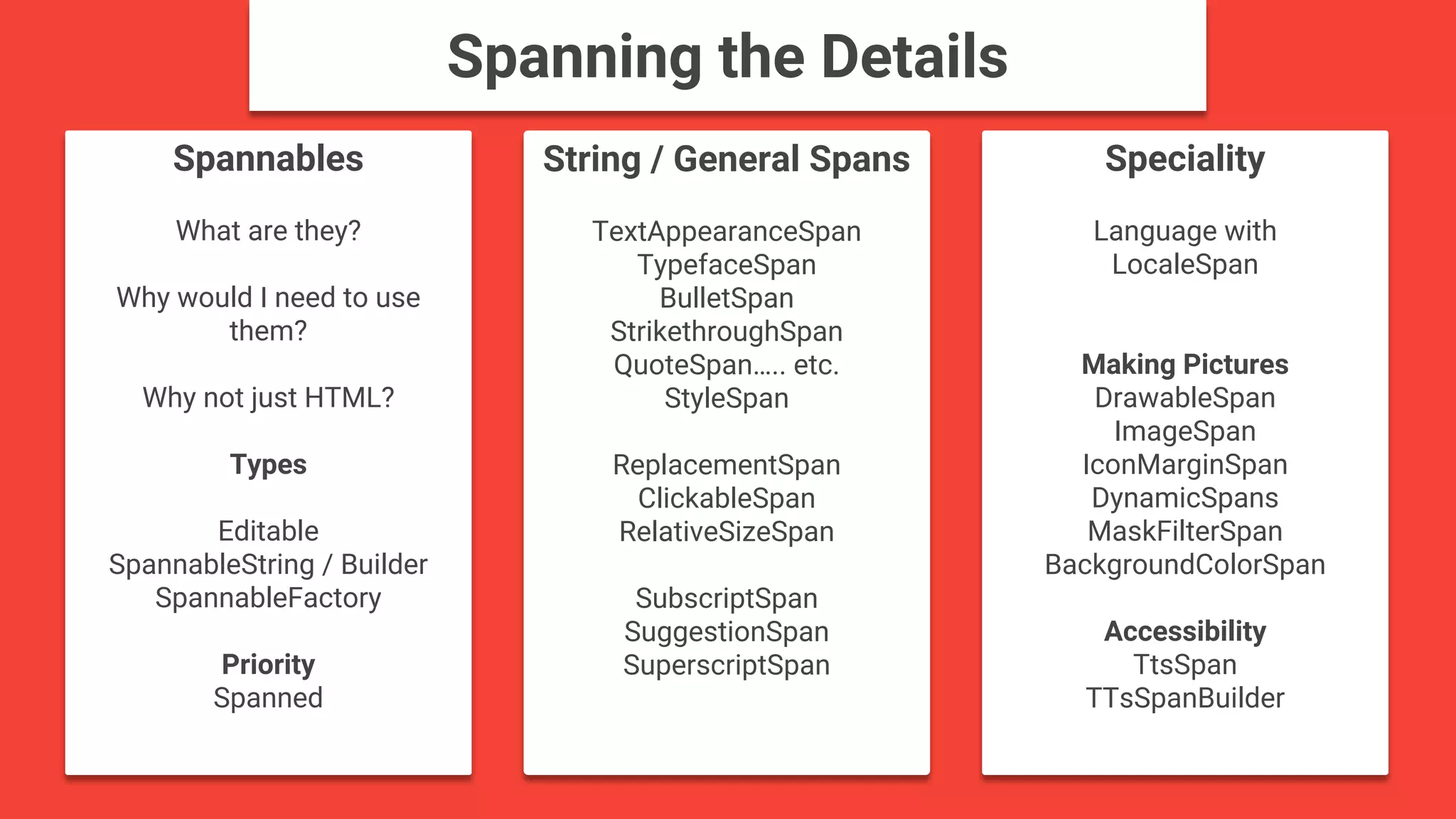
Spanning the Details
Android Encyclopedia of Spans
bit.ly/Spannablepedia
Some Examples
You can have multiple types of objects in a SINGLE LINE✓
✓
✓
✓
✓
Renders Quickly, more so than large Html.toText() content (OMG less data!)
Allows more programmatic control and simpler XML layouts
Perfect Scaling on every device - future proof *depending on use*
Use embedded resources like Fonts and Pictures
But Why?
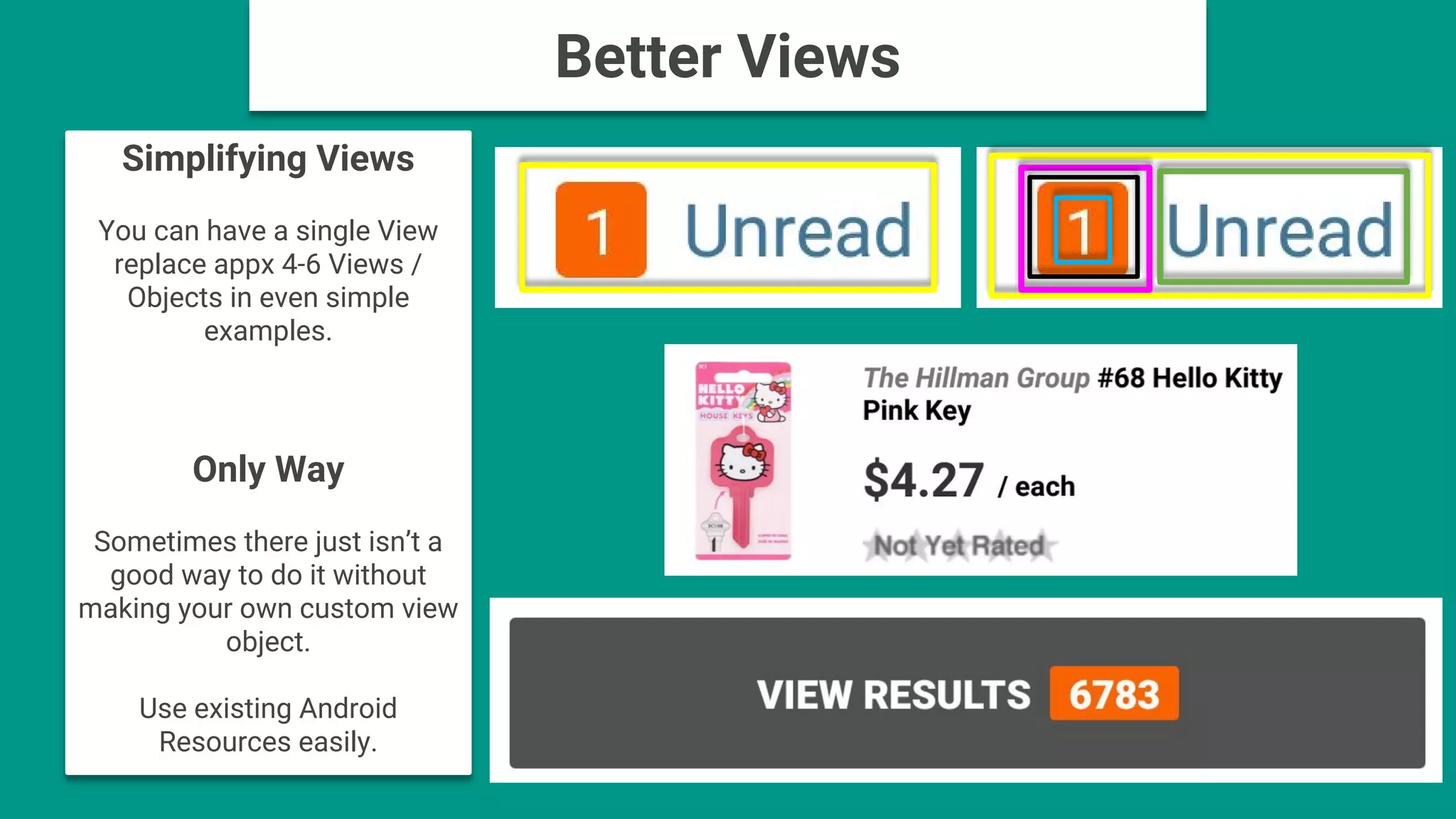
Simplifying Views
You can have a single View
replace appx 4-6 Views /
Objects in even simple
examples.
Only Way
Sometimes there just isn’t a
good way to do it without
making your own custom view
object.
Use existing Android
Resources easily.
Better Views
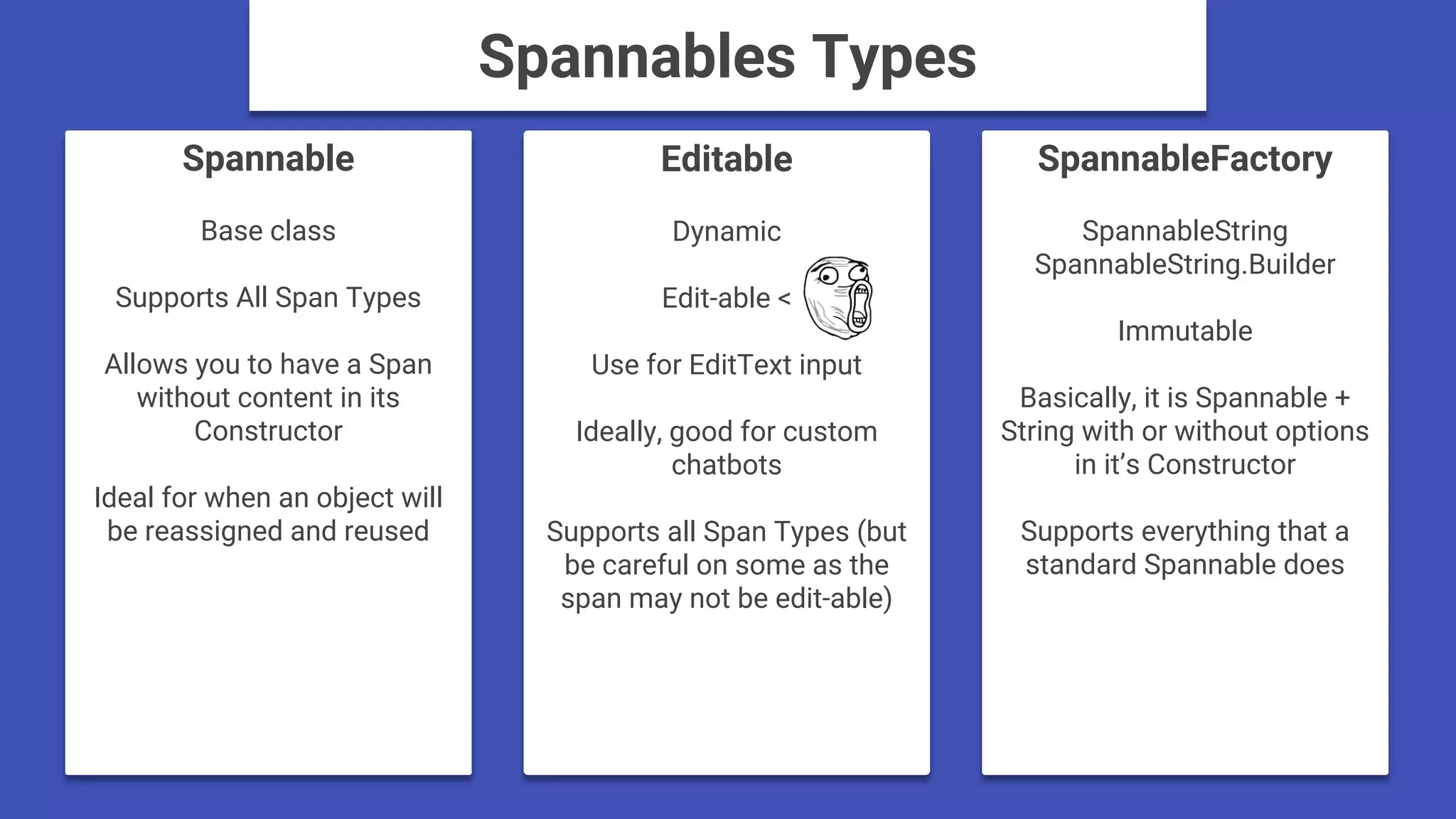
Spannable
Base class
Supports All Span Types
Allows you to have a Span
without content in its
Constructor
Ideal for when an object will
be reassigned and reused
SpannableFactory
SpannableString
SpannableString.Builder
Immutable
Basically, it is Spannable +
String with or without options
in it’s Constructor
Supports everything that a
standard Spannable does
Editable
Dynamic
Edit-able <
Use for EditText input
Ideally, good for custom
chatbots
Supports all Span Types (but
be careful on some as the
span may not be edit-able)
Spannables Types
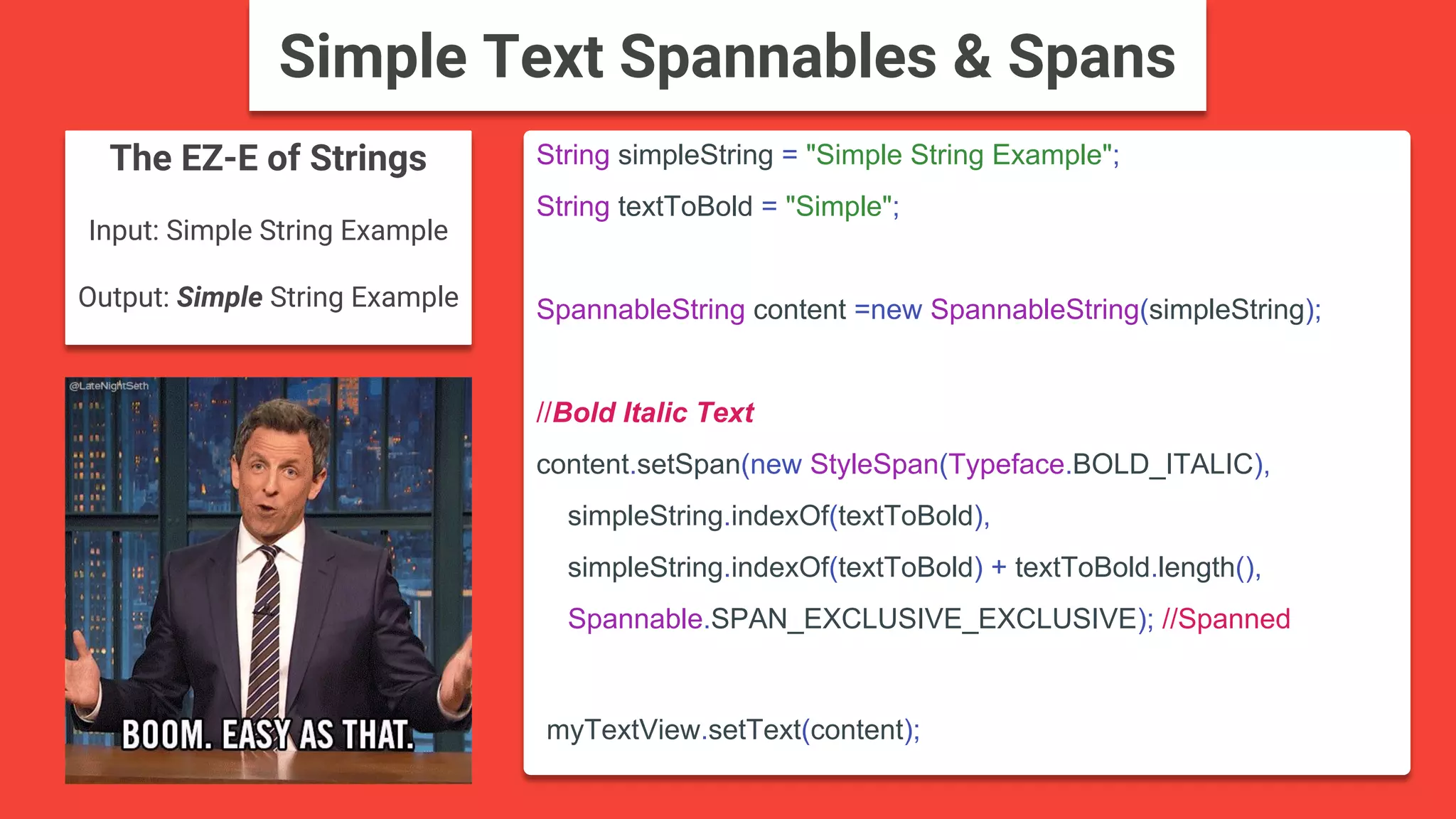
The EZ-E of Strings
Input: Simple String Example
Output: Simple String Example
String simpleString = "Simple String Example";
String textToBold = "Simple";
SpannableString content =new SpannableString(simpleString);
//Bold Italic Text
content.setSpan(new StyleSpan(Typeface.BOLD_ITALIC),
simpleString.indexOf(textToBold),
simpleString.indexOf(textToBold) + textToBold.length(),
Spannable.SPAN_EXCLUSIVE_EXCLUSIVE); //Spanned
myTextView.setText(content);
Simple Text Spannables & Spans
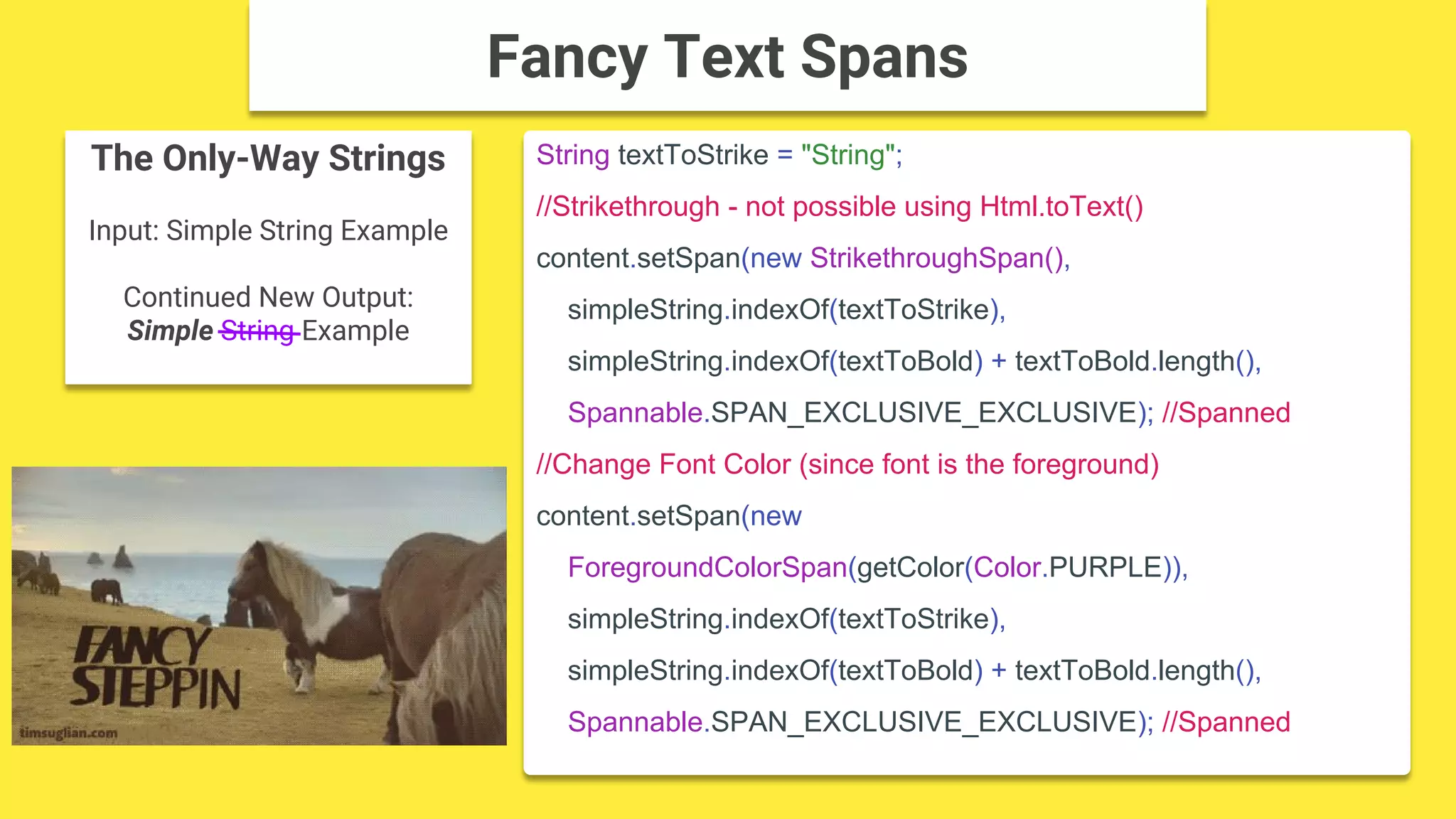
The Only-Way Strings
Input: Simple String Example
Continued New Output:
Simple String Example
String textToStrike = "String";
//Strikethrough - not possible using Html.toText()
content.setSpan(new StrikethroughSpan(),
simpleString.indexOf(textToStrike),
simpleString.indexOf(textToBold) + textToBold.length(),
Spannable.SPAN_EXCLUSIVE_EXCLUSIVE); //Spanned
//Change Font Color (since font is the foreground)
content.setSpan(new
ForegroundColorSpan(getColor(Color.PURPLE)),
simpleString.indexOf(textToStrike),
simpleString.indexOf(textToBold) + textToBold.length(),
Spannable.SPAN_EXCLUSIVE_EXCLUSIVE); //Spanned
Fancy Text Spans
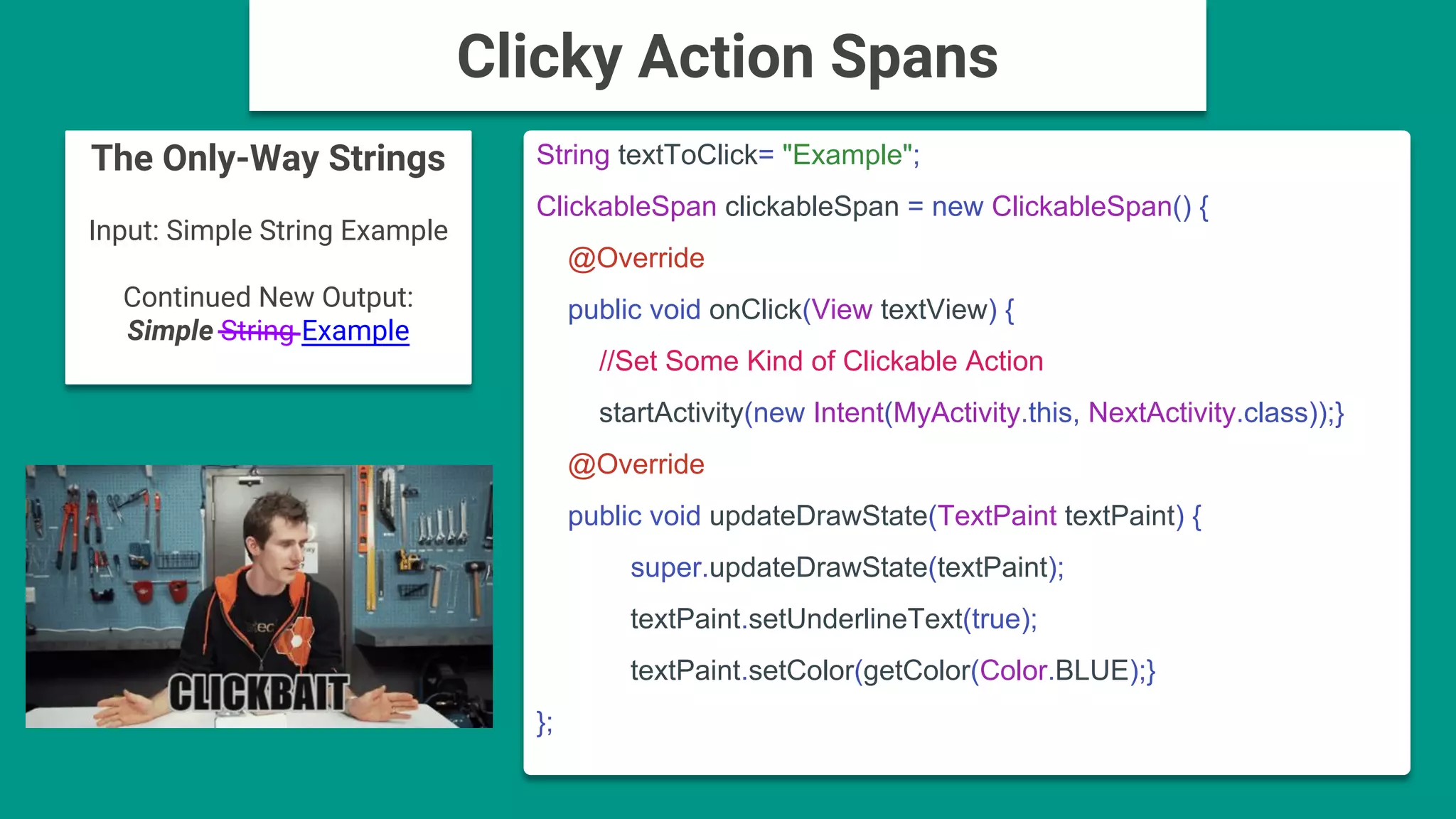
The Only-Way Strings
Input: Simple String Example
Continued New Output:
Simple String Example
String textToClick= "Example";
ClickableSpan clickableSpan = new ClickableSpan() {
@Override
public void onClick(View textView) {
//Set Some Kind of Clickable Action
startActivity(new Intent(MyActivity.this, NextActivity.class));}
@Override
public void updateDrawState(TextPaint textPaint) {
super.updateDrawState(textPaint);
textPaint.setUnderlineText(true);
textPaint.setColor(getColor(Color.BLUE);}
};
Clicky Action Spans
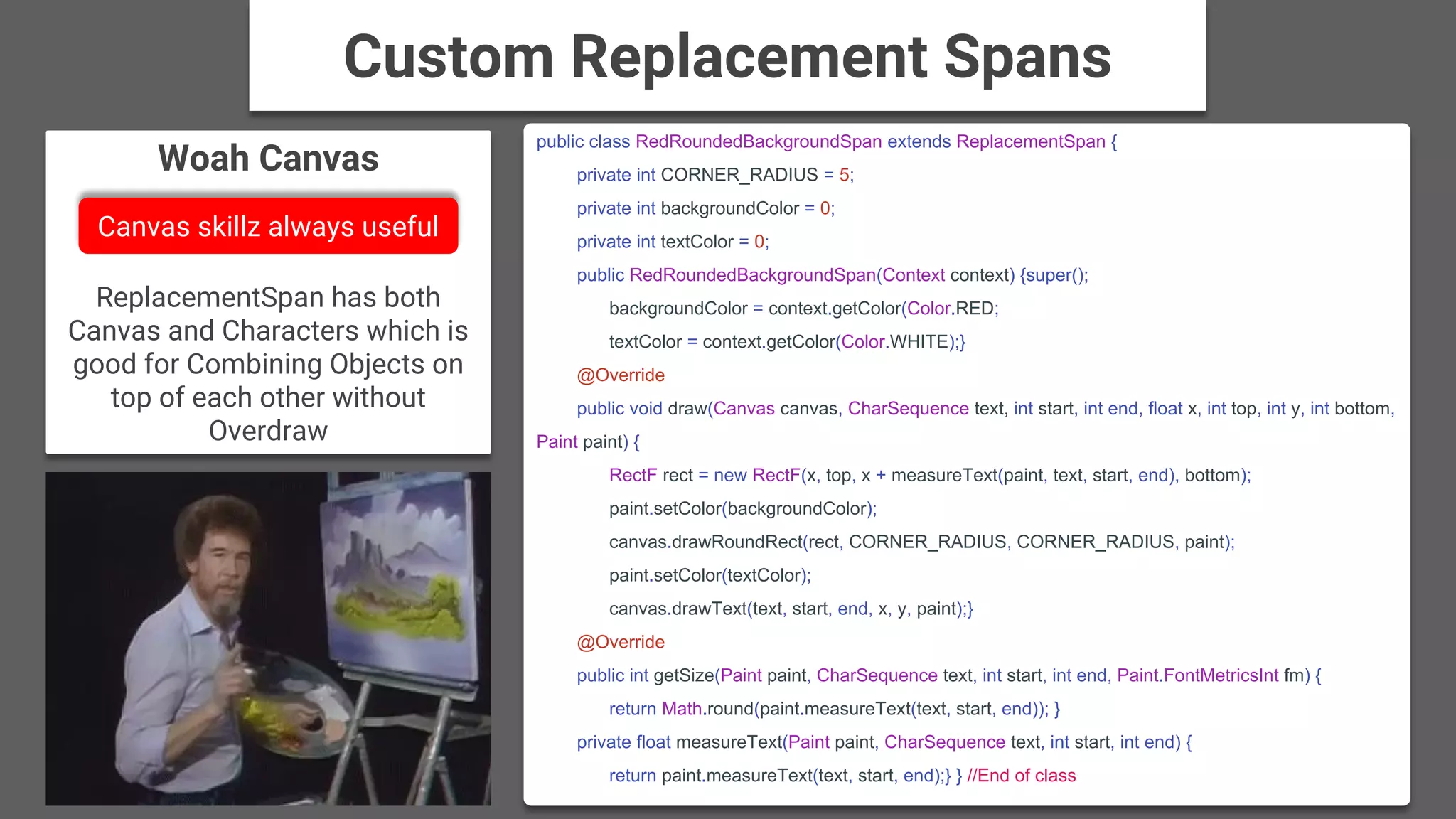
Woah Canvas
ReplacementSpan has both
Canvas and Characters which is
good for Combining Objects on
top of each other without
Overdraw
public class RedRoundedBackgroundSpan extends ReplacementSpan {
private int CORNER_RADIUS = 5;
private int backgroundColor = 0;
private int textColor = 0;
public RedRoundedBackgroundSpan(Context context) {super();
backgroundColor = context.getColor(Color.RED;
textColor = context.getColor(Color.WHITE);}
@Override
public void draw(Canvas canvas, CharSequence text, int start, int end, float x, int top, int y, int bottom,
Paint paint) {
RectF rect = new RectF(x, top, x + measureText(paint, text, start, end), bottom);
paint.setColor(backgroundColor);
canvas.drawRoundRect(rect, CORNER_RADIUS, CORNER_RADIUS, paint);
paint.setColor(textColor);
canvas.drawText(text, start, end, x, y, paint);}
@Override
public int getSize(Paint paint, CharSequence text, int start, int end, Paint.FontMetricsInt fm) {
return Math.round(paint.measureText(text, start, end)); }
private float measureText(Paint paint, CharSequence text, int start, int end) {
return paint.measureText(text, start, end);} } //End of class
Custom Replacement Spans
Canvas skillz always useful
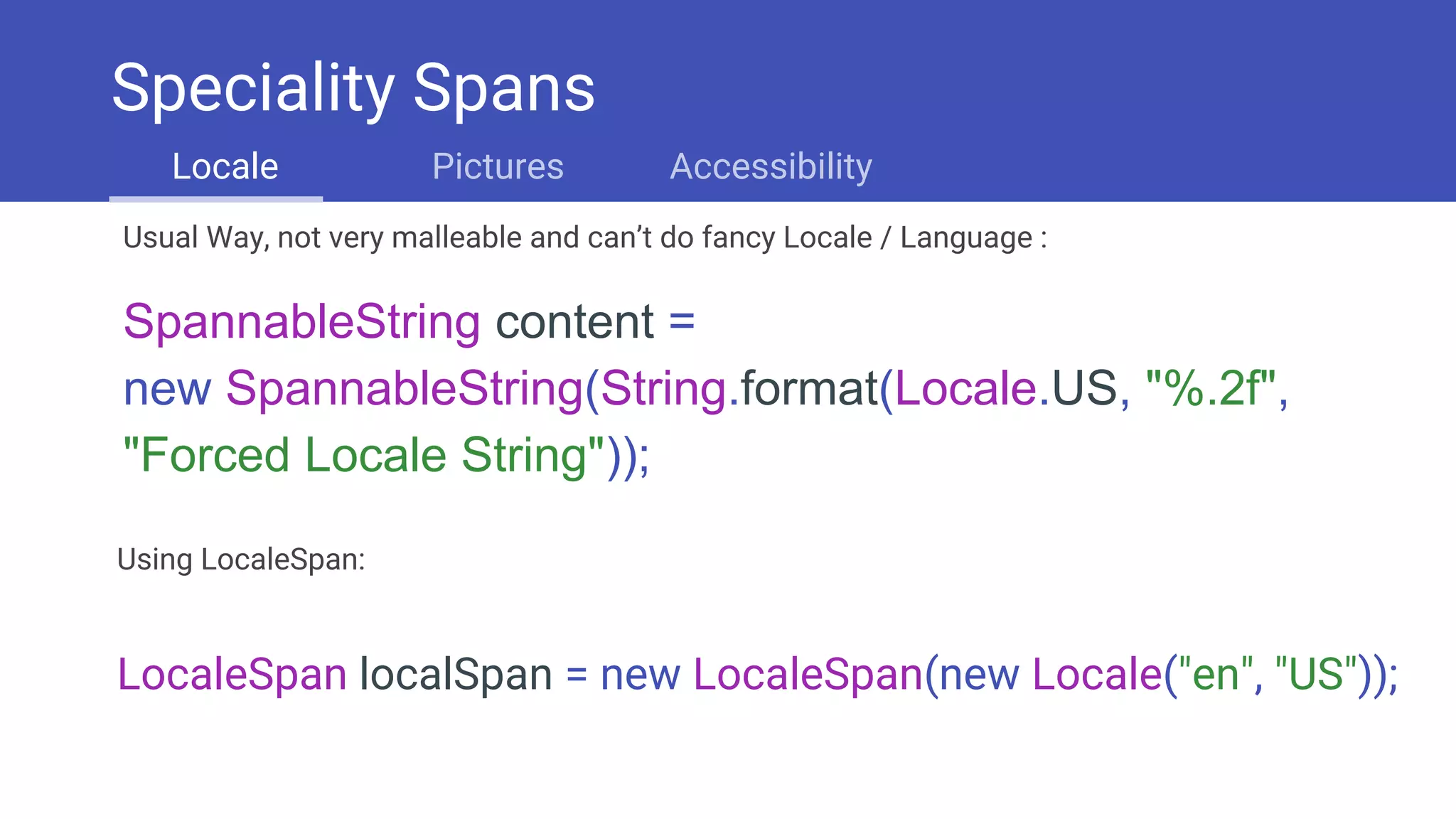
Usual Way, not very malleable and can’t do fancy Locale / Language :
SpannableString content =
new SpannableString(String.format(Locale.US, "%.2f",
"Forced Locale String"));
Using LocaleSpan:
LocaleSpan localSpan = new LocaleSpan(new Locale("en", "US"));
Speciality Spans
Locale Pictures Accessibility
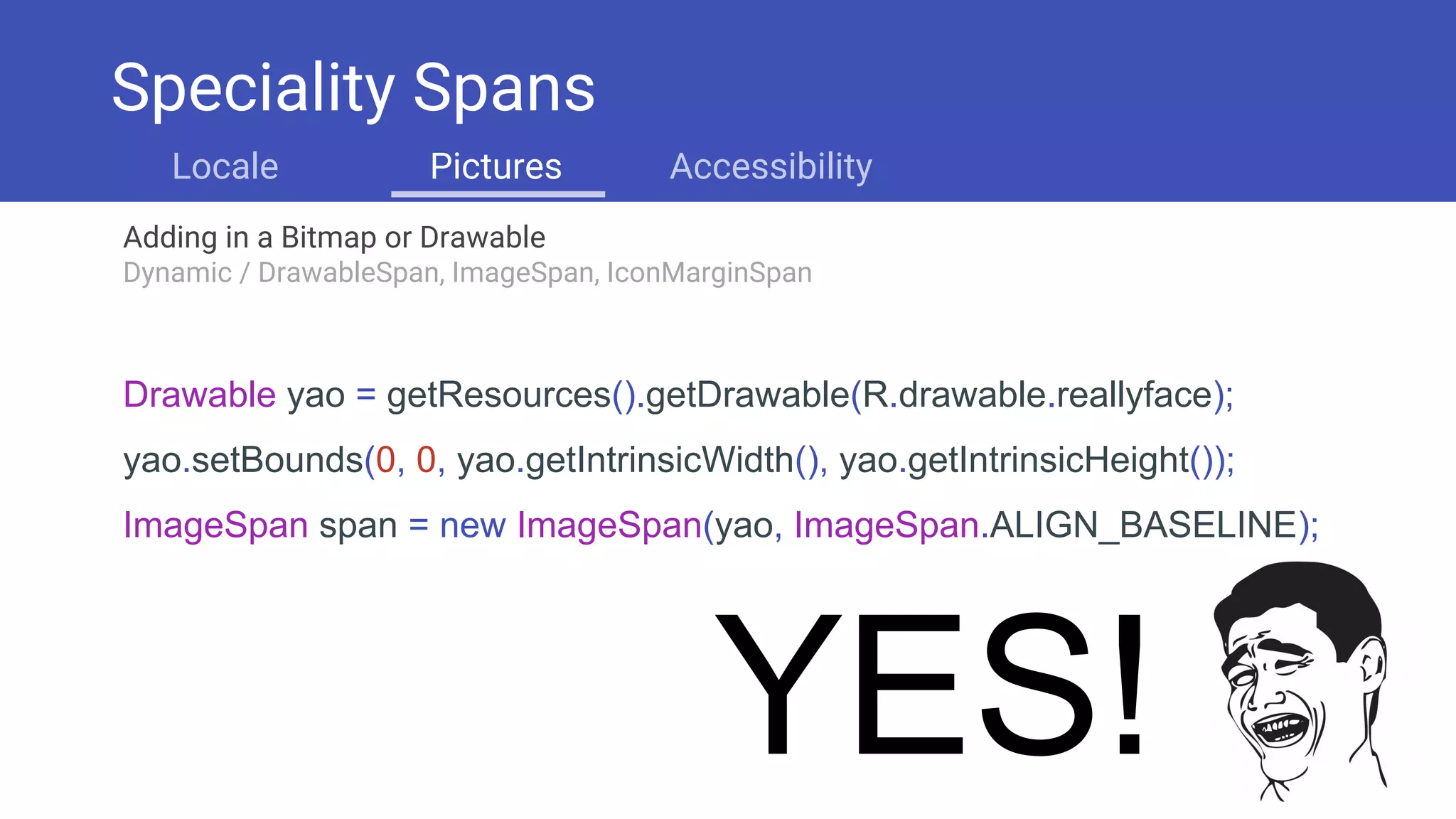
Adding in a Bitmap or Drawable
Dynamic / DrawableSpan, ImageSpan, IconMarginSpan
Drawable yao = getResources().getDrawable(R.drawable.reallyface);
yao.setBounds(0, 0, yao.getIntrinsicWidth(), yao.getIntrinsicHeight());
ImageSpan span = new ImageSpan(yao, ImageSpan.ALIGN_BASELINE);
YES!
Speciality Spans
Locale Pictures Accessibility
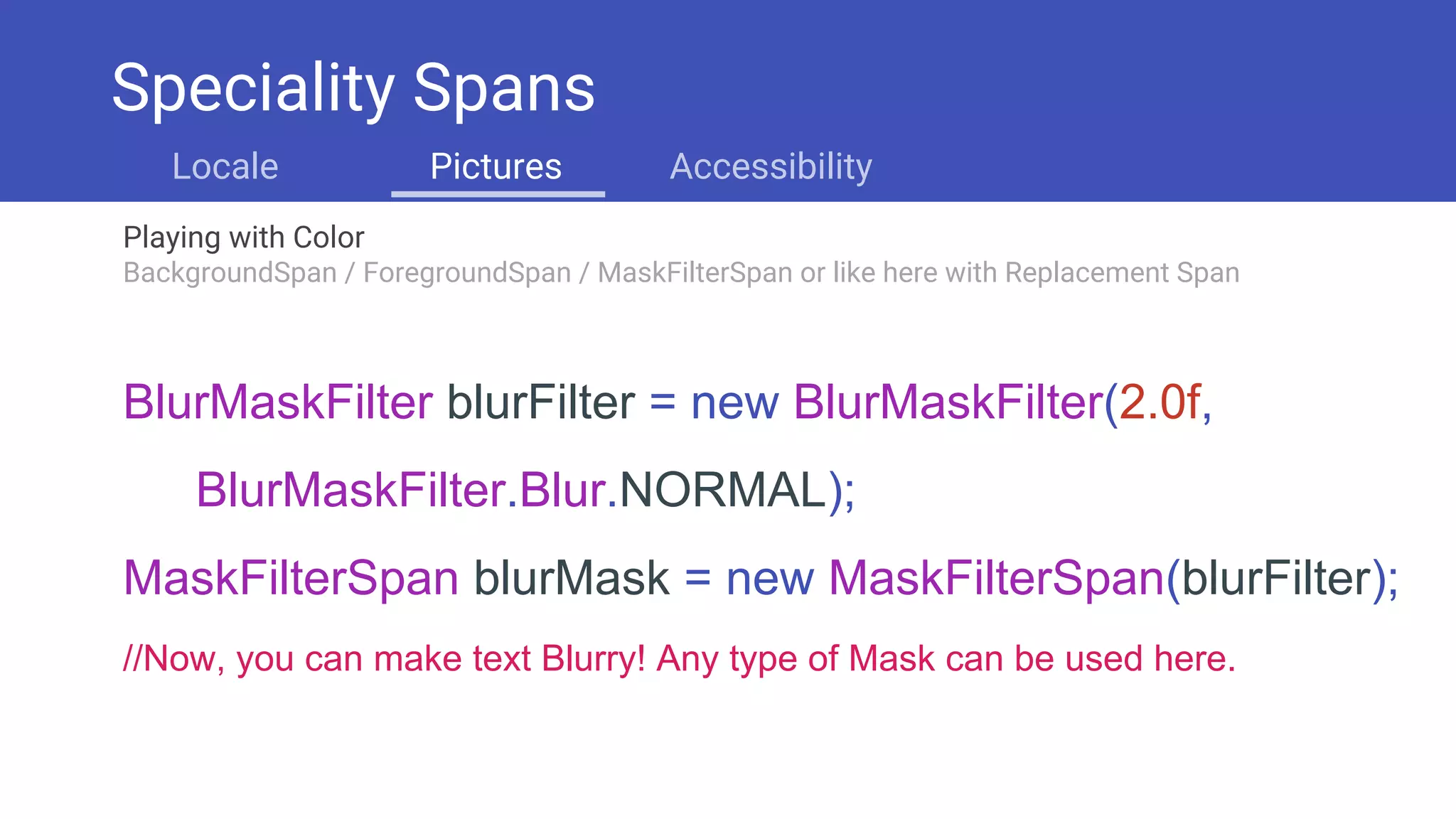
Playing with Color
BackgroundSpan / ForegroundSpan / MaskFilterSpan or like here with Replacement Span
Speciality Spans
Locale Pictures Accessibility
BlurMaskFilter blurFilter = new BlurMaskFilter(2.0f,
BlurMaskFilter.Blur.NORMAL);
MaskFilterSpan blurMask = new MaskFilterSpan(blurFilter);
//Now, you can make text Blurry! Any type of Mask can be used here.
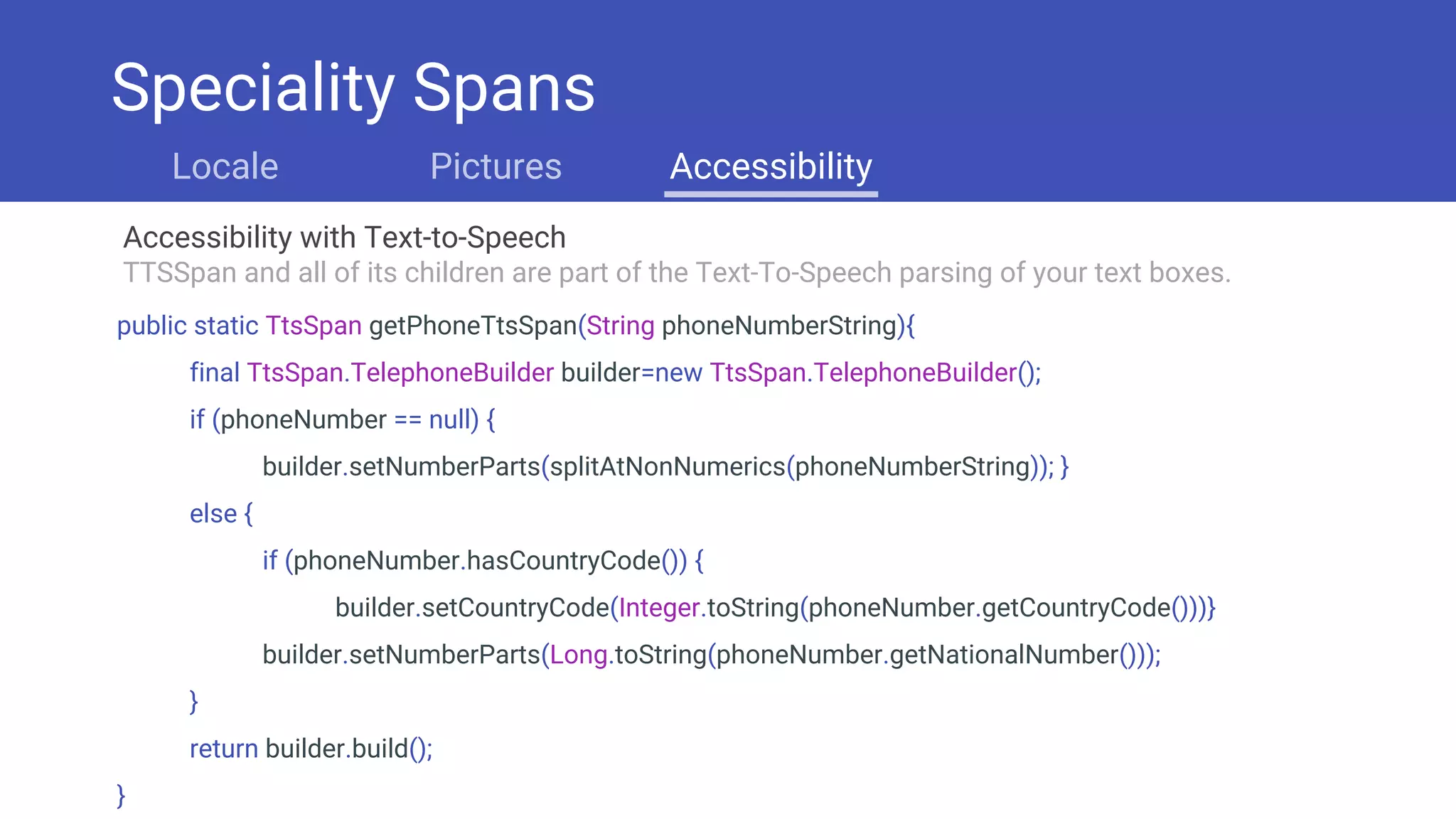
Accessibility with Text-to-Speech
TTSSpan and all of its children are part of the Text-To-Speech parsing of your text boxes.
public static TtsSpan getPhoneTtsSpan(String phoneNumberString){
final TtsSpan.TelephoneBuilder builder=new TtsSpan.TelephoneBuilder();
if (phoneNumber == null) {
builder.setNumberParts(splitAtNonNumerics(phoneNumberString)); }
else {
if (phoneNumber.hasCountryCode()) {
builder.setCountryCode(Integer.toString(phoneNumber.getCountryCode()))}
builder.setNumberParts(Long.toString(phoneNumber.getNationalNumber()));
}
return builder.build();
}
Speciality Spans
Locale Pictures Accessibility
SpanWatcher - Essentially a listener for span removal /add / change✓
✓
✓
✓
✓
Animating Spans using SpanWatcher (usually in an Editable)
The MANY types of Spanned (Inclusive, Exclusive, etc)
Playing with making many types of Canvas backgrounds
GO BACK and REMOVE ALL Html.toText() references in ALL APPS!
Bonus Points
Special Thanks
Alkami Technology (my employer)
360|Andev
Lisa Wray (@lisawrayz)
Slides: bit.ly/Spannable
About Me:
• Native Apps Lead - Alkami Technology (FinTech)
• Intel Innovator, DMS Member, Vintage game
collector/restorer, 6Sigma Black Belt, Sneakerhead
• Google Developer Group Organizer / Women
Techmakers Lead for Dallas / GDG South Mentor
WEBSITES
www.stacydevino.com
www.ledgoes.com
www.openbrite.com
EMAIL
childofthehorn@gmail.com
nerds@openbrite.com
LinkedIn
.linkedin.com/in/stacy-devi
no-40ba6815/
TWITTER
@DoesitPew

Beautiful text spread your wings with Spannables

  • 1.
    Beautiful Text Spread yourWings with Spannables by Stacy Devino
  • 2.
    Prepare for thePuns and GIFs - SNS
  • 3.
    Spannables What are they? Whywould I need to use them? Why not just HTML? Types Editable SpannableString / Builder SpannableFactory Priority Spanned Speciality Language with LocaleSpan Making Pictures DrawableSpan ImageSpan IconMarginSpan DynamicSpans MaskFilterSpan BackgroundColorSpan Accessibility TtsSpan TTsSpanBuilder String / General Spans TextAppearanceSpan TypefaceSpan BulletSpan StrikethroughSpan QuoteSpan….. etc. StyleSpan ReplacementSpan ClickableSpan RelativeSizeSpan SubscriptSpan SuggestionSpan SuperscriptSpan Spanning the Details
  • 4.
    Android Encyclopedia ofSpans bit.ly/Spannablepedia
  • 5.
  • 6.
    You can havemultiple types of objects in a SINGLE LINE✓ ✓ ✓ ✓ ✓ Renders Quickly, more so than large Html.toText() content (OMG less data!) Allows more programmatic control and simpler XML layouts Perfect Scaling on every device - future proof *depending on use* Use embedded resources like Fonts and Pictures But Why?
  • 7.
    Simplifying Views You canhave a single View replace appx 4-6 Views / Objects in even simple examples. Only Way Sometimes there just isn’t a good way to do it without making your own custom view object. Use existing Android Resources easily. Better Views
  • 8.
    Spannable Base class Supports AllSpan Types Allows you to have a Span without content in its Constructor Ideal for when an object will be reassigned and reused SpannableFactory SpannableString SpannableString.Builder Immutable Basically, it is Spannable + String with or without options in it’s Constructor Supports everything that a standard Spannable does Editable Dynamic Edit-able < Use for EditText input Ideally, good for custom chatbots Supports all Span Types (but be careful on some as the span may not be edit-able) Spannables Types
  • 9.
    The EZ-E ofStrings Input: Simple String Example Output: Simple String Example String simpleString = "Simple String Example"; String textToBold = "Simple"; SpannableString content =new SpannableString(simpleString); //Bold Italic Text content.setSpan(new StyleSpan(Typeface.BOLD_ITALIC), simpleString.indexOf(textToBold), simpleString.indexOf(textToBold) + textToBold.length(), Spannable.SPAN_EXCLUSIVE_EXCLUSIVE); //Spanned myTextView.setText(content); Simple Text Spannables & Spans
  • 10.
    The Only-Way Strings Input:Simple String Example Continued New Output: Simple String Example String textToStrike = "String"; //Strikethrough - not possible using Html.toText() content.setSpan(new StrikethroughSpan(), simpleString.indexOf(textToStrike), simpleString.indexOf(textToBold) + textToBold.length(), Spannable.SPAN_EXCLUSIVE_EXCLUSIVE); //Spanned //Change Font Color (since font is the foreground) content.setSpan(new ForegroundColorSpan(getColor(Color.PURPLE)), simpleString.indexOf(textToStrike), simpleString.indexOf(textToBold) + textToBold.length(), Spannable.SPAN_EXCLUSIVE_EXCLUSIVE); //Spanned Fancy Text Spans
  • 11.
    The Only-Way Strings Input:Simple String Example Continued New Output: Simple String Example String textToClick= "Example"; ClickableSpan clickableSpan = new ClickableSpan() { @Override public void onClick(View textView) { //Set Some Kind of Clickable Action startActivity(new Intent(MyActivity.this, NextActivity.class));} @Override public void updateDrawState(TextPaint textPaint) { super.updateDrawState(textPaint); textPaint.setUnderlineText(true); textPaint.setColor(getColor(Color.BLUE);} }; Clicky Action Spans
  • 12.
    Woah Canvas ReplacementSpan hasboth Canvas and Characters which is good for Combining Objects on top of each other without Overdraw public class RedRoundedBackgroundSpan extends ReplacementSpan { private int CORNER_RADIUS = 5; private int backgroundColor = 0; private int textColor = 0; public RedRoundedBackgroundSpan(Context context) {super(); backgroundColor = context.getColor(Color.RED; textColor = context.getColor(Color.WHITE);} @Override public void draw(Canvas canvas, CharSequence text, int start, int end, float x, int top, int y, int bottom, Paint paint) { RectF rect = new RectF(x, top, x + measureText(paint, text, start, end), bottom); paint.setColor(backgroundColor); canvas.drawRoundRect(rect, CORNER_RADIUS, CORNER_RADIUS, paint); paint.setColor(textColor); canvas.drawText(text, start, end, x, y, paint);} @Override public int getSize(Paint paint, CharSequence text, int start, int end, Paint.FontMetricsInt fm) { return Math.round(paint.measureText(text, start, end)); } private float measureText(Paint paint, CharSequence text, int start, int end) { return paint.measureText(text, start, end);} } //End of class Custom Replacement Spans Canvas skillz always useful
  • 13.
    Usual Way, notvery malleable and can’t do fancy Locale / Language : SpannableString content = new SpannableString(String.format(Locale.US, "%.2f", "Forced Locale String")); Using LocaleSpan: LocaleSpan localSpan = new LocaleSpan(new Locale("en", "US")); Speciality Spans Locale Pictures Accessibility
  • 14.
    Adding in aBitmap or Drawable Dynamic / DrawableSpan, ImageSpan, IconMarginSpan Drawable yao = getResources().getDrawable(R.drawable.reallyface); yao.setBounds(0, 0, yao.getIntrinsicWidth(), yao.getIntrinsicHeight()); ImageSpan span = new ImageSpan(yao, ImageSpan.ALIGN_BASELINE); YES! Speciality Spans Locale Pictures Accessibility
  • 15.
    Playing with Color BackgroundSpan/ ForegroundSpan / MaskFilterSpan or like here with Replacement Span Speciality Spans Locale Pictures Accessibility BlurMaskFilter blurFilter = new BlurMaskFilter(2.0f, BlurMaskFilter.Blur.NORMAL); MaskFilterSpan blurMask = new MaskFilterSpan(blurFilter); //Now, you can make text Blurry! Any type of Mask can be used here.
  • 16.
    Accessibility with Text-to-Speech TTSSpanand all of its children are part of the Text-To-Speech parsing of your text boxes. public static TtsSpan getPhoneTtsSpan(String phoneNumberString){ final TtsSpan.TelephoneBuilder builder=new TtsSpan.TelephoneBuilder(); if (phoneNumber == null) { builder.setNumberParts(splitAtNonNumerics(phoneNumberString)); } else { if (phoneNumber.hasCountryCode()) { builder.setCountryCode(Integer.toString(phoneNumber.getCountryCode()))} builder.setNumberParts(Long.toString(phoneNumber.getNationalNumber())); } return builder.build(); } Speciality Spans Locale Pictures Accessibility
  • 17.
    SpanWatcher - Essentiallya listener for span removal /add / change✓ ✓ ✓ ✓ ✓ Animating Spans using SpanWatcher (usually in an Editable) The MANY types of Spanned (Inclusive, Exclusive, etc) Playing with making many types of Canvas backgrounds GO BACK and REMOVE ALL Html.toText() references in ALL APPS! Bonus Points
  • 18.
    Special Thanks Alkami Technology(my employer) 360|Andev Lisa Wray (@lisawrayz)
  • 19.
    Slides: bit.ly/Spannable About Me: •Native Apps Lead - Alkami Technology (FinTech) • Intel Innovator, DMS Member, Vintage game collector/restorer, 6Sigma Black Belt, Sneakerhead • Google Developer Group Organizer / Women Techmakers Lead for Dallas / GDG South Mentor WEBSITES www.stacydevino.com www.ledgoes.com www.openbrite.com EMAIL childofthehorn@gmail.com nerds@openbrite.com LinkedIn .linkedin.com/in/stacy-devi no-40ba6815/ TWITTER @DoesitPew