Pattern’s Perspective
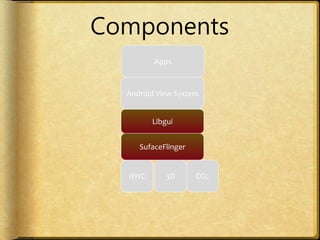
Android View System
Libgui
SufaceFlinger
HWC EGL
Components
Apps
3D
Perspective
How
Why
Combined
Libgui
SufaceFlinger
+ How/Why
Pattern
Design Pattern
is a
general reusable solution
to a
commonly occurring
problem
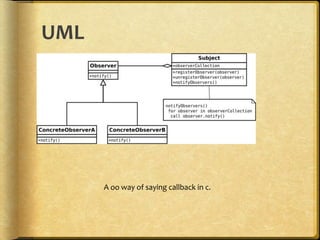
Observer/
Publish-Subscribe
UML
A oo way of saying callback in c.
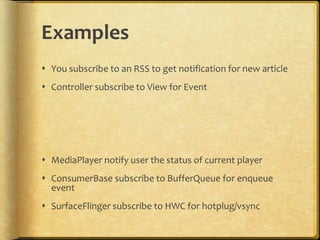
Examples
 You subscribe to an RSS to get notification for new article
 Controller subscribe to View for Event
 MediaPlayer notify user the status of current player
 ConsumerBase subscribe to BufferQueue for enqueue
event
 SurfaceFlinger subscribe to HWC for hotplug/vsync
Proxy
In China,
we need a ________ to visit YouTube.
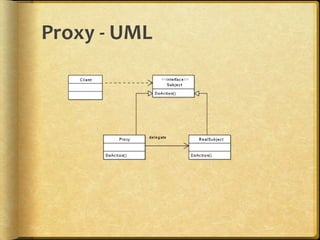
Proxy - UML
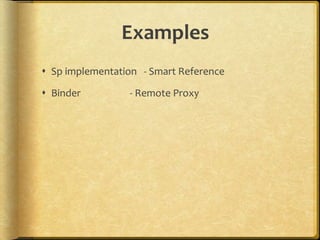
Examples
 Sp implementation - Smart Reference
 Binder - Remote Proxy
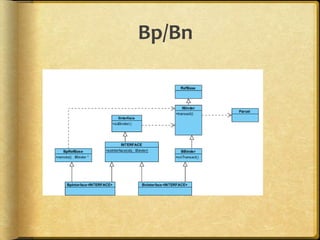
Bp/Bn
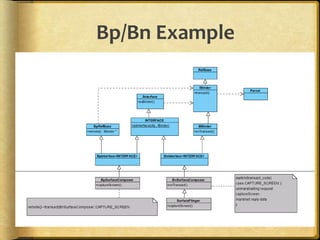
Bp/Bn Example
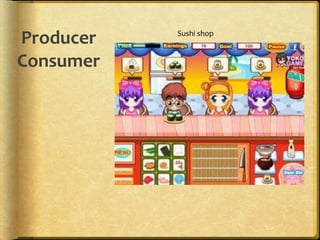
Producer
Consumer
Sushi shop
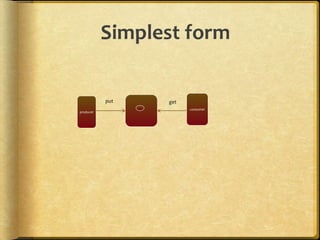
Simplest form
put get
producer
consumer
Not that simple, Actually
put/get usually in different thread
->Need synchronization
->Need define wait/wake policy for empty/full
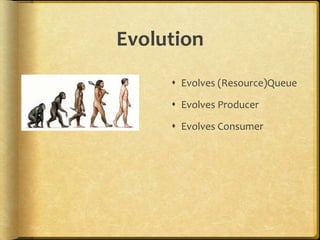
Evolution
 Evolves (Resource)Queue
 Evolves Producer
 Evolves Consumer
Questions?
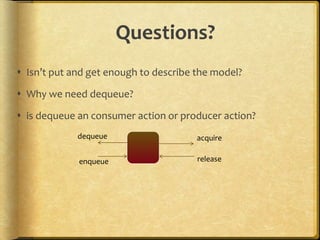
 Isn’t put and get enough to describe the model?
 Why we need dequeue?
 is dequeue an consumer action or producer action?
dequeue acquire
enqueue release
Sushi shop, example
 Each Plate cost $1000
 So for each customer they only provide you 3 Plate
 You have to return the used Plate to the trail so that
servant can make next sushi.
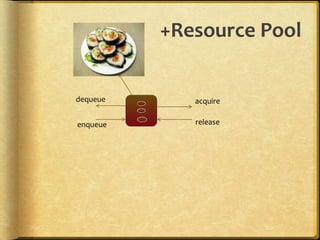
+Resource Pool
dequeue acquire
enqueue release
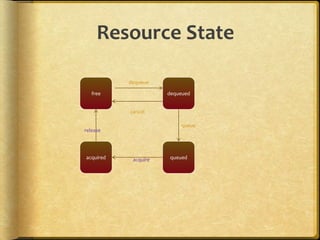
Resource State
free dequeued
queuedacquired
dequeue
queue
cancel
acquire
release
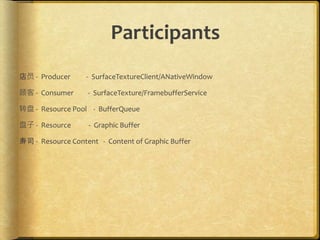
Participants
店员 - Producer - SurfaceTextureClient/ANativeWindow
顾客 - Consumer - SurfaceTexture/FramebufferService
转盘 - Resource Pool - BufferQueue
盘子 - Resource - Graphic Buffer
寿司 - Resource Content - Content of Graphic Buffer
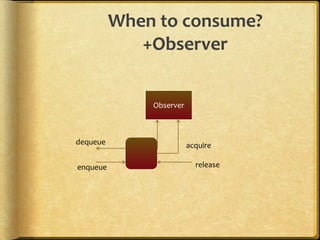
When to consume?
+Observer
dequeue acquire
enqueue release
Observer
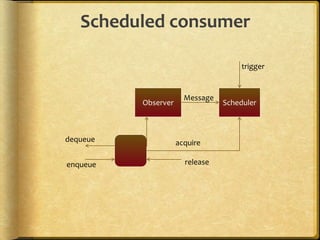
Scheduled consumer
dequeue acquire
enqueue release
Observer Scheduler
Message
trigger
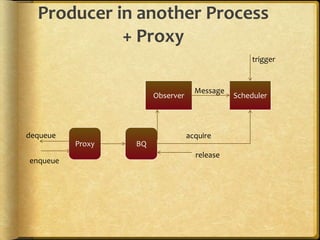
Producer in another Process
+ Proxy
BQ
dequeue acquire
enqueue
release
Observer Scheduler
Message
Proxy
trigger
+Sync-er
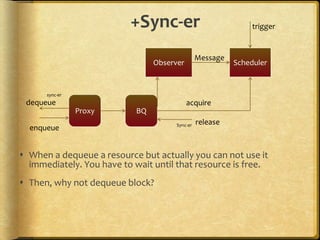
 When a dequeue a resource but actually you can not use it
immediately. You have to wait until that resource is free.
 Then, why not dequeue block?
BQ
dequeue acquire
enqueue
release
Observer Scheduler
Message
Proxy
trigger
sync-er
Sync-er
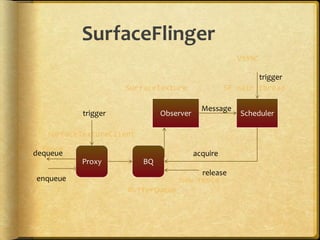
SurfaceFlinger
VSYNC
BQ
dequeue acquire
enqueue
release
Observer Scheduler
Message
Proxy
surfaceTextureClient
BufferQueue
SurfaceTexture SF main thread
trigger
fence
new fence
trigger
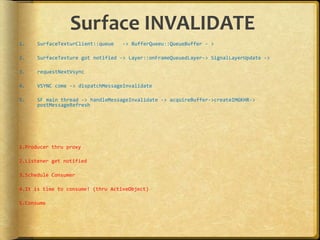
Surface INVALIDATE
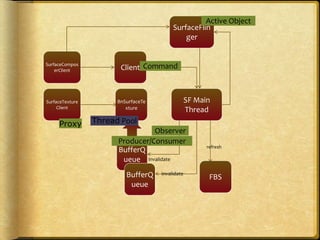
1. SurfaceTexturClient::queue -> BufferQueeu::QueueBuffer - >
2. SurfaceTexture got notified -> Layer::onFrameQueuedLayer-> SignalLayerUpdate ->
3. requestNextVsync
4. VSYNC come -> dispatchMessageInvalidate
5. SF main thread -> handleMessageInvalidate -> acquireBuffer->createIMGKHR->
postMessageRefresh
1.Producer thru proxy
2.Listener get notified
3.Schedule Consumer
4.It is time to consume! (thru ActiveObject)
5.Consume
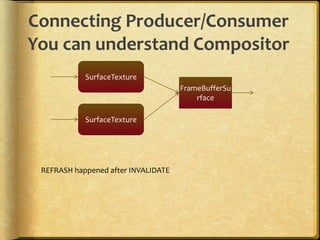
Connecting Producer/Consumer
You can understand Compositor
SurfaceTexture
SurfaceTexture
FrameBufferSu
rface
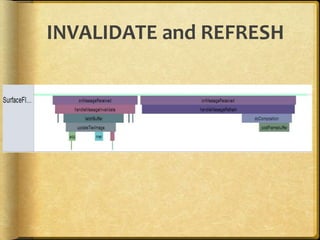
REFRASH happened after INVALIDATE
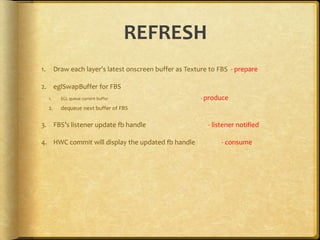
REFRESH
1. Draw each layer’s latest onscreen buffer as Texture to FBS - prepare
2. eglSwapBuffer for FBS
1. EGL queue current buffer - produce
2. dequeue next buffer of FBS
3. FBS’s listener update fb handle - listener notified
4. HWC commit will display the updated fb handle - consume
INVALIDATE and REFRESH
More
Thread Pool
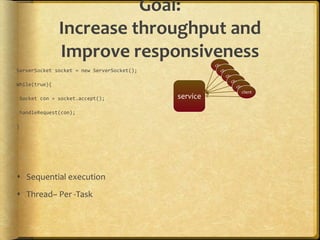
Goal:
Increase throughput and
Improve responsiveness
ServerSocket socket = new ServerSocket();
While(true){
Socket con = socket.accept();
handleRequest(con);
}
 Sequential execution
 Thread– Per -Task
service
client
client
client
client
client
client
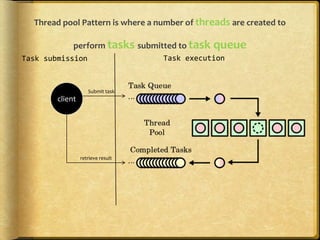
Thread pool Pattern is where a number of threads are created to
perform tasks submitted to task queue
client
Task submission Task execution
Submit task
retrieve result
Let’s return to
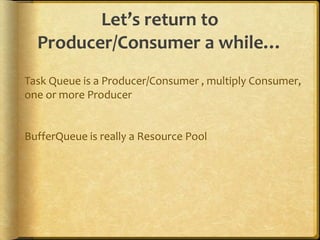
Producer/Consumer a while…
Task Queue is a Producer/Consumer , multiply Consumer,
one or more Producer
BufferQueue is really a Resource Pool
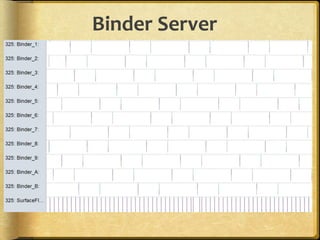
Binder Server
Those Binder Thread will submit
the task to SurfaceFlinger main
thread.
Which is Achieved though….
Active Object
The active object design pattern
decouples
method execution from
method invocation
for objects that each reside in their own thread of control.
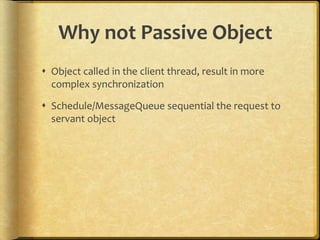
Why not Passive Object
 Object called in the client thread, result in more
complex synchronization
 Schedule/MessageQueue sequential the request to
servant object
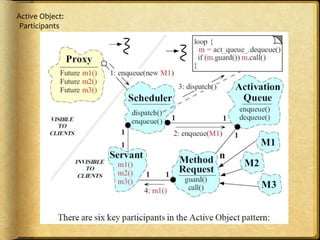
Active Object:
Participants
SF main thread Message queue
Client
postMessage
surfaceFlinger
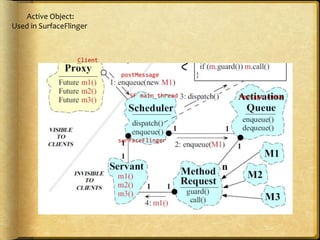
Active Object:
Used in SurfaceFlinger
How message are submitted from
client thread to server thread?
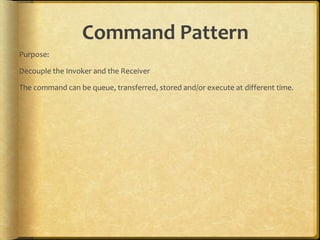
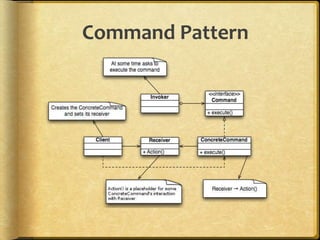
Command Pattern
Purpose:
Decouple the Invoker and the Receiver
The command can be queue, transferred, stored and/or execute at different time.
Command Pattern
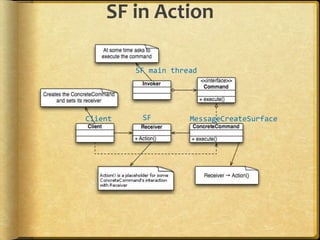
SF in Action
SF main thread
SF MessageCreateSurfaceClient
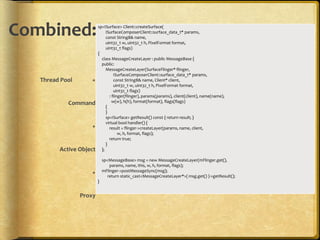
Combined:
Thread Pool +
Command
+
Active Object
+
Proxy
sp<ISurface> Client::createSurface(
ISurfaceComposerClient::surface_data_t* params,
const String8& name,
uint32_t w, uint32_t h, PixelFormat format,
uint32_t flags)
{
class MessageCreateLayer : public MessageBase {
public:
MessageCreateLayer(SurfaceFlinger* flinger,
ISurfaceComposerClient::surface_data_t* params,
const String8& name, Client* client,
uint32_t w, uint32_t h, PixelFormat format,
uint32_t flags)
: flinger(flinger), params(params), client(client), name(name),
w(w), h(h), format(format), flags(flags)
{
}
sp<ISurface> getResult() const { return result; }
virtual bool handler() {
result = flinger->createLayer(params, name, client,
w, h, format, flags);
return true;
}
};
sp<MessageBase> msg = new MessageCreateLayer(mFlinger.get(),
params, name, this, w, h, format, flags);
mFlinger->postMessageSync(msg);
return static_cast<MessageCreateLayer*>( msg.get() )->getResult();
}
Architecture
Integrated,
Connected
Patterns
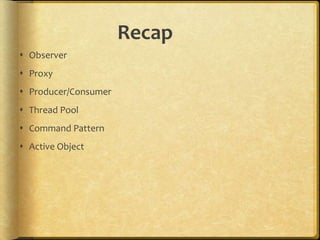
Recap
 Observer
 Proxy
 Producer/Consumer
 Thread Pool
 Command Pattern
 Active Object
BnSurfaceTe
xture
SF Main
Thread
BufferQ
ueue
SurfaceTexture
Client
FBSBufferQ
ueue
invalidate
invalidate
refresh
SurfaceCompos
erClient Client
SurfaceFlin
ger
Proxy Thread Pool
Producer/Consumer
Command
Active Object
Observer
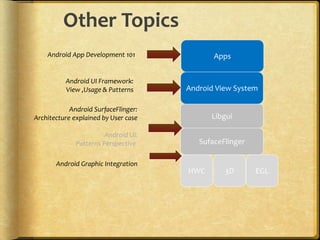
Android View System
Libgui
SufaceFlinger
HWC EGL
Apps
3D
Android UI Framework:
View ,Usage & Patterns
Android App Development 101
Android SurfaceFlinger:
Architecture explained by User case
Android UI:
Patterns Perspective
Other Topics
Android Graphic Integration

Android graphic system (SurfaceFlinger) : Design Pattern's perspective

Editor's Notes

  • #30 Surface -> Layer Layer -> SurfaceTexture -> BufferQueue