Android OTA Updates
FTF 2016
05/17/2016
Gary Bisson
Embedded Software Engineer
TABLE OF CONTENTS
1. Introduction
2. Update Mechanism
3. Update package
4. Recovery Console
5. OTA Application
6. Conclusion
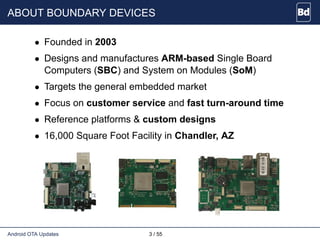
ABOUT BOUNDARY DEVICES
• Founded in 2003
• Designs and manufactures ARM-based Single Board
Computers (SBC) and System on Modules (SoM)
• Targets the general embedded market
• Focus on customer service and fast turn-around time
• Reference platforms & custom designs
• 16,000 Square Foot Facility in Chandler, AZ
Android OTA Updates 3 / 55
Introduction
WHY ARE WE HERE?
• Importance of OTA updates in the field
• Cover all aspects
From update creation to download to flashing
• Past experiences
Customers/Users feedback
• Practical approach
i.MX awareness
Demonstration on actual HW
Android OTA Updates 5 / 55 Introduction
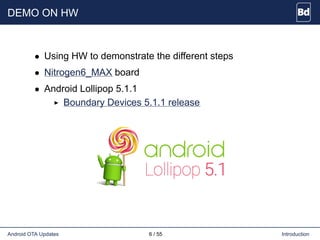
DEMO ON HW
• Using HW to demonstrate the different steps
• Nitrogen6_MAX board
• Android Lollipop 5.1.1
Boundary Devices 5.1.1 release
Android OTA Updates 6 / 55 Introduction
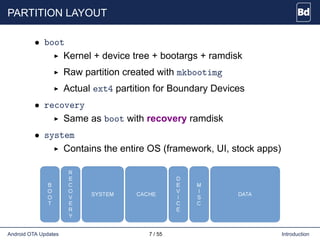
PARTITION LAYOUT
• boot
Kernel + device tree + bootargs + ramdisk
Raw partition created with mkbootimg
Actual ext4 partition for Boundary Devices
• recovery
Same as boot with recovery ramdisk
• system
Contains the entire OS (framework, UI, stock apps)
Android OTA Updates 7 / 55 Introduction
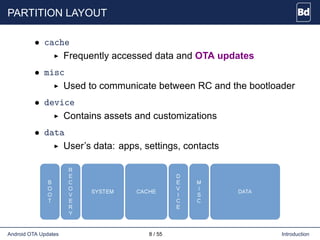
PARTITION LAYOUT
• cache
Frequently accessed data and OTA updates
• misc
Used to communicate between RC and the bootloader
• device
Contains assets and customizations
• data
User’s data: apps, settings, contacts
Android OTA Updates 8 / 55 Introduction
Update Mechanism
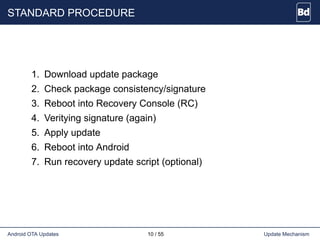
STANDARD PROCEDURE
1. Download update package
2. Check package consistency/signature
3. Reboot into Recovery Console (RC)
4. Veritying signature (again)
5. Apply update
6. Reboot into Android
7. Run recovery update script (optional)
Android OTA Updates 10 / 55 Update Mechanism
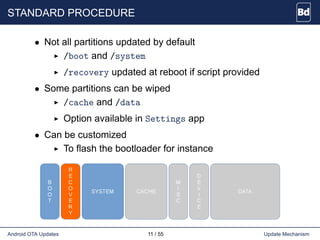
STANDARD PROCEDURE
• Not all partitions updated by default
/boot and /system
/recovery updated at reboot if script provided
• Some partitions can be wiped
/cache and /data
Option available in Settings app
• Can be customized
To flash the bootloader for instance
Android OTA Updates 11 / 55 Update Mechanism
OTHER OPTIONS
• Using adb sideload
1 $ adb reboot recovery
2 [Press VOL_UP and SEARCH]
3 [Select 'apply update from ADB']
4 $ adb sideload update.zip
Android OTA Updates 12 / 55 Update Mechanism
OTHER OPTIONS
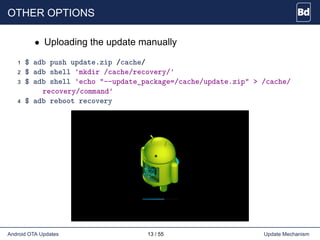
• Uploading the update manually
1 $ adb push update.zip /cache/
2 $ adb shell 'mkdir /cache/recovery/'
3 $ adb shell 'echo "--update_package=/cache/update.zip" > /cache/
recovery/command'
4 $ adb reboot recovery
Android OTA Updates 13 / 55 Update Mechanism
AOSP COMPONENTS
• Releasetools
Create digitally signed software updates
Integrated in Android build system
• Recovery Console (RC)
Alternate boot environment
Verify & Apply SW updates
Minimalistic ramdisk
Can perform Factory Data Reset
Hidden menu for manual interaction
Android OTA Updates 14 / 55 Update Mechanism
AOSP COMPONENTS
• android.os.RecoverySystem APIs
Framework APIs to verify & install SW updates
Writes RC command files into /cache/recovery and
reboots into Recovery Console
Also used to engage Factory Data Reset
• Updater
SW update logic, binary inside SW update package
AOSP implementation runs script in Edify language
Platform-specific tasks implemented in plug-ins
• SW Update UI Intent from Settings application
Providing a flexible approach
Android OTA Updates 15 / 55 Update Mechanism
AOSP MISSING PIECES
• Communication between Android and bootloader
Vendor-specific
• Client-side OTA application
Mechanism to check and download updates
Notification UI that SW Updates are available
Assumed specific to each use case
• Remote server backend to host updates
Assumed specific to each infrastructure
Android OTA Updates 16 / 55 Update Mechanism
AOSP MISSING PIECES
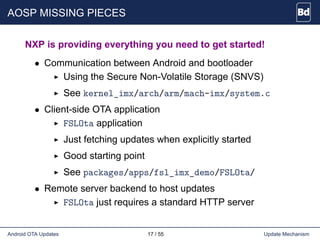
NXP is providing everything you need to get started!
• Communication between Android and bootloader
Using the Secure Non-Volatile Storage (SNVS)
See kernel_imx/arch/arm/mach-imx/system.c
• Client-side OTA application
FSLOta application
Just fetching updates when explicitly started
Good starting point
See packages/apps/fsl_imx_demo/FSLOta/
• Remote server backend to host updates
FSLOta just requires a standard HTTP server
Android OTA Updates 17 / 55 Update Mechanism
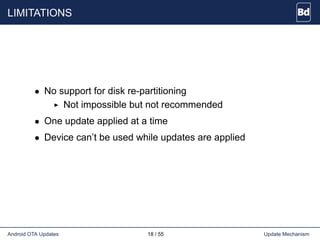
LIMITATIONS
• No support for disk re-partitioning
Not impossible but not recommended
• One update applied at a time
• Device can’t be used while updates are applied
Android OTA Updates 18 / 55 Update Mechanism
Update package
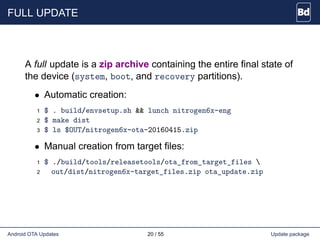
FULL UPDATE
A full update is a zip archive containing the entire final state of
the device (system, boot, and recovery partitions).
• Automatic creation:
1 $ . build/envsetup.sh && lunch nitrogen6x-eng
2 $ make dist
3 $ ls $OUT/nitrogen6x-ota-20160415.zip
• Manual creation from target files:
1 $ ./build/tools/releasetools/ota_from_target_files 
2 out/dist/nitrogen6x-target_files.zip ota_update.zip
Android OTA Updates 20 / 55 Update package
INCREMENTAL UPDATE
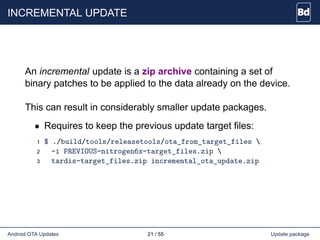
An incremental update is a zip archive containing a set of
binary patches to be applied to the data already on the device.
This can result in considerably smaller update packages.
• Requires to keep the previous update target files:
1 $ ./build/tools/releasetools/ota_from_target_files 
2 -i PREVIOUS-nitrogen6x-target_files.zip 
3 tardis-target_files.zip incremental_ota_update.zip
Android OTA Updates 21 / 55 Update package
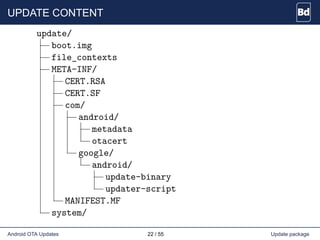
UPDATE CONTENT
update/
boot.img
file_contexts
META-INF/
CERT.RSA
CERT.SF
com/
android/
metadata
otacert
google/
android/
update-binary
updater-script
MANIFEST.MF
system/
Android OTA Updates 22 / 55 Update package
UPDATE CONTENT
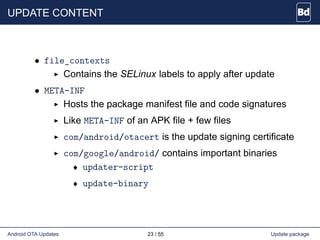
• file_contexts
Contains the SELinux labels to apply after update
• META-INF
Hosts the package manifest file and code signatures
Like META-INF of an APK file + few files
com/android/otacert is the update signing certificate
com/google/android/ contains important binaries
♦ updater-script
♦ update-binary
Android OTA Updates 23 / 55 Update package
UPDATER-SCRIPT
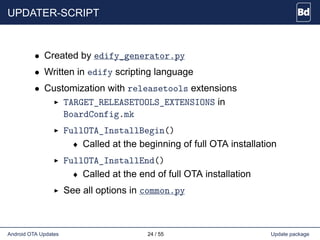
• Created by edify_generator.py
• Written in edify scripting language
• Customization with releasetools extensions
TARGET_RELEASETOOLS_EXTENSIONS in
BoardConfig.mk
FullOTA_InstallBegin()
♦ Called at the beginning of full OTA installation
FullOTA_InstallEnd()
♦ Called at the end of full OTA installation
See all options in common.py
Android OTA Updates 24 / 55 Update package
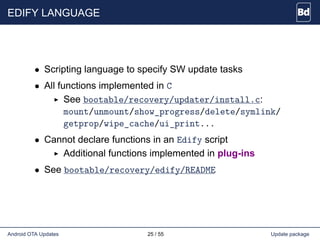
EDIFY LANGUAGE
• Scripting language to specify SW update tasks
• All functions implemented in C
See bootable/recovery/updater/install.c:
mount/unmount/show_progress/delete/symlink/
getprop/wipe_cache/ui_print...
• Cannot declare functions in an Edify script
Additional functions implemented in plug-ins
• See bootable/recovery/edify/README
Android OTA Updates 25 / 55 Update package
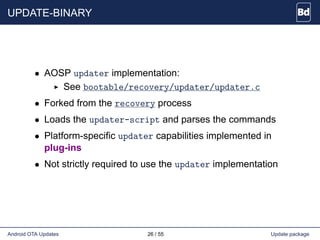
UPDATE-BINARY
• AOSP updater implementation:
See bootable/recovery/updater/updater.c
• Forked from the recovery process
• Loads the updater-script and parses the commands
• Platform-specific updater capabilities implemented in
plug-ins
• Not strictly required to use the updater implementation
Android OTA Updates 26 / 55 Update package
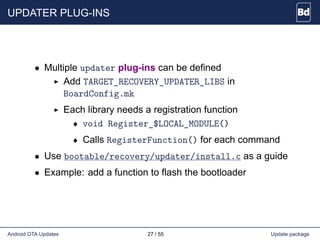
UPDATER PLUG-INS
• Multiple updater plug-ins can be defined
Add TARGET_RECOVERY_UPDATER_LIBS in
BoardConfig.mk
Each library needs a registration function
♦ void Register_$LOCAL_MODULE()
♦ Calls RegisterFunction() for each command
• Use bootable/recovery/updater/install.c as a guide
• Example: add a function to flash the bootloader
Android OTA Updates 27 / 55 Update package
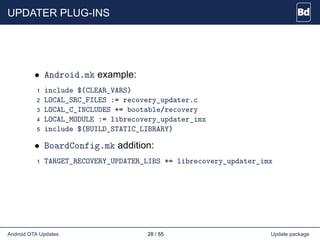
UPDATER PLUG-INS
• Android.mk example:
1 include $(CLEAR_VARS)
2 LOCAL_SRC_FILES := recovery_updater.c
3 LOCAL_C_INCLUDES += bootable/recovery
4 LOCAL_MODULE := librecovery_updater_imx
5 include $(BUILD_STATIC_LIBRARY)
• BoardConfig.mk addition:
1 TARGET_RECOVERY_UPDATER_LIBS += librecovery_updater_imx
Android OTA Updates 28 / 55 Update package
UPDATER PLUG-INS
• plug-in snippet:
1 #include "edify/expr.h"
2
3 Value* CustomImxFn(const char* name, State* state,
4 int argc, Expr* argv[]) {
5 if (argc != 2) {
6 return ErrorAbort(state, "%s expects 2 args", name);
7 }
8 // Do custom work
9 }
10
11 void Register_librecovery_updater_imx() {
12 RegisterFunction("imx_custom", CustomImxFn);
13 }
Android OTA Updates 29 / 55 Update package
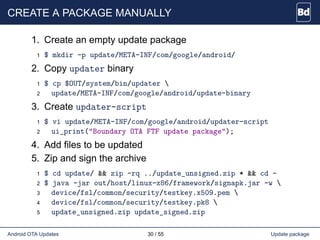
CREATE A PACKAGE MANUALLY
1. Create an empty update package
1 $ mkdir -p update/META-INF/com/google/android/
2. Copy updater binary
1 $ cp $OUT/system/bin/updater 
2 update/META-INF/com/google/android/update-binary
3. Create updater-script
1 $ vi update/META-INF/com/google/android/updater-script
2 ui_print("Boundary OTA FTF update package");
4. Add files to be updated
5. Zip and sign the archive
1 $ cd update/ && zip -rq ../update_unsigned.zip * && cd -
2 $ java -jar out/host/linux-x86/framework/signapk.jar -w 
3 device/fsl/common/security/testkey.x509.pem 
4 device/fsl/common/security/testkey.pk8 
5 update_unsigned.zip update_signed.zip
Android OTA Updates 30 / 55 Update package
Recovery Console
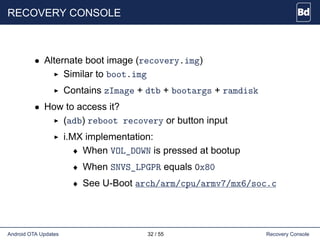
RECOVERY CONSOLE
• Alternate boot image (recovery.img)
Similar to boot.img
Contains zImage + dtb + bootargs + ramdisk
• How to access it?
(adb) reboot recovery or button input
i.MX implementation:
♦ When VOL_DOWN is pressed at bootup
♦ When SNVS_LPGPR equals 0x80
♦ See U-Boot arch/arm/cpu/armv7/mx6/soc.c
Android OTA Updates 32 / 55 Recovery Console
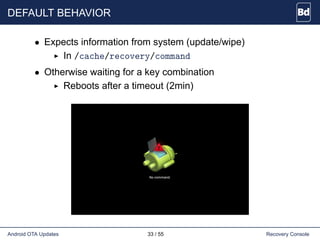
DEFAULT BEHAVIOR
• Expects information from system (update/wipe)
In /cache/recovery/command
• Otherwise waiting for a key combination
Reboots after a timeout (2min)
Android OTA Updates 33 / 55 Recovery Console
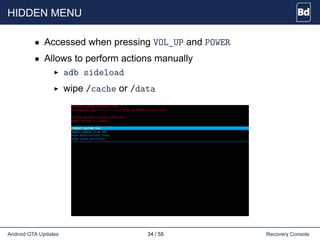
HIDDEN MENU
• Accessed when pressing VOL_UP and POWER
• Allows to perform actions manually
adb sideload
wipe /cache or /data
Android OTA Updates 34 / 55 Recovery Console
AOSP IMPLEMENTATION
• ramdisk-recovery.img based on ramdisk.img
• Different init*.rc files
Stripped down to bare minimum
See bootable/recovery/etc/init.rc
Also copies all the init.recovery.*.rc files
• Uses fstab defined by TARGET_RECOVERY_FSTAB
• Possibility to add custom resources
Overwrites common resources
Must be in $(TARGET_DEVICE_DIR)/recovery/res/
• See full creation in build/core/Makefile
Android OTA Updates 35 / 55 Recovery Console
RECOVERY PLUG-IN
• One recovery plug-in can be defined
Add TARGET_RECOVERY_UI_LIB in BoardConfig.mk
Define (additional) recovery menu items
Additional initialization tasks in StartRecovery()
Customization of branding graphics done in GetUI()
See bootable/recovery/default_device.cpp
• NXP librecovery_ui_imx
See device/fsl/common/recovery/
Limits the number of menu items
Android OTA Updates 36 / 55 Recovery Console
SECURITY
• Signature check
OTA signing certificates in res/keys
• SELinux enabled
RC using custom policies
• /misc and Bootloader Control Block
Used for communication between RC and bootloader
BCB contains update information (progress)
Makes the mechanism power-safe
Android OTA Updates 37 / 55 Recovery Console
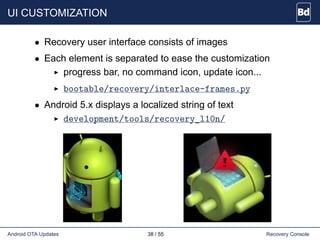
UI CUSTOMIZATION
• Recovery user interface consists of images
• Each element is separated to ease the customization
progress bar, no command icon, update icon...
bootable/recovery/interlace-frames.py
• Android 5.x displays a localized string of text
development/tools/recovery_l10n/
Android OTA Updates 38 / 55 Recovery Console
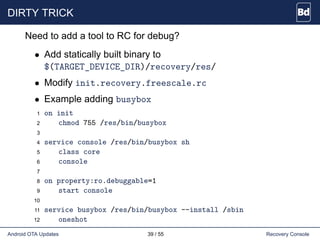
DIRTY TRICK
Need to add a tool to RC for debug?
• Add statically built binary to
$(TARGET_DEVICE_DIR)/recovery/res/
• Modify init.recovery.freescale.rc
• Example adding busybox
1 on init
2 chmod 755 /res/bin/busybox
3
4 service console /res/bin/busybox sh
5 class core
6 console
7
8 on property:ro.debuggable=1
9 start console
10
11 service busybox /res/bin/busybox --install /sbin
12 oneshot
Android OTA Updates 39 / 55 Recovery Console
OTA Application
GOAL
• Allow checking for updates manually (menu)
• Regularly checking for updates (optional)
• Making sure of the authenticity of the package
• Writing to the RC command file
• Reboot into recovery
Android OTA Updates 41 / 55 OTA Application
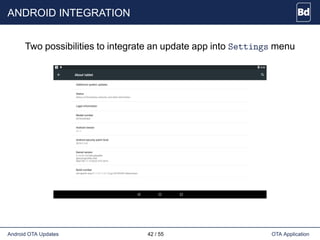
ANDROID INTEGRATION
Two possibilities to integrate an update app into Settings menu
Android OTA Updates 42 / 55 OTA Application
ANDROID INTEGRATION
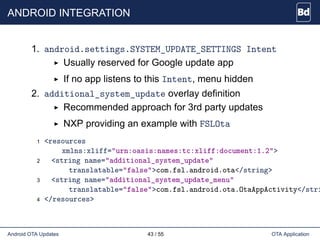
1. android.settings.SYSTEM_UPDATE_SETTINGS Intent
Usually reserved for Google update app
If no app listens to this Intent, menu hidden
2. additional_system_update overlay definition
Recommended approach for 3rd party updates
NXP providing an example with FSLOta
1 <resources
xmlns:xliff="urn:oasis:names:tc:xliff:document:1.2">
2 <string name="additional_system_update"
translatable="false">com.fsl.android.ota</string>
3 <string name="additional_system_update_menu"
translatable="false">com.fsl.android.ota.OtaAppActivity</stri
4 </resources>
Android OTA Updates 43 / 55 OTA Application
ANDROID UPDATE API
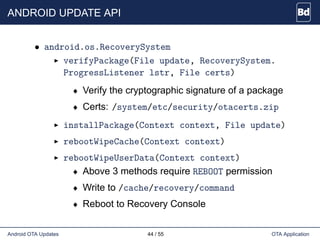
• android.os.RecoverySystem
verifyPackage(File update, RecoverySystem.
ProgressListener lstr, File certs)
♦ Verify the cryptographic signature of a package
♦ Certs: /system/etc/security/otacerts.zip
installPackage(Context context, File update)
rebootWipeCache(Context context)
rebootWipeUserData(Context context)
♦ Above 3 methods require REBOOT permission
♦ Write to /cache/recovery/command
♦ Reboot to Recovery Console
Android OTA Updates 44 / 55 OTA Application
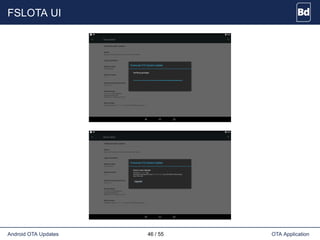
FSLOTA APP
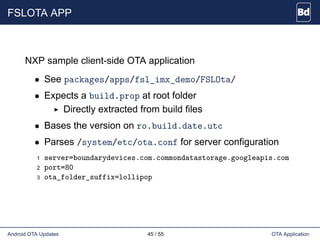
NXP sample client-side OTA application
• See packages/apps/fsl_imx_demo/FSLOta/
• Expects a build.prop at root folder
Directly extracted from build files
• Bases the version on ro.build.date.utc
• Parses /system/etc/ota.conf for server configuration
1 server=boundarydevices.com.commondatastorage.googleapis.com
2 port=80
3 ota_folder_suffix=lollipop
Android OTA Updates 45 / 55 OTA Application
FSLOTA UI
Android OTA Updates 46 / 55 OTA Application
ROOM FOR IMPROVEMENT
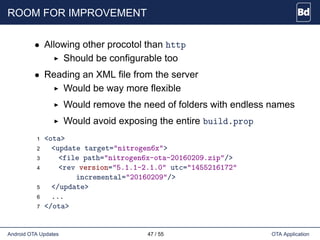
• Allowing other procotol than http
Should be configurable too
• Reading an XML file from the server
Would be way more flexible
Would remove the need of folders with endless names
Would avoid exposing the entire build.prop
1 <ota>
2 <update target="nitrogen6x">
3 <file path="nitrogen6x-ota-20160209.zip"/>
4 <rev version="5.1.1-2.1.0" utc="1455216172"
incremental="20160209"/>
5 </update>
6 ...
7 </ota>
Android OTA Updates 47 / 55 OTA Application
ROOM FOR IMPROVEMENT
• Checking for update at bootup
Listening to the BOOT_COMPLETED Intent
Also check the status of last update
• Checking for update periodically
Adding a repeated Timer
• Using other UI elements
Leveraging the NotificationManager
Having an Activity to setup server details and get rid
of the ota.conf
Android OTA Updates 48 / 55 OTA Application
Conclusion
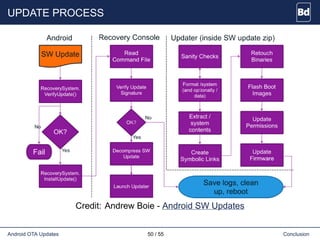
UPDATE PROCESS
Credit: Andrew Boie - Android SW Updates
Android OTA Updates 50 / 55 Conclusion
CONCLUSION
• Reliable update system
• AOSP providing many tools
Lots of possible customizations
Some easier than others
• NXP releasing an example for the missing parts
FSLOta can easily be customized
Android OTA Updates 51 / 55 Conclusion
QUESTIONS?
Android OTA Updates 52 / 55 Conclusion
REFERENCES
• Android website: OTA Updates
https://source.android.com/devices/tech/ota
• Boundary Devices website: OTA Updates
android-security-part-2-ota-updates
• Andrew Boie: Android SW Updates
ABS-Android_SW_Updates-Boie-2015.pdf
• Nikolay Elenkov: Android Security Internals
An In-Depth Guide to Android’s Security Architecture
Android OTA Updates 53 / 55 Conclusion
GOING FURTHER: BLOCK-BASED OTA
• Since Android 5.x, blocked-based OTA can be performed
• Only works on block devices (not MTD)
• Ensures that each device uses the exact same partition
• Enables the use of dm-verity to cryptographically sign the
system partition
• To generate a block-based OTA, pass the --block option
to ota_from_target_files
• http://source.android.com/devices/tech/ota/block.html
Android OTA Updates 54 / 55 Conclusion
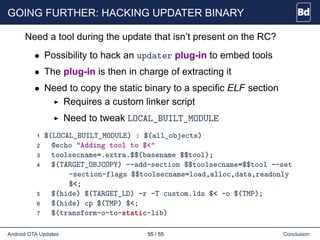
GOING FURTHER: HACKING UPDATER BINARY
Need a tool during the update that isn’t present on the RC?
• Possibility to hack an updater plug-in to embed tools
• The plug-in is then in charge of extracting it
• Need to copy the static binary to a specific ELF section
Requires a custom linker script
Need to tweak LOCAL_BUILT_MODULE
1 $(LOCAL_BUILT_MODULE) : $(all_objects)
2 @echo "Adding tool to $<"
3 toolsecname=.extra.$$(basename $$tool);
4 $(TARGET_OBJCOPY) --add-section $$toolsecname=$$tool --set
-section-flags $$toolsecname=load,alloc,data,readonly
$<;
5 $(hide) $(TARGET_LD) -r -T custom.lds $< -o $(TMP);
6 $(hide) cp $(TMP) $<;
7 $(transform-o-to-static-lib)
Android OTA Updates 55 / 55 Conclusion

Android OTA updates

  • 1.
    Android OTA Updates FTF2016 05/17/2016 Gary Bisson Embedded Software Engineer
  • 2.
    TABLE OF CONTENTS 1.Introduction 2. Update Mechanism 3. Update package 4. Recovery Console 5. OTA Application 6. Conclusion
  • 3.
    ABOUT BOUNDARY DEVICES •Founded in 2003 • Designs and manufactures ARM-based Single Board Computers (SBC) and System on Modules (SoM) • Targets the general embedded market • Focus on customer service and fast turn-around time • Reference platforms & custom designs • 16,000 Square Foot Facility in Chandler, AZ Android OTA Updates 3 / 55
  • 4.
  • 5.
    WHY ARE WEHERE? • Importance of OTA updates in the field • Cover all aspects From update creation to download to flashing • Past experiences Customers/Users feedback • Practical approach i.MX awareness Demonstration on actual HW Android OTA Updates 5 / 55 Introduction
  • 6.
    DEMO ON HW •Using HW to demonstrate the different steps • Nitrogen6_MAX board • Android Lollipop 5.1.1 Boundary Devices 5.1.1 release Android OTA Updates 6 / 55 Introduction
  • 7.
    PARTITION LAYOUT • boot Kernel+ device tree + bootargs + ramdisk Raw partition created with mkbootimg Actual ext4 partition for Boundary Devices • recovery Same as boot with recovery ramdisk • system Contains the entire OS (framework, UI, stock apps) Android OTA Updates 7 / 55 Introduction
  • 8.
    PARTITION LAYOUT • cache Frequentlyaccessed data and OTA updates • misc Used to communicate between RC and the bootloader • device Contains assets and customizations • data User’s data: apps, settings, contacts Android OTA Updates 8 / 55 Introduction
  • 9.
  • 10.
    STANDARD PROCEDURE 1. Downloadupdate package 2. Check package consistency/signature 3. Reboot into Recovery Console (RC) 4. Veritying signature (again) 5. Apply update 6. Reboot into Android 7. Run recovery update script (optional) Android OTA Updates 10 / 55 Update Mechanism
  • 11.
    STANDARD PROCEDURE • Notall partitions updated by default /boot and /system /recovery updated at reboot if script provided • Some partitions can be wiped /cache and /data Option available in Settings app • Can be customized To flash the bootloader for instance Android OTA Updates 11 / 55 Update Mechanism
  • 12.
    OTHER OPTIONS • Usingadb sideload 1 $ adb reboot recovery 2 [Press VOL_UP and SEARCH] 3 [Select 'apply update from ADB'] 4 $ adb sideload update.zip Android OTA Updates 12 / 55 Update Mechanism
  • 13.
    OTHER OPTIONS • Uploadingthe update manually 1 $ adb push update.zip /cache/ 2 $ adb shell 'mkdir /cache/recovery/' 3 $ adb shell 'echo "--update_package=/cache/update.zip" > /cache/ recovery/command' 4 $ adb reboot recovery Android OTA Updates 13 / 55 Update Mechanism
  • 14.
    AOSP COMPONENTS • Releasetools Createdigitally signed software updates Integrated in Android build system • Recovery Console (RC) Alternate boot environment Verify & Apply SW updates Minimalistic ramdisk Can perform Factory Data Reset Hidden menu for manual interaction Android OTA Updates 14 / 55 Update Mechanism
  • 15.
    AOSP COMPONENTS • android.os.RecoverySystemAPIs Framework APIs to verify & install SW updates Writes RC command files into /cache/recovery and reboots into Recovery Console Also used to engage Factory Data Reset • Updater SW update logic, binary inside SW update package AOSP implementation runs script in Edify language Platform-specific tasks implemented in plug-ins • SW Update UI Intent from Settings application Providing a flexible approach Android OTA Updates 15 / 55 Update Mechanism
  • 16.
    AOSP MISSING PIECES •Communication between Android and bootloader Vendor-specific • Client-side OTA application Mechanism to check and download updates Notification UI that SW Updates are available Assumed specific to each use case • Remote server backend to host updates Assumed specific to each infrastructure Android OTA Updates 16 / 55 Update Mechanism
  • 17.
    AOSP MISSING PIECES NXPis providing everything you need to get started! • Communication between Android and bootloader Using the Secure Non-Volatile Storage (SNVS) See kernel_imx/arch/arm/mach-imx/system.c • Client-side OTA application FSLOta application Just fetching updates when explicitly started Good starting point See packages/apps/fsl_imx_demo/FSLOta/ • Remote server backend to host updates FSLOta just requires a standard HTTP server Android OTA Updates 17 / 55 Update Mechanism
  • 18.
    LIMITATIONS • No supportfor disk re-partitioning Not impossible but not recommended • One update applied at a time • Device can’t be used while updates are applied Android OTA Updates 18 / 55 Update Mechanism
  • 19.
  • 20.
    FULL UPDATE A fullupdate is a zip archive containing the entire final state of the device (system, boot, and recovery partitions). • Automatic creation: 1 $ . build/envsetup.sh && lunch nitrogen6x-eng 2 $ make dist 3 $ ls $OUT/nitrogen6x-ota-20160415.zip • Manual creation from target files: 1 $ ./build/tools/releasetools/ota_from_target_files 2 out/dist/nitrogen6x-target_files.zip ota_update.zip Android OTA Updates 20 / 55 Update package
  • 21.
    INCREMENTAL UPDATE An incrementalupdate is a zip archive containing a set of binary patches to be applied to the data already on the device. This can result in considerably smaller update packages. • Requires to keep the previous update target files: 1 $ ./build/tools/releasetools/ota_from_target_files 2 -i PREVIOUS-nitrogen6x-target_files.zip 3 tardis-target_files.zip incremental_ota_update.zip Android OTA Updates 21 / 55 Update package
  • 22.
  • 23.
    UPDATE CONTENT • file_contexts Containsthe SELinux labels to apply after update • META-INF Hosts the package manifest file and code signatures Like META-INF of an APK file + few files com/android/otacert is the update signing certificate com/google/android/ contains important binaries ♦ updater-script ♦ update-binary Android OTA Updates 23 / 55 Update package
  • 24.
    UPDATER-SCRIPT • Created byedify_generator.py • Written in edify scripting language • Customization with releasetools extensions TARGET_RELEASETOOLS_EXTENSIONS in BoardConfig.mk FullOTA_InstallBegin() ♦ Called at the beginning of full OTA installation FullOTA_InstallEnd() ♦ Called at the end of full OTA installation See all options in common.py Android OTA Updates 24 / 55 Update package
  • 25.
    EDIFY LANGUAGE • Scriptinglanguage to specify SW update tasks • All functions implemented in C See bootable/recovery/updater/install.c: mount/unmount/show_progress/delete/symlink/ getprop/wipe_cache/ui_print... • Cannot declare functions in an Edify script Additional functions implemented in plug-ins • See bootable/recovery/edify/README Android OTA Updates 25 / 55 Update package
  • 26.
    UPDATE-BINARY • AOSP updaterimplementation: See bootable/recovery/updater/updater.c • Forked from the recovery process • Loads the updater-script and parses the commands • Platform-specific updater capabilities implemented in plug-ins • Not strictly required to use the updater implementation Android OTA Updates 26 / 55 Update package
  • 27.
    UPDATER PLUG-INS • Multipleupdater plug-ins can be defined Add TARGET_RECOVERY_UPDATER_LIBS in BoardConfig.mk Each library needs a registration function ♦ void Register_$LOCAL_MODULE() ♦ Calls RegisterFunction() for each command • Use bootable/recovery/updater/install.c as a guide • Example: add a function to flash the bootloader Android OTA Updates 27 / 55 Update package
  • 28.
    UPDATER PLUG-INS • Android.mkexample: 1 include $(CLEAR_VARS) 2 LOCAL_SRC_FILES := recovery_updater.c 3 LOCAL_C_INCLUDES += bootable/recovery 4 LOCAL_MODULE := librecovery_updater_imx 5 include $(BUILD_STATIC_LIBRARY) • BoardConfig.mk addition: 1 TARGET_RECOVERY_UPDATER_LIBS += librecovery_updater_imx Android OTA Updates 28 / 55 Update package
  • 29.
    UPDATER PLUG-INS • plug-insnippet: 1 #include "edify/expr.h" 2 3 Value* CustomImxFn(const char* name, State* state, 4 int argc, Expr* argv[]) { 5 if (argc != 2) { 6 return ErrorAbort(state, "%s expects 2 args", name); 7 } 8 // Do custom work 9 } 10 11 void Register_librecovery_updater_imx() { 12 RegisterFunction("imx_custom", CustomImxFn); 13 } Android OTA Updates 29 / 55 Update package
  • 30.
    CREATE A PACKAGEMANUALLY 1. Create an empty update package 1 $ mkdir -p update/META-INF/com/google/android/ 2. Copy updater binary 1 $ cp $OUT/system/bin/updater 2 update/META-INF/com/google/android/update-binary 3. Create updater-script 1 $ vi update/META-INF/com/google/android/updater-script 2 ui_print("Boundary OTA FTF update package"); 4. Add files to be updated 5. Zip and sign the archive 1 $ cd update/ && zip -rq ../update_unsigned.zip * && cd - 2 $ java -jar out/host/linux-x86/framework/signapk.jar -w 3 device/fsl/common/security/testkey.x509.pem 4 device/fsl/common/security/testkey.pk8 5 update_unsigned.zip update_signed.zip Android OTA Updates 30 / 55 Update package
  • 31.
  • 32.
    RECOVERY CONSOLE • Alternateboot image (recovery.img) Similar to boot.img Contains zImage + dtb + bootargs + ramdisk • How to access it? (adb) reboot recovery or button input i.MX implementation: ♦ When VOL_DOWN is pressed at bootup ♦ When SNVS_LPGPR equals 0x80 ♦ See U-Boot arch/arm/cpu/armv7/mx6/soc.c Android OTA Updates 32 / 55 Recovery Console
  • 33.
    DEFAULT BEHAVIOR • Expectsinformation from system (update/wipe) In /cache/recovery/command • Otherwise waiting for a key combination Reboots after a timeout (2min) Android OTA Updates 33 / 55 Recovery Console
  • 34.
    HIDDEN MENU • Accessedwhen pressing VOL_UP and POWER • Allows to perform actions manually adb sideload wipe /cache or /data Android OTA Updates 34 / 55 Recovery Console
  • 35.
    AOSP IMPLEMENTATION • ramdisk-recovery.imgbased on ramdisk.img • Different init*.rc files Stripped down to bare minimum See bootable/recovery/etc/init.rc Also copies all the init.recovery.*.rc files • Uses fstab defined by TARGET_RECOVERY_FSTAB • Possibility to add custom resources Overwrites common resources Must be in $(TARGET_DEVICE_DIR)/recovery/res/ • See full creation in build/core/Makefile Android OTA Updates 35 / 55 Recovery Console
  • 36.
    RECOVERY PLUG-IN • Onerecovery plug-in can be defined Add TARGET_RECOVERY_UI_LIB in BoardConfig.mk Define (additional) recovery menu items Additional initialization tasks in StartRecovery() Customization of branding graphics done in GetUI() See bootable/recovery/default_device.cpp • NXP librecovery_ui_imx See device/fsl/common/recovery/ Limits the number of menu items Android OTA Updates 36 / 55 Recovery Console
  • 37.
    SECURITY • Signature check OTAsigning certificates in res/keys • SELinux enabled RC using custom policies • /misc and Bootloader Control Block Used for communication between RC and bootloader BCB contains update information (progress) Makes the mechanism power-safe Android OTA Updates 37 / 55 Recovery Console
  • 38.
    UI CUSTOMIZATION • Recoveryuser interface consists of images • Each element is separated to ease the customization progress bar, no command icon, update icon... bootable/recovery/interlace-frames.py • Android 5.x displays a localized string of text development/tools/recovery_l10n/ Android OTA Updates 38 / 55 Recovery Console
  • 39.
    DIRTY TRICK Need toadd a tool to RC for debug? • Add statically built binary to $(TARGET_DEVICE_DIR)/recovery/res/ • Modify init.recovery.freescale.rc • Example adding busybox 1 on init 2 chmod 755 /res/bin/busybox 3 4 service console /res/bin/busybox sh 5 class core 6 console 7 8 on property:ro.debuggable=1 9 start console 10 11 service busybox /res/bin/busybox --install /sbin 12 oneshot Android OTA Updates 39 / 55 Recovery Console
  • 40.
  • 41.
    GOAL • Allow checkingfor updates manually (menu) • Regularly checking for updates (optional) • Making sure of the authenticity of the package • Writing to the RC command file • Reboot into recovery Android OTA Updates 41 / 55 OTA Application
  • 42.
    ANDROID INTEGRATION Two possibilitiesto integrate an update app into Settings menu Android OTA Updates 42 / 55 OTA Application
  • 43.
    ANDROID INTEGRATION 1. android.settings.SYSTEM_UPDATE_SETTINGSIntent Usually reserved for Google update app If no app listens to this Intent, menu hidden 2. additional_system_update overlay definition Recommended approach for 3rd party updates NXP providing an example with FSLOta 1 <resources xmlns:xliff="urn:oasis:names:tc:xliff:document:1.2"> 2 <string name="additional_system_update" translatable="false">com.fsl.android.ota</string> 3 <string name="additional_system_update_menu" translatable="false">com.fsl.android.ota.OtaAppActivity</stri 4 </resources> Android OTA Updates 43 / 55 OTA Application
  • 44.
    ANDROID UPDATE API •android.os.RecoverySystem verifyPackage(File update, RecoverySystem. ProgressListener lstr, File certs) ♦ Verify the cryptographic signature of a package ♦ Certs: /system/etc/security/otacerts.zip installPackage(Context context, File update) rebootWipeCache(Context context) rebootWipeUserData(Context context) ♦ Above 3 methods require REBOOT permission ♦ Write to /cache/recovery/command ♦ Reboot to Recovery Console Android OTA Updates 44 / 55 OTA Application
  • 45.
    FSLOTA APP NXP sampleclient-side OTA application • See packages/apps/fsl_imx_demo/FSLOta/ • Expects a build.prop at root folder Directly extracted from build files • Bases the version on ro.build.date.utc • Parses /system/etc/ota.conf for server configuration 1 server=boundarydevices.com.commondatastorage.googleapis.com 2 port=80 3 ota_folder_suffix=lollipop Android OTA Updates 45 / 55 OTA Application
  • 46.
    FSLOTA UI Android OTAUpdates 46 / 55 OTA Application
  • 47.
    ROOM FOR IMPROVEMENT •Allowing other procotol than http Should be configurable too • Reading an XML file from the server Would be way more flexible Would remove the need of folders with endless names Would avoid exposing the entire build.prop 1 <ota> 2 <update target="nitrogen6x"> 3 <file path="nitrogen6x-ota-20160209.zip"/> 4 <rev version="5.1.1-2.1.0" utc="1455216172" incremental="20160209"/> 5 </update> 6 ... 7 </ota> Android OTA Updates 47 / 55 OTA Application
  • 48.
    ROOM FOR IMPROVEMENT •Checking for update at bootup Listening to the BOOT_COMPLETED Intent Also check the status of last update • Checking for update periodically Adding a repeated Timer • Using other UI elements Leveraging the NotificationManager Having an Activity to setup server details and get rid of the ota.conf Android OTA Updates 48 / 55 OTA Application
  • 49.
  • 50.
    UPDATE PROCESS Credit: AndrewBoie - Android SW Updates Android OTA Updates 50 / 55 Conclusion
  • 51.
    CONCLUSION • Reliable updatesystem • AOSP providing many tools Lots of possible customizations Some easier than others • NXP releasing an example for the missing parts FSLOta can easily be customized Android OTA Updates 51 / 55 Conclusion
  • 52.
  • 53.
    REFERENCES • Android website:OTA Updates https://source.android.com/devices/tech/ota • Boundary Devices website: OTA Updates android-security-part-2-ota-updates • Andrew Boie: Android SW Updates ABS-Android_SW_Updates-Boie-2015.pdf • Nikolay Elenkov: Android Security Internals An In-Depth Guide to Android’s Security Architecture Android OTA Updates 53 / 55 Conclusion
  • 54.
    GOING FURTHER: BLOCK-BASEDOTA • Since Android 5.x, blocked-based OTA can be performed • Only works on block devices (not MTD) • Ensures that each device uses the exact same partition • Enables the use of dm-verity to cryptographically sign the system partition • To generate a block-based OTA, pass the --block option to ota_from_target_files • http://source.android.com/devices/tech/ota/block.html Android OTA Updates 54 / 55 Conclusion
  • 55.
    GOING FURTHER: HACKINGUPDATER BINARY Need a tool during the update that isn’t present on the RC? • Possibility to hack an updater plug-in to embed tools • The plug-in is then in charge of extracting it • Need to copy the static binary to a specific ELF section Requires a custom linker script Need to tweak LOCAL_BUILT_MODULE 1 $(LOCAL_BUILT_MODULE) : $(all_objects) 2 @echo "Adding tool to $<" 3 toolsecname=.extra.$$(basename $$tool); 4 $(TARGET_OBJCOPY) --add-section $$toolsecname=$$tool --set -section-flags $$toolsecname=load,alloc,data,readonly $<; 5 $(hide) $(TARGET_LD) -r -T custom.lds $< -o $(TMP); 6 $(hide) cp $(TMP) $<; 7 $(transform-o-to-static-lib) Android OTA Updates 55 / 55 Conclusion