The Programmable Peripheral Interface
(8255)
By:
Sharmila Chidaravalli
Asst. Prof.
Dept. of ISE,
Global Academy of Technology
Features
• Three 8-bit I/O ports PA, PB, PC
• PC has two 4-bit ports: PC upper (PCU) and PC lower (PCL)
• Programmed in two basic modes:
1.Bit Set/Reset (BSR) mode
2.Input/Output mode
• BSR-used to set/reset the bits in Port C
• I/O mode –divided into 3 modes
1.Simple I/O
2.I/O with handshake
3.Bi-Directional I/O
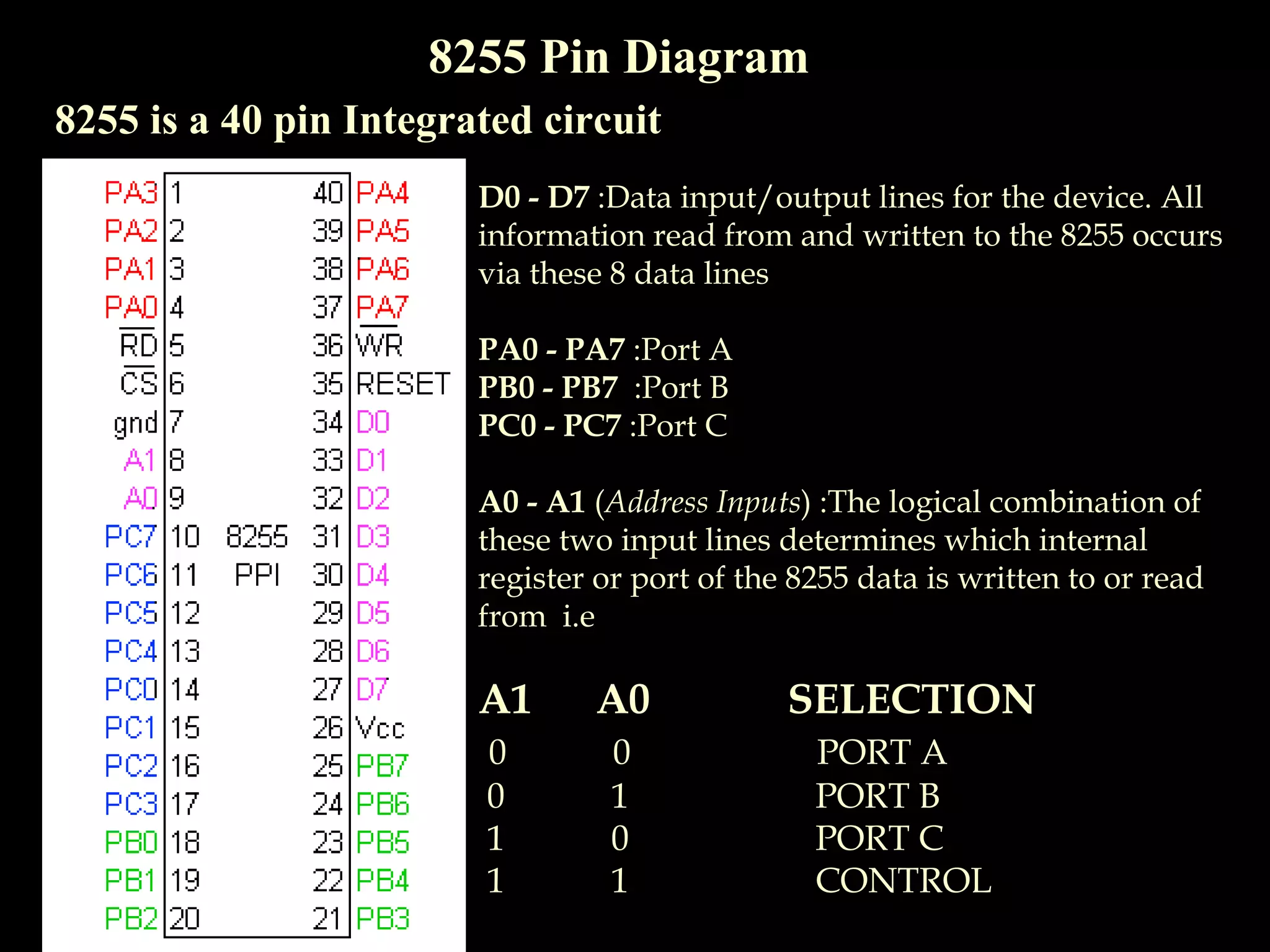
8255 Pin Diagram
8255 is a 40 pin Integrated circuit
D0 - D7 :Data input/output lines for the device. All
information read from and written to the 8255 occurs
via these 8 data lines
PA0 - PA7 :Port A
PB0 - PB7 :Port B
PC0 - PC7 :Port C
A0 - A1 (Address Inputs) :The logical combination of
these two input lines determines which internal
register or port of the 8255 data is written to or read
from i.e
A1 A0 SELECTION
0 0 PORT A
0 1 PORT B
1 0 PORT C
1 1 CONTROL
8255 Pin Diagram
8255 is a 40 pin Integrated circuit
CS (Chip Select Input): If this line is a logical 0, the
microprocessor can read and write to the 8255
RD (Read Input) :If CS is logical 0 and the RD
input is a logical 0,
Microprocessor 8255Reads data
WR (Write Input) :If CS is a logical 0 and the WR
input is a logical 0, data is written to the 8255
Microprocessor 8255Writes data
RESET: The 8255 is placed into its reset state if
this input line is a logical 1. All peripheral ports
are set to the input mode
8255 Internal Architecture
8255 Operational Modes
Mode 0:Simple Input/Output
No handshake, port A, B, C(upper part) and C(lower part) can
work independently for input/ output.
All ports can be used for I/O
8255 Operational Modes
Mode 1:Input/Output With Handshake
Single handshake, port A, B can be used independently for input/
output, port C is only used for handshaking
Port A and port B uses difference sets of pins for Input and Output
8255 Operational Modes
Mode 2:Bi-directional Input/Output With Handshake
For port A only. Implements bi-directional handshake.
Port A uses pins PC3 – PC7 for mode 2; PC0 PC3 depends on‐
which mode port B is in.
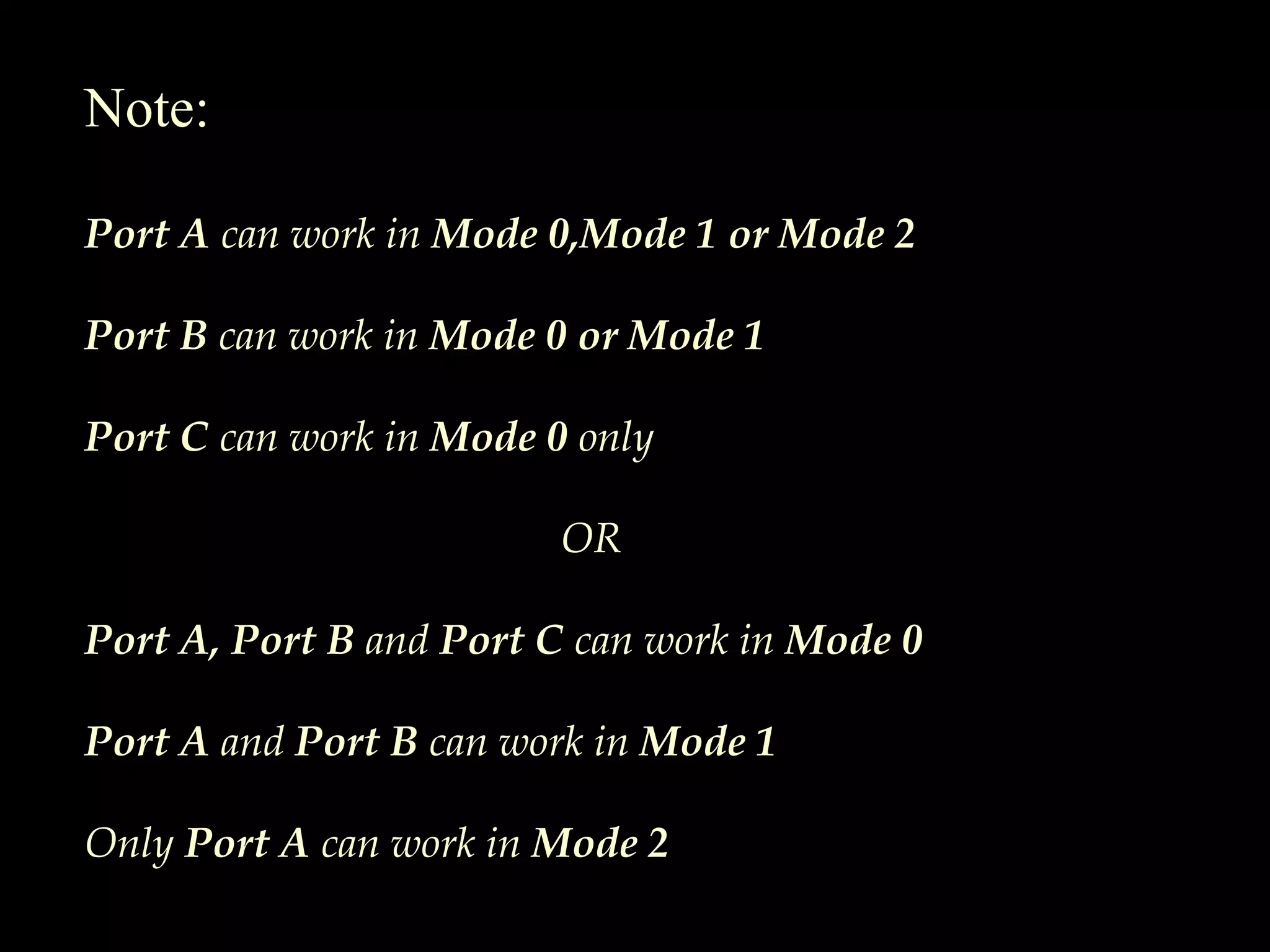
Note:
Port A can work in Mode 0,Mode 1 or Mode 2
Port B can work in Mode 0 or Mode 1
Port C can work in Mode 0 only
OR
Port A, Port B and Port C can work in Mode 0
Port A and Port B can work in Mode 1
Only Port A can work in Mode 2
Control Words
2 control words in 8255:
1.Port C Bit Set /Reset control word
2.Mode Definition control word
1.Port C Bit Set /Reset control word
Used for setting to 1 or resetting to 0 any one selected bit of port C
8255 Mode Definition Control Word
Mode Definition control word is used to configure the ports of 8255 as
input or output in mode 0,mode 1,mode 2

8255 Introduction

  • 1.
    The Programmable PeripheralInterface (8255) By: Sharmila Chidaravalli Asst. Prof. Dept. of ISE, Global Academy of Technology
  • 2.
    Features • Three 8-bitI/O ports PA, PB, PC • PC has two 4-bit ports: PC upper (PCU) and PC lower (PCL) • Programmed in two basic modes: 1.Bit Set/Reset (BSR) mode 2.Input/Output mode • BSR-used to set/reset the bits in Port C • I/O mode –divided into 3 modes 1.Simple I/O 2.I/O with handshake 3.Bi-Directional I/O
  • 3.
    8255 Pin Diagram 8255is a 40 pin Integrated circuit D0 - D7 :Data input/output lines for the device. All information read from and written to the 8255 occurs via these 8 data lines PA0 - PA7 :Port A PB0 - PB7 :Port B PC0 - PC7 :Port C A0 - A1 (Address Inputs) :The logical combination of these two input lines determines which internal register or port of the 8255 data is written to or read from i.e A1 A0 SELECTION 0 0 PORT A 0 1 PORT B 1 0 PORT C 1 1 CONTROL
  • 4.
    8255 Pin Diagram 8255is a 40 pin Integrated circuit CS (Chip Select Input): If this line is a logical 0, the microprocessor can read and write to the 8255 RD (Read Input) :If CS is logical 0 and the RD input is a logical 0, Microprocessor 8255Reads data WR (Write Input) :If CS is a logical 0 and the WR input is a logical 0, data is written to the 8255 Microprocessor 8255Writes data RESET: The 8255 is placed into its reset state if this input line is a logical 1. All peripheral ports are set to the input mode
  • 5.
  • 6.
    8255 Operational Modes Mode0:Simple Input/Output No handshake, port A, B, C(upper part) and C(lower part) can work independently for input/ output. All ports can be used for I/O
  • 7.
    8255 Operational Modes Mode1:Input/Output With Handshake Single handshake, port A, B can be used independently for input/ output, port C is only used for handshaking Port A and port B uses difference sets of pins for Input and Output
  • 8.
    8255 Operational Modes Mode2:Bi-directional Input/Output With Handshake For port A only. Implements bi-directional handshake. Port A uses pins PC3 – PC7 for mode 2; PC0 PC3 depends on‐ which mode port B is in.
  • 9.
    Note: Port A canwork in Mode 0,Mode 1 or Mode 2 Port B can work in Mode 0 or Mode 1 Port C can work in Mode 0 only OR Port A, Port B and Port C can work in Mode 0 Port A and Port B can work in Mode 1 Only Port A can work in Mode 2
  • 10.
    Control Words 2 controlwords in 8255: 1.Port C Bit Set /Reset control word 2.Mode Definition control word 1.Port C Bit Set /Reset control word Used for setting to 1 or resetting to 0 any one selected bit of port C
  • 11.
    8255 Mode DefinitionControl Word Mode Definition control word is used to configure the ports of 8255 as input or output in mode 0,mode 1,mode 2