LOGO
VISUAL CONTROLS - Mieruka
Presented By:
Jude Abreo (81)
Ketan Mokal (82)
Mridu Sharma (83)
1
VISUAL CONTROL
Contents
Introduction1
Visual Control – An Understanding2
Advantages And Limitations3
Conclusion4
2
VISUAL CONTROL
Introduction
 Basic Philosophy
1. Visual elements in a workplace have a tremendous impact on
education, morale, and productivity.
2. A visually dynamic workplace energizes employees, builds
pride and ownership, and conveys the strength and currency
of the organization.
3. Design and graphics, art and color, sculpture and dimension–
all have profound effects.
4. Far from simply “prettying up the office,” they create an
environment of visual stimuli that convey goals and
expectations, that foster a collaborative attitude, and most
important, that cannot be ignored!
3
VISUAL CONTROL
Introduction
 What is Visual control ?
“ One picture is worth a thousand words ”
Visual control are means, devices, or mechanisms that were designed to manage or
control our operations (processes) so as to meet the following purposes:
1. Make the problems, abnormalities, or deviation from standards visible to everyone
and thus corrective action can be taken immediately (Identification).
2. Display the operating or progress status in a easy to see format (Informative).
3. Provide instruction (Instructional).
4. Helps formulate and proliferate plans (Planning).
Thus all visual control devices can be classified as one of ‘3I1P’. (Three I’s and 1 p)
4
VISUAL CONTROL
Visual Control – An Understanding
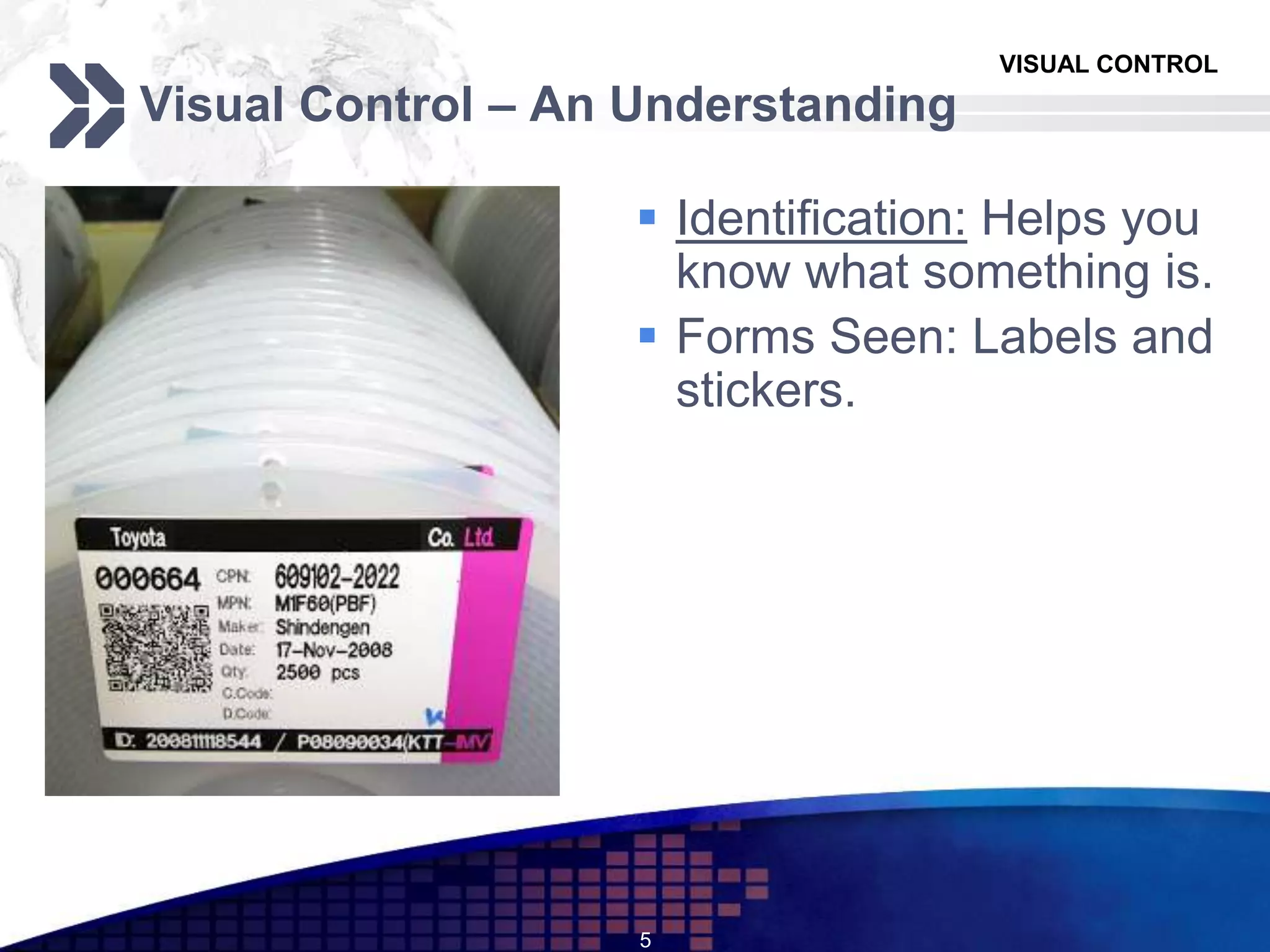
 Identification: Helps you
know what something is.
 Forms Seen: Labels and
stickers.
5
VISUAL CONTROL
Visual Control – An Understanding
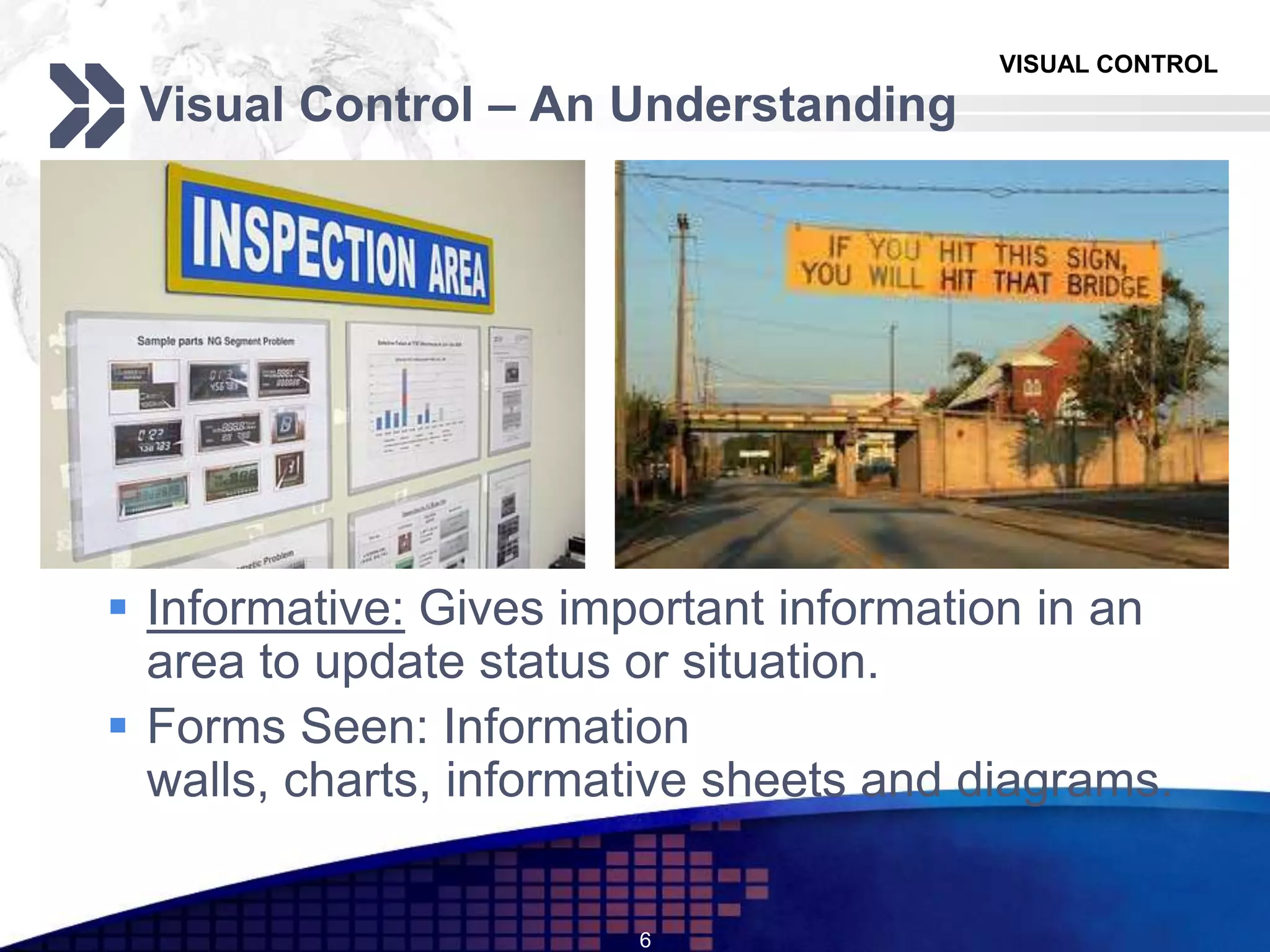
 Informative: Gives important information in an
area to update status or situation.
 Forms Seen: Information
walls, charts, informative sheets and diagrams.
6
VISUAL CONTROL
Visual Control – An Understanding
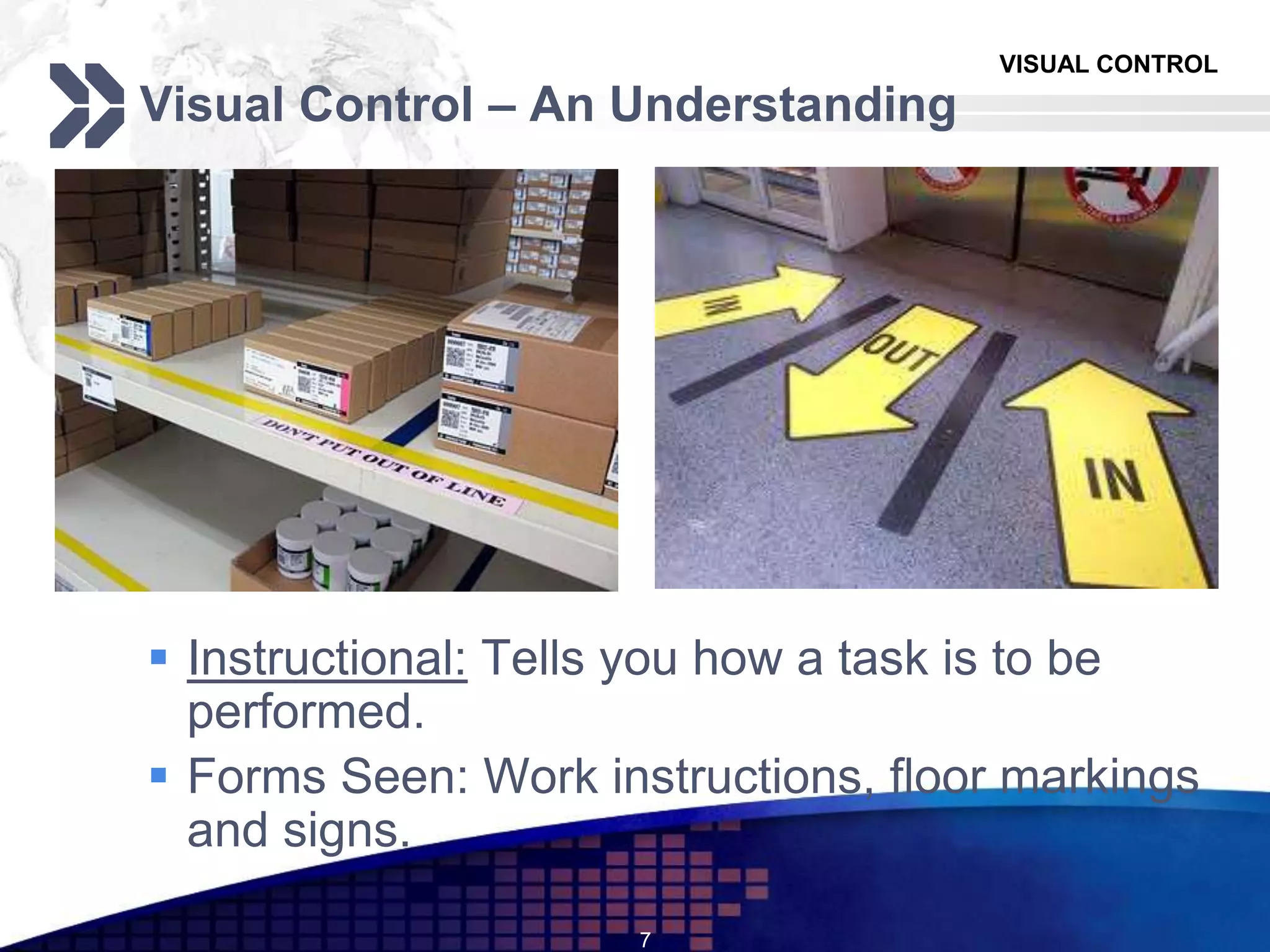
 Instructional: Tells you how a task is to be
performed.
 Forms Seen: Work instructions, floor markings
and signs.
7
VISUAL CONTROL
Visual Control – An Understanding
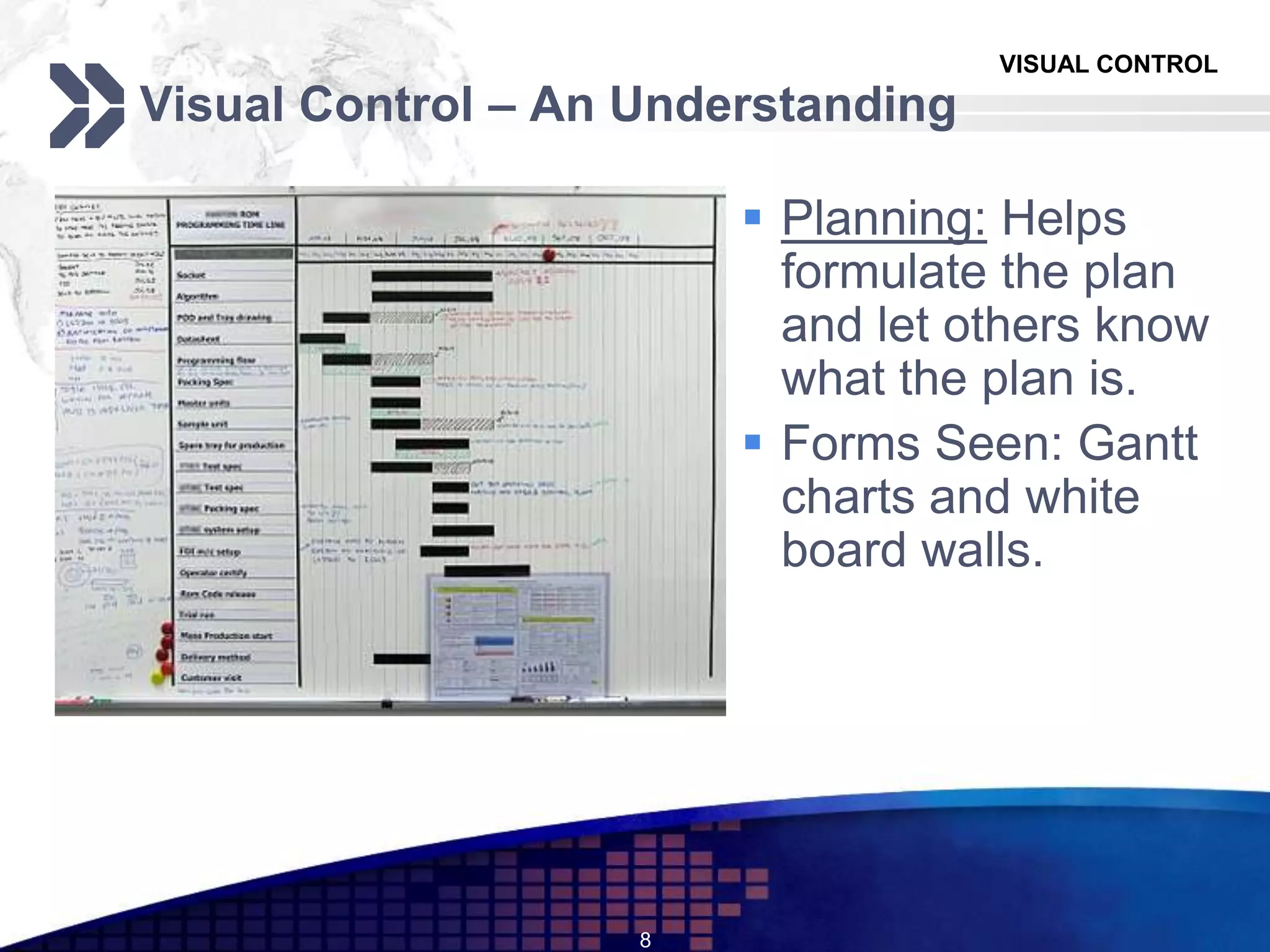
 Planning: Helps
formulate the plan
and let others know
what the plan is.
 Forms Seen: Gantt
charts and white
board walls.
8
VISUAL CONTROL
Visual Control – An Understanding
 Prerequisites
1. Management must believe in openness and transparency.
2. Employees have the ability to observe critically and share their feelings.
3. Regular follow – up at all levels about problems, facts and figures being shared
 Implementation costs
Expenses required are relatively low (expenses for Andons, visual digital displays,
etc.)
 Implementation time
1. Visual controls are extremely easy to implement after 5S program initiation.
2. The 4th S (Standardization) and Visual Control go hand in hand.
9
VISUAL CONTROL
Visual Control – An Understanding
 Applicability / Adaptability
Visual Control is applicable to services, software and even in offices.
 Training Needs
Low training requirements; information is simplified and can be understood
by any one be it top management or line operators.
10
VISUAL CONTROL
Visual Control – An Understanding
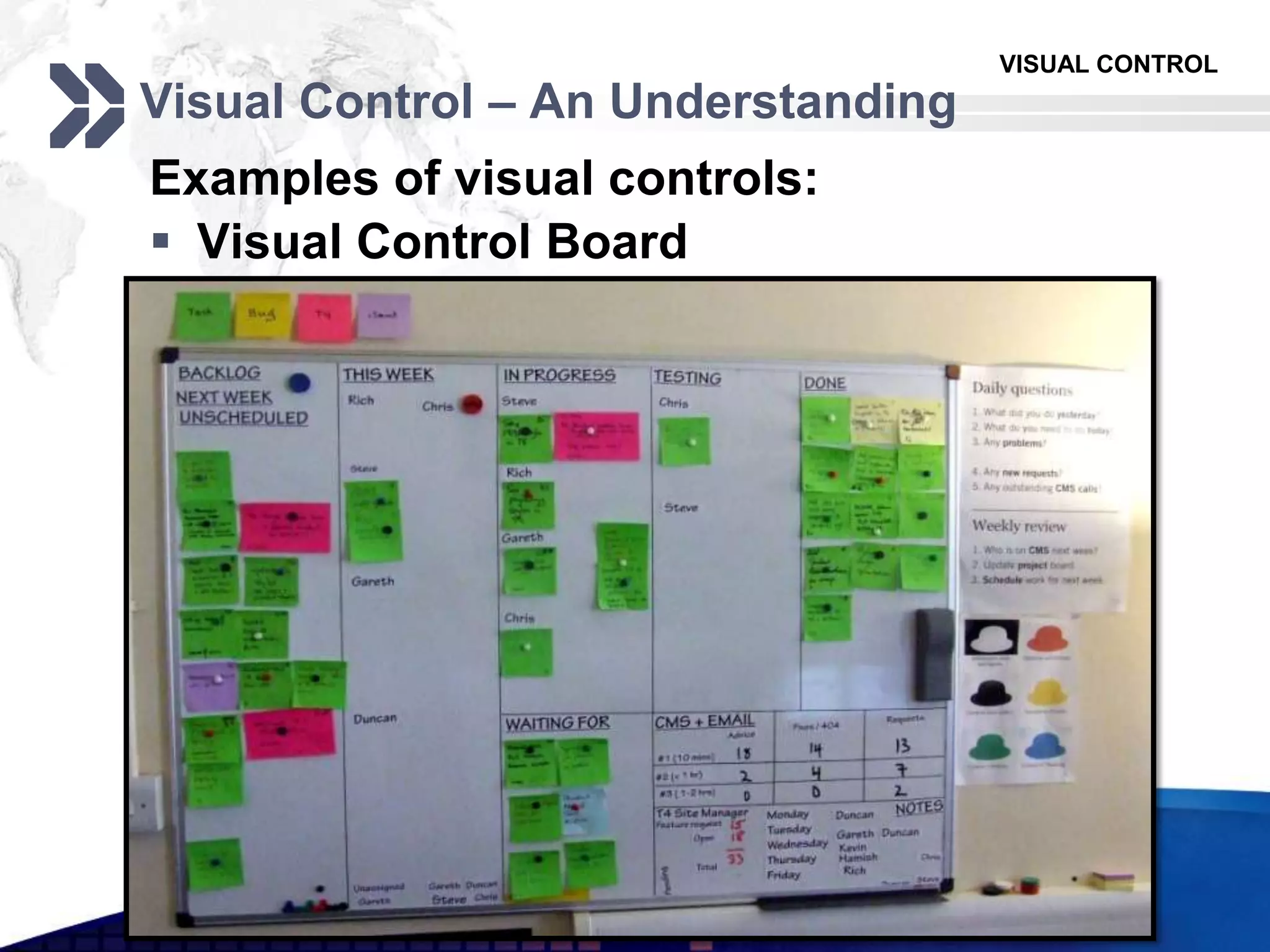
Examples of visual controls:
 Visual Control Board
11
VISUAL CONTROL
Visual Control – An Understanding
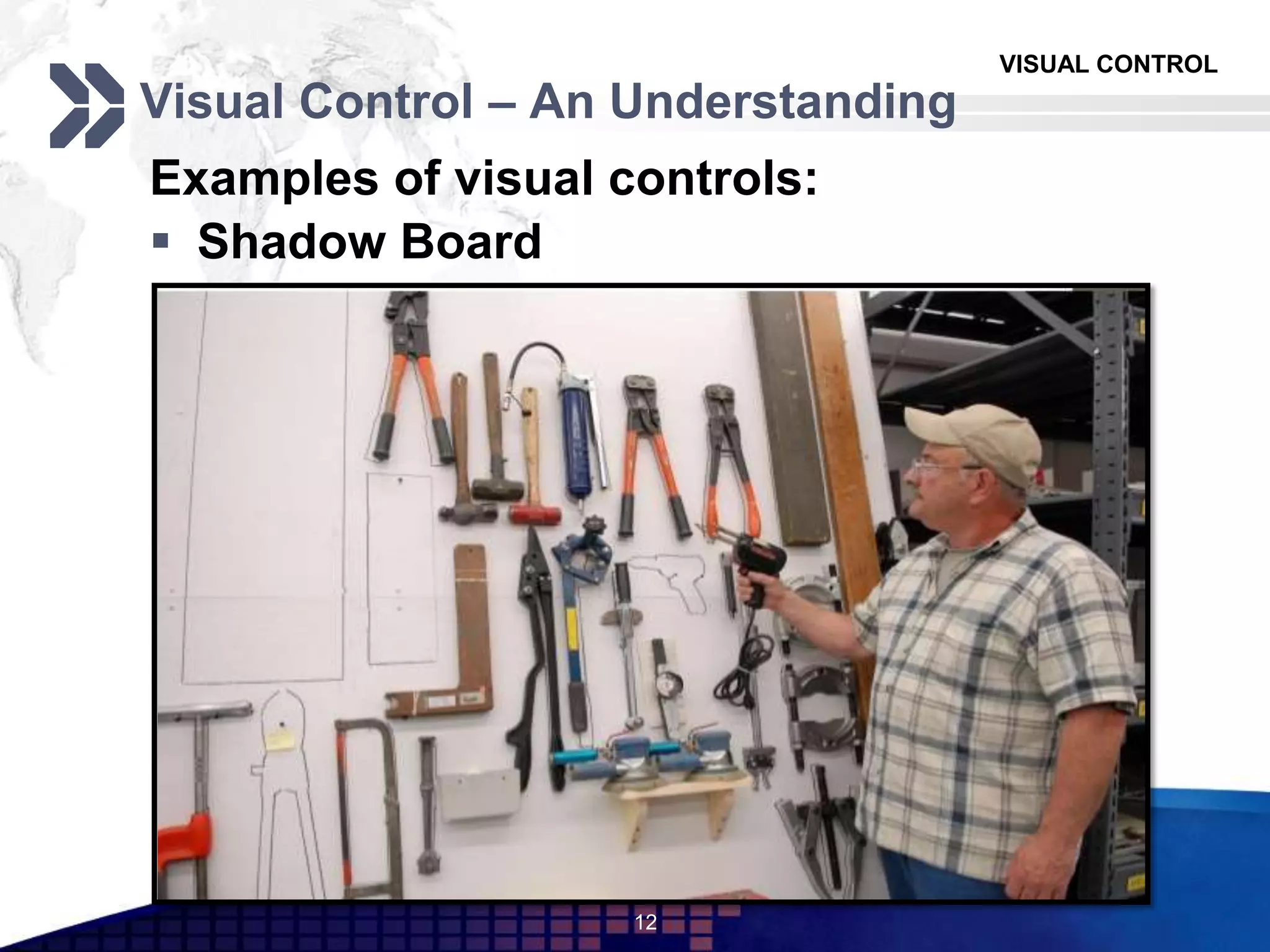
Examples of visual controls:
 Shadow Board
12
VISUAL CONTROL
Visual Control – An Understanding
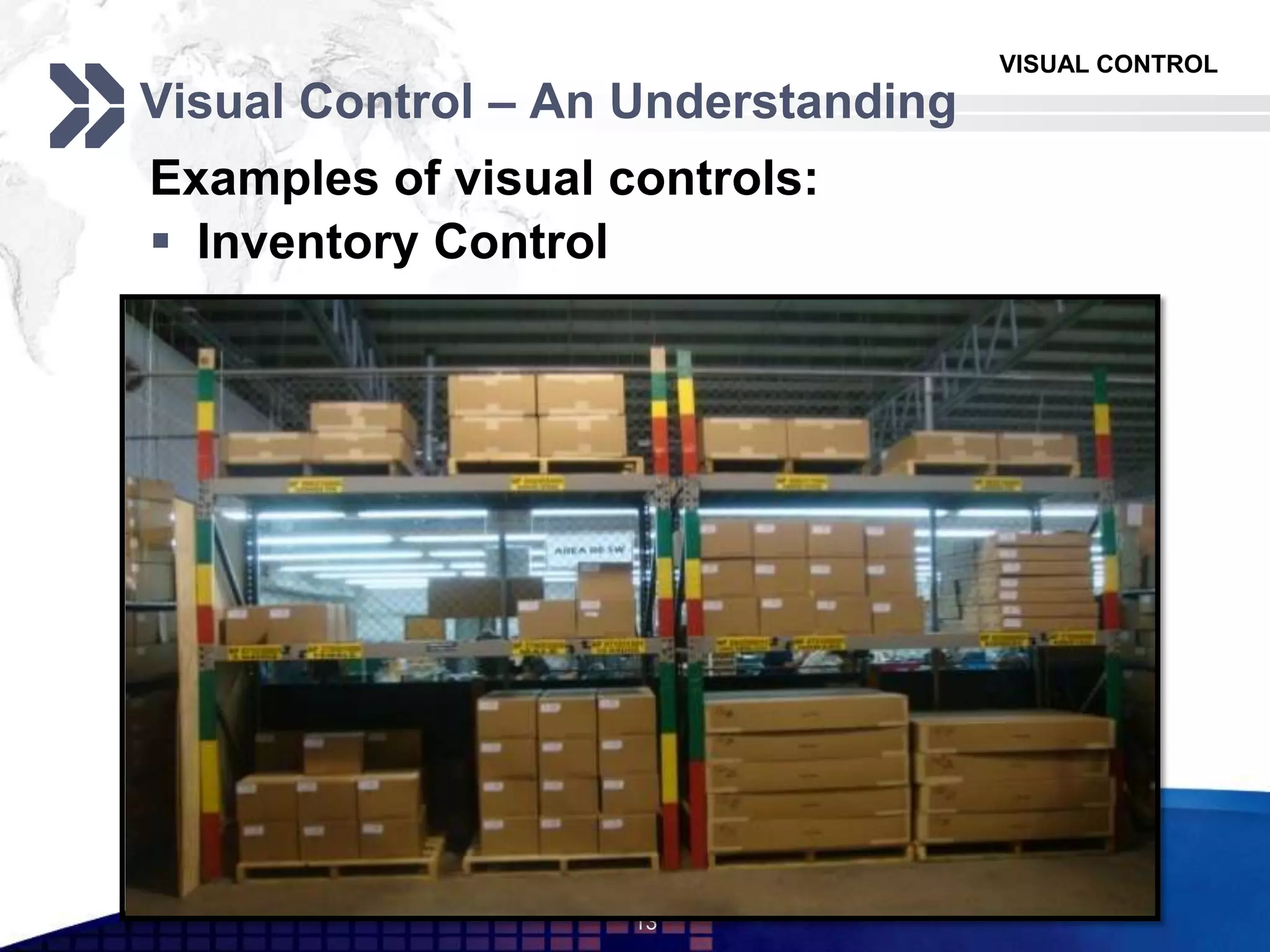
Examples of visual controls:
 Inventory Control
13
VISUAL CONTROL
Visual Control – An Understanding
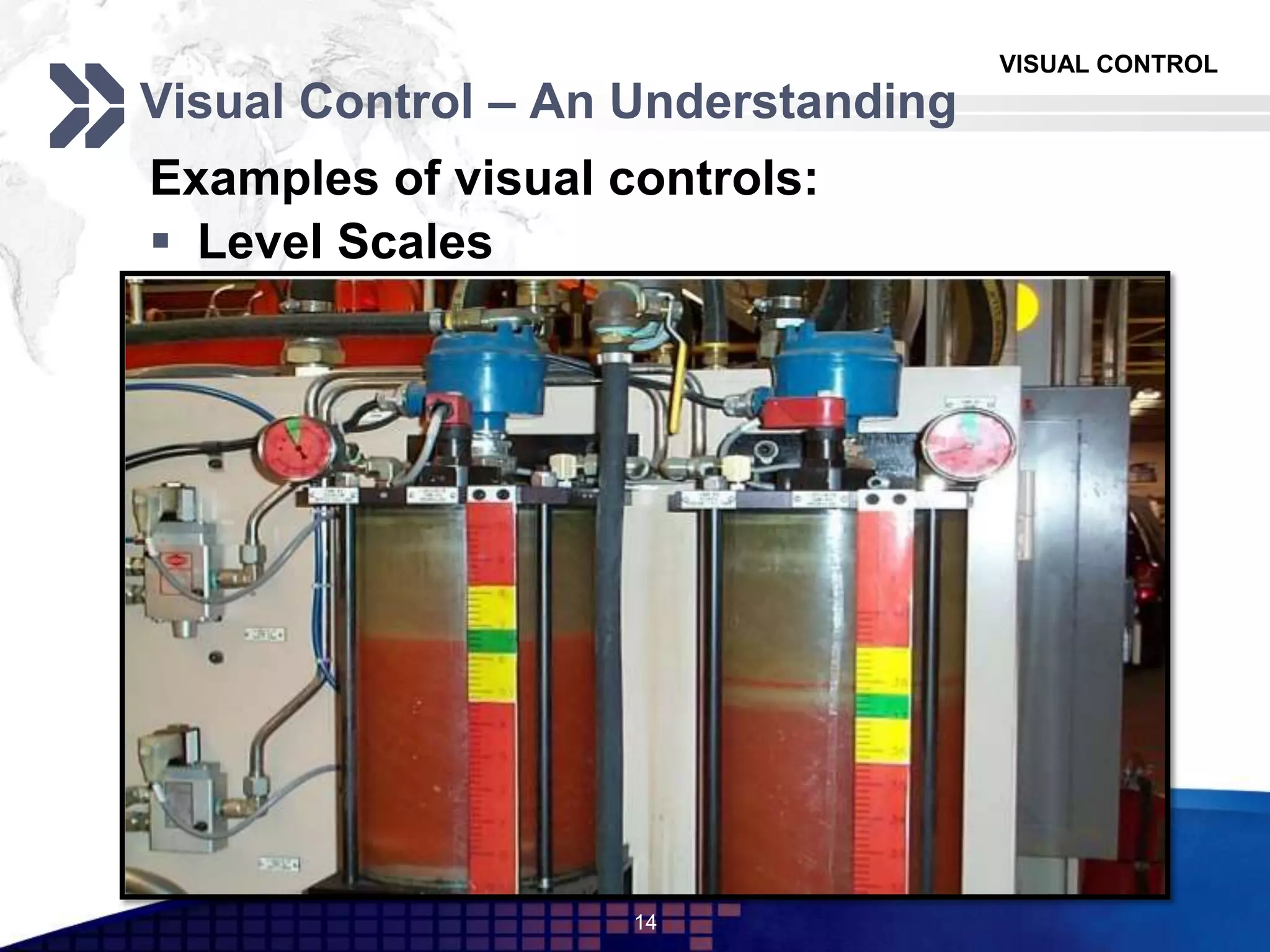
Examples of visual controls:
 Level Scales
14
VISUAL CONTROL
Visual Control – An Understanding
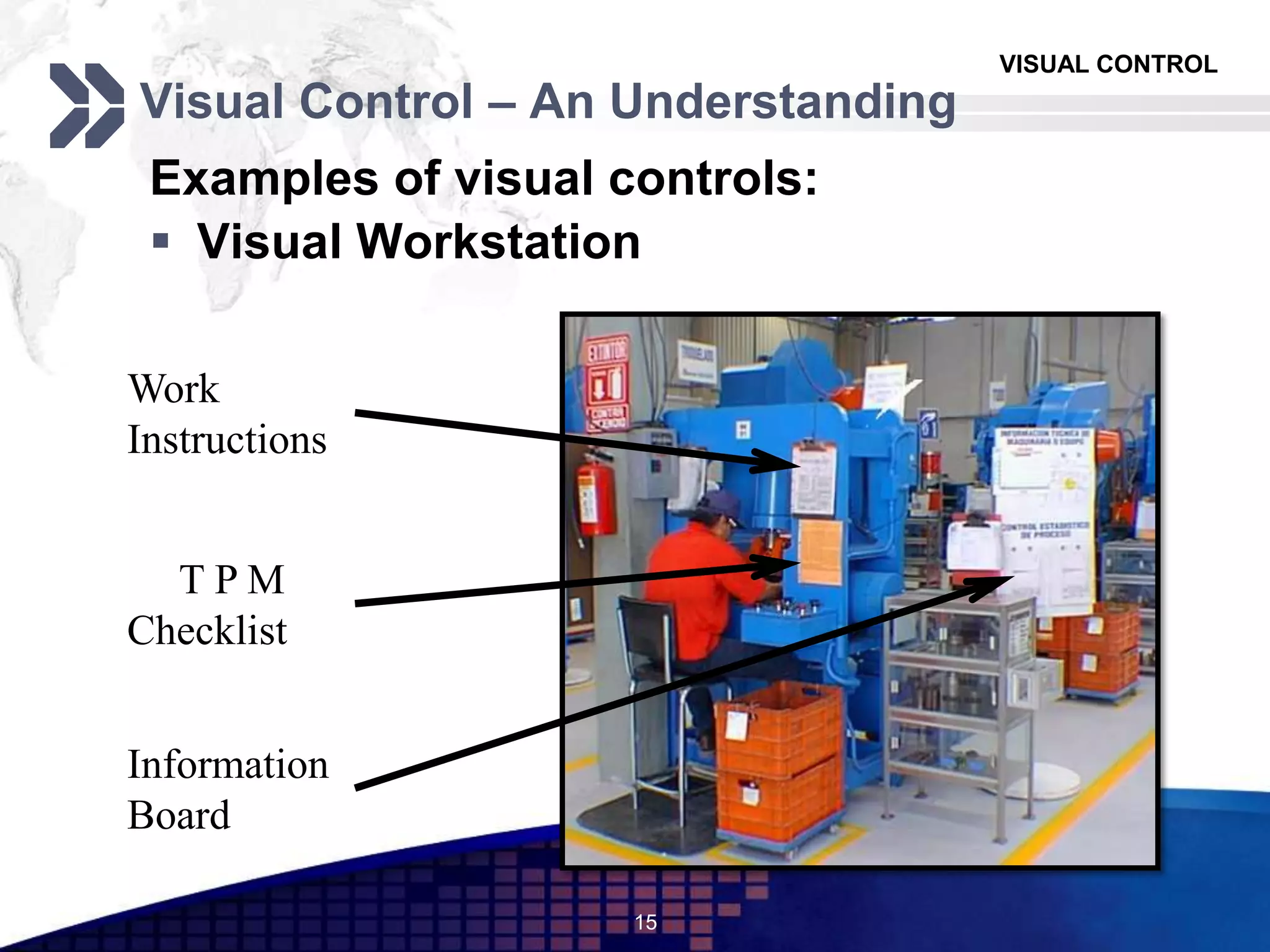
Examples of visual controls:
 Visual Workstation
15
Work
Instructions
Information
Board
T P M
Checklist
VISUAL CONTROL
Visual Control – An Understanding
Examples of visual controls:
 Color Codes
16
VISUAL CONTROL
Visual Control – An Understanding
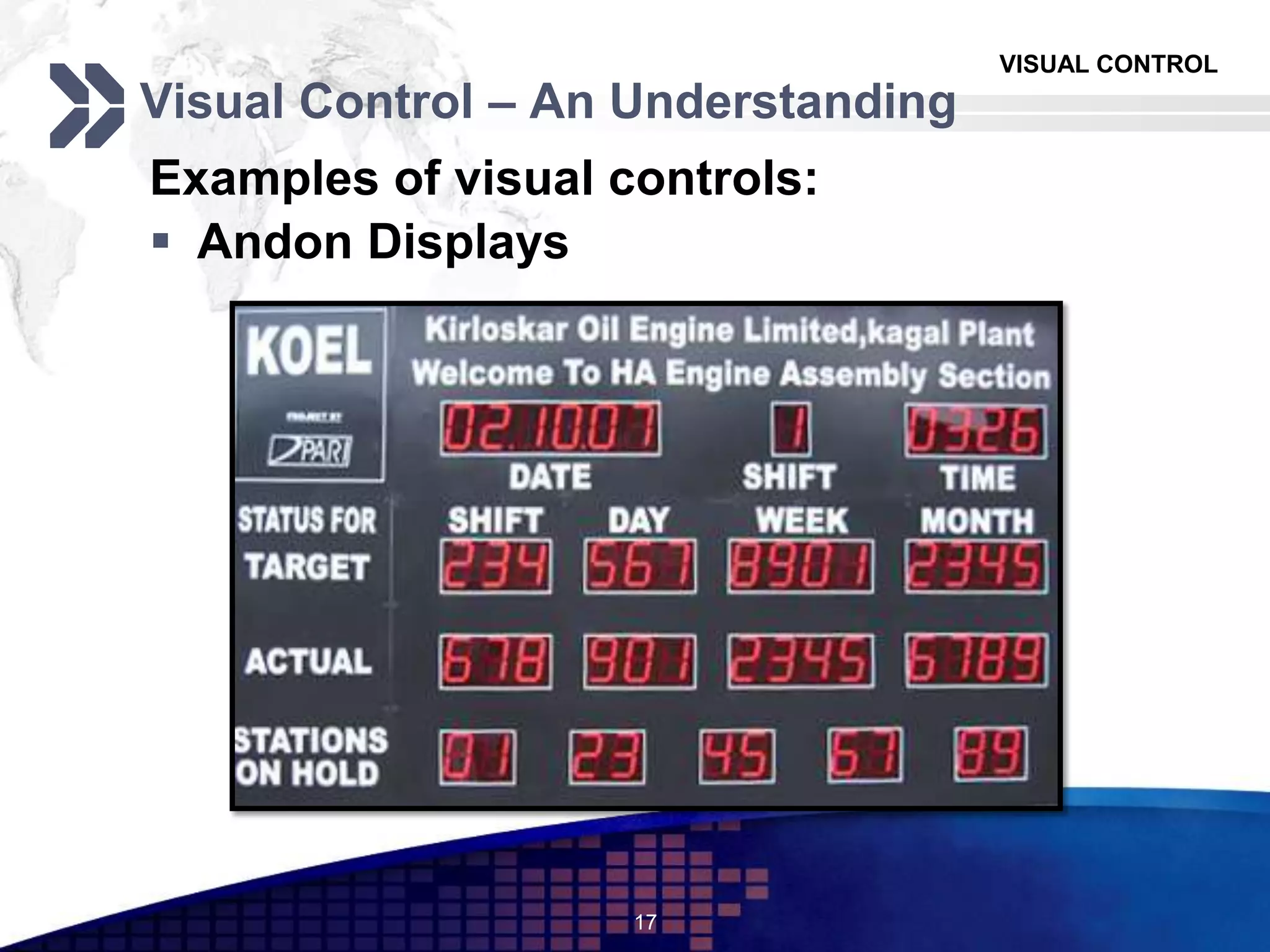
Examples of visual controls:
 Andon Displays
17
VISUAL CONTROL
Visual Control – An Understanding
Examples of visual controls:
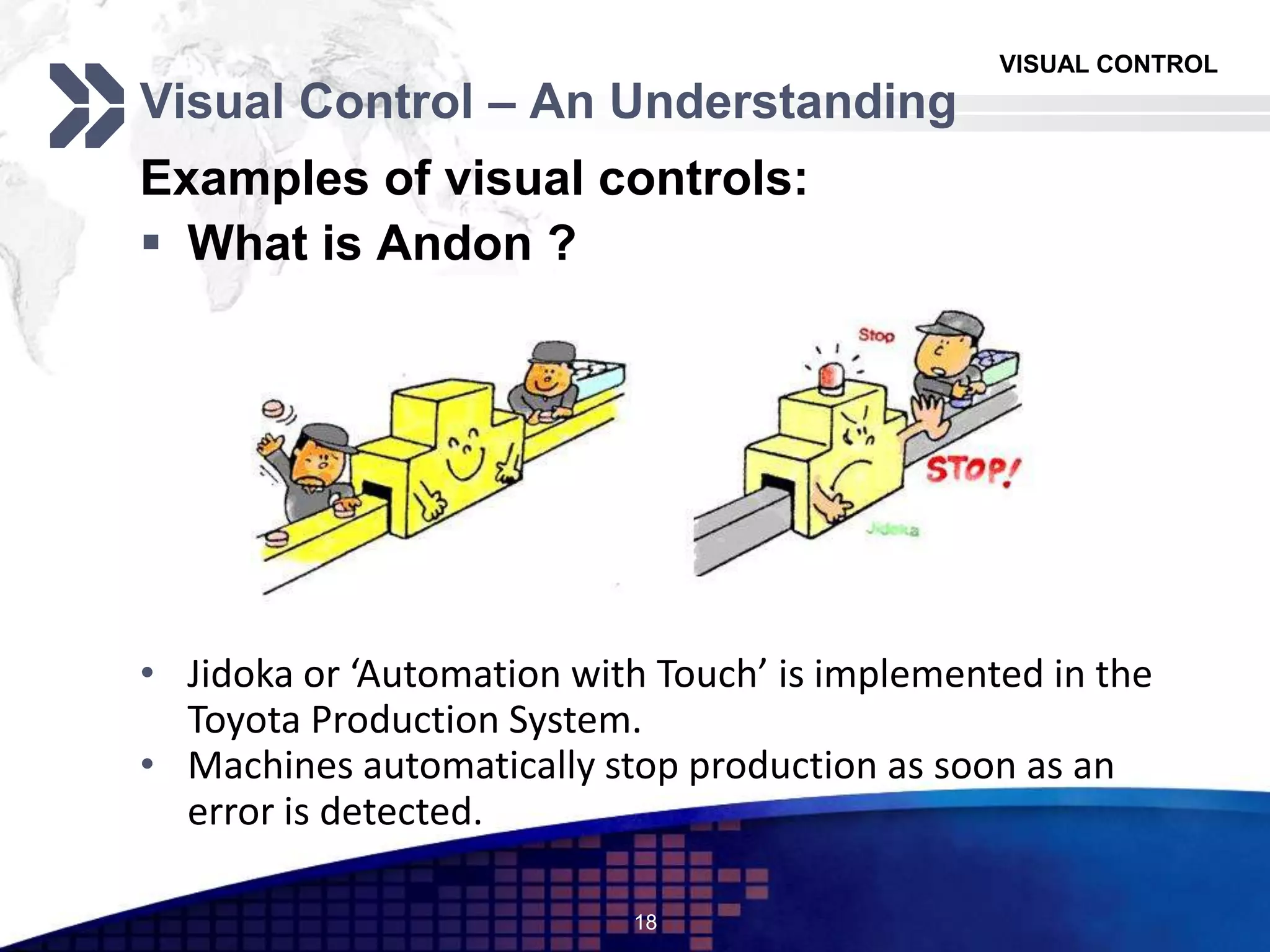
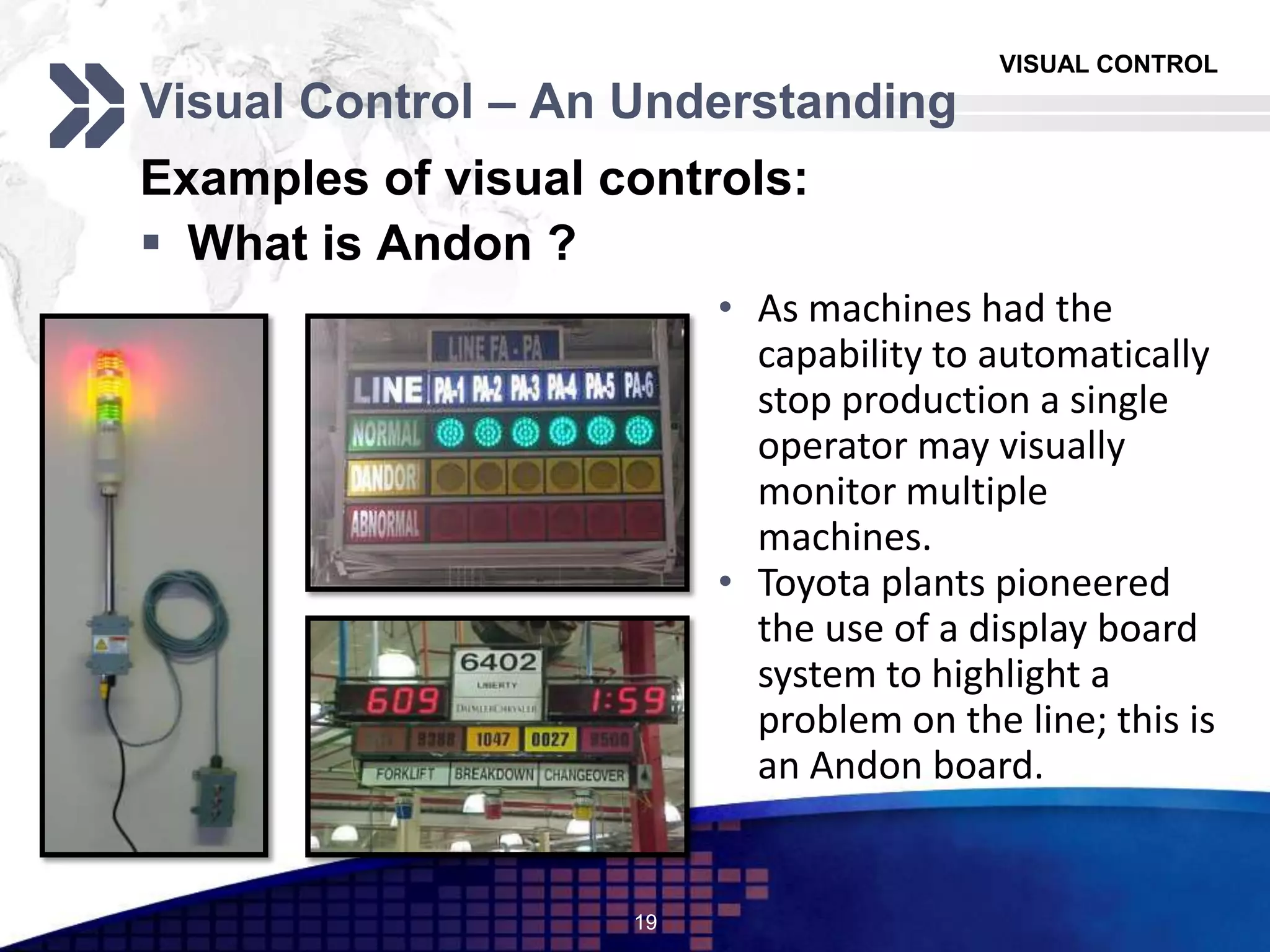
 What is Andon ?
18
• Jidoka or ‘Automation with Touch’ is implemented in the
Toyota Production System.
• Machines automatically stop production as soon as an
error is detected.
VISUAL CONTROL
Visual Control – An Understanding
Examples of visual controls:
 What is Andon ?
19
• As machines had the
capability to automatically
stop production a single
operator may visually
monitor multiple
machines.
• Toyota plants pioneered
the use of a display board
system to highlight a
problem on the line; this is
an Andon board.
VISUAL CONTROL
Advantages and Limitations
 Advantages:
1. Information is easily and quickly understood.
2. Corrective and Preventive actions take lesser time.
3. Increases awareness of supervisory and control personnel.
4. Transparency in working.
5. Attacks lead time, easy inventory management and simplifies line
monitoring.
6. It infuses a sense of pride and self – confidence.
20
VISUAL CONTROL
Advantages and Limitations
 Limitations:
1. People tend to hide the facts if something goes wrong.
2. Detailed information is difficult to display.
3. Improperly designed visual displays may lead to a breakdown in
communication
4. Improperly designed displays may also be a distraction.
21
VISUAL CONTROL
Conclusion
22
The Essence
1. Workplace is able to “speak” with the
help of visual displays.
2. If practiced systematically, will help
implementation of JIT, TQM and SCM
Requirements
1. High levels of Motivation
2. Management’s willingness to openly
display information
The Role
1. Speeds up non – verbal communication
2. Opens up new avenues for
improvement and moral boosting.
3. Makes work safer and easier.
Limitations
1. Require properly designed displays
2. High levels of detail are difficult to
portray.
VISUAL CONTROL
Questions ?
23

Visual Controls - Mieruka

  • 1.
    LOGO VISUAL CONTROLS -Mieruka Presented By: Jude Abreo (81) Ketan Mokal (82) Mridu Sharma (83) 1
  • 2.
    VISUAL CONTROL Contents Introduction1 Visual Control– An Understanding2 Advantages And Limitations3 Conclusion4 2
  • 3.
    VISUAL CONTROL Introduction  BasicPhilosophy 1. Visual elements in a workplace have a tremendous impact on education, morale, and productivity. 2. A visually dynamic workplace energizes employees, builds pride and ownership, and conveys the strength and currency of the organization. 3. Design and graphics, art and color, sculpture and dimension– all have profound effects. 4. Far from simply “prettying up the office,” they create an environment of visual stimuli that convey goals and expectations, that foster a collaborative attitude, and most important, that cannot be ignored! 3
  • 4.
    VISUAL CONTROL Introduction  Whatis Visual control ? “ One picture is worth a thousand words ” Visual control are means, devices, or mechanisms that were designed to manage or control our operations (processes) so as to meet the following purposes: 1. Make the problems, abnormalities, or deviation from standards visible to everyone and thus corrective action can be taken immediately (Identification). 2. Display the operating or progress status in a easy to see format (Informative). 3. Provide instruction (Instructional). 4. Helps formulate and proliferate plans (Planning). Thus all visual control devices can be classified as one of ‘3I1P’. (Three I’s and 1 p) 4
  • 5.
    VISUAL CONTROL Visual Control– An Understanding  Identification: Helps you know what something is.  Forms Seen: Labels and stickers. 5
  • 6.
    VISUAL CONTROL Visual Control– An Understanding  Informative: Gives important information in an area to update status or situation.  Forms Seen: Information walls, charts, informative sheets and diagrams. 6
  • 7.
    VISUAL CONTROL Visual Control– An Understanding  Instructional: Tells you how a task is to be performed.  Forms Seen: Work instructions, floor markings and signs. 7
  • 8.
    VISUAL CONTROL Visual Control– An Understanding  Planning: Helps formulate the plan and let others know what the plan is.  Forms Seen: Gantt charts and white board walls. 8
  • 9.
    VISUAL CONTROL Visual Control– An Understanding  Prerequisites 1. Management must believe in openness and transparency. 2. Employees have the ability to observe critically and share their feelings. 3. Regular follow – up at all levels about problems, facts and figures being shared  Implementation costs Expenses required are relatively low (expenses for Andons, visual digital displays, etc.)  Implementation time 1. Visual controls are extremely easy to implement after 5S program initiation. 2. The 4th S (Standardization) and Visual Control go hand in hand. 9
  • 10.
    VISUAL CONTROL Visual Control– An Understanding  Applicability / Adaptability Visual Control is applicable to services, software and even in offices.  Training Needs Low training requirements; information is simplified and can be understood by any one be it top management or line operators. 10
  • 11.
    VISUAL CONTROL Visual Control– An Understanding Examples of visual controls:  Visual Control Board 11
  • 12.
    VISUAL CONTROL Visual Control– An Understanding Examples of visual controls:  Shadow Board 12
  • 13.
    VISUAL CONTROL Visual Control– An Understanding Examples of visual controls:  Inventory Control 13
  • 14.
    VISUAL CONTROL Visual Control– An Understanding Examples of visual controls:  Level Scales 14
  • 15.
    VISUAL CONTROL Visual Control– An Understanding Examples of visual controls:  Visual Workstation 15 Work Instructions Information Board T P M Checklist
  • 16.
    VISUAL CONTROL Visual Control– An Understanding Examples of visual controls:  Color Codes 16
  • 17.
    VISUAL CONTROL Visual Control– An Understanding Examples of visual controls:  Andon Displays 17
  • 18.
    VISUAL CONTROL Visual Control– An Understanding Examples of visual controls:  What is Andon ? 18 • Jidoka or ‘Automation with Touch’ is implemented in the Toyota Production System. • Machines automatically stop production as soon as an error is detected.
  • 19.
    VISUAL CONTROL Visual Control– An Understanding Examples of visual controls:  What is Andon ? 19 • As machines had the capability to automatically stop production a single operator may visually monitor multiple machines. • Toyota plants pioneered the use of a display board system to highlight a problem on the line; this is an Andon board.
  • 20.
    VISUAL CONTROL Advantages andLimitations  Advantages: 1. Information is easily and quickly understood. 2. Corrective and Preventive actions take lesser time. 3. Increases awareness of supervisory and control personnel. 4. Transparency in working. 5. Attacks lead time, easy inventory management and simplifies line monitoring. 6. It infuses a sense of pride and self – confidence. 20
  • 21.
    VISUAL CONTROL Advantages andLimitations  Limitations: 1. People tend to hide the facts if something goes wrong. 2. Detailed information is difficult to display. 3. Improperly designed visual displays may lead to a breakdown in communication 4. Improperly designed displays may also be a distraction. 21
  • 22.
    VISUAL CONTROL Conclusion 22 The Essence 1.Workplace is able to “speak” with the help of visual displays. 2. If practiced systematically, will help implementation of JIT, TQM and SCM Requirements 1. High levels of Motivation 2. Management’s willingness to openly display information The Role 1. Speeds up non – verbal communication 2. Opens up new avenues for improvement and moral boosting. 3. Makes work safer and easier. Limitations 1. Require properly designed displays 2. High levels of detail are difficult to portray.
  • 23.

Editor's Notes

  • #2 Mieruka means Visualization
  • #4 Education in the form of understanding information quickly
  • #9 Explain Gantt Chart:A chart which visually represents the sub timelines to implement a task as horizontal bars.
  • #12 Tasks are categorized according to time line and color coded as per responsibility
  • #13 No more hunting for tools
  • #14 Items positions are identified with part description and code stickers.Stock levels are maintained with Red-Yellow-Green level indicators
  • #15 Hydraulic fluid level indicators.
  • #22 Eg: A small display for a large audience will not be visible
  • #24 Eg: A small display for a large audience will not be visible