DTD
Introduction
• Stands for Document Type Definition
• Allows to create rules for the elements within
your XML documents
• So, for an XML document to be well-formed, it
needs to use correct XML syntax, and it needs to
conform to its DTD or schema
• Is declared at the top of your XML document
• The actual contents of the DTD can be included
within your XML document or included in
another .dtd document
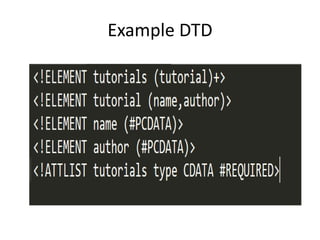
Example DTD
DTD <!DOCTYPE>
• DTD can either be
– internal (written into the same document that it's
being used in)
– external (located in another document).
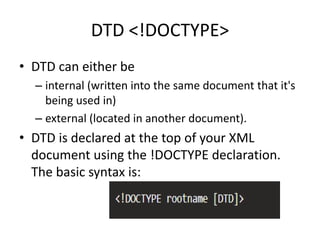
• DTD is declared at the top of your XML
document using the !DOCTYPE declaration.
The basic syntax is:
DTD Variations
• <!DOCTYPE rootname [DTD]>
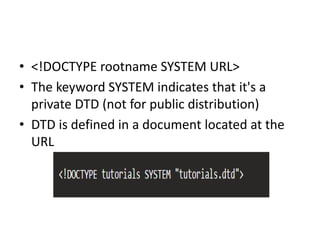
• <!DOCTYPE rootname SYSTEM URL>
• The keyword SYSTEM indicates that it's a
private DTD (not for public distribution)
• DTD is defined in a document located at the
URL
• <!DOCTYPE rootname SYSTEM URL [DTD]>
• The keyword SYSTEM indicates that it's a
private DTD (not for public distribution)
• The presence of URL and [DTD] together
indicates that this is both an external and
internal DTD (part of the DTD is defined in a
document located at the URL, the other part is
defined within the XML document)
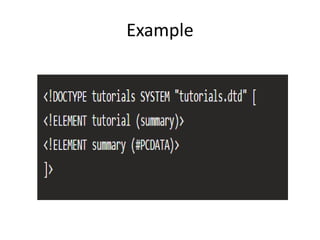
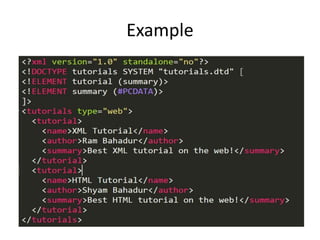
Example
Internal DTD
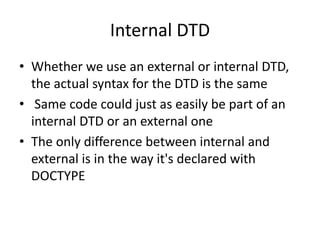
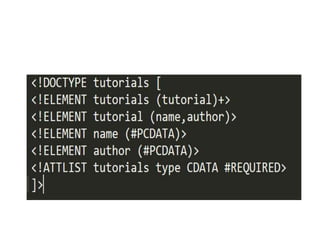
• Whether we use an external or internal DTD,
the actual syntax for the DTD is the same
• Same code could just as easily be part of an
internal DTD or an external one
• The only difference between internal and
external is in the way it's declared with
DOCTYPE
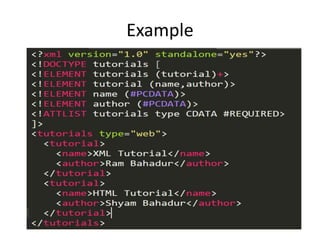
Example
External DTD
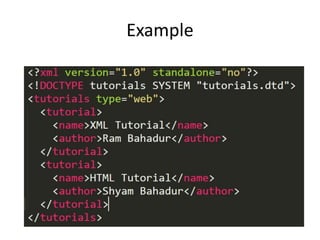
• Is one that resides in a separate document
• To use the external DTD, we need to link to it
from our XML document by providing the URI
of the DTD file
• This URI is in the form of a URL
• The URL can point to a local file using a
relative reference, or a remote one (eg, using
HTTP)
Example
Combined DTD
• Can use both an internal DTD and an external
one at the same time
• This could be useful if you need to adhere to a
common DTD, but also need to define your
own definitions locally
Example
DTD Elements
• Creating a DTD is quite straight forward
• To define an element in your DTD, we use the
<!ELEMENT> declaration
• The actual contents of your <!ELEMENT>
declaration will depend on the syntax rules
you need to apply to your element
Basic Syntax
• <!ELEMENT element_name content_model>
– element_name is the name of the element
– content_model could indicate a specific rule, data
or another element
• If it specifies a rule, it will be set to either ANY or
EMPTY
• If specifies data or another element, the data
type/element name needs to be surrounded by
brackets (i.e. (tutorial) or (#PCDATA))
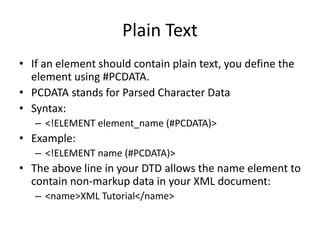
Plain Text
• If an element should contain plain text, you define the
element using #PCDATA.
• PCDATA stands for Parsed Character Data
• Syntax:
– <!ELEMENT element_name (#PCDATA)>
• Example:
– <!ELEMENT name (#PCDATA)>
• The above line in your DTD allows the name element to
contain non-markup data in your XML document:
– <name>XML Tutorial</name>
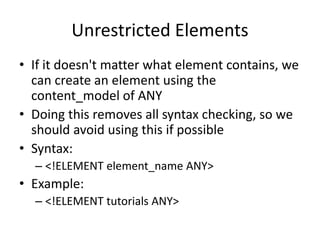
Unrestricted Elements
• If it doesn't matter what element contains, we
can create an element using the
content_model of ANY
• Doing this removes all syntax checking, so we
should avoid using this if possible
• Syntax:
– <!ELEMENT element_name ANY>
• Example:
– <!ELEMENT tutorials ANY>
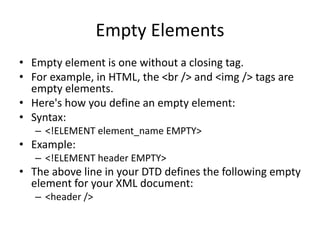
Empty Elements
• Empty element is one without a closing tag.
• For example, in HTML, the <br /> and <img /> tags are
empty elements.
• Here's how you define an empty element:
• Syntax:
– <!ELEMENT element_name EMPTY>
• Example:
– <!ELEMENT header EMPTY>
• The above line in your DTD defines the following empty
element for your XML document:
– <header />
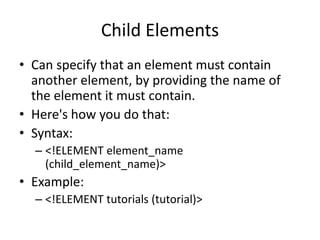
Child Elements
• Can specify that an element must contain
another element, by providing the name of
the element it must contain.
• Here's how you do that:
• Syntax:
– <!ELEMENT element_name
(child_element_name)>
• Example:
– <!ELEMENT tutorials (tutorial)>
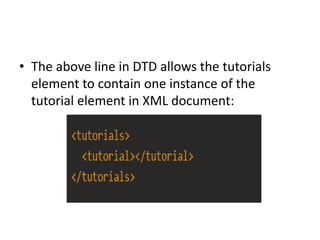
• The above line in DTD allows the tutorials
element to contain one instance of the
tutorial element in XML document:
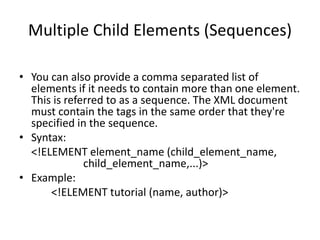
Multiple Child Elements (Sequences)
• You can also provide a comma separated list of
elements if it needs to contain more than one element.
This is referred to as a sequence. The XML document
must contain the tags in the same order that they're
specified in the sequence.
• Syntax:
<!ELEMENT element_name (child_element_name,
child_element_name,...)>
• Example:
<!ELEMENT tutorial (name, author)>
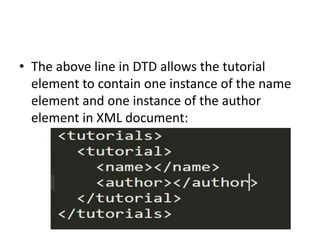
• The above line in DTD allows the tutorial
element to contain one instance of the name
element and one instance of the author
element in XML document:
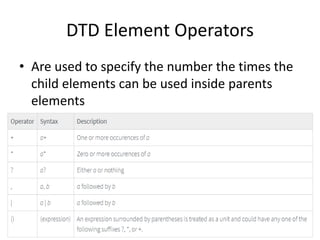
DTD Element Operators
• Are used to specify the number the times the
child elements can be used inside parents
elements
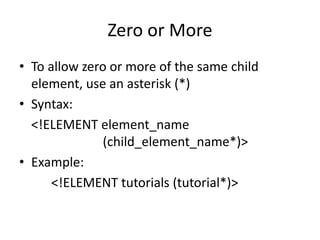
Zero or More
• To allow zero or more of the same child
element, use an asterisk (*)
• Syntax:
<!ELEMENT element_name
(child_element_name*)>
• Example:
<!ELEMENT tutorials (tutorial*)>
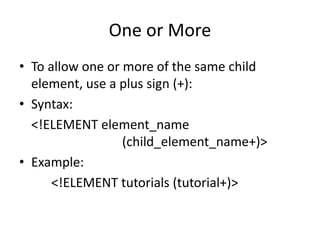
One or More
• To allow one or more of the same child
element, use a plus sign (+):
• Syntax:
<!ELEMENT element_name
(child_element_name+)>
• Example:
<!ELEMENT tutorials (tutorial+)>
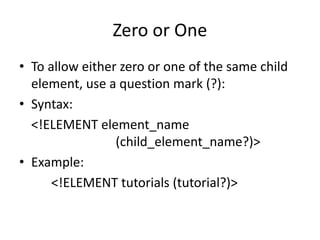
Zero or One
• To allow either zero or one of the same child
element, use a question mark (?):
• Syntax:
<!ELEMENT element_name
(child_element_name?)>
• Example:
<!ELEMENT tutorials (tutorial?)>
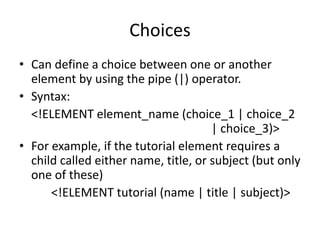
Choices
• Can define a choice between one or another
element by using the pipe (|) operator.
• Syntax:
<!ELEMENT element_name (choice_1 | choice_2
| choice_3)>
• For example, if the tutorial element requires a
child called either name, title, or subject (but only
one of these)
<!ELEMENT tutorial (name | title | subject)>
DTD Operators with Sequences
• Can apply any of the DTD operators to a
sequence:
• Syntax:
<!ELEMENT element_name
(child_element_name dtd_operator,
child_element_name dtd_operator,...)>
• Example:
<!ELEMENT tutorial (name+, author?)>
DTD Attributes
• Just as we need to define all elements in your
DTD, we also need to define any attributes
they use.
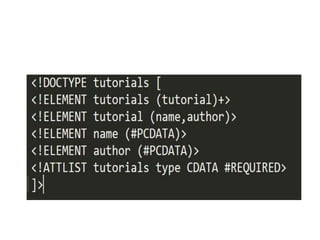
• Use the <!ATTLIST> declaration to define
attributes
• Single <!ATTLIST> declaration to declare all
attributes for a given element
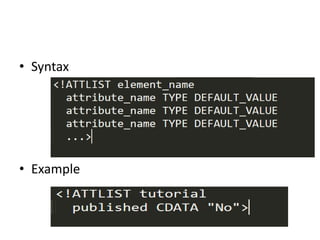
• Syntax
• Example
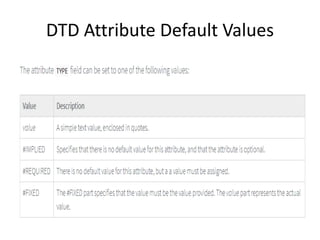
DTD Attribute Default Values

DTD

  • 1.
  • 2.
    Introduction • Stands forDocument Type Definition • Allows to create rules for the elements within your XML documents • So, for an XML document to be well-formed, it needs to use correct XML syntax, and it needs to conform to its DTD or schema • Is declared at the top of your XML document • The actual contents of the DTD can be included within your XML document or included in another .dtd document
  • 3.
  • 4.
    DTD <!DOCTYPE> • DTDcan either be – internal (written into the same document that it's being used in) – external (located in another document). • DTD is declared at the top of your XML document using the !DOCTYPE declaration. The basic syntax is:
  • 5.
  • 6.
    • <!DOCTYPE rootnameSYSTEM URL> • The keyword SYSTEM indicates that it's a private DTD (not for public distribution) • DTD is defined in a document located at the URL
  • 7.
    • <!DOCTYPE rootnameSYSTEM URL [DTD]> • The keyword SYSTEM indicates that it's a private DTD (not for public distribution) • The presence of URL and [DTD] together indicates that this is both an external and internal DTD (part of the DTD is defined in a document located at the URL, the other part is defined within the XML document)
  • 8.
  • 9.
    Internal DTD • Whetherwe use an external or internal DTD, the actual syntax for the DTD is the same • Same code could just as easily be part of an internal DTD or an external one • The only difference between internal and external is in the way it's declared with DOCTYPE
  • 10.
  • 11.
    External DTD • Isone that resides in a separate document • To use the external DTD, we need to link to it from our XML document by providing the URI of the DTD file • This URI is in the form of a URL • The URL can point to a local file using a relative reference, or a remote one (eg, using HTTP)
  • 12.
  • 14.
    Combined DTD • Canuse both an internal DTD and an external one at the same time • This could be useful if you need to adhere to a common DTD, but also need to define your own definitions locally
  • 15.
  • 17.
    DTD Elements • Creatinga DTD is quite straight forward • To define an element in your DTD, we use the <!ELEMENT> declaration • The actual contents of your <!ELEMENT> declaration will depend on the syntax rules you need to apply to your element
  • 18.
    Basic Syntax • <!ELEMENTelement_name content_model> – element_name is the name of the element – content_model could indicate a specific rule, data or another element • If it specifies a rule, it will be set to either ANY or EMPTY • If specifies data or another element, the data type/element name needs to be surrounded by brackets (i.e. (tutorial) or (#PCDATA))
  • 19.
    Plain Text • Ifan element should contain plain text, you define the element using #PCDATA. • PCDATA stands for Parsed Character Data • Syntax: – <!ELEMENT element_name (#PCDATA)> • Example: – <!ELEMENT name (#PCDATA)> • The above line in your DTD allows the name element to contain non-markup data in your XML document: – <name>XML Tutorial</name>
  • 20.
    Unrestricted Elements • Ifit doesn't matter what element contains, we can create an element using the content_model of ANY • Doing this removes all syntax checking, so we should avoid using this if possible • Syntax: – <!ELEMENT element_name ANY> • Example: – <!ELEMENT tutorials ANY>
  • 21.
    Empty Elements • Emptyelement is one without a closing tag. • For example, in HTML, the <br /> and <img /> tags are empty elements. • Here's how you define an empty element: • Syntax: – <!ELEMENT element_name EMPTY> • Example: – <!ELEMENT header EMPTY> • The above line in your DTD defines the following empty element for your XML document: – <header />
  • 22.
    Child Elements • Canspecify that an element must contain another element, by providing the name of the element it must contain. • Here's how you do that: • Syntax: – <!ELEMENT element_name (child_element_name)> • Example: – <!ELEMENT tutorials (tutorial)>
  • 23.
    • The aboveline in DTD allows the tutorials element to contain one instance of the tutorial element in XML document:
  • 24.
    Multiple Child Elements(Sequences) • You can also provide a comma separated list of elements if it needs to contain more than one element. This is referred to as a sequence. The XML document must contain the tags in the same order that they're specified in the sequence. • Syntax: <!ELEMENT element_name (child_element_name, child_element_name,...)> • Example: <!ELEMENT tutorial (name, author)>
  • 25.
    • The aboveline in DTD allows the tutorial element to contain one instance of the name element and one instance of the author element in XML document:
  • 26.
    DTD Element Operators •Are used to specify the number the times the child elements can be used inside parents elements
  • 27.
    Zero or More •To allow zero or more of the same child element, use an asterisk (*) • Syntax: <!ELEMENT element_name (child_element_name*)> • Example: <!ELEMENT tutorials (tutorial*)>
  • 28.
    One or More •To allow one or more of the same child element, use a plus sign (+): • Syntax: <!ELEMENT element_name (child_element_name+)> • Example: <!ELEMENT tutorials (tutorial+)>
  • 29.
    Zero or One •To allow either zero or one of the same child element, use a question mark (?): • Syntax: <!ELEMENT element_name (child_element_name?)> • Example: <!ELEMENT tutorials (tutorial?)>
  • 30.
    Choices • Can definea choice between one or another element by using the pipe (|) operator. • Syntax: <!ELEMENT element_name (choice_1 | choice_2 | choice_3)> • For example, if the tutorial element requires a child called either name, title, or subject (but only one of these) <!ELEMENT tutorial (name | title | subject)>
  • 31.
    DTD Operators withSequences • Can apply any of the DTD operators to a sequence: • Syntax: <!ELEMENT element_name (child_element_name dtd_operator, child_element_name dtd_operator,...)> • Example: <!ELEMENT tutorial (name+, author?)>
  • 32.
    DTD Attributes • Justas we need to define all elements in your DTD, we also need to define any attributes they use. • Use the <!ATTLIST> declaration to define attributes • Single <!ATTLIST> declaration to declare all attributes for a given element
  • 33.
  • 34.