Web 2.0 ToolsA Review of Two Web 2.0 Tools: Blogger and Scoop.ItJ Taylor 2011
Web 2.0 Tools to support online learningReviewing:Scoop.It – an online curation  and ‘social bookmarking’ toolBlogger –  a ‘content management system’Source:  McLoughlin, C. and Lee, M. J. W. (2007) – Social software ad participatory learning: Pedagogical choices with technology affordances in the Web 2.0 era. From: Proceedings ASCILITE, Singapore.
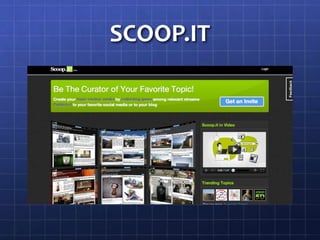
SCOOP.IT
A Little Bit of HistoryScoop.It was launched in November, 2010Designed to be an alternative to blogging which can be time-consuming in terms of posting, etcDesigned to be collaborative and interactiveMain difference from other Social Media supported communities – you follow topics rather than people as on Facebook and TwitterDesigned to curate and share information
Scoop.It FeaturesTopic of the DayAdvice on effective curation and other helpful hintsWhat’s New? – people following your topic (You will find more people whose topics you can follow through this)Statistics for your topic – if you’re interested in stats – (A good way to see how well you’re connecting with your community)Variety of ways to connect with your Personal Learning Network (PLN) – Facebook, Twitter, Linkedin, Wordpress, Tumbler and Google + has just been added – this provides more ways to share information within your online learning community and keep track of the latest on your topic of interest
Explaining Scoop.ItThe following clip is from the blog section of Scoop.It.com (Click on the ‘iPod’ – herehttp://www.youtube.com/watch?v=Bnr6QKKcsII&feature=player_embedded
Why Use Scoop.It?Quick and easy to curate your own topicsAn effective way of sharing information in your online learning communityAccess to a wide range of resources through the topics others curateLinking to other curators from Scoop.Itthrough Facebook, Twitter, etc. Broadens your PLN and expands your knowledge through community curation and sharing
How Easy is Scoop.It to Use?Go to  http://www.scoop.it/ and click on “Get Invite”Within a few days you will have access to the siteUse the Dashboard to begin curating – instructions are available as you work through this process.If you would like to look at my Scoop.It, please click HERE
How Does Scoop.It Support an Online Learning Community?Sharing information on a particular topic that is the focus of your online learning communityBeing able to access a wider range of research through collaboration with others in your groupCommunicating your ideas and understandings through linking to Facebook, Twitter, Linkedin, Wordpress, etcDiscussions within the community itselfBeing able to connect with others who have the same learning needs / interests
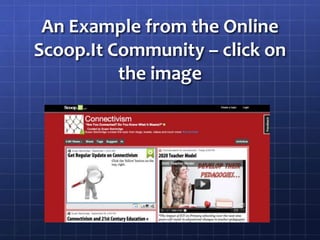
An Example from the Online Scoop.It Community – click on the image
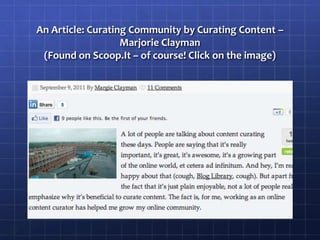
An Article: Curating Community by Curating Content – Marjorie Clayman(Found on Scoop.It – of course! Click on the image)
Advantages of Using Scoop.ItOne place to curate all the resources you find on the web for your topic of interestAn online community of learners could use it as a central resource area to share resources and informationScoop.Itbookmarklet can be added to your bookmarks – click on it when you find something interesting on the webEasy to set up – simple instructions
Advantages continuedSuggests topics for you to ‘Scoop’ – makes finding information easierTopic suggestions speeds up the process of researchOthers can suggest resources on your topic and you can suggest resources to them (builds community interaction)Suggestions often include a summary so you can check relevancyYou can create your own summaries for resources you findEach topic has a unique RSS feed and URL – easier for people to follow your topicA variety of widgets to connect with your blog to widen your community (tools that link the two)
Disadvantages of Using Scoop.ItStill in private beta which means it’s being tested; you need to request an inviteTime to curate; made easier through using the Scoop.Itbookmarklet on your bookmarking toolbarKey words you choose for your topic – you sometimes need to redefine if the suggestions aren’t relevant.  This can be frustrating!Need to take the time to check recommendationsTime, in the initial setting-up phase, to explore all the resources available
Disadvantages contdMulticuration can be set up but it’s fiddly.  You would want to be able to have this feature for an online learning community to make the most of sharing resources.At the moment the suggestion is to set up a Google                account with one password that everyone can use.  This  is fiddly if someone leaves and passwords need to be changed.
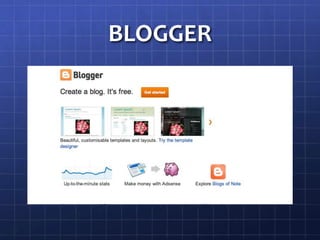
BLOGGER
Explaining BloggerClick on this link if it won’t play: http://www.youtube.com/watch?v=rA4s3wN_vK8
Why Use Blogger? How Easy is it to Use?Easy to set up and start blogging in a few stepsAbility to link to other blogs and websites by adding gadgetsAbility to choose your own designWeb-based and freeEasy to use help section for troubleshootingCan have up to 100 authors
How Does Blogger Support an Online Learning Community?You can have up to 100 users attached to one blog – great if you want to use this as an online learning community blogAll members can contribute to the blog and use it as a reflection tool to develop shared knowledge on a particular topicIt can also become a curation tool through using the sidebars to link to resources to inform teaching and learning practice.
Advantages of Using BloggerNo need to know ‘computer language’ – it’s WYSIWYG (What you see is what you get) – just like writing in Word, etcPrivacy settings can be altered so that only your online community sees the discussionEasy to use the design featuresBlogger help and support are well-organisedWeb-based so it won’t ‘crash’Owned by Google so it’s always being updated with the latest features
Disadvantages of Using BloggerYou need a Google account – not everyone wants oneIt will sometimes ask for a cellphone number to confirm that you’re human. (This can cause problems when setting up multiple accounts for students as it will only allow the one cellphone number to be used a limited amount of times)Blogging can be time consuming and, if you want to build your online learning community, you need to be consistent in your posts to maintain interest and discussion
Disadvantages contdIt can be frustrating if there are few, or no, responses to your postsThis can mean it is hard to develop a true online learning community where ideas and understandings are created and explored
EXAMPLES OF BLOGS TO FOSTER ONLINE LEARNING COMMUNITIES
Blogs to support online learning communitiesThe blog below – click on the link – was a blog used as part of an assignment for EDUX423 in the first semester of 2011 It explored what blogs are and how they can be used to foster an online CoPTO BLOG OR NOT TO BLOG
Blogs as Part of an Online Learning Community to Build New KnowledgeThis was a blog set up by 4 Masters studentsIts purpose was to explore the use of blogs to promote personalised, collaborative lifelong learning, interactivity and student-centred learningIt became our online learning community as we explored our thinking about these purposes and created the knowledge and understandings shared on the blog
Blogs in the ClassroomThe blog linked on this page was my previous class’s learning blogWe used the blog to share and reflect on our learning and to give and receive feedbackThis became our classroom online learning communityTHE TEAM IN ROOM 8
Ways Our Classroom Blog Supported our Online Learning CommunityAnytime, anywhere recording of ideas, reading of others’, responding to and giving feedback, creating knowledge through discussion and sharing of ideasRemoval of the ‘timetable’ – students could communicate and share their thinking and post at anytime – they weren’t restricted to ‘school hours’Helped them to realise that learning happens all the time and is supported with discussion
Why Do We Blog?For an insight into the power of blogging as a tool for an online learning community, please click on the following linkThese are the ideas of the Year 5 and 6 students I taughtTHE TEAM IN ROOM 8
Blogs as a Personal Reflection Tool and as a way to Develop an Online Learning CommunityTHE eLEARNING BUZZThis is an example of a Blogger blogIt is a personal learning blog where teaching and learning is reflected on and ideas shared with othersThe online community aspect comes from the discussions with other ‘like minds’Through this blog I’ve connected with other educators to participate in other online communities of learners
What are your thoughts about these Web 2.0 tools?Do they have potential for use in your learning environments?Do they have potential in your own professional learning?I’m looking forward to discussing these with everyone!

Web 2.0 tools presentation taylor edux432

  • 1.
    Web 2.0 ToolsAReview of Two Web 2.0 Tools: Blogger and Scoop.ItJ Taylor 2011
  • 2.
    Web 2.0 Toolsto support online learningReviewing:Scoop.It – an online curation and ‘social bookmarking’ toolBlogger – a ‘content management system’Source: McLoughlin, C. and Lee, M. J. W. (2007) – Social software ad participatory learning: Pedagogical choices with technology affordances in the Web 2.0 era. From: Proceedings ASCILITE, Singapore.
  • 3.
  • 4.
    A Little Bitof HistoryScoop.It was launched in November, 2010Designed to be an alternative to blogging which can be time-consuming in terms of posting, etcDesigned to be collaborative and interactiveMain difference from other Social Media supported communities – you follow topics rather than people as on Facebook and TwitterDesigned to curate and share information
  • 5.
    Scoop.It FeaturesTopic ofthe DayAdvice on effective curation and other helpful hintsWhat’s New? – people following your topic (You will find more people whose topics you can follow through this)Statistics for your topic – if you’re interested in stats – (A good way to see how well you’re connecting with your community)Variety of ways to connect with your Personal Learning Network (PLN) – Facebook, Twitter, Linkedin, Wordpress, Tumbler and Google + has just been added – this provides more ways to share information within your online learning community and keep track of the latest on your topic of interest
  • 6.
    Explaining Scoop.ItThe followingclip is from the blog section of Scoop.It.com (Click on the ‘iPod’ – herehttp://www.youtube.com/watch?v=Bnr6QKKcsII&feature=player_embedded
  • 7.
    Why Use Scoop.It?Quickand easy to curate your own topicsAn effective way of sharing information in your online learning communityAccess to a wide range of resources through the topics others curateLinking to other curators from Scoop.Itthrough Facebook, Twitter, etc. Broadens your PLN and expands your knowledge through community curation and sharing
  • 8.
    How Easy isScoop.It to Use?Go to http://www.scoop.it/ and click on “Get Invite”Within a few days you will have access to the siteUse the Dashboard to begin curating – instructions are available as you work through this process.If you would like to look at my Scoop.It, please click HERE
  • 9.
    How Does Scoop.ItSupport an Online Learning Community?Sharing information on a particular topic that is the focus of your online learning communityBeing able to access a wider range of research through collaboration with others in your groupCommunicating your ideas and understandings through linking to Facebook, Twitter, Linkedin, Wordpress, etcDiscussions within the community itselfBeing able to connect with others who have the same learning needs / interests
  • 10.
    An Example fromthe Online Scoop.It Community – click on the image
  • 11.
    An Article: CuratingCommunity by Curating Content – Marjorie Clayman(Found on Scoop.It – of course! Click on the image)
  • 12.
    Advantages of UsingScoop.ItOne place to curate all the resources you find on the web for your topic of interestAn online community of learners could use it as a central resource area to share resources and informationScoop.Itbookmarklet can be added to your bookmarks – click on it when you find something interesting on the webEasy to set up – simple instructions
  • 13.
    Advantages continuedSuggests topicsfor you to ‘Scoop’ – makes finding information easierTopic suggestions speeds up the process of researchOthers can suggest resources on your topic and you can suggest resources to them (builds community interaction)Suggestions often include a summary so you can check relevancyYou can create your own summaries for resources you findEach topic has a unique RSS feed and URL – easier for people to follow your topicA variety of widgets to connect with your blog to widen your community (tools that link the two)
  • 14.
    Disadvantages of UsingScoop.ItStill in private beta which means it’s being tested; you need to request an inviteTime to curate; made easier through using the Scoop.Itbookmarklet on your bookmarking toolbarKey words you choose for your topic – you sometimes need to redefine if the suggestions aren’t relevant. This can be frustrating!Need to take the time to check recommendationsTime, in the initial setting-up phase, to explore all the resources available
  • 15.
    Disadvantages contdMulticuration canbe set up but it’s fiddly. You would want to be able to have this feature for an online learning community to make the most of sharing resources.At the moment the suggestion is to set up a Google account with one password that everyone can use. This is fiddly if someone leaves and passwords need to be changed.
  • 16.
  • 17.
    Explaining BloggerClick onthis link if it won’t play: http://www.youtube.com/watch?v=rA4s3wN_vK8
  • 18.
    Why Use Blogger?How Easy is it to Use?Easy to set up and start blogging in a few stepsAbility to link to other blogs and websites by adding gadgetsAbility to choose your own designWeb-based and freeEasy to use help section for troubleshootingCan have up to 100 authors
  • 19.
    How Does BloggerSupport an Online Learning Community?You can have up to 100 users attached to one blog – great if you want to use this as an online learning community blogAll members can contribute to the blog and use it as a reflection tool to develop shared knowledge on a particular topicIt can also become a curation tool through using the sidebars to link to resources to inform teaching and learning practice.
  • 20.
    Advantages of UsingBloggerNo need to know ‘computer language’ – it’s WYSIWYG (What you see is what you get) – just like writing in Word, etcPrivacy settings can be altered so that only your online community sees the discussionEasy to use the design featuresBlogger help and support are well-organisedWeb-based so it won’t ‘crash’Owned by Google so it’s always being updated with the latest features
  • 21.
    Disadvantages of UsingBloggerYou need a Google account – not everyone wants oneIt will sometimes ask for a cellphone number to confirm that you’re human. (This can cause problems when setting up multiple accounts for students as it will only allow the one cellphone number to be used a limited amount of times)Blogging can be time consuming and, if you want to build your online learning community, you need to be consistent in your posts to maintain interest and discussion
  • 22.
    Disadvantages contdIt canbe frustrating if there are few, or no, responses to your postsThis can mean it is hard to develop a true online learning community where ideas and understandings are created and explored
  • 23.
    EXAMPLES OF BLOGSTO FOSTER ONLINE LEARNING COMMUNITIES
  • 24.
    Blogs to supportonline learning communitiesThe blog below – click on the link – was a blog used as part of an assignment for EDUX423 in the first semester of 2011 It explored what blogs are and how they can be used to foster an online CoPTO BLOG OR NOT TO BLOG
  • 25.
    Blogs as Partof an Online Learning Community to Build New KnowledgeThis was a blog set up by 4 Masters studentsIts purpose was to explore the use of blogs to promote personalised, collaborative lifelong learning, interactivity and student-centred learningIt became our online learning community as we explored our thinking about these purposes and created the knowledge and understandings shared on the blog
  • 26.
    Blogs in theClassroomThe blog linked on this page was my previous class’s learning blogWe used the blog to share and reflect on our learning and to give and receive feedbackThis became our classroom online learning communityTHE TEAM IN ROOM 8
  • 27.
    Ways Our ClassroomBlog Supported our Online Learning CommunityAnytime, anywhere recording of ideas, reading of others’, responding to and giving feedback, creating knowledge through discussion and sharing of ideasRemoval of the ‘timetable’ – students could communicate and share their thinking and post at anytime – they weren’t restricted to ‘school hours’Helped them to realise that learning happens all the time and is supported with discussion
  • 28.
    Why Do WeBlog?For an insight into the power of blogging as a tool for an online learning community, please click on the following linkThese are the ideas of the Year 5 and 6 students I taughtTHE TEAM IN ROOM 8
  • 29.
    Blogs as aPersonal Reflection Tool and as a way to Develop an Online Learning CommunityTHE eLEARNING BUZZThis is an example of a Blogger blogIt is a personal learning blog where teaching and learning is reflected on and ideas shared with othersThe online community aspect comes from the discussions with other ‘like minds’Through this blog I’ve connected with other educators to participate in other online communities of learners
  • 30.
    What are yourthoughts about these Web 2.0 tools?Do they have potential for use in your learning environments?Do they have potential in your own professional learning?I’m looking forward to discussing these with everyone!