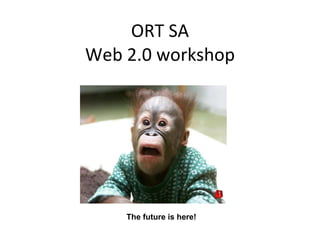
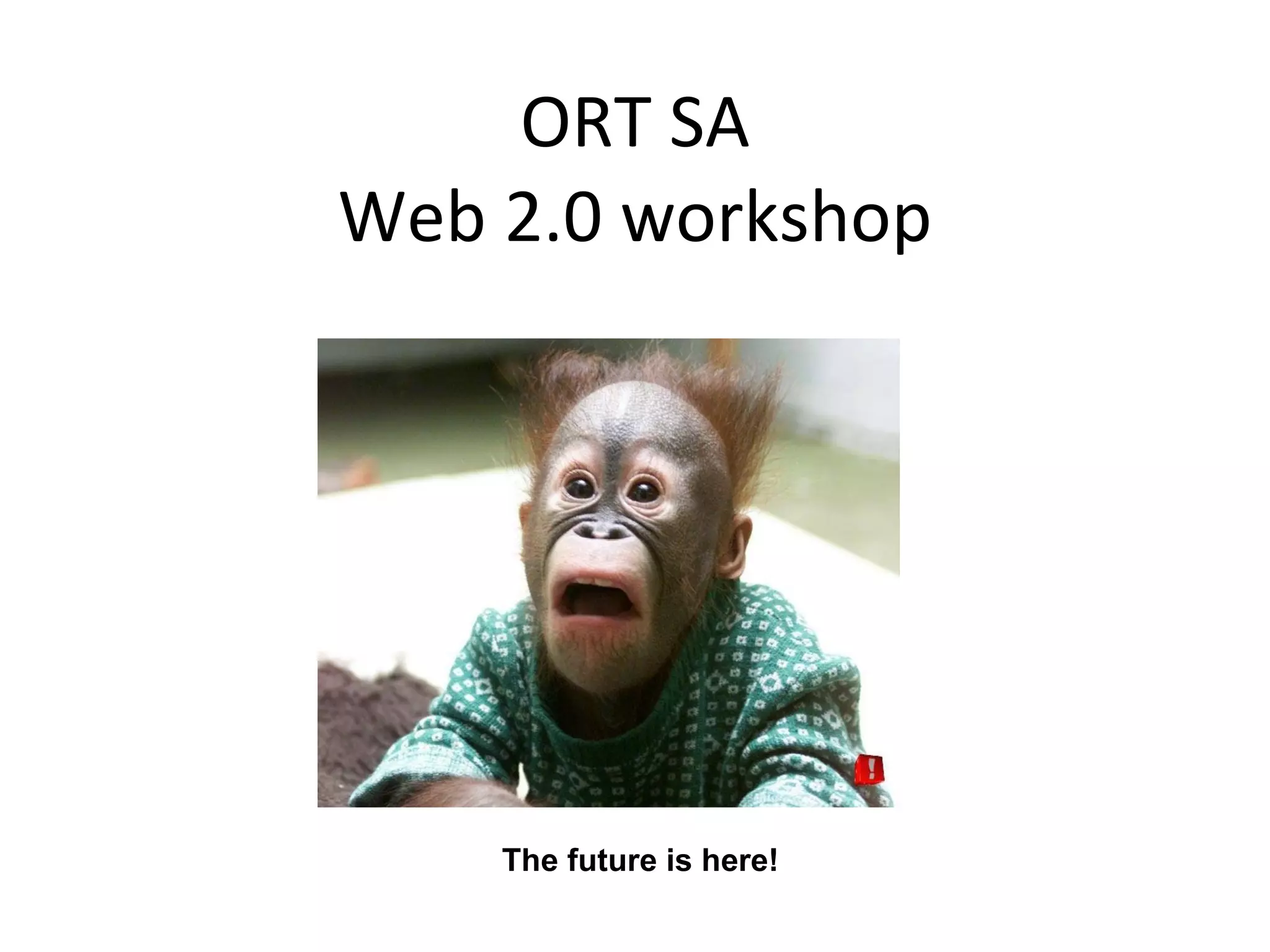
ORT SA Web 2.0 workshop The future is here!
The 5 Commandments (of workshop) Though shall not eat and drink in computer lab Though shall thank KDL- Mr. Stead and Marlene for hosting workshop Though shall commit to use Web 2.0 Though shall not panic! (Facilitator) Though shall not panic ! (Participants)
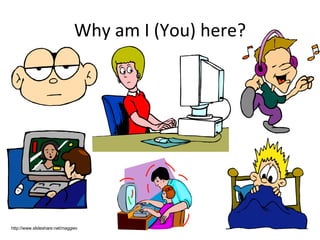
Why am I (You) here? http://www.slideshare.net/maggiev
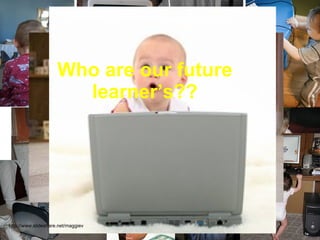
Who are our future learner’s?? http://www.slideshare.net/maggiev
Are we ready  to teach them?? http://www.slideshare.net/maggiev
What is learning in the 21 st  century? http://www.slideshare.net/maggiev
What  skills  and  knowledge  do they need 4 the  future? http://www.slideshare.net/maggiev
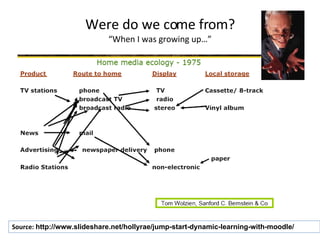
Were do we come from? “When I was growing up…” Source:  http://www.slideshare.net/hollyrae/jump-start-dynamic-learning-with-moodle/
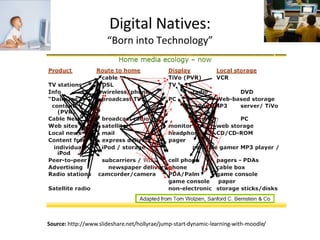
Digital Natives: “Born into Technology” Source:   http://www.slideshare.net/hollyrae/jump-start-dynamic-learning-with-moodle/
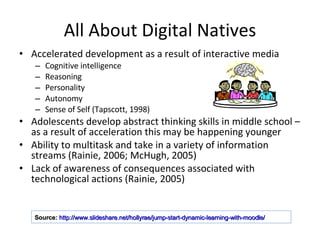
All About Digital Natives Accelerated development as a result of interactive media Cognitive intelligence Reasoning Personality Autonomy Sense of Self (Tapscott, 1998) Adolescents develop abstract thinking skills in middle school – as a result of acceleration this may be happening younger Ability to multitask and take in a variety of information streams (Rainie, 2006; McHugh, 2005) Lack of awareness of consequences associated with technological actions (Rainie, 2005) Source:   http://www.slideshare.net/hollyrae/jump-start-dynamic-learning-with-moodle/
Digital Natives & Neomillenials Think, learn and communicate differently  than digital immigrants (Prensky, 2001, 2004) Have sophisticated learning styles and strengths –  they expect individualized instruction  (Dede, 2005) They need to “look under the hood of something to know how it works” and  consider themselves the authority on technology , rather than their teachers (Tapscott, 1998) Source:   http://www.slideshare.net/hollyrae/jump-start-dynamic-learning-with-moodle/
8 Shifts for Interactive Learning from linear to hypermedia from instruction to construction and discovery from teacher-centered to learner-centered education from absorbing material to learning how to navigate and how to learn from school to lifelong learning from one-size-fits-all to customized learning from learning as torture to learning as fun from the teacher as transmitter to the teacher as facilitator (Tapscott, 1998) Source:   http://www.slideshare.net/hollyrae/jump-start-dynamic-learning-with-moodle/
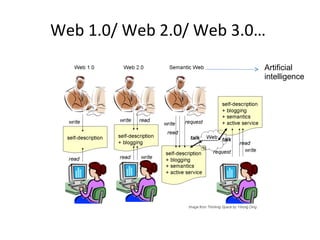
Web 1.0/ Web 2.0/ Web 3.0…  Artificial intelligence
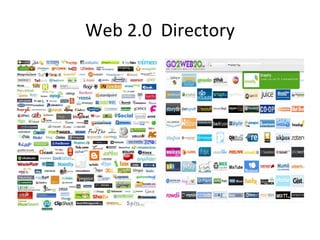
Web 2.0  Directory
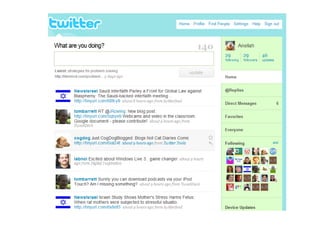
Twitter What is Twitter? Microblogging with update on your current status using up to 140 characters  Why use Twitter? sources of  real-time professional developmen t. Networking with colleagues and friends Sharing challenges.. Seeking help How to use Twitter? Maggie e-tutorial
 
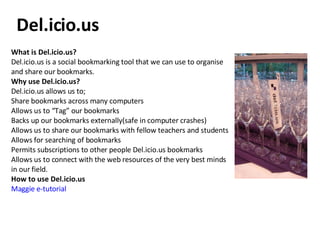
What is Del.icio.us?  Del.icio.us is a social bookmarking tool that we can use to organise and share our bookmarks. Why use Del.icio.us? Del.icio.us allows us to; Share bookmarks across many computers  Allows us to “Tag” our bookmarks  Backs up our bookmarks externally(safe in computer crashes)  Allows us to share our bookmarks with fellow teachers and students  Allows for searching of bookmarks  Permits subscriptions to other people Del.icio.us bookmarks  Allows us to connect with the web resources of the very best minds in our field.  How to use Del.icio.us Maggie e-tutorial Del.icio.us
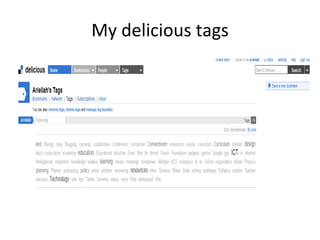
My delicious tags
Blogging Why Should Students Blog? A way to improve their own writing  A just in time learning arena  A place to share  A place for feedback  A motivator  An easy and quick way to web publish.  A way to connect with others and make connections to learning  A way to give students ownership of a personal space. a web site that encourages active engagement by the students and teacher  A place to collaborate  A personal way to include parents in the process  Why should teachers blog? Teachers have always shared their ideas within their own staffroom, but now teachers’ staffroom chat can be more in-depth, more wide-reaching than ever before.  Meanwhile, kids are already discovering the joys of online social networking.  How can education take advantage of this to increase motivation for learning and improve the processes we use to teach and learn? What is blogging? “ Blogs are powerful communication tools. Blogs are powerful publishing tools. But blogging (the verb) is still much more than that to me. Blogging, as in reading and thinking and reflecting and then writing, is connecting and learning.”  Will Richardson How to use blogging? www.learnwithmaggie.ning.com
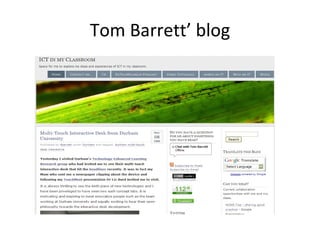
Tom Barrett’ blog
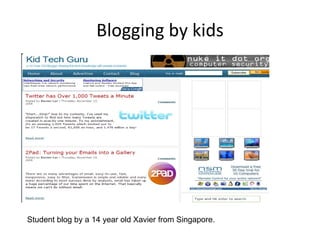
Blogging by kids Student blog by a 14 year old Xavier from Singapore.
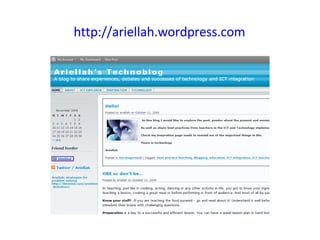
http://ariellah.wordpress.com
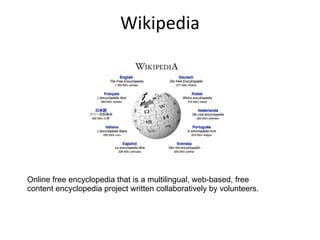
Wikipedia Online free encyclopedia that is a multilingual, web-based, free content encyclopedia project written collaboratively by volunteers.
Wikis What? A wiki is basically a easy to create website where all can contribute, edit, debate and share knowledge. Why? A wiki Allows open editing  Simple formatting  Easy creation of new pages  Equal user roles  Collaborative environment  A space for continual editing and improvement  How? Wikis are very easy to use, simply sign up for one and start typing!!
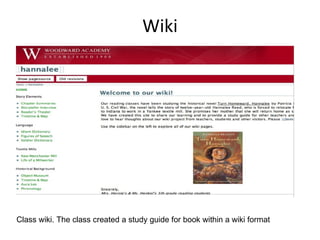
Wiki Class wiki. The class created a study guide for book within a wiki format
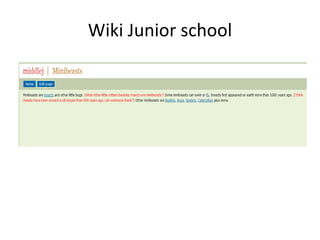
Wiki Junior school
Wikis htttp://saschools.wetpaint.com http://wetpaint.com   http://www.wikispaces.com/
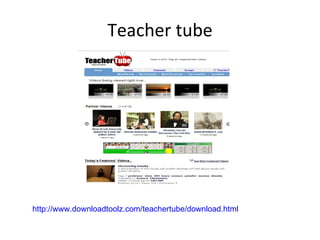
Teacher tube http://www.downloadtoolz.com/teachertube/download.html
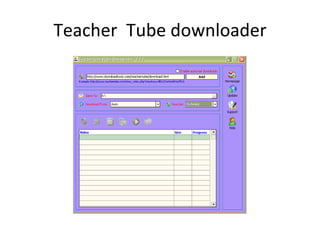
Teacher  Tube downloader
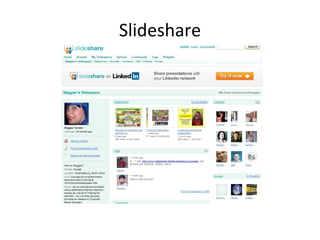
Slideshare
Dr Math on Mxit  Help centre by Mxit for Math Meraka institute – research based  Cell phone – Java enabled Help through the steps! (no given answers)
Social networking for networking purposes Facebook LinkedIn Yahoo Answers
Free open source educational softwares http://os.cqu.edu.au/oswinsdvd/doc/README.html
Learn with maggie.ning.com  www.learnwithmaggie.ning.com
Web 2.0 where to? Keep in touch Click…. Learn… Share Notes on workshop http://ariellah.wordpress.com/   http://www.twitter.com http://www.slideshare.net   http://www.box.net
My learning-scape Blog:  http://ariellah.wordpress.com/   Ariellah Rosenberg: Skype Twitter Delicious Mxit Facebook LinkedIn
Video

Web2.0workshop Nov08

  • 1.
    ORT SA Web2.0 workshop The future is here!
  • 2.
    The 5 Commandments(of workshop) Though shall not eat and drink in computer lab Though shall thank KDL- Mr. Stead and Marlene for hosting workshop Though shall commit to use Web 2.0 Though shall not panic! (Facilitator) Though shall not panic ! (Participants)
  • 3.
    Why am I(You) here? http://www.slideshare.net/maggiev
  • 4.
    Who are ourfuture learner’s?? http://www.slideshare.net/maggiev
  • 5.
    Are we ready to teach them?? http://www.slideshare.net/maggiev
  • 6.
    What is learningin the 21 st century? http://www.slideshare.net/maggiev
  • 7.
    What skills and knowledge do they need 4 the future? http://www.slideshare.net/maggiev
  • 8.
    Were do wecome from? “When I was growing up…” Source: http://www.slideshare.net/hollyrae/jump-start-dynamic-learning-with-moodle/
  • 9.
    Digital Natives: “Borninto Technology” Source: http://www.slideshare.net/hollyrae/jump-start-dynamic-learning-with-moodle/
  • 10.
    All About DigitalNatives Accelerated development as a result of interactive media Cognitive intelligence Reasoning Personality Autonomy Sense of Self (Tapscott, 1998) Adolescents develop abstract thinking skills in middle school – as a result of acceleration this may be happening younger Ability to multitask and take in a variety of information streams (Rainie, 2006; McHugh, 2005) Lack of awareness of consequences associated with technological actions (Rainie, 2005) Source: http://www.slideshare.net/hollyrae/jump-start-dynamic-learning-with-moodle/
  • 11.
    Digital Natives &Neomillenials Think, learn and communicate differently than digital immigrants (Prensky, 2001, 2004) Have sophisticated learning styles and strengths – they expect individualized instruction (Dede, 2005) They need to “look under the hood of something to know how it works” and consider themselves the authority on technology , rather than their teachers (Tapscott, 1998) Source: http://www.slideshare.net/hollyrae/jump-start-dynamic-learning-with-moodle/
  • 12.
    8 Shifts forInteractive Learning from linear to hypermedia from instruction to construction and discovery from teacher-centered to learner-centered education from absorbing material to learning how to navigate and how to learn from school to lifelong learning from one-size-fits-all to customized learning from learning as torture to learning as fun from the teacher as transmitter to the teacher as facilitator (Tapscott, 1998) Source: http://www.slideshare.net/hollyrae/jump-start-dynamic-learning-with-moodle/
  • 13.
    Web 1.0/ Web2.0/ Web 3.0… Artificial intelligence
  • 14.
    Web 2.0 Directory
  • 15.
    Twitter What isTwitter? Microblogging with update on your current status using up to 140 characters Why use Twitter? sources of real-time professional developmen t. Networking with colleagues and friends Sharing challenges.. Seeking help How to use Twitter? Maggie e-tutorial
  • 16.
  • 17.
    What is Del.icio.us? Del.icio.us is a social bookmarking tool that we can use to organise and share our bookmarks. Why use Del.icio.us? Del.icio.us allows us to; Share bookmarks across many computers Allows us to “Tag” our bookmarks Backs up our bookmarks externally(safe in computer crashes) Allows us to share our bookmarks with fellow teachers and students Allows for searching of bookmarks Permits subscriptions to other people Del.icio.us bookmarks Allows us to connect with the web resources of the very best minds in our field. How to use Del.icio.us Maggie e-tutorial Del.icio.us
  • 18.
  • 19.
    Blogging Why ShouldStudents Blog? A way to improve their own writing A just in time learning arena A place to share A place for feedback A motivator An easy and quick way to web publish. A way to connect with others and make connections to learning A way to give students ownership of a personal space. a web site that encourages active engagement by the students and teacher A place to collaborate A personal way to include parents in the process Why should teachers blog? Teachers have always shared their ideas within their own staffroom, but now teachers’ staffroom chat can be more in-depth, more wide-reaching than ever before. Meanwhile, kids are already discovering the joys of online social networking. How can education take advantage of this to increase motivation for learning and improve the processes we use to teach and learn? What is blogging? “ Blogs are powerful communication tools. Blogs are powerful publishing tools. But blogging (the verb) is still much more than that to me. Blogging, as in reading and thinking and reflecting and then writing, is connecting and learning.” Will Richardson How to use blogging? www.learnwithmaggie.ning.com
  • 20.
  • 21.
    Blogging by kidsStudent blog by a 14 year old Xavier from Singapore.
  • 22.
  • 23.
    Wikipedia Online freeencyclopedia that is a multilingual, web-based, free content encyclopedia project written collaboratively by volunteers.
  • 24.
    Wikis What? Awiki is basically a easy to create website where all can contribute, edit, debate and share knowledge. Why? A wiki Allows open editing Simple formatting Easy creation of new pages Equal user roles Collaborative environment A space for continual editing and improvement How? Wikis are very easy to use, simply sign up for one and start typing!!
  • 25.
    Wiki Class wiki.The class created a study guide for book within a wiki format
  • 26.
  • 27.
  • 28.
  • 29.
    Teacher Tubedownloader
  • 30.
  • 31.
    Dr Math onMxit Help centre by Mxit for Math Meraka institute – research based Cell phone – Java enabled Help through the steps! (no given answers)
  • 32.
    Social networking fornetworking purposes Facebook LinkedIn Yahoo Answers
  • 33.
    Free open sourceeducational softwares http://os.cqu.edu.au/oswinsdvd/doc/README.html
  • 34.
    Learn with maggie.ning.com www.learnwithmaggie.ning.com
  • 35.
    Web 2.0 whereto? Keep in touch Click…. Learn… Share Notes on workshop http://ariellah.wordpress.com/ http://www.twitter.com http://www.slideshare.net http://www.box.net
  • 36.
    My learning-scape Blog: http://ariellah.wordpress.com/ Ariellah Rosenberg: Skype Twitter Delicious Mxit Facebook LinkedIn
  • 37.