Interactive Data
Visualization
Part of the Digital Media 3-Pack
NEW 300 (undergrad), 600 (grad)
Spring 2015
Tuesdays 12:30-3:15P.M.
NEWHOUSE 3, 253
About Me
• Horvitz Chair in Journalism Innovation.
• “Born digital” journalist.
• Digital journalist, product manager, startup
founder, dad, geek.
• And now, teacher!
My path …
• 1994 - The Denver Post (reporter)
• 1996 - Washingtonpost.com (launch team)
• 1998 - America Online (social networking products)
• 2004 - The Bakersfield Californian (new products)
• 2007 – Printcasting (funded startup)
• 2010 - BookBrewer (bootstrap startup)
Digital
sherpa
I want to help you get up
that mountain.
I can show you the way and
maybe carry some of your
stuff, but I can’t carry you.
We learn by doing.
Photo by: McKay Savage WikiMedia Commons
Introductions
• Now let’s have you introduce yourself ….
DATAVIZ STYLE!
• Go to “introduce yourself as data” on
Journovationsu.org.
FTP login info
• Host: ftp.journovationsu.org
• User: dataviz
• Password: (find in Blackboard)
Use this for uploading files that you reference in HTML code in the
future. The full path to files will be:
http://journovationsu.org/dataviz_s2015/ followed by folders and
files you upload. (Don’t worry if this baffles you now – it will all
make sense later).
Cyberduck!
• The FTP client we
will use on Mac
labs.
• Search at upper
right on Mac,
Cyberduck.
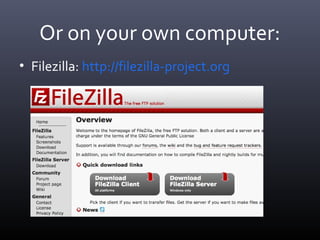
Or on your own computer:
• Filezilla: http://filezilla-project.org
FTP housekeeping
Make sure you:
•Don’t upload over someone else’s file.
•Create a folder for your assignment, then
upload the entire folder.
•Have your own FTP / web host? Feel free to use
it instead of the class FTP.
Roll call – choose a question
1. Your Name and major
2. Answer one of the following:
•If you were a super hero or comic strip character, who
would you be and why?
•What is one food you’d never want to taste again?
•If you had a time machine, where and when would you go?
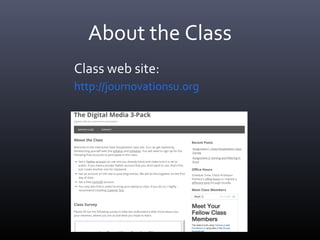
About the Class
http://journovationsu.org
Class web site:
Sometimes Blackboard
• Bare-bones Blackboard site.
• Only used for turning in assignments.
(Fair disclosure: I HATE Blackboard).
Review Syllabus
• Open it from http://journovationsu.org
• Choose menu Dataviz Class > Syllabus.
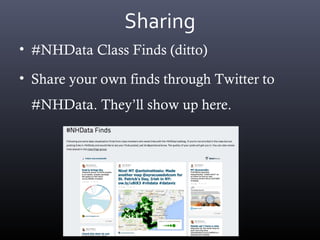
Sharing
• #NHData Class Finds (ditto)
• Share your own finds through Twitter to
#NHData. They’ll show up here.
Expectations
• Attend every class and arrive on time.
• One absence allowed no questions asked. After
that, final grade goes down a half letter grade
for each unexcused absence.
• Turn in each assignment by the due date:
usually Friday or Monday nights depending on
when it’s assigned. Dates in are Blackboard.
Workload
• This is going to be a very intense 5 weeks.
• Expect at least 6 hours of reading and homework outside
of class each week.
• You will be challenged. You will often get frustrated. This
is normal! If you don’t give up, getting past the frustration
points is where you learn the most.
• Most who think they don’t understand a concept actually
made it 80-90% through.
If you get stuck
• Reach out for help! OFFICE HOURS.
• For more technical assignments, you don’t “fail” if you get
stuck as long as you do the following. In your blog post,
document what you tried, where you got stuck and what
you tried to get unstuck.
• The next class will start with a call for help.
• You can also reach out for help on Twitter, web forums and
by just Googling around.
Grade Breakdown
• 40% - Assignments - 80 points possible from 8 assignments,
worth 10 points each.
• 40% - Final Project - 80 points possible.
• 10% - Professionalism and classwork - 20 points possible.
Includes attendance, sharing finds, class participation,
quizzes.
• 10% - Independent Learning – 20 points possible. Take one
course on Lynda.com and apply it to an assignment or final
project.
Final Project
• Use at least three of the data visualization
tools we use in class, or others you choose, to
create a multi-faceted story that you publish
on the class blog.
• Start thinking about your story now and look
for good data to use.
Lynda.com requirement
• On your own time, take one online course (4-5
hours) on Lynda.com, now free for SU
students.
• Apply what you learn to an assignment or
final project. Write a blog post about what
you learned and how it helped you improve
your work.
Graduate requirement
• Grad students must either publish a site
featuring visualizations for final projects using
Expressions (free), or on your own web host,
or by getting your project published by a
professional site.
• Undergrads get extra credit for doing this.
FERPA forms
• Please fill out this form so that we can use your
work to help future students.
• Note that everything on the class blog is publicly
available. This is to help you a) celebrate your
successes, and b) get help from a larger
community of dataviz friends (like when you get
stuck).
What is data visualization?
Some things can best be understood by a)
seeing them, and b) exploring them. Some
examples:
– News you can Use: Is it better to buy or rent?
http://www.nytimes.com/interactive/business/buy-rent-calculator.html?_r=0
– Creating experiences. Get to know your neighborhood.
http://www.washingtonpost.com/wp-srv/special/local/14th-street-businesses/
– Understanding complexity. Which Supreme Court justices agree or disagree?http
://www.washingtonpost.com/wp-srv/special/politics/scotus-roundup-2013/
– Understanding behaviors. http://project.wnyc.org/non-voters/
– Understanding tragedy: http://guns.periscopic.com/?year=2013
– Understanding our world. http://Hint.fm/wind
Don’t be so serious!
Data can also be entertaining:
– Where do people have the best sex, worst sex and most STIs.
http://www.vox.com/2014/5/7/5662608/in-different-area-codes
– Geeking out over Arrested Development. Two examples!
http://recurringdevelopments.com and http://apps.npr.org/arrested-
development/
– Enjoying music. Johnny Cash Project.
http://www.thejohnnycashproject.com/
Register for Class Blog
• Get an account on the class blog:
http://journovationsu.org/wp-login.php
Then click Register.
Helpful excel tips
• Excel basics from IRE:
– In Diigo group under Readings, or here:
http://bit.ly/19aKVUa
– Play around with some formulas, get familiar
(or refamiliarize yourself).
First assignments
• Register for the class blog (you will do that in an
exercise today).
• Assignment 1: Fill out class survey
• Assignment 2: Sorting and filtering in Excel.
• Both due by Friday, midnight.
And remember …
• “There’s no such thing as a stupid question,
but there is such a thing as a LAZY question.”
– Dan Pacheco
• Rather than Googling your professor, first try
using actual Google for answers. Or look in
lecture notes.

Interactive Data Visualization

  • 1.
    Interactive Data Visualization Part ofthe Digital Media 3-Pack NEW 300 (undergrad), 600 (grad) Spring 2015 Tuesdays 12:30-3:15P.M. NEWHOUSE 3, 253
  • 2.
    About Me • HorvitzChair in Journalism Innovation. • “Born digital” journalist. • Digital journalist, product manager, startup founder, dad, geek. • And now, teacher!
  • 3.
    My path … •1994 - The Denver Post (reporter) • 1996 - Washingtonpost.com (launch team) • 1998 - America Online (social networking products) • 2004 - The Bakersfield Californian (new products) • 2007 – Printcasting (funded startup) • 2010 - BookBrewer (bootstrap startup)
  • 4.
    Digital sherpa I want tohelp you get up that mountain. I can show you the way and maybe carry some of your stuff, but I can’t carry you. We learn by doing. Photo by: McKay Savage WikiMedia Commons
  • 5.
    Introductions • Now let’shave you introduce yourself …. DATAVIZ STYLE! • Go to “introduce yourself as data” on Journovationsu.org.
  • 6.
    FTP login info •Host: ftp.journovationsu.org • User: dataviz • Password: (find in Blackboard) Use this for uploading files that you reference in HTML code in the future. The full path to files will be: http://journovationsu.org/dataviz_s2015/ followed by folders and files you upload. (Don’t worry if this baffles you now – it will all make sense later).
  • 7.
    Cyberduck! • The FTPclient we will use on Mac labs. • Search at upper right on Mac, Cyberduck.
  • 8.
    Or on yourown computer: • Filezilla: http://filezilla-project.org
  • 9.
    FTP housekeeping Make sureyou: •Don’t upload over someone else’s file. •Create a folder for your assignment, then upload the entire folder. •Have your own FTP / web host? Feel free to use it instead of the class FTP.
  • 10.
    Roll call –choose a question 1. Your Name and major 2. Answer one of the following: •If you were a super hero or comic strip character, who would you be and why? •What is one food you’d never want to taste again? •If you had a time machine, where and when would you go?
  • 11.
  • 12.
    Sometimes Blackboard • Bare-bonesBlackboard site. • Only used for turning in assignments. (Fair disclosure: I HATE Blackboard).
  • 13.
    Review Syllabus • Openit from http://journovationsu.org • Choose menu Dataviz Class > Syllabus.
  • 14.
    Sharing • #NHData ClassFinds (ditto) • Share your own finds through Twitter to #NHData. They’ll show up here.
  • 15.
    Expectations • Attend everyclass and arrive on time. • One absence allowed no questions asked. After that, final grade goes down a half letter grade for each unexcused absence. • Turn in each assignment by the due date: usually Friday or Monday nights depending on when it’s assigned. Dates in are Blackboard.
  • 16.
    Workload • This isgoing to be a very intense 5 weeks. • Expect at least 6 hours of reading and homework outside of class each week. • You will be challenged. You will often get frustrated. This is normal! If you don’t give up, getting past the frustration points is where you learn the most. • Most who think they don’t understand a concept actually made it 80-90% through.

  • 17.
    If you getstuck • Reach out for help! OFFICE HOURS. • For more technical assignments, you don’t “fail” if you get stuck as long as you do the following. In your blog post, document what you tried, where you got stuck and what you tried to get unstuck. • The next class will start with a call for help. • You can also reach out for help on Twitter, web forums and by just Googling around.
  • 18.
    Grade Breakdown • 40%- Assignments - 80 points possible from 8 assignments, worth 10 points each. • 40% - Final Project - 80 points possible. • 10% - Professionalism and classwork - 20 points possible. Includes attendance, sharing finds, class participation, quizzes. • 10% - Independent Learning – 20 points possible. Take one course on Lynda.com and apply it to an assignment or final project.
  • 19.
    Final Project • Useat least three of the data visualization tools we use in class, or others you choose, to create a multi-faceted story that you publish on the class blog. • Start thinking about your story now and look for good data to use.
  • 20.
    Lynda.com requirement • Onyour own time, take one online course (4-5 hours) on Lynda.com, now free for SU students. • Apply what you learn to an assignment or final project. Write a blog post about what you learned and how it helped you improve your work.
  • 21.
    Graduate requirement • Gradstudents must either publish a site featuring visualizations for final projects using Expressions (free), or on your own web host, or by getting your project published by a professional site. • Undergrads get extra credit for doing this.
  • 22.
    FERPA forms • Pleasefill out this form so that we can use your work to help future students. • Note that everything on the class blog is publicly available. This is to help you a) celebrate your successes, and b) get help from a larger community of dataviz friends (like when you get stuck).
  • 23.
    What is datavisualization? Some things can best be understood by a) seeing them, and b) exploring them. Some examples: – News you can Use: Is it better to buy or rent? http://www.nytimes.com/interactive/business/buy-rent-calculator.html?_r=0 – Creating experiences. Get to know your neighborhood. http://www.washingtonpost.com/wp-srv/special/local/14th-street-businesses/ – Understanding complexity. Which Supreme Court justices agree or disagree?http ://www.washingtonpost.com/wp-srv/special/politics/scotus-roundup-2013/ – Understanding behaviors. http://project.wnyc.org/non-voters/ – Understanding tragedy: http://guns.periscopic.com/?year=2013 – Understanding our world. http://Hint.fm/wind
  • 24.
    Don’t be soserious! Data can also be entertaining: – Where do people have the best sex, worst sex and most STIs. http://www.vox.com/2014/5/7/5662608/in-different-area-codes – Geeking out over Arrested Development. Two examples! http://recurringdevelopments.com and http://apps.npr.org/arrested- development/ – Enjoying music. Johnny Cash Project. http://www.thejohnnycashproject.com/
  • 25.
    Register for ClassBlog • Get an account on the class blog: http://journovationsu.org/wp-login.php Then click Register.
  • 26.
    Helpful excel tips •Excel basics from IRE: – In Diigo group under Readings, or here: http://bit.ly/19aKVUa – Play around with some formulas, get familiar (or refamiliarize yourself).
  • 27.
    First assignments • Registerfor the class blog (you will do that in an exercise today). • Assignment 1: Fill out class survey • Assignment 2: Sorting and filtering in Excel. • Both due by Friday, midnight.
  • 28.
    And remember … •“There’s no such thing as a stupid question, but there is such a thing as a LAZY question.” – Dan Pacheco • Rather than Googling your professor, first try using actual Google for answers. Or look in lecture notes.