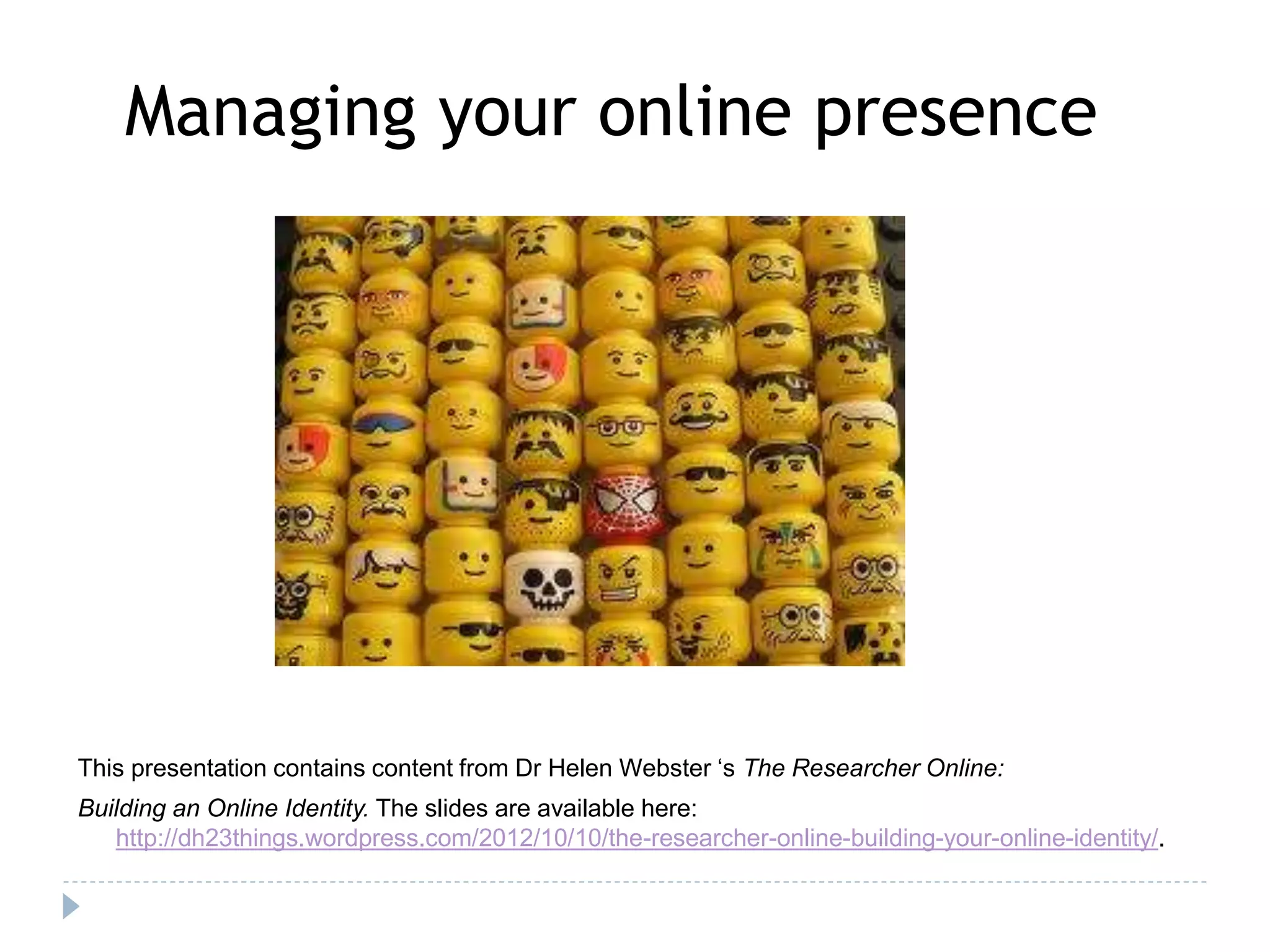
Managing your online presence 
This presentation contains content from Dr Helen Webster ‘s The Researcher Online: 
Building an Online Identity. The slides are available here: 
http://dh23things.wordpress.com/2012/10/10/the-researcher-online-building-your-online-identity/.
Aims 
Not to teach tools, but to have: 
• an understanding of the ways in which social and 
digital media platforms can enhance and be 
embedded in your work as a researcher 
• an understanding of the issues raised by social 
and digital media tools, potential pitfalls, good 
practice and impact. 
• knowledge of unconventional publishing methods
Consider three aspects of managing 
your online presence 
• Your profile as an individual 
• Your outputs – the academic content 
that you create 
• Communicating and connecting 
And doing it all legally!
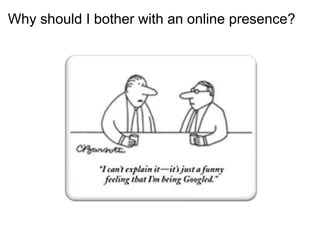
Why should I bother with an online presence?
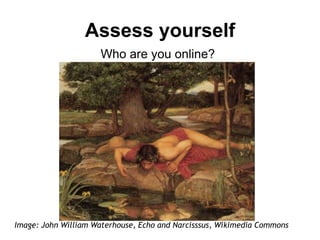
Assess yourself 
Who are you online? 
Image: John William Waterhouse, Echo and Narcisssus, Wikimedia Commons
Activity 
Write your name on a post-it note. 
Now pass it along, 2 people to your 
left.
...now Google your partner. 
• Analyse the results and draw up a 
profile of information and impressions 
about that person. Don’t forget to 
check the images tab! 
• Now pass it back, 2 people to your 
right...
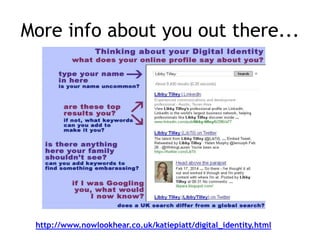
More info about you out there... 
http://www.nowlookhear.co.uk/katiepiatt/digital_identity.html
60% internet users are not 
concerned about the amount 
of information available 
about them online, and most 
do not take steps to limit that 
information. 
http://www.pewinternet.org/2007/12/16/digital-footprints/
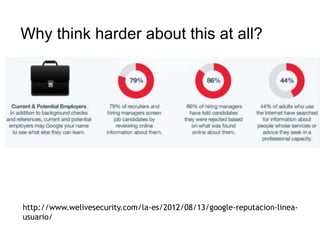
Why think harder about this at all? 
http://www.welivesecurity.com/la-es/2012/08/13/google-reputacion-linea-usuario/
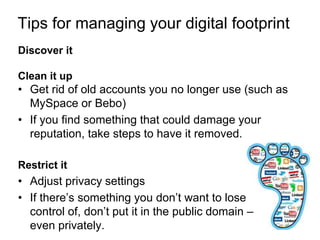
Tips for managing your digital footprint 
Discover it 
Clean it up 
• Get rid of old accounts you no longer use (such as 
MySpace or Bebo) 
• If you find something that could damage your 
reputation, take steps to have it removed. 
Restrict it 
• Adjust privacy settings 
• If there’s something you don’t want to lose 
control of, don’t put it in the public domain – 
even privately.
Unconventional Publishing 
Why might you consider stepping 
outside of traditional academic 
publishing routes?
Some possibilities…. 
−Does not demand such crafting of hardcore prose 
−You can explore other tones and types of writing 
−Become more aware of audience and readers 
−Learn how to manage colloquialism and levity – 
contrasted to the “dutiful absolutism” of academic 
work 
−Becoming more nimble 
−Stops yourself worrying that hours spent writing or 
thinking in what you might consider to be 
‘unacademic’ ways eg poetry, short stories, reviews, 
essays, blogs, etc. is wasted time
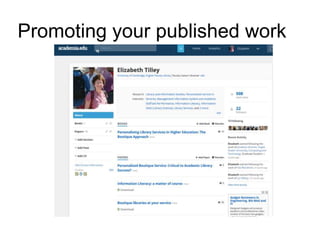
Promoting your published work
Excellent example of Researcher 
2.0 
Amy Cutler 
http://amycutler.wordpress.com/ 
Thanks to Dr Rob Macfarlane for his 
recommendation
Managing an online 
presence: connecting 
Lyn Bailey 
Librarian 
Faculty of Classics, University of Cambridge
How do you communicate & connect? 
cc licensed flickr photo shared by ☺ Lee J Haywood
What do you want to get out of 
networking? 
• Advice – career, research, teaching 
practice, feedback 
• Information – new reading, contacts 
• Opportunities – jobs, conferences, 
collaboration 
• Support – community, interaction 
• Help – new perspectives, 
collaboration, sharing
Benefits of online networking 
• Access at any time 
• Contacts beyond the institution, 
across the globe and across 
disciplines 
• Lighter touch – relationships at 
different levels 
• Ongoing discussions, not fixed to a 
particular event or person
Use Social Media to connect 
• Social Bookmarking 
– Share links relevant to your subject (blogs, papers), subscribe 
and create online bookmarks, e.g. Delicious or Pinterest 
• Microblogging – Twitter 
– Follow academics, researchers, groups and societies in your 
subject areas, livetweeting at conferences 
• Blogging as a scholarly activity 
– Create a blog for colleagues or students 
• Comment 
– Start and join in discussions on sites e.g. Mendeley, 
Academia.edu, LinkedIn 
• Digital file-sharing platforms 
– E.g. slideshare, Youtube
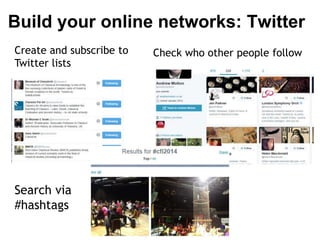
Build your online networks: Twitter 
Create and subscribe to 
Twitter lists 
Check who other people follow 
Search via 
#hashtags
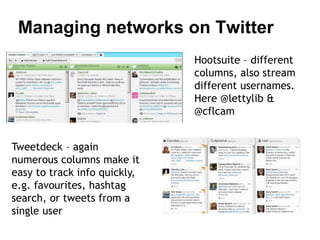
Managing networks on Twitter 
Hootsuite – different 
columns, also stream 
different usernames. 
Here @lettylib & 
@cflcam 
Tweetdeck – again 
numerous columns make it 
easy to track info quickly, 
e.g. favourites, hashtag 
search, or tweets from a 
single user
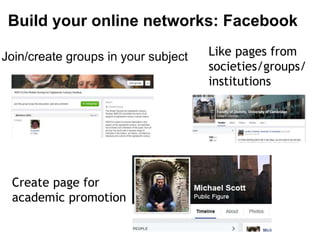
Build your online networks: Facebook 
Join/create groups in your subject 
Create page for 
academic promotion 
Like pages from 
societies/groups/ 
institutions
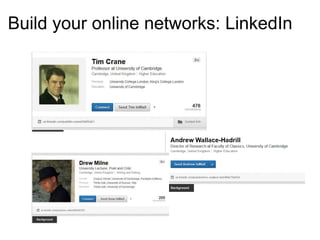
Build your online networks: LinkedIn
Be social! 
cc licensed flickr 
photo by Miss Vio 
• Interact 
• Ask questions 
• Respond to queries 
• Share ideas/information with others in your 
network 
• Collate and pass on responses
Any questions?
Contact Details 
Lyn Bailey 
Librarian 
Faculty of Classics 
Email: lkb24@cam.ac.uk 
Twitter: @lettylib Tel: 01223 335154 
Libby Tilley 
Librarian 
Faculty of English 
Email: eat21@cam.ac.uk 
Twitter: @LibTil Tel: 01223 767296 
Jenni Lecky-Thompson 
Librarian 
Faculty of Philosophy 
Email: jel52@cam.ac.uk 
Twitter: @LewyLib Tel: 01223 331889

Managing your online presence mt 2014

  • 1.
    Managing your onlinepresence This presentation contains content from Dr Helen Webster ‘s The Researcher Online: Building an Online Identity. The slides are available here: http://dh23things.wordpress.com/2012/10/10/the-researcher-online-building-your-online-identity/.
  • 3.
    Aims Not toteach tools, but to have: • an understanding of the ways in which social and digital media platforms can enhance and be embedded in your work as a researcher • an understanding of the issues raised by social and digital media tools, potential pitfalls, good practice and impact. • knowledge of unconventional publishing methods
  • 4.
    Consider three aspectsof managing your online presence • Your profile as an individual • Your outputs – the academic content that you create • Communicating and connecting And doing it all legally!
  • 5.
    Why should Ibother with an online presence?
  • 7.
    Assess yourself Whoare you online? Image: John William Waterhouse, Echo and Narcisssus, Wikimedia Commons
  • 8.
    Activity Write yourname on a post-it note. Now pass it along, 2 people to your left.
  • 9.
    ...now Google yourpartner. • Analyse the results and draw up a profile of information and impressions about that person. Don’t forget to check the images tab! • Now pass it back, 2 people to your right...
  • 10.
    More info aboutyou out there... http://www.nowlookhear.co.uk/katiepiatt/digital_identity.html
  • 12.
    60% internet usersare not concerned about the amount of information available about them online, and most do not take steps to limit that information. http://www.pewinternet.org/2007/12/16/digital-footprints/
  • 13.
    Why think harderabout this at all? http://www.welivesecurity.com/la-es/2012/08/13/google-reputacion-linea-usuario/
  • 14.
    Tips for managingyour digital footprint Discover it Clean it up • Get rid of old accounts you no longer use (such as MySpace or Bebo) • If you find something that could damage your reputation, take steps to have it removed. Restrict it • Adjust privacy settings • If there’s something you don’t want to lose control of, don’t put it in the public domain – even privately.
  • 15.
    Unconventional Publishing Whymight you consider stepping outside of traditional academic publishing routes?
  • 16.
    Some possibilities…. −Doesnot demand such crafting of hardcore prose −You can explore other tones and types of writing −Become more aware of audience and readers −Learn how to manage colloquialism and levity – contrasted to the “dutiful absolutism” of academic work −Becoming more nimble −Stops yourself worrying that hours spent writing or thinking in what you might consider to be ‘unacademic’ ways eg poetry, short stories, reviews, essays, blogs, etc. is wasted time
  • 17.
  • 18.
    Excellent example ofResearcher 2.0 Amy Cutler http://amycutler.wordpress.com/ Thanks to Dr Rob Macfarlane for his recommendation
  • 19.
    Managing an online presence: connecting Lyn Bailey Librarian Faculty of Classics, University of Cambridge
  • 20.
    How do youcommunicate & connect? cc licensed flickr photo shared by ☺ Lee J Haywood
  • 21.
    What do youwant to get out of networking? • Advice – career, research, teaching practice, feedback • Information – new reading, contacts • Opportunities – jobs, conferences, collaboration • Support – community, interaction • Help – new perspectives, collaboration, sharing
  • 22.
    Benefits of onlinenetworking • Access at any time • Contacts beyond the institution, across the globe and across disciplines • Lighter touch – relationships at different levels • Ongoing discussions, not fixed to a particular event or person
  • 23.
    Use Social Mediato connect • Social Bookmarking – Share links relevant to your subject (blogs, papers), subscribe and create online bookmarks, e.g. Delicious or Pinterest • Microblogging – Twitter – Follow academics, researchers, groups and societies in your subject areas, livetweeting at conferences • Blogging as a scholarly activity – Create a blog for colleagues or students • Comment – Start and join in discussions on sites e.g. Mendeley, Academia.edu, LinkedIn • Digital file-sharing platforms – E.g. slideshare, Youtube
  • 24.
    Build your onlinenetworks: Twitter Create and subscribe to Twitter lists Check who other people follow Search via #hashtags
  • 25.
    Managing networks onTwitter Hootsuite – different columns, also stream different usernames. Here @lettylib & @cflcam Tweetdeck – again numerous columns make it easy to track info quickly, e.g. favourites, hashtag search, or tweets from a single user
  • 26.
    Build your onlinenetworks: Facebook Join/create groups in your subject Create page for academic promotion Like pages from societies/groups/ institutions
  • 27.
    Build your onlinenetworks: LinkedIn
  • 28.
    Be social! cclicensed flickr photo by Miss Vio • Interact • Ask questions • Respond to queries • Share ideas/information with others in your network • Collate and pass on responses
  • 29.
  • 30.
    Contact Details LynBailey Librarian Faculty of Classics Email: lkb24@cam.ac.uk Twitter: @lettylib Tel: 01223 335154 Libby Tilley Librarian Faculty of English Email: eat21@cam.ac.uk Twitter: @LibTil Tel: 01223 767296 Jenni Lecky-Thompson Librarian Faculty of Philosophy Email: jel52@cam.ac.uk Twitter: @LewyLib Tel: 01223 331889