Learn Docker in 90 minutes
Larry cai <larry.caiyu@gmail.com>
Agenda
 Introduction
 Exercise 1: First docker container
 Exercise 2: Add package and create own docker
image
 Exercise 3: Understand layer
 Exercise 4: Expose the service
 Exercise 5: Dockerfile to build
 Exercise 6: Share your image with others
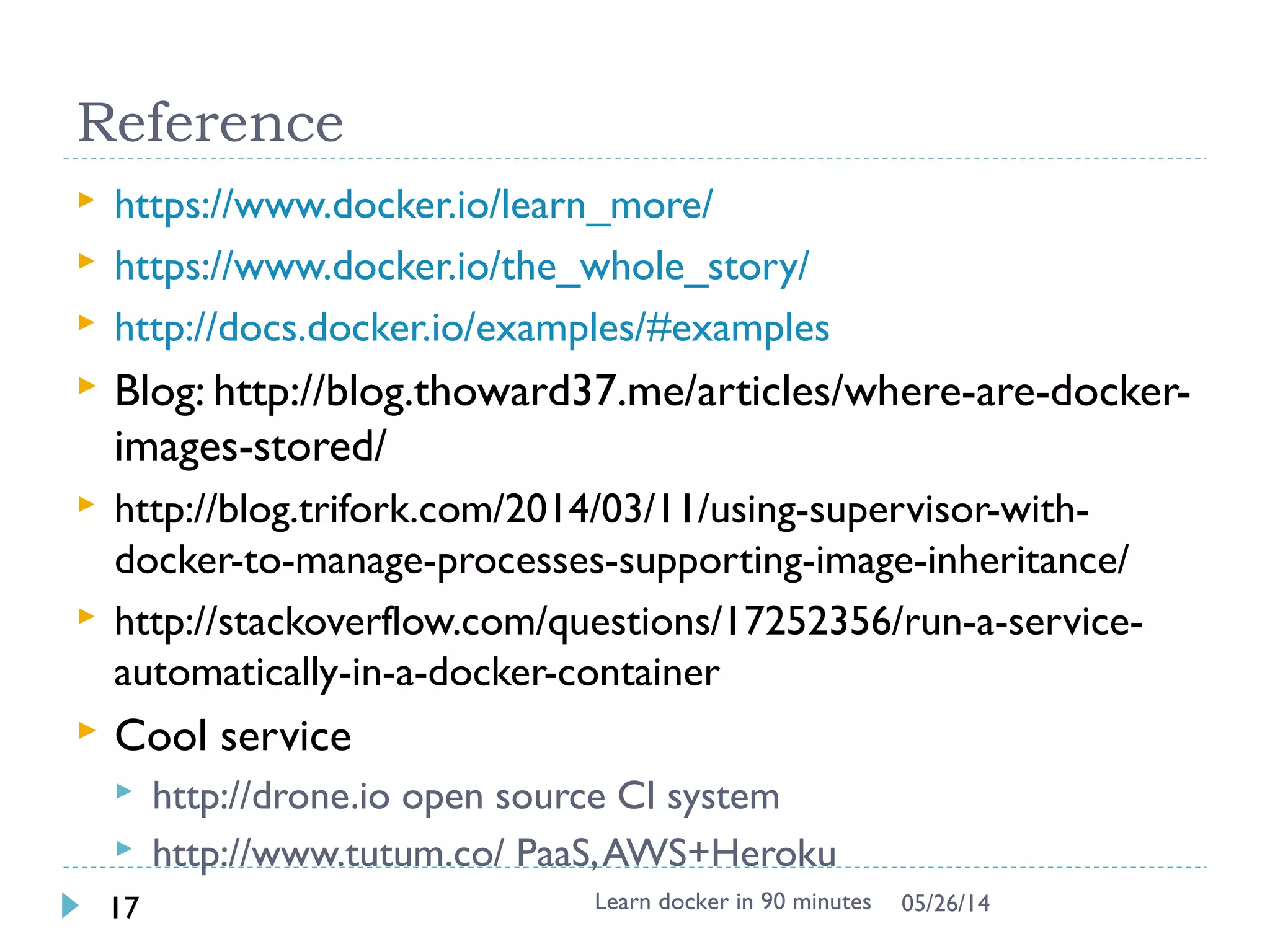
 Reference
Learn docker in 90 minutes2 7/27/2017
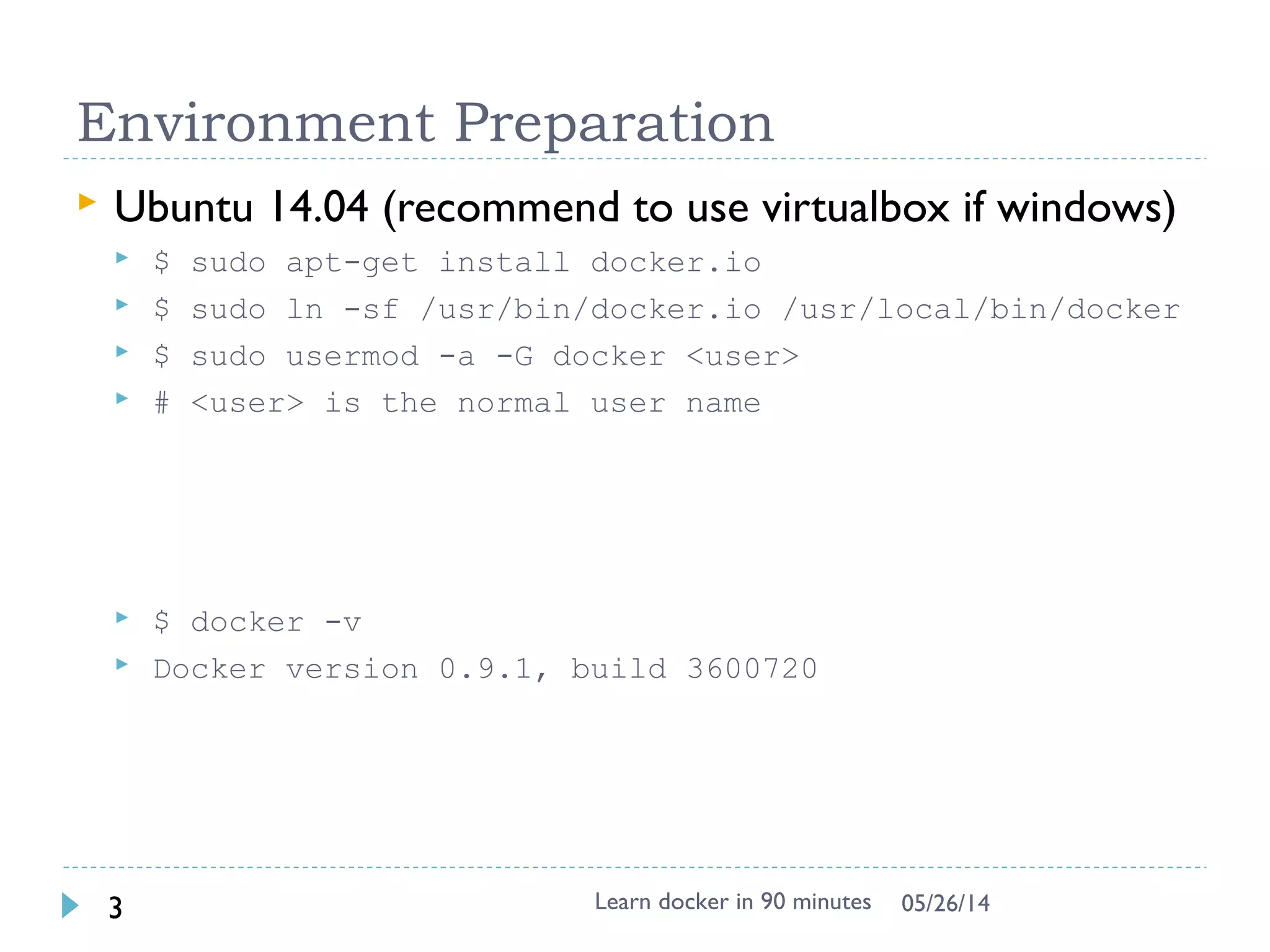
Environment Preparation
 Docker toolbox
 Contains latest docker already, fast
 Container persistence via disk automount on /var/lib/docker
 Create docker host in virtualbox
 Quickstart to get default
 Verify the installation
$ docker-machine ssh
$ docker –v
 Optional way
$ docker-machine ip
 SSH to docker server using IP
 User/Passwd: docker/tcuser
Learn docker in 90 minutes3 7/27/2017
https://github.com/docker/toolbox/releases Windows
7
https://www.docker.com/docker-windows Windows
10
Environment online
 Docker labs: http://labs.play-with-docker.com
 Exposed port will be automatically visible as link
 One terminal shell for one instance, create another
instance and ssh to have another terminal
 Exercise 3 can’t be done
Learn docker in 90 minutes4 7/27/2017
Note: recommend to use Local env instead of online
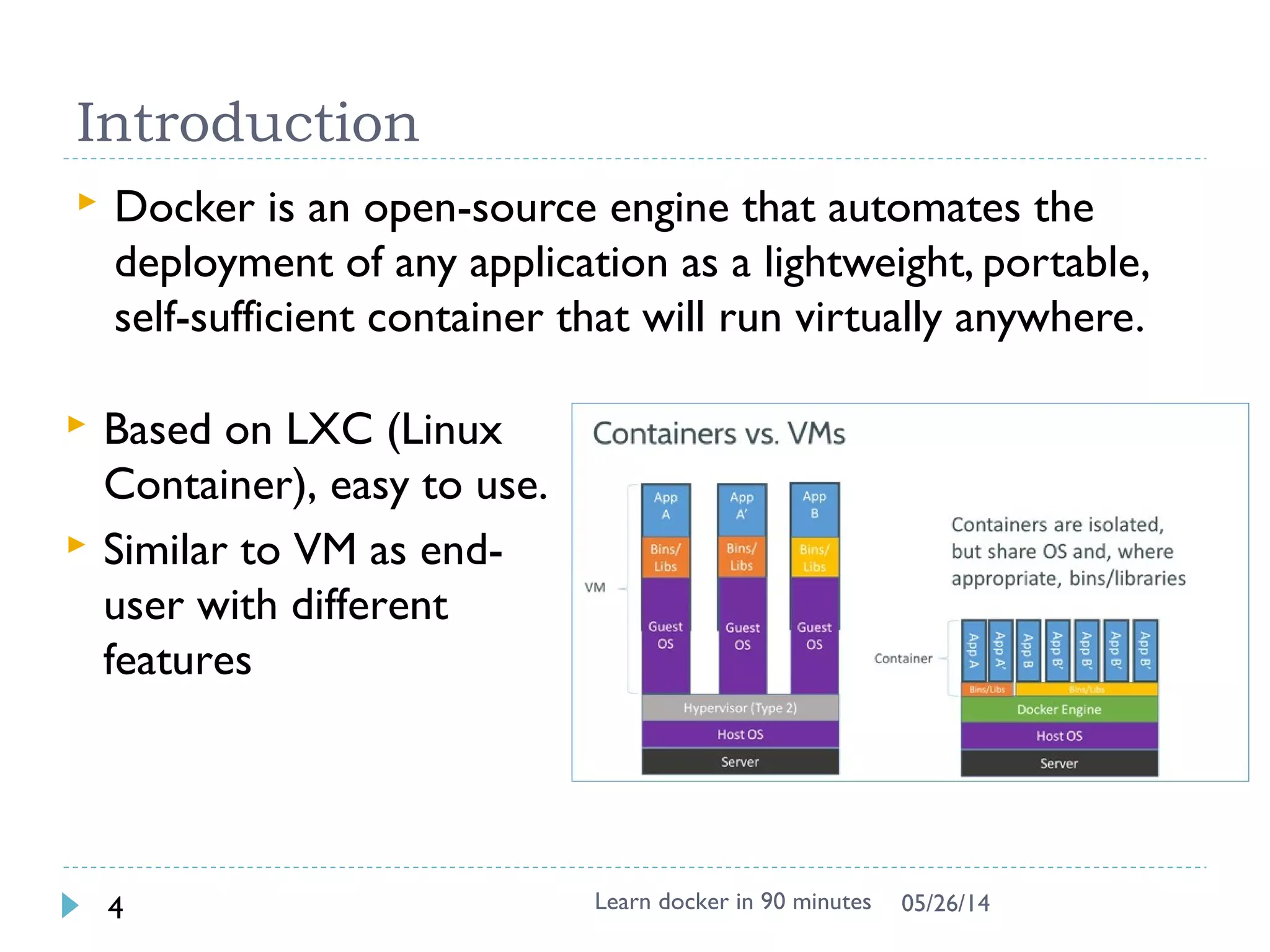
Introduction
 Docker is an open-source engine that automates the
deployment of any application as a lightweight,
portable, self-sufficient container that will run virtually
anywhere.
Learn docker in 90 minutes5 7/27/2017
 Based on LXC (Linux
Container), easy to
use.
 Similar to VM as end-
user with different
features
Exercise 1: First docker container
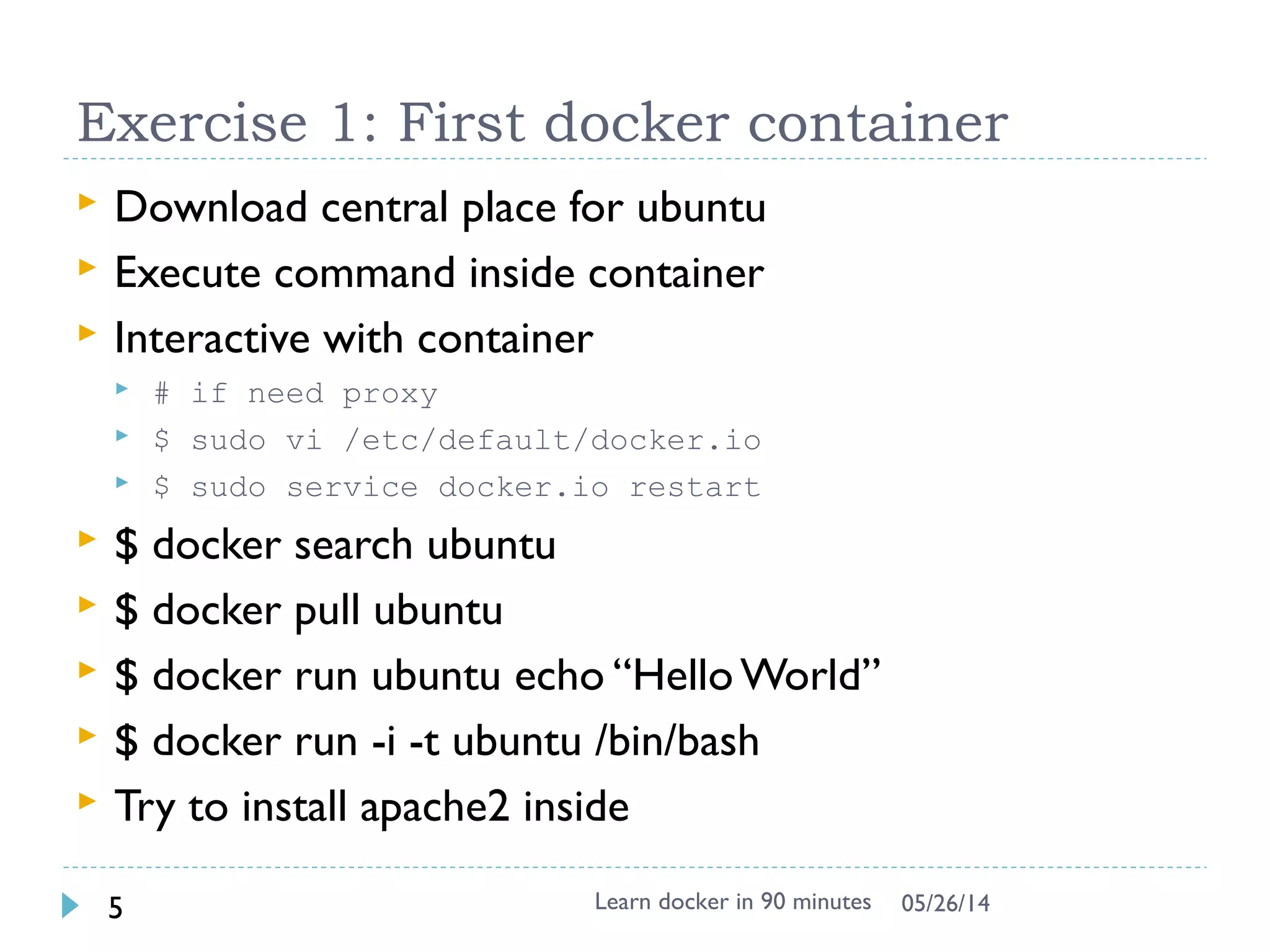
 Download from central place for ubuntu
$ docker search ubuntu # from lots of release in internet
$ docker pull ubuntu
Pulling repository ubuntu
ad892dd21d60: Pulling dependent layers
511136ea3c5a: Pulling fs layer
$ docker images # list local images
REPOSITORY TAG IMAGE ID CREATED VIRTUAL SIZE
ubuntu latest ad892dd21d60 6 days ago 275.5 MB
 Execute command directly
$ docker run ubuntu echo “Hello World”
 Interactive with container (-i : interactive, -t: tty)
$ docker run -i -t ubuntu bash
# uname –a
# dpkg –l
Learn docker in 90 minutes6 7/27/2017
`docker` - the command line tool
 Some common commands:
 $ docker search # search hub.docker.com for an image
 $ docker pull # download image
 $ docker images # list all existing local images
 $ docker run # initiates a container from an image
 $ docker ps # list running containers
 $ docker build # build images from Dockerfile
 $ docker start/stop/kill # commands
 $ docker rm/rmi to remove a container or image
Learn docker in 90 minutes7 7/27/2017
http://superuser.com/questions/756999/whats-the-difference-between-docker-stop-and-docker-kill
Exercise 2: Add own package and image
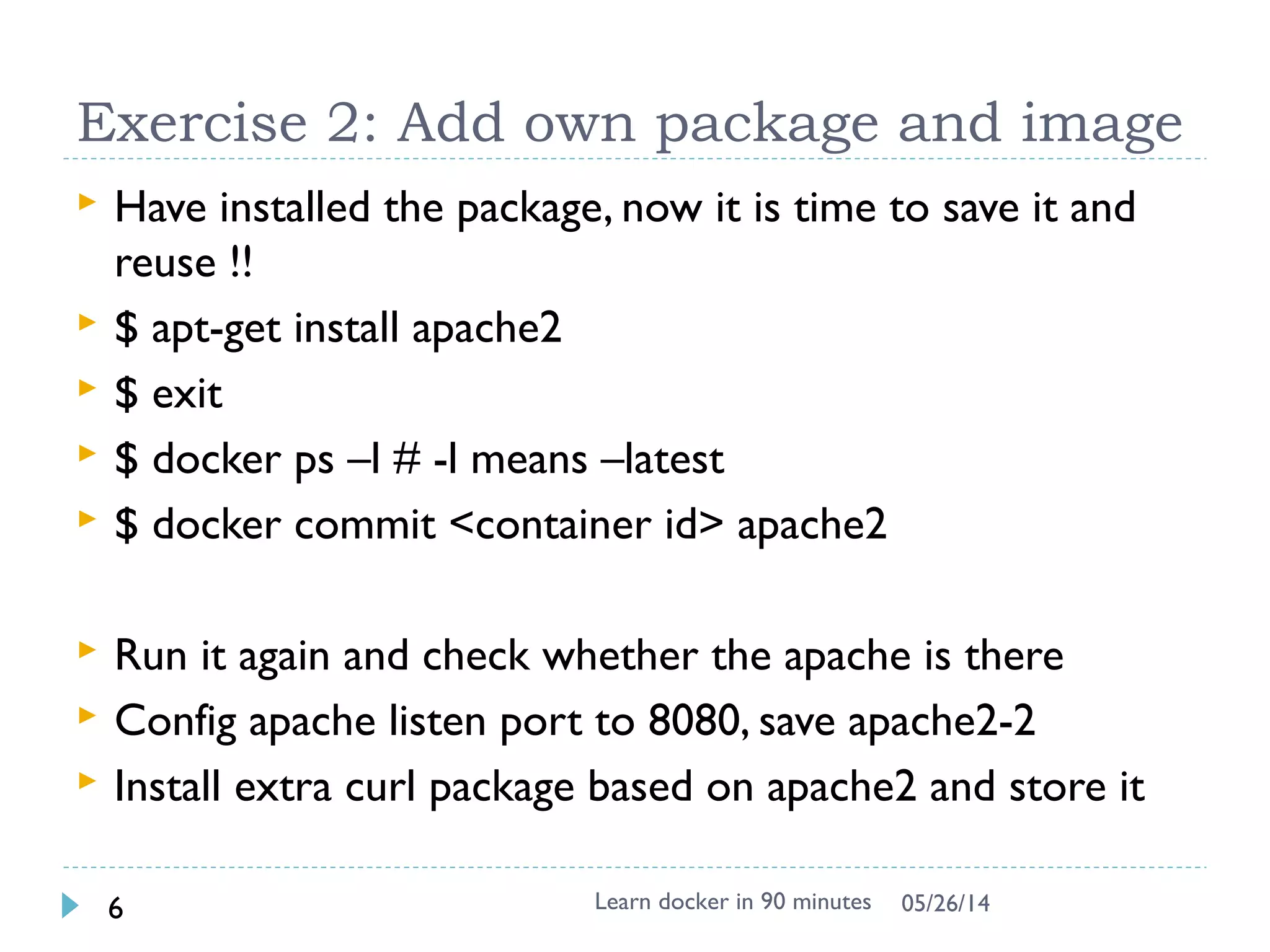
 Try to install apache2 inside
$ docker run -i -t ubuntu bash
# apt-get update && apt-get install -y apache2
# exit
$ docker ps –l # -l means –latest
CONTAINER ID IMAGE COMMAND CREATED STATUS
c4bd63cc87f1 ubuntu:latest bash 2 minutes ago Exited 2 sec
$ docker commit <container id> apache2
66db661d9ad8681b082bb62b21b6ef5f2ddb4799e3df5dbd8fb23aed16616b1d
 Check and run it again to see if the apache is there
$ docker images
REPOSITORY TAG IMAGE ID CREATED VIRTUAL SIZE
apache2 latest 66db661d9ad8 28 seconds ago 298.5 MB
ubuntu latest ad892dd21d60 6 days ago 275.5 MB
$ docker run -i -t apache2 bash
 Question: Apache binary & Process exists ?
Learn docker in 90 minutes8 7/27/2017
Docker image & layer
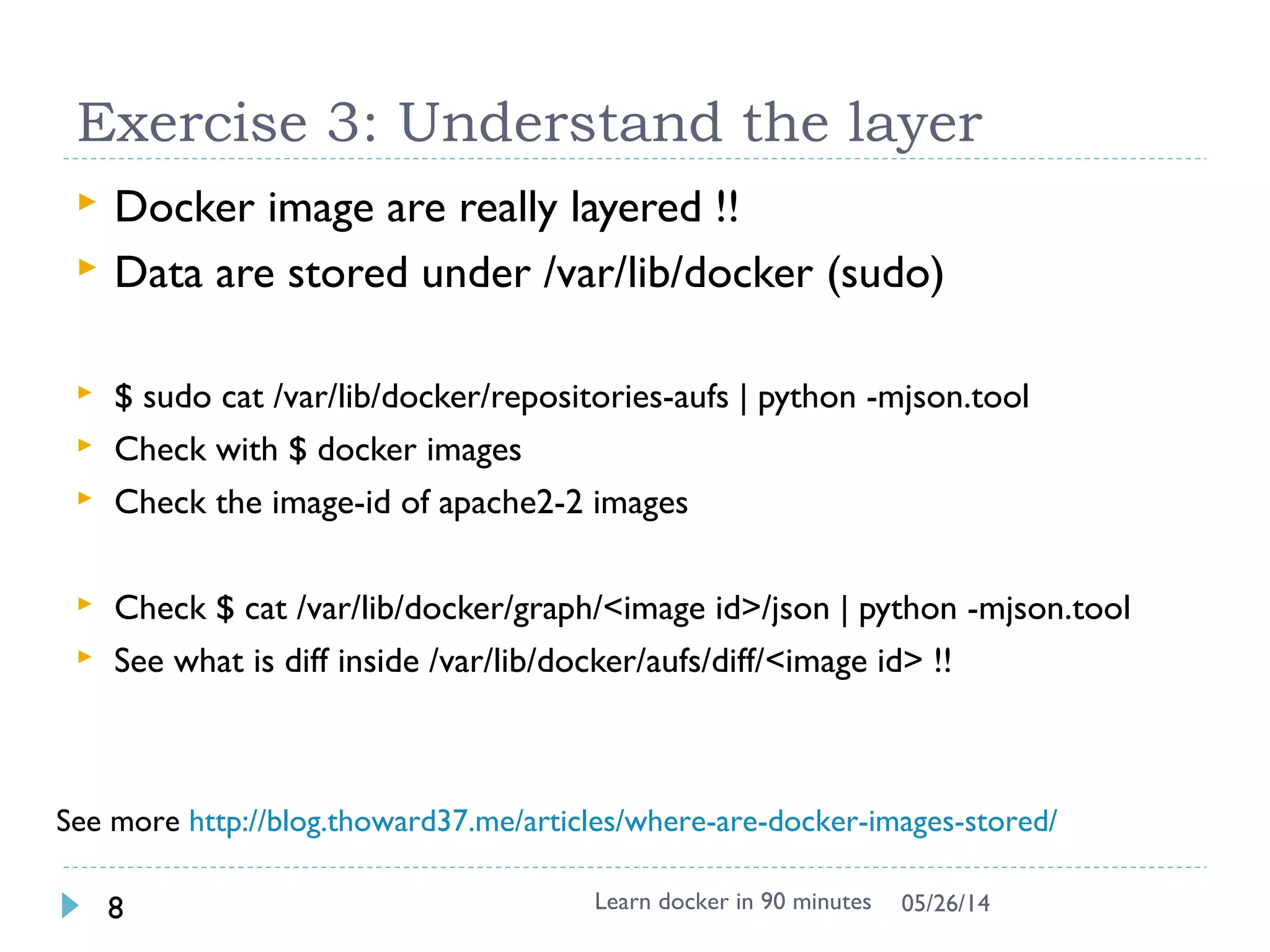
 Docker images are saved in layered !!
 Differed binary for apache2 image
 See the image tree
$ docker run -it --rm -v /var/run/docker.sock:/var/run/docker.sock nate/dockviz images -t
└─511136ea3c5a Virtual Size: 0 B
└─e465fff03bce Virtual Size: 192.5 MB
└─23f361102fae Virtual Size: 192.7 MB
└─9db365ecbcbb Virtual Size: 192.7 MB
└─ad892dd21d60 Virtual Size: 275.5 MB Tags: ubuntu:latest
└─66db661d9ad8 Virtual Size: 298.5 MB Tags: apache2:latest
Learn docker in 90 minutes9 7/27/2017
http://docs.docker.io/terms/layer/
Note: For -v /var/run/docker.sock:/var/run/docker.sock, It is docker in docker technology, see
https://github.com/justone/dockviz (not important for beginner, focus on layer)
Docker image & layer
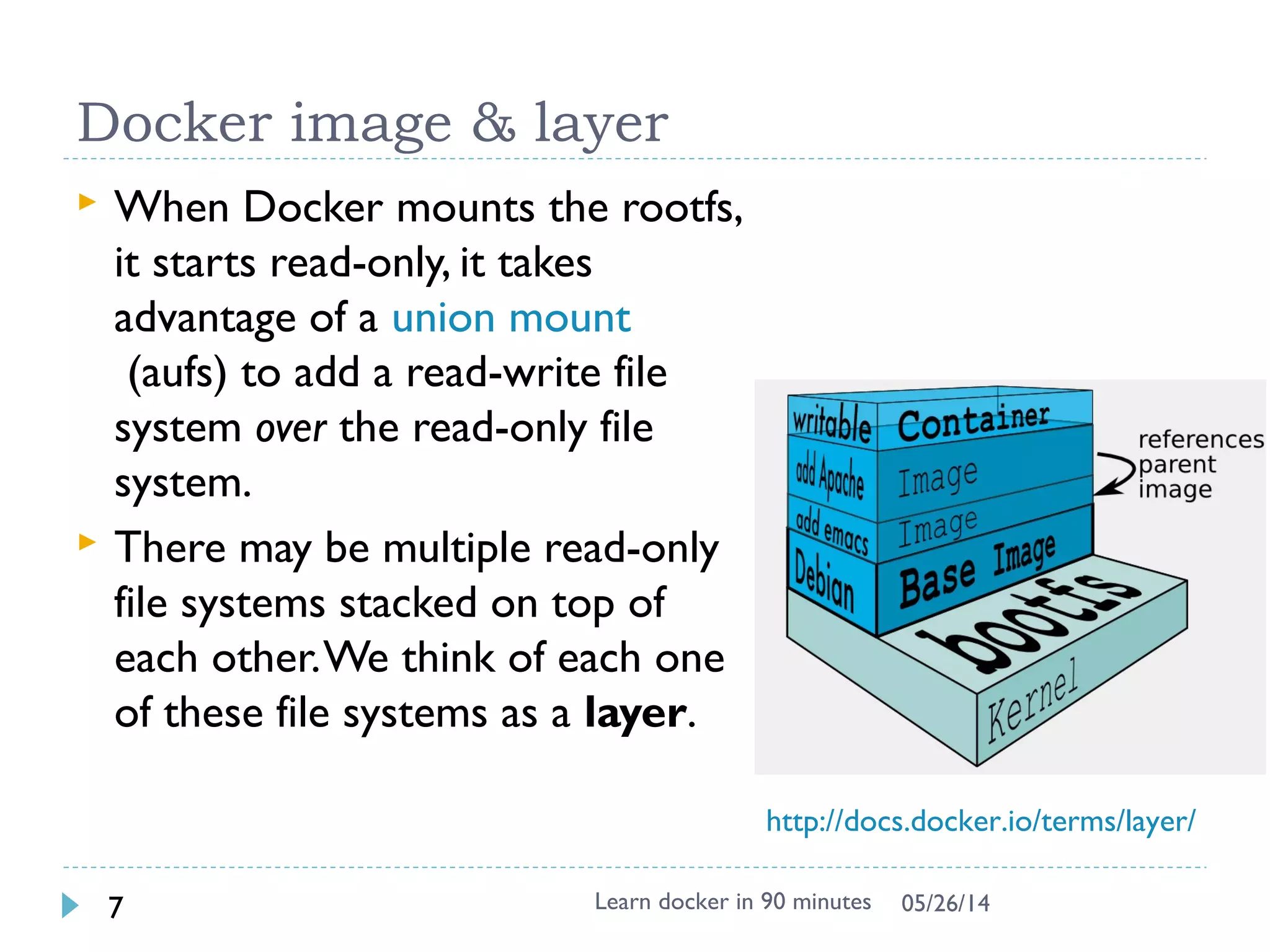
 When Docker mounts the rootfs, it
starts read-only, it takes
advantage of a union
mount (aufs) to add a read-write
file system over the read-only file
system.
 There may be multiple read-only
file systems stacked on top of
each other. We think of each one
of these file systems as a layer.
Learn docker in 90 minutes10 7/27/2017
http://docs.docker.io/terms/layer/
Exercise 3: Understand the layer
 Try
docker run -it --rm -v /var/run/docker.sock:/var/run/docker.sock nate/dockviz images -t
 Data are stored under /var/lib/docker (root
permission)
 aufs is used in boot2docker, could be others like
devicemapper
$ sudo su -
# ls -1 /var/lib/docker/aufs/diff/
..
66db661d9ad8681b082bb62b21b6ef5f2ddb4799e3df5dbd8fb23aed16616b1d/
9db365ecbcbbb20e063eac70842c53e27fcad0e213f9d4ddb78152339cedd3b1/
 See what is diff inside /var/lib/docker/aufs/diff !!
# find /var/lib/docker/aufs/diff | grep apache2
# cd /var/lib/docker/aufs/diff/<edeb8e0e3…> # replace with id
# find .
Learn docker in 90 minutes11 7/27/2017
See more https://docs.docker.com/engine/userguide/storagedriver/imagesandconta
Note: This works in Windows, can’t be done under http://labs.play-with-
docker.com
Skip this if lack of time
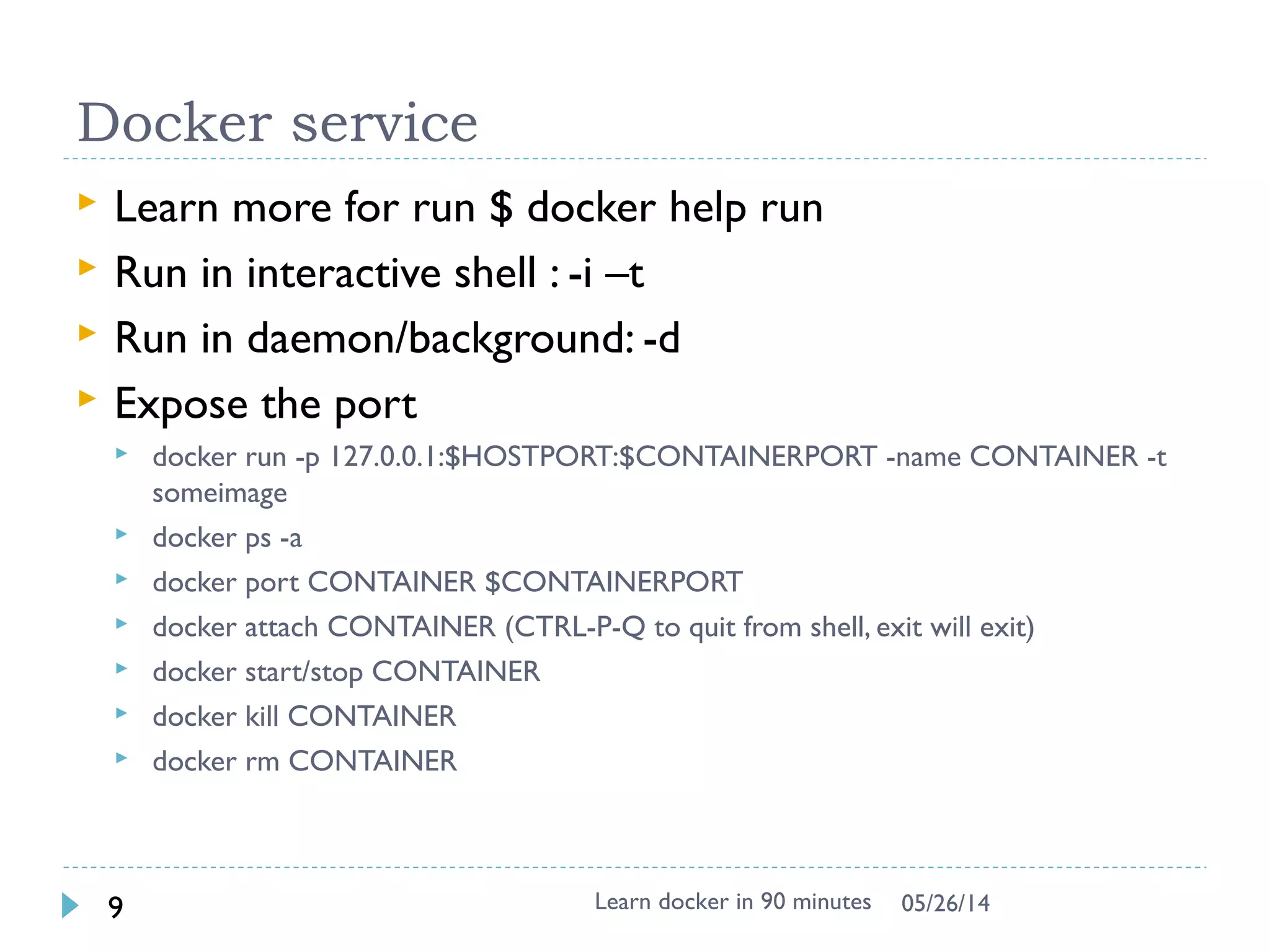
Docker service
 Network in container is not visible outside (using
NAT)
 The service is exposed by Port !!
 Run –p host:guest # assign port to host
 $ docker run –p 25890:80 –i –t apache2 bash
 # apache2ctl start
Learn docker in 90 minutes12 7/27/2017
source from : http://pierre-jean.baraud.fr/blog/2014/06/02/host-docker-
containers/
Docker service
 Interactive mode vs. Daemon (Deattach) mode
(docker run)
-d : run in daemon mode
-i : run in interactive mode
 Enter into existing docker container
$ docker exec -it <container ID> bash
Learn docker in 90 minutes13 7/27/2017
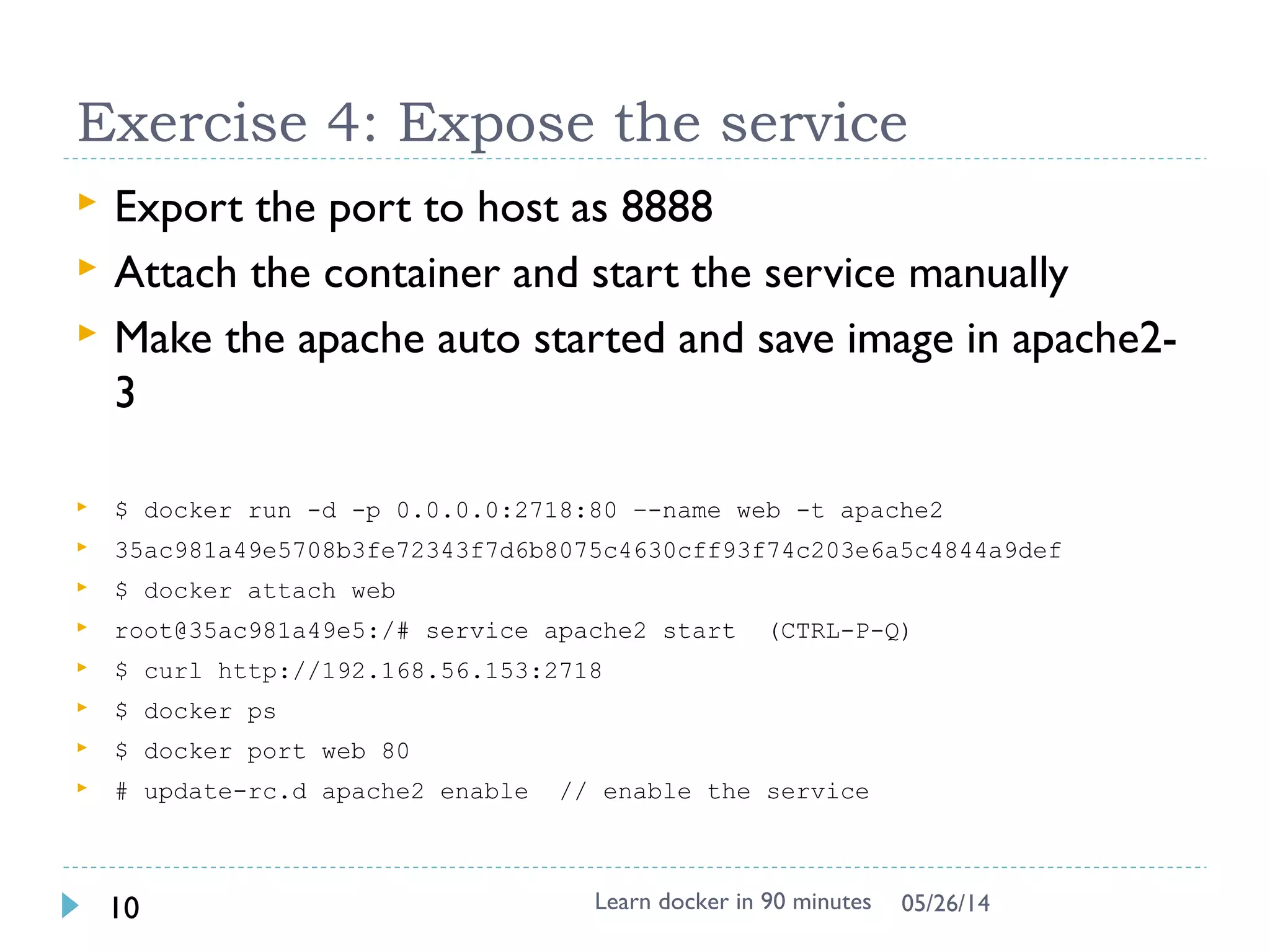
Exercise 4: Expose the service
 Export the port to host as 25890 and start the service
manually
$ docker run -p 25890:80 –i -t apache2 bash
root@35ac981a49e5:/# service apache2 start
$ docker ps # in another shell (docker-machine ssh)
CONTAINER ID IMAGE …. STATUS PORTS NAMES
e020aa2c02a5 apache2:latest ….. Up 14 seconds 0.0.0.0:25890->80/tcp web
$ curl http://localhost:25890 # or use 192.168.99.100 to replace localhost
 Come into the container again to check
$ docker exec –it e020aa2c02a5 bash
# ps –ef # check apache process
 Run contain in daemon mode and access 25891
$ docker run –p 25891:80 –d –t apache2 apache2ctl –D FOREGROUND
 Access it in shell & local browser
 Challenge: can you access your friend’s web page ?
Learn docker in 90 minutes14 7/27/2017
Port forward to Localhost in Windows
 Use boot2docker VM IP to
access
 $ docker-machine ip default
 http://192.168.99.100:25890
 Use Virtualbox
 25890 is visible in VM
 8080 is visible in Host
(Windows)
 http://localhost:8080
Learn docker in 90 minutes15 7/27/2017
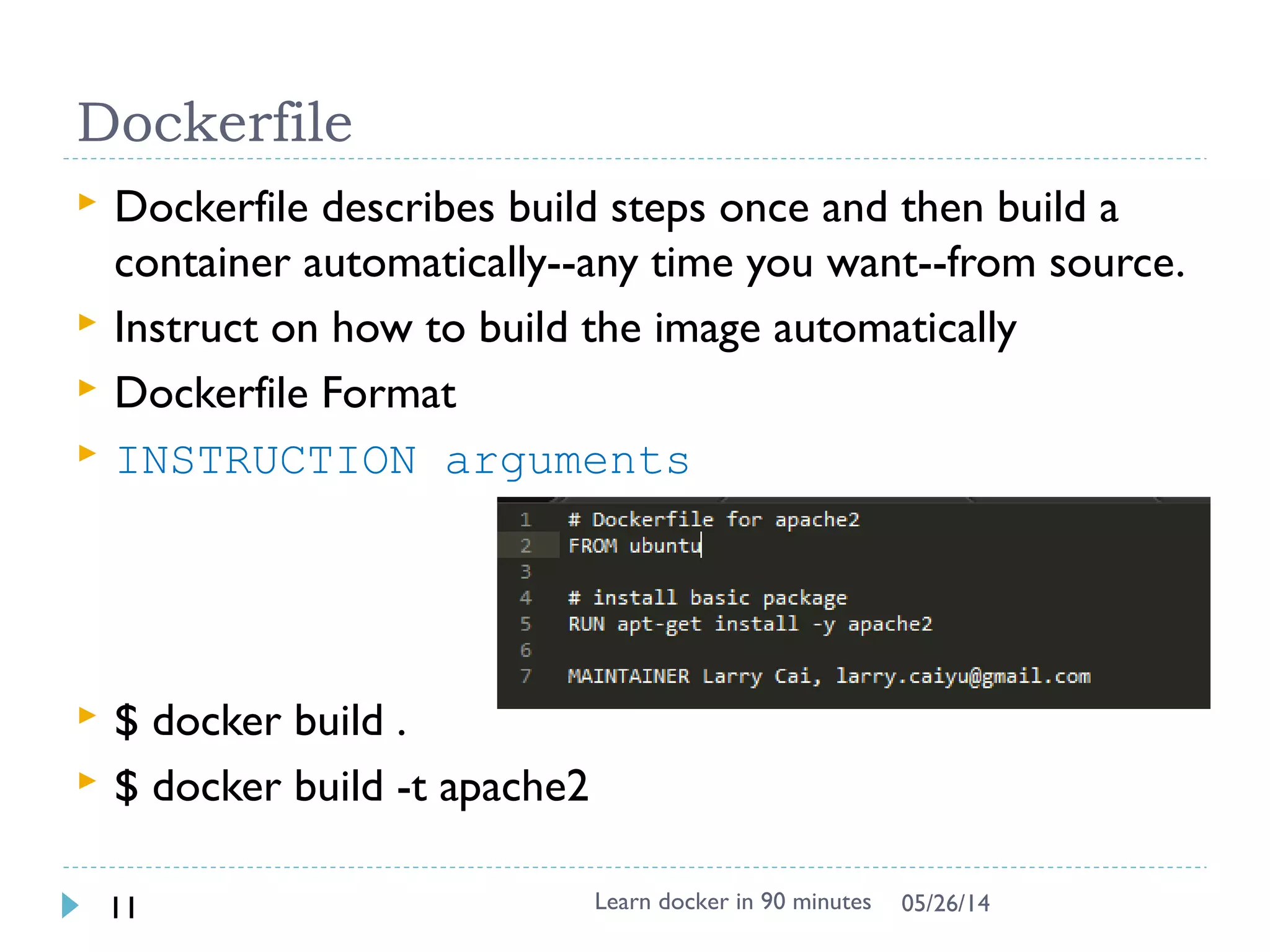
Dockerfile
 Dockerfile instructs on how to build the image
automatically
 Dockerfile Syntax (INSTRUCTION arguments)
 FROM – defines base image
 RUN - executes arbitrary command
ENV – sets environment
 EXPOSE – expose a port
 ADD – add local file
 CMD – default command to execute
 MAINTAINER – author information
 Used by docker build
Learn docker in 90 minutes16 7/27/2017
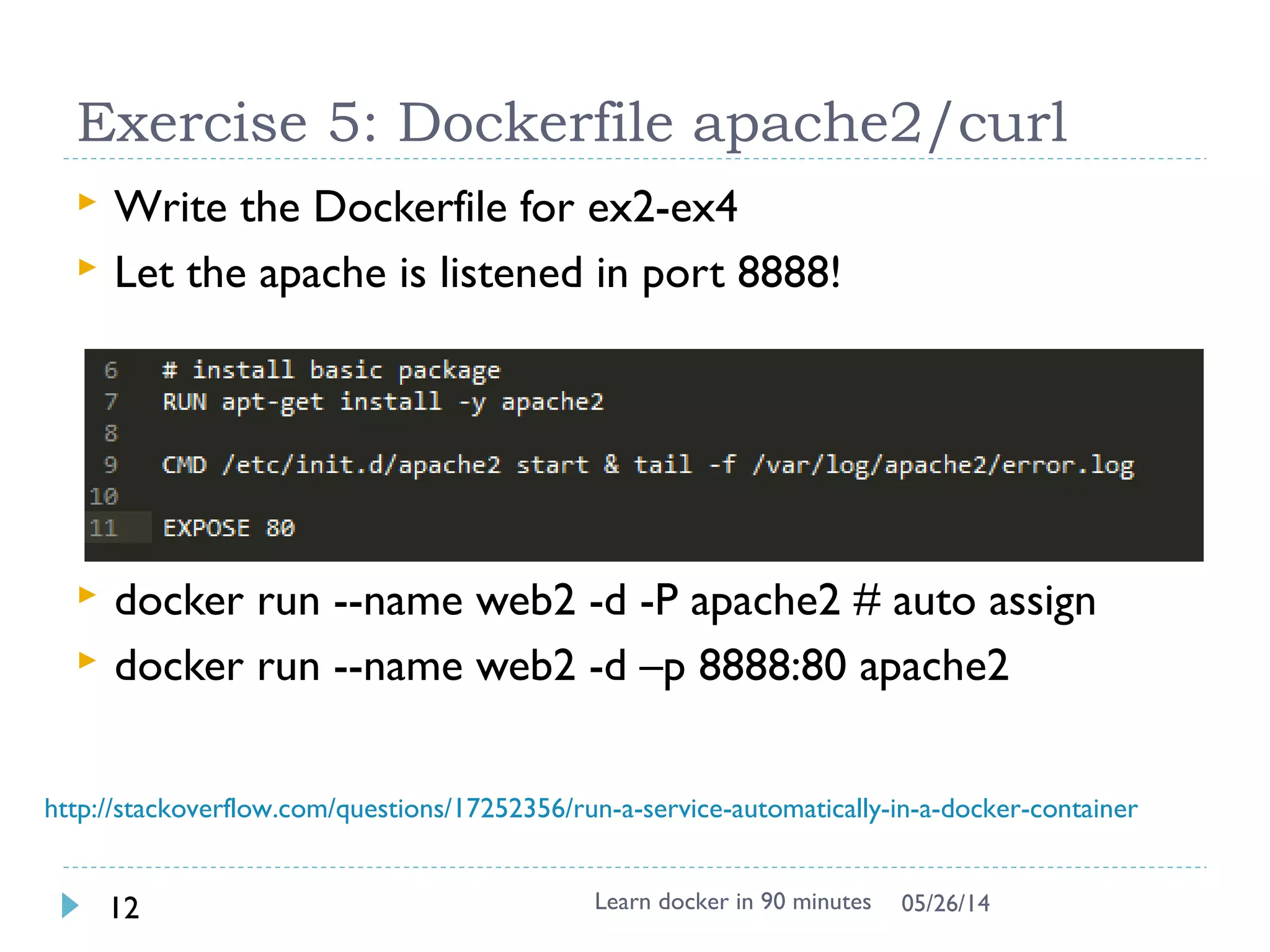
Exercise 5: Dockerfile apache2/wget
 Create the Dockerfile
$ vi /tmp/Dockerfile
$
$ cd /tmp
$ docker build –t wget .
 Start the wget image and verify !!
Learn docker in 90 minutes17 7/27/2017
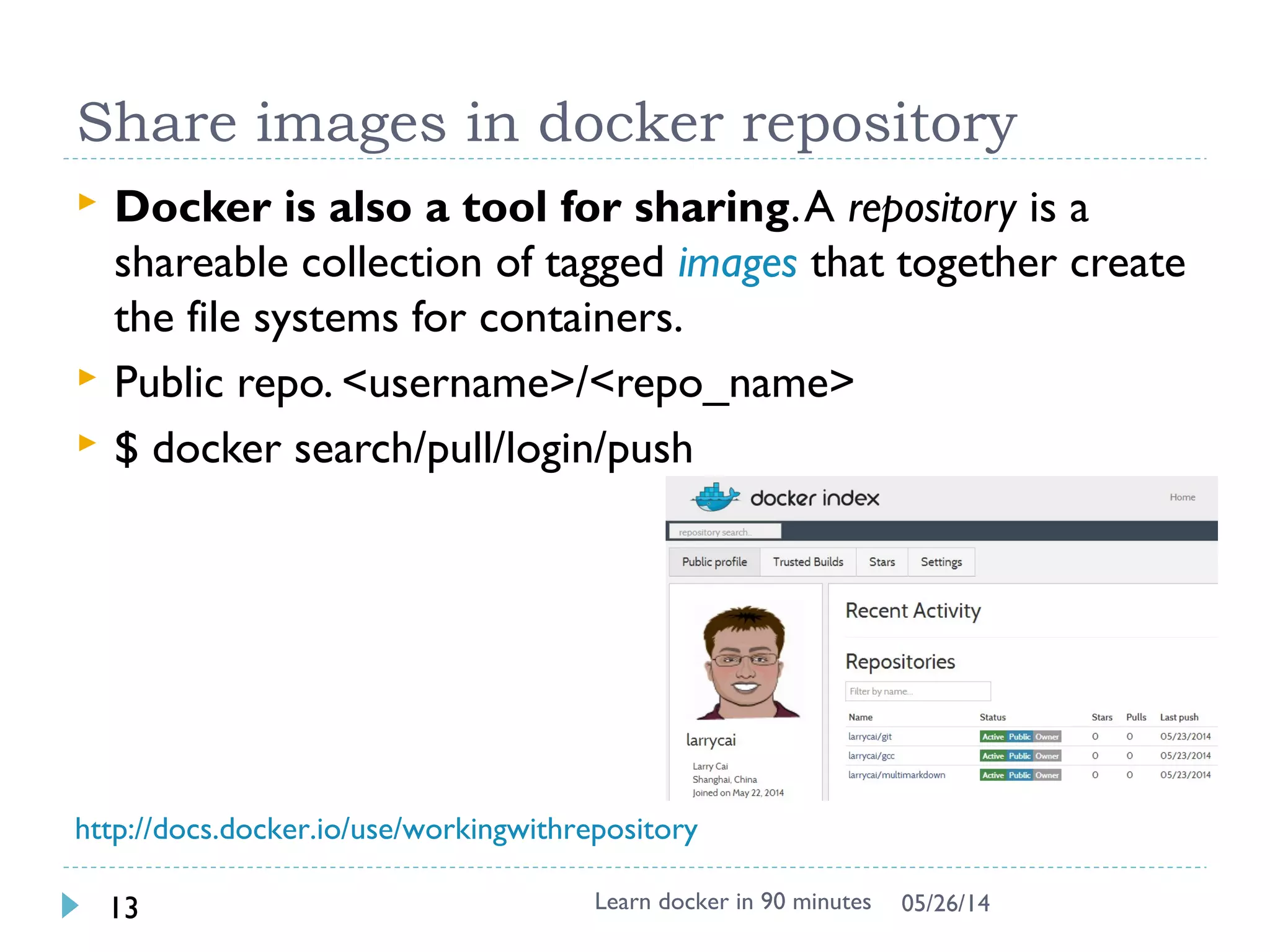
Share images in docker repository
 Docker is also a tool for sharing. A repository is a
shareable collection of tagged images that together
create the file systems for containers.
 Public repo. <username>/<repo_name>
 Trusted image
 $ docker search/pull/login/push
Learn docker in 90 minutes18 7/27/2017
http://docs.docker.com/docker-hub/repos/
Summary
 This is getting started training slides, door is open to
you.
 Benefit and use case will be added with your
growing competence
 Docker grows very fast, follow it.
Learn docker in 90 minutes19 7/27/2017
ChangeLog
 2014/12/31: docker exec instead of attach, MacOS,
Add books
 2016/09/06: docker image layers are different since
1.10
 2017/07/27: update to latest version 17.06
Learn docker in 90 minutes20 7/27/2017

Learn docker in 90 minutes

  • 1.
    Learn Docker in90 minutes Larry cai <larry.caiyu@gmail.com>
  • 2.
    Agenda  Introduction  Exercise1: First docker container  Exercise 2: Add package and create own docker image  Exercise 3: Understand layer  Exercise 4: Expose the service  Exercise 5: Dockerfile to build  Exercise 6: Share your image with others  Reference Learn docker in 90 minutes2 7/27/2017
  • 3.
    Environment Preparation  Dockertoolbox  Contains latest docker already, fast  Container persistence via disk automount on /var/lib/docker  Create docker host in virtualbox  Quickstart to get default  Verify the installation $ docker-machine ssh $ docker –v  Optional way $ docker-machine ip  SSH to docker server using IP  User/Passwd: docker/tcuser Learn docker in 90 minutes3 7/27/2017 https://github.com/docker/toolbox/releases Windows 7 https://www.docker.com/docker-windows Windows 10
  • 4.
    Environment online  Dockerlabs: http://labs.play-with-docker.com  Exposed port will be automatically visible as link  One terminal shell for one instance, create another instance and ssh to have another terminal  Exercise 3 can’t be done Learn docker in 90 minutes4 7/27/2017 Note: recommend to use Local env instead of online
  • 5.
    Introduction  Docker isan open-source engine that automates the deployment of any application as a lightweight, portable, self-sufficient container that will run virtually anywhere. Learn docker in 90 minutes5 7/27/2017  Based on LXC (Linux Container), easy to use.  Similar to VM as end- user with different features
  • 6.
    Exercise 1: Firstdocker container  Download from central place for ubuntu $ docker search ubuntu # from lots of release in internet $ docker pull ubuntu Pulling repository ubuntu ad892dd21d60: Pulling dependent layers 511136ea3c5a: Pulling fs layer $ docker images # list local images REPOSITORY TAG IMAGE ID CREATED VIRTUAL SIZE ubuntu latest ad892dd21d60 6 days ago 275.5 MB  Execute command directly $ docker run ubuntu echo “Hello World”  Interactive with container (-i : interactive, -t: tty) $ docker run -i -t ubuntu bash # uname –a # dpkg –l Learn docker in 90 minutes6 7/27/2017
  • 7.
    `docker` - thecommand line tool  Some common commands:  $ docker search # search hub.docker.com for an image  $ docker pull # download image  $ docker images # list all existing local images  $ docker run # initiates a container from an image  $ docker ps # list running containers  $ docker build # build images from Dockerfile  $ docker start/stop/kill # commands  $ docker rm/rmi to remove a container or image Learn docker in 90 minutes7 7/27/2017 http://superuser.com/questions/756999/whats-the-difference-between-docker-stop-and-docker-kill
  • 8.
    Exercise 2: Addown package and image  Try to install apache2 inside $ docker run -i -t ubuntu bash # apt-get update && apt-get install -y apache2 # exit $ docker ps –l # -l means –latest CONTAINER ID IMAGE COMMAND CREATED STATUS c4bd63cc87f1 ubuntu:latest bash 2 minutes ago Exited 2 sec $ docker commit <container id> apache2 66db661d9ad8681b082bb62b21b6ef5f2ddb4799e3df5dbd8fb23aed16616b1d  Check and run it again to see if the apache is there $ docker images REPOSITORY TAG IMAGE ID CREATED VIRTUAL SIZE apache2 latest 66db661d9ad8 28 seconds ago 298.5 MB ubuntu latest ad892dd21d60 6 days ago 275.5 MB $ docker run -i -t apache2 bash  Question: Apache binary & Process exists ? Learn docker in 90 minutes8 7/27/2017
  • 9.
    Docker image &layer  Docker images are saved in layered !!  Differed binary for apache2 image  See the image tree $ docker run -it --rm -v /var/run/docker.sock:/var/run/docker.sock nate/dockviz images -t └─511136ea3c5a Virtual Size: 0 B └─e465fff03bce Virtual Size: 192.5 MB └─23f361102fae Virtual Size: 192.7 MB └─9db365ecbcbb Virtual Size: 192.7 MB └─ad892dd21d60 Virtual Size: 275.5 MB Tags: ubuntu:latest └─66db661d9ad8 Virtual Size: 298.5 MB Tags: apache2:latest Learn docker in 90 minutes9 7/27/2017 http://docs.docker.io/terms/layer/ Note: For -v /var/run/docker.sock:/var/run/docker.sock, It is docker in docker technology, see https://github.com/justone/dockviz (not important for beginner, focus on layer)
  • 10.
    Docker image &layer  When Docker mounts the rootfs, it starts read-only, it takes advantage of a union mount (aufs) to add a read-write file system over the read-only file system.  There may be multiple read-only file systems stacked on top of each other. We think of each one of these file systems as a layer. Learn docker in 90 minutes10 7/27/2017 http://docs.docker.io/terms/layer/
  • 11.
    Exercise 3: Understandthe layer  Try docker run -it --rm -v /var/run/docker.sock:/var/run/docker.sock nate/dockviz images -t  Data are stored under /var/lib/docker (root permission)  aufs is used in boot2docker, could be others like devicemapper $ sudo su - # ls -1 /var/lib/docker/aufs/diff/ .. 66db661d9ad8681b082bb62b21b6ef5f2ddb4799e3df5dbd8fb23aed16616b1d/ 9db365ecbcbbb20e063eac70842c53e27fcad0e213f9d4ddb78152339cedd3b1/  See what is diff inside /var/lib/docker/aufs/diff !! # find /var/lib/docker/aufs/diff | grep apache2 # cd /var/lib/docker/aufs/diff/<edeb8e0e3…> # replace with id # find . Learn docker in 90 minutes11 7/27/2017 See more https://docs.docker.com/engine/userguide/storagedriver/imagesandconta Note: This works in Windows, can’t be done under http://labs.play-with- docker.com Skip this if lack of time
  • 12.
    Docker service  Networkin container is not visible outside (using NAT)  The service is exposed by Port !!  Run –p host:guest # assign port to host  $ docker run –p 25890:80 –i –t apache2 bash  # apache2ctl start Learn docker in 90 minutes12 7/27/2017 source from : http://pierre-jean.baraud.fr/blog/2014/06/02/host-docker- containers/
  • 13.
    Docker service  Interactivemode vs. Daemon (Deattach) mode (docker run) -d : run in daemon mode -i : run in interactive mode  Enter into existing docker container $ docker exec -it <container ID> bash Learn docker in 90 minutes13 7/27/2017
  • 14.
    Exercise 4: Exposethe service  Export the port to host as 25890 and start the service manually $ docker run -p 25890:80 –i -t apache2 bash root@35ac981a49e5:/# service apache2 start $ docker ps # in another shell (docker-machine ssh) CONTAINER ID IMAGE …. STATUS PORTS NAMES e020aa2c02a5 apache2:latest ….. Up 14 seconds 0.0.0.0:25890->80/tcp web $ curl http://localhost:25890 # or use 192.168.99.100 to replace localhost  Come into the container again to check $ docker exec –it e020aa2c02a5 bash # ps –ef # check apache process  Run contain in daemon mode and access 25891 $ docker run –p 25891:80 –d –t apache2 apache2ctl –D FOREGROUND  Access it in shell & local browser  Challenge: can you access your friend’s web page ? Learn docker in 90 minutes14 7/27/2017
  • 15.
    Port forward toLocalhost in Windows  Use boot2docker VM IP to access  $ docker-machine ip default  http://192.168.99.100:25890  Use Virtualbox  25890 is visible in VM  8080 is visible in Host (Windows)  http://localhost:8080 Learn docker in 90 minutes15 7/27/2017
  • 16.
    Dockerfile  Dockerfile instructson how to build the image automatically  Dockerfile Syntax (INSTRUCTION arguments)  FROM – defines base image  RUN - executes arbitrary command ENV – sets environment  EXPOSE – expose a port  ADD – add local file  CMD – default command to execute  MAINTAINER – author information  Used by docker build Learn docker in 90 minutes16 7/27/2017
  • 17.
    Exercise 5: Dockerfileapache2/wget  Create the Dockerfile $ vi /tmp/Dockerfile $ $ cd /tmp $ docker build –t wget .  Start the wget image and verify !! Learn docker in 90 minutes17 7/27/2017
  • 18.
    Share images indocker repository  Docker is also a tool for sharing. A repository is a shareable collection of tagged images that together create the file systems for containers.  Public repo. <username>/<repo_name>  Trusted image  $ docker search/pull/login/push Learn docker in 90 minutes18 7/27/2017 http://docs.docker.com/docker-hub/repos/
  • 19.
    Summary  This isgetting started training slides, door is open to you.  Benefit and use case will be added with your growing competence  Docker grows very fast, follow it. Learn docker in 90 minutes19 7/27/2017
  • 20.
    ChangeLog  2014/12/31: dockerexec instead of attach, MacOS, Add books  2016/09/06: docker image layers are different since 1.10  2017/07/27: update to latest version 17.06 Learn docker in 90 minutes20 7/27/2017