Operating a Highly Available
Cloud Service
November 14, 2013

Depankar Neogi
Chief Architect
QuickBase, Intuit Inc.

Presented at Boston Cloud Services Meetup
http://www.meetup.com/Boston-cloud-services/events/141118632/
Agenda

• Intuit and QuickBase
• Building and Running Highly Available Cloud
Services
–People & Process
–Technology

The single most important thing to keep in mind when
designing for High Availability is to anticipate failure.

2
Improving
#1 Financial Management
Software

Facilitate $40B Tax
Refunds
3

60M
Lives

#1 for Innovation
in Computer Software
Industry

20% of GDP & Pay 1
in 12

Apps for >50% of
Fortune 500
What is QuickBase?
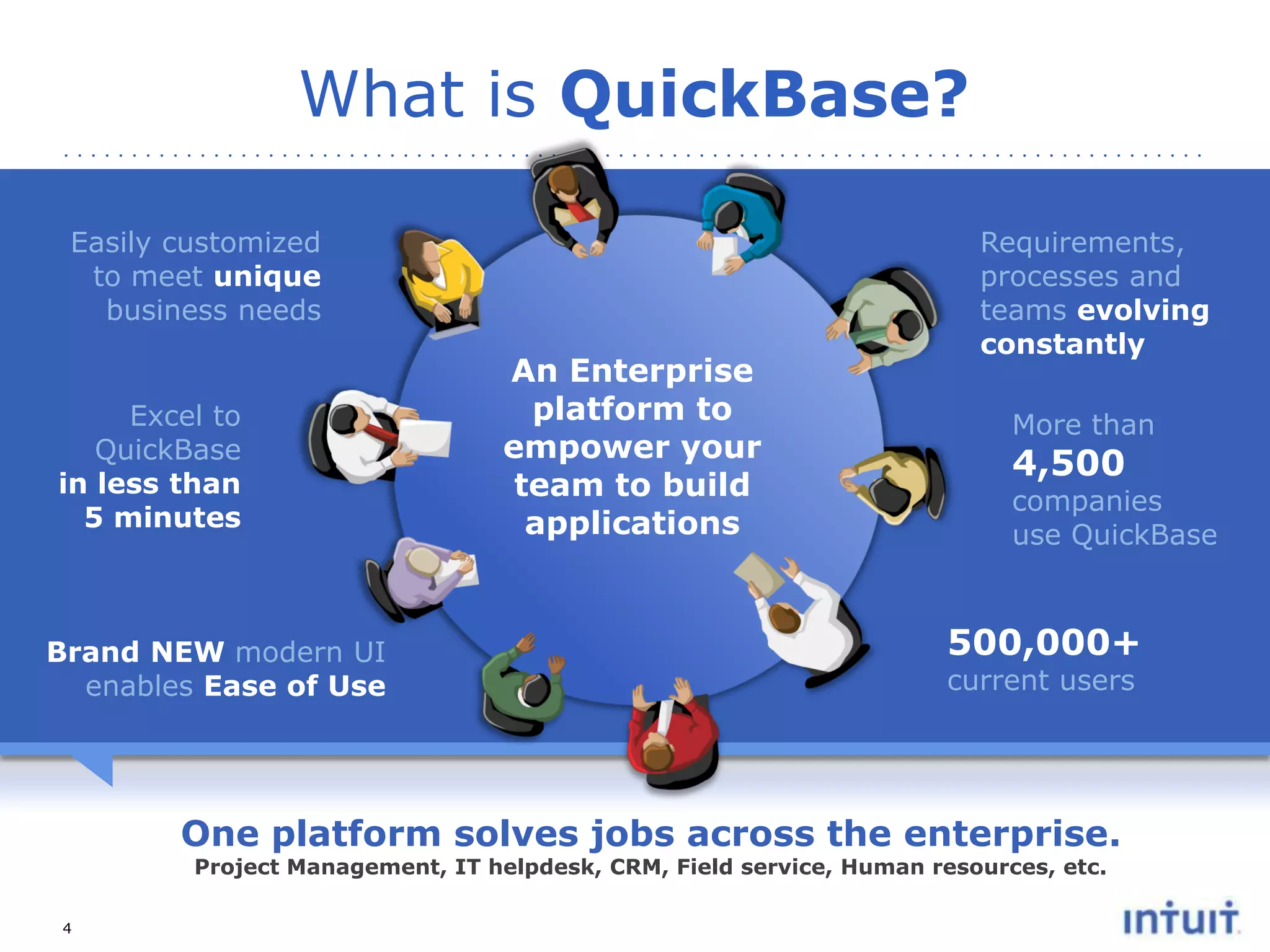
Easily customized
to meet unique
business needs

Excel to
QuickBase
in less than
5 minutes

Brand NEW modern UI
enables Ease of Use

An Enterprise
platform to
empower your
team to build
applications

Requirements,
processes and
teams evolving
constantly
More than

4,500

companies
use QuickBase

500,000+
current users

One platform solves jobs across the enterprise.
Project Management, IT helpdesk, CRM, Field service, Human resources, etc.

4
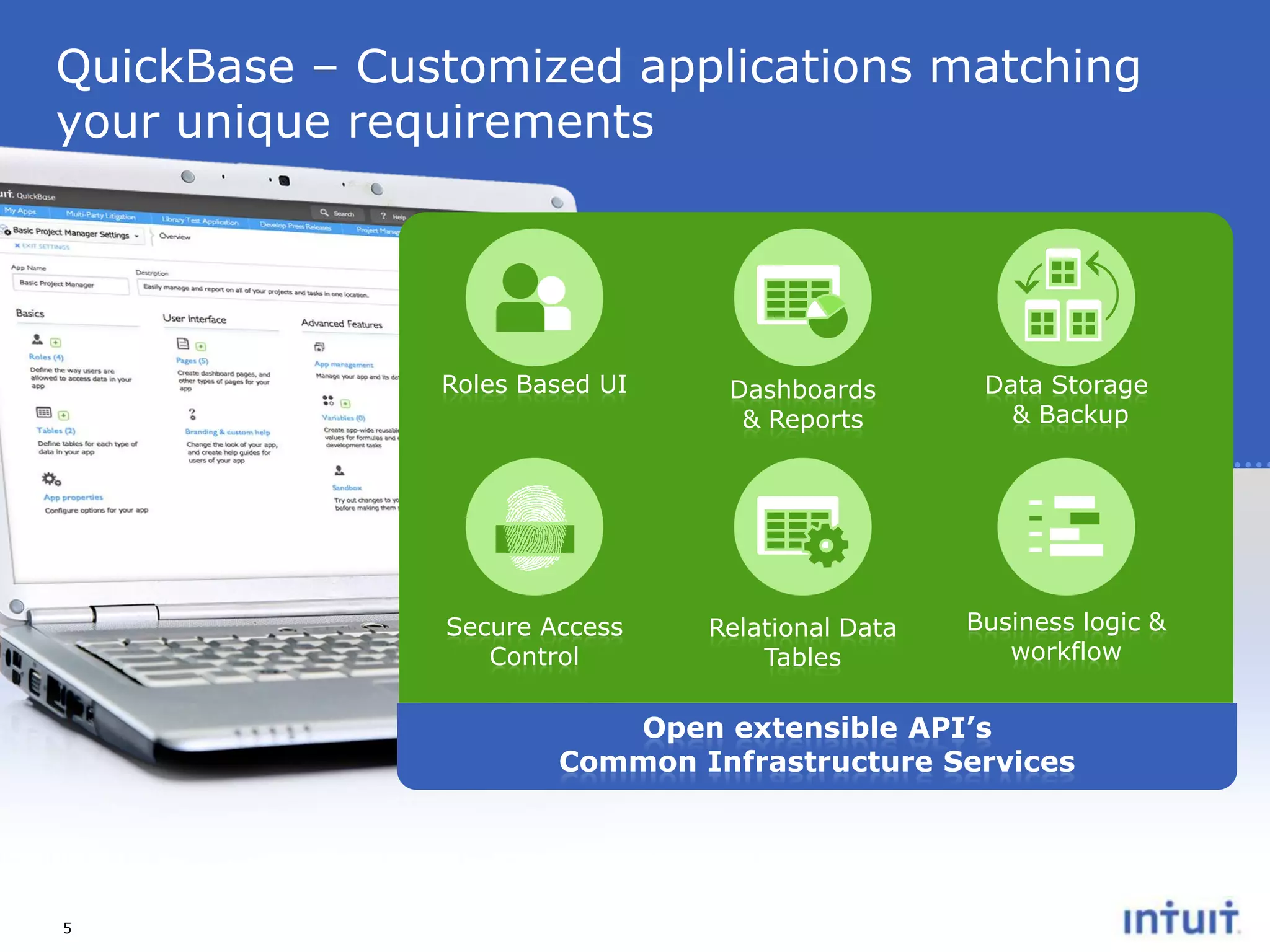
QuickBase – Customized applications matching
your unique requirements

Roles Based UI

Dashboards
& Reports

Data Storage
& Backup

Secure Access
Control

Relational Data
Tables

Business logic &
workflow

Open extensible API’s
Common Infrastructure Services

5
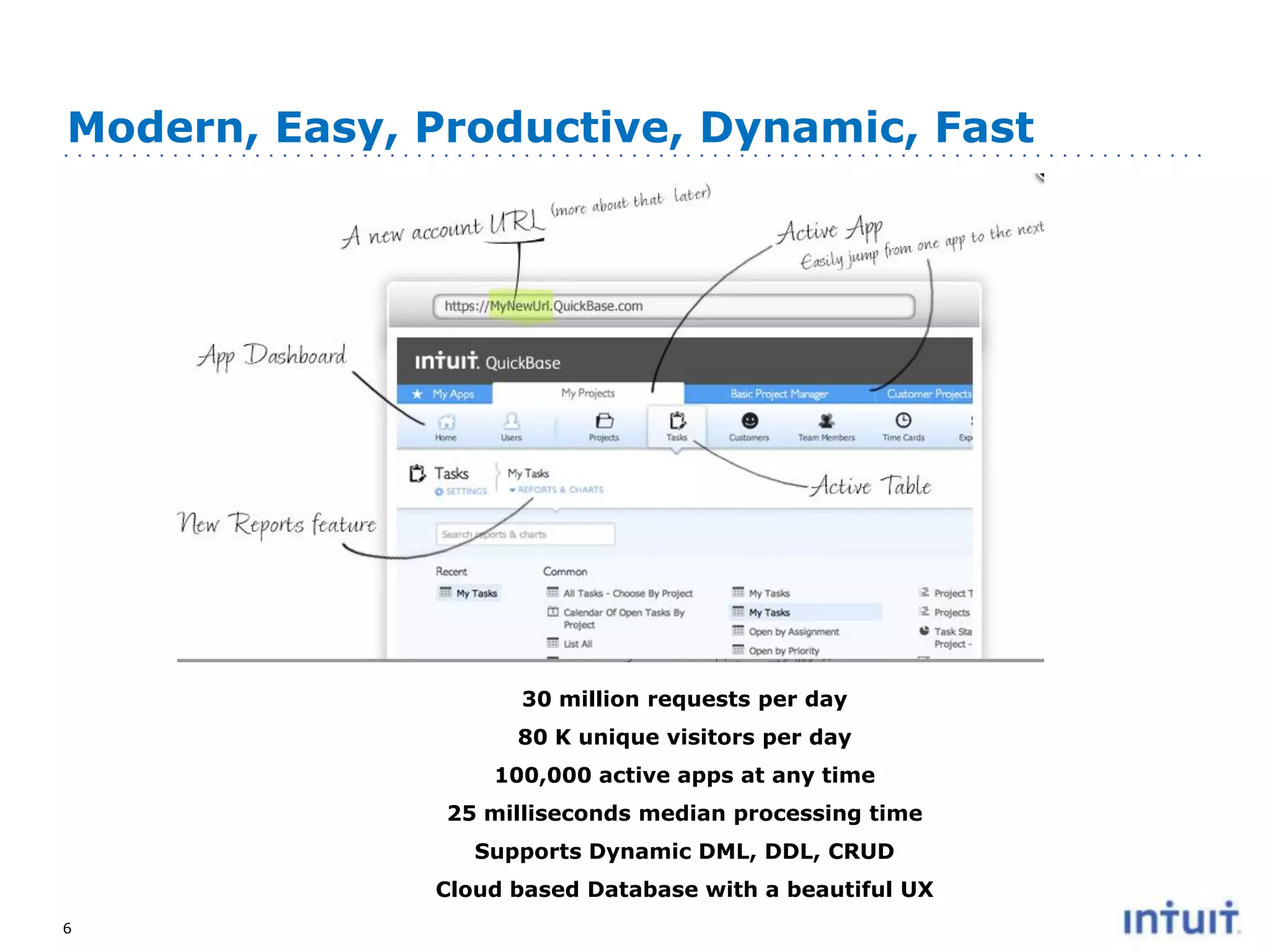
Modern, Easy, Productive, Dynamic, Fast

30 million requests per day
80 K unique visitors per day
100,000 active apps at any time
25 milliseconds median processing time
Supports Dynamic DML, DDL, CRUD
Cloud based Database with a beautiful UX
6
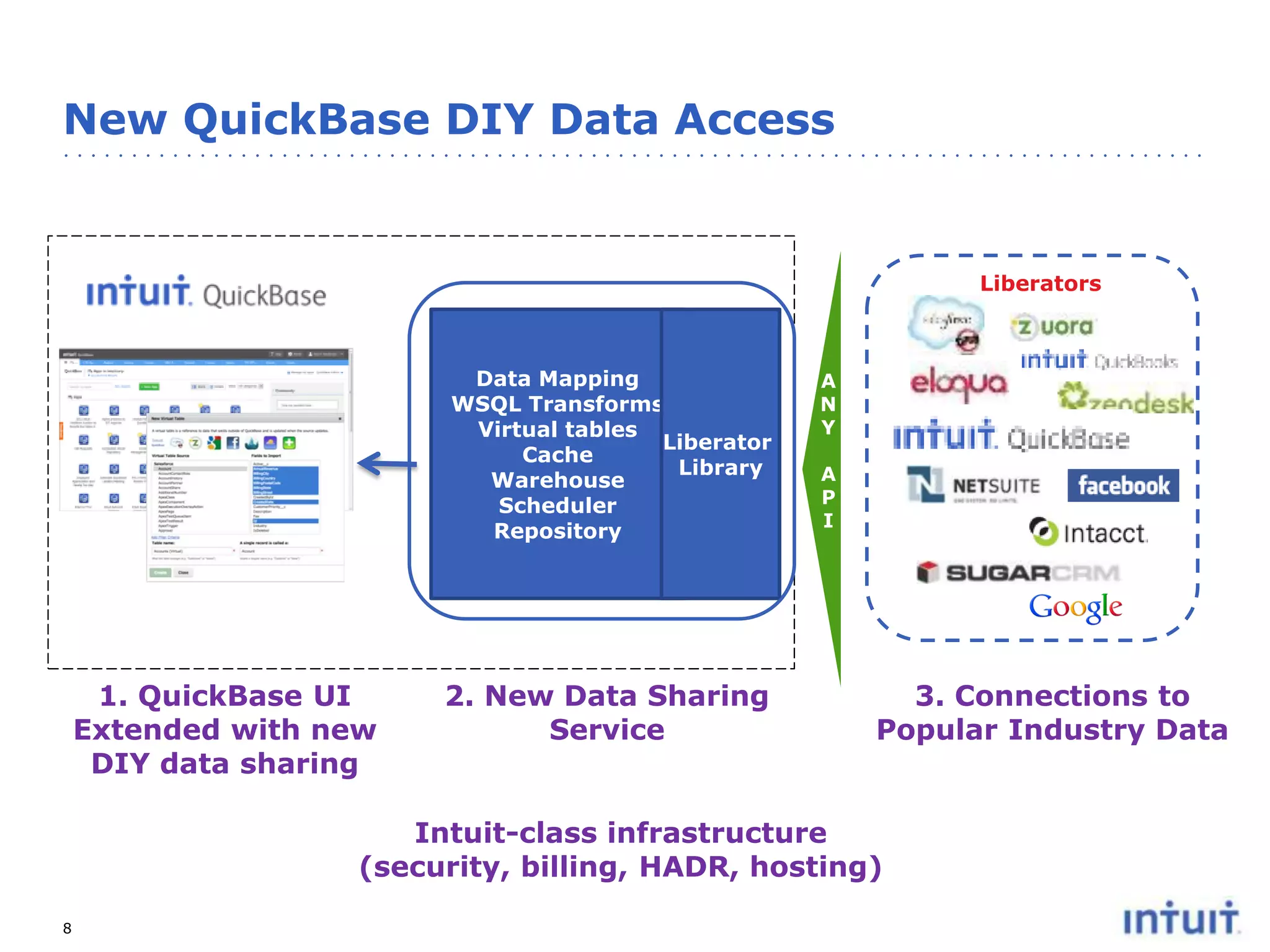
New QuickBase DIY Data Access

Liberators

Data Mapping
WSQL Transforms
Virtual tables
Liberator
Cache
Library
Warehouse
Scheduler
Repository

1. QuickBase UI
Extended with new
DIY data sharing

2. New Data Sharing
Service

A
N
Y
A
P
I

3. Connections to
Popular Industry Data

Intuit-class infrastructure
(security, billing, HADR, hosting)
8
AVAILABILITY

9
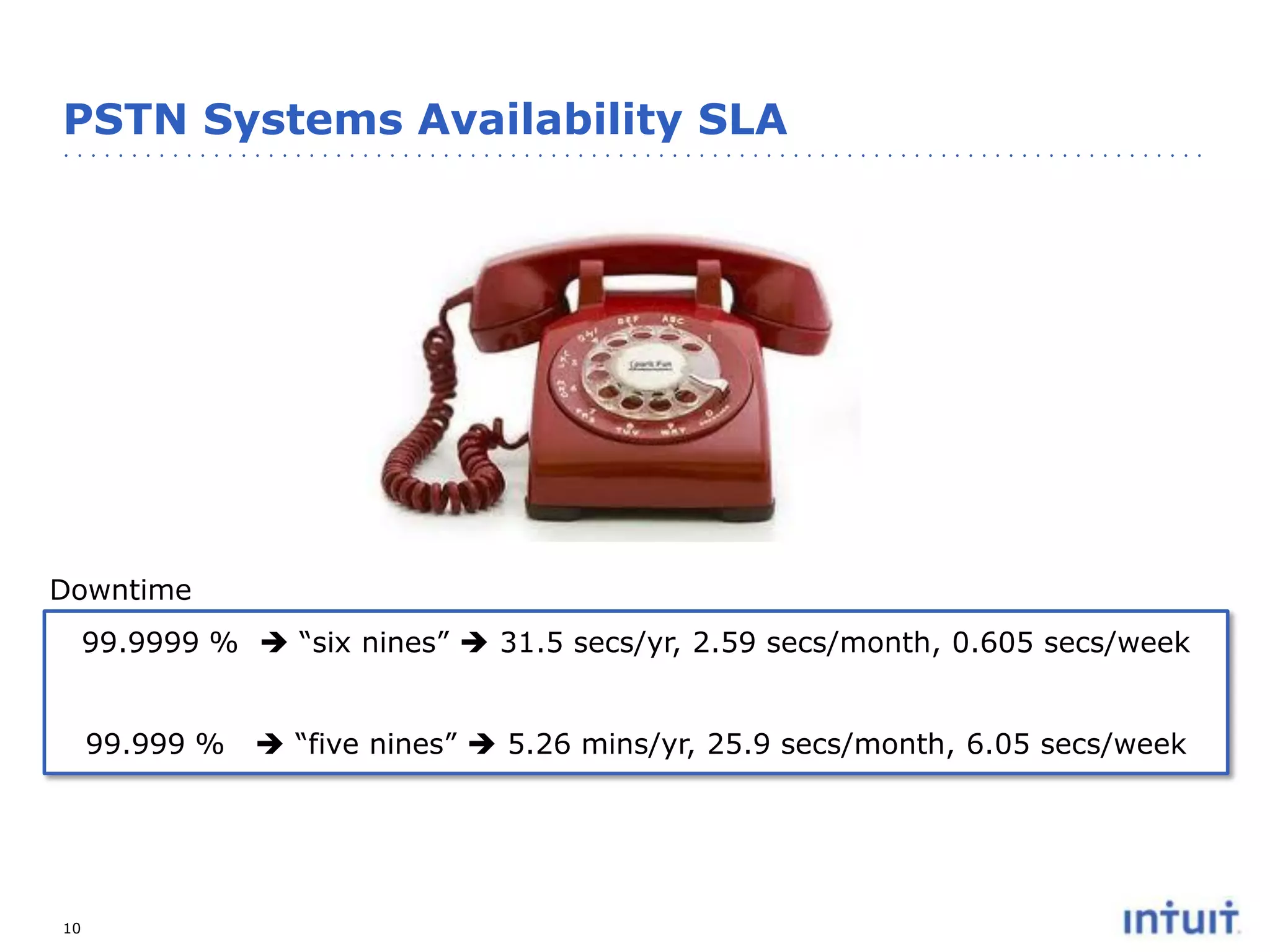
PSTN Systems Availability SLA

Downtime
99.9999 %  “six nines”  31.5 secs/yr, 2.59 secs/month, 0.605 secs/week

99.999 %

10

 “five nines”  5.26 mins/yr, 25.9 secs/month, 6.05 secs/week
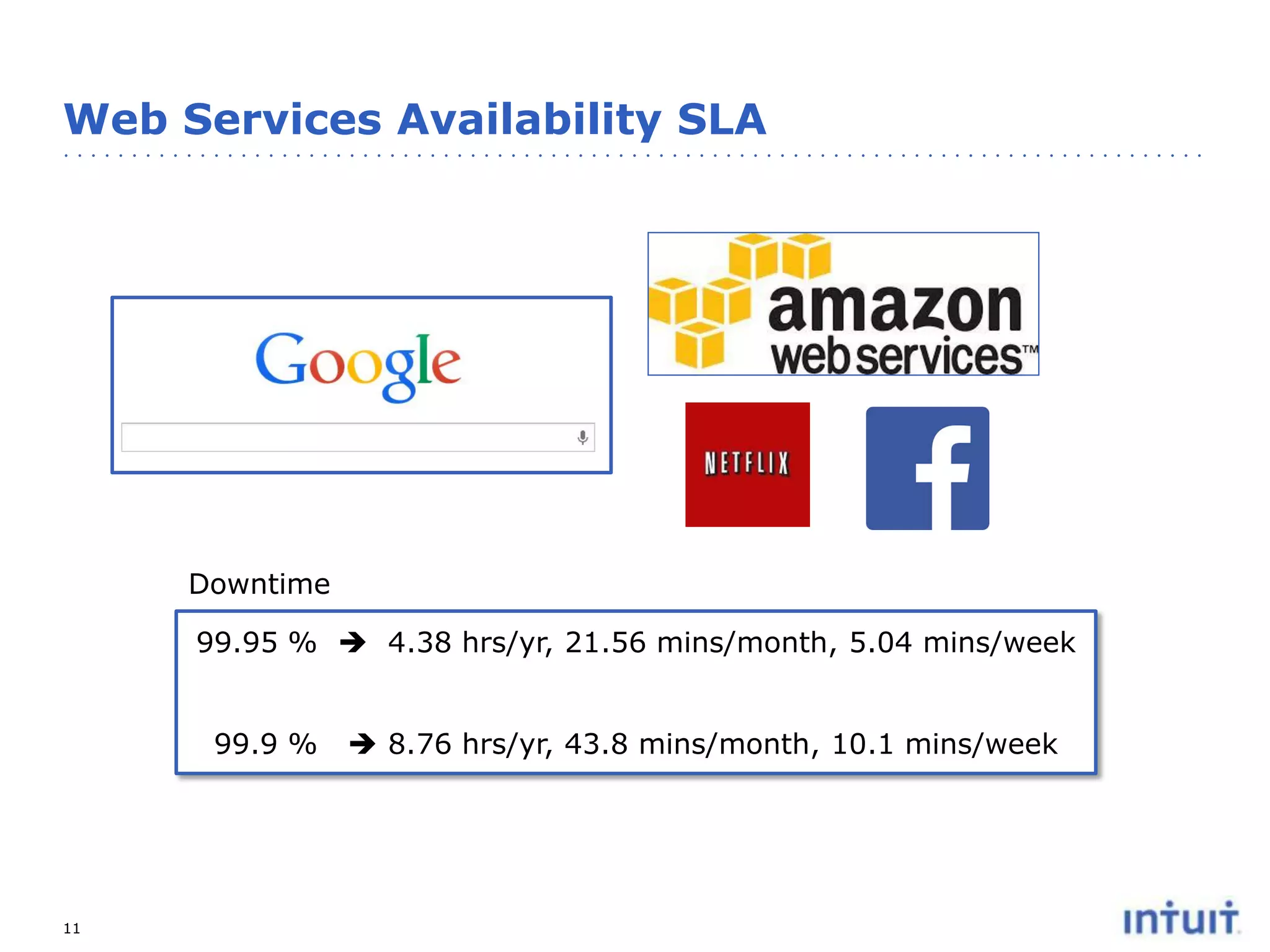
Web Services Availability SLA

Downtime
99.95 %  4.38 hrs/yr, 21.56 mins/month, 5.04 mins/week

99.9 %

11

 8.76 hrs/yr, 43.8 mins/month, 10.1 mins/week
12

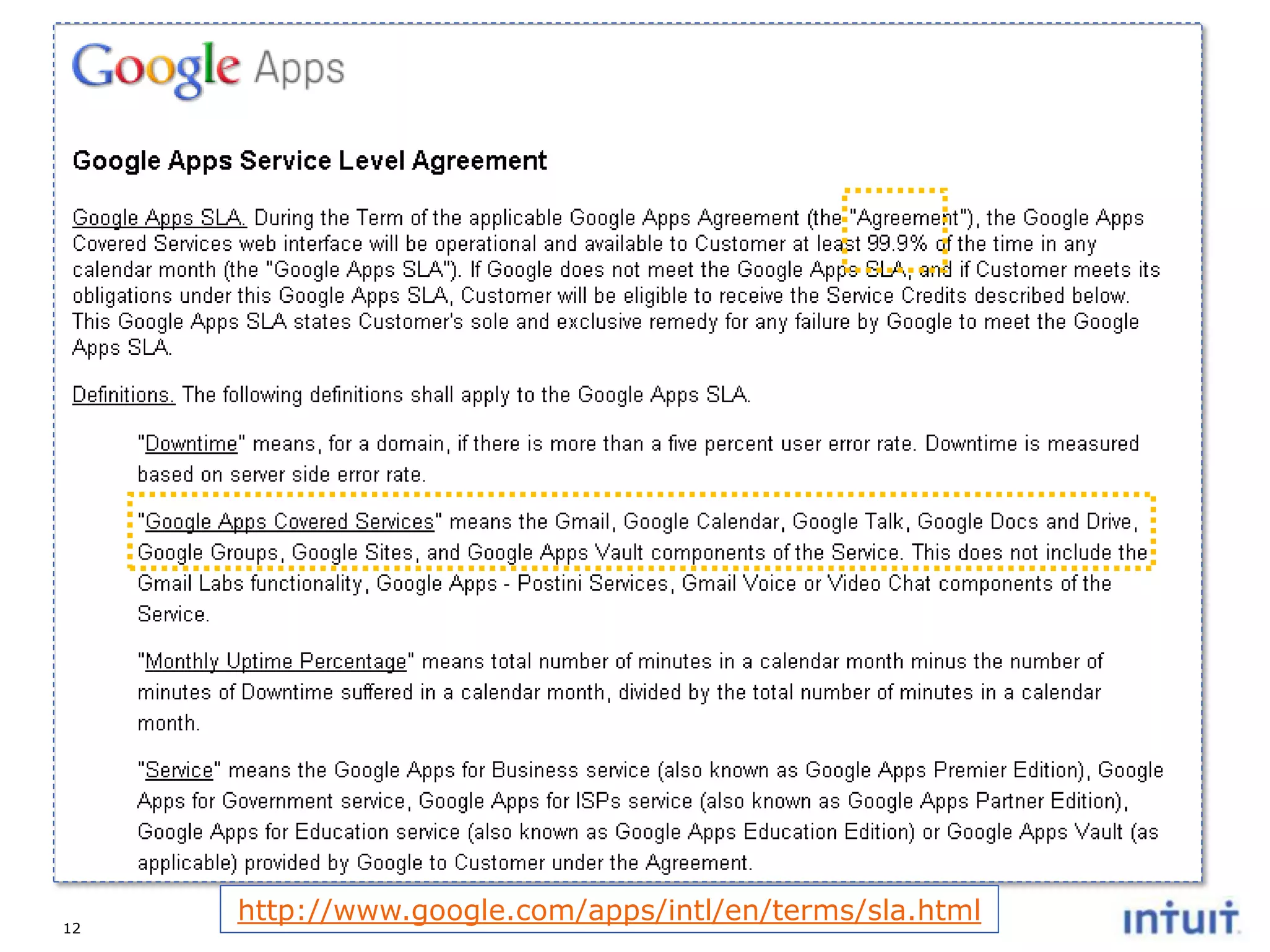
http://www.google.com/apps/intl/en/terms/sla.html
Operating High Availability Service

PEOPLE & PROCESSES

13
People & Process: Monitoring Business Metrics
• It’s critical to detect a problem before your customers have
to tell you or you have to ask them.
• By monitoring real time business metrics and comparing
the actual data to a historical curve you can more quickly
detect if there is a problem and avoid sifting through alerting
and monitoring white noise that your systems will
inevitability produce.
• Five evolutionary questions that monitoring should answer:
1.
2.
3.
4.
5.

Is there a problem?
Where is the problem?
What is the problem?
Why is there a problem?
Will there be a problem?

• External versus Internal Monitoring
http://akfpartners.com/techblog/2009/06/15/monitoring-strategies/
14
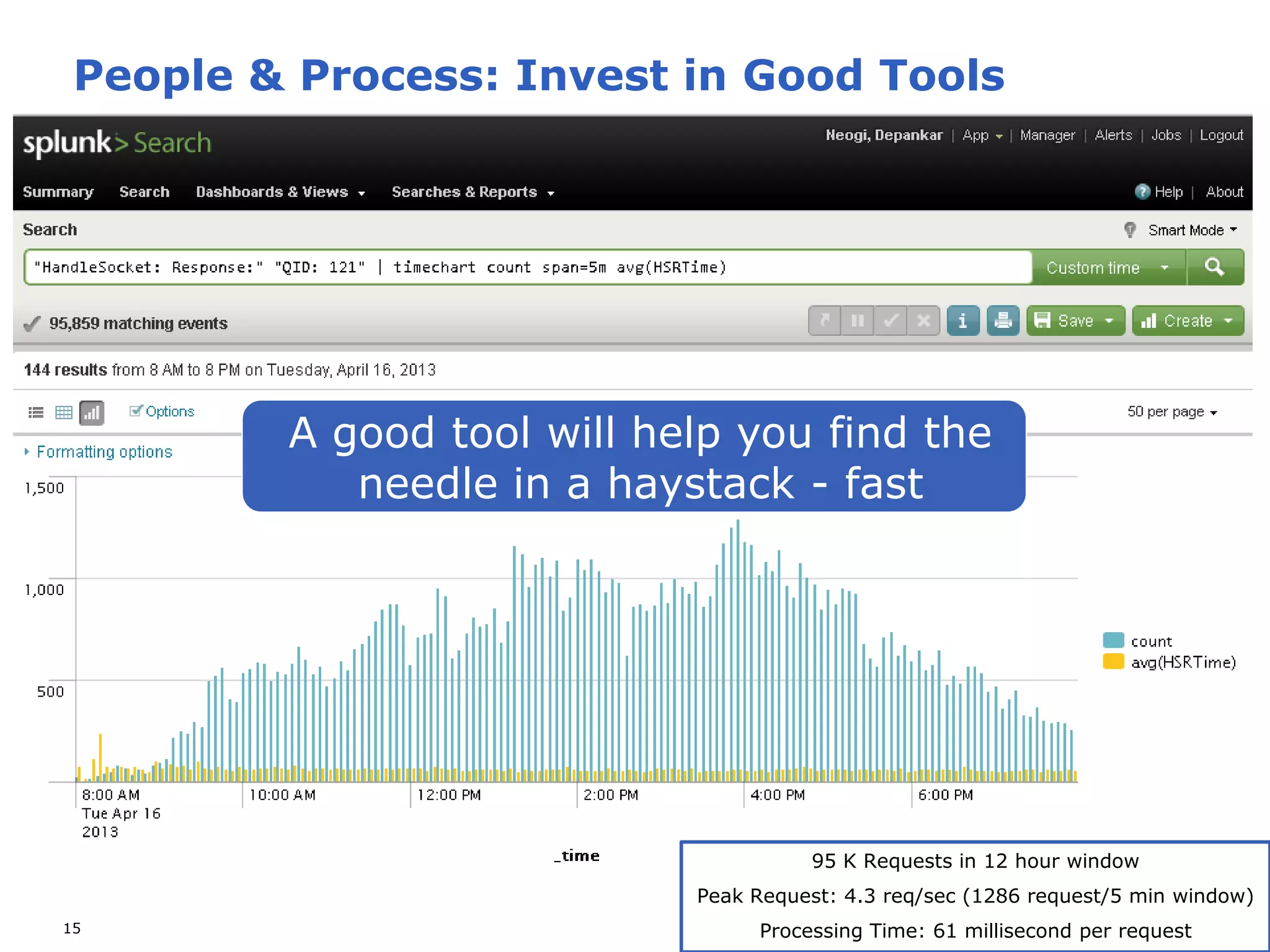
People & Process: Invest in Good Tools

A good tool will help you find the
needle in a haystack - fast

95 K Requests in 12 hour window
Peak Request: 4.3 req/sec (1286 request/5 min window)
15

Processing Time: 61 millisecond per request
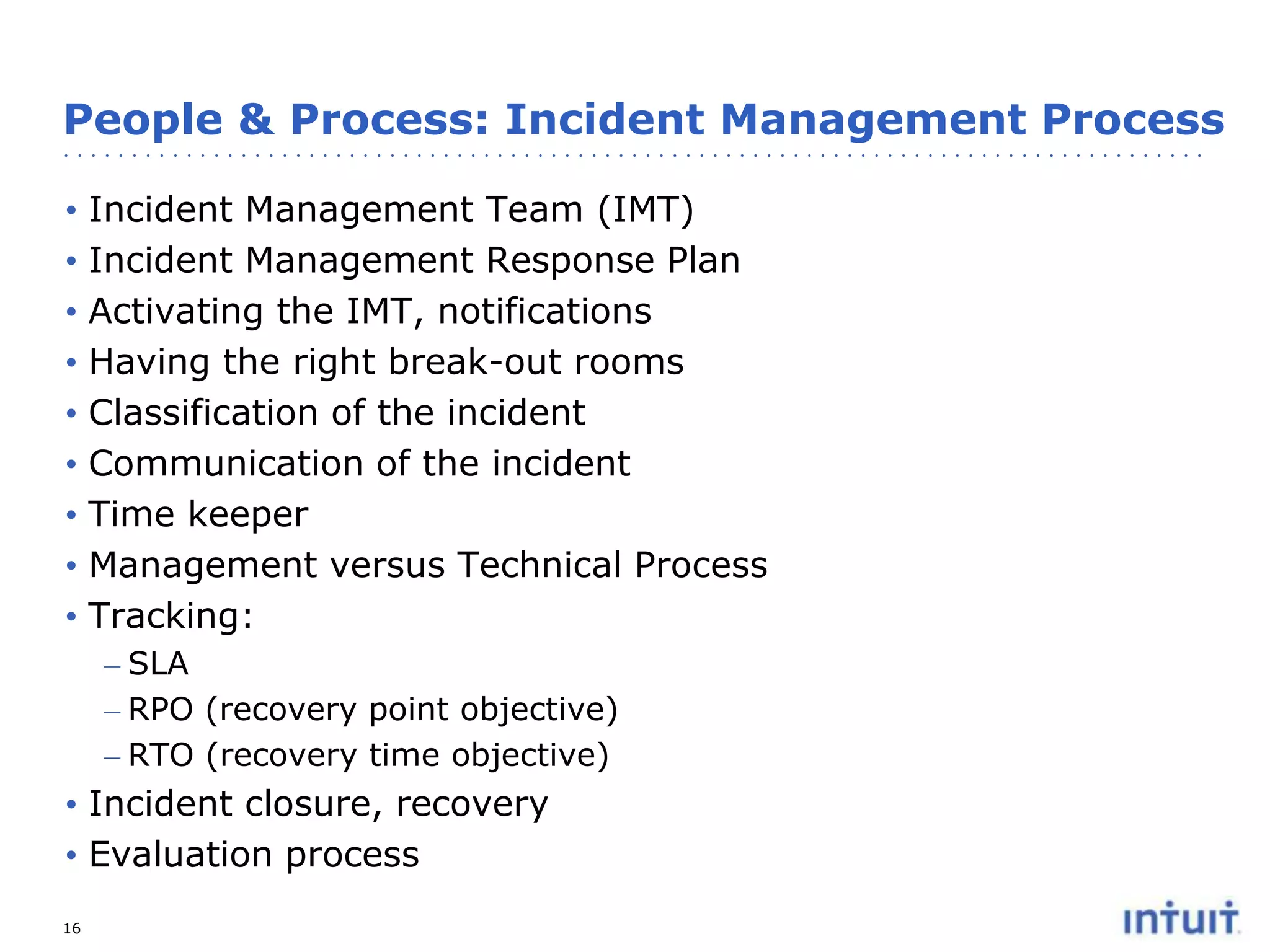
People & Process: Incident Management Process
•
•
•
•
•
•
•
•
•

Incident Management Team (IMT)
Incident Management Response Plan
Activating the IMT, notifications
Having the right break-out rooms
Classification of the incident
Communication of the incident
Time keeper
Management versus Technical Process
Tracking:
– SLA
– RPO (recovery point objective)
– RTO (recovery time objective)

• Incident closure, recovery
• Evaluation process
16
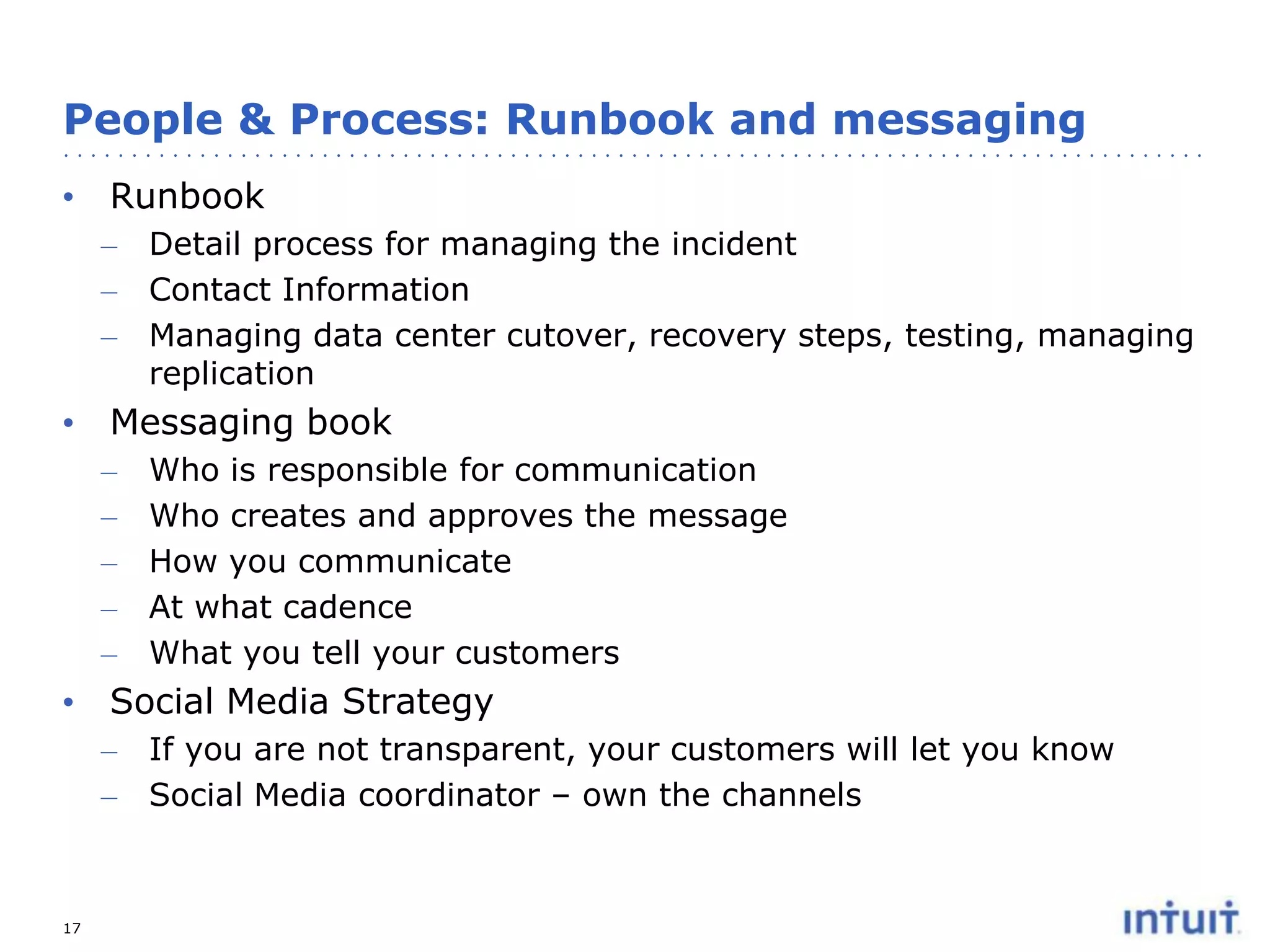
People & Process: Runbook and messaging
• Runbook
– Detail process for managing the incident
– Contact Information
– Managing data center cutover, recovery steps, testing, managing
replication

• Messaging book
–
–
–
–
–

Who is responsible for communication
Who creates and approves the message
How you communicate
At what cadence
What you tell your customers

• Social Media Strategy
–
–

17

If you are not transparent, your customers will let you know
Social Media coordinator – own the channels
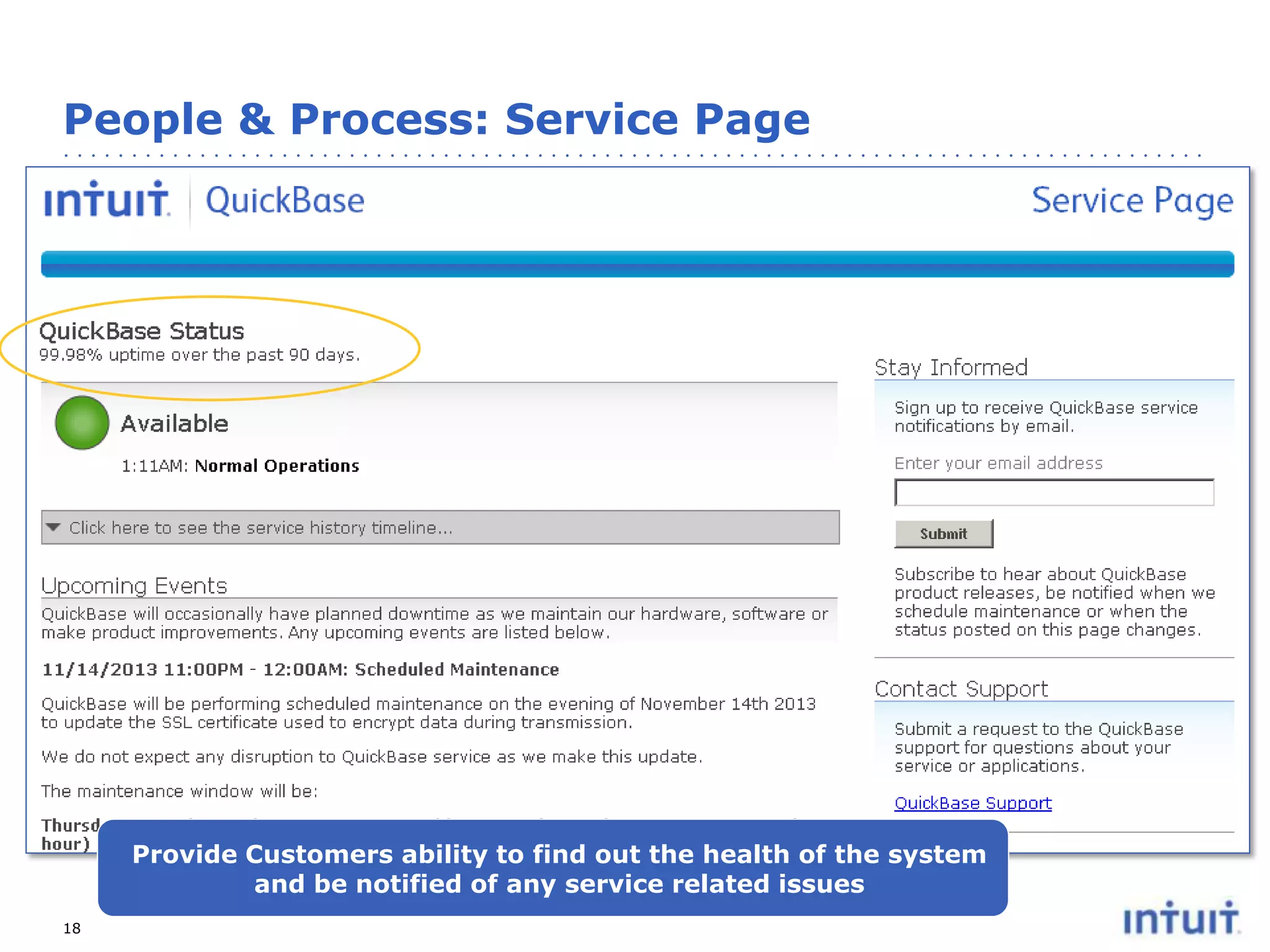
People & Process: Service Page

Provide Customers ability to find out the health of the system
and be notified of any service related issues
18
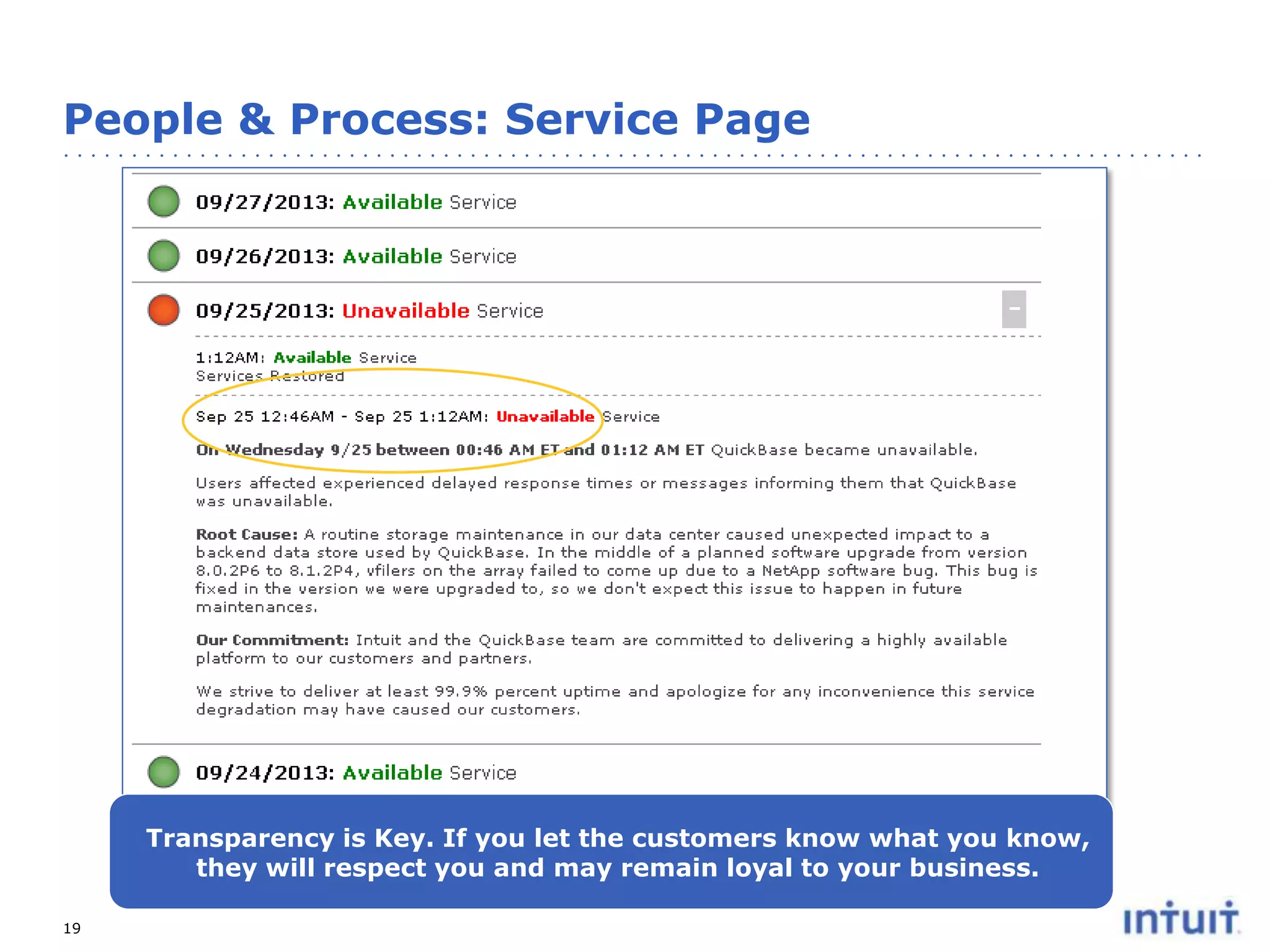
People & Process: Service Page

Transparency is Key. If you let the customers know what you know,
they will respect you and may remain loyal to your business.
19
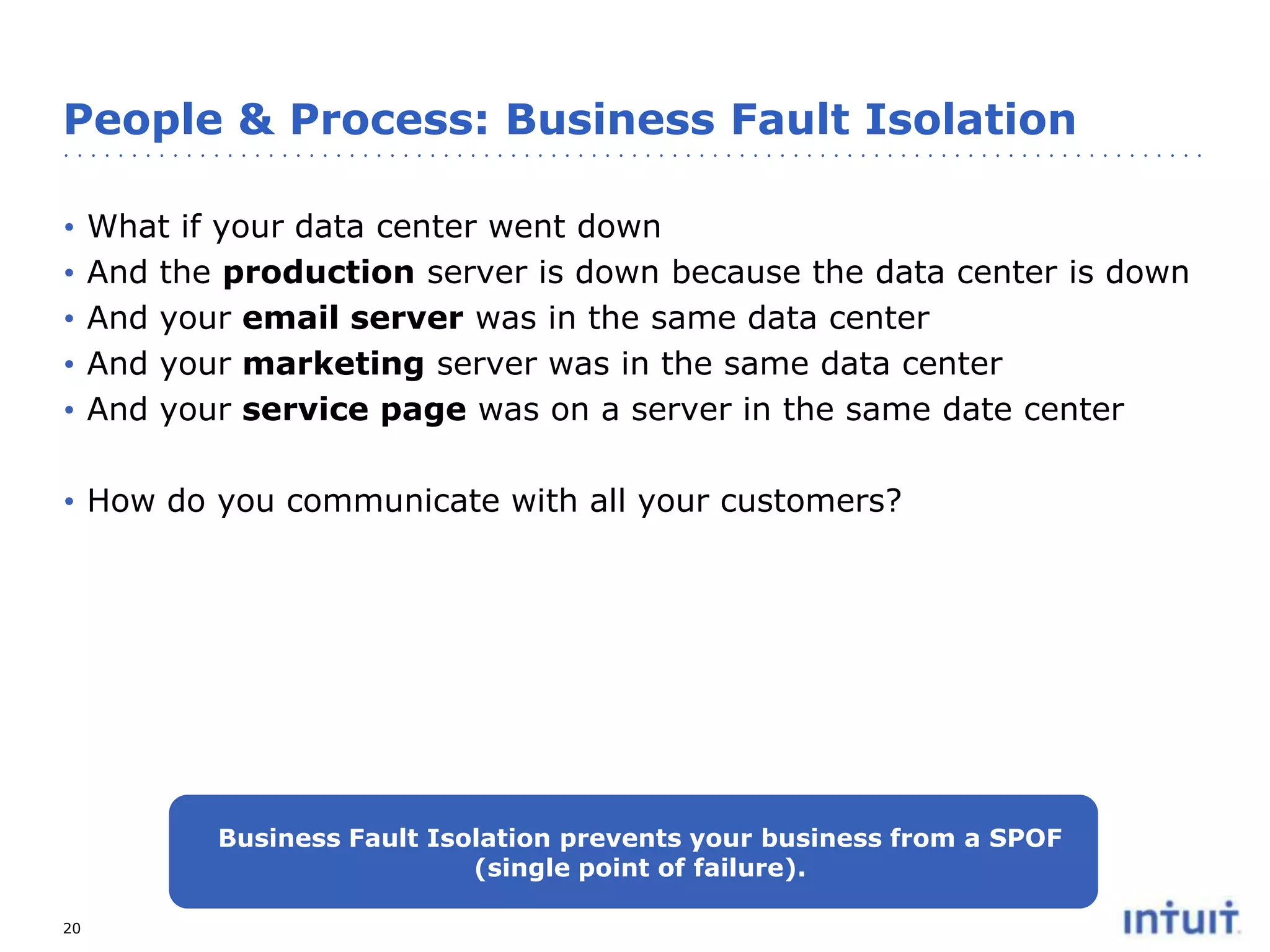
People & Process: Business Fault Isolation
•
•
•
•
•

What if your data center went down
And the production server is down because the data center is down
And your email server was in the same data center
And your marketing server was in the same data center
And your service page was on a server in the same date center

• How do you communicate with all your customers?

Business Fault Isolation prevents your business from a SPOF
(single point of failure).
20
People & Process: Review Process
• SaaS or Operations Review Process should have a fixed
cadence and be led by a company leader
• Review Team should include leaders from:
– Finance
– Compliance & Risk
– CTO
– Operations
– Product

• Dashboard with KPI
• Review Fire drills
• Change Control Process
– Preferably change one thing at a time

21
Operating High Availability Service

TECHNOLOGIES

22
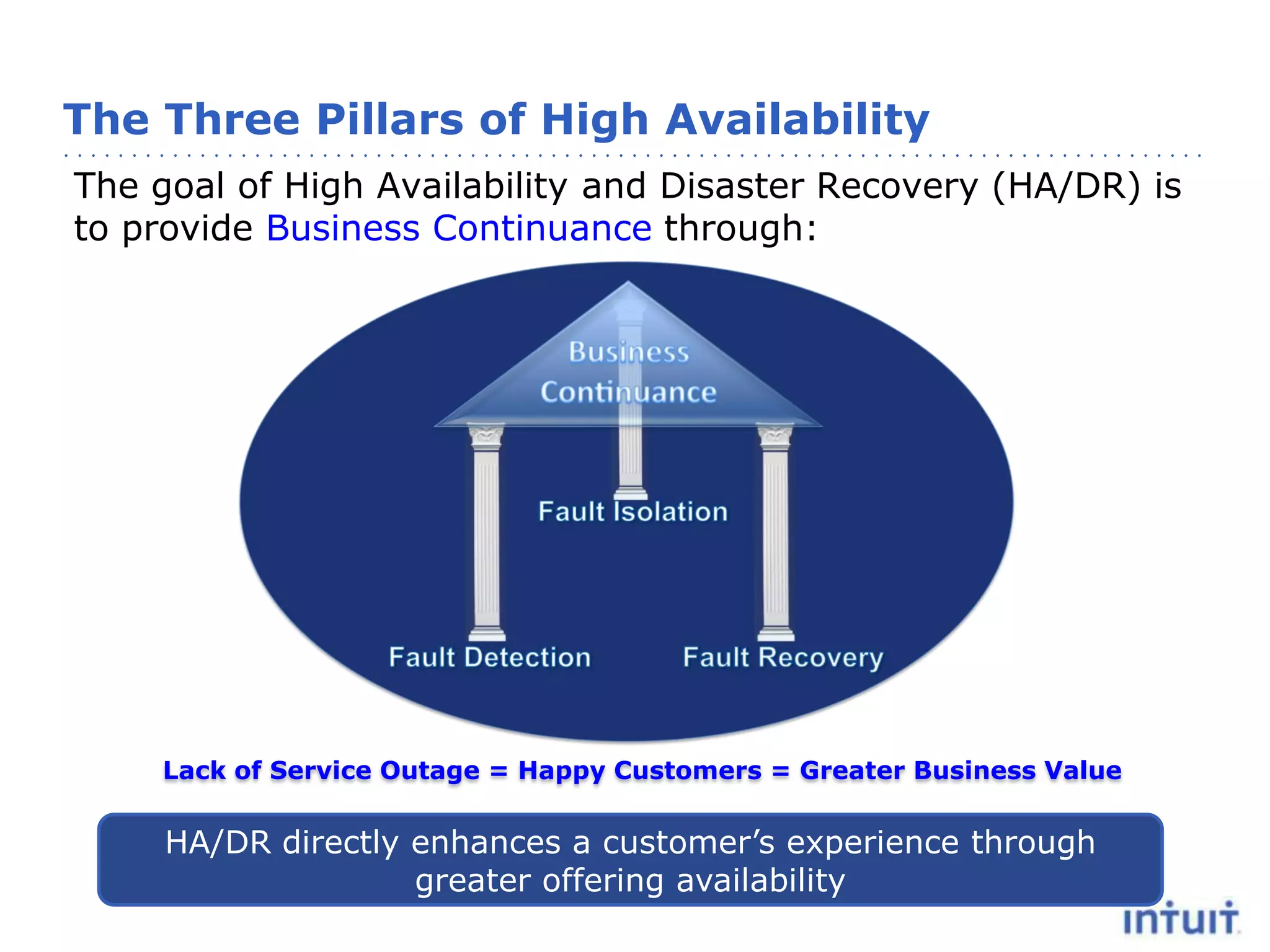
The Three Pillars of High Availability
The goal of High Availability and Disaster Recovery (HA/DR) is
to provide Business Continuance through:

Lack of Service Outage = Happy Customers = Greater Business Value

HA/DR directly enhances a customer’s experience through
greater offering availability
High Availability Architecture Principles
• Design for Failure
– Avoid Single Points of Failure
– Graceful Degradation and Soft Dependencies
– Asynchronous Design
– Keep State Confined to Where it is Needed

• Design for Operability
– Design to be Monitored
– Design for Hot Deployment and Rollback
– Automate Where Possible

• Keep Everything “In Production”
• Scale Out (Not Up)
• Keep it Fresh…and Mature
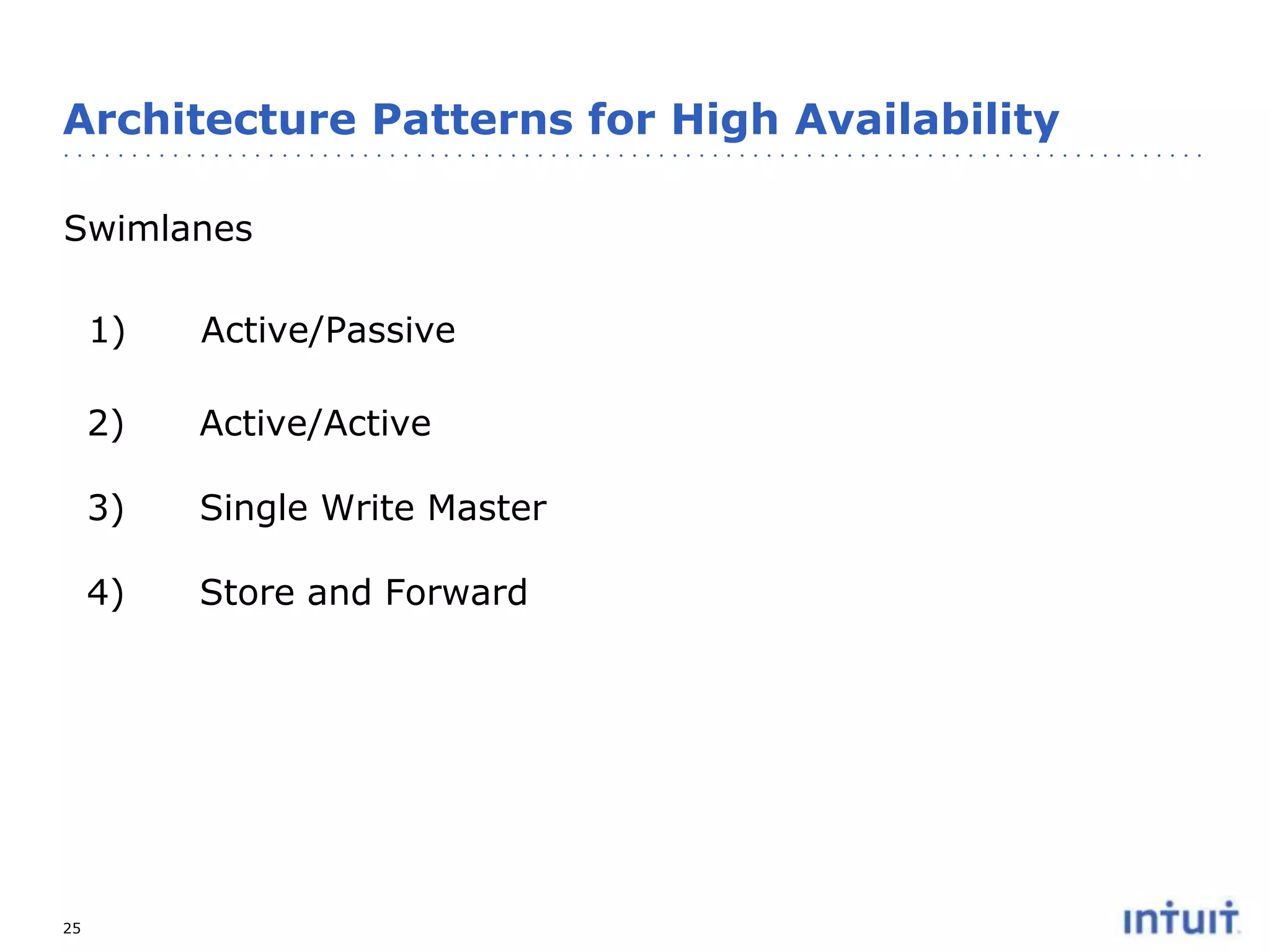
Architecture Patterns for High Availability
Swimlanes

1)
2)

Active/Active

3)

Single Write Master

4)

25

Active/Passive

Store and Forward
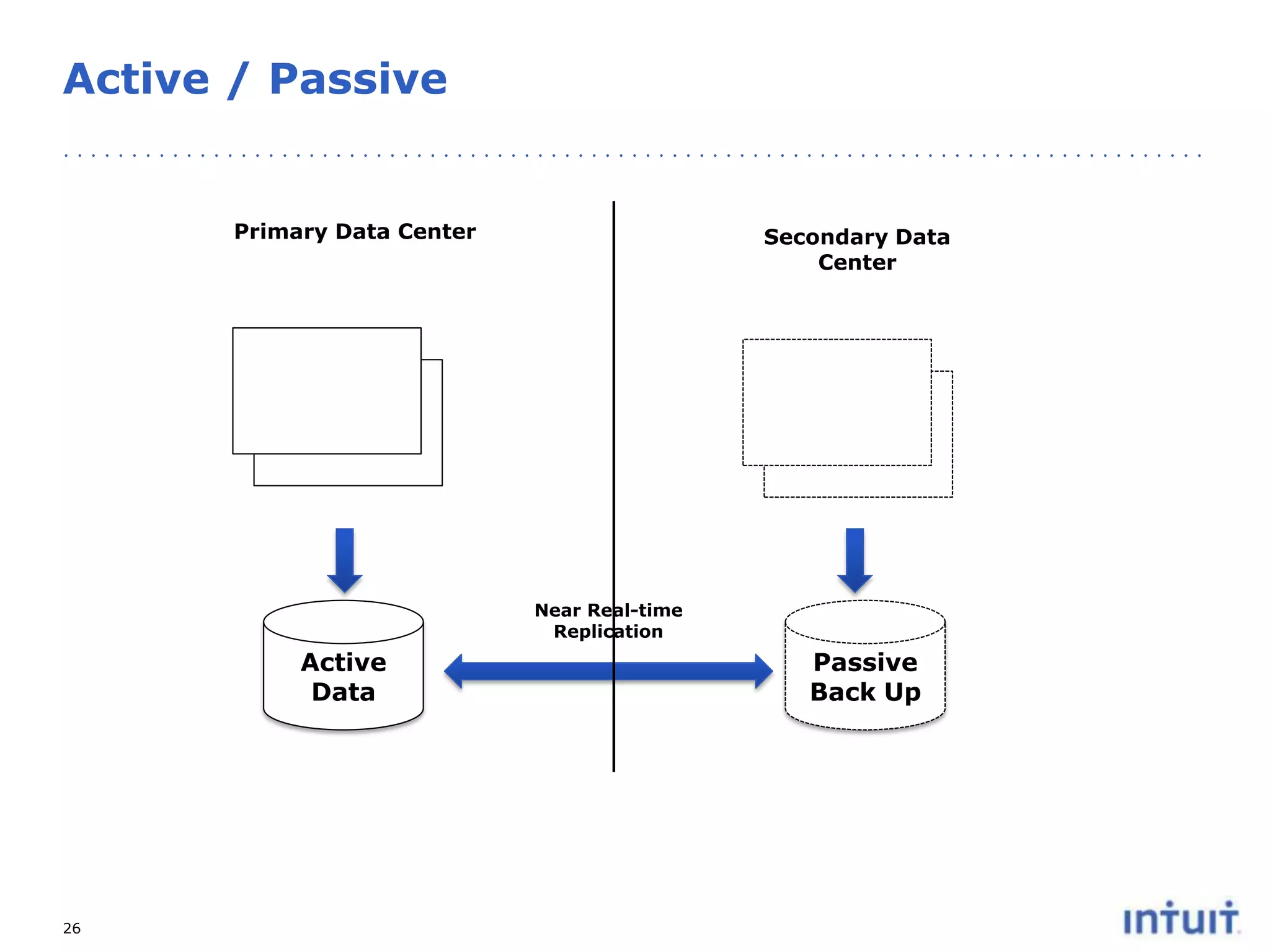
Active / Passive

Primary Data Center

Secondary Data
Center

Near Real-time
Replication

Active
Data

26

Passive
Back Up
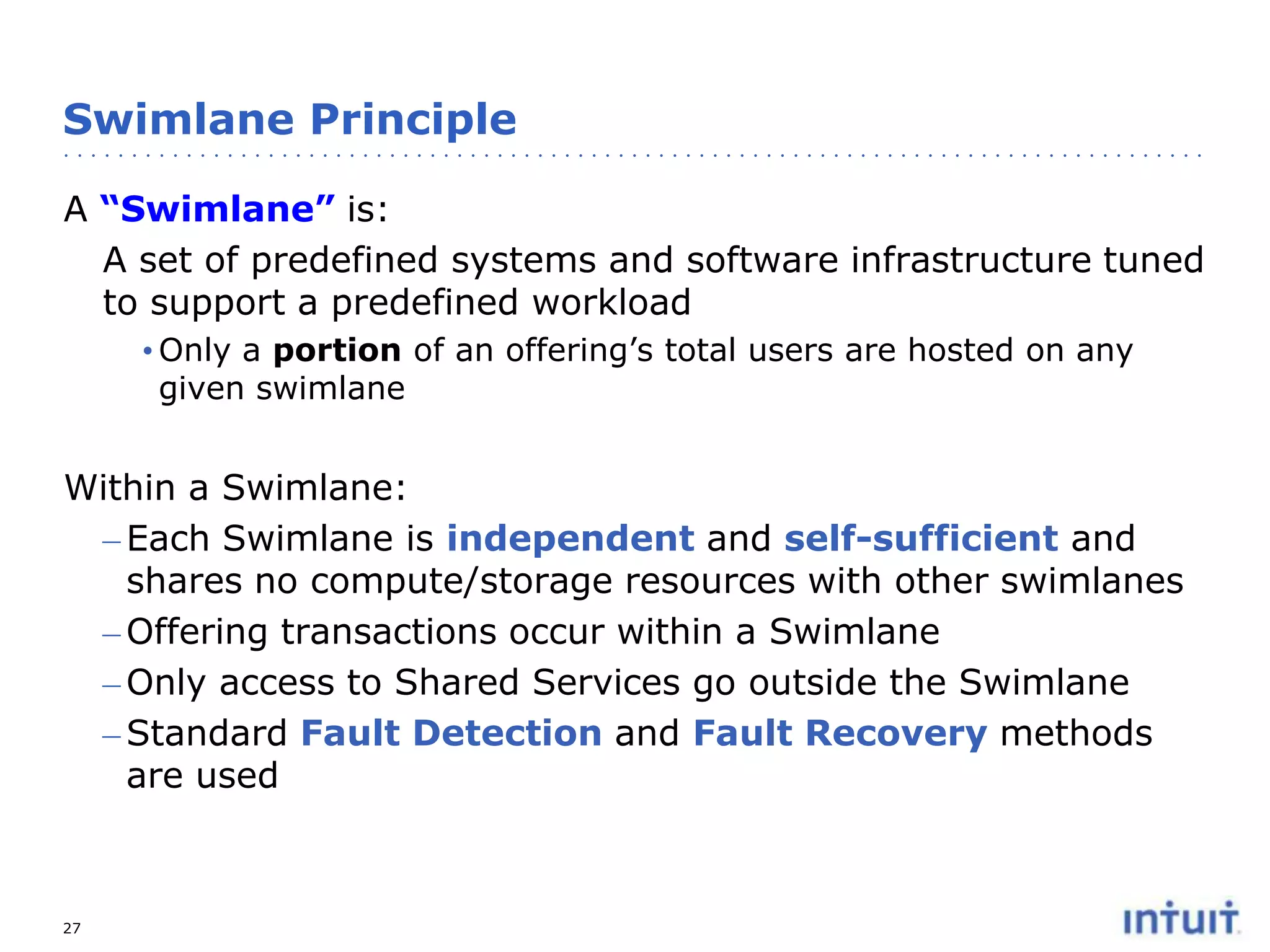
Swimlane Principle
A “Swimlane” is:
A set of predefined systems and software infrastructure tuned
to support a predefined workload
• Only a portion of an offering’s total users are hosted on any
given swimlane

Within a Swimlane:
– Each Swimlane is independent and self-sufficient and
shares no compute/storage resources with other swimlanes
– Offering transactions occur within a Swimlane
– Only access to Shared Services go outside the Swimlane
– Standard Fault Detection and Fault Recovery methods
are used

27
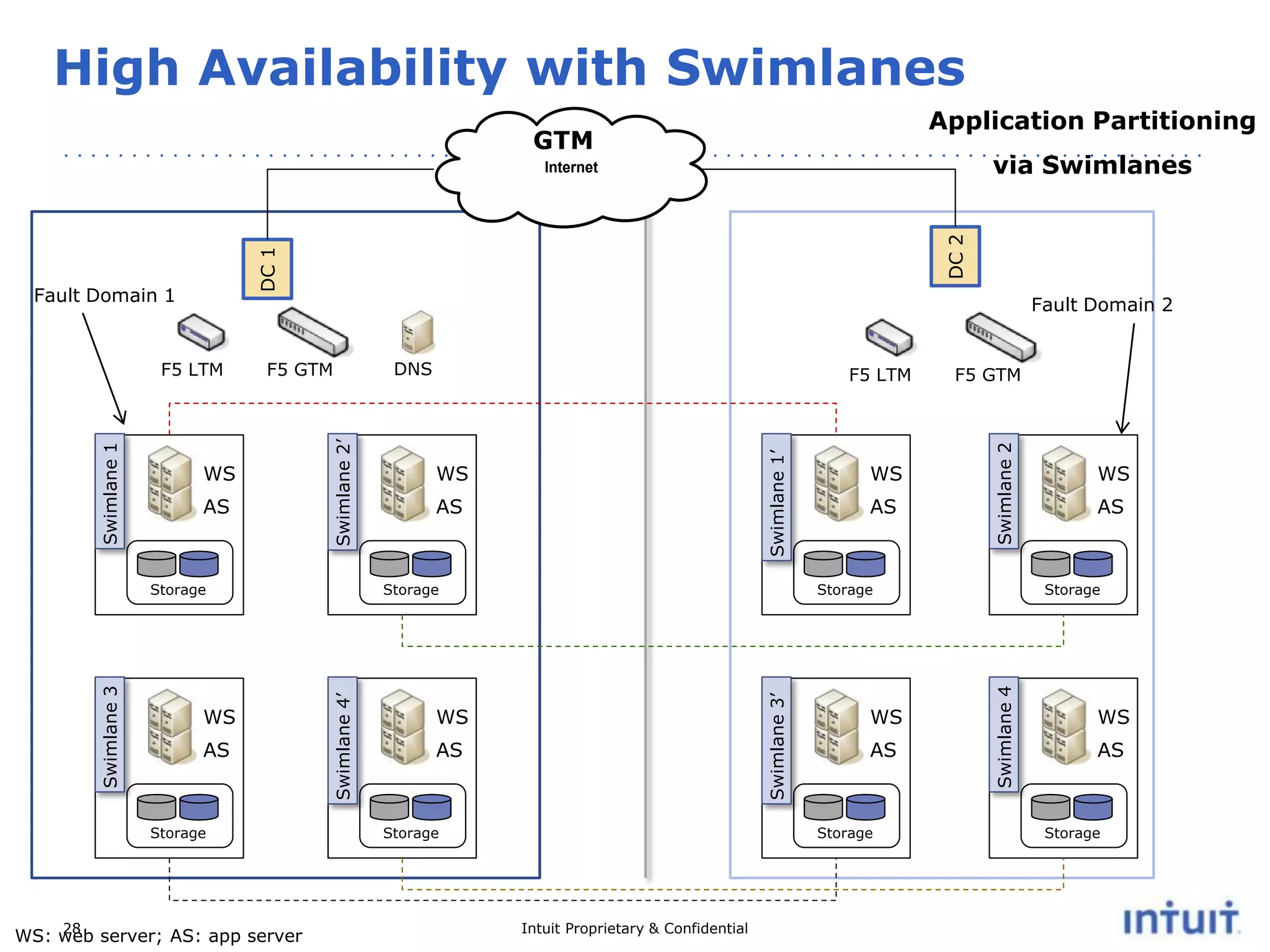
High Availability with Swimlanes
Application Partitioning

GTM

via Swimlanes

DC 1

Fault Domain 1

Fault Domain 2

WS

AS

Storage

28
WS: web server; AS: app server

WS
AS

Swimlane 2

AS

Storage

Swimlane 4’

Swimlane 3

Storage

WS

F5 GTM

Storage

WS

AS

Storage

WS

AS

Storage

Intuit Proprietary & Confidential

WS
AS

Storage

Swimlane 4

AS

F5 LTM

Swimlane 3’

WS

DNS

Swimlane 1’

F5 GTM

Swimlane 2’

F5 LTM

Swimlane 1

DC 2

Internet

WS

AS

Storage
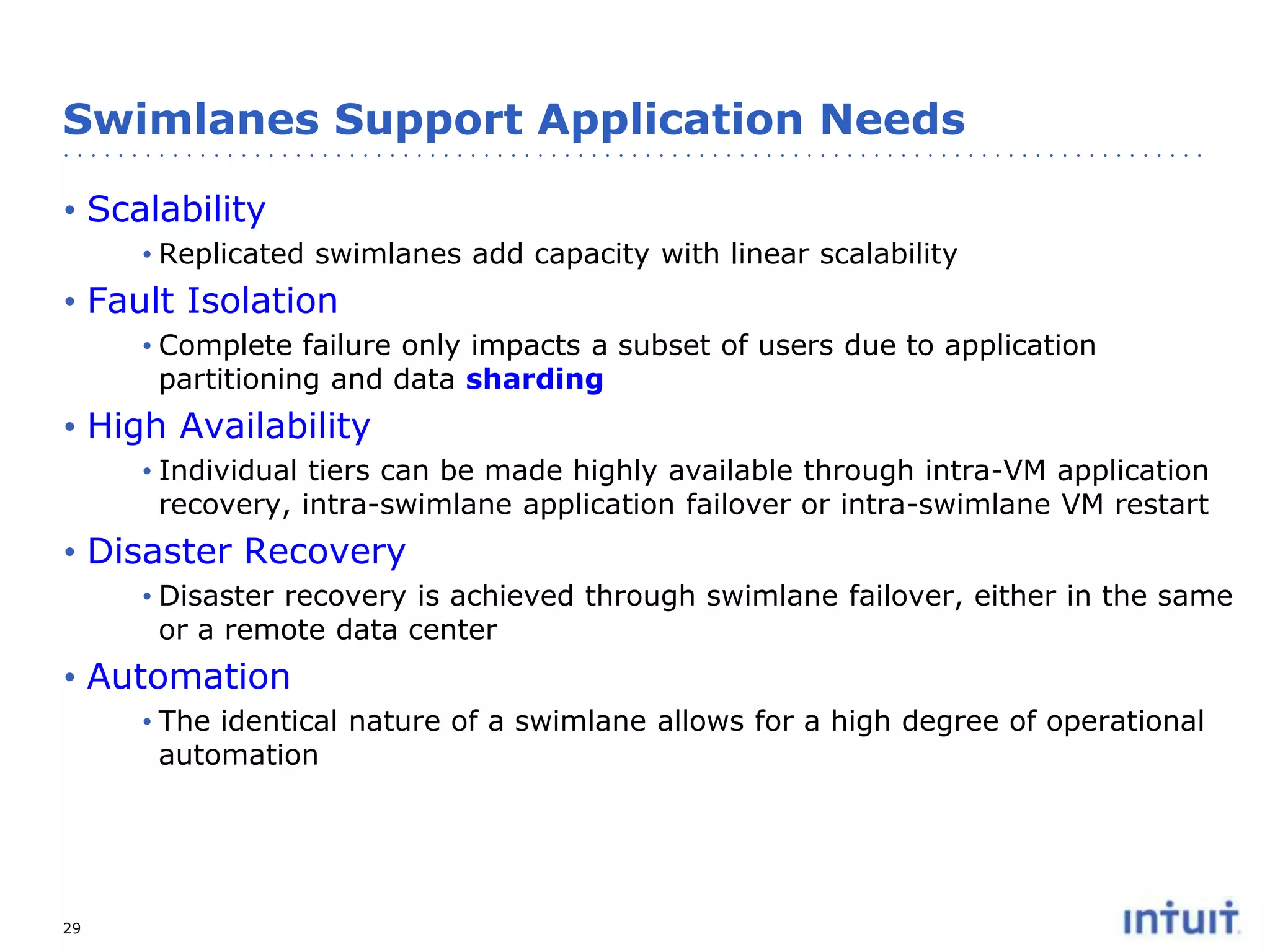
Swimlanes Support Application Needs
• Scalability
• Replicated swimlanes add capacity with linear scalability

• Fault Isolation
• Complete failure only impacts a subset of users due to application
partitioning and data sharding

• High Availability
• Individual tiers can be made highly available through intra-VM application
recovery, intra-swimlane application failover or intra-swimlane VM restart

• Disaster Recovery
• Disaster recovery is achieved through swimlane failover, either in the same
or a remote data center

• Automation
• The identical nature of a swimlane allows for a high degree of operational
automation

29
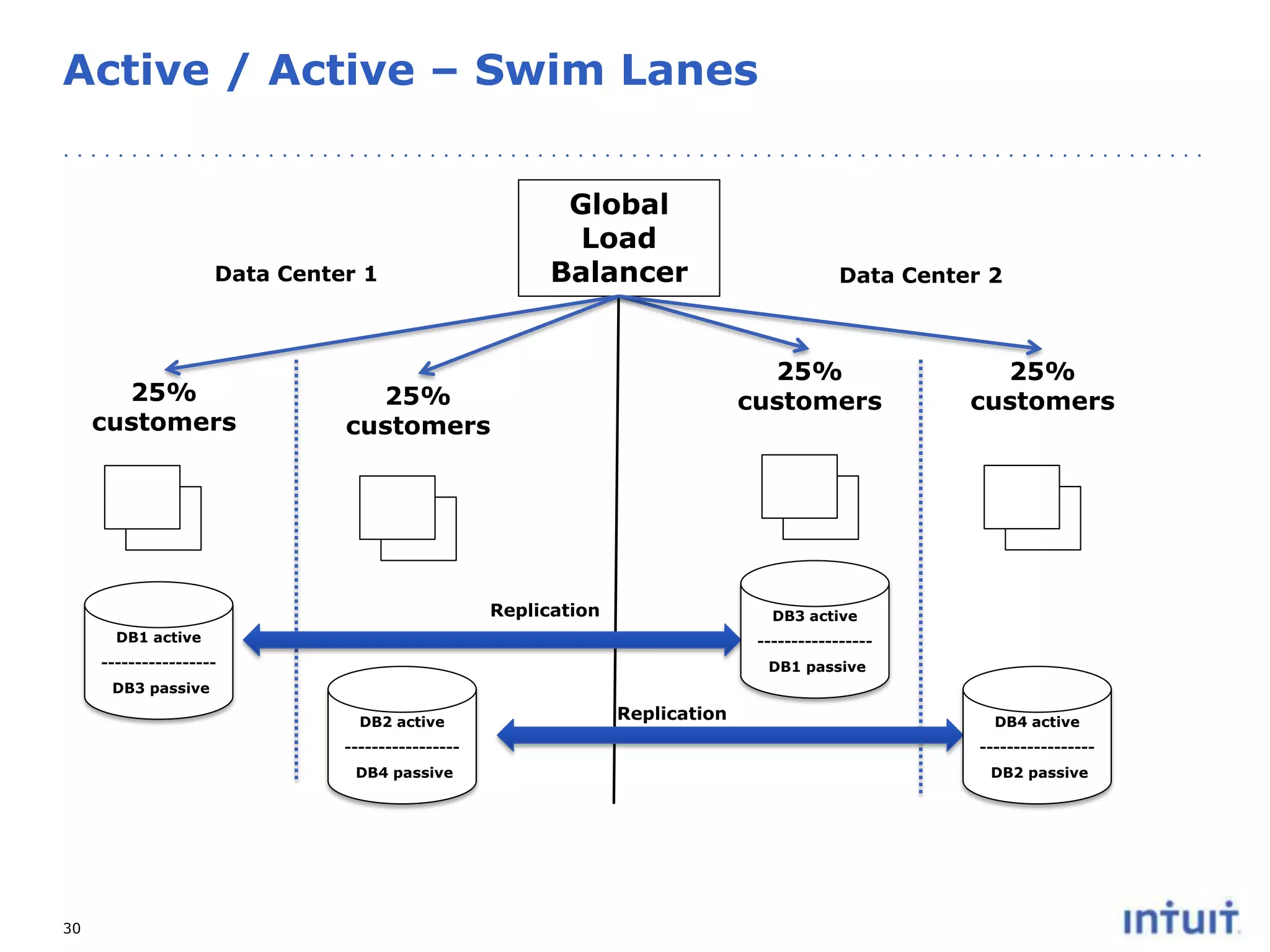
Active / Active – Swim Lanes
Global
Load
Balancer

Data Center 1

25%
customers

Data Center 2

25%
customers

25%
customers

Replication

25%
customers

DB3 active

DB1 active

-----------------

-----------------

DB1 passive

DB3 passive
DB2 active

Replication

DB4 active

----------------DB4 passive

30

----------------DB2 passive
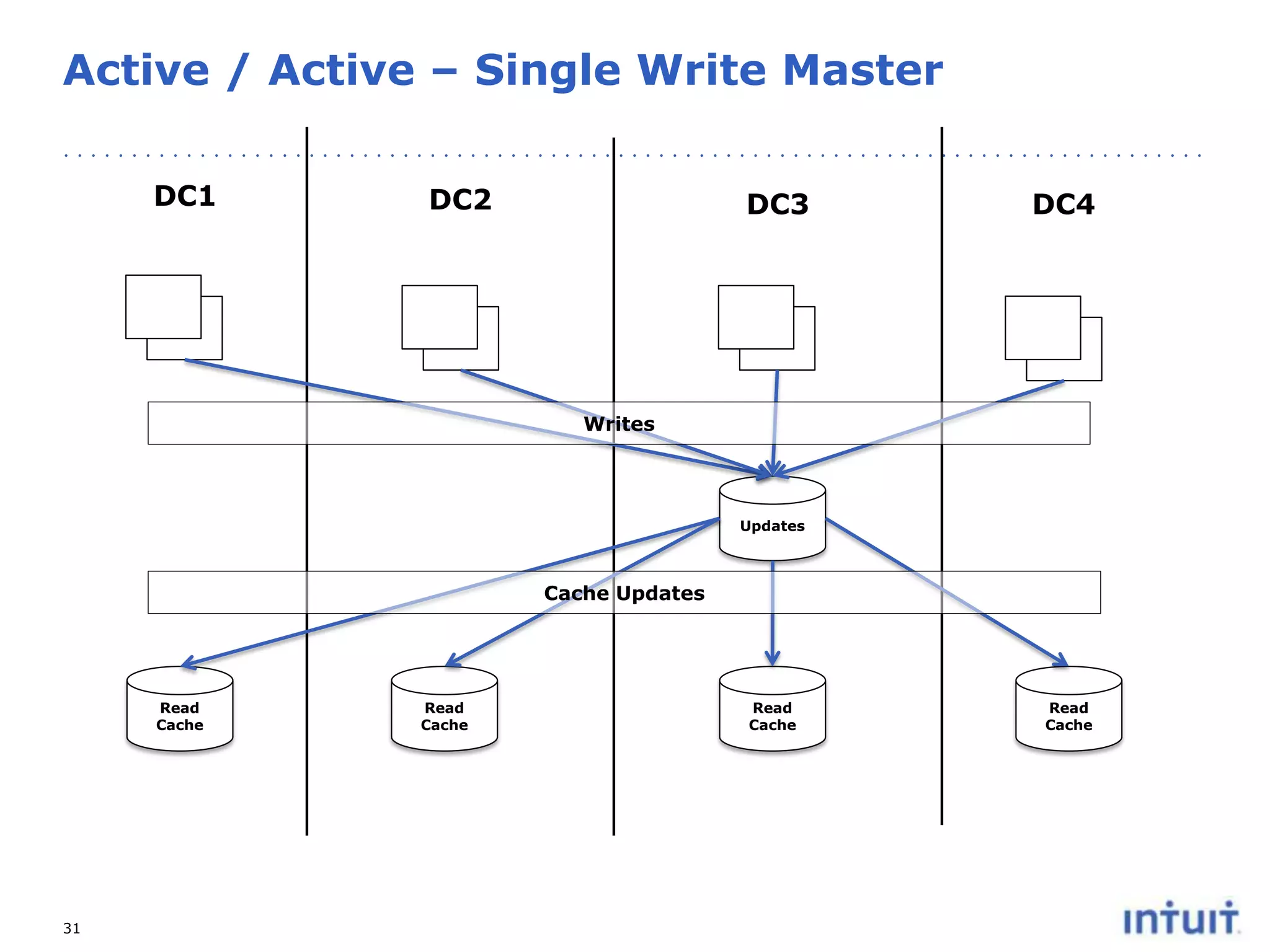
Active / Active – Single Write Master
DC1

DC2

DC3

DC4

Writes

Updates

Cache Updates

Read
Cache

31

Read
Cache

Read
Cache

Read
Cache
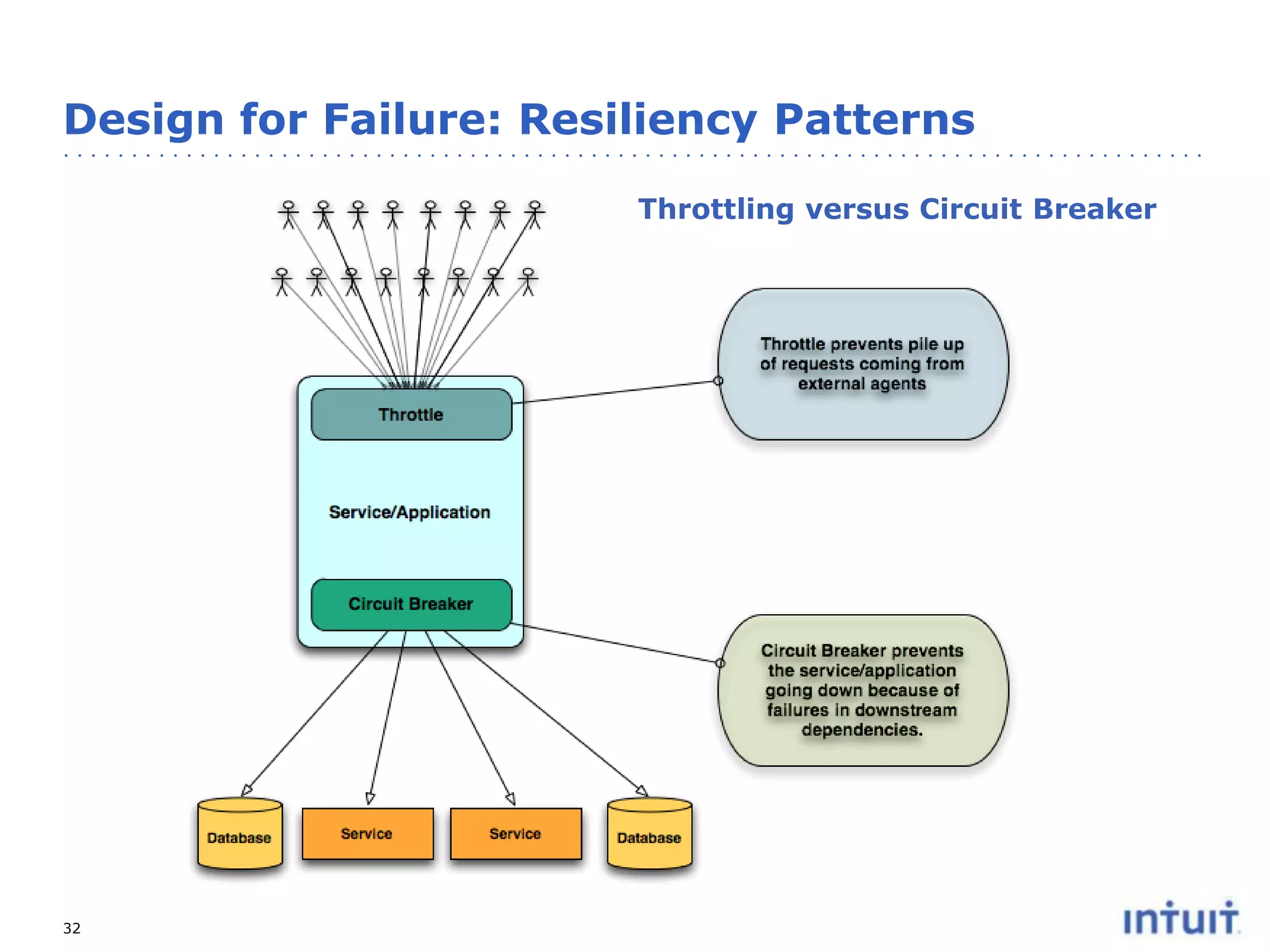
Design for Failure: Resiliency Patterns
Throttling versus Circuit Breaker

32
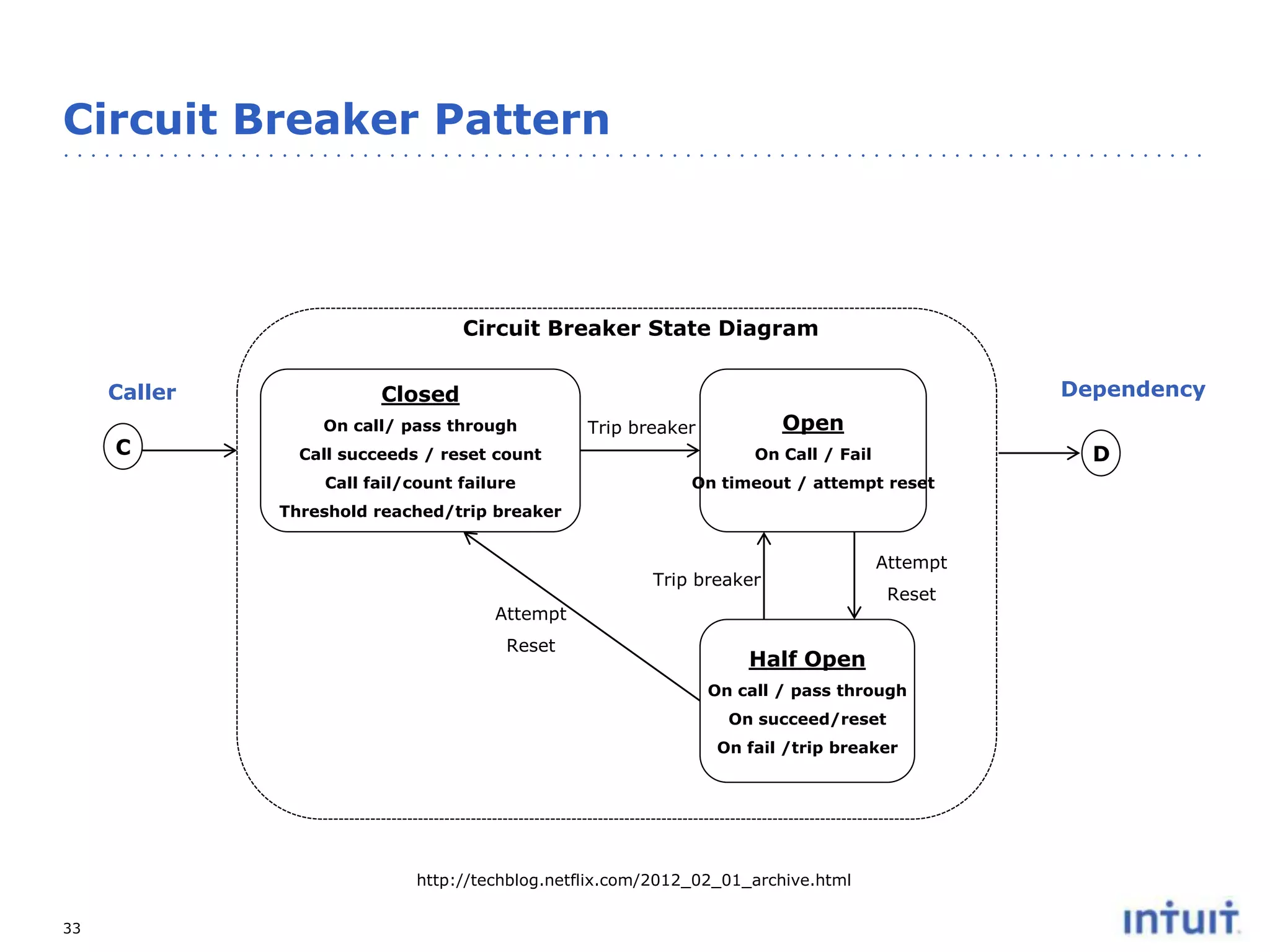
Circuit Breaker Pattern

Circuit Breaker State Diagram
Caller
C

Dependency

Closed
On call/ pass through

Open

Trip breaker

D

Call succeeds / reset count

On Call / Fail

Call fail/count failure

On timeout / attempt reset

Threshold reached/trip breaker

Trip breaker

Attempt

Attempt
Reset

Reset

Half Open
On call / pass through
On succeed/reset
On fail /trip breaker

http://techblog.netflix.com/2012_02_01_archive.html
33
34

http://techblog.netflix.com/2012_02_01_archive.html

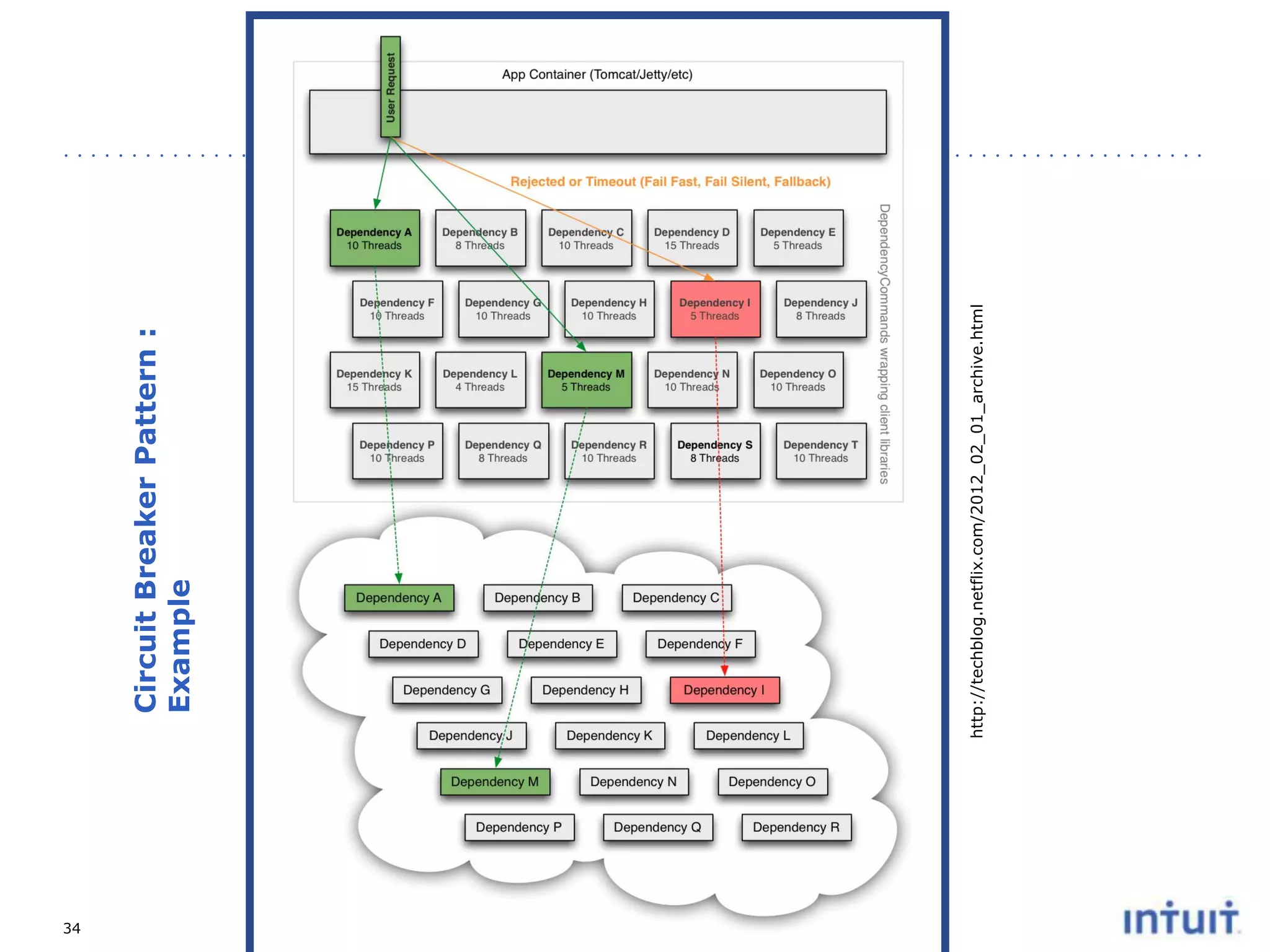
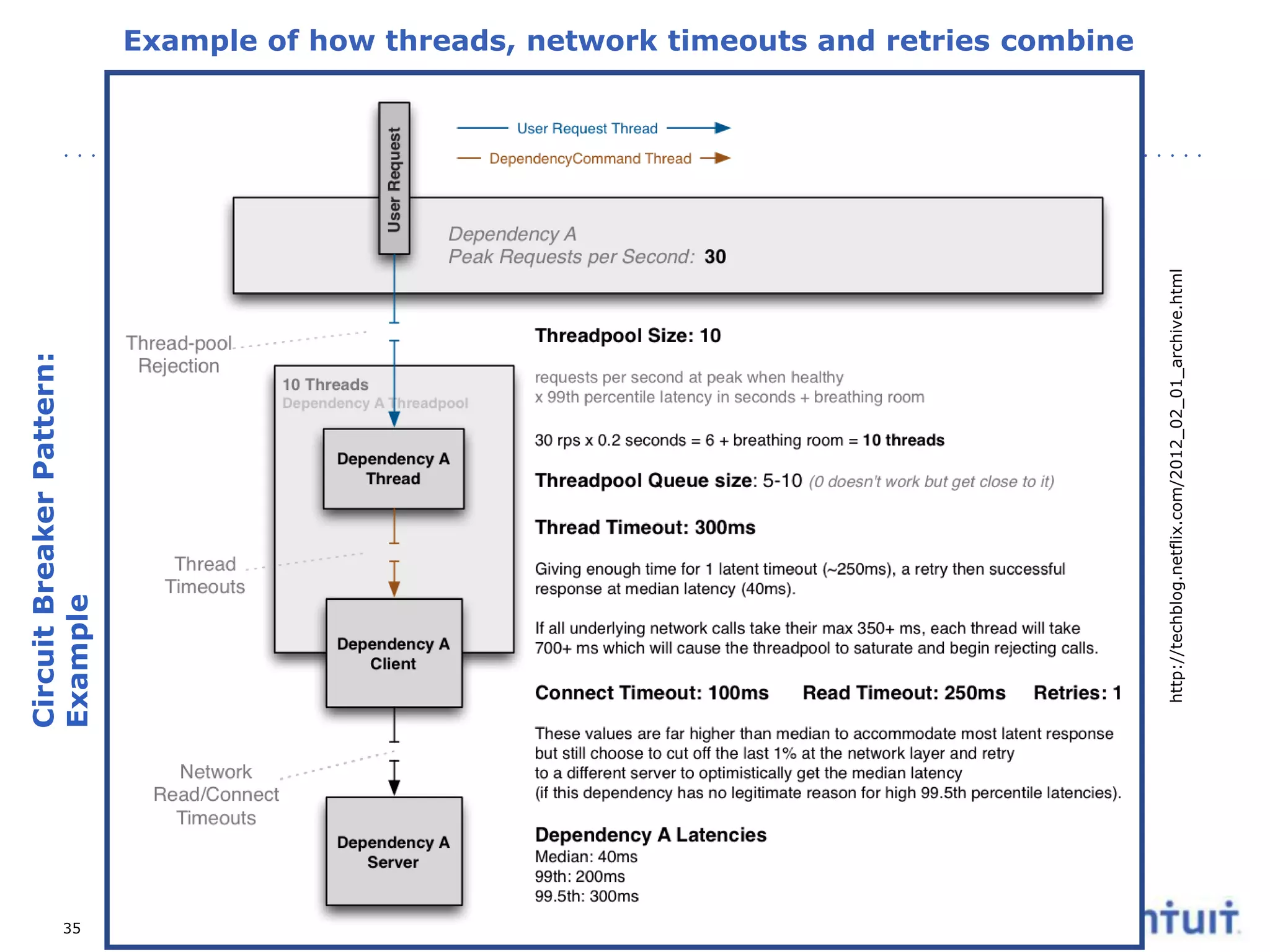
Circuit Breaker Pattern :
Example
35

http://techblog.netflix.com/2012_02_01_archive.html

Circuit Breaker Pattern:
Example
Example of how threads, network timeouts and retries combine
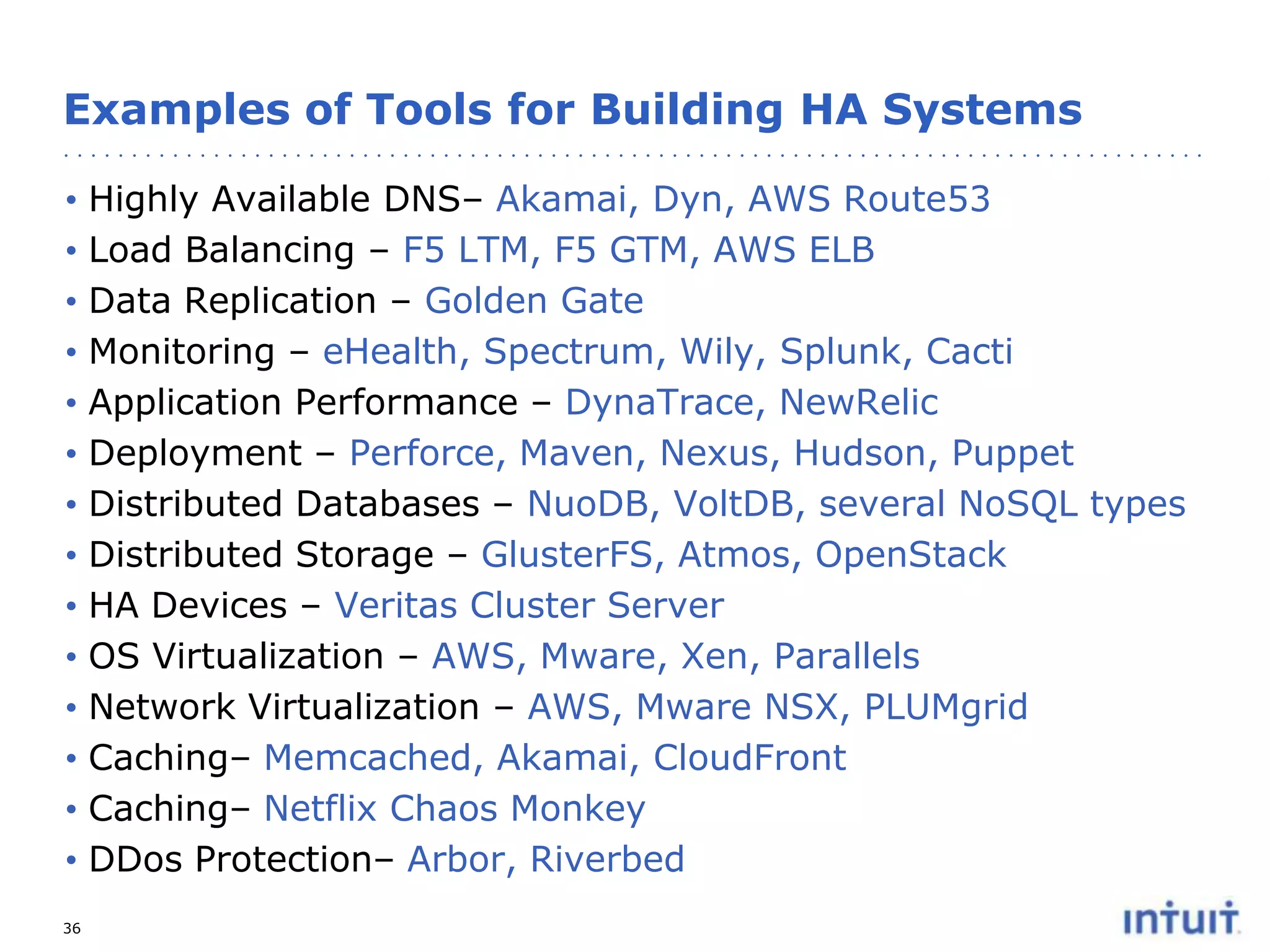
Examples of Tools for Building HA Systems
•
•
•
•
•
•
•
•
•
•
•
•
•
•
36

Highly Available DNS– Akamai, Dyn, AWS Route53
Load Balancing – F5 LTM, F5 GTM, AWS ELB
Data Replication – Golden Gate
Monitoring – eHealth, Spectrum, Wily, Splunk, Cacti
Application Performance – DynaTrace, NewRelic
Deployment – Perforce, Maven, Nexus, Hudson, Puppet
Distributed Databases – NuoDB, VoltDB, several NoSQL types
Distributed Storage – GlusterFS, Atmos, OpenStack
HA Devices – Veritas Cluster Server
OS Virtualization – AWS, Mware, Xen, Parallels
Network Virtualization – AWS, Mware NSX, PLUMgrid
Caching– Memcached, Akamai, CloudFront
Caching– Netflix Chaos Monkey
DDos Protection– Arbor, Riverbed
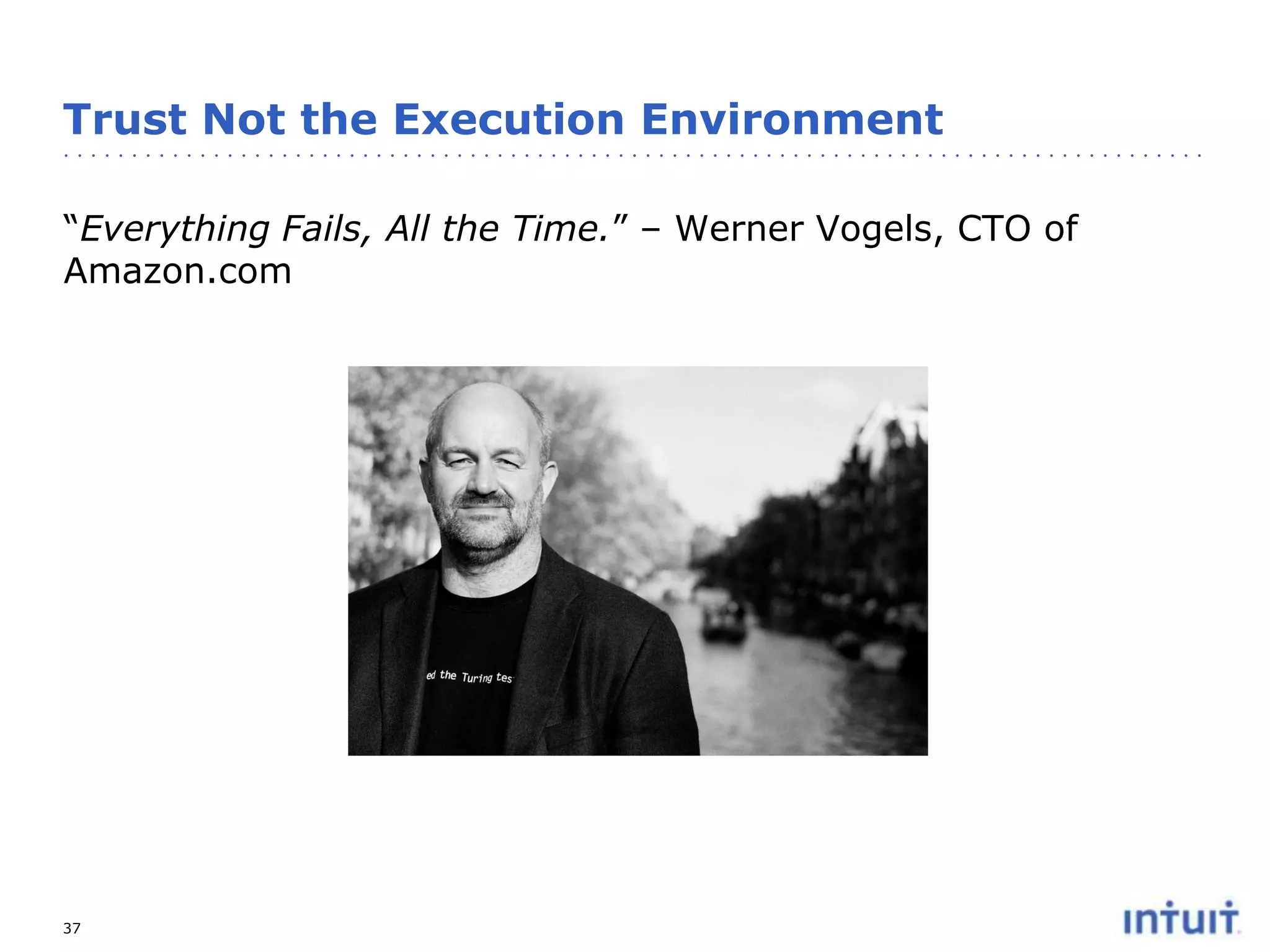
Trust Not the Execution Environment
“Everything Fails, All the Time.” – Werner Vogels, CTO of
Amazon.com

37
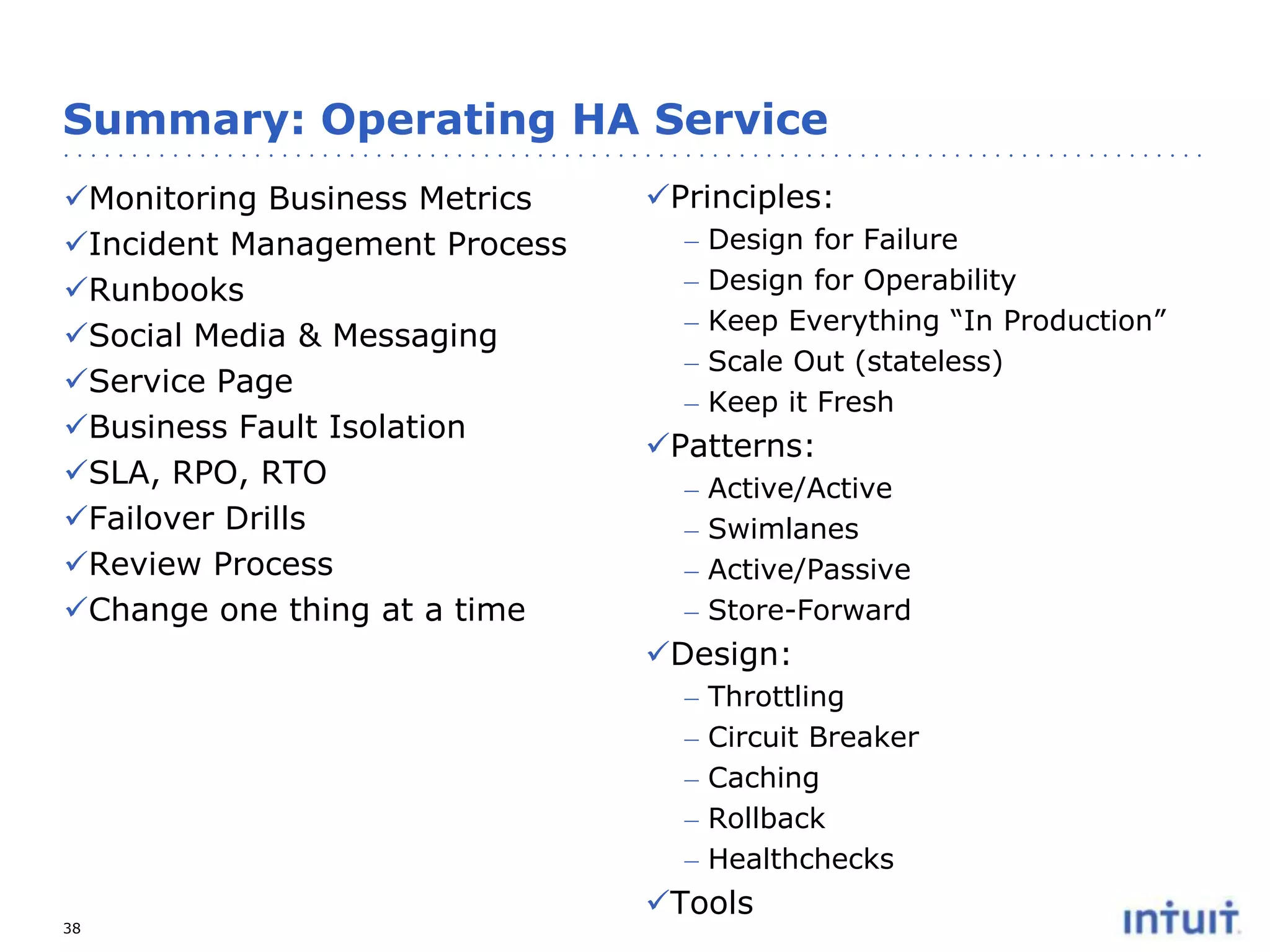
Summary: Operating HA Service
Monitoring Business Metrics
Incident Management Process
Runbooks
Social Media & Messaging
Service Page
Business Fault Isolation
SLA, RPO, RTO
Failover Drills
Review Process
Change one thing at a time

Principles:
–
–
–
–
–

Design for Failure
Design for Operability
Keep Everything “In Production”
Scale Out (stateless)
Keep it Fresh

Patterns:
–
–
–
–

Active/Active
Swimlanes
Active/Passive
Store-Forward

Design:
–
–
–
–
–
38

Throttling
Circuit Breaker
Caching
Rollback
Healthchecks

Tools
Thank You!

39

Operating a Highly Available Cloud Service

  • 1.
    Operating a HighlyAvailable Cloud Service November 14, 2013 Depankar Neogi Chief Architect QuickBase, Intuit Inc. Presented at Boston Cloud Services Meetup http://www.meetup.com/Boston-cloud-services/events/141118632/
  • 2.
    Agenda • Intuit andQuickBase • Building and Running Highly Available Cloud Services –People & Process –Technology The single most important thing to keep in mind when designing for High Availability is to anticipate failure. 2
  • 3.
    Improving #1 Financial Management Software Facilitate$40B Tax Refunds 3 60M Lives #1 for Innovation in Computer Software Industry 20% of GDP & Pay 1 in 12 Apps for >50% of Fortune 500
  • 4.
    What is QuickBase? Easilycustomized to meet unique business needs Excel to QuickBase in less than 5 minutes Brand NEW modern UI enables Ease of Use An Enterprise platform to empower your team to build applications Requirements, processes and teams evolving constantly More than 4,500 companies use QuickBase 500,000+ current users One platform solves jobs across the enterprise. Project Management, IT helpdesk, CRM, Field service, Human resources, etc. 4
  • 5.
    QuickBase – Customizedapplications matching your unique requirements Roles Based UI Dashboards & Reports Data Storage & Backup Secure Access Control Relational Data Tables Business logic & workflow Open extensible API’s Common Infrastructure Services 5
  • 6.
    Modern, Easy, Productive,Dynamic, Fast 30 million requests per day 80 K unique visitors per day 100,000 active apps at any time 25 milliseconds median processing time Supports Dynamic DML, DDL, CRUD Cloud based Database with a beautiful UX 6
  • 7.
    New QuickBase DIYData Access Liberators Data Mapping WSQL Transforms Virtual tables Liberator Cache Library Warehouse Scheduler Repository 1. QuickBase UI Extended with new DIY data sharing 2. New Data Sharing Service A N Y A P I 3. Connections to Popular Industry Data Intuit-class infrastructure (security, billing, HADR, hosting) 8
  • 8.
  • 9.
    PSTN Systems AvailabilitySLA Downtime 99.9999 %  “six nines”  31.5 secs/yr, 2.59 secs/month, 0.605 secs/week 99.999 % 10  “five nines”  5.26 mins/yr, 25.9 secs/month, 6.05 secs/week
  • 10.
    Web Services AvailabilitySLA Downtime 99.95 %  4.38 hrs/yr, 21.56 mins/month, 5.04 mins/week 99.9 % 11  8.76 hrs/yr, 43.8 mins/month, 10.1 mins/week
  • 11.
  • 12.
    Operating High AvailabilityService PEOPLE & PROCESSES 13
  • 13.
    People & Process:Monitoring Business Metrics • It’s critical to detect a problem before your customers have to tell you or you have to ask them. • By monitoring real time business metrics and comparing the actual data to a historical curve you can more quickly detect if there is a problem and avoid sifting through alerting and monitoring white noise that your systems will inevitability produce. • Five evolutionary questions that monitoring should answer: 1. 2. 3. 4. 5. Is there a problem? Where is the problem? What is the problem? Why is there a problem? Will there be a problem? • External versus Internal Monitoring http://akfpartners.com/techblog/2009/06/15/monitoring-strategies/ 14
  • 14.
    People & Process:Invest in Good Tools A good tool will help you find the needle in a haystack - fast 95 K Requests in 12 hour window Peak Request: 4.3 req/sec (1286 request/5 min window) 15 Processing Time: 61 millisecond per request
  • 15.
    People & Process:Incident Management Process • • • • • • • • • Incident Management Team (IMT) Incident Management Response Plan Activating the IMT, notifications Having the right break-out rooms Classification of the incident Communication of the incident Time keeper Management versus Technical Process Tracking: – SLA – RPO (recovery point objective) – RTO (recovery time objective) • Incident closure, recovery • Evaluation process 16
  • 16.
    People & Process:Runbook and messaging • Runbook – Detail process for managing the incident – Contact Information – Managing data center cutover, recovery steps, testing, managing replication • Messaging book – – – – – Who is responsible for communication Who creates and approves the message How you communicate At what cadence What you tell your customers • Social Media Strategy – – 17 If you are not transparent, your customers will let you know Social Media coordinator – own the channels
  • 17.
    People & Process:Service Page Provide Customers ability to find out the health of the system and be notified of any service related issues 18
  • 18.
    People & Process:Service Page Transparency is Key. If you let the customers know what you know, they will respect you and may remain loyal to your business. 19
  • 19.
    People & Process:Business Fault Isolation • • • • • What if your data center went down And the production server is down because the data center is down And your email server was in the same data center And your marketing server was in the same data center And your service page was on a server in the same date center • How do you communicate with all your customers? Business Fault Isolation prevents your business from a SPOF (single point of failure). 20
  • 20.
    People & Process:Review Process • SaaS or Operations Review Process should have a fixed cadence and be led by a company leader • Review Team should include leaders from: – Finance – Compliance & Risk – CTO – Operations – Product • Dashboard with KPI • Review Fire drills • Change Control Process – Preferably change one thing at a time 21
  • 21.
    Operating High AvailabilityService TECHNOLOGIES 22
  • 22.
    The Three Pillarsof High Availability The goal of High Availability and Disaster Recovery (HA/DR) is to provide Business Continuance through: Lack of Service Outage = Happy Customers = Greater Business Value HA/DR directly enhances a customer’s experience through greater offering availability
  • 23.
    High Availability ArchitecturePrinciples • Design for Failure – Avoid Single Points of Failure – Graceful Degradation and Soft Dependencies – Asynchronous Design – Keep State Confined to Where it is Needed • Design for Operability – Design to be Monitored – Design for Hot Deployment and Rollback – Automate Where Possible • Keep Everything “In Production” • Scale Out (Not Up) • Keep it Fresh…and Mature
  • 24.
    Architecture Patterns forHigh Availability Swimlanes 1) 2) Active/Active 3) Single Write Master 4) 25 Active/Passive Store and Forward
  • 25.
    Active / Passive PrimaryData Center Secondary Data Center Near Real-time Replication Active Data 26 Passive Back Up
  • 26.
    Swimlane Principle A “Swimlane”is: A set of predefined systems and software infrastructure tuned to support a predefined workload • Only a portion of an offering’s total users are hosted on any given swimlane Within a Swimlane: – Each Swimlane is independent and self-sufficient and shares no compute/storage resources with other swimlanes – Offering transactions occur within a Swimlane – Only access to Shared Services go outside the Swimlane – Standard Fault Detection and Fault Recovery methods are used 27
  • 27.
    High Availability withSwimlanes Application Partitioning GTM via Swimlanes DC 1 Fault Domain 1 Fault Domain 2 WS AS Storage 28 WS: web server; AS: app server WS AS Swimlane 2 AS Storage Swimlane 4’ Swimlane 3 Storage WS F5 GTM Storage WS AS Storage WS AS Storage Intuit Proprietary & Confidential WS AS Storage Swimlane 4 AS F5 LTM Swimlane 3’ WS DNS Swimlane 1’ F5 GTM Swimlane 2’ F5 LTM Swimlane 1 DC 2 Internet WS AS Storage
  • 28.
    Swimlanes Support ApplicationNeeds • Scalability • Replicated swimlanes add capacity with linear scalability • Fault Isolation • Complete failure only impacts a subset of users due to application partitioning and data sharding • High Availability • Individual tiers can be made highly available through intra-VM application recovery, intra-swimlane application failover or intra-swimlane VM restart • Disaster Recovery • Disaster recovery is achieved through swimlane failover, either in the same or a remote data center • Automation • The identical nature of a swimlane allows for a high degree of operational automation 29
  • 29.
    Active / Active– Swim Lanes Global Load Balancer Data Center 1 25% customers Data Center 2 25% customers 25% customers Replication 25% customers DB3 active DB1 active ----------------- ----------------- DB1 passive DB3 passive DB2 active Replication DB4 active ----------------DB4 passive 30 ----------------DB2 passive
  • 30.
    Active / Active– Single Write Master DC1 DC2 DC3 DC4 Writes Updates Cache Updates Read Cache 31 Read Cache Read Cache Read Cache
  • 31.
    Design for Failure:Resiliency Patterns Throttling versus Circuit Breaker 32
  • 32.
    Circuit Breaker Pattern CircuitBreaker State Diagram Caller C Dependency Closed On call/ pass through Open Trip breaker D Call succeeds / reset count On Call / Fail Call fail/count failure On timeout / attempt reset Threshold reached/trip breaker Trip breaker Attempt Attempt Reset Reset Half Open On call / pass through On succeed/reset On fail /trip breaker http://techblog.netflix.com/2012_02_01_archive.html 33
  • 33.
  • 34.
  • 35.
    Examples of Toolsfor Building HA Systems • • • • • • • • • • • • • • 36 Highly Available DNS– Akamai, Dyn, AWS Route53 Load Balancing – F5 LTM, F5 GTM, AWS ELB Data Replication – Golden Gate Monitoring – eHealth, Spectrum, Wily, Splunk, Cacti Application Performance – DynaTrace, NewRelic Deployment – Perforce, Maven, Nexus, Hudson, Puppet Distributed Databases – NuoDB, VoltDB, several NoSQL types Distributed Storage – GlusterFS, Atmos, OpenStack HA Devices – Veritas Cluster Server OS Virtualization – AWS, Mware, Xen, Parallels Network Virtualization – AWS, Mware NSX, PLUMgrid Caching– Memcached, Akamai, CloudFront Caching– Netflix Chaos Monkey DDos Protection– Arbor, Riverbed
  • 36.
    Trust Not theExecution Environment “Everything Fails, All the Time.” – Werner Vogels, CTO of Amazon.com 37
  • 37.
    Summary: Operating HAService Monitoring Business Metrics Incident Management Process Runbooks Social Media & Messaging Service Page Business Fault Isolation SLA, RPO, RTO Failover Drills Review Process Change one thing at a time Principles: – – – – – Design for Failure Design for Operability Keep Everything “In Production” Scale Out (stateless) Keep it Fresh Patterns: – – – – Active/Active Swimlanes Active/Passive Store-Forward Design: – – – – – 38 Throttling Circuit Breaker Caching Rollback Healthchecks Tools
  • 38.