Fernando Laudares Camargos Gabriel Girard Benoit des Ligneris, Ph. D. [email_address] Comparative study of Open Source virtualization & contextualization technologies
Context (1) Introduction Why virtualize the server infrastructure Virtualization technologies The experiments  Explanations & anomalies Which technology is best for ... you ?
Context (2) Research executed by Fernando L. Camargos in pursuit of his Masters degree in Computer Science under the direction of Gabriel Girard (Université de Sherbrooke) and Benoît des Ligneris (Révolution Linux) This being a research work, some questions remain unsolved... maybe you can help !
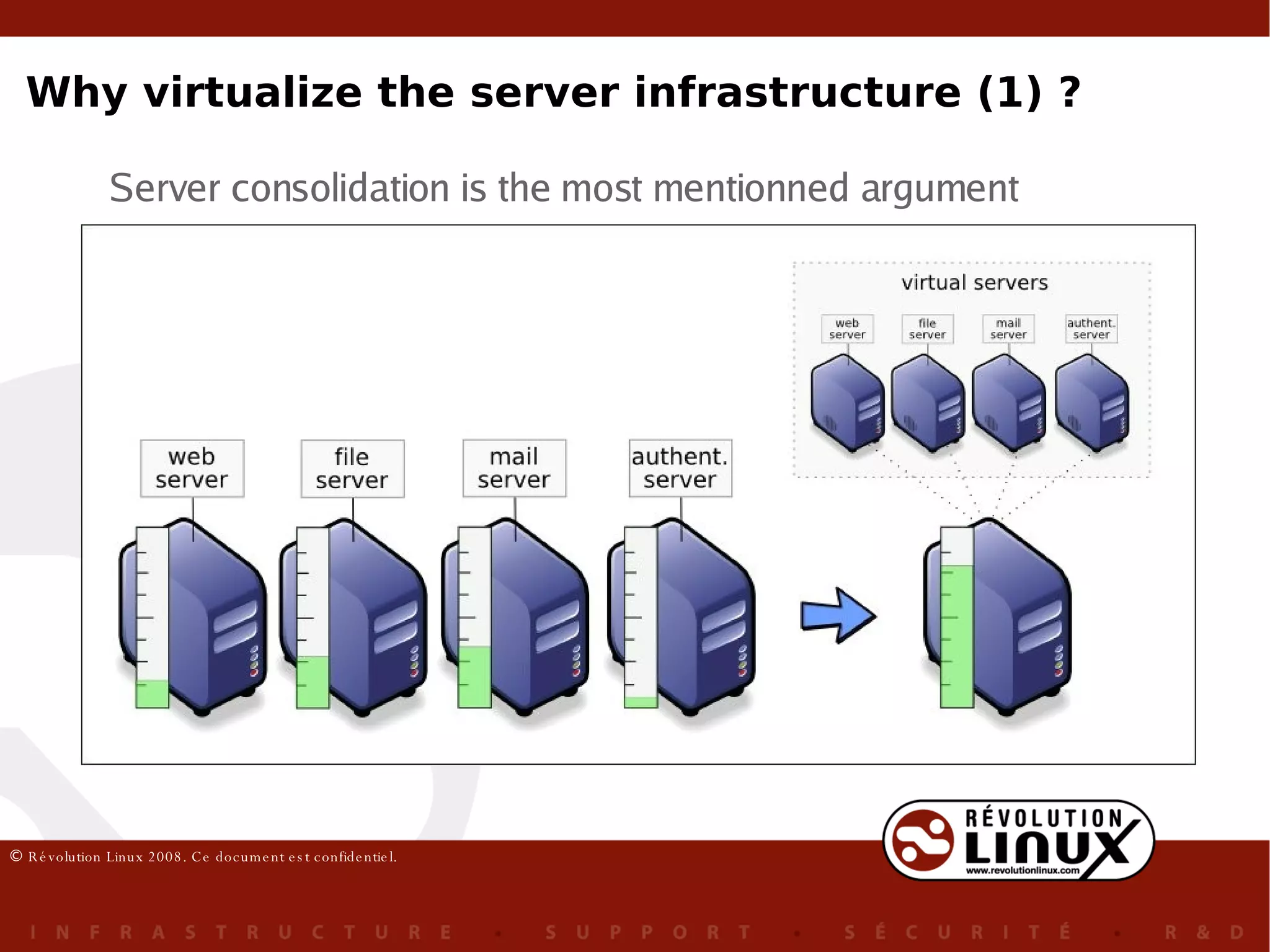
Why virtualize the server infrastructure (1) ? Server consolidation is the most mentionned argument
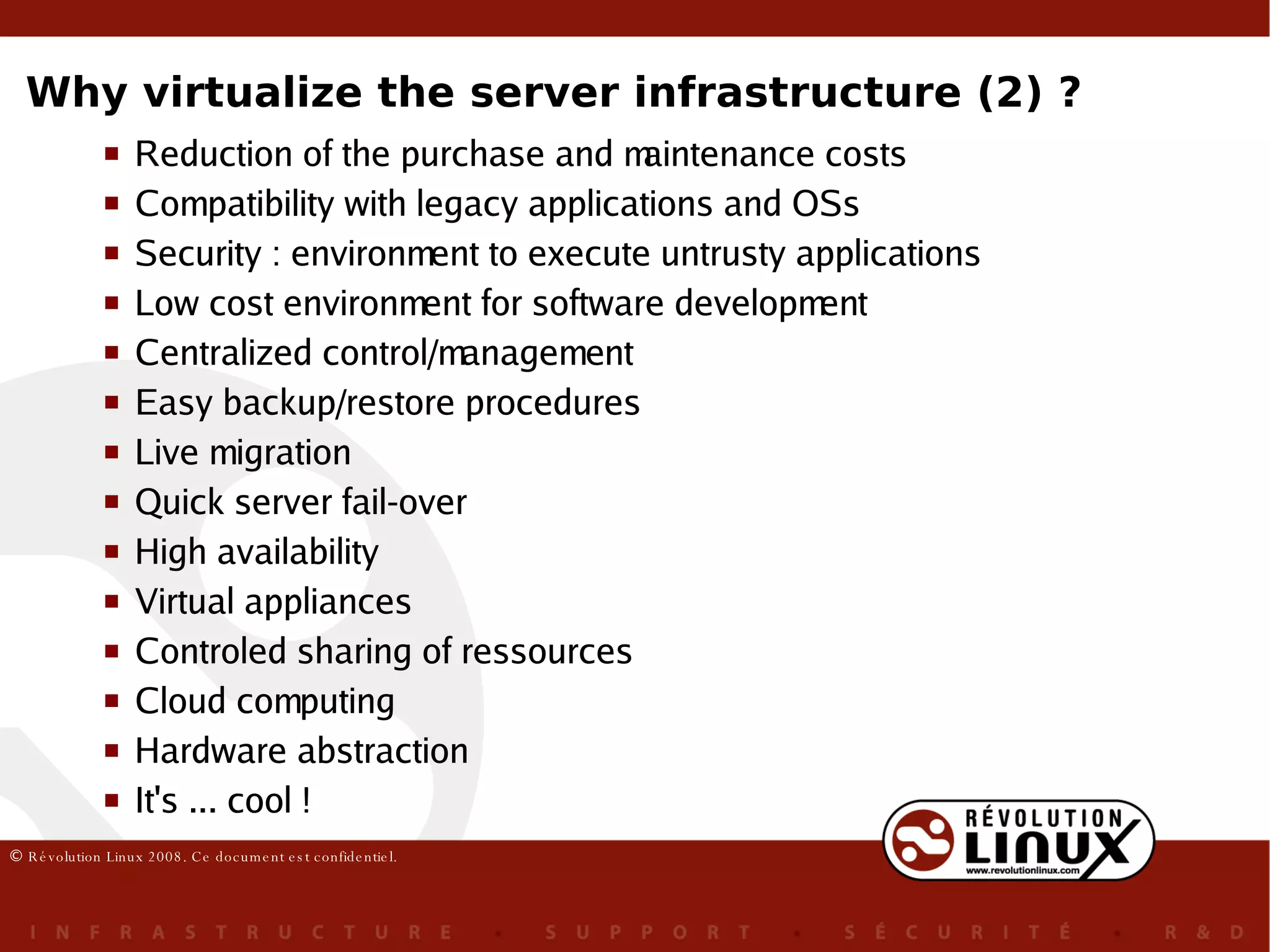
Why virtualize the server infrastructure (2) ? Reduction of the purchase and maintenance costs Compatibility with legacy applications and OSs Security : environment to execute untrusty applications Low cost environment for software development Centralized control/management Easy backup/restore procedures Live migration Quick server fail-over High availability Virtual appliances Controled sharing of ressources Cloud computing Hardware abstraction It's ... cool !
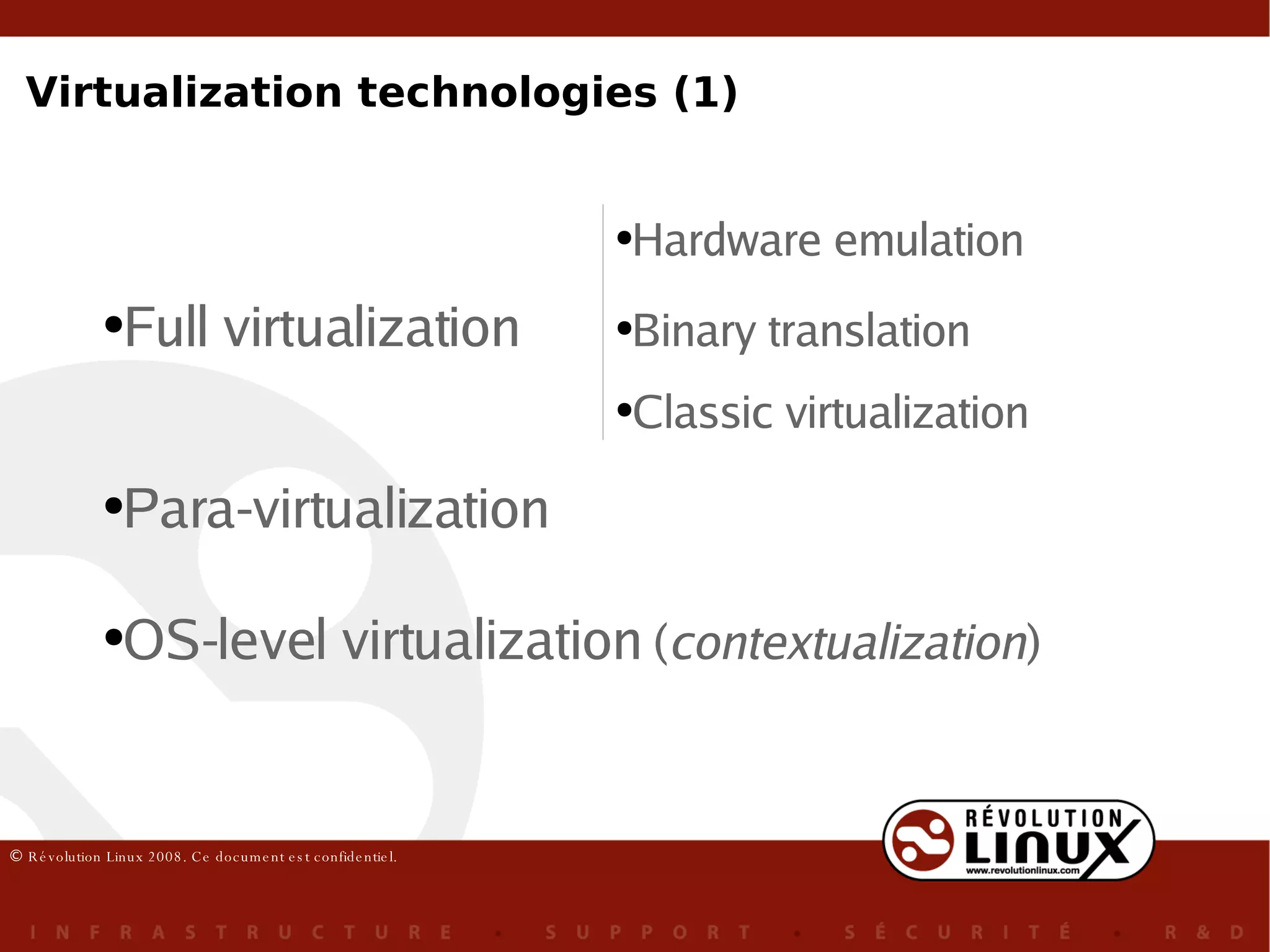
Full virtualization Para-virtualization OS-level virtualization  ( contextualization ) Hardware emulation Binary translation Classic virtualization Virtualization technologies (1)
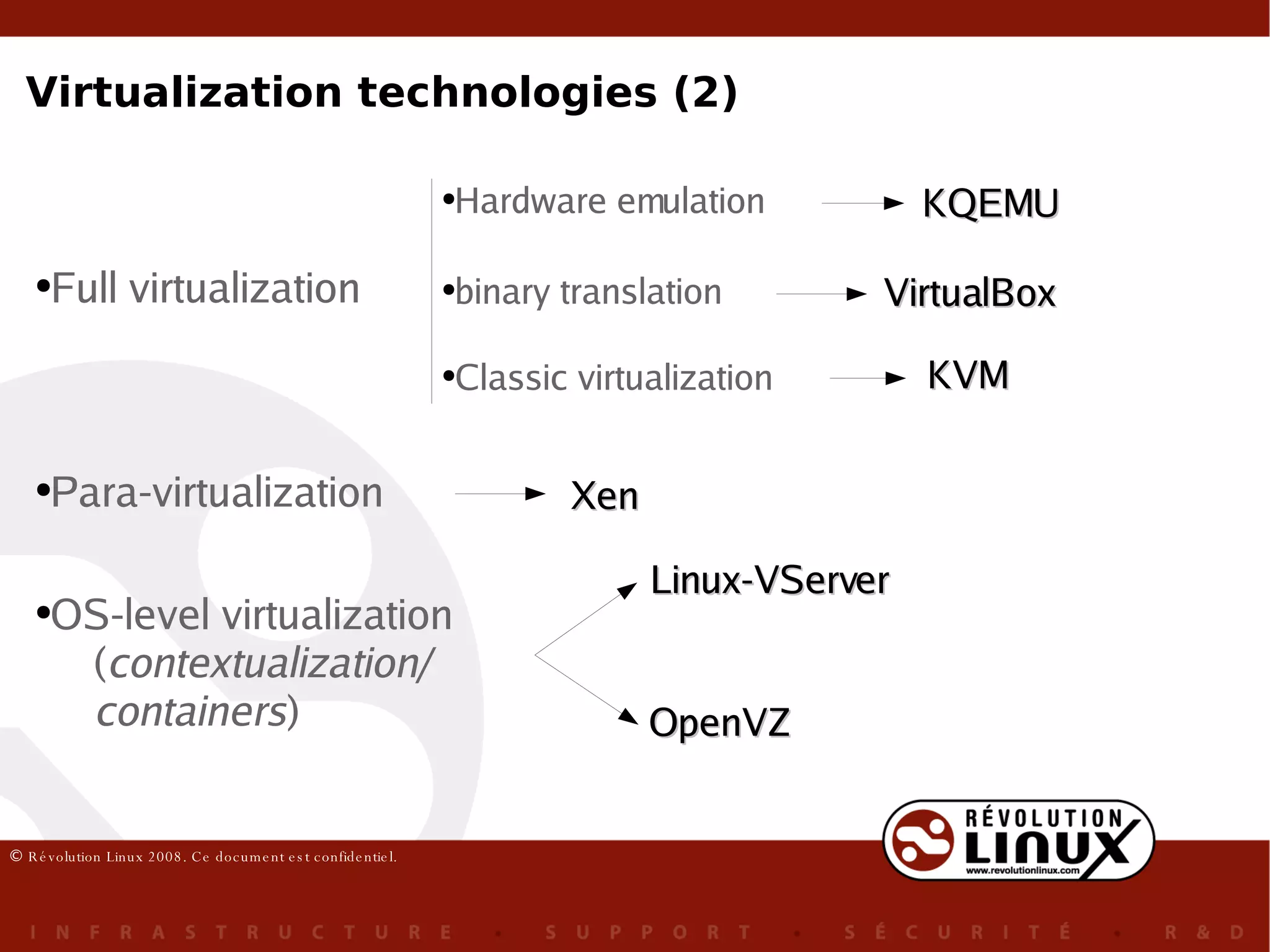
Full virtualization Para-virtualization OS-level virtualization ( contextualization/ containers ) Hardware emulation binary translation Classic virtualization Xen Linux-VServer OpenVZ KVM VirtualBox KQEMU Virtualization technologies (2)
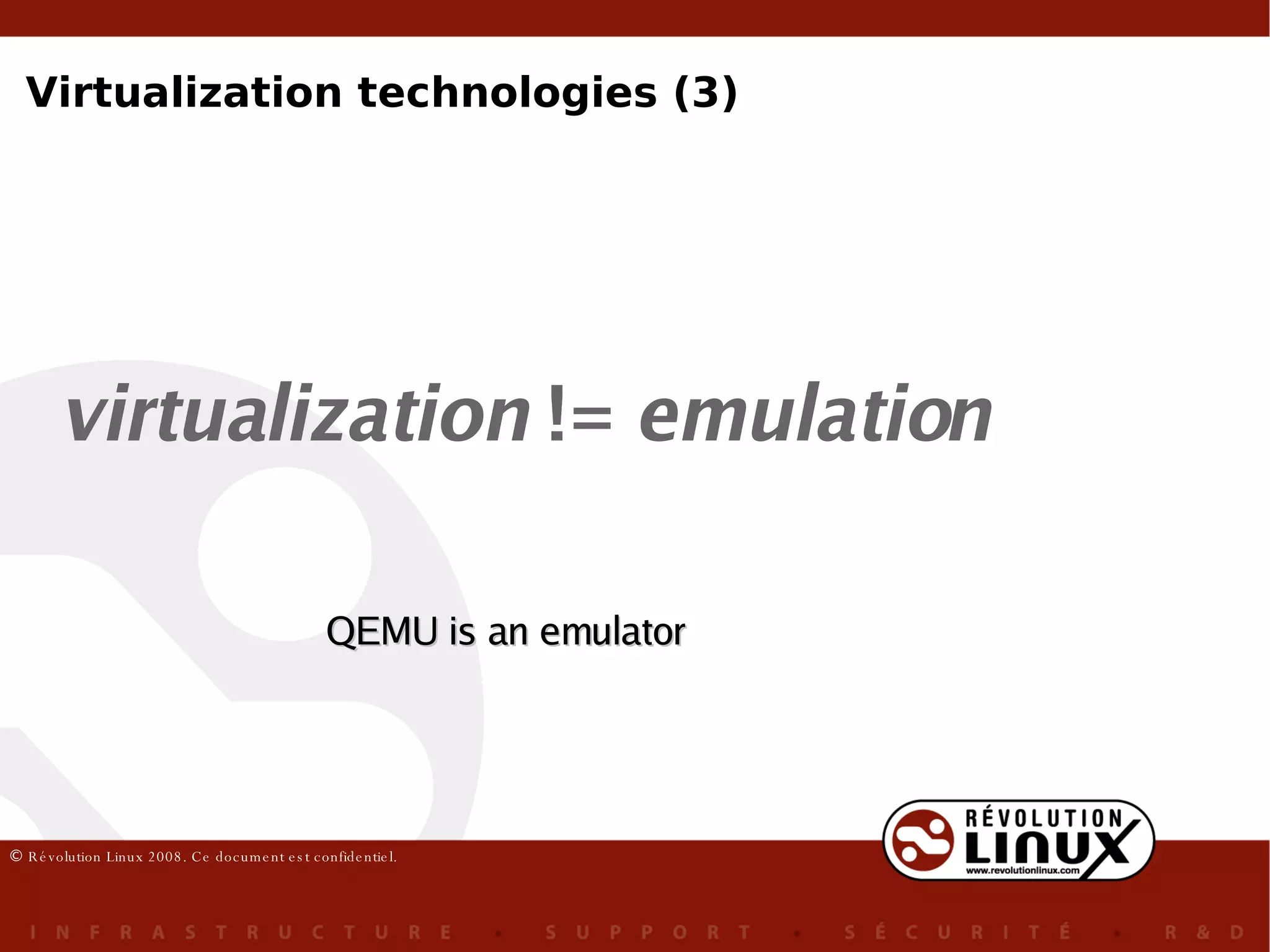
virtualization  !=  emulation QEMU is an emulator Virtualization technologies (3)
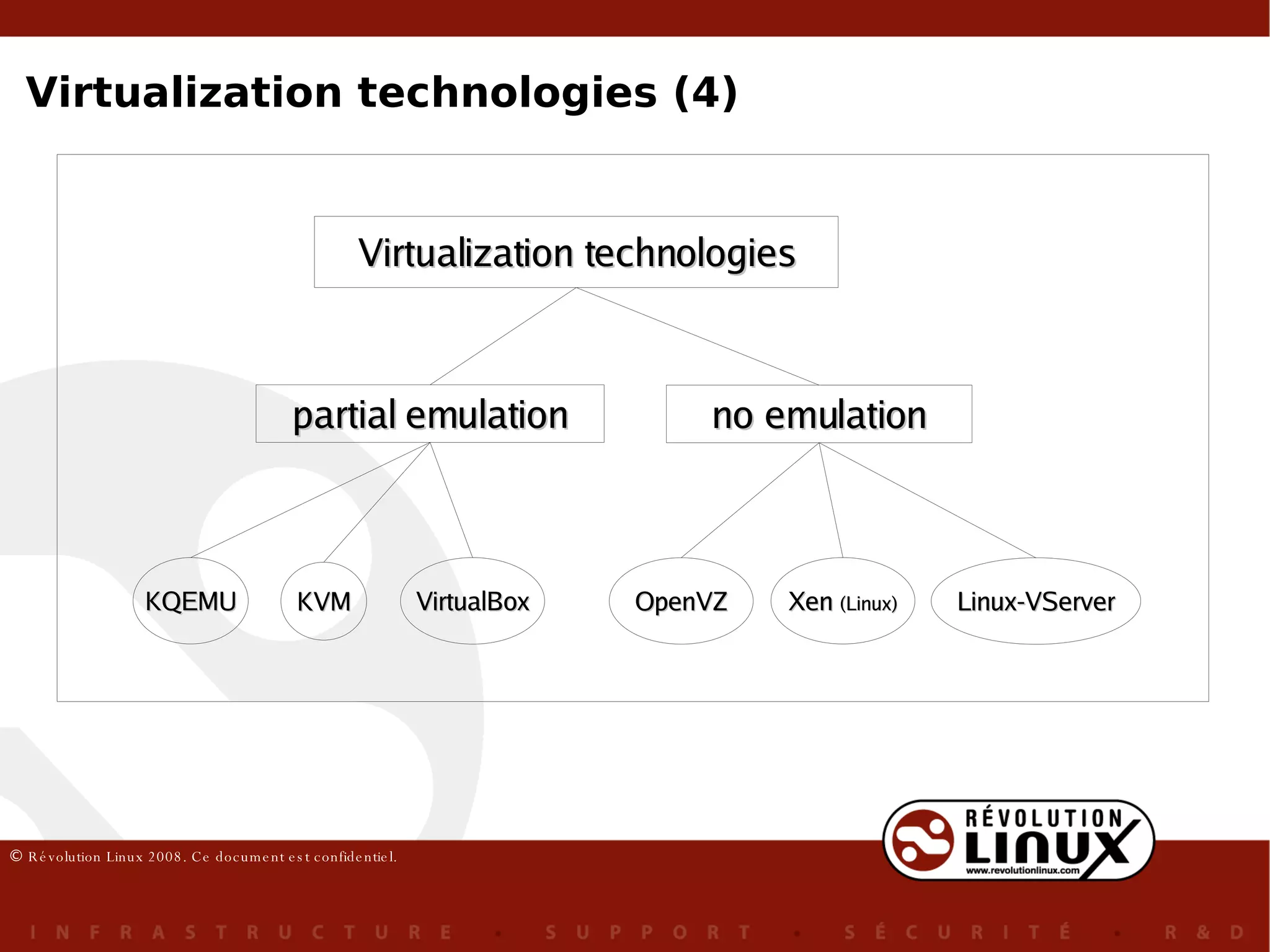
Virtualization technologies (4) Virtualization technologies partial emulation no emulation KQEMU KVM VirtualBox OpenVZ Xen  (Linux) Linux-VServer
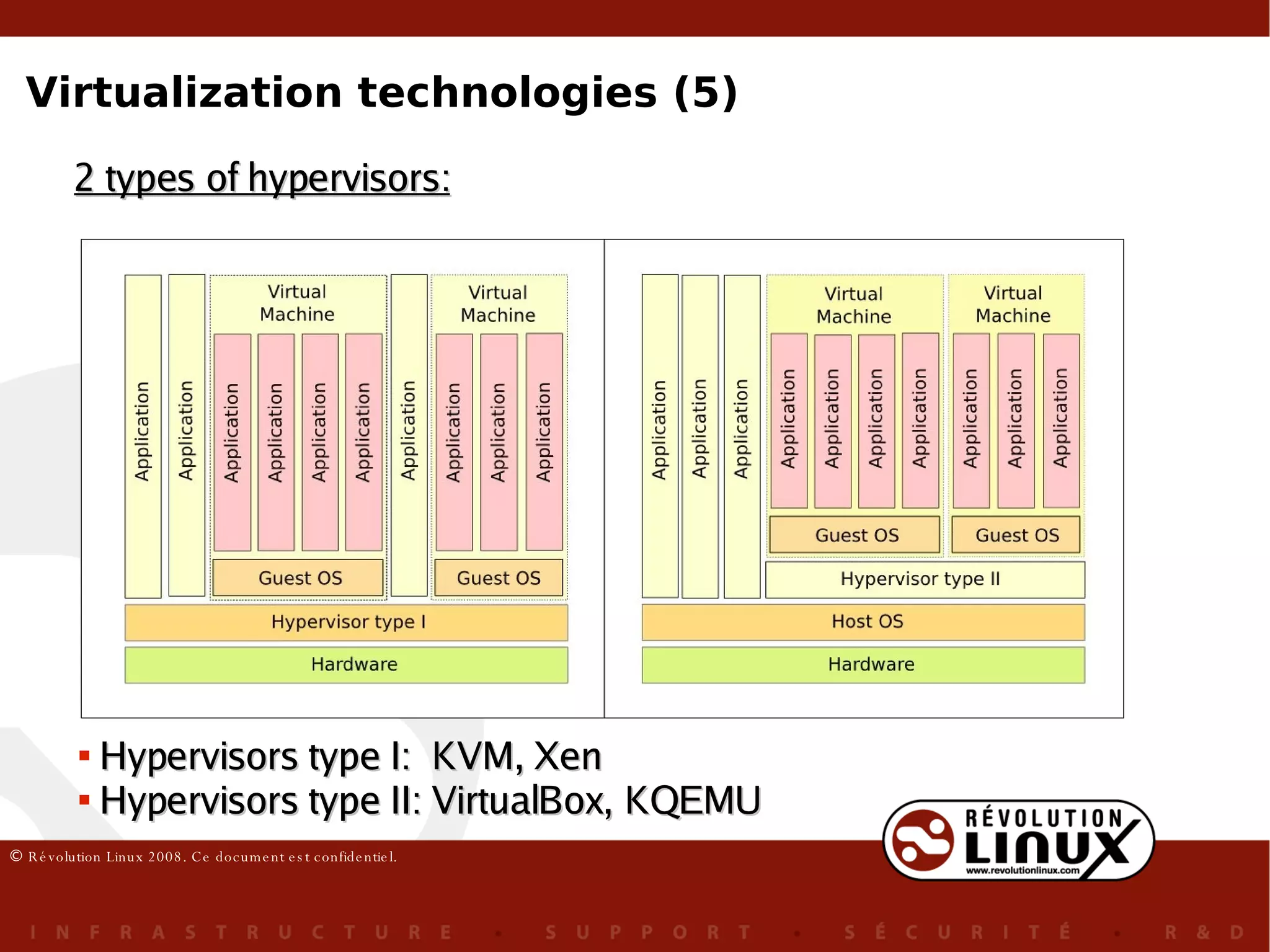
2 types of hypervisors: Hypervisors type I:  KVM, Xen Hypervisors type II: VirtualBox, KQEMU Virtualization technologies (5)
The experiments (1) virtualization layer overhead But of how much ? To discover, we need to mesure the  efficiency  of the virtualization technologies efficiency = performance + scalability where :
Performance  (overhead) : one virtual machine only Scalability: several virtual machines 2 types of experiments: The experiments (2)
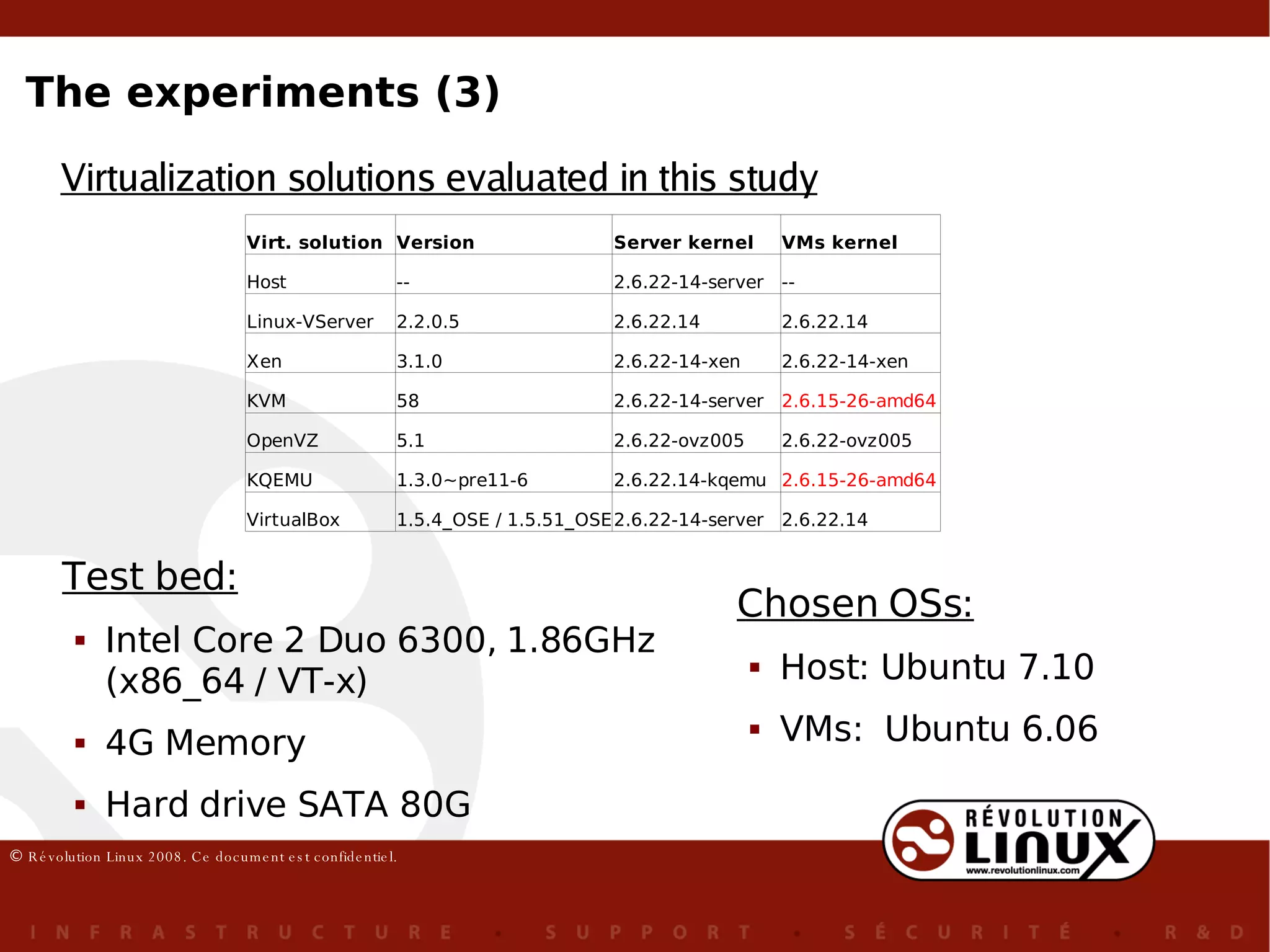
Virtualization solutions evaluated in this study Chosen OSs: Host: Ubuntu 7.10 VMs:  Ubuntu 6.06 Test bed: Intel Core 2 Duo 6300, 1.86GHz (x86_64 / VT-x) 4G Memory Hard drive SATA 80G The experiments (3)
64 bit kernel  for all technologies Use of VT extension for KVM, Xen 32 bit VM for VirtualBox  Identical memory allocation per VM for every technology but Vserver : 2039 Mo Bits & Bytes & VMs : The experiment (4)
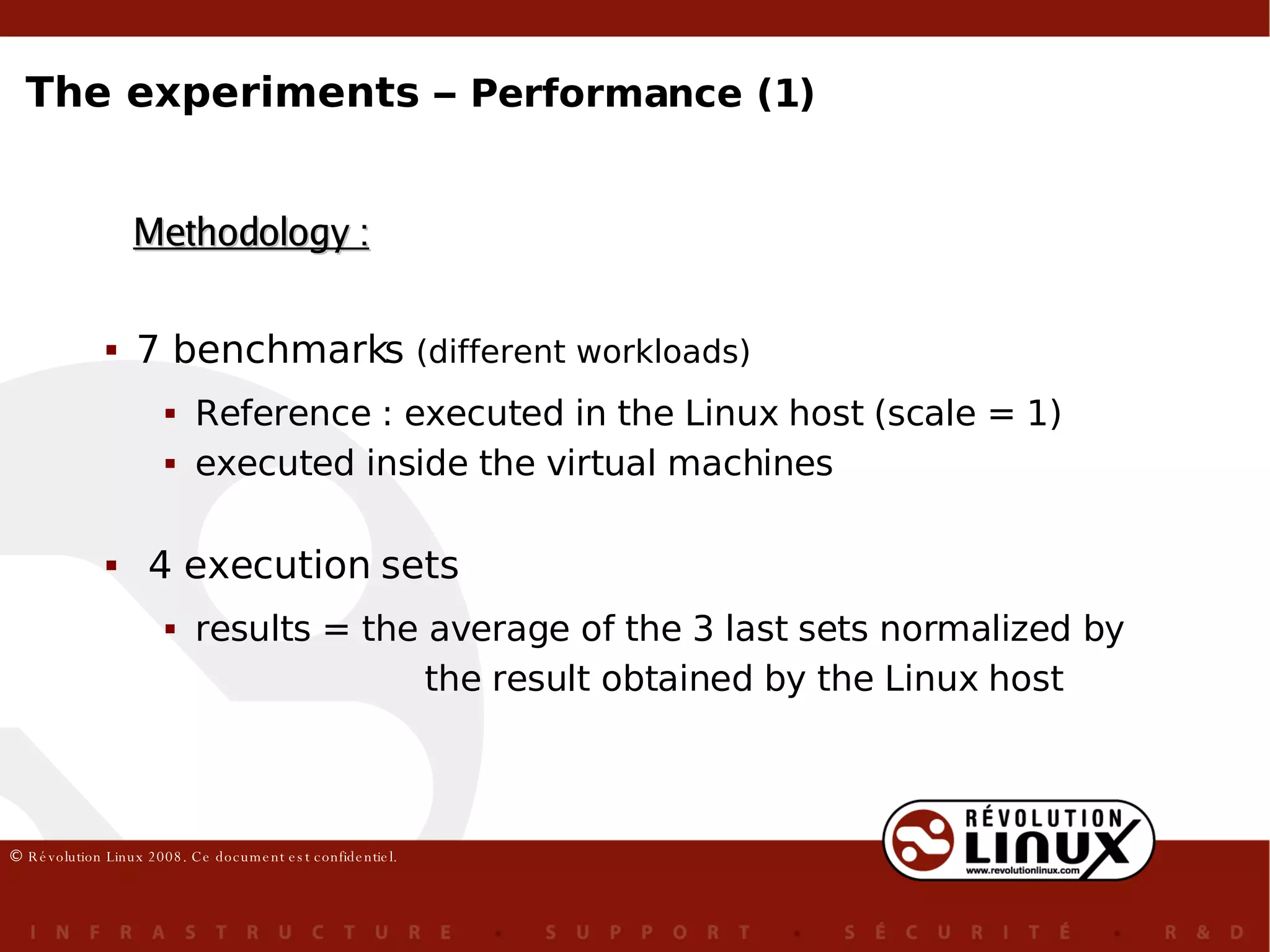
7 benchmarks  (different workloads) Reference : executed in the Linux host (scale = 1) executed inside the virtual machines 4 execution sets results = the average of the 3 last sets normalized by   the result obtained by the Linux host Methodology : The experiments –  Performance (1)
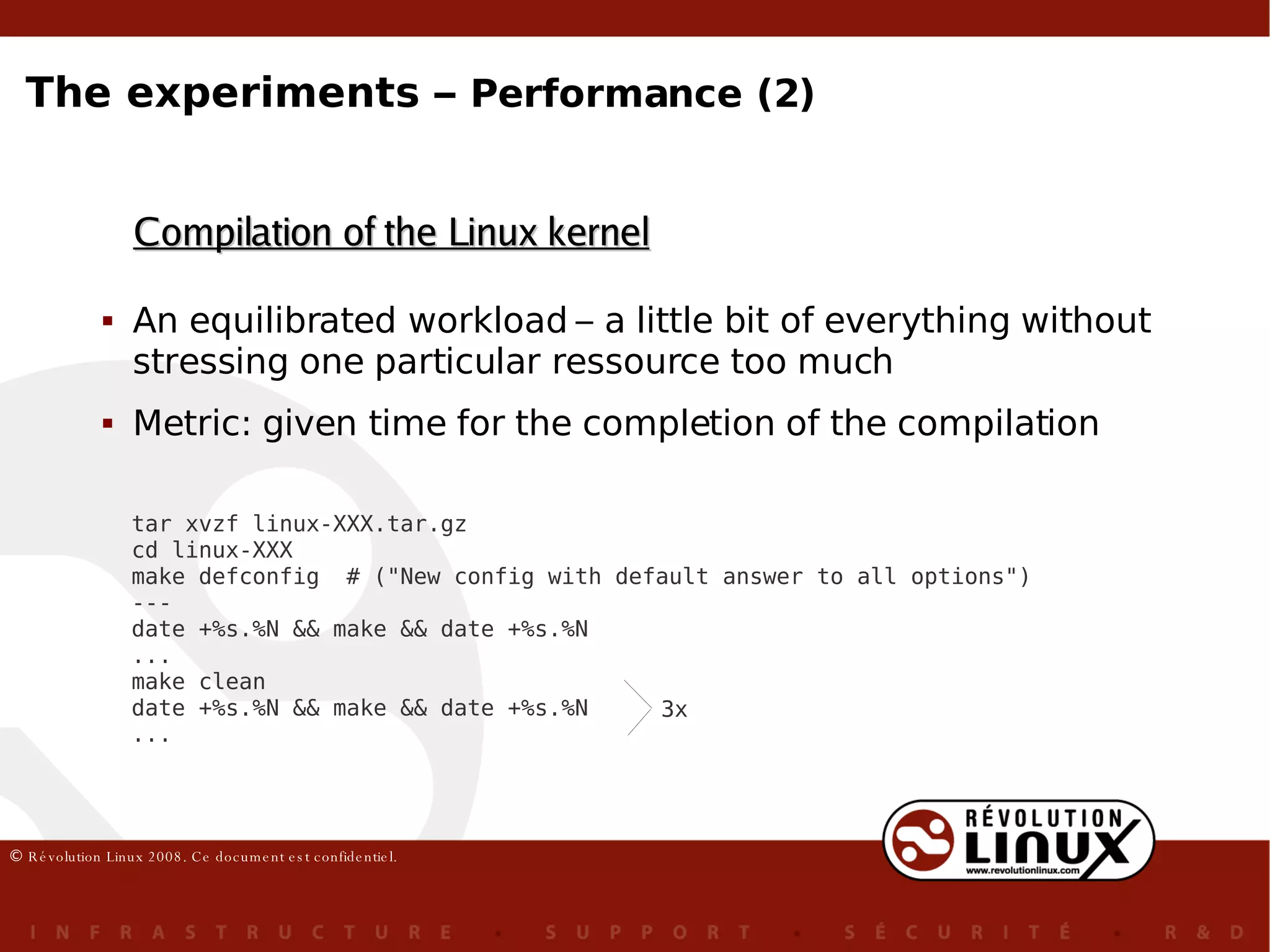
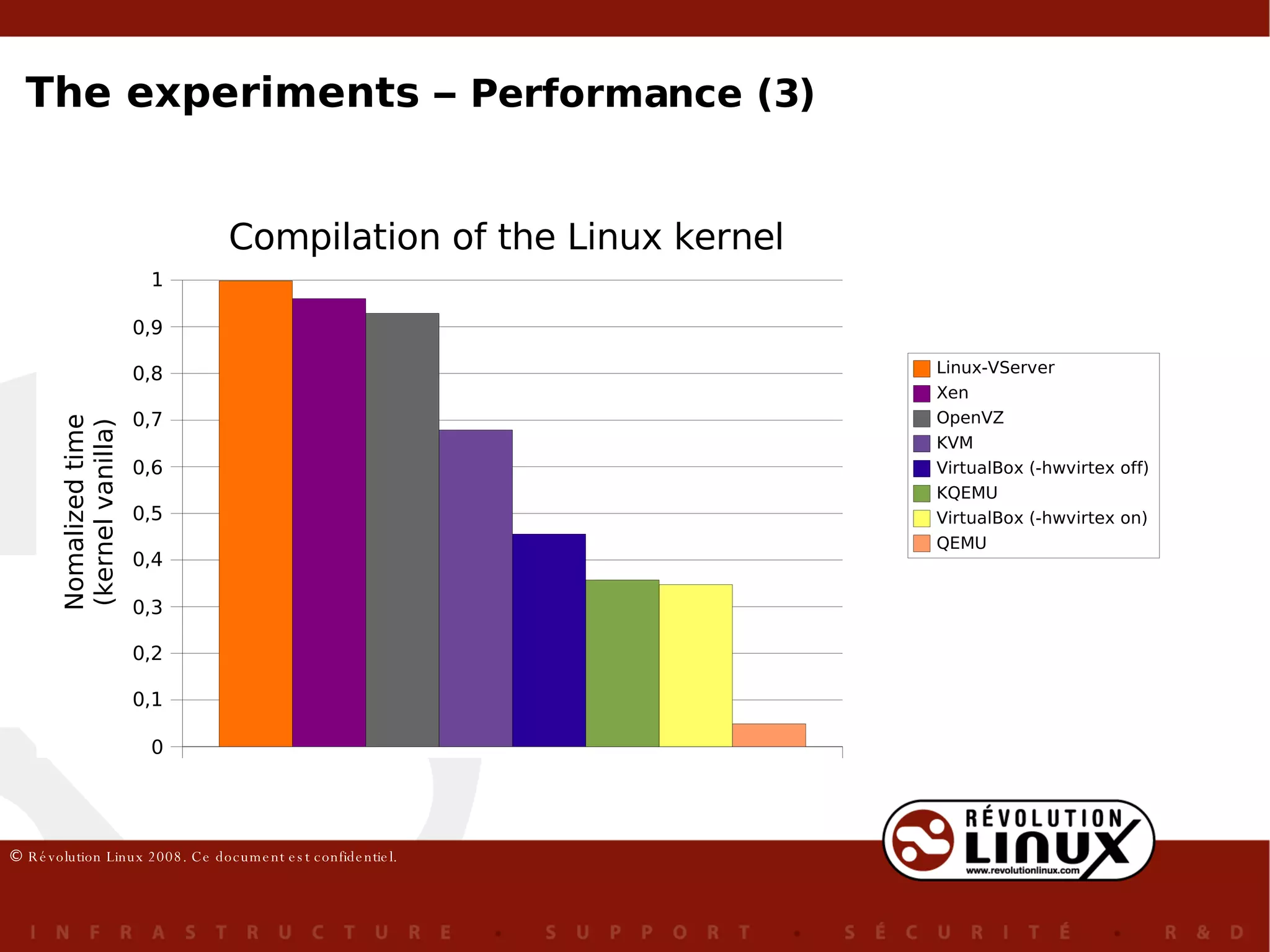
An equilibrated workload – a little bit of everything without stressing one particular ressource too much Metric: given time for the completion of the compilation Compilation of the Linux kernel tar xvzf linux-XXX.tar.gz cd linux-XXX make defconfig  # ("New config with default answer to all options") --- date +%s.%N && make && date +%s.%N ... make clean date +%s.%N && make && date +%s.%N ... 3x The experiments –  Performance (2)
The experiments –  Performance (3)
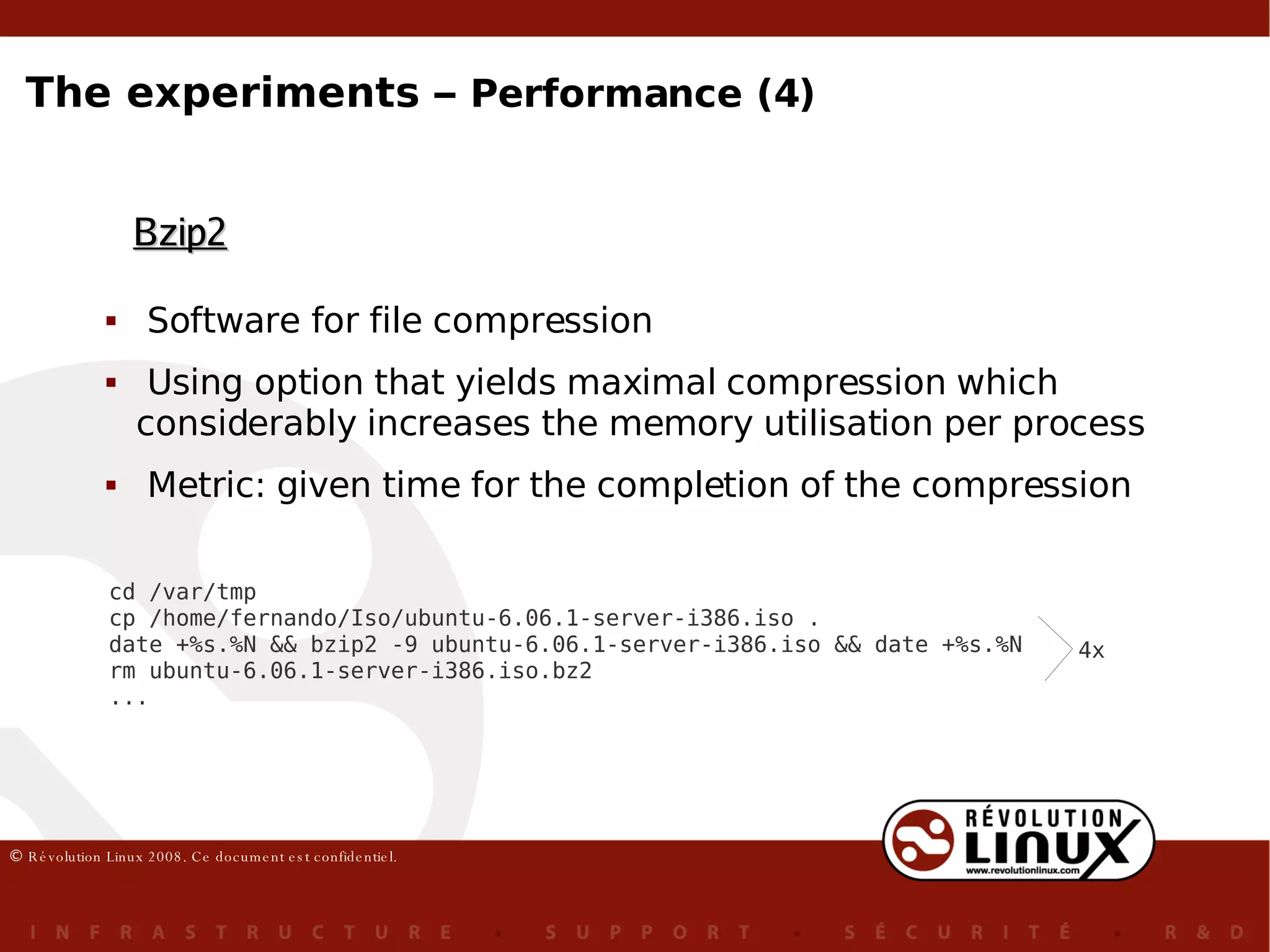
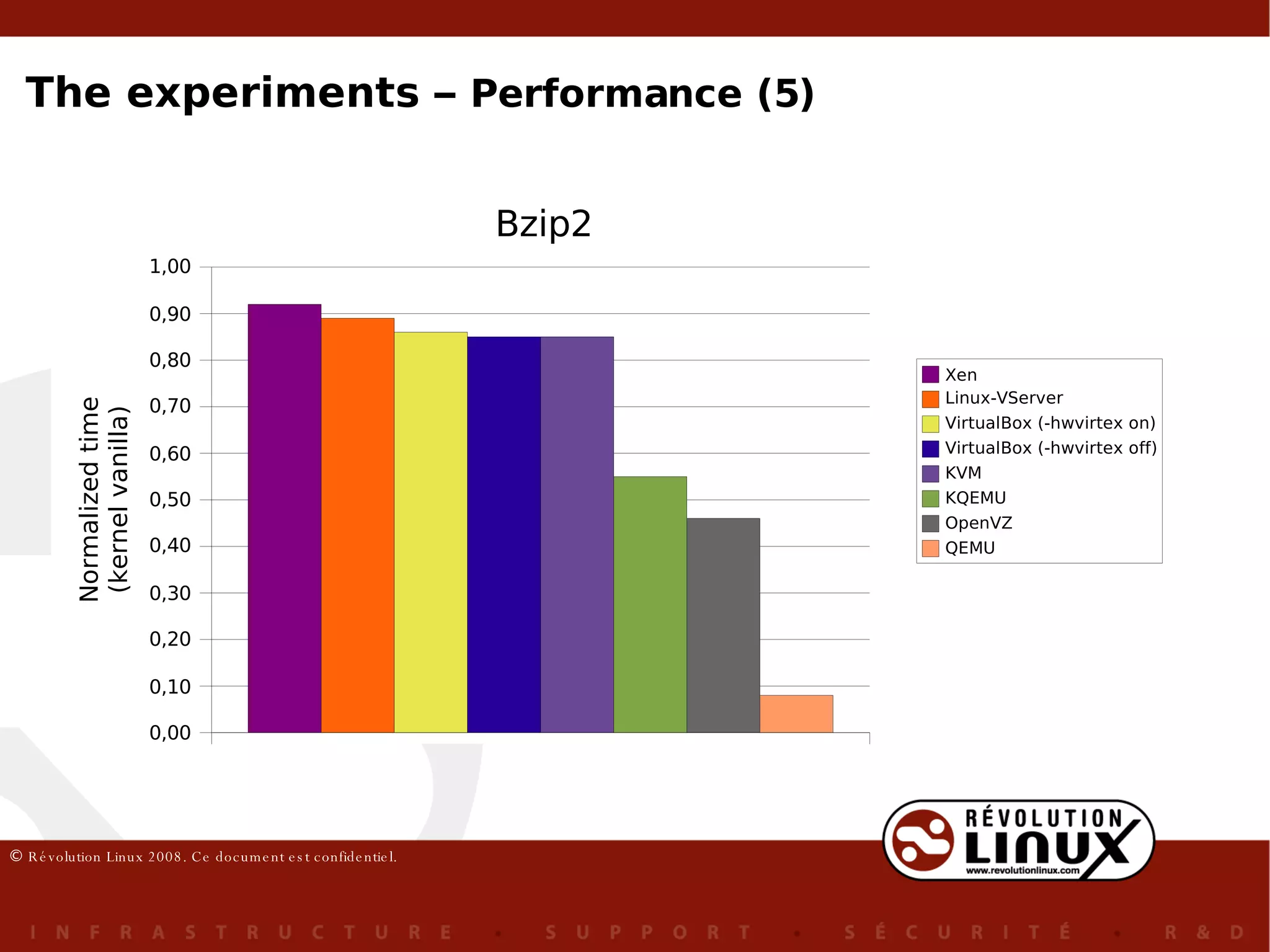
Software for file  compression Using option that yields maximal compression which considerably increases the me m ory utilisation per process Metric: given time for the completion of the compression Bzip2 cd /var/tmp cp /home/fernando/Iso/ubuntu-6.06.1-server-i386.iso . date +%s.%N && bzip2 -9 ubuntu-6.06.1-server-i386.iso && date +%s.%N rm ubuntu-6.06.1-server-i386.iso.bz2 ... 4x The experiments –  Performance (4)
The experiments –  Performance (5)
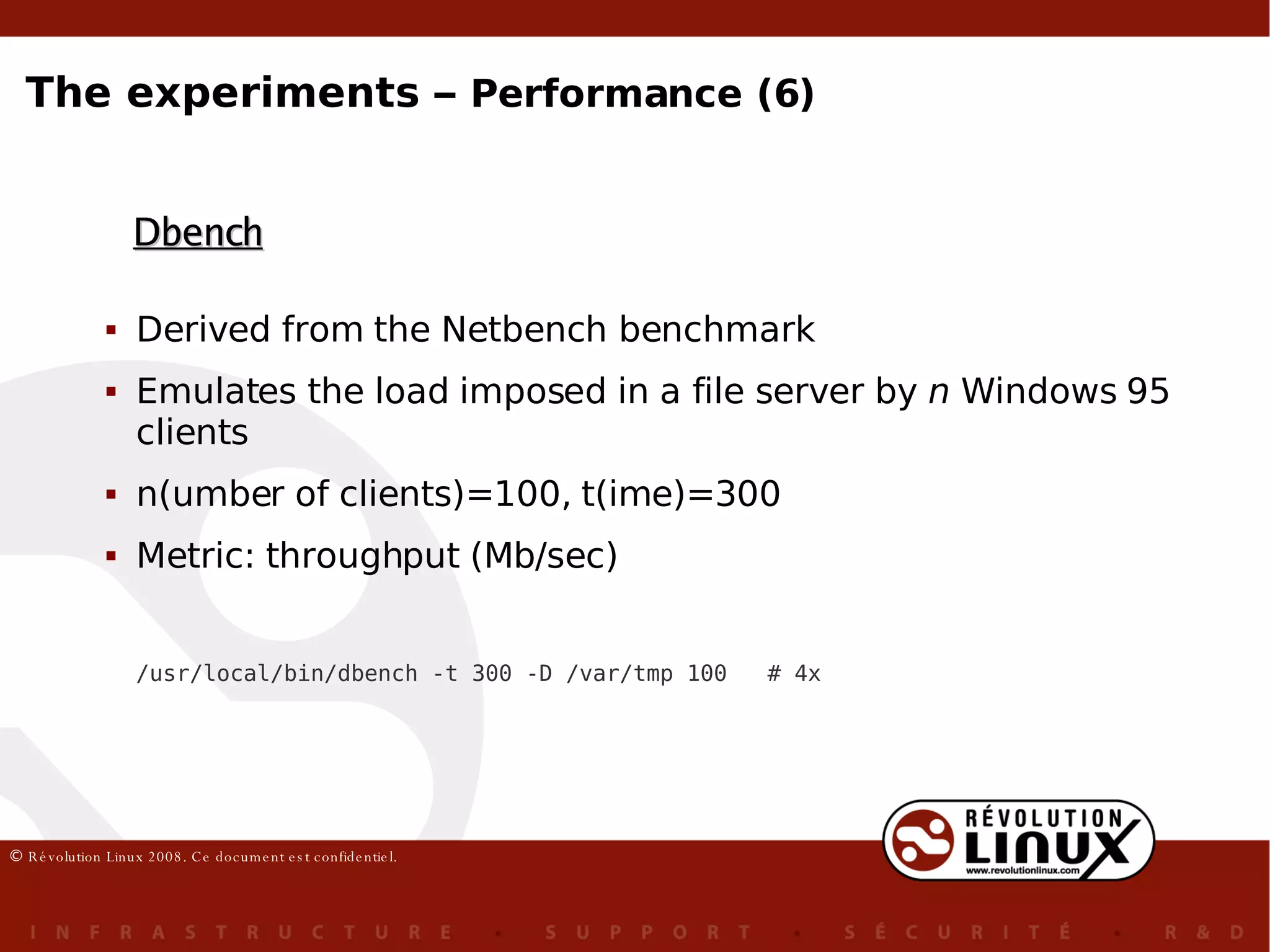
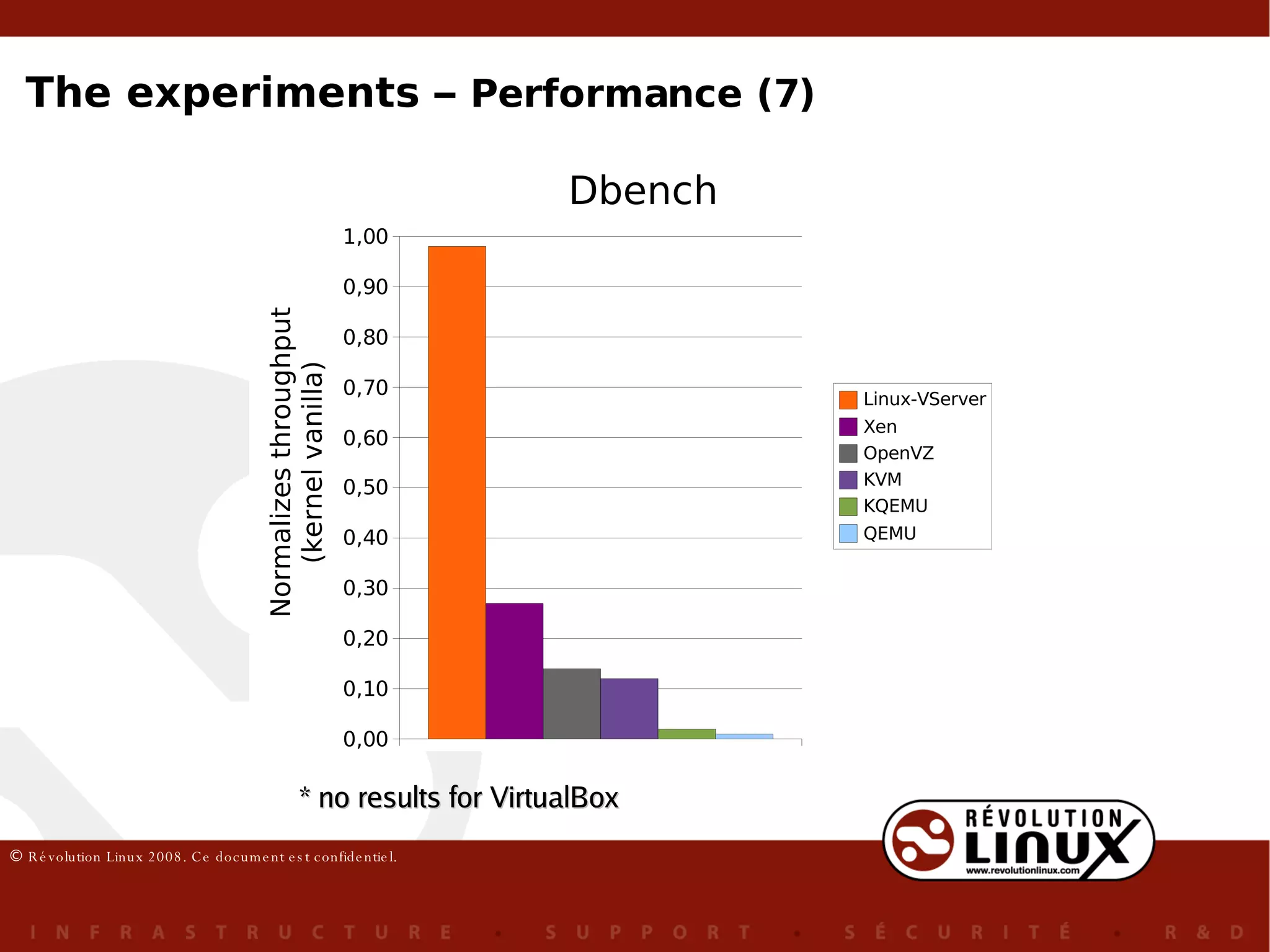
Derived from the Netbench benchmark Emulates the load imposed in a file server by  n  Windows 95 clients n(umber of clients)=100, t(ime)=300 Metric: throughput (Mb/sec) Dbench /usr/local/bin/dbench -t 300 -D /var/tmp 100  # 4x The experiments –  Performance (6)
* no results for VirtualBox The experiments –  Performance (7)
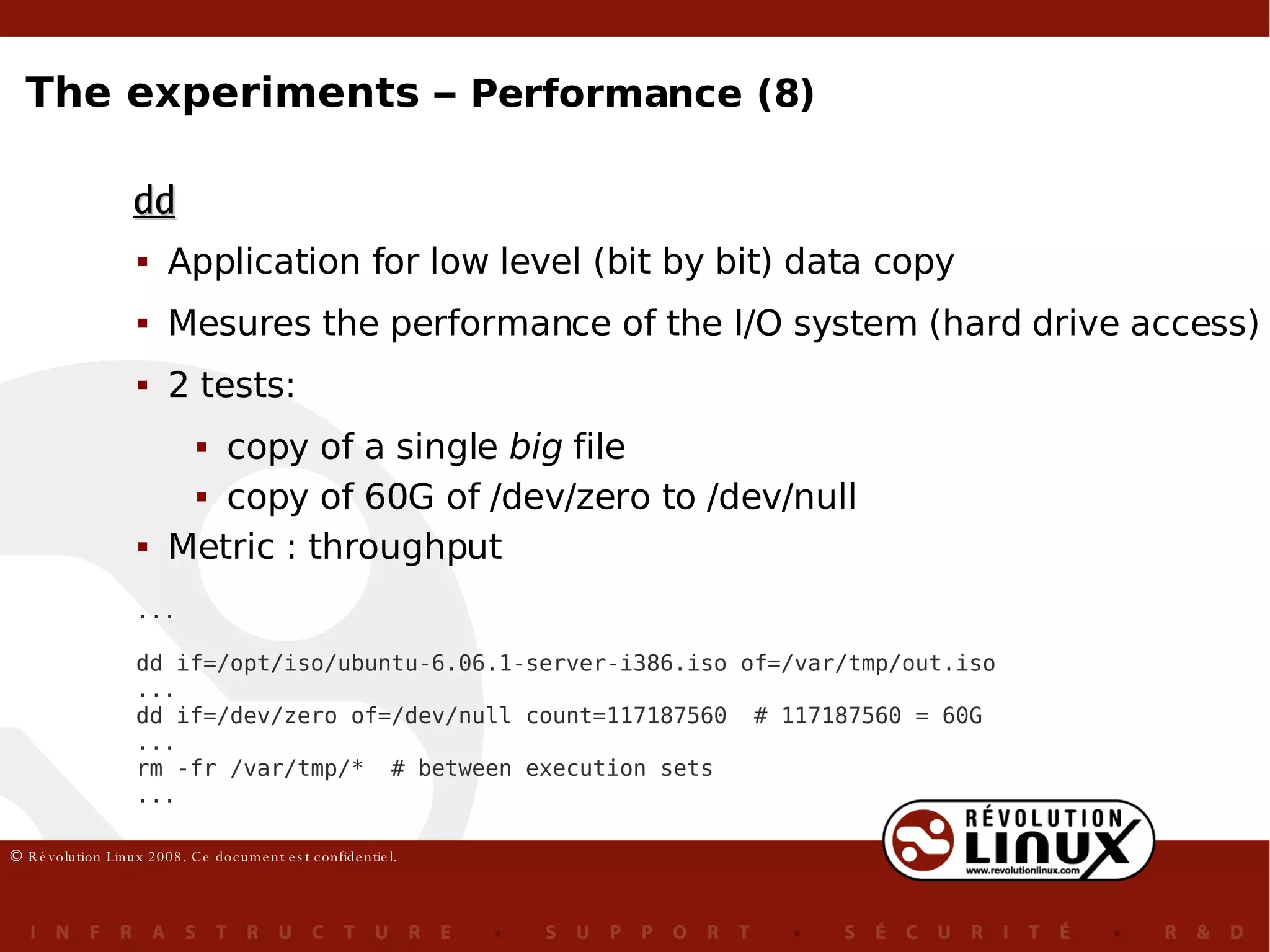
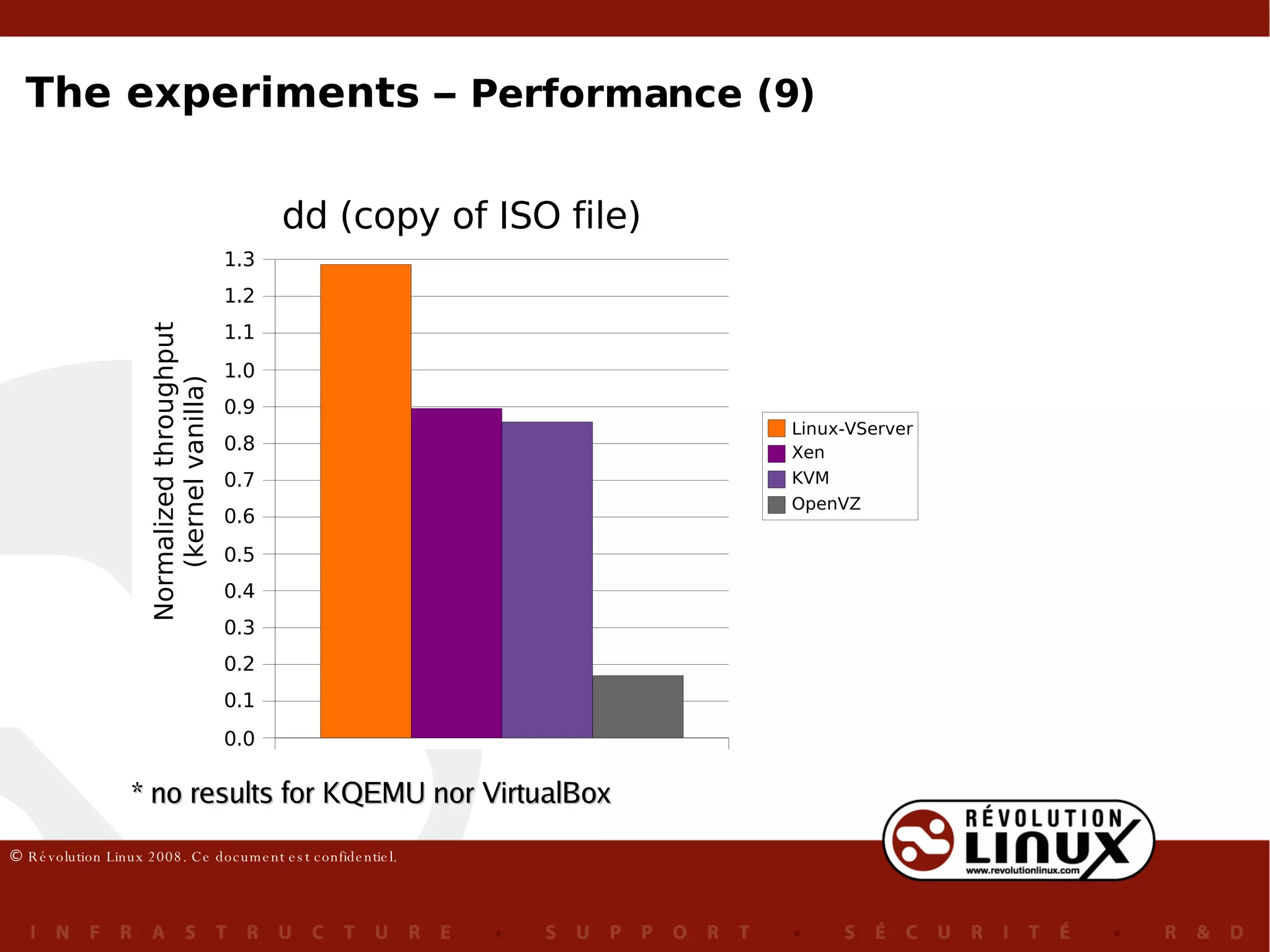
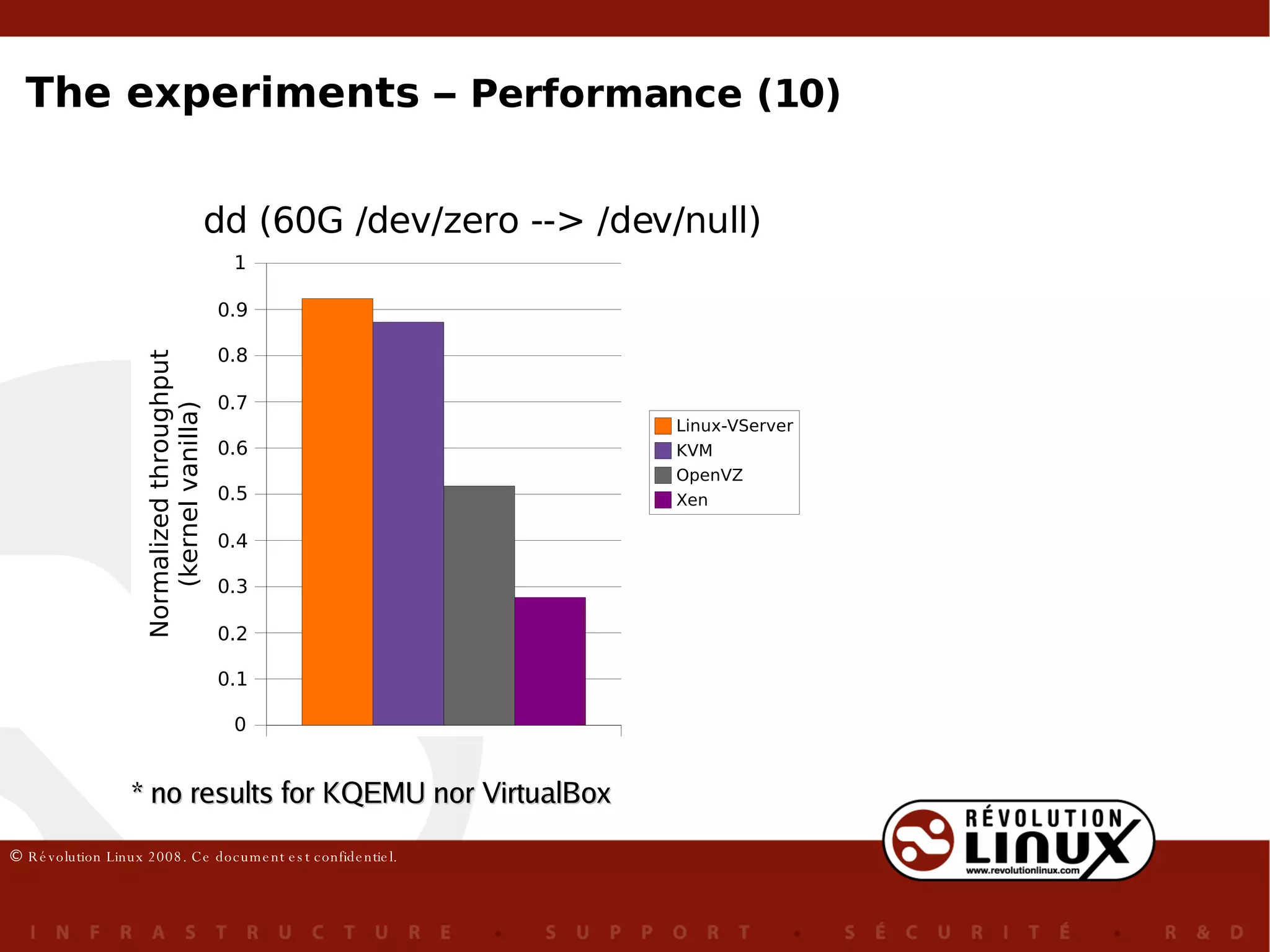
Application for low level (bit by bit) data copy Mesures the performance of the I/O system (hard drive access) 2 tests: copy of a single  big  file copy of 60G of /dev/zero to /dev/null Metric : throughput dd ... dd if=/opt/iso/ubuntu-6.06.1-server-i386.iso of=/var/tmp/out.iso ... dd if=/dev/zero of=/dev/null count=117187560  # 117187560 = 60G ... rm -fr /var/tmp/*  # between execution sets ... The experiments –  Performance (8)
* no results for KQEMU nor VirtualBox The experiments –  Performance (9)
* no results for KQEMU nor VirtualBox The experiments –  Performance (10)
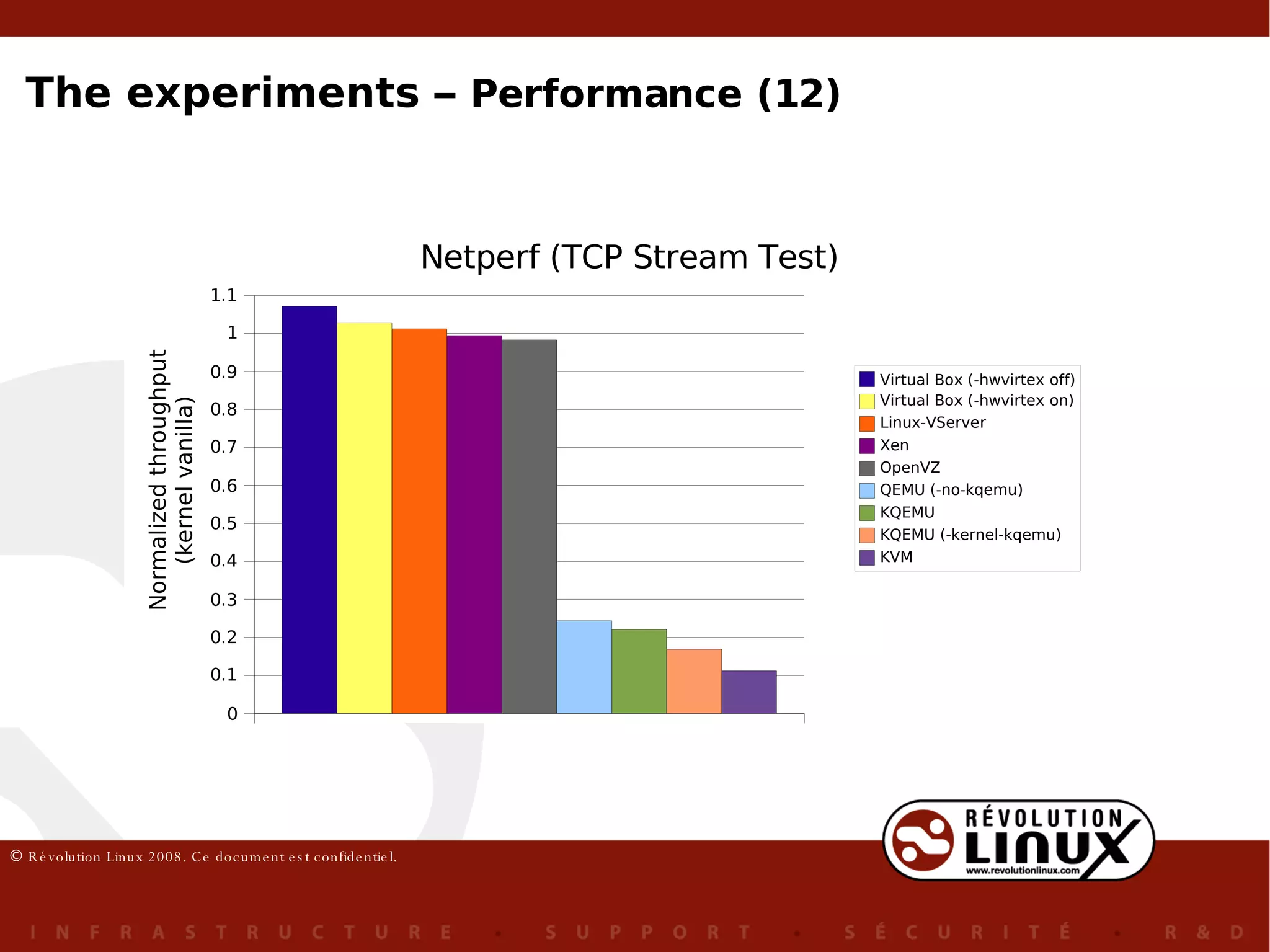
A benchmark that can be used to measure several aspects of the network performance TCP Stream test : measure the speed of the exchange of TCP packets through the network (10 sec.) Metric: throughput (bits/sec) Netperf netserver  # in the server .. netperf -H <nom du serveur>  # in the client, 4x The experiments –  Performance (11)
The experiments –  Performance (12)
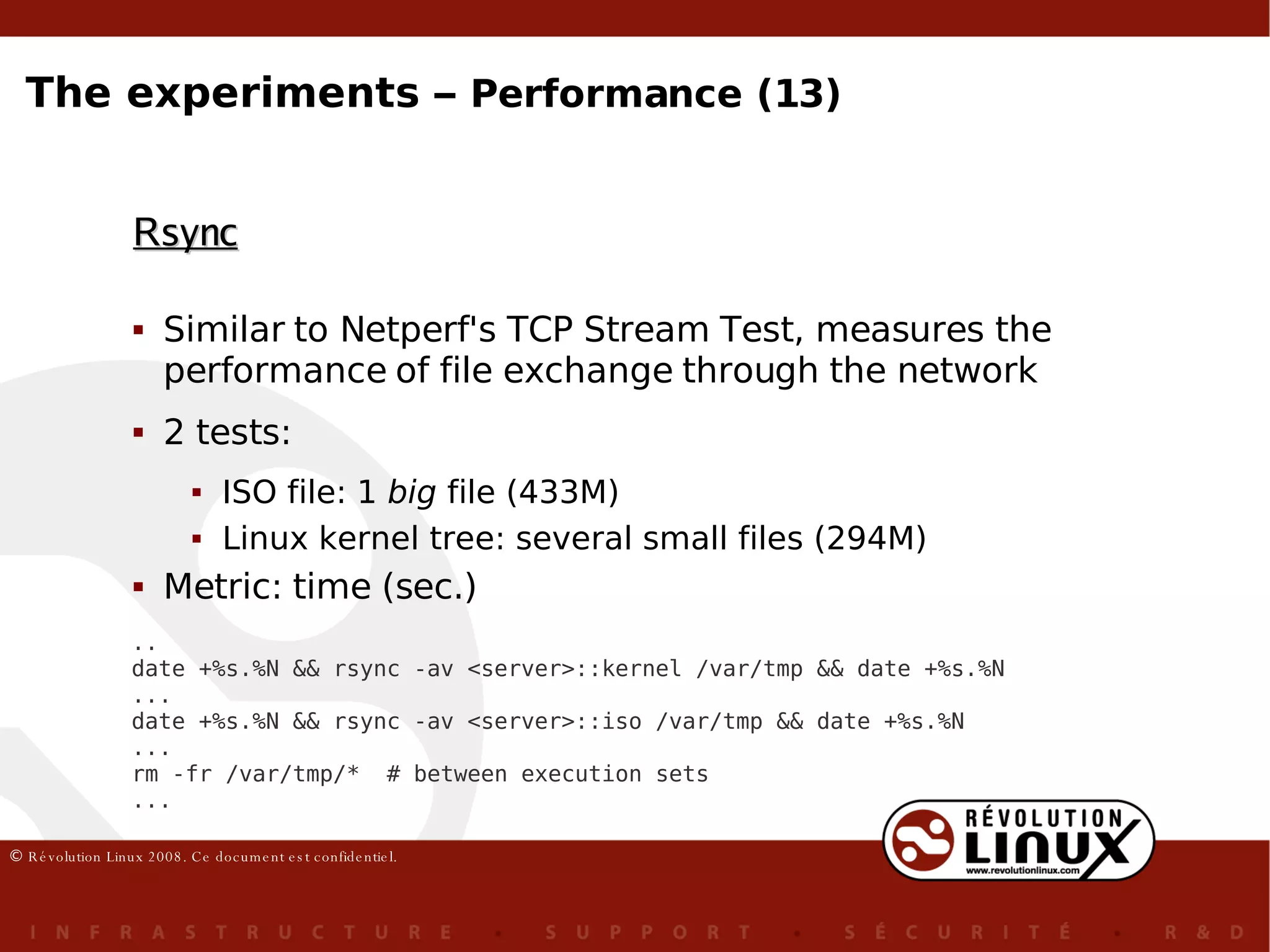
Similar to Netperf's TCP Stream Test, measures the performance of file exchange through the network 2 tests: ISO file: 1  big  file  (433M) Linux kernel tree: several small files (294M) Metric: time (sec.) Rsync .. date +%s.%N && rsync -av <server>::kernel /var/tmp && date +%s.%N ... date +%s.%N && rsync -av <server>::iso /var/tmp && date +%s.%N ... rm -fr /var/tmp/*  # between execution sets ... The experiments –  Performance (13)
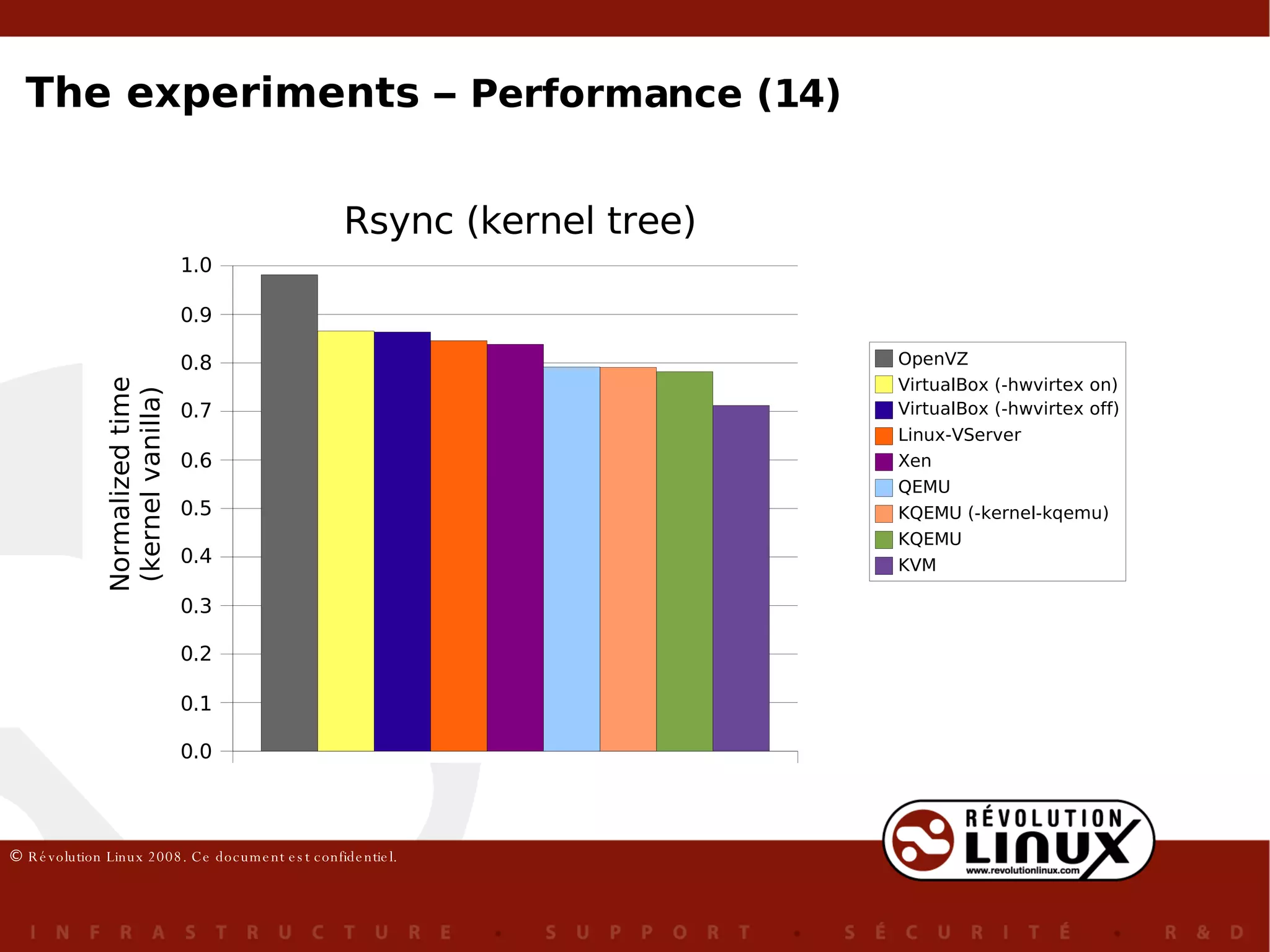
The experiments –  Performance (14)
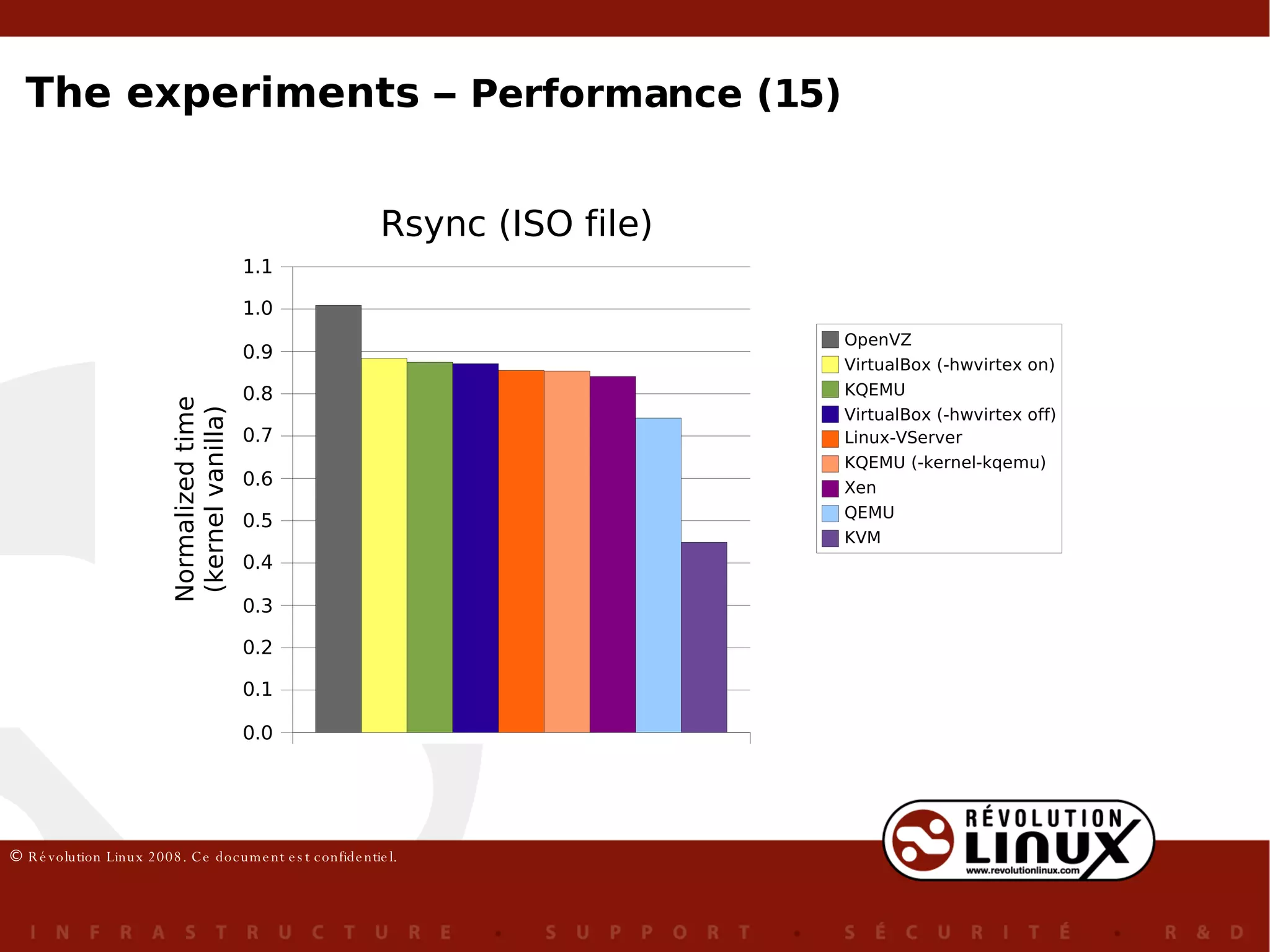
The experiments –  Performance (15)
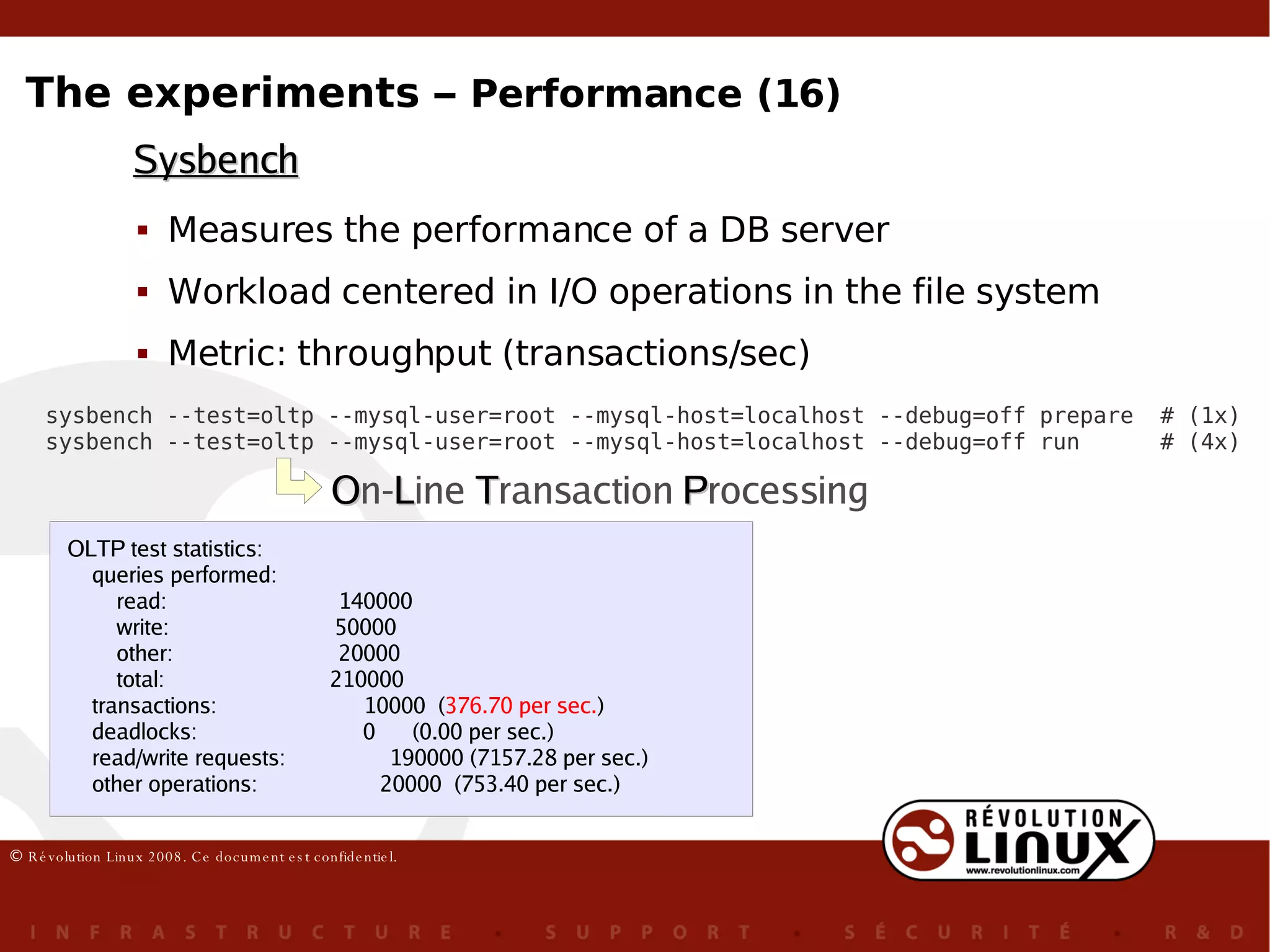
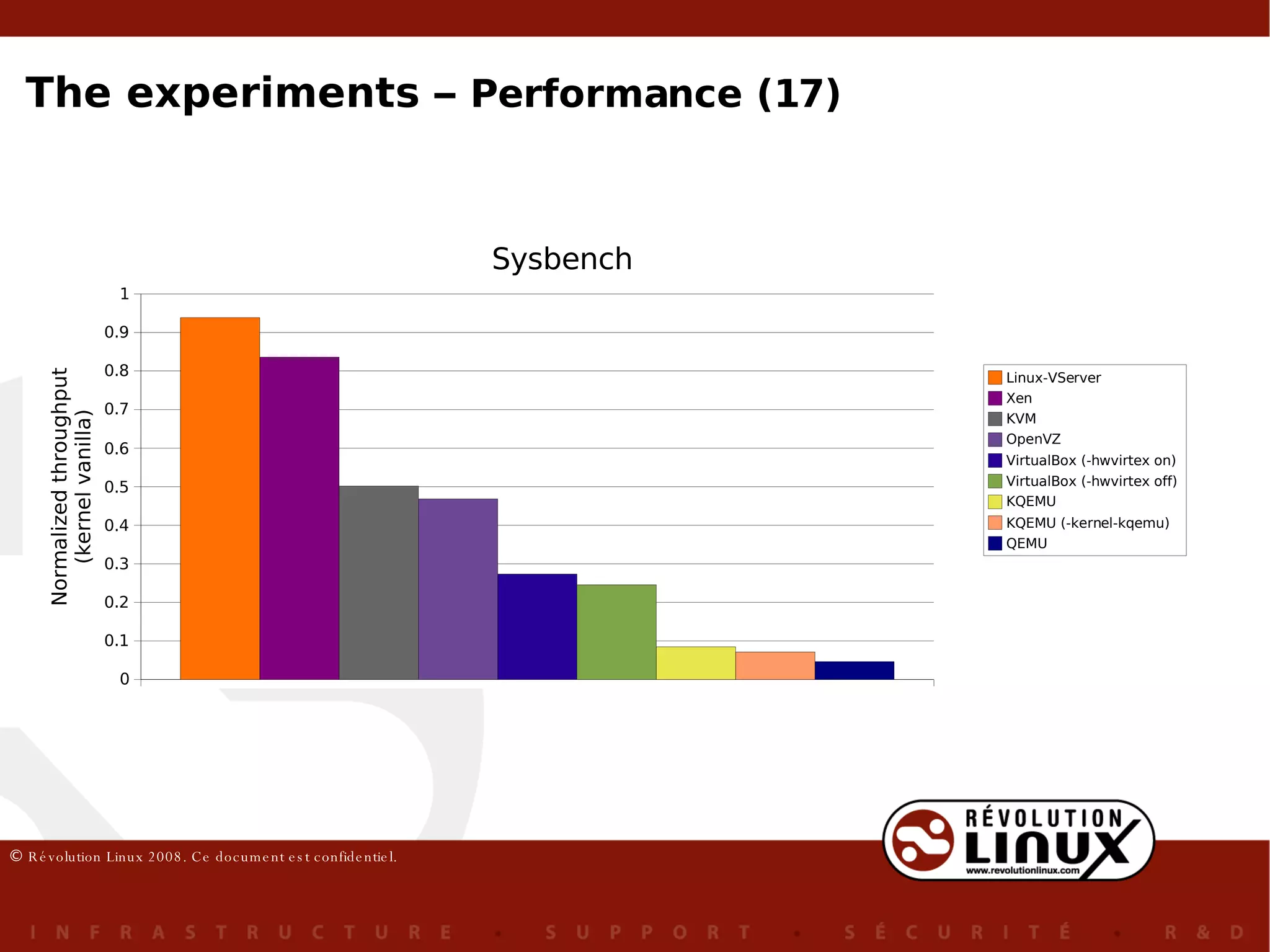
Measures the performance of a DB server Workload centered in I/O operations in the file system Metric: throughput (transactions/sec) Sysbench sysbench --test=oltp --mysql-user=root --mysql-host=localhost --debug=off prepare  # (1x) sysbench --test=oltp --mysql-user=root --mysql-host=localhost --debug=off run  # (4x) O n- L ine  T ransaction  P rocessing OLTP test statistics: queries performed: read:  140000 write:  50000 other:  20000 total:  210000 transactions:  10000  ( 376.70 per sec. ) deadlocks:  0  (0.00 per sec.) read/write requests:  190000 (7157.28 per sec.) other operations:  20000  (753.40 per sec.) The experiments –  Performance (16)
The experiments –  Performance (17)
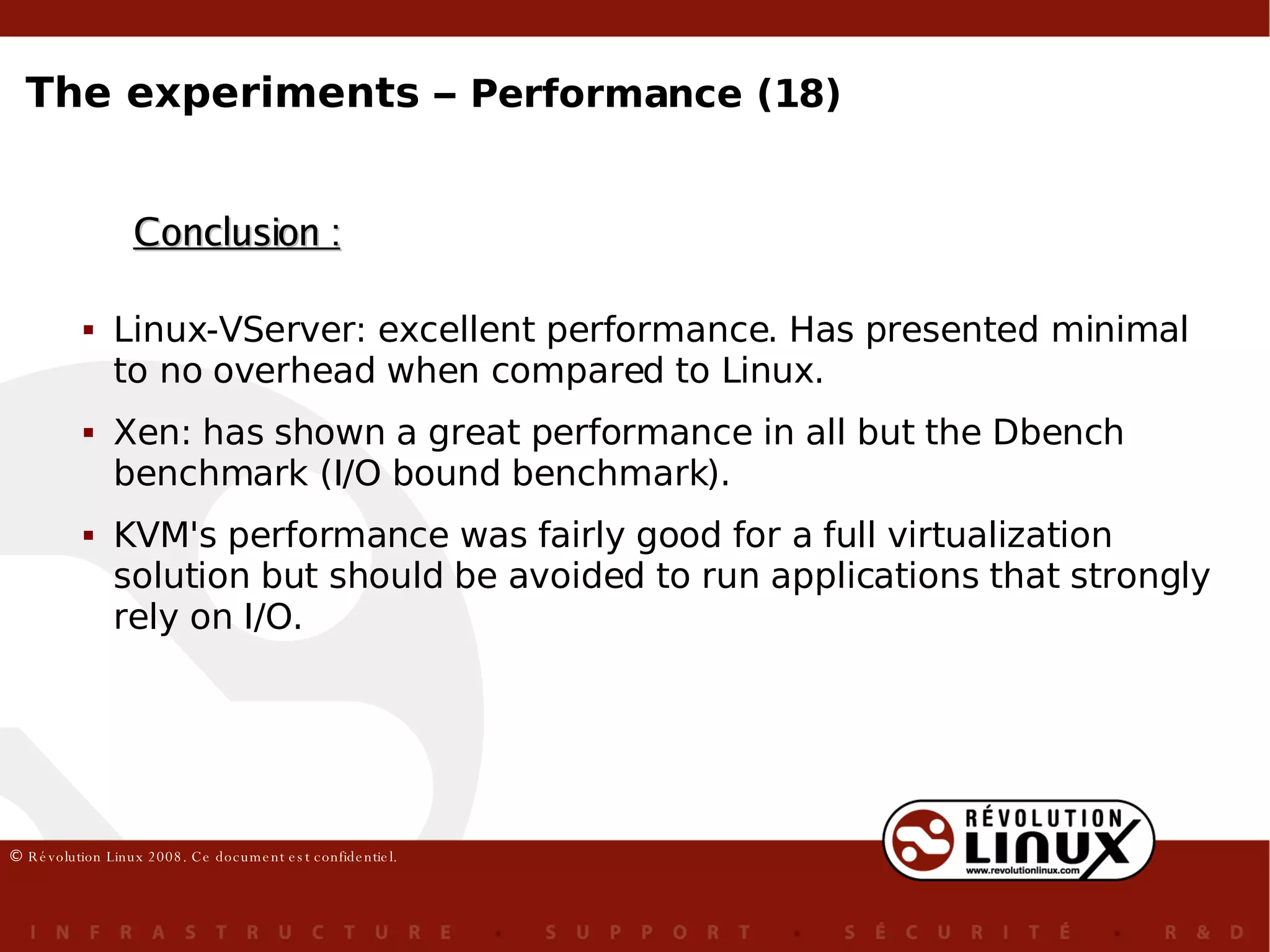
Conclusion : Linux-VServer: excellent performance. Has presented minimal to no overhead when compared to Linux. Xen: has shown a great performance in all but the Dbench benchmark (I/O bound benchmark). KVM's performance was fairly good for a full virtualization solution but should be avoided to run applications that strongly rely on I/O. The experiments –  Performance (18)
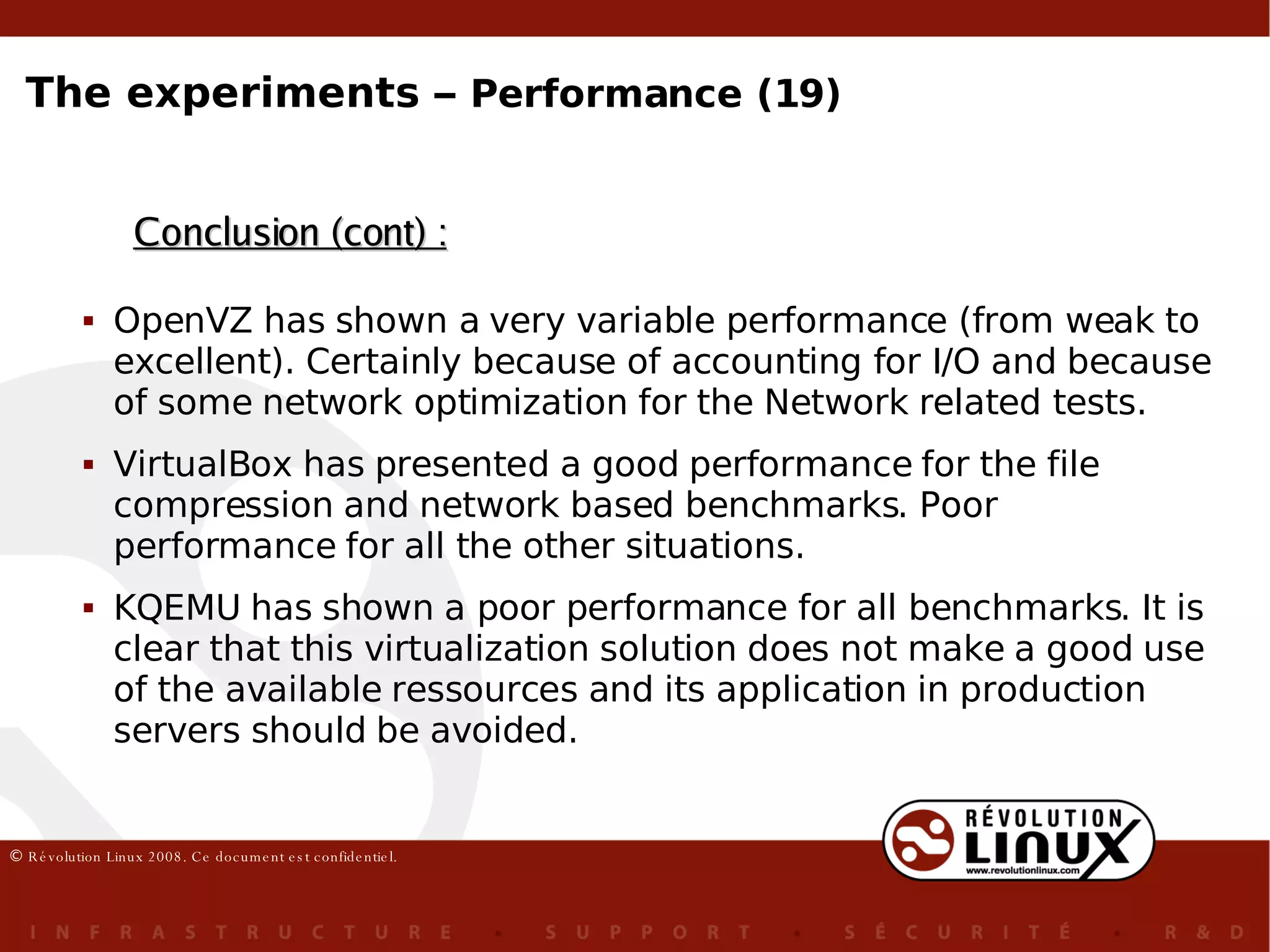
Conclusion (cont) : OpenVZ has shown a very variable performance (from weak to excellent). Certainly because of accounting for I/O and because of some network optimization for the Network related tests. VirtualBox has presented a good performance for the file compression and network based benchmarks. Poor performance for all the other situations. KQEMU has shown a poor performance for all benchmarks. It is clear that this virtualization solution does not make a good use of the available ressources and its application in production servers should be avoided. The experiments –  Performance (19)
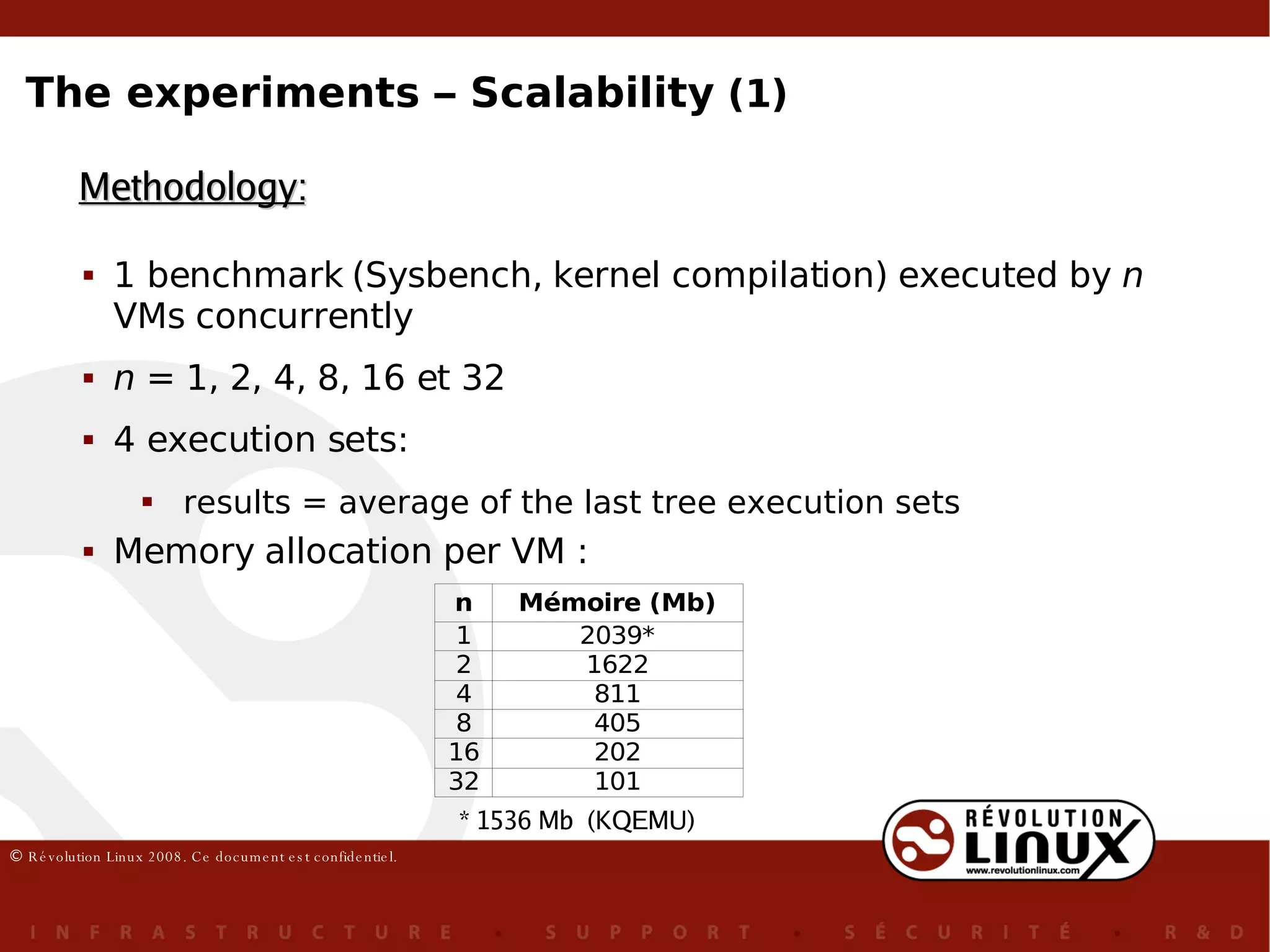
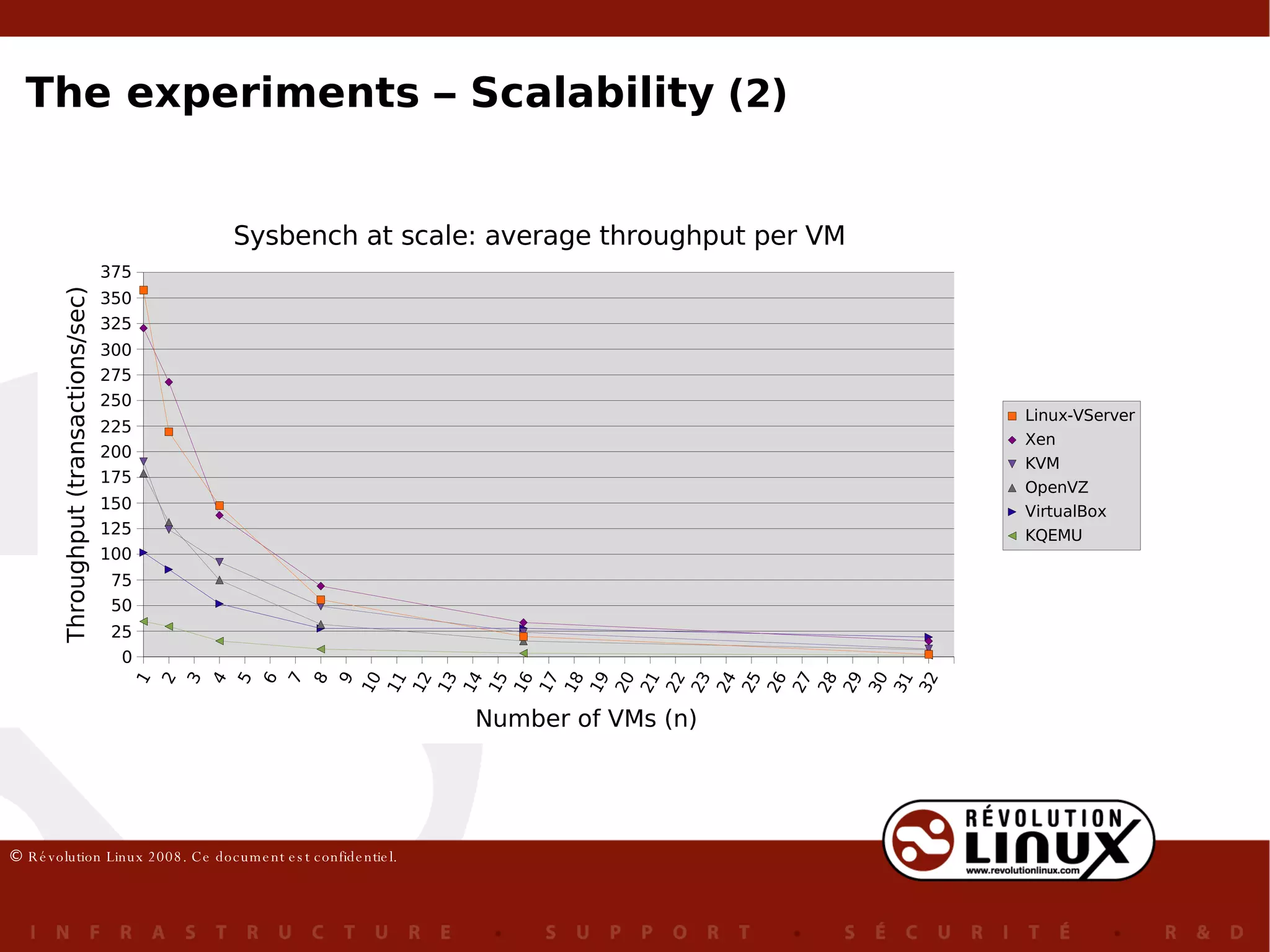
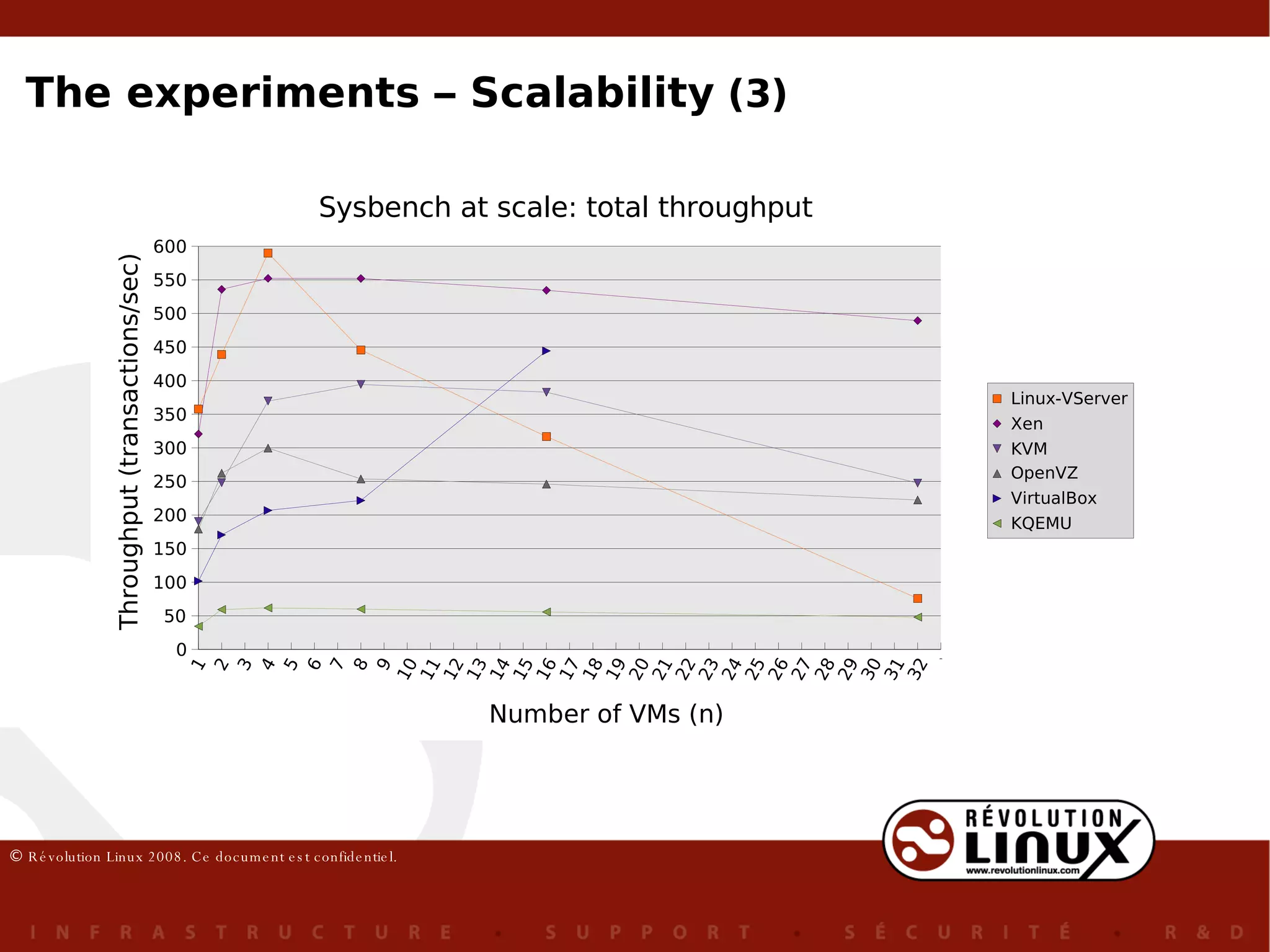
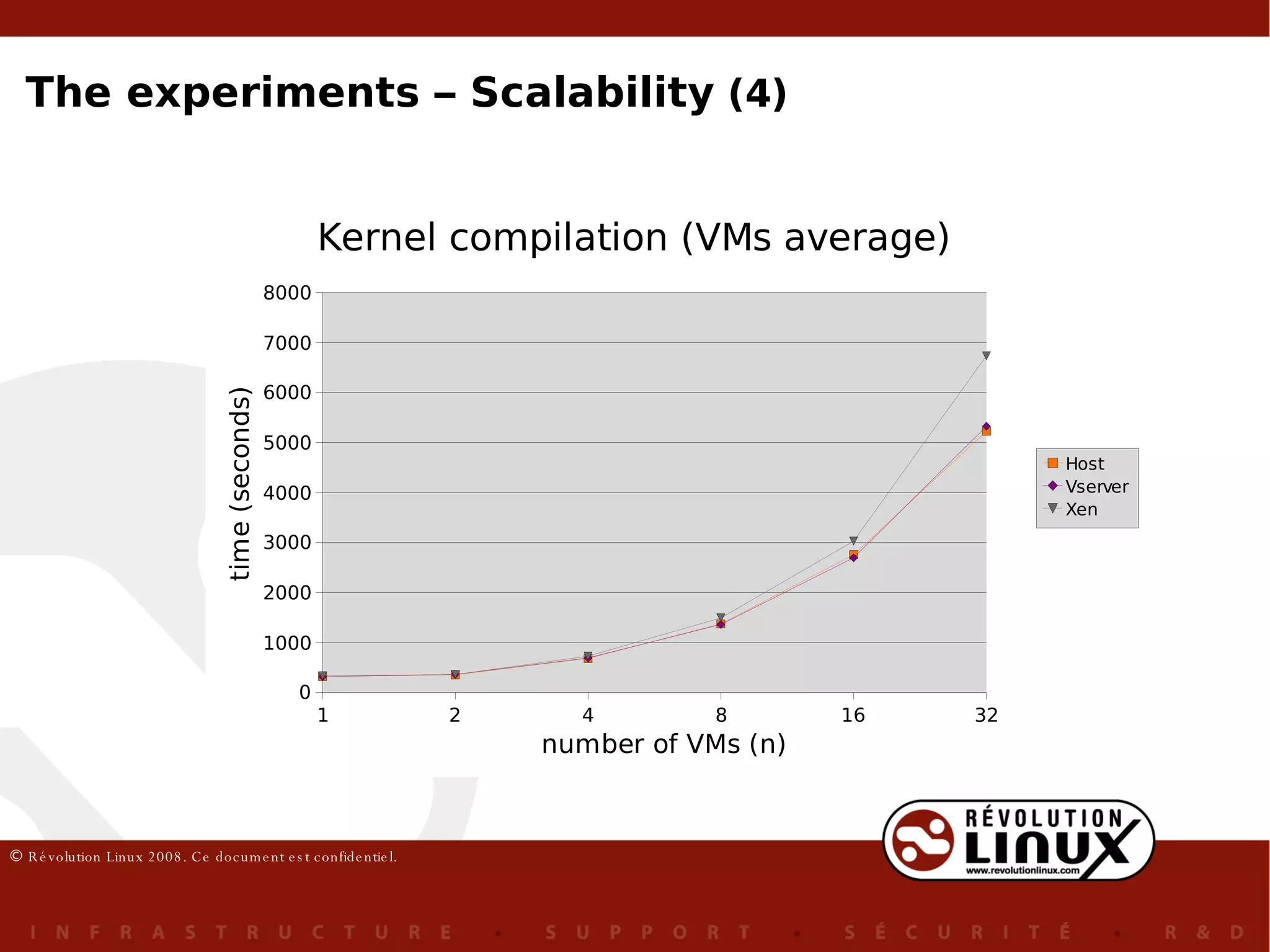
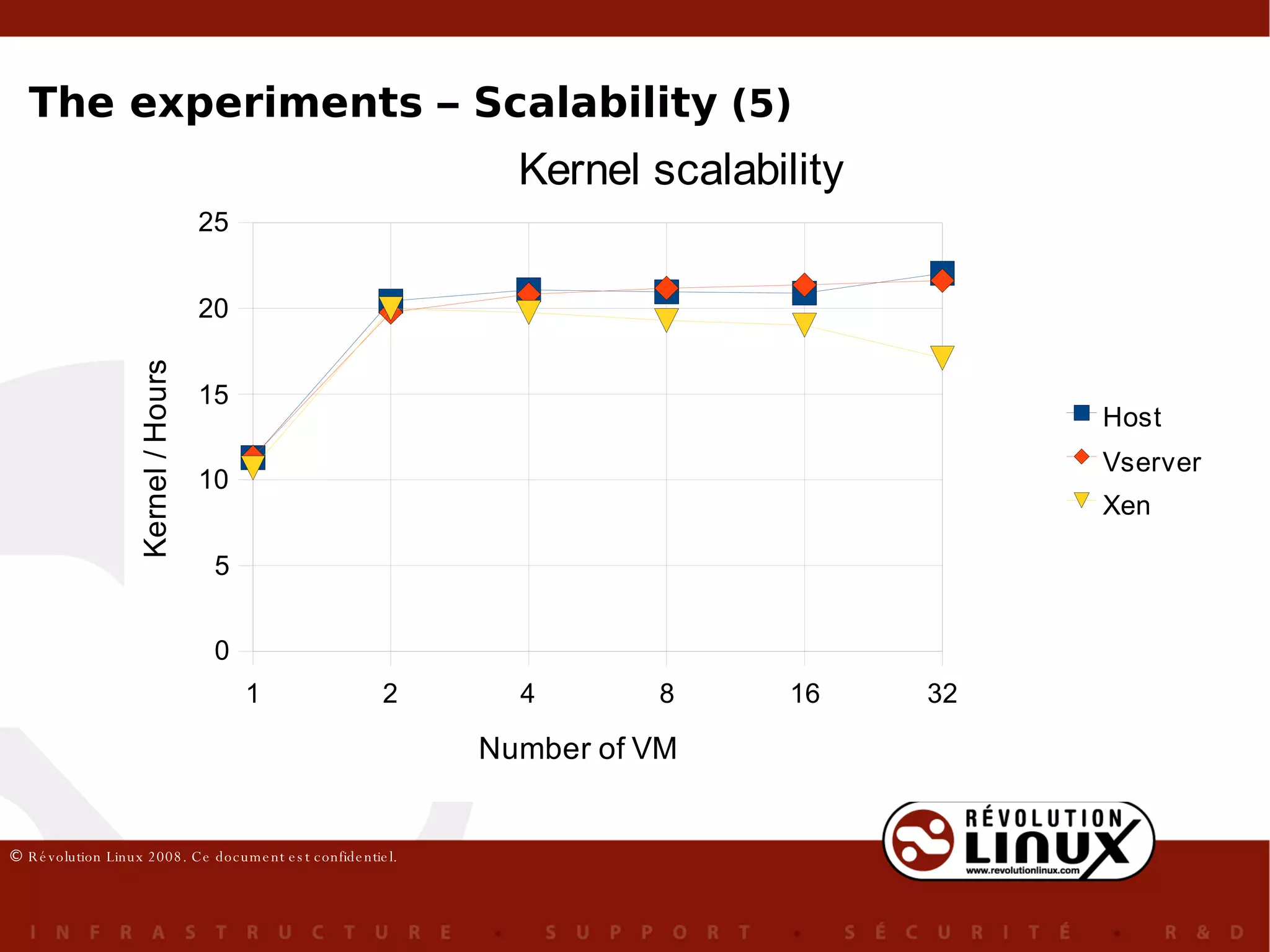
1 benchmark ( Sysbench, kernel compilation) executed  by  n  VMs concurrently n  = 1, 2, 4, 8, 16 et 32 4 execution sets:  results = average of the last tree execution sets Memory allocation per VM : Methodology: * 1536 Mb  (KQEMU) The experiments – Scalability  (1)
The experiments – Scalability  (2)
The experiments – Scalability  (3)
The experiments – Scalability  (4)
The experiments – Scalability  (5)
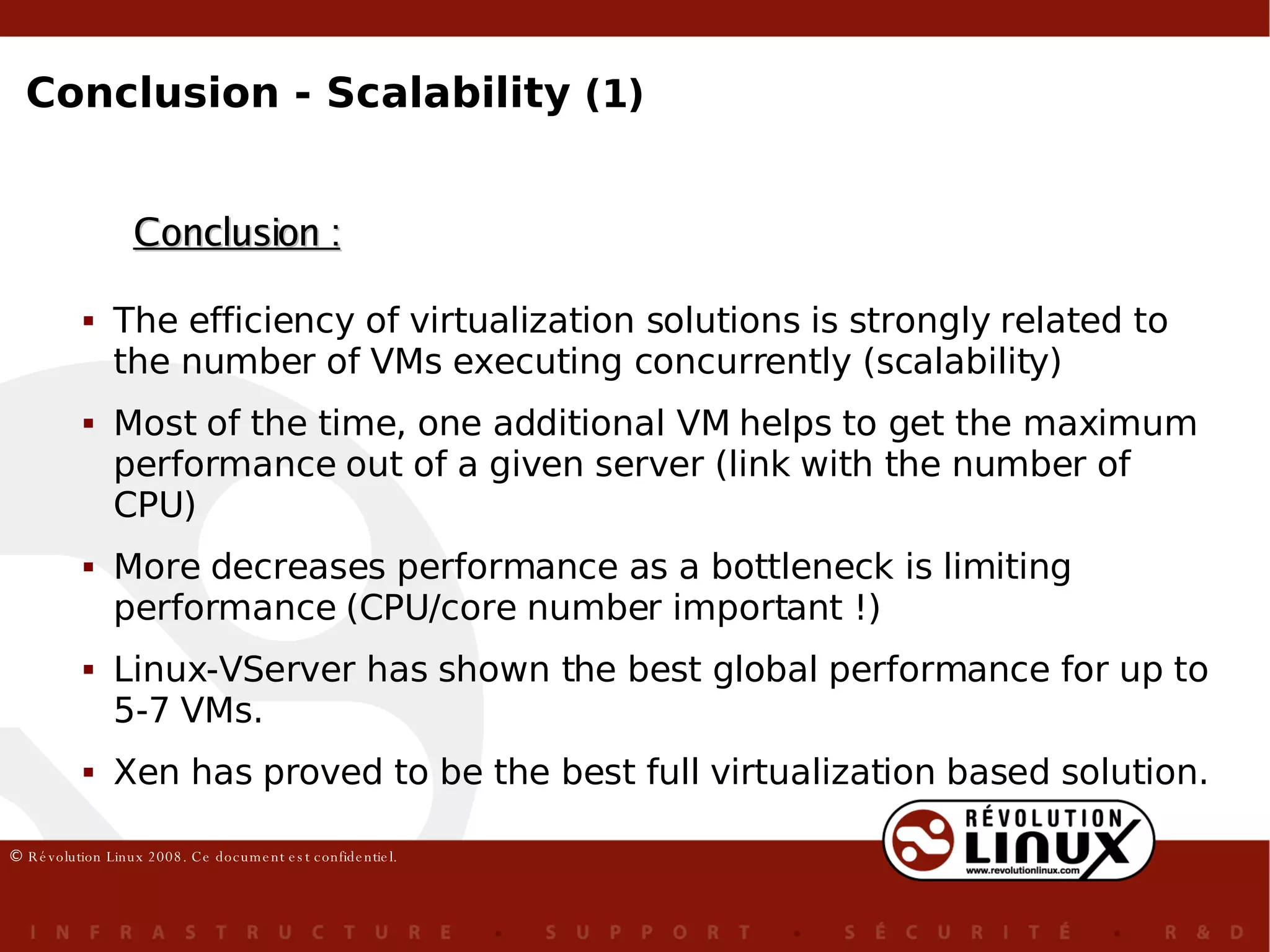
Conclusion : The efficiency of virtualization solutions is strongly related to the number of VMs executing concurrently (scalability) Most of the time, one additional VM helps to get the maximum performance out of a given server (link with the number of CPU) More decreases performance as a bottleneck is limiting performance (CPU/core number important !) Linux-VServer has shown the best global performance for up to 5-7 VMs. Xen has proved to be the best full virtualization based solution. Conclusion - Scalability  (1)
KVM has shown a reasonable performance for a full virtualization solution. OpenVZ's performance was not what we would expect of a contextualization solution. Our hypothesis is that the accounting (beancounter) is the root cause of th overhead VirtualBox has shown an impressive performance, the total throughput has more than doubled when the number of VMs has pass from 8 to 16. However, we were unaible to execute this experiment with 32 VirtualBox VMs executing concurrently. KQEMU's performance was weak when compared to all other solutions, independently of the number of VMs in execution. Conclusion – Scalability  (2)
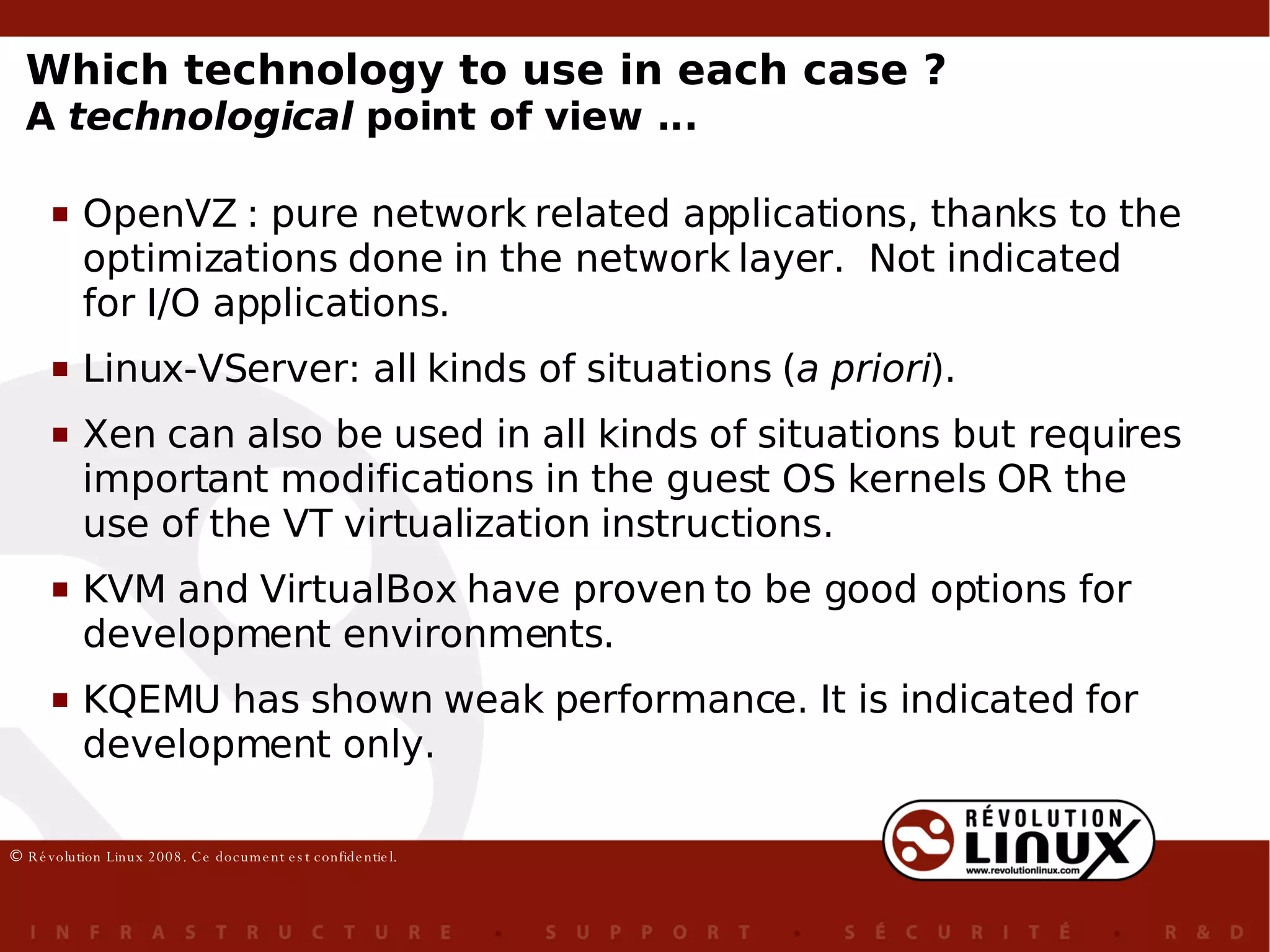
Which technology to use in each case ? A  technological  point of view ... OpenVZ : pure network related applications, thanks to the optimizations done in the network layer.  Not indicated for I/O applications. Linux-VServer: all kinds of situations ( a priori ).  Xen can also be used in all kinds of situations but requires important modifications in the guest OS kernels OR the use of the VT virtualization instructions. KVM and VirtualBox have proven to be good options for development environments. KQEMU has shown weak performance. It is indicated for development only.
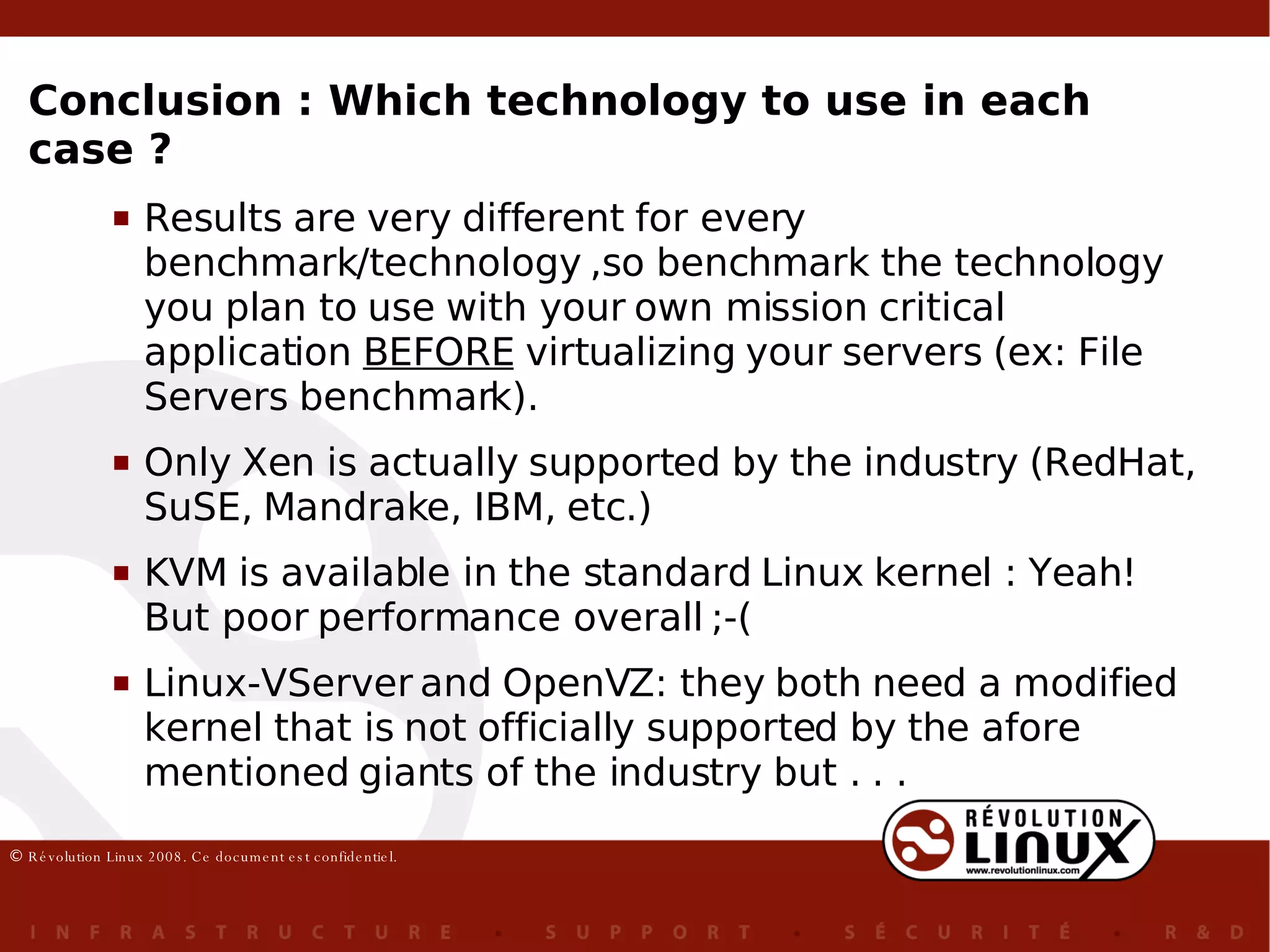
Results are very different for every benchmark/technology ,so benchmark the technology you plan to use with your own mission critical application  BEFORE  virtualizing your servers (ex: File Servers benchmark). Only Xen is actually supported by the industry (RedHat, SuSE, Mandrake, IBM, etc.) KVM is available in the standard Linux kernel : Yeah! But poor performance overall ;-( Linux-VServer and OpenVZ: they both need a modified kernel that is not officially supported by the afore mentioned giants of the industry but . . .  Conclusion : Which technology to use in each case ?
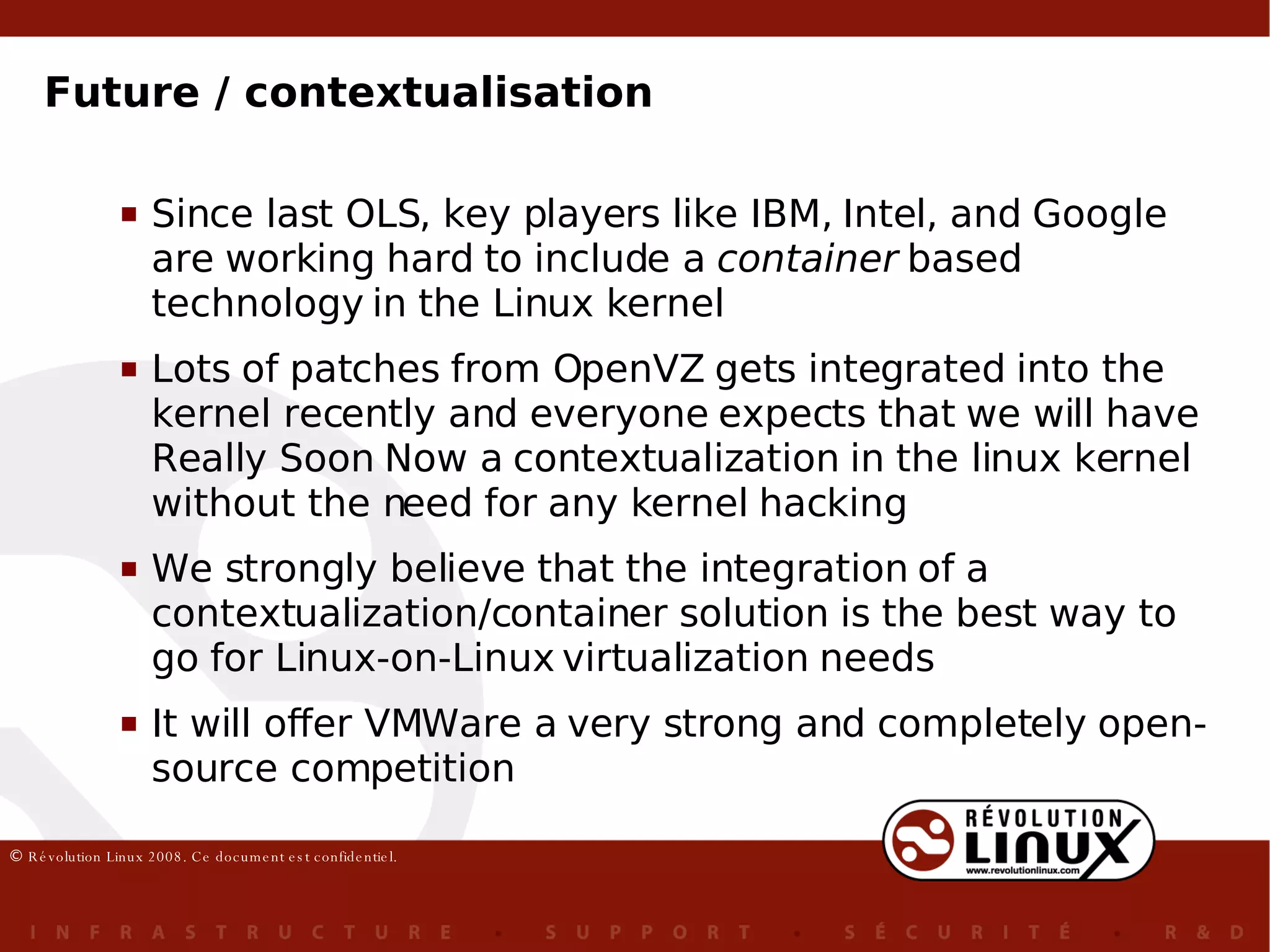
Since last OLS, key players like IBM, Intel, and Google are working hard to include a  container  based technology in the Linux kernel Lots of patches from OpenVZ gets integrated into the kernel recently and everyone expects that we will have Really Soon Now a contextualization in the linux kernel without the need for any kernel hacking We strongly believe that the integration of a contextualization/container solution is the best way to go for Linux-on-Linux virtualization needs It will offer VMWare a very strong and completely open-source competition Future / contextualisation
 

Comparison of Open Source Virtualization Technology

  • 1.
    Fernando Laudares CamargosGabriel Girard Benoit des Ligneris, Ph. D. [email_address] Comparative study of Open Source virtualization & contextualization technologies
  • 2.
    Context (1) IntroductionWhy virtualize the server infrastructure Virtualization technologies The experiments Explanations & anomalies Which technology is best for ... you ?
  • 3.
    Context (2) Researchexecuted by Fernando L. Camargos in pursuit of his Masters degree in Computer Science under the direction of Gabriel Girard (Université de Sherbrooke) and Benoît des Ligneris (Révolution Linux) This being a research work, some questions remain unsolved... maybe you can help !
  • 4.
    Why virtualize theserver infrastructure (1) ? Server consolidation is the most mentionned argument
  • 5.
    Why virtualize theserver infrastructure (2) ? Reduction of the purchase and maintenance costs Compatibility with legacy applications and OSs Security : environment to execute untrusty applications Low cost environment for software development Centralized control/management Easy backup/restore procedures Live migration Quick server fail-over High availability Virtual appliances Controled sharing of ressources Cloud computing Hardware abstraction It's ... cool !
  • 6.
    Full virtualization Para-virtualizationOS-level virtualization ( contextualization ) Hardware emulation Binary translation Classic virtualization Virtualization technologies (1)
  • 7.
    Full virtualization Para-virtualizationOS-level virtualization ( contextualization/ containers ) Hardware emulation binary translation Classic virtualization Xen Linux-VServer OpenVZ KVM VirtualBox KQEMU Virtualization technologies (2)
  • 8.
    virtualization != emulation QEMU is an emulator Virtualization technologies (3)
  • 9.
    Virtualization technologies (4)Virtualization technologies partial emulation no emulation KQEMU KVM VirtualBox OpenVZ Xen (Linux) Linux-VServer
  • 10.
    2 types ofhypervisors: Hypervisors type I: KVM, Xen Hypervisors type II: VirtualBox, KQEMU Virtualization technologies (5)
  • 11.
    The experiments (1)virtualization layer overhead But of how much ? To discover, we need to mesure the efficiency of the virtualization technologies efficiency = performance + scalability where :
  • 12.
    Performance (overhead): one virtual machine only Scalability: several virtual machines 2 types of experiments: The experiments (2)
  • 13.
    Virtualization solutions evaluatedin this study Chosen OSs: Host: Ubuntu 7.10 VMs: Ubuntu 6.06 Test bed: Intel Core 2 Duo 6300, 1.86GHz (x86_64 / VT-x) 4G Memory Hard drive SATA 80G The experiments (3)
  • 14.
    64 bit kernel for all technologies Use of VT extension for KVM, Xen 32 bit VM for VirtualBox Identical memory allocation per VM for every technology but Vserver : 2039 Mo Bits & Bytes & VMs : The experiment (4)
  • 15.
    7 benchmarks (different workloads) Reference : executed in the Linux host (scale = 1) executed inside the virtual machines 4 execution sets results = the average of the 3 last sets normalized by the result obtained by the Linux host Methodology : The experiments – Performance (1)
  • 16.
    An equilibrated workload– a little bit of everything without stressing one particular ressource too much Metric: given time for the completion of the compilation Compilation of the Linux kernel tar xvzf linux-XXX.tar.gz cd linux-XXX make defconfig # (&quot;New config with default answer to all options&quot;) --- date +%s.%N && make && date +%s.%N ... make clean date +%s.%N && make && date +%s.%N ... 3x The experiments – Performance (2)
  • 17.
    The experiments – Performance (3)
  • 18.
    Software for file compression Using option that yields maximal compression which considerably increases the me m ory utilisation per process Metric: given time for the completion of the compression Bzip2 cd /var/tmp cp /home/fernando/Iso/ubuntu-6.06.1-server-i386.iso . date +%s.%N && bzip2 -9 ubuntu-6.06.1-server-i386.iso && date +%s.%N rm ubuntu-6.06.1-server-i386.iso.bz2 ... 4x The experiments – Performance (4)
  • 19.
    The experiments – Performance (5)
  • 20.
    Derived from theNetbench benchmark Emulates the load imposed in a file server by n Windows 95 clients n(umber of clients)=100, t(ime)=300 Metric: throughput (Mb/sec) Dbench /usr/local/bin/dbench -t 300 -D /var/tmp 100 # 4x The experiments – Performance (6)
  • 21.
    * no resultsfor VirtualBox The experiments – Performance (7)
  • 22.
    Application for lowlevel (bit by bit) data copy Mesures the performance of the I/O system (hard drive access) 2 tests: copy of a single big file copy of 60G of /dev/zero to /dev/null Metric : throughput dd ... dd if=/opt/iso/ubuntu-6.06.1-server-i386.iso of=/var/tmp/out.iso ... dd if=/dev/zero of=/dev/null count=117187560 # 117187560 = 60G ... rm -fr /var/tmp/* # between execution sets ... The experiments – Performance (8)
  • 23.
    * no resultsfor KQEMU nor VirtualBox The experiments – Performance (9)
  • 24.
    * no resultsfor KQEMU nor VirtualBox The experiments – Performance (10)
  • 25.
    A benchmark thatcan be used to measure several aspects of the network performance TCP Stream test : measure the speed of the exchange of TCP packets through the network (10 sec.) Metric: throughput (bits/sec) Netperf netserver # in the server .. netperf -H <nom du serveur> # in the client, 4x The experiments – Performance (11)
  • 26.
    The experiments – Performance (12)
  • 27.
    Similar to Netperf'sTCP Stream Test, measures the performance of file exchange through the network 2 tests: ISO file: 1 big file (433M) Linux kernel tree: several small files (294M) Metric: time (sec.) Rsync .. date +%s.%N && rsync -av <server>::kernel /var/tmp && date +%s.%N ... date +%s.%N && rsync -av <server>::iso /var/tmp && date +%s.%N ... rm -fr /var/tmp/* # between execution sets ... The experiments – Performance (13)
  • 28.
    The experiments – Performance (14)
  • 29.
    The experiments – Performance (15)
  • 30.
    Measures the performanceof a DB server Workload centered in I/O operations in the file system Metric: throughput (transactions/sec) Sysbench sysbench --test=oltp --mysql-user=root --mysql-host=localhost --debug=off prepare # (1x) sysbench --test=oltp --mysql-user=root --mysql-host=localhost --debug=off run # (4x) O n- L ine T ransaction P rocessing OLTP test statistics: queries performed: read: 140000 write: 50000 other: 20000 total: 210000 transactions: 10000 ( 376.70 per sec. ) deadlocks: 0 (0.00 per sec.) read/write requests: 190000 (7157.28 per sec.) other operations: 20000 (753.40 per sec.) The experiments – Performance (16)
  • 31.
    The experiments – Performance (17)
  • 32.
    Conclusion : Linux-VServer:excellent performance. Has presented minimal to no overhead when compared to Linux. Xen: has shown a great performance in all but the Dbench benchmark (I/O bound benchmark). KVM's performance was fairly good for a full virtualization solution but should be avoided to run applications that strongly rely on I/O. The experiments – Performance (18)
  • 33.
    Conclusion (cont) :OpenVZ has shown a very variable performance (from weak to excellent). Certainly because of accounting for I/O and because of some network optimization for the Network related tests. VirtualBox has presented a good performance for the file compression and network based benchmarks. Poor performance for all the other situations. KQEMU has shown a poor performance for all benchmarks. It is clear that this virtualization solution does not make a good use of the available ressources and its application in production servers should be avoided. The experiments – Performance (19)
  • 34.
    1 benchmark (Sysbench, kernel compilation) executed by n VMs concurrently n = 1, 2, 4, 8, 16 et 32 4 execution sets: results = average of the last tree execution sets Memory allocation per VM : Methodology: * 1536 Mb (KQEMU) The experiments – Scalability (1)
  • 35.
    The experiments –Scalability (2)
  • 36.
    The experiments –Scalability (3)
  • 37.
    The experiments –Scalability (4)
  • 38.
    The experiments –Scalability (5)
  • 39.
    Conclusion : Theefficiency of virtualization solutions is strongly related to the number of VMs executing concurrently (scalability) Most of the time, one additional VM helps to get the maximum performance out of a given server (link with the number of CPU) More decreases performance as a bottleneck is limiting performance (CPU/core number important !) Linux-VServer has shown the best global performance for up to 5-7 VMs. Xen has proved to be the best full virtualization based solution. Conclusion - Scalability (1)
  • 40.
    KVM has showna reasonable performance for a full virtualization solution. OpenVZ's performance was not what we would expect of a contextualization solution. Our hypothesis is that the accounting (beancounter) is the root cause of th overhead VirtualBox has shown an impressive performance, the total throughput has more than doubled when the number of VMs has pass from 8 to 16. However, we were unaible to execute this experiment with 32 VirtualBox VMs executing concurrently. KQEMU's performance was weak when compared to all other solutions, independently of the number of VMs in execution. Conclusion – Scalability (2)
  • 41.
    Which technology touse in each case ? A technological point of view ... OpenVZ : pure network related applications, thanks to the optimizations done in the network layer. Not indicated for I/O applications. Linux-VServer: all kinds of situations ( a priori ). Xen can also be used in all kinds of situations but requires important modifications in the guest OS kernels OR the use of the VT virtualization instructions. KVM and VirtualBox have proven to be good options for development environments. KQEMU has shown weak performance. It is indicated for development only.
  • 42.
    Results are verydifferent for every benchmark/technology ,so benchmark the technology you plan to use with your own mission critical application BEFORE virtualizing your servers (ex: File Servers benchmark). Only Xen is actually supported by the industry (RedHat, SuSE, Mandrake, IBM, etc.) KVM is available in the standard Linux kernel : Yeah! But poor performance overall ;-( Linux-VServer and OpenVZ: they both need a modified kernel that is not officially supported by the afore mentioned giants of the industry but . . . Conclusion : Which technology to use in each case ?
  • 43.
    Since last OLS,key players like IBM, Intel, and Google are working hard to include a container based technology in the Linux kernel Lots of patches from OpenVZ gets integrated into the kernel recently and everyone expects that we will have Really Soon Now a contextualization in the linux kernel without the need for any kernel hacking We strongly believe that the integration of a contextualization/container solution is the best way to go for Linux-on-Linux virtualization needs It will offer VMWare a very strong and completely open-source competition Future / contextualisation
  • 44.