Cloud Computing
an perspective
Sarwan Singh
..the cloud roadmap
• Virtualization
• Cloud computing
• cloud demo
2
Slides available at :
www.slideshare.net/SarwanSingh
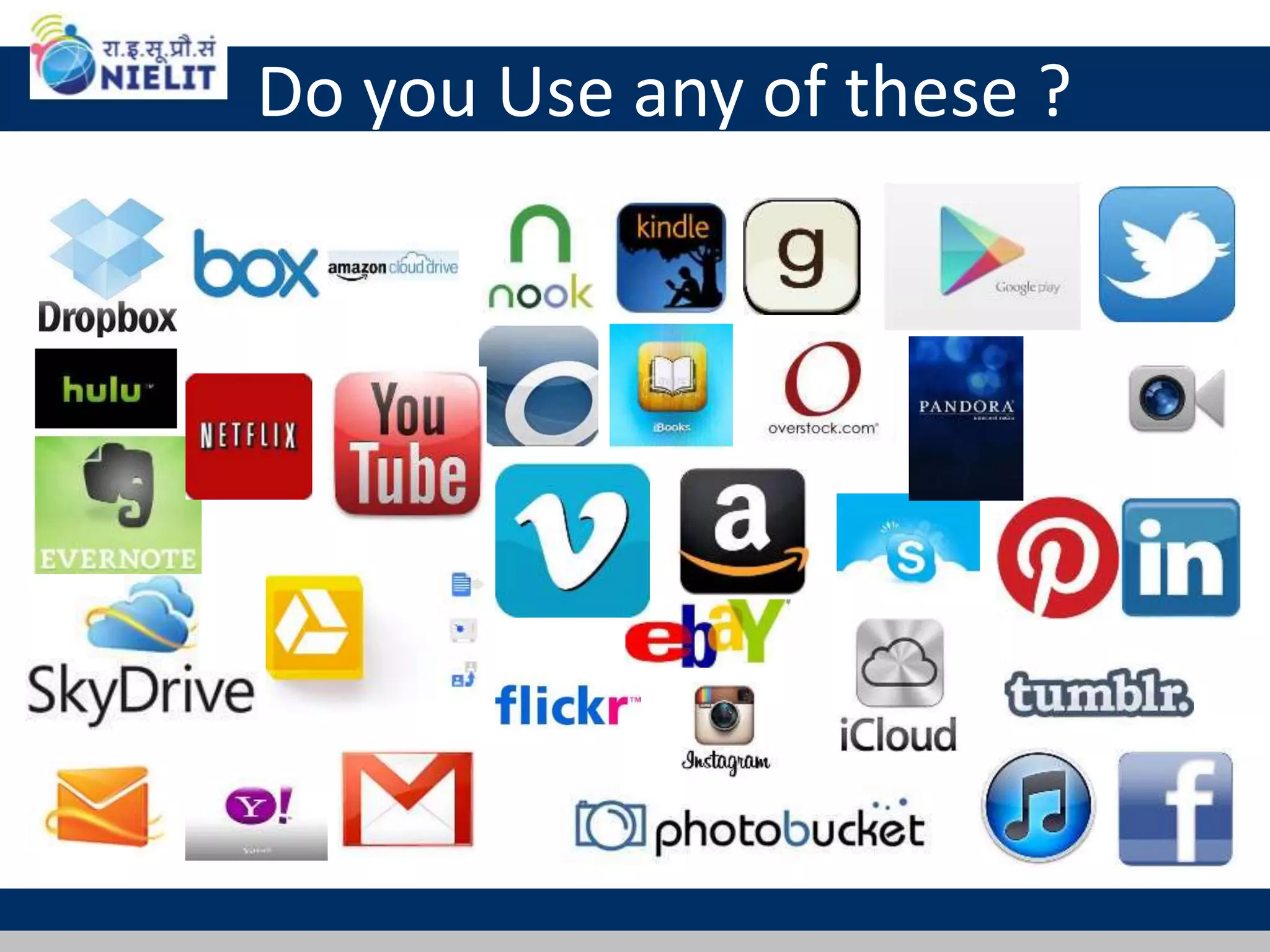
Do you Use any of these ?
Virtualization
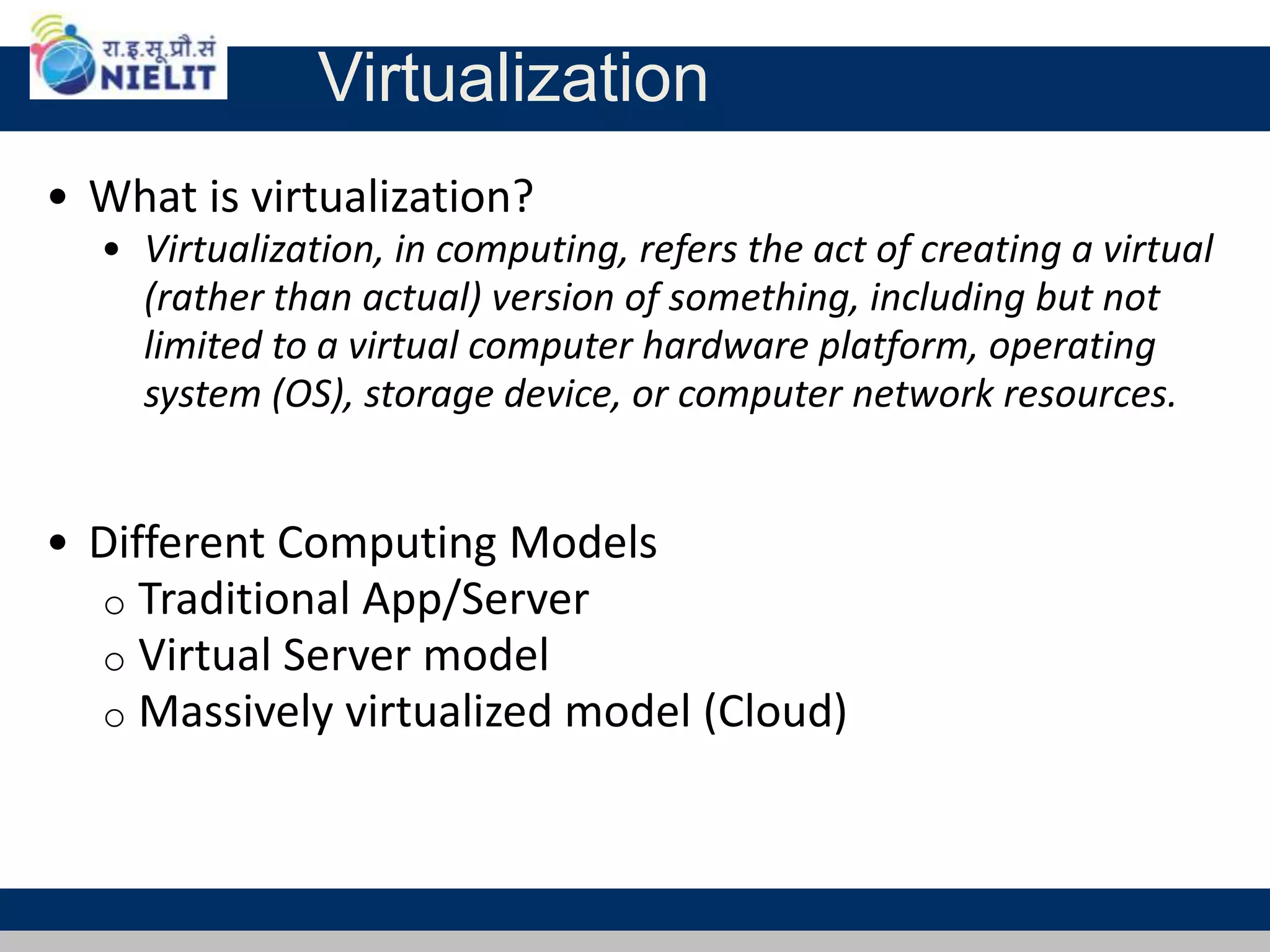
• What is virtualization?
• Virtualization, in computing, refers the act of creating a virtual
(rather than actual) version of something, including but not
limited to a virtual computer hardware platform, operating
system (OS), storage device, or computer network resources.
• Different Computing Models
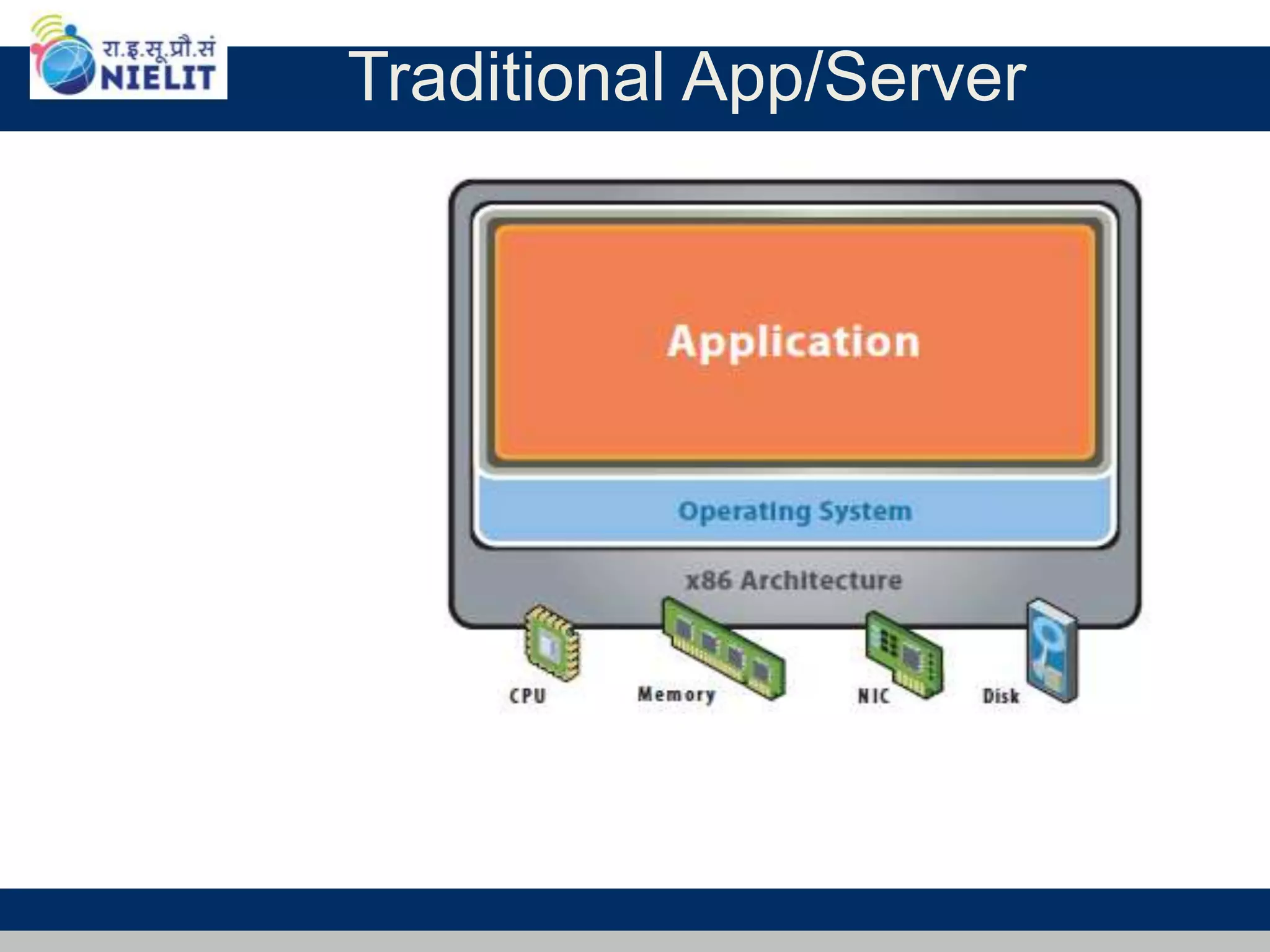
o Traditional App/Server
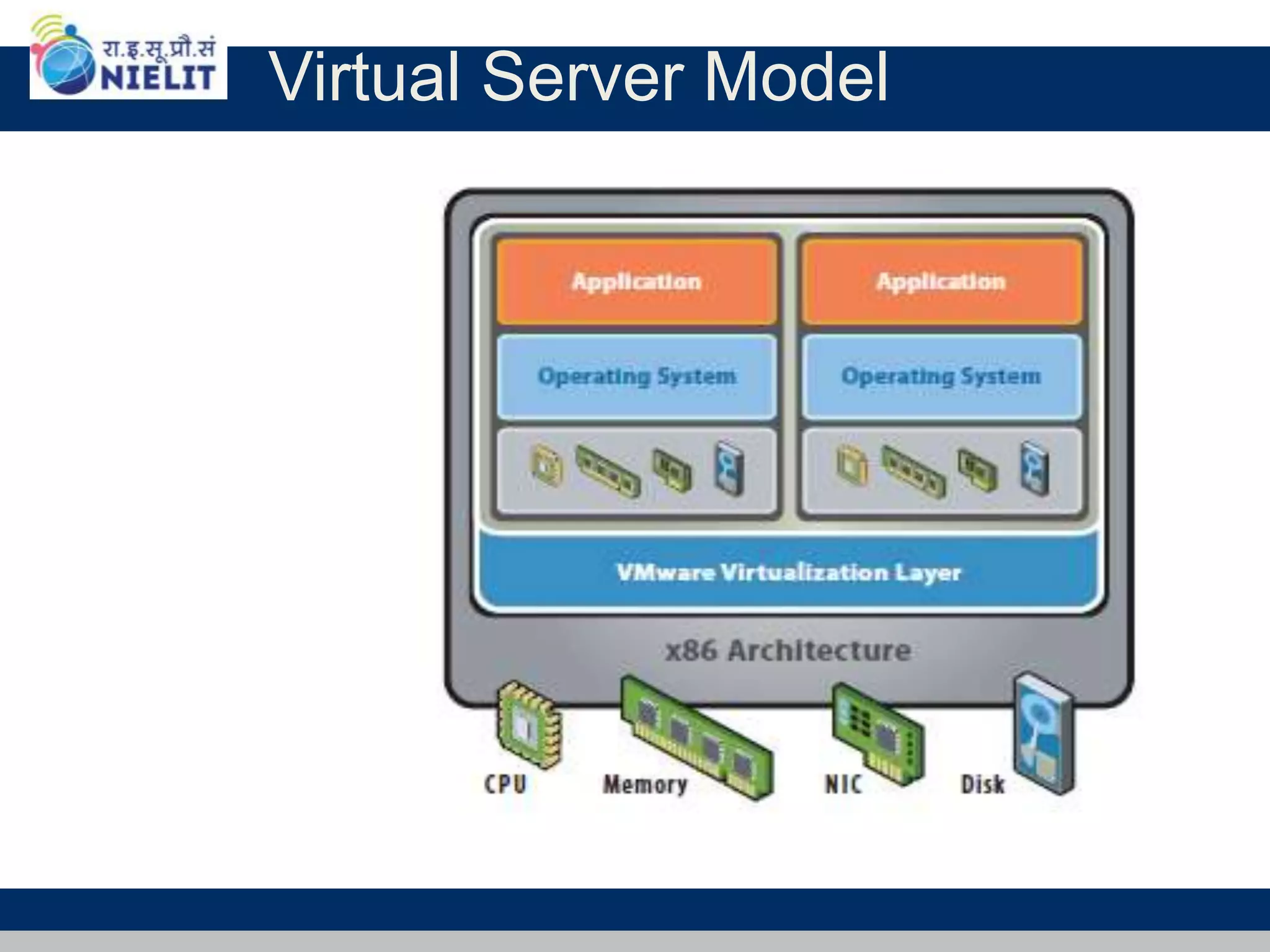
o Virtual Server model
o Massively virtualized model (Cloud)
Traditional App/Server
Virtualization - Green Focus
The Reality:
• Most servers only use 5-15% of their capabilities on
average, while consuming 60-90% of their peak power.
The Solution - Virtualization:
o Use one server to host multiple applications.
o Reduce energy consumption
o Reduce CO2 emissions
Running fewer, highly utilized servers frees up space and
power. Less space and power is better for environment and
saves money.
Virtual Server Model
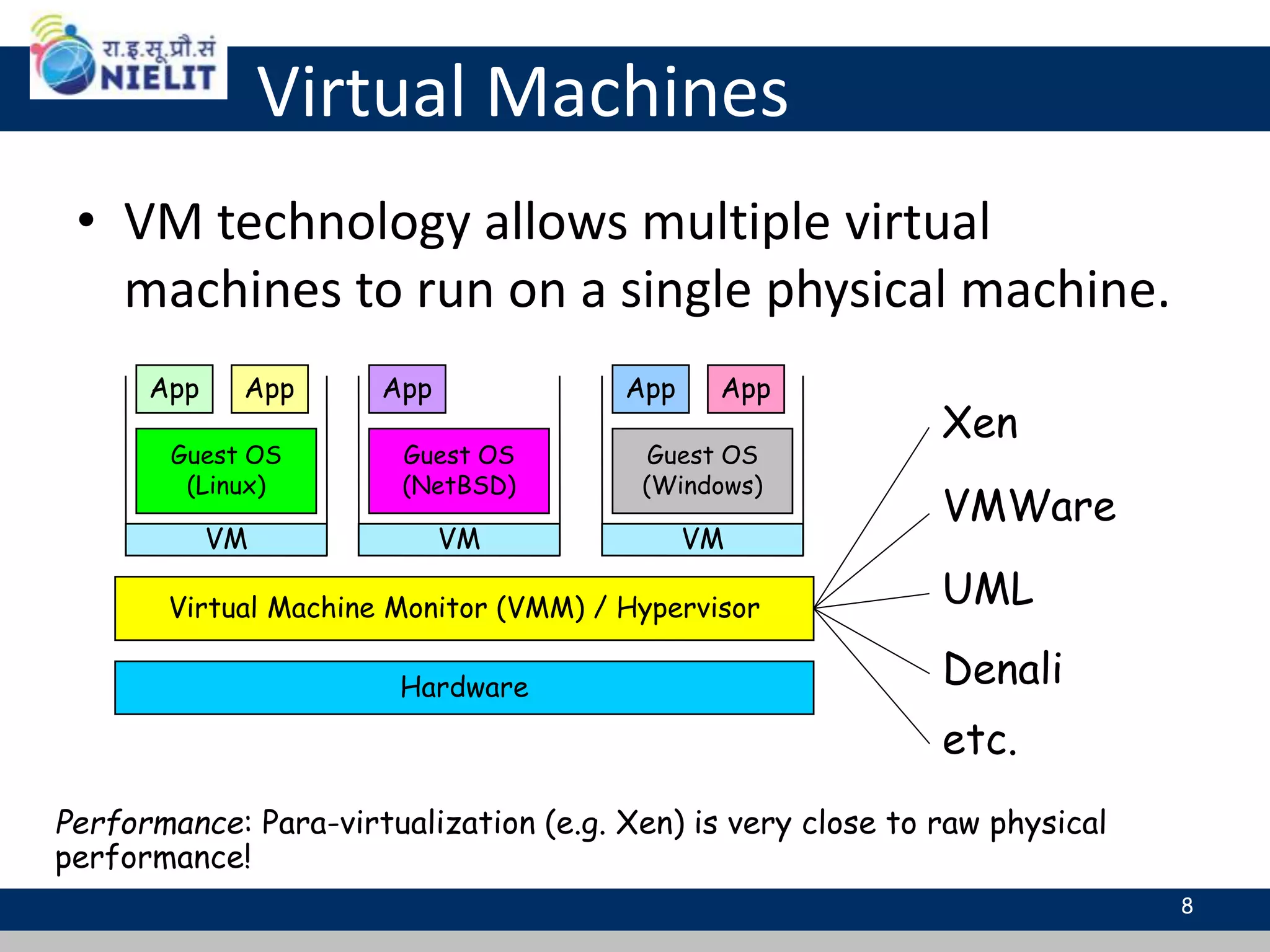
Virtual Machines
• VM technology allows multiple virtual
machines to run on a single physical machine.
Hardware
Virtual Machine Monitor (VMM) / Hypervisor
Guest OS
(Linux)
Guest OS
(NetBSD)
Guest OS
(Windows)
VM VM VM
AppApp AppAppApp
Xen
VMWare
UML
Denali
etc.
Performance: Para-virtualization (e.g. Xen) is very close to raw physical
performance!
8
Virtualization - Why Virtualize?
• Reduce Real Estate Needs
• Increase Up Time
• Reduce CO2 Emissions, Power and Cooling
Requirements
• Increase Flexibility
• Reduce Overall Costs
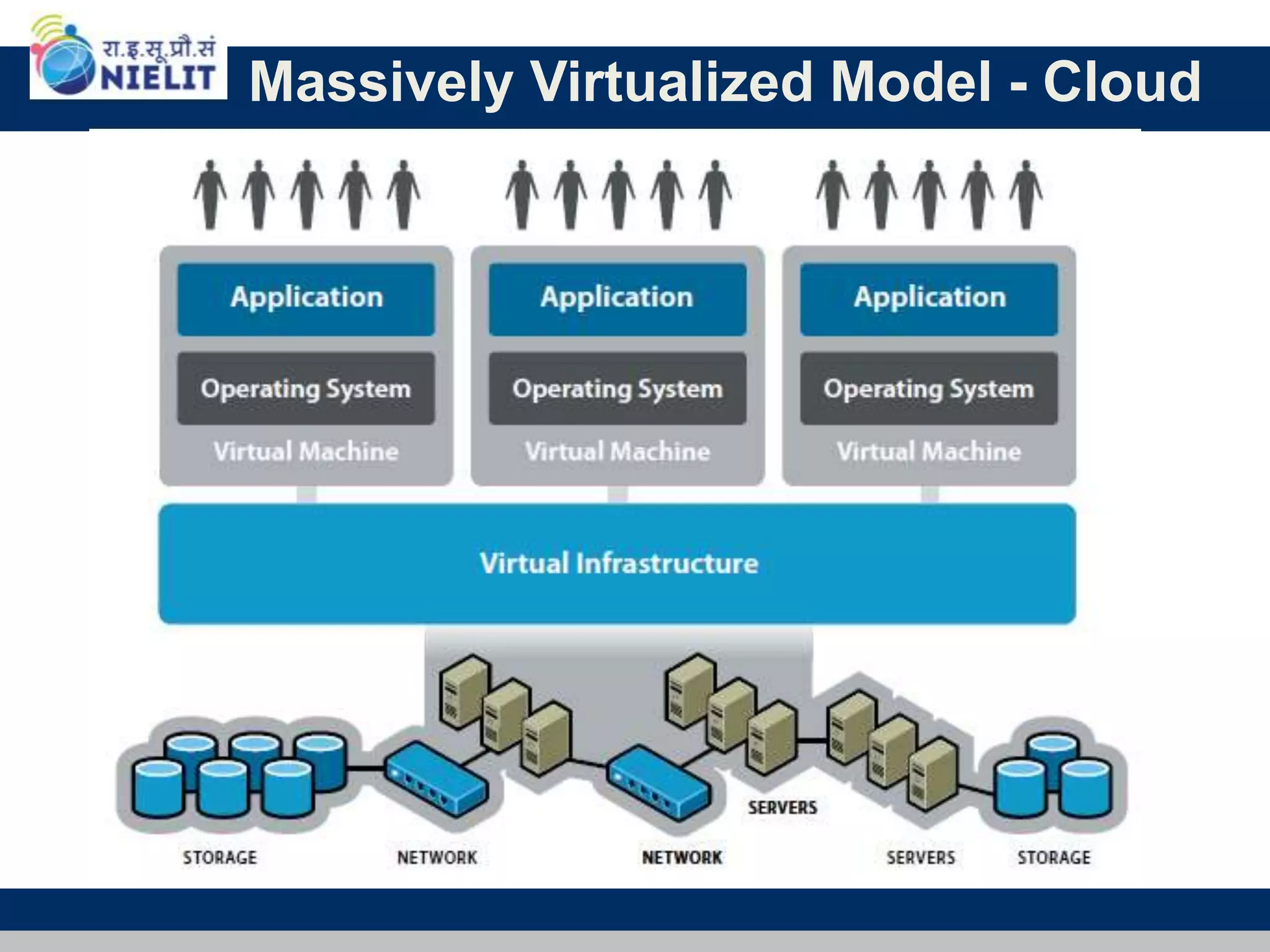
Massively Virtualized Model - Cloud
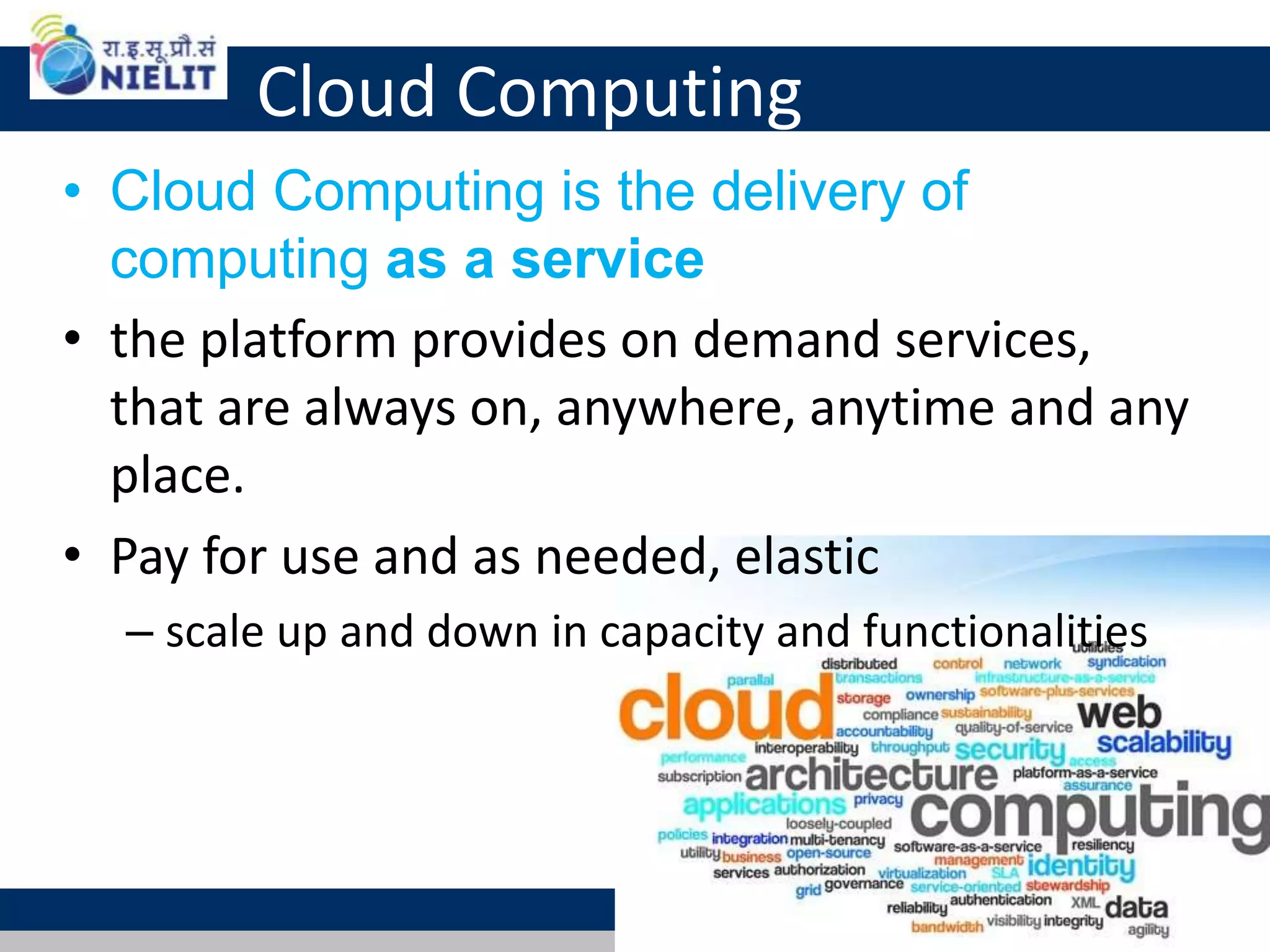
Cloud Computing
• Cloud Computing is the delivery of
computing as a service
• the platform provides on demand services,
that are always on, anywhere, anytime and any
place.
• Pay for use and as needed, elastic
– scale up and down in capacity and functionalities
11
Cloud Summary
• Cloud computing is an umbrella term used to refer to
Internet based development and services
• A number of characteristics define cloud data,
applications services and infrastructure:
– Remotely hosted: Services or data are hosted on remote
infrastructure.
– Ubiquitous: Services or data are available from anywhere.
– Commodified: The result is a utility computing model
similar to traditional that of traditional utilities, like gas
and electricity - you pay for what you would want!
12
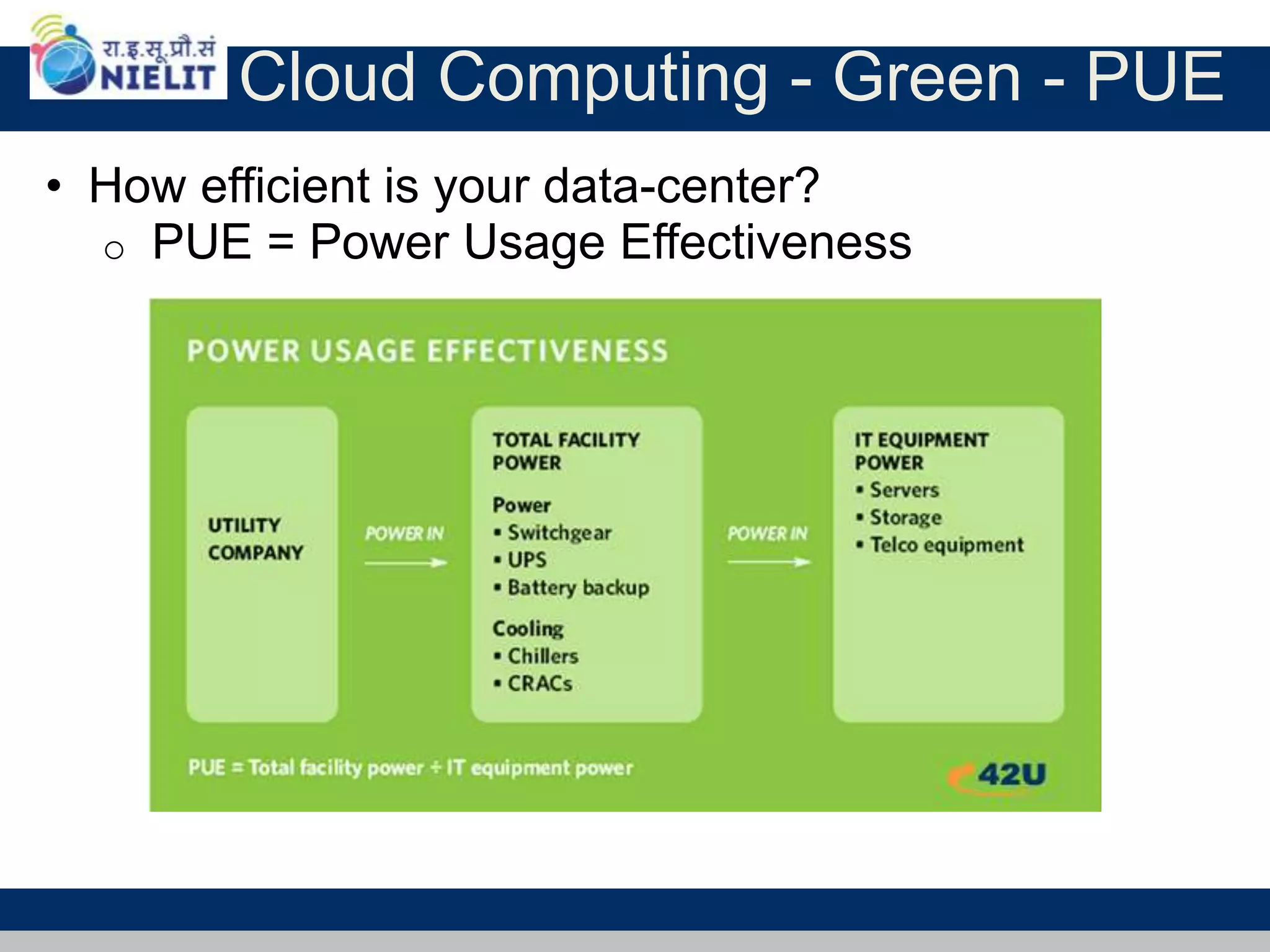
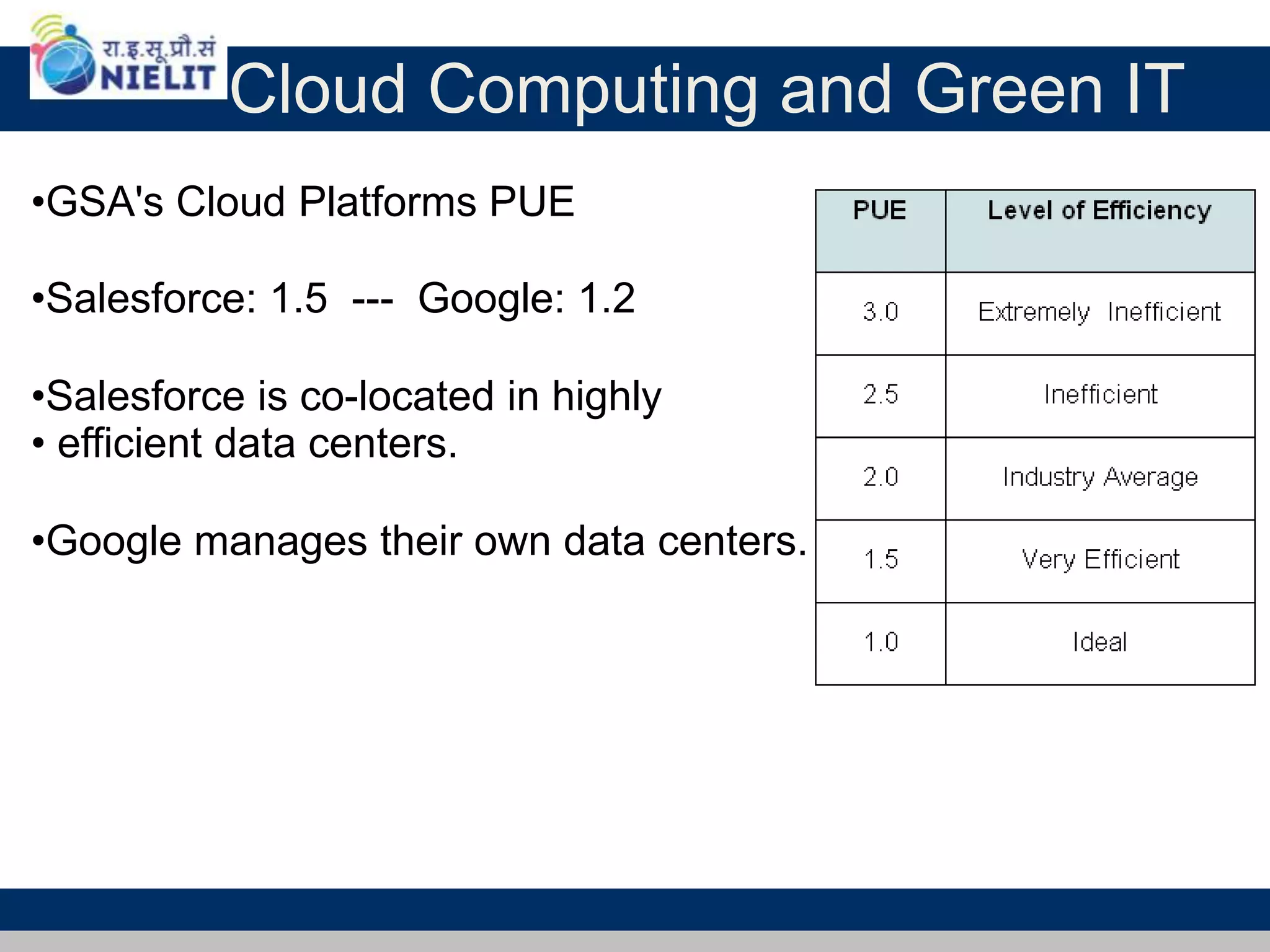
Cloud Computing - Green - PUE
• How efficient is your data-center?
o PUE = Power Usage Effectiveness
Cloud Computing and Green IT
•GSA's Cloud Platforms PUE
•Salesforce: 1.5 --- Google: 1.2
•Salesforce is co-located in highly
• efficient data centers.
•Google manages their own data centers.
What is Cloud Computing
15Adopted from: Effectively and Securely Using the Cloud Computing Paradigm by peter Mell, Tim Grance
• Shared pool of configurable computing resources
• On-demand network access
• Provisioned by the Service Provider
Cloud Service Models
16
Software as a
Service (SaaS)
Platform as a
Service (PaaS)
Infrastructure as a
Service (IaaS)
Google
App
Engine
SalesForce CRM
LotusLive
Adopted from: Effectively and Securely Using the Cloud Computing Paradigm by peter Mell, Tim Grance
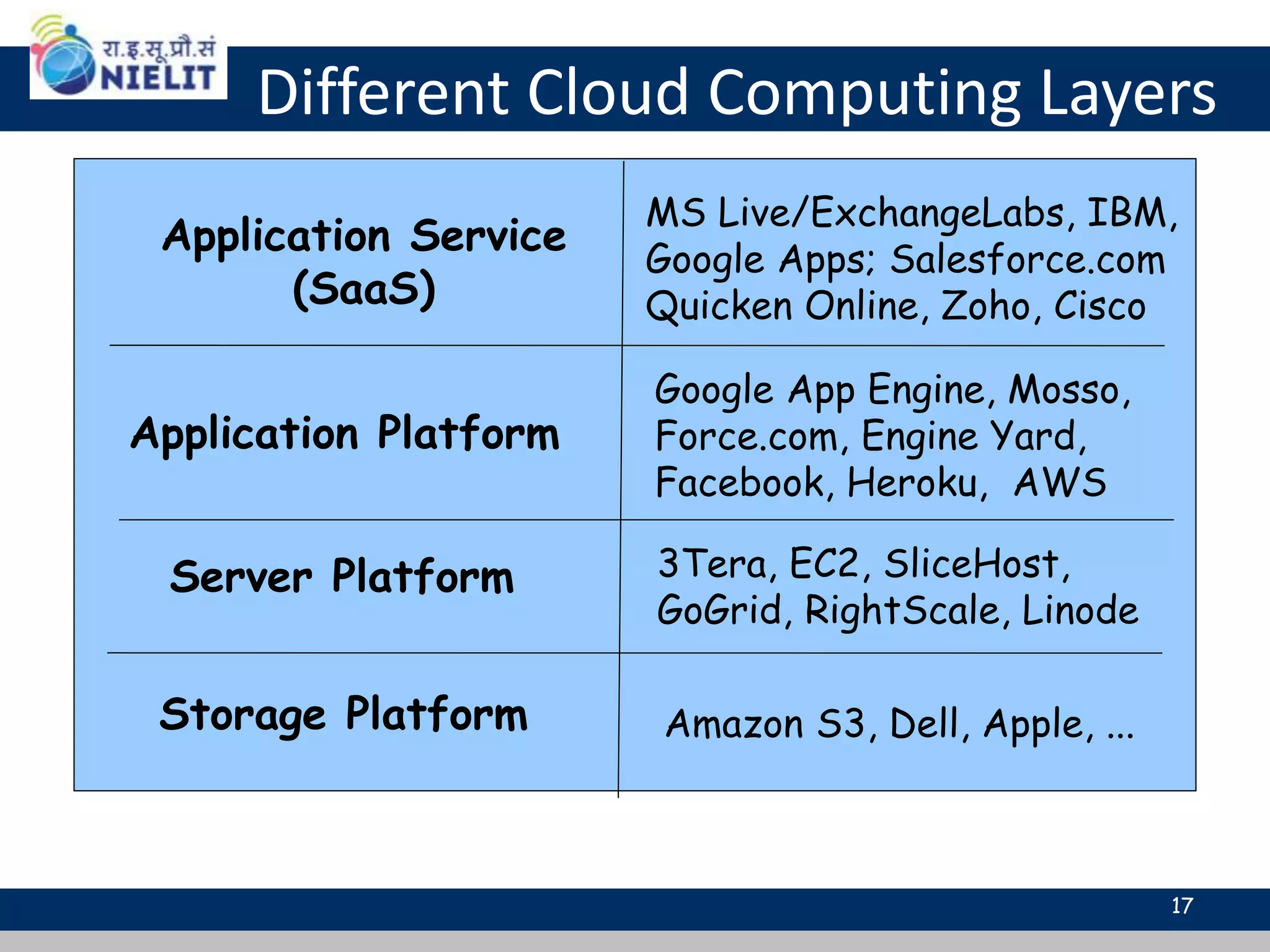
Different Cloud Computing Layers
Application Service
(SaaS)
Application Platform
Server Platform
Storage Platform Amazon S3, Dell, Apple, ...
3Tera, EC2, SliceHost,
GoGrid, RightScale, Linode
Google App Engine, Mosso,
Force.com, Engine Yard,
Facebook, Heroku, AWS
MS Live/ExchangeLabs, IBM,
Google Apps; Salesforce.com
Quicken Online, Zoho, Cisco
17
Services
Application
Development
Platform
Storage
Hosting
Cloud Computing Service Layers
Description
Services – Complete business
services such as PayPal, OpenID,
OAuth, Google Maps, Alexa
Services
Application
Focused
Infrastructure
Focused
Application – Cloud based software that
eliminates the need for local installation
such as Google Apps, Microsoft Online
Storage – Data storage or cloud
based NAS such as CTERA, iDisk,
CloudNAS
Development – Software development platforms
used to build custom cloud based applications
(PAAS & SAAS) such as SalesForce
Platform – Cloud based platforms,
typically provided using virtualization,
such as Amazon ECC, Sun Grid
Hosting – Physical data centers such as
those run by IBM, HP, NaviSite, etc.
18
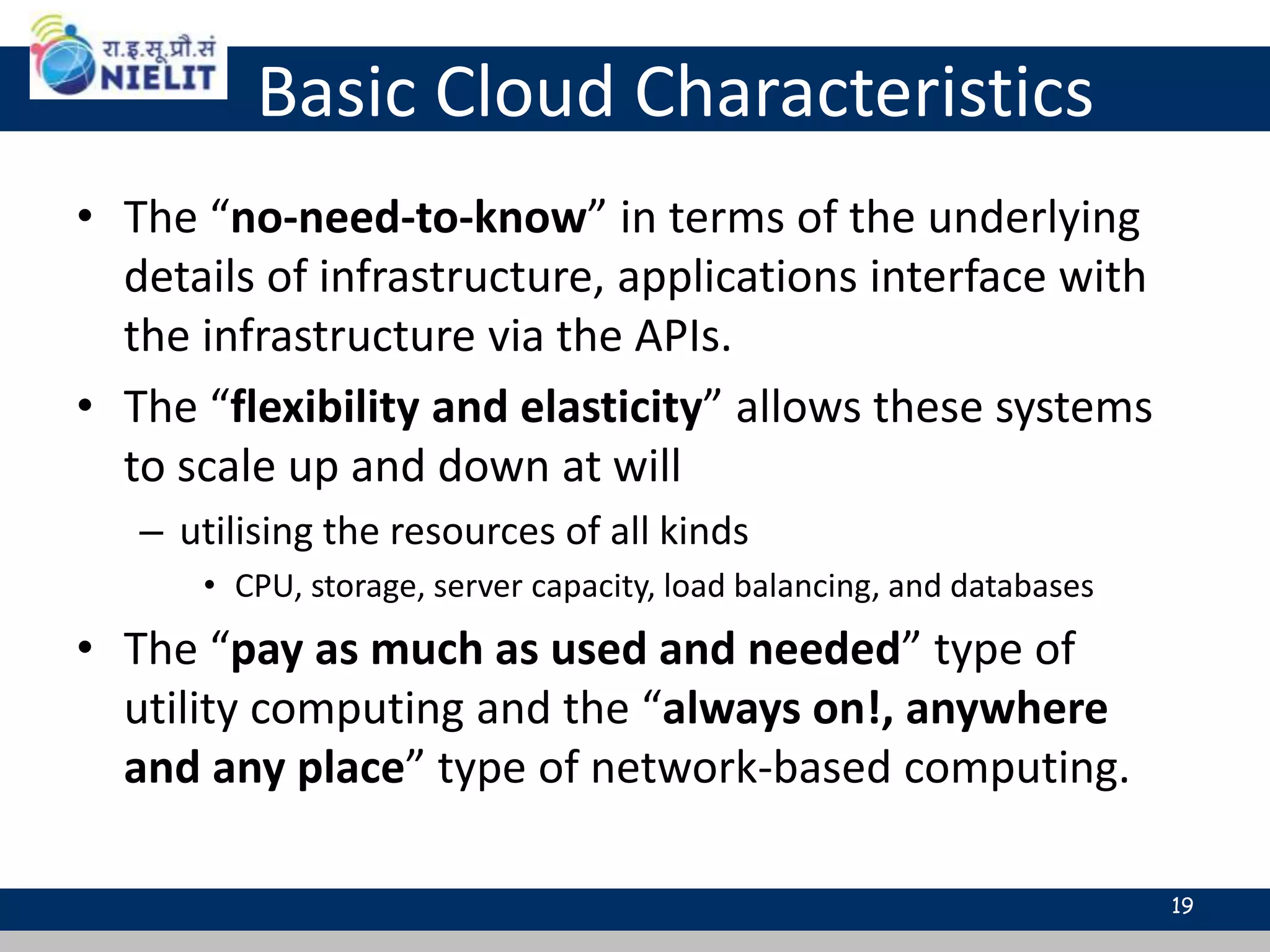
Basic Cloud Characteristics
• The “no-need-to-know” in terms of the underlying
details of infrastructure, applications interface with
the infrastructure via the APIs.
• The “flexibility and elasticity” allows these systems
to scale up and down at will
– utilising the resources of all kinds
• CPU, storage, server capacity, load balancing, and databases
• The “pay as much as used and needed” type of
utility computing and the “always on!, anywhere
and any place” type of network-based computing.
19
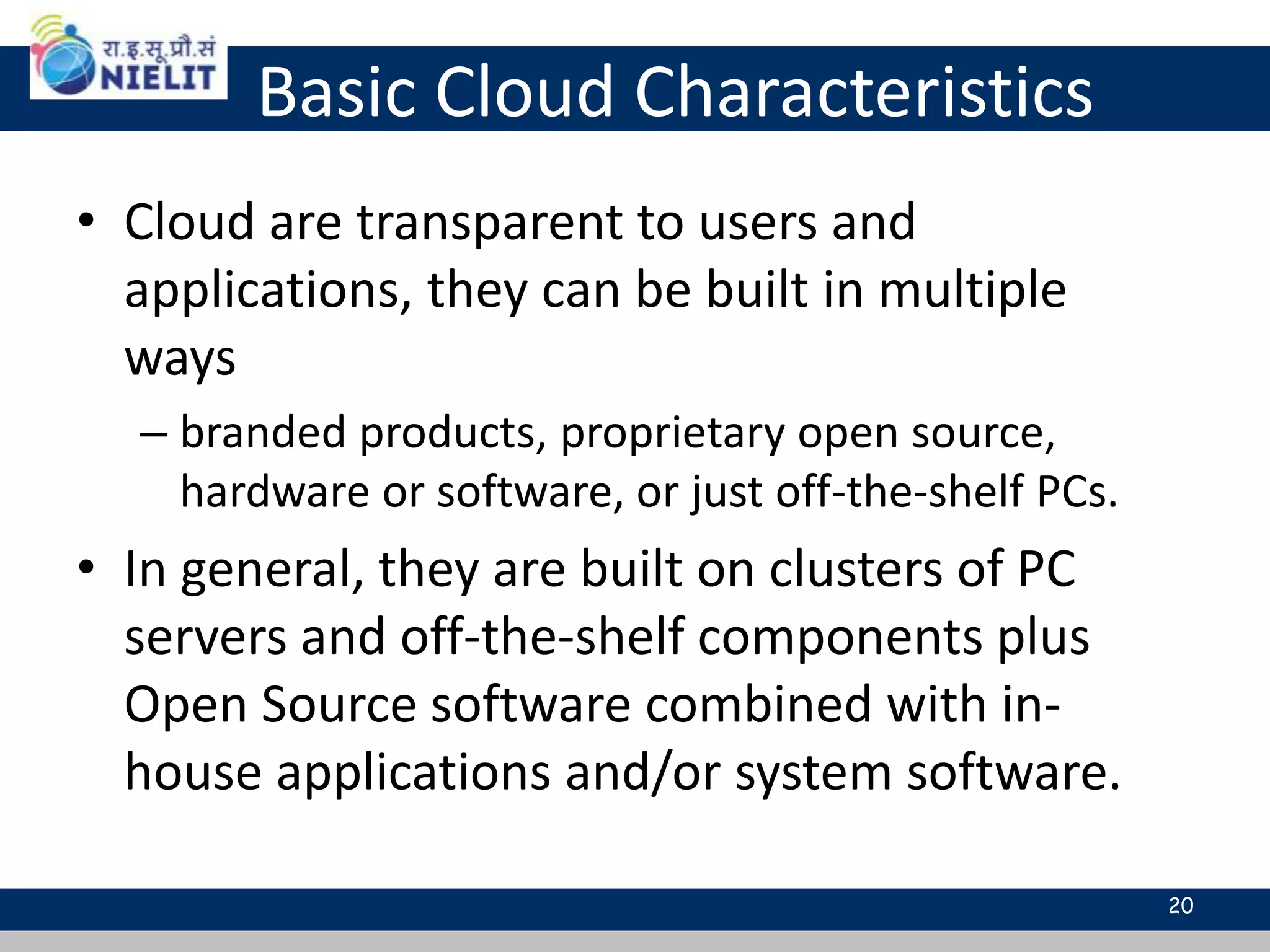
Basic Cloud Characteristics
• Cloud are transparent to users and
applications, they can be built in multiple
ways
– branded products, proprietary open source,
hardware or software, or just off-the-shelf PCs.
• In general, they are built on clusters of PC
servers and off-the-shelf components plus
Open Source software combined with in-
house applications and/or system software.
20
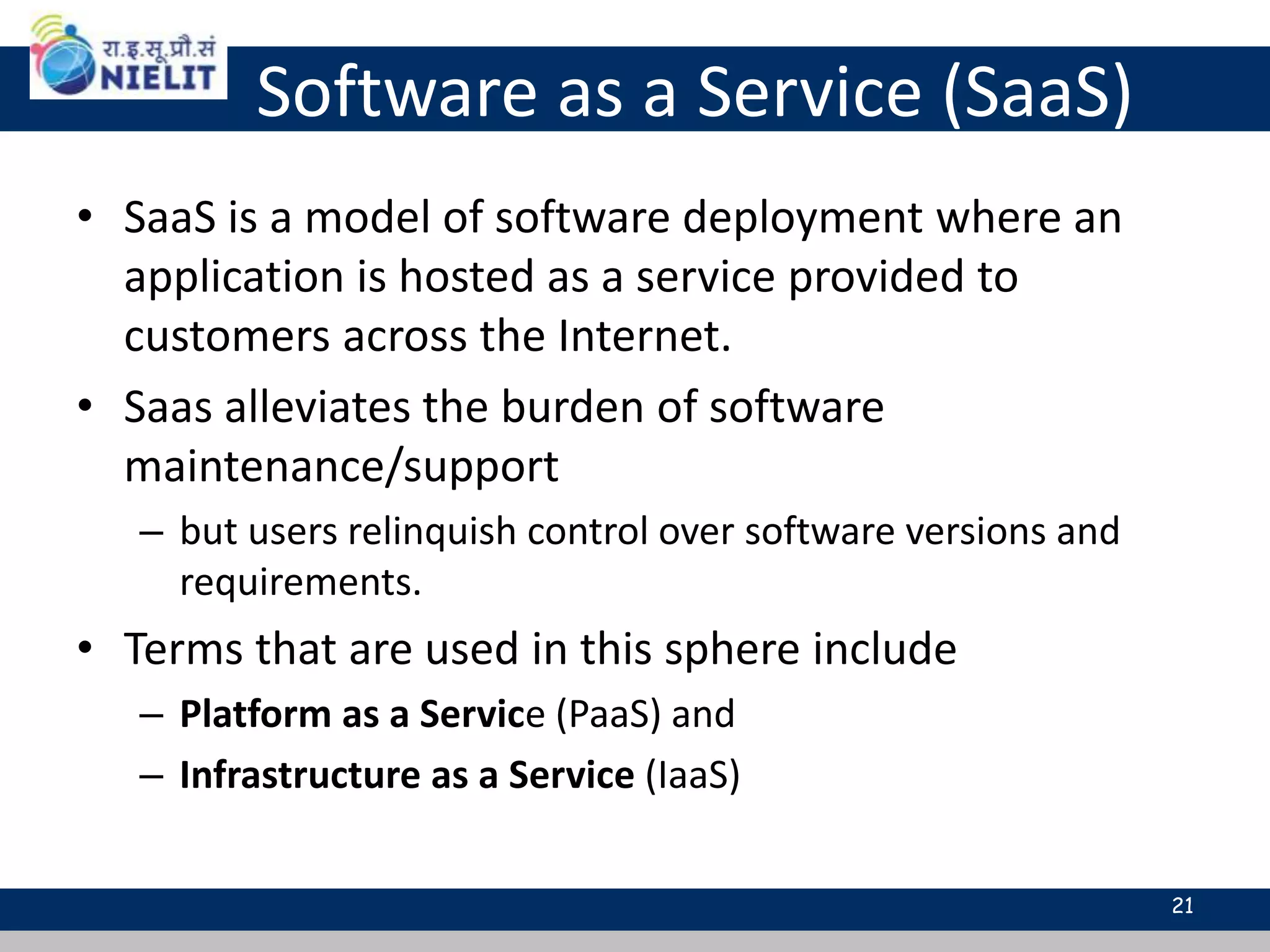
Software as a Service (SaaS)
• SaaS is a model of software deployment where an
application is hosted as a service provided to
customers across the Internet.
• Saas alleviates the burden of software
maintenance/support
– but users relinquish control over software versions and
requirements.
• Terms that are used in this sphere include
– Platform as a Service (PaaS) and
– Infrastructure as a Service (IaaS)
21
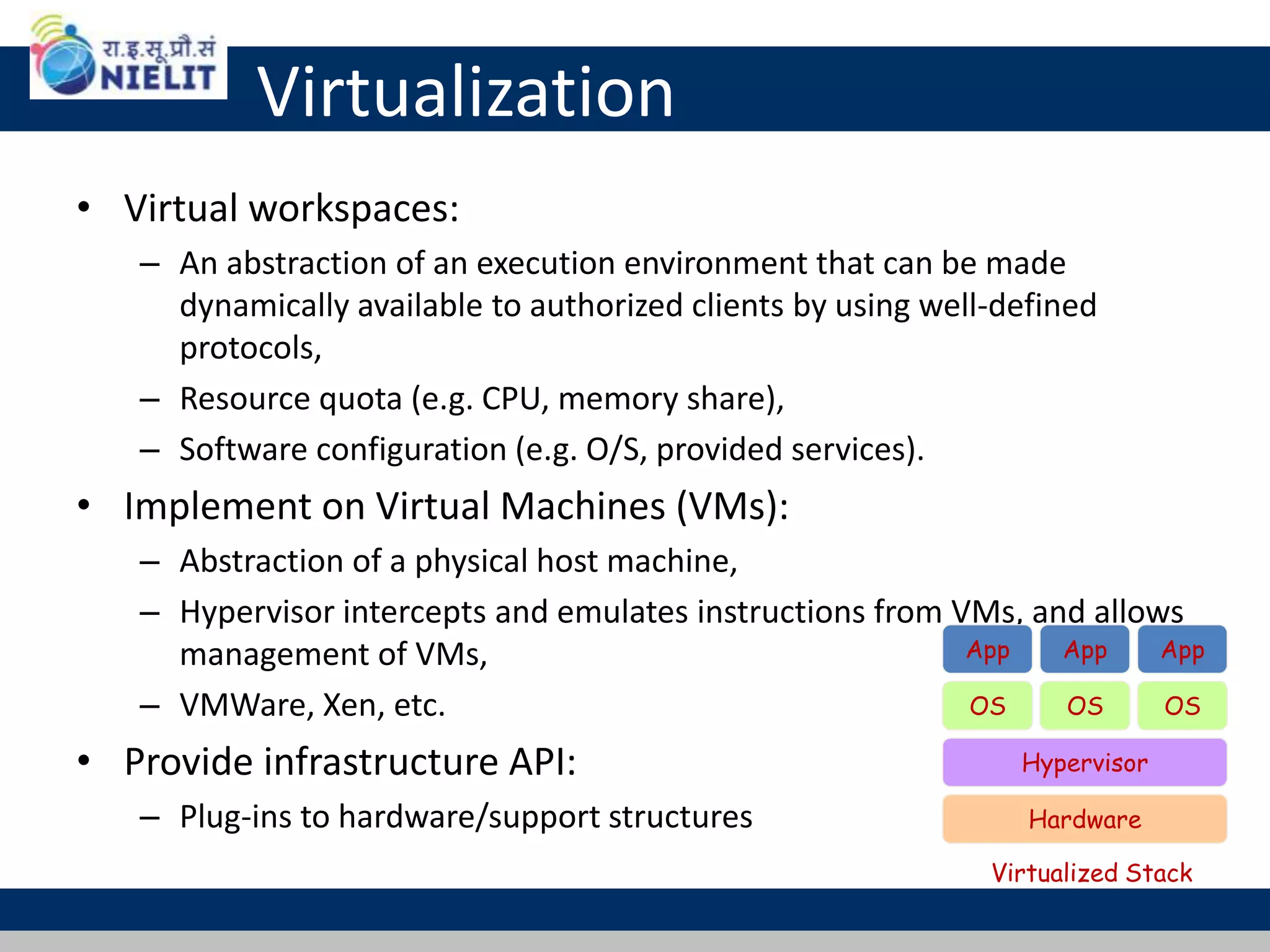
Virtualization
• Virtual workspaces:
– An abstraction of an execution environment that can be made
dynamically available to authorized clients by using well-defined
protocols,
– Resource quota (e.g. CPU, memory share),
– Software configuration (e.g. O/S, provided services).
• Implement on Virtual Machines (VMs):
– Abstraction of a physical host machine,
– Hypervisor intercepts and emulates instructions from VMs, and allows
management of VMs,
– VMWare, Xen, etc.
• Provide infrastructure API:
– Plug-ins to hardware/support structures Hardware
OS
App App App
Hypervisor
OS OS
Virtualized Stack
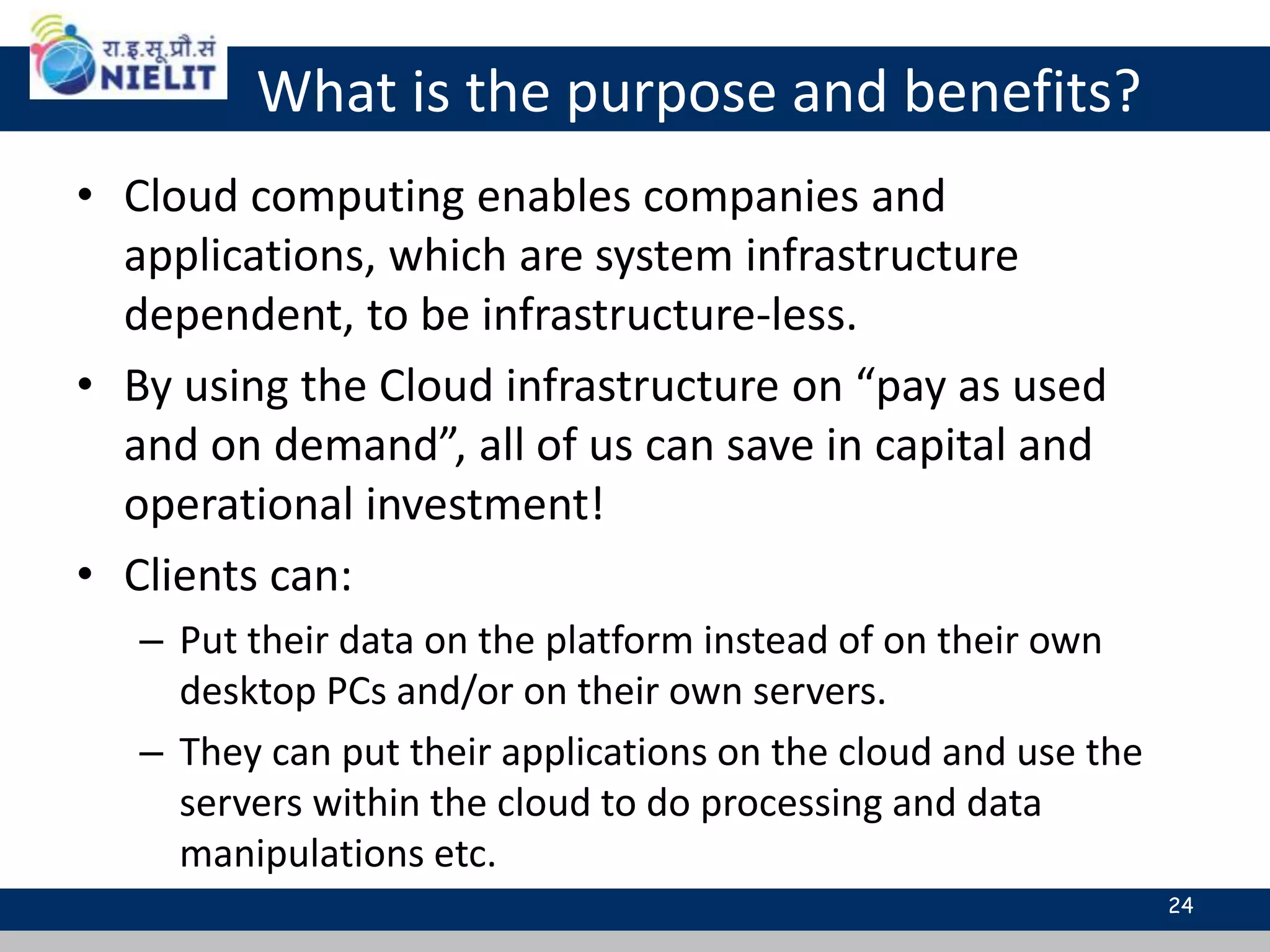
What is the purpose and benefits?
• Cloud computing enables companies and
applications, which are system infrastructure
dependent, to be infrastructure-less.
• By using the Cloud infrastructure on “pay as used
and on demand”, all of us can save in capital and
operational investment!
• Clients can:
– Put their data on the platform instead of on their own
desktop PCs and/or on their own servers.
– They can put their applications on the cloud and use the
servers within the cloud to do processing and data
manipulations etc.
24
Cloud-Sourcing
• Why is it becoming a Big Deal:
– Using high-scale/low-cost providers,
– Any time/place access via web browser,
– Rapid scalability; incremental cost and load sharing,
– Can forget need to focus on local IT.
• Concerns:
– Performance, reliability, and SLAs,
– Control of data, and service parameters,
– Application features and choices,
– Interaction between Cloud providers,
– No standard API – mix of SOAP and REST!
– Privacy, security, compliance, trust…
25
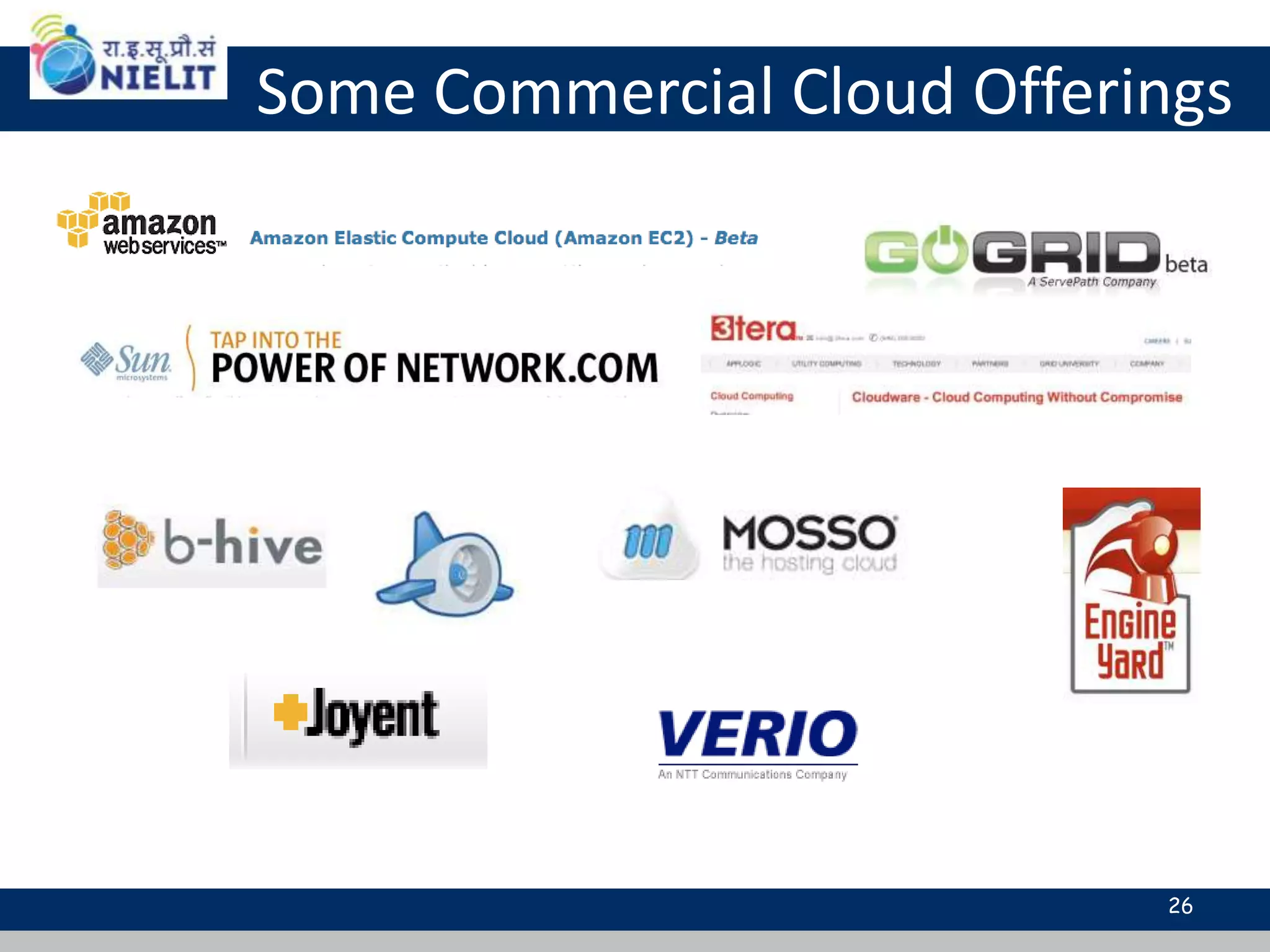
Some Commercial Cloud Offerings
26
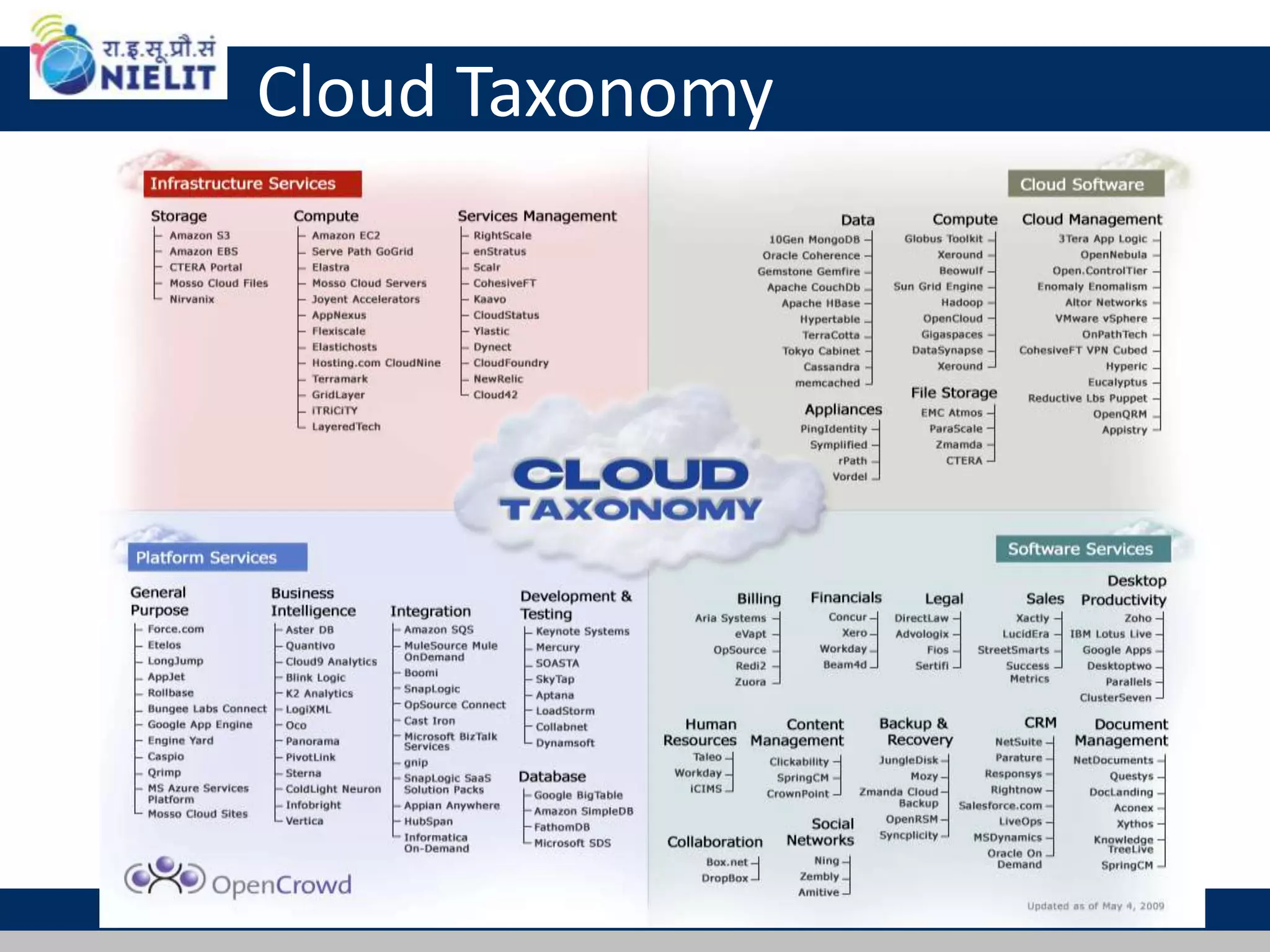
Cloud Taxonomy
27

Cloud virtualization

  • 1.
  • 2.
    ..the cloud roadmap •Virtualization • Cloud computing • cloud demo 2 Slides available at : www.slideshare.net/SarwanSingh
  • 3.
    Do you Useany of these ?
  • 4.
    Virtualization • What isvirtualization? • Virtualization, in computing, refers the act of creating a virtual (rather than actual) version of something, including but not limited to a virtual computer hardware platform, operating system (OS), storage device, or computer network resources. • Different Computing Models o Traditional App/Server o Virtual Server model o Massively virtualized model (Cloud)
  • 5.
  • 6.
    Virtualization - GreenFocus The Reality: • Most servers only use 5-15% of their capabilities on average, while consuming 60-90% of their peak power. The Solution - Virtualization: o Use one server to host multiple applications. o Reduce energy consumption o Reduce CO2 emissions Running fewer, highly utilized servers frees up space and power. Less space and power is better for environment and saves money.
  • 7.
  • 8.
    Virtual Machines • VMtechnology allows multiple virtual machines to run on a single physical machine. Hardware Virtual Machine Monitor (VMM) / Hypervisor Guest OS (Linux) Guest OS (NetBSD) Guest OS (Windows) VM VM VM AppApp AppAppApp Xen VMWare UML Denali etc. Performance: Para-virtualization (e.g. Xen) is very close to raw physical performance! 8
  • 9.
    Virtualization - WhyVirtualize? • Reduce Real Estate Needs • Increase Up Time • Reduce CO2 Emissions, Power and Cooling Requirements • Increase Flexibility • Reduce Overall Costs
  • 10.
  • 11.
    Cloud Computing • CloudComputing is the delivery of computing as a service • the platform provides on demand services, that are always on, anywhere, anytime and any place. • Pay for use and as needed, elastic – scale up and down in capacity and functionalities 11
  • 12.
    Cloud Summary • Cloudcomputing is an umbrella term used to refer to Internet based development and services • A number of characteristics define cloud data, applications services and infrastructure: – Remotely hosted: Services or data are hosted on remote infrastructure. – Ubiquitous: Services or data are available from anywhere. – Commodified: The result is a utility computing model similar to traditional that of traditional utilities, like gas and electricity - you pay for what you would want! 12
  • 13.
    Cloud Computing -Green - PUE • How efficient is your data-center? o PUE = Power Usage Effectiveness
  • 14.
    Cloud Computing andGreen IT •GSA's Cloud Platforms PUE •Salesforce: 1.5 --- Google: 1.2 •Salesforce is co-located in highly • efficient data centers. •Google manages their own data centers.
  • 15.
    What is CloudComputing 15Adopted from: Effectively and Securely Using the Cloud Computing Paradigm by peter Mell, Tim Grance • Shared pool of configurable computing resources • On-demand network access • Provisioned by the Service Provider
  • 16.
    Cloud Service Models 16 Softwareas a Service (SaaS) Platform as a Service (PaaS) Infrastructure as a Service (IaaS) Google App Engine SalesForce CRM LotusLive Adopted from: Effectively and Securely Using the Cloud Computing Paradigm by peter Mell, Tim Grance
  • 17.
    Different Cloud ComputingLayers Application Service (SaaS) Application Platform Server Platform Storage Platform Amazon S3, Dell, Apple, ... 3Tera, EC2, SliceHost, GoGrid, RightScale, Linode Google App Engine, Mosso, Force.com, Engine Yard, Facebook, Heroku, AWS MS Live/ExchangeLabs, IBM, Google Apps; Salesforce.com Quicken Online, Zoho, Cisco 17
  • 18.
    Services Application Development Platform Storage Hosting Cloud Computing ServiceLayers Description Services – Complete business services such as PayPal, OpenID, OAuth, Google Maps, Alexa Services Application Focused Infrastructure Focused Application – Cloud based software that eliminates the need for local installation such as Google Apps, Microsoft Online Storage – Data storage or cloud based NAS such as CTERA, iDisk, CloudNAS Development – Software development platforms used to build custom cloud based applications (PAAS & SAAS) such as SalesForce Platform – Cloud based platforms, typically provided using virtualization, such as Amazon ECC, Sun Grid Hosting – Physical data centers such as those run by IBM, HP, NaviSite, etc. 18
  • 19.
    Basic Cloud Characteristics •The “no-need-to-know” in terms of the underlying details of infrastructure, applications interface with the infrastructure via the APIs. • The “flexibility and elasticity” allows these systems to scale up and down at will – utilising the resources of all kinds • CPU, storage, server capacity, load balancing, and databases • The “pay as much as used and needed” type of utility computing and the “always on!, anywhere and any place” type of network-based computing. 19
  • 20.
    Basic Cloud Characteristics •Cloud are transparent to users and applications, they can be built in multiple ways – branded products, proprietary open source, hardware or software, or just off-the-shelf PCs. • In general, they are built on clusters of PC servers and off-the-shelf components plus Open Source software combined with in- house applications and/or system software. 20
  • 21.
    Software as aService (SaaS) • SaaS is a model of software deployment where an application is hosted as a service provided to customers across the Internet. • Saas alleviates the burden of software maintenance/support – but users relinquish control over software versions and requirements. • Terms that are used in this sphere include – Platform as a Service (PaaS) and – Infrastructure as a Service (IaaS) 21
  • 22.
    Virtualization • Virtual workspaces: –An abstraction of an execution environment that can be made dynamically available to authorized clients by using well-defined protocols, – Resource quota (e.g. CPU, memory share), – Software configuration (e.g. O/S, provided services). • Implement on Virtual Machines (VMs): – Abstraction of a physical host machine, – Hypervisor intercepts and emulates instructions from VMs, and allows management of VMs, – VMWare, Xen, etc. • Provide infrastructure API: – Plug-ins to hardware/support structures Hardware OS App App App Hypervisor OS OS Virtualized Stack
  • 23.
    What is thepurpose and benefits? • Cloud computing enables companies and applications, which are system infrastructure dependent, to be infrastructure-less. • By using the Cloud infrastructure on “pay as used and on demand”, all of us can save in capital and operational investment! • Clients can: – Put their data on the platform instead of on their own desktop PCs and/or on their own servers. – They can put their applications on the cloud and use the servers within the cloud to do processing and data manipulations etc. 24
  • 24.
    Cloud-Sourcing • Why isit becoming a Big Deal: – Using high-scale/low-cost providers, – Any time/place access via web browser, – Rapid scalability; incremental cost and load sharing, – Can forget need to focus on local IT. • Concerns: – Performance, reliability, and SLAs, – Control of data, and service parameters, – Application features and choices, – Interaction between Cloud providers, – No standard API – mix of SOAP and REST! – Privacy, security, compliance, trust… 25
  • 25.
  • 26.