VIRTUALIZATION AND HIGH AVAILABILITY
5/21/2018
Presented by:
Titas Sarker
Founder (Tsoft IT)
MIT(JU),RHCE,MTCRE,MCSA,CCSP
1
5/21/2018 2
Contents
5/21/2018 3
 Objectives
 Traditional server concept
 Virtual server concept
 Traditional VS virtual server
 Server virtualization technologies
 Reason for choose Citrix Xen server
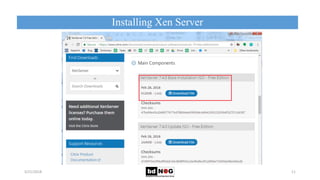
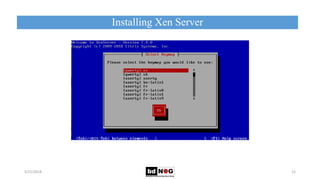
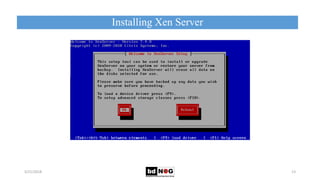
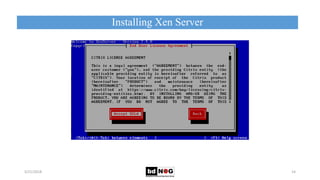
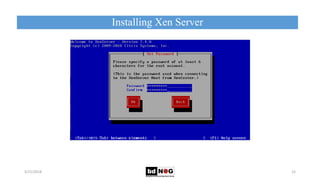
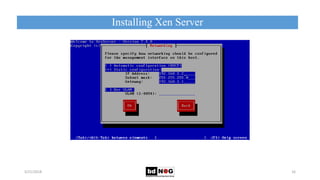
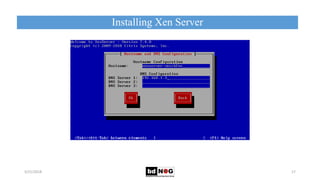
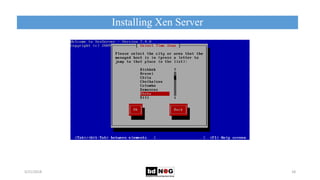
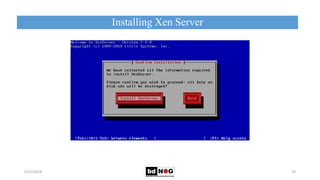
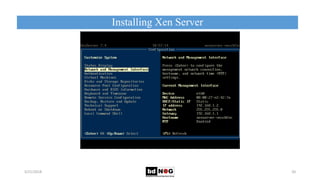
 Installing Xen server
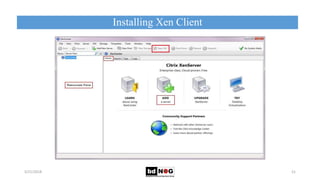
 Installing Xen client
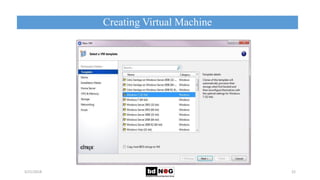
 Creating virtual machine
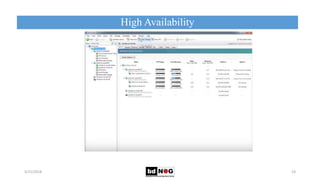
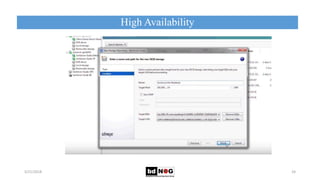
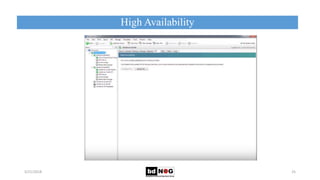
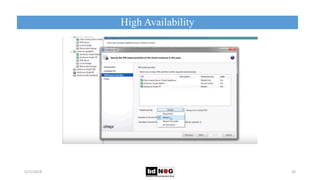
 High availability
 Future work
 Conclusion
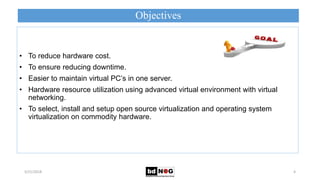
Objectives
5/21/2018 4
• To reduce hardware cost.
• To ensure reducing downtime.
• Easier to maintain virtual PC’s in one server.
• Hardware resource utilization using advanced virtual environment with virtual
networking.
• To select, install and setup open source virtualization and operating system
virtualization on commodity hardware.
Traditional Server Concept
5/21/2018 5
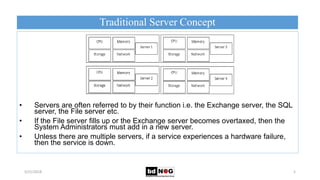
• Servers are often referred to by their function i.e. the Exchange server, the SQL
server, the File server etc.
• If the File server fills up or the Exchange server becomes overtaxed, then the
System Administrators must add in a new server.
• Unless there are multiple servers, if a service experiences a hardware failure,
then the service is down.
Virtual Server Concept
5/21/2018 6
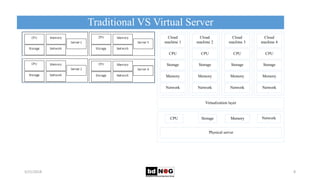
• One host typically house many virtual servers (virtual machines or VMs).
Cloud
machine 2
CPU
Storage
Memory
Network
Cloud
machine 1
CPU
Storage
Memory
Network
Cloud
machine 4
CPU
Storage
Memory
Network
Cloud
machine 3
CPU
Storage
Memory
Network
Virtualization layer
Physical server
CPU Memory NetworkStorage
Virtual Server Concept
5/21/2018 7
• A virtual server can be serviced by one or more hosts e.g. storage, services etc.
• Virtual servers can still be referred by their functions i.e. email server, database
server etc.
• If the environment is built correctly, virtual servers will not be affected by the loss
of a host.
• Hosts may be removed and introduced to accommodate maintenance.
Traditional VS Virtual Server
5/21/2018 8
Cloud
machine 2
CPU
Storage
Memory
Network
Cloud
machine 1
CPU
Storage
Memory
Network
Cloud
machine 4
CPU
Storage
Memory
Network
Cloud
machine 3
CPU
Storage
Memory
Network
Virtualization layer
Physical server
CPU Memory NetworkStorage
Server Virtualization Technologies
5/21/2018 9
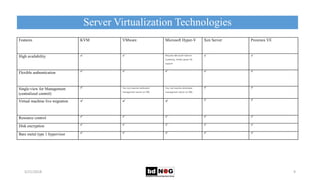
Features KVM VMware Microsoft Hyper-V Xen Server Proxmox VE
High availability   Requires Microsoft Failover
clustering, limited guest OS
support
 
Flexible authentication     
Single-view for Management
(centralized control)
 Yes, but requires dedicated
management server (or VM)
Yes, but requires dedicated
management server (or VM)
 
Virtual machine live migration     
Resource control     
Disk encryption     
Bare metal type 1 hypervisor     
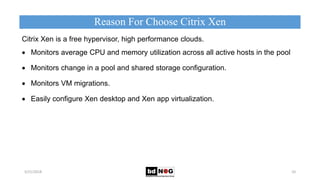
Citrix Xen is a free hypervisor, high performance clouds.
 Monitors average CPU and memory utilization across all active hosts in the pool
 Monitors change in a pool and shared storage configuration.
 Monitors VM migrations.
 Easily configure Xen desktop and Xen app virtualization.
Reason For Choose Citrix Xen
5/21/2018 10
.
Installing Xen Server
5/21/2018 11
Installing Xen Server
5/21/2018 12
Installing Xen Server
5/21/2018 13
Installing Xen Server
5/21/2018 14
Installing Xen Server
5/21/2018 15
Installing Xen Server
5/21/2018 16
Installing Xen Server
5/21/2018 17
Installing Xen Server
5/21/2018 18
Installing Xen Server
5/21/2018 19
Installing Xen Server
5/21/2018 20
Installing Xen Client
5/21/2018 21
• Unless
Creating Virtual Machine
5/21/2018 22
• Unless
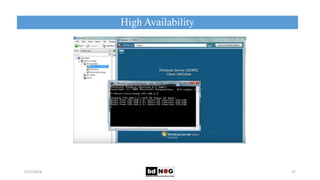
High Availability
5/21/2018 23
High Availability
5/21/2018 24
High Availability
5/21/2018 25
High Availability
5/21/2018 26
High Availability
5/21/2018 27
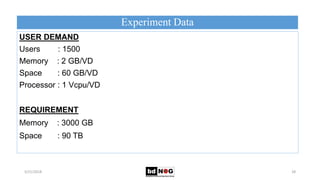
Experiment Data
5/21/2018 28
USER DEMAND
Users : 1500
Memory : 2 GB/VD
Space : 60 GB/VD
Processor : 1 Vcpu/VD
REQUIREMENT
Memory : 3000 GB
Space : 90 TB
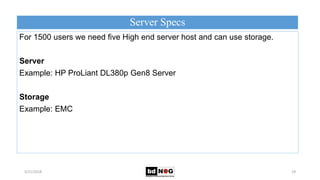
Server Specs
5/21/2018 29
For 1500 users we need five High end server host and can use storage.
Server
Example: HP ProLiant DL380p Gen8 Server
Storage
Example: EMC
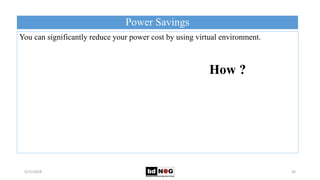
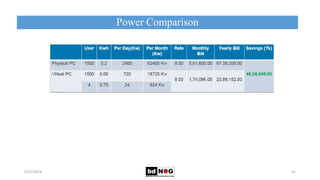
Power Savings
5/21/2018 30
You can significantly reduce your power cost by using virtual environment.
How ?
Power Comparison
5/21/2018 31
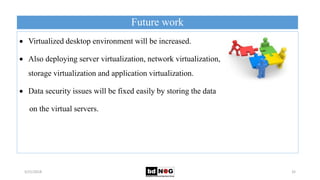
Future work
5/21/2018 32
 Virtualized desktop environment will be increased.
 Also deploying server virtualization, network virtualization,
storage virtualization and application virtualization.
 Data security issues will be fixed easily by storing the data
on the virtual servers.
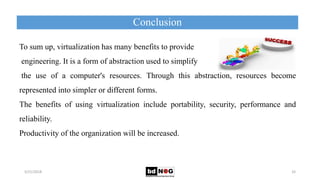
Conclusion
5/21/2018 33
To sum up, virtualization has many benefits to provide
engineering. It is a form of abstraction used to simplify
the use of a computer's resources. Through this abstraction, resources become
represented into simpler or different forms.
The benefits of using virtualization include portability, security, performance and
reliability.
Productivity of the organization will be increased.
Thank You For Coming.
5/21/2018 34

Virtualization and High Availability

  • 1.
    VIRTUALIZATION AND HIGHAVAILABILITY 5/21/2018 Presented by: Titas Sarker Founder (Tsoft IT) MIT(JU),RHCE,MTCRE,MCSA,CCSP 1
  • 2.
  • 3.
    Contents 5/21/2018 3  Objectives Traditional server concept  Virtual server concept  Traditional VS virtual server  Server virtualization technologies  Reason for choose Citrix Xen server  Installing Xen server  Installing Xen client  Creating virtual machine  High availability  Future work  Conclusion
  • 4.
    Objectives 5/21/2018 4 • Toreduce hardware cost. • To ensure reducing downtime. • Easier to maintain virtual PC’s in one server. • Hardware resource utilization using advanced virtual environment with virtual networking. • To select, install and setup open source virtualization and operating system virtualization on commodity hardware.
  • 5.
    Traditional Server Concept 5/21/20185 • Servers are often referred to by their function i.e. the Exchange server, the SQL server, the File server etc. • If the File server fills up or the Exchange server becomes overtaxed, then the System Administrators must add in a new server. • Unless there are multiple servers, if a service experiences a hardware failure, then the service is down.
  • 6.
    Virtual Server Concept 5/21/20186 • One host typically house many virtual servers (virtual machines or VMs). Cloud machine 2 CPU Storage Memory Network Cloud machine 1 CPU Storage Memory Network Cloud machine 4 CPU Storage Memory Network Cloud machine 3 CPU Storage Memory Network Virtualization layer Physical server CPU Memory NetworkStorage
  • 7.
    Virtual Server Concept 5/21/20187 • A virtual server can be serviced by one or more hosts e.g. storage, services etc. • Virtual servers can still be referred by their functions i.e. email server, database server etc. • If the environment is built correctly, virtual servers will not be affected by the loss of a host. • Hosts may be removed and introduced to accommodate maintenance.
  • 8.
    Traditional VS VirtualServer 5/21/2018 8 Cloud machine 2 CPU Storage Memory Network Cloud machine 1 CPU Storage Memory Network Cloud machine 4 CPU Storage Memory Network Cloud machine 3 CPU Storage Memory Network Virtualization layer Physical server CPU Memory NetworkStorage
  • 9.
    Server Virtualization Technologies 5/21/20189 Features KVM VMware Microsoft Hyper-V Xen Server Proxmox VE High availability   Requires Microsoft Failover clustering, limited guest OS support   Flexible authentication      Single-view for Management (centralized control)  Yes, but requires dedicated management server (or VM) Yes, but requires dedicated management server (or VM)   Virtual machine live migration      Resource control      Disk encryption      Bare metal type 1 hypervisor     
  • 10.
    Citrix Xen isa free hypervisor, high performance clouds.  Monitors average CPU and memory utilization across all active hosts in the pool  Monitors change in a pool and shared storage configuration.  Monitors VM migrations.  Easily configure Xen desktop and Xen app virtualization. Reason For Choose Citrix Xen 5/21/2018 10 .
  • 11.
  • 12.
  • 13.
  • 14.
  • 15.
  • 16.
  • 17.
  • 18.
  • 19.
  • 20.
  • 21.
  • 22.
  • 23.
  • 24.
  • 25.
  • 26.
  • 27.
  • 28.
    Experiment Data 5/21/2018 28 USERDEMAND Users : 1500 Memory : 2 GB/VD Space : 60 GB/VD Processor : 1 Vcpu/VD REQUIREMENT Memory : 3000 GB Space : 90 TB
  • 29.
    Server Specs 5/21/2018 29 For1500 users we need five High end server host and can use storage. Server Example: HP ProLiant DL380p Gen8 Server Storage Example: EMC
  • 30.
    Power Savings 5/21/2018 30 Youcan significantly reduce your power cost by using virtual environment. How ?
  • 31.
  • 32.
    Future work 5/21/2018 32 Virtualized desktop environment will be increased.  Also deploying server virtualization, network virtualization, storage virtualization and application virtualization.  Data security issues will be fixed easily by storing the data on the virtual servers.
  • 33.
    Conclusion 5/21/2018 33 To sumup, virtualization has many benefits to provide engineering. It is a form of abstraction used to simplify the use of a computer's resources. Through this abstraction, resources become represented into simpler or different forms. The benefits of using virtualization include portability, security, performance and reliability. Productivity of the organization will be increased.
  • 34.
    Thank You ForComing. 5/21/2018 34