Sassive Aggressive
Using Sass to make your life easier
Who?
Joel Oliveira          Adam Darowski
 Developer, The47th     Web Developer, PatientsLikeMe
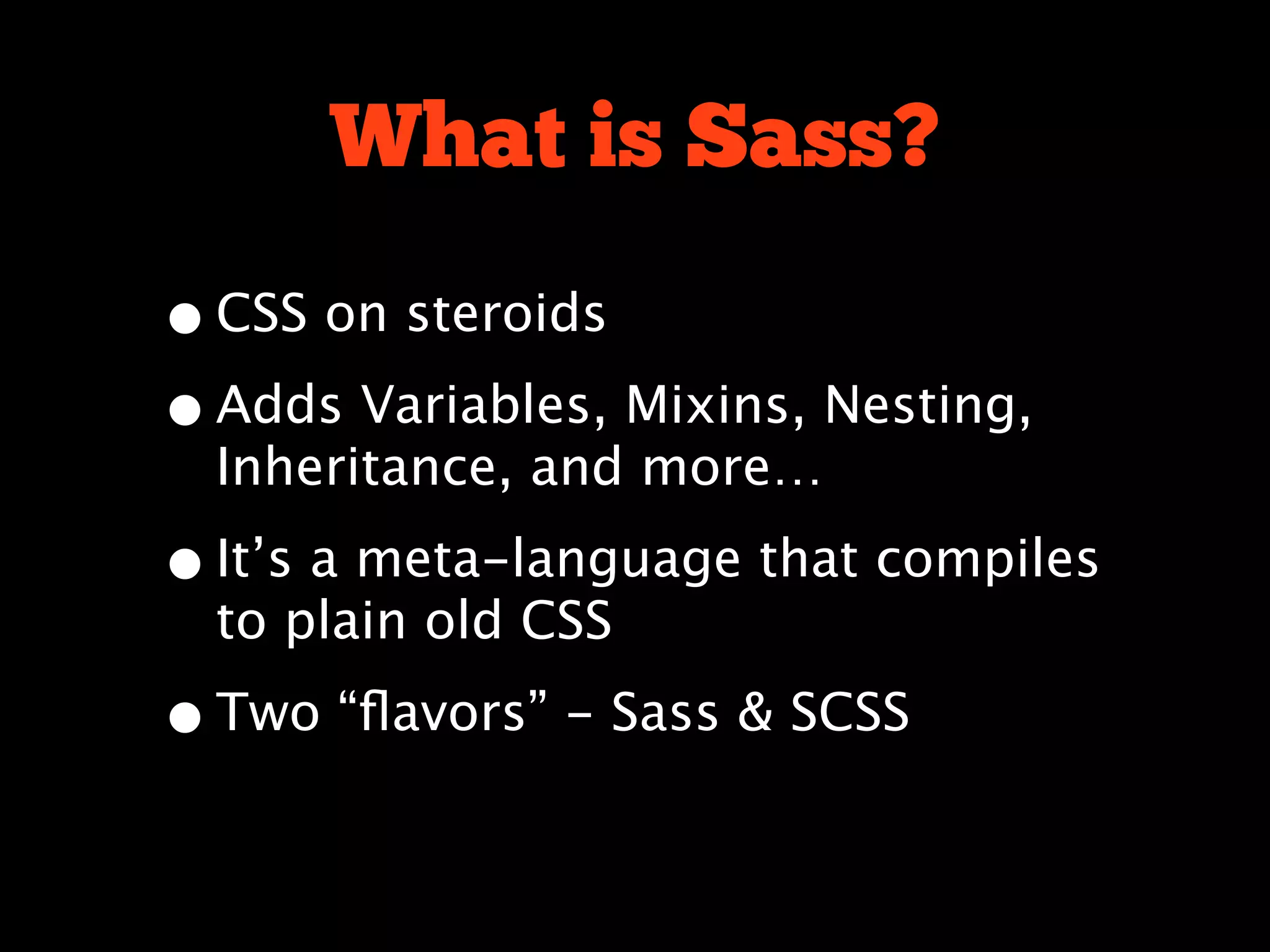
What is Sass?
What is Sass?


sass-lang.com
What is Sass?
• CSS on steroids
• Adds Variables, Mixins, Nesting,
  Inheritance, and more…

• It’s a meta-language that compiles
  to plain old CSS

• Two “flavors” - Sass & SCSS
<rant>
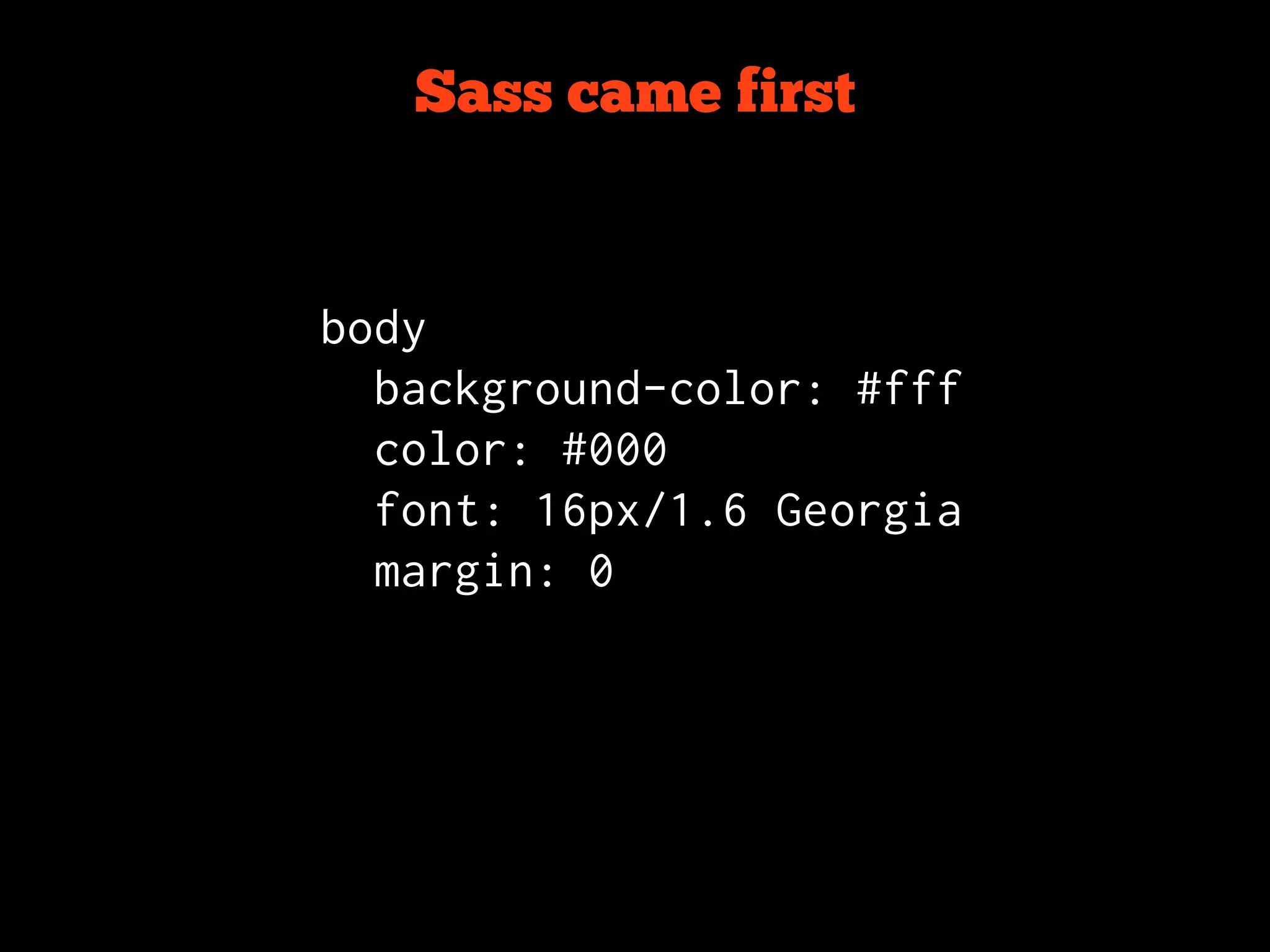
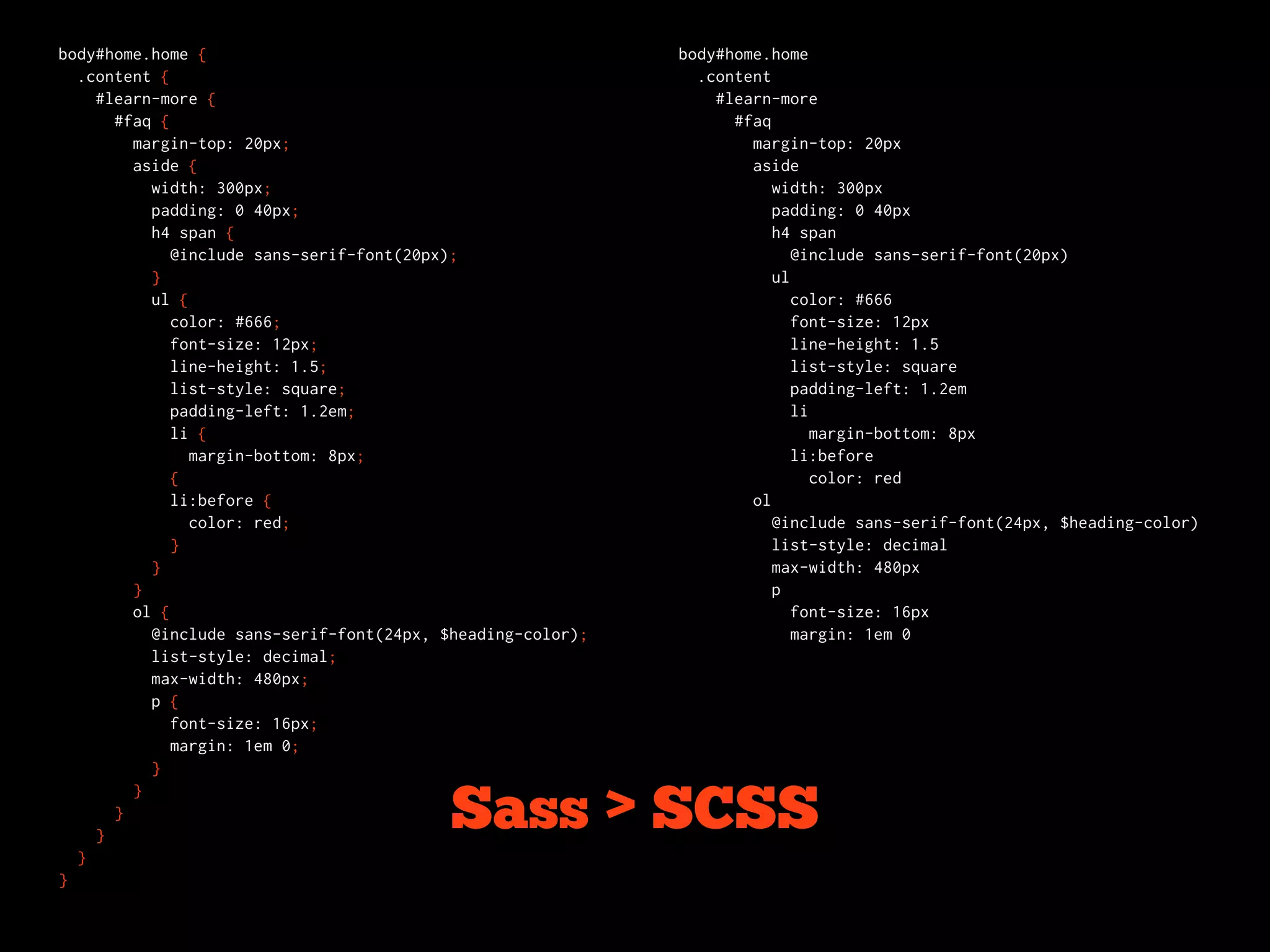
Sass came first


body
  background-color: #fff
  color: #000
  font: 16px/1.6 Georgia
  margin: 0
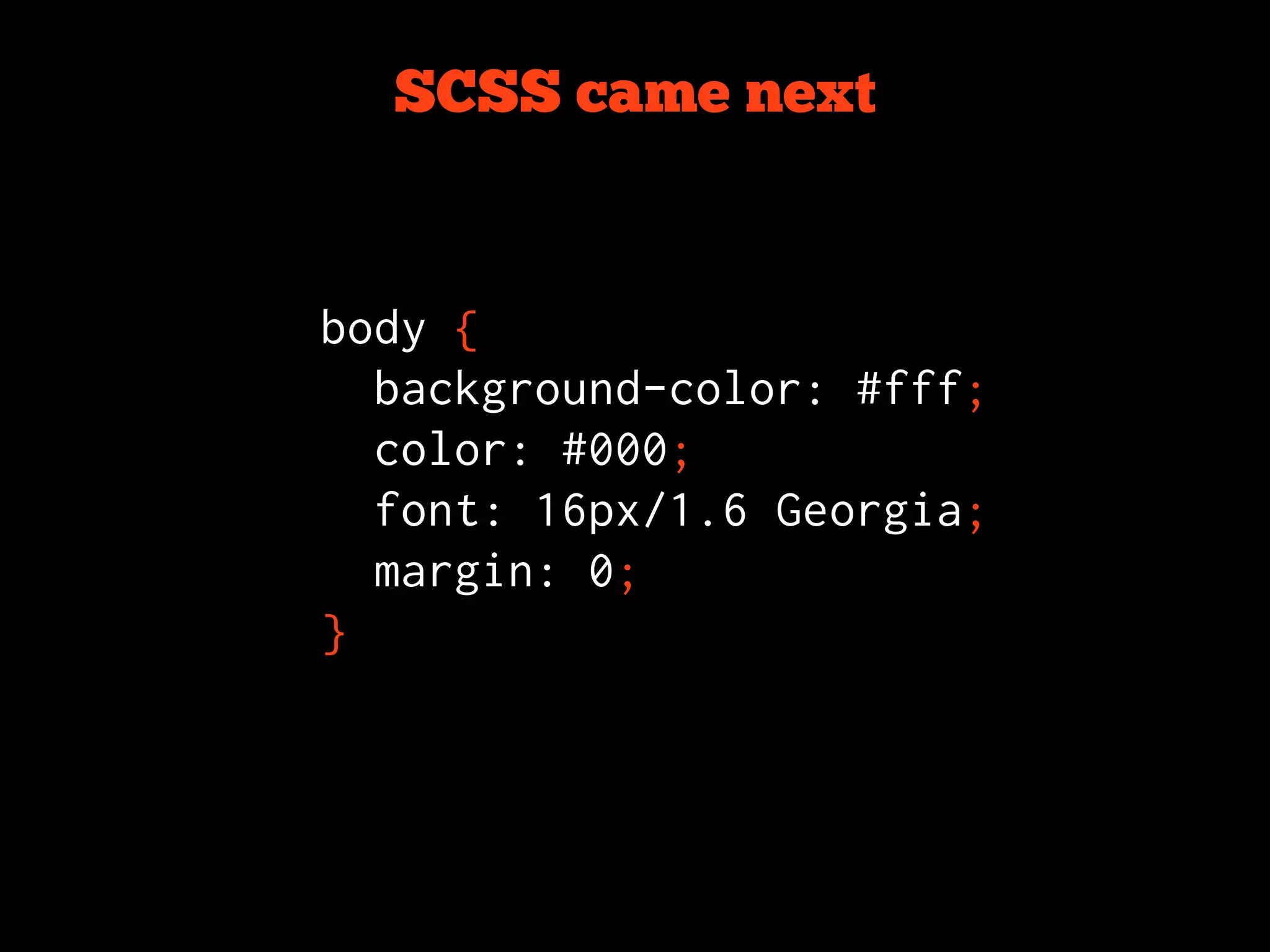
SCSS came next


body {
  background-color: #fff;
  color: #000;
  font: 16px/1.6 Georgia;
  margin: 0;
}
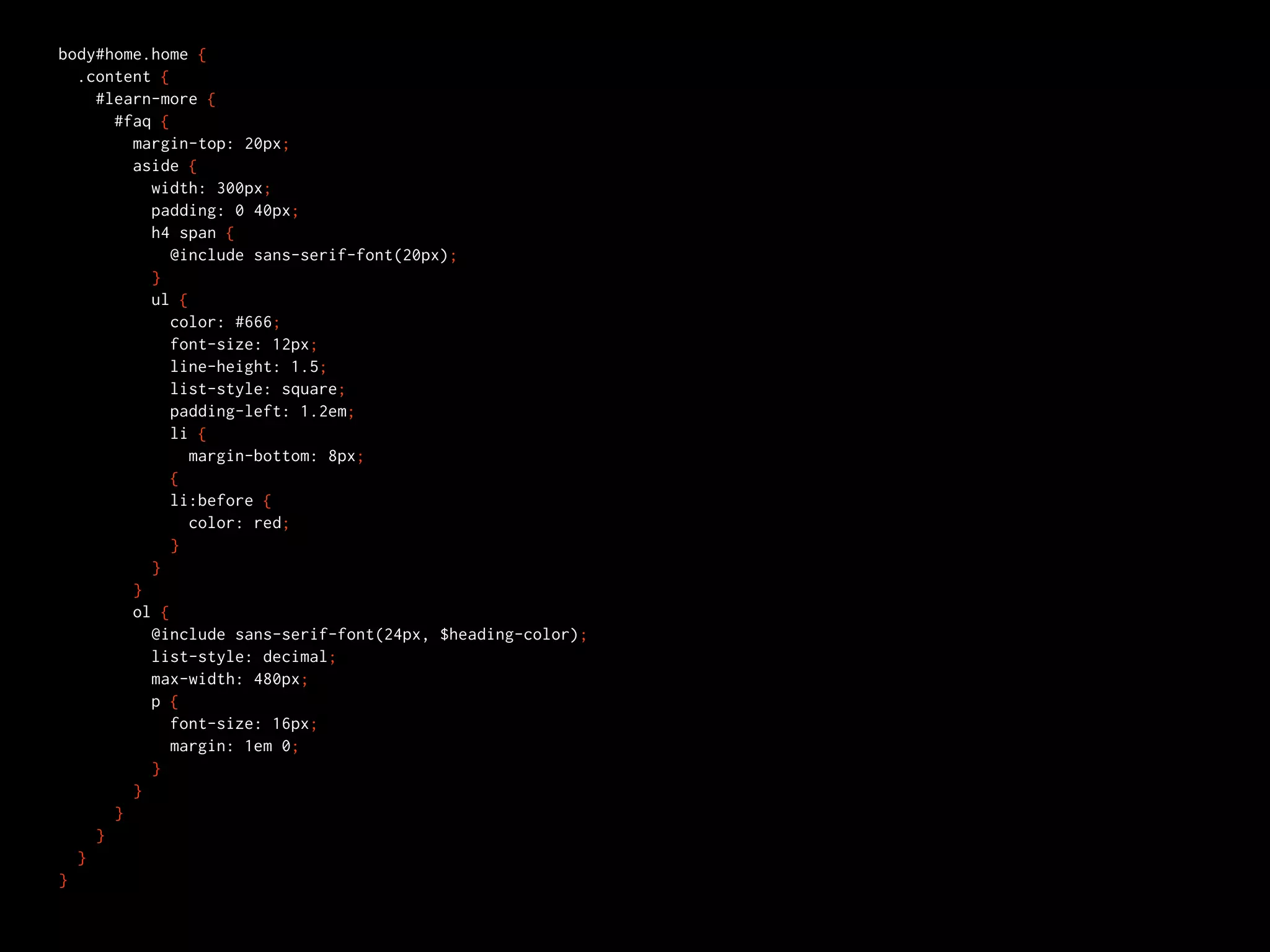
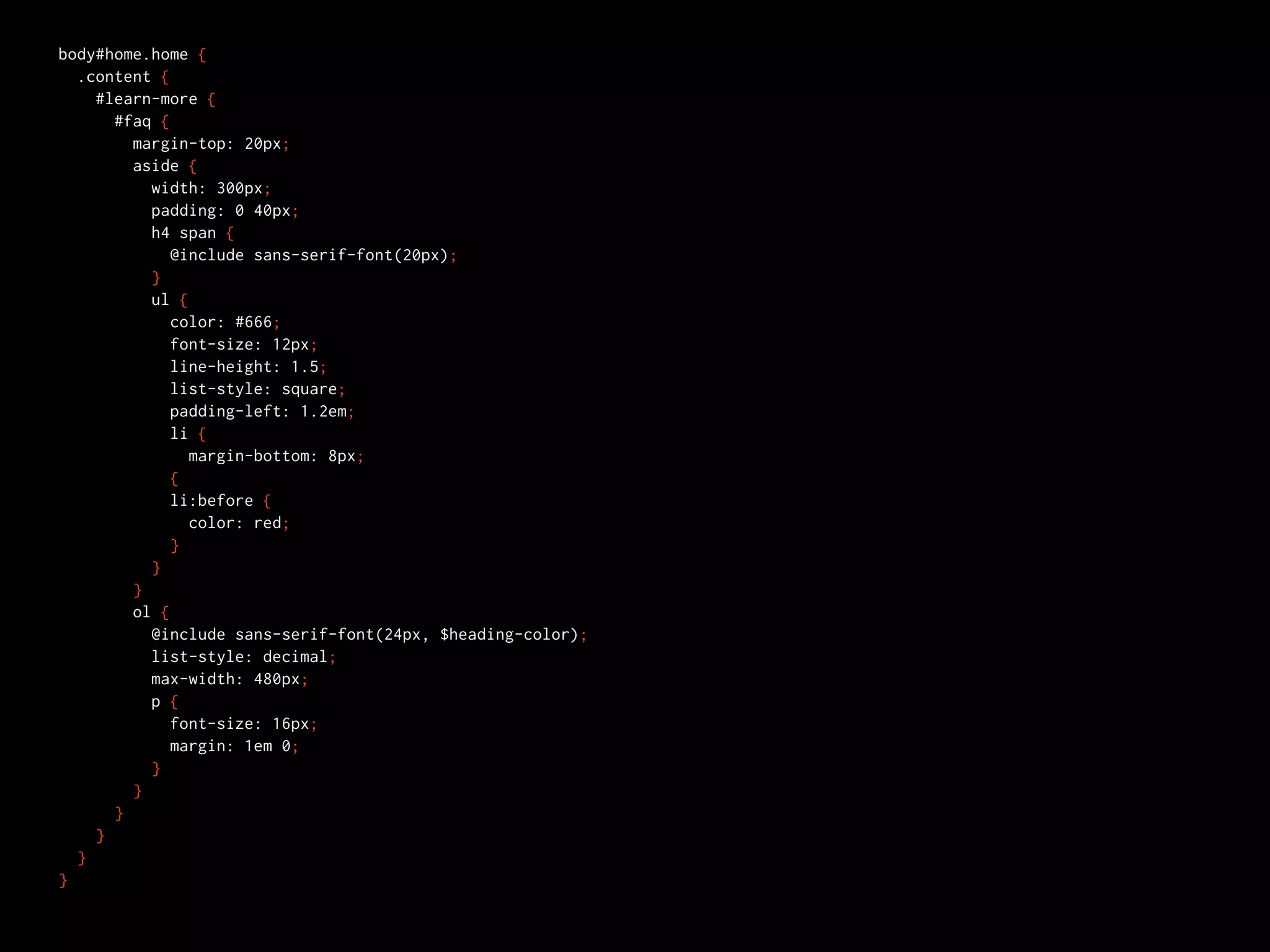
body#home.home {
  .content {
    #learn-more {
      #faq {
        margin-top: 20px;
        aside {
          width: 300px;
          padding: 0 40px;
          h4 span {
             @include sans-serif-font(20px);
          }
          ul {
             color: #666;
             font-size: 12px;
             line-height: 1.5;
             list-style: square;
             padding-left: 1.2em;
             li {
               margin-bottom: 8px;
             {
             li:before {
               color: red;
             }
          }
        }
        ol {
          @include sans-serif-font(24px, $heading-color);
          list-style: decimal;
          max-width: 480px;
          p {
             font-size: 16px;
             margin: 1em 0;
          }
        }
      }
    }
  }
}
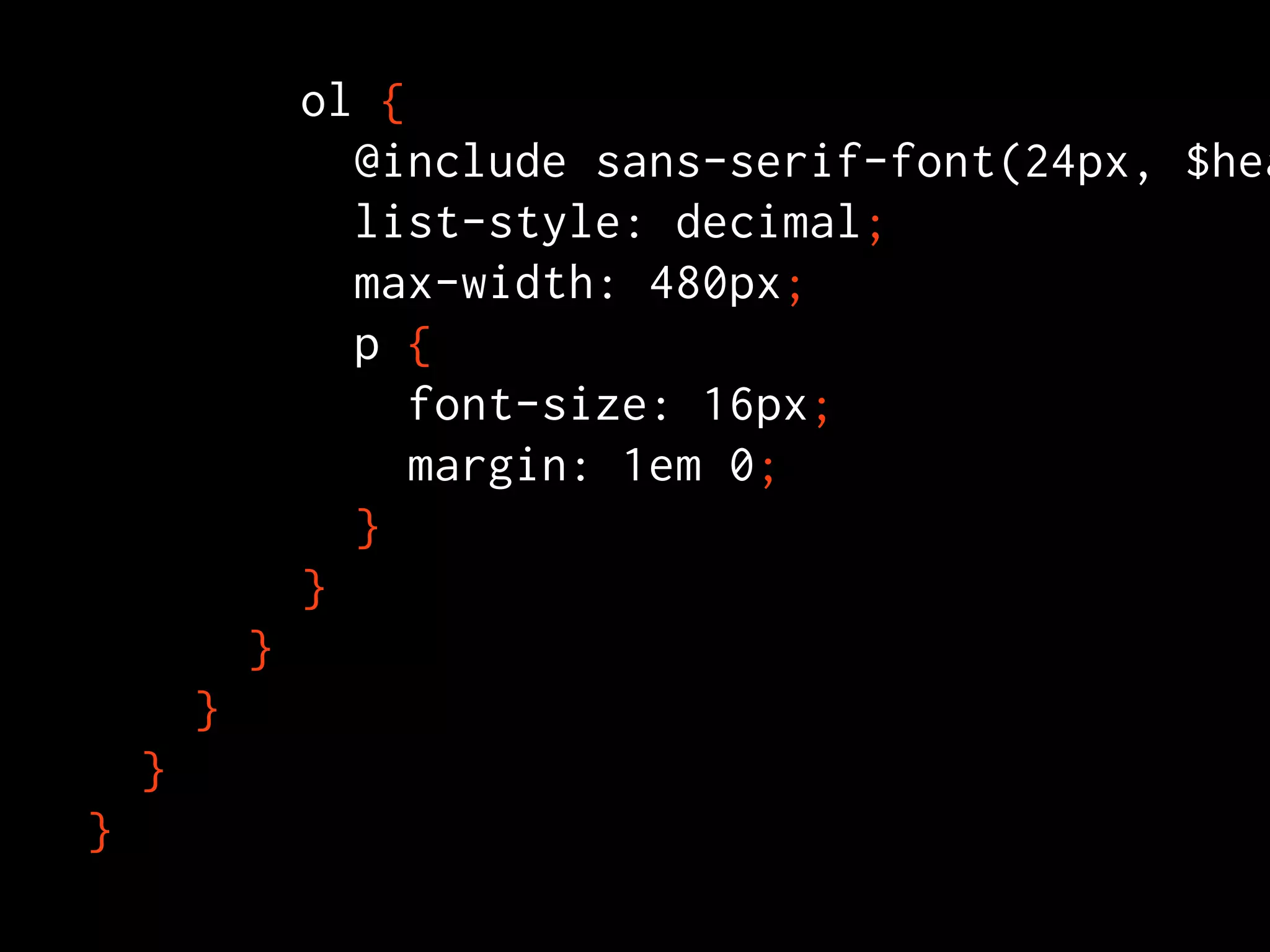
ol {
                  @include sans-serif-font(24px, $hea
                  list-style: decimal;
                  max-width: 480px;
                  p {
                     font-size: 16px;
                     margin: 1em 0;
                  }
                }
            }
        }
    }
}
body#home.home {
  .content {
    #learn-more {
      #faq {
        margin-top: 20px;
        aside {
          width: 300px;
          padding: 0 40px;
          h4 span {
             @include sans-serif-font(20px);
          }
          ul {
             color: #666;
             font-size: 12px;
             line-height: 1.5;
             list-style: square;
             padding-left: 1.2em;
             li {
               margin-bottom: 8px;
             {
             li:before {
               color: red;
             }
          }
        }
        ol {
          @include sans-serif-font(24px, $heading-color);
          list-style: decimal;
          max-width: 480px;
          p {
             font-size: 16px;
             margin: 1em 0;
          }
        }
      }
    }
  }
}
body#home.home {                                            body#home.home
  .content {                                                  .content
    #learn-more {                                               #learn-more
      #faq {                                                      #faq
        margin-top: 20px;                                           margin-top: 20px
        aside {                                                     aside
          width: 300px;                                                width: 300px
          padding: 0 40px;                                             padding: 0 40px
          h4 span {                                                    h4 span
             @include sans-serif-font(20px);                              @include sans-serif-font(20px)
          }                                                            ul
          ul {                                                            color: #666
             color: #666;                                                 font-size: 12px
             font-size: 12px;                                             line-height: 1.5
             line-height: 1.5;                                            list-style: square
             list-style: square;                                          padding-left: 1.2em
             padding-left: 1.2em;                                         li
             li {                                                            margin-bottom: 8px
               margin-bottom: 8px;                                        li:before
             {                                                               color: red
             li:before {                                            ol
               color: red;                                             @include sans-serif-font(24px, $heading-color)
             }                                                         list-style: decimal
          }                                                            max-width: 480px
        }                                                              p
        ol {                                                              font-size: 16px
          @include sans-serif-font(24px, $heading-color);                 margin: 1em 0
          list-style: decimal;
          max-width: 480px;
          p {
             font-size: 16px;
             margin: 1em 0;
          }
        }

    }
      }
                                          Sass > SCSS
  }
}
</rant>
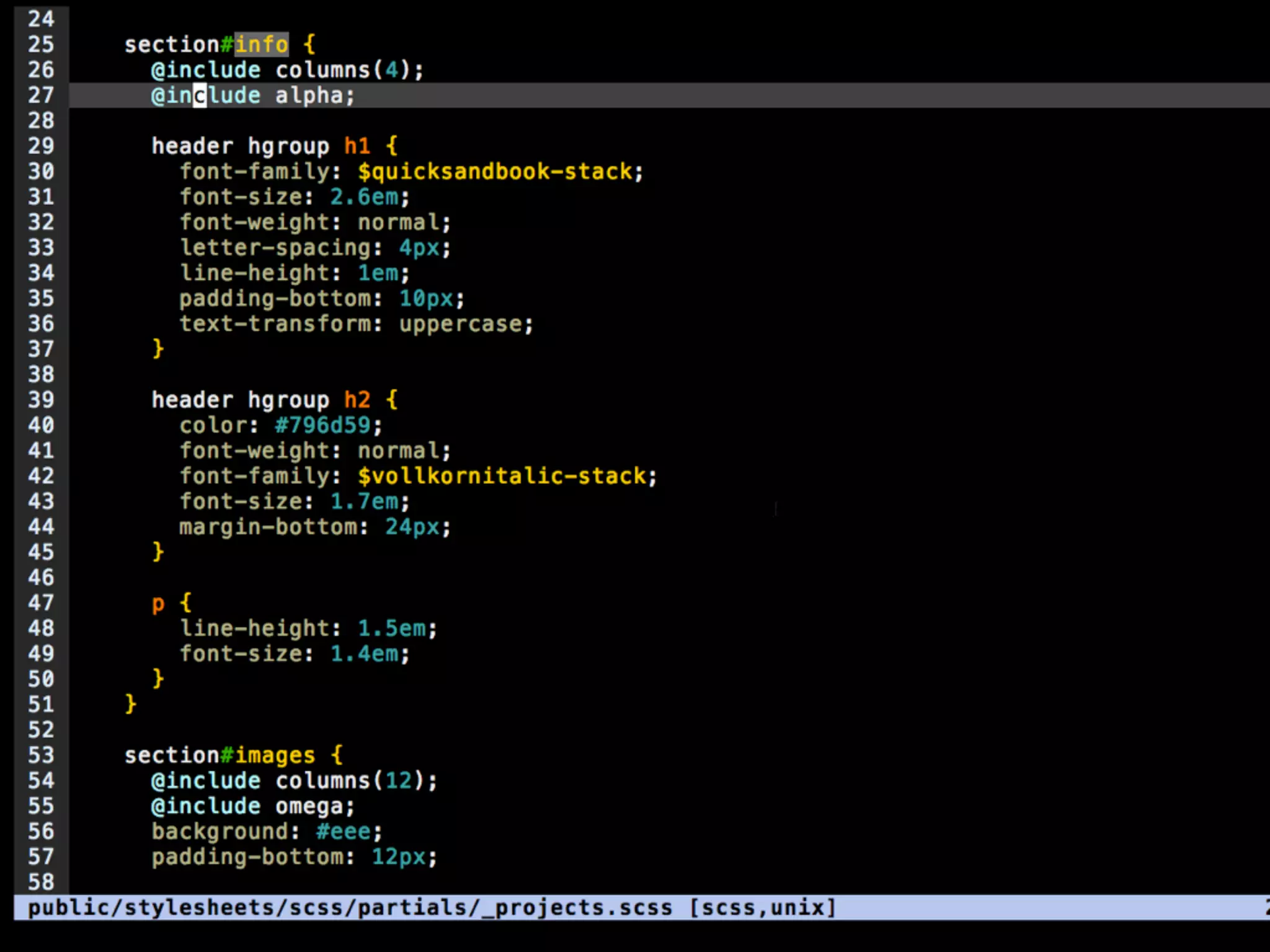
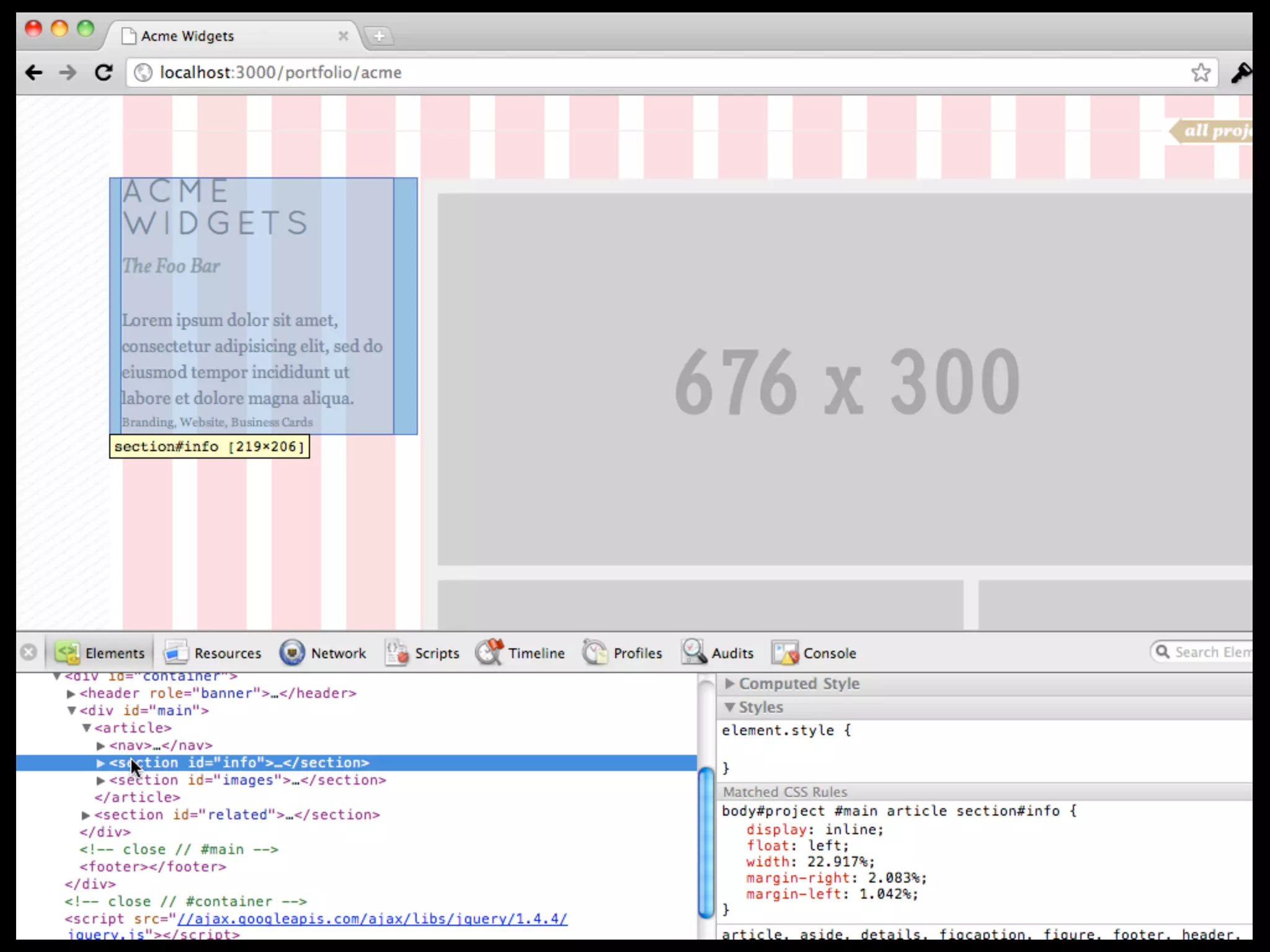
Let’s talk about:
1. Nesting
2. Mix-ins
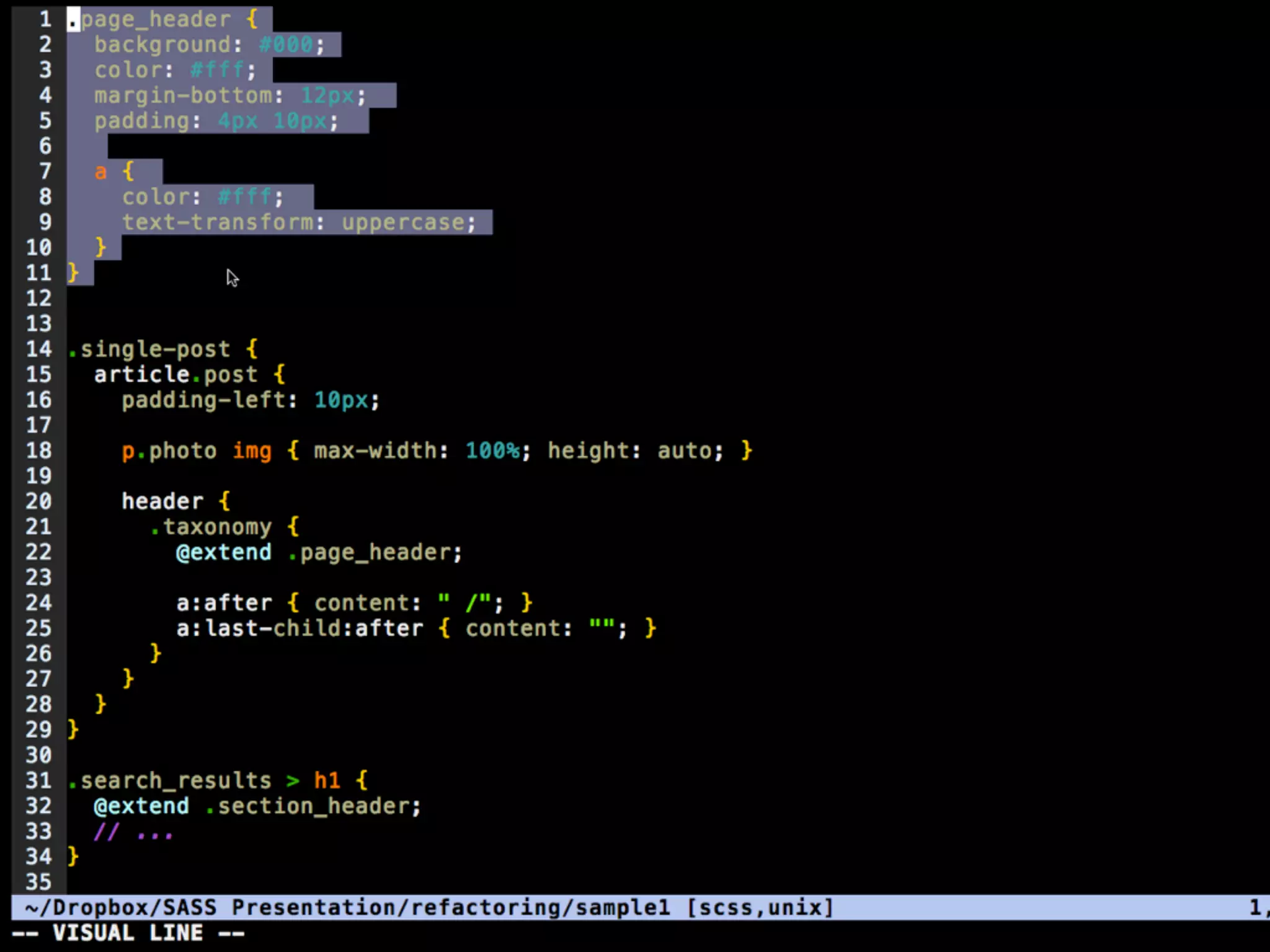
3. Organization and Refactoring
4. Math
5. Wrapping Up
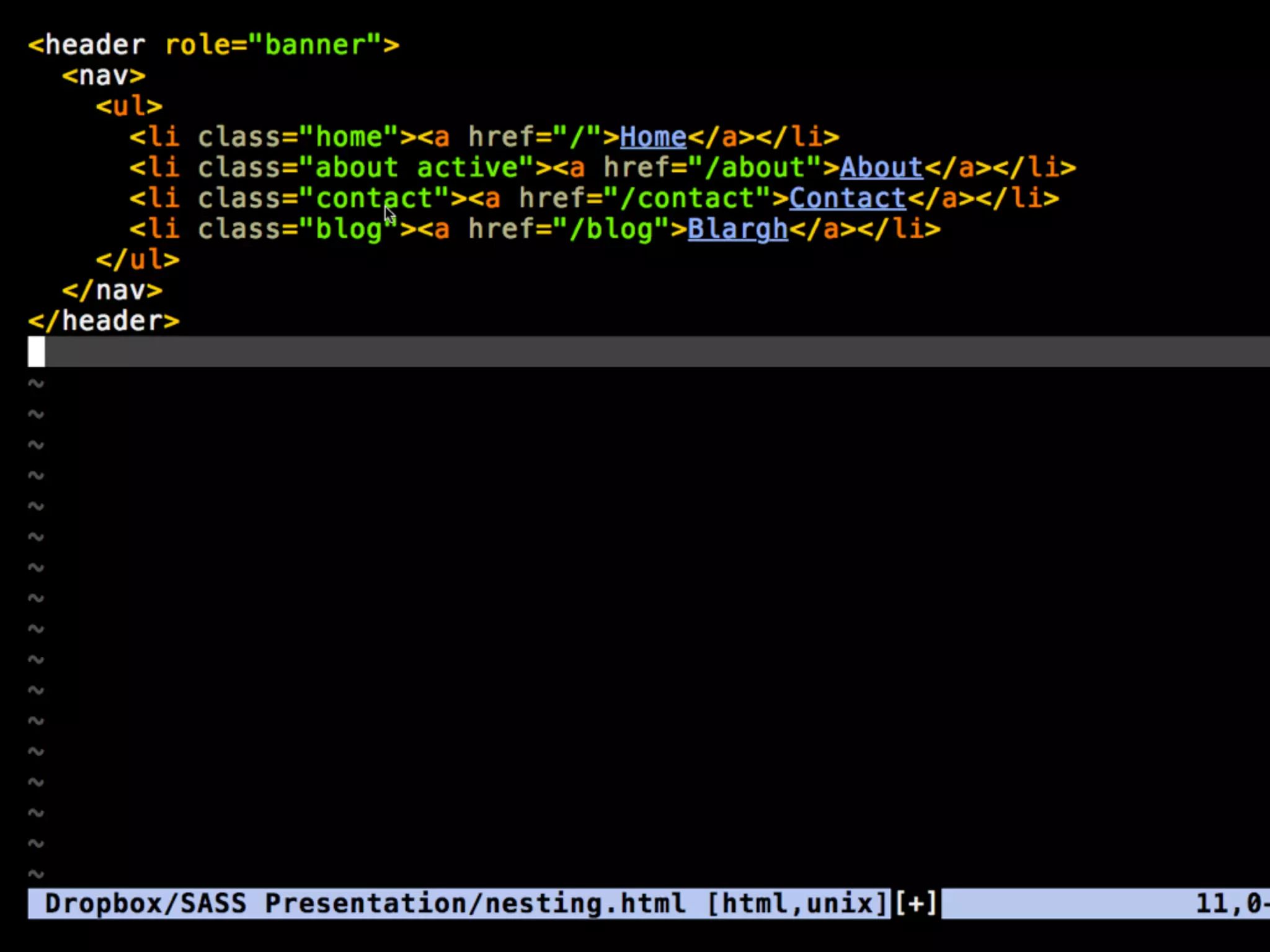
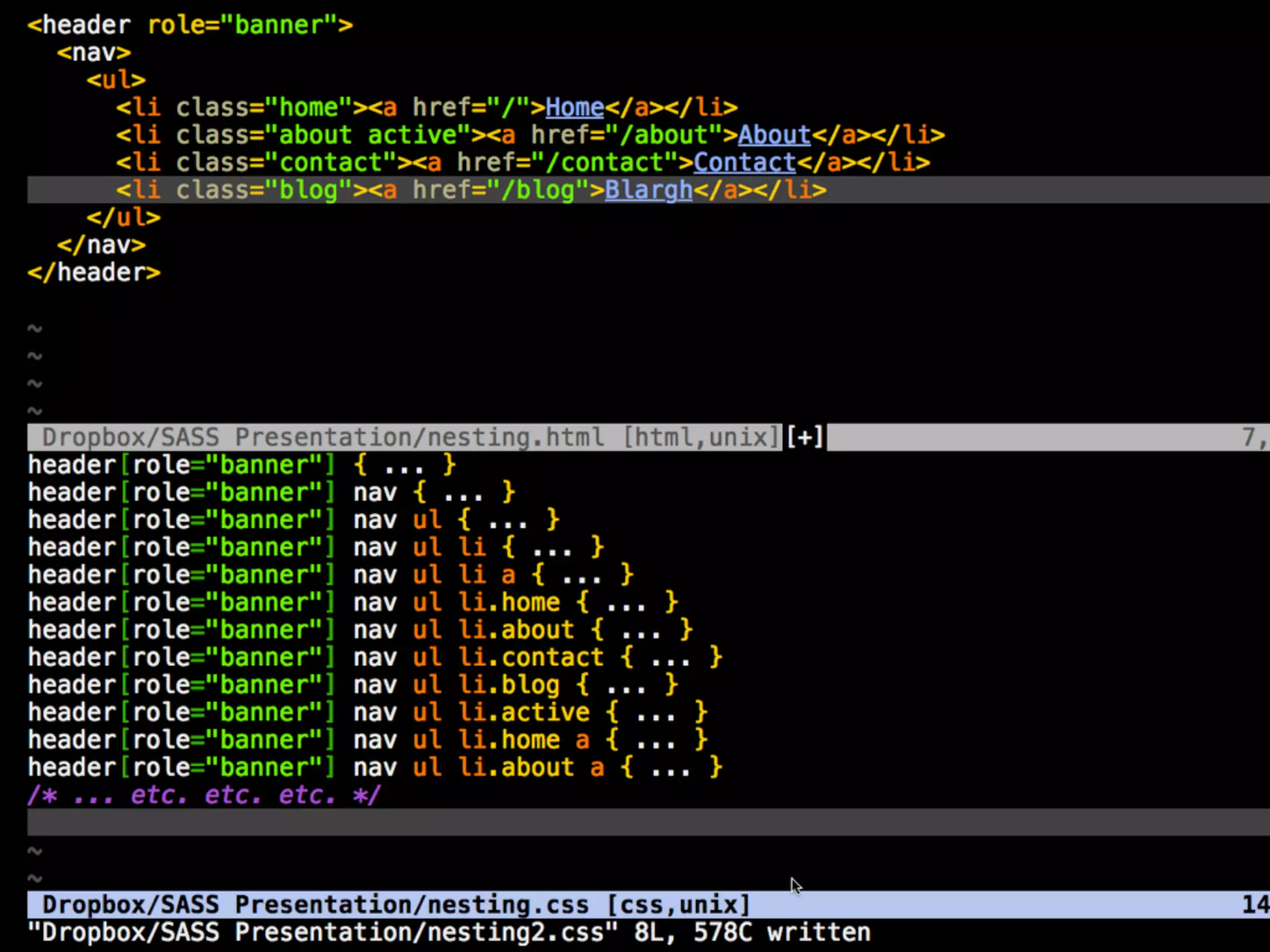
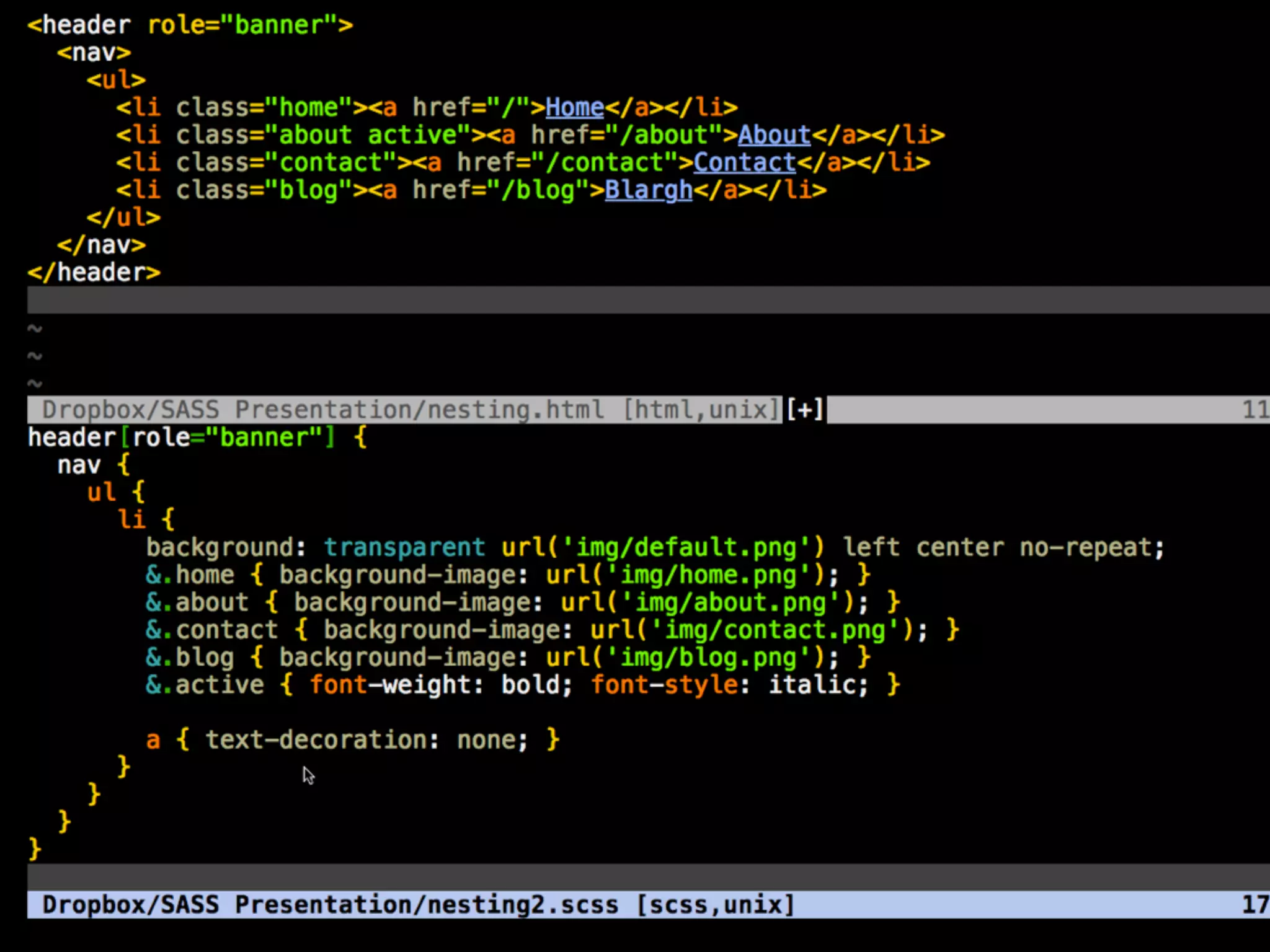
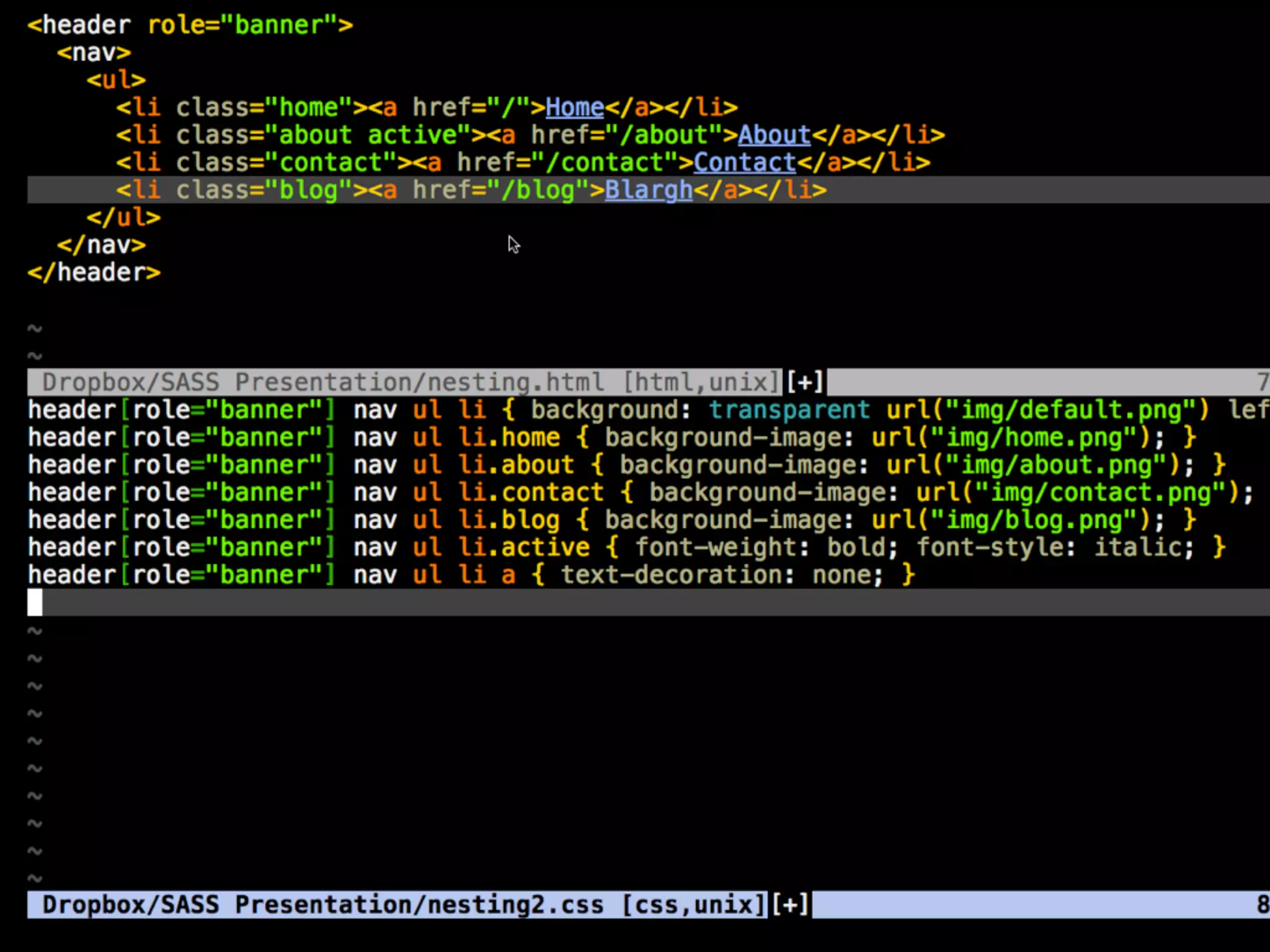
Nesting
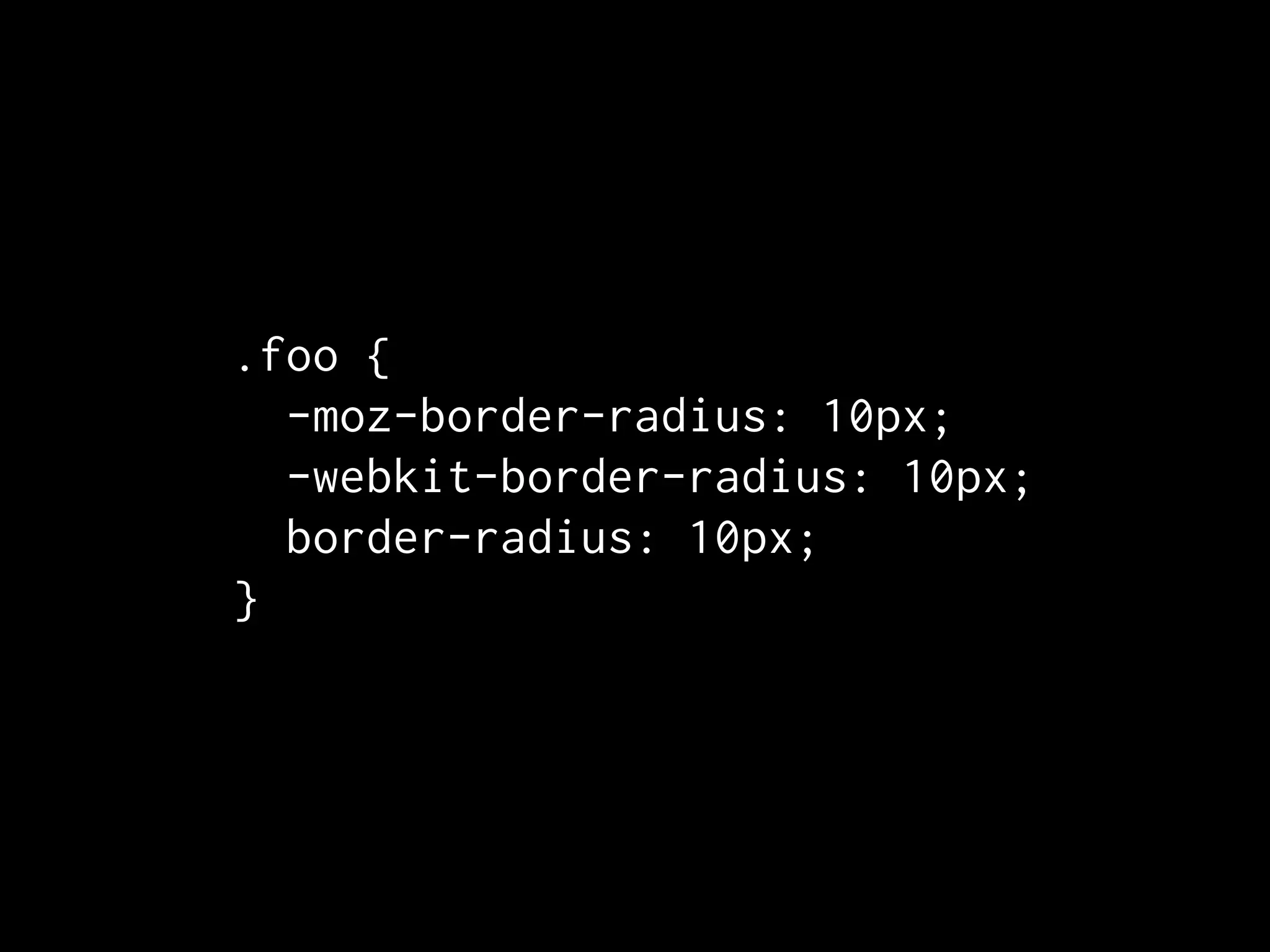
Mix-ins
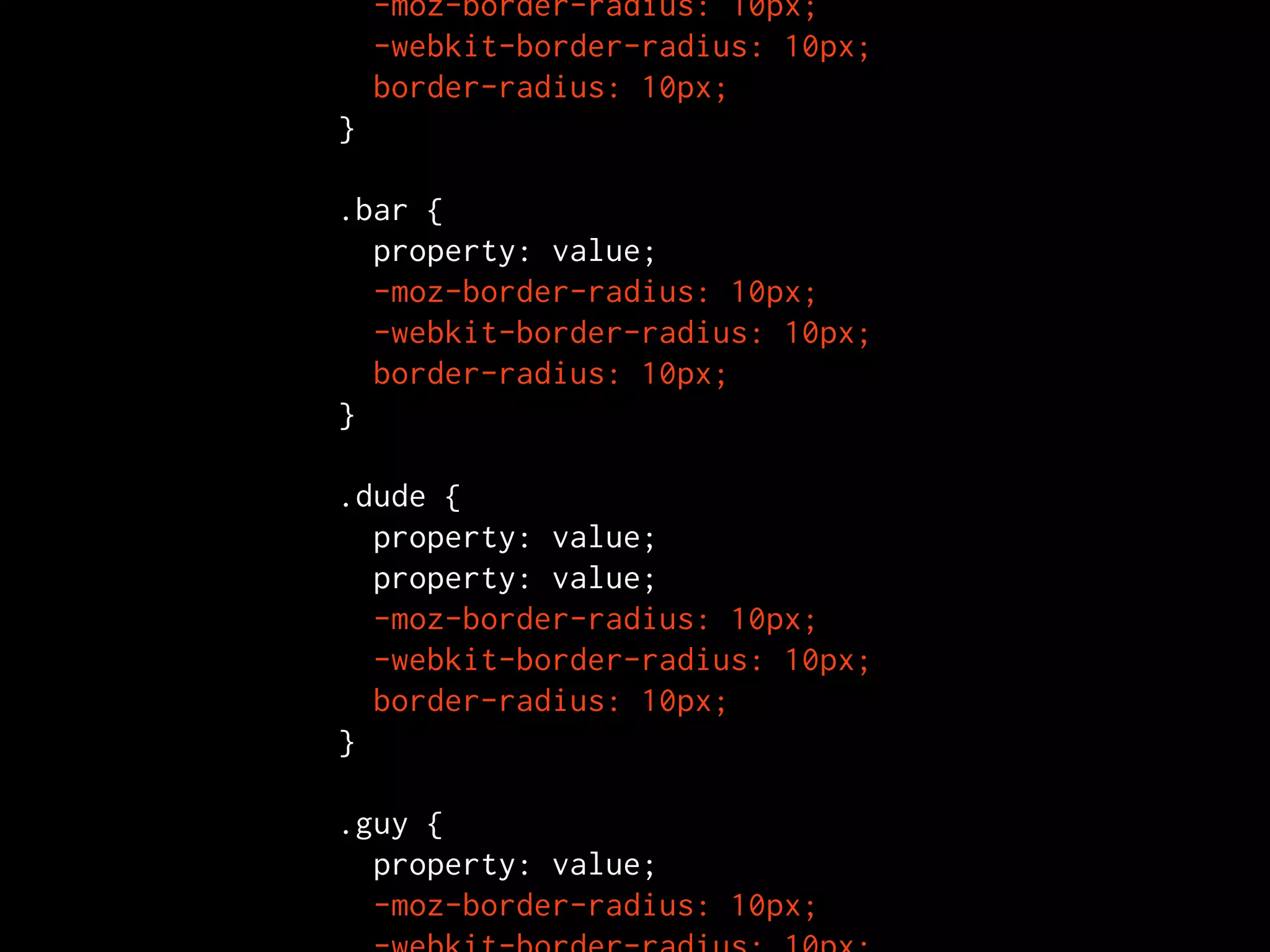
.foo {
  -moz-border-radius: 10px;
  -webkit-border-radius: 10px;
  border-radius: 10px;
}
  -moz-border-radius: 10px;
  -webkit-border-radius: 10px;
  border-radius: 10px;
}

.bar {
  property: value;
  -moz-border-radius: 10px;
  -webkit-border-radius: 10px;
  border-radius: 10px;
}

.dude {
  property: value;
  property: value;
  -moz-border-radius: 10px;
  -webkit-border-radius: 10px;
  border-radius: 10px;
}

.guy {
  property: value;
  -moz-border-radius: 10px;
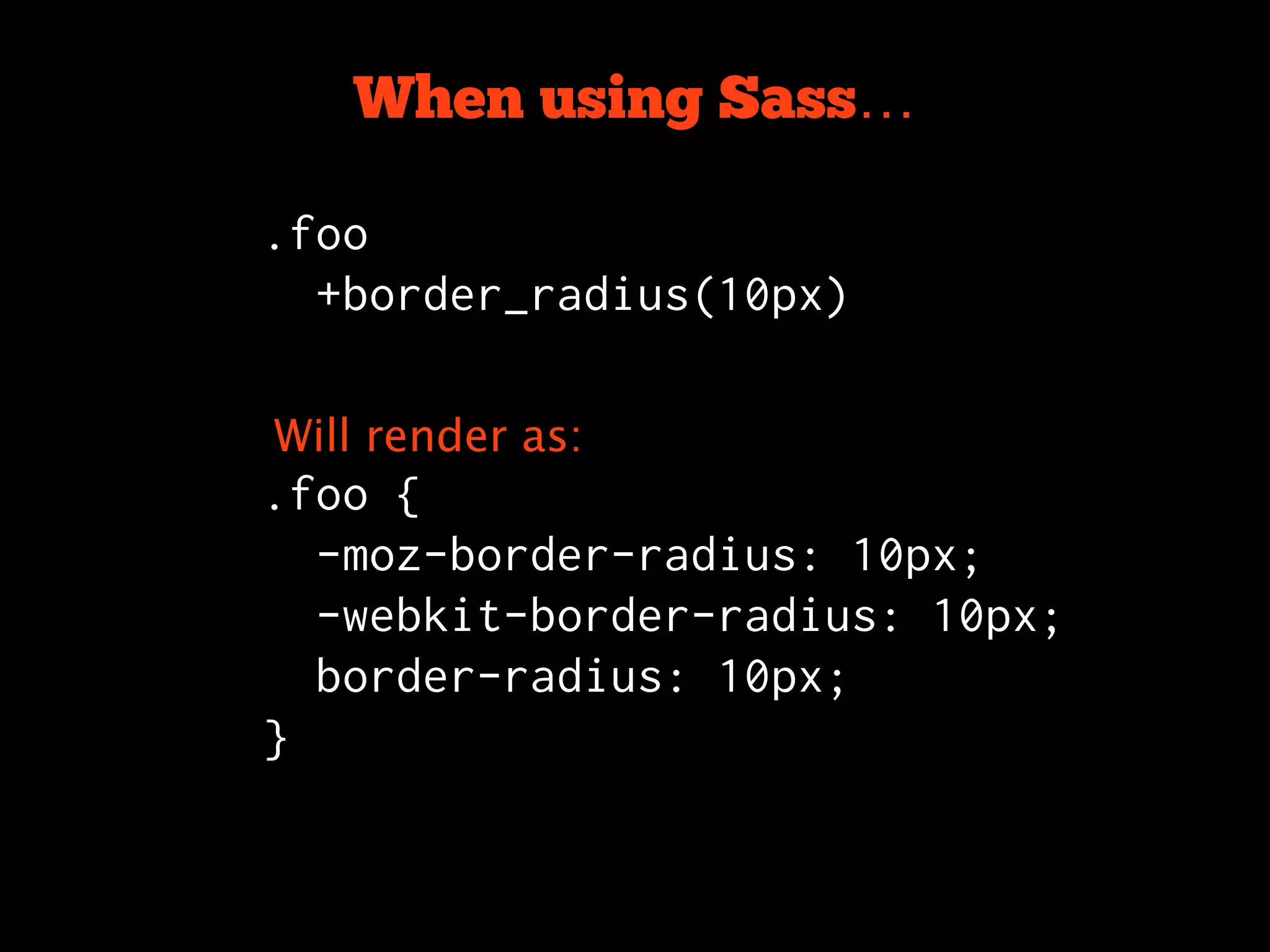
When using Sass…

.foo
  +border_radius(10px)


Will render as:
.foo {
  -moz-border-radius: 10px;
  -webkit-border-radius: 10px;
  border-radius: 10px;
}
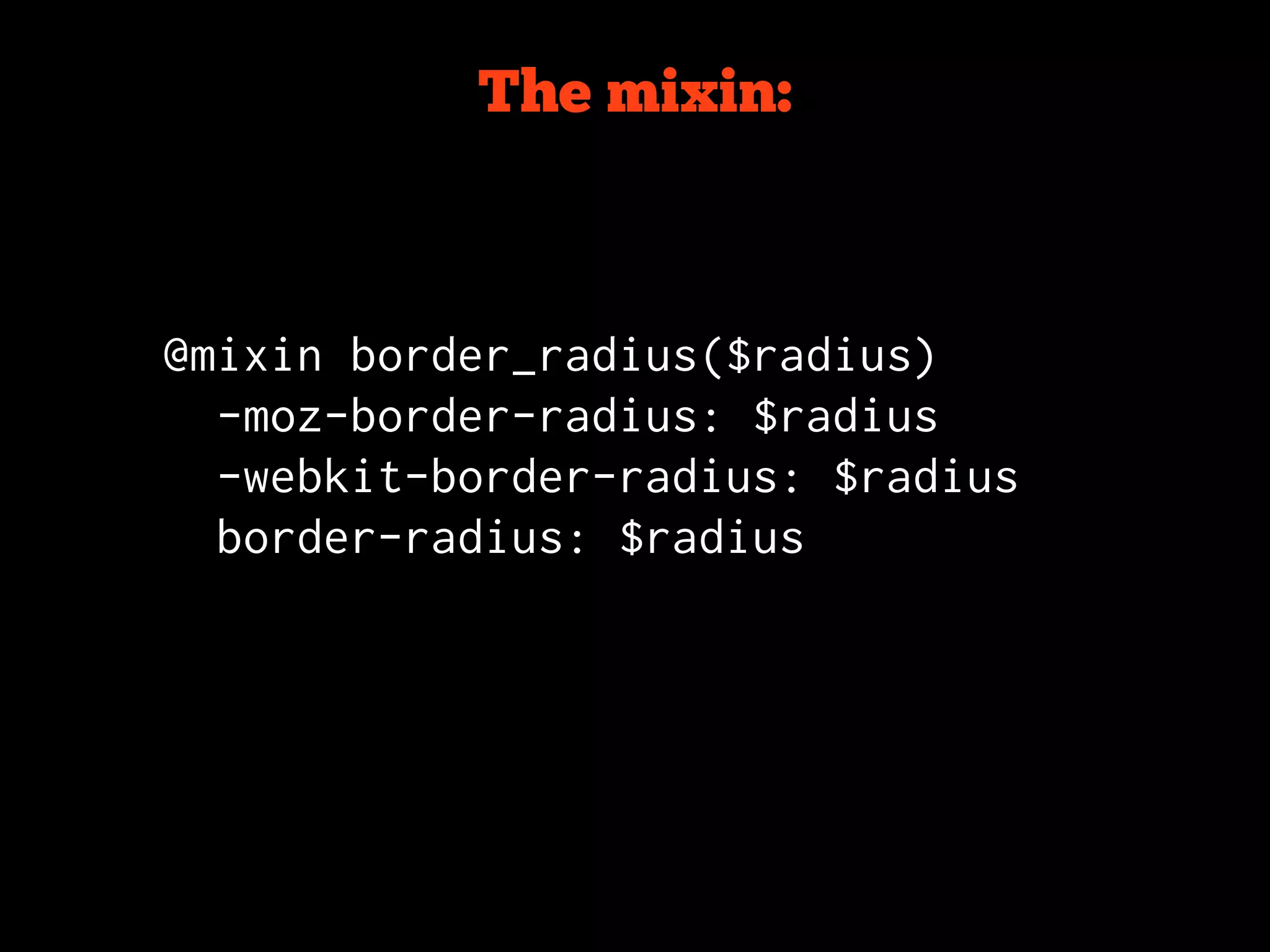
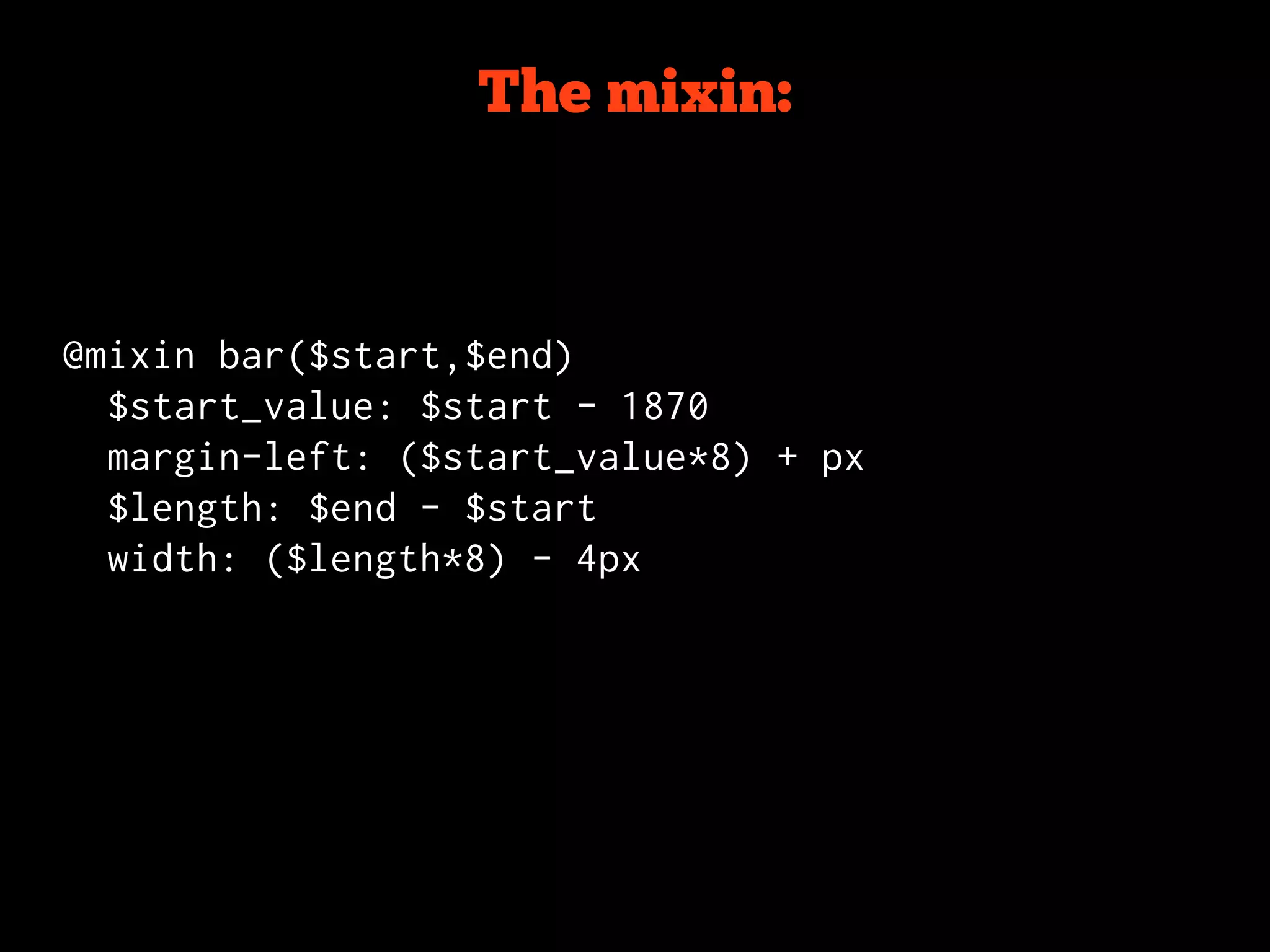
The mixin:


@mixin border_radius($radius)
  -moz-border-radius: $radius
  -webkit-border-radius: $radius
  border-radius: $radius
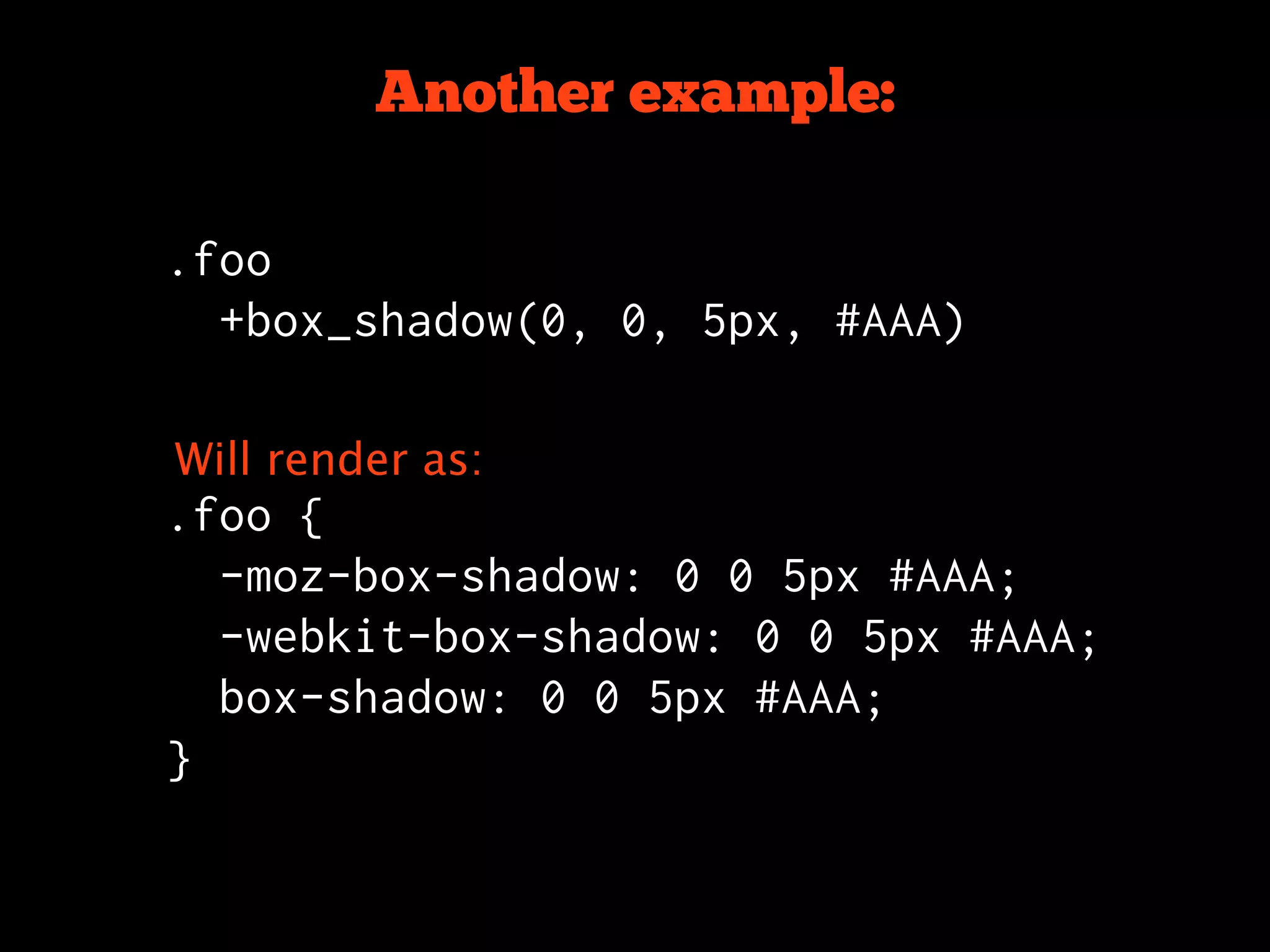
Another example:

.foo
  +box_shadow(0, 0, 5px, #AAA)


Will render as:
.foo {
  -moz-box-shadow: 0 0 5px #AAA;
  -webkit-box-shadow: 0 0 5px #AAA;
  box-shadow: 0 0 5px #AAA;
}
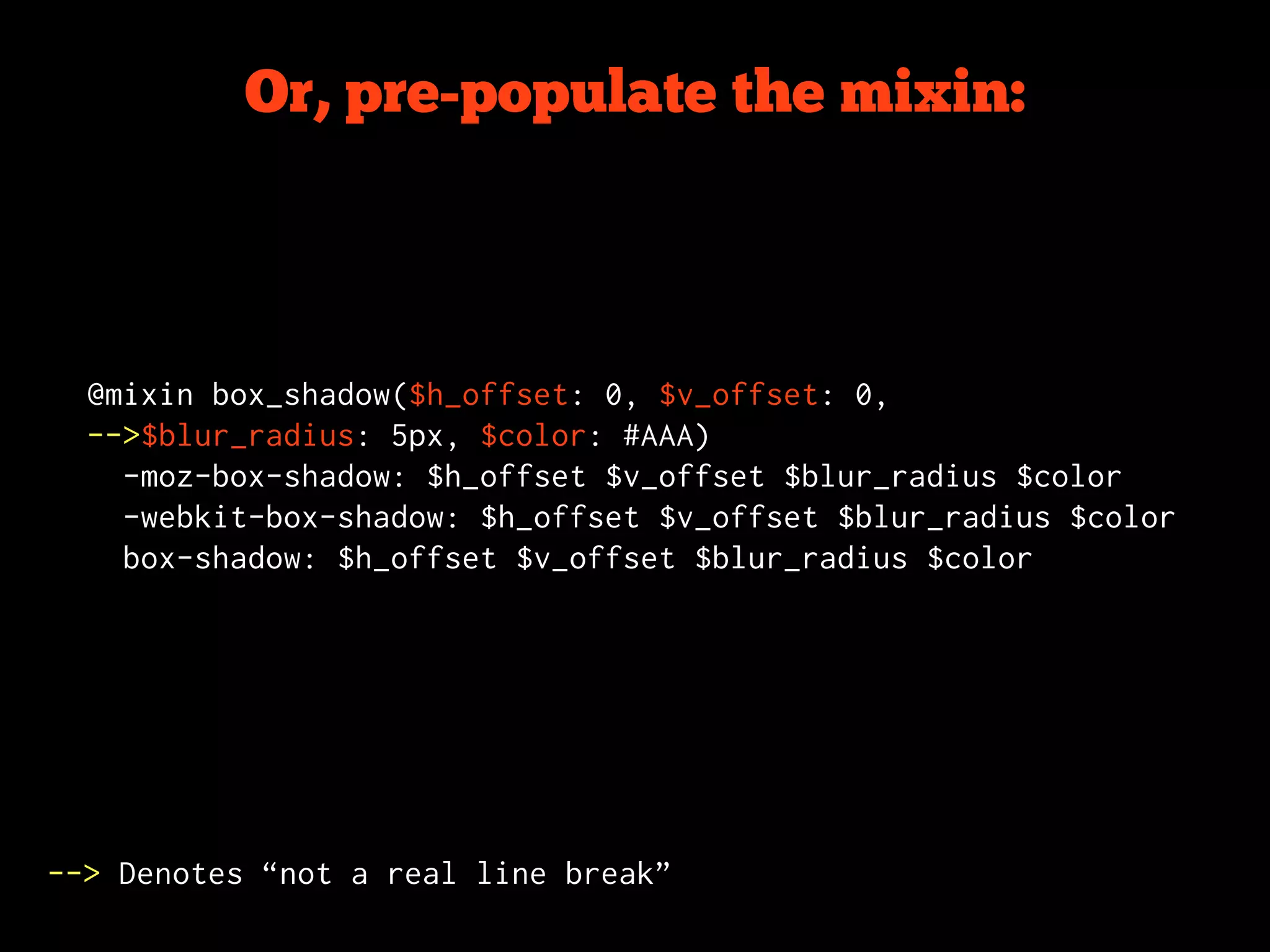
Or, pre-populate the mixin:


  @mixin box_shadow($h_offset: 0, $v_offset: 0,
  -->$blur_radius: 5px, $color: #AAA)
    -moz-box-shadow: $h_offset $v_offset $blur_radius $color
    -webkit-box-shadow: $h_offset $v_offset $blur_radius $color
    box-shadow: $h_offset $v_offset $blur_radius $color


--> Denotes “not a real line break”
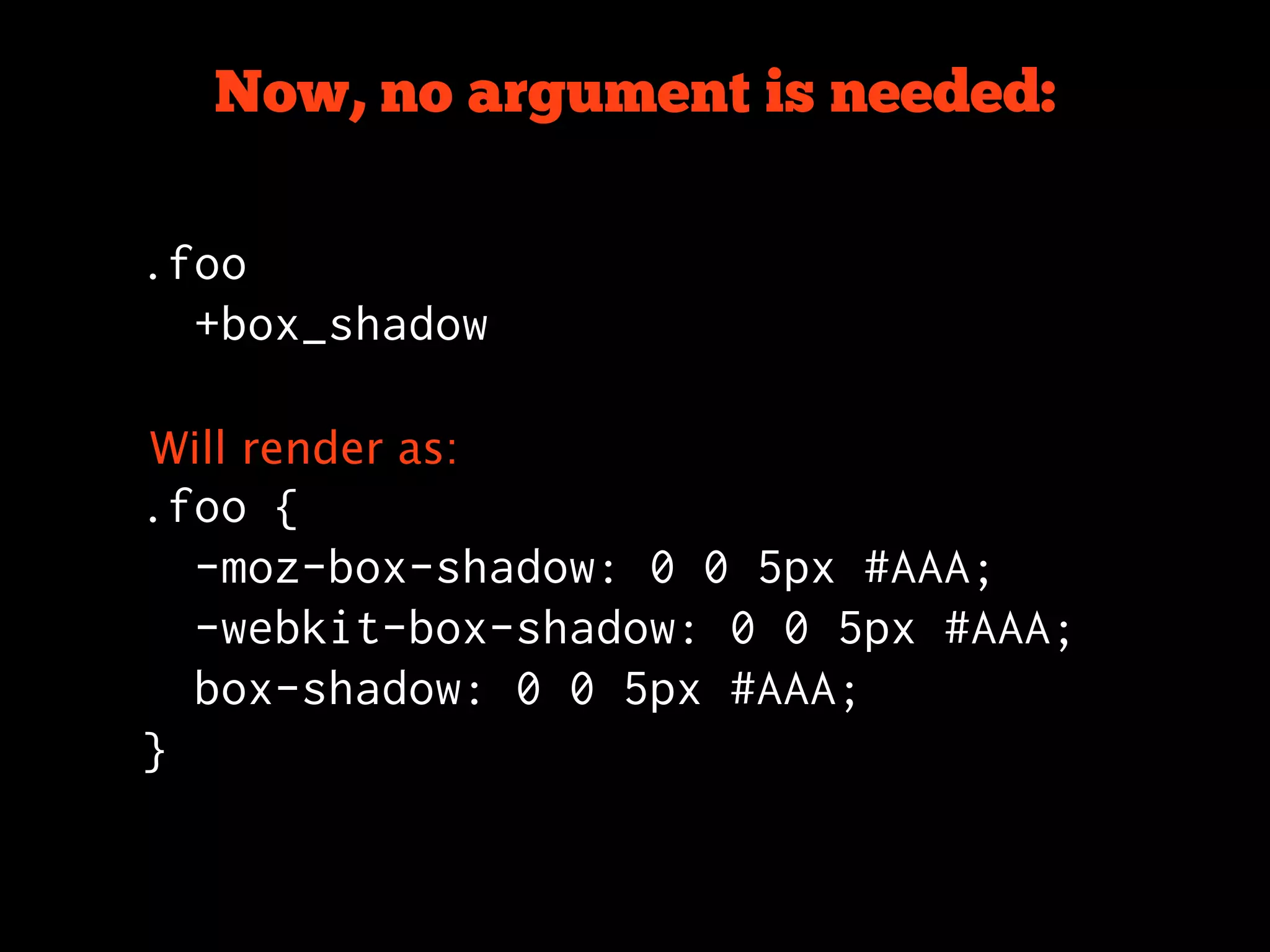
Now, no argument is needed:

.foo
  +box_shadow

Will render as:
.foo {
  -moz-box-shadow: 0 0 5px #AAA;
  -webkit-box-shadow: 0 0 5px #AAA;
  box-shadow: 0 0 5px #AAA;
}
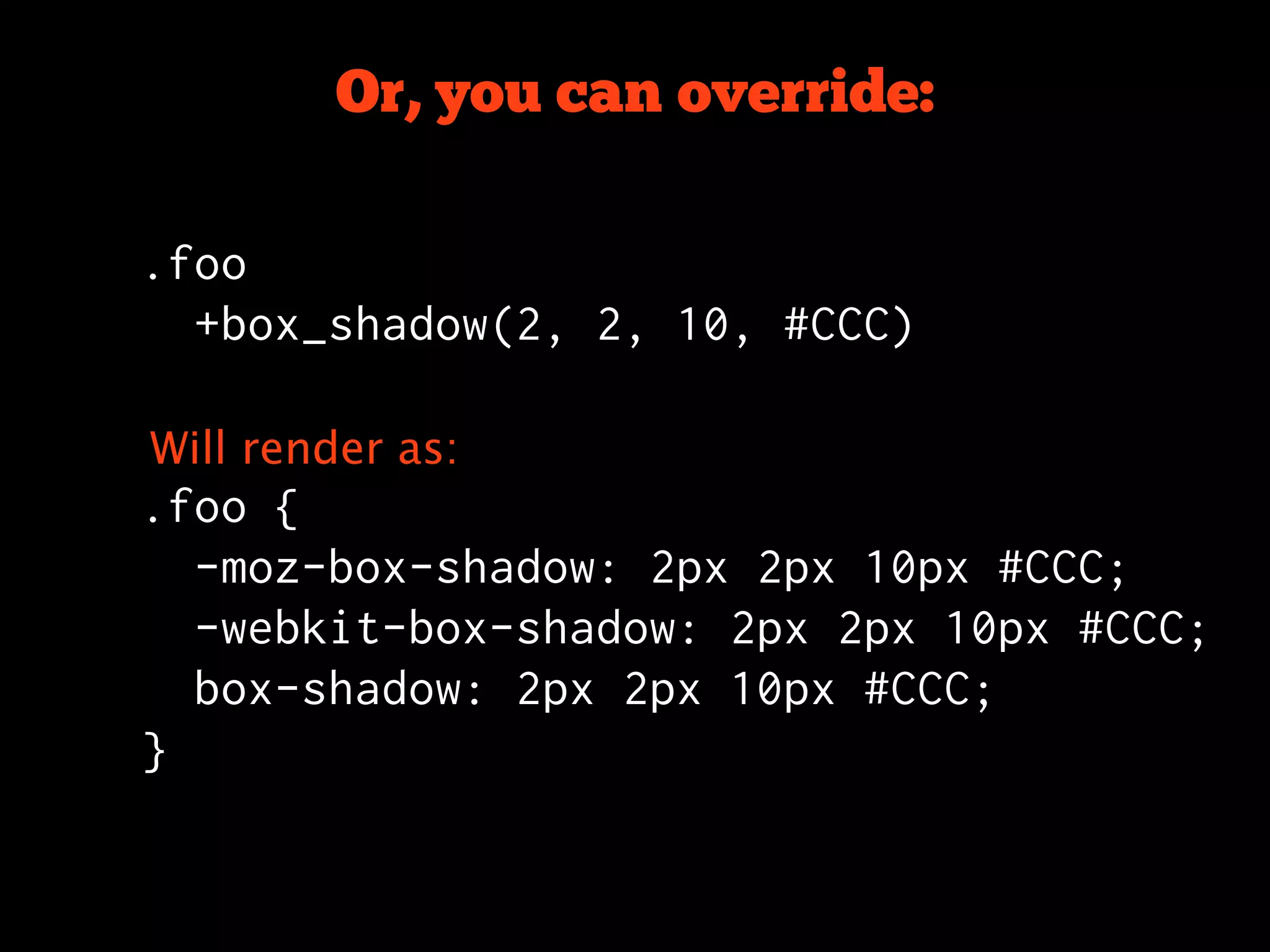
Or, you can override:

.foo
  +box_shadow(2, 2, 10, #CCC)

Will render as:
.foo {
  -moz-box-shadow: 2px 2px 10px #CCC;
  -webkit-box-shadow: 2px 2px 10px #CCC;
  box-shadow: 2px 2px 10px #CCC;
}
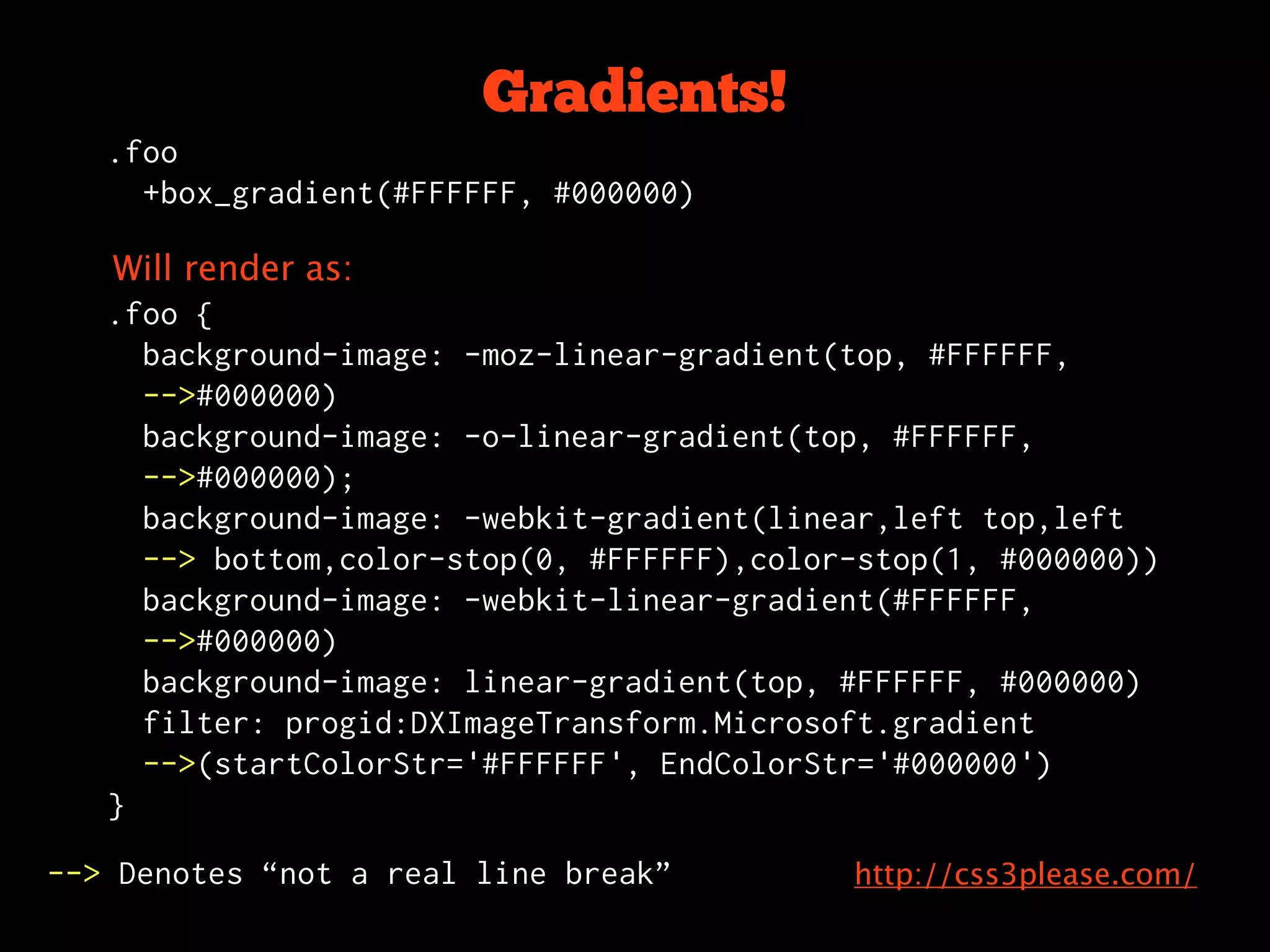
Gradients!
   .foo
     +box_gradient(#FFFFFF, #000000)

   Will render as:
   .foo {
     background-image: -moz-linear-gradient(top, #FFFFFF,
     -->#000000)
     background-image: -o-linear-gradient(top, #FFFFFF,
     -->#000000);
     background-image: -webkit-gradient(linear,left top,left
     --> bottom,color-stop(0, #FFFFFF),color-stop(1, #000000))
     background-image: -webkit-linear-gradient(#FFFFFF,
     -->#000000)
     background-image: linear-gradient(top, #FFFFFF, #000000)
     filter: progid:DXImageTransform.Microsoft.gradient
     -->(startColorStr='#FFFFFF', EndColorStr='#000000')
   }

--> Denotes “not a real line break”         http://css3please.com/
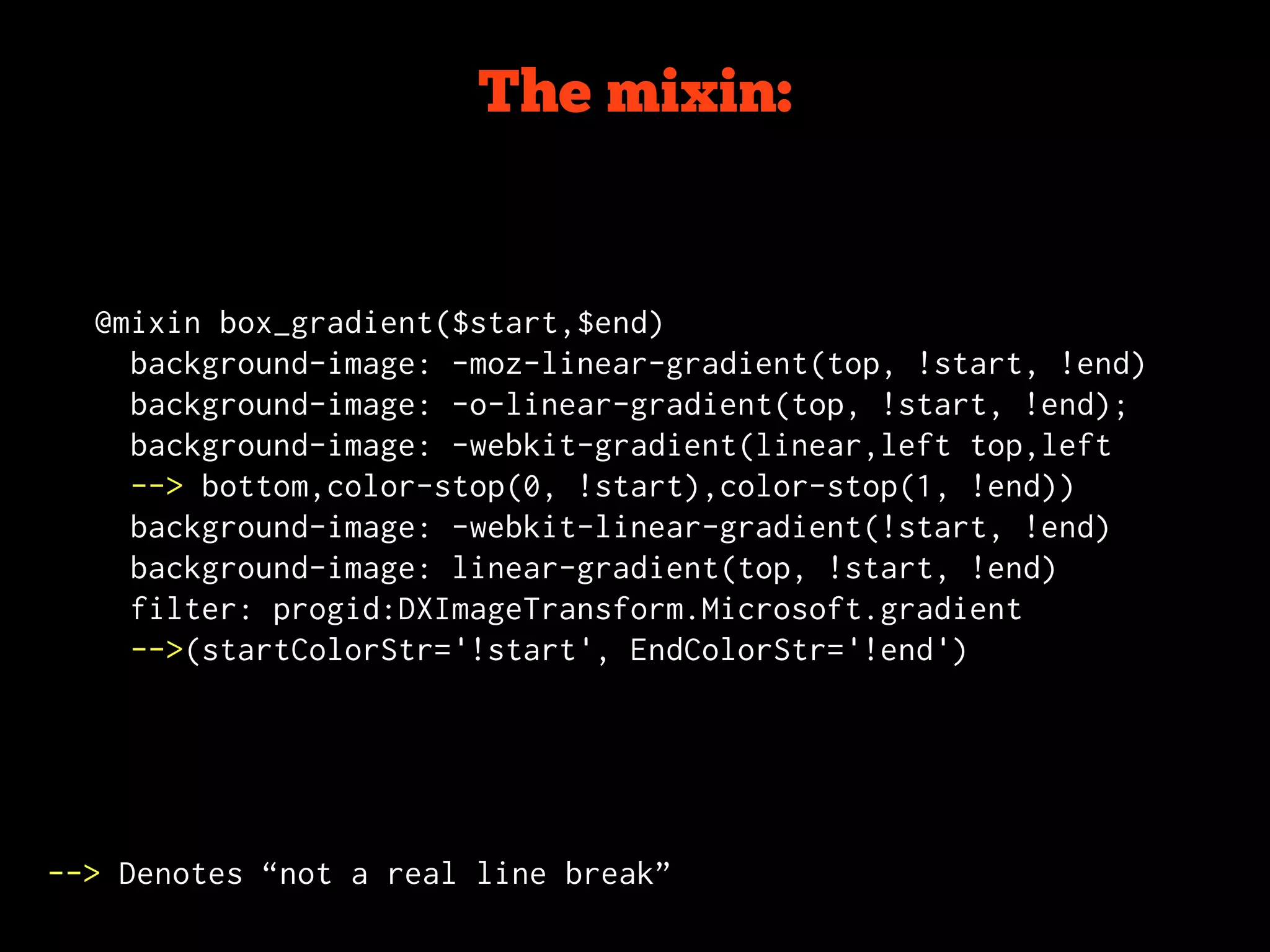
The mixin:


  @mixin box_gradient($start,$end)
    background-image: -moz-linear-gradient(top, !start, !end)
    background-image: -o-linear-gradient(top, !start, !end);
    background-image: -webkit-gradient(linear,left top,left
    --> bottom,color-stop(0, !start),color-stop(1, !end))
    background-image: -webkit-linear-gradient(!start, !end)
    background-image: linear-gradient(top, !start, !end)
    filter: progid:DXImageTransform.Microsoft.gradient
    -->(startColorStr='!start', EndColorStr='!end')


--> Denotes “not a real line break”
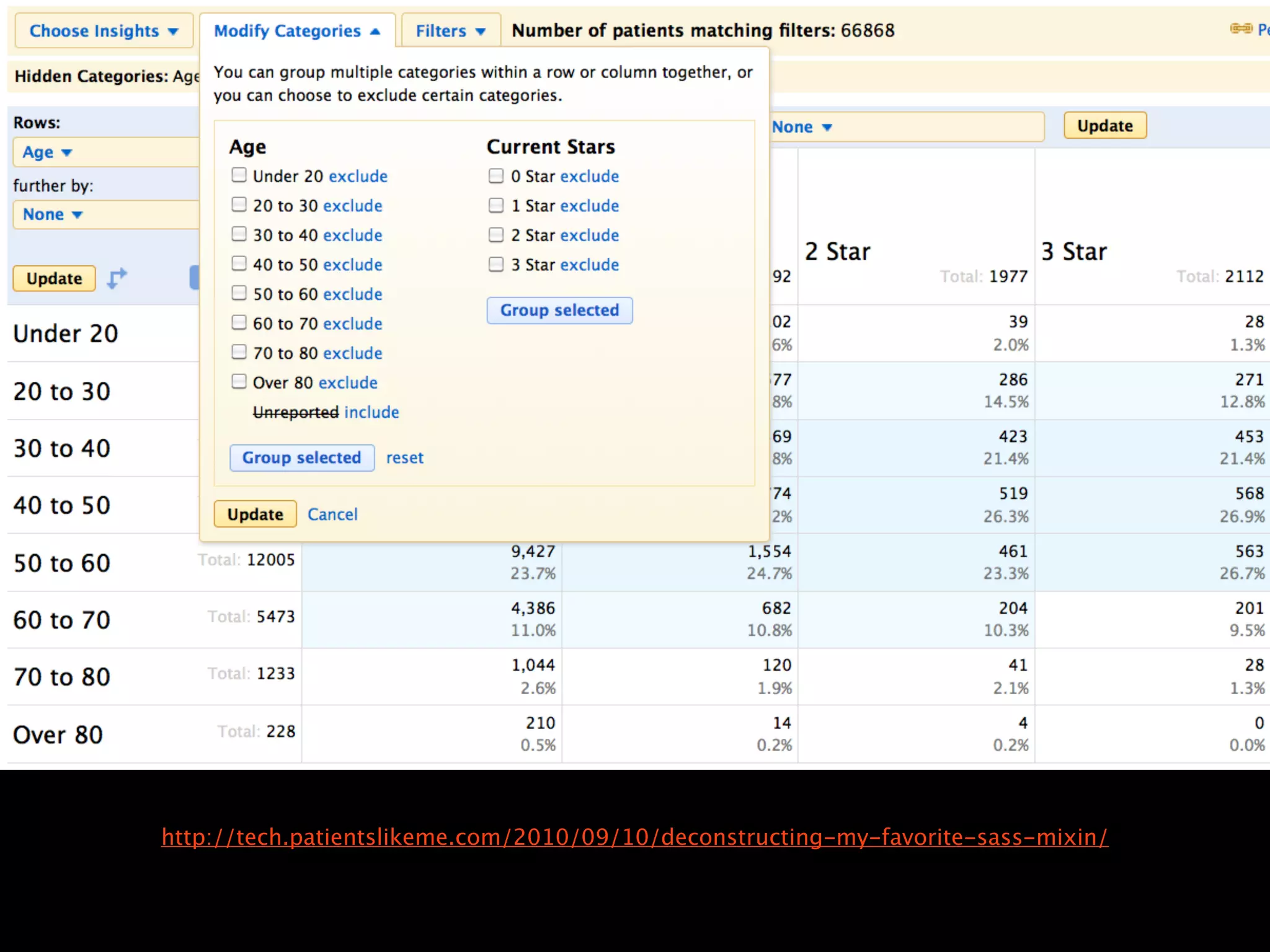
http://tech.patientslikeme.com/2010/09/10/deconstructing-my-favorite-sass-mixin/
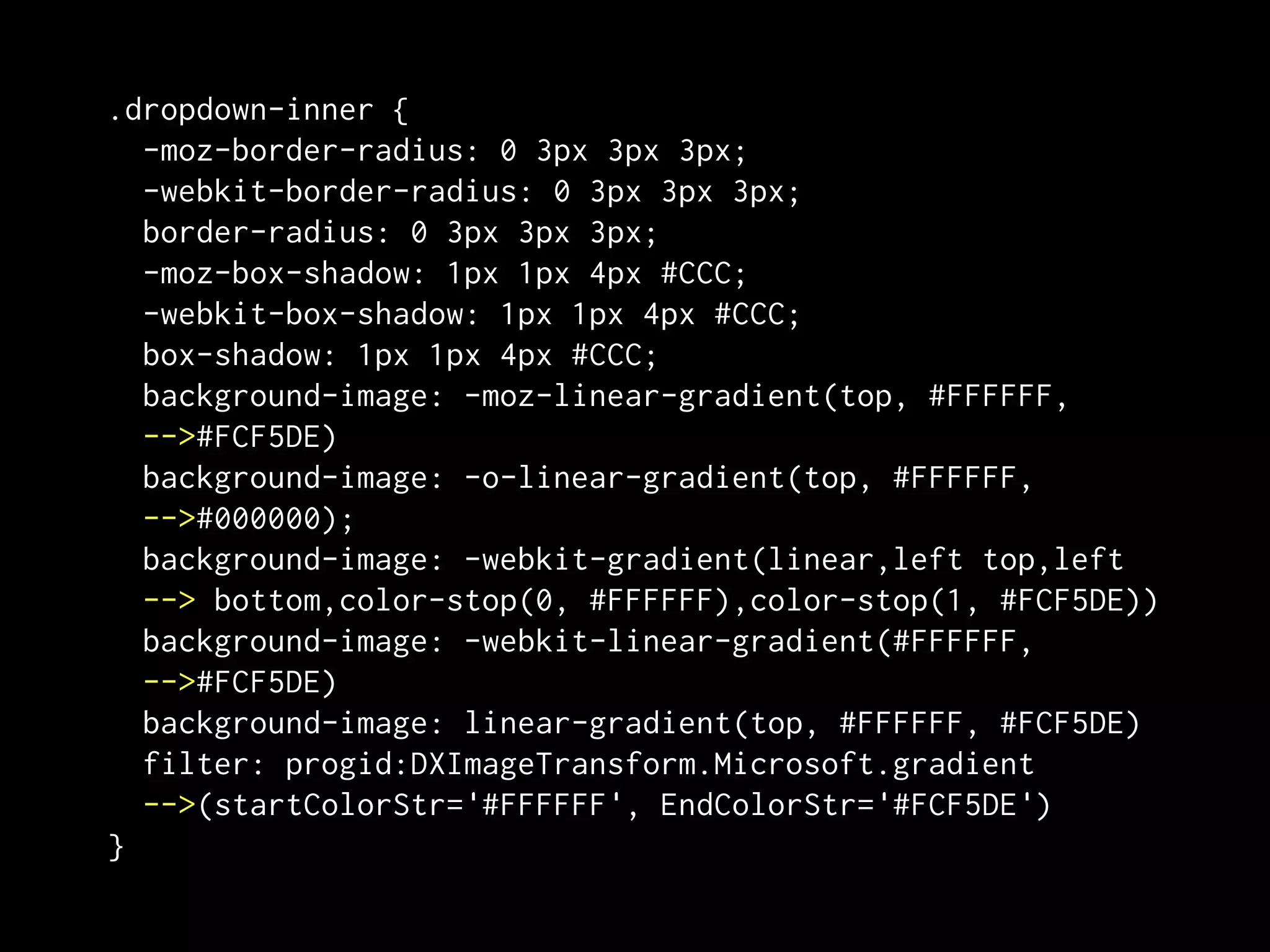
.dropdown-inner {
  -moz-border-radius: 0 3px 3px 3px;
  -webkit-border-radius: 0 3px 3px 3px;
  border-radius: 0 3px 3px 3px;
  -moz-box-shadow: 1px 1px 4px #CCC;
  -webkit-box-shadow: 1px 1px 4px #CCC;
  box-shadow: 1px 1px 4px #CCC;
  background-image: -moz-linear-gradient(top, #FFFFFF,
  -->#FCF5DE)
  background-image: -o-linear-gradient(top, #FFFFFF,
  -->#000000);
  background-image: -webkit-gradient(linear,left top,left
  --> bottom,color-stop(0, #FFFFFF),color-stop(1, #FCF5DE))
  background-image: -webkit-linear-gradient(#FFFFFF,
  -->#FCF5DE)
  background-image: linear-gradient(top, #FFFFFF, #FCF5DE)
  filter: progid:DXImageTransform.Microsoft.gradient
  -->(startColorStr='#FFFFFF', EndColorStr='#FCF5DE')
}
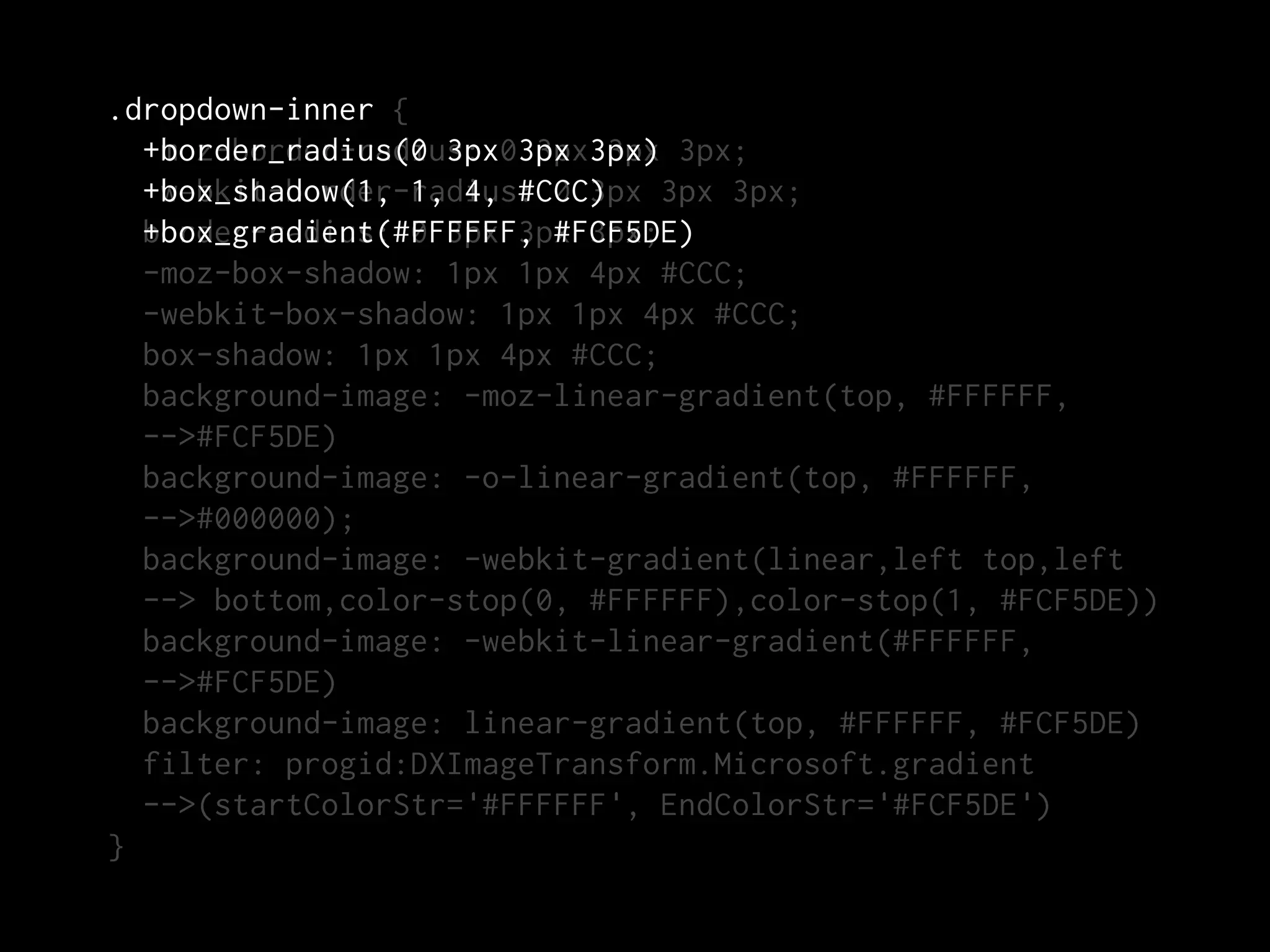
.dropdown-inner {
  +border_radius(0 3px 3px 3px
  -moz-border-radius: 03px 3px) 3px;
  +box_shadow(1, 1, 4, #CCC)
  -webkit-border-radius: 0 3px 3px 3px;
  border-radius: 0 3px 3px 3px;
  +box_gradient(#FFFFFF, #FCF5DE)
  -moz-box-shadow: 1px 1px 4px #CCC;
  -webkit-box-shadow: 1px 1px 4px #CCC;
  box-shadow: 1px 1px 4px #CCC;
  background-image: -moz-linear-gradient(top, #FFFFFF,
  -->#FCF5DE)
  background-image: -o-linear-gradient(top, #FFFFFF,
  -->#000000);
  background-image: -webkit-gradient(linear,left top,left
  --> bottom,color-stop(0, #FFFFFF),color-stop(1, #FCF5DE))
  background-image: -webkit-linear-gradient(#FFFFFF,
  -->#FCF5DE)
  background-image: linear-gradient(top, #FFFFFF, #FCF5DE)
  filter: progid:DXImageTransform.Microsoft.gradient
  -->(startColorStr='#FFFFFF', EndColorStr='#FCF5DE')
}
More with mixins:


• Re-usable interface elements (buttons,
  headers—with or without arguments).

• Reset styles (data tables, lists, etc.).
• References to frequently-accessed sprites.
• Frequently used IE hacks.
• Etc.
Organization &
 Refactoring
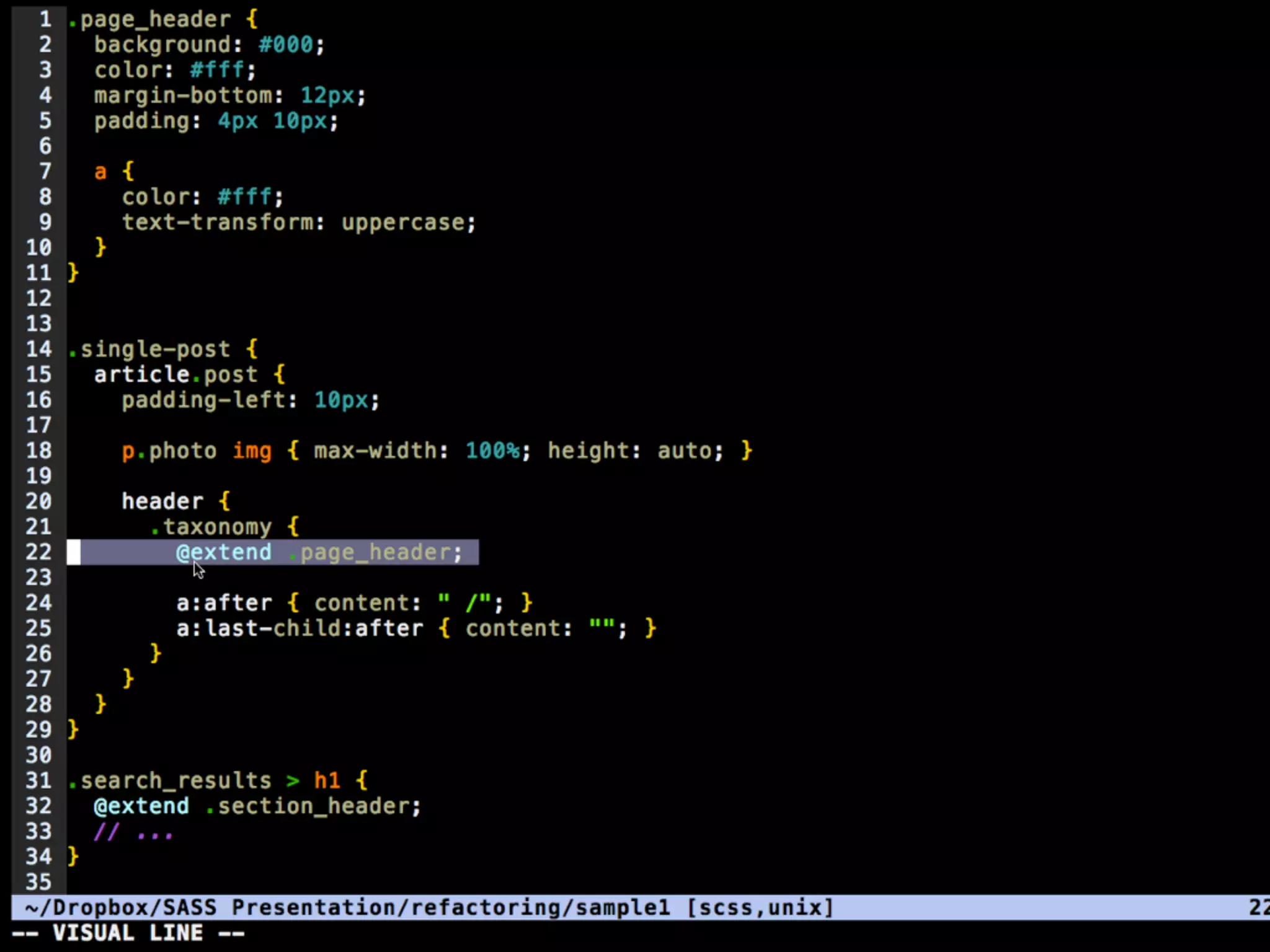
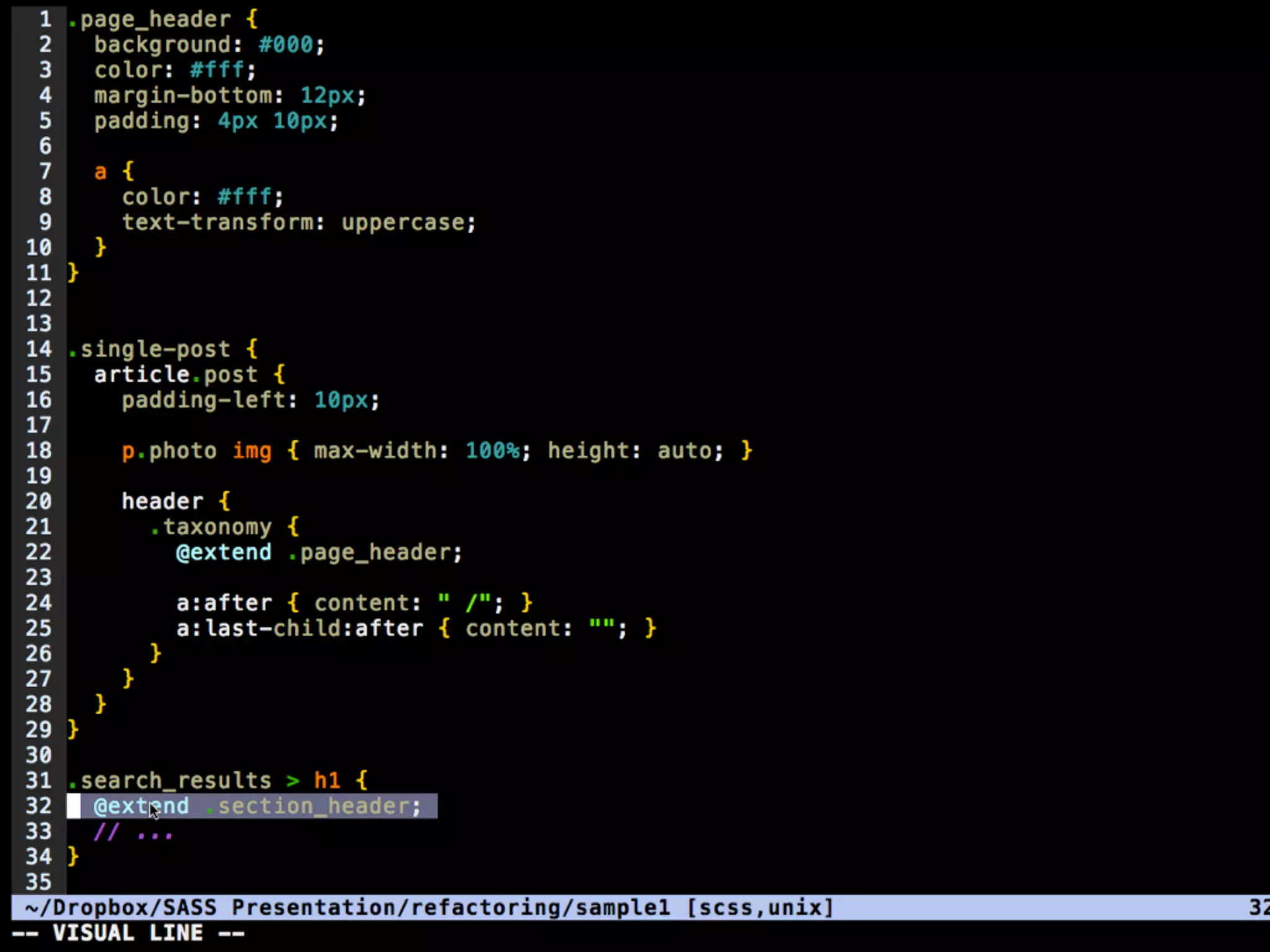
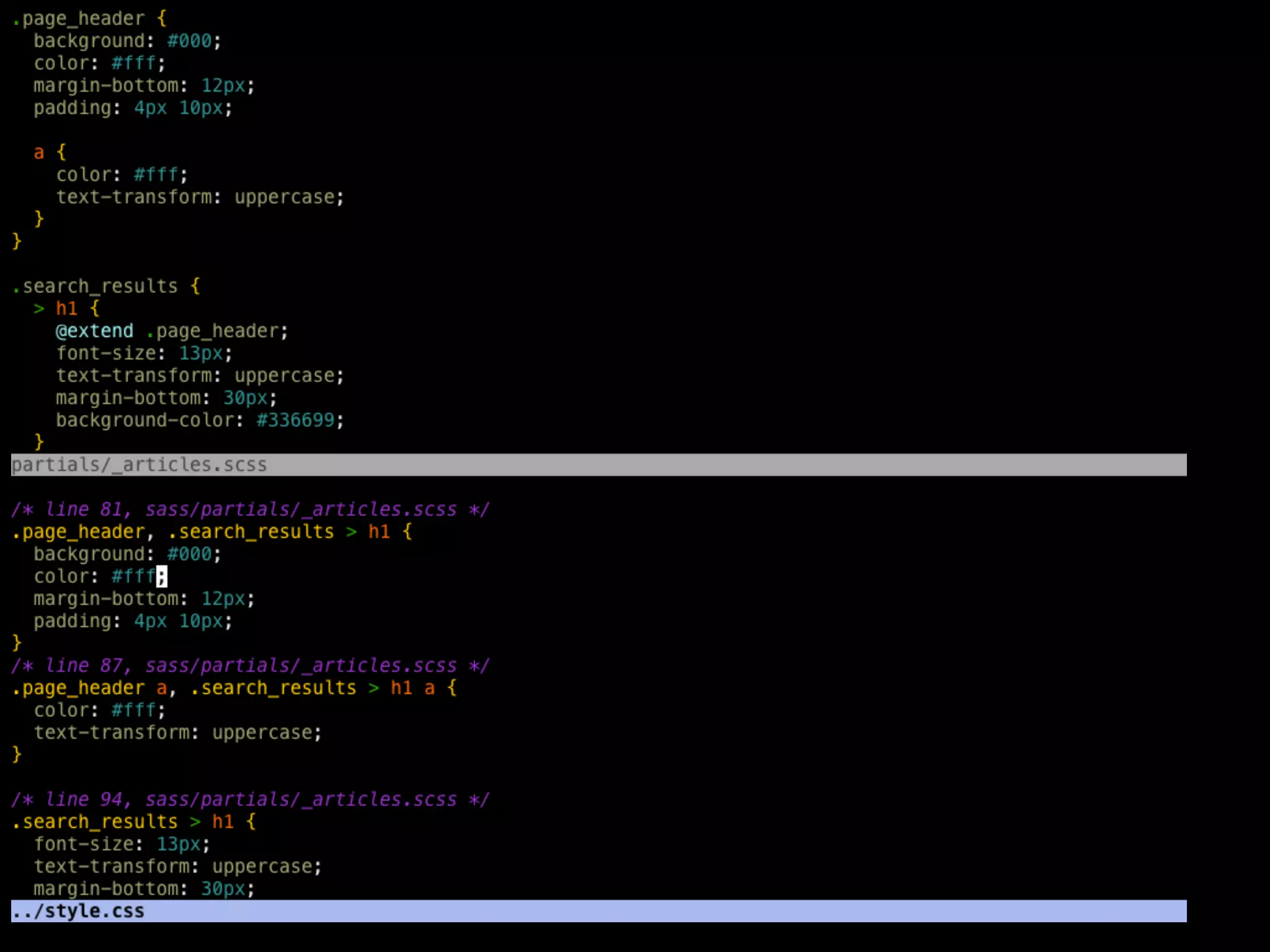
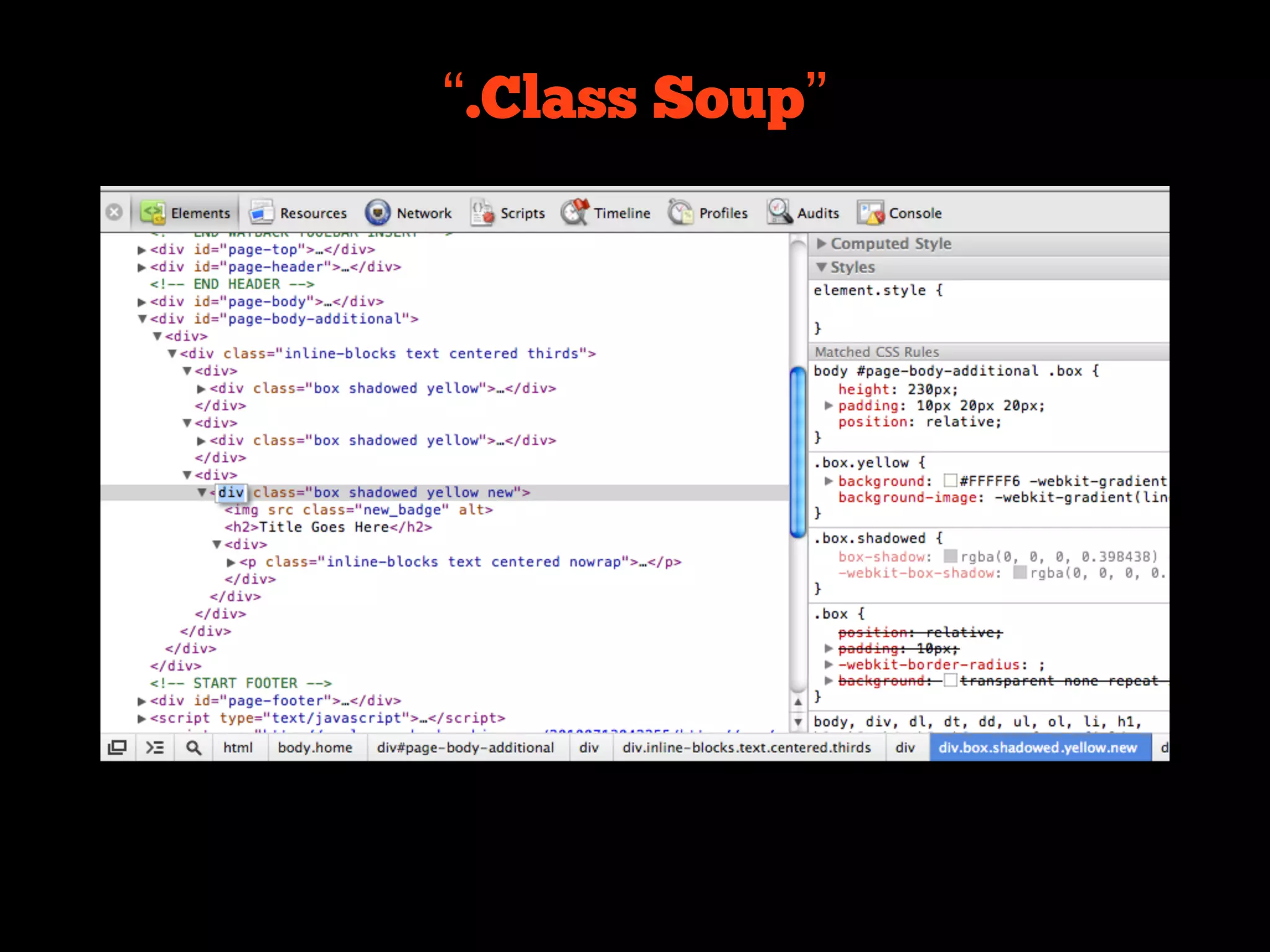
“.Class Soup”
Math
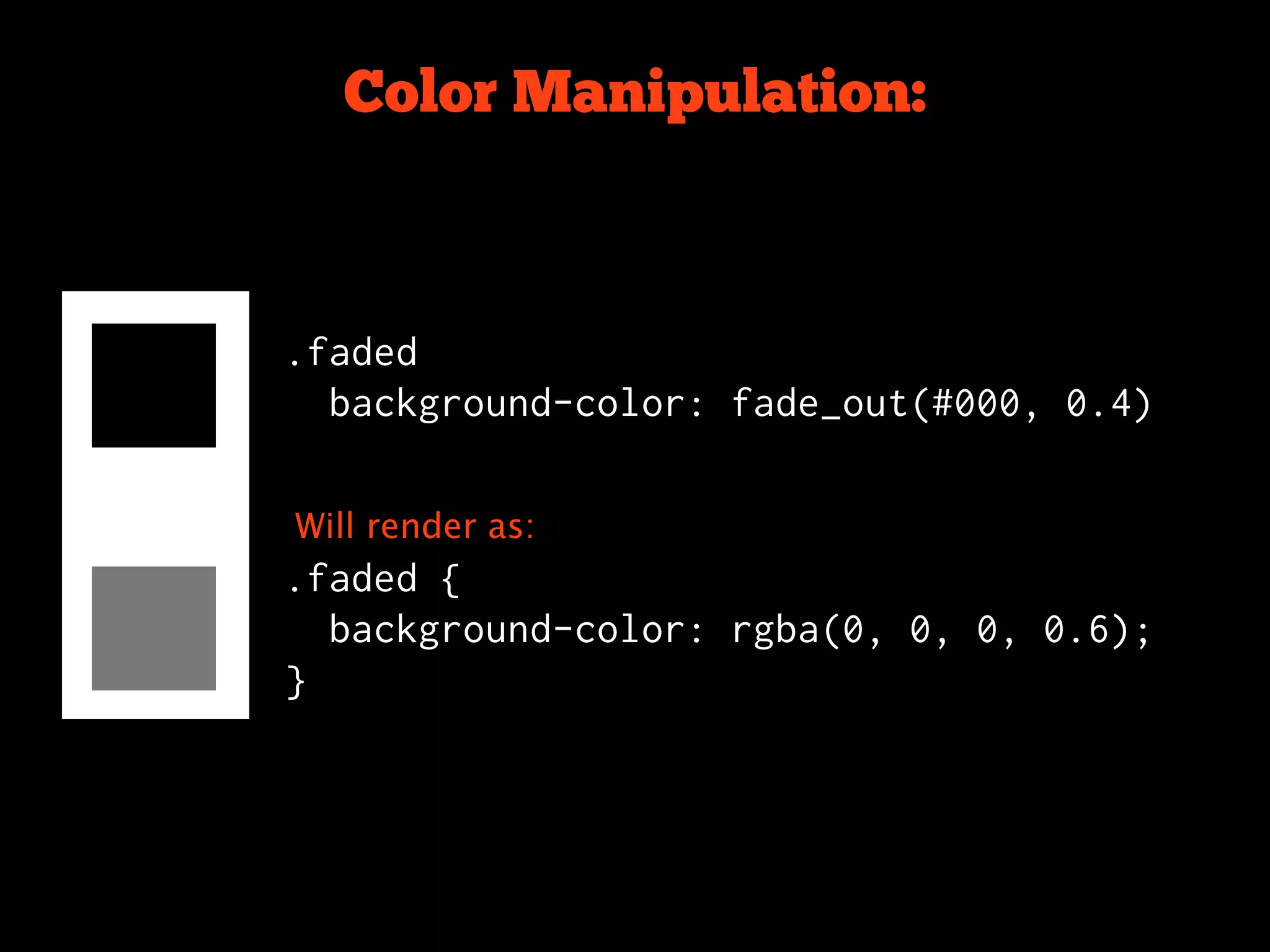
Color Manipulation:


.faded
  background-color: fade_out(#000, 0.4)


Will render as:
.faded {
  background-color: rgba(0, 0, 0, 0.6);
}
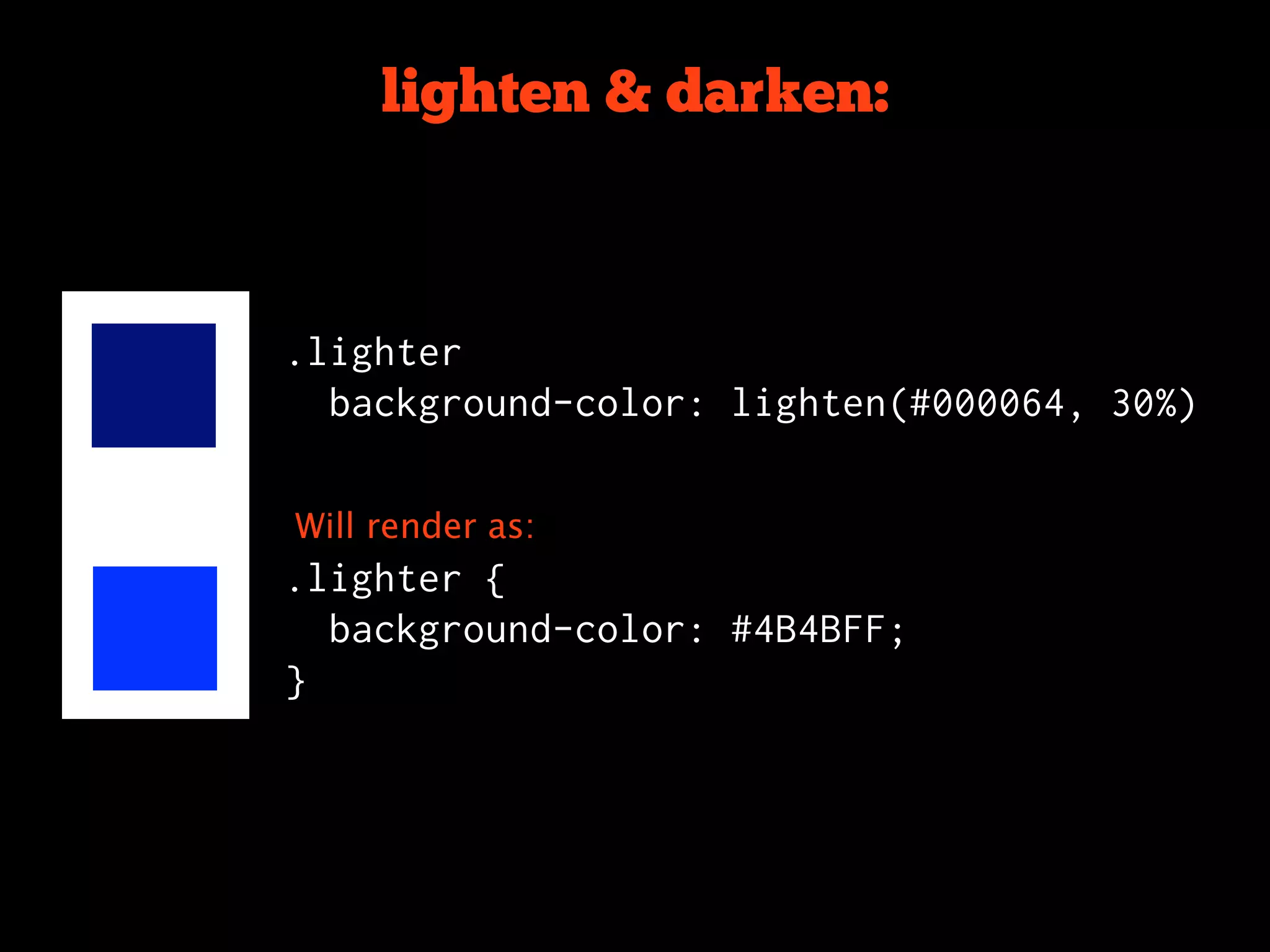
lighten & darken:


.lighter
  background-color: lighten(#000064, 30%)


Will render as:
.lighter {
  background-color: #4B4BFF;
}
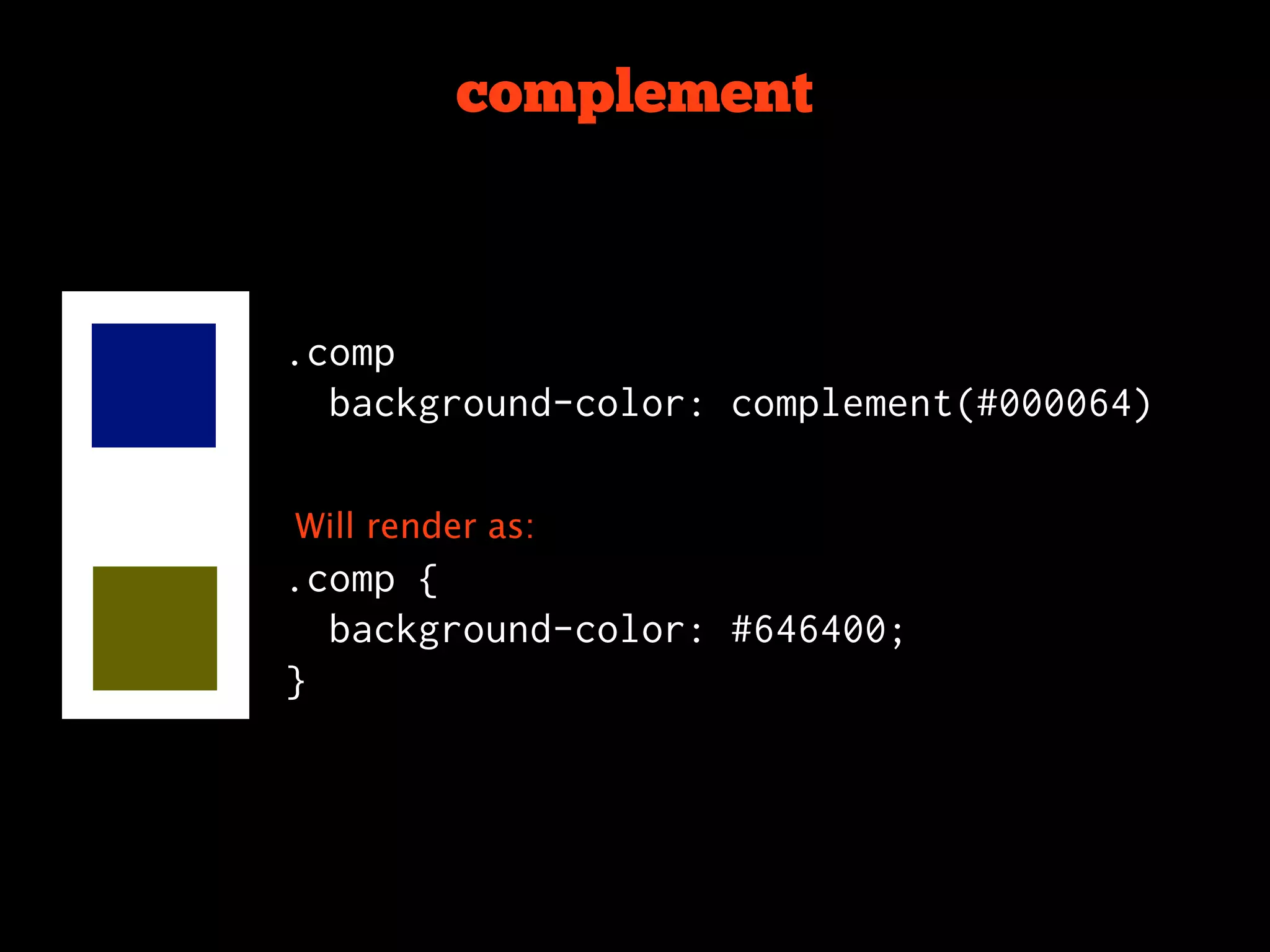
complement


.comp
  background-color: complement(#000064)


Will render as:
.comp {
  background-color: #646400;
}
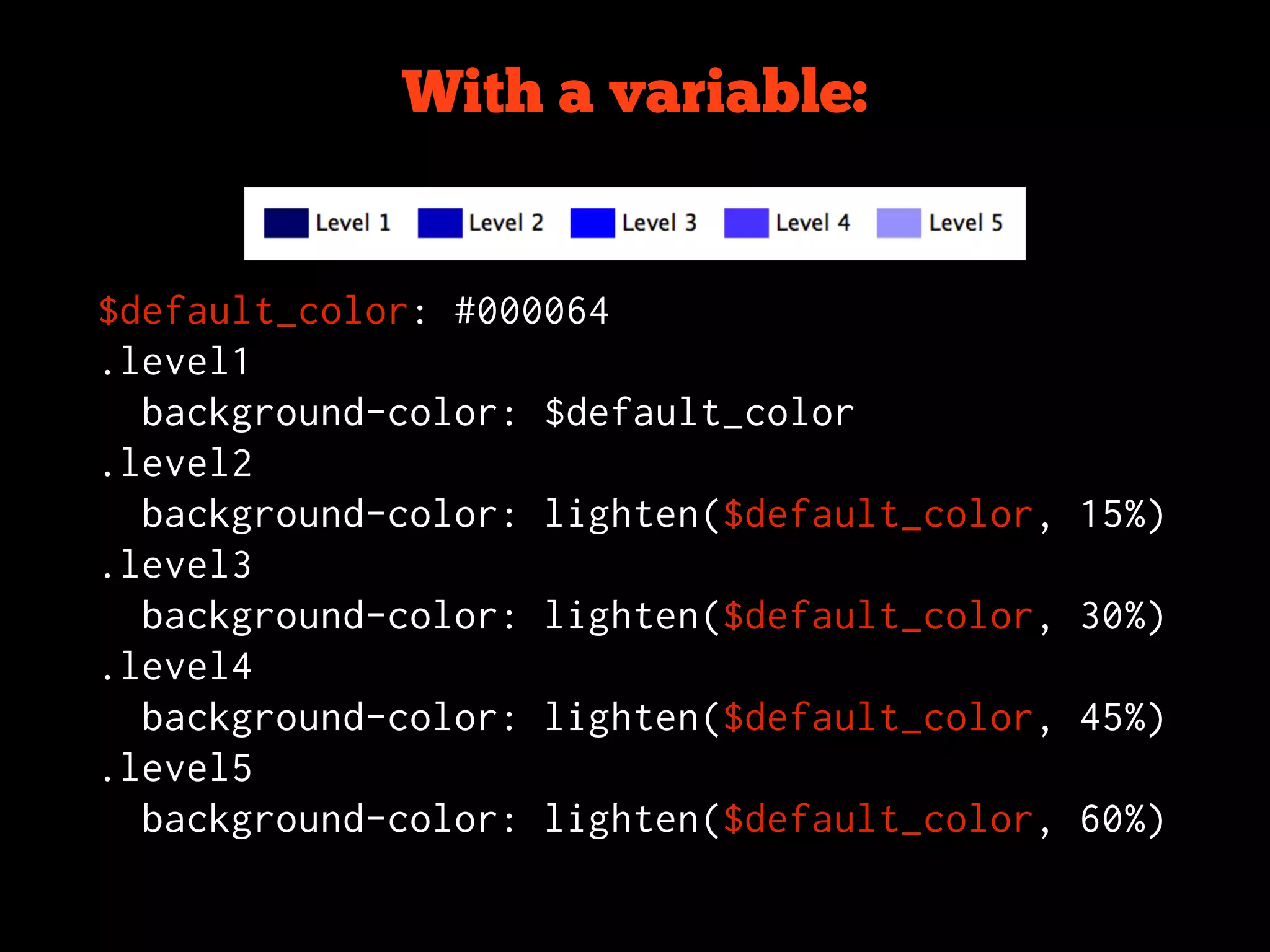
With a variable:


$default_color: #000064
.level1
  background-color: $default_color
.level2
  background-color: lighten($default_color,   15%)
.level3
  background-color: lighten($default_color,   30%)
.level4
  background-color: lighten($default_color,   45%)
.level5
  background-color: lighten($default_color,   60%)
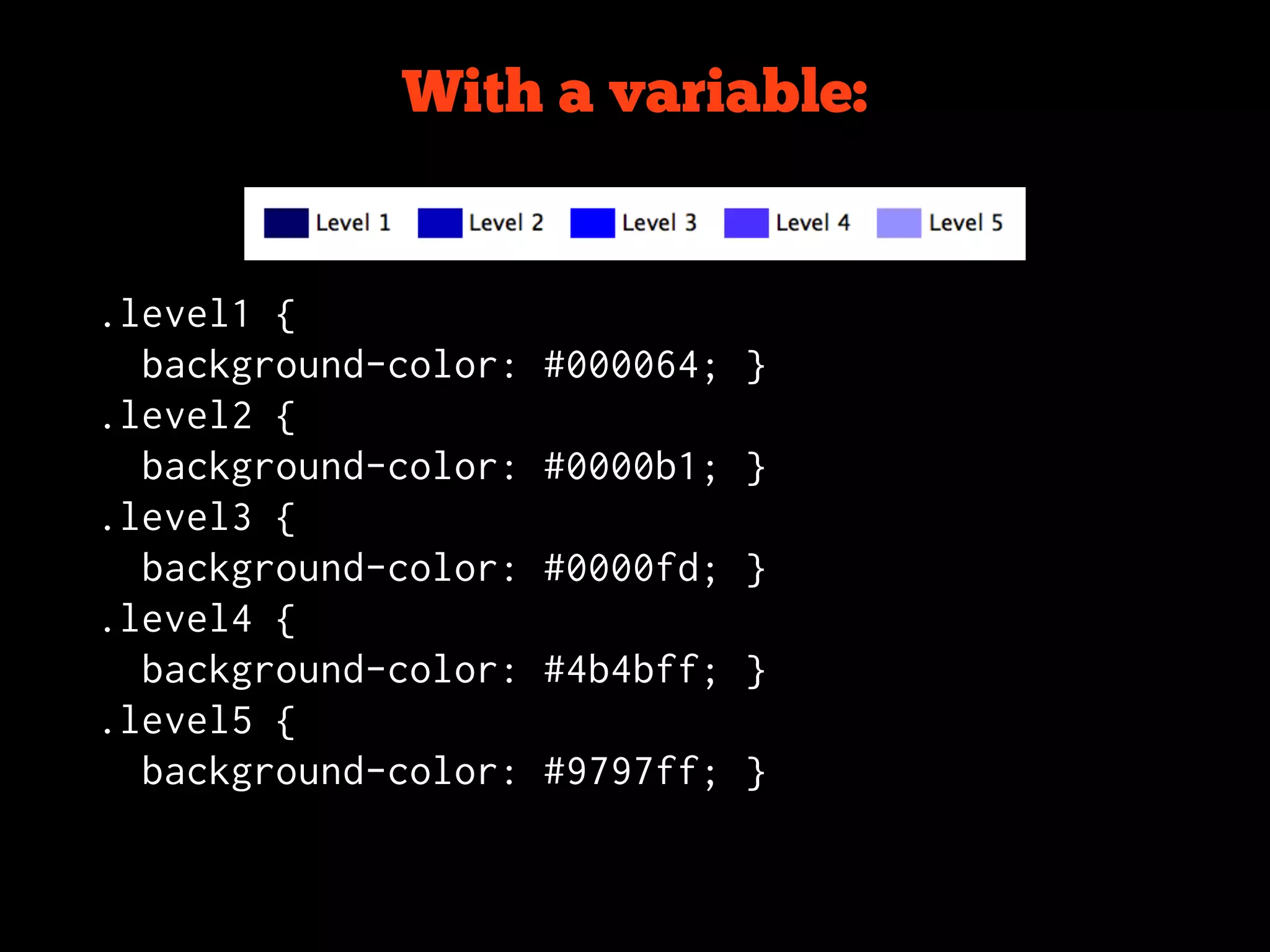
With a variable:


.level1 {
  background-color:   #000064; }
.level2 {
  background-color:   #0000b1; }
.level3 {
  background-color:   #0000fd; }
.level4 {
  background-color:   #4b4bff; }
.level5 {
  background-color:   #9797ff; }
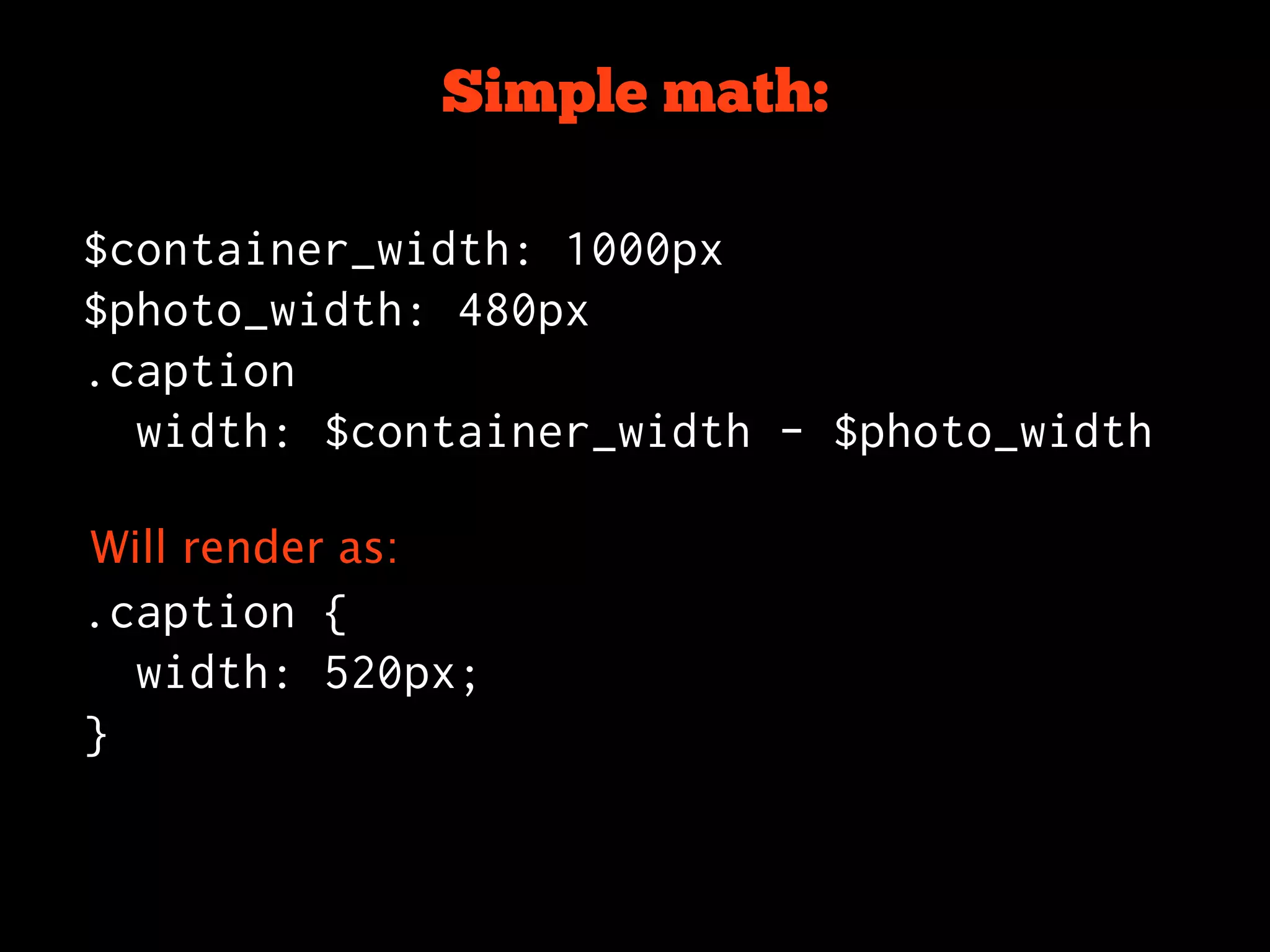
Simple math:

$container_width: 1000px
$photo_width: 480px
.caption
  width: $container_width - $photo_width

Will render as:
.caption {
  width: 520px;
}
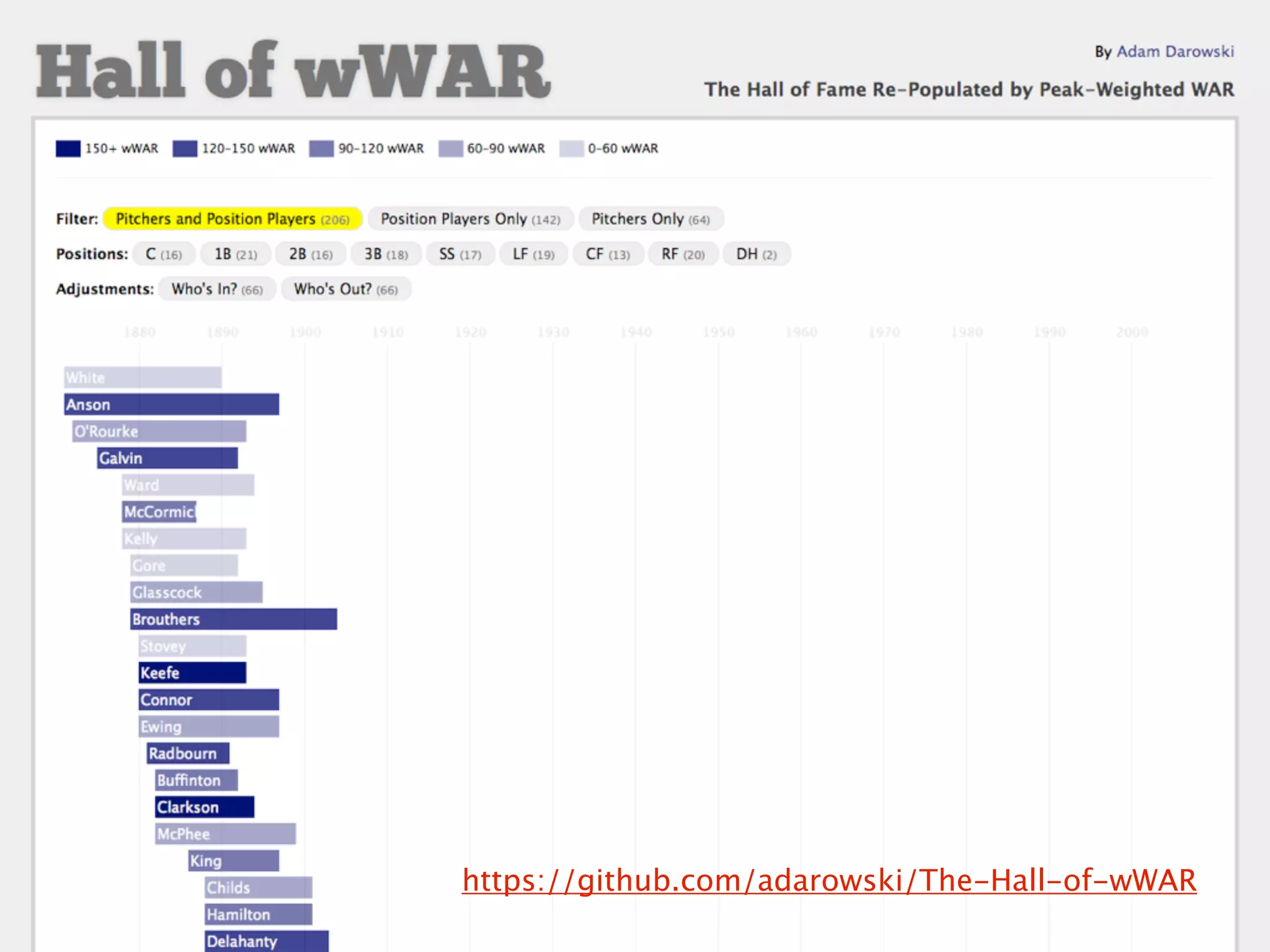
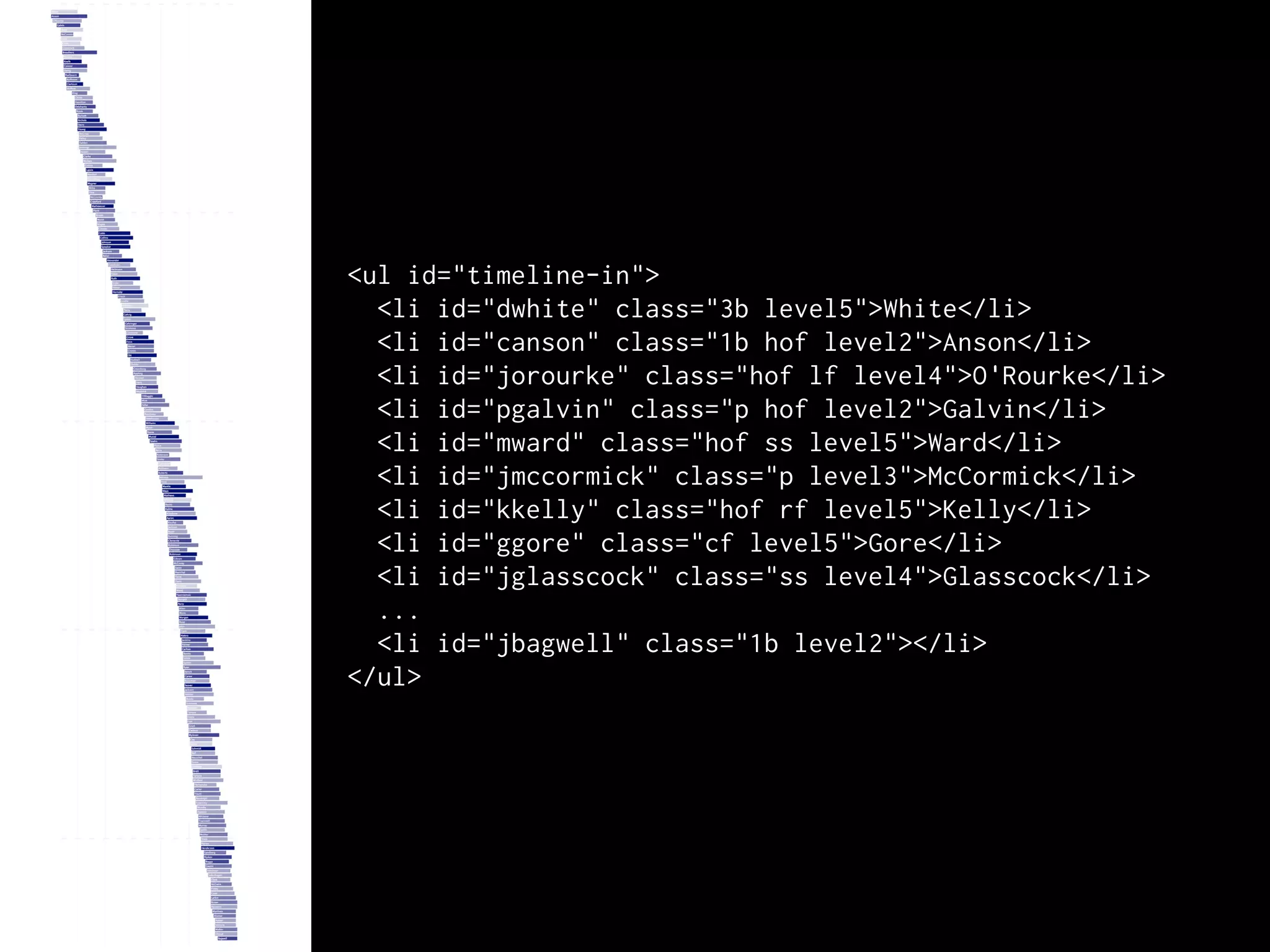
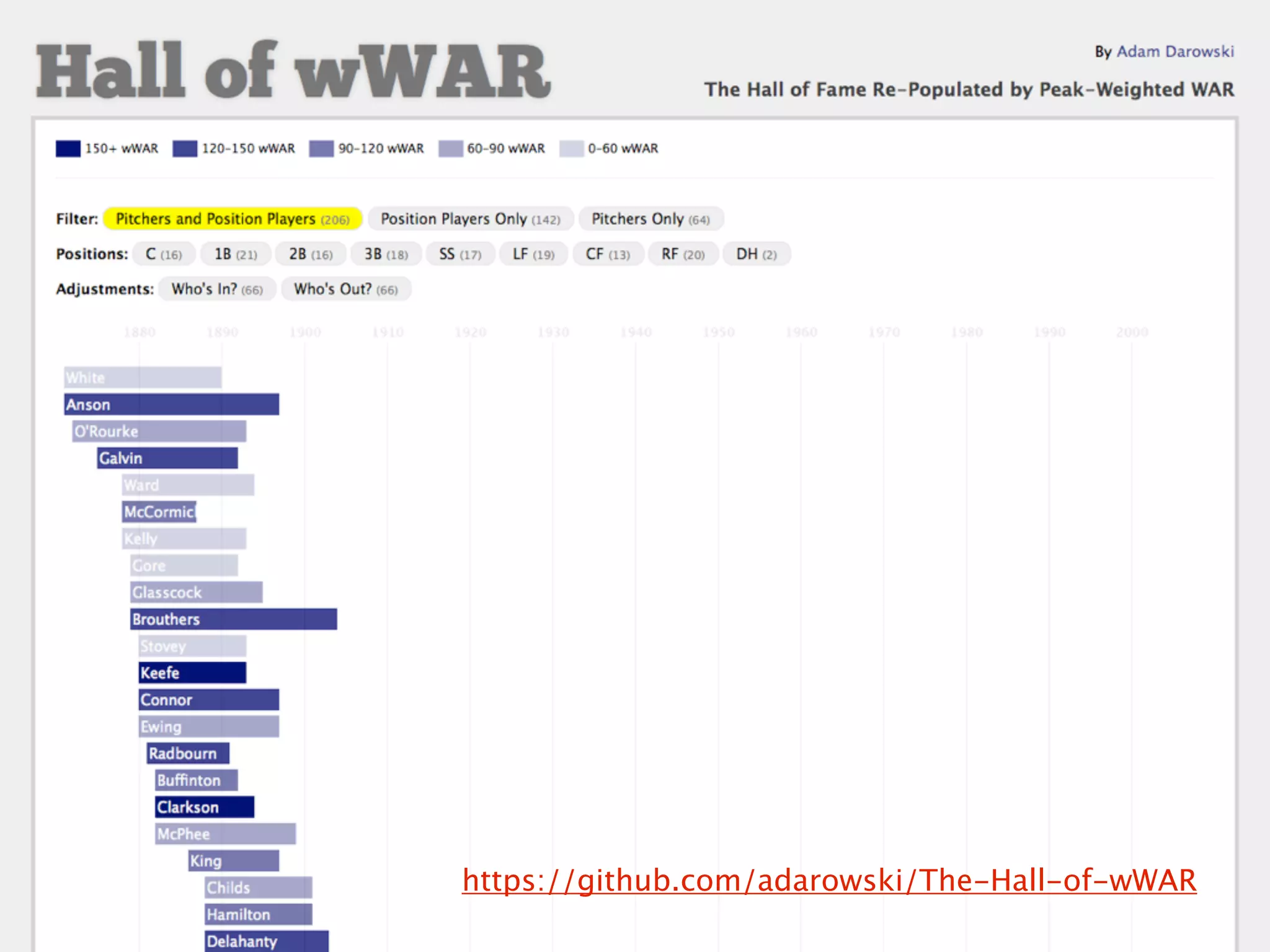
https://github.com/adarowski/The-Hall-of-wWAR
<ul id="timeline-in">
  <li id="dwhite" class="3b level5">White</li>
  <li id="canson" class="1b hof level2">Anson</li>
  <li id="jorourke" class="hof lf level4">O'Rourke</li>
  <li id="pgalvin" class="p hof level2">Galvin</li>
  <li id="mward" class="hof ss level5">Ward</li>
  <li id="jmccormick" class="p level3">McCormick</li>
  <li id="kkelly" class="hof rf level5">Kelly</li>
  <li id="ggore" class="cf level5">Gore</li>
  <li id="jglasscock" class="ss level4">Glasscock</li>
  ...
  <li id="jbagwell" class="1b level2"></li>
</ul>
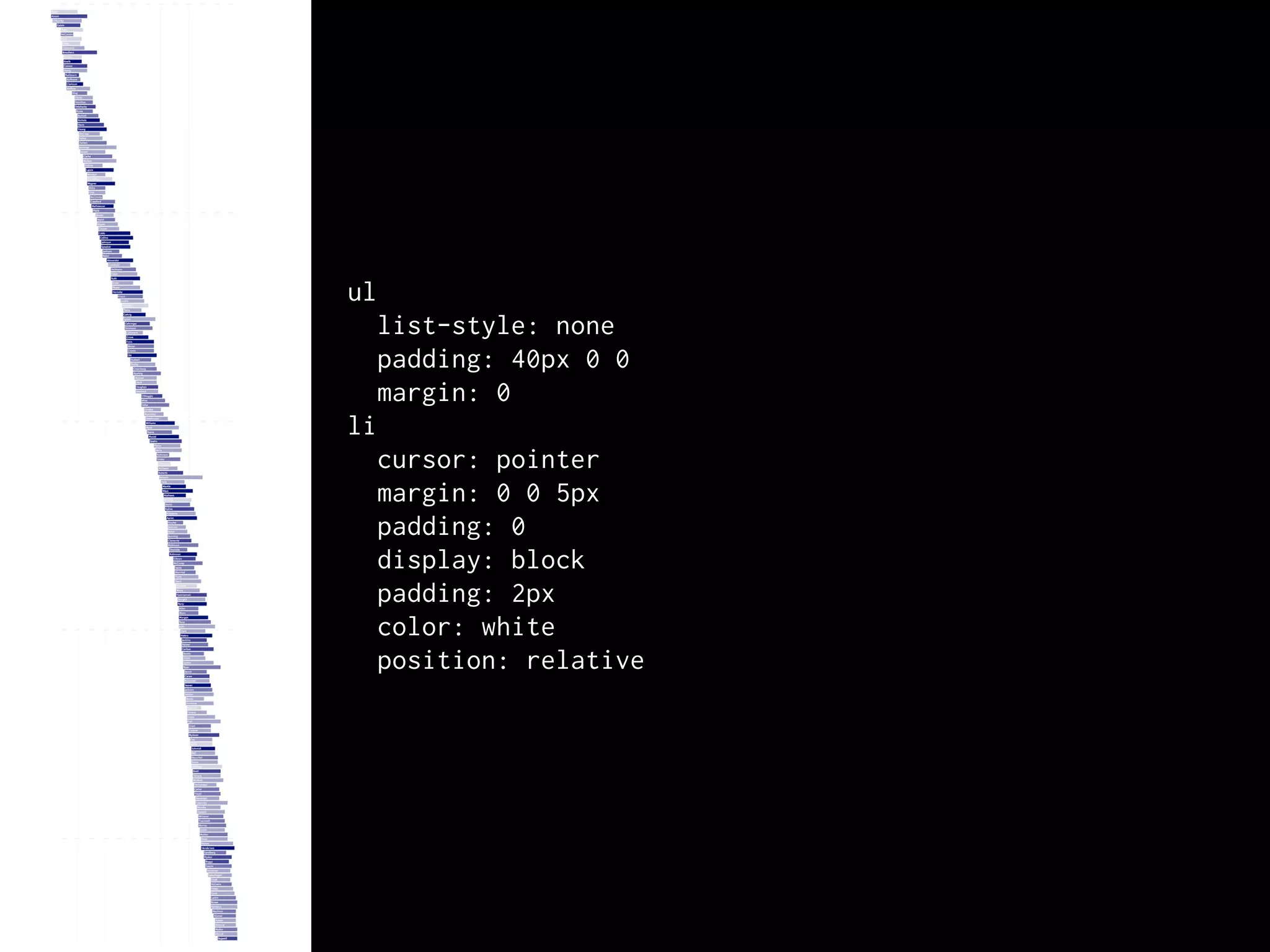
ul
  list-style: none
  padding: 40px 0 0
  margin: 0
li
  cursor: pointer
  margin: 0 0 5px
  padding: 0
  display: block
  padding: 2px
  color: white
  position: relative
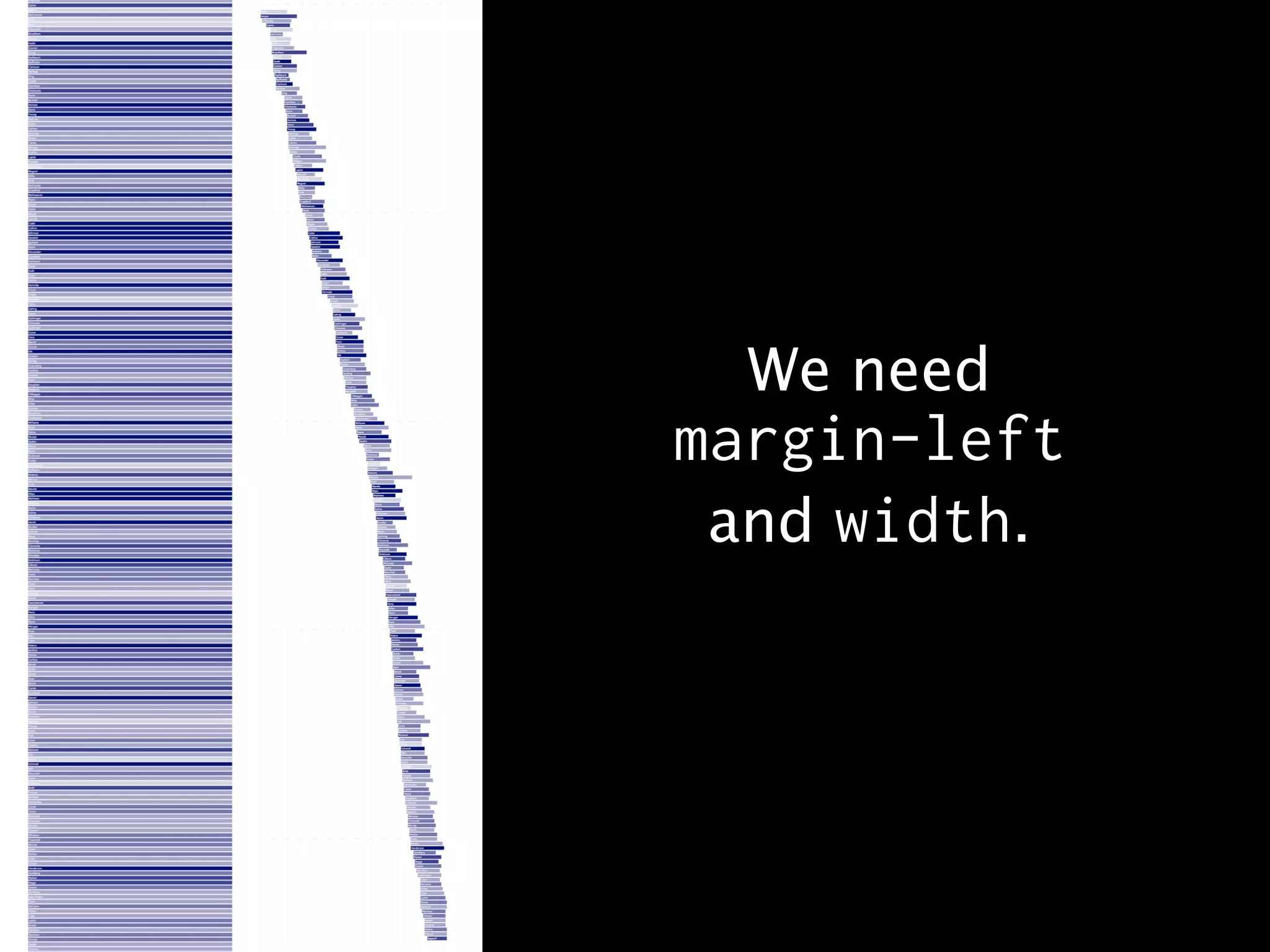
We need
margin-left
 and width.
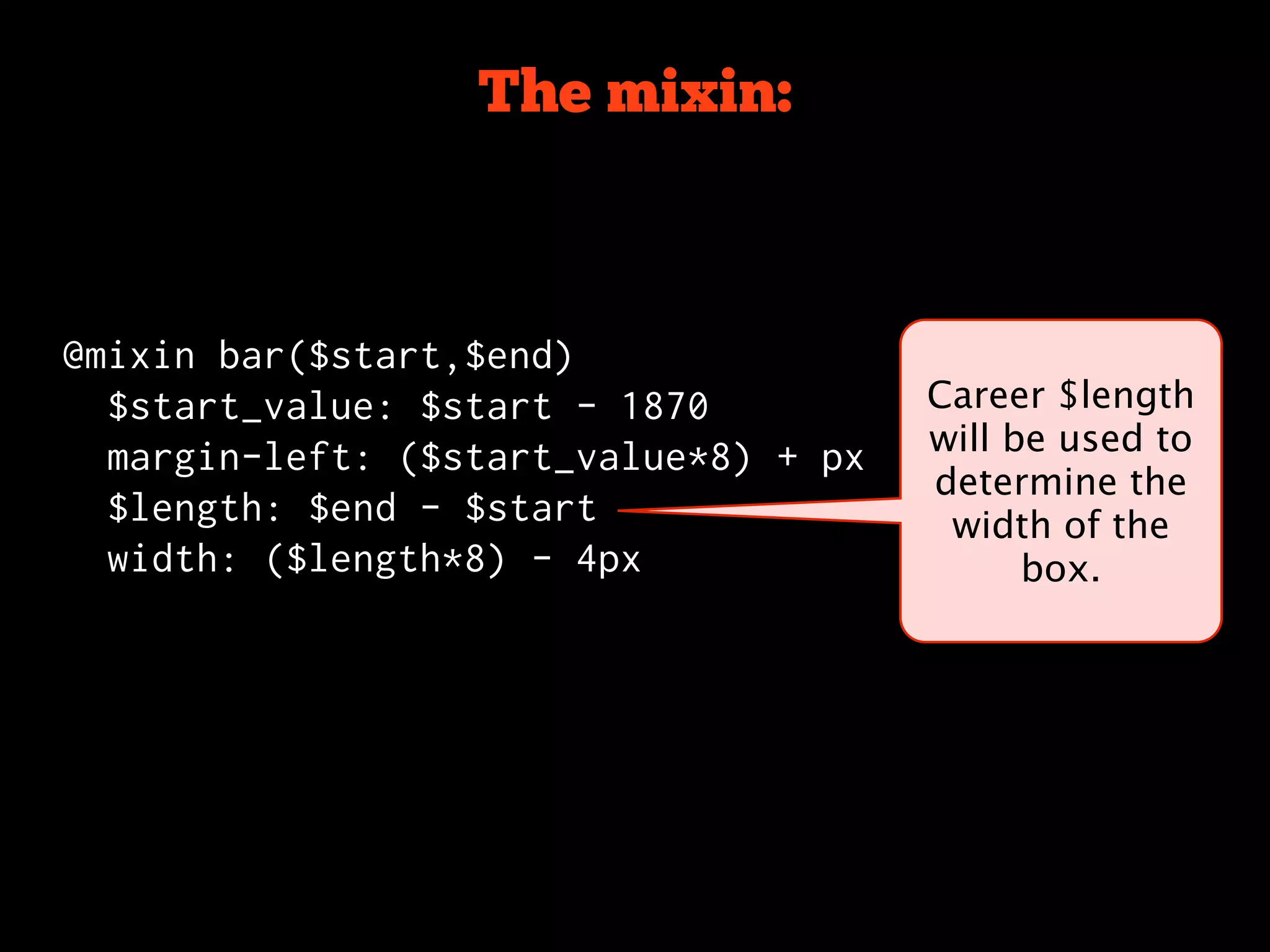
The mixin:


@mixin bar($start,$end)
  $start_value: $start - 1870
  margin-left: ($start_value*8) + px
  $length: $end - $start
  width: ($length*8) - 4px
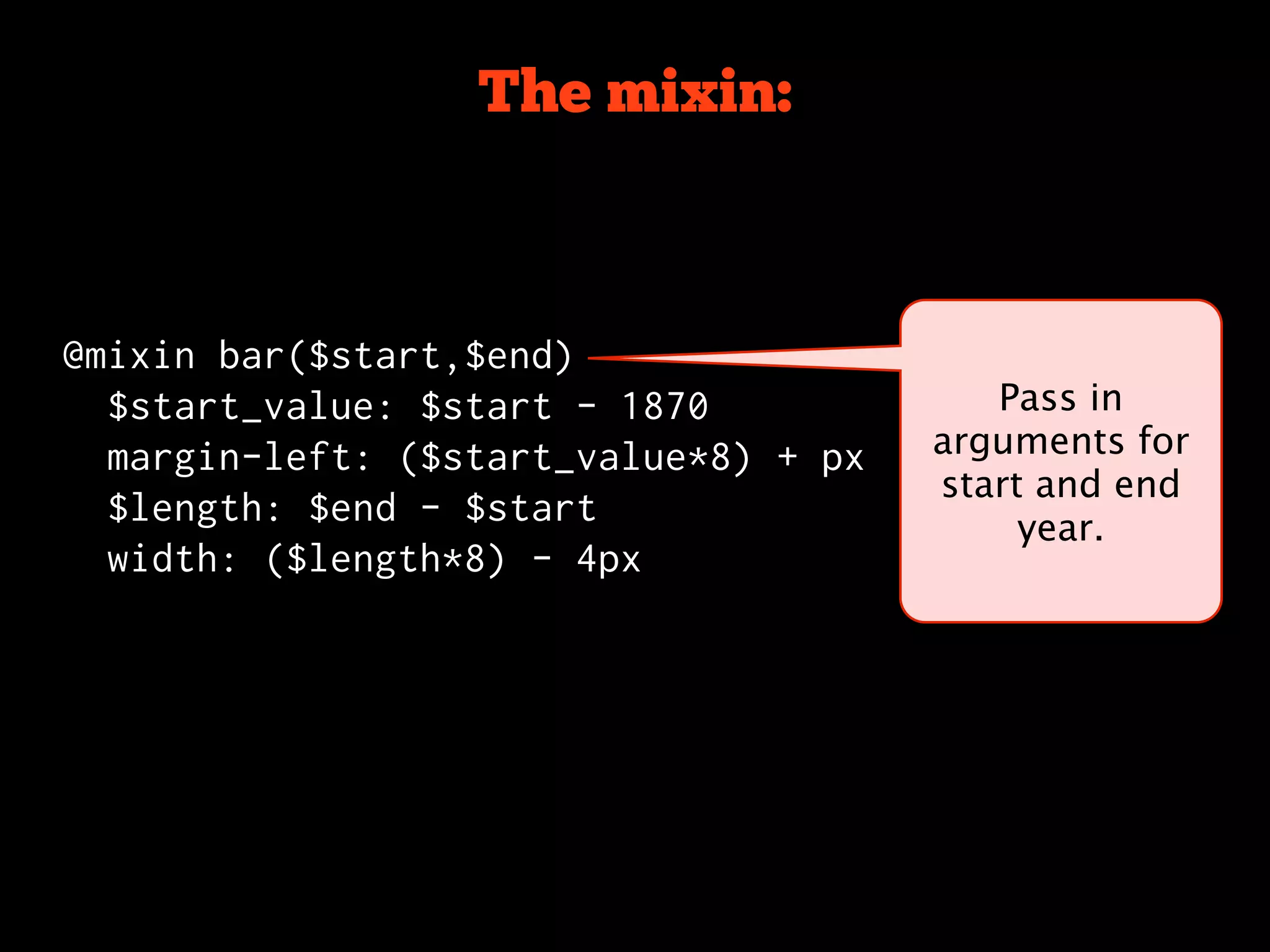
The mixin:


@mixin bar($start,$end)
  $start_value: $start - 1870             Pass in
  margin-left: ($start_value*8) + px   arguments for
                                       start and end
  $length: $end - $start
                                            year.
  width: ($length*8) - 4px
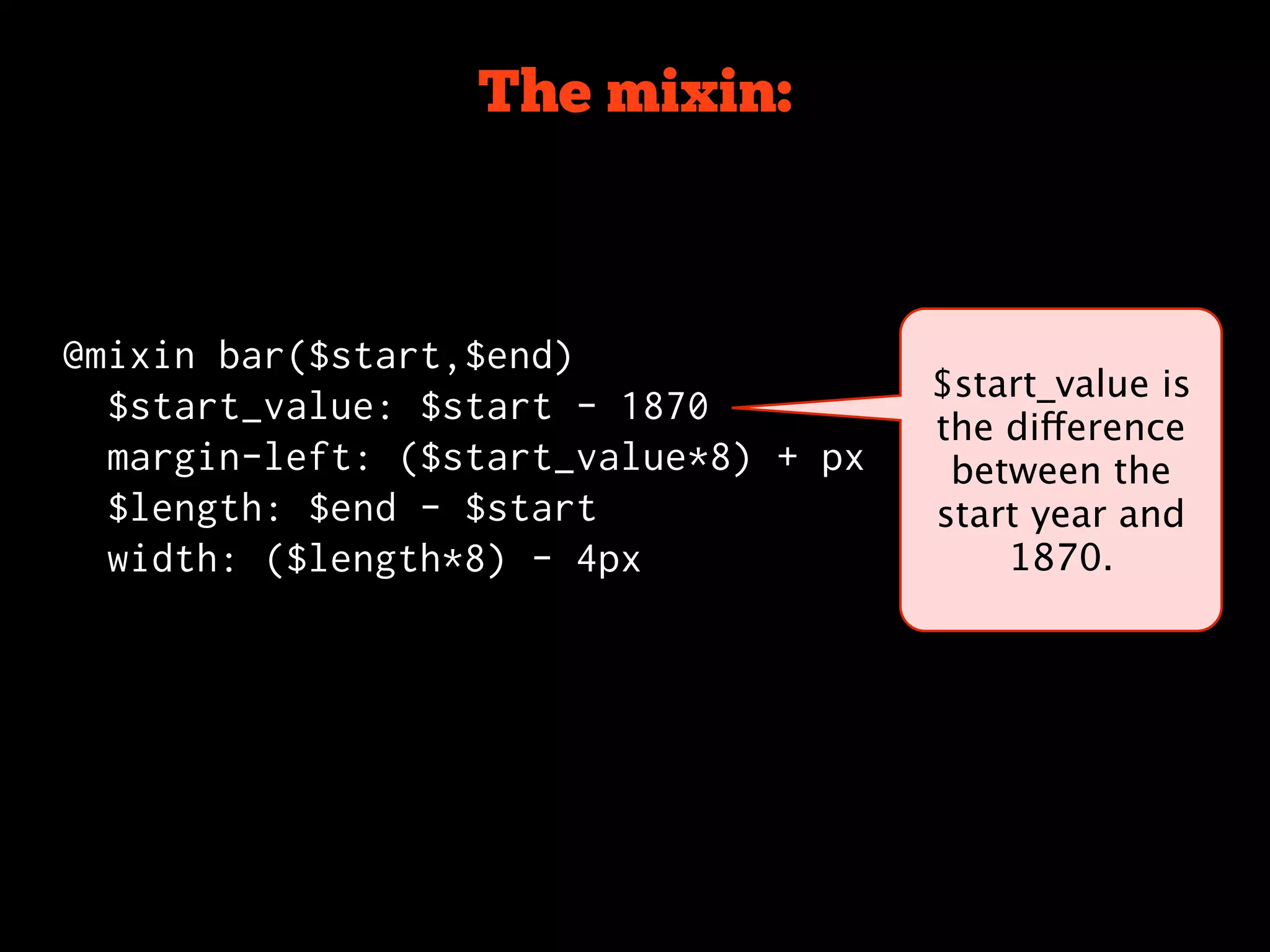
The mixin:


@mixin bar($start,$end)
                                       $start_value is
  $start_value: $start - 1870
                                       the difference
  margin-left: ($start_value*8) + px    between the
  $length: $end - $start               start year and
  width: ($length*8) - 4px                 1870.
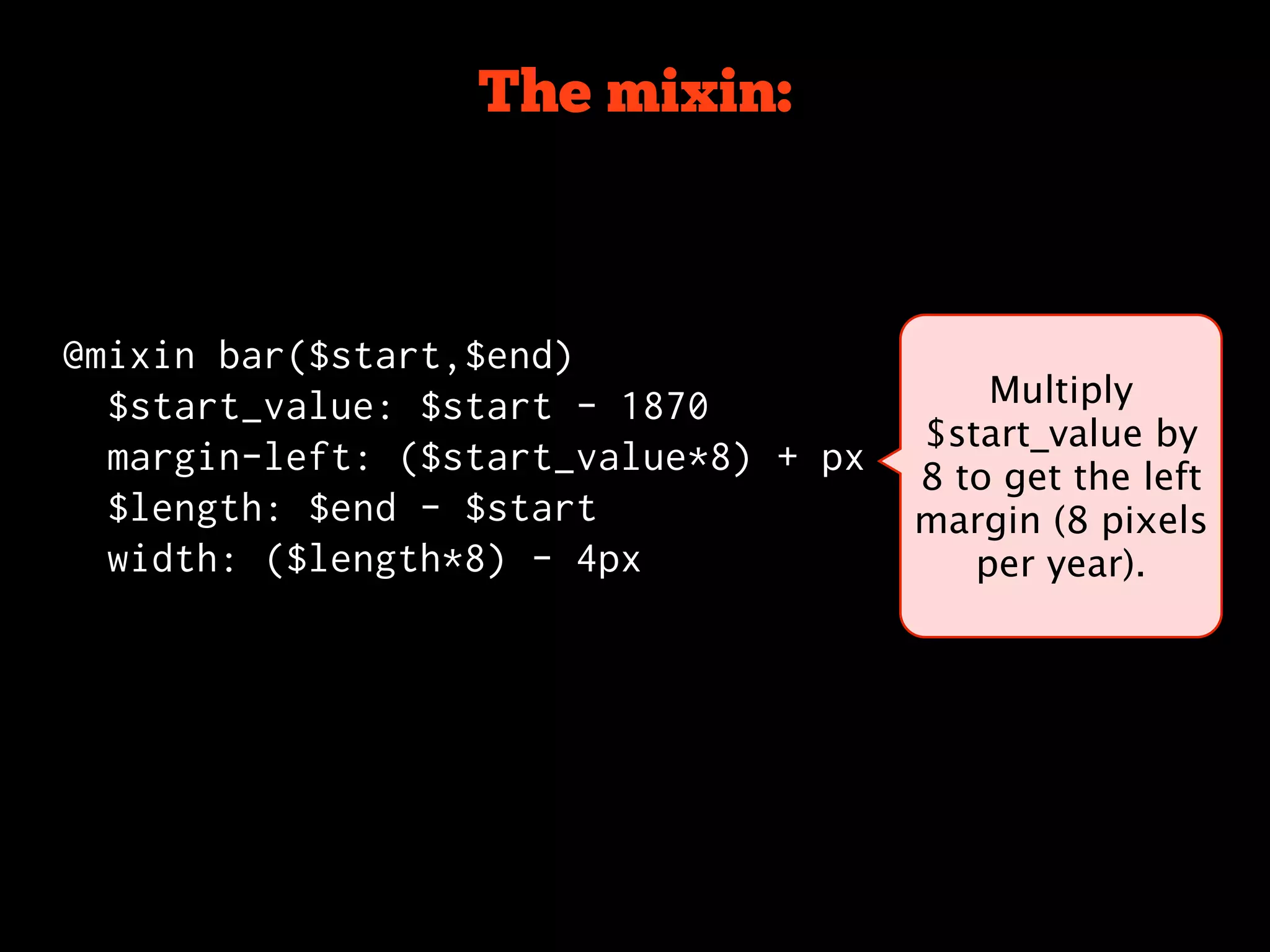
The mixin:


@mixin bar($start,$end)
  $start_value: $start - 1870              Multiply
                                       $start_value by
  margin-left: ($start_value*8) + px
                                       8 to get the left
  $length: $end - $start               margin (8 pixels
  width: ($length*8) - 4px                per year).
The mixin:


@mixin bar($start,$end)
  $start_value: $start - 1870          Career $length
                                       will be used to
  margin-left: ($start_value*8) + px
                                       determine the
  $length: $end - $start                width of the
  width: ($length*8) - 4px                   box.
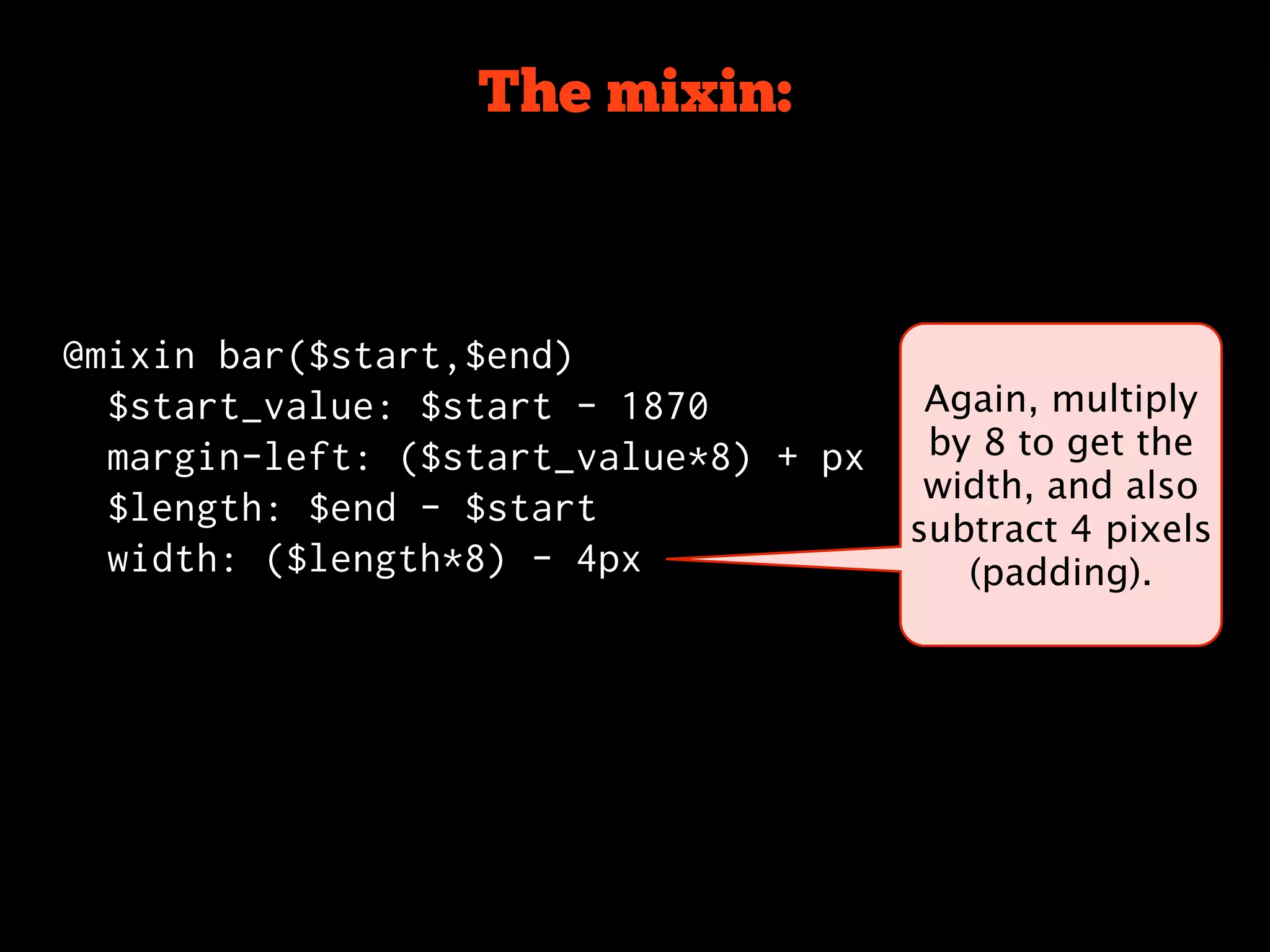
The mixin:


@mixin bar($start,$end)
  $start_value: $start - 1870           Again, multiply
  margin-left: ($start_value*8) + px    by 8 to get the
                                        width, and also
  $length: $end - $start
                                       subtract 4 pixels
  width: ($length*8) - 4px                (padding).
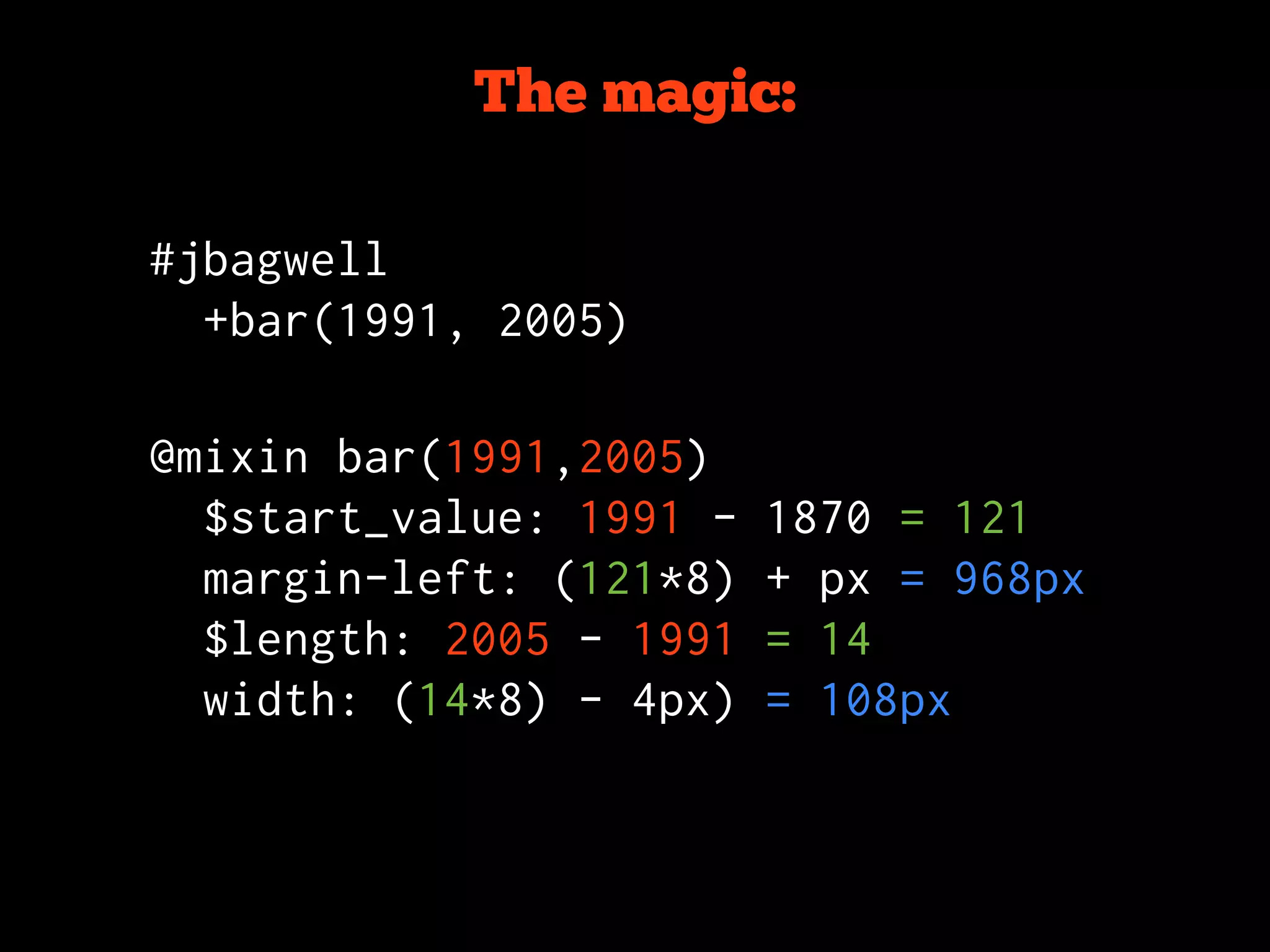
The magic:

#jbagwell
  +bar(1991, 2005)


@mixin bar(1991,2005)
  $start_value: 1991 -   1870 = 121
  margin-left: (121*8)   + px = 968px
  $length: 2005 - 1991   = 14
  width: (14*8) - 4px)   = 108px
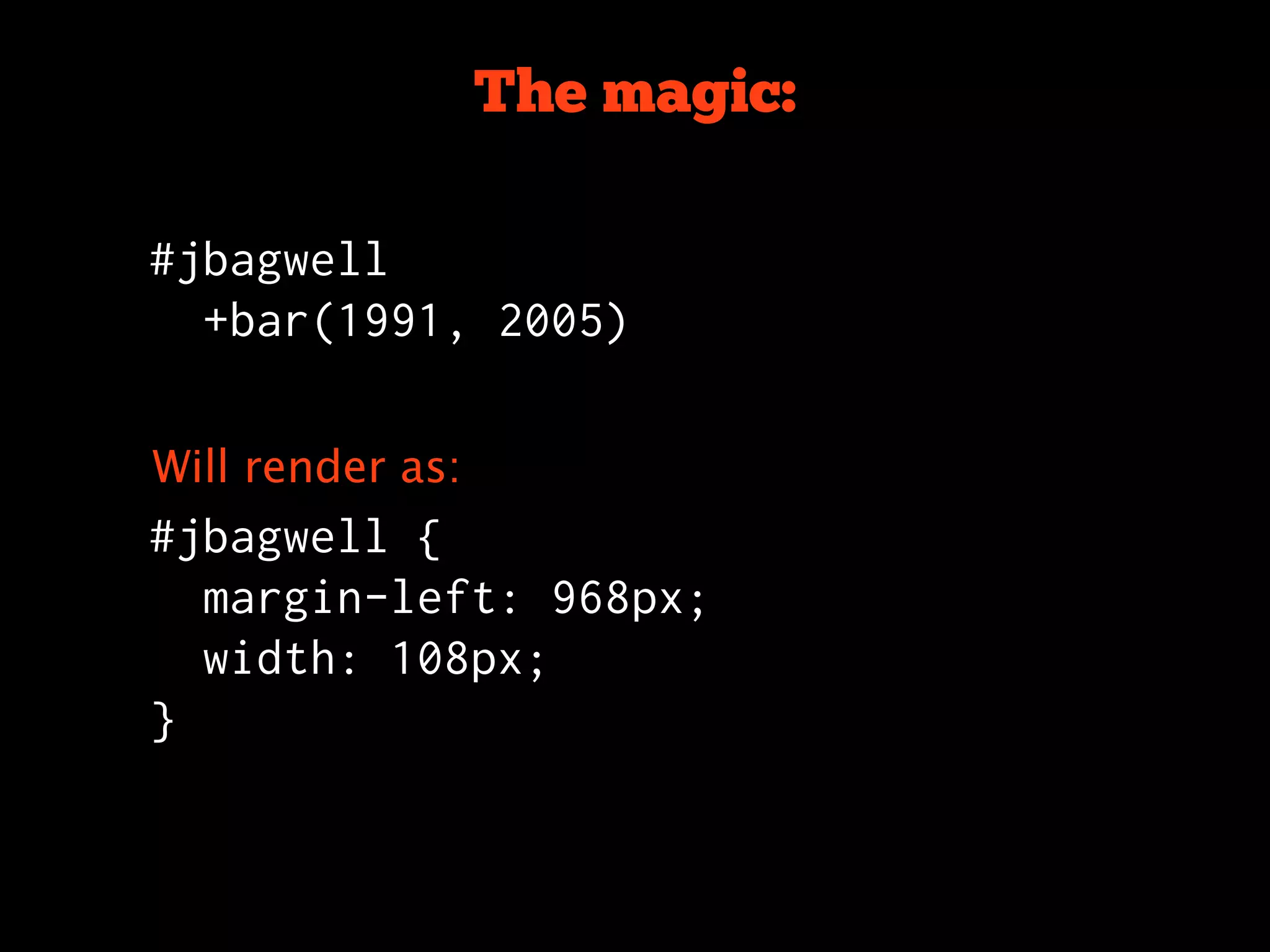
The magic:

#jbagwell
  +bar(1991, 2005)


Will render as:
#jbagwell {
  margin-left: 968px;
  width: 108px;
}
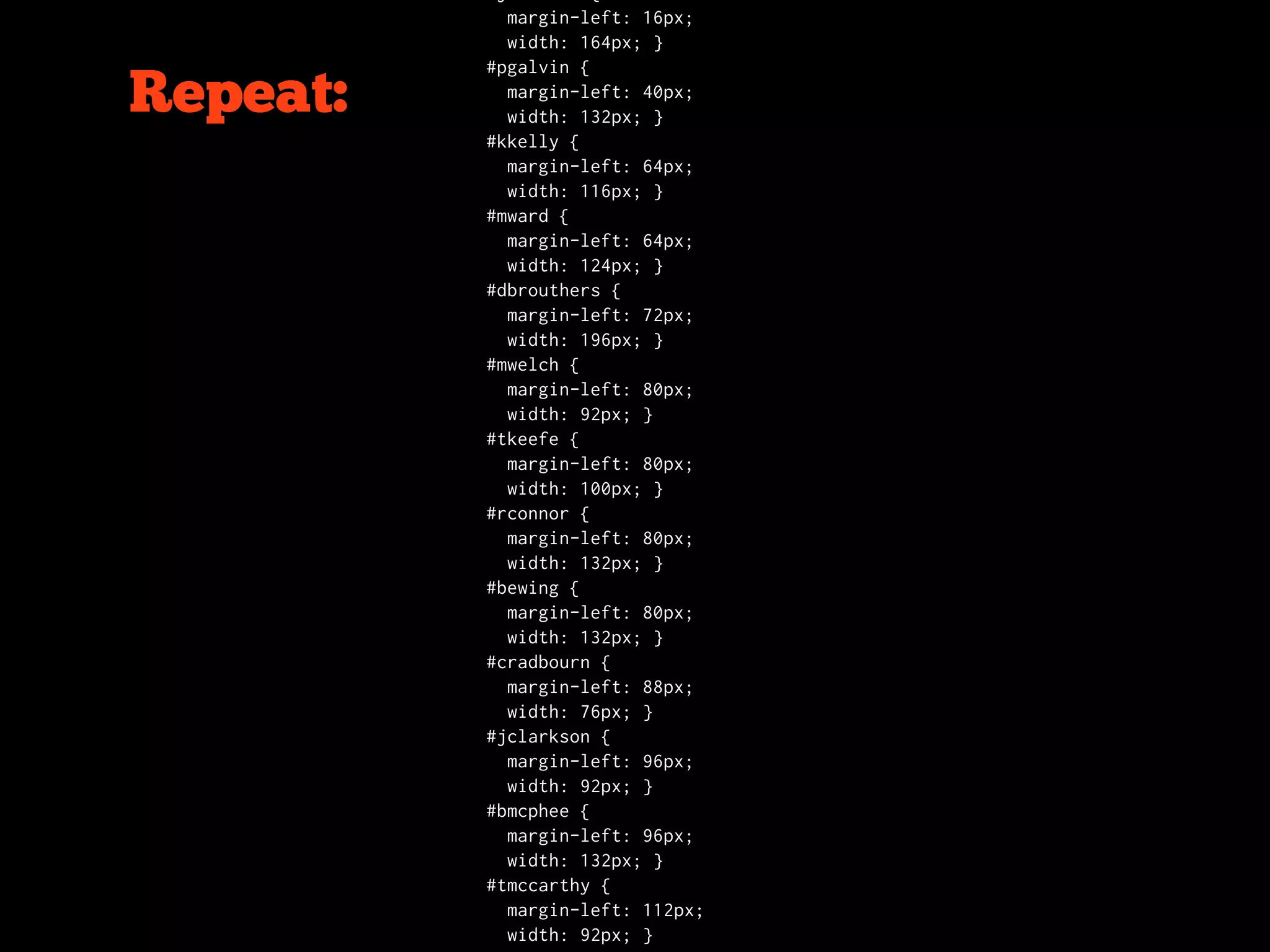
margin-left: 16px;
            width: 164px; }
          #pgalvin {

Repeat:     margin-left: 40px;
            width: 132px; }
          #kkelly {
            margin-left: 64px;
            width: 116px; }
          #mward {
            margin-left: 64px;
            width: 124px; }
          #dbrouthers {
            margin-left: 72px;
            width: 196px; }
          #mwelch {
            margin-left: 80px;
            width: 92px; }
          #tkeefe {
            margin-left: 80px;
            width: 100px; }
          #rconnor {
            margin-left: 80px;
            width: 132px; }
          #bewing {
            margin-left: 80px;
            width: 132px; }
          #cradbourn {
            margin-left: 88px;
            width: 76px; }
          #jclarkson {
            margin-left: 96px;
            width: 92px; }
          #bmcphee {
            margin-left: 96px;
            width: 132px; }
          #tmccarthy {
            margin-left: 112px;
            width: 92px; }
https://github.com/adarowski/The-Hall-of-wWAR
Wrapping Up
Installation
$ sudo gem install haml

c:> ruby gem install haml
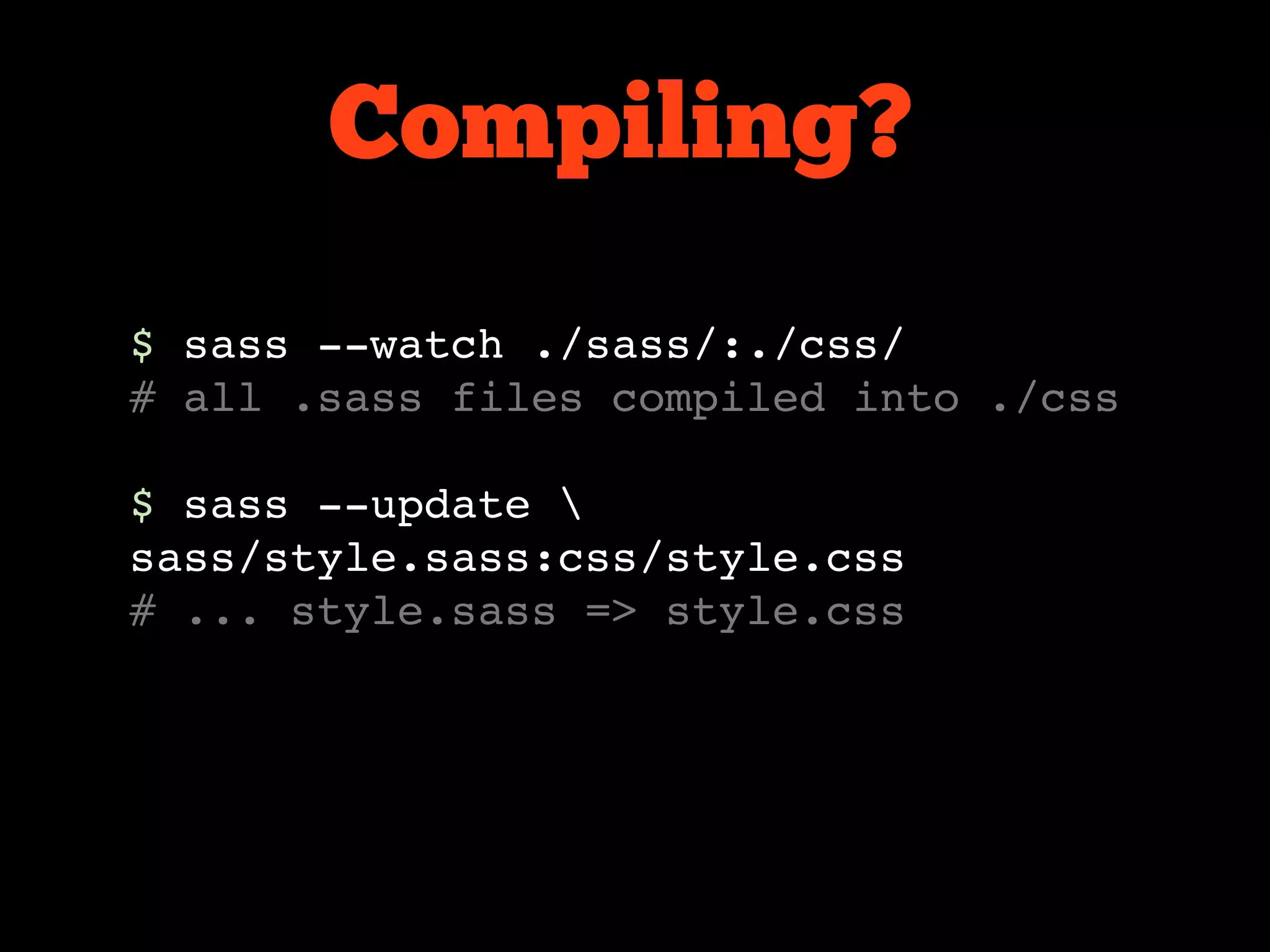
Compiling?
$ sass --watch ./sass/:./css/
# all .sass files compiled into ./css

$ sass --update 
sass/style.sass:css/style.css
# ... style.sass => style.css
Compiling?
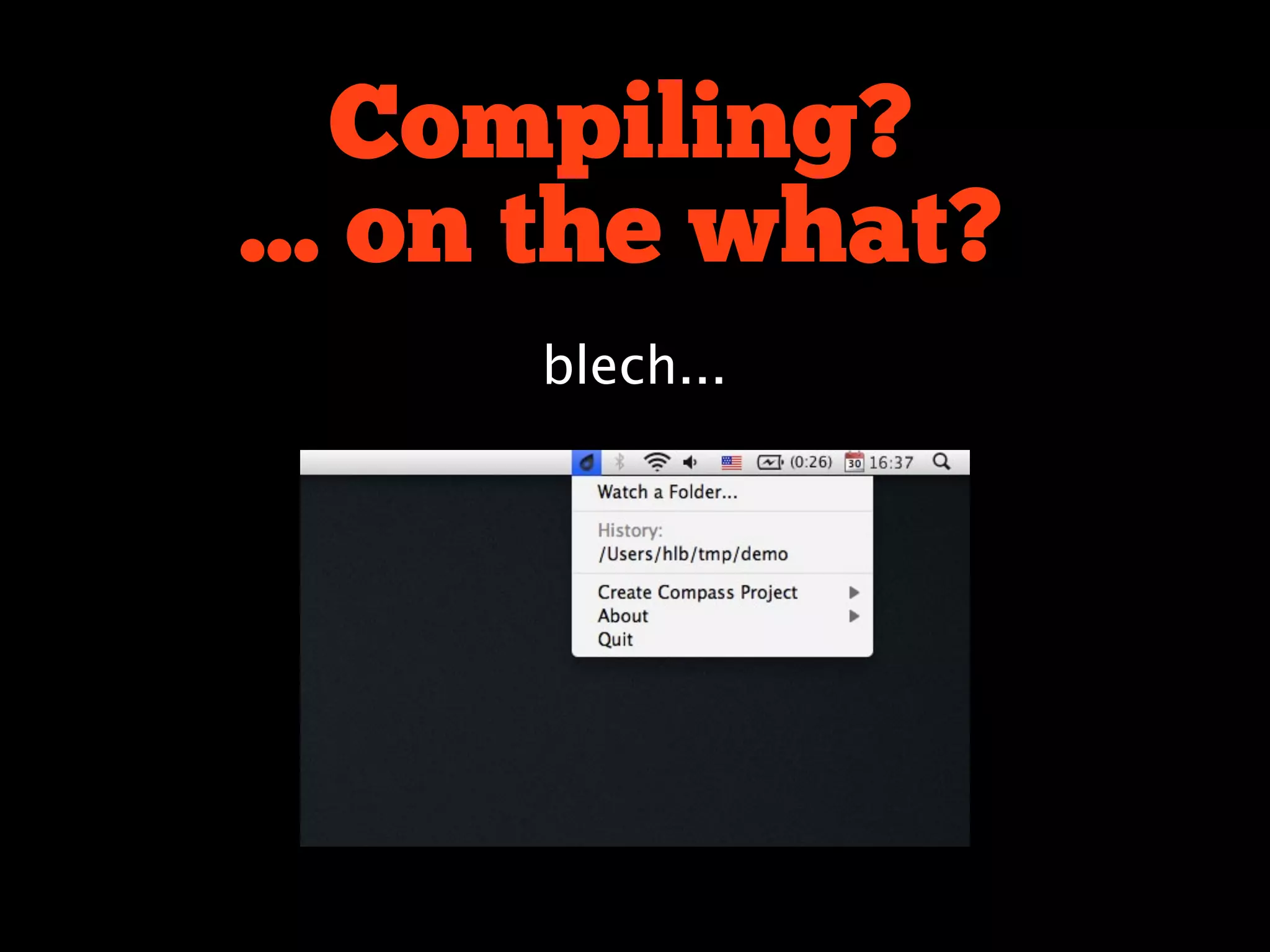
... on the what?
      blech...
Compiling?
... on the what?
      blech...
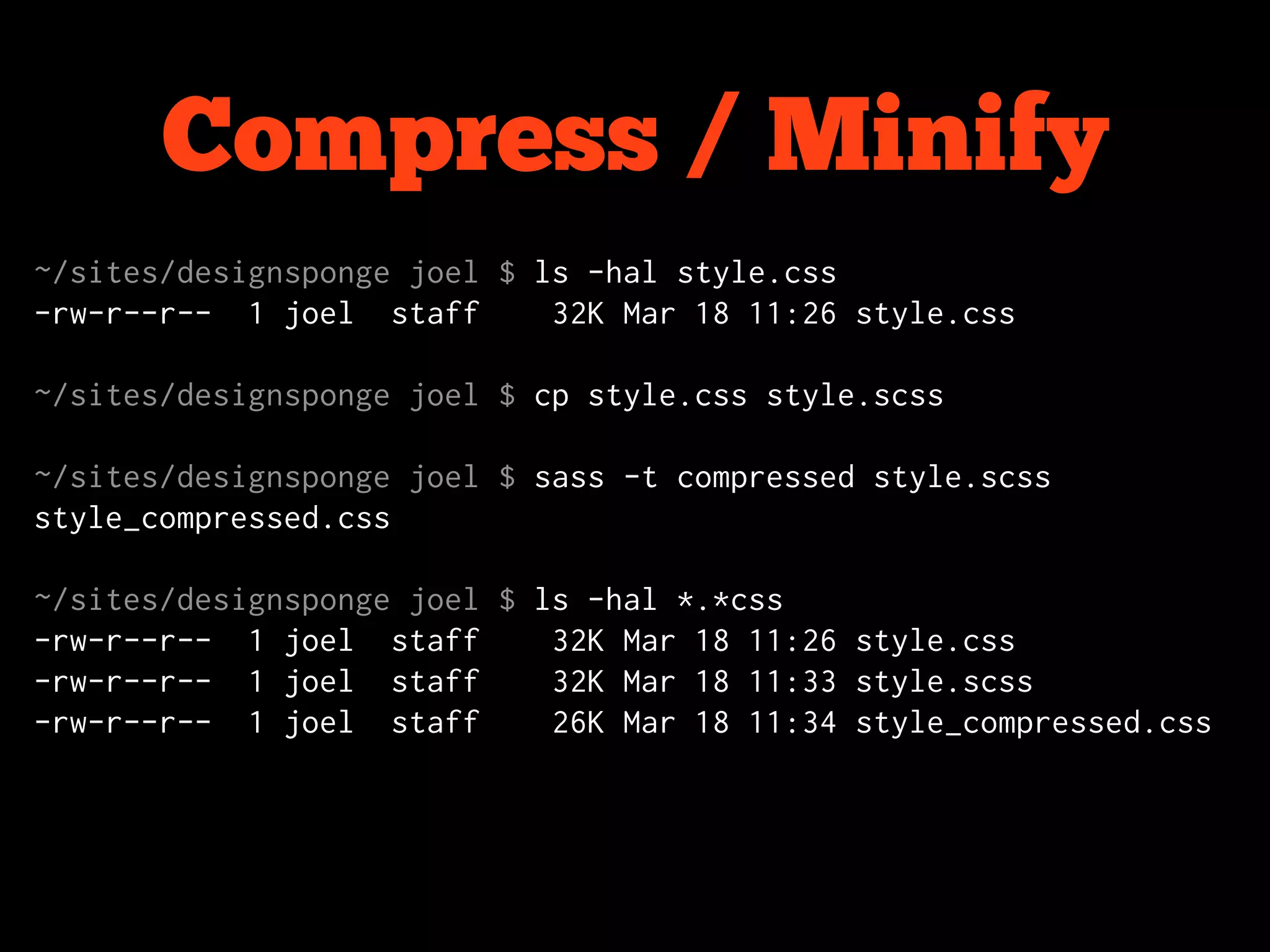
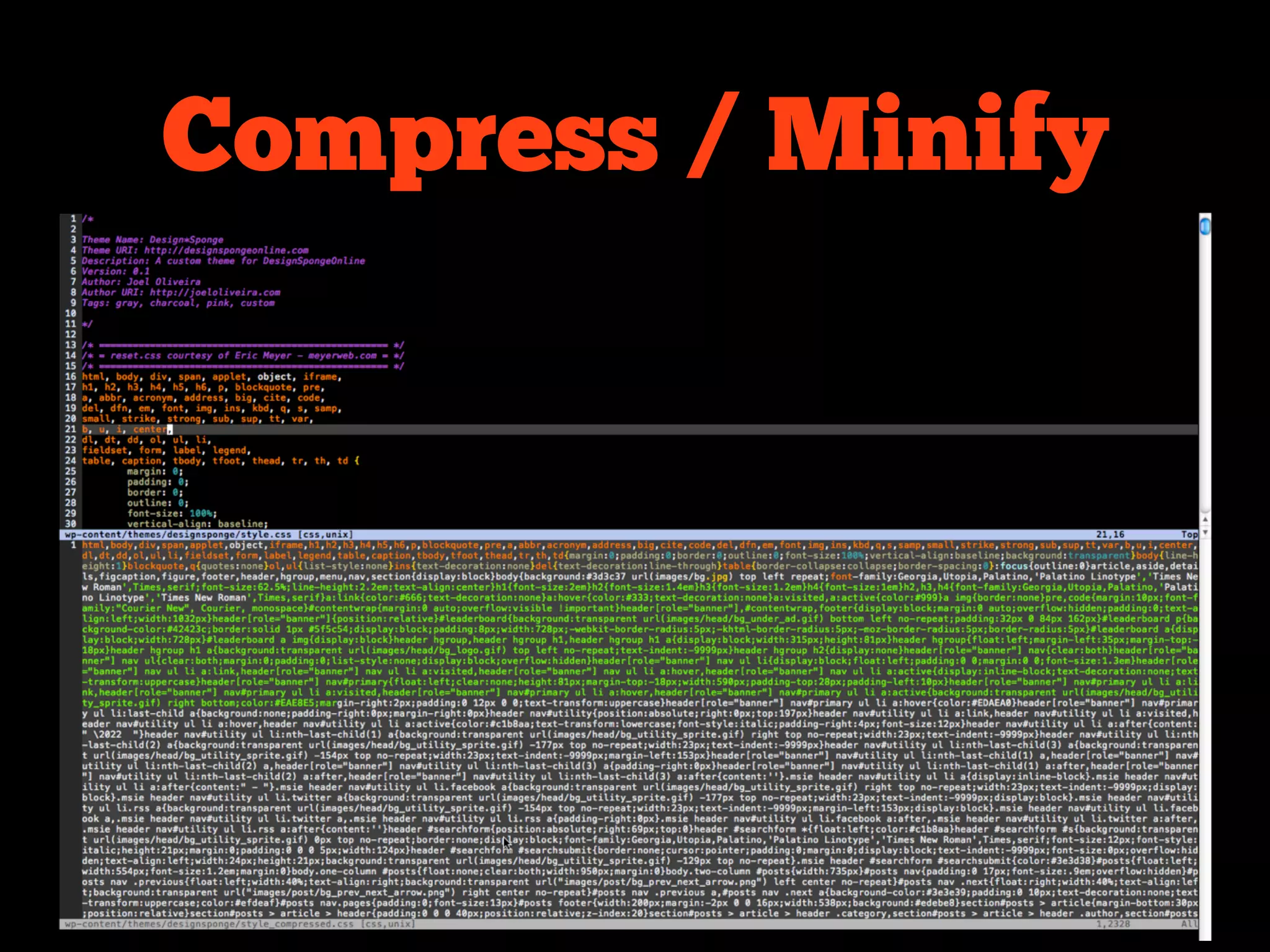
Compress / Minify
~/sites/designsponge joel $ ls -hal style.css
-rw-r--r-- 1 joel staff      32K Mar 18 11:26 style.css

~/sites/designsponge joel $ cp style.css style.scss

~/sites/designsponge joel $ sass -t compressed style.scss
style_compressed.css

~/sites/designsponge joel $ ls -hal *.*css
-rw-r--r-- 1 joel staff      32K Mar 18 11:26 style.css
-rw-r--r-- 1 joel staff      32K Mar 18 11:33 style.scss
-rw-r--r-- 1 joel staff      26K Mar 18 11:34 style_compressed.css
Compress / Minify
Resources
• sass-lang.com
• beta.compass-style.org
• @sasswatch
• wynn.fm/okc - @pengwynn
• rubyinstaller.org (windows)
• github.com/adarowski
• github.com/jayroh
Joel @jayroh

Adam @adarowski
Questions?

Sassive Aggressive: Using Sass to Make Your Life Easier (NSWG Version)

  • 1.
    Sassive Aggressive Using Sassto make your life easier
  • 2.
    Who? Joel Oliveira Adam Darowski Developer, The47th Web Developer, PatientsLikeMe
  • 3.
  • 4.
  • 5.
    What is Sass? •CSS on steroids • Adds Variables, Mixins, Nesting, Inheritance, and more… • It’s a meta-language that compiles to plain old CSS • Two “flavors” - Sass & SCSS
  • 6.
  • 7.
    Sass came first body   background-color:#fff color: #000 font: 16px/1.6 Georgia margin: 0
  • 8.
    SCSS came next body{   background-color: #fff; color: #000; font: 16px/1.6 Georgia; margin: 0; }
  • 9.
    body#home.home { .content { #learn-more { #faq { margin-top: 20px; aside { width: 300px; padding: 0 40px; h4 span { @include sans-serif-font(20px); } ul { color: #666; font-size: 12px; line-height: 1.5; list-style: square; padding-left: 1.2em; li { margin-bottom: 8px; { li:before { color: red; } } } ol { @include sans-serif-font(24px, $heading-color); list-style: decimal; max-width: 480px; p { font-size: 16px; margin: 1em 0; } } } } } }
  • 10.
    ol { @include sans-serif-font(24px, $hea list-style: decimal; max-width: 480px; p { font-size: 16px; margin: 1em 0; } } } } } }
  • 11.
    body#home.home { .content { #learn-more { #faq { margin-top: 20px; aside { width: 300px; padding: 0 40px; h4 span { @include sans-serif-font(20px); } ul { color: #666; font-size: 12px; line-height: 1.5; list-style: square; padding-left: 1.2em; li { margin-bottom: 8px; { li:before { color: red; } } } ol { @include sans-serif-font(24px, $heading-color); list-style: decimal; max-width: 480px; p { font-size: 16px; margin: 1em 0; } } } } } }
  • 12.
    body#home.home { body#home.home .content { .content #learn-more { #learn-more #faq { #faq margin-top: 20px; margin-top: 20px aside { aside width: 300px; width: 300px padding: 0 40px; padding: 0 40px h4 span { h4 span @include sans-serif-font(20px); @include sans-serif-font(20px) } ul ul { color: #666 color: #666; font-size: 12px font-size: 12px; line-height: 1.5 line-height: 1.5; list-style: square list-style: square; padding-left: 1.2em padding-left: 1.2em; li li { margin-bottom: 8px margin-bottom: 8px; li:before { color: red li:before { ol color: red; @include sans-serif-font(24px, $heading-color) } list-style: decimal } max-width: 480px } p ol { font-size: 16px @include sans-serif-font(24px, $heading-color); margin: 1em 0 list-style: decimal; max-width: 480px; p { font-size: 16px; margin: 1em 0; } } } } Sass > SCSS } }
  • 13.
  • 14.
    Let’s talk about: 1.Nesting 2. Mix-ins 3. Organization and Refactoring 4. Math 5. Wrapping Up
  • 15.
  • 20.
  • 21.
  • 22.
      -moz-border-radius: 10px;   -webkit-border-radius: 10px;   border-radius:10px; } .bar {   property: value;   -moz-border-radius: 10px;   -webkit-border-radius: 10px;   border-radius: 10px; } .dude {   property: value;   property: value;   -moz-border-radius: 10px;   -webkit-border-radius: 10px;   border-radius: 10px; } .guy {   property: value;   -moz-border-radius: 10px;
  • 23.
    When using Sass… .foo   +border_radius(10px) Willrender as: .foo {   -moz-border-radius: 10px;   -webkit-border-radius: 10px;   border-radius: 10px; }
  • 24.
    The mixin: @mixin border_radius($radius)   -moz-border-radius:$radius   -webkit-border-radius: $radius   border-radius: $radius
  • 25.
    Another example: .foo   +box_shadow(0, 0,5px, #AAA) Will render as: .foo {   -moz-box-shadow: 0 0 5px #AAA;   -webkit-box-shadow: 0 0 5px #AAA;   box-shadow: 0 0 5px #AAA; }
  • 26.
    Or, pre-populate themixin: @mixin box_shadow($h_offset: 0, $v_offset: 0, -->$blur_radius: 5px, $color: #AAA)   -moz-box-shadow: $h_offset $v_offset $blur_radius $color   -webkit-box-shadow: $h_offset $v_offset $blur_radius $color   box-shadow: $h_offset $v_offset $blur_radius $color --> Denotes “not a real line break”
  • 27.
    Now, no argumentis needed: .foo   +box_shadow Will render as: .foo {   -moz-box-shadow: 0 0 5px #AAA;   -webkit-box-shadow: 0 0 5px #AAA;   box-shadow: 0 0 5px #AAA; }
  • 28.
    Or, you canoverride: .foo   +box_shadow(2, 2, 10, #CCC) Will render as: .foo {   -moz-box-shadow: 2px 2px 10px #CCC;   -webkit-box-shadow: 2px 2px 10px #CCC;   box-shadow: 2px 2px 10px #CCC; }
  • 29.
    Gradients! .foo   +box_gradient(#FFFFFF, #000000) Will render as: .foo {   background-image: -moz-linear-gradient(top, #FFFFFF, -->#000000) background-image: -o-linear-gradient(top, #FFFFFF, -->#000000);   background-image: -webkit-gradient(linear,left top,left --> bottom,color-stop(0, #FFFFFF),color-stop(1, #000000))   background-image: -webkit-linear-gradient(#FFFFFF, -->#000000)   background-image: linear-gradient(top, #FFFFFF, #000000)   filter: progid:DXImageTransform.Microsoft.gradient -->(startColorStr='#FFFFFF', EndColorStr='#000000') } --> Denotes “not a real line break” http://css3please.com/
  • 30.
    The mixin: @mixin box_gradient($start,$end)   background-image: -moz-linear-gradient(top, !start, !end) background-image: -o-linear-gradient(top, !start, !end);   background-image: -webkit-gradient(linear,left top,left --> bottom,color-stop(0, !start),color-stop(1, !end))   background-image: -webkit-linear-gradient(!start, !end)   background-image: linear-gradient(top, !start, !end)   filter: progid:DXImageTransform.Microsoft.gradient -->(startColorStr='!start', EndColorStr='!end') --> Denotes “not a real line break”
  • 31.
  • 32.
    .dropdown-inner {   -moz-border-radius: 03px 3px 3px;   -webkit-border-radius: 0 3px 3px 3px;   border-radius: 0 3px 3px 3px;   -moz-box-shadow: 1px 1px 4px #CCC;   -webkit-box-shadow: 1px 1px 4px #CCC;   box-shadow: 1px 1px 4px #CCC;   background-image: -moz-linear-gradient(top, #FFFFFF, -->#FCF5DE) background-image: -o-linear-gradient(top, #FFFFFF, -->#000000);   background-image: -webkit-gradient(linear,left top,left --> bottom,color-stop(0, #FFFFFF),color-stop(1, #FCF5DE))   background-image: -webkit-linear-gradient(#FFFFFF, -->#FCF5DE)   background-image: linear-gradient(top, #FFFFFF, #FCF5DE)   filter: progid:DXImageTransform.Microsoft.gradient -->(startColorStr='#FFFFFF', EndColorStr='#FCF5DE') }
  • 33.
    .dropdown-inner {   +border_radius(0 3px3px 3px   -moz-border-radius: 03px 3px) 3px;   +box_shadow(1, 1, 4, #CCC)   -webkit-border-radius: 0 3px 3px 3px;   border-radius: 0 3px 3px 3px; +box_gradient(#FFFFFF, #FCF5DE)   -moz-box-shadow: 1px 1px 4px #CCC;   -webkit-box-shadow: 1px 1px 4px #CCC;   box-shadow: 1px 1px 4px #CCC;   background-image: -moz-linear-gradient(top, #FFFFFF, -->#FCF5DE) background-image: -o-linear-gradient(top, #FFFFFF, -->#000000);   background-image: -webkit-gradient(linear,left top,left --> bottom,color-stop(0, #FFFFFF),color-stop(1, #FCF5DE))   background-image: -webkit-linear-gradient(#FFFFFF, -->#FCF5DE)   background-image: linear-gradient(top, #FFFFFF, #FCF5DE)   filter: progid:DXImageTransform.Microsoft.gradient -->(startColorStr='#FFFFFF', EndColorStr='#FCF5DE') }
  • 34.
    More with mixins: •Re-usable interface elements (buttons, headers—with or without arguments). • Reset styles (data tables, lists, etc.). • References to frequently-accessed sprites. • Frequently used IE hacks. • Etc.
  • 35.
  • 46.
  • 50.
  • 51.
    Color Manipulation: .faded   background-color: fade_out(#000,0.4) Will render as: .faded {   background-color: rgba(0, 0, 0, 0.6); }
  • 52.
    lighten & darken: .lighter   background-color:lighten(#000064, 30%) Will render as: .lighter {   background-color: #4B4BFF; }
  • 53.
  • 54.
    With a variable: $default_color:#000064 .level1 background-color: $default_color .level2 background-color: lighten($default_color, 15%) .level3 background-color: lighten($default_color, 30%) .level4 background-color: lighten($default_color, 45%) .level5 background-color: lighten($default_color, 60%)
  • 55.
    With a variable: .level1{ background-color: #000064; } .level2 { background-color: #0000b1; } .level3 { background-color: #0000fd; } .level4 { background-color: #4b4bff; } .level5 { background-color: #9797ff; }
  • 56.
    Simple math: $container_width: 1000px $photo_width:480px .caption width: $container_width - $photo_width Will render as: .caption { width: 520px; }
  • 57.
  • 58.
    <ul id="timeline-in"> <li id="dwhite" class="3b level5">White</li> <li id="canson" class="1b hof level2">Anson</li> <li id="jorourke" class="hof lf level4">O'Rourke</li> <li id="pgalvin" class="p hof level2">Galvin</li> <li id="mward" class="hof ss level5">Ward</li> <li id="jmccormick" class="p level3">McCormick</li> <li id="kkelly" class="hof rf level5">Kelly</li> <li id="ggore" class="cf level5">Gore</li> <li id="jglasscock" class="ss level4">Glasscock</li> ... <li id="jbagwell" class="1b level2"></li> </ul>
  • 59.
    ul list-style:none padding: 40px 0 0 margin: 0 li cursor: pointer margin: 0 0 5px padding: 0 display: block padding: 2px color: white position: relative
  • 60.
  • 61.
    The mixin: @mixin bar($start,$end) $start_value: $start - 1870 margin-left: ($start_value*8) + px $length: $end - $start width: ($length*8) - 4px
  • 62.
    The mixin: @mixin bar($start,$end) $start_value: $start - 1870 Pass in margin-left: ($start_value*8) + px arguments for start and end $length: $end - $start year. width: ($length*8) - 4px
  • 63.
    The mixin: @mixin bar($start,$end) $start_value is $start_value: $start - 1870 the difference margin-left: ($start_value*8) + px between the $length: $end - $start start year and width: ($length*8) - 4px 1870.
  • 64.
    The mixin: @mixin bar($start,$end) $start_value: $start - 1870 Multiply $start_value by margin-left: ($start_value*8) + px 8 to get the left $length: $end - $start margin (8 pixels width: ($length*8) - 4px per year).
  • 65.
    The mixin: @mixin bar($start,$end) $start_value: $start - 1870 Career $length will be used to margin-left: ($start_value*8) + px determine the $length: $end - $start width of the width: ($length*8) - 4px box.
  • 66.
    The mixin: @mixin bar($start,$end) $start_value: $start - 1870 Again, multiply margin-left: ($start_value*8) + px by 8 to get the width, and also $length: $end - $start subtract 4 pixels width: ($length*8) - 4px (padding).
  • 67.
    The magic: #jbagwell +bar(1991, 2005) @mixin bar(1991,2005) $start_value: 1991 - 1870 = 121 margin-left: (121*8) + px = 968px $length: 2005 - 1991 = 14 width: (14*8) - 4px) = 108px
  • 68.
    The magic: #jbagwell +bar(1991, 2005) Will render as: #jbagwell { margin-left: 968px; width: 108px; }
  • 69.
    margin-left: 16px; width: 164px; } #pgalvin { Repeat: margin-left: 40px; width: 132px; } #kkelly { margin-left: 64px; width: 116px; } #mward { margin-left: 64px; width: 124px; } #dbrouthers { margin-left: 72px; width: 196px; } #mwelch { margin-left: 80px; width: 92px; } #tkeefe { margin-left: 80px; width: 100px; } #rconnor { margin-left: 80px; width: 132px; } #bewing { margin-left: 80px; width: 132px; } #cradbourn { margin-left: 88px; width: 76px; } #jclarkson { margin-left: 96px; width: 92px; } #bmcphee { margin-left: 96px; width: 132px; } #tmccarthy { margin-left: 112px; width: 92px; }
  • 70.
  • 71.
  • 72.
    Installation $ sudo geminstall haml c:> ruby gem install haml
  • 73.
    Compiling? $ sass --watch./sass/:./css/ # all .sass files compiled into ./css $ sass --update sass/style.sass:css/style.css # ... style.sass => style.css
  • 74.
    Compiling? ... on thewhat? blech...
  • 75.
    Compiling? ... on thewhat? blech...
  • 76.
    Compress / Minify ~/sites/designspongejoel $ ls -hal style.css -rw-r--r-- 1 joel staff 32K Mar 18 11:26 style.css ~/sites/designsponge joel $ cp style.css style.scss ~/sites/designsponge joel $ sass -t compressed style.scss style_compressed.css ~/sites/designsponge joel $ ls -hal *.*css -rw-r--r-- 1 joel staff 32K Mar 18 11:26 style.css -rw-r--r-- 1 joel staff 32K Mar 18 11:33 style.scss -rw-r--r-- 1 joel staff 26K Mar 18 11:34 style_compressed.css
  • 77.
  • 78.
    Resources • sass-lang.com • beta.compass-style.org •@sasswatch • wynn.fm/okc - @pengwynn • rubyinstaller.org (windows) • github.com/adarowski • github.com/jayroh
  • 79.
  • 80.