Be Certain, Be Trillium Certain
Creating Your Data Governance Dashboard
Ravi Hulasi – Director of Sales Engineering Solutions
Follow the conversation: #YourDQDashboard
2
Agenda & Overview
What Content Do We Provide To The Dashboard?
Functionality to consider
Business Rules Metadata
Rules Library
Decision Points
Repeat Analysis
Connect the dashboard to the data
Demonstration
Conclusion
What Content Do We Provide To The Dashboard?
3
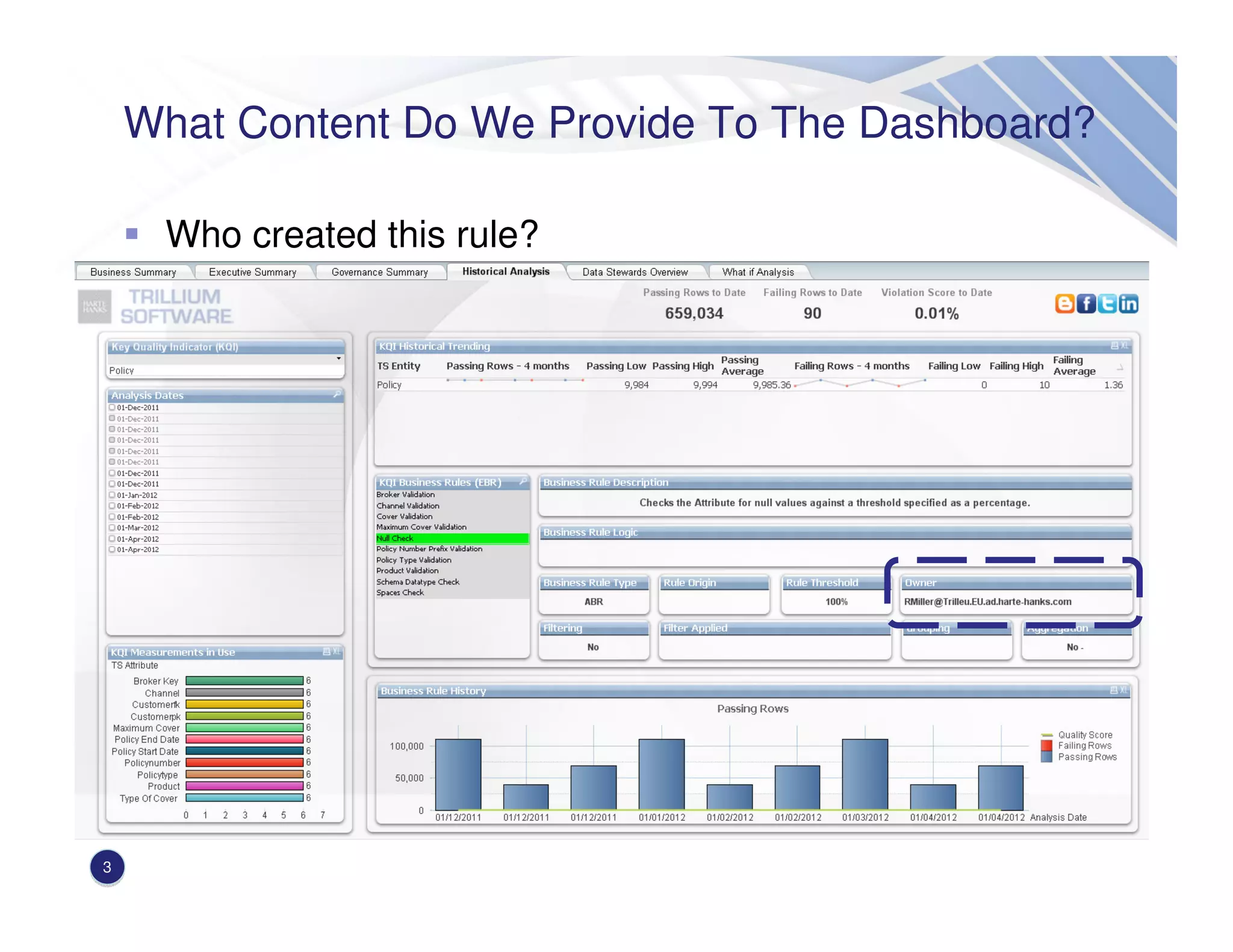
Who created this rule?
What Content Do We Provide To The Dashboard?
4
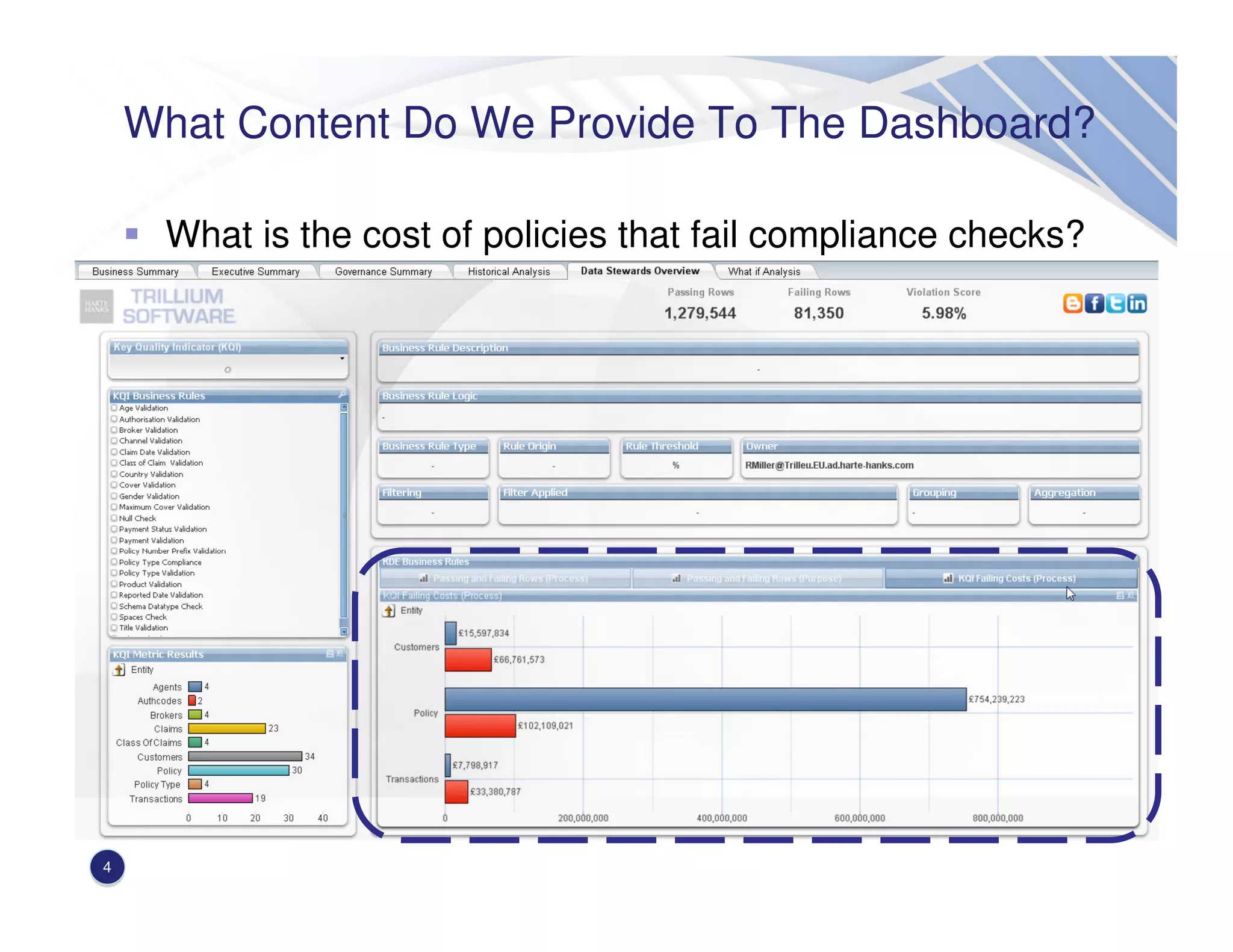
What is the cost of policies that fail compliance checks?
What Content Do We Provide To The Dashboard?
5
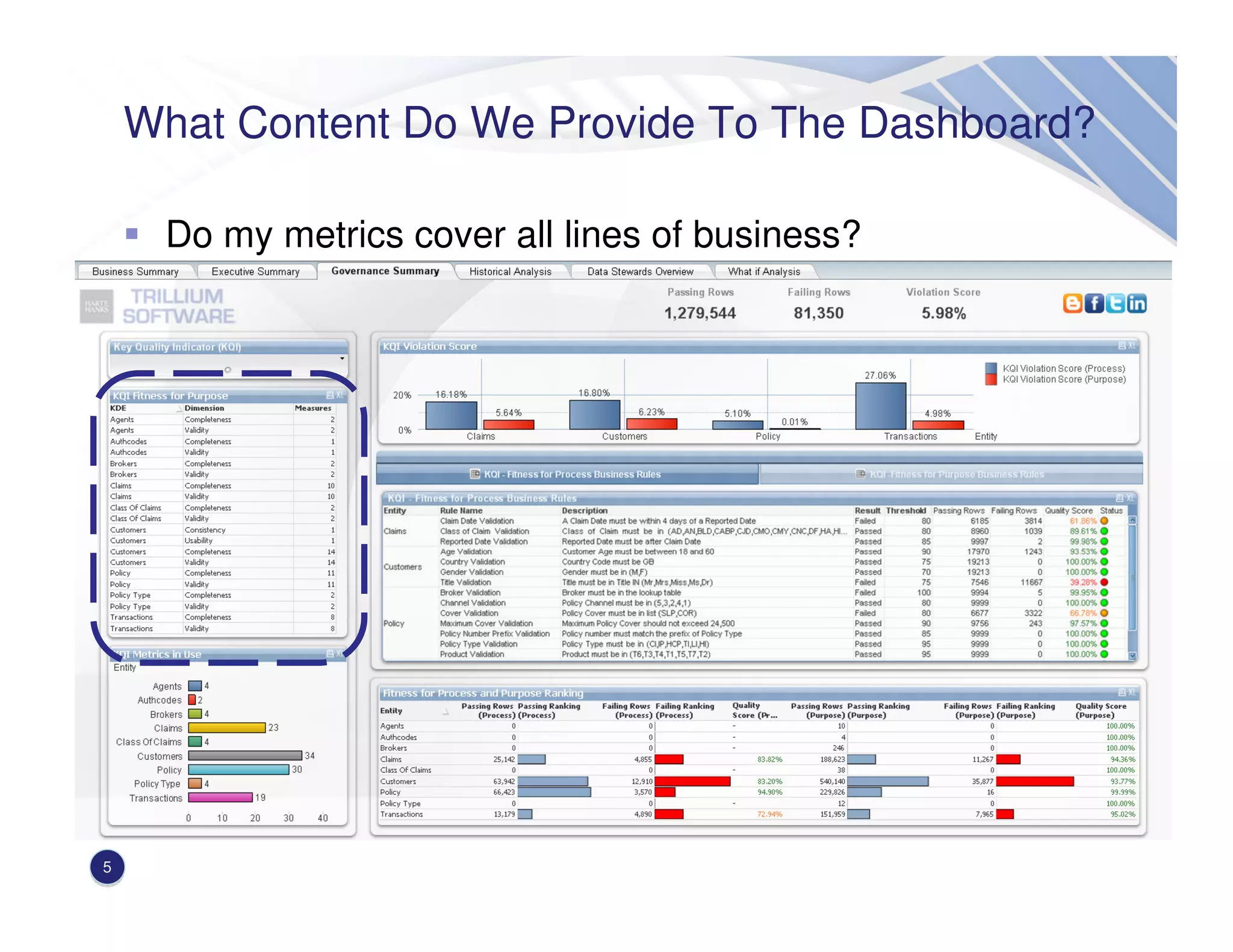
Do my metrics cover all lines of business?
Business Rule Metadata
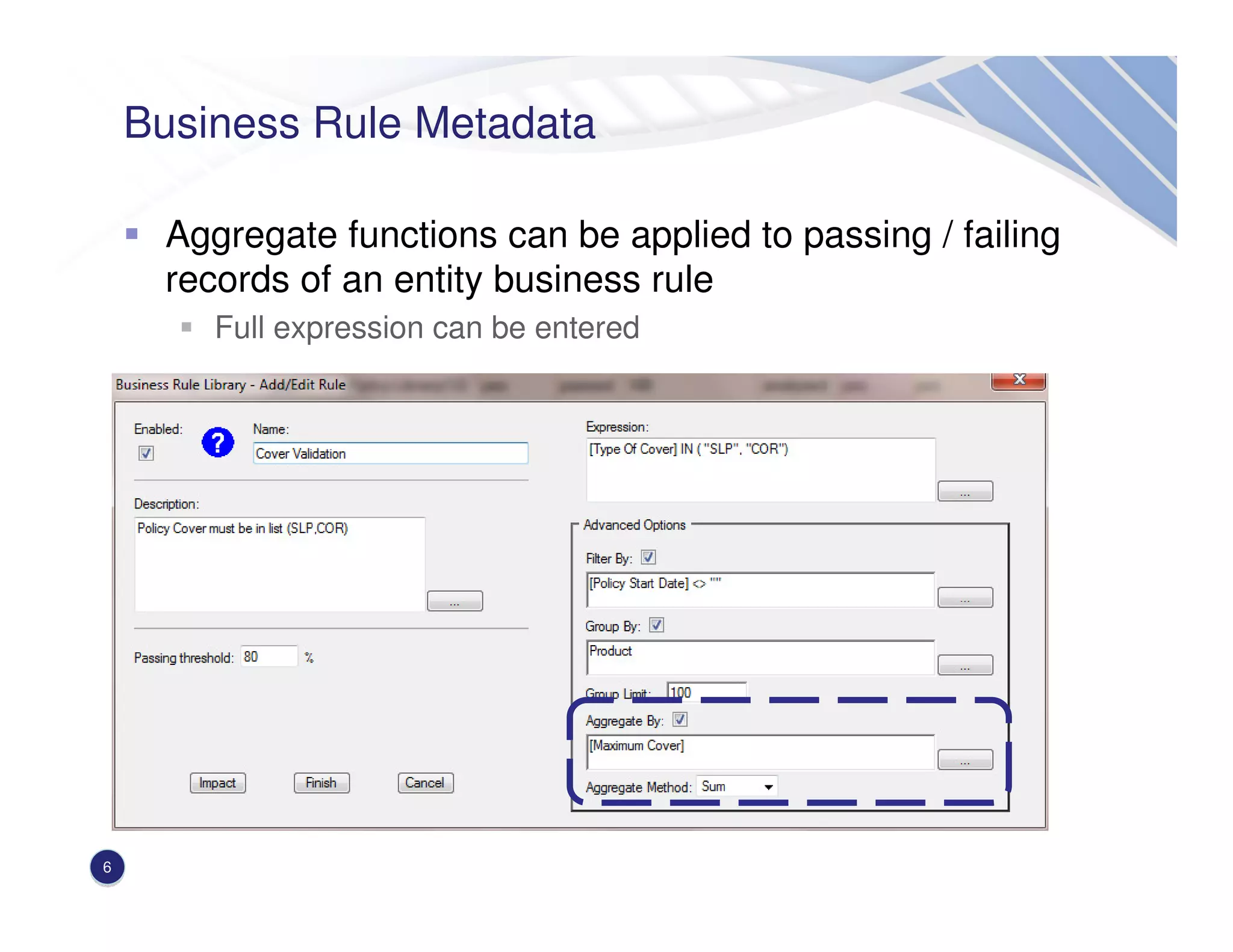
Aggregate functions can be applied to passing / failing
records of an entity business rule
Full expression can be entered
6
Business Rule Metadata
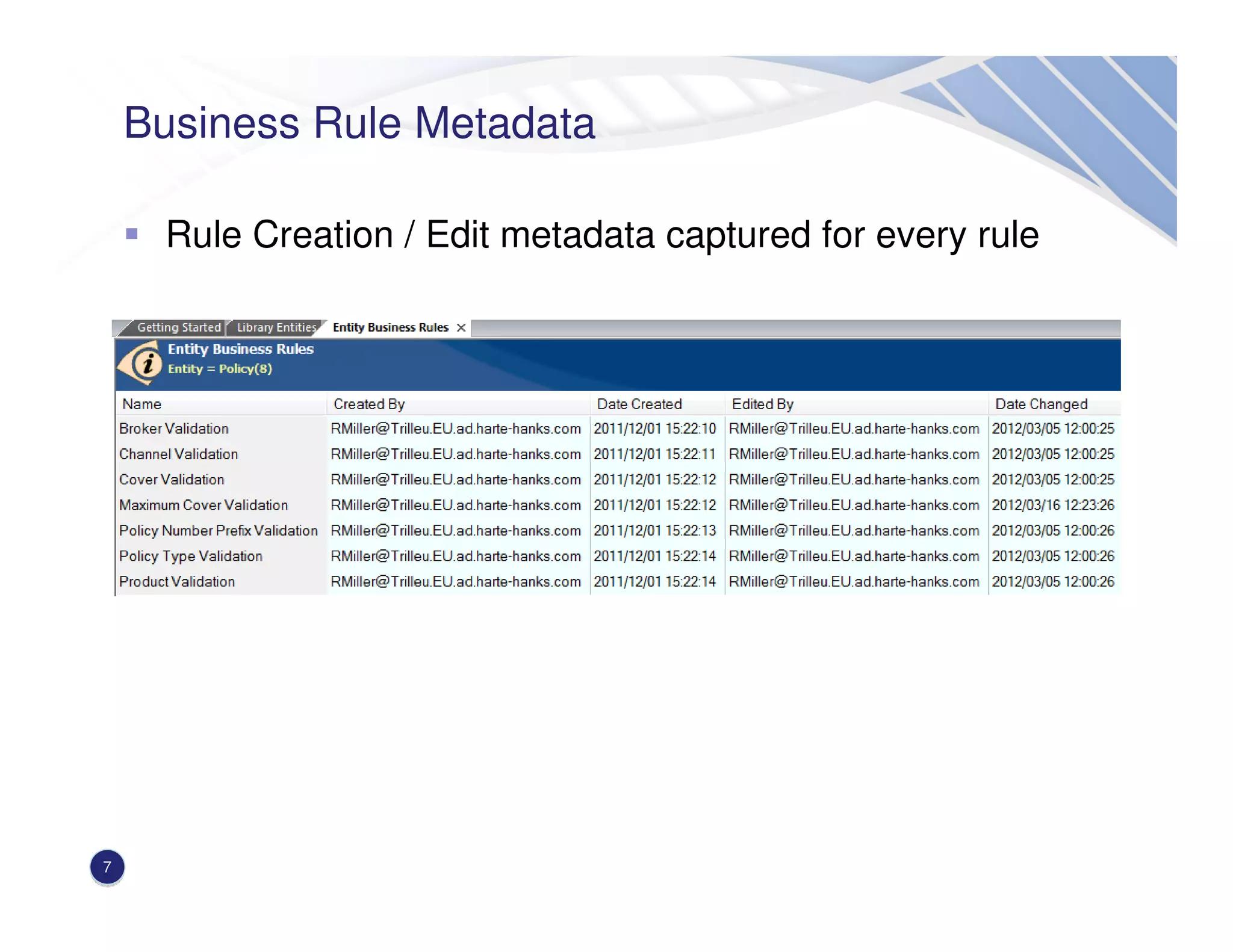
Rule Creation / Edit metadata captured for every rule
7
Business Rule Metadata
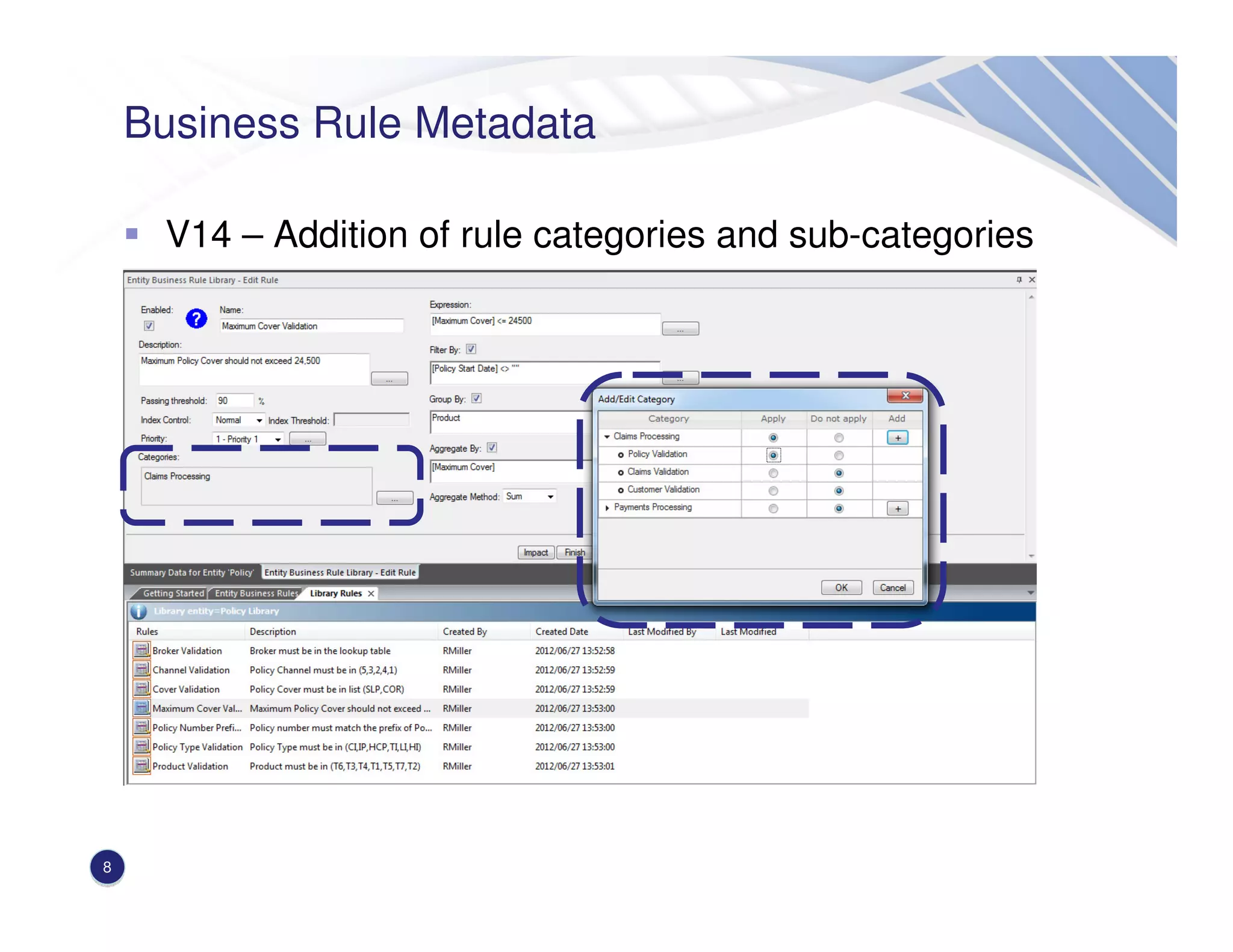
V14 – Addition of rule categories and sub-categories
Insert screenshot here
8
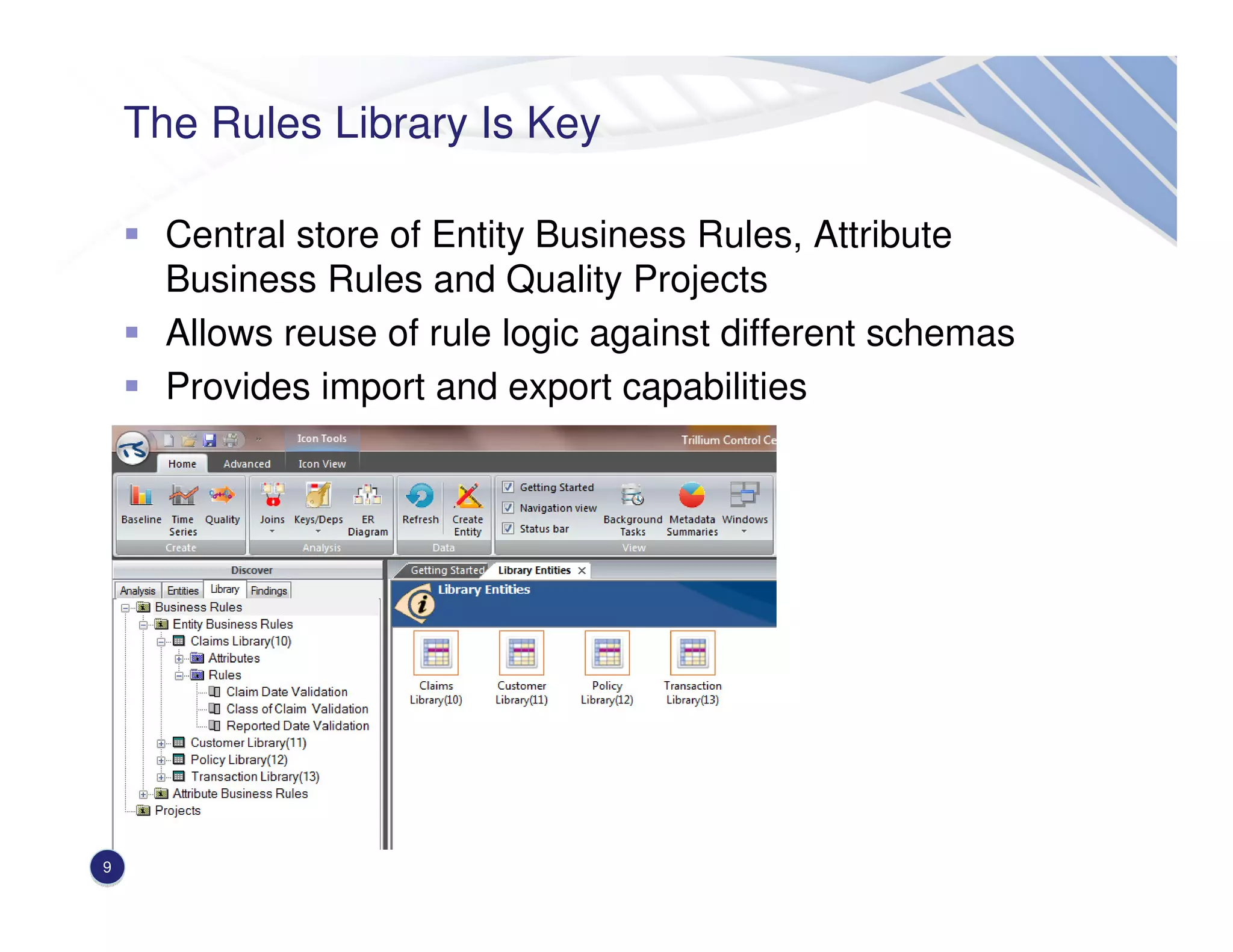
The Rules Library Is Key
Central store of Entity Business Rules, Attribute
Business Rules and Quality Projects
Allows reuse of rule logic against different schemas
Provides import and export capabilities
9
The Rules Library Is Key – Points To Consider
Elements in the rules library can be applied in many
places across the platform
Entity / Attribute rules
Transformer
Decision Point
Create attribute business rules for a particular data
element e.g. account number and apply as a standard
Test rules locally before promoting to the library
10
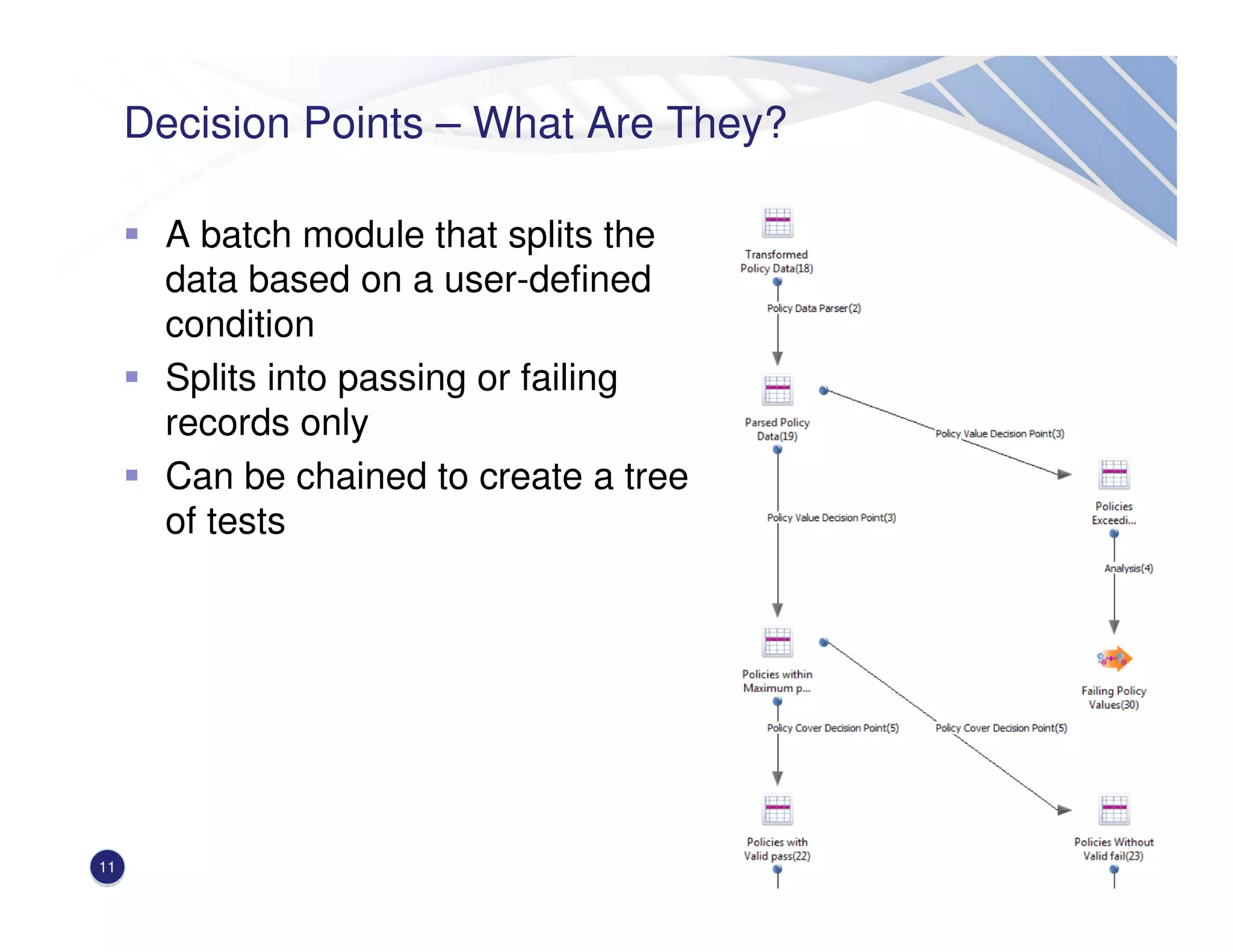
Decision Points – What Are They?
A batch module that splits the
data based on a user-defined
condition
Splits into passing or failing
records only
Can be chained to create a tree
of tests
11
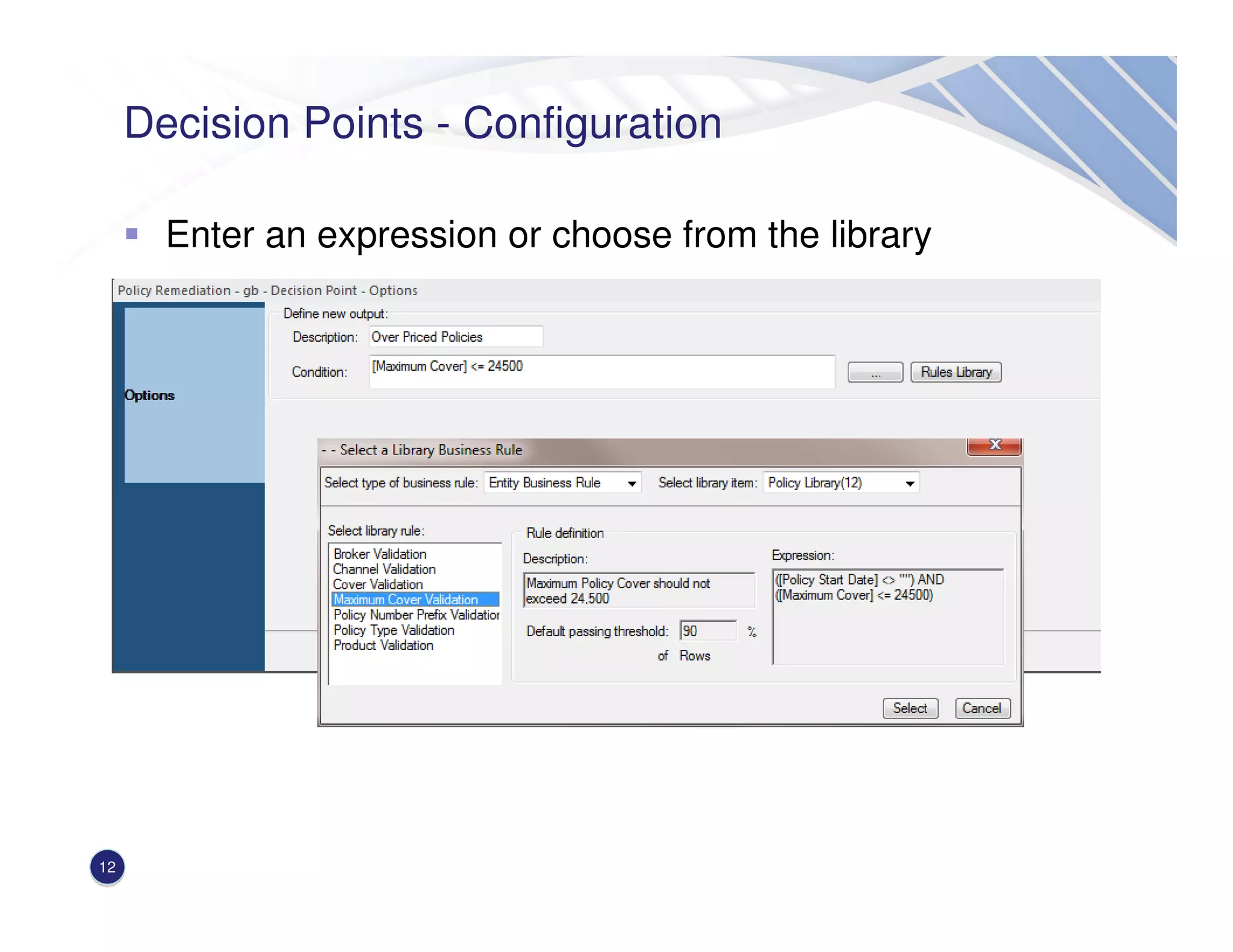
Decision Points - Configuration
Enter an expression or choose from the library
12
Time Series Analysis – What Is It?
A project containing multiple generations of the same
entity
A generation is a fully loaded and profiled entity
Generations inherit the original entity characteristics
Entity Business Rules
Attribute Business Rules
Keys
Dependencies
Generations can be added at a defined interval or on an
ad-hoc basis
Rule results can be gathered across generations to
produce a trend
13
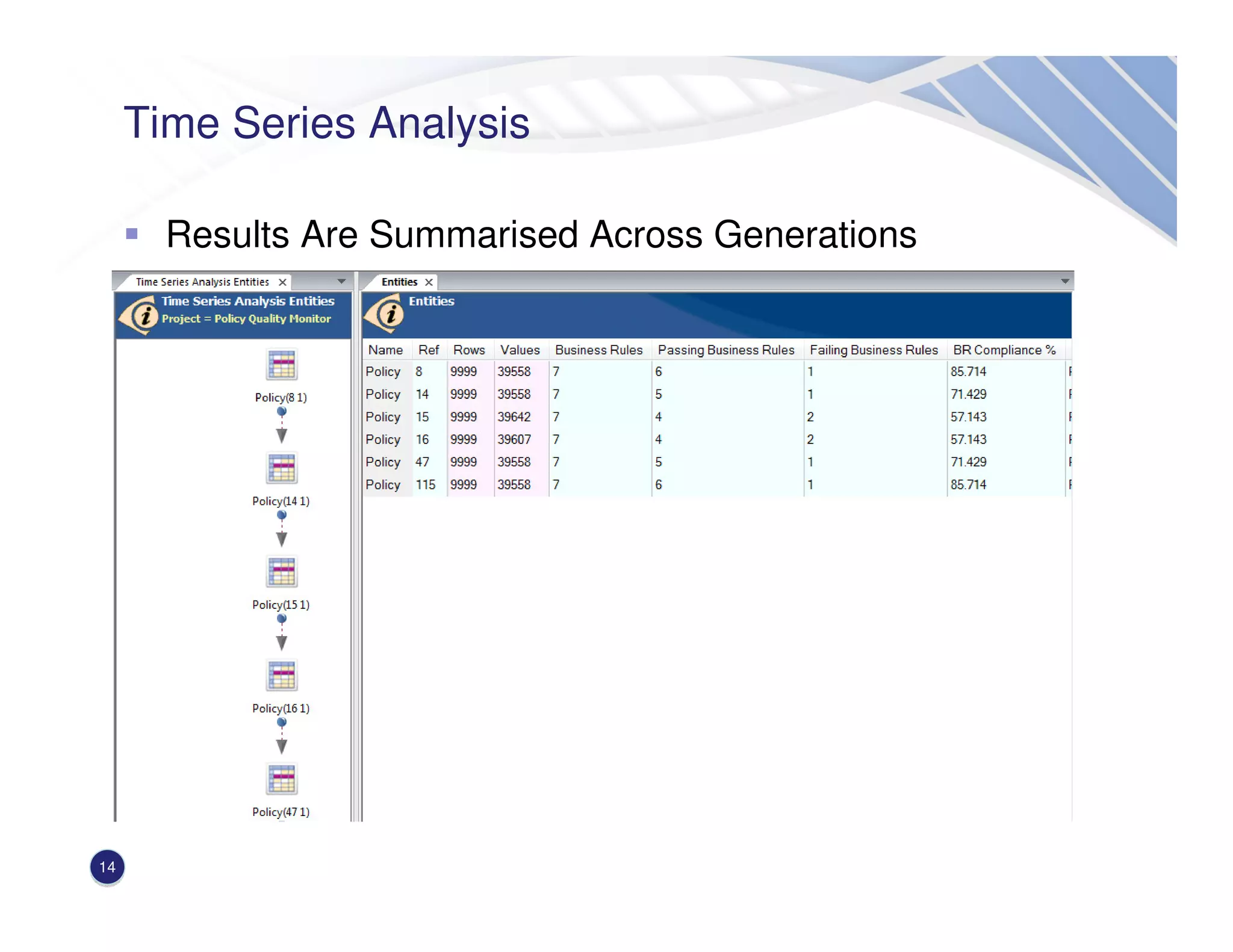
Time Series Analysis
Results Are Summarised Across Generations
14
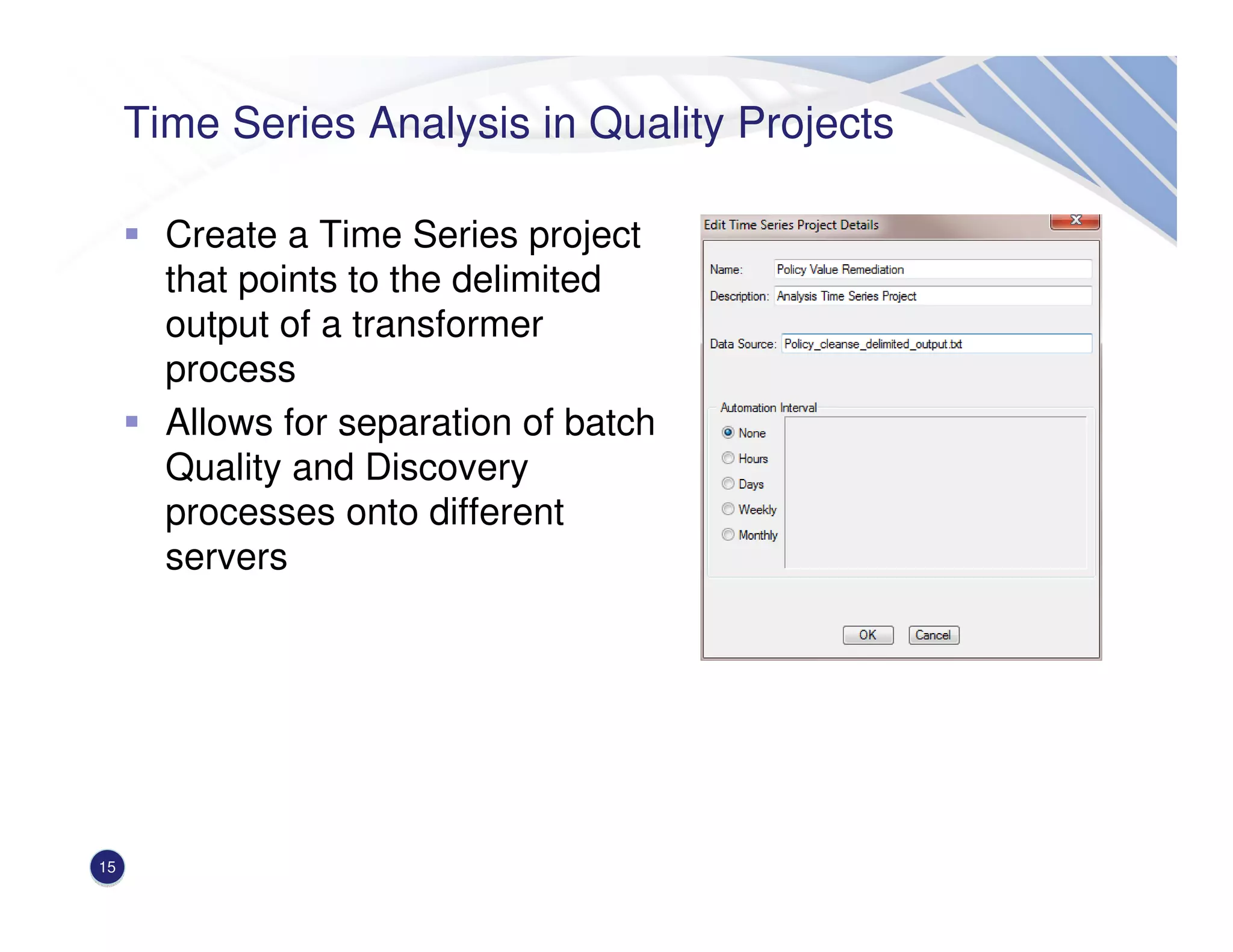
Time Series Analysis in Quality Projects
Create a Time Series project
that points to the delimited
output of a transformer
process
Allows for separation of batch
Quality and Discovery
processes onto different
servers
15
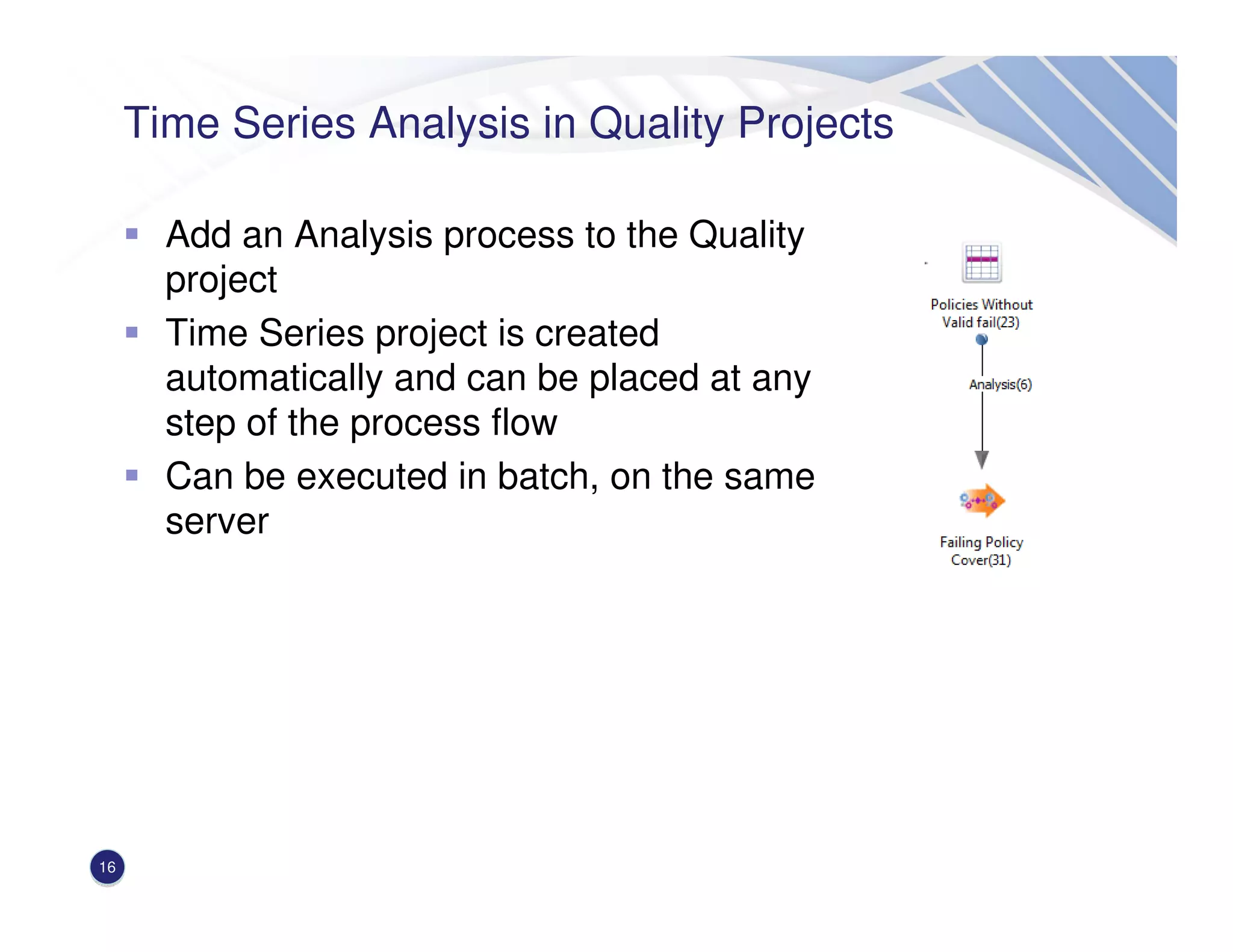
Time Series Analysis in Quality Projects
Add an Analysis process to the Quality
project
Time Series project is created
automatically and can be placed at any
step of the process flow
Can be executed in batch, on the same
server
16
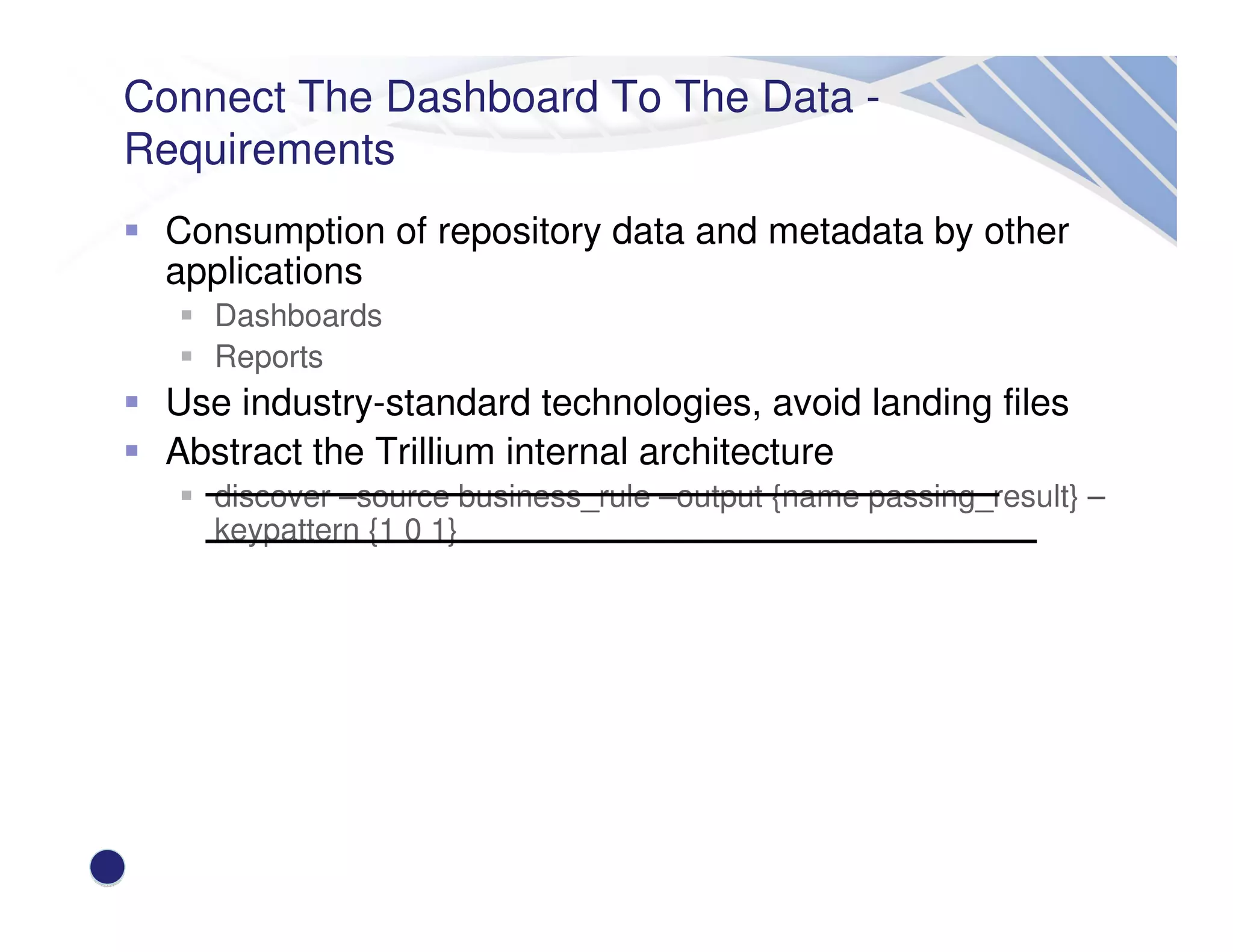
Connect The Dashboard To The Data -
Requirements
Consumption of repository data and metadata by other
applications
Dashboards
Reports
Use industry-standard technologies, avoid landing files
Abstract the Trillium internal architecture
discover –source business_rule –output {name passing_result} –
keypattern {1 0 1}
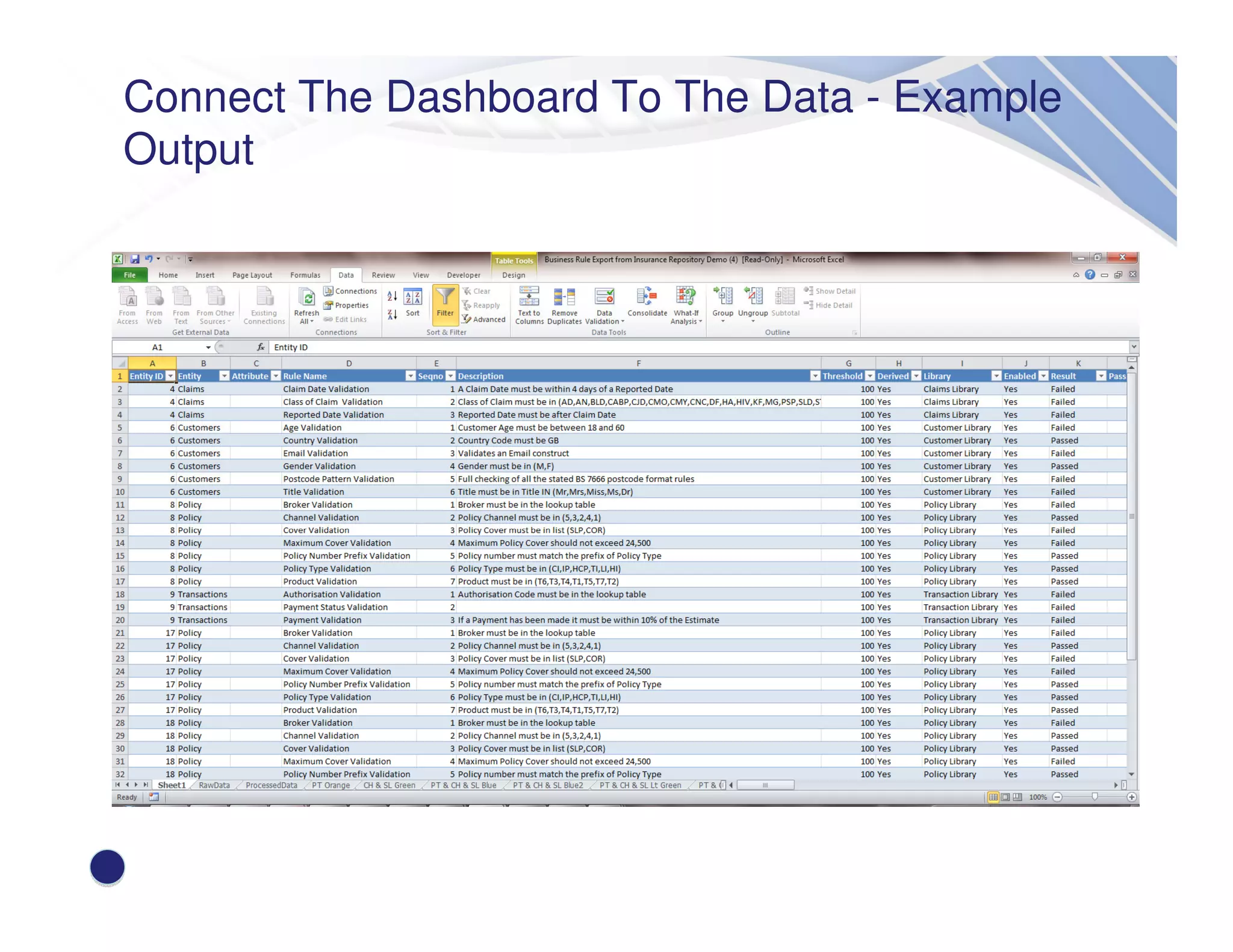
Connect The Dashboard To The Data - Example
Output
Connect The Dashboard To The Data - What is
OLE DB?
Object Linking and Embedding, Database
Microsoft API for accessing data in a uniform manner
OLE DB Consumer – A software component that requests data
e.g. Excel
OLE DB Provider – A software component that supplies data
Connect The Dashboard To The Data - OLE DB
Implementation in TSS
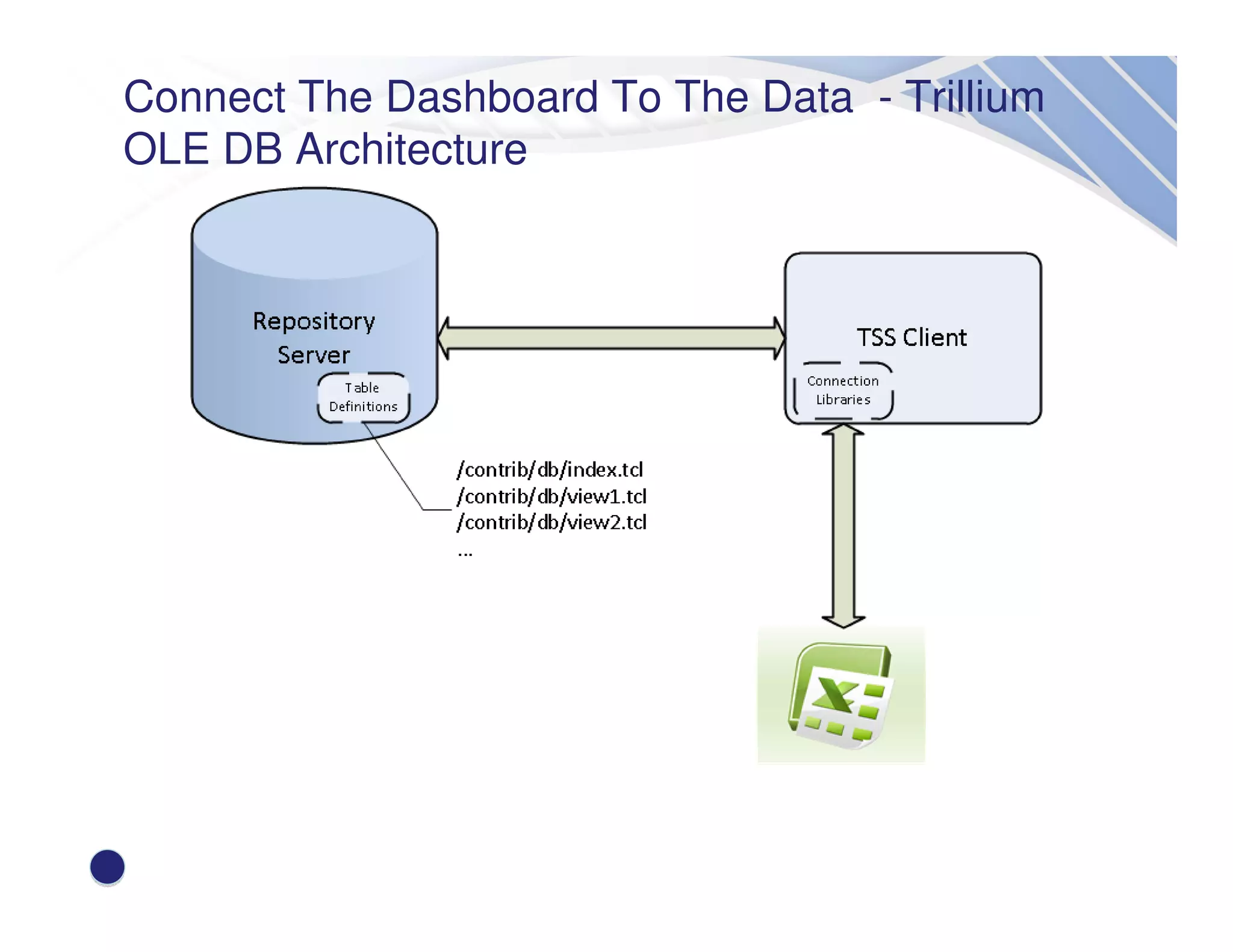
TSS 13.5.1 Client contains an OLE DB Provider
Presentation of a view of data as a table
Tables are defined by TCL scripts
Tables can be passed parameters
show_all_br?type=ebr&eid=1
Supports both Window Authentication and Legacy
security models
License controlled
Connect The Dashboard To The Data - Trillium
OLE DB Architecture
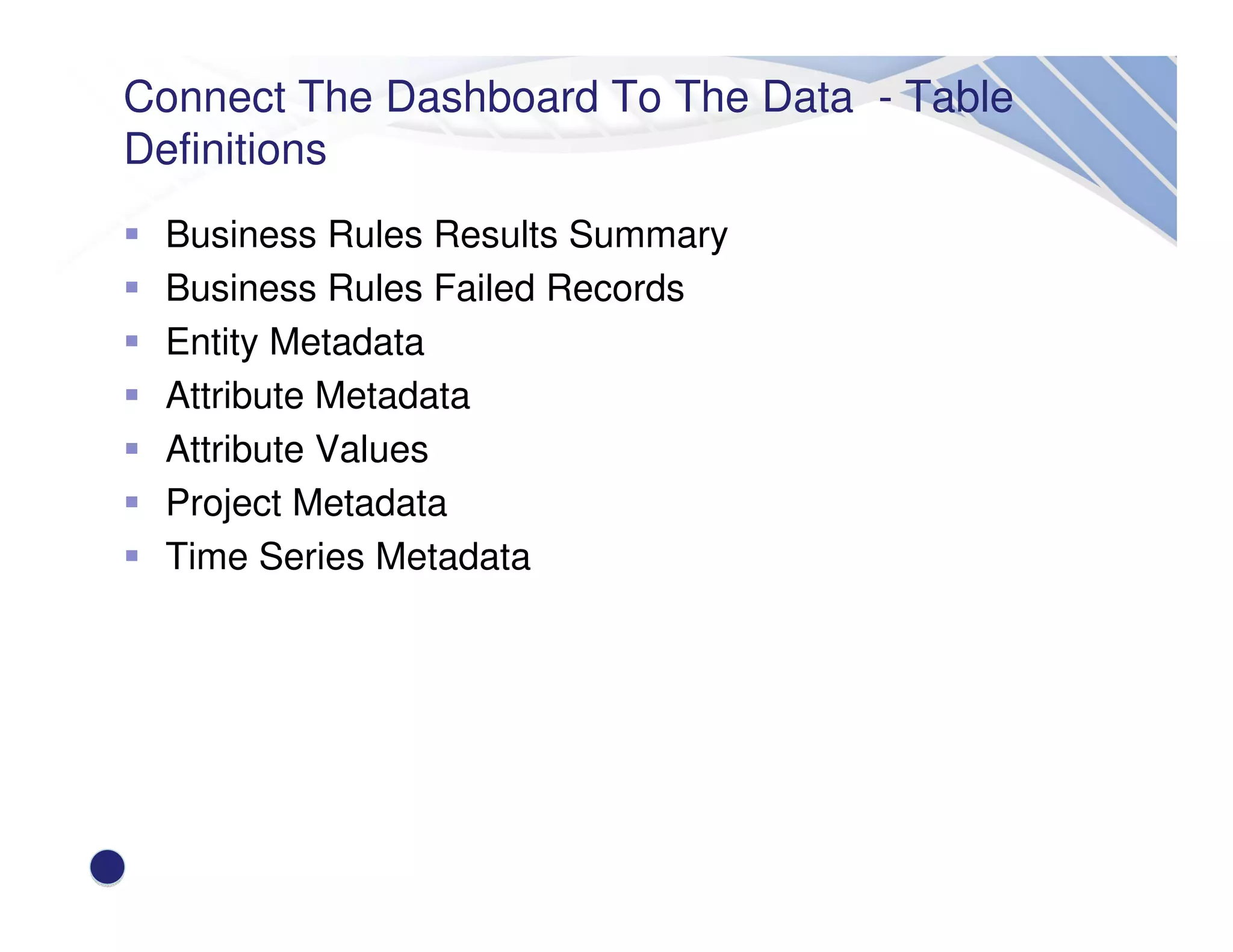
Connect The Dashboard To The Data - Table
Definitions
Business Rules Results Summary
Business Rules Failed Records
Entity Metadata
Attribute Metadata
Attribute Values
Project Metadata
Time Series Metadata
Demonstration Of Functionality
23
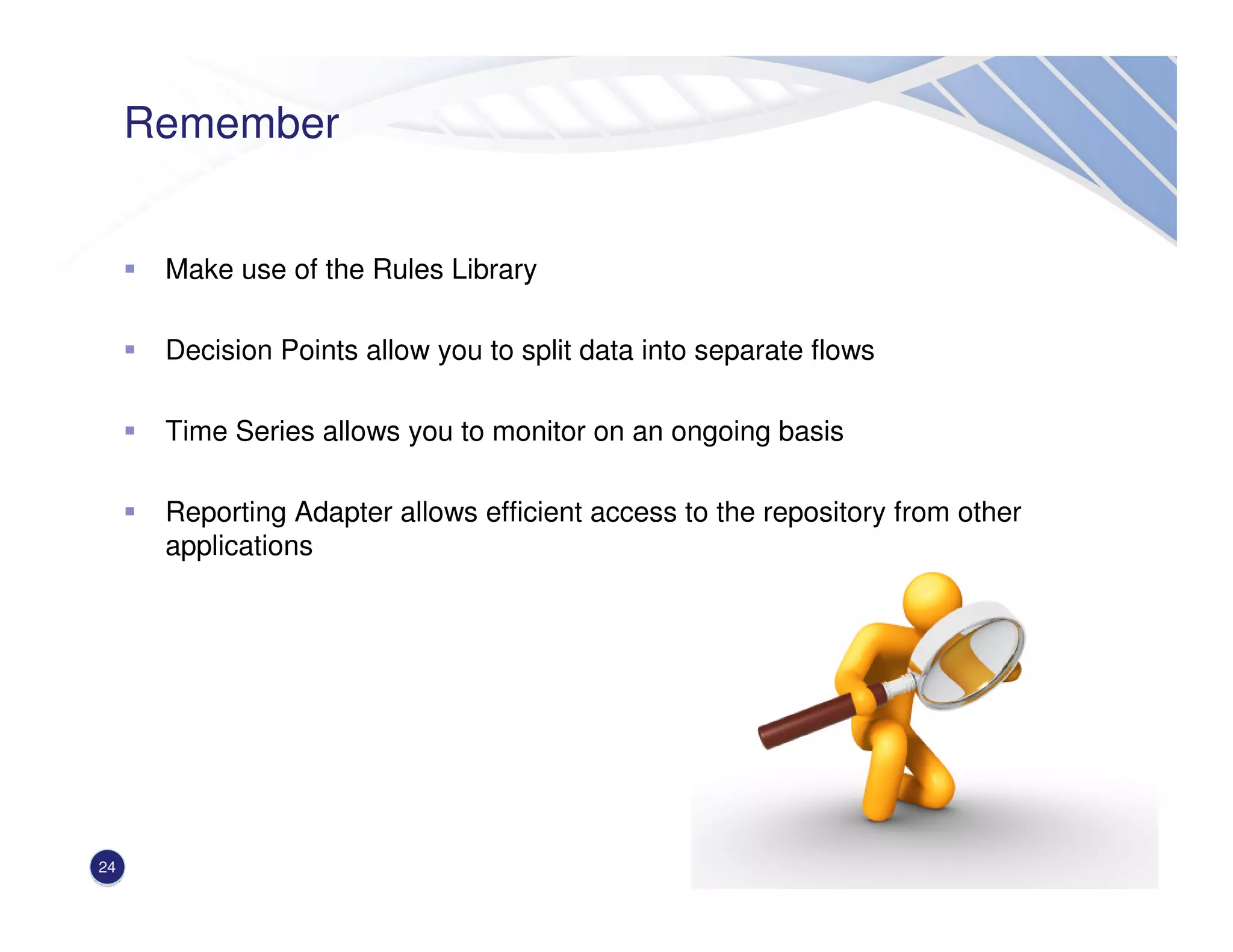
Remember
Make use of the Rules Library
Decision Points allow you to split data into separate flows
Time Series allows you to monitor on an ongoing basis
Reporting Adapter allows efficient access to the repository from other
applications
24
Be Certain, Be Trillium Certain
Q&A
26
Thank you
Ravi Hulasi
Director of Sales Engineering Solutions
ravi_hulasi@trilliumsoftware.com

Creating Your Data Governance Dashboard

  • 1.
    Be Certain, BeTrillium Certain Creating Your Data Governance Dashboard Ravi Hulasi – Director of Sales Engineering Solutions Follow the conversation: #YourDQDashboard
  • 2.
    2 Agenda & Overview WhatContent Do We Provide To The Dashboard? Functionality to consider Business Rules Metadata Rules Library Decision Points Repeat Analysis Connect the dashboard to the data Demonstration Conclusion
  • 3.
    What Content DoWe Provide To The Dashboard? 3 Who created this rule?
  • 4.
    What Content DoWe Provide To The Dashboard? 4 What is the cost of policies that fail compliance checks?
  • 5.
    What Content DoWe Provide To The Dashboard? 5 Do my metrics cover all lines of business?
  • 6.
    Business Rule Metadata Aggregatefunctions can be applied to passing / failing records of an entity business rule Full expression can be entered 6
  • 7.
    Business Rule Metadata RuleCreation / Edit metadata captured for every rule 7
  • 8.
    Business Rule Metadata V14– Addition of rule categories and sub-categories Insert screenshot here 8
  • 9.
    The Rules LibraryIs Key Central store of Entity Business Rules, Attribute Business Rules and Quality Projects Allows reuse of rule logic against different schemas Provides import and export capabilities 9
  • 10.
    The Rules LibraryIs Key – Points To Consider Elements in the rules library can be applied in many places across the platform Entity / Attribute rules Transformer Decision Point Create attribute business rules for a particular data element e.g. account number and apply as a standard Test rules locally before promoting to the library 10
  • 11.
    Decision Points –What Are They? A batch module that splits the data based on a user-defined condition Splits into passing or failing records only Can be chained to create a tree of tests 11
  • 12.
    Decision Points -Configuration Enter an expression or choose from the library 12
  • 13.
    Time Series Analysis– What Is It? A project containing multiple generations of the same entity A generation is a fully loaded and profiled entity Generations inherit the original entity characteristics Entity Business Rules Attribute Business Rules Keys Dependencies Generations can be added at a defined interval or on an ad-hoc basis Rule results can be gathered across generations to produce a trend 13
  • 14.
    Time Series Analysis ResultsAre Summarised Across Generations 14
  • 15.
    Time Series Analysisin Quality Projects Create a Time Series project that points to the delimited output of a transformer process Allows for separation of batch Quality and Discovery processes onto different servers 15
  • 16.
    Time Series Analysisin Quality Projects Add an Analysis process to the Quality project Time Series project is created automatically and can be placed at any step of the process flow Can be executed in batch, on the same server 16
  • 17.
    Connect The DashboardTo The Data - Requirements Consumption of repository data and metadata by other applications Dashboards Reports Use industry-standard technologies, avoid landing files Abstract the Trillium internal architecture discover –source business_rule –output {name passing_result} – keypattern {1 0 1}
  • 18.
    Connect The DashboardTo The Data - Example Output
  • 19.
    Connect The DashboardTo The Data - What is OLE DB? Object Linking and Embedding, Database Microsoft API for accessing data in a uniform manner OLE DB Consumer – A software component that requests data e.g. Excel OLE DB Provider – A software component that supplies data
  • 20.
    Connect The DashboardTo The Data - OLE DB Implementation in TSS TSS 13.5.1 Client contains an OLE DB Provider Presentation of a view of data as a table Tables are defined by TCL scripts Tables can be passed parameters show_all_br?type=ebr&eid=1 Supports both Window Authentication and Legacy security models License controlled
  • 21.
    Connect The DashboardTo The Data - Trillium OLE DB Architecture
  • 22.
    Connect The DashboardTo The Data - Table Definitions Business Rules Results Summary Business Rules Failed Records Entity Metadata Attribute Metadata Attribute Values Project Metadata Time Series Metadata
  • 23.
  • 24.
    Remember Make use ofthe Rules Library Decision Points allow you to split data into separate flows Time Series allows you to monitor on an ongoing basis Reporting Adapter allows efficient access to the repository from other applications 24
  • 25.
    Be Certain, BeTrillium Certain Q&A
  • 26.
    26 Thank you Ravi Hulasi Directorof Sales Engineering Solutions ravi_hulasi@trilliumsoftware.com