P6 EPPM Functionality
                 Not Available in P6 Pro
                                      Don McNatty, PSP
                               Certified P6 Trainer/Consultant


Business Process Outsourcing
Thank you for joining today’s technical webinar

• Mute – all call in phones are automatically muted in
  order to preserve the quality of the audio for all
  attendees.
• Questions – during the session, questions can be
  submitted through the Questions Box on the right side
  of the screen . We will try to address your questions
  at the end of the presentation, time permitting.
• Follow up – all registrants will receive an Excel file
  listing all questions and responses along with a link to
  the recorded webinar.


                                                             2
Safe Harbor

• The statements made in this technical presentation
  are based on our current knowledge of the tools.
• Our statements should not be construed to be an
  official “Oracle perspective”, but are intended to be
  the sharing of technical and user knowledge gained
  as we explore new paths and technologies, usually in
  advance of our clients.
• Our statements should not be construed as in conflict
  with any Oracle statement, as the Oracle statement is
  likely made based on more current knowledge than is
  available to us.


                                                          3
2 5 + years experience
                                                         with Primavera

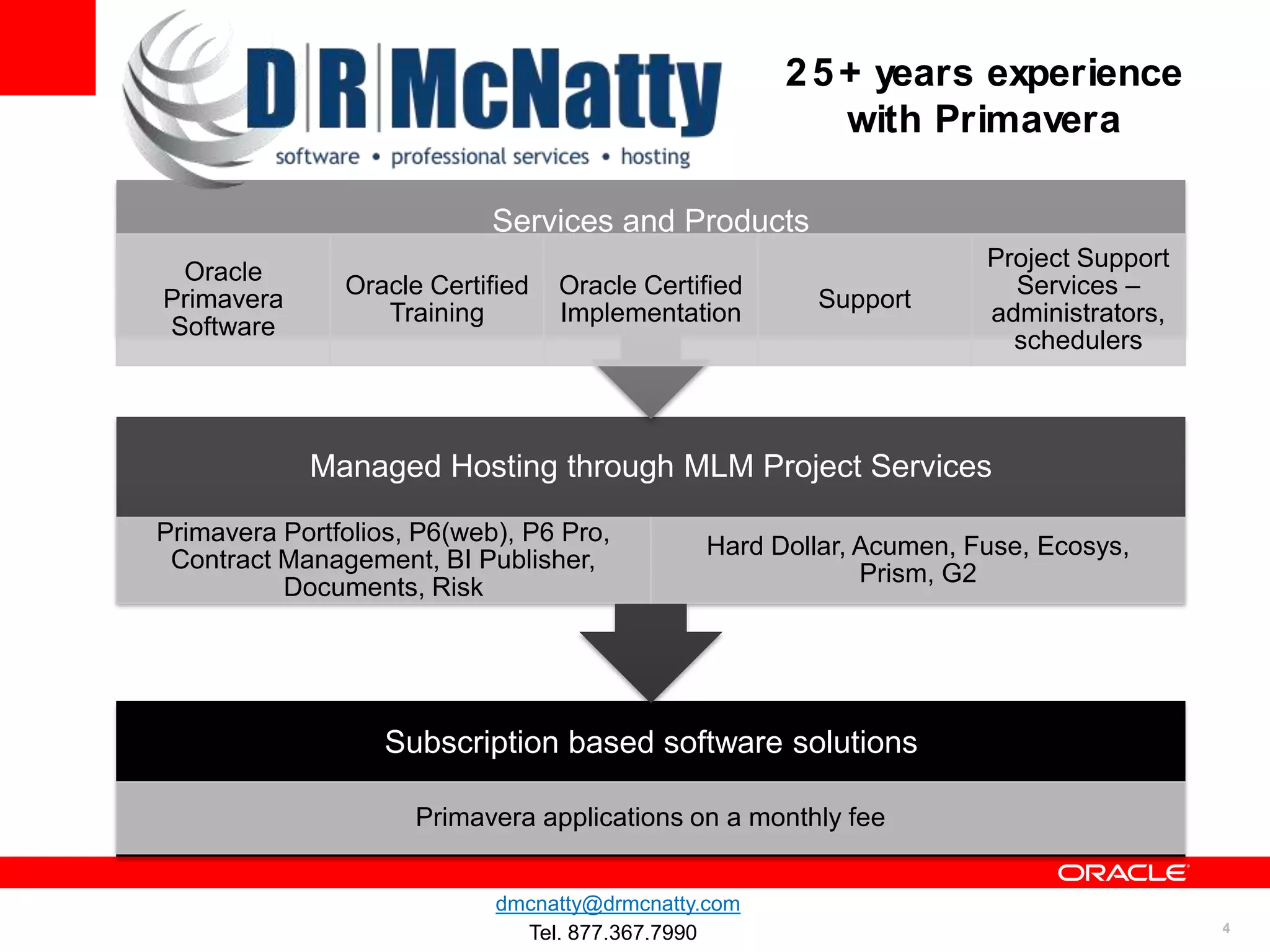
                            Services and Products
                                                                    Project Support
 Oracle
               Oracle Certified   Oracle Certified                    Services –
Primavera                                             Support
                  Training        Implementation                    administrators,
Software
                                                                      schedulers


            Managed Hosting through MLM Project Services

Primavera Portfolios, P6(web), P6 Pro,
                                              Hard Dollar, Acumen, Fuse, Ecosys,
 Contract Management, BI Publisher,
                                                           Prism, G2
          Documents, Risk


                   Subscription based software solutions

                     Primavera applications on a monthly fee


                            dmcnatty@drmcnatty.com
                              Tel. 877.367.7990                                       4
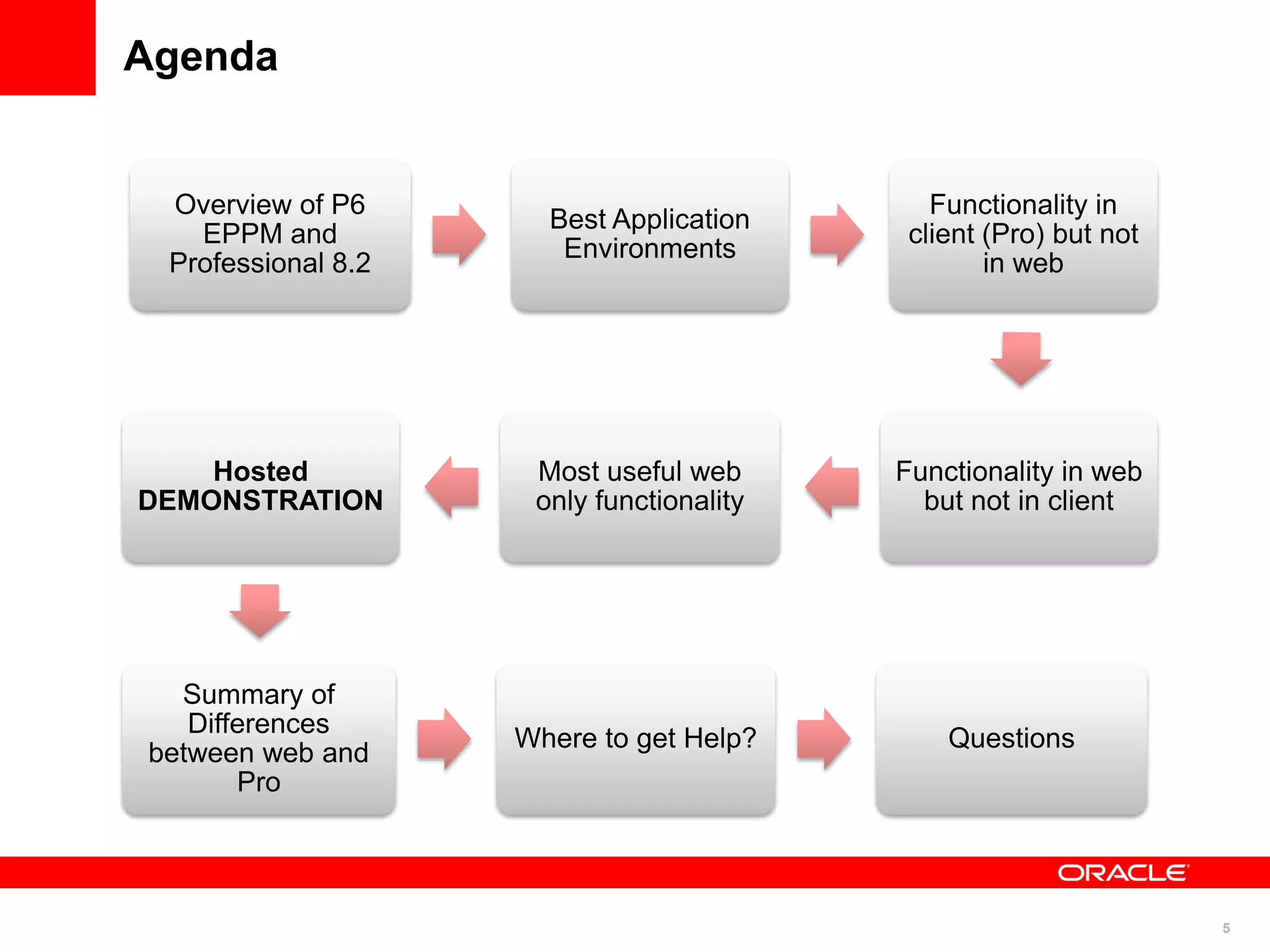
Agenda


 Overview of P6                              Functionality in
                      Best Application
   EPPM and                                client (Pro) but not
                       Environments
 Professional 8.2                                 in web


    Hosted           Most useful web      Functionality in web
DEMONSTRATION        only functionality     but not in client


  Summary of
   Differences
                    Where to get Help?        Questions
between web and
       Pro


                                                                  5
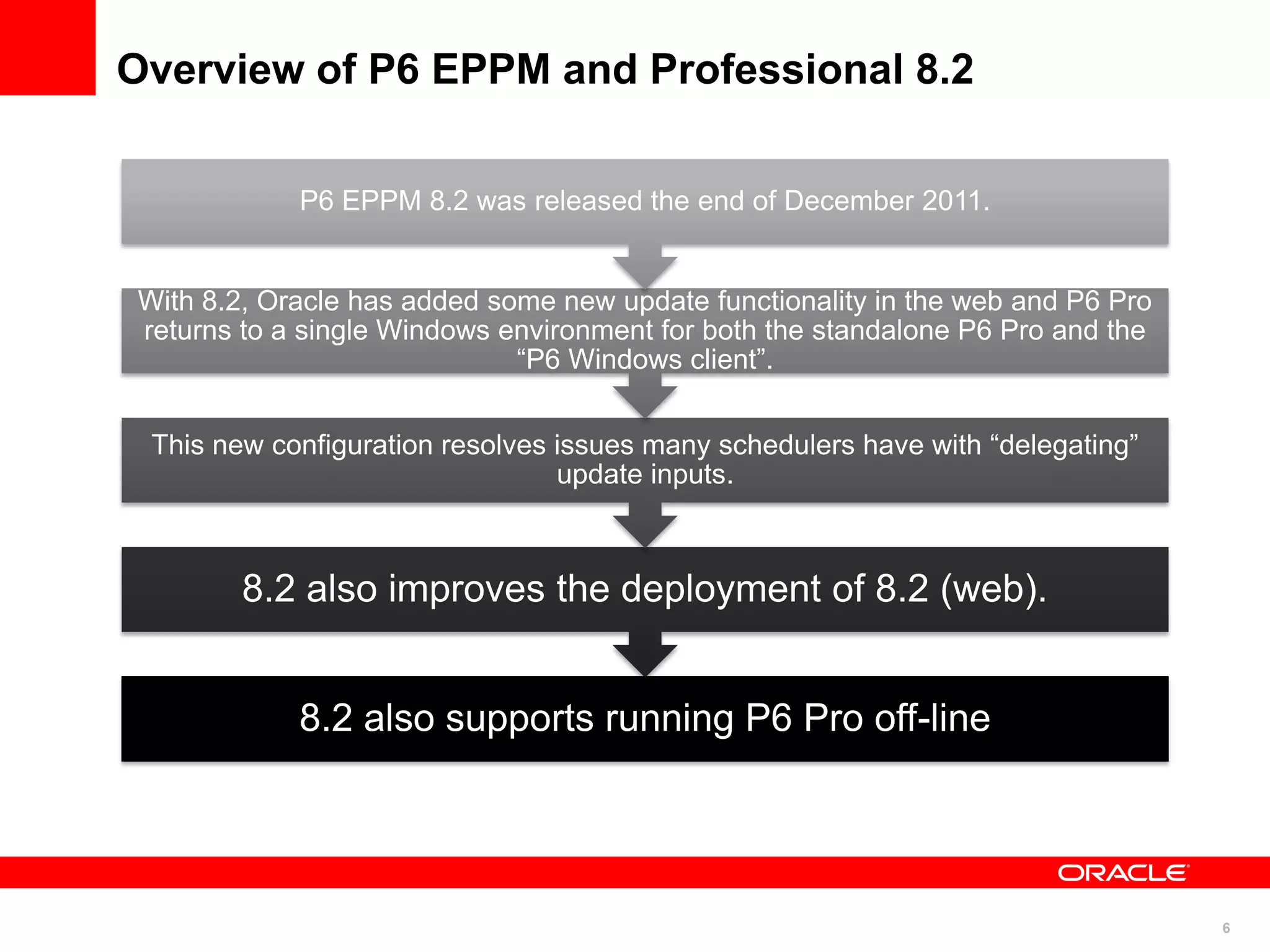
Overview of P6 EPPM and Professional 8.2

            P6 EPPM 8.2 was released the end of December 2011.


With 8.2, Oracle has added some new update functionality in the web and P6 Pro
returns to a single Windows environment for both the standalone P6 Pro and the
                             “P6 Windows client”.


 This new configuration resolves issues many schedulers have with “delegating”
                                 update inputs.


        8.2 also improves the deployment of 8.2 (web).


            8.2 also supports running P6 Pro off-line


                                                                                 6
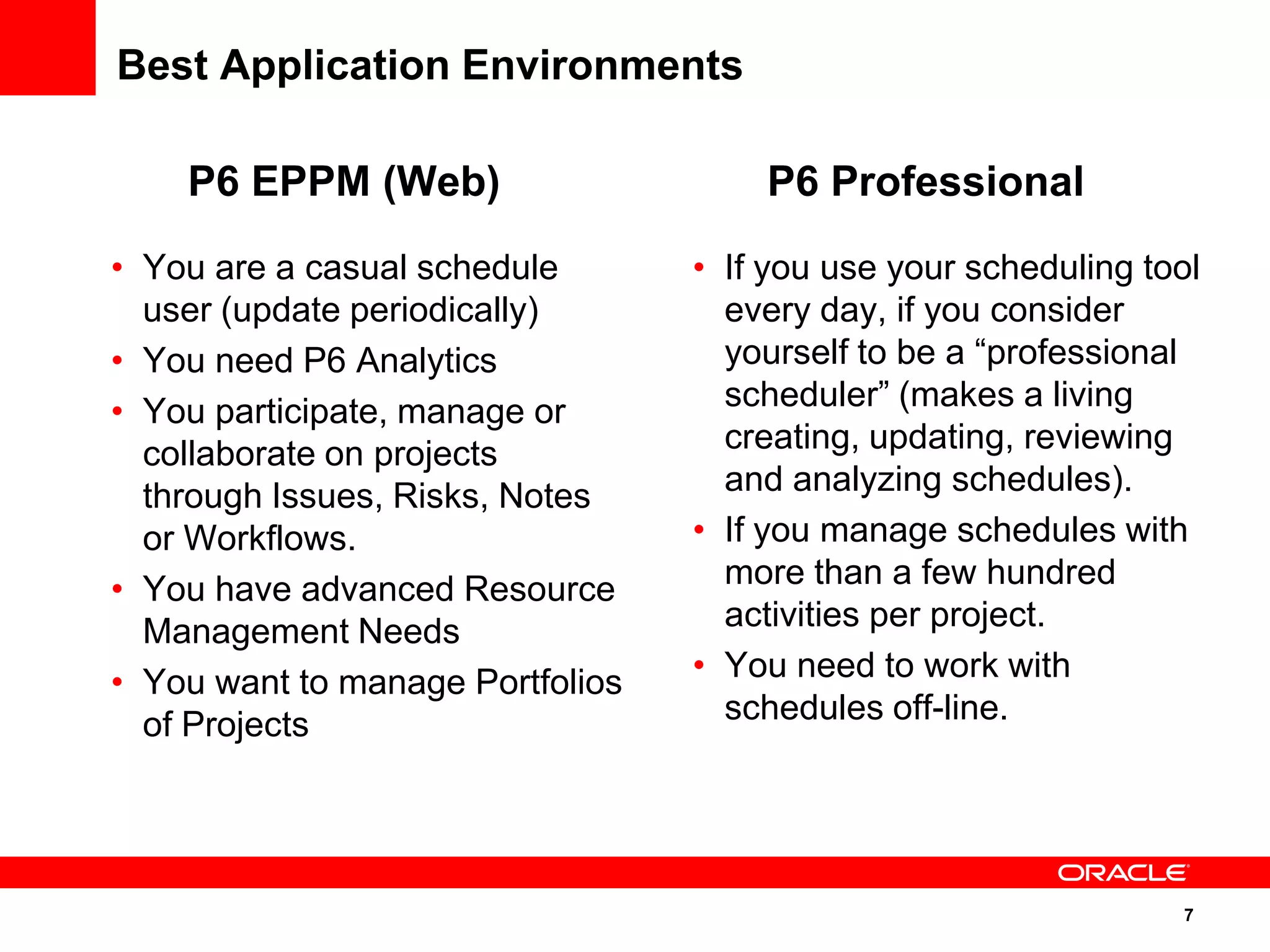
Best Application Environments

    P6 EPPM (Web)                     P6 Professional
• You are a casual schedule       • If you use your scheduling tool
  user (update periodically)        every day, if you consider
• You need P6 Analytics             yourself to be a “professional
• You participate, manage or        scheduler” (makes a living
  collaborate on projects           creating, updating, reviewing
  through Issues, Risks, Notes      and analyzing schedules).
  or Workflows.                   • If you manage schedules with
• You have advanced Resource        more than a few hundred
  Management Needs                  activities per project.
• You want to manage Portfolios   • You need to work with
  of Projects                       schedules off-line.


                                                                 7
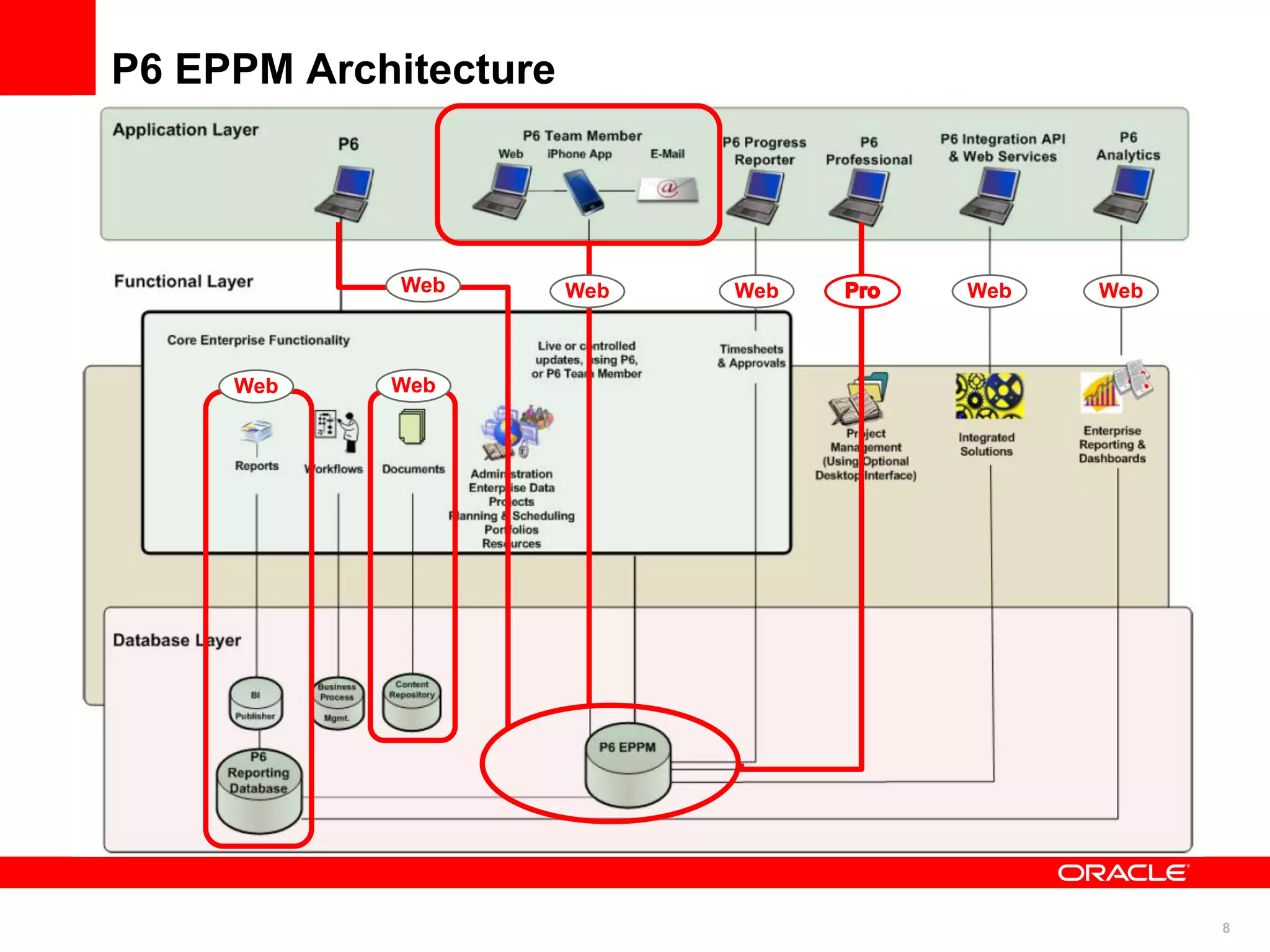
P6 EPPM Architecture


             Web       Web   Web   Web   Web


     Web    Web


                                               8
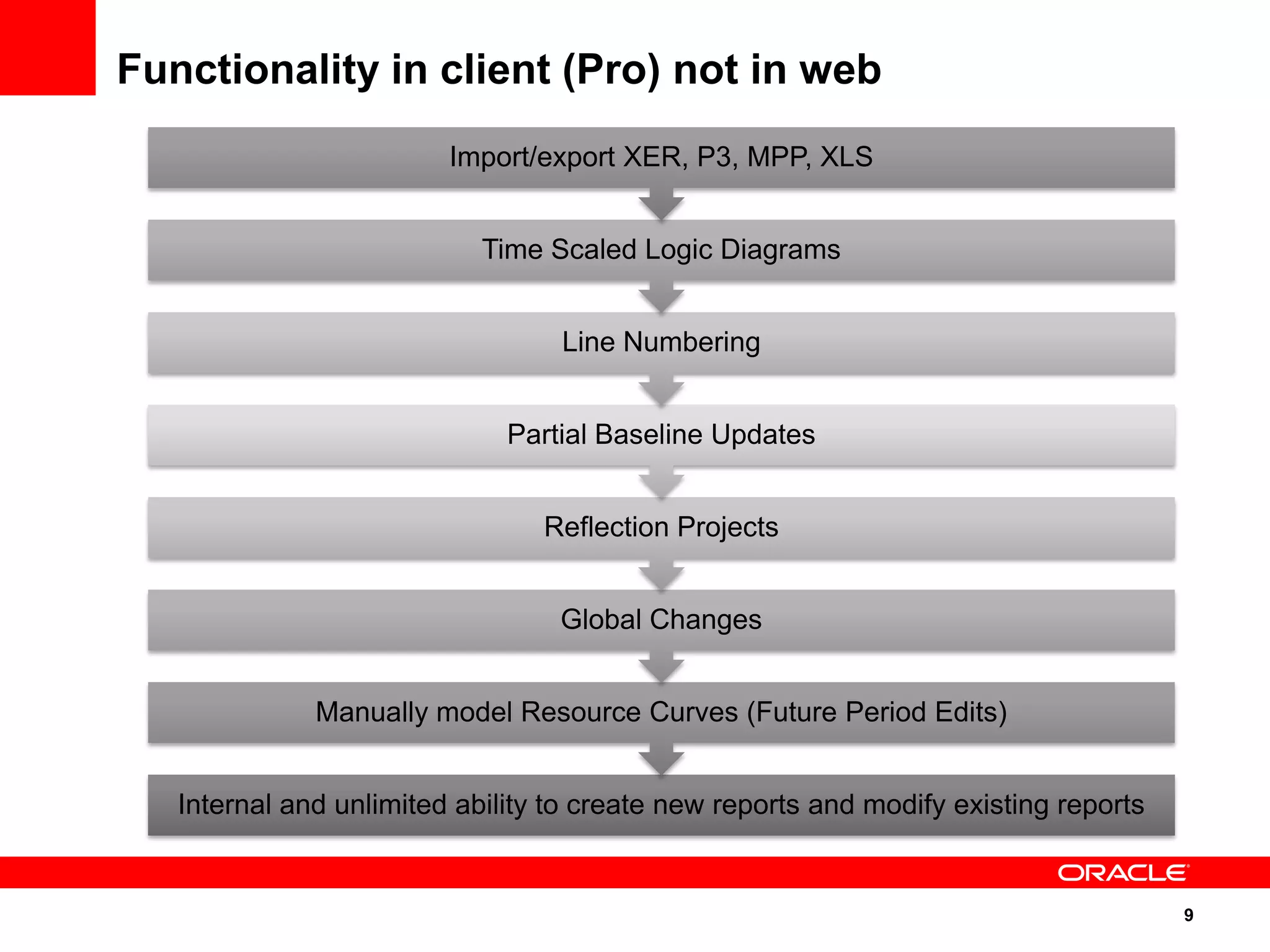
Functionality in client (Pro) not in web
                         Import/export XER, P3, MPP, XLS


                            Time Scaled Logic Diagrams


                                  Line Numbering


                              Partial Baseline Updates


                                 Reflection Projects


                                  Global Changes


              Manually model Resource Curves (Future Period Edits)


   Internal and unlimited ability to create new reports and modify existing reports


                                                                                      9
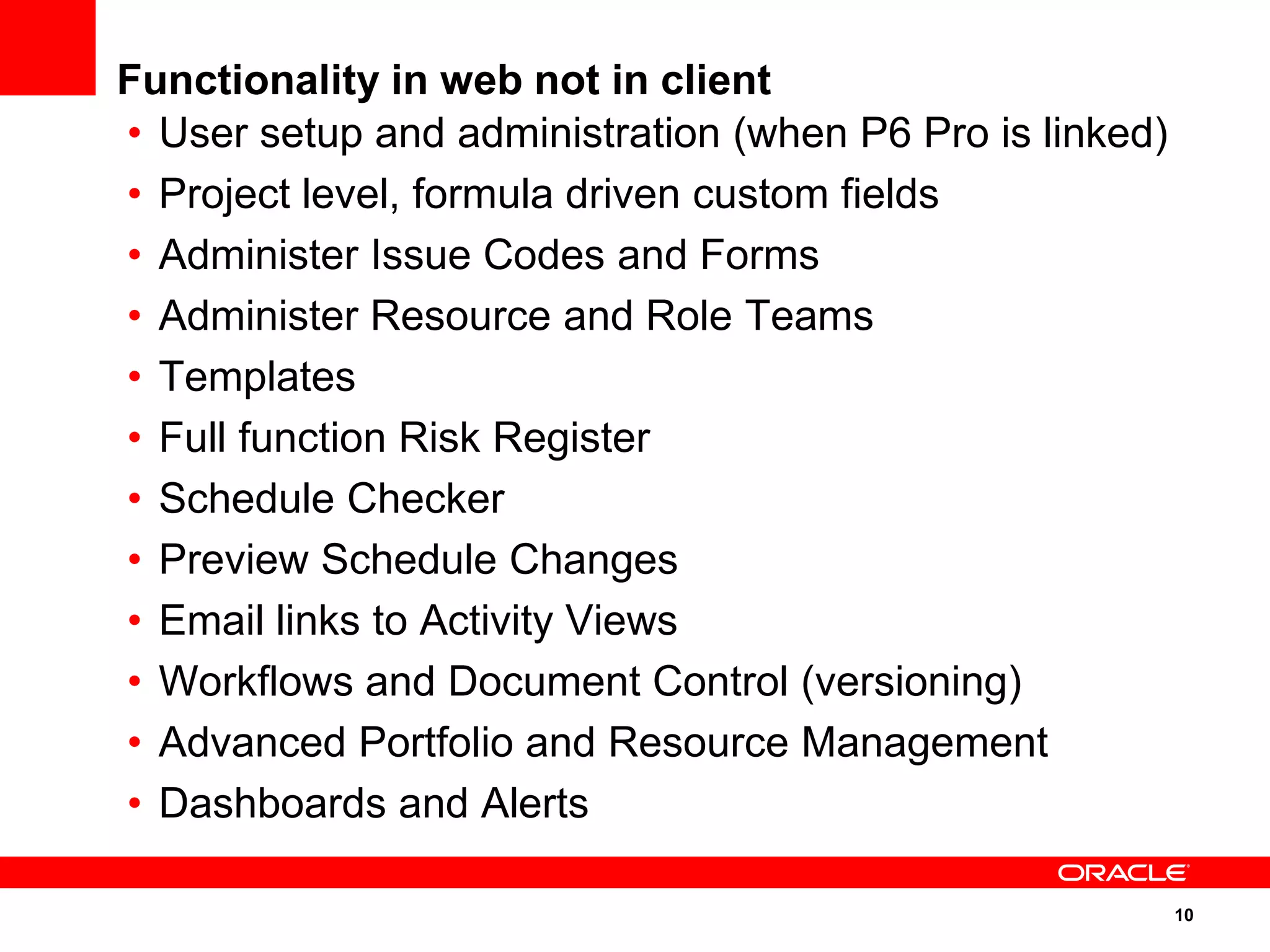
Functionality in web not in client
• User setup and administration (when P6 Pro is linked)
• Project level, formula driven custom fields
• Administer Issue Codes and Forms
• Administer Resource and Role Teams
• Templates
• Full function Risk Register
• Schedule Checker
• Preview Schedule Changes
• Email links to Activity Views
• Workflows and Document Control (versioning)
• Advanced Portfolio and Resource Management
• Dashboards and Alerts

                                                          10
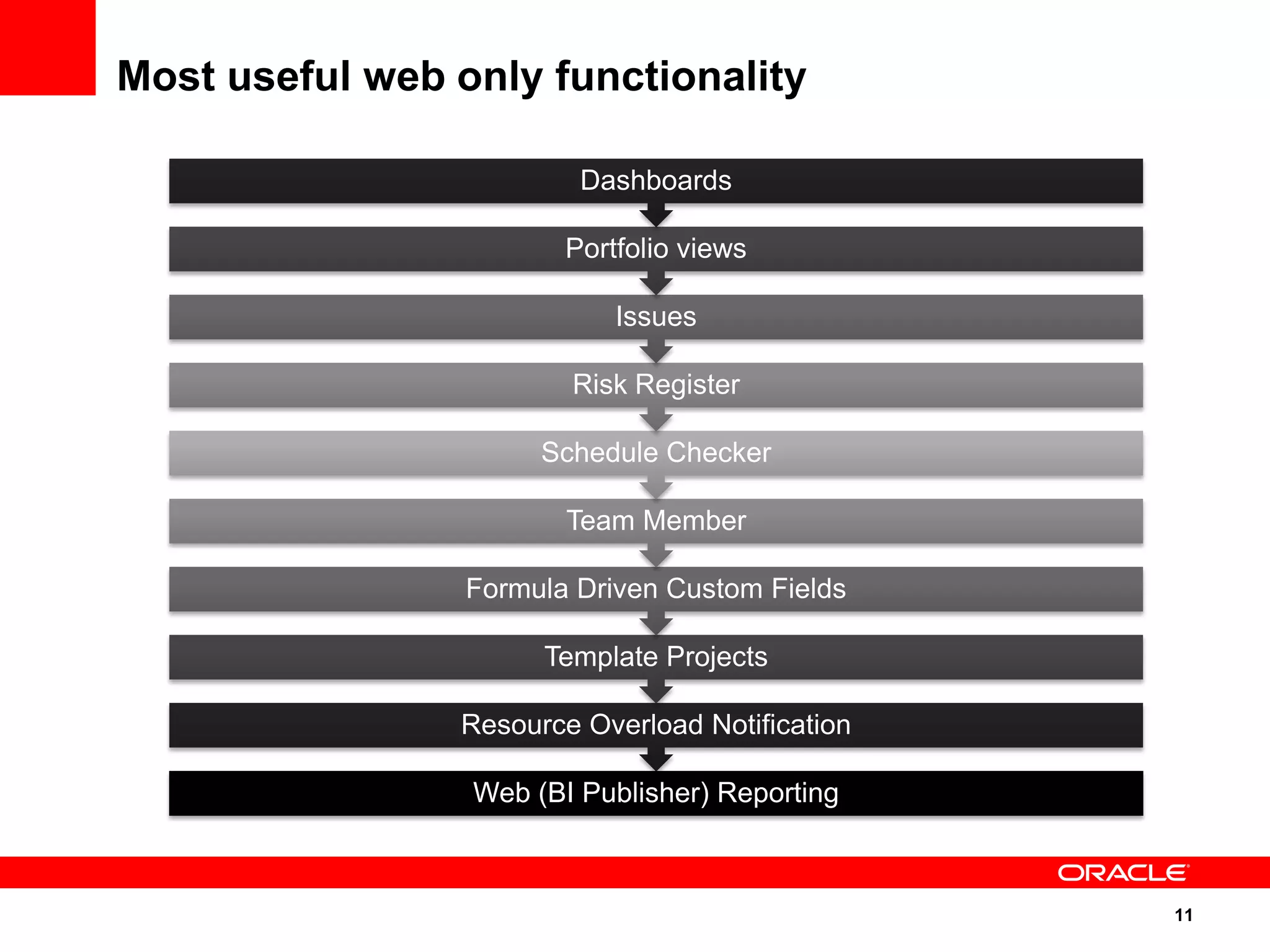
Most useful web only functionality

                         Dashboards

                        Portfolio views

                            Issues

                        Risk Register

                      Schedule Checker

                        Team Member

                 Formula Driven Custom Fields

                      Template Projects

                Resource Overload Notification

                 Web (BI Publisher) Reporting


                                                 11
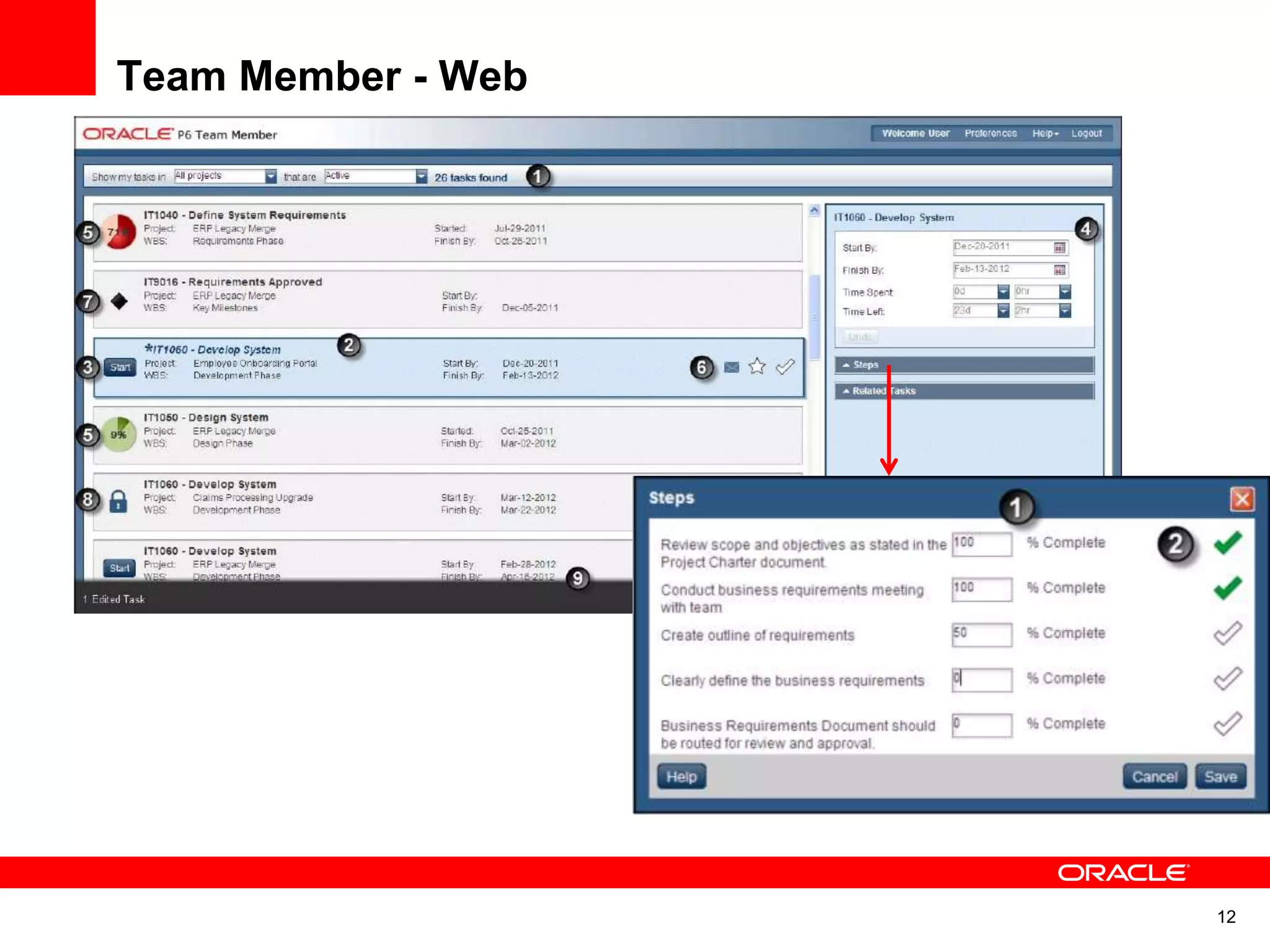
Team Member - Web


                    12
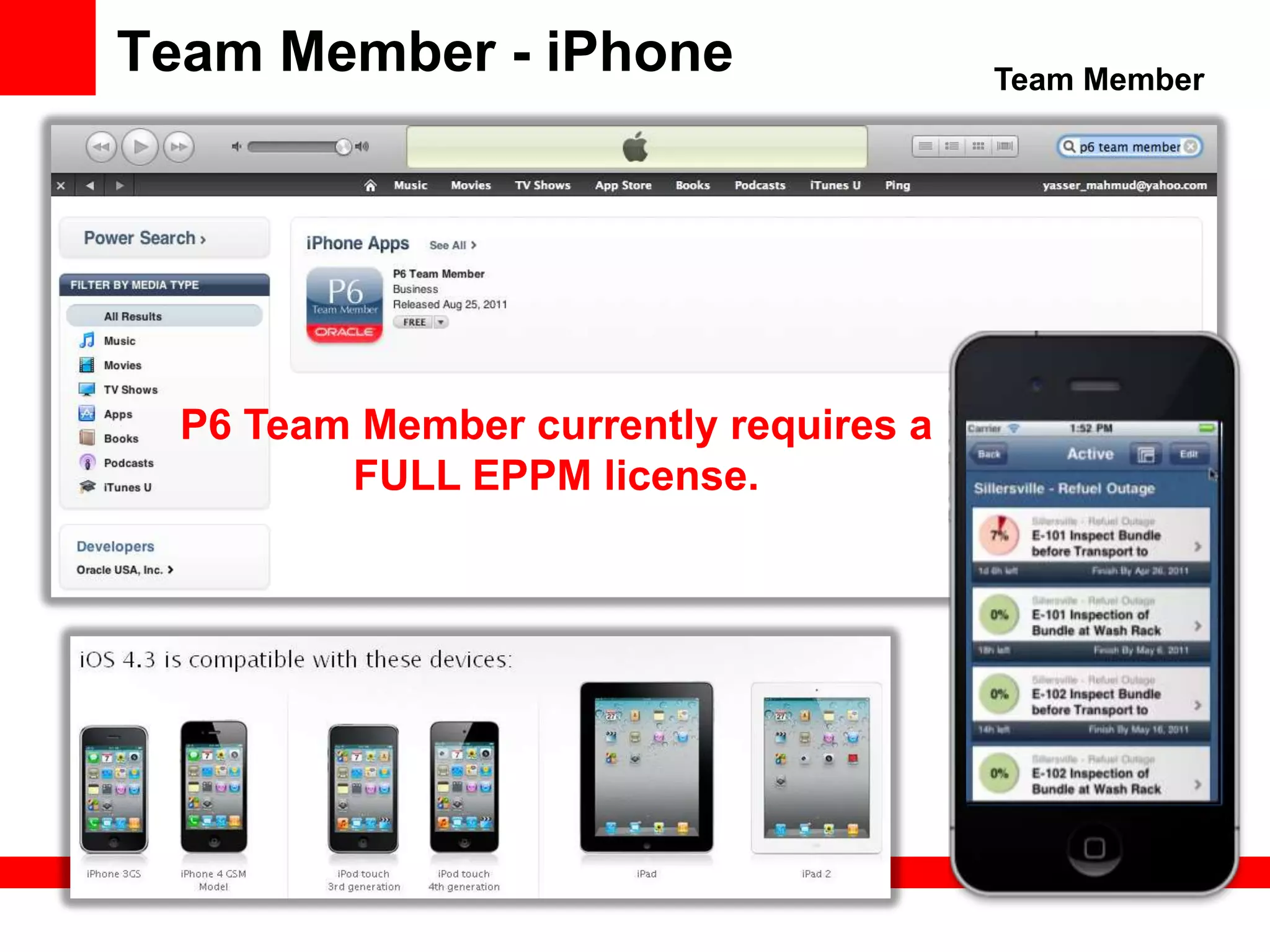
Team Member - iPhone                    Team Member


  P6 Team Member currently requires a
         FULL EPPM license.
Oracle|Primavera

HOSTED DEMONSTRATION
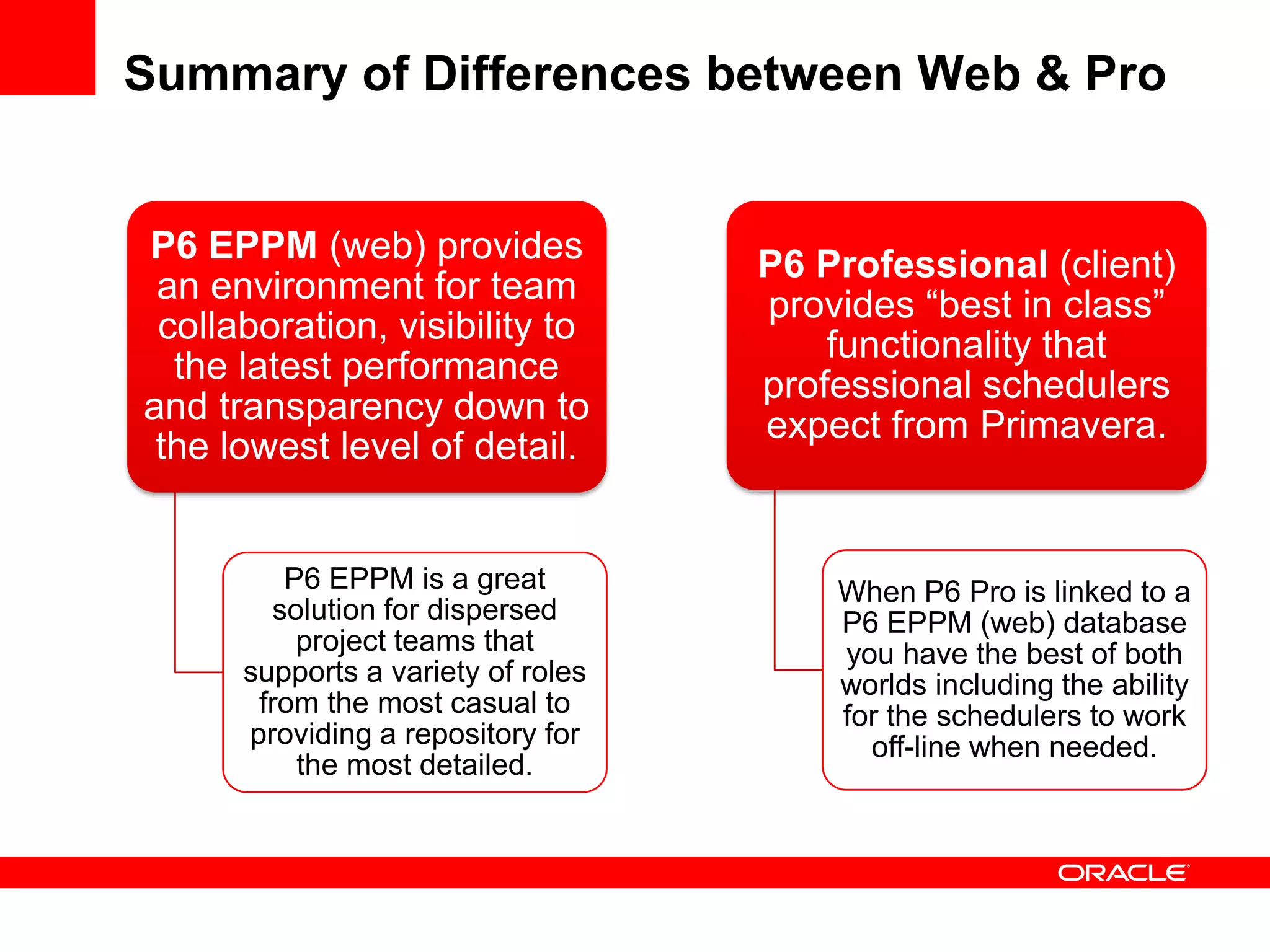
Summary of Differences between Web & Pro


P6 EPPM (web) provides              P6 Professional (client)
 an environment for team            provides “best in class”
 collaboration, visibility to           functionality that
  the latest performance            professional schedulers
and transparency down to            expect from Primavera.
 the lowest level of detail.


         P6 EPPM is a great             When P6 Pro is linked to a
        solution for dispersed          P6 EPPM (web) database
          project teams that            you have the best of both
      supports a variety of roles       worlds including the ability
       from the most casual to          for the schedulers to work
      providing a repository for          off-line when needed.
          the most detailed.
Where to Get help


Questions on       Questions on     Questions on this
 pricing and       Training and       presentation
deployment        Implementation
                     Support

  Peter Smith        Dan Beck,           Don McNatty
+1 949 297 4057   +1 716 597 4094   dmcnatty@drmcnatty.com
Upcoming Events


                  AACE International’s 56th
                      Annual Meeting
                  July 8-11 in San Antonio

                      Booth 205 & 207
Questions?
    Don McNatty
   Principal Consultant

  T. (877) 367-7990 x4053
E. dmcnatty@drmcnatty.com
   W. www.drmcnatty.com


                          32

P6 EPPM Functionality

  • 1.
    P6 EPPM Functionality Not Available in P6 Pro Don McNatty, PSP Certified P6 Trainer/Consultant Business Process Outsourcing
  • 2.
    Thank you forjoining today’s technical webinar • Mute – all call in phones are automatically muted in order to preserve the quality of the audio for all attendees. • Questions – during the session, questions can be submitted through the Questions Box on the right side of the screen . We will try to address your questions at the end of the presentation, time permitting. • Follow up – all registrants will receive an Excel file listing all questions and responses along with a link to the recorded webinar. 2
  • 3.
    Safe Harbor • Thestatements made in this technical presentation are based on our current knowledge of the tools. • Our statements should not be construed to be an official “Oracle perspective”, but are intended to be the sharing of technical and user knowledge gained as we explore new paths and technologies, usually in advance of our clients. • Our statements should not be construed as in conflict with any Oracle statement, as the Oracle statement is likely made based on more current knowledge than is available to us. 3
  • 4.
    2 5 +years experience with Primavera Services and Products Project Support Oracle Oracle Certified Oracle Certified Services – Primavera Support Training Implementation administrators, Software schedulers Managed Hosting through MLM Project Services Primavera Portfolios, P6(web), P6 Pro, Hard Dollar, Acumen, Fuse, Ecosys, Contract Management, BI Publisher, Prism, G2 Documents, Risk Subscription based software solutions Primavera applications on a monthly fee dmcnatty@drmcnatty.com Tel. 877.367.7990 4
  • 5.
    Agenda Overview ofP6 Functionality in Best Application EPPM and client (Pro) but not Environments Professional 8.2 in web Hosted Most useful web Functionality in web DEMONSTRATION only functionality but not in client Summary of Differences Where to get Help? Questions between web and Pro 5
  • 6.
    Overview of P6EPPM and Professional 8.2 P6 EPPM 8.2 was released the end of December 2011. With 8.2, Oracle has added some new update functionality in the web and P6 Pro returns to a single Windows environment for both the standalone P6 Pro and the “P6 Windows client”. This new configuration resolves issues many schedulers have with “delegating” update inputs. 8.2 also improves the deployment of 8.2 (web). 8.2 also supports running P6 Pro off-line 6
  • 7.
    Best Application Environments P6 EPPM (Web) P6 Professional • You are a casual schedule • If you use your scheduling tool user (update periodically) every day, if you consider • You need P6 Analytics yourself to be a “professional • You participate, manage or scheduler” (makes a living collaborate on projects creating, updating, reviewing through Issues, Risks, Notes and analyzing schedules). or Workflows. • If you manage schedules with • You have advanced Resource more than a few hundred Management Needs activities per project. • You want to manage Portfolios • You need to work with of Projects schedules off-line. 7
  • 8.
    P6 EPPM Architecture Web Web Web Web Web Web Web 8
  • 9.
    Functionality in client(Pro) not in web Import/export XER, P3, MPP, XLS Time Scaled Logic Diagrams Line Numbering Partial Baseline Updates Reflection Projects Global Changes Manually model Resource Curves (Future Period Edits) Internal and unlimited ability to create new reports and modify existing reports 9
  • 10.
    Functionality in webnot in client • User setup and administration (when P6 Pro is linked) • Project level, formula driven custom fields • Administer Issue Codes and Forms • Administer Resource and Role Teams • Templates • Full function Risk Register • Schedule Checker • Preview Schedule Changes • Email links to Activity Views • Workflows and Document Control (versioning) • Advanced Portfolio and Resource Management • Dashboards and Alerts 10
  • 11.
    Most useful webonly functionality Dashboards Portfolio views Issues Risk Register Schedule Checker Team Member Formula Driven Custom Fields Template Projects Resource Overload Notification Web (BI Publisher) Reporting 11
  • 12.
  • 13.
    Team Member -iPhone Team Member P6 Team Member currently requires a FULL EPPM license.
  • 14.
  • 15.
    Summary of Differencesbetween Web & Pro P6 EPPM (web) provides P6 Professional (client) an environment for team provides “best in class” collaboration, visibility to functionality that the latest performance professional schedulers and transparency down to expect from Primavera. the lowest level of detail. P6 EPPM is a great When P6 Pro is linked to a solution for dispersed P6 EPPM (web) database project teams that you have the best of both supports a variety of roles worlds including the ability from the most casual to for the schedulers to work providing a repository for off-line when needed. the most detailed.
  • 16.
    Where to Gethelp Questions on Questions on Questions on this pricing and Training and presentation deployment Implementation Support Peter Smith Dan Beck, Don McNatty +1 949 297 4057 +1 716 597 4094 dmcnatty@drmcnatty.com
  • 17.
    Upcoming Events AACE International’s 56th Annual Meeting July 8-11 in San Antonio Booth 205 & 207
  • 18.
    Questions? Don McNatty Principal Consultant T. (877) 367-7990 x4053 E. dmcnatty@drmcnatty.com W. www.drmcnatty.com 32

Editor's Notes

  • #14 P6 Team Member App Benefits:P6 Team Member App enables users to easily update status directly from their personal devices into the P6 database. CAPABILITIES: Get assignments, Give updates, E-mail, Approval steps, Intelligently Integrated, Native iOS app