

How to make effective
presentation?
Prepared by
Yesha Bhatt
Department of English
M. K. Bhavnagar University
Colour Scheme
Font size
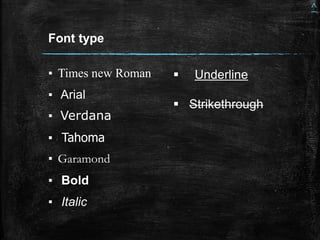
Font type
Combination of text and
image
Linking videos
Hyper linking slides
Bibliography
Index
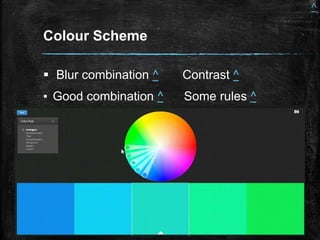
Colour Scheme
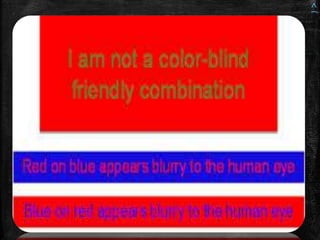
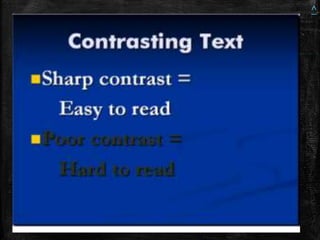
 Blur combination ^ Contrast ^
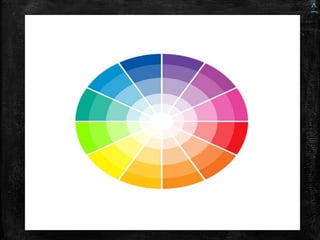
▪ Good combination ^ Some rules ^
^
^
^
^
^
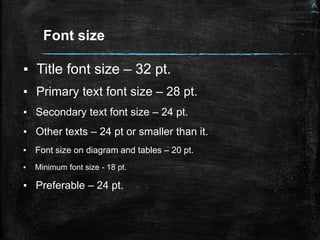
Font size
▪ Title font size – 32 pt.
▪ Primary text font size – 28 pt.
▪ Secondary text font size – 24 pt.
▪ Other texts – 24 pt or smaller than it.
▪ Font size on diagram and tables – 20 pt.
▪ Minimum font size - 18 pt.
▪ Preferable – 24 pt.
^
▪ Times new Roman
▪ Arial
▪ Verdana
▪ Tahoma
▪ Garamond
▪ Bold
▪ Italic
Font type
 Underline
 Strikethrough
^
Combination of text and image
▪ Presentation - 3
▪ Presentation – 4
^
Linking / embedding videos in
presentation
▪ Choose appropriate videos
▪ Link it with an appropriate content
^
Hyper linking slides > control by
index slide
▪ Trajectory of the topic
▪ Planning
▪ Divide your presentation
▪ Make your audience aware about the
topic
^
Bibliography
▪ Bhatt, Yesha. Slideshare .
https://www.slideshare.net/yeshab68
▪ images, Google. Google images.
https://images.google.com/
▪ You tube
Thank You

How to make an effective presentation

  • 1.
    How to makeeffective presentation? Prepared by Yesha Bhatt Department of English M. K. Bhavnagar University
  • 2.
    Colour Scheme Font size Fonttype Combination of text and image Linking videos Hyper linking slides Bibliography Index
  • 3.
    Colour Scheme  Blurcombination ^ Contrast ^ ▪ Good combination ^ Some rules ^ ^
  • 4.
  • 5.
  • 6.
  • 7.
  • 8.
    Font size ▪ Titlefont size – 32 pt. ▪ Primary text font size – 28 pt. ▪ Secondary text font size – 24 pt. ▪ Other texts – 24 pt or smaller than it. ▪ Font size on diagram and tables – 20 pt. ▪ Minimum font size - 18 pt. ▪ Preferable – 24 pt. ^
  • 9.
    ▪ Times newRoman ▪ Arial ▪ Verdana ▪ Tahoma ▪ Garamond ▪ Bold ▪ Italic Font type  Underline  Strikethrough ^
  • 10.
    Combination of textand image ▪ Presentation - 3 ▪ Presentation – 4 ^
  • 11.
    Linking / embeddingvideos in presentation ▪ Choose appropriate videos ▪ Link it with an appropriate content ^
  • 12.
    Hyper linking slides> control by index slide ▪ Trajectory of the topic ▪ Planning ▪ Divide your presentation ▪ Make your audience aware about the topic ^
  • 13.
    Bibliography ▪ Bhatt, Yesha.Slideshare . https://www.slideshare.net/yeshab68 ▪ images, Google. Google images. https://images.google.com/ ▪ You tube
  • 14.