THE SETTINGS
THE SUBJECT
THE STUDENTS
THE SESSIONS
THE TEACHER
THE SETTINGS
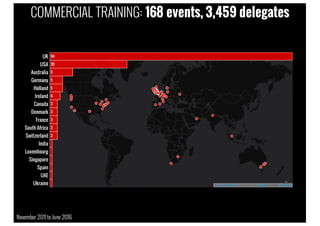
COMMERCIAL TRAINING: 168 events, 3,459 delegates
November 2011to June 2016
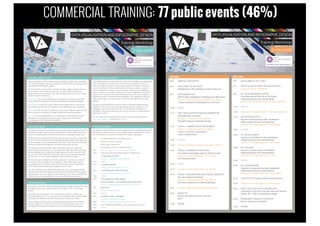
COMMERCIAL TRAINING: 77 public events (46%)
DATAVISUALISATION AND INFOGRAPHIC DESIGN
Training Workshop
The agenda is constantly refined to accommodate the most contemporary thinking
and references. The final itinerary may be slightly different, and the precise times
may vary, but here is an indicative outline of the typical 1-day agenda.
9:30 INTRODUCTION & FUNDAMENTALS
Welcome to today’s workshop
What is data visualisation?
Key principles of good visualisation design
10:10 Exercise – Instinctive critical evaluations | Review
10:50 THE DATA VISUALISATION DESIGN WORKFLOW
1. Formulating your brief
Exercise – A question of context | Review
11:10 BREAK
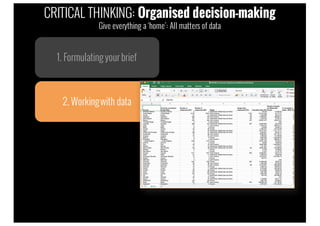
11:25 2. Working with data
Exercise – Data familiarisation | Review
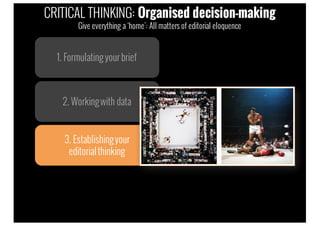
12:10 3. Establishing your editorial thinking
Exercise – Editorial brainstorming | Review
12:30 LUNCH
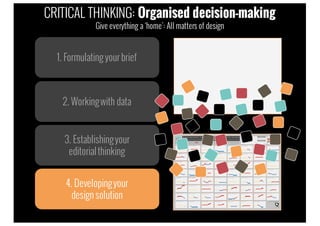
13:30 4. Developing your design solution
Data representation - data encoding and chart type gallery
Exercise – Making data representation choices | Review
14:20 Interactivity
Exercise – Design forensics
14:45 BREAK
15:00 Annotation, colour, composition
Exercise – Design forensics (cntd.)
16:00 Exercise – Design forensics: Makeovers | Review
16:45 Data visualisation capabilities: Tools, resources and the ‘7 hats’
17:00 FINISH
People attending these workshop sessions come from all backgrounds, organisation
types and domain areas. These events are intended for all audience types and
levels. You might be an analyst, statistician, or researcher looking to enhance the
creativity and impact of your communications. Perhaps you possess a creative
flair, as a designer or developer, and you’re seeing to enhance your capabilities in
relation to data-driven activities. Maybe you do not personally get involved in the
analysis or communication of data but coordinate others who do. You might be a
frequent consumer of visualisation and infographic work looking to increase the
sophistication of how you read, interpret and evaluate the effectiveness of such
designs.
The most critical attribute is curiosity: an instinct for discovering and sharing
insights from data, and an interest in approaching your data visualisation and
infographic work with a fresh perspective. You should have a willingness to
contribute to discussions during exercise activities and do so in a respectful and
constructive manner.
To view a selection of testimonials from previous workshop participants visit
www.visualisingdata.com and click on Training.
The ‘Introduction to Data Visualisation and Infographic Design’ 1-day workshops
aim to provide delegates with an accessible and comprehensive introduction to data
visualisation and infographic design.
The focus for this training is the craft of this discipline, helping delegates to know
what to think, when to think about and how to resolve all the analytical and
design decisions involved in any data-driven challenge. There are four over-riding
objectives for these workshops:
To challenge your existing thinking about creating and consuming visualisation
works, refining the clarity of your convictions about good visualisation design.
To enlighten you about the range of analytical and design options, such as chart
types, features of interactivity, annotation, colour applications, and composition.
To equip you with an efficient workflow giving you the confidence to make the best
choices based on a foundation of design principles and practical guidelines.
To inspire you by broadening your visual vocabulary, by exposing you to latest
techniques and contemporary resources, and by giving you a road map for
developing your data visualisation capabilities.
Andy Kirk is a UK-based data visualisation specialist: A design consultant, training
provider, lecturer, author, speaker, researcher, and editor of an award winning
website.
Since becoming a freelancer in 2011, Andy has delivered over 160 public and
private training events in 17 countries across five continents. Recent clients include
Penn Medicine, Standard Chartered, Astra Zeneca, Hershey, and CERN.
Andy’s teaching activities extend to visiting lecturers positions at the Maryland
Institute College of Art (MICA) in the US and at Imperial College in the UK,
delivering data visualisation modules on two respective Masters programmes.
The workshop session is structured around a proven design methodology where we
will build up, stage by stage, a detailed understanding of all the different aspects of
decision-making that goes into all data visualisation or infographic design work.
Whilst the event is described as an ‘Introduction’, this does not mean it is pitched at
a ‘basic’ level: data visualisation and infographic design teaching is really framed by
the time available - and the breadth/depth achievable - rather than any meaningful
distinction made between beginner, intermediate and advanced topics.
The content is delivered through a blend of teaching, discussion, and group
practice. The practical exercises vary in nature from evaluating works, conceiving
ideas, identifying best-fit solutions and exploring data. The most technical of the
exercises will involve looking at data in Excel. There may be some sketching tasks
but these are not a test of artistic capability, rather conceptual thinking.
These workshops are designed to be technology neutral, they are not focused on
or based around any specific tool or programme. There will be a short section
providing an overview of some of the most essential and common visualisation
tools currently in the market but the emphasis is on the craft.
All materials will be issued digitally (dropbox/USB stick) containing all training
content, exercise files and a range of useful references. Attendees are encouraged to
bring laptops to use as a workspace for the session. The only software requirements
are Excel, a browser and a pdf reader. No other technical prerequisites exist.
TRAINING OBJECTIVES
THE WORKSHOP
WHO SHOULD ATTEND?
TYPICALAGENDA
TRAINER PROFILE
2015 Winner ‘Best Dataviz Website’
1-day event
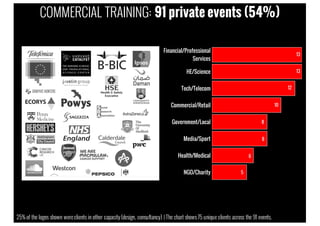
COMMERCIAL TRAINING: 91 private events (54%)
25% of the logos shown wereclients in other capacity (design, consultancy) | The chart shows 75 unique clients across the 91 events.
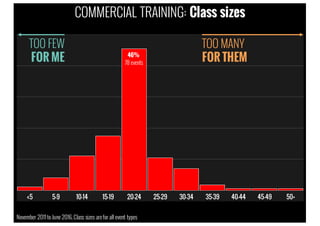
COMMERCIAL TRAINING: Class sizes
November 2011to June 2016.Class sizes arefor all event types
TOO FEW
FOR ME
TOO MANY
FOR THEM46%
78 events
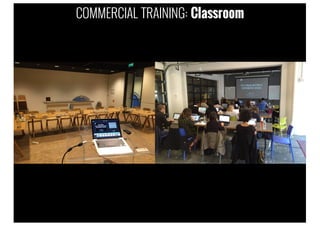
COMMERCIAL TRAINING: Classroom
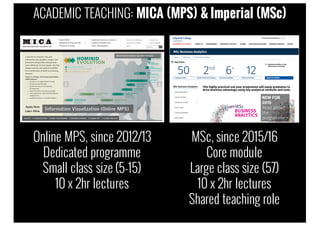
ACADEMIC TEACHING: MICA (MPS) & Imperial (MSc)
MSc, since 2015/16
Core module
Large class size (57)
10 x 2hr lectures
Shared teaching role
Online MPS, since 2012/13
Dedicated programme
Small class size (5-15)
10 x 2hr lectures
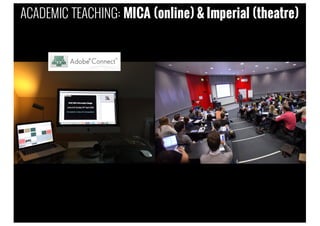
ACADEMIC TEACHING: MICA (online) & Imperial (theatre)
THE SUBJECT
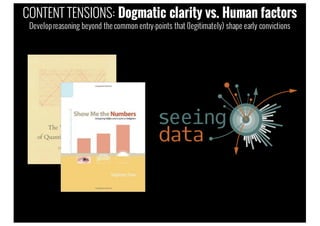
CONTENT TENSIONS: Dogmatic clarity vs. Human factors
Developreasoning beyond the common entry-points that (legitimately) shape early convictions
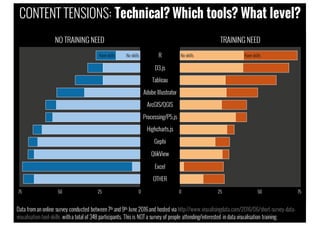
Data froman online survey conducted between 7th and 9th June 2016and hosted via http://www.visualisingdata.com/2016/06/short-survey-data-
visualisation-tool-skills witha total of 348 participants. This is NOT a survey of people attending/interested in data visualisation training.
CONTENT TENSIONS: Technical? Which tools? What level?
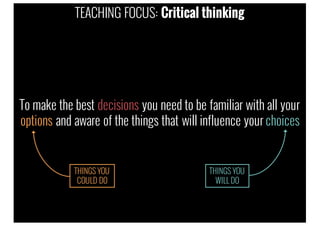
To make the best decisions you need to be familiar with all your
options and aware of the things that will influence your choices
TEACHING FOCUS: Critical thinking
THINGS YOU
COULD DO
THINGS YOU
WILL DO
Design workflow
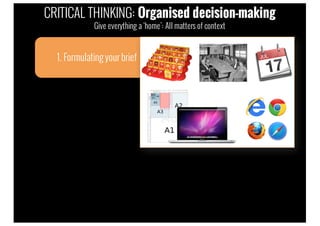
1. Formulatingyour brief
CRITICAL THINKING: Organised decision-making
Give everything a ‘home’: All matters of context
1. Formulatingyour brief
2. Workingwith data
CRITICAL THINKING: Organised decision-making
Give everything a ‘home’: All matters of data
1. Formulatingyour brief
2. Workingwith data
3. Establishingyour
editorialthinking
CRITICAL THINKING: Organised decision-making
Give everything a ‘home’: All matters of editorial eloquence
1. Formulatingyour brief
2. Workingwith data
3. Establishingyour
editorialthinking
4. Developingyour
design solution
CRITICAL THINKING: Organised decision-making
Give everything a ‘home’: All matters of design
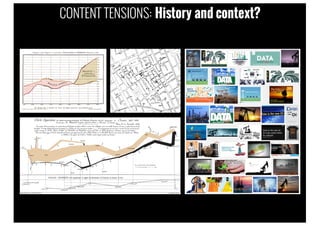
CONTENT TENSIONS: History and context?
CONTENT TENSIONS: Inspirational balance?
THE STUDENTS
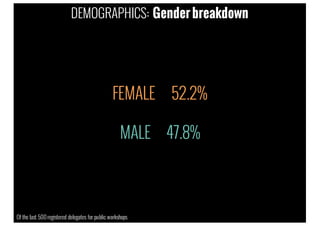
FEMALE 52.2%
MALE 47.8%
DEMOGRAPHICS: Gender breakdown
Of the last 500 registered delegates for public workshops
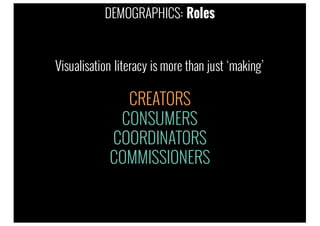
CONSUMERS
COORDINATORS
COMMISSIONERS
Visualisation literacy is more than just ‘making’
CREATORS
DEMOGRAPHICS: Roles
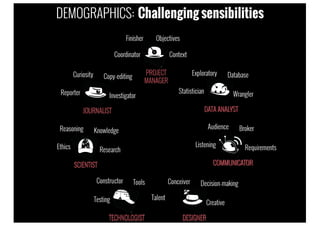
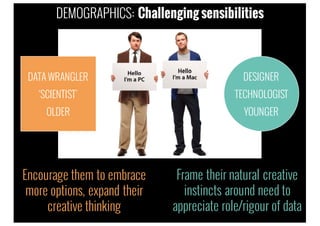
DEMOGRAPHICS: Challenging sensibilities
Frame their natural creative
instincts around need to
appreciate role/rigour of data
DATA WRANGLER
‘SCIENTIST’
OLDER
DESIGNER
TECHNOLOGIST
YOUNGER
Encourage them to embrace
more options, expand their
creative thinking
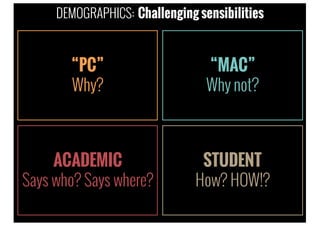
DEMOGRAPHICS: Challenging sensibilities
“PC”
Why?
“MAC”
Why not?
ACADEMIC
Says who? Says where?
STUDENT
How? HOW!?
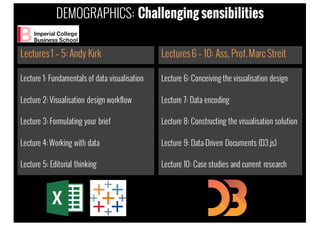
DEMOGRAPHICS: Challenging sensibilities
Lecture 1: Fundamentals of data visualisation
Lecture 2: Visualisation design workflow
Lecture 3: Formulating your brief
Lecture 4: Working with data
Lecture 5: Editorial thinking
Lectures1 – 5: Andy Kirk
Lecture 6: Conceiving the visualisation design
Lecture 7: Data encoding
Lecture 8: Constructing the visualisation solution
Lecture 9: Data-Driven Documents (D3.js)
Lecture 10: Case studies and current research
Lectures6 – 10: Ass. Prof.Marc Streit
DEMOGRAPHICS: Challenging sensibilities
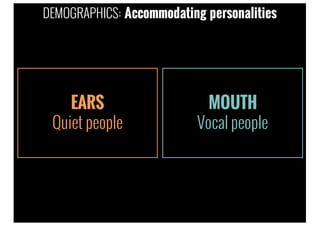
EARS
Quiet people
MOUTH
Vocal people
DEMOGRAPHICS: Accommodating personalities
THE SESSIONS
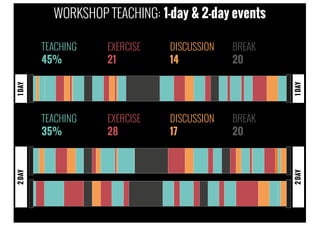
TEACHING
45%
EXERCISE
21
DISCUSSION
14
BREAK
20
TEACHING
35%
EXERCISE
28
DISCUSSION
17
BREAK
20
1DAY2DAY
2DAY1DAY
WORKSHOP TEACHING: 1-day & 2-day events
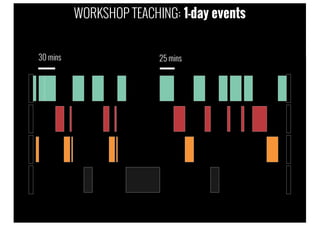
WORKSHOP TEACHING: 1-day events
30 mins 25 mins
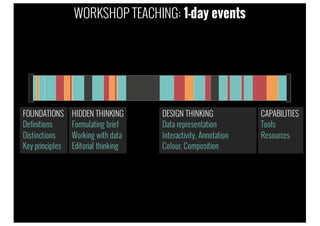
WORKSHOP TEACHING: 1-day events
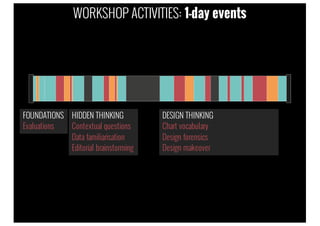
FOUNDATIONS
Definitions
Distinctions
Key principles
HIDDEN THINKING
Formulating brief
Working with data
Editorial thinking
DESIGN THINKING
Data representation
Interactivity, Annotation
Colour, Composition
CAPABILITIES
Tools
Resources
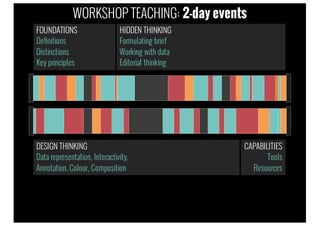
FOUNDATIONS
Definitions
Distinctions
Key principles
DESIGN THINKING
Data representation, Interactivity,
Annotation, Colour, Composition
CAPABILITIES
Tools
Resources
HIDDEN THINKING
Formulating brief
Working with data
Editorial thinking
WORKSHOP TEACHING: 2-day events
FOUNDATIONS
Evaluations
HIDDEN THINKING
Contextual questions
Data familiarisation
Editorial brainstorming
DESIGN THINKING
Chart vocabulary
Design forensics
Design makeover
WORKSHOP ACTIVITIES: 1-day events
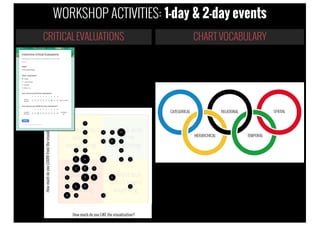
WORKSHOP ACTIVITIES: 1-day & 2-day events
CRITICALEVALUATIONS CHART VOCABULARY
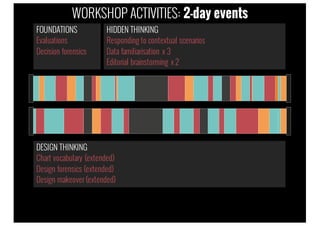
FOUNDATIONS
Evaluations
Decision forensics
DESIGN THINKING
Chart vocabulary (extended)
Design forensics (extended)
Design makeover (extended)
HIDDEN THINKING
Responding to contextual scenarios
Data familiarisation x 3
Editorial brainstorming x 2
WORKSHOP ACTIVITIES: 2-day events
WORKSHOP ACTIVITIES: Private events
WORKPLACECHALLENGES/SURGERY
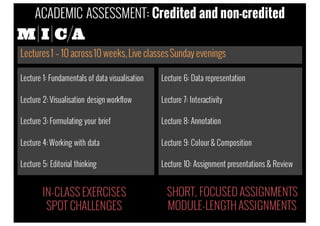
Lecture 1: Fundamentals of data visualisation
Lecture 2: Visualisation design workflow
Lecture 3: Formulating your brief
Lecture 4: Working with data
Lecture 5: Editorial thinking
Lectures1 – 10 across10 weeks,Live classesSunday evenings
Lecture 6: Data representation
Lecture 7: Interactivity
Lecture 8: Annotation
Lecture 9: Colour & Composition
Lecture 10: Assignment presentations & Review
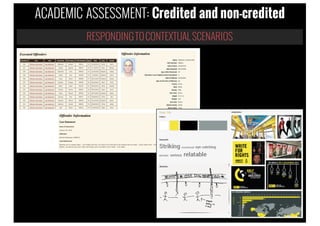
ACADEMIC ASSESSMENT: Credited and non-credited
SHORT, FOCUSED ASSIGNMENTS
MODULE-LENGTHASSIGNMENTS
IN-CLASS EXERCISES
SPOT CHALLENGES
RESPONDINGTOCONTEXTUAL SCENARIOS
ACADEMIC ASSESSMENT: Credited and non-credited
THE TEACHER
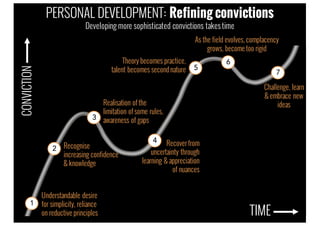
TIME
CONVICTION
Understandable desire
for simplicity, reliance
on reductive principles
Realisation of the
limitation of some rules,
awareness of gaps
Recover from
uncertainty through
learning & appreciation
of nuances
As the field evolves, complacency
grows, become too rigid
Challenge, learn
& embrace new
ideas
Recognise
increasing confidence
& knowledge
1
3
4
6
7
2
5
Theory becomes practice,
talent becomes second nature
PERSONAL DEVELOPMENT: Refining convictions
Developing more sophisticated convictions takes time
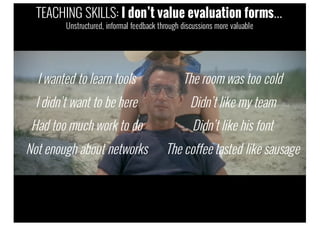
I wanted to learn tools
I didn’t want to be here
Had too much work to do
Not enough about networks
The room was too cold
Didn’t like my team
Didn’t like his font
The coffee tasted like sausage
TEACHING SKILLS: I don’t value evaluation forms…
Unstructured, informal feedback through discussions more valuable
Andy Kirk's Talk at the Information Plus Conference 2016

Andy Kirk's Talk at the Information Plus Conference 2016

  • 2.
    THE SETTINGS THE SUBJECT THESTUDENTS THE SESSIONS THE TEACHER
  • 3.
  • 4.
    COMMERCIAL TRAINING: 168events, 3,459 delegates November 2011to June 2016
  • 5.
    COMMERCIAL TRAINING: 77public events (46%) DATAVISUALISATION AND INFOGRAPHIC DESIGN Training Workshop The agenda is constantly refined to accommodate the most contemporary thinking and references. The final itinerary may be slightly different, and the precise times may vary, but here is an indicative outline of the typical 1-day agenda. 9:30 INTRODUCTION & FUNDAMENTALS Welcome to today’s workshop What is data visualisation? Key principles of good visualisation design 10:10 Exercise – Instinctive critical evaluations | Review 10:50 THE DATA VISUALISATION DESIGN WORKFLOW 1. Formulating your brief Exercise – A question of context | Review 11:10 BREAK 11:25 2. Working with data Exercise – Data familiarisation | Review 12:10 3. Establishing your editorial thinking Exercise – Editorial brainstorming | Review 12:30 LUNCH 13:30 4. Developing your design solution Data representation - data encoding and chart type gallery Exercise – Making data representation choices | Review 14:20 Interactivity Exercise – Design forensics 14:45 BREAK 15:00 Annotation, colour, composition Exercise – Design forensics (cntd.) 16:00 Exercise – Design forensics: Makeovers | Review 16:45 Data visualisation capabilities: Tools, resources and the ‘7 hats’ 17:00 FINISH People attending these workshop sessions come from all backgrounds, organisation types and domain areas. These events are intended for all audience types and levels. You might be an analyst, statistician, or researcher looking to enhance the creativity and impact of your communications. Perhaps you possess a creative flair, as a designer or developer, and you’re seeing to enhance your capabilities in relation to data-driven activities. Maybe you do not personally get involved in the analysis or communication of data but coordinate others who do. You might be a frequent consumer of visualisation and infographic work looking to increase the sophistication of how you read, interpret and evaluate the effectiveness of such designs. The most critical attribute is curiosity: an instinct for discovering and sharing insights from data, and an interest in approaching your data visualisation and infographic work with a fresh perspective. You should have a willingness to contribute to discussions during exercise activities and do so in a respectful and constructive manner. To view a selection of testimonials from previous workshop participants visit www.visualisingdata.com and click on Training. The ‘Introduction to Data Visualisation and Infographic Design’ 1-day workshops aim to provide delegates with an accessible and comprehensive introduction to data visualisation and infographic design. The focus for this training is the craft of this discipline, helping delegates to know what to think, when to think about and how to resolve all the analytical and design decisions involved in any data-driven challenge. There are four over-riding objectives for these workshops: To challenge your existing thinking about creating and consuming visualisation works, refining the clarity of your convictions about good visualisation design. To enlighten you about the range of analytical and design options, such as chart types, features of interactivity, annotation, colour applications, and composition. To equip you with an efficient workflow giving you the confidence to make the best choices based on a foundation of design principles and practical guidelines. To inspire you by broadening your visual vocabulary, by exposing you to latest techniques and contemporary resources, and by giving you a road map for developing your data visualisation capabilities. Andy Kirk is a UK-based data visualisation specialist: A design consultant, training provider, lecturer, author, speaker, researcher, and editor of an award winning website. Since becoming a freelancer in 2011, Andy has delivered over 160 public and private training events in 17 countries across five continents. Recent clients include Penn Medicine, Standard Chartered, Astra Zeneca, Hershey, and CERN. Andy’s teaching activities extend to visiting lecturers positions at the Maryland Institute College of Art (MICA) in the US and at Imperial College in the UK, delivering data visualisation modules on two respective Masters programmes. The workshop session is structured around a proven design methodology where we will build up, stage by stage, a detailed understanding of all the different aspects of decision-making that goes into all data visualisation or infographic design work. Whilst the event is described as an ‘Introduction’, this does not mean it is pitched at a ‘basic’ level: data visualisation and infographic design teaching is really framed by the time available - and the breadth/depth achievable - rather than any meaningful distinction made between beginner, intermediate and advanced topics. The content is delivered through a blend of teaching, discussion, and group practice. The practical exercises vary in nature from evaluating works, conceiving ideas, identifying best-fit solutions and exploring data. The most technical of the exercises will involve looking at data in Excel. There may be some sketching tasks but these are not a test of artistic capability, rather conceptual thinking. These workshops are designed to be technology neutral, they are not focused on or based around any specific tool or programme. There will be a short section providing an overview of some of the most essential and common visualisation tools currently in the market but the emphasis is on the craft. All materials will be issued digitally (dropbox/USB stick) containing all training content, exercise files and a range of useful references. Attendees are encouraged to bring laptops to use as a workspace for the session. The only software requirements are Excel, a browser and a pdf reader. No other technical prerequisites exist. TRAINING OBJECTIVES THE WORKSHOP WHO SHOULD ATTEND? TYPICALAGENDA TRAINER PROFILE 2015 Winner ‘Best Dataviz Website’ 1-day event
  • 6.
    COMMERCIAL TRAINING: 91private events (54%) 25% of the logos shown wereclients in other capacity (design, consultancy) | The chart shows 75 unique clients across the 91 events.
  • 7.
    COMMERCIAL TRAINING: Classsizes November 2011to June 2016.Class sizes arefor all event types TOO FEW FOR ME TOO MANY FOR THEM46% 78 events
  • 8.
  • 9.
    ACADEMIC TEACHING: MICA(MPS) & Imperial (MSc) MSc, since 2015/16 Core module Large class size (57) 10 x 2hr lectures Shared teaching role Online MPS, since 2012/13 Dedicated programme Small class size (5-15) 10 x 2hr lectures
  • 10.
    ACADEMIC TEACHING: MICA(online) & Imperial (theatre)
  • 11.
  • 12.
    CONTENT TENSIONS: Dogmaticclarity vs. Human factors Developreasoning beyond the common entry-points that (legitimately) shape early convictions
  • 13.
    Data froman onlinesurvey conducted between 7th and 9th June 2016and hosted via http://www.visualisingdata.com/2016/06/short-survey-data- visualisation-tool-skills witha total of 348 participants. This is NOT a survey of people attending/interested in data visualisation training. CONTENT TENSIONS: Technical? Which tools? What level?
  • 14.
    To make thebest decisions you need to be familiar with all your options and aware of the things that will influence your choices TEACHING FOCUS: Critical thinking THINGS YOU COULD DO THINGS YOU WILL DO
  • 15.
    Design workflow 1. Formulatingyourbrief CRITICAL THINKING: Organised decision-making Give everything a ‘home’: All matters of context
  • 16.
    1. Formulatingyour brief 2.Workingwith data CRITICAL THINKING: Organised decision-making Give everything a ‘home’: All matters of data
  • 17.
    1. Formulatingyour brief 2.Workingwith data 3. Establishingyour editorialthinking CRITICAL THINKING: Organised decision-making Give everything a ‘home’: All matters of editorial eloquence
  • 18.
    1. Formulatingyour brief 2.Workingwith data 3. Establishingyour editorialthinking 4. Developingyour design solution CRITICAL THINKING: Organised decision-making Give everything a ‘home’: All matters of design
  • 19.
  • 20.
  • 21.
  • 22.
    FEMALE 52.2% MALE 47.8% DEMOGRAPHICS:Gender breakdown Of the last 500 registered delegates for public workshops
  • 23.
    CONSUMERS COORDINATORS COMMISSIONERS Visualisation literacy ismore than just ‘making’ CREATORS DEMOGRAPHICS: Roles
  • 24.
  • 25.
    Frame their naturalcreative instincts around need to appreciate role/rigour of data DATA WRANGLER ‘SCIENTIST’ OLDER DESIGNER TECHNOLOGIST YOUNGER Encourage them to embrace more options, expand their creative thinking DEMOGRAPHICS: Challenging sensibilities
  • 26.
    “PC” Why? “MAC” Why not? ACADEMIC Says who?Says where? STUDENT How? HOW!? DEMOGRAPHICS: Challenging sensibilities
  • 27.
    Lecture 1: Fundamentalsof data visualisation Lecture 2: Visualisation design workflow Lecture 3: Formulating your brief Lecture 4: Working with data Lecture 5: Editorial thinking Lectures1 – 5: Andy Kirk Lecture 6: Conceiving the visualisation design Lecture 7: Data encoding Lecture 8: Constructing the visualisation solution Lecture 9: Data-Driven Documents (D3.js) Lecture 10: Case studies and current research Lectures6 – 10: Ass. Prof.Marc Streit DEMOGRAPHICS: Challenging sensibilities
  • 28.
  • 29.
  • 30.
  • 31.
    WORKSHOP TEACHING: 1-dayevents 30 mins 25 mins
  • 32.
    WORKSHOP TEACHING: 1-dayevents FOUNDATIONS Definitions Distinctions Key principles HIDDEN THINKING Formulating brief Working with data Editorial thinking DESIGN THINKING Data representation Interactivity, Annotation Colour, Composition CAPABILITIES Tools Resources
  • 33.
    FOUNDATIONS Definitions Distinctions Key principles DESIGN THINKING Datarepresentation, Interactivity, Annotation, Colour, Composition CAPABILITIES Tools Resources HIDDEN THINKING Formulating brief Working with data Editorial thinking WORKSHOP TEACHING: 2-day events
  • 34.
    FOUNDATIONS Evaluations HIDDEN THINKING Contextual questions Datafamiliarisation Editorial brainstorming DESIGN THINKING Chart vocabulary Design forensics Design makeover WORKSHOP ACTIVITIES: 1-day events
  • 35.
    WORKSHOP ACTIVITIES: 1-day& 2-day events CRITICALEVALUATIONS CHART VOCABULARY
  • 36.
    FOUNDATIONS Evaluations Decision forensics DESIGN THINKING Chartvocabulary (extended) Design forensics (extended) Design makeover (extended) HIDDEN THINKING Responding to contextual scenarios Data familiarisation x 3 Editorial brainstorming x 2 WORKSHOP ACTIVITIES: 2-day events
  • 37.
    WORKSHOP ACTIVITIES: Privateevents WORKPLACECHALLENGES/SURGERY
  • 38.
    Lecture 1: Fundamentalsof data visualisation Lecture 2: Visualisation design workflow Lecture 3: Formulating your brief Lecture 4: Working with data Lecture 5: Editorial thinking Lectures1 – 10 across10 weeks,Live classesSunday evenings Lecture 6: Data representation Lecture 7: Interactivity Lecture 8: Annotation Lecture 9: Colour & Composition Lecture 10: Assignment presentations & Review ACADEMIC ASSESSMENT: Credited and non-credited SHORT, FOCUSED ASSIGNMENTS MODULE-LENGTHASSIGNMENTS IN-CLASS EXERCISES SPOT CHALLENGES
  • 39.
  • 40.
  • 41.
    TIME CONVICTION Understandable desire for simplicity,reliance on reductive principles Realisation of the limitation of some rules, awareness of gaps Recover from uncertainty through learning & appreciation of nuances As the field evolves, complacency grows, become too rigid Challenge, learn & embrace new ideas Recognise increasing confidence & knowledge 1 3 4 6 7 2 5 Theory becomes practice, talent becomes second nature PERSONAL DEVELOPMENT: Refining convictions Developing more sophisticated convictions takes time
  • 42.
    I wanted tolearn tools I didn’t want to be here Had too much work to do Not enough about networks The room was too cold Didn’t like my team Didn’t like his font The coffee tasted like sausage TEACHING SKILLS: I don’t value evaluation forms… Unstructured, informal feedback through discussions more valuable