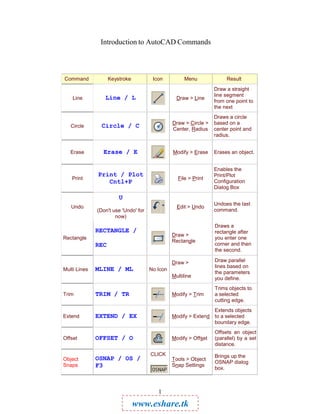
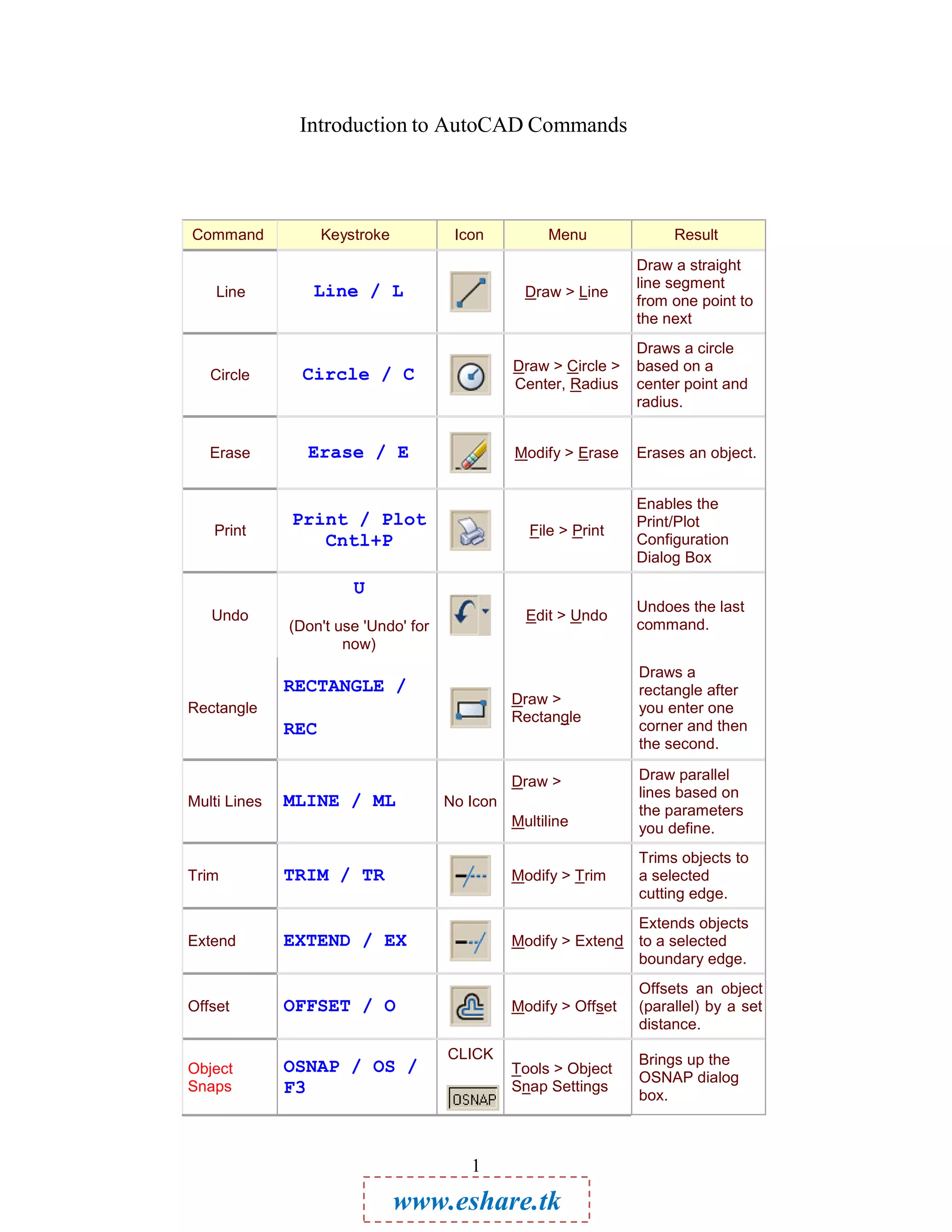
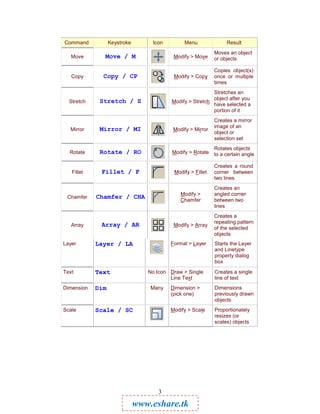
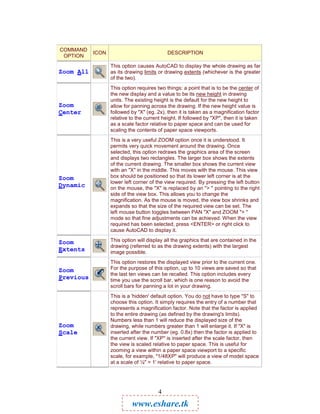
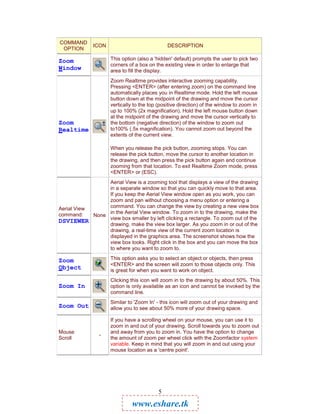
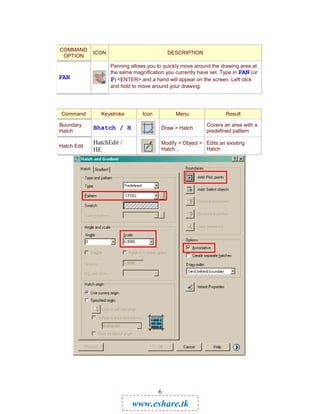
The document provides an overview of common AutoCAD commands, including their keystrokes, icons, menus, and functions. Some of the most important commands covered are:
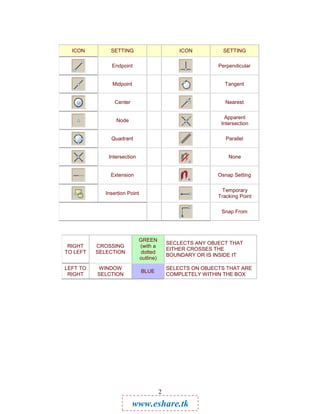
Line - Draws straight line segments. Circle - Draws circles based on center point and radius. Erase - Erases objects. Print/Plot - Opens the print configuration dialog box. Undo - Undoes the last command. Rectangle - Draws rectangles defined by two points. Object Snaps - Manages object snap settings. Zoom - Zooms and pans the drawing view in various ways. Hatch - Fills an area with a predefined pattern.