A ‘lies to children’ introduction to how Moodle works http://en.wikipedia.org/wiki/Lie-to-children
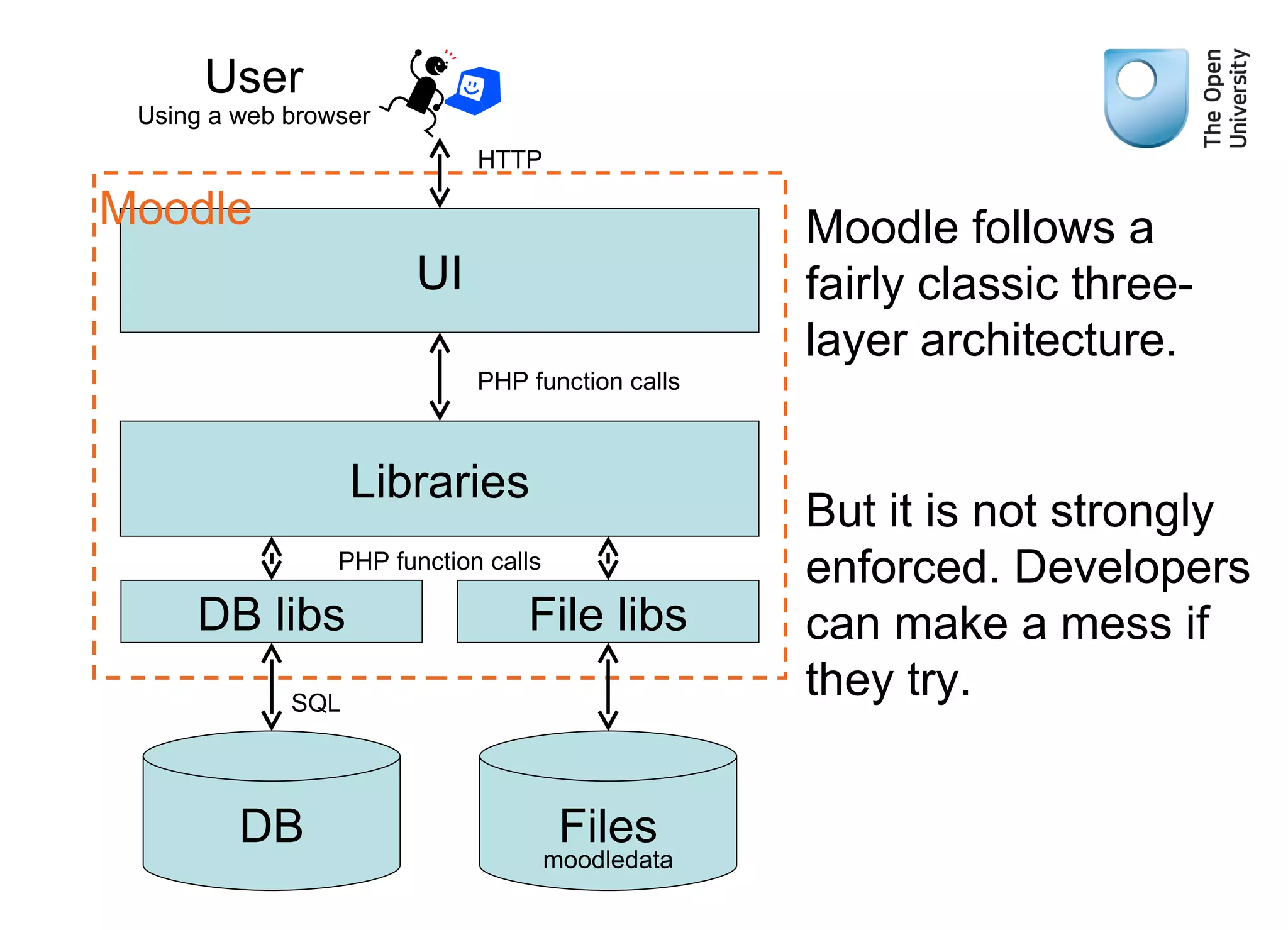
UI Libraries DB libs DB User HTTP PHP function calls PHP function calls SQL Moodle Using a web browser Moodle follows a fairly classic three-layer architecture. But it is not strongly enforced. Developers can make a mess if they try. File libs Files moodledata
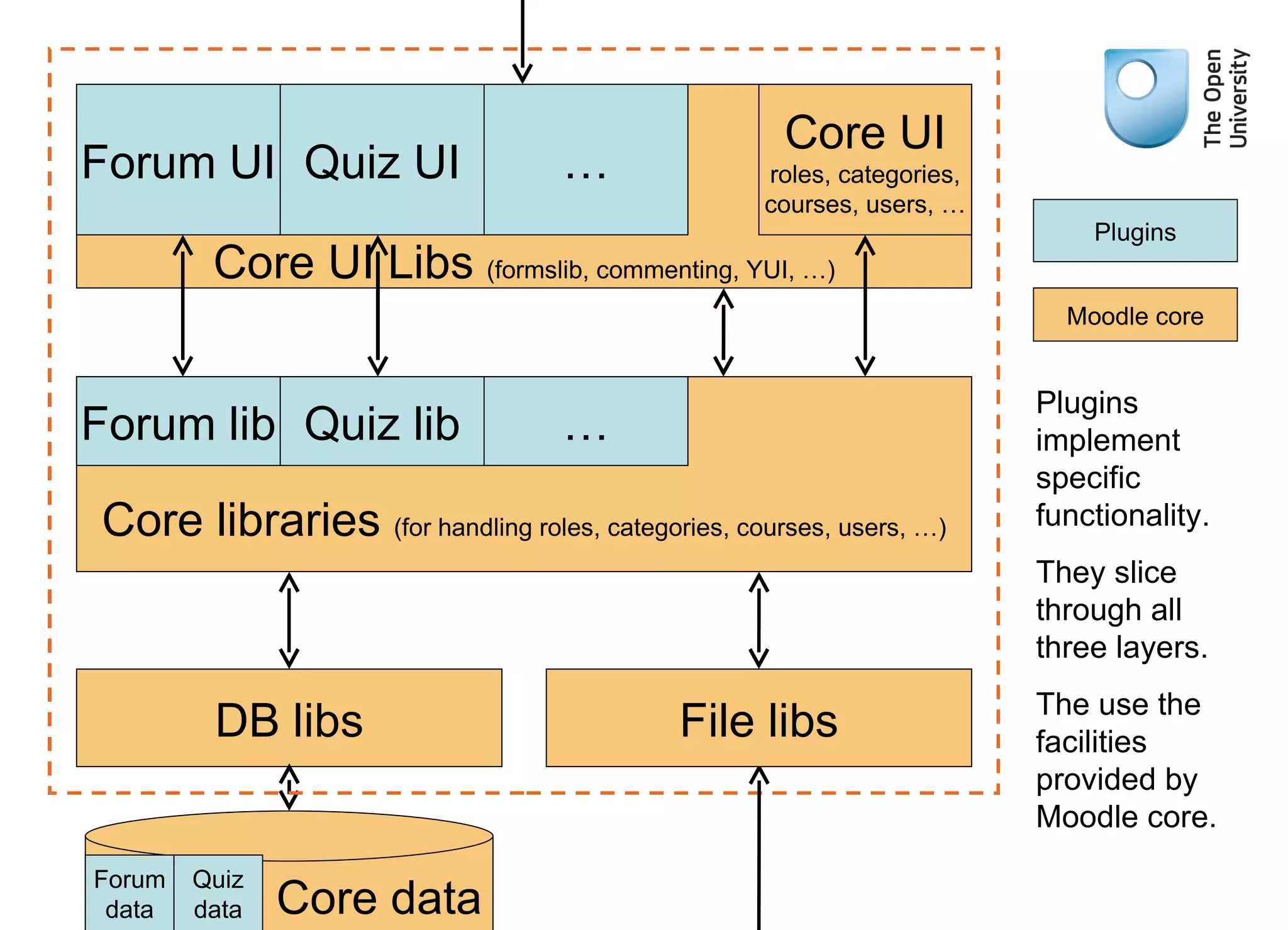
Core UI Libs  (formslib, commenting, YUI, …) Core libraries  (for handling roles, categories, courses, users, …) DB libs File libs Forum UI Quiz UI … Plugins Moodle core Core UI roles, categories, courses, users, … Forum lib Quiz lib … Core data Forum data Quiz data Plugins implement specific functionality. They slice through all three layers. The use the facilities provided by Moodle core.
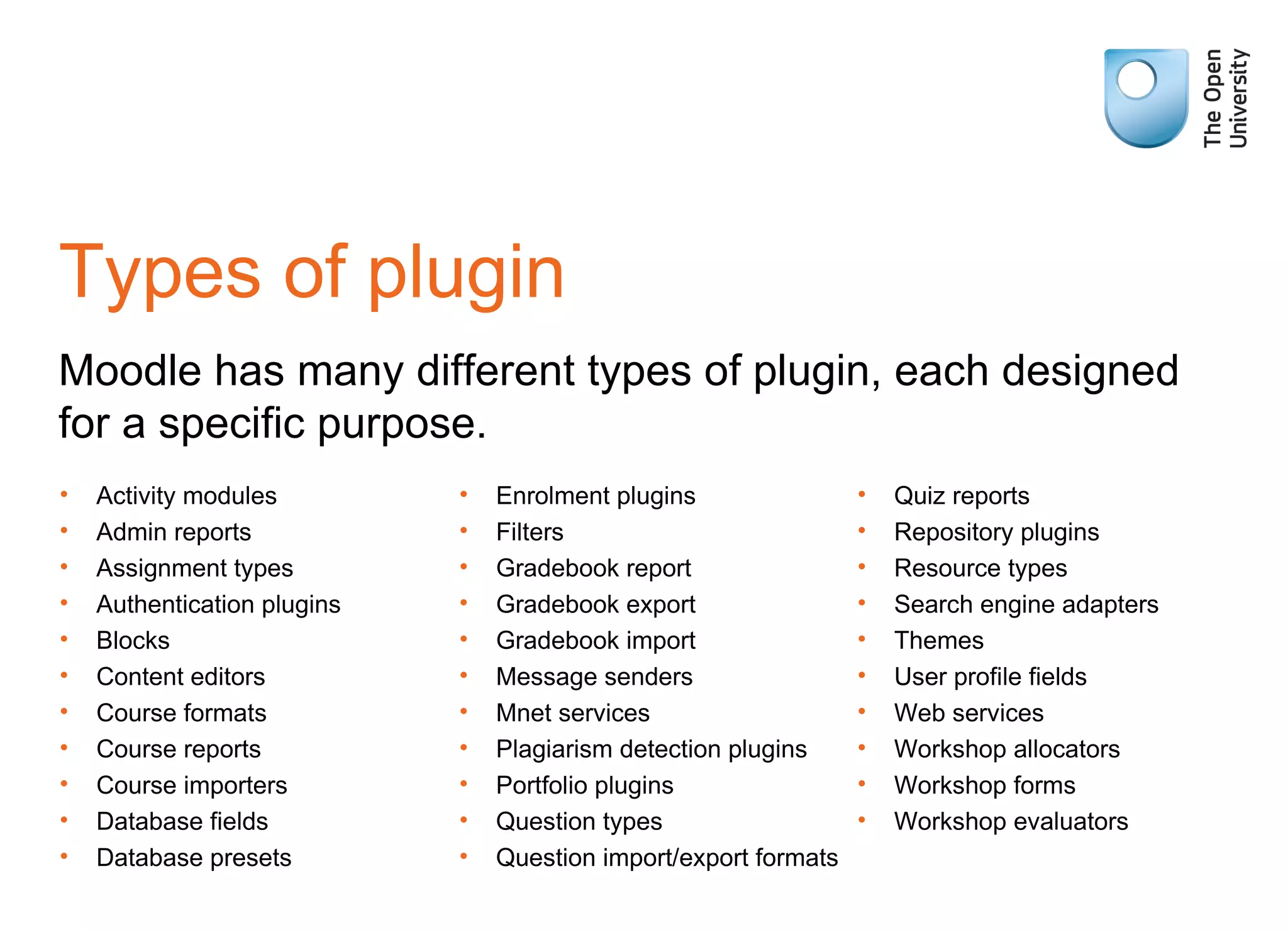
Types of plugin Moodle has many different types of plugin, each designed for a specific purpose. Activity modules Admin reports Assignment types Authentication plugins Blocks Content editors Course formats Course reports Course importers Database fields Database presets Enrolment plugins Filters Gradebook report Gradebook export Gradebook import Message senders Mnet services Plagiarism detection plugins Portfolio plugins Question types Question import/export formats Quiz reports Repository plugins Resource types Search engine adapters Themes User profile fields Web services Workshop allocators Workshop forms Workshop evaluators
Users, roles and permissions Typical question: Paul wants to attempt Quiz 1, should we let him?
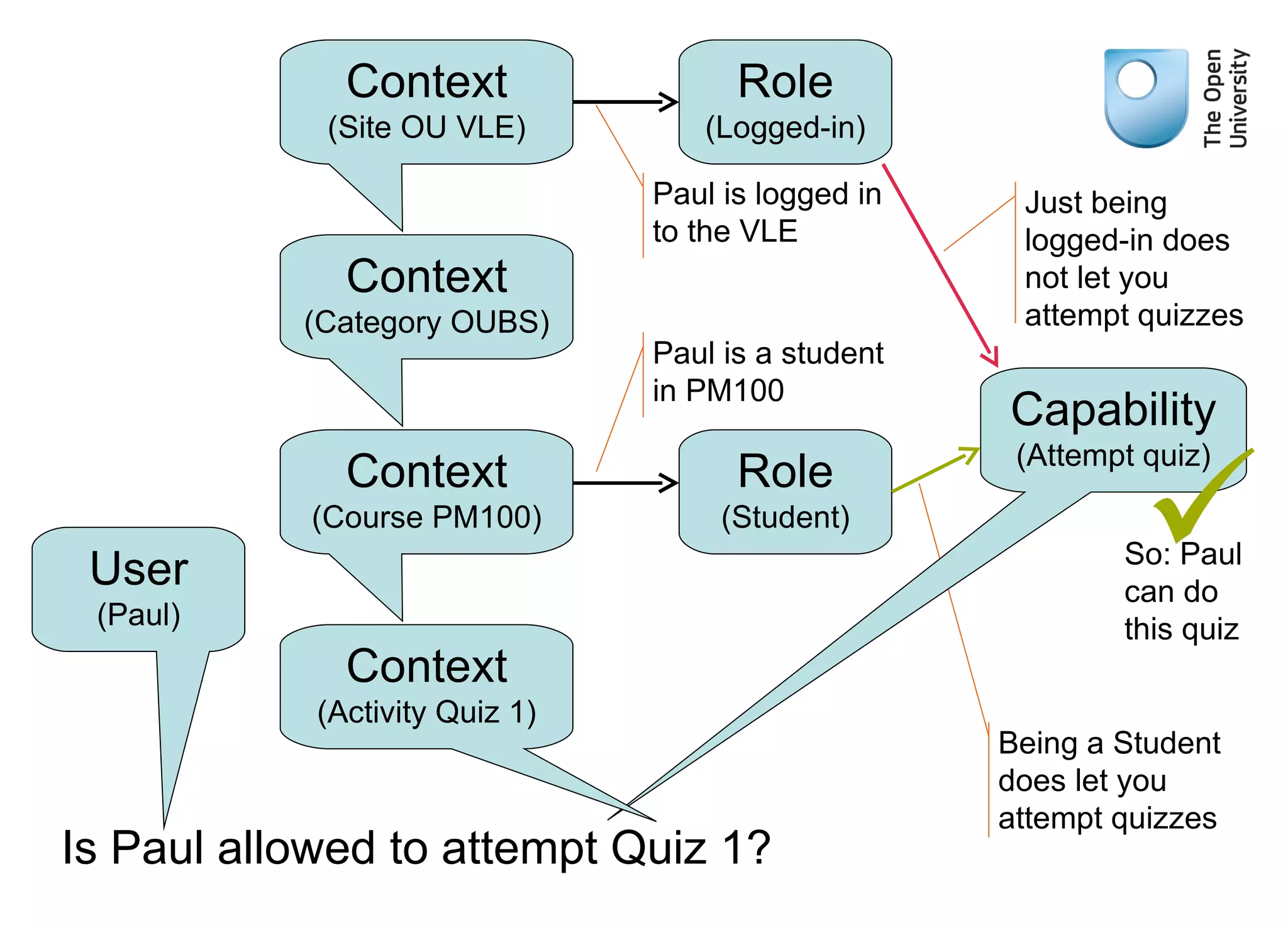
Being a Student does let you attempt quizzes Is Paul allowed to attempt Quiz 1? User (Paul) Context (Course PM100) Context (Category OUBS) Context (Site OU VLE) Capability (Attempt quiz) Role (Logged-in) Role (Student) Paul is logged in to the VLE Paul is a student in PM100 Just being logged-in does not let you attempt quizzes So: Paul can do this quiz  Context (Activity Quiz 1)
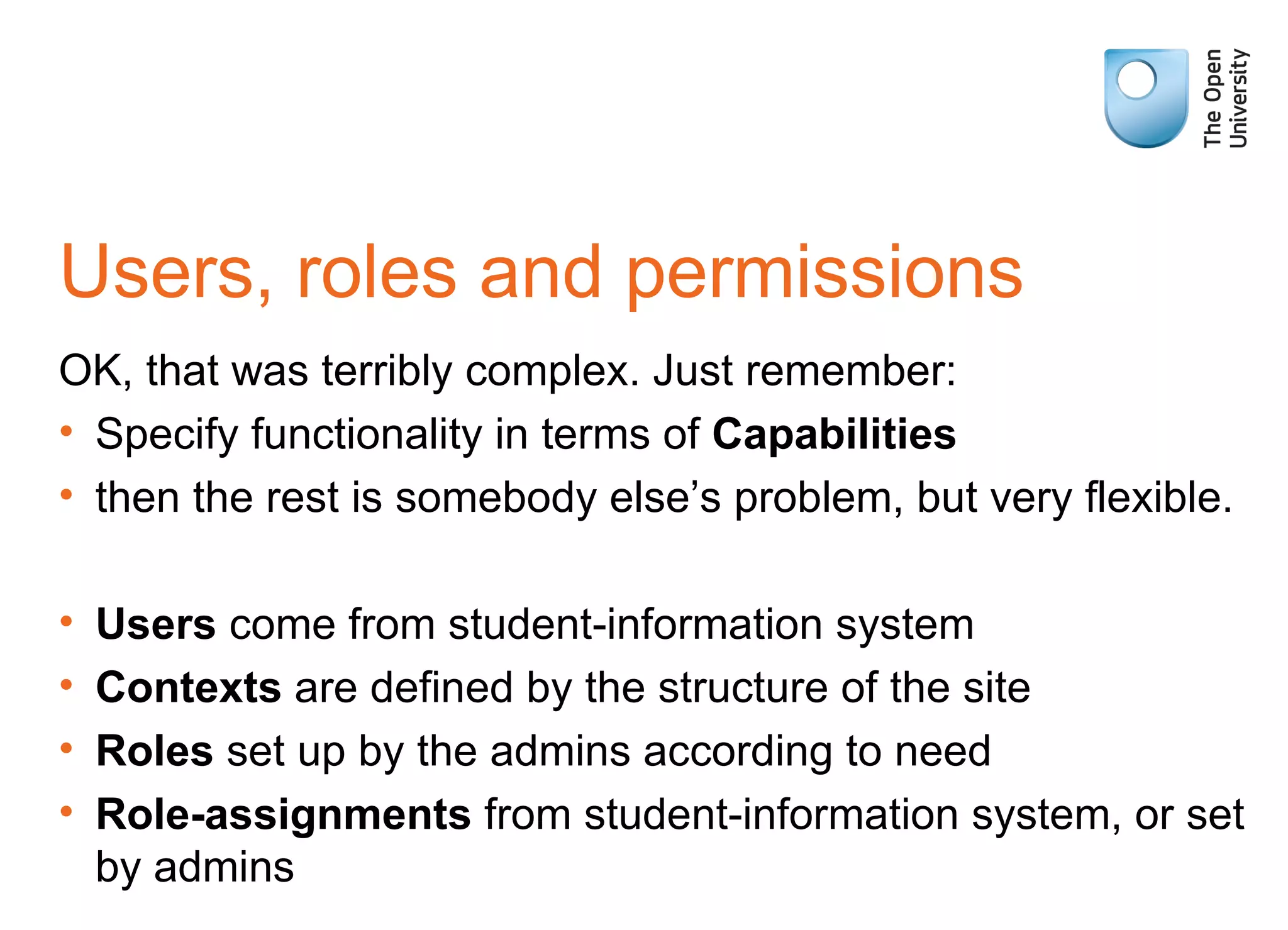
Users, roles and permissions OK, that was terribly complex. Just remember: Specify functionality in terms of  Capabilities then the rest is somebody else’s problem, but very flexible. Users  come from student-information system Contexts  are defined by the structure of the site Roles  set up by the admins according to need Role-assignments  from student-information system, or set by admins
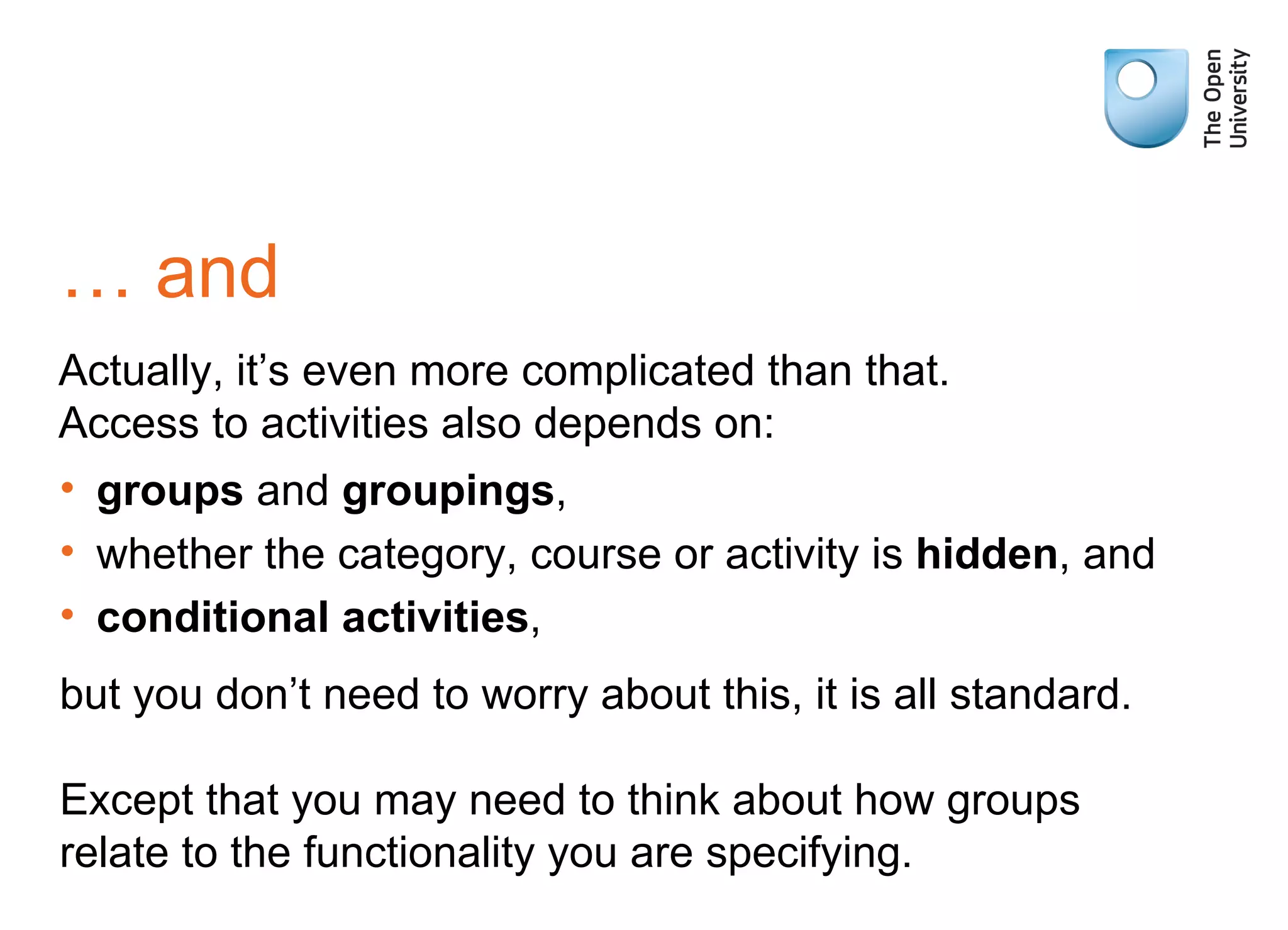
…  and Actually, it’s even more complicated than that. Access to activities also depends on: groups  and  groupings , whether the category, course or activity is  hidden , and conditional activities , but you don’t need to worry about this, it is all standard. Except that you may need to think about how groups relate to the functionality you are specifying.
So, I had better explain groups Three  Group mode s for an activity/course: Separate groups  – Groups work on their own, unaware of other groups. Visible groups  – Groups work on their own, but can see, but not interfere with what other groups are doing. No groups  – all students work together. Can be different sets of groups ( Groupings ), for example tutor groups and regional groups.
Ways to learn more Moodle Docs  http://docs.moodle.org/ Cole & Foster  Using Moodle  O’Reilly 2007 Cooch  Moodle 2.0 First Look  Packt 2010 Using Moodle  forums http://moodle.org/course/view.php?id=5

A basic introduction to the Moodle architecture

  • 1.
    A ‘lies tochildren’ introduction to how Moodle works http://en.wikipedia.org/wiki/Lie-to-children
  • 2.
    UI Libraries DBlibs DB User HTTP PHP function calls PHP function calls SQL Moodle Using a web browser Moodle follows a fairly classic three-layer architecture. But it is not strongly enforced. Developers can make a mess if they try. File libs Files moodledata
  • 3.
    Core UI Libs (formslib, commenting, YUI, …) Core libraries (for handling roles, categories, courses, users, …) DB libs File libs Forum UI Quiz UI … Plugins Moodle core Core UI roles, categories, courses, users, … Forum lib Quiz lib … Core data Forum data Quiz data Plugins implement specific functionality. They slice through all three layers. The use the facilities provided by Moodle core.
  • 4.
    Types of pluginMoodle has many different types of plugin, each designed for a specific purpose. Activity modules Admin reports Assignment types Authentication plugins Blocks Content editors Course formats Course reports Course importers Database fields Database presets Enrolment plugins Filters Gradebook report Gradebook export Gradebook import Message senders Mnet services Plagiarism detection plugins Portfolio plugins Question types Question import/export formats Quiz reports Repository plugins Resource types Search engine adapters Themes User profile fields Web services Workshop allocators Workshop forms Workshop evaluators
  • 5.
    Users, roles andpermissions Typical question: Paul wants to attempt Quiz 1, should we let him?
  • 6.
    Being a Studentdoes let you attempt quizzes Is Paul allowed to attempt Quiz 1? User (Paul) Context (Course PM100) Context (Category OUBS) Context (Site OU VLE) Capability (Attempt quiz) Role (Logged-in) Role (Student) Paul is logged in to the VLE Paul is a student in PM100 Just being logged-in does not let you attempt quizzes So: Paul can do this quiz  Context (Activity Quiz 1)
  • 7.
    Users, roles andpermissions OK, that was terribly complex. Just remember: Specify functionality in terms of Capabilities then the rest is somebody else’s problem, but very flexible. Users come from student-information system Contexts are defined by the structure of the site Roles set up by the admins according to need Role-assignments from student-information system, or set by admins
  • 8.
    … andActually, it’s even more complicated than that. Access to activities also depends on: groups and groupings , whether the category, course or activity is hidden , and conditional activities , but you don’t need to worry about this, it is all standard. Except that you may need to think about how groups relate to the functionality you are specifying.
  • 9.
    So, I hadbetter explain groups Three Group mode s for an activity/course: Separate groups – Groups work on their own, unaware of other groups. Visible groups – Groups work on their own, but can see, but not interfere with what other groups are doing. No groups – all students work together. Can be different sets of groups ( Groupings ), for example tutor groups and regional groups.
  • 10.
    Ways to learnmore Moodle Docs http://docs.moodle.org/ Cole & Foster Using Moodle O’Reilly 2007 Cooch Moodle 2.0 First Look Packt 2010 Using Moodle forums http://moodle.org/course/view.php?id=5