Zarafa multiserver reverse proxy
Steve Hardy
Cluster node proxy
•   General idea
    – Parts of the system
        • HTTP(s) proxy
        • Zarafa server
    – Some details
        • Session IP locking
        • Internal vs external connections
•   Network layouts
    – SSL offload
    – Loadbalancer
•   Configuration
    – Configuring
    – Testing (stats)
Goal
•   Single exposed ‘host’ to clients for cloud solutions
•   Host may be:
     – Single hostname, single IP
     – Single hostname, round-robin IP


•   Advantages:
     – Easier firewalling
     – Use off-the-shelf proxy / loadbalance hardware
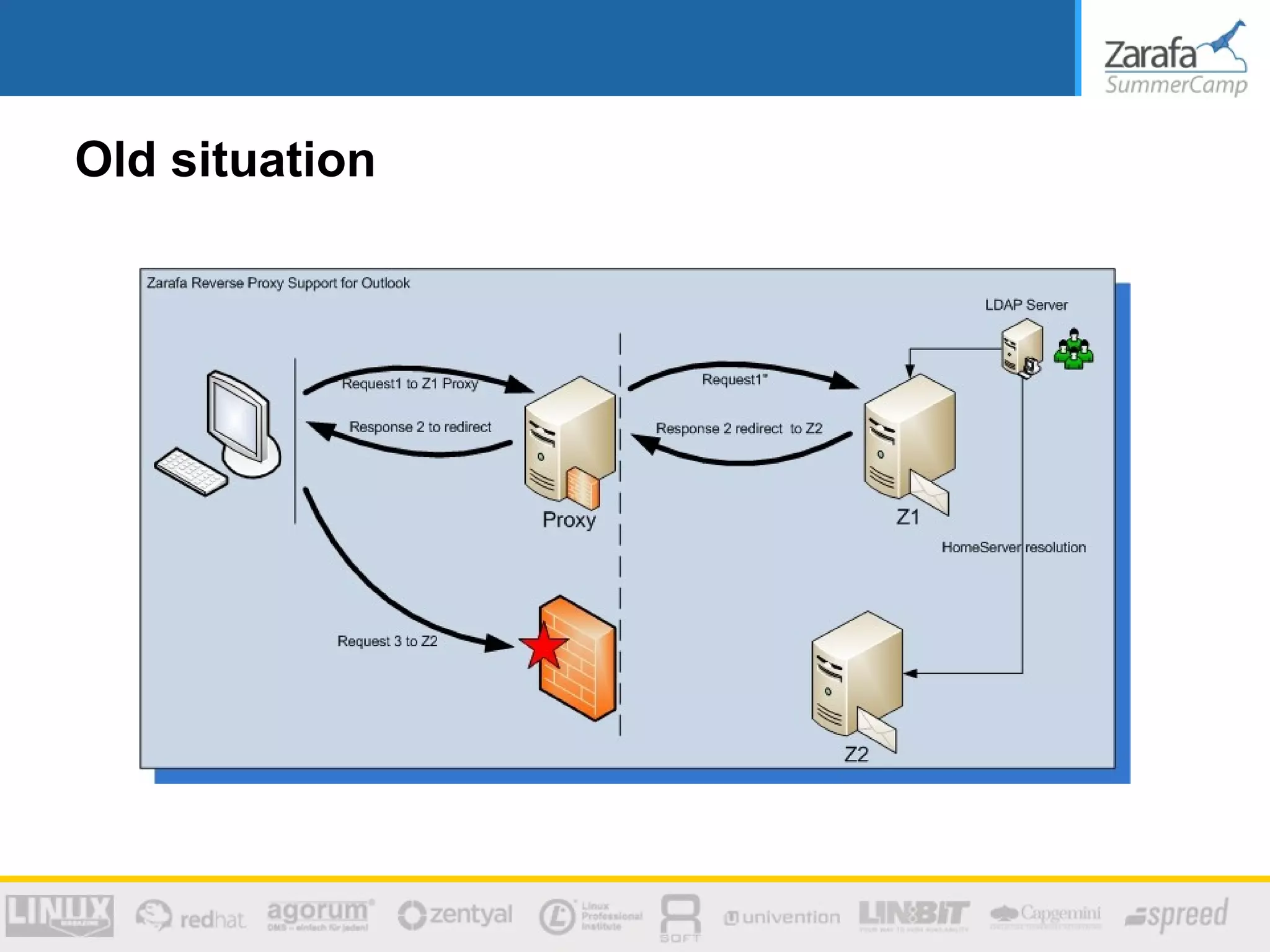
Old situation
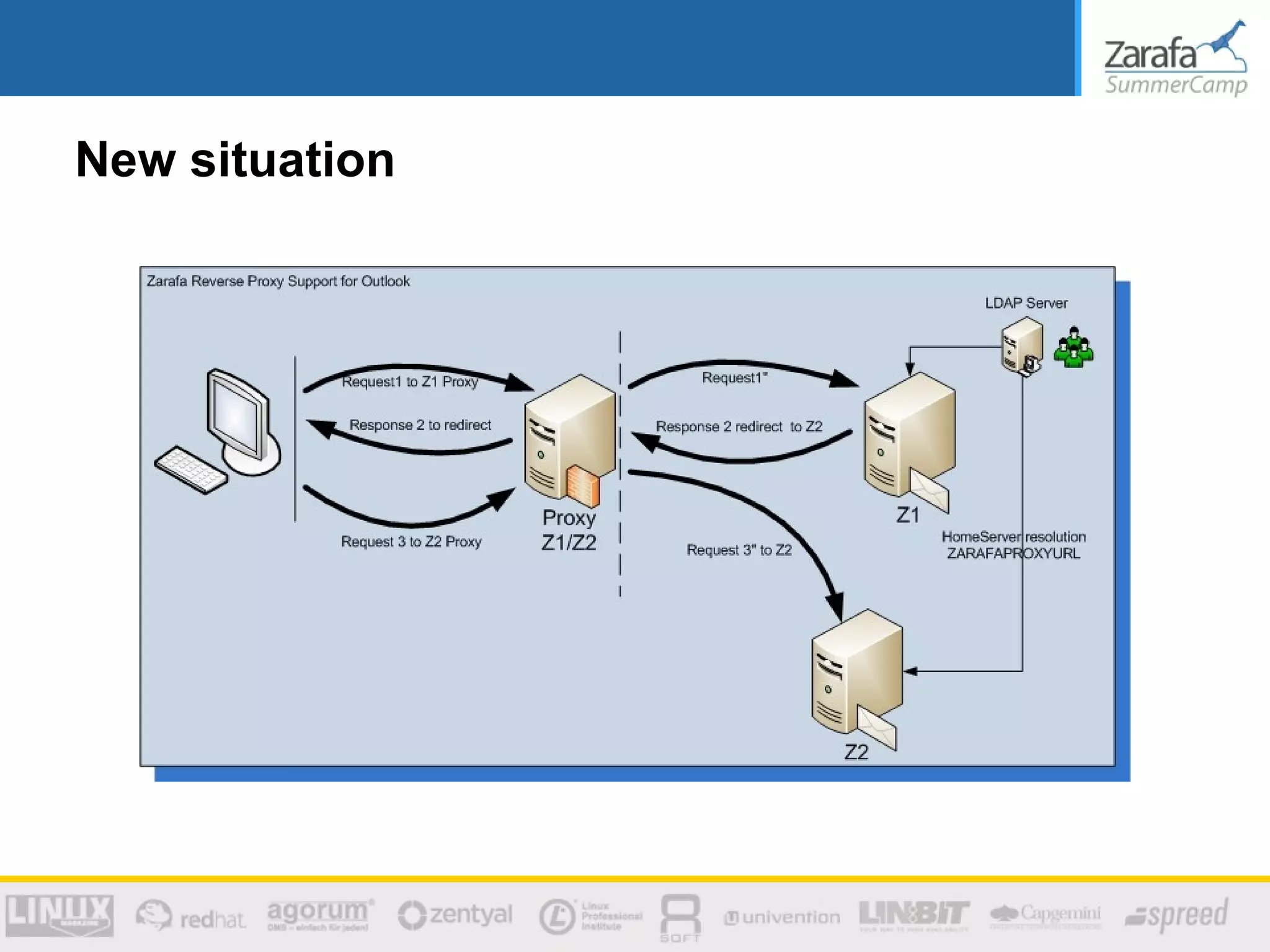
New situation
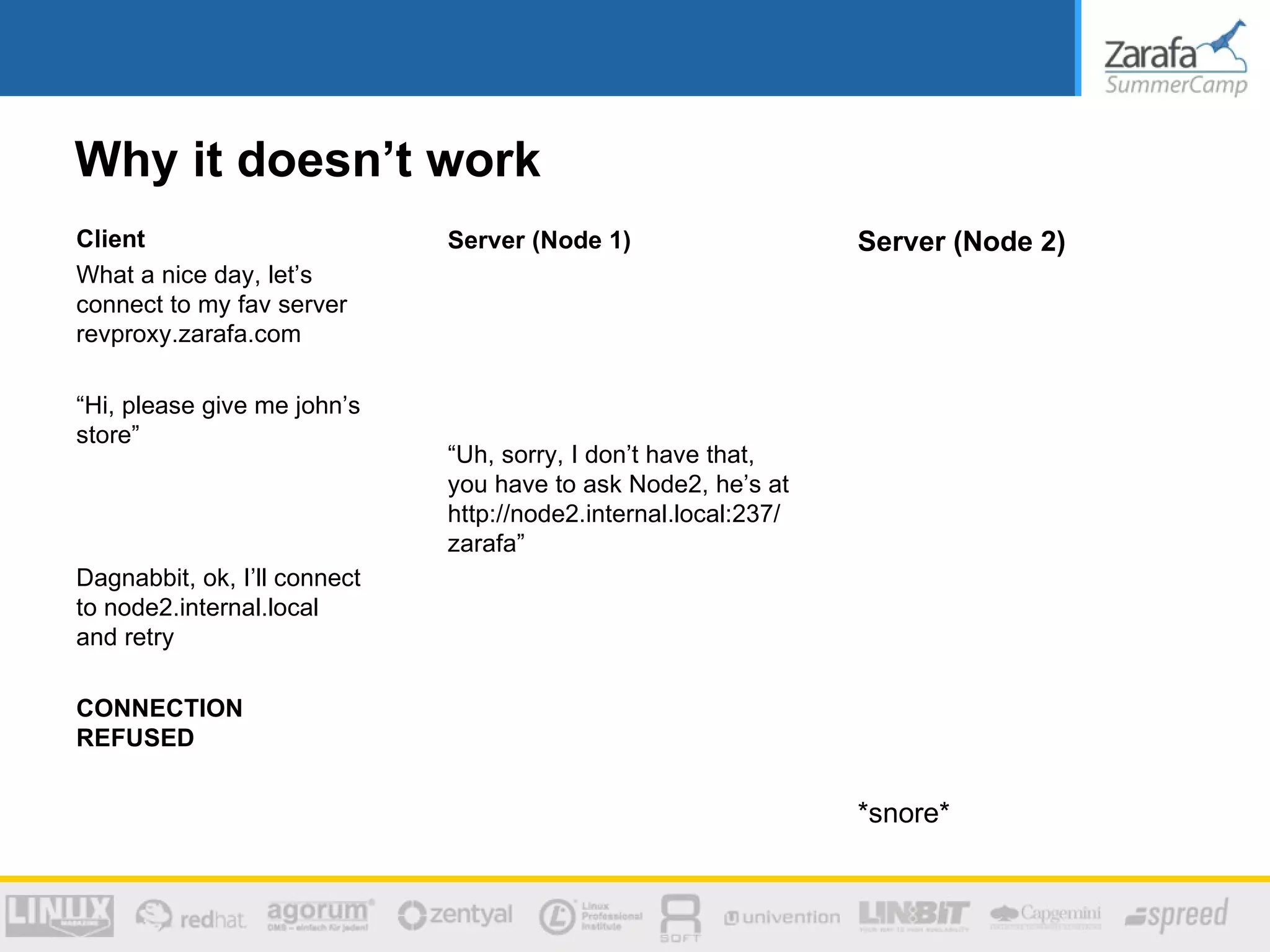
Why it doesn’t work
Client                        Server (Node 1)                    Server (Node 2)
What a nice day, let’s
connect to my fav server
revproxy.zarafa.com

“Hi, please give me john’s
store”
                              “Uh, sorry, I don’t have that,
                              you have to ask Node2, he’s at
                              http://node2.internal.local:237/
                              zarafa”
Dagnabbit, ok, I’ll connect
to node2.internal.local
and retry

CONNECTION
REFUSED


                                                                 *snore*
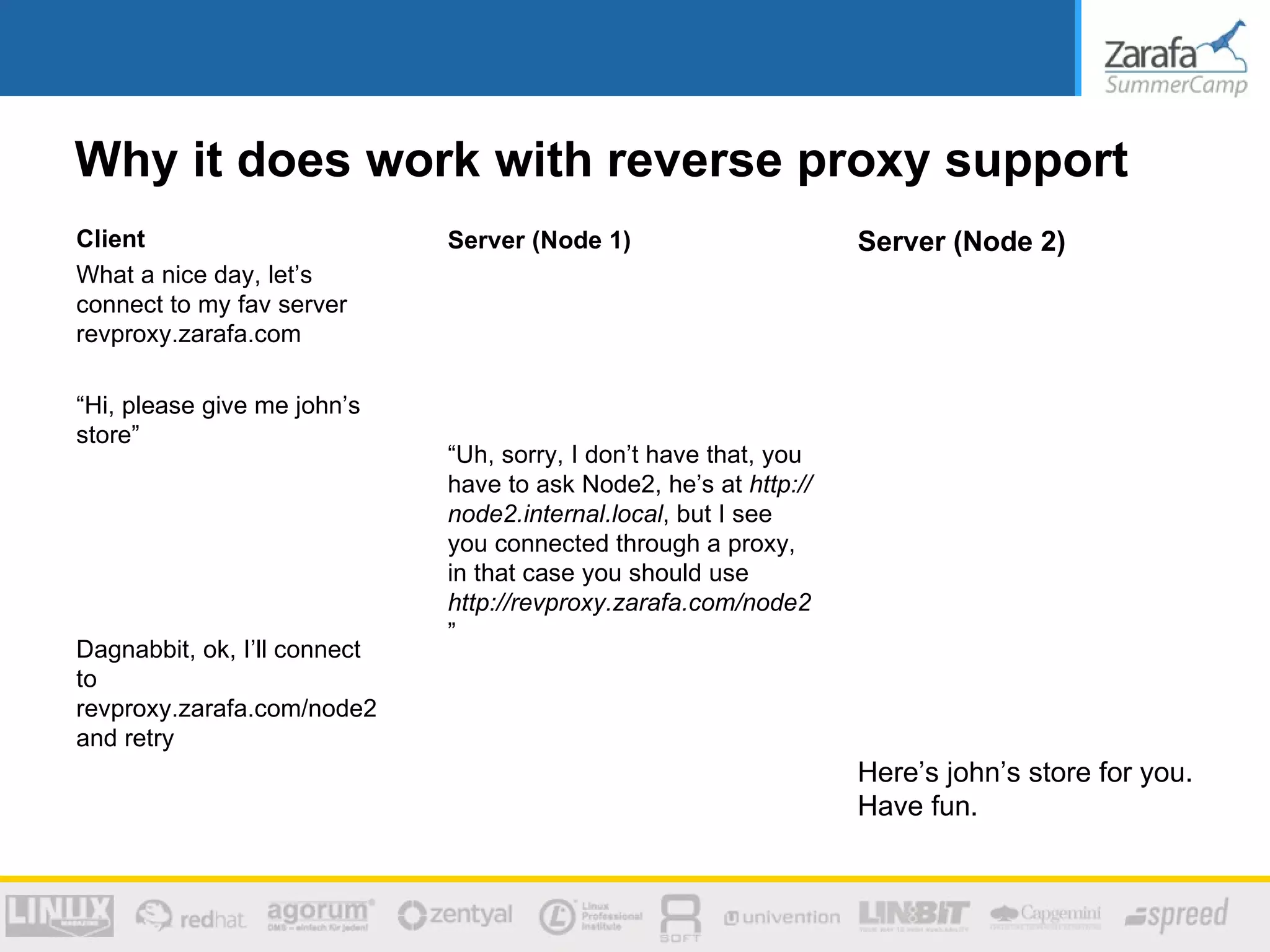
Why it does work with reverse proxy support
Client                        Server (Node 1)                      Server (Node 2)
What a nice day, let’s
connect to my fav server
revproxy.zarafa.com

“Hi, please give me john’s
store”
                              “Uh, sorry, I don’t have that, you
                              have to ask Node2, he’s at http://
                              node2.internal.local, but I see
                              you connected through a proxy,
                              in that case you should use
                              http://revproxy.zarafa.com/node2
                              ”
Dagnabbit, ok, I’ll connect
to
revproxy.zarafa.com/node2
and retry
                                                                   Here’s john’s store for you.
                                                                   Have fun.
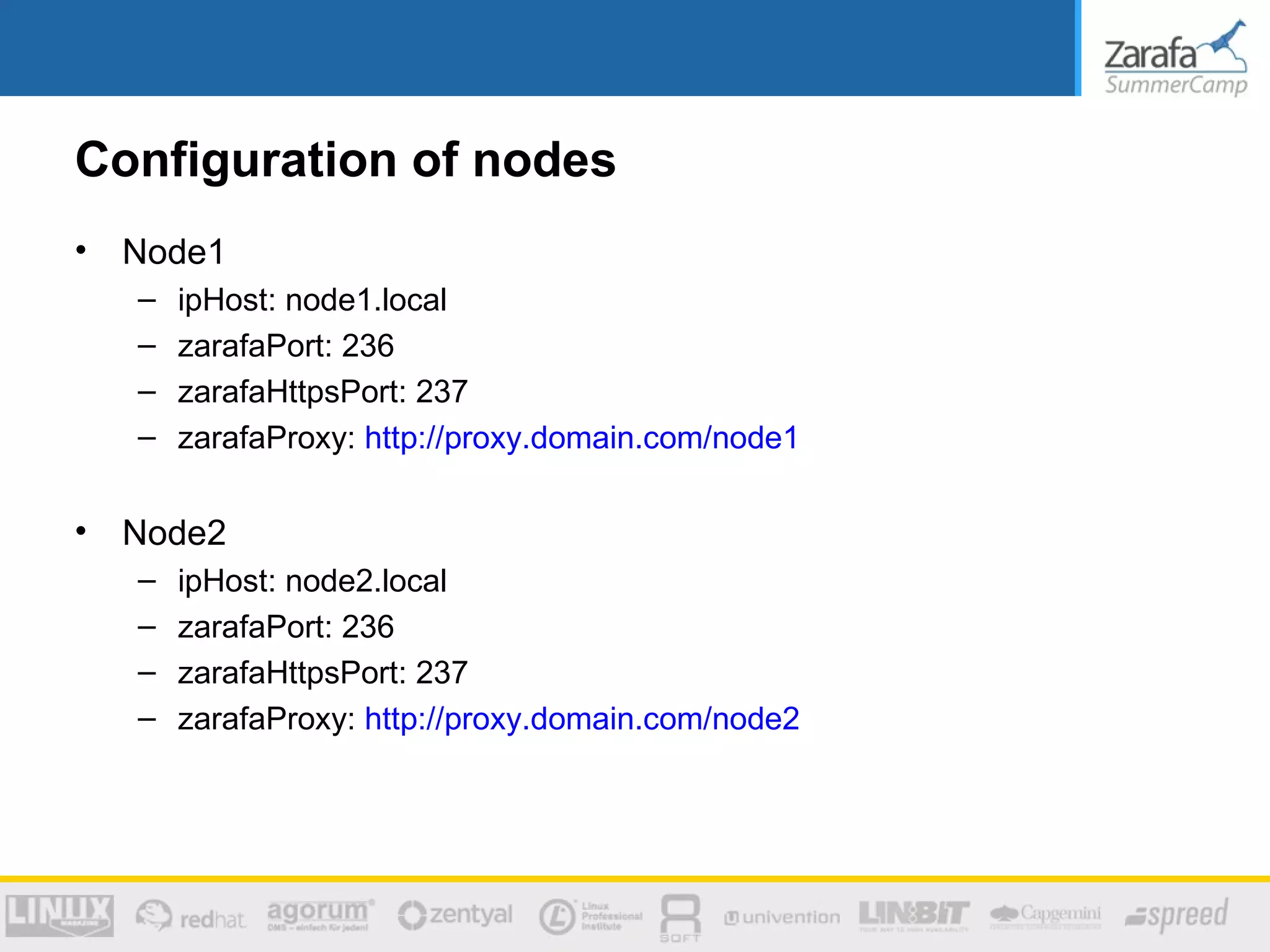
Configuration of nodes
•   Node1
    –   ipHost: node1.local
    –   zarafaPort: 236
    –   zarafaHttpsPort: 237
    –   zarafaProxy: http://proxy.domain.com/node1

•   Node2
    –   ipHost: node2.local
    –   zarafaPort: 236
    –   zarafaHttpsPort: 237
    –   zarafaProxy: http://proxy.domain.com/node2
To revproxy or not to revproxy
•   In some cases using the proxy is unnecessary
     – Local connects between nodes
     – Not very frequent
     – One case:
         • Spooler uses ‘copy to delegated sent-items after send’ feature
         • After sending message, spooler must copy item to sent items folder, which is
           possible on other host
         • Spooler connects to other host
         • Proxy not needed
•   Strategy is:
     – Only return node’s proxy address if the originating request was itself
       proxied
     – Detected by looking at header, uses setting ‘proxy_header’
Proxy headers
•   X-Forwarded-For header
    – Used as originating IP address
    – Used for session <-> IP locking
    – Used in zarafa-stats (including –top)

Zarafa SummerCamp 2012 - Zarafa Cluster using a reverse proxy

  • 1.
    Zarafa multiserver reverseproxy Steve Hardy
  • 2.
    Cluster node proxy • General idea – Parts of the system • HTTP(s) proxy • Zarafa server – Some details • Session IP locking • Internal vs external connections • Network layouts – SSL offload – Loadbalancer • Configuration – Configuring – Testing (stats)
  • 3.
    Goal • Single exposed ‘host’ to clients for cloud solutions • Host may be: – Single hostname, single IP – Single hostname, round-robin IP • Advantages: – Easier firewalling – Use off-the-shelf proxy / loadbalance hardware
  • 4.
  • 5.
  • 6.
    Why it doesn’twork Client Server (Node 1) Server (Node 2) What a nice day, let’s connect to my fav server revproxy.zarafa.com “Hi, please give me john’s store” “Uh, sorry, I don’t have that, you have to ask Node2, he’s at http://node2.internal.local:237/ zarafa” Dagnabbit, ok, I’ll connect to node2.internal.local and retry CONNECTION REFUSED *snore*
  • 7.
    Why it doeswork with reverse proxy support Client Server (Node 1) Server (Node 2) What a nice day, let’s connect to my fav server revproxy.zarafa.com “Hi, please give me john’s store” “Uh, sorry, I don’t have that, you have to ask Node2, he’s at http:// node2.internal.local, but I see you connected through a proxy, in that case you should use http://revproxy.zarafa.com/node2 ” Dagnabbit, ok, I’ll connect to revproxy.zarafa.com/node2 and retry Here’s john’s store for you. Have fun.
  • 8.
    Configuration of nodes • Node1 – ipHost: node1.local – zarafaPort: 236 – zarafaHttpsPort: 237 – zarafaProxy: http://proxy.domain.com/node1 • Node2 – ipHost: node2.local – zarafaPort: 236 – zarafaHttpsPort: 237 – zarafaProxy: http://proxy.domain.com/node2
  • 9.
    To revproxy ornot to revproxy • In some cases using the proxy is unnecessary – Local connects between nodes – Not very frequent – One case: • Spooler uses ‘copy to delegated sent-items after send’ feature • After sending message, spooler must copy item to sent items folder, which is possible on other host • Spooler connects to other host • Proxy not needed • Strategy is: – Only return node’s proxy address if the originating request was itself proxied – Detected by looking at header, uses setting ‘proxy_header’
  • 10.
    Proxy headers • X-Forwarded-For header – Used as originating IP address – Used for session <-> IP locking – Used in zarafa-stats (including –top)