XAMPP
INSTALLATION
CONTENT
 INTRODUCE XAMPP
 INSTALL XAMPP
COPY(DOWNLOAD) XAMPP
INSTALL XAMPP ON YOUR PC
SETTING UP XAMPP
CREATE WORDPRESS DATABASE
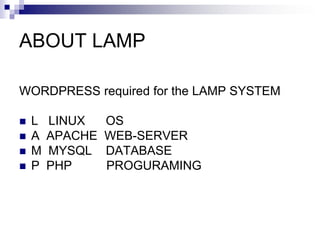
ABOUT LAMP
WORDPRESS required for the LAMP SYSTEM
 L LINUX OS
 A APACHE WEB-SERVER
 M MYSQL DATABASE
 P PHP PROGURAMING
WHAT IS XAMPP
 XAMPP (Apache,MySQL,PHP) bundle
 A suite of the following software
Apache
MySQL
PHP
phpMyAdmin
XAMPP is an easy to install
And 1 package containing apache-
server ,MySQL and PHP.
XAMPP is really very easy to install at one
time.
Just download, extract and start. That’s all.
XAMPP is an Automatic building LAMP
system
Feature OF XAMPP
 FREE OF CHARGE
XAMPP IS OPENSOURSE SOFTWARE
 EASY INSTALLATION (ABOUT 5 MIN)
To install XAMPP you only need to download
and extract XAMMP
 UNISTALL ANYTIME
If you decide that XAMPP isn’t needed any more just
delete the XAMPP folder and It’s completely removed.
HOW TO INSTALL XAMPP
I will explain installation step by step and
follow me.
Step 1
Please Copy WordPressWorkshop.Folder
from USB to Your DeskTop.
Step2
Double Click xampp-installer.exe
(xampp-win32-1.8.1-VC9-insaller-exe)
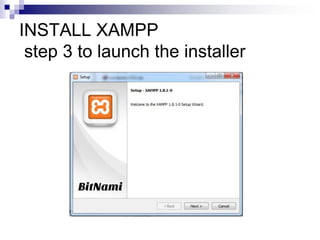
INSTALL XAMPP
step 3 to launch the installer
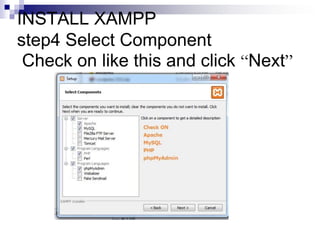
INSTALL XAMPP
step4 Select Component
Check on like this and click “Next”
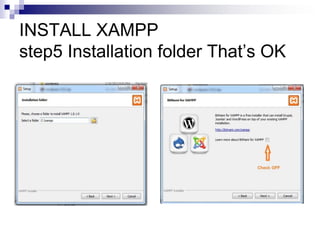
INSTALL XAMPP
step5 Installation folder That’s OK
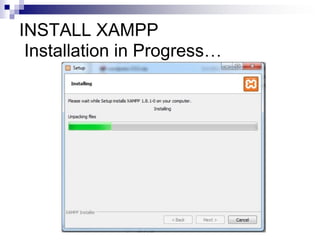
INSTALL XAMPP
Installation in Progress…
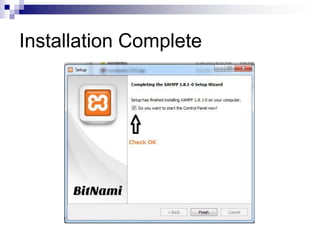
Installation Complete
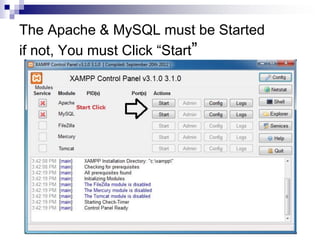
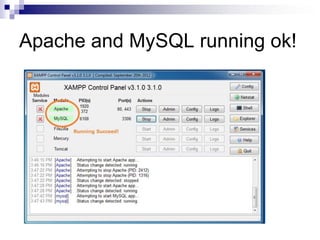
The Apache & MySQL must be Started
if not, You must Click “Start”
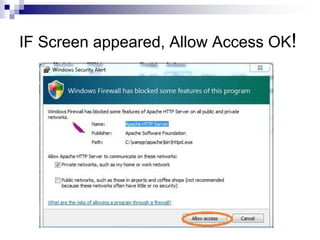
IF Screen appeared, Allow Access OK!
Apache and MySQL running ok!
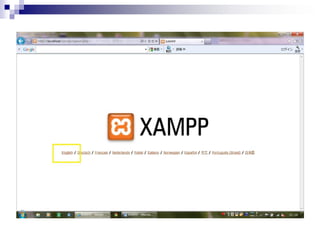
Checking the XAMPP Installation
Type http://localhost on the address bar of
your web browser. The following screen
appears…
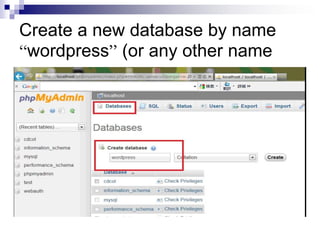
Create a database
 Launch PhpMyAdmin
 Create a database named “wordpress”
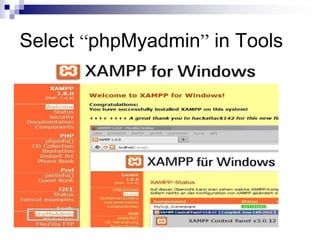
Select “phpMyadmin” in Tools
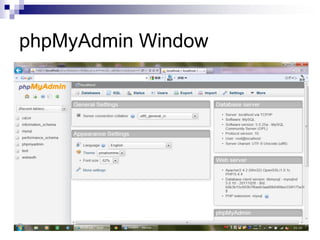
phpMyAdmin Window
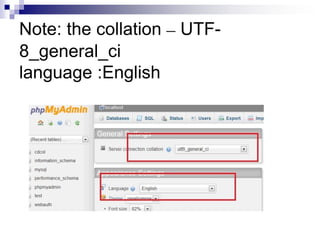
Note: the collation – UTF-
8_general_ci
language :English
Create a new database by name
“wordpress” (or any other name
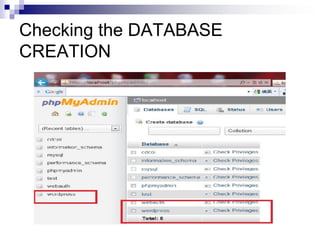
Checking the DATABASE
CREATION
NEXT TOPICS
 WORDPRESS INSTALL
 OVERVIEW WORDPRESS
How to Log-in
About Dashborad
Thanks!

Xampp installation