P.H.P.
Full forms
 Hyper text pre processor
 Personal home page
Use of php
 PHP is a powerful tool for making dynamic and
interactive Web pages.
 PHP is the widely-used, free, and efficient
alternative to competitors such as Microsoft's
ASP.
Developed by
 Main developer
 Rasmus ladroff 1995
 Modification by 1997
 Zeev suraski
 Andi gotmans
Work on client server architecture
 Client sends request to server.
 Server accept request and reply response in
HTML format
advantages
 Use for code security
 Use for create dynamic web pages
 For power full database connectivity
 PHP is an open source software
 PHP is free to download and use
P.H.P. file
 PHP files can contain text, HTML tags and scripts
 PHP files are returned to the browser as plain
HTML
 PHP files have a file extension of ".php", ".php3",
or ".phtml
Why P.H.P.
 PHP runs on different platforms (Windows, Linux,
Unix, etc.)
 PHP is compatible with almost all servers used
today (Apache, IIS, etc.)
 PHP is FREE to download from the official PHP
resource: www.php.net
 PHP is easy to learn and runs efficiently on the
server side
Server architecture
Server information
 Apache server use to compile P.H.P. code.
 Apache server compile php code and returns
output in html format to browser.
 In entire document all the html and java script
code execute by client browser and P.H.P. code
compile by server
Working with server
 P.H.P. files are run on apache server.
save all the P.H.P. files in document root
default save in c:xampphtdocs
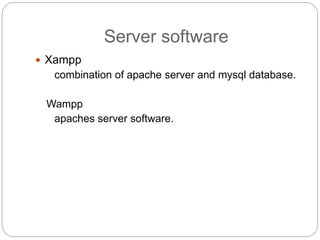
Server software
 Xampp
combination of apache server and mysql database.
Wampp
apaches server software.
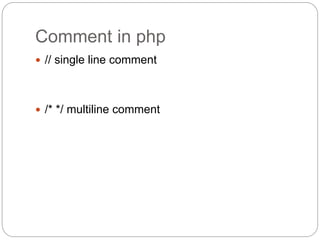
Comment in php
 // single line comment
 /* */ multiline comment
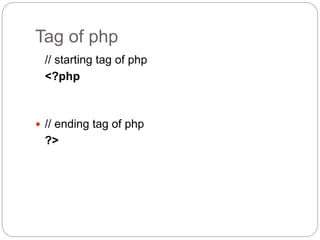
Tag of php
// starting tag of php
<?php
 // ending tag of php
?>
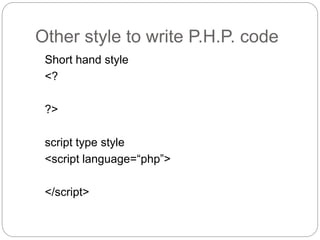
Other style to write P.H.P. code
Short hand style
<?
?>
script type style
<script language=“php”>
</script>
Printing content in page.
 Use “echo” function or “print” function
 Ex. echo” welcome to P.H.P. “;
Variables
 All the variables declare with “dollar ” sign.
Ex. $a = 10;
P.H.P. is loosely typed language
 In PHP, a variable does not need to be declared
before adding a value to it.
 In the example above, notice that we did not have
to tell PHP which data type the variable is.
 PHP automatically converts the variable to the
correct data type, depending on its value.
 In a strongly typed programming language, you
have to declare (define) the type and name of the
variable before using it.
To run P.H.P. code
 Write In address bar of web browser.
http://localhost/foldername/filename
Localhost : default host name of P.H.P. server
P.H.P. run on port no. 80
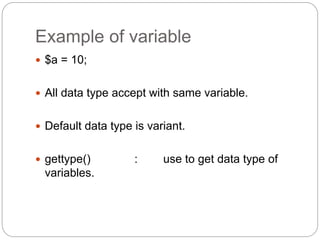
Example of variable
 $a = 10;
 All data type accept with same variable.
 Default data type is variant.
 gettype() : use to get data type of
variables.
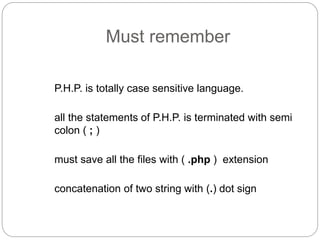
Must remember
P.H.P. is totally case sensitive language.
all the statements of P.H.P. is terminated with semi
colon ( ; )
must save all the files with ( .php ) extension
concatenation of two string with (.) dot sign
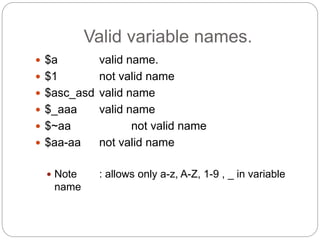
Valid variable names.
 $a valid name.
 $1 not valid name
 $asc_asd valid name
 $_aaa valid name
 $~aa not valid name
 $aa-aa not valid name
 Note : allows only a-z, A-Z, 1-9 , _ in variable
name
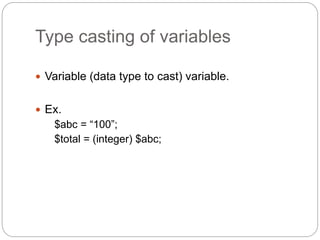
Type casting of variables
 Variable (data type to cast) variable.
 Ex.
$abc = “100”;
$total = (integer) $abc;
operators
 Relational
 Arithmetic
 Logical
 Assignment
 Increment / decrement
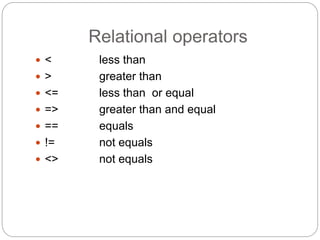
Relational operators
 < less than
 > greater than
 <= less than or equal
 => greater than and equal
 == equals
 != not equals
 <> not equals
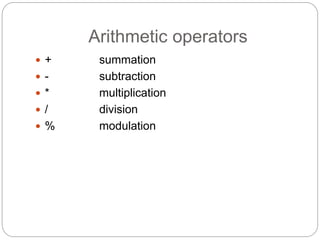
Arithmetic operators
 + summation
 - subtraction
 * multiplication
 / division
 % modulation
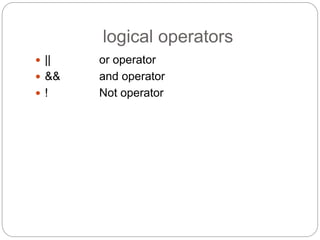
logical operators
 || or operator
 && and operator
 ! Not operator
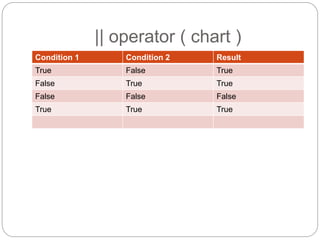
|| operator ( chart )
Condition 1 Condition 2 Result
True False True
False True True
False False False
True True True
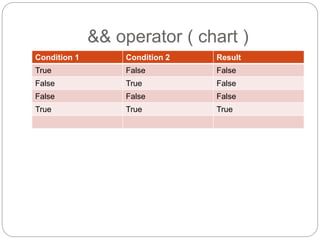
&& operator ( chart )
Condition 1 Condition 2 Result
True False False
False True False
False False False
True True True
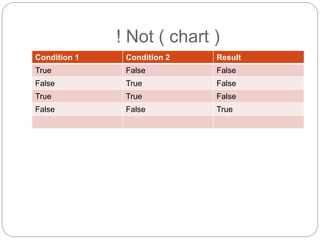
! Not ( chart )
Condition 1 Condition 2 Result
True False False
False True False
True True False
False False True
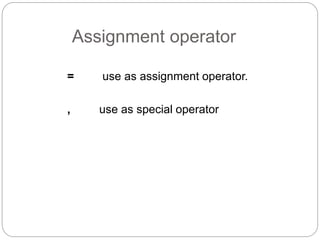
Assignment operator
= use as assignment operator.
, use as special operator
Increment and decrement
operator
++ use as increment operator
- - use as decrement operator
Conditional statements
 If
 If else
 If else if
 Switch case
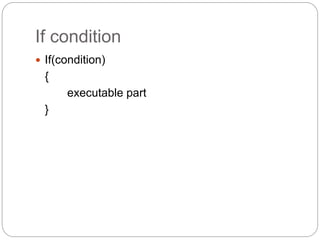
If condition
 If(condition)
{
executable part
}
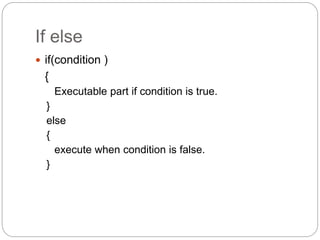
If else
 if(condition )
{
Executable part if condition is true.
}
else
{
execute when condition is false.
}
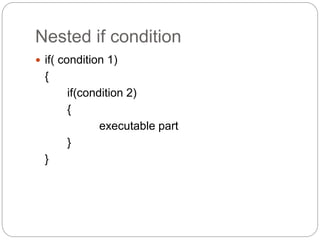
Nested if condition
 if( condition 1)
{
if(condition 2)
{
executable part
}
}
Switch case
 Switch (expression)
{
case : // match 1
{
executable part;
break;
}
case : // match 2
{
executable part;
break;
}
default
{
}
}
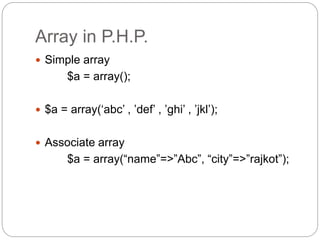
Array in P.H.P.
 Simple array
$a = array();
 $a = array(‘abc’ , ’def’ , ’ghi’ , ’jkl’);
 Associate array
$a = array(“name”=>”Abc”, “city”=>”rajkot”);
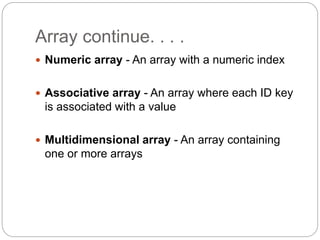
Array continue. . . .
 Numeric array - An array with a numeric index
 Associative array - An array where each ID key
is associated with a value
 Multidimensional array - An array containing
one or more arrays
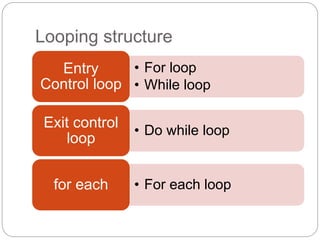
Looping structure
• For loop
• While loop
Entry
Control loop
• Do while loop
Exit control
loop
• For each loopfor each
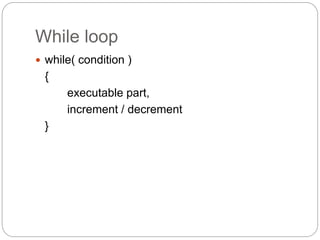
While loop
 while( condition )
{
executable part,
increment / decrement
}
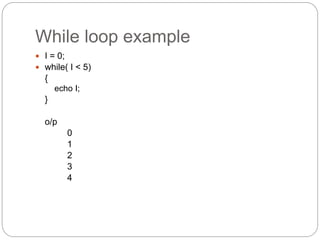
While loop example
 I = 0;
 while( I < 5)
{
echo I;
}
o/p
0
1
2
3
4
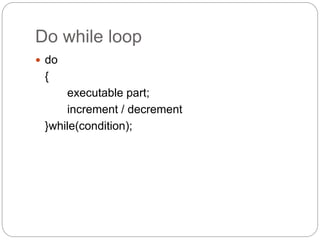
Do while loop
 do
{
executable part;
increment / decrement
}while(condition);
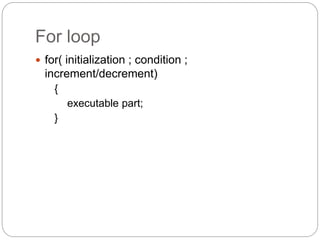
For loop
 for( initialization ; condition ;
increment/decrement)
{
executable part;
}
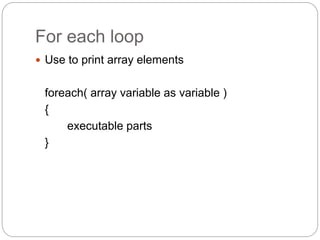
For each loop
 Use to print array elements
foreach( array variable as variable )
{
executable parts
}
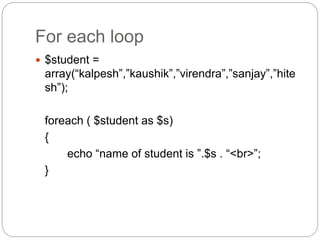
For each loop
 $student =
array(“kalpesh”,”kaushik”,”virendra”,”sanjay”,”hite
sh”);
foreach ( $student as $s)
{
echo “name of student is ”.$s . “<br>”;
}
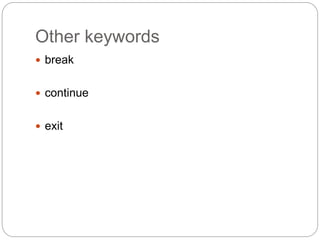
Other keywords
 break
 continue
 exit
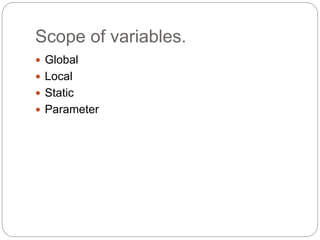
Scope of variables.
 Global
 Local
 Static
 Parameter
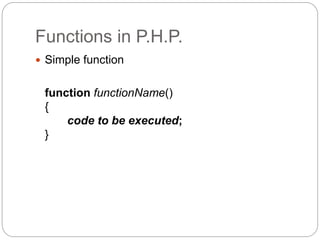
Functions in P.H.P.
 Simple function
function functionName()
{
code to be executed;
}
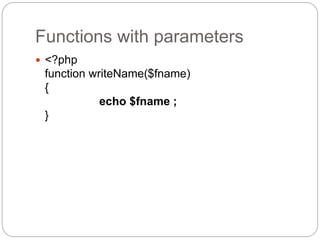
Functions with parameters
 <?php
function writeName($fname)
{
echo $fname ;
}
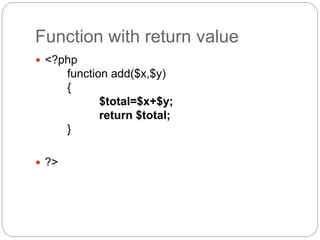
Function with return value
 <?php
function add($x,$y)
{
$total=$x+$y;
return $total;
}
 ?>
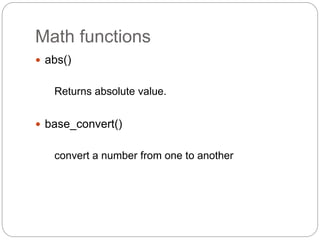
Math functions
 abs()
Returns absolute value.
 base_convert()
convert a number from one to another
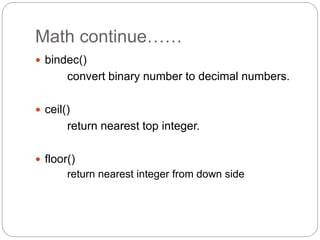
Math continue……
 bindec()
convert binary number to decimal numbers.
 ceil()
return nearest top integer.
 floor()
return nearest integer from down side
Math functions….
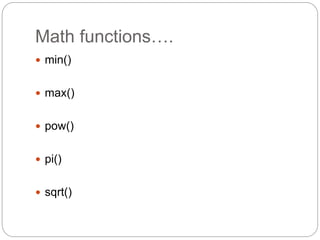
 min()
 max()
 pow()
 pi()
 sqrt()
String functions
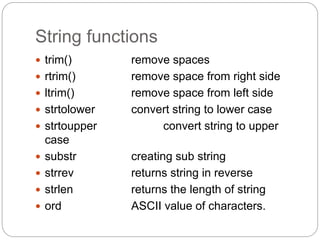
 trim() remove spaces
 rtrim() remove space from right side
 ltrim() remove space from left side
 strtolower convert string to lower case
 strtoupper convert string to upper
case
 substr creating sub string
 strrev returns string in reverse
 strlen returns the length of string
 ord ASCII value of characters.
String functions
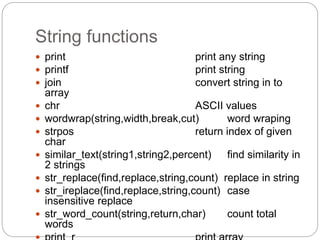
 print print any string
 printf print string
 join convert string in to
array
 chr ASCII values
 wordwrap(string,width,break,cut) word wraping
 strpos return index of given
char
 similar_text(string1,string2,percent) find similarity in
2 strings
 str_replace(find,replace,string,count) replace in string
 str_ireplace(find,replace,string,count) case
insensitive replace
 str_word_count(string,return,char) count total
words
Array functions
Date functions
 date()
 getdate()
 time()
 localtime()
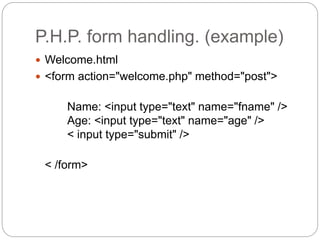
P.H.P. form handling. (example)
 Welcome.html
 <form action="welcome.php" method="post">
Name: <input type="text" name="fname" />
Age: <input type="text" name="age" />
< input type="submit" />
< /form>
Data receive methods
 Data sending methods
 GET
 POST
Receive data with all methods
 Welcome <?php echo $_POST["fname"]; ?>!<br
/>
You are <?php echo $_POST["age"]; ?> years old
 Welcome <?php echo $_GET["fname"]; ?>!<br />
You are <?php echo $_GET["age"]; ?> years old..
 Welcome <?php echo $_REQUEST["fname"];
?>!<br />
You are <?php echo $_REQUEST["age"]; ?>
years old.
Receiving parameters
 Data.php
Welcome <?php echo $_POST["fname"]; ?>!<br
/>
You are <?php echo $_POST["age"]; ?> years
old.
Include keyword
 To include and created file in P.H.P. code
ex.
include (“connection.php”);
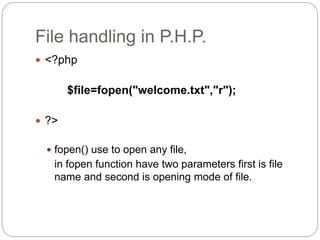
File handling in P.H.P.
 <?php
$file=fopen("welcome.txt","r");
 ?>
 fopen() use to open any file,
in fopen function have two parameters first is file
name and second is opening mode of file.
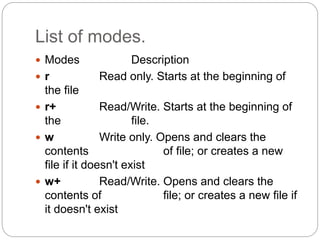
List of modes.
 Modes Description
 r Read only. Starts at the beginning of
the file
 r+ Read/Write. Starts at the beginning of
the file.
 w Write only. Opens and clears the
contents of file; or creates a new
file if it doesn't exist
 w+ Read/Write. Opens and clears the
contents of file; or creates a new file if
it doesn't exist
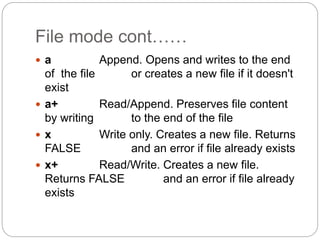
File mode cont……
 a Append. Opens and writes to the end
of the file or creates a new file if it doesn't
exist
 a+ Read/Append. Preserves file content
by writing to the end of the file
 x Write only. Creates a new file. Returns
FALSE and an error if file already exists
 x+ Read/Write. Creates a new file.
Returns FALSE and an error if file already
exists
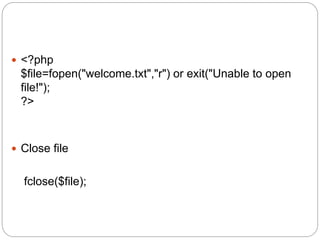
 <?php
$file=fopen("welcome.txt","r") or exit("Unable to open
file!");
?>
 Close file
fclose($file);
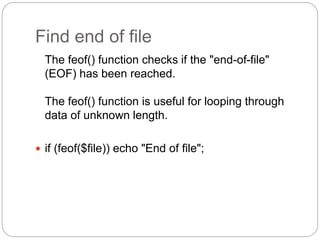
Find end of file
The feof() function checks if the "end-of-file"
(EOF) has been reached.
The feof() function is useful for looping through
data of unknown length.
 if (feof($file)) echo "End of file";
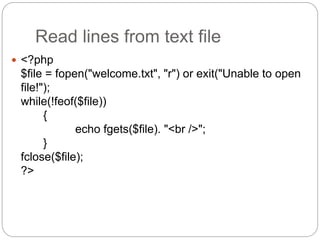
Read lines from text file
 <?php
$file = fopen("welcome.txt", "r") or exit("Unable to open
file!");
while(!feof($file))
{
echo fgets($file). "<br />";
}
fclose($file);
?>
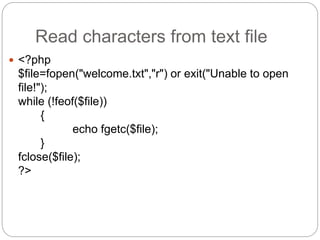
Read characters from text file
 <?php
$file=fopen("welcome.txt","r") or exit("Unable to open
file!");
while (!feof($file))
{
echo fgetc($file);
}
fclose($file);
?>
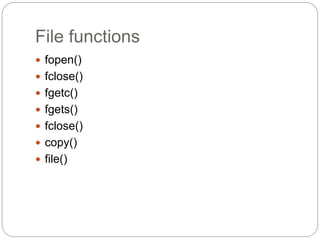
File functions
 fopen()
 fclose()
 fgetc()
 fgets()
 fclose()
 copy()
 file()
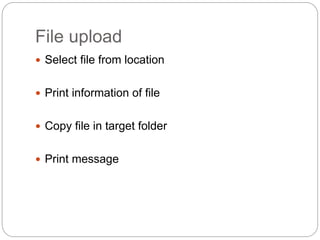
File upload
 Select file from location
 Print information of file
 Copy file in target folder
 Print message
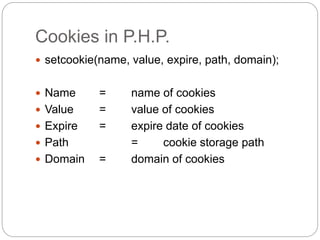
Cookies in P.H.P.
 setcookie(name, value, expire, path, domain);
 Name = name of cookies
 Value = value of cookies
 Expire = expire date of cookies
 Path = cookie storage path
 Domain = domain of cookies
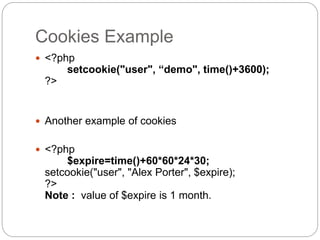
Cookies Example
 <?php
setcookie("user", “demo", time()+3600);
?>
 Another example of cookies
 <?php
$expire=time()+60*60*24*30;
setcookie("user", "Alex Porter", $expire);
?>
Note : value of $expire is 1 month.
Read cookies
 <?php
// Print a cookie
echo $_COOKIE["user"];
// A way to view all cookies
print_r($_COOKIE);
?>
Another example of cookies
 <?php
if (isset($_COOKIE["user"]))
echo "Welcome " .
$_COOKIE["user"] ;
else
echo "Welcome guest!<br />";
?>
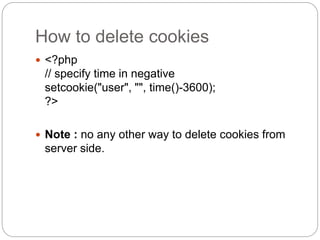
How to delete cookies
 <?php
// specify time in negative
setcookie("user", "", time()-3600);
?>
 Note : no any other way to delete cookies from
server side.
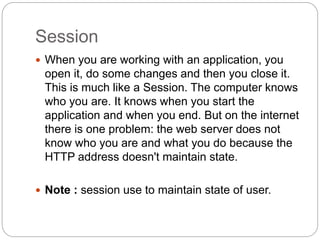
Session
 When you are working with an application, you
open it, do some changes and then you close it.
This is much like a Session. The computer knows
who you are. It knows when you start the
application and when you end. But on the internet
there is one problem: the web server does not
know who you are and what you do because the
HTTP address doesn't maintain state.
 Note : session use to maintain state of user.
Creating a new session in P.H.P.
 $_SESSION[“ name of your session ”] = “value of
session”

Access session
 $variable name = $_SESSION[“session name”];
 Delete session
 unset(“name of your session”);
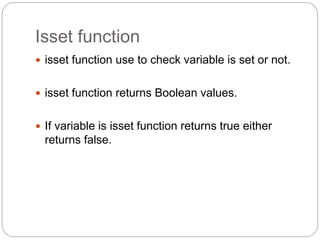
Isset function
 isset function use to check variable is set or not.
 isset function returns Boolean values.
 If variable is isset function returns true either
returns false.
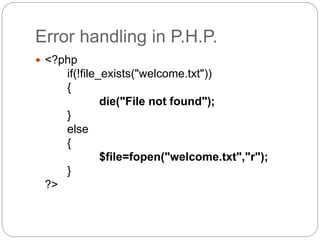
Error handling in P.H.P.
 <?php
if(!file_exists("welcome.txt"))
{
die("File not found");
}
else
{
$file=fopen("welcome.txt","r");
}
?>
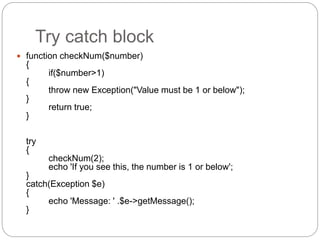
Try catch block
 function checkNum($number)
{
if($number>1)
{
throw new Exception("Value must be 1 or below");
}
return true;
}
try
{
checkNum(2);
echo 'If you see this, the number is 1 or below';
}
catch(Exception $e)
{
echo 'Message: ' .$e->getMessage();
}
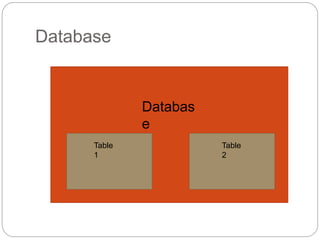
Database
Table
2
Table
1
Databas
e
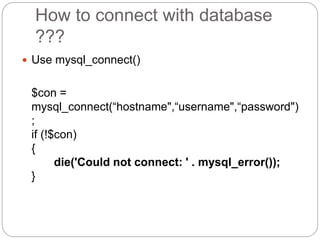
How to connect with database
???
 Use mysql_connect()
$con =
mysql_connect(“hostname",“username",“password")
;
if (!$con)
{
die('Could not connect: ' . mysql_error());
}
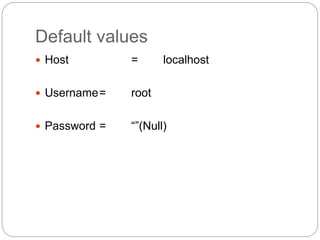
Default values
 Host = localhost
 Username= root
 Password = “”(Null)
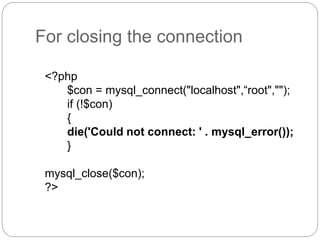
For closing the connection
<?php
$con = mysql_connect("localhost",“root","");
if (!$con)
{
die('Could not connect: ' . mysql_error());
}
mysql_close($con);
?>
Select database from entire
system
 mysql_select_db(“database name", [ reference of
database]);
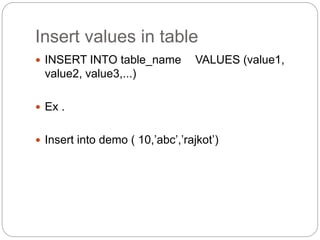
Insert values in table
 INSERT INTO table_name VALUES (value1,
value2, value3,...)
 Ex .
 Insert into demo ( 10,’abc’,’rajkot’)
Example to insert data in table
 <?php
$con = mysql_connect("localhost",“root","");
if (!$con)
{
die('Could not connect: ' . mysql_error());
}
mysql_select_db("my_db", $con);
$sql="INSERT INTO Persons (FirstName, LastName, Age)
VALUES('$_POST[firstname]','$_POST[lastname]','$_POST[age]')";
if (!mysql_query($sql,$con))
{
die('Error: ' . mysql_error());
}
echo "1 record added";
mysql_close($con);
?>
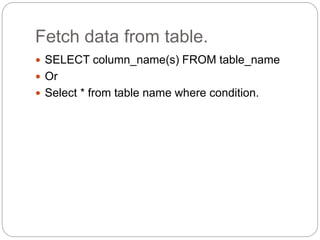
Fetch data from table.
 SELECT column_name(s) FROM table_name
 Or
 Select * from table name where condition.
Where clause
 $con = mysql_connect("localhost",“root","");
if (!$con)
{
die('Could not connect: ' . mysql_error());
}
mysql_select_db("my_db", $con);
$result = mysql_query("SELECT * FROM Persons
WHERE FirstName=‘abc'");
while($row = mysql_fetch_array($result))
{
echo $row['FirstName'] . " " . $row['LastName'];
echo "<br />";
}
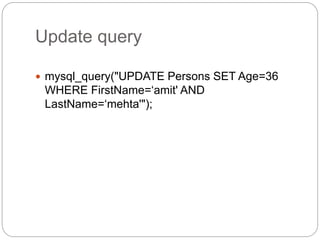
Update query
 mysql_query("UPDATE Persons SET Age=36
WHERE FirstName=‘amit' AND
LastName=‘mehta'");
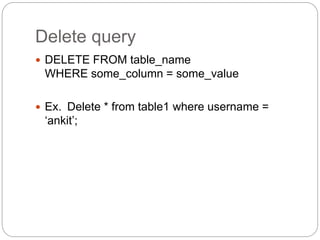
Delete query
 DELETE FROM table_name
WHERE some_column = some_value
 Ex. Delete * from table1 where username =
‘ankit’;
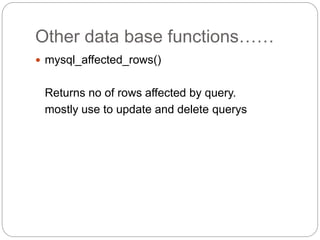
Other data base functions……
 mysql_affected_rows()
Returns no of rows affected by query.
mostly use to update and delete querys
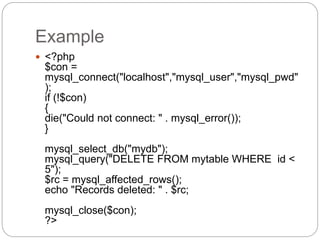
Example
 <?php
$con =
mysql_connect("localhost","mysql_user","mysql_pwd"
);
if (!$con)
{
die("Could not connect: " . mysql_error());
}
mysql_select_db("mydb");
mysql_query("DELETE FROM mytable WHERE id <
5");
$rc = mysql_affected_rows();
echo "Records deleted: " . $rc;
mysql_close($con);
?>
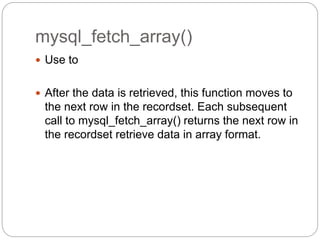
mysql_fetch_array()
 Use to
 After the data is retrieved, this function moves to
the next row in the recordset. Each subsequent
call to mysql_fetch_array() returns the next row in
the recordset retrieve data in array format.
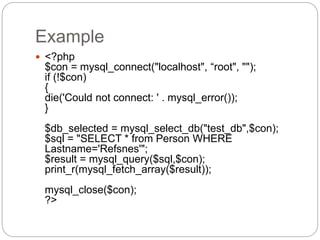
Example
 <?php
$con = mysql_connect("localhost", “root", "");
if (!$con)
{
die('Could not connect: ' . mysql_error());
}
$db_selected = mysql_select_db("test_db",$con);
$sql = "SELECT * from Person WHERE
Lastname='Refsnes'";
$result = mysql_query($sql,$con);
print_r(mysql_fetch_array($result));
mysql_close($con);
?>
Mode of arrays
 mysql_fetch_array($result,MYSQL_NUM)
 mysql_fetch_array($result,MYSQL_ASSOC)
 mysql_fetch_array($result,MYSQL_BOTH)
 Note : default mode is both
mysql_num_rows()
 The mysql_num_rows() function returns the
number of rows in a recordset.
This function returns FALSE on failure
$sql = "SELECT * FROM person";
$result = mysql_query($sql,$con);
echo mysql_num_rows($result);
Errors in mysql
 mysql_error()
 mysql_errno()
SERVER object
 Methods
$_SERVER['DOCUMENT_ROOT']
Returns path of document root
$_SERVER['HTTP_USER_AGENT']
returns browser information
$_SERVER['REMOTE_PORT']
returns port number
$_SERVER['REMOTE_ADDR']
returns ip address of server
$_SERVER['SERVER_NAME']
returns name of server
$_SERVER['SCRIPT_FILENAME']
returns path of current file with file name

Php

  • 1.
  • 2.
    Full forms  Hypertext pre processor  Personal home page
  • 3.
    Use of php PHP is a powerful tool for making dynamic and interactive Web pages.  PHP is the widely-used, free, and efficient alternative to competitors such as Microsoft's ASP.
  • 4.
    Developed by  Maindeveloper  Rasmus ladroff 1995  Modification by 1997  Zeev suraski  Andi gotmans
  • 5.
    Work on clientserver architecture  Client sends request to server.  Server accept request and reply response in HTML format
  • 6.
    advantages  Use forcode security  Use for create dynamic web pages  For power full database connectivity  PHP is an open source software  PHP is free to download and use
  • 7.
    P.H.P. file  PHPfiles can contain text, HTML tags and scripts  PHP files are returned to the browser as plain HTML  PHP files have a file extension of ".php", ".php3", or ".phtml
  • 8.
    Why P.H.P.  PHPruns on different platforms (Windows, Linux, Unix, etc.)  PHP is compatible with almost all servers used today (Apache, IIS, etc.)  PHP is FREE to download from the official PHP resource: www.php.net  PHP is easy to learn and runs efficiently on the server side
  • 9.
  • 10.
    Server information  Apacheserver use to compile P.H.P. code.  Apache server compile php code and returns output in html format to browser.  In entire document all the html and java script code execute by client browser and P.H.P. code compile by server
  • 11.
    Working with server P.H.P. files are run on apache server. save all the P.H.P. files in document root default save in c:xampphtdocs
  • 12.
    Server software  Xampp combinationof apache server and mysql database. Wampp apaches server software.
  • 13.
    Comment in php // single line comment  /* */ multiline comment
  • 14.
    Tag of php //starting tag of php <?php  // ending tag of php ?>
  • 15.
    Other style towrite P.H.P. code Short hand style <? ?> script type style <script language=“php”> </script>
  • 16.
    Printing content inpage.  Use “echo” function or “print” function  Ex. echo” welcome to P.H.P. “;
  • 17.
    Variables  All thevariables declare with “dollar ” sign. Ex. $a = 10;
  • 18.
    P.H.P. is looselytyped language  In PHP, a variable does not need to be declared before adding a value to it.  In the example above, notice that we did not have to tell PHP which data type the variable is.  PHP automatically converts the variable to the correct data type, depending on its value.  In a strongly typed programming language, you have to declare (define) the type and name of the variable before using it.
  • 19.
    To run P.H.P.code  Write In address bar of web browser. http://localhost/foldername/filename Localhost : default host name of P.H.P. server P.H.P. run on port no. 80
  • 20.
    Example of variable $a = 10;  All data type accept with same variable.  Default data type is variant.  gettype() : use to get data type of variables.
  • 21.
    Must remember P.H.P. istotally case sensitive language. all the statements of P.H.P. is terminated with semi colon ( ; ) must save all the files with ( .php ) extension concatenation of two string with (.) dot sign
  • 22.
    Valid variable names. $a valid name.  $1 not valid name  $asc_asd valid name  $_aaa valid name  $~aa not valid name  $aa-aa not valid name  Note : allows only a-z, A-Z, 1-9 , _ in variable name
  • 23.
    Type casting ofvariables  Variable (data type to cast) variable.  Ex. $abc = “100”; $total = (integer) $abc;
  • 24.
    operators  Relational  Arithmetic Logical  Assignment  Increment / decrement
  • 25.
    Relational operators  <less than  > greater than  <= less than or equal  => greater than and equal  == equals  != not equals  <> not equals
  • 26.
    Arithmetic operators  +summation  - subtraction  * multiplication  / division  % modulation
  • 27.
    logical operators  ||or operator  && and operator  ! Not operator
  • 28.
    || operator (chart ) Condition 1 Condition 2 Result True False True False True True False False False True True True
  • 29.
    && operator (chart ) Condition 1 Condition 2 Result True False False False True False False False False True True True
  • 30.
    ! Not (chart ) Condition 1 Condition 2 Result True False False False True False True True False False False True
  • 31.
    Assignment operator = useas assignment operator. , use as special operator
  • 32.
    Increment and decrement operator ++use as increment operator - - use as decrement operator
  • 33.
    Conditional statements  If If else  If else if  Switch case
  • 34.
  • 35.
    If else  if(condition) { Executable part if condition is true. } else { execute when condition is false. }
  • 36.
    Nested if condition if( condition 1) { if(condition 2) { executable part } }
  • 37.
    Switch case  Switch(expression) { case : // match 1 { executable part; break; } case : // match 2 { executable part; break; } default { } }
  • 38.
    Array in P.H.P. Simple array $a = array();  $a = array(‘abc’ , ’def’ , ’ghi’ , ’jkl’);  Associate array $a = array(“name”=>”Abc”, “city”=>”rajkot”);
  • 39.
    Array continue. .. .  Numeric array - An array with a numeric index  Associative array - An array where each ID key is associated with a value  Multidimensional array - An array containing one or more arrays
  • 40.
    Looping structure • Forloop • While loop Entry Control loop • Do while loop Exit control loop • For each loopfor each
  • 41.
    While loop  while(condition ) { executable part, increment / decrement }
  • 42.
    While loop example I = 0;  while( I < 5) { echo I; } o/p 0 1 2 3 4
  • 43.
    Do while loop do { executable part; increment / decrement }while(condition);
  • 44.
    For loop  for(initialization ; condition ; increment/decrement) { executable part; }
  • 45.
    For each loop Use to print array elements foreach( array variable as variable ) { executable parts }
  • 46.
    For each loop $student = array(“kalpesh”,”kaushik”,”virendra”,”sanjay”,”hite sh”); foreach ( $student as $s) { echo “name of student is ”.$s . “<br>”; }
  • 47.
  • 48.
    Scope of variables. Global  Local  Static  Parameter
  • 49.
    Functions in P.H.P. Simple function function functionName() { code to be executed; }
  • 50.
    Functions with parameters <?php function writeName($fname) { echo $fname ; }
  • 51.
    Function with returnvalue  <?php function add($x,$y) { $total=$x+$y; return $total; }  ?>
  • 52.
    Math functions  abs() Returnsabsolute value.  base_convert() convert a number from one to another
  • 53.
    Math continue……  bindec() convertbinary number to decimal numbers.  ceil() return nearest top integer.  floor() return nearest integer from down side
  • 54.
    Math functions….  min() max()  pow()  pi()  sqrt()
  • 55.
    String functions  trim()remove spaces  rtrim() remove space from right side  ltrim() remove space from left side  strtolower convert string to lower case  strtoupper convert string to upper case  substr creating sub string  strrev returns string in reverse  strlen returns the length of string  ord ASCII value of characters.
  • 56.
    String functions  printprint any string  printf print string  join convert string in to array  chr ASCII values  wordwrap(string,width,break,cut) word wraping  strpos return index of given char  similar_text(string1,string2,percent) find similarity in 2 strings  str_replace(find,replace,string,count) replace in string  str_ireplace(find,replace,string,count) case insensitive replace  str_word_count(string,return,char) count total words
  • 57.
  • 58.
    Date functions  date() getdate()  time()  localtime()
  • 59.
    P.H.P. form handling.(example)  Welcome.html  <form action="welcome.php" method="post"> Name: <input type="text" name="fname" /> Age: <input type="text" name="age" /> < input type="submit" /> < /form>
  • 60.
    Data receive methods Data sending methods  GET  POST
  • 61.
    Receive data withall methods  Welcome <?php echo $_POST["fname"]; ?>!<br /> You are <?php echo $_POST["age"]; ?> years old  Welcome <?php echo $_GET["fname"]; ?>!<br /> You are <?php echo $_GET["age"]; ?> years old..  Welcome <?php echo $_REQUEST["fname"]; ?>!<br /> You are <?php echo $_REQUEST["age"]; ?> years old.
  • 62.
    Receiving parameters  Data.php Welcome<?php echo $_POST["fname"]; ?>!<br /> You are <?php echo $_POST["age"]; ?> years old.
  • 63.
    Include keyword  Toinclude and created file in P.H.P. code ex. include (“connection.php”);
  • 64.
    File handling inP.H.P.  <?php $file=fopen("welcome.txt","r");  ?>  fopen() use to open any file, in fopen function have two parameters first is file name and second is opening mode of file.
  • 65.
    List of modes. Modes Description  r Read only. Starts at the beginning of the file  r+ Read/Write. Starts at the beginning of the file.  w Write only. Opens and clears the contents of file; or creates a new file if it doesn't exist  w+ Read/Write. Opens and clears the contents of file; or creates a new file if it doesn't exist
  • 66.
    File mode cont…… a Append. Opens and writes to the end of the file or creates a new file if it doesn't exist  a+ Read/Append. Preserves file content by writing to the end of the file  x Write only. Creates a new file. Returns FALSE and an error if file already exists  x+ Read/Write. Creates a new file. Returns FALSE and an error if file already exists
  • 67.
     <?php $file=fopen("welcome.txt","r") orexit("Unable to open file!"); ?>  Close file fclose($file);
  • 68.
    Find end offile The feof() function checks if the "end-of-file" (EOF) has been reached. The feof() function is useful for looping through data of unknown length.  if (feof($file)) echo "End of file";
  • 69.
    Read lines fromtext file  <?php $file = fopen("welcome.txt", "r") or exit("Unable to open file!"); while(!feof($file)) { echo fgets($file). "<br />"; } fclose($file); ?>
  • 70.
    Read characters fromtext file  <?php $file=fopen("welcome.txt","r") or exit("Unable to open file!"); while (!feof($file)) { echo fgetc($file); } fclose($file); ?>
  • 71.
    File functions  fopen() fclose()  fgetc()  fgets()  fclose()  copy()  file()
  • 72.
    File upload  Selectfile from location  Print information of file  Copy file in target folder  Print message
  • 73.
    Cookies in P.H.P. setcookie(name, value, expire, path, domain);  Name = name of cookies  Value = value of cookies  Expire = expire date of cookies  Path = cookie storage path  Domain = domain of cookies
  • 74.
    Cookies Example  <?php setcookie("user",“demo", time()+3600); ?>  Another example of cookies  <?php $expire=time()+60*60*24*30; setcookie("user", "Alex Porter", $expire); ?> Note : value of $expire is 1 month.
  • 75.
    Read cookies  <?php //Print a cookie echo $_COOKIE["user"]; // A way to view all cookies print_r($_COOKIE); ?>
  • 76.
    Another example ofcookies  <?php if (isset($_COOKIE["user"])) echo "Welcome " . $_COOKIE["user"] ; else echo "Welcome guest!<br />"; ?>
  • 77.
    How to deletecookies  <?php // specify time in negative setcookie("user", "", time()-3600); ?>  Note : no any other way to delete cookies from server side.
  • 78.
    Session  When youare working with an application, you open it, do some changes and then you close it. This is much like a Session. The computer knows who you are. It knows when you start the application and when you end. But on the internet there is one problem: the web server does not know who you are and what you do because the HTTP address doesn't maintain state.  Note : session use to maintain state of user.
  • 79.
    Creating a newsession in P.H.P.  $_SESSION[“ name of your session ”] = “value of session” 
  • 80.
    Access session  $variablename = $_SESSION[“session name”];  Delete session  unset(“name of your session”);
  • 81.
    Isset function  issetfunction use to check variable is set or not.  isset function returns Boolean values.  If variable is isset function returns true either returns false.
  • 82.
    Error handling inP.H.P.  <?php if(!file_exists("welcome.txt")) { die("File not found"); } else { $file=fopen("welcome.txt","r"); } ?>
  • 83.
    Try catch block function checkNum($number) { if($number>1) { throw new Exception("Value must be 1 or below"); } return true; } try { checkNum(2); echo 'If you see this, the number is 1 or below'; } catch(Exception $e) { echo 'Message: ' .$e->getMessage(); }
  • 84.
  • 85.
    How to connectwith database ???  Use mysql_connect() $con = mysql_connect(“hostname",“username",“password") ; if (!$con) { die('Could not connect: ' . mysql_error()); }
  • 86.
    Default values  Host= localhost  Username= root  Password = “”(Null)
  • 87.
    For closing theconnection <?php $con = mysql_connect("localhost",“root",""); if (!$con) { die('Could not connect: ' . mysql_error()); } mysql_close($con); ?>
  • 88.
    Select database fromentire system  mysql_select_db(“database name", [ reference of database]);
  • 89.
    Insert values intable  INSERT INTO table_name VALUES (value1, value2, value3,...)  Ex .  Insert into demo ( 10,’abc’,’rajkot’)
  • 90.
    Example to insertdata in table  <?php $con = mysql_connect("localhost",“root",""); if (!$con) { die('Could not connect: ' . mysql_error()); } mysql_select_db("my_db", $con); $sql="INSERT INTO Persons (FirstName, LastName, Age) VALUES('$_POST[firstname]','$_POST[lastname]','$_POST[age]')"; if (!mysql_query($sql,$con)) { die('Error: ' . mysql_error()); } echo "1 record added"; mysql_close($con); ?>
  • 91.
    Fetch data fromtable.  SELECT column_name(s) FROM table_name  Or  Select * from table name where condition.
  • 92.
    Where clause  $con= mysql_connect("localhost",“root",""); if (!$con) { die('Could not connect: ' . mysql_error()); } mysql_select_db("my_db", $con); $result = mysql_query("SELECT * FROM Persons WHERE FirstName=‘abc'"); while($row = mysql_fetch_array($result)) { echo $row['FirstName'] . " " . $row['LastName']; echo "<br />"; }
  • 93.
    Update query  mysql_query("UPDATEPersons SET Age=36 WHERE FirstName=‘amit' AND LastName=‘mehta'");
  • 94.
    Delete query  DELETEFROM table_name WHERE some_column = some_value  Ex. Delete * from table1 where username = ‘ankit’;
  • 95.
    Other data basefunctions……  mysql_affected_rows() Returns no of rows affected by query. mostly use to update and delete querys
  • 96.
    Example  <?php $con = mysql_connect("localhost","mysql_user","mysql_pwd" ); if(!$con) { die("Could not connect: " . mysql_error()); } mysql_select_db("mydb"); mysql_query("DELETE FROM mytable WHERE id < 5"); $rc = mysql_affected_rows(); echo "Records deleted: " . $rc; mysql_close($con); ?>
  • 97.
    mysql_fetch_array()  Use to After the data is retrieved, this function moves to the next row in the recordset. Each subsequent call to mysql_fetch_array() returns the next row in the recordset retrieve data in array format.
  • 98.
    Example  <?php $con =mysql_connect("localhost", “root", ""); if (!$con) { die('Could not connect: ' . mysql_error()); } $db_selected = mysql_select_db("test_db",$con); $sql = "SELECT * from Person WHERE Lastname='Refsnes'"; $result = mysql_query($sql,$con); print_r(mysql_fetch_array($result)); mysql_close($con); ?>
  • 99.
    Mode of arrays mysql_fetch_array($result,MYSQL_NUM)  mysql_fetch_array($result,MYSQL_ASSOC)  mysql_fetch_array($result,MYSQL_BOTH)  Note : default mode is both
  • 100.
    mysql_num_rows()  The mysql_num_rows()function returns the number of rows in a recordset. This function returns FALSE on failure $sql = "SELECT * FROM person"; $result = mysql_query($sql,$con); echo mysql_num_rows($result);
  • 101.
    Errors in mysql mysql_error()  mysql_errno()
  • 102.
    SERVER object  Methods $_SERVER['DOCUMENT_ROOT'] Returnspath of document root $_SERVER['HTTP_USER_AGENT'] returns browser information $_SERVER['REMOTE_PORT'] returns port number
  • 103.
    $_SERVER['REMOTE_ADDR'] returns ip addressof server $_SERVER['SERVER_NAME'] returns name of server $_SERVER['SCRIPT_FILENAME'] returns path of current file with file name