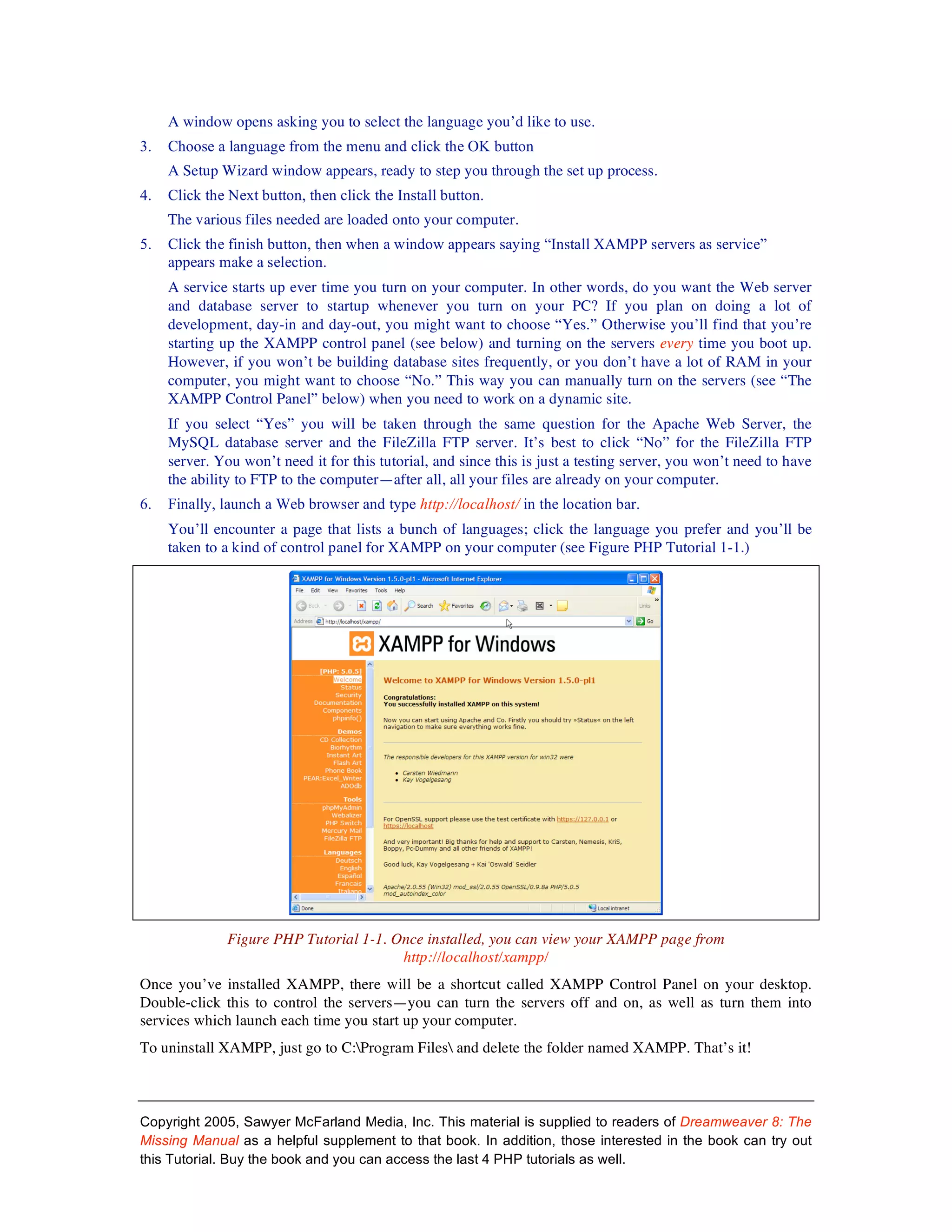
This document provides instructions for installing XAMPP, an all-in-one package that allows users to easily set up Apache, PHP, and MySQL on their computer for testing dynamic web pages. It describes downloading and installing XAMPP on Windows, which involves downloading an executable file, running through an installer, and accessing the servers and control panel through localhost. It also describes downloading and installing XAMPP on Mac, which involves downloading a package file, using Terminal commands to start the servers, and accessing it through localhost. The goal is to have a simple local testing environment for building and testing database-driven websites without having to install each component separately.


![Coded Agents – with UiPath SDK + LangGraph [Virtual Hands-on Workshop]](https://cdn.slidesharecdn.com/ss_thumbnails/codedagentsdeck-251215155422-5497c599-thumbnail.jpg?width=640&height=640&fit=bounds)


