1
To: STC-PMC Members
Subject: Writing
Better
E-mails
2
Take e-mail writing seriously
 Despite ease and informality of
preparing e-mails, need to always be
professional
 Consider e-mails formal documents
 Don’t assume privacy
3
E-mails may be official records
 Does the substance of the e-mail relate to
your company / your business?
 Does the e-mail explain, justify, or document
an action or decision?
 Do you need to take an official action?
 Will the e-mail be released outside your
organization?
4
E-mails may be subject to e-discovery
 E-discovery is any process in which
electronic data is sought and obtained with
the intent of using it as evidence in a civil or
criminal case.
 It can be court ordered.
 It can result in an e-mail being released
outside your company even if not intended.
 It can be done on your computer or through
your company’s network.
5
Is this e-mail necessary?
 Does this need to be put in writing?
 Could you just pick up the phone or visit
the person?
 How urgent is it?
 Is it too complicated for an e-mail?
 Is it too “delicate” for an e-mail?
 Are you sending out too many e-mails?
6
Know your objective before
writing
 Why are you writing this e-mail?
 What exactly do you want this e-mail
to accomplish?
7
Basically three types of
business e-mails
 Ones that provide information
 “I’ll provide the report by Monday.”
 Ones that request information
 “What action do you think we should take?”
 Ones that request action
 “Please approve the report by Monday.”
8
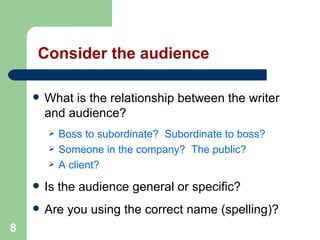
Consider the audience
 What is the relationship between the writer
and audience?
 Boss to subordinate? Subordinate to boss?
 Someone in the company? The public?
 A client?
 Is the audience general or specific?
 Are you using the correct name (spelling)?
9
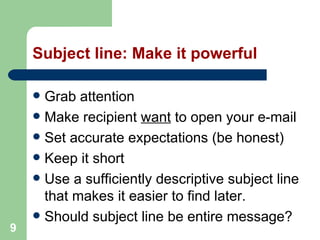
Subject line: Make it powerful
 Grab attention
 Make recipient want to open your e-mail
 Set accurate expectations (be honest)
 Keep it short
 Use a sufficiently descriptive subject line
that makes it easier to find later.
 Should subject line be entire message?
10
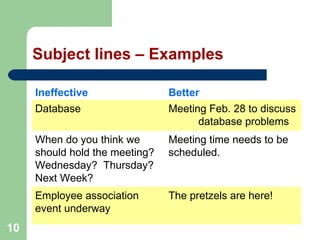
Subject lines – Examples
Ineffective Better
Database Meeting Feb. 28 to discuss
database problems
When do you think we
should hold the meeting?
Wednesday? Thursday?
Next Week?
Meeting time needs to be
scheduled.
Employee association
event underway
The pretzels are here!
11
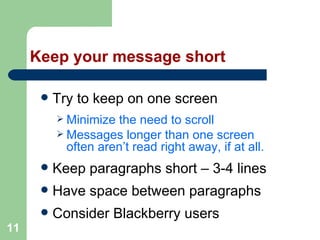
Keep your message short
 Try to keep on one screen
 Minimize the need to scroll
 Messages longer than one screen
often aren’t read right away, if at all.
 Keep paragraphs short – 3-4 lines
 Have space between paragraphs
 Consider Blackberry users
12
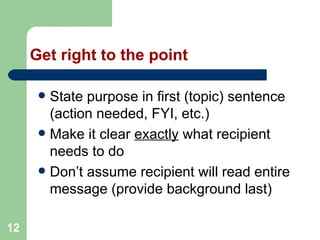
Get right to the point
 State purpose in first (topic) sentence
(action needed, FYI, etc.)
 Make it clear exactly what recipient
needs to do
 Don’t assume recipient will read entire
message (provide background last)
13
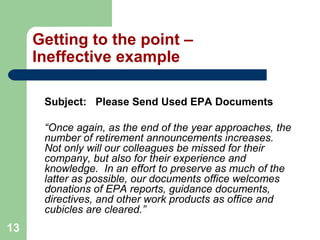
Getting to the point –
Ineffective example
Subject: Please Send Used EPA Documents
“Once again, as the end of the year approaches, the
number of retirement announcements increases.
Not only will our colleagues be missed for their
company, but also for their experience and
knowledge. In an effort to preserve as much of the
latter as possible, our documents office welcomes
donations of EPA reports, guidance documents,
directives, and other work products as office and
cubicles are cleared.”
14
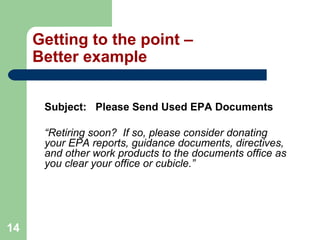
Getting to the point –
Better example
Subject: Please Send Used EPA Documents
“Retiring soon? If so, please consider donating
your EPA reports, guidance documents, directives,
and other work products to the documents office as
you clear your office or cubicle.”
15
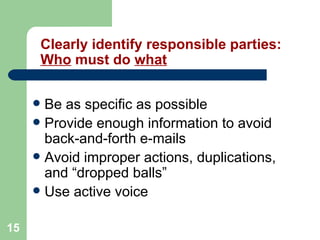
Clearly identify responsible parties:
Who must do what
 Be as specific as possible
 Provide enough information to avoid
back-and-forth e-mails
 Avoid improper actions, duplications,
and “dropped balls”
 Use active voice
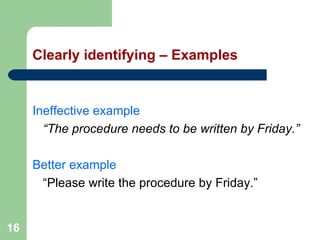
16
Clearly identifying – Examples
Ineffective example
“The procedure needs to be written by Friday.”
Better example
“Please write the procedure by Friday.”
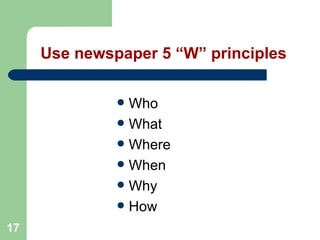
17
Use newspaper 5 “W” principles
 Who
 What
 Where
 When
 Why
 How
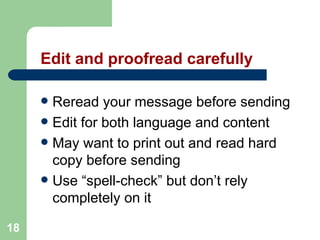
18
Edit and proofread carefully
 Reread your message before sending
 Edit for both language and content
 May want to print out and read hard
copy before sending
 Use “spell-check” but don’t rely
completely on it
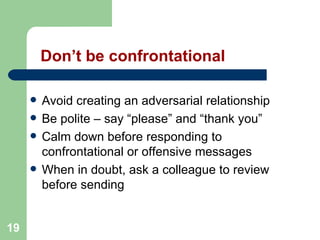
19
Don’t be confrontational
 Avoid creating an adversarial relationship
 Be polite – say “please” and “thank you”
 Calm down before responding to
confrontational or offensive messages
 When in doubt, ask a colleague to review
before sending
20
DON’T USE
ALL CAPITALS!
(Also, minimize underlining, bold-face,
italics, and exclamation points!!!!!!!)
21
Avoid “cute” artwork
 Can be annoying and distracting
 Can take up a lot of network space
 May overload recipients’ mailboxes
22
Use attachments wisely
 Primarily use attachment to transmit
a formal, separate document
 Consider cutting and pasting
pertinent information into e-mail
 Omit attachment from replies to the
original transmission unless needed
23
Always be professional, courteous, and
respectful
E-mails should:
 Be written in a professional manner
 Reflect well on your company and its values
 Accurately state the facts
 Only express opinions if qualified to do so
 Consider how others “read” what you write
24
Contact Information
Gary Sternberg
Publications Coordinator
U.S. Environmental Protection Agency
Office of Inspector General
1650 Arch Street, 3rd Floor
Philadelphia, PA 19103
215-814-5631
sternberg.gary@epa.gov

Writing Better Emails

  • 1.
    1 To: STC-PMC Members Subject:Writing Better E-mails
  • 2.
    2 Take e-mail writingseriously  Despite ease and informality of preparing e-mails, need to always be professional  Consider e-mails formal documents  Don’t assume privacy
  • 3.
    3 E-mails may beofficial records  Does the substance of the e-mail relate to your company / your business?  Does the e-mail explain, justify, or document an action or decision?  Do you need to take an official action?  Will the e-mail be released outside your organization?
  • 4.
    4 E-mails may besubject to e-discovery  E-discovery is any process in which electronic data is sought and obtained with the intent of using it as evidence in a civil or criminal case.  It can be court ordered.  It can result in an e-mail being released outside your company even if not intended.  It can be done on your computer or through your company’s network.
  • 5.
    5 Is this e-mailnecessary?  Does this need to be put in writing?  Could you just pick up the phone or visit the person?  How urgent is it?  Is it too complicated for an e-mail?  Is it too “delicate” for an e-mail?  Are you sending out too many e-mails?
  • 6.
    6 Know your objectivebefore writing  Why are you writing this e-mail?  What exactly do you want this e-mail to accomplish?
  • 7.
    7 Basically three typesof business e-mails  Ones that provide information  “I’ll provide the report by Monday.”  Ones that request information  “What action do you think we should take?”  Ones that request action  “Please approve the report by Monday.”
  • 8.
    8 Consider the audience What is the relationship between the writer and audience?  Boss to subordinate? Subordinate to boss?  Someone in the company? The public?  A client?  Is the audience general or specific?  Are you using the correct name (spelling)?
  • 9.
    9 Subject line: Makeit powerful  Grab attention  Make recipient want to open your e-mail  Set accurate expectations (be honest)  Keep it short  Use a sufficiently descriptive subject line that makes it easier to find later.  Should subject line be entire message?
  • 10.
    10 Subject lines –Examples Ineffective Better Database Meeting Feb. 28 to discuss database problems When do you think we should hold the meeting? Wednesday? Thursday? Next Week? Meeting time needs to be scheduled. Employee association event underway The pretzels are here!
  • 11.
    11 Keep your messageshort  Try to keep on one screen  Minimize the need to scroll  Messages longer than one screen often aren’t read right away, if at all.  Keep paragraphs short – 3-4 lines  Have space between paragraphs  Consider Blackberry users
  • 12.
    12 Get right tothe point  State purpose in first (topic) sentence (action needed, FYI, etc.)  Make it clear exactly what recipient needs to do  Don’t assume recipient will read entire message (provide background last)
  • 13.
    13 Getting to thepoint – Ineffective example Subject: Please Send Used EPA Documents “Once again, as the end of the year approaches, the number of retirement announcements increases. Not only will our colleagues be missed for their company, but also for their experience and knowledge. In an effort to preserve as much of the latter as possible, our documents office welcomes donations of EPA reports, guidance documents, directives, and other work products as office and cubicles are cleared.”
  • 14.
    14 Getting to thepoint – Better example Subject: Please Send Used EPA Documents “Retiring soon? If so, please consider donating your EPA reports, guidance documents, directives, and other work products to the documents office as you clear your office or cubicle.”
  • 15.
    15 Clearly identify responsibleparties: Who must do what  Be as specific as possible  Provide enough information to avoid back-and-forth e-mails  Avoid improper actions, duplications, and “dropped balls”  Use active voice
  • 16.
    16 Clearly identifying –Examples Ineffective example “The procedure needs to be written by Friday.” Better example “Please write the procedure by Friday.”
  • 17.
    17 Use newspaper 5“W” principles  Who  What  Where  When  Why  How
  • 18.
    18 Edit and proofreadcarefully  Reread your message before sending  Edit for both language and content  May want to print out and read hard copy before sending  Use “spell-check” but don’t rely completely on it
  • 19.
    19 Don’t be confrontational Avoid creating an adversarial relationship  Be polite – say “please” and “thank you”  Calm down before responding to confrontational or offensive messages  When in doubt, ask a colleague to review before sending
  • 20.
    20 DON’T USE ALL CAPITALS! (Also,minimize underlining, bold-face, italics, and exclamation points!!!!!!!)
  • 21.
    21 Avoid “cute” artwork Can be annoying and distracting  Can take up a lot of network space  May overload recipients’ mailboxes
  • 22.
    22 Use attachments wisely Primarily use attachment to transmit a formal, separate document  Consider cutting and pasting pertinent information into e-mail  Omit attachment from replies to the original transmission unless needed
  • 23.
    23 Always be professional,courteous, and respectful E-mails should:  Be written in a professional manner  Reflect well on your company and its values  Accurately state the facts  Only express opinions if qualified to do so  Consider how others “read” what you write
  • 24.
    24 Contact Information Gary Sternberg PublicationsCoordinator U.S. Environmental Protection Agency Office of Inspector General 1650 Arch Street, 3rd Floor Philadelphia, PA 19103 215-814-5631 sternberg.gary@epa.gov