Steven M. Gerson
Sharon J. Gerson
1
Technical Communication: Process
and Product
6th
Edition
Gerson: Technical Communication, 6e © 2009 Pearson Education, Upper Saddle River, NJ 07458. All Rights Reserved.
Chapter 6: Routine Correspondence: Memos,
Letters, E-mail, and Instant Messaging
This chapter discusses the
following:
Memos
Letters
E-mail
Instant Messaging
2
Gerson: Technical Communication, 6e © 2009 Pearson Education, Upper Saddle River, NJ 07458. All Rights Reserved.
What Are the Differences?
3
Memos and Letters (hard copy) vs. E-mail and Instant
Messaging (electronic)
Memos and E-mail have
similarities and differences.
See Table 6.1 for a
comparison/contrast of
memos, letters, and e-mail.
Gerson: Technical Communication, 6e © 2009 Pearson Education, Upper Saddle River, NJ 07458. All Rights Reserved.
Memos
4
Purposes
Internal correspondence within a company
To inform, persuade, instruct, and build rapport
Gerson: Technical Communication, 6e © 2009 Pearson Education, Upper Saddle River, NJ 07458. All Rights Reserved.
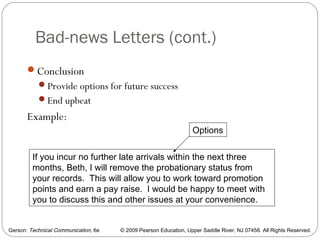
Memos (cont.)
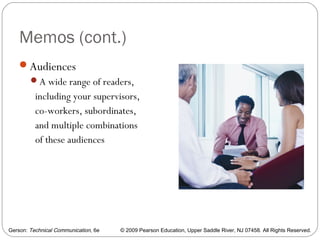
Audiences
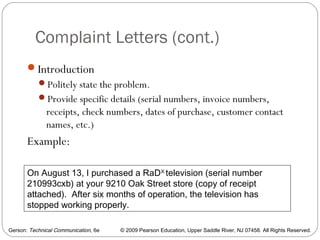
A wide range of readers,
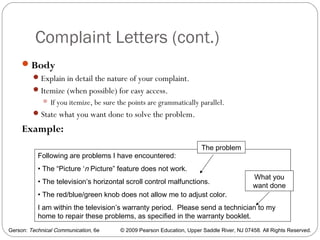
including your supervisors,
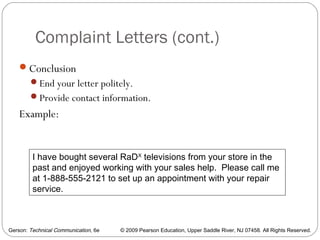
co-workers, subordinates,
and multiple combinations
of these audiences
5
Gerson: Technical Communication, 6e © 2009 Pearson Education, Upper Saddle River, NJ 07458. All Rights Reserved.
Memos (cont.)
6
Criteria for effective memos
Subject Line
Introduction
Discussion
Conclusion
Style
Grammar
Gerson: Technical Communication, 6e © 2009 Pearson Education, Upper Saddle River, NJ 07458. All Rights Reserved.
Memos (cont.)
7
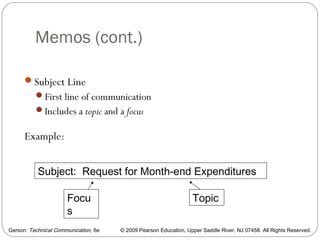
Subject Line
First line of communication
Includes a topic and a focus
Example:
Subject: Request for Month-end Expenditures
TopicFocu
s
Gerson: Technical Communication, 6e © 2009 Pearson Education, Upper Saddle River, NJ 07458. All Rights Reserved.
Memos (cont.)
8
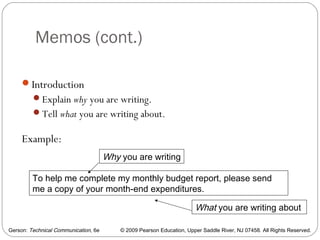
Introduction
Explain why you are writing.
Tell what you are writing about.
Example:
To help me complete my monthly budget report, please send
me a copy of your month-end expenditures.
Why you are writing
What you are writing about
Gerson: Technical Communication, 6e © 2009 Pearson Education, Upper Saddle River, NJ 07458. All Rights Reserved.
Memos (cont.)
9
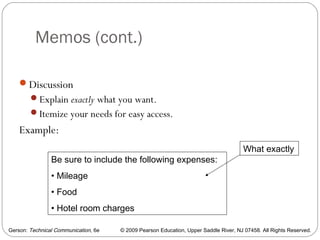
Discussion
Explain exactly what you want.
Itemize your needs for easy access.
Example:
Be sure to include the following expenses:
• Mileage
• Food
• Hotel room charges
What exactly
Gerson: Technical Communication, 6e © 2009 Pearson Education, Upper Saddle River, NJ 07458. All Rights Reserved.
Memos (cont.)
10
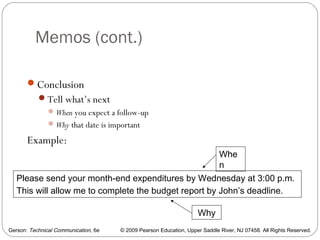
Conclusion
Tell what’s next
When you expect a follow-up
Why that date is important
Example:
Please send your month-end expenditures by Wednesday at 3:00 p.m.
This will allow me to complete the budget report by John’s deadline.
Whe
n
Why
Gerson: Technical Communication, 6e © 2009 Pearson Education, Upper Saddle River, NJ 07458. All Rights Reserved.
Memos (cont.)
11
Memo Style
Generally more casual than letters. Memos are internal
correspondence written to people with whom you work.
Determined by audience, topic, and purpose
A memo written up to management might be more formal than one
written laterally to co-workers.
A memo written to deny a raise request would be more formal and less
friendly than a memo written to report a promotion.
Gerson: Technical Communication, 6e © 2009 Pearson Education, Upper Saddle River, NJ 07458. All Rights Reserved.
Memos (cont.)
12
Grammar
All technical communication must be grammatically correct,
regardless of audience, purpose, or topic.
Gerson: Technical Communication, 6e © 2009 Pearson Education, Upper Saddle River, NJ 07458. All Rights Reserved.
Letters
Letters are external correspondence
(unlike memos, which are internal).
Letters reflect your communication
abilities.
Letters reflect your company’s
professionalism.
13
Gerson: Technical Communication, 6e © 2009 Pearson Education, Upper Saddle River, NJ 07458. All Rights Reserved.
Letter Components
14
Essential Components
Writer’s address
Date
Inside address (reader’s address)
Salutation
Letter body
Complimentary close
Signed name
Typed name
Gerson: Technical Communication, 6e © 2009 Pearson Education, Upper Saddle River, NJ 07458. All Rights Reserved.
Letter Components (cont.)
15
Optional components
Subject line
New page notations
Writer’s and Typist’s Initials
Enclosure notation
Copy notation
Gerson: Technical Communication, 6e © 2009 Pearson Education, Upper Saddle River, NJ 07458. All Rights Reserved.
Letter Wizards and Templates
16
Wizards allow you to fill in blank fields to help you with
your letter’s format and content.
Templates provide already-designed formats for
“Contemporary Letters,” “Elegant Letters,” and “Professional
Letters.”
Gerson: Technical Communication, 6e © 2009 Pearson Education, Upper Saddle River, NJ 07458. All Rights Reserved.
Letter Formats
17
Full Block Format
Type all information at the left margin—no indentations.
Modified Block Format
Indent paragraphs.
Simplified Format
Type all information at the left margin—no indentations.
Omit the salutation.
Include a subject line.
Omit the complimentary close.
Gerson: Technical Communication, 6e © 2009 Pearson Education, Upper Saddle River, NJ 07458. All Rights Reserved.
Criteria for Different Types of Letters
18
Learn how to write
Letters of Inquiry
Cover Letters
Good-news Letters
Bad-news Letters
Complaint Letters
Adjustment Letters
Gerson: Technical Communication, 6e © 2009 Pearson Education, Upper Saddle River, NJ 07458. All Rights Reserved.
Letters of Inquiry
Letters of Inquiry allow you to ask questions.
To write a Letter of Inquiry, provide an:
Introduction
Body
Conclusion
19
Gerson: Technical Communication, 6e © 2009 Pearson Education, Upper Saddle River, NJ 07458. All Rights Reserved.
Letters of Inquiry (cont.)
20
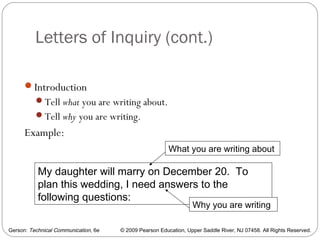
Introduction
Tell what you are writing about.
Tell why you are writing.
Example:
My daughter will marry on December 20. To
plan this wedding, I need answers to the
following questions:
Why you are writing
What you are writing about
Gerson: Technical Communication, 6e © 2009 Pearson Education, Upper Saddle River, NJ 07458. All Rights Reserved.
Letters of Inquiry (cont.)
21
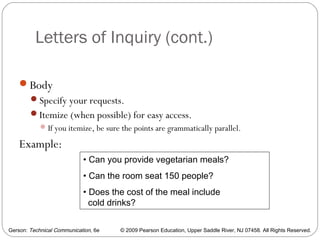
Body
Specify your requests.
Itemize (when possible) for easy access.
If you itemize, be sure the points are grammatically parallel.
Example:
• Can you provide vegetarian meals?
• Can the room seat 150 people?
• Does the cost of the meal include
cold drinks?
Gerson: Technical Communication, 6e © 2009 Pearson Education, Upper Saddle River, NJ 07458. All Rights Reserved.
Letters of Inquiry (cont.)
22
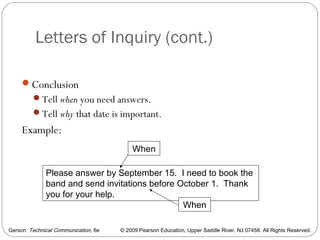
Conclusion
Tell when you need answers.
Tell why that date is important.
Example:
Please answer by September 15. I need to book the
band and send invitations before October 1. Thank
you for your help.
When
When
Gerson: Technical Communication, 6e © 2009 Pearson Education, Upper Saddle River, NJ 07458. All Rights Reserved.
Cover Letters
Cover Letters preface attachments.
To write a Cover Letter, provide an:
Introduction
Body
Conclusion
23
Gerson: Technical Communication, 6e © 2009 Pearson Education, Upper Saddle River, NJ 07458. All Rights Reserved.
Cover Letters (cont.)
24
Introduction
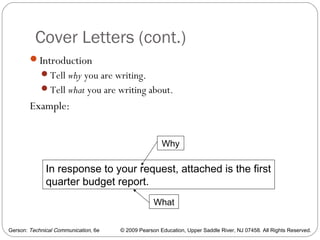
Tell why you are writing.
Tell what you are writing about.
Example:
In response to your request, attached is the first
quarter budget report.
Why
What
Gerson: Technical Communication, 6e © 2009 Pearson Education, Upper Saddle River, NJ 07458. All Rights Reserved.
Cover Letters (cont.)
25
Body
Specify what is within the attachment of special interest to your reader.
Itemize (when possible) for easy access.
 If you itemize, be sure the points are grammatically parallel.
Example:
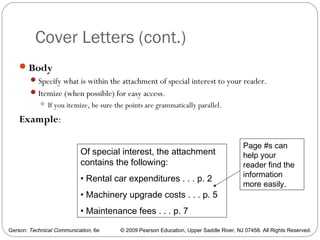
Of special interest, the attachment
contains the following:
• Rental car expenditures . . . p. 2
• Machinery upgrade costs . . . p. 5
• Maintenance fees . . . p. 7
Page #s can
help your
reader find the
information
more easily.
Gerson: Technical Communication, 6e © 2009 Pearson Education, Upper Saddle River, NJ 07458. All Rights Reserved.
Cover Letters (cont.)
26
Conclusion
Provide desired follow-up action
Tell if you plan or need a response.
Tell when you plan or need a response.
Example:
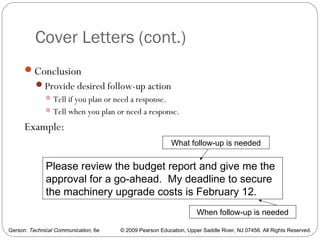
Please review the budget report and give me the
approval for a go-ahead. My deadline to secure
the machinery upgrade costs is February 12.
What follow-up is needed
When follow-up is needed
Gerson: Technical Communication, 6e © 2009 Pearson Education, Upper Saddle River, NJ 07458. All Rights Reserved.
Good-news Letters
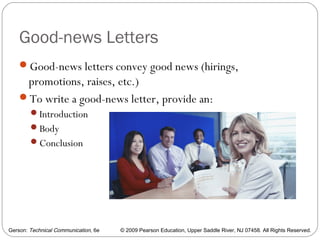
Good-news letters convey good news (hirings,
promotions, raises, etc.)
To write a good-news letter, provide an:
Introduction
Body
Conclusion
27
Gerson: Technical Communication, 6e © 2009 Pearson Education, Upper Saddle River, NJ 07458. All Rights Reserved.
Good-news Letters (cont.)
28
Introduction
The point is good news, so get to the point.
Tell why you are writing.
Tell what you are writing about.
Example:
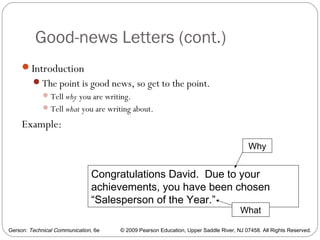
Congratulations David. Due to your
achievements, you have been chosen
“Salesperson of the Year.”
Why
What
Gerson: Technical Communication, 6e © 2009 Pearson Education, Upper Saddle River, NJ 07458. All Rights Reserved.
Good-news Letters (cont.)
29
Body
Specify what has led to the good news.
Itemize (when possible) for easy access.
 If you itemize, be sure the points are grammatically parallel.
Example:
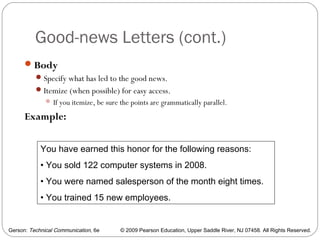
You have earned this honor for the following reasons:
• You sold 122 computer systems in 2008.
• You were named salesperson of the month eight times.
• You trained 15 new employees.
Gerson: Technical Communication, 6e © 2009 Pearson Education, Upper Saddle River, NJ 07458. All Rights Reserved.
Good-news Letters (cont.)
30
Conclusion
End upbeat.
Tell the reader what follow-up action is expected (if any).
Example:
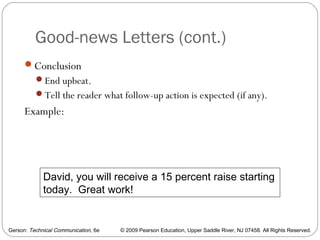
David, you will receive a 15 percent raise starting
today. Great work!
Gerson: Technical Communication, 6e © 2009 Pearson Education, Upper Saddle River, NJ 07458. All Rights Reserved.
Bad-news Letters
Bad-news letters convey bad news (firings, layoffs,
denied promotions or raises, suspensions, or
probationary status)
To write a bad-news
letter, provide an:
Introduction
Body
Conclusion
31
Gerson: Technical Communication, 6e © 2009 Pearson Education, Upper Saddle River, NJ 07458. All Rights Reserved.
Bad-news Letters (cont.)
32
Introduction
Begin with a buffer to soften and lead up to the bad news.
State a fact that the reader can accept as valid.
Example:
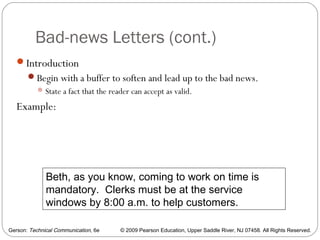
Beth, as you know, coming to work on time is
mandatory. Clerks must be at the service
windows by 8:00 a.m. to help customers.
Gerson: Technical Communication, 6e © 2009 Pearson Education, Upper Saddle River, NJ 07458. All Rights Reserved.
Bad-news Letters (cont.)
33
Body
Provide proof, persuading your reader to accept the bad news.
Give the bad news.
Example:
You have arrived at work late three times this month.
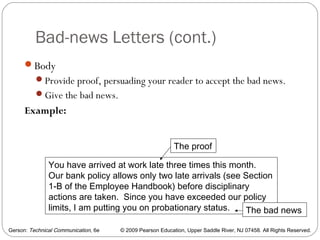
Our bank policy allows only two late arrivals (see Section
1-B of the Employee Handbook) before disciplinary
actions are taken. Since you have exceeded our policy
limits, I am putting you on probationary status.
The proof
The bad news
Gerson: Technical Communication, 6e © 2009 Pearson Education, Upper Saddle River, NJ 07458. All Rights Reserved.
Bad-news Letters (cont.)
34
Conclusion
Provide options for future success
End upbeat
Example:
If you incur no further late arrivals within the next three
months, Beth, I will remove the probationary status from
your records. This will allow you to work toward promotion
points and earn a pay raise. I would be happy to meet with
you to discuss this and other issues at your convenience.
Options
Gerson: Technical Communication, 6e © 2009 Pearson Education, Upper Saddle River, NJ 07458. All Rights Reserved.
Complaint Letters
35
Complaint Letters let you complain about bad service or
products.
To write a complaint letter, provide an:
Introduction
Body
Conclusion
Gerson: Technical Communication, 6e © 2009 Pearson Education, Upper Saddle River, NJ 07458. All Rights Reserved.
Complaint Letters (cont.)
36
Introduction
Politely state the problem.
Provide specific details (serial numbers, invoice numbers,
receipts, check numbers, dates of purchase, customer contact
names, etc.)
Example:
On August 13, I purchased a RaDX
television (serial number
210993cxb) at your 9210 Oak Street store (copy of receipt
attached). After six months of operation, the television has
stopped working properly.
Gerson: Technical Communication, 6e © 2009 Pearson Education, Upper Saddle River, NJ 07458. All Rights Reserved.
Complaint Letters (cont.)
37
Body
Explain in detail the nature of your complaint.
Itemize (when possible) for easy access.
 If you itemize, be sure the points are grammatically parallel.
State what you want done to solve the problem.
Example:
Following are problems I have encountered:
• The “Picture ‘n Picture” feature does not work.
• The television’s horizontal scroll control malfunctions.
• The red/blue/green knob does not allow me to adjust color.
I am within the television’s warranty period. Please send a technician to my
home to repair these problems, as specified in the warranty booklet.
What you
want done
The problem
Gerson: Technical Communication, 6e © 2009 Pearson Education, Upper Saddle River, NJ 07458. All Rights Reserved.
Complaint Letters (cont.)
38
Conclusion
End your letter politely.
Provide contact information.
Example:
I have bought several RaDX
televisions from your store in the
past and enjoyed working with your sales help. Please call me
at 1-888-555-2121 to set up an appointment with your repair
service.
Gerson: Technical Communication, 6e © 2009 Pearson Education, Upper Saddle River, NJ 07458. All Rights Reserved.
Adjustment Letters
39
When you respond to letters of complaint, you have three
options:
100 percent Yes
100 percent No
Partial Adjustment
Gerson: Technical Communication, 6e © 2009 Pearson Education, Upper Saddle River, NJ 07458. All Rights Reserved.
Adjustment Letters—100 percent
Yes Letters
40
100 percent Yes Adjustment Letters are like Good-News
Letters.
To write 100 percent Yes Letters, provide an:
Introduction
Body
Conclusion
Gerson: Technical Communication, 6e © 2009 Pearson Education, Upper Saddle River, NJ 07458. All Rights Reserved.
Adjustment Letters—100 percent
Yes Letters (cont.)
41
Introduction
The point is good news, so get to the point.
Tell why you are writing—in response to a complaint
Tell what you are writing about—to agree with the reader’s request.
Example:
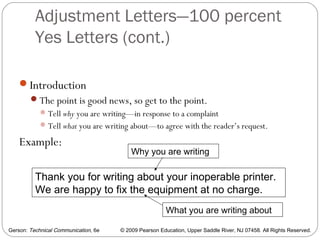
Thank you for writing about your inoperable printer.
We are happy to fix the equipment at no charge.
Why you are writing
What you are writing about
Gerson: Technical Communication, 6e © 2009 Pearson Education, Upper Saddle River, NJ 07458. All Rights Reserved.
Adjustment Letters—100 percent
Yes Letters (cont.)
42
Body
Explain what happened.
Explain how the problem could be avoided in the future.
Example:
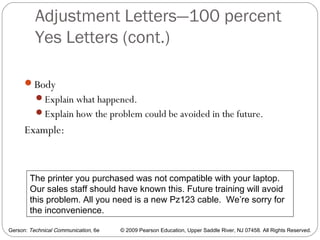
The printer you purchased was not compatible with your laptop.
Our sales staff should have known this. Future training will avoid
this problem. All you need is a new Pz123 cable. We’re sorry for
the inconvenience.
Gerson: Technical Communication, 6e © 2009 Pearson Education, Upper Saddle River, NJ 07458. All Rights Reserved.
Adjustment Letters—100 percent
Yes Letters (cont.)
43
Conclusion
End upbeat.
Resell for future customer satisfaction.
Example:
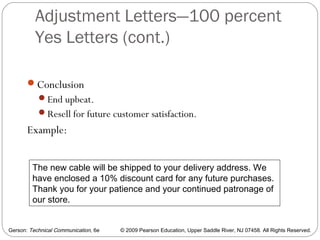
The new cable will be shipped to your delivery address. We
have enclosed a 10% discount card for any future purchases.
Thank you for your patience and your continued patronage of
our store.
Gerson: Technical Communication, 6e © 2009 Pearson Education, Upper Saddle River, NJ 07458. All Rights Reserved.
Adjustment Letters—100 percent
No Letters
44
Not all complaints can be satisfied.
Write a 100 percent No Letter when the customer is wrong.
In a 100 percent No Letter, provide an
Introduction
Body
Conclusion
Gerson: Technical Communication, 6e © 2009 Pearson Education, Upper Saddle River, NJ 07458. All Rights Reserved.
Adjustment Letters—100 percent
No Letters (cont.)
45
Introduction
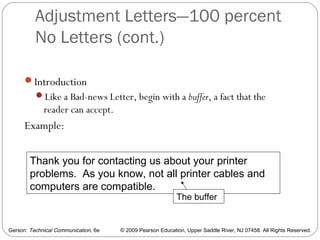
Like a Bad-news Letter, begin with a buffer, a fact that the
reader can accept.
Example:
Thank you for contacting us about your printer
problems. As you know, not all printer cables and
computers are compatible.
The buffer
Gerson: Technical Communication, 6e © 2009 Pearson Education, Upper Saddle River, NJ 07458. All Rights Reserved.
Adjustment Letters—100 percent
No Letters (cont.)
46
Body
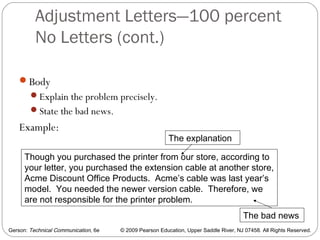
Explain the problem precisely.
State the bad news.
Example:
Though you purchased the printer from our store, according to
your letter, you purchased the extension cable at another store,
Acme Discount Office Products. Acme’s cable was last year’s
model. You needed the newer version cable. Therefore, we
are not responsible for the printer problem.
The explanation
The bad news
Gerson: Technical Communication, 6e © 2009 Pearson Education, Upper Saddle River, NJ 07458. All Rights Reserved.
Adjustment Letters—100 percent
No Letters (cont.)
47
Conclusion
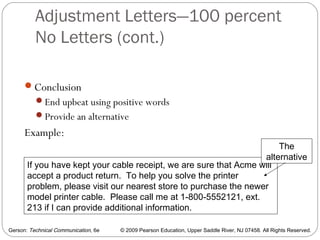
End upbeat using positive words
Provide an alternative
Example:
If you have kept your cable receipt, we are sure that Acme will
accept a product return. To help you solve the printer
problem, please visit our nearest store to purchase the newer
model printer cable. Please call me at 1-800-5552121, ext.
213 if I can provide additional information.
The
alternative
Gerson: Technical Communication, 6e © 2009 Pearson Education, Upper Saddle River, NJ 07458. All Rights Reserved.
Adjustment Letters—Partial
Adjustment
48
If your response to a complaint is neither completely positive
nor negative, write a Partial Adjustment Letter.
To do so, provide an:
Introduction
Body
Conclusion
Gerson: Technical Communication, 6e © 2009 Pearson Education, Upper Saddle River, NJ 07458. All Rights Reserved.
Adjustment Letters—Partial
Adjustment (cont.)
49
Introduction
Explain why you are writing.
State the good news.
Example:
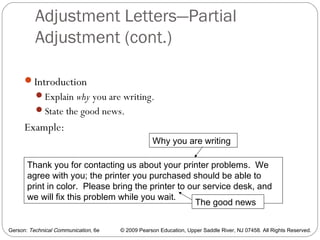
Thank you for contacting us about your printer problems. We
agree with you; the printer you purchased should be able to
print in color. Please bring the printer to our service desk, and
we will fix this problem while you wait.
Why you are writing
The good news
Gerson: Technical Communication, 6e © 2009 Pearson Education, Upper Saddle River, NJ 07458. All Rights Reserved.
Adjustment Letters—Partial
Adjustment (cont.)
50
Body
Precisely explain the problem—what happened.
Give the bad news.
Example:
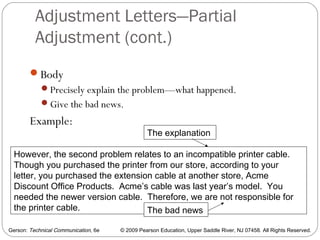
However, the second problem relates to an incompatible printer cable.
Though you purchased the printer from our store, according to your
letter, you purchased the extension cable at another store, Acme
Discount Office Products. Acme’s cable was last year’s model. You
needed the newer version cable. Therefore, we are not responsible for
the printer cable.
The explanation
The bad news
Gerson: Technical Communication, 6e © 2009 Pearson Education, Upper Saddle River, NJ 07458. All Rights Reserved.
Adjustment Letters—Partial
Adjustment (cont.)
51
Conclusion
End upbeat using positive words
Provide an alternative
Example:
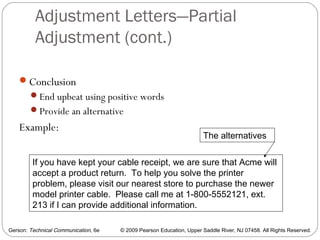
If you have kept your cable receipt, we are sure that Acme will
accept a product return. To help you solve the printer
problem, please visit our nearest store to purchase the newer
model printer cable. Please call me at 1-800-5552121, ext.
213 if I can provide additional information.
The alternatives
Gerson: Technical Communication, 6e © 2009 Pearson Education, Upper Saddle River, NJ 07458. All Rights Reserved.
E-mail
E-mail has these benefits:
Saves time
Is convenient
Can be written internally and externally
Is more cost-effective than “snail mail”
Leaves a paper trail for documentation
Allows for expanded discussions by multiple
readers
52
Gerson: Technical Communication, 6e © 2009 Pearson Education, Upper Saddle River, NJ 07458. All Rights Reserved.
E-mail Challenges
53
Despite the benefits, E-mail presents challenges:
Computer incompatibilities
Lack of privacy
Casual tone leading to
misunderstandings
Casual tone leading to lack of professionalism
Gerson: Technical Communication, 6e © 2009 Pearson Education, Upper Saddle River, NJ 07458. All Rights Reserved.
E-mail Challenges (cont.)
54
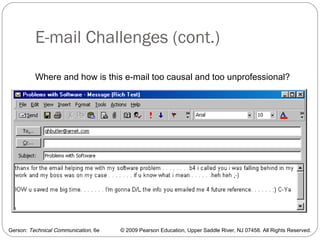
Where and how is this e-mail too causal and too unprofessional?
Gerson: Technical Communication, 6e © 2009 Pearson Education, Upper Saddle River, NJ 07458. All Rights Reserved.
Effective E-mail Techniques
55
Recognize your audience.
Use the correct tone when writing laterally and vertically.
For international e-mail, be careful with abbreviations,
acronyms, dates, times, measurements, and monetary figures.
Gerson: Technical Communication, 6e © 2009 Pearson Education, Upper Saddle River, NJ 07458. All Rights Reserved.
Effective E-mail Techniques (cont.)
56
Identify yourself.
Readers are cautious
about opening unidentified
e-mail, due to spam and viruses.
Use a “sig. file” to identify yourself.
Gerson: Technical Communication, 6e © 2009 Pearson Education, Upper Saddle River, NJ 07458. All Rights Reserved.
Effective E-mail Techniques (cont.)
Use the correct e-mail address.
The wrong e-mail address results in a “Message not sent” note.
57
Gerson: Technical Communication, 6e © 2009 Pearson Education, Upper Saddle River, NJ 07458. All Rights Reserved.
Effective E-mail Techniques (cont.)
58
Provide an effective subject line.
Topic + Focus (like memos)
Readers might not open e-mail with vague subject lines due to
fear of spam and viruses.
Gerson: Technical Communication, 6e © 2009 Pearson Education, Upper Saddle River, NJ 07458. All Rights Reserved.
Effective E-mail Techniques (cont.)
59
Write concise e-mail messages.
Readers do not like to scroll endlessly.
Limit yourself to approximately 20 lines to “fit the box”—see
Chapter 3.
Place important information early in the e-mail (practice the
“top of the box” method of writing).
Gerson: Technical Communication, 6e © 2009 Pearson Education, Upper Saddle River, NJ 07458. All Rights Reserved.
Effective E-mail Techniques (cont.)
60
Organize the e-mail.
Provide an introduction, body, and conclusion (like memos).
Gerson: Technical Communication, 6e © 2009 Pearson Education, Upper Saddle River, NJ 07458. All Rights Reserved.
Effective E-mail Techniques (cont.)
61
Use highlighting techniques sparingly.
E-mail programs are not always compatible.
Avoid boldface, underlining, colors, and computer-generated
bullets or numbers.
Use hyphens (-) or asterisks (*) for bullets.
Gerson: Technical Communication, 6e © 2009 Pearson Education, Upper Saddle River, NJ 07458. All Rights Reserved.
Effective E-mail Techniques (cont.)
62
Proofread.
Don’t hit the “send” button too quickly.
Errors hurt your professionalism.
Gerson: Technical Communication, 6e © 2009 Pearson Education, Upper Saddle River, NJ 07458. All Rights Reserved.
Effective E-mail Techniques (cont.)
63
Don’t email confidential or copyrighted information.
E-mail is not private.
E-mail is “discoverable” under the law.
E-mail messages can be used in the courts.
Gerson: Technical Communication, 6e © 2009 Pearson Education, Upper Saddle River, NJ 07458. All Rights Reserved.
Effective E-mail Techniques (cont.)
64
Make hard copies for future reference.
Systems malfunction.
Gerson: Technical Communication, 6e © 2009 Pearson Education, Upper Saddle River, NJ 07458. All Rights Reserved.
Effective E-mail Techniques (cont.)
65
Be careful when sending attachments.
Say, “I have attached . . .”
Tell the reader what program you have used for the attachment
(PDF, PPt, Word doc., etc.).
Don’t send large attachments. They can crash your reader’s
system.
Gerson: Technical Communication, 6e © 2009 Pearson Education, Upper Saddle River, NJ 07458. All Rights Reserved.
Effective E-mail Techniques (cont.)
66
Don’t automatically “reply to all.”
To ensure confidentiality, select your readers carefully.
Gerson: Technical Communication, 6e © 2009 Pearson Education, Upper Saddle River, NJ 07458. All Rights Reserved.
Effective E-mail Techniques (cont.)
67
Practice “netiquette.”
Don’t FLAME. Writing in all caps is perceived as
SHOUTING.

Writing a memo, letter, and e mail

  • 1.
    Steven M. Gerson SharonJ. Gerson 1 Technical Communication: Process and Product 6th Edition
  • 2.
    Gerson: Technical Communication,6e © 2009 Pearson Education, Upper Saddle River, NJ 07458. All Rights Reserved. Chapter 6: Routine Correspondence: Memos, Letters, E-mail, and Instant Messaging This chapter discusses the following: Memos Letters E-mail Instant Messaging 2
  • 3.
    Gerson: Technical Communication,6e © 2009 Pearson Education, Upper Saddle River, NJ 07458. All Rights Reserved. What Are the Differences? 3 Memos and Letters (hard copy) vs. E-mail and Instant Messaging (electronic) Memos and E-mail have similarities and differences. See Table 6.1 for a comparison/contrast of memos, letters, and e-mail.
  • 4.
    Gerson: Technical Communication,6e © 2009 Pearson Education, Upper Saddle River, NJ 07458. All Rights Reserved. Memos 4 Purposes Internal correspondence within a company To inform, persuade, instruct, and build rapport
  • 5.
    Gerson: Technical Communication,6e © 2009 Pearson Education, Upper Saddle River, NJ 07458. All Rights Reserved. Memos (cont.) Audiences A wide range of readers, including your supervisors, co-workers, subordinates, and multiple combinations of these audiences 5
  • 6.
    Gerson: Technical Communication,6e © 2009 Pearson Education, Upper Saddle River, NJ 07458. All Rights Reserved. Memos (cont.) 6 Criteria for effective memos Subject Line Introduction Discussion Conclusion Style Grammar
  • 7.
    Gerson: Technical Communication,6e © 2009 Pearson Education, Upper Saddle River, NJ 07458. All Rights Reserved. Memos (cont.) 7 Subject Line First line of communication Includes a topic and a focus Example: Subject: Request for Month-end Expenditures TopicFocu s
  • 8.
    Gerson: Technical Communication,6e © 2009 Pearson Education, Upper Saddle River, NJ 07458. All Rights Reserved. Memos (cont.) 8 Introduction Explain why you are writing. Tell what you are writing about. Example: To help me complete my monthly budget report, please send me a copy of your month-end expenditures. Why you are writing What you are writing about
  • 9.
    Gerson: Technical Communication,6e © 2009 Pearson Education, Upper Saddle River, NJ 07458. All Rights Reserved. Memos (cont.) 9 Discussion Explain exactly what you want. Itemize your needs for easy access. Example: Be sure to include the following expenses: • Mileage • Food • Hotel room charges What exactly
  • 10.
    Gerson: Technical Communication,6e © 2009 Pearson Education, Upper Saddle River, NJ 07458. All Rights Reserved. Memos (cont.) 10 Conclusion Tell what’s next When you expect a follow-up Why that date is important Example: Please send your month-end expenditures by Wednesday at 3:00 p.m. This will allow me to complete the budget report by John’s deadline. Whe n Why
  • 11.
    Gerson: Technical Communication,6e © 2009 Pearson Education, Upper Saddle River, NJ 07458. All Rights Reserved. Memos (cont.) 11 Memo Style Generally more casual than letters. Memos are internal correspondence written to people with whom you work. Determined by audience, topic, and purpose A memo written up to management might be more formal than one written laterally to co-workers. A memo written to deny a raise request would be more formal and less friendly than a memo written to report a promotion.
  • 12.
    Gerson: Technical Communication,6e © 2009 Pearson Education, Upper Saddle River, NJ 07458. All Rights Reserved. Memos (cont.) 12 Grammar All technical communication must be grammatically correct, regardless of audience, purpose, or topic.
  • 13.
    Gerson: Technical Communication,6e © 2009 Pearson Education, Upper Saddle River, NJ 07458. All Rights Reserved. Letters Letters are external correspondence (unlike memos, which are internal). Letters reflect your communication abilities. Letters reflect your company’s professionalism. 13
  • 14.
    Gerson: Technical Communication,6e © 2009 Pearson Education, Upper Saddle River, NJ 07458. All Rights Reserved. Letter Components 14 Essential Components Writer’s address Date Inside address (reader’s address) Salutation Letter body Complimentary close Signed name Typed name
  • 15.
    Gerson: Technical Communication,6e © 2009 Pearson Education, Upper Saddle River, NJ 07458. All Rights Reserved. Letter Components (cont.) 15 Optional components Subject line New page notations Writer’s and Typist’s Initials Enclosure notation Copy notation
  • 16.
    Gerson: Technical Communication,6e © 2009 Pearson Education, Upper Saddle River, NJ 07458. All Rights Reserved. Letter Wizards and Templates 16 Wizards allow you to fill in blank fields to help you with your letter’s format and content. Templates provide already-designed formats for “Contemporary Letters,” “Elegant Letters,” and “Professional Letters.”
  • 17.
    Gerson: Technical Communication,6e © 2009 Pearson Education, Upper Saddle River, NJ 07458. All Rights Reserved. Letter Formats 17 Full Block Format Type all information at the left margin—no indentations. Modified Block Format Indent paragraphs. Simplified Format Type all information at the left margin—no indentations. Omit the salutation. Include a subject line. Omit the complimentary close.
  • 18.
    Gerson: Technical Communication,6e © 2009 Pearson Education, Upper Saddle River, NJ 07458. All Rights Reserved. Criteria for Different Types of Letters 18 Learn how to write Letters of Inquiry Cover Letters Good-news Letters Bad-news Letters Complaint Letters Adjustment Letters
  • 19.
    Gerson: Technical Communication,6e © 2009 Pearson Education, Upper Saddle River, NJ 07458. All Rights Reserved. Letters of Inquiry Letters of Inquiry allow you to ask questions. To write a Letter of Inquiry, provide an: Introduction Body Conclusion 19
  • 20.
    Gerson: Technical Communication,6e © 2009 Pearson Education, Upper Saddle River, NJ 07458. All Rights Reserved. Letters of Inquiry (cont.) 20 Introduction Tell what you are writing about. Tell why you are writing. Example: My daughter will marry on December 20. To plan this wedding, I need answers to the following questions: Why you are writing What you are writing about
  • 21.
    Gerson: Technical Communication,6e © 2009 Pearson Education, Upper Saddle River, NJ 07458. All Rights Reserved. Letters of Inquiry (cont.) 21 Body Specify your requests. Itemize (when possible) for easy access. If you itemize, be sure the points are grammatically parallel. Example: • Can you provide vegetarian meals? • Can the room seat 150 people? • Does the cost of the meal include cold drinks?
  • 22.
    Gerson: Technical Communication,6e © 2009 Pearson Education, Upper Saddle River, NJ 07458. All Rights Reserved. Letters of Inquiry (cont.) 22 Conclusion Tell when you need answers. Tell why that date is important. Example: Please answer by September 15. I need to book the band and send invitations before October 1. Thank you for your help. When When
  • 23.
    Gerson: Technical Communication,6e © 2009 Pearson Education, Upper Saddle River, NJ 07458. All Rights Reserved. Cover Letters Cover Letters preface attachments. To write a Cover Letter, provide an: Introduction Body Conclusion 23
  • 24.
    Gerson: Technical Communication,6e © 2009 Pearson Education, Upper Saddle River, NJ 07458. All Rights Reserved. Cover Letters (cont.) 24 Introduction Tell why you are writing. Tell what you are writing about. Example: In response to your request, attached is the first quarter budget report. Why What
  • 25.
    Gerson: Technical Communication,6e © 2009 Pearson Education, Upper Saddle River, NJ 07458. All Rights Reserved. Cover Letters (cont.) 25 Body Specify what is within the attachment of special interest to your reader. Itemize (when possible) for easy access.  If you itemize, be sure the points are grammatically parallel. Example: Of special interest, the attachment contains the following: • Rental car expenditures . . . p. 2 • Machinery upgrade costs . . . p. 5 • Maintenance fees . . . p. 7 Page #s can help your reader find the information more easily.
  • 26.
    Gerson: Technical Communication,6e © 2009 Pearson Education, Upper Saddle River, NJ 07458. All Rights Reserved. Cover Letters (cont.) 26 Conclusion Provide desired follow-up action Tell if you plan or need a response. Tell when you plan or need a response. Example: Please review the budget report and give me the approval for a go-ahead. My deadline to secure the machinery upgrade costs is February 12. What follow-up is needed When follow-up is needed
  • 27.
    Gerson: Technical Communication,6e © 2009 Pearson Education, Upper Saddle River, NJ 07458. All Rights Reserved. Good-news Letters Good-news letters convey good news (hirings, promotions, raises, etc.) To write a good-news letter, provide an: Introduction Body Conclusion 27
  • 28.
    Gerson: Technical Communication,6e © 2009 Pearson Education, Upper Saddle River, NJ 07458. All Rights Reserved. Good-news Letters (cont.) 28 Introduction The point is good news, so get to the point. Tell why you are writing. Tell what you are writing about. Example: Congratulations David. Due to your achievements, you have been chosen “Salesperson of the Year.” Why What
  • 29.
    Gerson: Technical Communication,6e © 2009 Pearson Education, Upper Saddle River, NJ 07458. All Rights Reserved. Good-news Letters (cont.) 29 Body Specify what has led to the good news. Itemize (when possible) for easy access.  If you itemize, be sure the points are grammatically parallel. Example: You have earned this honor for the following reasons: • You sold 122 computer systems in 2008. • You were named salesperson of the month eight times. • You trained 15 new employees.
  • 30.
    Gerson: Technical Communication,6e © 2009 Pearson Education, Upper Saddle River, NJ 07458. All Rights Reserved. Good-news Letters (cont.) 30 Conclusion End upbeat. Tell the reader what follow-up action is expected (if any). Example: David, you will receive a 15 percent raise starting today. Great work!
  • 31.
    Gerson: Technical Communication,6e © 2009 Pearson Education, Upper Saddle River, NJ 07458. All Rights Reserved. Bad-news Letters Bad-news letters convey bad news (firings, layoffs, denied promotions or raises, suspensions, or probationary status) To write a bad-news letter, provide an: Introduction Body Conclusion 31
  • 32.
    Gerson: Technical Communication,6e © 2009 Pearson Education, Upper Saddle River, NJ 07458. All Rights Reserved. Bad-news Letters (cont.) 32 Introduction Begin with a buffer to soften and lead up to the bad news. State a fact that the reader can accept as valid. Example: Beth, as you know, coming to work on time is mandatory. Clerks must be at the service windows by 8:00 a.m. to help customers.
  • 33.
    Gerson: Technical Communication,6e © 2009 Pearson Education, Upper Saddle River, NJ 07458. All Rights Reserved. Bad-news Letters (cont.) 33 Body Provide proof, persuading your reader to accept the bad news. Give the bad news. Example: You have arrived at work late three times this month. Our bank policy allows only two late arrivals (see Section 1-B of the Employee Handbook) before disciplinary actions are taken. Since you have exceeded our policy limits, I am putting you on probationary status. The proof The bad news
  • 34.
    Gerson: Technical Communication,6e © 2009 Pearson Education, Upper Saddle River, NJ 07458. All Rights Reserved. Bad-news Letters (cont.) 34 Conclusion Provide options for future success End upbeat Example: If you incur no further late arrivals within the next three months, Beth, I will remove the probationary status from your records. This will allow you to work toward promotion points and earn a pay raise. I would be happy to meet with you to discuss this and other issues at your convenience. Options
  • 35.
    Gerson: Technical Communication,6e © 2009 Pearson Education, Upper Saddle River, NJ 07458. All Rights Reserved. Complaint Letters 35 Complaint Letters let you complain about bad service or products. To write a complaint letter, provide an: Introduction Body Conclusion
  • 36.
    Gerson: Technical Communication,6e © 2009 Pearson Education, Upper Saddle River, NJ 07458. All Rights Reserved. Complaint Letters (cont.) 36 Introduction Politely state the problem. Provide specific details (serial numbers, invoice numbers, receipts, check numbers, dates of purchase, customer contact names, etc.) Example: On August 13, I purchased a RaDX television (serial number 210993cxb) at your 9210 Oak Street store (copy of receipt attached). After six months of operation, the television has stopped working properly.
  • 37.
    Gerson: Technical Communication,6e © 2009 Pearson Education, Upper Saddle River, NJ 07458. All Rights Reserved. Complaint Letters (cont.) 37 Body Explain in detail the nature of your complaint. Itemize (when possible) for easy access.  If you itemize, be sure the points are grammatically parallel. State what you want done to solve the problem. Example: Following are problems I have encountered: • The “Picture ‘n Picture” feature does not work. • The television’s horizontal scroll control malfunctions. • The red/blue/green knob does not allow me to adjust color. I am within the television’s warranty period. Please send a technician to my home to repair these problems, as specified in the warranty booklet. What you want done The problem
  • 38.
    Gerson: Technical Communication,6e © 2009 Pearson Education, Upper Saddle River, NJ 07458. All Rights Reserved. Complaint Letters (cont.) 38 Conclusion End your letter politely. Provide contact information. Example: I have bought several RaDX televisions from your store in the past and enjoyed working with your sales help. Please call me at 1-888-555-2121 to set up an appointment with your repair service.
  • 39.
    Gerson: Technical Communication,6e © 2009 Pearson Education, Upper Saddle River, NJ 07458. All Rights Reserved. Adjustment Letters 39 When you respond to letters of complaint, you have three options: 100 percent Yes 100 percent No Partial Adjustment
  • 40.
    Gerson: Technical Communication,6e © 2009 Pearson Education, Upper Saddle River, NJ 07458. All Rights Reserved. Adjustment Letters—100 percent Yes Letters 40 100 percent Yes Adjustment Letters are like Good-News Letters. To write 100 percent Yes Letters, provide an: Introduction Body Conclusion
  • 41.
    Gerson: Technical Communication,6e © 2009 Pearson Education, Upper Saddle River, NJ 07458. All Rights Reserved. Adjustment Letters—100 percent Yes Letters (cont.) 41 Introduction The point is good news, so get to the point. Tell why you are writing—in response to a complaint Tell what you are writing about—to agree with the reader’s request. Example: Thank you for writing about your inoperable printer. We are happy to fix the equipment at no charge. Why you are writing What you are writing about
  • 42.
    Gerson: Technical Communication,6e © 2009 Pearson Education, Upper Saddle River, NJ 07458. All Rights Reserved. Adjustment Letters—100 percent Yes Letters (cont.) 42 Body Explain what happened. Explain how the problem could be avoided in the future. Example: The printer you purchased was not compatible with your laptop. Our sales staff should have known this. Future training will avoid this problem. All you need is a new Pz123 cable. We’re sorry for the inconvenience.
  • 43.
    Gerson: Technical Communication,6e © 2009 Pearson Education, Upper Saddle River, NJ 07458. All Rights Reserved. Adjustment Letters—100 percent Yes Letters (cont.) 43 Conclusion End upbeat. Resell for future customer satisfaction. Example: The new cable will be shipped to your delivery address. We have enclosed a 10% discount card for any future purchases. Thank you for your patience and your continued patronage of our store.
  • 44.
    Gerson: Technical Communication,6e © 2009 Pearson Education, Upper Saddle River, NJ 07458. All Rights Reserved. Adjustment Letters—100 percent No Letters 44 Not all complaints can be satisfied. Write a 100 percent No Letter when the customer is wrong. In a 100 percent No Letter, provide an Introduction Body Conclusion
  • 45.
    Gerson: Technical Communication,6e © 2009 Pearson Education, Upper Saddle River, NJ 07458. All Rights Reserved. Adjustment Letters—100 percent No Letters (cont.) 45 Introduction Like a Bad-news Letter, begin with a buffer, a fact that the reader can accept. Example: Thank you for contacting us about your printer problems. As you know, not all printer cables and computers are compatible. The buffer
  • 46.
    Gerson: Technical Communication,6e © 2009 Pearson Education, Upper Saddle River, NJ 07458. All Rights Reserved. Adjustment Letters—100 percent No Letters (cont.) 46 Body Explain the problem precisely. State the bad news. Example: Though you purchased the printer from our store, according to your letter, you purchased the extension cable at another store, Acme Discount Office Products. Acme’s cable was last year’s model. You needed the newer version cable. Therefore, we are not responsible for the printer problem. The explanation The bad news
  • 47.
    Gerson: Technical Communication,6e © 2009 Pearson Education, Upper Saddle River, NJ 07458. All Rights Reserved. Adjustment Letters—100 percent No Letters (cont.) 47 Conclusion End upbeat using positive words Provide an alternative Example: If you have kept your cable receipt, we are sure that Acme will accept a product return. To help you solve the printer problem, please visit our nearest store to purchase the newer model printer cable. Please call me at 1-800-5552121, ext. 213 if I can provide additional information. The alternative
  • 48.
    Gerson: Technical Communication,6e © 2009 Pearson Education, Upper Saddle River, NJ 07458. All Rights Reserved. Adjustment Letters—Partial Adjustment 48 If your response to a complaint is neither completely positive nor negative, write a Partial Adjustment Letter. To do so, provide an: Introduction Body Conclusion
  • 49.
    Gerson: Technical Communication,6e © 2009 Pearson Education, Upper Saddle River, NJ 07458. All Rights Reserved. Adjustment Letters—Partial Adjustment (cont.) 49 Introduction Explain why you are writing. State the good news. Example: Thank you for contacting us about your printer problems. We agree with you; the printer you purchased should be able to print in color. Please bring the printer to our service desk, and we will fix this problem while you wait. Why you are writing The good news
  • 50.
    Gerson: Technical Communication,6e © 2009 Pearson Education, Upper Saddle River, NJ 07458. All Rights Reserved. Adjustment Letters—Partial Adjustment (cont.) 50 Body Precisely explain the problem—what happened. Give the bad news. Example: However, the second problem relates to an incompatible printer cable. Though you purchased the printer from our store, according to your letter, you purchased the extension cable at another store, Acme Discount Office Products. Acme’s cable was last year’s model. You needed the newer version cable. Therefore, we are not responsible for the printer cable. The explanation The bad news
  • 51.
    Gerson: Technical Communication,6e © 2009 Pearson Education, Upper Saddle River, NJ 07458. All Rights Reserved. Adjustment Letters—Partial Adjustment (cont.) 51 Conclusion End upbeat using positive words Provide an alternative Example: If you have kept your cable receipt, we are sure that Acme will accept a product return. To help you solve the printer problem, please visit our nearest store to purchase the newer model printer cable. Please call me at 1-800-5552121, ext. 213 if I can provide additional information. The alternatives
  • 52.
    Gerson: Technical Communication,6e © 2009 Pearson Education, Upper Saddle River, NJ 07458. All Rights Reserved. E-mail E-mail has these benefits: Saves time Is convenient Can be written internally and externally Is more cost-effective than “snail mail” Leaves a paper trail for documentation Allows for expanded discussions by multiple readers 52
  • 53.
    Gerson: Technical Communication,6e © 2009 Pearson Education, Upper Saddle River, NJ 07458. All Rights Reserved. E-mail Challenges 53 Despite the benefits, E-mail presents challenges: Computer incompatibilities Lack of privacy Casual tone leading to misunderstandings Casual tone leading to lack of professionalism
  • 54.
    Gerson: Technical Communication,6e © 2009 Pearson Education, Upper Saddle River, NJ 07458. All Rights Reserved. E-mail Challenges (cont.) 54 Where and how is this e-mail too causal and too unprofessional?
  • 55.
    Gerson: Technical Communication,6e © 2009 Pearson Education, Upper Saddle River, NJ 07458. All Rights Reserved. Effective E-mail Techniques 55 Recognize your audience. Use the correct tone when writing laterally and vertically. For international e-mail, be careful with abbreviations, acronyms, dates, times, measurements, and monetary figures.
  • 56.
    Gerson: Technical Communication,6e © 2009 Pearson Education, Upper Saddle River, NJ 07458. All Rights Reserved. Effective E-mail Techniques (cont.) 56 Identify yourself. Readers are cautious about opening unidentified e-mail, due to spam and viruses. Use a “sig. file” to identify yourself.
  • 57.
    Gerson: Technical Communication,6e © 2009 Pearson Education, Upper Saddle River, NJ 07458. All Rights Reserved. Effective E-mail Techniques (cont.) Use the correct e-mail address. The wrong e-mail address results in a “Message not sent” note. 57
  • 58.
    Gerson: Technical Communication,6e © 2009 Pearson Education, Upper Saddle River, NJ 07458. All Rights Reserved. Effective E-mail Techniques (cont.) 58 Provide an effective subject line. Topic + Focus (like memos) Readers might not open e-mail with vague subject lines due to fear of spam and viruses.
  • 59.
    Gerson: Technical Communication,6e © 2009 Pearson Education, Upper Saddle River, NJ 07458. All Rights Reserved. Effective E-mail Techniques (cont.) 59 Write concise e-mail messages. Readers do not like to scroll endlessly. Limit yourself to approximately 20 lines to “fit the box”—see Chapter 3. Place important information early in the e-mail (practice the “top of the box” method of writing).
  • 60.
    Gerson: Technical Communication,6e © 2009 Pearson Education, Upper Saddle River, NJ 07458. All Rights Reserved. Effective E-mail Techniques (cont.) 60 Organize the e-mail. Provide an introduction, body, and conclusion (like memos).
  • 61.
    Gerson: Technical Communication,6e © 2009 Pearson Education, Upper Saddle River, NJ 07458. All Rights Reserved. Effective E-mail Techniques (cont.) 61 Use highlighting techniques sparingly. E-mail programs are not always compatible. Avoid boldface, underlining, colors, and computer-generated bullets or numbers. Use hyphens (-) or asterisks (*) for bullets.
  • 62.
    Gerson: Technical Communication,6e © 2009 Pearson Education, Upper Saddle River, NJ 07458. All Rights Reserved. Effective E-mail Techniques (cont.) 62 Proofread. Don’t hit the “send” button too quickly. Errors hurt your professionalism.
  • 63.
    Gerson: Technical Communication,6e © 2009 Pearson Education, Upper Saddle River, NJ 07458. All Rights Reserved. Effective E-mail Techniques (cont.) 63 Don’t email confidential or copyrighted information. E-mail is not private. E-mail is “discoverable” under the law. E-mail messages can be used in the courts.
  • 64.
    Gerson: Technical Communication,6e © 2009 Pearson Education, Upper Saddle River, NJ 07458. All Rights Reserved. Effective E-mail Techniques (cont.) 64 Make hard copies for future reference. Systems malfunction.
  • 65.
    Gerson: Technical Communication,6e © 2009 Pearson Education, Upper Saddle River, NJ 07458. All Rights Reserved. Effective E-mail Techniques (cont.) 65 Be careful when sending attachments. Say, “I have attached . . .” Tell the reader what program you have used for the attachment (PDF, PPt, Word doc., etc.). Don’t send large attachments. They can crash your reader’s system.
  • 66.
    Gerson: Technical Communication,6e © 2009 Pearson Education, Upper Saddle River, NJ 07458. All Rights Reserved. Effective E-mail Techniques (cont.) 66 Don’t automatically “reply to all.” To ensure confidentiality, select your readers carefully.
  • 67.
    Gerson: Technical Communication,6e © 2009 Pearson Education, Upper Saddle River, NJ 07458. All Rights Reserved. Effective E-mail Techniques (cont.) 67 Practice “netiquette.” Don’t FLAME. Writing in all caps is perceived as SHOUTING.