TherevolutionaryWebRTC
When Web and VoIP Meet
1
Giacomo Vacca gv@rtcsoft.net
I'm a developer of Real-Time Communications
solutions, with particular emphasis on
server-side, Linux-based applications.
RTCSoft, consulting and development
https://www.linkedin.com/in/giacomovacca
http://www.twitter.com/giavac
gv@rtcsoft.net
Aboutme
2
WebRTC
“WebRTC is a free, open project that provides browsers and
mobile applications with Real-Time Communications (RTC)
capabilities via simple APIs.” (from webrtc.org)
- Released in 2011 by Google
- Initially developed by Google and Mozilla
- Standardized by IETF and W3C
3
ClassicalVoIP
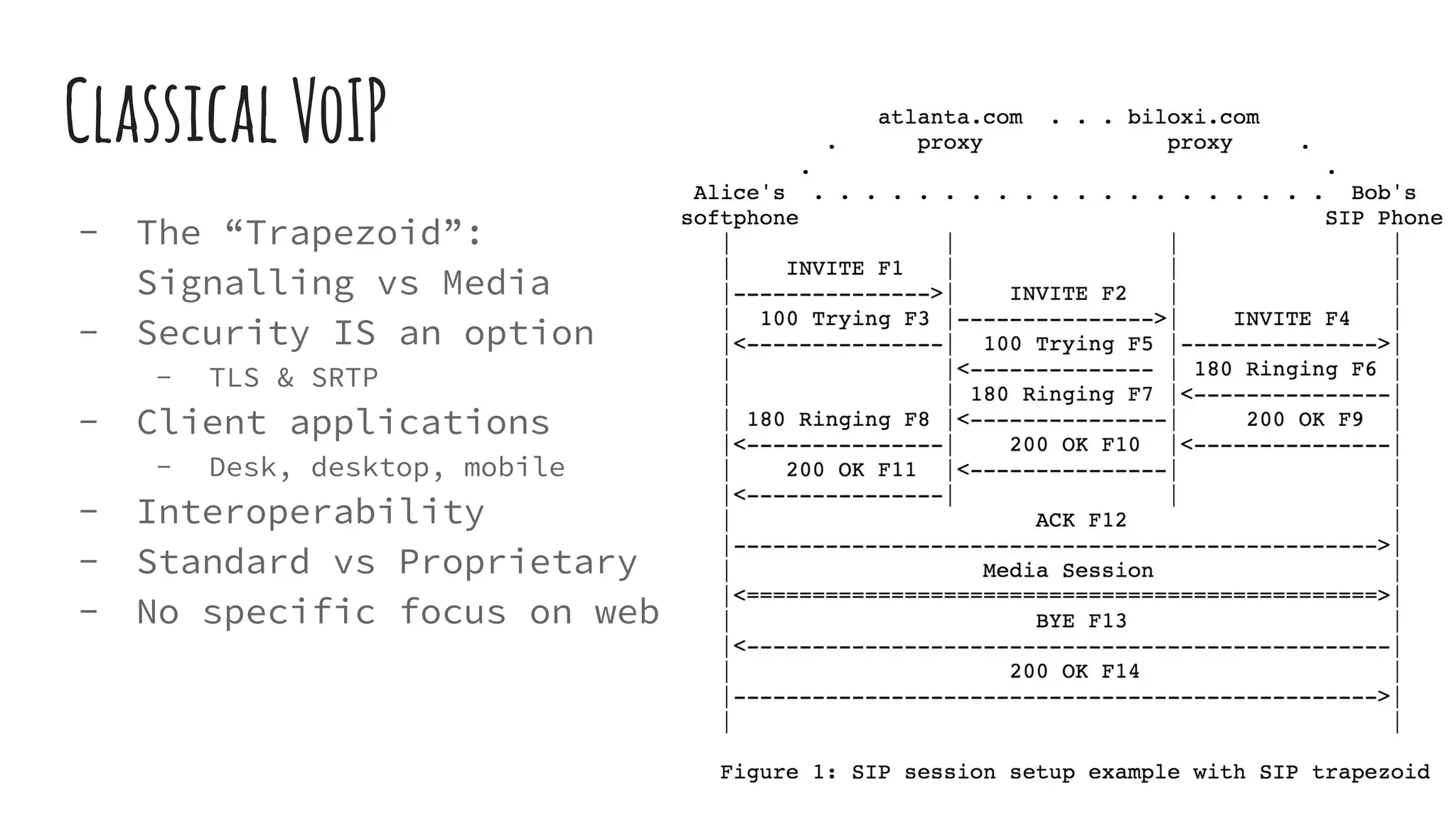
- The “Trapezoid”:
Signalling vs Media
- Security IS an option
- TLS & SRTP
- Client applications
- Desk, desktop, mobile
- Interoperability
- Standard vs Proprietary
- No specific focus on web
4
TheWebRTCApproach
- The Client is in the browser
- Desktop
- Mobile
- JavaScript APIs + HTML5
- Peer-to-peer
- No Plugins
- High quality Audio/Video
- Data channels
- Security is mandatory
5
ServicesenabledbyWebRTC
- Web/Web audio/video calls (FB Messenger, Snapchat,
Whatsapp, Hangout)
- Web video conferences (appear.in)
- Web/VoIP/PSTN interaction (Skype for Web)
- Web to call center (Amazon Mayday)
- Team Collaboration (sneek.io, Slack)
- Health care applications
- ...
6
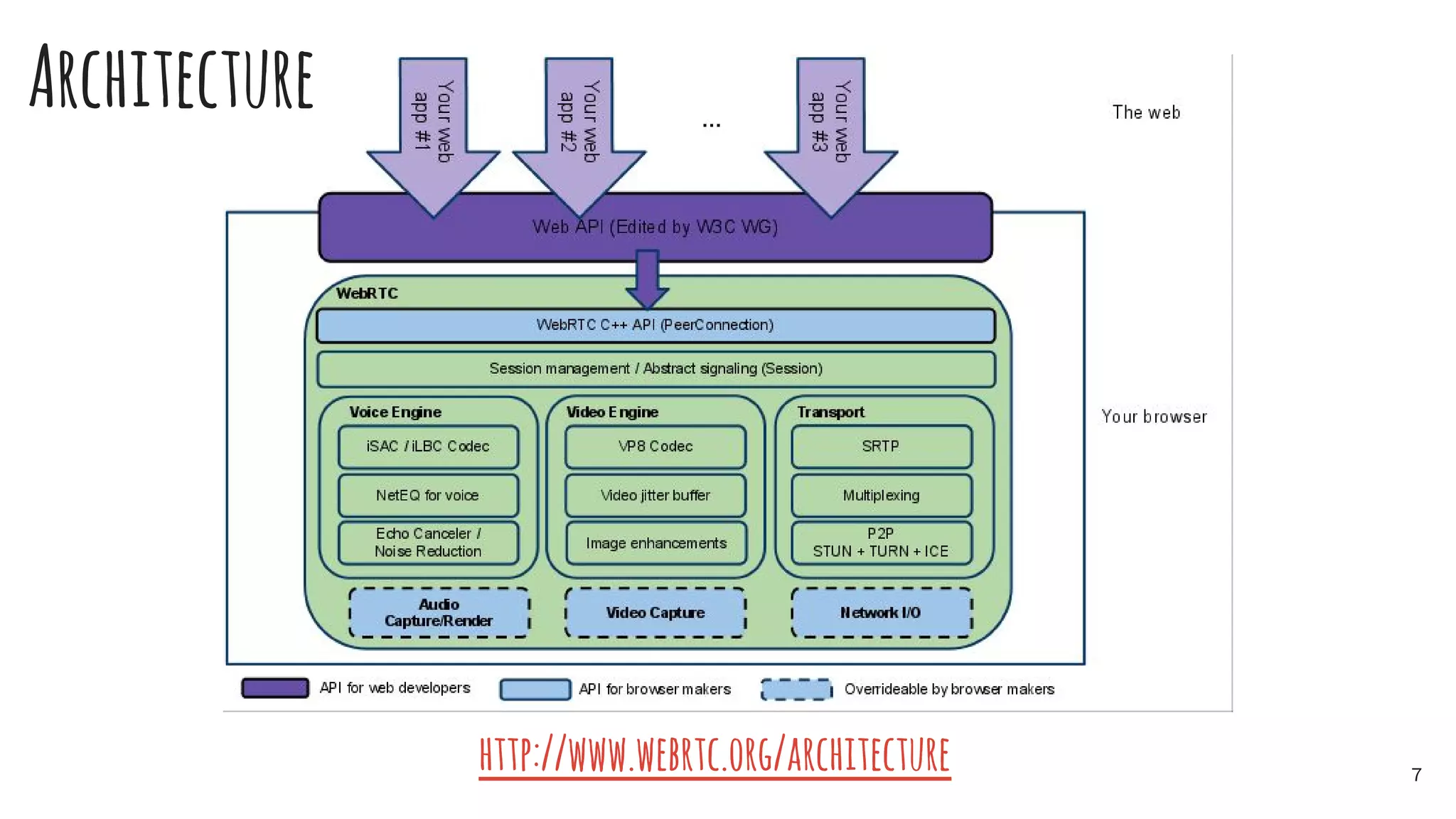
http://www.webrtc.org/architecture 7
Architecture
MainWebRTCAPIs
- getUserMedia: access mic, camera, screen
- RTCPeerConnection: p2p connections management, capability
negotiation, etc
- RTCDataConnection: data transmission
A JS wrapper for different browsers:
https://github.com/webrtc/samples/blob/master/src/js/adapter.js
http://w3c.github.io/webrtc-pc/
8
Signaling:chooseyourown
No mandatory signalling protocol
- SIP
- XMPP
- Invent one! (see the workshop)
9
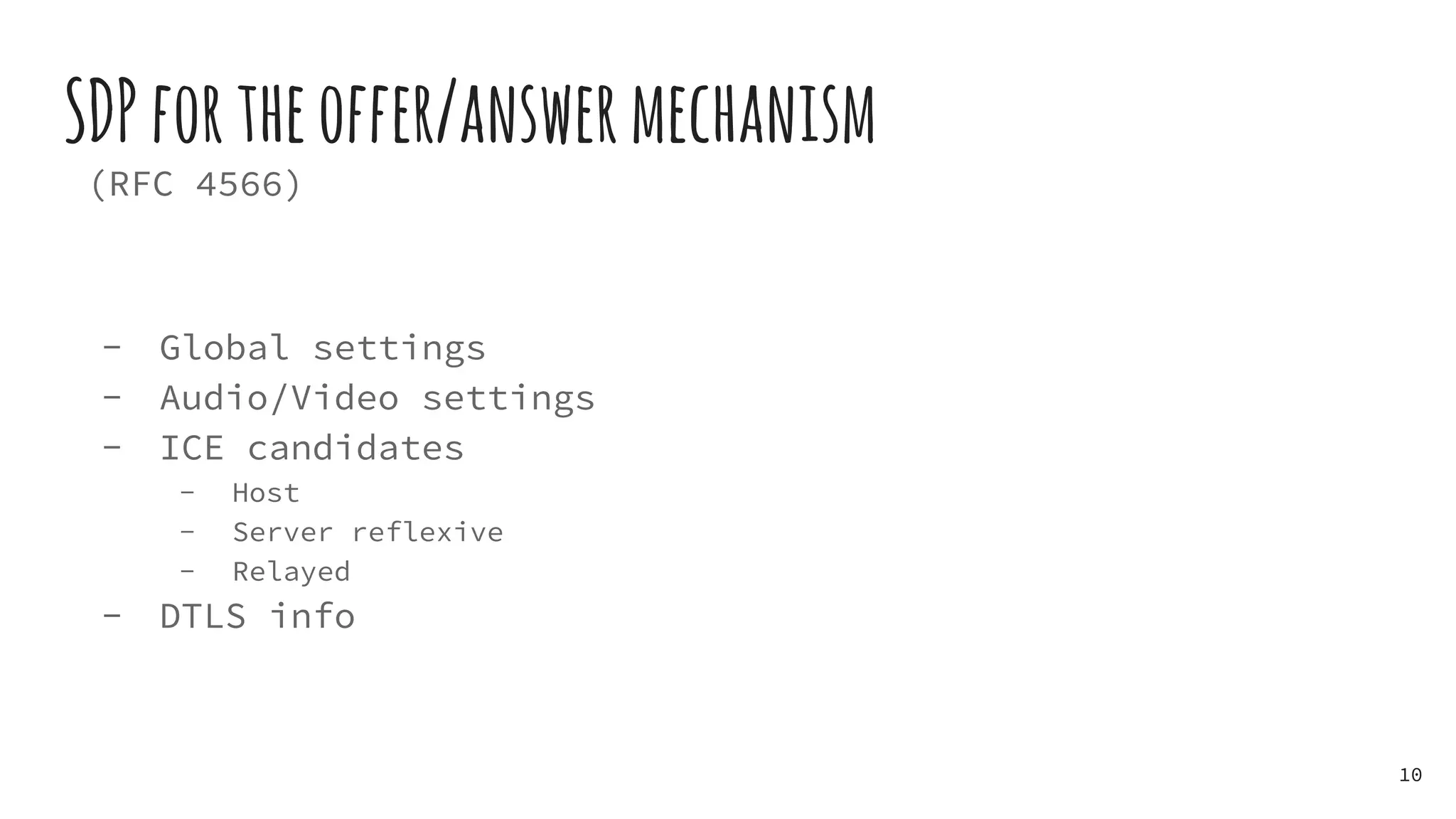
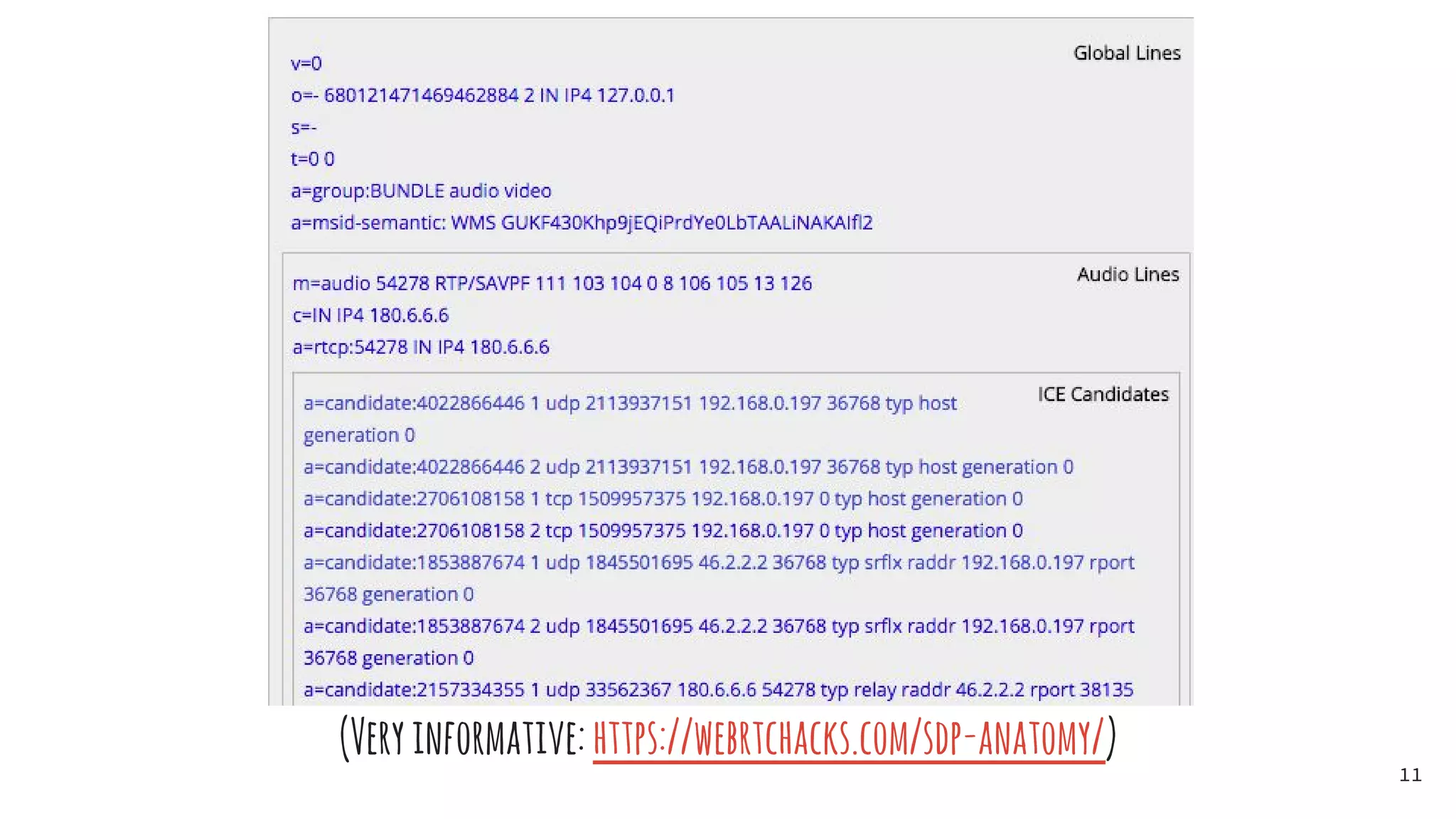
SDPfortheoffer/answermechanism
(RFC 4566)
- Global settings
- Audio/Video settings
- ICE candidates
- Host
- Server reflexive
- Relayed
- DTLS info
10
(Veryinformative:https://webrtchacks.com/sdp-anatomy/)
11
PunchaholeinthatNAT!
WebRTC goes to a great extent to find the best connectivity
options.
- ICE (RFC 5245)
- Trickle ICE
- STUN
- TURN
- See https://code.google.com/p/coturn/
12
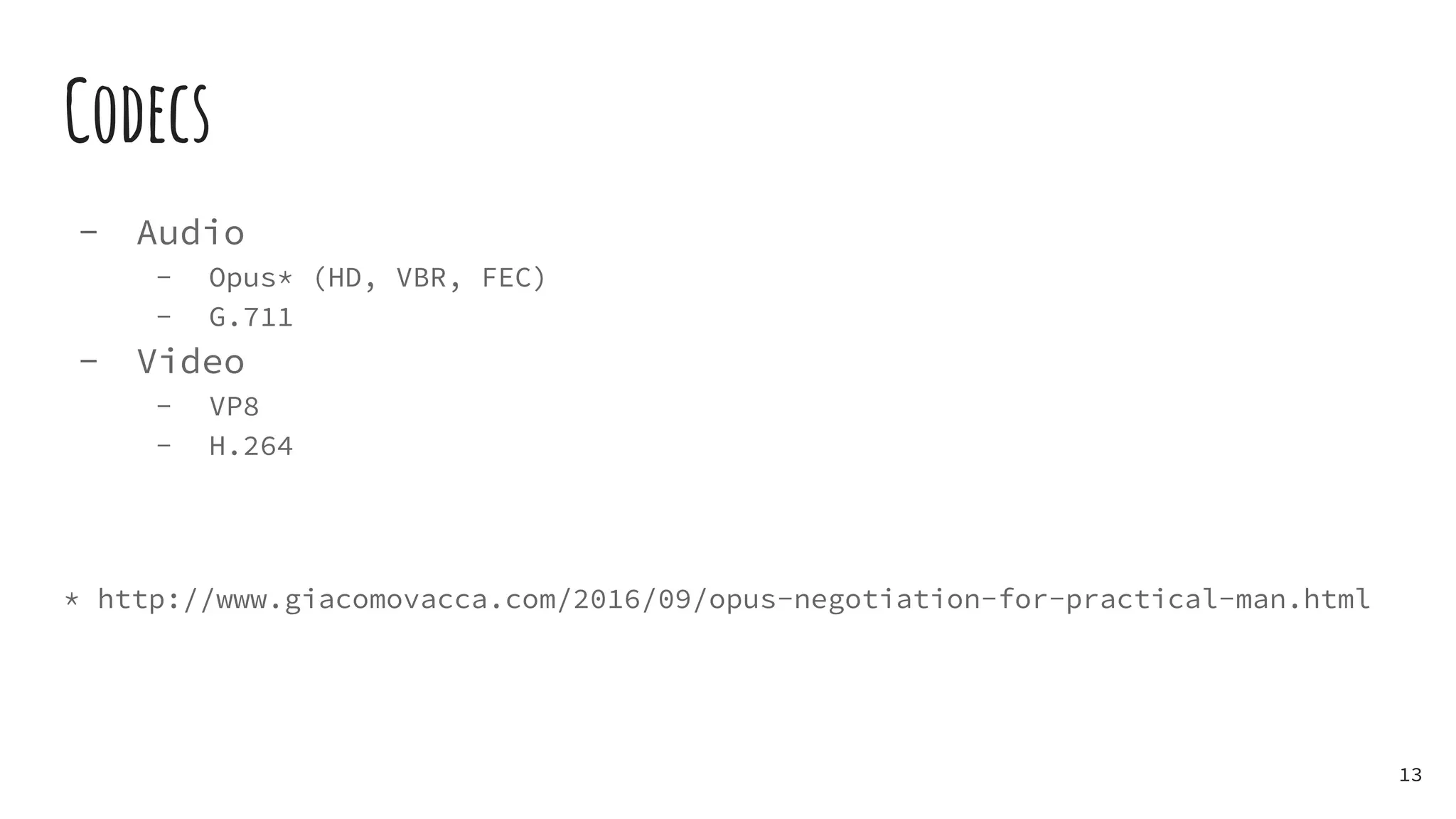
Codecs
- Audio
- Opus* (HD, VBR, FEC)
- G.711
- Video
- VP8
- H.264
* http://www.giacomovacca.com/2016/09/opus-negotiation-for-practical-man.html
13
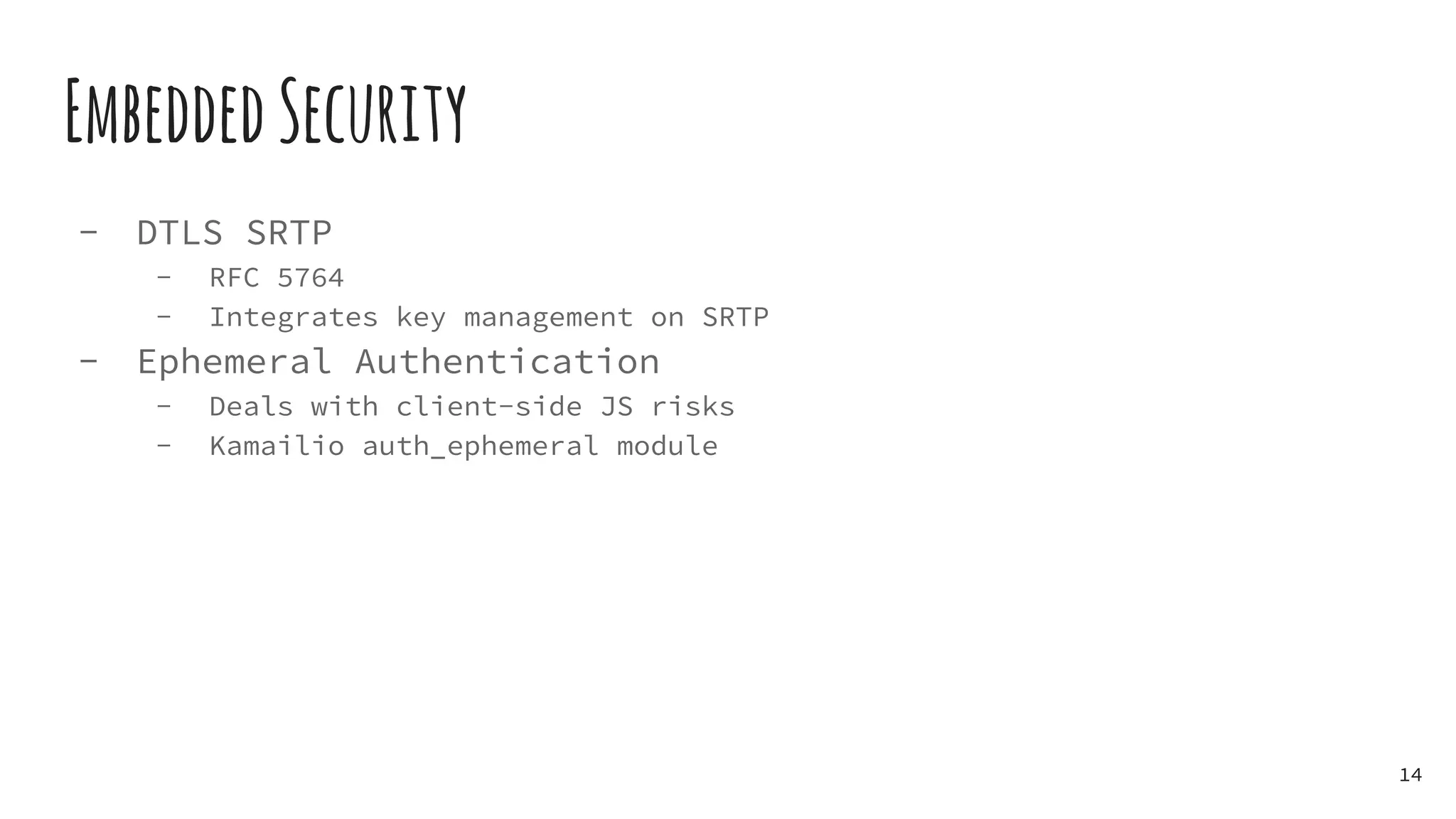
EmbeddedSecurity
- DTLS SRTP
- RFC 5764
- Integrates key management on SRTP
- Ephemeral Authentication
- Deals with client-side JS risks
- Kamailio auth_ephemeral module
14
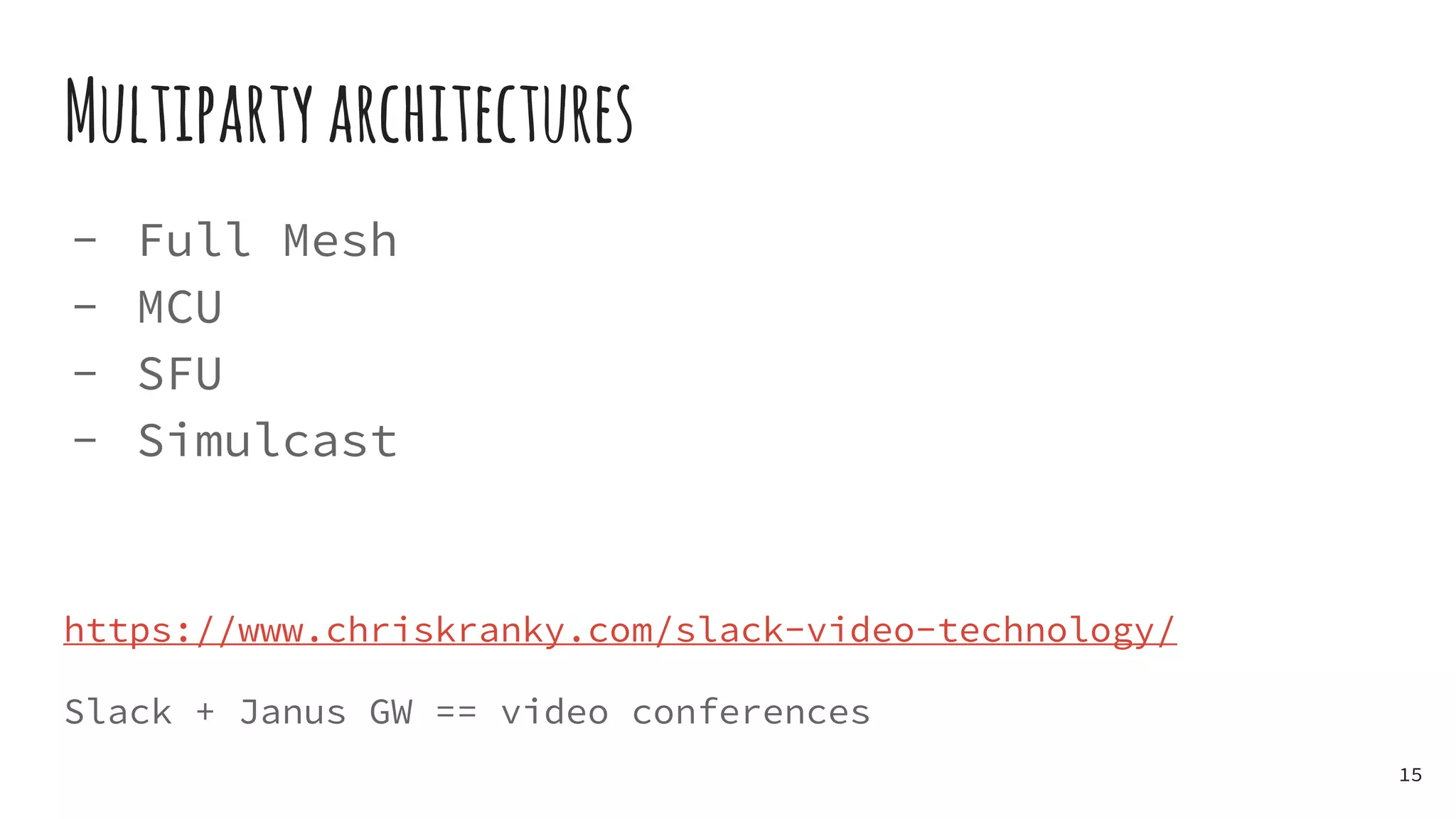
Multipartyarchitectures
- Full Mesh
- MCU
- SFU
- Simulcast
https://www.chriskranky.com/slack-video-technology/
Slack + Janus GW == video conferences
15
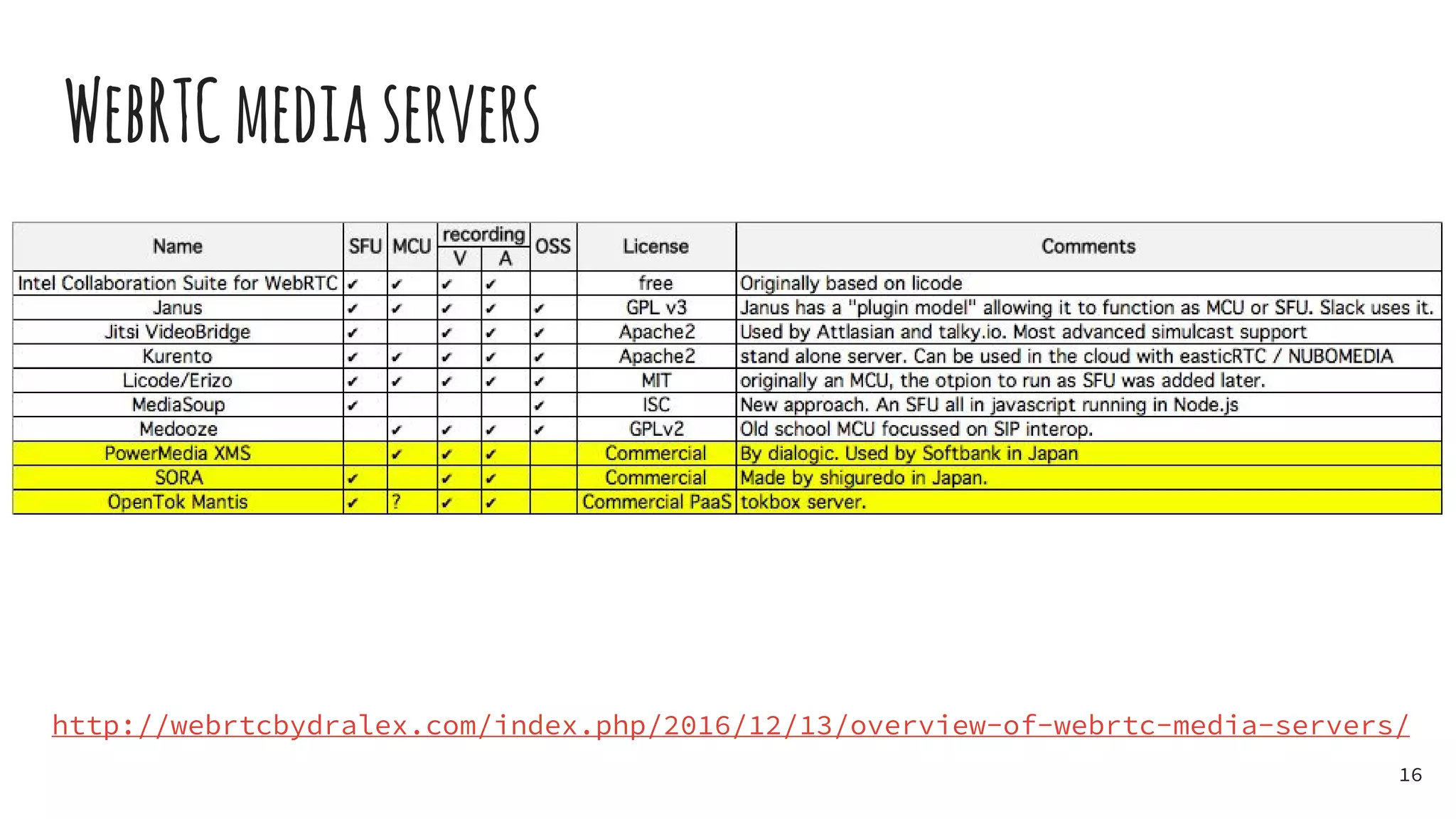
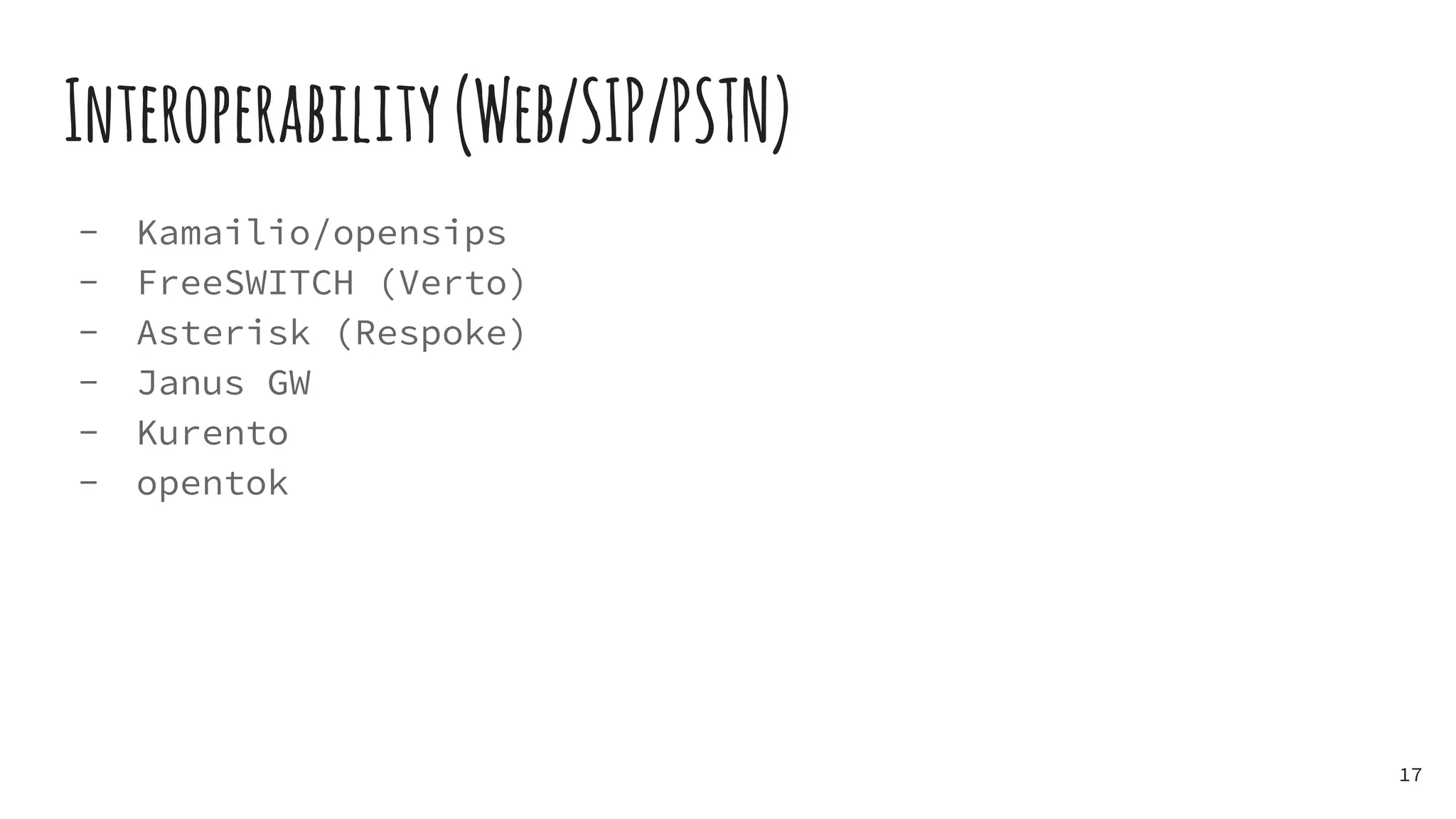
WebRTCmediaservers
16
http://webrtcbydralex.com/index.php/2016/12/13/overview-of-webrtc-media-servers/
Interoperability(Web/SIP/PSTN)
- Kamailio/opensips
- FreeSWITCH (Verto)
- Asterisk (Respoke)
- Janus GW
- Kurento
- opentok
17
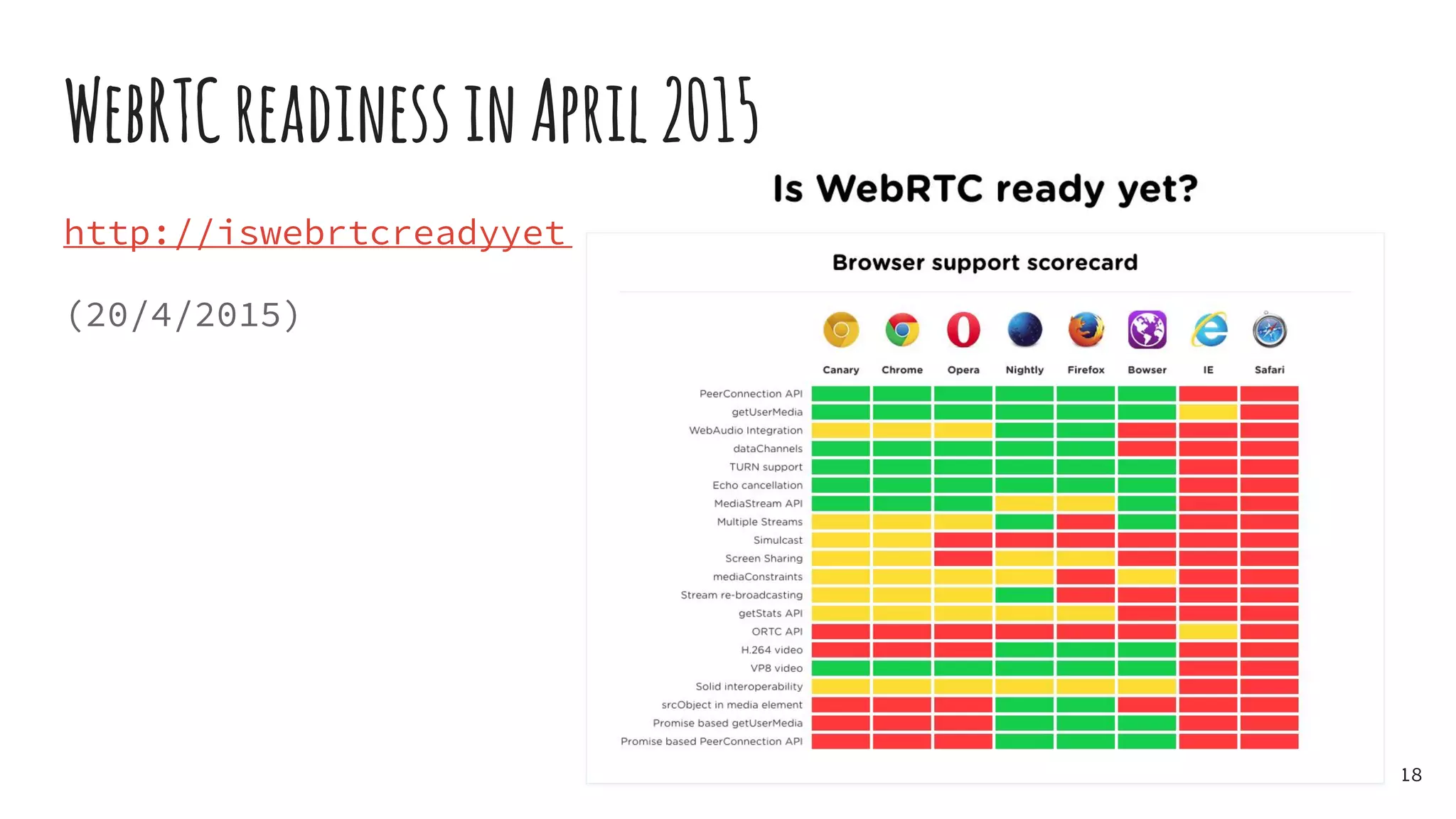
WebRTCreadinessinApril2015
http://iswebrtcreadyyet.com/
(20/4/2015)
18
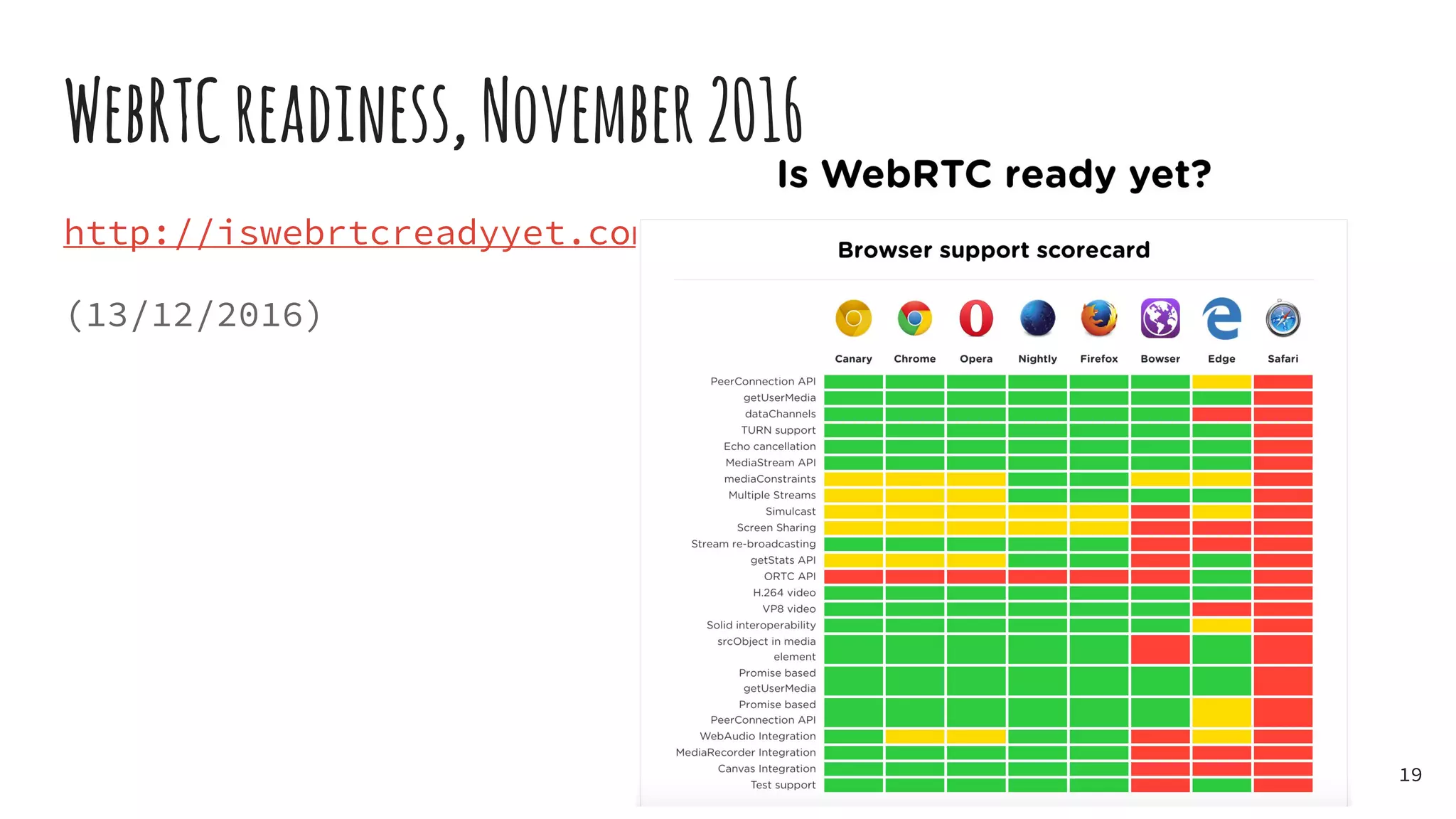
WebRTCreadiness,November2016
http://iswebrtcreadyyet.com/
(13/12/2016)
19
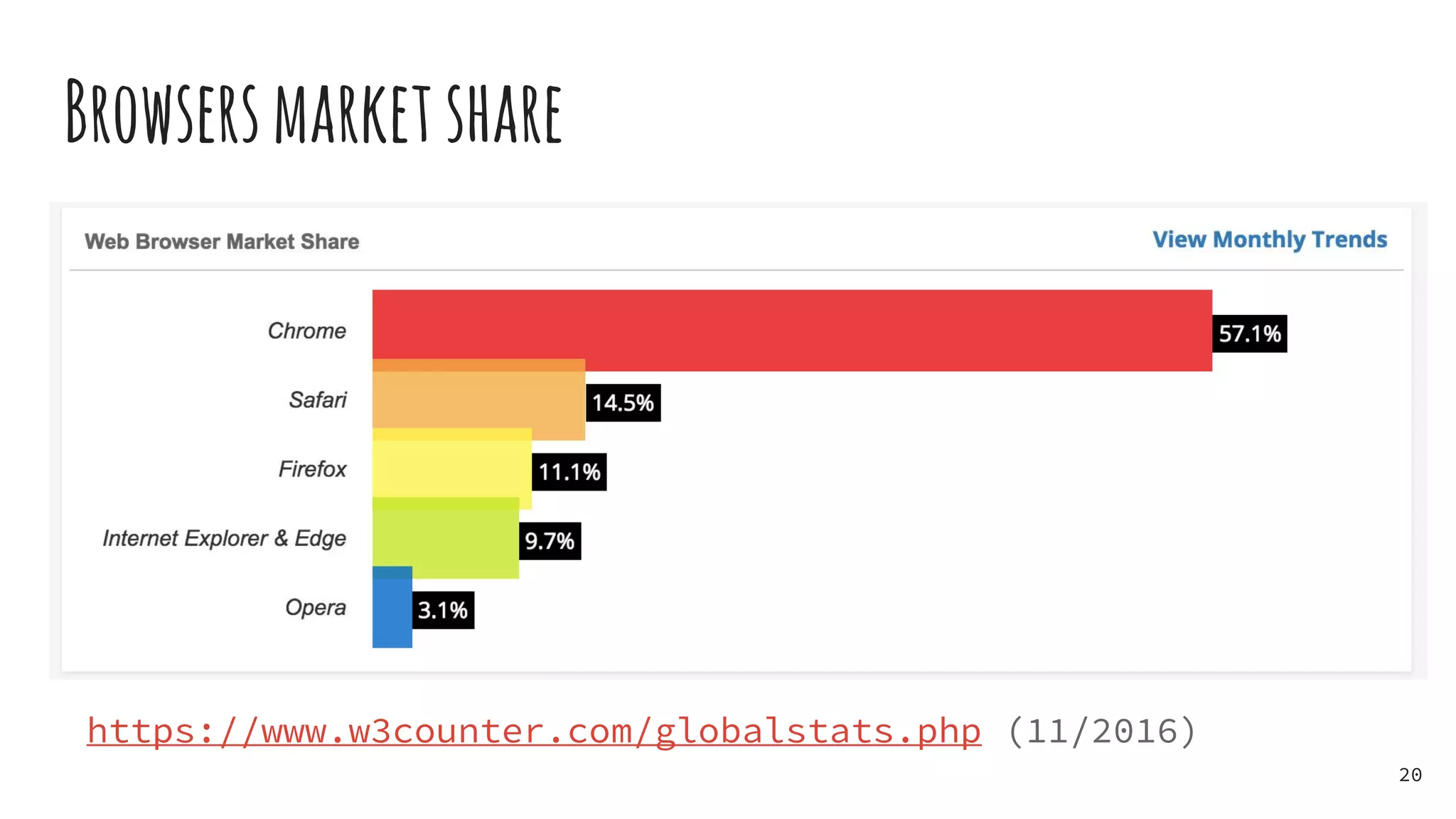
Browsersmarketshare
https://www.w3counter.com/globalstats.php (11/2016)
20
References&NiceToRead/Watch
- https://bloggeek.me/
- "Real-Time Communication with WebRTC: Peer-To-Peer in the Browser", Loreto
& Romano, http://www.amazon.com/gp/product/1449371876
- https://webrtcglossary.com/
- “WebRTC Update, Jan 2015”, https://youtu.be/iBNCAaVoks0
- http://www.html5rocks.com/en/tutorials/webrtc/infrastructure/
- https://hpbn.co/webrtc/
21
Q&A
gv@rtcsoft.net
https://twitter.com/giavac
www.linkedin.com/in/giacomovacca
22
TheWorkshop
Build a video-chat, in less than an hour and without
wrappers
- Use Chome/FF
- Keep a tab open on chrome://webrtc-internals/
- Open Console (e.g. ‘Cmd Alt I’ on Mac)
- Run a web server
- Local machine or any other VM will do
- Get workshop code on github
- https://github.com/giavac/webrtc-workshop
23
Accessinglocalmedia
- Static HTML with a video element
- JS script to call getUserMedia()
- Attach local stream to video when available
https://github.com/giavac/webrtc-workshop
cp website/index_getUserMedia.html website/index.html
24
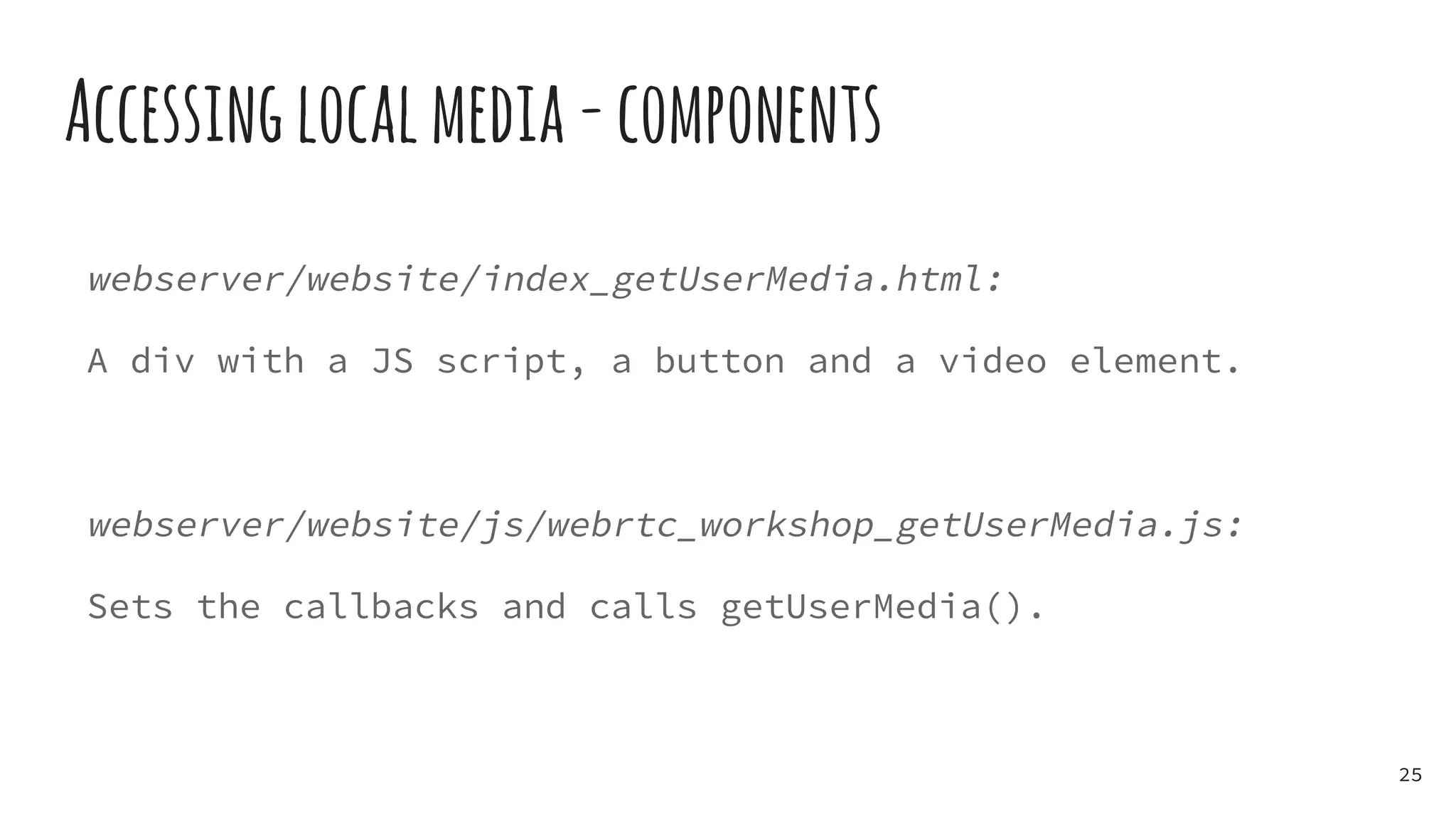
Accessinglocalmedia-components
webserver/website/index_getUserMedia.html:
A div with a JS script, a button and a video element.
webserver/website/js/webrtc_workshop_getUserMedia.js:
Sets the callbacks and calls getUserMedia().
25
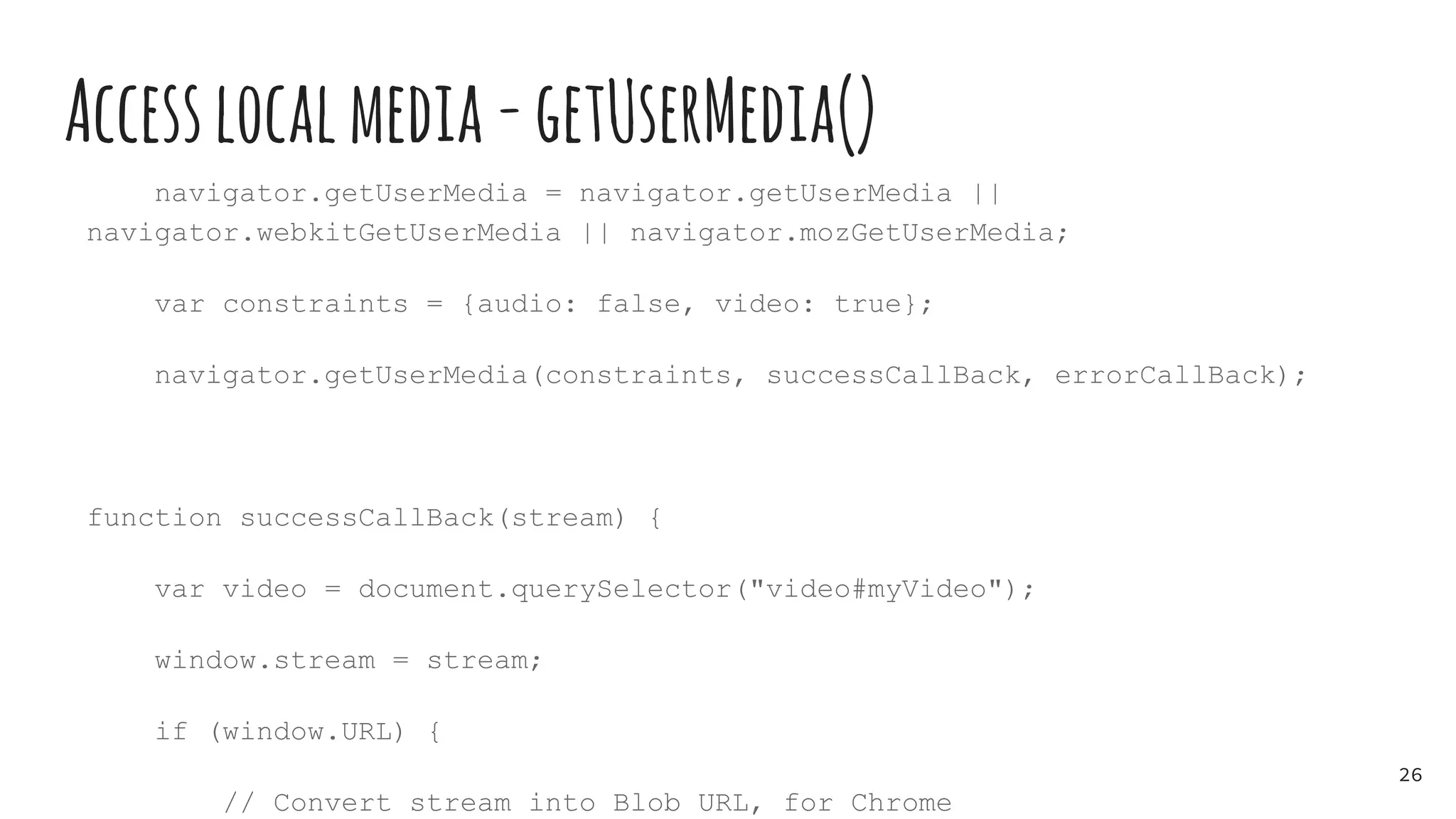
Accesslocalmedia-getUserMedia()
navigator.getUserMedia = navigator.getUserMedia ||
navigator.webkitGetUserMedia || navigator.mozGetUserMedia;
var constraints = {audio: false, video: true};
navigator.getUserMedia(constraints, successCallBack, errorCallBack);
function successCallBack(stream) {
var video = document.querySelector("video#myVideo");
window.stream = stream;
if (window.URL) {
// Convert stream into Blob URL, for Chrome
26
PlaywithgetUserMedia()
1. Run the webserver
2. Connect to the website
3. Launch getUserMedia() and enjoy your local video
27
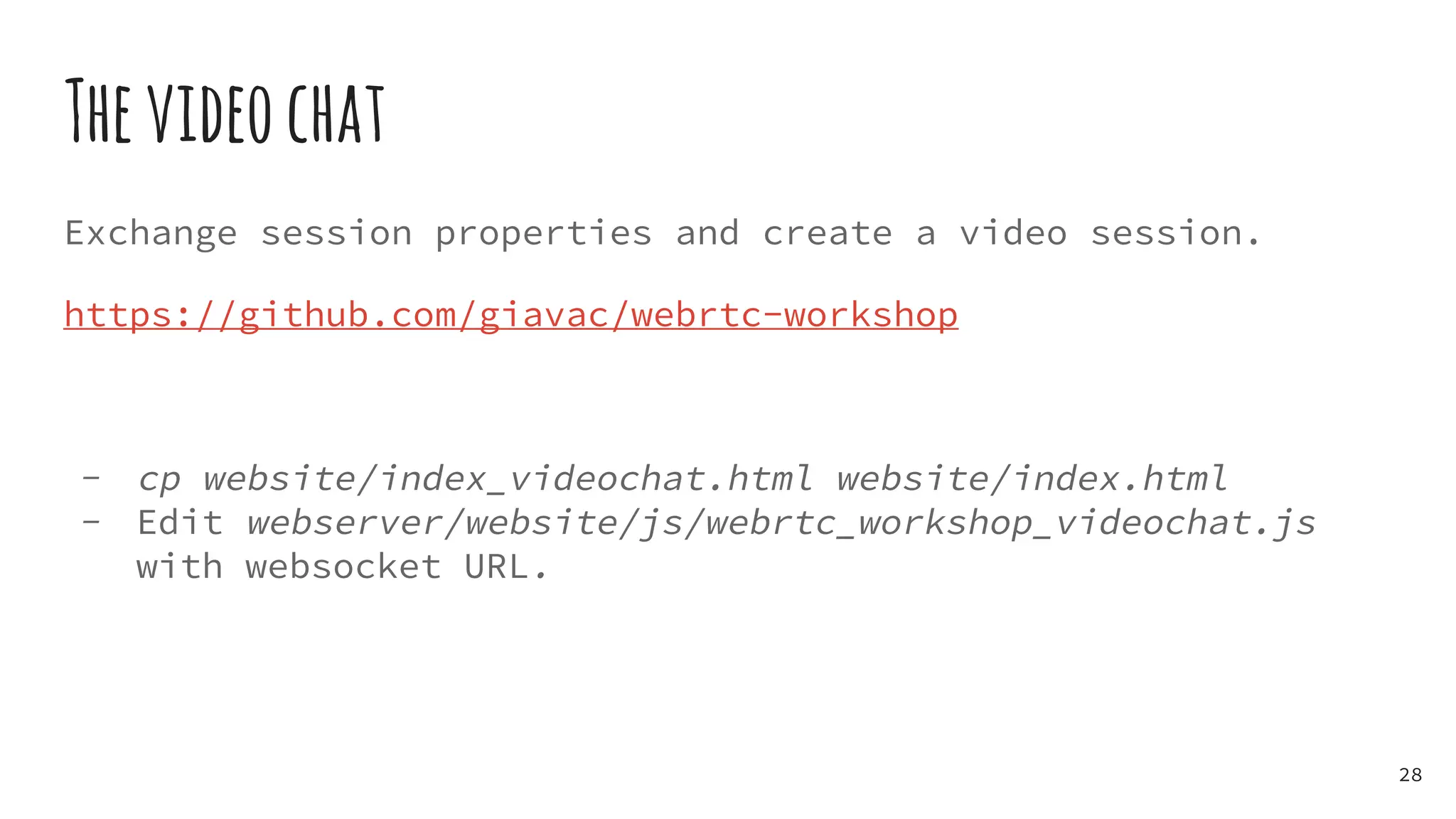
Thevideochat
Exchange session properties and create a video session.
https://github.com/giavac/webrtc-workshop
- cp website/index_videochat.html website/index.html
- Edit webserver/website/js/webrtc_workshop_videochat.js
with websocket URL.
28
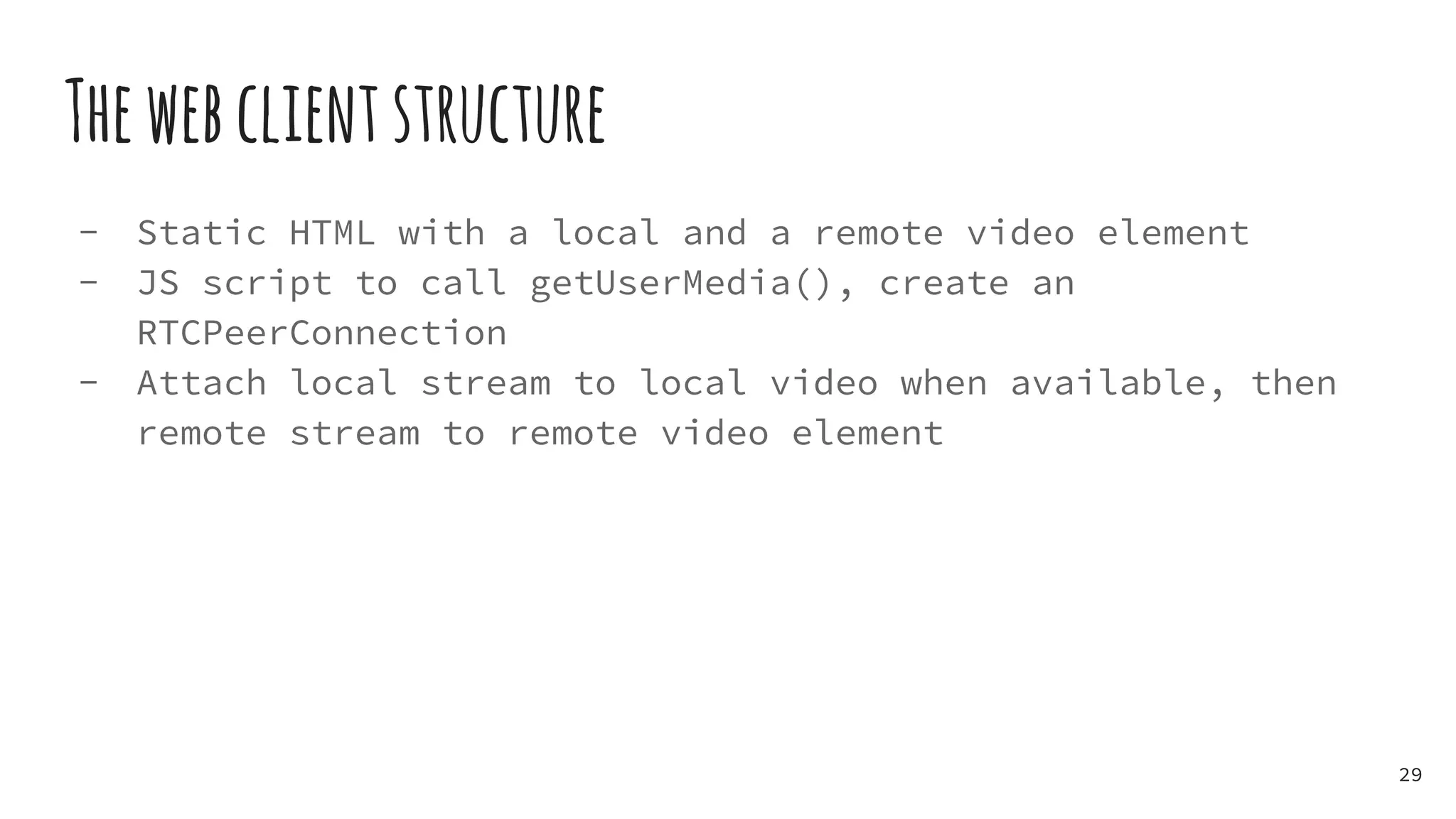
Thewebclientstructure
- Static HTML with a local and a remote video element
- JS script to call getUserMedia(), create an
RTCPeerConnection
- Attach local stream to local video when available, then
remote stream to remote video element
29
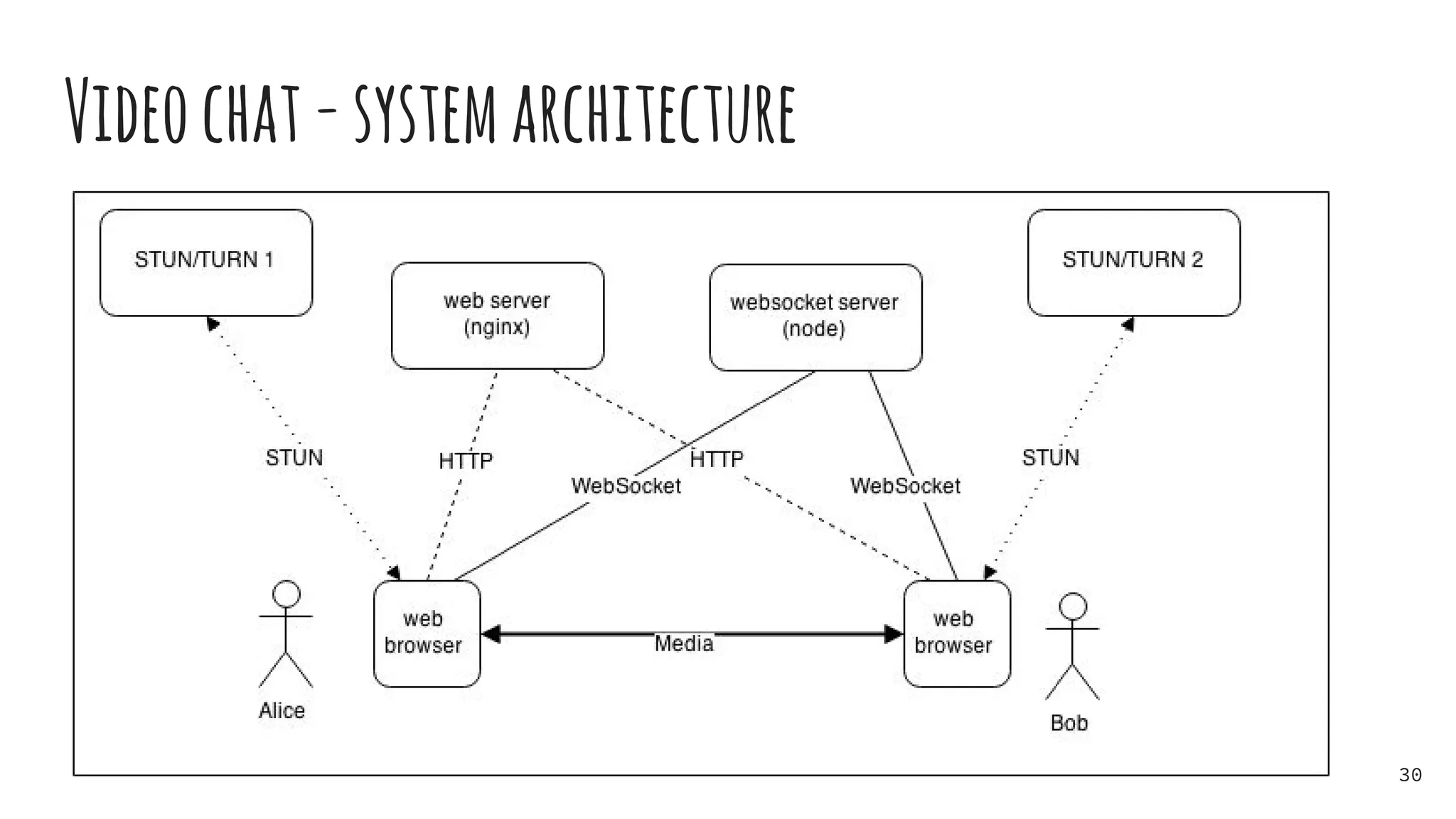
Videochat-systemarchitecture
30
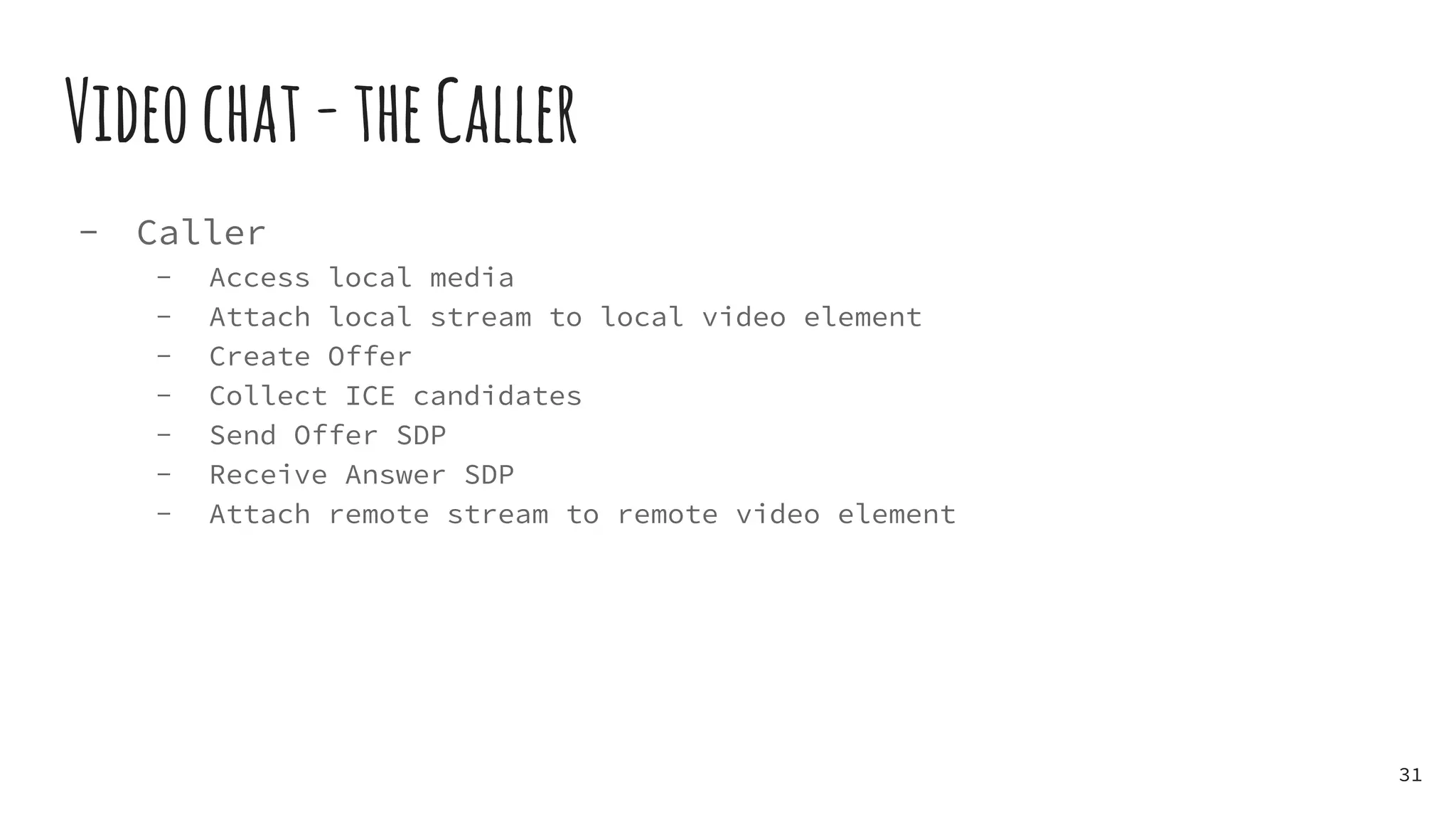
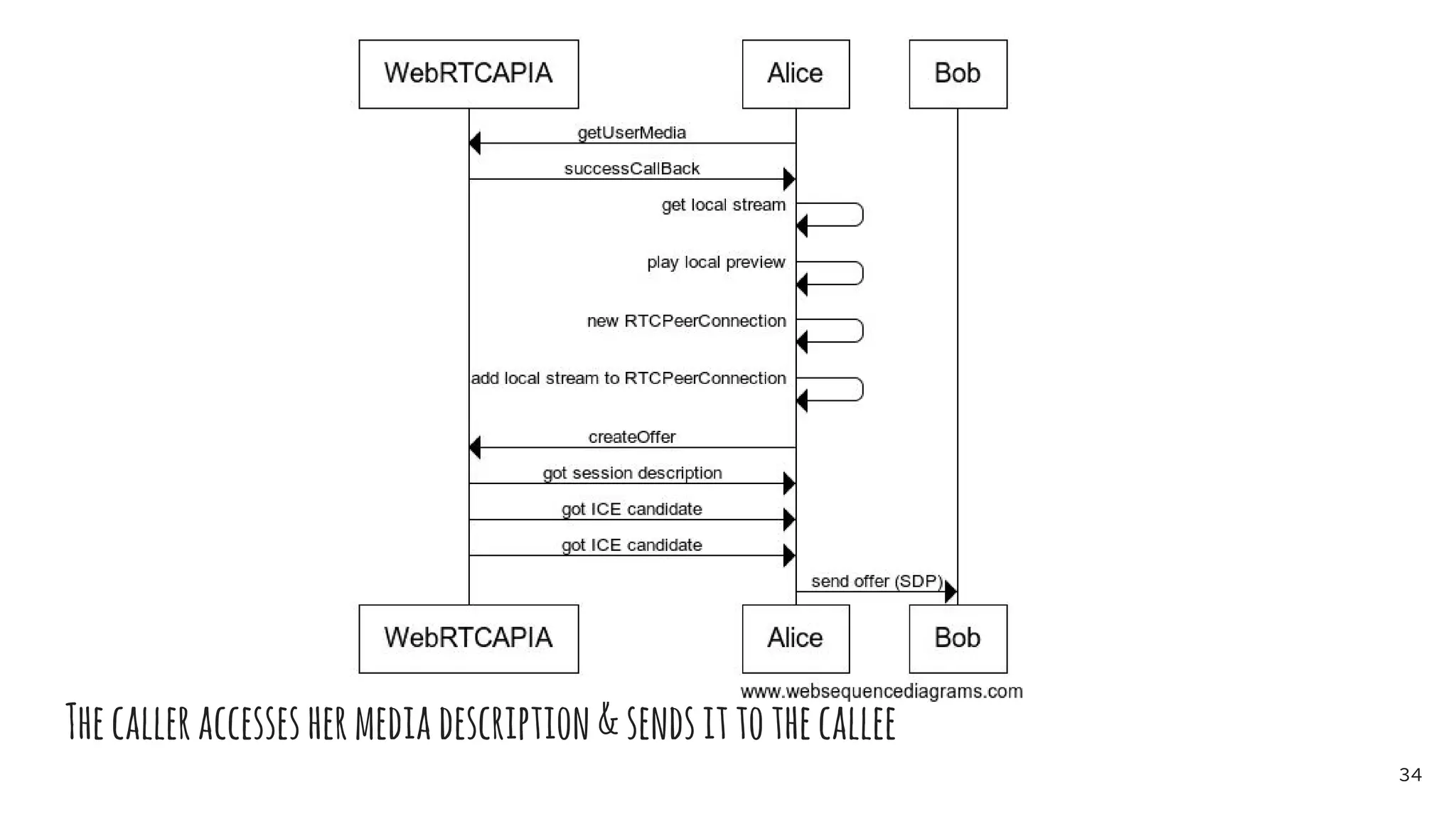
Videochat-theCaller
- Caller
- Access local media
- Attach local stream to local video element
- Create Offer
- Collect ICE candidates
- Send Offer SDP
- Receive Answer SDP
- Attach remote stream to remote video element
31
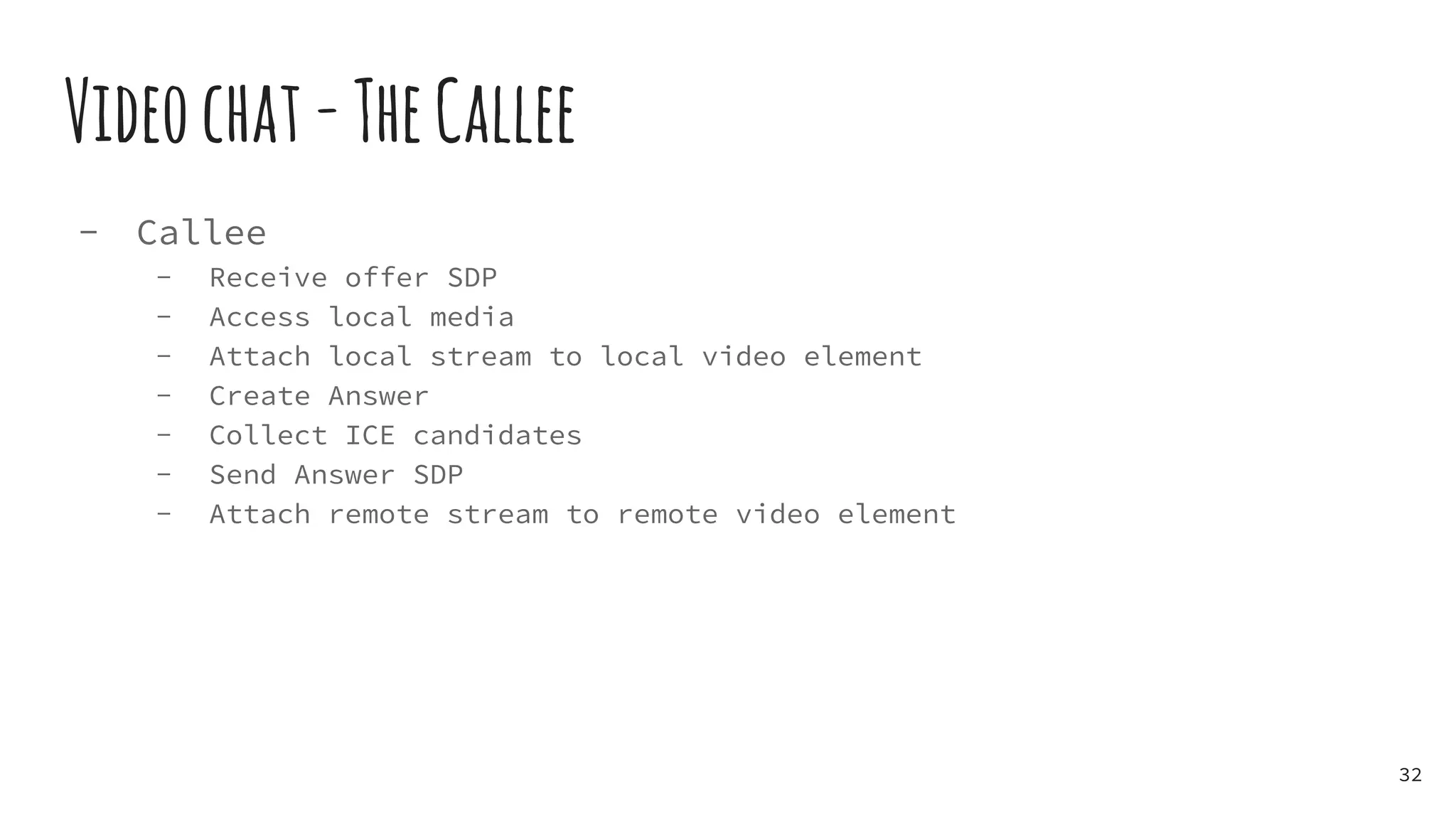
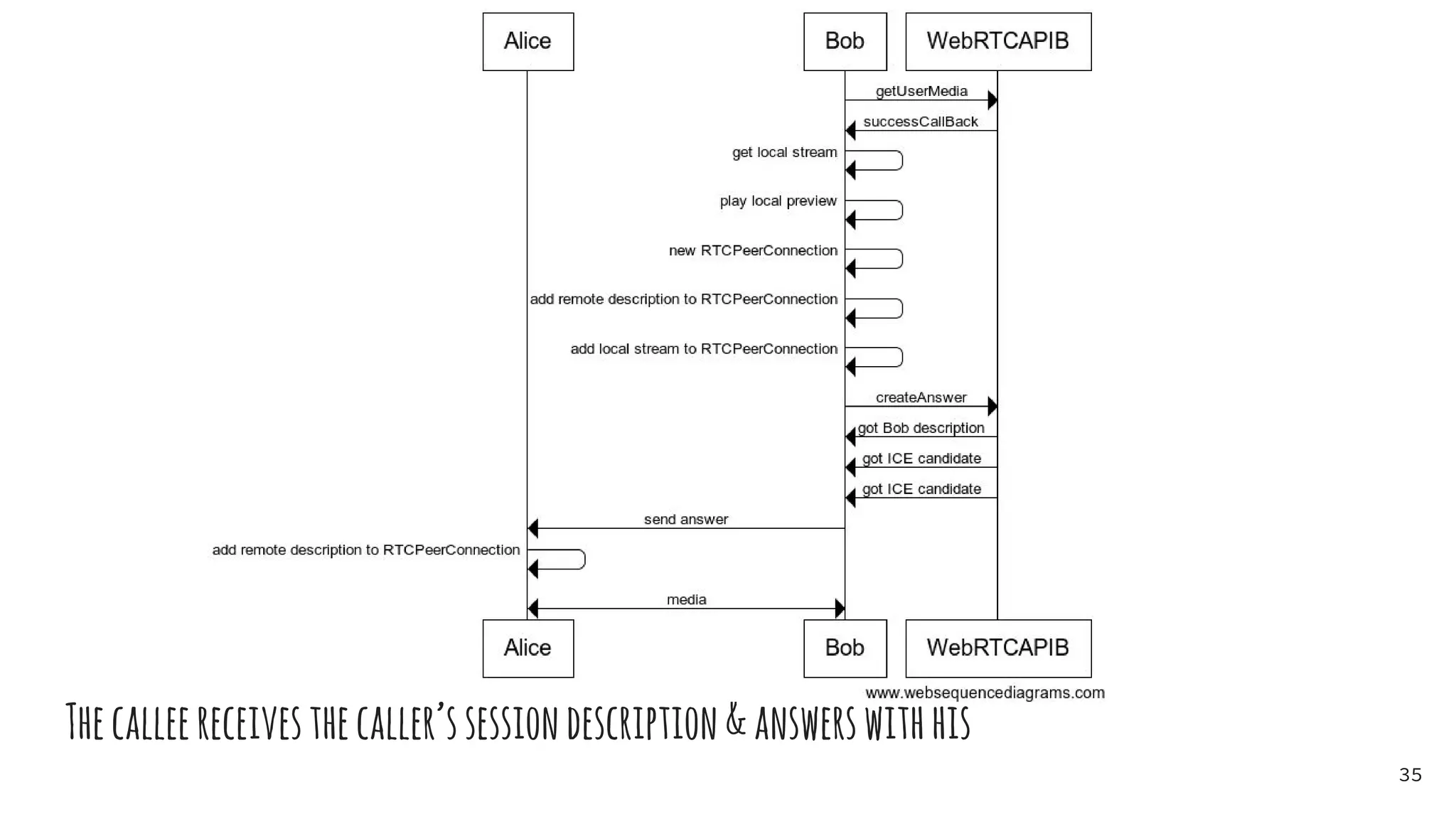
Videochat-TheCallee
- Callee
- Receive offer SDP
- Access local media
- Attach local stream to local video element
- Create Answer
- Collect ICE candidates
- Send Answer SDP
- Attach remote stream to remote video element
32
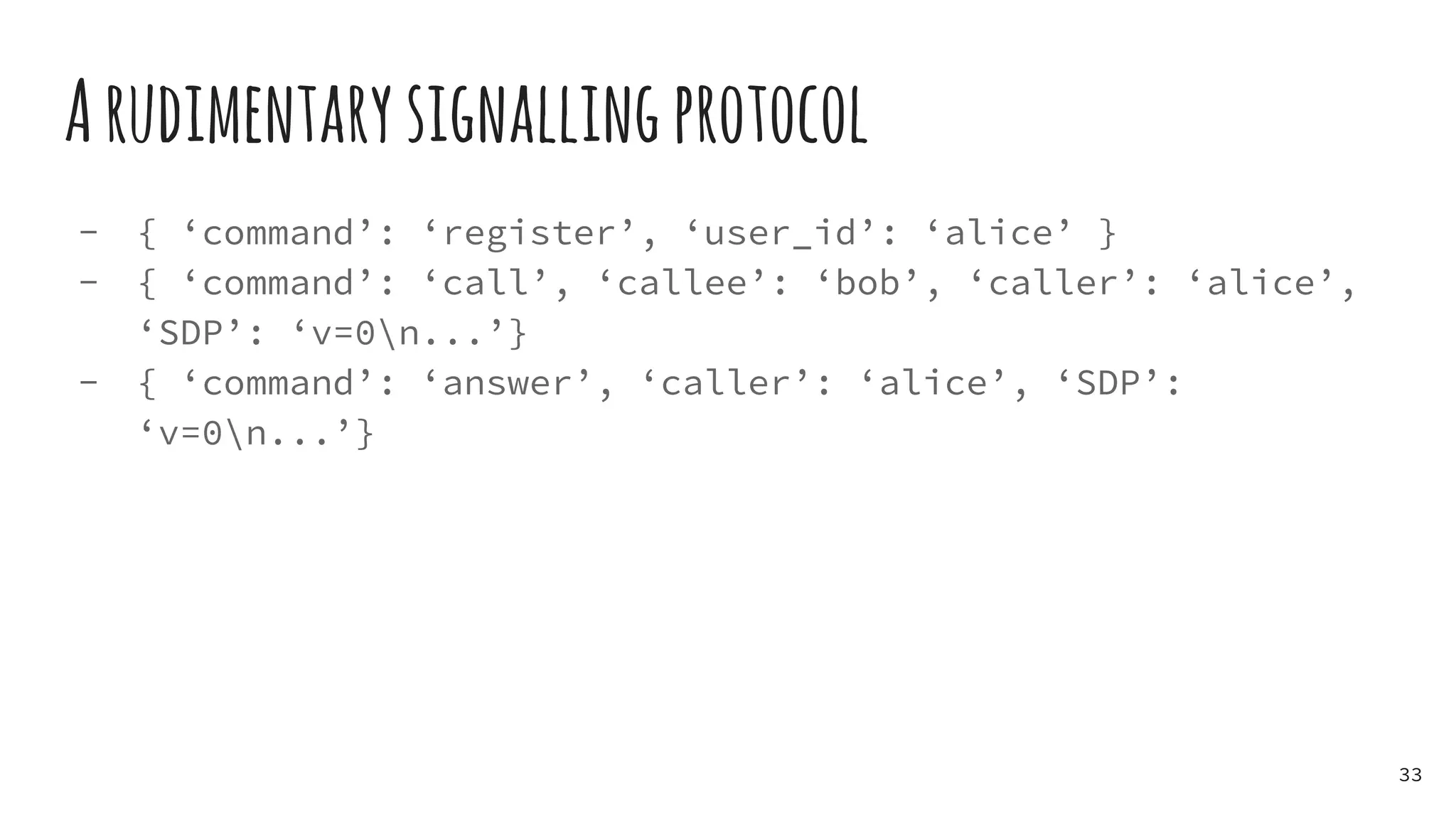
Arudimentarysignallingprotocol
- { ‘command’: ‘register’, ‘user_id’: ‘alice’ }
- { ‘command’: ‘call’, ‘callee’: ‘bob’, ‘caller’: ‘alice’,
‘SDP’: ‘v=0n...’}
- { ‘command’: ‘answer’, ‘caller’: ‘alice’, ‘SDP’:
‘v=0n...’}
33
Thecalleraccesseshermediadescription&sendsittothecallee
34
Thecalleereceivesthecaller’ssessiondescription&answerswithhis
35
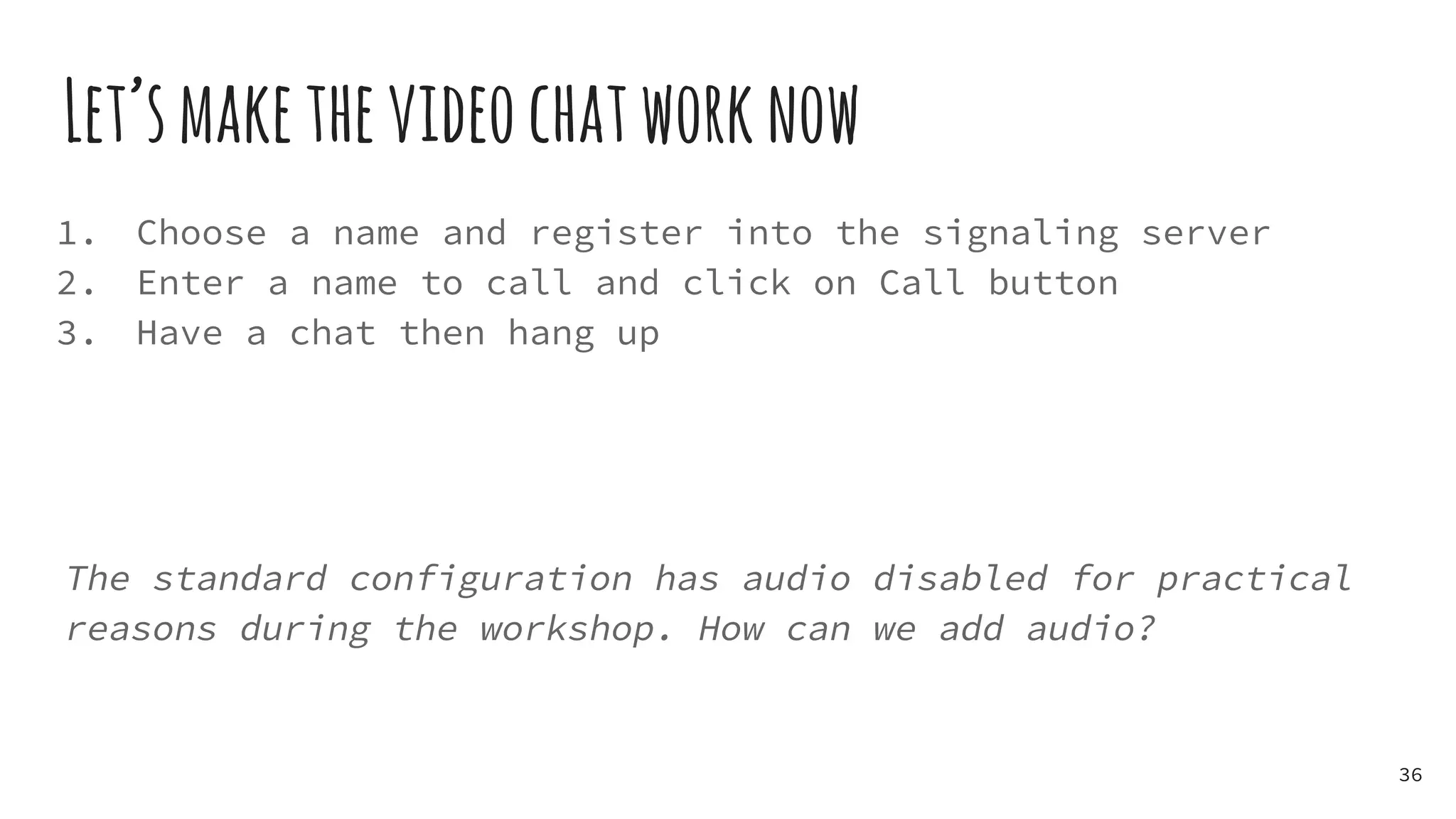
Let’smakethevideochatworknow
1. Choose a name and register into the signaling server
2. Enter a name to call and click on Call button
3. Have a chat then hang up
The standard configuration has audio disabled for practical
reasons during the workshop. How can we add audio?
36
Thanks!
37
TheRevolutionaryWebRTC

[workshop] The Revolutionary WebRTC