WORDPRESS
                Diagnosing and fixing sites with problems


Victoria Pickering

designreinvented.com

Presented at WordPress DC, February 21, 2012
images missing?

rss feed odd?

problems with the menu?

sidebar content not appearing correctly?

etc.
DON'T IMMEDIATELY
CHANGE THE THEME
 Theme = presentation layer???

 (not always - watch out for lots
 of functionality bundled with
 some themes)
WHEN TO UPDATE
 WORDPRESS?
BACKUP
• database

• theme    files

• plugin   files

• media  files - and look for media
 files in non-traditional places
TRY THE QUICK FIXES FIRST
Deactivate all plugins, and
reinstall one-by-one

        deactivate DON'T delete

(some plugins don't have deactivation link)
WEB HOST PROBLEMS

• PHP   and MySQL versions (try Health Check plugin)

• .htaccess   restrictions, other permission problems

• space   and speed
MINOR FIXES

          ex: css {display:none;}

preferably done by creating a child theme
IF QUICK FIXES
DON'T WORK
STEP #1: GET ALL THE
    PASSWORDS
•   WordPress admin

•   hosting account, and FTP access

•   domain registration

•   paid theme or paid plugin accounts

•   Google account (Feedburner, analytics)

•   third-party services (Paypal, YouTube, etc.)
STEP #2: RUN EVERY TEST
   • code    validation

   • rss   feed test

   • accessibility   test

   • YSlow

   • without     images enabled

   • without     Javascript enabled

   • different   screen sizes, browsers, mobile devices
STEP #3: TAKE SNAPSHOTS

     •   main pages of site

     •   admin screens
STEP #4: LOOK AT ALL THE
     FUNCTIONALITY

    • admin    screen options

    • page   template options

    • active   plugins

    • etc
STEP #5: TALK TO SITE OWNER

• What   site functionality is necessary?

• What   admin screen options and layout are necessary?
STEP #6: DECIDE ON THE
TESTING ENVIRONMENT
• live   on the site (have ftp access!)

• site   under Maintenance Mode

• plugins   - like Theme Test Drive

• under    a non-visible sub-directory of the site

• usea different web host or private server (don't let
 the site be visible to search engines)
STEP #7: TESTING PHASE
BIG DECISION:
             STAY WITH THEME?
• Stay   with the theme (and add a child theme)

• Use    a new theme

• Use a new theme, but borrow some parts that are difficult to
 re-create from the existing theme (subject to licensing)
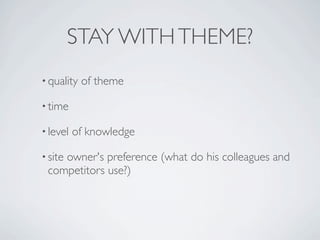
STAY WITH THEME?
• quality   of theme

• time

• level   of knowledge

• site
    owner's preference (what do his colleagues and
 competitors use?)
SOURCES OF INFORMATION

 • WordPress.org

 • Stack   Exchange

 • comments    in functions.php

 • theme or plugin - readme files, theme forums or
  help desks
Theme-Check plugin

WP_DEBUG (set in wp-config file)
other plugins:

• debug    bar

• log   deprecated notices (thank Nacin!)

• debogger
COMMON PROBLEMS
   AND HACKS
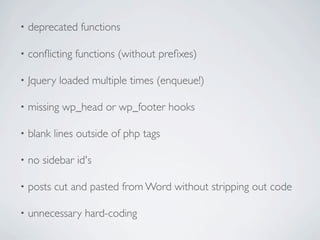
•   deprecated functions

•   conflicting functions (without prefixes)

•   Jquery loaded multiple times (enqueue!)

•   missing wp_head or wp_footer hooks

•   blank lines outside of php tags

•   no sidebar id's

•   posts cut and pasted from Word without stripping out code

•   unnecessary hard-coding
• corrupt   core WordPress files

• database   corruption

• large   number of database queries

• problem    redirects
• Menus     (custom menus introduced June 2010)

• Sidebars      (dynamic sidebars introduced Dec. 2008)

• Comments        (threaded comments introduced Dec.
 2008)

• Custom       post types (introduced June 2010)

• iframes      and embeds (auto embed introduced Dec.)

• IE   hacks
"SHORTCODE MADNESS"

   [highlight] some text [/highlight]
IMAGES
    (featured images introduced Dec. 2009)


• custom   fields and custom sizes

• images   stored in non-standard places

• TimThumb     (and security issues)
THEME "LOCKIN"
           code embedded in posts, or
             unique database fields

• lookfor a plugin (ex. SEO migration, search-
 and-replace)

• think
     about time it would take to change posts
 manually (don't republish with new date)

• might
      be possible to leave old posts as is, and
 implement changes for new posts
Theme or plugin lock-in isn't always bad

(from the customer's viewpoint)
FINALIZE DECISION
• Stay   with the theme (and add a child theme)

• Use    a new theme

• Use a new theme, but borrow some parts that are
 difficult to re-create from the existing theme (subject to
 licensing)
// LEAVE COMMENTS

WordPress - fixing sites with problems

  • 1.
    WORDPRESS Diagnosing and fixing sites with problems Victoria Pickering designreinvented.com Presented at WordPress DC, February 21, 2012
  • 2.
    images missing? rss feedodd? problems with the menu? sidebar content not appearing correctly? etc.
  • 3.
    DON'T IMMEDIATELY CHANGE THETHEME Theme = presentation layer??? (not always - watch out for lots of functionality bundled with some themes)
  • 4.
    WHEN TO UPDATE WORDPRESS?
  • 5.
    BACKUP • database • theme files • plugin files • media files - and look for media files in non-traditional places
  • 6.
    TRY THE QUICKFIXES FIRST
  • 7.
    Deactivate all plugins,and reinstall one-by-one deactivate DON'T delete (some plugins don't have deactivation link)
  • 8.
    WEB HOST PROBLEMS •PHP and MySQL versions (try Health Check plugin) • .htaccess restrictions, other permission problems • space and speed
  • 9.
    MINOR FIXES ex: css {display:none;} preferably done by creating a child theme
  • 10.
  • 11.
    STEP #1: GETALL THE PASSWORDS • WordPress admin • hosting account, and FTP access • domain registration • paid theme or paid plugin accounts • Google account (Feedburner, analytics) • third-party services (Paypal, YouTube, etc.)
  • 12.
    STEP #2: RUNEVERY TEST • code validation • rss feed test • accessibility test • YSlow • without images enabled • without Javascript enabled • different screen sizes, browsers, mobile devices
  • 13.
    STEP #3: TAKESNAPSHOTS • main pages of site • admin screens
  • 14.
    STEP #4: LOOKAT ALL THE FUNCTIONALITY • admin screen options • page template options • active plugins • etc
  • 15.
    STEP #5: TALKTO SITE OWNER • What site functionality is necessary? • What admin screen options and layout are necessary?
  • 16.
    STEP #6: DECIDEON THE TESTING ENVIRONMENT • live on the site (have ftp access!) • site under Maintenance Mode • plugins - like Theme Test Drive • under a non-visible sub-directory of the site • usea different web host or private server (don't let the site be visible to search engines)
  • 17.
  • 18.
    BIG DECISION: STAY WITH THEME? • Stay with the theme (and add a child theme) • Use a new theme • Use a new theme, but borrow some parts that are difficult to re-create from the existing theme (subject to licensing)
  • 19.
    STAY WITH THEME? •quality of theme • time • level of knowledge • site owner's preference (what do his colleagues and competitors use?)
  • 20.
    SOURCES OF INFORMATION • WordPress.org • Stack Exchange • comments in functions.php • theme or plugin - readme files, theme forums or help desks
  • 21.
    Theme-Check plugin WP_DEBUG (setin wp-config file) other plugins: • debug bar • log deprecated notices (thank Nacin!) • debogger
  • 22.
  • 23.
    deprecated functions • conflicting functions (without prefixes) • Jquery loaded multiple times (enqueue!) • missing wp_head or wp_footer hooks • blank lines outside of php tags • no sidebar id's • posts cut and pasted from Word without stripping out code • unnecessary hard-coding
  • 24.
    • corrupt core WordPress files • database corruption • large number of database queries • problem redirects
  • 25.
    • Menus (custom menus introduced June 2010) • Sidebars (dynamic sidebars introduced Dec. 2008) • Comments (threaded comments introduced Dec. 2008) • Custom post types (introduced June 2010) • iframes and embeds (auto embed introduced Dec.) • IE hacks
  • 26.
    "SHORTCODE MADNESS" [highlight] some text [/highlight]
  • 27.
    IMAGES (featured images introduced Dec. 2009) • custom fields and custom sizes • images stored in non-standard places • TimThumb (and security issues)
  • 28.
    THEME "LOCKIN" code embedded in posts, or unique database fields • lookfor a plugin (ex. SEO migration, search- and-replace) • think about time it would take to change posts manually (don't republish with new date) • might be possible to leave old posts as is, and implement changes for new posts
  • 29.
    Theme or pluginlock-in isn't always bad (from the customer's viewpoint)
  • 30.
    FINALIZE DECISION • Stay with the theme (and add a child theme) • Use a new theme • Use a new theme, but borrow some parts that are difficult to re-create from the existing theme (subject to licensing)
  • 31.

Editor's Notes