Ecommerce Site Features
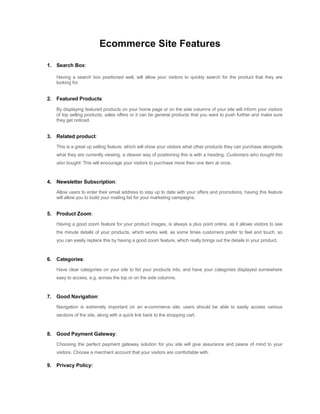
1. Search Box:
Having a search box positioned well, will allow your visitors to quickly search for the product that they are
looking for.
2. Featured Products:
By displaying featured products on your home page or on the side columns of your site will inform your visitors
of top selling products, sales offers or it can be general products that you want to push further and make sure
they get noticed.
3. Related product:
This is a great up selling feature, which will show your visitors what other products they can purchase alongside
what they are currently viewing, a cleaver way of positioning this is with a heading, Customers who bought this
also bought: This will encourage your visitors to purchase more then one item at once.
4. Newsletter Subscription:
Allow users to enter their email address to stay up to date with your offers and promotions, having this feature
will allow you to build your mailing list for your marketing campaigns.
5. Product Zoom:
Having a good zoom feature for your product images, is always a plus point online, as it allows visitors to see
the minute details of your products, which works well, as some times customers prefer to feel and touch, so
you can easily replace this by having a good zoom feature, which really brings out the details in your product.
6. Categories:
Have clear categories on your site to list your products into, and have your categories displayed somewhere
easy to access, e.g. across the top or on the side columns.
7. Good Navigation:
Navigation is extremely important on an e-commerce site, users should be able to easily access various
sections of the site, along with a quick link back to the shopping cart.
8. Good Payment Gateway:
Choosing the perfect payment gateway solution for you site will give assurance and peace of mind to your
visitors. Choose a merchant account that your visitors are comfortable with.
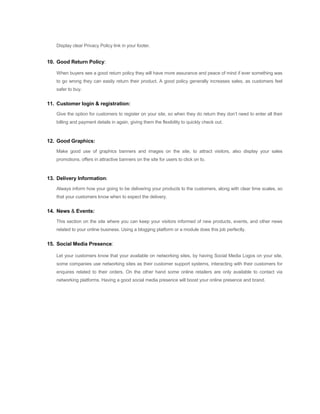
9. Privacy Policy:
Display clear Privacy Policy link in your footer.
10. Good Return Policy:
When buyers see a good return policy they will have more assurance and peace of mind if ever something was
to go wrong they can easily return their product. A good policy generally increases sales, as customers feel
safer to buy.
11. Customer login & registration:
Give the option for customers to register on your site, so when they do return they don’t need to enter all their
billing and payment details in again, giving them the flexibility to quickly check out.
12. Good Graphics:
Make good use of graphics banners and images on the site, to attract visitors, also display your sales
promotions, offers in attractive banners on the site for users to click on to.
13. Delivery Information:
Always inform how your going to be delivering your products to the customers, along with clear time scales, so
that your customers know when to expect the delivery.
14. News & Events:
This section on the site where you can keep your visitors informed of new products, events, and other news
related to your online business. Using a blogging platform or a module does this job perfectly.
15. Social Media Presence:
Let your customers know that your available on networking sites, by having Social Media Logos on your site,
some companies use networking sites as their customer support systems, interacting with their customers for
enquires related to their orders. On the other hand some online retailers are only available to contact via
networking platforms. Having a good social media presence will boost your online presence and brand.
Ecommerce Site Development
Module-0
Theme Design [Duration: 15 days]
Manually theme designed according to client. Cost- 300$.
Module-1
Theme Installation [Duration: 1 day]
Installation
 Layout setting (Webpage rendering setting)
 Design Setting (Page’s visual element)
 Creating of database
 Admin Panel Management
 PHTML editing
 Translation of various strings in the theme according to project
Module-2
Customization of Theme [Duration: 30- 45 days or may vary with clients discussion]
Content Management
Pages
 Manage content pages and create new content pages
 Edit pages using a Microsoft Word-like content editor
 Add images and manage uploaded image library
 Image editing and cropping tool
 Set page as “active” or “inactive”
 Set page URL and SEO elements
Review Management
 Manage all product reviews
 Set reviews to “approved” or delete reviews
Comment Management
 Manage all blog comments
 Set comments to “approved” or delete comments
Customer Management
Customers
 Search and sort to easily find customers by first name and last name
 Manage customer accounts
 View customer details and previous orders
 View individual customers product reviews
 Add private comments to a customer
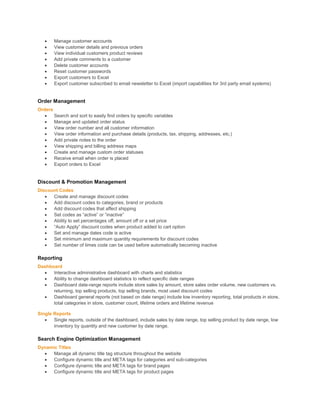
 Delete customer accounts
 Reset customer passwords
 Export customers to Excel
 Export customer subscribed to email newsletter to Excel (import capabilities for 3rd party email systems)
Order Management
Orders
 Search and sort to easily find orders by specific variables
 Manage and updated order status
 View order number and all customer information
 View order information and purchase details (products, tax, shipping, addresses, etc.)
 Add private notes to the order
 View shipping and billing address maps
 Create and manage custom order statuses
 Receive email when order is placed
 Export orders to Excel
Discount & Promotion Management
Discount Codes
 Create and manage discount codes
 Add discount codes to categories, brand or products
 Add discount codes that affect shipping
 Set codes as “active” or “inactive”
 Ability to set percentages off, amount off or a set price
 “Auto Apply” discount codes when product added to cart option
 Set and manage dates code is active
 Set minimum and maximum quantity requirements for discount codes
 Set number of times code can be used before automatically becoming inactive
Reporting
Dashboard
 Interactive administrative dashboard with charts and statistics
 Ability to change dashboard statistics to reflect specific date ranges
 Dashboard date-range reports include store sales by amount, store sales order volume, new customers vs.
returning, top selling products, top selling brands, most used discount codes
 Dashboard general reports (not based on date range) include low inventory reporting, total products in store,
total categories in store, customer count, lifetime orders and lifetime revenue
Single Reports
 Single reports, outside of the dashboard, include sales by date range, top selling product by date range, low
inventory by quantity and new customer by date range.
Search Engine Optimization Management
Dynamic Titles
 Manage all dynamic title tag structure throughout the website
 Configure dynamic title and META tags for categories and sub-categories
 Configure dynamic title and META tags for brand pages
 Configure dynamic title and META tags for product pages
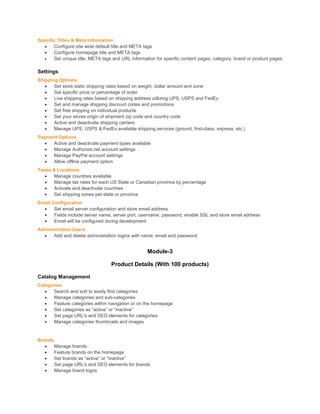
Specific Titles & Meta Information
 Configure site wide default title and META tags
 Configure homepage title and META tags
 Set unique title, META tags and URL information for specific content pages, category, brand or product pages
Settings
Shipping Options
 Set store static shipping rates based on weight, dollar amount and zone
 Set specific price or percentage of order
 Live shipping rates based on shipping address utilizing UPS, USPS and FedEx
 Set and manage shipping discount codes and promotions
 Set free shipping on individual products
 Set your stores origin of shipment zip code and country code
 Active and deactivate shipping carriers
 Manage UPS, USPS & FedEx available shipping services (ground, first-class, express, etc.)
Payment Options
 Active and deactivate payment types available
 Manage Authorize.net account settings
 Manage PayPal account settings
 Allow offline payment option
Taxes & Locations
 Manage countries available
 Manage tax rates for each US State or Canadian province by percentage
 Activate and deactivate countries
 Set shipping zones per state or province
Email Configuration
 Set email server configuration and store email address
 Fields include server name, server port, username, password, enable SSL and store email address
 Email will be configured during development
Administration Users
 Add and delete administration logins with name, email and password
Module-3
Product Details (With 100 products)
Catalog Management
Categories
 Search and sort to easily find categories
 Manage categories and sub-categories
 Feature categories within navigation or on the homepage
 Set categories as “active” or “inactive”
 Set page URL's and SEO elements for categories
 Manage categories thumbnails and images
Brands
 Manage brands
 Feature brands on the homepage
 Set brands as “active” or “inactive”
 Set page URL's and SEO elements for brands
 Manage brand logos
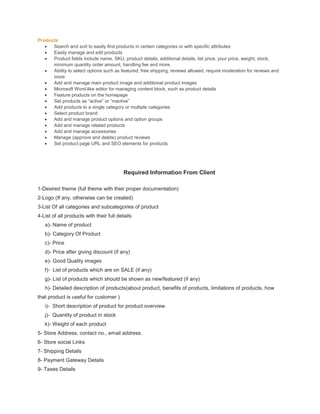
Products
 Search and sort to easily find products in certain categories or with specific attributes
 Easily manage and edit products
 Product fields include name, SKU, product details, additional details, list price, your price, weight, stock,
minimum quantity order amount, handling fee and more.
 Ability to select options such as featured, free shipping, reviews allowed, require moderation for reviews and
more
 Add and manage main product image and additional product images
 Microsoft Word-like editor for managing content block, such as product details
 Feature products on the homepage
 Set products as “active” or “inactive”
 Add products to a single category or multiple categories
 Select product brand
 Add and manage product options and option groups
 Add and manage related products
 Add and manage accessories
 Manage (approve and delete) product reviews
 Set product page URL and SEO elements for products
Required Information From Client
1-Desired theme (full theme with their proper documentation)
2-Logo (If any, otherwise can be created)
3-List Of all categories and subcategories of product
4-List of all products with their full details
a)- Name of product
b)- Category Of Product
c)- Price
d)- Price after giving discount (if any)
e)- Good Quality images
f)- List of products which are on SALE (if any)
g)- List of products which should be shown as new/featured (if any)
h)- Detailed description of products(about product, benefits of products, limitations of products, how
that product is useful for customer )
i)- Short description of product for product overview.
j)- Quantity of product in stock
k)- Weight of each product
5- Store Address, contact no., email address.
6- Store social Links
7- Shipping Details
8- Payment Gateway Details
9- Taxes Details
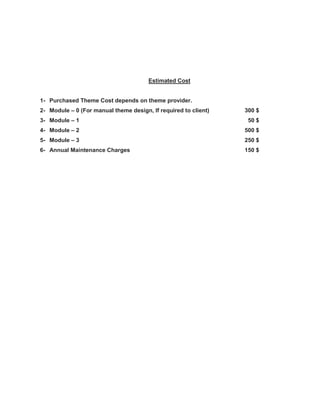
Estimated Cost
1- Purchased Theme Cost depends on theme provider.
2- Module – 0 (For manual theme design, If required to client) 300 $
3- Module – 1 50 $
4- Module – 2 500 $
5- Module – 3 250 $
6- Annual Maintenance Charges 150 $

Ecommerce site development (1)

  • 1.
    Ecommerce Site Features 1.Search Box: Having a search box positioned well, will allow your visitors to quickly search for the product that they are looking for. 2. Featured Products: By displaying featured products on your home page or on the side columns of your site will inform your visitors of top selling products, sales offers or it can be general products that you want to push further and make sure they get noticed. 3. Related product: This is a great up selling feature, which will show your visitors what other products they can purchase alongside what they are currently viewing, a cleaver way of positioning this is with a heading, Customers who bought this also bought: This will encourage your visitors to purchase more then one item at once. 4. Newsletter Subscription: Allow users to enter their email address to stay up to date with your offers and promotions, having this feature will allow you to build your mailing list for your marketing campaigns. 5. Product Zoom: Having a good zoom feature for your product images, is always a plus point online, as it allows visitors to see the minute details of your products, which works well, as some times customers prefer to feel and touch, so you can easily replace this by having a good zoom feature, which really brings out the details in your product. 6. Categories: Have clear categories on your site to list your products into, and have your categories displayed somewhere easy to access, e.g. across the top or on the side columns. 7. Good Navigation: Navigation is extremely important on an e-commerce site, users should be able to easily access various sections of the site, along with a quick link back to the shopping cart. 8. Good Payment Gateway: Choosing the perfect payment gateway solution for you site will give assurance and peace of mind to your visitors. Choose a merchant account that your visitors are comfortable with. 9. Privacy Policy:
  • 2.
    Display clear PrivacyPolicy link in your footer. 10. Good Return Policy: When buyers see a good return policy they will have more assurance and peace of mind if ever something was to go wrong they can easily return their product. A good policy generally increases sales, as customers feel safer to buy. 11. Customer login & registration: Give the option for customers to register on your site, so when they do return they don’t need to enter all their billing and payment details in again, giving them the flexibility to quickly check out. 12. Good Graphics: Make good use of graphics banners and images on the site, to attract visitors, also display your sales promotions, offers in attractive banners on the site for users to click on to. 13. Delivery Information: Always inform how your going to be delivering your products to the customers, along with clear time scales, so that your customers know when to expect the delivery. 14. News & Events: This section on the site where you can keep your visitors informed of new products, events, and other news related to your online business. Using a blogging platform or a module does this job perfectly. 15. Social Media Presence: Let your customers know that your available on networking sites, by having Social Media Logos on your site, some companies use networking sites as their customer support systems, interacting with their customers for enquires related to their orders. On the other hand some online retailers are only available to contact via networking platforms. Having a good social media presence will boost your online presence and brand.
  • 3.
    Ecommerce Site Development Module-0 ThemeDesign [Duration: 15 days] Manually theme designed according to client. Cost- 300$. Module-1 Theme Installation [Duration: 1 day] Installation  Layout setting (Webpage rendering setting)  Design Setting (Page’s visual element)  Creating of database  Admin Panel Management  PHTML editing  Translation of various strings in the theme according to project Module-2 Customization of Theme [Duration: 30- 45 days or may vary with clients discussion] Content Management Pages  Manage content pages and create new content pages  Edit pages using a Microsoft Word-like content editor  Add images and manage uploaded image library  Image editing and cropping tool  Set page as “active” or “inactive”  Set page URL and SEO elements Review Management  Manage all product reviews  Set reviews to “approved” or delete reviews Comment Management  Manage all blog comments  Set comments to “approved” or delete comments Customer Management Customers  Search and sort to easily find customers by first name and last name
  • 4.
     Manage customeraccounts  View customer details and previous orders  View individual customers product reviews  Add private comments to a customer  Delete customer accounts  Reset customer passwords  Export customers to Excel  Export customer subscribed to email newsletter to Excel (import capabilities for 3rd party email systems) Order Management Orders  Search and sort to easily find orders by specific variables  Manage and updated order status  View order number and all customer information  View order information and purchase details (products, tax, shipping, addresses, etc.)  Add private notes to the order  View shipping and billing address maps  Create and manage custom order statuses  Receive email when order is placed  Export orders to Excel Discount & Promotion Management Discount Codes  Create and manage discount codes  Add discount codes to categories, brand or products  Add discount codes that affect shipping  Set codes as “active” or “inactive”  Ability to set percentages off, amount off or a set price  “Auto Apply” discount codes when product added to cart option  Set and manage dates code is active  Set minimum and maximum quantity requirements for discount codes  Set number of times code can be used before automatically becoming inactive Reporting Dashboard  Interactive administrative dashboard with charts and statistics  Ability to change dashboard statistics to reflect specific date ranges  Dashboard date-range reports include store sales by amount, store sales order volume, new customers vs. returning, top selling products, top selling brands, most used discount codes  Dashboard general reports (not based on date range) include low inventory reporting, total products in store, total categories in store, customer count, lifetime orders and lifetime revenue Single Reports  Single reports, outside of the dashboard, include sales by date range, top selling product by date range, low inventory by quantity and new customer by date range. Search Engine Optimization Management Dynamic Titles  Manage all dynamic title tag structure throughout the website  Configure dynamic title and META tags for categories and sub-categories  Configure dynamic title and META tags for brand pages  Configure dynamic title and META tags for product pages
  • 5.
    Specific Titles &Meta Information  Configure site wide default title and META tags  Configure homepage title and META tags  Set unique title, META tags and URL information for specific content pages, category, brand or product pages Settings Shipping Options  Set store static shipping rates based on weight, dollar amount and zone  Set specific price or percentage of order  Live shipping rates based on shipping address utilizing UPS, USPS and FedEx  Set and manage shipping discount codes and promotions  Set free shipping on individual products  Set your stores origin of shipment zip code and country code  Active and deactivate shipping carriers  Manage UPS, USPS & FedEx available shipping services (ground, first-class, express, etc.) Payment Options  Active and deactivate payment types available  Manage Authorize.net account settings  Manage PayPal account settings  Allow offline payment option Taxes & Locations  Manage countries available  Manage tax rates for each US State or Canadian province by percentage  Activate and deactivate countries  Set shipping zones per state or province Email Configuration  Set email server configuration and store email address  Fields include server name, server port, username, password, enable SSL and store email address  Email will be configured during development Administration Users  Add and delete administration logins with name, email and password Module-3 Product Details (With 100 products) Catalog Management Categories  Search and sort to easily find categories  Manage categories and sub-categories  Feature categories within navigation or on the homepage  Set categories as “active” or “inactive”  Set page URL's and SEO elements for categories  Manage categories thumbnails and images Brands  Manage brands  Feature brands on the homepage  Set brands as “active” or “inactive”  Set page URL's and SEO elements for brands  Manage brand logos
  • 6.
    Products  Search andsort to easily find products in certain categories or with specific attributes  Easily manage and edit products  Product fields include name, SKU, product details, additional details, list price, your price, weight, stock, minimum quantity order amount, handling fee and more.  Ability to select options such as featured, free shipping, reviews allowed, require moderation for reviews and more  Add and manage main product image and additional product images  Microsoft Word-like editor for managing content block, such as product details  Feature products on the homepage  Set products as “active” or “inactive”  Add products to a single category or multiple categories  Select product brand  Add and manage product options and option groups  Add and manage related products  Add and manage accessories  Manage (approve and delete) product reviews  Set product page URL and SEO elements for products Required Information From Client 1-Desired theme (full theme with their proper documentation) 2-Logo (If any, otherwise can be created) 3-List Of all categories and subcategories of product 4-List of all products with their full details a)- Name of product b)- Category Of Product c)- Price d)- Price after giving discount (if any) e)- Good Quality images f)- List of products which are on SALE (if any) g)- List of products which should be shown as new/featured (if any) h)- Detailed description of products(about product, benefits of products, limitations of products, how that product is useful for customer ) i)- Short description of product for product overview. j)- Quantity of product in stock k)- Weight of each product 5- Store Address, contact no., email address. 6- Store social Links 7- Shipping Details 8- Payment Gateway Details 9- Taxes Details
  • 7.
    Estimated Cost 1- PurchasedTheme Cost depends on theme provider. 2- Module – 0 (For manual theme design, If required to client) 300 $ 3- Module – 1 50 $ 4- Module – 2 500 $ 5- Module – 3 250 $ 6- Annual Maintenance Charges 150 $