“Word office 365”
Made by miss mannat kanwar
Submitted to =
Class=6th C
Content
1. Introduction
2. Historical Background
3. Purposes
4. Short cut keys
5. Advantages and Disadvantages
6. Limitations
Introduction
1. Microsoft Word is the world’s leading word processing application.
2. It can be used to work with a wide range of documents like letters,
 Memos,
 Newsletters,
 Forms
3. Microsoft 365 Apps for enterprise includes exclusive intelligent capabilities like Ideas in Excel, Researcher in
Word, real-time collaboration, Teams as the hub for teamwork, and advanced security features.
4.As a user-based license, you can deploy office on up to five PCs or Macs, five tablets, and five mobile devices.
Historical Background of MS World
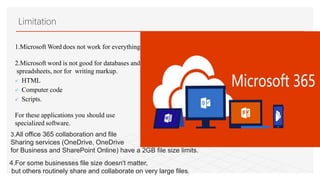
1.The first ever version of Microsoft Word - Word 1.0
– was launched in October 1983.
2.Developed by former Xerox programmers, Charles
Simonyi and Richard Brodie.
3.The two were hired by Microsoft founders Bill Gates
and Paul Allen, in 1981.
4.At that time, Word was called Multi-Tool Word.
5.It was designed for use on computers that ran the UNIX operating system.
6.Microsoft office 365 was first released in 2011. Since then the product range has grown quite significantly,
and it is now the defector way of purchasing and licensing Microsoft's Office applications.
7.In simple terms, office 365 replaces the way we used to buy applications from Microsoft.
Purpose of MS word
The main purpose of Word is to:
Create text documents
Printed on paper
Saved as PDF files
Composition and Editing
Formatting and Saving
Printing
Picture Tools in writing script
Reviewing documents
Commenting
Short cut key of MS word
•Ctrl+N: Create a new document
•Ctrl+O: Open an existing document
•Ctrl+S: Save a document
•F12: Open the Save As dialog box
•Ctrl+W: Close a document
•Ctrl+Z: Undo an action
•Ctrl+Y: Redo an action
•Alt+Ctrl+S: Split a window or remove the split view
•Ctrl+Alt+V: Print Layout View
•Ctrl+Alt+O: Outline View
•Ctrl+Alt+N: Draft View
•Ctrl+F2: Print Preview View
•F1: Open the Help pane
•Alt+Q: Go to the “Tell me what you want to do” box
•F9: Refresh the field codes in the current selection
•Ctrl+F: Search a document
•F7: Run a spelling and grammar check
advantages of “word office 365”
•Access Files Anywhere.
•Office 365 allows your organization to store all the files in the cloud.
•Secure Cloud Storage.
•Improved Communication.
•Predictable spend.
•Business Continuity.
•Automatic upgrades.
•Centralised Collaboration.
disadvantages of “word office 365”
•Internet Issues can Disrupt production
•Can causse a headache
•Data privacy & control isn’t in your hands
•Compatibility Issues
• Microsoft word requires a computer to edit
or view the documents which may
• Sometimes not be there especially when on
the go.
• The people use the same templates, So,
the documents just become clones of each
other, and help option sometimes provides vague answers.
Microsoft word
It is easy to correct the mistakes .
There is always an option to ask for help.
The bullets and numbers are done automatically
Microsoft Word offers to create numerous other
documents, The calendars, Greeting cards,…..etc.
Advantages
The plagiarism is easy to do because it is very
easy to just copy and paste.
Students do not focusing on Spelling and
grammar.
The thesaurus has a very limited vocabul
ary.
Limitation
1.Microsoft Word does not work for everything.
2.Microsoft word is not good for databases and
spreadsheets, nor for writing markup.
 HTML
 Computer code
 Scripts.
For these applications you should use
specialized software.
3.All office 365 collaboration and file
Sharing services (OneDrive, OneDrive
for Business and SharePoint Online) have a 2GB file size limits.
4.For some businesses file size doesn't matter,
but others routinely share and collaborate on very large files.
Word 365

Word 365

  • 1.
    “Word office 365” Madeby miss mannat kanwar Submitted to = Class=6th C
  • 2.
    Content 1. Introduction 2. HistoricalBackground 3. Purposes 4. Short cut keys 5. Advantages and Disadvantages 6. Limitations
  • 3.
    Introduction 1. Microsoft Wordis the world’s leading word processing application. 2. It can be used to work with a wide range of documents like letters,  Memos,  Newsletters,  Forms 3. Microsoft 365 Apps for enterprise includes exclusive intelligent capabilities like Ideas in Excel, Researcher in Word, real-time collaboration, Teams as the hub for teamwork, and advanced security features. 4.As a user-based license, you can deploy office on up to five PCs or Macs, five tablets, and five mobile devices.
  • 4.
    Historical Background ofMS World 1.The first ever version of Microsoft Word - Word 1.0 – was launched in October 1983. 2.Developed by former Xerox programmers, Charles Simonyi and Richard Brodie. 3.The two were hired by Microsoft founders Bill Gates and Paul Allen, in 1981. 4.At that time, Word was called Multi-Tool Word. 5.It was designed for use on computers that ran the UNIX operating system. 6.Microsoft office 365 was first released in 2011. Since then the product range has grown quite significantly, and it is now the defector way of purchasing and licensing Microsoft's Office applications. 7.In simple terms, office 365 replaces the way we used to buy applications from Microsoft.
  • 5.
    Purpose of MSword The main purpose of Word is to: Create text documents Printed on paper Saved as PDF files Composition and Editing Formatting and Saving Printing Picture Tools in writing script Reviewing documents Commenting
  • 6.
    Short cut keyof MS word •Ctrl+N: Create a new document •Ctrl+O: Open an existing document •Ctrl+S: Save a document •F12: Open the Save As dialog box •Ctrl+W: Close a document •Ctrl+Z: Undo an action •Ctrl+Y: Redo an action •Alt+Ctrl+S: Split a window or remove the split view •Ctrl+Alt+V: Print Layout View •Ctrl+Alt+O: Outline View •Ctrl+Alt+N: Draft View •Ctrl+F2: Print Preview View •F1: Open the Help pane •Alt+Q: Go to the “Tell me what you want to do” box •F9: Refresh the field codes in the current selection •Ctrl+F: Search a document •F7: Run a spelling and grammar check
  • 7.
    advantages of “wordoffice 365” •Access Files Anywhere. •Office 365 allows your organization to store all the files in the cloud. •Secure Cloud Storage. •Improved Communication. •Predictable spend. •Business Continuity. •Automatic upgrades. •Centralised Collaboration.
  • 8.
    disadvantages of “wordoffice 365” •Internet Issues can Disrupt production •Can causse a headache •Data privacy & control isn’t in your hands •Compatibility Issues • Microsoft word requires a computer to edit or view the documents which may • Sometimes not be there especially when on the go. • The people use the same templates, So, the documents just become clones of each other, and help option sometimes provides vague answers.
  • 9.
    Microsoft word It iseasy to correct the mistakes . There is always an option to ask for help. The bullets and numbers are done automatically Microsoft Word offers to create numerous other documents, The calendars, Greeting cards,…..etc. Advantages The plagiarism is easy to do because it is very easy to just copy and paste. Students do not focusing on Spelling and grammar. The thesaurus has a very limited vocabul ary.
  • 10.
    Limitation 1.Microsoft Word doesnot work for everything. 2.Microsoft word is not good for databases and spreadsheets, nor for writing markup.  HTML  Computer code  Scripts. For these applications you should use specialized software. 3.All office 365 collaboration and file Sharing services (OneDrive, OneDrive for Business and SharePoint Online) have a 2GB file size limits. 4.For some businesses file size doesn't matter, but others routinely share and collaborate on very large files.